
If you run a Shopify store, a customer may soon discover your product and buy it without visiting your website. Eligible products can now move from recommendation to direct checkout inside Google AI Mode and the Gemini app.
That changes more than the checkout button. You need to decide where the transaction should happen, make your product data reliable enough for an AI-assisted purchase, and measure sales that browser analytics may not fully capture. The right response is an operational audit, not an indiscriminate AI content campaign.
Key takeaways
- Eligible U.S. Shopify stores may have Google-native checkout activated automatically, so inspect Sales channels > Agentic before assuming you opted in or out.
- Merchant Center data is becoming part of the transaction interface, not merely a way to qualify for product exposure.
- Native checkout can shorten the buying path, but certain checkout blocks, bundles, custom pixels, and client-side Google Analytics tracking are not supported.
- Measure answer presence, visible citations, product visibility, and completed transactions separately. They are related outcomes, not interchangeable versions of one ranking metric.
Search visibility now has separate discovery and commerce layers
AI-generated search results are no longer a fringe surface. Google AI Overviews appeared in 39.4% of U.S. desktop searches in June 2026, up from 25.8% in July 2025. That measurement describes how often the feature appeared. It does not measure clicks, visits, or sales.
Search demand has not simply vanished into AI interfaces. U.S. desktop search volume reached 77 billion searches in the second quarter of 2026, 8% above the 71 billion recorded in the second quarter of 2024. The practical change is in what can happen between the query and your website. Google can answer the question, cite a page, present a product, and, for some shoppers and merchants, complete the transaction before a site session begins.
Do not use the AI Overview figure as a proxy for native-checkout adoption. AI Overviews, AI Mode, and Gemini are distinct experiences, and the available checkout rollout is limited to eligible merchants and shoppers. Combining them into one AI traffic number will hide which part of the journey is actually changing.
Track four outcomes instead of one AI visibility score
- Answer presence: Does the AI response discuss your brand, product, category, or information?
- Visible attribution: Does it name or link to your domain, product page, video, marketplace listing, or another asset you control?
- Product availability: Does the relevant product surface with accurate information for the shopper?
- Transaction availability: Can the shopper buy inside the AI experience, or are they transferred to your store?
The first two outcomes need to remain separate. A system can use a domain while giving another domain the visible link. In lodging-related AI responses measured from December 2025 through May 2026, Tripadvisor had 61% source presence but only 21% visible citation presence. Hotels.com moved from 50% source presence to 18% citation presence, while Booking.com moved from 33% to 9%. Those numbers come from lodging, not retail, but the measurement lesson applies directly: being used, being named, and receiving a click opportunity are different results.
Build your monitoring sheet around those distinctions. For every important query, record the date, device type, Google surface, whether your brand appeared, whether a link appeared, which URL received the link, whether a product was shown, and whether checkout was available. Use the same query set on a fixed cadence. AI responses can vary, so one screenshot should be treated as an observation rather than a permanent ranking.
Keep traditional ranking and organic traffic beside this view, not inside it. A page can rank conventionally without appearing in an AI answer. It can inform an answer without receiving a citation. A product can also generate an order without producing the client-side visit your existing dashboard expects.
Decide whether native checkout fits your store before leaving it enabled
The first task is to establish your actual state. Shopify stores may be eligible when they are based in the United States, sell to U.S. customers, have a valid Merchant Center account, and make eligible products available through Merchant Center, among other requirements. Products can be synchronized through Shopify’s Google & YouTube channel or supplied through another feed method.
For a matched store and Merchant Center account, eligible products may be included automatically. Shopify also activates purchasing by default for eligible stores. The rollout remains selective, however, so an eligible merchant should not assume that every shopper can see the same experience.
- Open Shopify and inspect Sales channels > Agentic.
- Record whether direct checkout is enabled before changing anything. Add the date to your analytics annotations or internal change log.
- Confirm which Merchant Center account is matched to the store and how products reach that account.
- Identify the products that are intended to be available through Merchant Center. Check whether their price, availability, variants, images, and descriptions match the live store.
- List every onsite feature involved in conversion or measurement, especially bundles, checkout blocks, custom pixels, and client-side Google Analytics tracking.
- Choose deliberately between native checkout and website checkout. If you disable direct checkout, products can still be discovered in AI Mode and Gemini, but shoppers will be sent to your site to purchase.
The choice is not simply more distribution versus less distribution. It is a tradeoff between reducing steps and preserving the parts of your onsite experience that help the customer choose, configure, or understand the product.
| Decision question | Lean toward native checkout | Lean toward website checkout |
|---|---|---|
| Can the customer understand and select the product from the information available in the AI experience? | The product and its variants are straightforward. | The purchase needs detailed education, configuration, or onsite assistance. |
| Does the current offer depend on unsupported checkout behavior? | Standard product and checkout behavior is sufficient. | Bundles or specific checkout blocks are central to the offer. |
| Can you evaluate performance from order and platform records? | Order-level reconciliation gives you enough evidence to make a decision. | Essential attribution or optimization depends on unsupported custom pixels or browser events. |
| What is the primary experience goal? | Removing steps between product discovery and purchase matters most. | Preserving a controlled, branded onsite journey matters most. |
Native checkout does not remove the merchant from the commercial relationship. Merchants retain the underlying customer and order relationship. But that does not mean the Google-hosted experience reproduces the store’s checkout. Certain checkout blocks, product bundles, custom pixels, and client-side Google Analytics tracking are not supported.
If one of those features affects pricing, fulfillment, compliance, or the customer’s understanding of the order, resolve that dependency before leaving native checkout enabled. If it only affects reporting, determine whether order-level reconciliation can replace the missing browser signal. Do not reject a sales channel solely because it produces fewer sessions, and do not keep it solely because it produces more orders without checking cancellations, refunds, and operational quality.
Treat Merchant Center data as transaction infrastructure
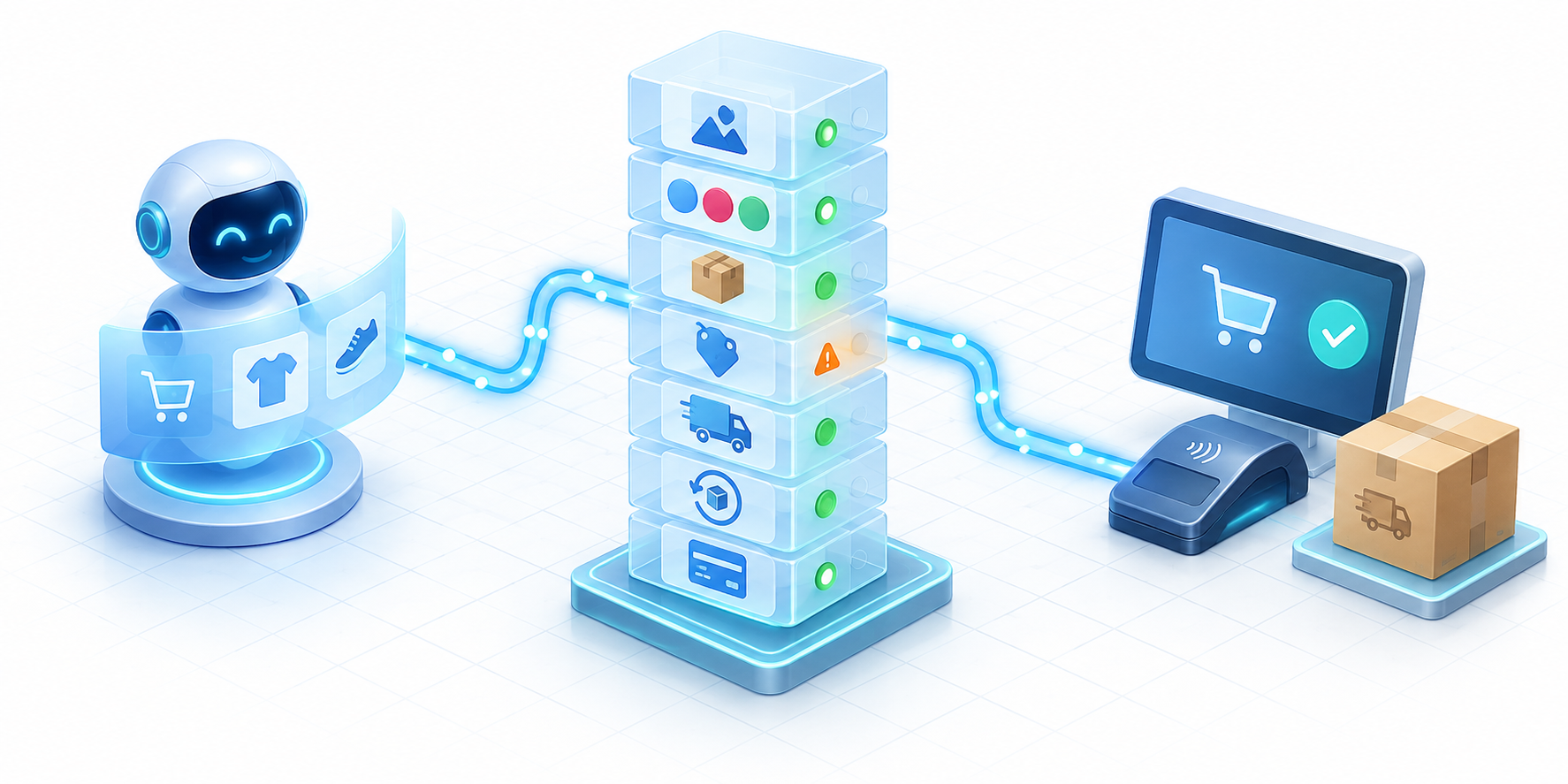
Merchant Center used to be easy to treat as a distribution feed sitting beside the store. That mental model is now incomplete. Eligible products supplied through Merchant Center can support discovery and direct purchase, which means a catalog error can travel farther down the buying journey before anyone notices it.
The transaction layer is powered by the Universal Commerce Protocol, or UCP. It is an open standard developed by Google with companies including Shopify so AI agents can interact with merchants and payment systems across the shopping journey. UCP is the connection layer; it does not make incomplete, stale, or ambiguous product information reliable.
Audit the product facts an agent must act on
- Identity: Make titles, brand information, item identifiers, and variant identifiers stable enough to distinguish one product from another.
- Choice: Represent differences such as size, color, quantity, and compatibility clearly. Do not bury a purchase-critical distinction in promotional copy.
- Offer: Keep price, availability, and condition aligned with what the customer can actually buy.
- Media: Make sure the primary image represents the selected product or variant rather than a broader collection.
- Description: Put the facts needed to make a decision near the start. A product description should identify what the item is, who or what it is for, and the distinctions that change the choice.
- Consistency: Align Merchant Center data, the rendered product page, and any Product structured data on the site. JSON-LD can clarify the page, but it is not a substitute for the Merchant Center feed used in this checkout rollout.
Work from the sale backward. Ask what would cause the wrong variant, stale availability, misleading image, or incorrect price to appear at the point of purchase. Those are higher-priority defects than minor differences in promotional wording because they affect whether the transaction can be completed accurately.
Do not add more feed detail than your team can maintain. A complete field that becomes stale is not better than a concise field tied to a reliable system of record. Assign ownership for each changing fact and document whether Shopify, another catalog system, or a feed tool controls it.
Replace browser-only attribution with commerce reconciliation
Client-side analytics cannot be your only conversion record when checkout may occur outside your pages. A lower session count can coexist with valid orders, while a missing browser event can look like a failed conversion even when payment completed.
Create a compact operating view with five layers:
- Configuration: The Agentic setting, Merchant Center account, feed method, and dates when any of them changed.
- Catalog: The products intended for AI discovery, their current feed status, and material errors or exclusions.
- Visibility: Observations from your fixed query set, separated into answer presence, citation presence, product appearance, and checkout availability.
- Transactions: Orders and sales attributed to the experience when Shopify or another available record identifies them. Keep onsite orders separate.
- Order quality: Cancellations, refunds, fulfillment problems, and product-selection errors. These show whether a shorter checkout path is producing usable revenue.
Annotate promotions, stockouts, price changes, feed repairs, and setting changes. A simple before-and-after comparison cannot prove that native checkout caused a sales change when inventory, demand, and rollout availability also moved. Treat it as directional evidence unless you have a controlled comparison with stable conditions.
If direct checkout is enabled but the available records cannot distinguish its orders, document that limitation instead of filling the gap with estimated attribution. The immediate objective is to make the unknown visible. That prevents a dashboard built around website sessions from silently declaring offsite transactions nonexistent.
Build citation opportunities around how people research products

Your product feed supports commerce eligibility, but it is not the whole discovery strategy. In June retail searches, YouTube appeared in 23% of searches among the top listed AI Overview citations. Amazon appeared in 14%, Reddit in 12%, and Wikipedia in 11%.
Those percentages are not traffic share, sales share, or proof that publishing on a particular platform causes an AI citation. They show that retail answers draw visible support from several kinds of destinations: video, marketplaces, communities, reference material, and merchant sites. Your visibility plan should therefore cover the questions people ask before they are ready to transact.
- Map real buying questions. Include category questions, comparisons, compatibility concerns, variant selection, use cases, and the policy questions that can stop a purchase.
- Assign one dependable destination to each answer. Use a product page for product facts, a comparison or support page for decision criteria, and a video when the customer needs to see setup, scale, movement, or results.
- Keep claims consistent across surfaces. Conflicting specifications, product names, availability, or positioning create ambiguity for shoppers and machines. Correct the canonical store information first, then update other profiles and listings you control.
- Use YouTube when demonstration adds evidence. Give the video a descriptive title and make the spoken and written explanation specific enough to stand on its own. Do not create video merely because YouTube appears frequently in citations.
- Treat Reddit as a listening environment, not a placement inventory. Use recurring community questions to improve your pages and documentation. Do not manufacture endorsements or disguise promotional participation as customer experience.
- Review marketplace information where it already matters to your business. If your products are legitimately sold on Amazon, make names, variants, and core facts consistent. The citation data alone is not a reason to open a marketplace channel.
When reviewing a query, ask whether the AI answer contains the right fact, whether your brand is represented accurately, and whether the visible citation leads to the best page. A citation to an obsolete support page is not automatically a win. Neither is an uncited brand mention that describes the wrong product.
Your first move should be small and observable. Check Sales channels > Agentic, capture the current state, confirm the matched Merchant Center account, and list the checkout or analytics features that would not carry into native checkout. Then choose whether to keep direct purchasing enabled and begin a recurring product-data and query review. That sequence gives you a controlled decision now while preserving room to adapt as Google expands the experience.
References
- Search Engine Land – Google opens native AI checkout to eligible Shopify merchants
- Search Engine Land – Google AI Overviews now appear in 39% of U.S. desktop searches

Leave a Reply