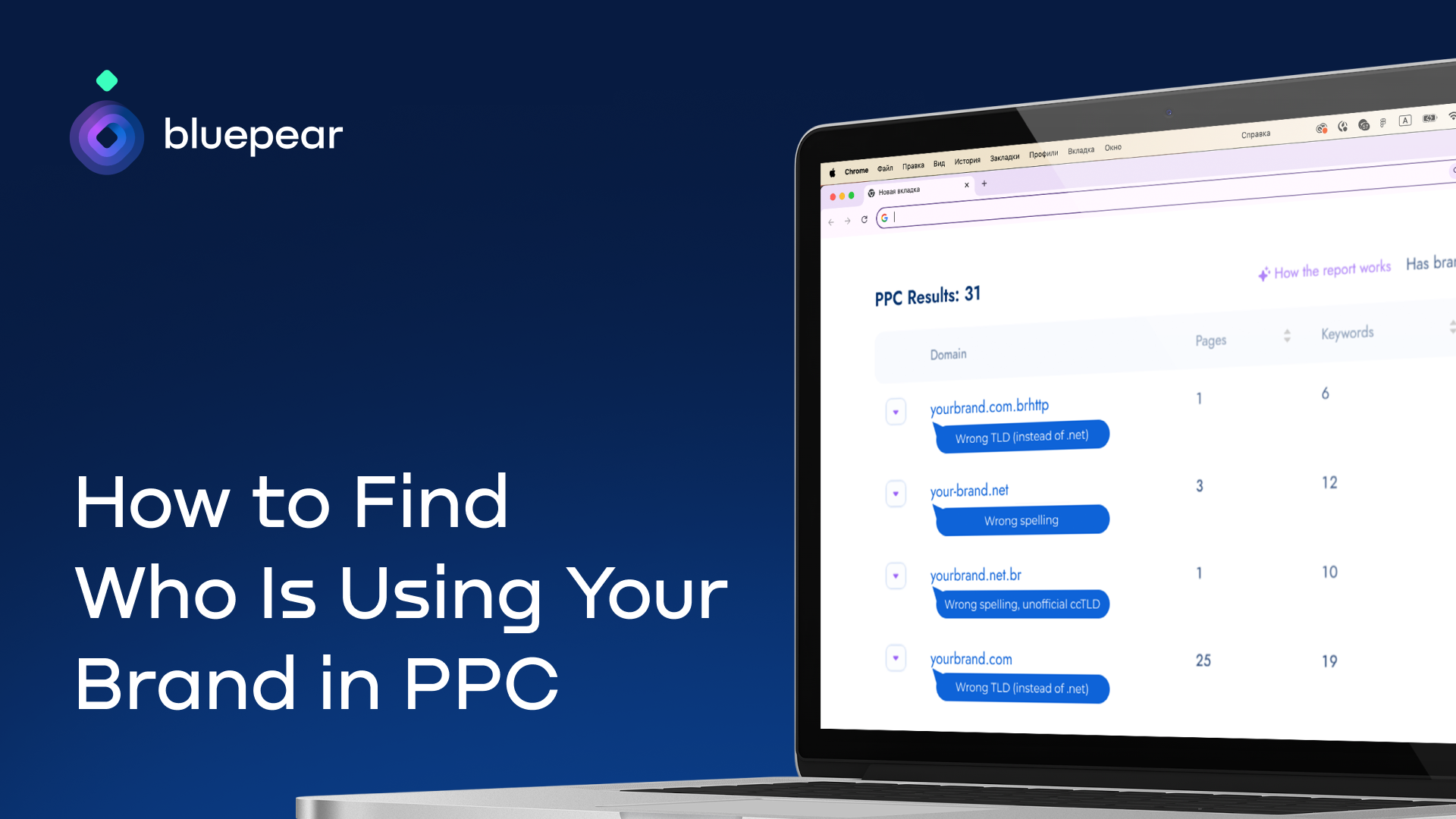
I know competitive brand bidding is now a common PPC tactic, but that does not mean I treat it as harmless background noise. When competitors, affiliates, coupon sites, or misleading advertisers show up on branded searches, they can inflate CPCs, divert high-intent traffic, and confuse people who were already looking for my brand.
I have seen how much difference visibility can make. Industry examples show that brands often uncover meaningful CPC inflation once they start tracking competitor bidding, affiliate activity, and trademark misuse. In documented cases, brands reduced branded CPCs by 25% to 75% after identifying infringing advertisers and enforcing their policies.
In this guide, I walk through how I monitor branded keywords, identify who is advertising on them, and decide what actions may be available based on the evidence I find.
Choosing Keywords So I Do Not Miss Hidden Activity
When I want to find out who is using my brand in search ads, I start by deciding which keywords I need to monitor.
The biggest mistake I try to avoid is watching only my exact brand name. That is a useful starting point, but it rarely shows the full picture. Some advertisers deliberately target brand-related coupon, discount, review, or alternative queries because those searches often come from high-intent users and attract less scrutiny.
For example, someone searching for “Brand coupon” or “Brand discount code” may be much closer to buying than someone searching for the brand alone. Those queries often attract coupon affiliates, loyalty sites, and unauthorized advertisers trying to intercept branded traffic.
I also pay attention to searches that include terms like “reviews” or “alternatives,” because those queries can bring in competitors and comparison sites that position themselves directly against my brand.
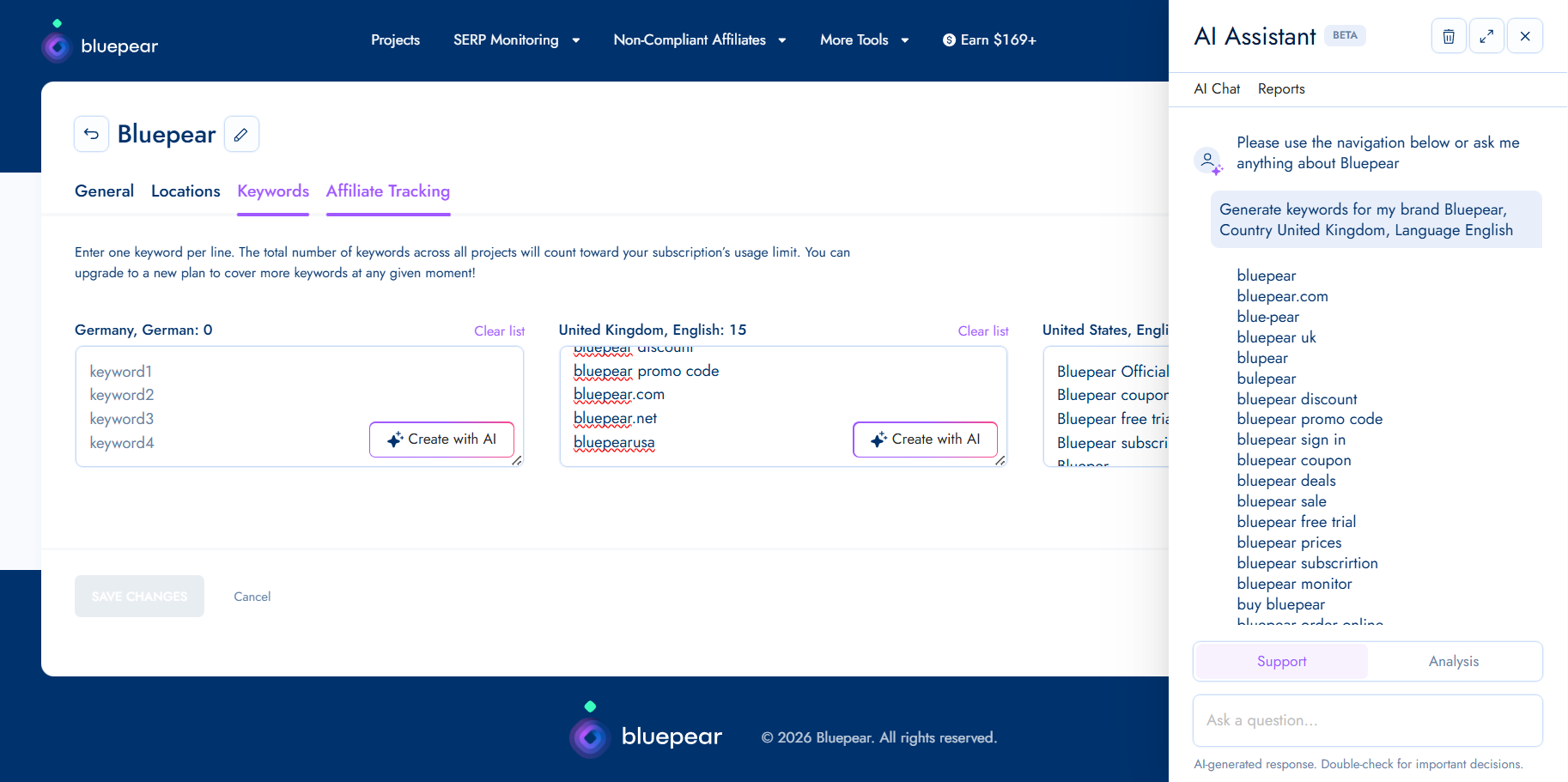
Misspellings matter too. Some advertisers target spelling variations because they are less likely to be monitored and may face less competition.
For a solid monitoring setup, I include my core brand name, “official page” and “login” variations, coupon and promo-code searches, review and alternative searches, commercial terms such as “buy,” “order,” and “sign up,” common misspellings, and localized versions of my brand name.
If I am using Bluepear, its built-in AI assistant can generate keyword suggestions from this kind of list and help me expand coverage faster.
The number of terms I monitor depends on the size of the brand portfolio, including trademarks, local branches, and product names. For many small to medium-sized brands, I would start with about 20 keywords and then expand as new risks, markets, and opportunities appear.
Choosing Locations and Monitoring Frequency
I do not rely on a single search from my office, on my device, at one moment in time. Search results are too dynamic for that. Two people searching the same branded keyword can see completely different ads and organic listings depending on their location, device, timing, and other variables.
I also assume that some advertisers may be trying to hide their activity. A fraudster or an affiliate violating my PPC policy might run ads outside normal business hours to reduce the chance of being caught. If I only check manually during the workday, I may never see those ads.
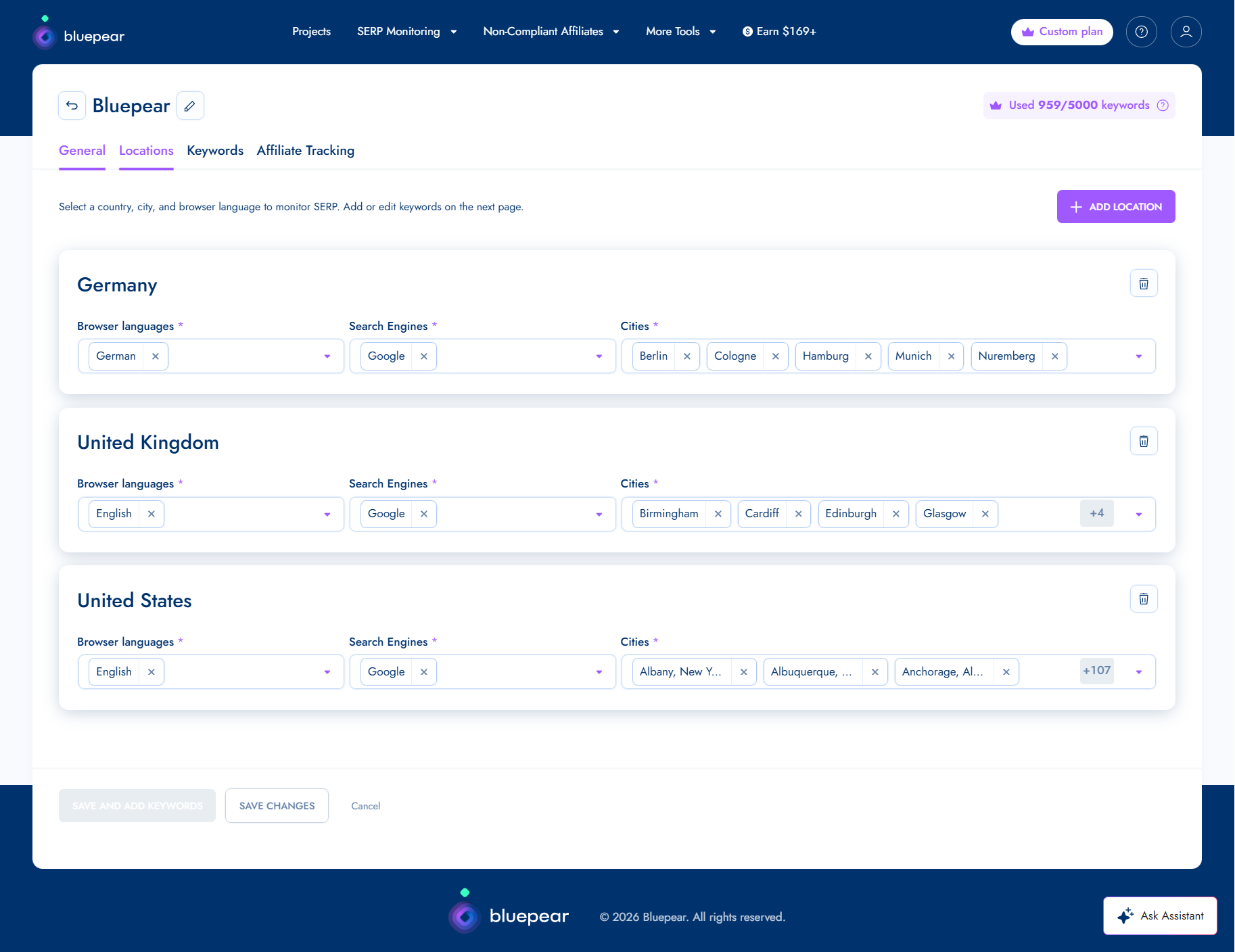
When I monitor branded search results, I look across the countries and markets where my brand operates, regional differences within those markets, mobile and desktop results, different times of day, and weekday versus weekend activity.
Frequency matters just as much as coverage. Some violations appear briefly and then disappear. Running checks multiple times throughout the day gives me a better chance of capturing activity that would otherwise go unnoticed.
Tracking all of these variables manually can become tedious, especially when a brand operates across multiple markets. Bluepear accounts for locations, devices, time zones, and redirects that can obscure the true destination of traffic. I can set the parameters once and gain continuous visibility without turning monitoring into a weekly time sink.
Reviewing Search Results and Recording Evidence
I do not assume every advertiser bidding on my branded keywords is breaking a rule. Competitors may be allowed to bid on branded keywords if they do not use my trademark in their ad copy. Affiliates may also be authorized to promote my brand under specific program conditions.
Still, I need to know when an advertiser’s behavior crosses the line from legitimate brand bidding into trademark misuse, policy violations, or customer deception.
The first signal I investigate is trademark use in ad copy. If the ad mentions my brand name in the headline or description, and my trademark rules or affiliate policies restrict that use, I treat it as a possible compliance issue.
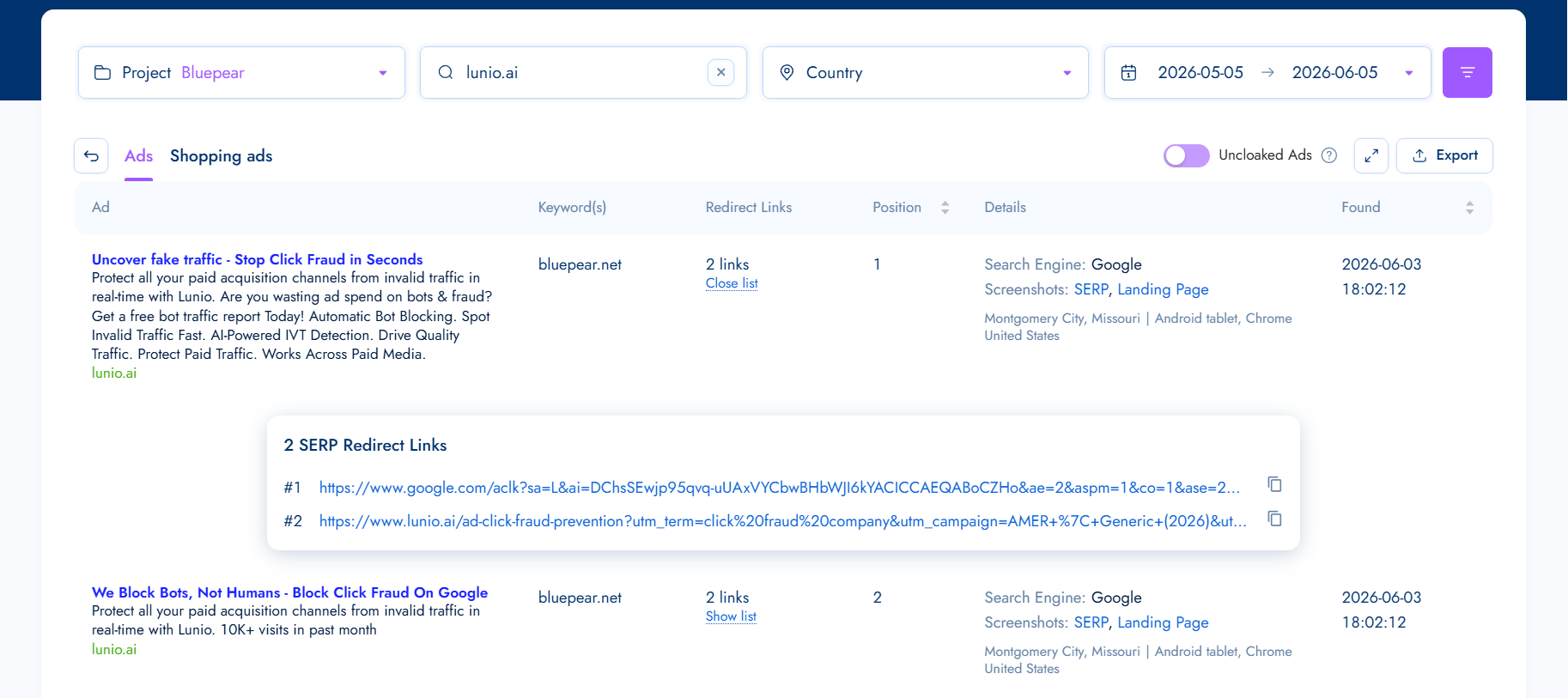
I also look for misleading claims. Phrases that imply the advertiser is “official,” references to exclusive offers, or language that suggests authorization when none exists can confuse users and deserve review.
Coupon and discount promotions need special attention. I verify whether the advertised discount, promo code, or offer is legitimate, because some affiliates use expired, misleading, or fabricated offers to win clicks.
I also watch for impersonation signals. Some ads and landing pages are designed to resemble a brand’s official website. Even if the advertiser does not directly claim to be my company, that kind of presentation can still confuse users and divert branded traffic.
Because advertisers can change ad copy, pause campaigns, or remove landing pages at any time, I collect evidence quickly. I record the ad copy, SERP position, triggering keyword, location, URLs, redirects, landing page content, and timestamps.
Bluepear can handle this automatically by compiling a report with the relevant details, which makes follow-up easier when I need to contact an affiliate, review a competitor’s behavior, or escalate a trademark issue.
Identifying Who Is Behind the Activity
Sometimes I cannot immediately tell whether an advertiser is a competitor, an affiliate, a coupon site, or something riskier. Branded search results often include multiple participants with different motivations, so I need to understand who I am dealing with before I decide what to do next.
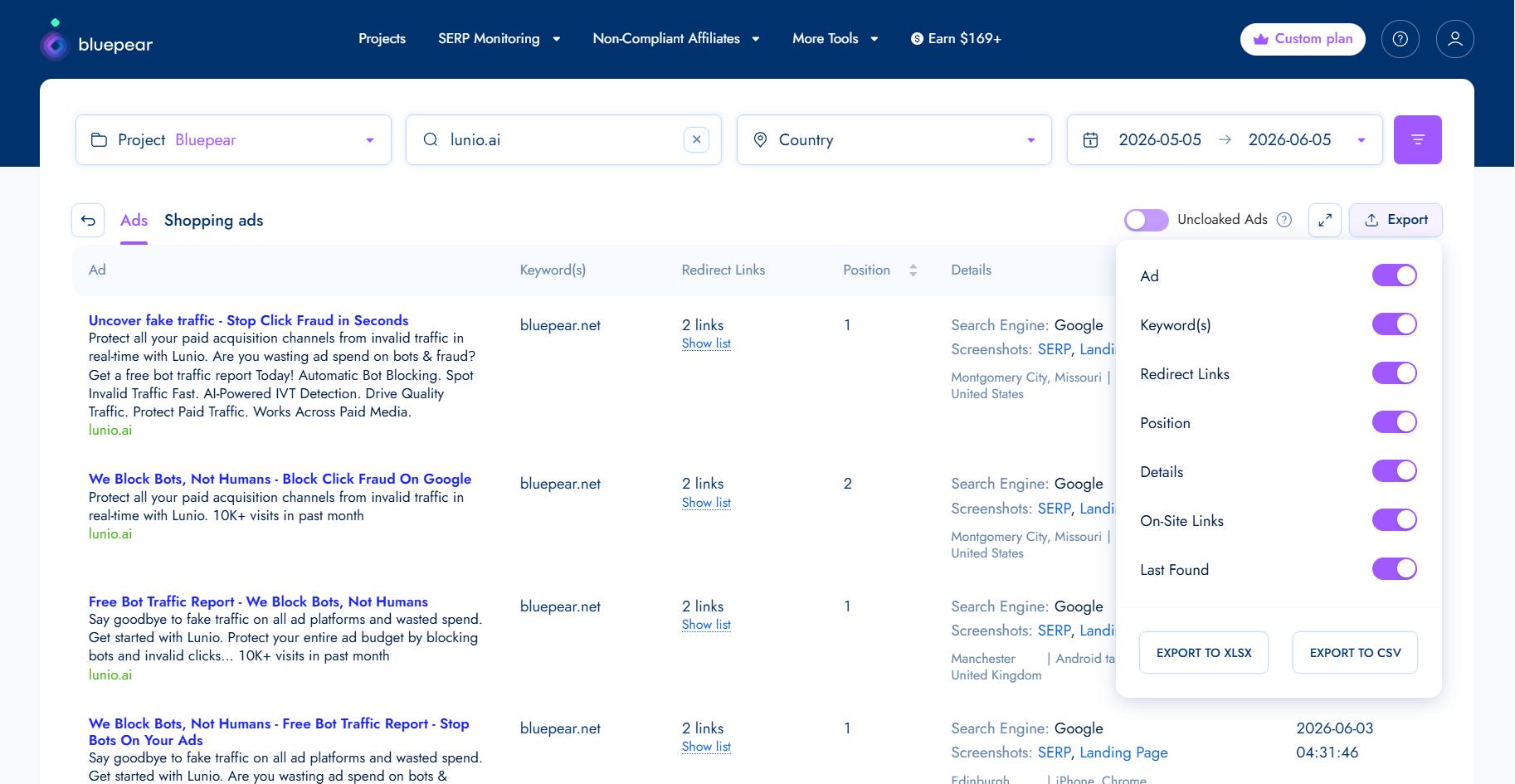
I look for patterns. A direct competitor domain usually points to competitor bidding. A coupon or cashback page may indicate an affiliate, coupon site, or loyalty site. Affiliate network tracking links often suggest affiliate activity, although they can also appear in more questionable setups. Product comparison pages often point to competitors or comparison publishers.
Other signals raise the risk level. If an ad uses my trademark, claims to be “official,” sends users through multiple redirects, promotes coupon codes I cannot verify, or lands on a page that imitates my brand’s design or messaging, I investigate more carefully.
No single signal gives me a definitive answer. I combine multiple pieces of evidence before drawing conclusions. Once I know who is advertising on my brand terms, I can move beyond detection and decide whether their activity aligns with my policies and business goals.
What I Do Next
After I identify who is advertising on my brand terms and review their ads, the next step is choosing the right response.
Competitor Brand Bidding
Not every competitor bidding on my branded keywords requires immediate intervention. Before acting, I ask how often the competitor appears, which keywords they are targeting, whether they are using trademarked terms in ad copy, and whether they are sending users to comparison content or direct offers.
In many cases, I monitor the activity and evaluate its business impact over time. Documenting patterns helps me establish a baseline, which can support future compliance reviews or legal conversations if escalation becomes necessary.

Affiliate Violations
If an affiliate is bidding on restricted branded keywords or violating program rules, I gather evidence and contact the affiliate or network. My workflow is straightforward: document the violation, verify the affiliate ID, share the evidence, request removal or corrective action, and apply program enforcement measures if needed.
Screenshots, timestamps, and redirect data make those conversations much easier because I can show exactly what happened, where it happened, and when it was detected.
Trademark Misuse
Trademark-related issues require careful review. I look for unauthorized trademark use in ad copy, ads that create confusion about brand affiliation, impersonation attempts, and misleading claims that the advertiser is an official brand representative, partner, or reseller.
The right response depends on the circumstances, internal policies, and applicable laws. In many jurisdictions, competitors are generally allowed to bid on trademarked keywords. However, ads that confuse users about the advertiser’s relationship with my brand may raise trademark or unfair competition concerns, depending on the facts and local law.
The advertising platform’s policies matter too. Google allows advertisers to bid on trademarked keywords, but it may restrict trademark use in ad text when a valid trademark complaint is submitted. Google also prohibits ads that use trademarks in a confusing, deceptive, or misleading way.
Before I take action, I collect as much evidence as possible, including screenshots, detection timestamps, URLs, redirects, and landing page content. Once the facts are documented, I may contact the advertiser directly, submit a trademark complaint to the advertising platform, send a cease and desist letter, or escalate through legal channels if necessary.
Why I Keep Monitoring Brand Search
The main lesson is that branded search protection is not a one-time audit. Affiliates can activate and pause campaigns throughout the month. Some violations appear only on weekends, outside business hours, or in specific markets. An advertiser that disappears today may return next week with new ad copy, a new domain, or a different affiliate account.
That is why I treat brand protection as an ongoing process. Occasional searches are not enough. I need consistent monitoring and a repeatable investigation workflow that shows who is appearing on my brand terms, how they operate, and whether action is warranted.
If I want easier visibility into my branded search landscape, Bluepear helps identify issues earlier, respond faster, and make more informed decisions about protecting traffic and advertising investments.
Inspired by this post on Search Engine Land.

Leave a Reply