
You have a campaign brief, not an afternoon to spend rerolling images. The asset needs readable copy, stable people and products, multiple formats, and localized versions. Someone also needs to know exactly what changed between creative variants.
Google Nano Banana 2 can carry more of that production workload, but only if you treat it as part of a controlled creative system. The useful shift is not simply better-looking output. It is the ability to move from a structured brief to a consistent family of assets with fewer compromises between speed, detail, text, and continuity.
What Nano Banana 2 changes in an image workflow
Nano Banana 2 is the informal name for Gemini 3.1 Flash Image. Google DeepMind has positioned it as a combination of Nano Banana Pro’s image intelligence and Gemini Flash’s faster generation. For a marketing team, that combination matters because image quality and iteration speed normally pull the workflow in opposite directions.
The model’s improvements map to four practical jobs:
- Knowledge-heavy visuals: Real-time web grounding can bring current context into infographics and data-oriented images. Treat that as assistance with generation, not proof that a visual is factually correct.
- Images containing words: Improved text rendering and translation make social graphics, diagrams, promotional cards, and localized creative more viable. Every visible word still needs human proofreading.
- Scenes that must remain recognizable: Stronger instruction adherence and subject consistency make it easier to preserve the same cast, objects, visual hierarchy, and art direction during revisions.
- Assets for different placements: Supported output extends from 512px through 4K, so the same workflow can cover lightweight concepts and high-resolution deliverables.
The documented consistency envelope reaches up to five characters and 14 objects in one workflow. Read that as an upper capability boundary, not a guarantee that a crowded scene will remain perfect. The closer your composition gets to the limit, the more deliberate your naming, placement, and review need to be.
Key takeaways
- Use Nano Banana 2 for repeatable asset families, not just isolated image generation.
- Write prompts as production briefs with explicit priorities, subjects, composition, copy, and output requirements.
- Approve one master image before generating formats, languages, or test variants.
- Verify every word, number, label, and data point even when web grounding is involved.
- Keep important page meaning in HTML and metadata rather than leaving it trapped inside an image.
Turn the prompt into a production brief
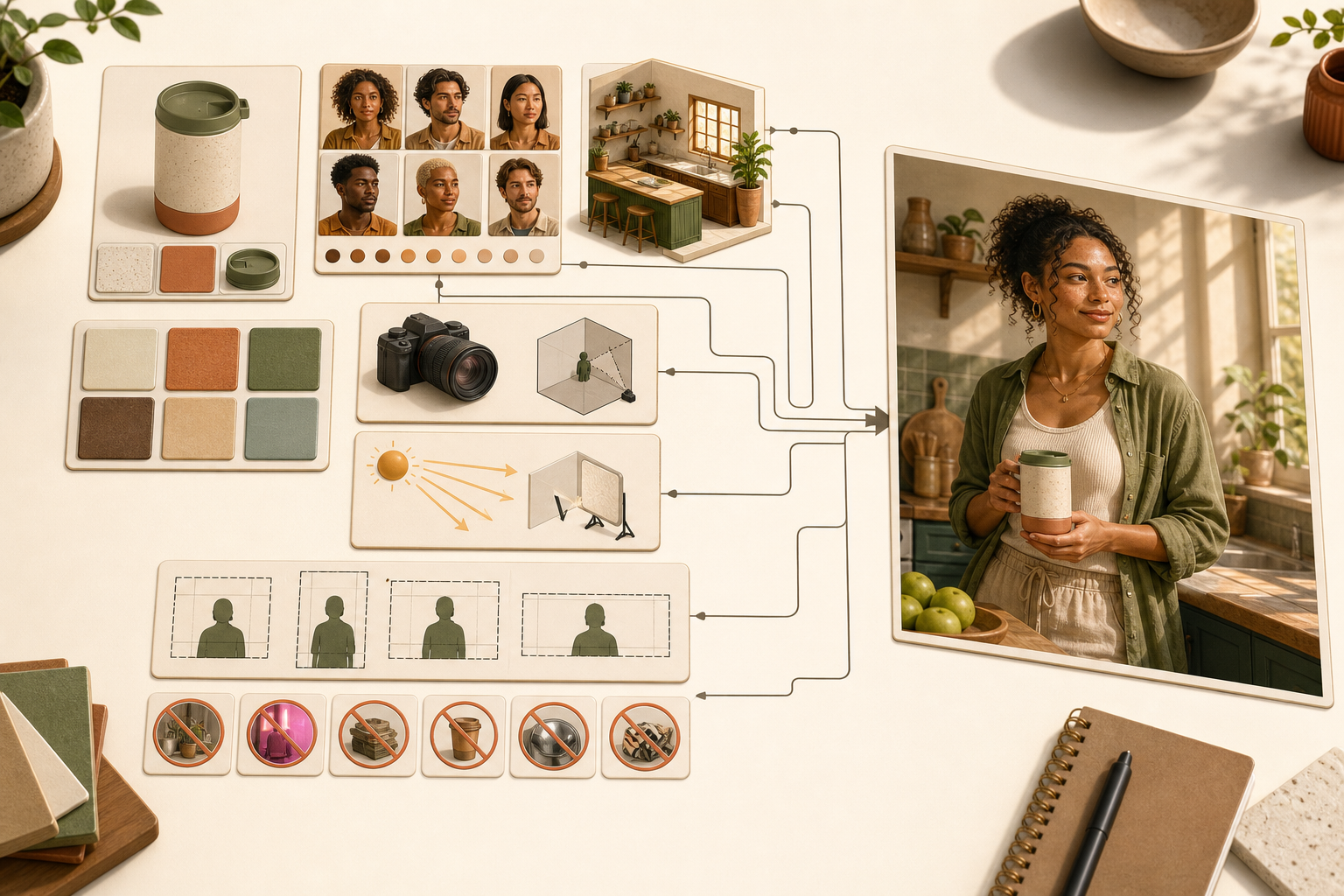
Stronger instruction adherence is only useful when the instructions have a clear hierarchy. A loose collection of adjectives leaves the model to decide what matters. A production brief tells it what the asset must accomplish, what cannot change, and where it has room to interpret.
- Start with the asset’s job. Name the destination and the action the visual should support: a landing-page hero, an ad variant, a report cover, a diagram, or a localized social card. This gives the composition a reason to exist.
- Define the required subjects. List each person, product, interface, or meaningful object. Give recurring subjects short, stable labels so later instructions can refer to them without ambiguity.
- Specify spatial relationships. State what belongs in the foreground, where the main subject sits, which direction a person faces, and where clear space is required for external copy or controls.
- Describe the visual system. Set the palette, lighting, texture, level of realism, camera perspective, and overall mood. Use concrete visual properties rather than piling up subjective terms such as premium, bold, or modern.
- Supply text as exact copy. Separate the headline, labels, supporting text, and language. If a phrase must not be translated, say so. Do not bury critical wording inside a long paragraph of art direction.
- Name the output requirements. Include the intended aspect ratio, supported resolution, crop needs, and any areas that must remain uncluttered. Request 4K when the approved asset actually needs it, not by default for every concept.
- Declare the invariants. Say which identities, objects, colors, text, and layout relationships must remain unchanged across revisions.
A reusable prompt pattern
Goal: Create a 4K landscape hero image for a landing page promoting a search visibility report. Subjects: Show one analyst at a desk and one dashboard object displaying a clean line chart. Composition: Place the analyst and dashboard on the right, with the left third uncluttered for an HTML headline. Visual direction: Use deep navy, off-white, and restrained cyan accents, with soft directional lighting and realistic textures. Restrictions: Do not add logos, watermarks, interface labels, extra screens, or text inside the image. Continuity: Keep the analyst’s appearance, dashboard layout, palette, and lighting unchanged in later variants.
This example deliberately reserves the headline for HTML. That is usually the cleaner choice for a web hero because the copy remains editable, selectable, responsive, and available to assistive technology. Use embedded text when the words are part of the artifact itself, such as a social card, diagram label, poster, or standalone ad creative.
For an image that needs embedded copy, add a separate instruction such as On-image copy: Q3 Search Visibility Report. Then identify the exact location, hierarchy, and language. Keeping copy in its own instruction makes proofreading and localization easier.
Follow-up prompts should be smaller than the original brief. Ask to change one controlled element while restating the invariants: replace the background environment, change the accent color, translate the approved copy, or adapt the crop while preserving the subjects. Rewriting the entire prompt for every revision invites unplanned changes.
Build variants without losing control of the experiment
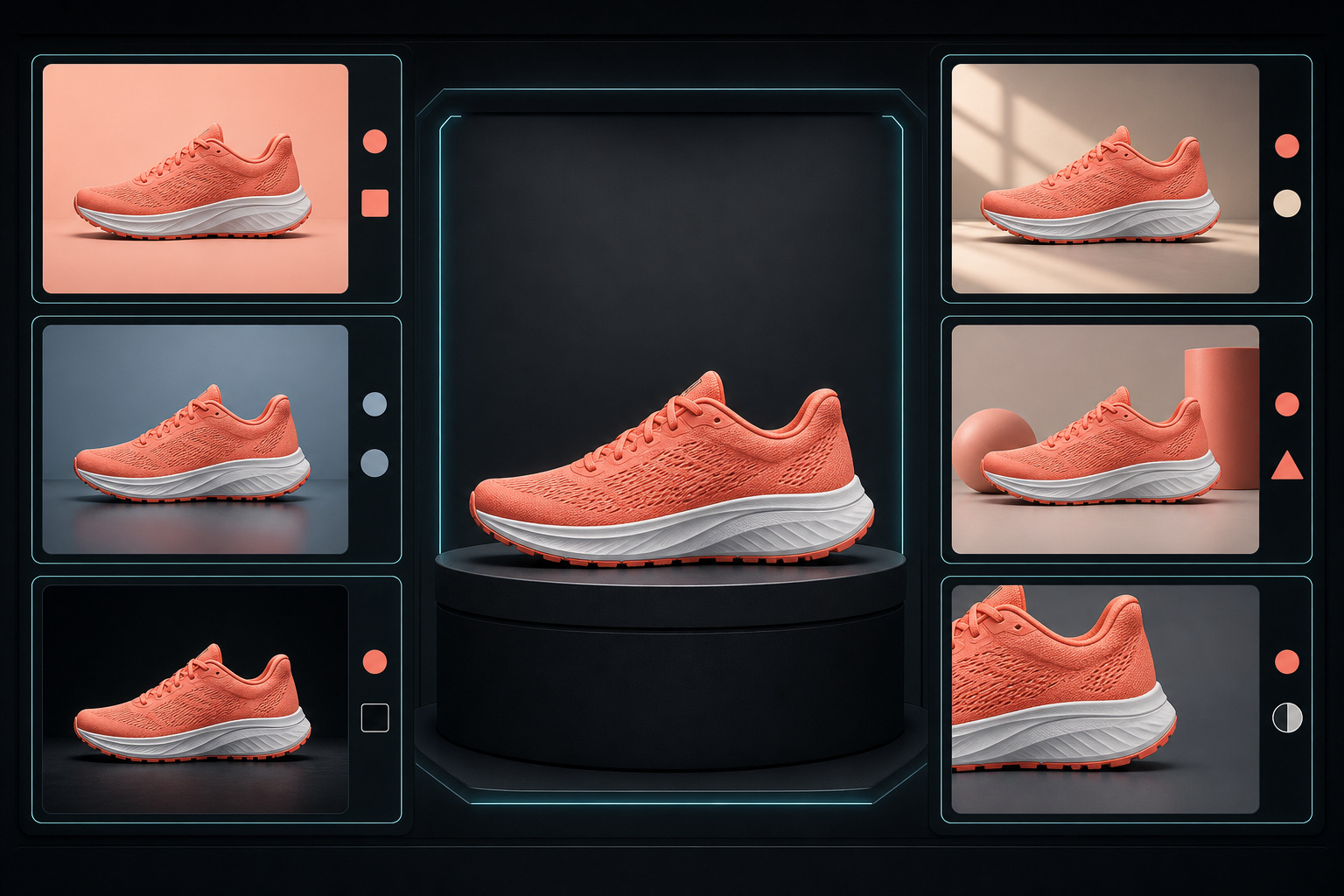
Fast generation can create a false sense of progress. Twenty visually different outputs are not a useful test if the headline, palette, composition, subject, and offer all changed together. You will know which image performed better, but not why.
Use a master-and-variant workflow instead:
- Generate a baseline. Produce the first complete interpretation of the brief before requesting alternatives.
- Review against the brief. Separate objective misses, such as incorrect text or a missing object, from subjective preferences, such as wanting warmer lighting.
- Correct the baseline. Do not build variants from an image that already violates the required composition, copy, or identity.
- Approve a master. Record the accepted prompt, output, invariants, language, and intended placement.
- Create one-variable variants. Change one meaningful family of attributes at a time, such as the background, focal framing, callout treatment, or color emphasis.
- Localize after visual approval. Preserve the master composition while changing the language-specific copy, then allow only the layout adjustments required by the translated text.
Your review should use explicit gates rather than a general looks-good decision:
- Brief compliance: Are all required subjects present, and are unwanted additions absent?
- Continuity: Do recurring people, products, and objects remain recognizable across versions?
- Copy: Does every character match the approved wording, including punctuation, capitalization, and product terms?
- Factual content: Do chart labels, values, dates, maps, and explanatory elements match the information you intend to publish?
- Visual integrity: Are faces, hands, object boundaries, reflections, lighting, and small details internally coherent?
- Placement safety: Will important content survive the real crop, overlay, and responsive layout?
- Delivery: Does the final file have the resolution and aspect ratio required by its actual destination?
Web grounding does not remove the factual review gate. It can help the model reason about the requested subject, but it cannot approve a statistic, establish which date your campaign should use, or decide whether a generated chart supports your claim. Keep the underlying facts in a separate, human-reviewed content sheet and compare the rendered visual against it.
The same discipline applies to translation. Generate the localized version, copy the visible wording out of the image, and compare it with approved language line by line. Check line breaks and hierarchy as well as meaning; a correct translation can still become unreadable when it is forced into the original layout.
Nano Banana 2 is integrated into Google Ads as well as the broader Gemini ecosystem, which makes rapid campaign variation an obvious use case. Keep the creative test interpretable: hold the audience, offer, and measurement setup steady when the purpose is to learn whether a visual change affected performance.
Finish the asset for SEO, AEO, and GEO
A production-quality image is not automatically a search-ready asset. Image generation creates pixels. Your publishing workflow must connect those pixels to the page’s subject, the user’s task, and machine-readable context.
Keep the meaning outside the pixels
- Match the search intent. Use the image to clarify the answer, process, entity, comparison, or result the page is actually about. A polished but generic visual adds little retrieval value.
- Write functional alt text. Describe the information or purpose the image contributes in its context. Do not paste the generation prompt or turn the attribute into a keyword list.
- Use descriptive filenames. Name the finished asset for its actual subject and role rather than preserving a generator’s default filename.
- Publish essential facts as HTML. If an infographic contains a process, statistic, or comparison that the reader needs, provide the same core information in nearby page text. Do not make people or search systems depend on reading pixels.
- Add a useful caption when context is needed. A caption should explain why the visual matters, not merely repeat what it depicts.
- Create delivery derivatives. Keep a high-resolution master, but serve a file sized and compressed for the placement. Sending a 4K image everywhere can add page weight without improving the reader’s experience.
- Localize the surrounding context. When you translate text inside an image, update the filename, alt text, caption, nearby explanation, and linked destination for the same audience.
Treat structured data as a record
If your page’s structured data references the image, the markup should describe the asset that is visibly published at the live URL. Keep the image URL, dimensions, caption, creator information, and licensing information aligned with what you can substantiate. Do not manufacture metadata simply to fill properties.
JSON-LD does not rescue a weak relationship between the visual and the page. The image, headline, body copy, captions, internal links, and structured data should all describe the same primary subject. That consistency gives search engines and answer systems a clearer entity-and-context relationship to interpret, although it cannot guarantee rankings, citations, or inclusion in an AI-generated response.
This is also where subject consistency becomes strategically useful. Reusing a recognizable product, character, diagram language, or branded visual system across a related content cluster can make the collection feel coherent. Keep each asset specific to its page, however; duplicating one generic image across every URL does not explain what makes those pages different.
Choose a pilot that exposes the model’s real value
Do not judge Nano Banana 2 by asking it for a single decorative image. That tests whether it can produce an attractive picture, not whether it can improve your production system.
Our rule of thumb is to choose a pilot that needs at least two of the model’s differentiating capabilities:
- A recurring person, product, or object that must remain consistent.
- Exact words or labels inside the visual.
- Several controlled creative variants for a campaign.
- Localization into more than one language.
- A knowledge-heavy infographic or data visualization.
- Outputs ranging from smaller concept images to a 4K master.
A strong pilot might be a report launch that needs a hero image, a labeled social card, ad variants, and localized editions. One approved visual system can then be carried through each placement while the team measures generation time, correction cycles, consistency, proofreading effort, and final usability.
Begin concepts at the smallest supported resolution that lets your team judge composition. Move to 4K after the direction is approved. This keeps reviewers focused on the idea before they spend time inspecting final-level detail.
The model is available across Google Ads, the Gemini app, Search AI Mode, Lens, and other parts of Google’s ecosystem. That reach makes shared governance more important than platform-specific habits. Store the master brief, approved copy, invariants, final asset, localization decisions, and QA result together so the next person can reproduce the workflow.
Pick one recurring campaign asset this week. Define its invariants, create one approved master, and generate a single controlled variant. If the model preserves the subject, copy, composition, and visual system through that cycle, you have evidence for expanding the workflow. If it does not, the QA record will show whether the problem came from the brief, the generation, or the review process.
References

Leave a Reply