Category: Google

  • Google Search Favicon Bug: Diagnose It Without Guessing

    Google Search Favicon Bug: Diagnose It Without Guessing

    Your branded search result suddenly shows a generic globe instead of the favicon people associate with your site. The natural reaction is to change the icon, edit the site template, or start looking for a technical SEO failure. During a confirmed Google-side incident, those changes can create a second problem without fixing the first.

    Your immediate job is to determine whether the failure is on your site or inside Google Search. A short, evidence-based check will help you preserve a clean baseline, avoid unnecessary production changes, and measure any click impact without jumping to conclusions.

    A default globe can be Google’s failure, not yours

    Google has confirmed that improperly displayed favicons were caused by an issue on its end. Affected results showed Google’s default globe icon when Search could not display the site’s proper favicon.

    It’s an issue on our end. We identified the issue and we’re addressing it as quickly as we can.

    Rajan Patel, Google VP, Engineering for Search

    The recovery was uneven. Some favicons returned while other sites, including LinkedIn, still showed the generic icon. That matters when you diagnose your own result: one remaining broken favicon does not necessarily mean your implementation is faulty, and one recovered result does not prove the incident has ended everywhere.

    A globe icon is a search-presentation symptom. By itself, it does not establish that your rankings, content, structured data, or crawling have failed. The immediate concern is visual recognition. A distinctive favicon can help your result stand apart, while a generic icon could make the listing less recognizable and potentially reduce clicks. No quantified click loss has been established for this incident.

    Run a scope check before changing the site

    An isometric diagnostic scene shows a healthy website and favicon path on one side and a separate search indexing cloud producing a generic globe on the other.

    Do not begin with a fix. Begin by recording exactly where the symptom appears. That distinction protects you from replacing a working favicon merely because Google is temporarily displaying it incorrectly.

    1. Capture the affected search result. Save the query, result URL, visible icon, observation time, and a screenshot. This gives you evidence to compare against later instead of relying on memory.
    2. Open the site normally and confirm that its favicon still appears where you expect it, such as in the browser tab. This does not prove Google can retrieve or display it, but it tells you whether the icon has obviously disappeared from the site itself.
    3. Sample more than one result from your domain. Check the homepage and representative internal pages when they appear in Search. Record whether the globe affects every observed result or only a subset.
    4. Look at unrelated domains in the same search environment. Generic icons appearing across several sites make a platform-side display problem more plausible. A symptom confined to your domain deserves closer site-side investigation.
    5. Review recent deployments before assigning a cause. Note any changes to the favicon file, document head, theme, site framework, domain configuration, or asset delivery. A coinciding deployment does not prove responsibility, but it prevents you from overlooking your own change while a wider incident is underway.

    The browser check and the search-result check answer different questions. A favicon that works in a browser shows that an icon is available to ordinary visitors. It does not guarantee that Google’s search interface has processed and displayed it correctly. Treat it as one piece of evidence, not a complete validation.

    Choose your next move from the pattern you see

    The safest response depends on the combination of symptoms, not on the globe icon alone.

    What you observeWhat it indicatesWhat to do next
    The favicon is missing on the site and in SearchA site-side problem remains possibleInvestigate the favicon asset and the site changes that control it before treating the issue as Google’s bug
    The favicon works on the site, while your result and unrelated results show globesThe pattern is consistent with the acknowledged Google-side incidentDocument the evidence, keep the working implementation stable, and monitor representative results
    Only some URLs from your domain show the globeSearch may be displaying or recovering favicons unevenlyTrack the same URL sample and avoid a sitewide change based on one result
    The correct favicon returns without a deploymentThe recovery is consistent with a platform-side resolutionPreserve the before-and-after evidence and continue checking until the result is stable
    Your domain remains affected while broader results recoverThe general incident no longer explains the whole patternReopen the site-side investigation and compare the persistent failure with your recorded baseline

    Do not change JSON-LD because of a favicon-only symptom. A generic search icon is not evidence that your schema markup is broken. The same restraint applies to page titles, descriptions, content, and unrelated technical settings. Changing several search-facing elements at once destroys the baseline you need to tell whether Google’s recovery or your intervention produced the result.

    Google’s statement also did not provide a firm completion time. Treat “as quickly as we can” as an acknowledgement of active work, not as a recovery deadline. Recheck at a consistent interval that suits your reporting cycle, but do not promise stakeholders a date Google has not supplied.

    If you need to brief a client or internal team, use language tied to facts you have verified: “Google has confirmed a Search-side favicon issue. Our favicon remains available on the site, and the current symptom matches the acknowledged incident. We are keeping the implementation stable while monitoring representative results and search performance. We will investigate site-side causes if the evidence begins to diverge from the broader recovery.” Remove any sentence you have not personally verified for that property.

    Measure click risk without inventing a causal story

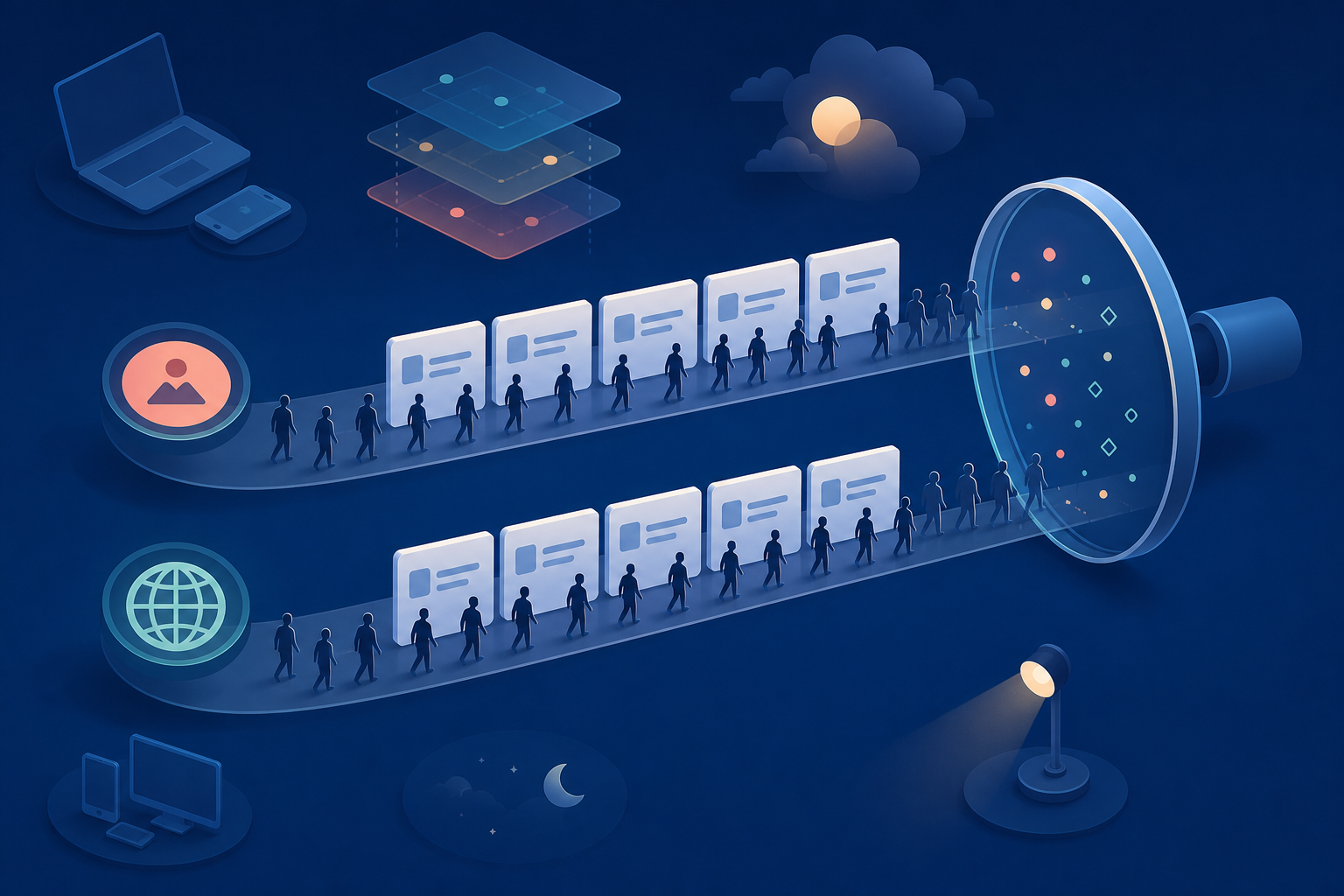
    Two streams of anonymous visitors pass unlabeled search results with different favicon symbols while an observation lens and surrounding device and position shapes suggest multiple influences on clicks.

    The practical business risk is a possible reduction in recognition and clicks. “Possible” is important. The incident does not come with a universal click-through loss, and your aggregate traffic can move for many reasons while the favicon is broken.

    Annotate when your team first observed the globe and when the proper icon returned. Then compare like with like in your search performance data: the same queries, the same pages, and broadly similar visibility. Review impressions, position, click-through rate, and clicks together. A click decline accompanied by lower rankings or a different query mix cannot be assigned cleanly to the favicon.

    Separate branded queries from non-branded queries where your reporting allows it. The favicon’s role in recognition makes branded results a sensible place to look, but even there, correlation is not proof. Record the observation as a possible presentation effect unless your own controlled evidence supports a stronger conclusion.

    Most importantly, do not rewrite titles, descriptions, or page content in response to a favicon-only change. Those edits can alter click behavior independently and make the incident impossible to evaluate. Preserve the current snippet components while Google resolves the display problem.

    Key takeaways for site owners and SEO teams

    • Google acknowledged that the broken-favicon incident originated on its side.
    • A default globe in Search does not, by itself, prove that your favicon file, rankings, schema, content, or crawling are broken.
    • Confirm that the favicon still works on the site, sample multiple search results, review unrelated domains, and record recent deployments before deciding what failed.
    • Keep a working implementation stable while the observed pattern matches the wider incident. Unnecessary changes remove your diagnostic baseline.
    • Track possible click effects with comparable query and page data. Do not claim a favicon-driven loss when rankings, impressions, or query mix also changed.
    • Google did not provide a firm recovery deadline, so communicate the confirmed status and your next monitoring step without promising a date.

    Capture your baseline now and monitor the same representative results. If the proper icon returns without a deployment, close the incident only after the recovery remains stable. If the favicon also fails on your site, or your domain stays broken as the broader issue clears, you then have a sound reason to investigate the implementation rather than guess.

    References


  • AI-Generated Images in Google Search: A Publisher Playbook

    AI-Generated Images in Google Search: A Publisher Playbook

    If you publish recipes, tutorials, or any page that depends on original visuals, the immediate question is practical: can Google generate an image that answers the query before your work earns a visit?

    Do not cancel an image shoot or replace your library with synthetic assets based on one search experiment. Google stopped the recipe-image test that triggered this concern. The useful response is to make your visuals stronger as evidence, connect them cleanly to your content, and measure whether a generated answer actually changes user behavior.

    What Google tested, and what it did not establish

    Google tested AI-generated illustrations inside AI Overviews for recipe results. The generated visual compressed the cooking process from preparation to the finished dish. Google subsequently said the small experiment was no longer running.

    The company also distinguished that experiment from Nano Banana, an image-generation feature announced in July that activates when a user explicitly asks to create an image. That distinction matters. An automatically generated visual inserted into a search answer is a different product behavior from an image a user deliberately requests.

    The narrow reading is the reliable one:

    • Google is willing to test generated visuals within the search-results experience.
    • The recipe experiment described here has ended.
    • The test does not establish a general rollout for generated images in AI Overviews.
    • It does not establish how Google ranks AI-generated images published on your own site.
    • It provides no measured traffic-loss figure that you can apply to your pages.

    That last point should guide your budget decisions. A generated answer could reduce the need to click, but a stopped experiment cannot tell you how large that effect would be. Treat displacement as a hypothesis to measure, not a loss percentage to assume.

    Separate the three image questions people keep mixing together

    A three-part illustration shows an original cooking photograph, image thumbnails organized for search, and visual fragments forming a newly generated dish image.

    “AI-generated images in Google Search” can describe three different situations. Confusing them leads to bad SEO decisions.

    QuestionWhat the recipe test tells youYour decision
    Will Google generate a visual inside the result?Google tested this in recipe AI Overviews and then stopped the experiment.Monitor the search surface for your important queries instead of assuming a permanent rollout.
    Will Google show or cite an image from my page?The stopped test does not answer that broader visibility question.Keep original images accessible, useful, and clearly associated with the visible page content.
    Can I publish an AI-generated image on my site?The event establishes no general ranking treatment for publisher-created AI images.Judge the asset by accuracy, transparency, reader value, and your content standards rather than an assumed SEO advantage.

    The most immediate concern is the first situation: Google owns the generated visual, while publisher citations may appear nearby. A recipe publisher affected by the experiment warned that users could mistake nearby citations for credit for the illustrations. That concern is plausible, but it should not be inflated into a claim that every AI Overview misattributes images.

    When you inspect a result, ask two separate questions: “Where did the factual instructions come from?” and “Who created this visual?” If the interface makes only the first answer clear, a citation does not necessarily give you visual attribution.

    Make original images carry evidence a summary cannot preserve

    An overhead workspace shows a creator photographing measured ingredients, dough stages, and the interior of a finished loaf as a consistent visual sequence.

    Your strongest response is not to publish more decorative images. It is to make each original visual communicate something a simplified reconstruction could omit, blur, or invent.

    • Give every image a defined job. Show a decision, condition, comparison, or outcome that the surrounding prose cannot communicate as quickly.
    • Capture consequential stages. For a recipe, that might be texture, color, consistency, assembly, or the difference between an intermediate stage and the finished result. For a repair tutorial, it might be component orientation or correct tool placement.
    • Keep the visual and written sequences aligned. If the text changes order during editing, update the image order and captions at the same time. A polished image attached to the wrong step is worse than no image.
    • Write captions that interpret the evidence. Name the stage and tell the reader what to notice. “Mixture after folding, with visible streaks remaining” is more useful than “Step three.”
    • Use accurate alt text. Describe the relevant content and purpose of the image. Do not turn alt text into a list of target keywords.
    • Keep credits in visible page context. If the photographer, illustrator, tester, or organization matters, identify that contributor where readers can see it rather than relying only on the file name.
    • Align structured data with the page. If you use Recipe or ImageObject markup, reference an image that represents the visible content. JSON-LD is a consistency layer; it is not proof of authorship or a guarantee that an image will appear in search.

    This changes the role of image production. A generic hero image decorates a page. A well-captioned process image documents a claim. When Google or another answer engine compresses the page, the second asset gives the system and the reader a clearer reason to preserve the connection to your work.

    If the image itself was generated

    An AI-generated image can be an illustration without being evidence that you performed a process, tested a product, or produced the depicted result. Keep that boundary explicit.

    • Check every depicted step against the instructions a reader will follow.
    • Look for invented ingredients, tools, components, labels, textures, and transitions.
    • Do not present a generated process scene as documentary photography.
    • Label the image’s role when the difference between illustration and documentation could affect trust.
    • Have a human editor verify the final asset in the context of the page, not only as a standalone image.
    • Replace the asset when an error could lead the reader to perform the process incorrectly; a disclaimer does not repair a misleading instruction.

    For image-led instructional content, consistency matters more than visual polish. If the prose says one thing and the image shows another, the page has an accuracy problem regardless of whether a camera, design tool, or generative model produced the asset.

    Measure exposure before changing your production budget

    A sitewide traffic change cannot tell you whether a generated image displaced a click. You need query-level evidence that the search feature appeared and page-level evidence that behavior changed.

    1. Define the exposed content group. Start with pages whose value can be compressed into a visual sequence: recipes, assembly instructions, repairs, demonstrations, comparisons, and other image-led tutorials.
    2. Record the actual result. For each important query, save the query wording, generated visual, visible citations, search language, location context, device context, and date observed. Search interfaces change, so the screenshot is part of your evidence.
    3. Annotate the first observation. Add it to the same change log you use for site releases, content updates, and search-feature changes. Without that marker, later traffic comparisons become guesswork.
    4. Compare the affected pages and queries. Use Google Search Console to review impressions, clicks, and click-through rate. Use analytics to examine entrances and the business actions that follow those visits. If your reporting does not identify the generated feature directly, pair performance data with the search-result captures.
    5. Use a relevant comparison group. Compare image-led pages where you observed the feature with similar pages where you did not. Do not use unrelated sitewide traffic as the only baseline.
    6. Inspect attribution and accuracy separately. A citation can be present while the generated visual remains confusing. Record whether the source of the instructions and the creator of the visual are each clear.
    7. Change strategy only when the pattern repeats. A generated visual appearing alongside a decline isolated to the same queries is more informative than a single screenshot or a broad organic fluctuation.

    If impressions remain stable but clicks decline only where the generated visual appears, the displacement hypothesis becomes more credible. If no such visual appears, or the decline affects unrelated pages, look for another explanation before changing your image workflow.

    Also separate visibility from value. A page can receive fewer visits without losing the same proportion of conversions, subscriptions, or qualified inquiries. Conversely, a visible citation can look positive while contributing little meaningful traffic. Track both search presence and the outcome you actually need.

    When you find an inaccurate or confusing generated visual, capture the evidence before the interface changes. Preserve the query, complete visual, citations, and relevant landing pages. Use any feedback or reporting control available in the result, then check whether ambiguity on your own page contributed to the problem. Correct your page when it is unclear, but do not rewrite accurate instructions merely to match a generated mistake.

    Key takeaways

    • Google stopped the small recipe experiment that automatically generated process illustrations inside AI Overviews.
    • The experiment was separate from image generation triggered by an explicit user request.
    • A Google-generated search visual, a publisher image shown in search, and an AI image published on your site are three different SEO questions.
    • The stopped test does not establish a general ranking penalty or benefit for AI-generated images on publisher sites.
    • Original visuals become more defensible when they document meaningful stages, match the instructions, include precise captions, and align with structured data.
    • Do not infer traffic loss from the feature’s existence. Record the result and compare affected queries and pages before changing your production strategy.

    Start with your highest-value image-led template. Audit the relationship among its instructions, visuals, captions, credits, alt text, and structured data, then establish a performance annotation you can use if generated visuals reappear. The next experiment may take a different form, but clear evidence and clean measurement will leave you in a position to respond without guessing.

    References


  • Google Sign-In Gates for More Search Results: An SEO Guide

    Google Sign-In Gates for More Search Results: An SEO Guide

    If you are checking a keyword and Google stops after several result pages with a request to sign in, do not record the blocked page as a lost ranking. A limited Google Search test has required an account sign-in to verify that the searcher is human and reveal more results. The prompt appeared after someone moved beyond the first few pages. That is an access event, not evidence that the underlying results disappeared.

    For SEO teams, that distinction matters. A sign-in gate can interrupt a manual audit, rank tracker, competitive-research workflow, or search-results API without changing the rankings those systems are trying to observe. Your immediate job is to identify the measurement failure, preserve the uncertainty, and avoid turning missing data into a false performance alert.

    What Google appears to be testing

    In the observed flow, Google asked the searcher to sign in to continue after navigating beyond the first few search-result pages. The message framed sign-in as a way to verify that the user was human and provide additional results. A CAPTCHA would normally serve that verification role, so requiring an authenticated account introduces a different kind of barrier.

    The scope is still uncertain. The behavior has been described as a limited test, and there is no confirmation that Google will apply it widely. There is also not enough evidence to define its precise trigger, affected environments, frequency, or duration. One screenshot or one blocked session cannot establish a global rollout.

    Keep the layers separate. Google can restrict access to another page of results without removing those results from its index or changing their order. The prompt also does not prove that the additional results would differ after sign-in, that authentication changes ranking, or that every signed-out user will encounter the same limit.

    Key takeaways

    • The sign-in gate has been observed as a limited test, not a confirmed universal Search feature.
    • It appeared after several result pages, so the immediate risk is reduced access to deep-result data rather than a demonstrated loss of search visibility.
    • A blocked or incomplete retrieval must not be translated automatically into “not ranking.”
    • Manual checks, rank trackers, and search-results APIs may encounter different access conditions, so record how each observation was collected.
    • Change your measurement and reporting workflow before changing content, schema, or SEO strategy.

    Separate a ranking change from a collection failure

    A split scene contrasts stable search-result cards with a data-collection pipeline interrupted by a locked checkpoint.

    A rank tracker typically has to request a results page, parse its contents, and continue far enough to find the tracked domain. A sign-in challenge can stop that sequence before the domain is reached. If the system treats every interrupted search as a completed search with no match, the dashboard may show a dramatic ranking loss that never occurred.

    The correct result is not always a position. Sometimes it is a status: the measurement was blocked before the requested depth. That status may be less satisfying than a number, but it is more accurate and far safer for decision-making.

    What you seeWhat it supportsWhat to do
    A visible sign-in prompt after several pagesAccess to deeper results was interruptedRecord the result as blocked and save the last successfully observed depth
    A tracker returns a blank value or “not found” without diagnostic detailA ranking loss is possible, but a collection failure has not been excludedInspect the collection status or ask the provider how authentication challenges are classified
    First-party search performance remains broadly consistent while deep-rank readings disappearThe case for an immediate visibility collapse is weakerAnnotate the measurement gap and wait for corroborating evidence before escalating
    The prompt appears in one browser or session but not anotherThe behavior is not consistently reproducible in the environments testedDocument both environments rather than selecting the result that fits your expectation

    None of these signals independently proves what the hidden ranking was. They help you decide whether you have evidence of a performance change or merely evidence that the measurement stopped early. That is the standard your reports should preserve.

    Use this diagnostic runbook when the gate appears

    An analyst compares generic search results, a browser checkpoint, network status, timing, and database indicators at a workstation.

    Handle the event as an observability incident. The aim is not to defeat the gate. It is to determine what was measured, what was not measured, and which decisions can still be supported.

    1. Capture the evidence. Save the query, time, market, language, device type, browser, signed-in state, network environment, visible prompt, and deepest result page reached. Take a screenshot if the check is manual. Without this context, a later reproduction attempt will tell you very little.
    2. Identify the last valid observation. Record the final page or result depth that loaded normally. Do not assign an artificial bottom position to domains that might have appeared beyond that point.
    3. Inspect the failure state. Determine whether the collector received a sign-in page, redirect, challenge, empty response, parsing error, or timeout. Those outcomes may look identical in a dashboard while requiring different treatment.
    4. Reproduce lightly. Try a normal signed-out session in a clean browser context. If your organization’s policies allow it, compare that with an ordinary signed-in manual session. Treat both as contextual observations, not as a canonical SERP. Repeated automated requests may trigger more controls and make the test less informative.
    5. Triangulate with first-party data. Review Google Search Console query and page performance, relevant landing-page traffic, and indexing signals. These datasets do not reproduce a manual results page, but they can show whether the supposed ranking collapse has corresponding visibility or traffic evidence.
    6. Preserve uncertainty in the report. Use distinct labels such as “observed,” “not observed within checked depth,” “blocked by challenge,” and “collection error.” A blocked check is not a zero, and a zero is not a verified rank.
    7. Require corroboration before acting. Investigate content, technical SEO, or ranking systems only when the apparent decline is supported by accessible SERPs, first-party performance data, or another reliable signal. Do not rewrite a page because one collector could not pass a gate.

    Questions to ask your rank-tracking provider

    • Can the platform distinguish a sign-in challenge from a completed search in which the domain was absent?
    • Does it expose collection coverage and error status alongside reported positions?
    • Will a failed retrieval overwrite the last valid position, or remain a clearly marked gap?
    • Can reports separate shallow observations from keywords that require deeper retrieval?
    • How are retries handled, and can repeated failures create misleading volatility?
    • Does the provider use authenticated accounts, and if so, what are the security, privacy, and policy implications?

    Do not place an employee’s personal Google credentials into an automated tracker simply to recover deep-result data. That creates security and account-governance risks while potentially changing the conditions under which the results are collected. If authenticated collection becomes part of a vendor’s method, it should be disclosed, controlled, and reviewed rather than improvised.

    Your dashboard also needs a coverage measure. A position chart without collection coverage can make missing observations look like genuine movement. Show how many scheduled checks completed successfully, how many stopped at a challenge, and how deep each successful check reached. When a retrieval fails, retain the prior observation with its original date if historical context is useful, but never present it as a fresh current ranking.

    What this changes for SEO, schema, and AI visibility

    For now, this should change your measurement practice, not your optimization strategy. The observed behavior concerns access to additional search results. It does not establish a change to crawling, indexing, ranking, structured-data processing, or selection by AI answer systems.

    Adding schema will not remove a Google sign-in gate. Rewriting a page will not make an interrupted tracker complete its request. Increasing publishing volume will not repair a collector that classifies an authentication challenge as “not found.” Those actions address different systems.

    Continue content, technical SEO, AEO, and GEO work when independent evidence supports it. If impressions, clicks, accessible rankings, indexation, and business outcomes point to a real decline, investigate the decline. If only deep-result collection fails, fix the reporting model and monitor the test.

    A wider rollout could make deep-result research less complete and force tracking providers to disclose more about coverage. It could also reduce the reliability of competitor lists assembled from a single automated collector. Prepare for that possibility by keeping raw status data, using more than one type of evidence, and distinguishing “unknown” from “absent.” Do not call it a rollout until the behavior is consistently documented beyond an isolated test.

    The next time the prompt appears, save the environment details, mark the observation as blocked, and check first-party performance before anyone changes a page. That small discipline prevents an access-control experiment from becoming a false SEO emergency.

    References


  • Google AI Mode Citation Patterns: Optimize for Passage Reuse

    Google AI Mode Citation Patterns: Optimize for Passage Reuse

    You can rank well, cover the right topic, and still give Google AI Mode nothing clean enough to quote. The problem is often smaller than the page: your answer exists, but it is buried, split across sections, or dependent on context that disappears when a paragraph is extracted.

    The practical response is to optimize your most important pages at two levels. Keep building the authority needed to compete in organic search, but shape individual sections as complete answers that can be understood, cited, and reused on their own.

    Google is often selecting an answer passage, not just a URL

    Nearly half of the observed Google AI Mode citations used a text-fragment link. These URLs contain a #:~:text= directive that can take the reader to a specific highlighted passage rather than merely opening the top of the page. In a dataset of 15,699,298 citations across 148 industries, 47.7% behaved this way.

    That does not mean every AI Mode citation exposes a highlighted answer. The remaining citations in that dataset were plain links. It does mean that page-level reporting misses a substantial part of the behavior. When a text fragment is present, you can identify the exact words Google chose and evaluate why that particular passage worked.

    Reuse is especially important. The citations resolved to 4.6 million unique highlighted passages on 2.7 million pages. Most passages, 80.9%, appeared only once. At the other end of the distribution, roughly 2,300 passages appeared at least 61 times, and the most frequently reused passage appeared 661 times.

    A reusable passage can also serve more than one exact query. The passage with 661 citations appeared across 483 distinct queries, while other leading examples answered 221 or 91 query variations. Your target, therefore, is not one paragraph for every wording of a question. It is one sufficiently complete answer that remains useful across a related group of wordings.

    These figures come from one large observational dataset. They reveal strong patterns, not a universal Google rule or a promise that copying a format will produce a citation. Use them to choose what to test and audit, not to manufacture a citation guarantee.

    The four traits that make a passage easier to extract

    Four organized content modules on a worktable represent completeness, structure, focus, and supporting evidence beside scattered fragments.

    The passages most suited to citation are not isolated slogans or definitions stripped to one sentence. The median highlighted span was 117 words, which is long enough to state an answer, support it, and include useful qualifications.

    1. A literal question creates a clear retrieval target

    Write a key H2 as the question your audience would ask. “AI Mode Citation Strategy” labels a topic. “How do you make a page easier for Google AI Mode to cite?” identifies an answerable need. The second heading gives both the reader and a retrieval system a clearer description of what the next passage resolves.

    Question-led formatting was much more common among passages that kept being reused. Explicit questions opened 48% of repeatedly cited passages, compared with 22% of one-time passages. The highest-reuse groups were small, so the exact difference should be treated as directional. The useful decision is still clear: use literal questions for sections that need to satisfy recognizable search intents, while retaining descriptive headings where no real question exists.

    2. The first sentence answers instead of introducing

    Put the conclusion in the first sentence under the heading. About 80% of reconstructed highlighted passages led with the answer. An opening such as “Several factors need to be considered” wastes the most valuable sentence because it neither resolves the question nor tells the reader what to do.

    A strong opening names the subject, gives the answer, and includes the most important condition. The next sentences can explain the mechanism, steps, exceptions, or limits. This is answer-first writing, not oversimplification: the nuance remains, but the reader does not have to cross an introductory runway to reach it.

    3. The passage makes sense outside the page

    Roughly 85% of the highlighted passages were self-contained. They did not require the preceding paragraph, an unexplained pronoun, or an instruction such as “use the method above.” That matters because a citation may lift the answer away from the sequence in which you wrote it.

    Test this by copying the paragraph into a blank document without its heading or surrounding sections. A new reader should still be able to identify the subject, understand the answer, and recognize any important limitation. Replace “this approach,” “these tools,” and “the previous step” with the actual nouns when ambiguity remains.

    4. One paragraph completes one answer

    A one-line teaser forces the answer to depend on later text. A long wall of prose forces too many ideas into the same extraction candidate. For a priority question, use a complete paragraph of roughly 75–150 words: answer first, then supply enough support to make the answer useful without the rest of the page.

    That range is a working target for answer passages, not a rule for every paragraph on your site. Some questions genuinely need a shorter definition, a longer procedure, a list, or a table. Do not inflate a simple answer to hit a word count. Apply the format where a self-contained explanatory paragraph is the natural response.

    Key takeaways

    • Use a literal question heading for a section built around a recognizable user need.
    • Answer that question in the first sentence rather than previewing an answer that arrives later.
    • Keep the complete answer in one useful paragraph, commonly 75–150 words for this pattern.
    • Name the subject and necessary conditions so the paragraph still works when removed from its page.
    • Optimize a strong answer for a family of related queries instead of producing thin pages for every wording.

    Passage formatting does not replace classic organic strength

    A clean paragraph may be easy to extract without being the answer Google chooses repeatedly. Citation reuse was concentrated on pages that already performed strongly in conventional organic results. Pages with one to four distinct highlighted passages had a median organic position of 11. Pages with at least 21 highlighted passages had a median position of number one, and 67% of them ranked first outright.

    The same association appeared at the passage level. Among passages reused at least 100 times, 76% came from pages ranking number one.

    Correlation is not causation. These numbers do not prove that accumulating highlights makes a page rank first, that ranking first automatically causes reuse, or that rewriting paragraphs will move a URL to the top. They do show why treating AI visibility as a separate replacement for SEO is a poor operating model. The pages receiving repeated passage citations overwhelmingly tended to be pages that were already organic winners.

    Run two workstreams together. At the page level, protect search intent alignment, topical completeness, internal discovery, authority, and the technical conditions required for crawling and indexing. At the passage level, make the most important answers explicit and portable. Structure improves the answer’s extractability; page strength improves the context in which that answer competes.

    The observed pattern also does not establish that adding JSON-LD or any other single technical element causes citation reuse. Structured data can serve other search purposes, but it should not distract you from weak visible copy. If the answer a person needs is buried in prose, repair the prose first.

    Turn an existing page into a portfolio of citation candidates

    Several self-contained content cards branch from one structured web page and flow into multiple connected answer panels.

    Start with your ten most important existing pages rather than launching a large batch of new URLs. Give priority to pages that already rank strongly, answer several related questions, or contain sections that are useful but poorly shaped. The fastest opportunity is often a correct answer trapped inside an indirect heading or a context-dependent paragraph.

    1. Inventory the real questions. List each question the page already answers. Do not begin with every keyword variation; group phrasings that share the same underlying answer.
    2. Map one primary question to each key section. A section can contain supporting detail, but its opening paragraph should have one clear job.
    3. Rewrite the heading as a natural question where appropriate. Use the language a qualified reader would recognize, not an awkward exact-match phrase.
    4. Move the answer into sentence one. State the decision, method, definition, or condition immediately. Move background and justification after it.
    5. Complete the answer in the same paragraph. Add the essential reasoning, sequence, qualification, or boundary. Aim for 75–150 words when the question supports that depth.
    6. Remove context dependencies. Replace vague references, identify the subject by name, and include any condition that changes the answer.
    7. Read the paragraph in isolation. If it becomes unclear when copied away from the page, it is not yet a strong passage candidate.
    8. Check the whole page after editing. Passage independence should not create repetitive, robotic copy. Vary supporting sections and use internal transitions outside the candidate paragraph where needed.

    You can score each priority section with four binary checks: question-led heading, answer in the first sentence, self-contained meaning, and complete paragraph. A four-point section is ready to monitor. A two- or three-point section usually needs restructuring rather than a new page. A zero- or one-point section may be background material rather than an answer target, so do not force every section into the same mold.

    Consider a section titled “Passage Opportunities” that opens with several sentences of industry background. If its real purpose is to answer how a page becomes easier to cite, a clearer version would begin like this: “To make a page easier for Google AI Mode to cite, place a direct, self-contained answer immediately below a question heading, then support it with the necessary steps and limitations in the same paragraph.” The claim appears first; the explanation can now deepen it without making the reader hunt for it.

    Do not turn every near-duplicate query into another page. When several phrasings require materially the same response, build one authoritative section that answers the shared intent. Split the topic only when the audience, conditions, process, or correct answer genuinely changes.

    Measure passage reuse instead of stopping at citation counts

    A page-level visibility report can tell you that a URL appeared. It cannot tell you which answer won, whether the same answer served multiple questions, or whether a page is accumulating distinct citation-worthy sections. Add a passage layer to your monitoring.

    For a fixed set of important questions, open each available AI Mode citation and inspect its destination. When the URL contains a text-fragment directive, record the highlighted passage exactly. When the result is only a plain link, record it as a page citation and do not pretend you know which paragraph was selected.

    • Query: the exact wording you tested.
    • Intent cluster: the broader question that wording belongs to.
    • Cited URL: the page Google linked.
    • Citation type: text fragment or plain link.
    • Highlighted passage: the extracted text when a fragment is available.
    • Section heading: the question or label above that passage.
    • Reuse count: the number of distinct tracked queries pointing to the same passage.
    • Highlight count: the number of distinct highlighted passages found on the page.
    • Organic position: the page’s conventional ranking for the relevant query at the time of the check.

    Keep the query set and collection method consistent when comparing periods. Otherwise, an apparent gain may come from testing more questions rather than earning broader reuse. Separate three outcomes: a one-time citation, one passage reused across multiple queries, and multiple passages from the same page cited for different needs. They represent different kinds of visibility.

    Use the results to choose the next edit. If a strong-ranking page earns no text-fragment citations for questions it clearly answers, inspect its answer placement and independence. If one passage is reused but the rest of the page is ignored, audit the other key sections for missing first-sentence answers. If a passage is well formed but the page has weak organic visibility, paragraph formatting alone is unlikely to solve the larger competitiveness problem.

    Your next move is deliberately small: select ten established pages, score their key sections against the four passage traits, and repair the highest-value failures. Then monitor the passage, not merely the URL. That is how you learn whether Google is finding one isolated answer or beginning to rely on your page across a whole cluster of questions.

    References


  • Google’s €890M DMA Fines: A Search Visibility Action Plan

    Google’s €890M DMA Fines: A Search Visibility Action Plan

    If you depend on organic visibility in shopping, hotels, transport or sports, Google’s €460 million Search fine gives you a reason to watch European result pages closely. It does not give you a reason to rewrite your site, declare an algorithm update or forecast a traffic windfall.

    The useful question is narrower: what evidence would show that Google’s response to the Digital Markets Act is changing your actual search opportunity? You need a baseline that captures interface prominence as well as rankings, followed by disciplined comparisons when a confirmed change appears.

    Two DMA findings address two different platform problems

    The combined penalties total €890 million: €460 million for Google Search and €430 million for Google Play. Combining the amounts is useful when describing the enforcement action, but combining the underlying conduct will confuse your response.

    FindingGoogle SearchGoogle Play
    Fine€460 million€430 million
    Conduct identifiedPreferential treatment for Google’s own shopping, hotel, transport and sports servicesRestrictions on developers communicating, promoting and concluding outside-store offers
    Required outcomeFair and non-discriminatory treatment of third-party services relative to Google’s own servicesTechnical and contractual freedom for developers to communicate, promote offers and conclude contracts inside or outside Google Play

    The European Commission required compliance within 60 days and warned of periodic penalty payments of up to 5% of Google’s total worldwide turnover if Google does not comply. That creates a concrete compliance window. It does not tell you which search design Google will choose or guarantee that every affected result page will change in the same way.

    Key takeaways

    • The Search decision concerns the comparative treatment and prominence of Google’s services and similar third-party services.
    • The Play decision concerns app-store steering. It should not be used to explain a movement in organic search traffic.
    • The 60-day requirement makes baseline collection urgent, but it is not a promised rollout schedule for a particular search interface.
    • Rank position alone cannot reveal whether a search redesign has improved or reduced the click opportunity available to you.

    Search self-preferencing is a presentation problem as well as a ranking problem

    Two search-result layouts show identical result cards, but large interface modules push most cards below the visible area on the second screen.

    The Search finding is broader than a complaint about which blue link ranks first. Google was found to give its own services greater prominence, including placement at the top of results and the use of enhanced visuals and filters that comparable third-party services did not receive.

    That distinction changes what you should measure. A third-party page can retain the same nominal organic position while losing practical visibility because a large Google-owned module occupies the area above it. The reverse can also happen: a new third-party feature or direct link can improve exposure without moving the conventional listing.

    Audit the result page in layers rather than reducing it to a rank number:

    • Order: Record which component appears first and what sits between the search box and your listing.
    • Visual weight: Note images, expanded cards, labels, filters and other treatments that make one service more noticeable than another.
    • Destination: Distinguish links that lead into a Google service from links that send the user directly to a third-party provider.
    • Interaction: Test what happens after a user selects a filter, card or comparison option. The initial screen is only part of the journey.
    • Parity: Compare how equivalent information from Google and third parties is presented, including whether either side receives richer controls or more prominent placement.

    This is an SEO observation framework, not a legal test. A screenshot can document treatment, but it cannot by itself establish a DMA breach. If your business is considering a complaint or another legal response, preserve the evidence and have competition counsel assess it against the Commission’s decision.

    Build a baseline that can survive a search redesign

    A laptop, tablet, phone, page thumbnails, ruler, markers, and magnifying glass are arranged for comparing search-result layouts across devices.

    Do not wait for traffic to move before documenting the current experience. By then, you may know that performance changed without knowing whether the cause was a new interface, a conventional ranking movement, demand, seasonality or something on your own site.

    Create a query set around the verticals named in the finding: shopping, hotels, transport and sports. Include the commercial searches that matter to your business, then add a comparison group of queries where Google-owned vertical features are absent or less central. Keep market, language, device type and other test conditions consistent so that you are comparing like with like.

    For each observation, store:

    • The exact query, market, language, device type and observation time.
    • A full-page capture showing the order and size of major result components.
    • Which components represent Google services, third-party services or conventional organic results.
    • The presence of enhanced visuals, comparison controls and filters.
    • The number and location of direct links available to third-party sites.
    • Your impressions, clicks, click-through rate and average organic position for the same query cohort.
    • Engaged visits, conversions or other business outcomes from the affected landing pages.

    Annotate the date of a confirmed interface or policy change separately from the date of the fine. This prevents a common analytical error: treating the enforcement announcement as the moment Google’s implementation necessarily reached every user.

    When the interface changes, compare the affected cohort with your stable comparison queries. If rankings hold steady but click-through rate changes where Google-owned modules were altered, presentation becomes a stronger explanation. If both groups move together, investigate broader demand, technical or ranking causes before crediting the DMA response.

    Change your SEO tactics only when the evidence supports the move

    A regulatory order defines the result Google must achieve, not the exact search design it must ship. Google could respond through placement, visual treatment, filters, direct links, eligibility rules or some combination of those elements. Build for credible scenarios, but do not bet your roadmap on one speculative layout.

    1. Protect technical eligibility. Keep important pages crawlable and indexable, use accurate canonical signals, and maintain relevant structured data or feeds. These measures do not guarantee feature inclusion, but prevent avoidable technical defects from obscuring whether access has changed.
    2. Make comparable information explicit. If a result could be filtered by price, location, availability, category or another material attribute, represent that information consistently on the page and in supported machine-readable formats. A new third-party filter is of little value if your data cannot qualify for it.
    3. Strengthen the destination. A direct third-party link only helps when the landing page immediately satisfies the query. Align the page title, visible heading, primary information and conversion path with the specific search intent you are monitoring.
    4. Watch click paths, not just inclusion. Being displayed inside a feature is not equivalent to receiving a visit. Record whether users can reach your site directly, must pass through another Google screen or are encouraged to complete the task without leaving the result page.
    5. Require repeatable evidence before major edits. Do not delete useful pages, rebuild templates or change information architecture because of an isolated result-page test. Confirm that the treatment persists under controlled conditions and that it affects performance before making a costly or difficult-to-reverse change.

    If third-party services begin receiving more direct links or comparable visual treatment, prioritize data accuracy, landing-page quality and measurement of the new referral paths. If no visible change appears in your sample, continue collecting evidence. Absence from your tracked queries does not prove that Google has made no changes elsewhere, while one unusual result does not prove that broad compliance has arrived.

    Keep the Google Play finding out of your search diagnosis

    The €430 million Google Play fine addresses a separate restriction. Google prevented app developers from freely communicating and promoting offers, and from concluding contracts with users through distribution channels of their choice, including third-party app stores. Google may receive a fee for facilitating an initial customer acquisition through Play, but the Commission found that the steering-related fee level and charging period went beyond DMA compliance.

    If you operate an app, route that issue to the people responsible for distribution contracts, checkout paths, customer acquisition economics and developer communications. Keep their implementation log separate from the SEO change log. A revised external-offer flow could affect app revenue or attribution, but it is not evidence that Google Search changed how a web page ranks or appears.

    Your next move is simple: capture the current European search experience for the queries that matter, preserve the underlying performance data, and wait for a confirmed implementation before changing strategy. The teams that can distinguish a ranking movement from a presentation change will be able to act while everyone else is still arguing about what the fine was supposed to do.

    References

  • Gemini 3.5 Flash-Lite in Google Search: SEO Action Plan

    Gemini 3.5 Flash-Lite in Google Search: SEO Action Plan

    If you manage organic visibility, the wrong reaction to a new Search model is to rewrite the site around its name. Your first question should be narrower: which Search experience is using the model, and what does that experience need from your content?

    Gemini 3.5 Flash-Lite matters because Google has connected it to agentic Search. That makes task completion, clear constraints, and reliable structured data more important areas to examine. It does not give you evidence that traditional ranking signals changed or that every AI answer now runs on this model.

    What the rollout confirms, and what it does not

    Google has begun rolling Gemini 3.5 Flash-Lite into Google Search. Its explicitly identified Search use is agentic Search. Possible use in AI Overviews or AI Mode has not been confirmed, so treat those surfaces as open questions rather than established placements.

    Google positions Flash-Lite as its fastest and most cost-effective model in the 3.5 class. The launch claim puts its generation rate at 350 output tokens per second on the Artificial Analysis Index. Google also says it improves substantially on earlier Flash-Lite generations in agentic workflows.

    Do not turn that benchmark into an SEO metric. Output tokens per second describe model-generation throughput under benchmark conditions. They do not establish faster crawling, faster indexing, a ranking change, a preferred page length, or a higher probability of being cited. A page does not become more suitable for Flash-Lite merely because it is shorter.

    The strategic implication is more subtle. An agentic workflow may need to interpret a goal, identify requirements, retrieve information, compare options, and determine a next step. A fast, economical model makes repeated model work more practical. That is a reasonable inference from the model’s positioning, not a disclosed map of Google’s Search pipeline.

    Keep three layers separate when you assess the impact:

    • Retrieval eligibility: whether Google can crawl, understand, index, and retrieve the page for a relevant query.
    • Answer usability: whether the page contains a clear passage that can support a direct response.
    • Task usability: whether an agent can identify required inputs, constraints, actions, failure conditions, and a verifiable outcome.

    The rollout points most clearly toward the task-usability layer. It does not prove that the retrieval layer has been replaced. Continue fixing indexing, internal linking, canonicalization, content quality, and intent alignment; then add the information an agent would need to use the page safely.

    Make important pages usable inside an agentic task

    Illustrated webpage modules connected by a clear automated path to a task completion symbol.

    A conventional informational page can succeed after answering what something is. A task-oriented page has to go further. It should help a system decide whether the instructions apply, what must be available before work begins, what sequence matters, and how completion can be checked.

    Give each task a visible contract

    For pages that support setup, migration, comparison, troubleshooting, booking, purchasing, or another action, make the operating conditions explicit:

    • State the outcome near the start. Tell the reader what will be completed, selected, configured, or decided.
    • Name the required inputs and prerequisites. Include account access, compatible systems, source data, permissions, or materials when they matter.
    • Separate hard constraints from preferences. A compatibility requirement should not be presented with the same weight as an optional recommendation.
    • Use an ordered procedure where sequence affects the result. Do not scatter dependent actions across unrelated sections.
    • Describe the completion state. Tell the reader what success looks like and what evidence confirms it.
    • Expose common blocking conditions at the step where they occur. A failure mode buried in a closing paragraph is hard for both people and agents to use.

    Consider a page about moving an analytics configuration from one platform to another. A broad explanation of migration is not enough. The useful page identifies the source and destination, required access, fields that carry over, fields that do not, authentication requirements, verification steps, and a safe response when validation fails. Those details turn a readable page into an actionable resource.

    Write answer units that remain clear when extracted

    Search systems may use only part of a page when answering a question or supporting a task. Each important section should therefore make sense without relying on several earlier paragraphs.

    • Use a descriptive heading that names the question, condition, or action covered by the section.
    • Put the direct answer immediately beneath that heading, then add reasoning, exceptions, and examples.
    • Repeat the subject when a pronoun would become ambiguous outside the surrounding paragraph.
    • Label versions, units, eligibility conditions, and geographic limits beside the claim they qualify.
    • Use tables only when the reader genuinely needs to compare the same attributes across alternatives.
    • Keep critical instructions in visible page text, even when a video, image, calculator, or interactive control also presents them.

    This does not mean flattening every page into fragments. Context still matters when a recommendation depends on trade-offs. The aim is to make each decision-bearing passage complete enough to extract without changing its meaning.

    Use JSON-LD as a consistency layer

    JSON-LD should encode what the visible page actually says. It cannot compensate for vague copy, missing prerequisites, or contradictory product details. Choose the most specific Schema.org type that truthfully represents the page, and keep identifiers and properties aligned with the content users can see.

    • Use the same entity name, URL, identifiers, and defining attributes across related pages.
    • Keep price, availability, status, dates, authorship, and other changing facts synchronized between markup and visible content.
    • Remove obsolete properties when the underlying fact is no longer present; do not leave historical values in the graph.
    • Do not invent questions, reviews, ratings, offers, or capabilities merely to populate a schema type.
    • Connect closely related entities only when the relationship is real and supported on the page.

    Fast inference does not repair stale facts. If your copy says one thing and your structured data says another, you have created uncertainty at the exact point where an agent needs a dependable value. Update the page and its markup as one publishing operation.

    Measure the Search surface before attributing a result

    An analyst examines signals from three separate abstract search interfaces before the pathways merge.

    A model can change behind Search without giving you a clean model-level report. That makes casual before-and-after conclusions especially risky. A traffic movement near the rollout is correlation until you can connect it to a query, a visible Search experience, and a changed user path.

    Build an observation record your team can reproduce

    For the queries that matter commercially or operationally, record:

    • The query and its intended task, such as learning, comparing, troubleshooting, or completing an action.
    • The location, device context, account state, and other conditions needed to repeat the observation.
    • The visible Search experience, using Google’s displayed label rather than your own guess about the underlying model.
    • The response, proposed actions, linked pages, and any apparent handoff between steps.
    • Your page’s Google Search Console impressions, clicks, and click-through rate for the relevant query-page pair.
    • On-site sessions and meaningful outcomes in your analytics system.
    • Site releases, content edits, technical incidents, campaigns, and demand changes that could explain the movement.

    Keep these evidence types separate. Search Console can show organic query and page performance. Analytics can show what visitors did after arrival. Manual observations or an AI-visibility platform can document answer-surface behavior. None of those, by itself, identifies Gemini 3.5 Flash-Lite as the cause.

    Test task clarity with controlled page updates

    Start with pages already associated with task-oriented demand. Group pages by comparable intent, document the baseline, and make a coherent improvement such as exposing prerequisites, adding verification criteria, or resolving markup inconsistencies. Annotate the publication date and retain an unchanged comparison group when your site structure allows it.

    Judge the change at several levels. First check whether the revised passage is indexed and retrieved for the intended query. Then check whether the Search response represents its conditions accurately. Finally, examine qualified visits and completed outcomes. An increase in impressions with worse qualification is not automatically a win, and a changed AI response without any business effect is not automatically a loss.

    Avoid the most tempting false positives

    • Do not label an AI Overview change as a Flash-Lite change. Use in AI Overviews remains unconfirmed.
    • Do not label an AI Mode change as a Flash-Lite change unless Google identifies the connection.
    • Do not infer a ranking-system update from a model deployment alone.
    • Do not treat different wording as evidence that retrieval or citation behavior changed.
    • Do not publish thin variants for the model name. They add duplication without answering a distinct user need.
    • Do not shorten comprehensive pages to match the 350-token-per-second benchmark. Throughput is not a content-length recommendation.

    The useful standard is simple: describe what you observed, preserve the context, and reserve causal language for evidence that actually identifies the cause.

    Key takeaways

    • Gemini 3.5 Flash-Lite is rolling into Google Search, with agentic Search as the explicitly identified use.
    • Its reported generation speed and cost positioning do not establish a new ranking factor, preferred page length, or citation advantage.
    • Prioritize pages that support tasks: expose prerequisites, constraints, ordered actions, failure conditions, and a verifiable completion state.
    • Keep visible facts and JSON-LD synchronized so an agent does not have to resolve conflicting values.
    • Measure AI Overviews, AI Mode, agentic experiences, ordinary search performance, and on-site outcomes as distinct evidence streams.
    • Do not attribute a Search change to Flash-Lite unless the model-to-surface connection is confirmed.

    Open the task page with the greatest business value and read it as an agent would: identify the goal, required inputs, constraints, next action, and proof of completion. Add whatever is missing, synchronize the markup, and begin logging the relevant Search experiences. That work remains valuable even as Google changes which model handles the task.

    References

  • Google Brings Top Stories Into Mobile AI Overviews

    Google Brings Top Stories Into Mobile AI Overviews

    Google is placing news updates and Top Stories inside some AI Overviews, giving timely reporting a more prominent position within its AI-generated search experience. The change affects how mobile users may encounter coverage of developing topics and how publishers can earn visibility from those searches.

    Search Engine Land reports that a Google spokesperson confirmed the feature is fully rolled out in the United States on mobile. However, it appears only for some queries, so neither users nor publishers should expect it on every AI Overview.

    What Google has added to AI Overviews

    For eligible searches about developing subjects, an AI Overview can now include a prominent carousel featuring timely articles. This introduces a recognizable news-discovery element directly into a search feature that otherwise summarizes information and presents supporting links.

    The carousel can also highlight Preferred Sources, according to the announcement described by Search Engine Land. That connection matters because it gives users another way to encounter publishers they have chosen while exploring a topic through Google’s AI search interface.

    Key takeaways

    • Top Stories and news updates can appear within AI Overviews for some developing-topic searches.
    • Google confirmed that the rollout is fully live for mobile users in the United States.
    • The news carousel can feature Preferred Sources alongside other timely coverage.
    • The format may create additional opportunities for publishers to receive visits from Google’s AI search features.

    Why the placement matters to news publishers

    The practical significance is placement. A publisher link shown prominently inside an AI Overview may be easier to notice than one competing only in the conventional results below it. For news organizations, that creates a potential route from an AI-generated answer to the original reporting.

    Mobile Google results for "taco bell lettuce" showing an AI Overview and two news cards about a lettuce outbreak.
    A Google mobile search for "taco bell lettuce" displays an AI Overview naming shredded iceberg lettuce and news cards from CNN and the New York Post.

    That opportunity should not be mistaken for a guaranteed traffic increase. The source does not provide click-through data for this feature, and its availability is limited by query, device and geography. Actual results will depend on when Google displays the carousel, which sources it selects and whether users choose to open an article after reading the overview.

    Even with those caveats, the design addresses an important tension in AI search: summaries can satisfy part of a user’s information need before a website visit occurs, while prominent article links can give readers a clear path to fuller coverage. The new treatment could therefore be more consequential for publishers than a subtle citation or less visible source link.

    How editorial and SEO teams should respond

    The report does not identify a new optimization method or a special eligibility process. Publishers should therefore avoid treating the rollout as evidence of a new ranking formula. A more grounded response is to monitor whether timely stories begin appearing in these carousels and whether those appearances produce measurable referral traffic.

    Editorial, audience and SEO teams can evaluate the change through a few practical questions:

    Futuristic web browser and analytics dashboard overlap amid neon data streams, illustrating the convergence of SEO, PPC and AI-driven search marketing.
    Organic visibility, paid media and artificial intelligence merge into one connected search ecosystem, where vivid data streams link a creative website with a powerful analytics dashboard.
    • Do relevant mobile searches trigger an AI Overview with a news carousel?
    • Which publishers and article formats receive prominent placement?
    • Are Preferred Sources visibly represented when the feature appears?
    • Do analytics show changes in Google referrals to timely coverage?

    Observations should be separated from assumptions. Seeing a story in one result does not establish a repeatable tactic, while the absence of a carousel on a particular search does not mean the rollout is unavailable. Testing across suitable developing-topic queries can help teams understand the feature without overstating what limited examples prove.

    The broader direction for AI-powered search

    Search Engine Land connects this rollout to Google’s earlier announcement about adding fresh perspectives, updates and more prominent links to AI Overviews. Top Stories puts that direction into a concrete interface: timely source material is surfaced within the AI response rather than left entirely to the standard results.

    The next question is whether this visibility consistently translates into meaningful visits for publishers. Broader availability, clearer performance evidence and continued observation will be needed before the feature’s impact on news traffic can be judged.


    Inspired by this post on Search Engine Land.


    crushpress.ai community screenshot
  • Google’s AI Search Click Claims Raise Measurement Questions

    Google’s AI Search Click Claims Raise Measurement Questions

    Google says AI-powered results are generating substantial traffic for websites, but the headline number does not settle the debate over whether publishers are receiving a fair share of search visits. The more useful question for site owners is how that aggregate claim relates to their own impressions, clicks and conversions.

    Search Engine Land reported the claim alongside evidence pointing in the other direction. That tension makes measurement and transparency more important than any single traffic total.

    What Google is claiming about AI-driven clicks

    According to Search Engine Land, Google executive Nick Fox said Search sends billions of clicks to the web each day. He also said AI features within Search now send billions of clicks to websites each week.

    Fox’s explanation is that allowing people to ask a wider range of questions encourages greater use of Google Search. He presented that increased activity as a source of additional outbound traffic rather than evidence that Search is becoming a closed destination.

    The reported statement is notable because, as Search Engine Land observed, it is the first time Google has described the volume of website clicks from its AI search features in these terms. It remains a broad company claim, however, rather than a dataset publishers can independently examine.

    Why a large total does not resolve the publisher concern

    Billions of weekly clicks can sound conclusive while leaving several important questions unanswered. An aggregate count does not reveal how clicks are distributed among websites, how the total compares with earlier periods or what proportion of AI-result impressions produce an external visit.

    Large overall totals and falling click rates are not automatically contradictory. Both could occur if search usage expands while a smaller percentage of individual searches leads to a website. That is a general measurement distinction, not proof that it explains Google’s results.

    The counterevidence cited by Search Engine Land illustrates the gap. One referenced study put zero-click searches at 68%, while another report associated AI Overviews with a 42% reduction in clicks. Those findings use different frames from Google’s overall totals, so they should not be treated as direct like-for-like comparisons. They do show why publishers want more detailed evidence.

    Futuristic web browser and analytics dashboard overlap amid neon data streams, illustrating the convergence of SEO, PPC and AI-driven search marketing.
    Organic visibility, paid media and artificial intelligence merge into one connected search ecosystem, where vivid data streams link a creative website with a powerful analytics dashboard.

    Key takeaways

    • Google says Search delivers billions of website clicks daily and that its AI features account for billions weekly.
    • The claim describes total scale but does not show click-through rates, historical changes or traffic distribution.
    • Studies cited by Search Engine Land report substantial zero-click behavior and lower click activity when AI Overviews appear.
    • Site owners should evaluate their own search performance instead of treating an ecosystem-wide total as a traffic forecast.

    What site owners can measure now

    Publishers cannot reconstruct Google’s global figures from their own analytics, but they can examine whether search visibility is still producing business value. The most useful review compares impressions, clicks, click-through rate and conversions over consistent periods, with separate attention to query groups and landing-page types.

    A page can gain impressions while losing clicks, or preserve traffic while attracting visitors with different intent. Looking only at total sessions can hide those changes. Likewise, rankings alone do not show whether a search feature answers the user’s question before a visit occurs.

    Search Engine Land also noted Google’s work on preferred sources, recipe links and link presentation within AI experiences. These changes suggest that link placement remains an active product issue, but their practical effect should be judged through observable performance rather than assumed from the existence of a feature.

    The data needed to make the claim meaningful

    The core limitation is the absence of enough disclosed data to test Google’s framing. Search Engine Land reported that Google has not shared the underlying click information, even as AI performance reporting has reached Google Search Console users.

    Useful context would distinguish conventional results from AI features, show changes over time and clarify whether traffic is concentrated among a small group of destinations. Without that detail, Google’s statement establishes scale but not the impact on a typical publisher.

    As AI results evolve, the debate will move forward only when broad traffic claims can be compared with consistent, feature-level measurements. Until then, publishers have good reason to treat both Google’s totals and alarming decline studies as signals requiring context, not complete verdicts.


    Inspired by this post on Search Engine Land.


    crushpress.ai community screenshot
  • Google AI Mode Connects Instacart, Canva and YouTube Music

    Google AI Mode Connects Instacart, Canva and YouTube Music

    Google is turning AI Mode in Search into more than a place to generate answers. According to Search Engine Land, a rollout for U.S. users will let people connect supported apps and act on an AI-assisted plan through services including Instacart, Canva and YouTube Music.

    The early examples point to a broader change in the search journey: a result can lead directly into shopping, design or entertainment workflows. That convenience may also change where brands earn visibility and how much of the customer journey happens inside Google’s interface.

    AI Mode is moving closer to task completion

    Traditional search usually helps a person discover information before sending that person elsewhere to take action. Connected apps shorten that sequence. Google says users can securely link supported services and interact with them from AI Mode, as reported by Search Engine Land.

    The distinction matters because the integration is not merely another way to display a link. AI Mode can participate in the transition from deciding what to do to beginning the task in a relevant service. Completion may still occur outside Search; in the Instacart example, checkout happens through the retailer’s app or website.

    The first examples cover three different user goals

    Google’s initial examples illustrate how one connected-app model can support different kinds of intent. A person organizing a barbecue could connect Instacart, place the required ingredients in a cart and then move to Instacart to check out.

    For a creative task, someone making a flyer could ask Canva to surface template options. For entertainment, a person planning a party could build a playlist through AI Mode, save it to YouTube Music and begin listening. Together, these examples span a purchase, a design workflow and a media experience rather than concentrating on one vertical.

    Futuristic web browser and analytics dashboard overlap amid neon data streams, illustrating the convergence of SEO, PPC and AI-driven search marketing.
    Organic visibility, paid media and artificial intelligence merge into one connected search ecosystem, where vivid data streams link a creative website with a powerful analytics dashboard.

    Key takeaways

    • The connected-app rollout is starting with U.S. users of AI Mode in Search.
    • Instacart, Canva and YouTube Music are among the services highlighted in the initial examples.
    • The integrations reduce steps between planning in Search and acting through another service.
    • Google says it is working with more partners and intends to add further integrations.

    Why marketers should examine the handoff

    Search Engine Land notes that this approach could affect the traffic, visibility and control brands receive after a search. The key issue is not simply whether a company appears in an AI-generated response. It is also whether the next action takes place through an integrated service before the user visits other sites or evaluates more options.

    That creates a practical measurement challenge. Referral traffic alone may provide an incomplete picture if AI Mode assists with planning and starts a workflow elsewhere. Marketers may need to distinguish between visibility during the decision process, selection within a connected experience and the final conversion on a partner platform. This is an analytical implication of the reported design, not evidence that any specific traffic effect has already occurred.

    Brands should also consider how well their products, creative assets or media offerings can be represented through third-party services. When a platform becomes the execution layer for an AI-assisted task, the quality and availability of information within that platform can influence what the user is able to do.

    Important details remain unresolved

    The report describes the feature as a rollout rather than universal availability. It does not provide a schedule for broader access, name the next partners or explain the commercial arrangements behind the integrations. It also does not establish how frequently users will choose connected actions over conventional search paths.

    Those limitations make early conclusions about traffic or conversion premature. The more useful signals will be which app categories Google adds, where users complete each task and what measurement options become available. As the partner roster grows, marketers will gain a clearer view of whether connected apps become an occasional convenience or a meaningful new layer in the search journey.


    Inspired by this post on Search Engine Land.


    crushpress.ai community screenshot
  • What a Potential EU Google Search Ruling Could Change

    What a Potential EU Google Search Ruling Could Change

    A pending European Union decision could change how Google presents its own shopping, travel, and other specialized services alongside competing results. The central issue is whether Google has given its products an unlawful advantage within search.

    The outcome remains expected rather than final. Based on reporting summarized by Search Engine Land, however, the case may affect commercial search visibility, access to search data, and the features available to third-party AI providers.

    The expected decision centers on Google’s dual role

    Google operates the general search platform while also offering specialized services that can appear within its results. That dual role matters because placement on a search results page can influence which services users encounter when they are comparing products, planning travel, or making other purchase-oriented decisions.

    Search Engine Land reports that the European Commission is expected to find that Google illegally favored its own vertical services over rivals. The anticipated decision would be made under the Digital Markets Act. Because no final ruling is described in the source material, the specific obligations and their practical effects should not yet be treated as settled.

    Key takeaways

    • EU regulators are expected to rule on how Google displays its own specialized services compared with competing services.
    • Changes could affect visibility for comparison websites, travel platforms, shopping services, and other businesses seeking organic traffic from commercial queries.
    • The Commission is also expected to address third-party access to ranking, query, click, and view data.
    • A related question is whether third-party AI providers should receive access to features available to Gemini.

    Commercial search visibility could be redistributed

    If the Commission requires Google to alter the presentation of its services, rival platforms may gain additional opportunities to appear in prominent search positions. That possibility is especially relevant in categories where users arrive with strong commercial intent and where visibility can direct valuable organic traffic.

    The effect would not necessarily be uniform. A display change could influence comparison services differently from travel or shopping platforms, depending on which search features are covered and how Google implements any order. The reported case therefore signals a potential change in opportunity, not a guaranteed traffic increase for every competitor.

    For search marketers, the useful distinction is between rankings and presentation. A business may retain the same conventional organic position while receiving more or less attention because surrounding modules, specialized results, or Google-owned features have changed. Any assessment of the ruling’s impact should therefore examine actual result-page layouts as well as ranking reports.

    Futuristic web browser and analytics dashboard overlap amid neon data streams, illustrating the convergence of SEO, PPC and AI-driven search marketing.
    Organic visibility, paid media and artificial intelligence merge into one connected search ecosystem, where vivid data streams link a creative website with a powerful analytics dashboard.

    Financial penalties could accelerate compliance

    According to the report, the Commission is expected to impose fines totaling hundreds of millions of euros across two Digital Markets Act decisions. Google could also face daily penalties if it does not comply with parts of the orders within 60 days.

    Those reported enforcement measures matter because the consequences may extend beyond a one-time financial penalty. A compliance deadline could require operational changes on a defined schedule, while the possibility of continuing penalties would add pressure to complete them. The source does not specify the final fine, the exact daily penalty, or the complete design of any required search changes.

    Data access raises a separate privacy dispute

    The Commission is also expected to decide whether Google must provide third-party search engines with access to search data. The reported categories include ranking, query, click, and view information. Such data can be valuable because it may help a search provider understand user demand, evaluate result quality, and improve how information is retrieved and ordered.

    Google disputes that proposed access, arguing that data sharing would endanger user privacy and go beyond the Commission’s authority. This creates a distinct policy tension: regulators may view access as a way to reduce structural advantages, while Google presents privacy and legal scope as limits on what should be shared. The source provides Google’s position but does not report a final resolution of that disagreement.

    AI access could broaden the decision’s reach

    The Commission is reportedly considering whether third-party AI providers should receive access to the same features available to Gemini. That question connects the search dispute to competition in AI services, although the source does not identify the features at issue or explain how access would be implemented.

    The most important next step is the final text of the Commission’s decisions. It should determine whether the expected findings become formal obligations, which services and data are covered, and what Google must change. Until those details are available, businesses should treat shifts in search visibility and data access as credible possibilities rather than completed outcomes.


    Inspired by this post on Search Engine Land.


    crushpress.ai community screenshot