I’m tracking a growing Google Business Profile issue after several days of complaints from businesses that say reviews have disappeared from their local listings. Google has now confirmed that it is investigating the reports, and in some cases, review submissions on affected profiles appear to be paused.
What Google said. Google told us that when its systems detect suspicious review activity, it may take several actions, including removing reviews and temporarily pausing reviews on a profile to prevent further abuse. Google also said it is investigating the issue and will restore any reviews that were incorrectly removed.
What I’m seeing. As I documented on the Search Engine Roundtable, there are dozens of complaints in the Google Business Profile Forums from business owners and local SEOs who say their reviews have mysteriously vanished. In some cases, businesses are also unable to receive new reviews on their local listings.
From what I can tell, Google’s review spam detection systems may be identifying certain patterns and aggressively removing or blocking reviews on suspected Google Business Profiles. What remains unclear is whether this is tied to spammers abusing some profiles, a recent algorithmic adjustment, or Google’s systems becoming overly sensitive.
More details. Amy Toman, a volunteer Google Product Expert for Google Business Profiles, shared on LinkedIn that businesses or clients affected by this issue can post in the forum if they want to, but Google is already aware of the problem and working on it. She also noted that no timeline for a resolution has been provided yet.
She said she is seeing a new pattern where, after fake or spam reviews are reported, some Google listings receive a review block and all reviews are hidden. In at least one case, she said the rating was reduced to 0.
Why I care. If I noticed a sudden drop in reviews or stopped receiving new reviews this week, I would consider this issue a likely explanation. For local businesses, reviews can directly affect trust, visibility, and customer decisions, so even a temporary review disruption can be frustrating.
Google is investigating, and I’m watching to see whether missing reviews are restored and whether affected Google Business Profiles can begin receiving new reviews again.
I’m watching Google update its advertising policy to make clearer how certain ads are limited while the company estimates a user’s age. The change gives advertisers more transparency as Google expands its age assurance technology worldwide.
What I’m seeing: Google has renamed its Default Ads Treatment policy to “Categories restricted while Google is estimating a user’s age.” To me, that wording matters because it makes the policy sound less like a permanent restriction and more like a temporary safeguard while Google’s systems work out whether a user is old enough to see certain types of ads.
What’s changing: I see three main updates here: the policy has a clearer name, the language now emphasizes that these protections are interim measures during the age estimation process, and enforcement remains unchanged.
What’s different: Google has also narrowed the list of ad categories restricted while a user’s age is being estimated. Previously, the restricted categories included adult content and pornography, alcohol, gambling, and shocking content.
Under the updated policy, I now see only three restricted categories: adult content and pornography, alcohol, and gambling. Shocking content no longer appears on that restricted list.
Why I care: This update does not introduce new advertising restrictions, but it does make the policy easier to understand. For advertisers in affected verticals, the key takeaway is that these limits are tied to Google’s age estimation process, not a broader or permanent policy shift.
The bottom line: I do not see any operational change for advertisers, but Google’s updated policy makes it much clearer that restrictions on adult, alcohol, and gambling ads are temporary safeguards while a user’s age is being estimated.
I see Google rolling out new Agency Admin and Standard roles in Merchant Center for Agencies, giving agencies a more centralized way to control client access while improving security and day-to-day efficiency.
What is new: I can now look at client access differently because clients are linked directly to an agency instead of being tied to individual users. That makes it easier to manage permissions from one place, especially when team members join, move roles, or leave.
I also see custom labels becoming a useful part of this update. Agency Admins can organize client accounts by brand, business vertical, internal team, or another structure that fits how the agency works.
Those labels can then be used to give Standard users access to groups of accounts in bulk. For me, that is the practical improvement: agencies no longer need to configure access one account at a time when the same permission logic applies across multiple clients.
Why I care: Agencies managing several Merchant Center accounts have often had to depend on user-level permissions, which can make onboarding, offboarding, and account management more cumbersome than they need to be. This role-based structure moves client management to the agency level, which should reduce administrative work and strengthen access controls.
How it works: Agency Admins get full administrative privileges inside the Merchant Center agency account. In that role, I can link and unlink clients’ Merchant Center accounts, add or remove Standard users, modify Standard users, manage their access to client accounts, and create custom labels for organizing clients.
Standard users receive more limited permissions, which helps agencies follow stronger security practices. I see this as a way to make sure team members only access the client accounts they actually need.
Bottom line: For agencies managing large client portfolios, I expect centralized client linking, bulk access management, and customizable account labels to reduce manual work while making Merchant Center administration more secure and scalable.
I’ve come across important news about Google Ads that could significantly impact how we manage our campaigns. Google is on the verge of altering its target-based bidding strategies, particularly for campaigns running on limited budgets.
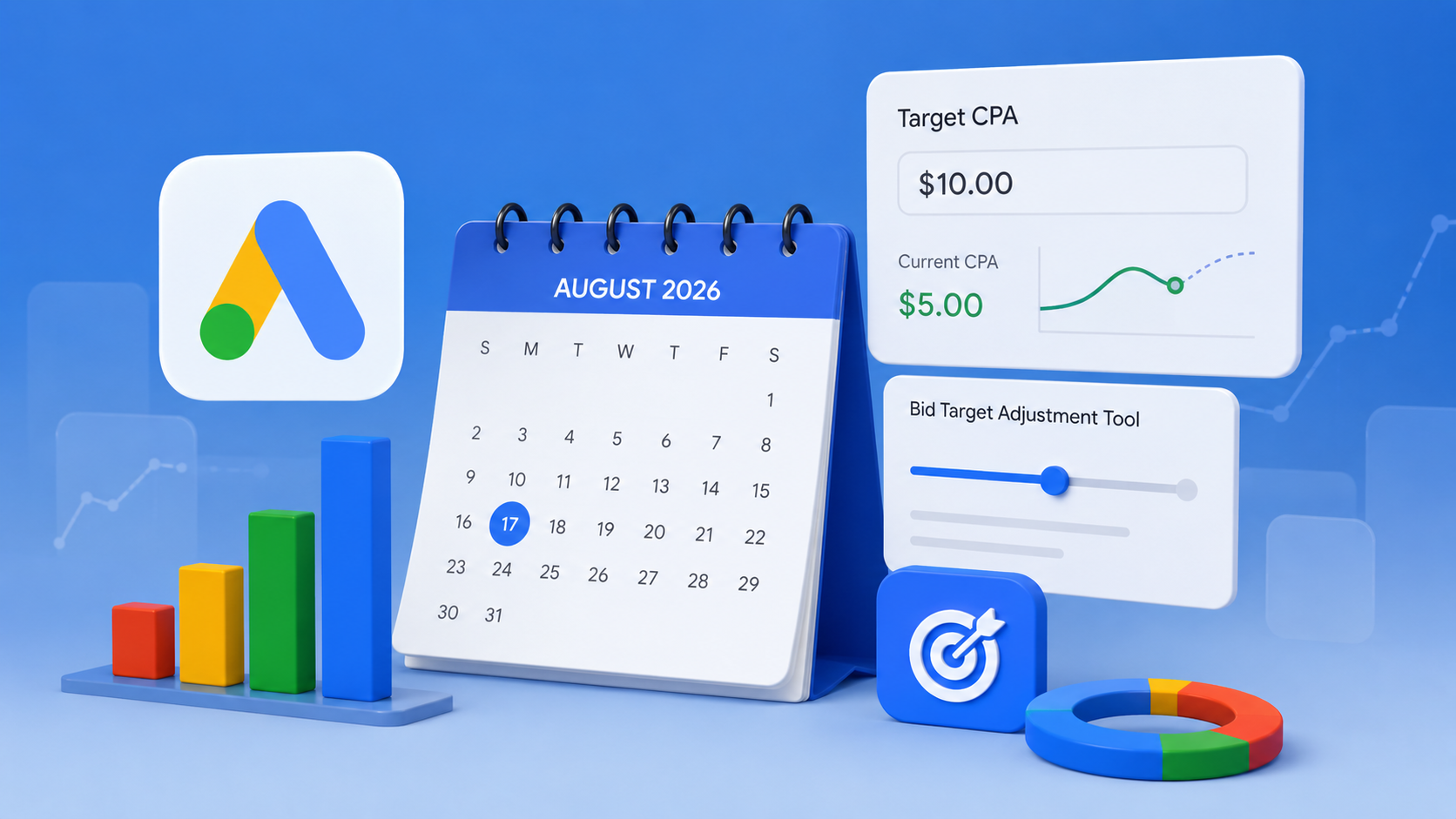
Mark your calendar for August 17th when these changes will take full effect. But don’t worry, a Bid Target Adjustment Tool will be available as of July 6 to help us prepare and adjust our goals accordingly.
What’s going on? Google’s update aims to closely align target-based bidding strategies such as Target CPA with our set goals, even when budget constraints come into play.
They’re introducing a new tool that allows us to tweak our targets before the updates hit, which is crucial for maintaining our campaign performance.
Why should we care? If your campaigns are currently exceeding their target CPA or ROAS goals, they might not continue to do so post-update without adjustment. This update is meant to ensure budget-constrained campaigns stay true to their targets.
For example, if my campaign is achieving a $5 CPA against a $10 target, the performance might shift towards $10 unless I make some changes.
Thankfully, the new tool is there to help us proactively update our bidding goals before the changes roll out. If we don’t take advantage of this, we might end up paying more per conversion or see our performance realign with Google’s targets instead of our historical results.
Why is Google doing this? Google wants to reduce fluctuations and provide more predictable results when we tweak or adjust our budgets.
The tool is designed to help us synchronize our bidding targets more closely with actual business outcomes before the automatic implementation begins.
What should we do? It’s a good time for us to reevaluate campaigns using target-based strategies and verify if our current targets still align with desired results.
Notifications will be sent through Google Ads accounts before the update, and the Bid Target Adjustment Tool can highlight which campaigns might be affected.
Key takeaway: For those of us with campaigns that consistently outperform their targets, maintaining current performance might require tweaking target settings instead of leaving them unchanged.
Brand visibility in Google AI results is no longer a simple matter of ranking or being cited. A company can make its content available, have that content used as evidence, and still watch Google recommend a competitor.
The two source reports expose different sides of that problem: one examines controls over participation in Google’s AI experiences, while the other shows why participation alone does not secure an endorsement. Together, they suggest a more useful framework for managing AI visibility.
AI visibility now passes through three separate gates
Google AI visibility can be understood as three related but distinct outcomes: eligibility, citation and recommendation. Treating them as interchangeable can produce misleading reports and poor strategic decisions.
Eligibility: Whether a publisher permits its content to appear in an AI-powered search experience.
Citation: Whether Google uses a page as supporting material in an AI-generated response.
Recommendation: Whether the response presents the brand itself as an option a user should consider.
The article about Google’s reported AI opt-out controls concentrates on the first gate. It says site owners are being given a way to exclude content from experiences such as AI Overviews and AI Mode, alongside early-stage AI reporting in Google Search Console. The article about self-promotional software listicles concentrates on the second and third gates, reporting that Google may cite a company’s page without recommending that company.
This distinction changes the central business question. Being available does not guarantee selection, but becoming unavailable removes even the opportunity to supply evidence, earn a mention or influence the comparison.
Why a citation can create visibility for a competitor
The clearest warning comes from the analysis attributed to Lily Ray in the source about "best" software listicles. According to that report, Ray examined 100 B2B software queries across three collection dates: April 15, May 15 and June 8. Eighty of those queries produced an AI Overview.
The source reports that self-serving listicles appeared among the citations 323 times, but that the publishing brands were not recommended in 224 of those instances. It also reports that such listicles were cited in 69% of the B2B software queries studied. Those figures come from a limited query set and should not be generalized to every market, but they illustrate an important failure mode: content visibility and commercial visibility can move in different directions.
In one example described by the source, an Oasis LMS page was cited for a query about the best learning management system for selling courses, while Kajabi and other competitors appeared among the recommended options. The owned page may therefore have helped Google construct an answer without persuading the system to favor its publisher.
The same report says third-party sources including Reddit, Forbes and YouTube were becoming more prominent in citations for these queries. That observation supports a broader interpretation: a brand’s claim about itself is only one input, while external discussion may help determine whether the brand is treated as a credible recommendation. The sources do not establish a precise causal formula, so this should be treated as a strategic hypothesis rather than a confirmed ranking rule.
Opting out changes brand eligibility, not user demand
The opt-out source argues that withdrawing content does not stop people from using AI Overviews or AI Mode. Instead, it changes which brands and sources remain eligible to appear. Under that interpretation, an absent publisher leaves Google to assemble its response from participating competitors and third parties.
That does not make participation an automatic choice for every organization. Publishers may have legitimate concerns about content rights, representation, traffic substitution or the commercial value exchanged when their work supports an AI answer. The key is to evaluate those concerns against the actual effect of the control. An opt-out is a content-distribution decision, not a mechanism for reversing user adoption of AI search.
The listicle findings make the trade-off more complicated. Remaining eligible can create an opportunity to be cited, but citation may still transfer attention to another brand. The strategic task is therefore not merely to stay present. It is to improve the probability that Google’s answer connects the evidence supplied by a company with a favorable, accurate representation of that company.
A measurement model for meaningful AI visibility
The opt-out article calls for reporting that extends beyond conventional SEO traffic and includes brand mentions, citation frequency and representation across AI platforms. The listicle analysis demonstrates why those dimensions must be separated rather than collapsed into a single visibility score.
A practical monitoring program can classify each important query using the following fields:
AI result presence: Whether the query triggers an AI-generated result.
Source inclusion: Whether the company’s domain is cited or otherwise used.
Brand inclusion: Whether the company is named in the generated answer.
Recommendation status: Whether the brand is presented as a preferred or relevant option.
Competitor benefit: Which rival brands are recommended when the company’s content is cited.
Representation quality: Whether the description of the brand, product and limitations is accurate.
This structure makes several otherwise hidden outcomes visible. A page can win a citation while the brand loses the recommendation. A brand can be mentioned without receiving a link. A competitor can gain the commercial benefit from evidence published by someone else.
Content reviews should follow the same separation. Self-authored comparison pages need a transparent method, supportable claims and meaningful treatment of alternatives; simply declaring the publisher’s product the best may not influence the recommendation as intended. Because the reported study also observed more third-party citations, teams should assess how the brand is described outside its own domain instead of treating owned content as the whole AI visibility strategy.
Key takeaways
Eligibility, citation and recommendation are separate stages of Google AI visibility.
According to the reported B2B software analysis, Google often cited self-promotional listicles without recommending their publishers.
Opting out may remove a brand’s content from consideration, but it does not remove the user’s underlying AI search activity.
Reporting should identify who supplies the evidence, who receives the mention and who ultimately earns the recommendation.
As Google’s controls and reporting mature, the strongest strategy will be based on observable outcomes rather than a binary debate over participation. Brands that distinguish being used as a source from being selected as an answer will be better equipped to protect and improve their visibility.
UK scrutiny of Google Search is moving beyond complaints about individual ranking changes. As reported by CrushPress.AI, the Competition and Markets Authority (CMA) is pressing Google on three connected issues: how organic results are ranked, how publishers can respond to AI Overviews, and whether users can transfer their search data to authorized services.
Taken together, the reported requirements point toward a broader form of accountability. The central question is not simply whether Google may update Search, but whether affected businesses receive understandable rules, meaningful notice and workable ways to challenge decisions.
Key takeaways
The CMA reportedly wants Google to apply objective, non-discriminatory criteria to organic results, including AI Overviews but excluding sponsored placements.
Businesses would gain clearer explanations of ranking practices, advance notice of significant changes and a defined process for raising concerns.
Site owners would be offered a way to opt out of AI Overviews, according to the supplied report.
A separate data-portability requirement would let users transfer search data to authorized third parties.
The difficult boundary will be providing useful transparency without exposing ranking systems to manipulation.
The CMA is treating ranking governance as a business issue
According to CrushPress.AI, UK businesses told the CMA that Google’s ranking practices lack fairness and transparency. Their concerns reportedly include changes being introduced without enough notice and inadequate channels through which affected companies can question those changes.
The CMA’s reported response addresses both the substance of ranking and the process surrounding it. Google would be expected to use objective and non-discriminatory criteria for organic results, explain more about how ranking works, warn businesses before significant changes and establish procedures for receiving and addressing complaints. The report gives Google six months to implement the ranking-related measures.
This distinction matters. A business can lose visibility even when a search system is operating according to its stated goals. Procedural safeguards would not guarantee a particular position, but they could help businesses distinguish an ordinary competitive loss from a technical problem, an unexplained policy shift or a decision worth challenging.
AI Overviews expand the transparency question
The supplied report says the organic-results requirements include AI Overviews while excluding sponsored results. It also says Google must provide site owners with a way to opt out of AI Overviews. That combination places AI-generated answers within the same policy discussion as conventional search visibility, rather than treating them as an entirely separate product issue.
For publishers, an opt-out mechanism introduces a consequential choice. Participation may offer exposure inside an AI-generated search feature, while opting out may provide greater control over how material is used or presented. The source does not specify the mechanism’s design or its effect on ordinary search listings, so businesses should not assume what opting out would do until operational details are available.
The inclusion of AI Overviews also raises the standard for useful explanations. Traditional ranking transparency concerns which pages appear and in what order. AI-generated results add questions about which sources contribute to a synthesized answer and how prominently those sources are represented. The reported CMA measures establish a direction for oversight, but the supplied account does not describe the level of AI-specific disclosure Google would have to provide.
Data portability targets a different source of market power
Ranking rules govern how businesses reach search users; data portability concerns what users can do with the information generated through their own search activity. CrushPress.AI reports that the CMA wants Google to let users transfer search data to authorized third parties within three months.
The examples in the report include rewards platforms and businesses offering personalized deals or discount codes. It also suggests that access could support tailored travel recommendations and more relevant shopping offers. These are possible uses rather than confirmed services or outcomes.
Conceptually, portability can reduce the advantage created when useful history remains inside one platform. Its practical effect, however, will depend on details not provided in the source: what information is transferable, how authorization works and what safeguards accompany access. The ranking and portability measures therefore address different relationships with Google Search, but both attempt to give outside parties more agency.
Useful disclosure does not require publishing the algorithm
The supplied article is skeptical that Google will comply readily, arguing that extensive disclosure could expose a valuable ranking system to competitors or make manipulation easier. That concern identifies the central implementation tension, but it does not necessarily make meaningful transparency impossible.
There is a difference between revealing a complete ranking formula and explaining the governance around it. Clear policy criteria, notice of consequential changes, documented complaint routes and reasoned responses can improve accountability without publishing every signal or its weighting. The value of the CMA’s reported intervention will therefore depend less on the volume of information released than on whether businesses can use it to understand and contest material decisions.
Businesses should watch for the eventual scope of the AI Overview opt-out, the specificity of ranking-change notices and the independence and responsiveness of the complaint process. Those implementation details will determine whether the measures alter day-to-day dealings with Google or remain largely procedural.
The next phase will test whether the CMA’s reported deadlines produce workable controls while preserving the integrity of search results. For publishers and other search-dependent businesses, the most important development will be whether formal scrutiny becomes practical leverage when visibility changes.
Hey there, have you heard about Google’s latest feature within Google Discover? They’ve just launched Search profiles in the U.S., and it’s a game-changer for publishers like me. These profiles act as enhanced landing pages where my audience can not only follow me but also see a collection of my latest articles, videos, and social media posts all in one convenient spot.
Google has been working on this for quite some time, refining and testing it over several months. They’ve even made some tweaks, such as adding shortnames, which make it even easier to share these profiles.
“Search profiles give publishers and creators a central place to showcase their latest articles, videos, and social posts. People can easily follow sources from their profile, so they’re more likely to see that content on Discover, found on the home screen of the Google app.”
It’s described as a “new way for publishers and creators to shape their presence on Search. Search profiles are a dedicated, shareable space to highlight content across platforms and help audiences find accurate, up-to-date information about sources on Search.”
What it looks like: Curious to see it in action? Here’s a video demonstration:
Managing Your Search Profile: If you’re a publisher or creator with a significant following on a major social or video platform, you’re in luck! You’ll be able to claim your Search profile, personalize it with an avatar, bio, and links to your website and social media platforms.
Once you claim your profile, it might even create a Knowledge Panel for you, or enhance your existing one with updated details and a direct link to your profile.
If you’re interested in setting up your own Search profile, check out this guide for creating a profile, claiming an existing one, and managing it.
Availability: Currently, this feature is available in the U.S. for users and publishers who meet a certain follower threshold. Here’s what you need:
TikTok: 300,000 followers
YouTube: 100,000 subscribers
Instagram: 100,000 followers
X: 100,000 followers
Why This Matters: As a publisher, I’m always looking for ways to get more visibility. Google’s new feature allows us to increase our reach not just on Google platforms but across our entire digital presence. It’s an exciting time, though one has to ponder whether this will be enough in the fast-paced world where AI continues to evolve.
As someone who eagerly follows Google’s updates, I was thrilled to learn about the latest developments in Google Search Console. Recently, Google has started to roll out new Search Generative AI performance reports. These reports, along with a feature to block your content in AI responses, are designed to give website owners more control.
Currently, these features are being introduced to a select group of website owners in the UK, but there are plans to expand access in the near future. This gradual rollout allows us to get accustomed to these changes before they become widely available.
Exploring the Search Generative AI Performance Report
The new AI performance report in Google Search Console is something I’ve been anticipating. Although it doesn’t cover everything, it does provide some important insights into how our content is performing within AI responses, AI Mode, and AI Overviews on Google Search. The report includes data on impressions, pages, countries, devices, and dates. However, a notable omission is click data, so we’re left guessing about the exact number of searchers clicking through to our sites from AI responses.
Google stated:
– We’re rolling out new insights for website owners regarding their pages’ appearances in generative AI Search features. These insights include impressions metrics and information on which pages appear in AI responses and in which countries. We’re working closely with website owners to determine what insights would be most helpful and will expand the metrics available over time.
Additionally, Google shared more details about the metrics we can expect:
– Impressions: Frequency of your site’s URLs appearing in generative AI features in Search and Discover.
– Pages: Identifying URLs that appeared within AI features.
– Countries: Understanding visibility on a country basis.
– Devices: Identifying the devices used to view your website. Available for Search results.
– Dates: Monitoring performance with hourly, daily, weekly, and monthly granularity.
I inquired about click data from a Google representative, who mentioned that they are exploring additional metrics that will help inform our strategies in the future.
Initially, this report is available to a subset of users in the UK, with plans to expand globally in the future.
Another exciting feature Google introduced is the ability to block your content from appearing in AI search features like AI Overviews, AI Mode, or AI Discover. Google described this as a “new toggle” within Google Search Console, allowing us to decide whether or not our site should be part of these AI search features.
Google notes that opting out will prevent your site from receiving traffic or impressions from these features. Importantly, this control won’t affect your ranking in standard search results outside of generative AI Search features, so there’s no risk of negatively impacting core web search visibility.
Again, like the performance report, this toggle is currently available to a subset of UK website owners, with plans to widen access as they complete further testing. Google had promised these controls after facing some backlash from the EU, and it’s promising to see them starting to roll out now.
One study even showed that 1/3rd of SEOs are willing to block Google from showcasing their content in AI search features.
Why It Matters
As site owners and publishers, many of us have been asking for control over how and if our content appears in Google’s AI features. Now, we have just that. Although it’s initially limited, I’m hopeful these features will eventually be available to all.
Moreover, we’ve been requesting AI Search reporting from Google from day one. With Google’s announcement following Bing’s release of its own AI performance report, we’re taking a significant step forward. While Google’s report currently targets UK site owners and lacks click data, it holds promise for a global rollout soon.
If your organic traffic depends on Google sending a click for every useful answer, you have a planning problem. Search is becoming more capable of explaining options, narrowing choices and helping people act without following the familiar results-page journey.
You don’t need to abandon SEO or guess at an entirely new playbook. You need to make your content easier for people and machines to understand, verify and use, then measure the business outcomes that remain after clicks become less predictable.
Plan for a task layer, not just a results page
The important change isn’t simply that Google can generate longer answers. Google’s stated direction brings Search, Gemini and agentic tools toward a more unified product capable of assisting with end-to-end tasks. An agent might help someone investigate a problem, compare possible solutions and take the next step within one continuous interaction.
Treat that as a direction of travel, not a finished product or a release schedule. Your practical response is to examine the jobs your pages help visitors complete. A page that merely attracts a broad query is vulnerable when an AI interface can satisfy that query directly. A page that supplies distinctive evidence, decision criteria, current business information or a useful action remains relevant to a deeper journey.
Start with your highest-value landing pages. Write down the decision each one supports and the action a qualified visitor should take next. If you can’t name either, the page probably has an unclear role. Tighten it before producing more content around the same keyword.
Google continues to describe the open web as part of its search experience, even while acknowledging that some clicks may disappear. That combination should shape your strategy: stay accessible to discovery systems, but stop treating a click as the only proof that your information created value.
Build pages around decisions an agent can support
Traditional keyword planning often stops after identifying what someone types. Agentic search requires a fuller model: what is the person trying to decide, what facts would change that decision, and what could prevent the next action?
Answer the immediate question without ending the journey
Put a direct answer near the point where the question appears. Then add the conditions that make the answer vary. If you sell a service, that may include who it fits, who it doesn’t fit, what inputs affect price, what preparation is required and what happens after an inquiry. If you publish educational content, show how readers can apply the answer and recognize when another option is better.
This gives an answer system a clear passage to interpret while giving a serious buyer reasons to continue. It also prevents a common failure: producing a concise answer that is technically extractable but too generic to establish why your brand deserves consideration.
Expose the comparison criteria
People rarely need more adjectives. They need dimensions they can compare. Replace claims such as “flexible,” “advanced” or “best for growing teams” with the facts behind them: compatible use cases, constraints, required inputs, available service areas, purchasing conditions and the tradeoffs between options.
Use consistent labels across related pages. If one page calls an offering a plan, another calls it a package and a third treats it as a product, you create unnecessary ambiguity. A stable vocabulary helps readers compare choices and gives automated systems a clearer entity model.
Make the next action explicit
Inspect every conversion path from the perspective of someone who has already received a competent summary elsewhere. That person may arrive ready to verify one detail and act. Put eligibility, availability, price structure, required information and the next step where they can be found without restarting the entire education journey.
Use descriptive action labels. “Check availability,” “request an assessment” or “compare plans” communicates more than “learn more.” Keep the destination aligned with the promise. An AI-assisted journey will not rescue a vague form, missing terms or a landing page that changes the subject.
Make your meaning verifiable with content and schema
Schema is useful when it expresses facts that are already clear on the page. It isn’t a substitute for missing information, and it doesn’t guarantee inclusion in an AI response. Think of JSON-LD as a machine-readable agreement with your visible content.
Choose schema types that match the actual entity and page purpose, such as Organization, Person, Product, Service or Article. Connect entities consistently. Names, URLs, authorship, offers and other properties should agree with what a visitor sees. If the business changes a price, service name or availability condition, update both the page and its markup as one publishing task.
Don’t add FAQ markup simply because question-shaped text looks attractive for search. Use it only when the page contains a genuine visible FAQ, and make every marked answer match the displayed answer. The same rule applies to reviews, offers and organizational details: describe what exists rather than decorating the page with attributes you hope a system will infer.
Verification also happens in the prose. Show who created or reviewed consequential content. State the basis for recommendations. Identify where a claim applies and where it doesn’t. Keep time-sensitive facts maintained. Link related pages through meaningful relationships instead of publishing disconnected variations of the same target phrase.
Finally, test the rendered page and the generated markup. A valid JSON-LD block can still describe the wrong entity, preserve an old value or conflict with visible copy. Your quality check should ask two separate questions: does the syntax work, and is the meaning accurate?
Measure qualified outcomes when raw clicks decline
Google has framed some disappearing traffic as low-quality or bounce-prone traffic. Treat that as a hypothesis to test in your own data, not permission to ignore falling visits.
Segment performance by landing-page purpose and query intent. Separate broad informational discovery from product evaluation, branded navigation and action-oriented visits. Then compare impressions, visits, meaningful engagement, leads, sales, subscriptions and retained customer value where those measures apply. A smaller audience can be healthy if the lost visitors never progressed. It is a warning if qualified demand, revenue or brand discovery falls with it.
Watch for mismatched signals. Stable visibility with fewer visits may indicate that answers are being consumed before the click. Stable traffic with weaker conversion may point to a page or offer problem. Falling non-branded discovery alongside stable branded demand may mean your existing audience still finds you while new prospects do not. Each pattern calls for a different response.
Publishers should also decide which relationships they want to own. Google has highlighted support for subscription-oriented experiences as publishers adapt to changing traffic patterns. A subscription can be part of that response, but only when you offer recurring value worth returning for. Email, saved tools, accounts, communities and customer data can serve the same strategic purpose: turning rented discovery into a direct relationship.
Annotate major content, template, schema and conversion changes so you can connect movement to a plausible cause. Don’t combine every AI-related metric into one visibility score. Keep enough detail to see whether you are being discovered, selected, visited and trusted to complete a business action.
Key takeaways
Audit important pages by the decision and next action they support, not only by the keyword they rank for.
Give direct answers, then add constraints, comparisons and evidence that make your contribution distinctive.
Make conversion paths usable for visitors who arrive late in the journey and are ready to verify or act.
Measure qualified demand and owned relationships alongside traffic so fewer clicks don’t automatically produce the wrong conclusion.
Your next move is small but consequential: choose one commercially important page, define the decision it helps a visitor make, correct its facts and schema, and remove friction from the next action. That work remains useful whether Google sends a traditional result, generates an answer or introduces an agent into the journey.
I’ve recently discovered that Google has introduced a new feature in Chrome Lighthouse to check for llms.txt files. Though Google mentions that llms.txt isn’t necessary for AI search visibility, Lighthouse has started flagging sites based on their presence.
Google’s latest Lighthouse audits, under the “Agentic Browsing” category, now focus on a site’s usability for machine interaction. I find this interesting as it aligns with Google’s push towards better machine readability.
The new audits are part of Chrome’s evolving “Agentic Browsing” features, which analyze if sites are prepared for automated interaction. This concept came soon after Google issued guidance on AI search optimization, debunking the necessity of llms.txt files in their new guide on generative AI features.
What Lighthouse Evaluates Now. Lighthouse’s Agentic Browsing tests focus on how well my site is built for machine interactions, incorporating various deterministic audits as per Google’s documentation. These checks include:
– WebMCP integration.
– Accessibility tree integrity.
– Layout stability through CLS.
– Presence of an llms.txt file.
These audits help ensure that there’s a machine-readable summary at the site’s domain root. Google explains that without llms.txt, agents might take longer to understand a site’s main structure.
The impact of these audits doesn’t translate into a traditional Lighthouse score but into a fractional pass ratio related to agentic readiness signals.
The Tension. Interestingly, while these audits don’t directly affect SEO rankings, their mention in Google’s readiness checks could make SEOs reconsider their stance on llms.txt files.
Agentic Engine Optimization. Google’s approach aligns with insights shared by Addy Osmani from Google Cloud AI about Agentic Engine Optimization. Osmani emphasizes creating web content that is semantically structured, token-efficient, and easy for AI to process.
SEO vs. llms.txt. According to Google, creating llms.txt or similar files isn’t necessary for AI search success, as outlined in the guide on Mythbusting generative AI search. The AI systems can discover, crawl, and index a variety of file types encountered on the internet.
John Mueller from Google responded to concerns about the role of llms.txt in a discussion with Lily Ray on Bluesky, stating that the use of these files is more for functionality and not directly linked to search engine optimization.
Google’s Take on AI Agents. Besides llms.txt, Google’s Lighthouse guidelines place strong emphasis on accessibility and interface stability. The insight I gained is that AI agents heavily rely on the accessibility tree as their core data model, focusing on integrity and proper layout.
Ultimately, while Google indicates llms.txt isn’t needed for search, including such files might be beneficial for adapting to Google’s evolving tools that prioritize machine readability.