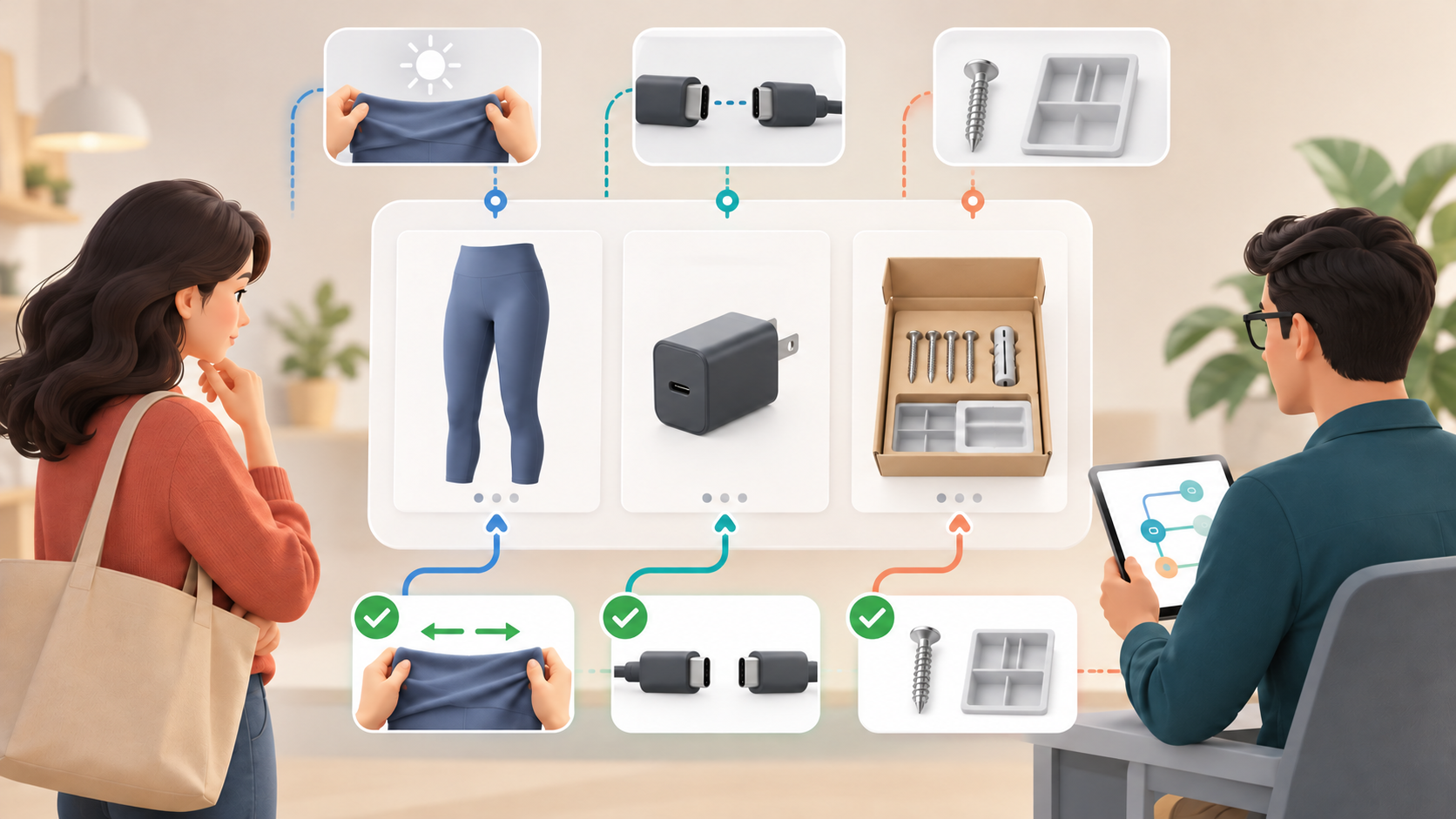
A shopper does not need another adjective about your product. They need to know whether the leggings become see-through when stretched, whether the accessory fits their device, or whether installation requires a part that is not included.
Google Merchant Center’s question_and_answer attribute gives you a structured place to resolve those purchase-blocking doubts. The useful way to approach it is not to fill every available field. It is to identify the questions that change buying decisions, answer them with verified product facts, and test the feed on a controlled group of items before expanding it.
Key takeaways: treat Q&A as decision data
- Use the attribute for product-specific questions whose answers could change whether someone buys, which variant they choose, or how they use the item.
- Start with questions already reaching customer service and concerns appearing in product-return reasons.
- Prioritize products where compatibility, suitability, sizing, materials, installation, or usage conditions create real uncertainty.
- Validate every answer with the team that owns the underlying product information.
- Launch with a limited product group, confirm that Google processes the data correctly, and fix your workflow before scaling.
- Do not promise a ranking, CPC, or ROAS improvement. The immediate objective is more complete and reliable product information.
The attribute supports up to 30 product-specific Q&A entries for each item. That is a ceiling, not a completion target. A product with four decisive questions needs four strong answers, not 26 weak variations written to occupy space.
This distinction matters as shopping becomes more conversational. Someone may no longer search only for a broad category such as gym leggings. They may ask whether a particular pair is suitable for running and weight training or becomes transparent under stretch. Supplying an exact answer may help Google understand the product in that context, including conversational experiences such as AI Mode. It does not guarantee that the product will receive greater visibility.
Find questions at the points where buyers hesitate

Do not begin with a brainstorming session about keywords. Begin where uncertainty is already costing time or creating the wrong purchase. Customer-service teams can usually identify questions asked immediately before an order, while return reasons show which details were misunderstood or missing before checkout.
Build a working list with one row for each candidate question. Record the product or variant, the customer’s wording, the proposed answer, the internal owner who can verify it, and the reason the question deserves feed coverage. That reason might be repeated support contact, a known compatibility concern, an installation prerequisite, or a return caused by an incorrect expectation.
A candidate belongs near the top of the list when you can answer yes to these questions:
- Could the answer change whether the customer buys this product?
- Does it resolve a compatibility, suitability, feature, material, sizing, installation, or usage concern?
- Is it specific to this item or a clearly defined group of identical items?
- Can the answer be verified against authoritative product information?
- Would omitting the answer leave room for a materially wrong assumption?
Start with products where those conditions occur most often. Electronics and accessories may depend on exact compatibility. Clothing may generate questions about fit, fabric, stretch, or suitability for an activity. Products that require assembly or installation may need prerequisites and included-component details. The important factor is not the category label; it is whether missing information can derail the purchase.
Keep variant boundaries intact. If an answer differs by size, material, model, or another option, do not publish one blanket response across the entire family. Map the question to the item for which the answer is true, or qualify the response so the applicable variants are unmistakable.
Write answers that are precise enough to act on
A useful feed answer has three parts: the direct answer, the condition under which it is true, and any exception or next action the buyer needs. Put the conclusion first. Do not make the shopper work through promotional copy before reaching the fact.
| Question type | What the answer should contain | What to avoid |
|---|---|---|
| Compatibility | Exact supported models, required accessories, and relevant exclusions | Claims such as “works with most devices” when a model-level answer is available |
| Suitability | The intended activity or environment, necessary conditions, and verified limitations | Universal claims such as “perfect for everyone” |
| Sizing or materials | Relevant measurements, composition, fit guidance, and variant-specific differences | Subjective adjectives that do not resolve the sizing or material concern |
| Installation | Required tools, parts, surfaces, connections, or prerequisites, including what is not supplied | Burying a required component or condition at the end of the answer |
| Usage | The supported use, essential operating instruction, and verified restriction | Instructions that assume the buyer already knows the product terminology |
Templates can speed up drafting without turning the feed into generic copy. For compatibility, use: “Compatible with [exact models]. [Accessory] is required. It is not compatible with [verified exclusions].” For installation, use: “Installation requires [tools or conditions]. [Part] is included/not included.” For sizing, use: “Choose [variant] for [verified measurement range or fit condition]. If [specific condition applies], follow [verified guidance].” Replace every bracket with approved product data before submission.
Make each answer understandable on its own. Name the relevant product, component, model, activity, or condition rather than relying on a vague “it” or “this.” Concision is useful only after the answer contains enough context to prevent misinterpretation.
Then check the answer against the rest of the product record. The title, description, landing page, specifications, and Q&A should not disagree about compatibility, included parts, dimensions, materials, or intended use. When they conflict, the problem is larger than feed wording: you have multiple versions of the product truth. Resolve that discrepancy before publishing the Q&A.
Resist the temptation to turn questions into extra keyword slots. Repetition does not make an answer more accurate. Unsupported superlatives, invented use cases, and overbroad compatibility statements can create the exact misunderstanding the attribute is supposed to remove.
Roll out the attribute with ownership and quality controls

The difficult part is rarely drafting one good answer. It is keeping answers correct across a changing catalog. Assign ownership before you add volume: customer service identifies recurring friction, a product or merchandising owner validates the facts, and the feed owner submits and monitors the data.
- Select a limited group of products with clear buying questions. Favor items where an accurate answer can remove a known compatibility, sizing, installation, or usage doubt.
- Create an approval record for every entry. At minimum, retain the item identifier, question, answer, applicable variants, verifier, verification basis, approval status, and last-reviewed date.
- Choose the submission route your operation can maintain reliably. Google allows the information to be supplied through a primary feed, supplemental feed, or Merchant API.
- Submit the pilot and confirm that Google processes the attributes correctly. Treat processing errors, missing mappings, and variant mistakes as workflow defects to resolve before adding more products.
- Spot-check the processed questions against the approved record and the product landing page. Confirm that qualifiers, exclusions, units, and included-component details survived the handoff.
- Expand only after the team can create, approve, update, and retire entries consistently. A larger feed is not an improvement if outdated answers remain attached to changed products.
Your source-of-truth record also needs a maintenance trigger. A model revision, material change, packaging change, new size range, altered installation requirement, or corrected product specification should prompt a review of every related answer. If the fact is no longer verifiable, remove or revise the entry rather than leaving a convenient but questionable answer in place.
Do not copy one answer across superficially similar products without checking it. Two items can share a category while differing in dimensions, supported models, supplied parts, materials, or intended use. Reuse the question pattern if it reflects common buyer language; reuse the answer only when the underlying facts are genuinely identical.
Measure information quality before campaign performance
The first success test is operational: did Google process the data, did the right questions reach the right items, and are the answers still accurate? Those checks tell you whether the implementation works. They should be completed before you interpret campaign movement.
Next, watch the customer-friction signals that motivated the pilot. Look for changes in repeated pre-purchase questions about the selected products and in return reasons tied to the issues you answered. Use the same product group and the same question categories so the comparison does not drift into a general assessment of customer service or returns.
You can also monitor product and campaign performance, but keep the claim proportional to the evidence. Adding Q&A does not guarantee stronger Shopping rankings, lower CPCs, or better Performance Max ROAS. Pricing, demand, inventory, promotions, creative, competition, and other feed changes can move those outcomes at the same time.
Annotate when the pilot began and avoid changing unrelated product information during the same evaluation window when practical. Observe the products through a representative purchasing and return cycle. If a performance metric changes, treat it as a signal to investigate rather than proof that the Q&A attribute caused the result.
The strongest reason to continue is simpler: the feed contains verified answers to questions that previously blocked or distorted a purchase, and your team can keep those answers current. Better conversational discovery may follow, but information quality is the part you can directly control.
Choose one product family with recurring customer questions. Map those questions to exact items, approve only the answers supported by product facts, and send that small set through your existing Merchant Center workflow. Once the data processes cleanly and remains consistent with the landing pages, you have a repeatable basis for expanding the program.
References

Leave a Reply