![```json
{
"alt": "Man working on a futuristic digital interface displaying graphs, charts, and chat bubbles.",
"caption": "Immersive in technology: A futuristic digital workspace filled with visual data, chat bubbles, and interactive elements."]
,
"description": "This image depicts a man sitting at a desk and interacting with a large, transparent digital screen. The screen displays various digital elements such as chat bubbles, bar graphs, pie charts, and checklist interfaces, all set against a high-tech, futuristic background. The scene suggests a modern technological environment where digital communication and data analysis converge seamlessly."
}
```](https://crushpress.ai/wp-content/uploads/2026/04/gap-69ce699bbf034.png)
Tracking my brand’s visibility in AI-powered searches has become an essential part of SEO. However, the available tools often come with hefty price tags, starting around $300 to $500 monthly. For those of us who need custom solutions, these costs can be prohibitive.
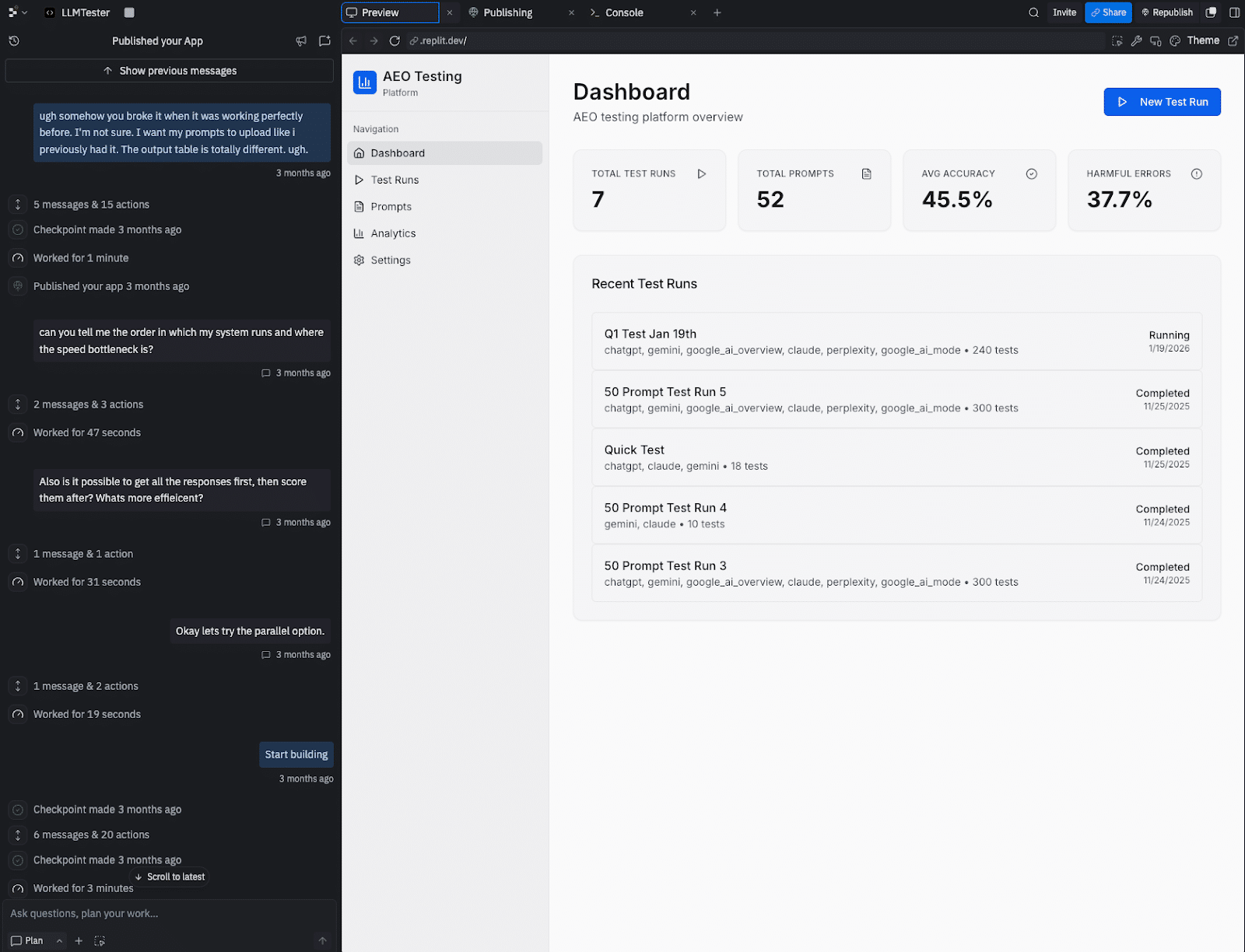
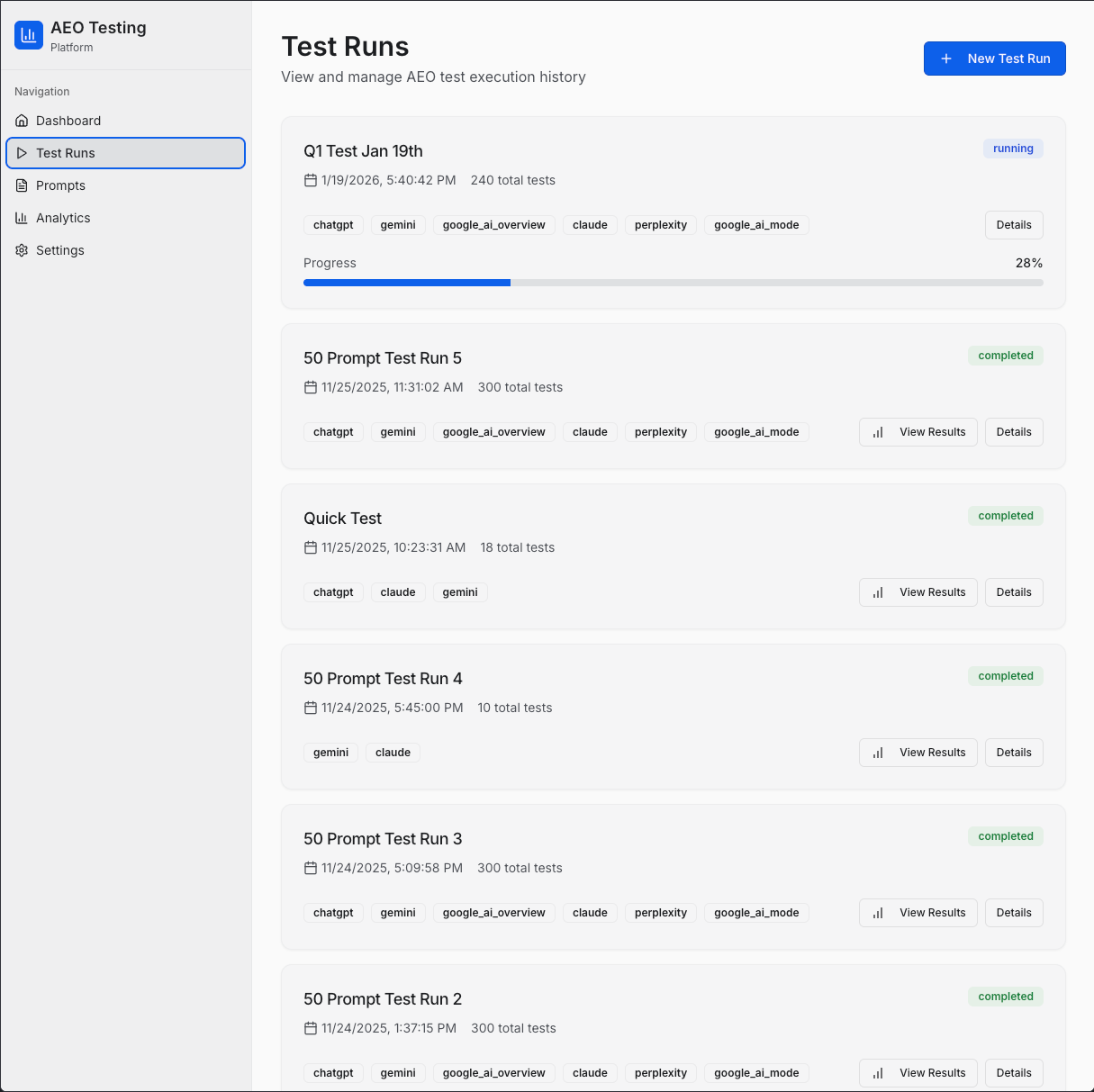
I encountered this challenge firsthand. I required a specific tool that wasn’t available within my budget. So, I took matters into my own hands and built one myself, despite not being a developer. With a weekend of effort and dialogue with an AI agent, I crafted an AI search visibility tracker tailored to my needs.
Sharing my experiences, I’ve compiled a guide that I wish I had at the start—a step-by-step playbook for creating a custom tool. This guide navigates through technology, processes, the hiccups I faced, and how to streamline your build.
My main goal was to automate an AI engine optimization (AEO) testing protocol. To achieve comprehensive AI-driven brand visibility, tracking across five critical AI surfaces was necessary:
ChatGPT (via API): Renowned for its conversational AI prowess.
Claude (via API): A significant competitor with a unique response style.
Gemini (via API): Google’s direct model aimed at developers.
Google AI Mode: Enhances Google’s AI search experience with advanced reasoning.
Google AI Overviews: Summaries at the top of search results, prevalent by late 2025.

On top of these, I implemented a custom 5-point rubric for scoring results based on criteria like brand name inclusion and citation quality. With no existing SaaS tools offering this particular mix, the solution was to build one.
This project leveraged vibe coding, translating natural language into functional applications with AI assistance. Amid developers increasingly adopting AI coding and the growing trend of AI-generated code, this approach offered a viable path for a non-developer like me to create an impactful internal tool.
Your tech stack: The three tools you’ll need
To replicate this project while keeping costs manageable, here are the necessary components:
Replit Agent: An online development environment costing around $20/month, enabling application building via description alone.
DataForSEO APIs: The core of this project, allowing data retrieval from various AI platforms, priced on a pay-as-you-go model.
Direct LLM APIs (optional): Establishing direct connections with OpenAI, Anthropic, and Google APIs to verify and correct any discrepancies.
The playbook: A step-by-step guide to building your tool
Building this tool involved clear communication and step-by-step progress. Here’s a structured approach to guide your process:
Step 1: Write a requirements document first
Start by outlining your needs clearly. This document acts as a blueprint covering problems, features, and necessary data. Initial conversations with your AI should revolve around this document to set a solid foundation.

Step 2: Ask the AI, ‘What am I missing?’
Once your needs are outlined, seek the AI’s help in uncovering overlooked areas. Questions like “What am I not accounting for?” can avert common pitfalls and ensure comprehensive planning.
Step 3: Build one feature at a time and test it
Avoid building everything simultaneously. Tackle one small task and test it thoroughly before moving to the next. This methodical approach aids in pinpointing and addressing issues efficiently.
Step 4: Point the agent to the documentation
When integrating APIs, guide the AI using specific documentation. Providing exact URLs ensures accurate implementation and saves time otherwise spent fixing errors.
Step 5: Save working versions
Before introducing significant changes, save copies of your project. In Replit, this is done through “forking.” It’s a precaution against potential new feature-induced disruptions.

Common problems and how to fix them
You’ll likely face technical hurdles. Here are frequent issues with solutions to help you navigate the process smoothly:
| Problem | Solution |
|---|---|
| 1. API authentication fails | Provide the exact authentication documentation URL to the agent. |
| 2. Results disappear | Ensure persistent storage by requesting a database from the start. |
| 3. API responses don’t show | Share raw JSON data with the agent to diagnose and fix parsing logic. |
| 4. Model response cut short | Conduct parameter checks post-updates to maintain consistent results. |
Evaluating the real costs
Building this tool has clear advantages over purchasing a SaaS solution, notably cost savings. Here’s a breakdown:
| Expense | Custom Tool | SaaS |
|---|---|---|
| Subscription | $20/month | $500/month |
| API Usage | $60/month | Included |
| Total | $80/month | $500/month |
Despite the initial time investment, the ability to adapt and tailor the tool outweighs the ongoing costs.
Is building your own tool right for you?
This decision largely depends on your specific needs:
Consider building if:
- You require unique testing methods not supported by current tools.
- Your agency needs a white-labeled solution.
- You prefer cost-effective strategies and are willing to invest time.
Stick with SaaS if:
- Your time is more valuable than subscription costs.
- You need robust security and customer support.
- You find standard features sufficient.
Ultimately, crafting a tool that aligns perfectly with your workflow can provide a distinct edge in the competitive SEO landscape. Welcome to the era of practitioner-developers; it’s time to innovate.
Inspired by this post on Search Engine Land.

Leave a Reply