
Tag: SEO Tools

  • Master Your Brand with a Strategic Martech Stack

    Master Your Brand with a Strategic Martech Stack

    Struggling with maintaining brand consistency? I’ve learned that it’s not about having more tools, but rather having the right tools, perfectly aligned with your brand’s goals.

    I’ve seen marketing teams overwhelmed with tools. The average B2B company might use up to 20 different martech solutions. Despite this, keeping brand consistency at scale can be tough. Fewer than 10% of brands manage to maintain strong cohesiveness across all products and channels. The core issue? Tools rarely work in harmony to support a unified brand experience.

    Managing a brand across various channels, whether through campaigns or social media, can lead to brand elements drifting. It’s those small inconsistencies—a slightly off-color logo here, outdated messaging there—that can gradually erode the hard-earned brand equity.

    The solution isn’t about increasing the number of tools. It’s about selecting the right ones and arranging them with deliberate intention.

    Start with strategy, then stack

    Before diving into an audit of your current software or seeking out new options, it’s crucial to develop a framework for what brand equity means to your organization. David Aaker’s brand equity model—which focuses on loyalty, awareness, perceived quality, and brand associations—is a sound approach. It transforms brand management into a sustainable growth strategy. In terms of a martech stack, this means utilizing tools that both build and protect your brand.

    On the strategy side, platforms like Notion, Miro, and Lucidchart are invaluable. They help document positioning, define messaging, and map out customer journeys. These may not be glamorous, but they provide the solid foundation for successful execution. Without such a framework, design and content teams are left guessing.

    The core of the stack: Digital asset management

    If there’s one tool that differentiates a cohesive brand management stack from fragmented apps, it’s digital asset management (DAM). Unlike typical cloud storage services such as Google Drive or Dropbox, a DAM solution organizes and governs brand assets comprehensively, offering features like approval workflows and version management that cloud storage lacks.

    Consistent branding can increase revenue by 10–20%, and a DAM provides the structure needed to maintain this consistency at scale. By ensuring all team members and partners access the same approved asset library, you eliminate brand drift.

    Modern DAMs further simplify brand management by integrating AI to speed up content discovery and automated metadata tagging, reducing creative bottlenecks and accelerating go-to-market timelines.

    Execution tools that reinforce brand standards

    Apart from DAM, execution tools are essential for converting brand strategy into consistent published content. Depending on your team, Adobe Creative Cloud, Figma, or Canva can be used. They offer varying degrees of design flexibility and guardrails to maintain brand standards.

    Balancing creativity with adherence to brand guidelines is key. Tools with brand templating features allow teams autonomy while ensuring brand consistency. Alternatively, using brand templates within your DAM offers greater control and tracking capabilities.

    For social media and content distribution, platforms like Hootsuite and HubSpot ensure cohesive publishing across channels. It’s crucial these tools connect to your DAM to guarantee only brand-approved content is shared widely.

    SEO tools like SEMrush and Ahrefs help reinforce your brand’s voice and authority online. In today’s market, where SEO extends to geo-targeting, it’s vital to ensure your brand is accurately represented from the start of customer interaction.

    Governance closes the loop

    A martech stack without governance is simply a mix of tools. Governance—including approval workflows and brand monitoring—is what makes your stack effective and protective.

    Incorporating workflow tools into project management or your DAM ensures faster and accountable proofing cycles. Tools like Mention help track external brand perception, highlighting areas of potential drift before they escalate.

    The takeaway

    The aim of a streamlined brand management martech stack is not complexity but efficiency. It should empower any team member or partner to access and create on-brand content swiftly, independently, and without needing constant design team input.

    This requires a strategic approach, a robust DAM as the central hub, integration with execution tools, and governance practices that uphold standards. When these elements work together, your brand transforms from a reactive endeavor to a proactive tool for long-term success.


    Inspired by this post on Search Engine Land.


    crushpress.ai community screenshot
  • Mastering Effective SEO Agent Skills: A Personal Journey

    Mastering Effective SEO Agent Skills: A Personal Journey

    I’ve been on a journey to develop over 10 SEO agent skills in just 34 days. Six of these succeeded on the first attempt, while the remaining four taught me invaluable lessons, especially about the overlooked importance of folder structure that many LinkedIn posts on AI SEO skills seem to miss.

    The reliability of these agents isn’t about crafting superior prompts; it lies in the architecture that supports them. Here’s my blueprint for building an agent from scratch, testing it diligently, refining it, and deploying it with full confidence.

    Here’s why many AI SEO skills don’t make the cut.

    A typical AI SEO prompt seen on platforms like LinkedIn usually looks something like this:

    You are an SEO expert. Analyze the following website and provide a comprehensive audit with recommendations.

    And that’s where it ends. One simple prompt, often coupled with some formatting directions, is shared with the world. The post then earns hundreds of likes, yet the output—while polished—is often up to 40% inaccurate.

    I know because I’ve been there. Initially, I tasked an agent to identify SEO issues on a website, and while it came back with 20 findings, eight were non-existent. The agent hadn’t truly visited many of the reported URLs.

    ```json
{
  "alt": "The CapmatchOne logo with a gradient circle and bold text.",
  "caption": "Discover innovation with the CapmatchOne logo, featuring sleek typography and a modern gradient circle.",
  "description": "The CapmatchOne logo features bold, modern typography coupled with a gradient circle, symbolizing connection and innovation. The sleek design conveys a sense of progress and creativity. This image can be used for branding or promotional purposes, appealing to audiences interested in innovative solutions and forward-thinking designs."
}
```

    Here are three key issues that doom single-prompt skills:

    • No tools: The agent can’t physically verify the website; it relies on training data to guess. Queries about canonical tags, for instance, result in assumptions rather than real-time analysis of HTML.
    • No verification: There’s no check on the truthfulness of output. An agent might report missing meta descriptions across 15 pages, but without verification, we don’t know if these pages are even indexed correctly or intentionally set as noindexed.
    • No memory: The agent’s feedback varies wildly with each use, showing inconsistency due to the lack of a template or structured history of previous runs.

    In essence, if your skill is just a prompt within a lone file, you’ve got a 50/50 chance at best.

    Every agent in my system has a dedicated workspace. Consider it akin to a new employee’s desk, equipped with all necessary resources. For example, our agent designed to crawl and map website architecture works within this kind of structured environment:

    agent-workspace/
      AGENTS.md          instructions, rules, output format
      SOUL.md            personality, principles, quality bar
      scripts/
        crawl_site.js    tool the agent calls to crawl
        parse_sitemap.sh tool to read XML sitemaps
      references/
        criteria.md      what counts as an issue vs noise
        gotchas.md       known false positives to watch for
      memory/
        runs.log         past execution history
      templates/
        output.md        expected output structure

    The workspace includes six key components services that just one prompt couldn’t dream of covering fully.

    Within AGENTS.md, I’ve articulated a meticulous methodology comprising thousands of words. Instead of a simple instruction like “crawl the site,” I detailed each step: “Start with the sitemap; if it doesn’t exist, check various routes like /sitemap.xml, /sitemap_index.xml, and robots.txt for references.”

    ```json
{
  "alt": "Flowchart depicting the sandbox training loop for auditing with steps including audit, comparison, and deployment.",
  "caption": "Explore the Sandbox Training Loop: A detailed flowchart guiding the auditing process from sandbox simulation to real-site deployment.",
  "description": "This flowchart outlines the Sandbox Training Loop, a process used in auditing to ensure accuracy and efficiency. It begins with the Sandbox Site, where known issues are planted, followed by an audit by the agent. The results are compared to known issues, and adjustments are made depending on whether issues are missed or false positives occur. The loop continues until the audit is clear, leading to deployment on real sites. This process is essential for refining auditing practices."
}
```

    Scripts represent the tools the agent utilizes. Instead of writing curl commands from scratch for each crawl, the agent can run node crawl_site.js -url to analyze website data, which is far more efficient and reliable.

    References consist of criteria that help the agent distinguish between significant issues and noisy false positives, using a wealth of knowledge I’ve amassed over two decades.

    To ensure that every execution is informed by the past, I keep meticulous logs under memory, serving as institutional knowledge that empowers consistency across agent runs.

    Through templates, I outline the exact format I expect from the output, thereby maintaining high quality across multiple iterations of the same task.

    Building from scratch, the first naive attempt involved simple instructions that inevitably failed when confronted with modern CDNs. By iterating and incorporating tools like crawl_site.js, enhancing with rate limiting, and tackling JavaScript rendering, I’ve honed an architecture that delivers consistent outputs across runs.

    The path involves a series of iterations where each failure metamorphoses into a permanent lesson, gradually shaping a sophisticated system. This methodically structured approach ensures that what we build is not just technically proficient but measurably better with every successive run.


    Inspired by this post on Search Engine Land.


    crushpress.ai community screenshot
  • Bing Webmaster Tools Unveils Exciting AI Reporting Enhancements

    Bing Webmaster Tools Unveils Exciting AI Reporting Enhancements

    During a recent presentation, I was thrilled to learn about Microsoft’s latest tease regarding new AI reporting features in Bing Webmaster Tools. These updates aim to enhance the existing AI performance reports, offering fascinating insights into citation share, query intent grounding, and GEO-focused recommendations.

    I stumbled upon shared screenshots from this intriguing presentation delivered by Krishna Madhavan at SEO Week in the bustling city of New York. Azeem Ahmad captured the essence of this moment, highlighting the growing transparency gap between Bing and Google.

    Intriguing Details: The presentation shared several slides showcasing these promising new features. One can feel the excitement building within the SEO community as these innovations hint at a more insightful way to track AI interactions.

    Stay Tuned: While these features aren’t live just yet, catching a glimpse of them was very promising. It seems Microsoft is ramping up to offer more ways to navigate AI-driven search results.

    Why This Matters: Gaining more transparency on how our content performs in AI search results is invaluable. I eagerly anticipate the day when these tools go live, promising greater clarity and control over AI interactions.

    At the moment, details on the exact functionality and release timeline remain vague. I will certainly keep my eyes peeled for further updates to better understand their full potential.


    Inspired by this post on Search Engine Land.

    crushpress.ai community screenshot
  • Mastering SEO Reporting: Move Beyond Data Studio

    Mastering SEO Reporting: Move Beyond Data Studio

    As I delve into the world of SEO reporting, I realize just how much we’ve outgrown platforms like Data Studio. Let me share what I’ve discovered and the exciting changes on the horizon that promise more efficient workflows powered by AI and APIs.

    Imagine this scenario: Our team depends on Data Studio for delivering SEO reports. Just as we’re gearing up for a crucial meeting, Data Studio unexpectedly crashes, leaving us with nothing to showcase. It’s frustratingly common and incredibly embarrassing.

    Just last year, I was praising Looker Studio (now Data Studio) for its advantages in SEO reporting. Fast forward, and it seems outdated compared to the dynamic coding tools I’m now utilizing. Here’s why rigid dashboards are holding us back and why transitioning to code-driven SEO reporting is essential.

    Data Studio once reigned supreme for customizing SEO reports, but technology advanced, revealing its limitations. From dataset crashes to tedious manual interfaces, let me take you through some challenges I’ve faced with Data Studio.

    We’re all familiar with the struggle: vast datasets in Data Studio are prone to breaking, often due to the low limits on rows and fields. Hasn’t it been just one too many times when a minor data addition causes everything to crash?

    Manual updates in a slow interface make any iteration seem endless. Even the introduction of AI features addresses only a fraction of report-building issues.

    ```json
{
  "alt": "The CapmatchOne logo with a gradient circle and bold text.",
  "caption": "Discover innovation with the CapmatchOne logo, featuring sleek typography and a modern gradient circle.",
  "description": "The CapmatchOne logo features bold, modern typography coupled with a gradient circle, symbolizing connection and innovation. The sleek design conveys a sense of progress and creativity. This image can be used for branding or promotional purposes, appealing to audiences interested in innovative solutions and forward-thinking designs."
}
```

    Debugging Data Studio reports feels like a never-ending click maze. Unlike code-based systems where agents breeze through files, I’m often left clicking mindlessly within the interface.

    Data Studio’s weak API is another stumbling block. It’s representative of Google’s missed opportunities for API-centric platforms. This flaw severely limits external management capabilities.

    Despite recent rebranding efforts, these platforms lag behind modern SEO reporting technologies. Let me show you how everything is shifting with AI, APIs, and coding.

    The evolution we’re witnessing is astounding. AI-driven coding tools like Claude Code and OpenAI Codex have changed the game. I describe my SEO reporting needs, and these tools take over, executing multi-step workflows efficiently.

    Without needing deep coding expertise, I’m able to set up programmatic report workflows from beginning to end. Tools generate code that directly connects to data sources, eliminating reliance on cumbersome dashboard connectors.

    ```json
{
  "alt": "Coding interface displaying a prompt to create a monthly heat map for bruceclay.com.",
  "caption": "Dive into tech with this coding interface as it prompts the creation of a monthly ranking heatmap for bruceclay.com.",
  "description": "The image shows a screenshot of a coding interface with a prompt to create a monthly ranking heatmap for bruceclay.com using an observable plot. The interface details include 'Claude Code v2.1.113' and 'Opus 4.7 (1M context)'. There's a character icon and system information displayed, including LTE signal, VPN connection, and battery percentage. Keywords: coding interface, heatmap, bruceclay.com."
}
```

    Within minutes, comprehensive reports appear as I get accustomed to these tools. Each offers unique advantages, from reasoning to integration speed, transforming manual, rigid processes into infinitely flexible options.

    AI coding tools usher in new possibilities for SEO teams by removing barriers between data management and reporting.

    Speed is an unmistakable upside. Coding assistants enable SEOs to achieve in hours what once took days, and what took hours, now takes minutes.

    Interacting with data directly through coding instead of dashboard interfaces drastically cuts down wait times for refreshes and modifications.

    I’m no longer bound by rigid templates. Alongside on-demand data plotting and diverse frameworks, I can tailor reports to perfectly match needs and provide insightful visualizations.

    ```json
{
  "alt": "Collage of various charts including scatterplots, bar charts, and maps, demonstrating data visualization techniques.",
  "caption": "Explore a rich array of data visualization techniques, from scatterplots to bar charts, showcasing the diversity of graphical representations.",
  "description": "This image displays a collage of diverse data visualization techniques, including scatterplots, bar charts, and maps. Techniques such as text dodge, 2D faceting, dot histograms, and others are represented. The image serves as a comprehensive overview of graphical methods to represent data across different contexts, highlighting both creative and analytical aspects. Keywords: data visualization, scatterplot, bar chart, map, graphical representation."
}
```

    Setting up these tools requires some initial effort but soon transforms the team’s efficiency, offering clearer data constraints and enhanced process transparency.

    I’ve discovered how agentic coding assistants can revolutionize real-world SEO applications, from pre-meeting reports to ad hoc stakeholder requests, reducing late-night work and ensuring quick, reliable data access.

    AI is reshaping the landscape for all professionals, not just us in SEO. As we adopt this technology, especially in SEO reporting, studies from Stanford and MIT show increased productivity. The shift isn’t optional; it’s imperative.

    Teams leveraging AI tools in SEO witness faster iterations and can tackle complex issues more robustly, transforming analysts into strategists with unprecedented capabilities.

    Begin this transformation with a small, repeatable project, connect data sources, and slowly expand your use of code-driven reporting. Early adopters are set to lead in SEO efficiency and results.

    Traditional SEO reporting tools no longer meet the fast-paced demands of today’s analytics and strategic needs. Through AI and coding, we can leap ahead in reporting accuracy and timeliness, securing a competitive edge.


    Inspired by this post on Search Engine Land.


    crushpress.ai community screenshot
  • Create an Affordable AI Search Tracker for SEO Success

    Create an Affordable AI Search Tracker for SEO Success

    Tracking my brand’s visibility in AI-powered searches has become an essential part of SEO. However, the available tools often come with hefty price tags, starting around $300 to $500 monthly. For those of us who need custom solutions, these costs can be prohibitive.

    I encountered this challenge firsthand. I required a specific tool that wasn’t available within my budget. So, I took matters into my own hands and built one myself, despite not being a developer. With a weekend of effort and dialogue with an AI agent, I crafted an AI search visibility tracker tailored to my needs.

    Sharing my experiences, I’ve compiled a guide that I wish I had at the start—a step-by-step playbook for creating a custom tool. This guide navigates through technology, processes, the hiccups I faced, and how to streamline your build.

    My main goal was to automate an AI engine optimization (AEO) testing protocol. To achieve comprehensive AI-driven brand visibility, tracking across five critical AI surfaces was necessary:

    ChatGPT (via API): Renowned for its conversational AI prowess.

    ```json
{
  "alt": "Dashboard interface of AEO Testing platform with recent test runs listed.",
  "caption": "Explore the AEO Testing platform's dashboard, showcasing recent test runs with detailed analytics.",
  "description": "The image displays the AEO Testing platform dashboard. The interface includes navigation options on the left, while the main section shows test statistics, such as total runs, prompts, average accuracy, and error percentage. A list of recent test runs also is visible, detailing their status, date, and batch information. This image offers insights into the platform's functionality and user interface, ideal for understanding its test management capabilities."
}
```

    Claude (via API): A significant competitor with a unique response style.

    Gemini (via API): Google’s direct model aimed at developers.

    Google AI Mode: Enhances Google’s AI search experience with advanced reasoning.

    Google AI Overviews: Summaries at the top of search results, prevalent by late 2025.

    ```json
{
  "alt": "AEO Testing platform interface showing a list of prompts in the Prompt Library with options to upload CSV files and create new prompts.",
  "caption": "Explore and manage your testing prompts effortlessly with the AEO Testing platform. Customize your test runs by uploading CSV files or creating new prompts on the go.",
  "description": "This image showcases the AEO Testing platform interface, specifically focusing on the 'Prompts' section. The interface displays a list of prompts categorized under different classes such as 'Acquisition' and 'Current Customer.' It includes options to manage prompts by uploading CSV files or creating new ones. The navigation menu on the left offers access to various features like Dashboard, Test Runs, Analytics, and Settings. This setup aids users in efficiently managing their evaluation testing processes. Keywords: AEO Testing, Prompt Library, CSV upload, New Prompt."
}
```

    On top of these, I implemented a custom 5-point rubric for scoring results based on criteria like brand name inclusion and citation quality. With no existing SaaS tools offering this particular mix, the solution was to build one.

    This project leveraged vibe coding, translating natural language into functional applications with AI assistance. Amid developers increasingly adopting AI coding and the growing trend of AI-generated code, this approach offered a viable path for a non-developer like me to create an impactful internal tool.

    Your tech stack: The three tools you’ll need

    To replicate this project while keeping costs manageable, here are the necessary components:

    Replit Agent: An online development environment costing around $20/month, enabling application building via description alone.

    ```json
{
  "alt": "Dashboard of AEO Testing Platform showing test run history with various test details.",
  "caption": "Explore the AEO Testing Platform interface showcasing comprehensive test run history and execution statuses for efficient analytics.",
  "description": "This image displays the AEO Testing Platform dashboard, highlighting the 'Test Runs' section. It includes details of various test runs, such as Q1 Test Jan 19th and 50 Prompt Test Run 5, with statuses ranging from running to completed. Tags like chatgpt and gemini are used, and features include view results and details options. This interface aids in managing and analyzing test execution history efficiently."
}
```

    DataForSEO APIs: The core of this project, allowing data retrieval from various AI platforms, priced on a pay-as-you-go model.

    Direct LLM APIs (optional): Establishing direct connections with OpenAI, Anthropic, and Google APIs to verify and correct any discrepancies.

    The playbook: A step-by-step guide to building your tool

    Building this tool involved clear communication and step-by-step progress. Here’s a structured approach to guide your process:

    Step 1: Write a requirements document first

    Start by outlining your needs clearly. This document acts as a blueprint covering problems, features, and necessary data. Initial conversations with your AI should revolve around this document to set a solid foundation.

    ```json
{
  "alt": "The CapmatchOne logo with a gradient circle and bold text.",
  "caption": "Discover innovation with the CapmatchOne logo, featuring sleek typography and a modern gradient circle.",
  "description": "The CapmatchOne logo features bold, modern typography coupled with a gradient circle, symbolizing connection and innovation. The sleek design conveys a sense of progress and creativity. This image can be used for branding or promotional purposes, appealing to audiences interested in innovative solutions and forward-thinking designs."
}
```

    Step 2: Ask the AI, ‘What am I missing?’

    Once your needs are outlined, seek the AI’s help in uncovering overlooked areas. Questions like “What am I not accounting for?” can avert common pitfalls and ensure comprehensive planning.

    Step 3: Build one feature at a time and test it

    Avoid building everything simultaneously. Tackle one small task and test it thoroughly before moving to the next. This methodical approach aids in pinpointing and addressing issues efficiently.

    Step 4: Point the agent to the documentation

    When integrating APIs, guide the AI using specific documentation. Providing exact URLs ensures accurate implementation and saves time otherwise spent fixing errors.

    Step 5: Save working versions

    Before introducing significant changes, save copies of your project. In Replit, this is done through “forking.” It’s a precaution against potential new feature-induced disruptions.

    ```json
{
  "alt": "DataForSEO task lookup dashboard with task details, dates, costs, and results.",
  "caption": "Explore the detailed task lookup interface on DataForSEO, showcasing task status, results, and costs - a comprehensive tool for data optimization.",
  "description": "This image shows the DataForSEO task lookup dashboard interface. The dashboard displays a list of tasks with details including task ID, search engine, task set, completion time, turnover duration, cost, and task result. Users can export data or choose columns to display. The navigation menu on the left provides access to various features including settings and documentation. A user profile and balance are displayed at the top right. Useful for businesses seeking data optimization insights."
}
```

    Common problems and how to fix them

    You’ll likely face technical hurdles. Here are frequent issues with solutions to help you navigate the process smoothly:

    ProblemSolution
    1. API authentication failsProvide the exact authentication documentation URL to the agent.
    2. Results disappearEnsure persistent storage by requesting a database from the start.
    3. API responses don’t showShare raw JSON data with the agent to diagnose and fix parsing logic.
    4. Model response cut shortConduct parameter checks post-updates to maintain consistent results.

    Evaluating the real costs

    Building this tool has clear advantages over purchasing a SaaS solution, notably cost savings. Here’s a breakdown:

    ExpenseCustom ToolSaaS
    Subscription$20/month$500/month
    API Usage$60/monthIncluded
    Total$80/month$500/month

    Despite the initial time investment, the ability to adapt and tailor the tool outweighs the ongoing costs.

    Is building your own tool right for you?

    This decision largely depends on your specific needs:

    Consider building if:

    • You require unique testing methods not supported by current tools.
    • Your agency needs a white-labeled solution.
    • You prefer cost-effective strategies and are willing to invest time.

    Stick with SaaS if:

    • Your time is more valuable than subscription costs.
    • You need robust security and customer support.
    • You find standard features sufficient.

    Ultimately, crafting a tool that aligns perfectly with your workflow can provide a distinct edge in the competitive SEO landscape. Welcome to the era of practitioner-developers; it’s time to innovate.


    Inspired by this post on Search Engine Land.


    crushpress.ai community screenshot
  • Boost Your Brand’s Reach with Goodie’s Social Optimization Tools

    Boost Your Brand’s Reach with Goodie’s Social Optimization Tools

    See how Goodie’s Social Optimization Suite helps brands track social AI citations, identify what drives visibility, and act on platform-specific insights.

    I’m thrilled to introduce you to Goodie’s Social Optimization Suite. It’s designed to empower brands by tracking social AI mentions and uncovering what truly enhances visibility. With our suite, you can easily harness platform-specific insights to make informed decisions.


    Inspired by this post on HiGoodie Blog.


    crushpress.ai community screenshot
  • Why SEO Tools Are Evolving, Not Fading Away

    Why SEO Tools Are Evolving, Not Fading Away

    I recently came across some fascinating insights into the world of SEO tools and how they’re evolving. It turns out, marketers are swapping SEO platforms less frequently now, mostly due to AI advancements, tightening budgets, and shifting search dynamics.

    In 2025, SEO tools emerged as the most commonly replaced martech application. You might think this indicates a problem, but there’s more to it. According to the 2025 MarTech Replacement Survey, for the first time, SEO platforms surpassed marketing automation platforms in replacements, a leader for five years.

    At first, this replacement trend could appear as instability within SEO. With the arrival of large language models, AI-generated answers, and zero-click search experiences, traditional keyword tracking and ranking-based methods face challenges.

    However, the survey data reveals a more complex narrative.

    SEO Tools: Most Replaced, Yet Stabilizing

    Despite being the most replaced category in 2025, the rate of SEO tool replacements actually slowed down compared to previous years. This indicates that while I’m seeing changes, there’s also increased stability.

    This shift points to maturation. It seems we’re consolidating, upgrading, or refining our SEO toolkits as search methods evolve rather than causing widespread churn.

    Meanwhile, other significant martech categories experienced sharper annual decreases in replacements:

    • CRM replacements dropped over 12% from 2024 to 2025, hitting an all-time survey low.
    • MAPs, email platforms, and CMS tools also saw declines compared to 2024.

    Why SEO Tools Are Being Replaced

    With stability not being the primary driver, you might wonder what’s fueling the change in SEO tool replacements. The survey highlights three main reasons:

    1. AI Capabilities

    The survey incorporated questions about AI’s role in replacement decisions for the first time, revealing its substantial impact.

    • 37.1% of respondents considered AI capabilities crucial.
    • 33.9% desired AI features in new tools.

    This shift reflects the growing trend of SEO platforms rapidly adopting AI for tasks like content generation, SERP analysis, and workflow automation.

    In many cases, swapping an SEO tool isn’t about leaving SEO behind; it’s about upgrading to incorporate AI capabilities.

    2. Cost Pressures

    Cost considerations significantly influence martech tool replacements, including SEO tools:

    • In 2025, 43.8% of marketers cited cost reduction as their reason for replacing applications, a sharp increase from 23% in 2024 and 22% in 2023.

    This indicates growing pressure to evaluate overlapping tool functionalities and optimize the SEO tech stack effectively.

    3. Changing Needs in a Shifting Search Landscape

    As search trends evolve, so do the expectations for SEO platforms. Traditional rank tracking and keyword monitoring aren’t adequate anymore. Many teams are now looking for tools that can:

    • Provide insights across AI-driven SERPs
    • Track visibility beyond just clicks
    • Integrate more seamlessly with wider marketing and data systems

    This evolution partially drives the ongoing replacements, even as the overall landscape becomes more stable.

    AI Is Reviving Custom-Built SEO Tools

    A remarkable trend from the 2025 survey is the comeback of custom-built solutions for SEO processes.

    Homegrown applications made up:

    • 8.1% of replacements in 2025, increasing from 3.4% in 2024 and 5% in 2023.

    This marks a shift after years of depending almost entirely on commercial platforms.

    “AI-assisted coding is changing the calculus of build versus buy,” explained martech analyst Scott Brinker. “Building is now faster and easier. Companies should still purchase applications where they lack a competitive edge. However, where they can differentiate through tailored solutions, custom-built software is gaining appeal.”

    For SEO teams, this trend could see more organizations developing:

    • Custom data pipelines
    • Unique SERP tracking systems
    • AI-driven analysis tools customized for specific requirements

    Other Martech Categories Show Even Greater Stability

    While SEO tools led in replacements, the broader martech field is stabilizing.

    Several key categories recorded reduced replacement rates in 2025:

    • CRM platforms (down over 12% year-over-year)
    • Marketing automation platforms
    • Email distribution tools
    • Content management systems

    This trend suggests that many organizations are sticking with core systems while selectively updating rapidly changing areas like SEO.

    Methodology

    The survey invitations were sent out via email, website, and social media throughout Q4 2025. Out of 207 respondents, findings are drawn from the 154 marketers (60%) who had replaced a martech application in the preceding 12 months.

    Download the 2025 MarTech Replacement Survey, no registration required.


    Inspired by this post on Search Engine Land.


    crushpress.ai community screenshot
  • Effortlessly Integrate Semrush SEO Data with Profound Agents

    Effortlessly Integrate Semrush SEO Data with Profound Agents

    I’ve always sought ways to streamline my workflow, especially when it comes to managing multiple SEO tools. That’s why I’m thrilled to bring Semrush’s comprehensive SEO data directly into the heart of Profound Agents. This integration allows me to seamlessly access domain metrics, analyze backlink profiles, conduct thorough keyword research, and dive into organic search data—all within the same environment where I monitor AI visibility, generate content, and perform competitive analysis.

    Imagine the efficiency of handling everything without the need for exports, constant tab switching, or manual data collation. This integration is more than just a feature; it’s a game-changer for anyone who’s passionate about optimizing their SEO strategy while saving time.


    Inspired by this post on Try Profound Blog.


    crushpress.ai community screenshot
  • Bing Enhances AI Query Links to Cited Pages for SEO Insight

    Bing Enhances AI Query Links to Cited Pages for SEO Insight

    Recently, I’ve noticed something exciting happening on Bing. Now, when I use Bing Webmaster Tools, I can click a query to view its cited pages or select a page to see its grounding queries. It feels like a new level of connectivity where multiple queries and pages are seamlessly linked together.

    Microsoft has introduced query-to-page mapping within its AI Performance report on Bing Webmaster Tools. I find this feature incredibly helpful because it lets me directly connect AI-generated queries to cited URLs. This makes my SEO strategies more precise.

    Why it matters to us. Before this update, Bing’s dashboard presented queries and pages separately, which limited our optimization efforts. Now, I can align specific AI-triggering queries with the exact pages they reference, focusing my updates on real AI-driven demand rather than guesswork.

    Here’s the scoop. The Grounding Query–Page Mapping feature is a game-changer in the AI Performance dashboard:

    • With a click on a grounding query, I can see which pages are cited.
    • I can also click a page to find out which grounding queries are driving its citations.
    • The mapping system is many-to-many, meaning one query can be linked to multiple pages and vice versa.

    Catch up with Bing. Back in February, Microsoft launched the AI Performance report in Bing Webmaster Tools, marking its initial GEO-focused dashboard. This tool keeps track of where and how often my content gets cited in AI answers across platforms like Bing, Copilot, and more.

    • It tracks the grounding queries, cited URLs, and visibility trends over time, providing an insightful view into citation visibility.

    The buzz. According to Microsoft, this update came about due to “strong positive customer feedback and numerous requests,” and I can see why it’s so well-received.

    The announcement. The unveiling of the query-to-page mapping feature was detailed in a Microsoft Advertising blog post: The AI Performance dashboard: Your view into where your brand appears across the AI web


    Inspired by this post on Search Engine Land.


    crushpress.ai community screenshot
  • Effortlessly Deploy Webpages with Profound Agents & Vercel v0

    Effortlessly Deploy Webpages with Profound Agents & Vercel v0

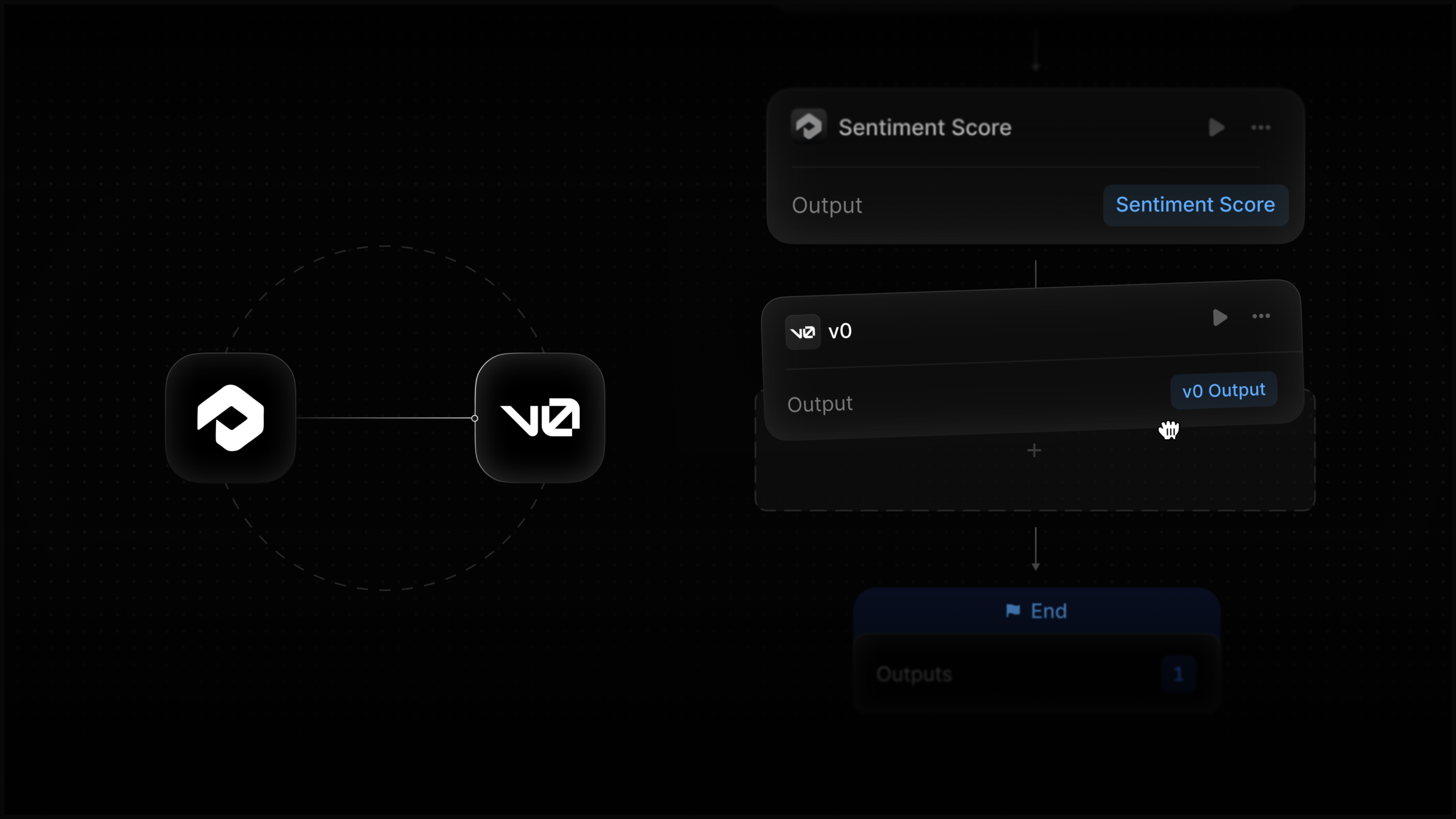
    Hey there! I’m thrilled to share something exciting: Profound Agents now seamlessly connect with Vercel v0. This means I can generate and deploy stunning landing pages without writing a single line of code.

    By leveraging my Profound AEO data as a solid foundation, deploying these pages has never been easier. It’s a game-changer for anyone looking to enhance their digital presence effectively and efficiently.


    Inspired by this post on Try Profound Blog.


    crushpress.ai community screenshot