
I recently delved into Google Search Console’s branded query filter, which has become a game-changer for SEO reporting. This feature now allows me to track brand awareness, diagnose performance drops, and truly measure the impact of my SEO efforts.
In November 2025, Google introduced a solution to a long-standing SEO challenge: the ability to distinguish branded from non-branded search performance directly within Google Search Console (GSC). The rollout is now complete for eligible properties, and I was ecstatic to try it out.
For so long, I’ve had to rely on regex filters, custom dashboards, or third-party tools, which weren’t always reliable. But GSC’s branded query filter simplifies the process, positioning it as a native feature in a platform widely used for organic reporting.
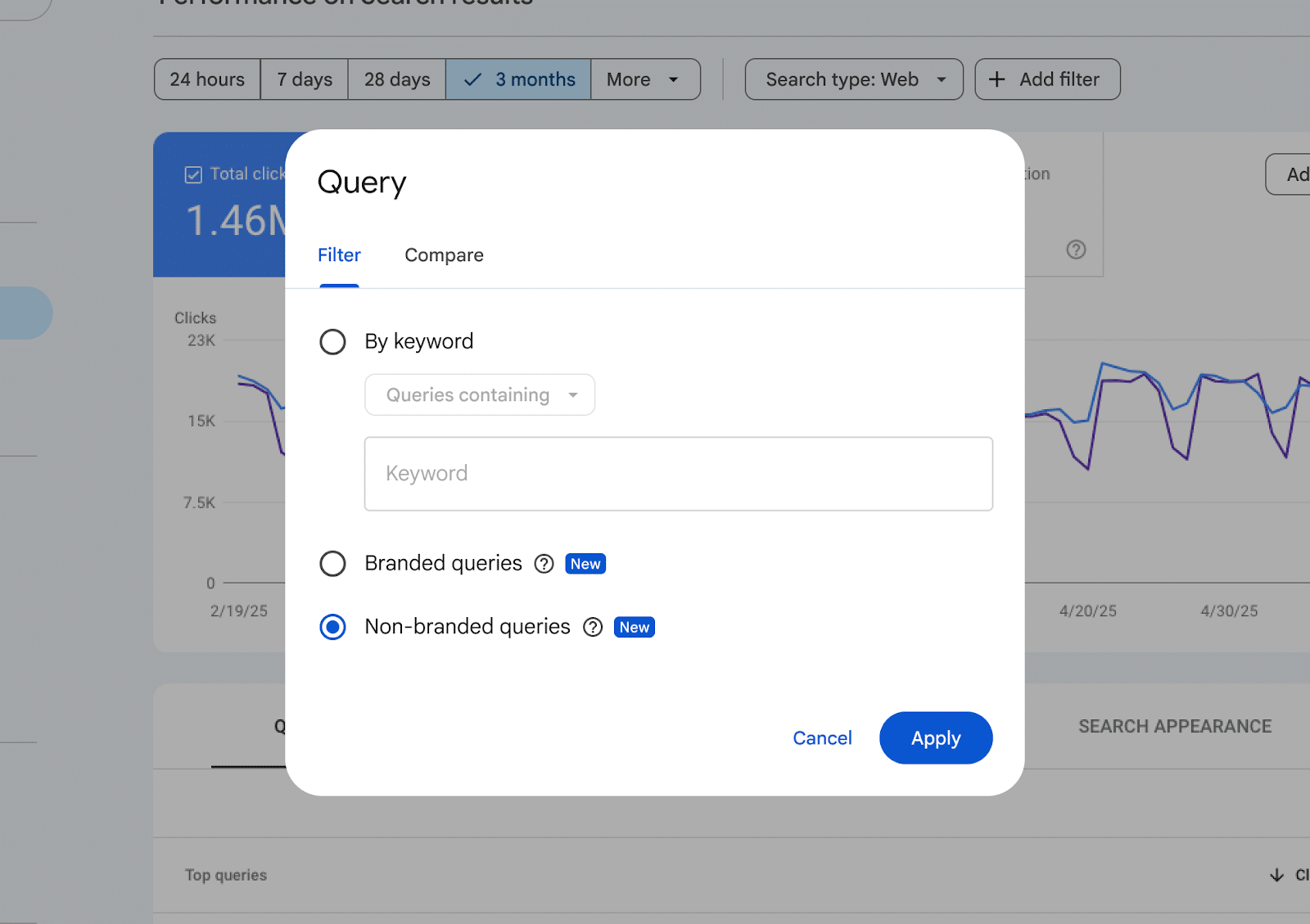
This change makes it easier for me to close a crucial gap in SEO reporting. Now, I can independently evaluate brand demand and discovery, leading to improved performance analysis supported by first-party data.
In essence, GSC’s new filter performs its function by sorting queries into two categories:

- Branded queries that include recognized brand terms.
- Non-branded queries covering all other discovery queries.
This filter is accessible directly via:

- Performance > Search results > + Add filter > Query.
- Query groups.
- API-accessible data exports.
These features empower me to group queries by topic or intent, filter by branded and non-branded types, and create detailed reports without external processing.

Historically, separating branded from non-branded performance wasn’t new but maintaining consistency was challenging. I used to manually segment with regex, keyword tagging in rank-tracking tools, or through custom dashboards.
These methods worked but were fragile. Common issues included character limits on regex, language variants for international sites, and no shared standard for branded terms. With GSC’s update, I find these challenges largely eliminated.

Branded traffic is crucial, being both a signal of brand awareness and a major source of conversions. However, when mixed with non-branded data, it skews the interpretation of SEO performance.
By segmenting this data, I can now accurately identify brand demand versus discovery, allowing clearer insights. This helps me to better understand what’s genuinely boosting performance and address key questions like:
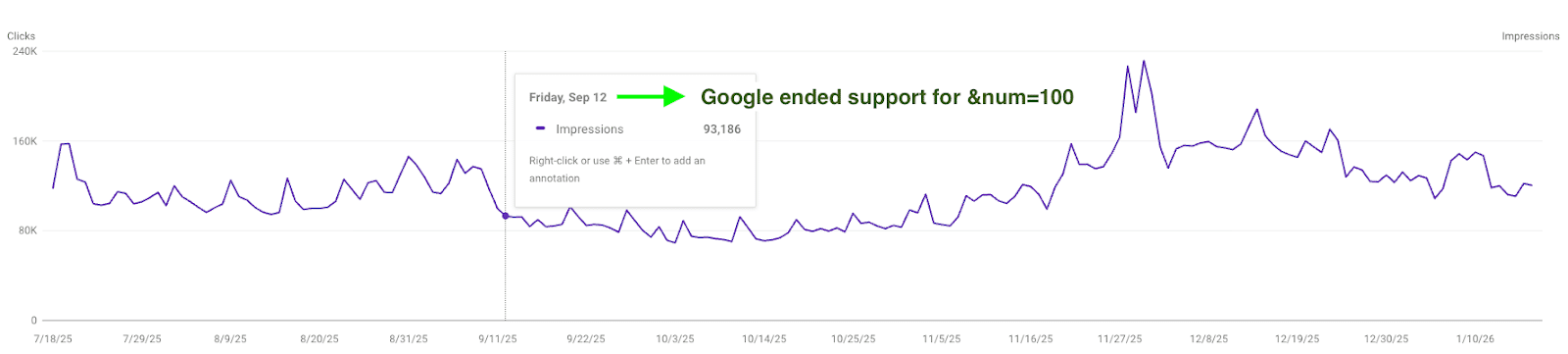
- Are we enhancing brand demand or expanding non-branded reach?
- Is our content strategy bolstering non-branded visibility?
- Is the current strategy effective as anticipated?
Having used the filter, branded search trends have become one of the clearest indicators of brand health. Monitoring these trends reveals gaps and provides opportunities across various channels.
This functionality isn’t just a feature; it signifies a paradigm shift in SEO measurement. The consistency it brings to branded versus non-branded reporting is transforming how SEO work gets done, making reporting more consistent and actionable.
As I continue to evaluate and use these insights, I find that adopting this feature means less time spent reconciling data and more focus on interpreting results. This results in more confident and consistent communication, ultimately driving greater impact.
Inspired by this post on Search Engine Land.

Leave a Reply