Google Search Console Adds Powerful Social Video Reporting

Colorful Google analytics illustration with 3D bar charts, Google logo, and social media icons for YouTube, LinkedIn, Instagram and Chrome.

I’m seeing Google Search Console get a useful new reporting layer for social and video content through what Google calls platform properties. This gives me a way to understand how my content on Instagram, TikTok, X, and YouTube is performing in Google Search.

The big change is that I can now connect supported social or video accounts to Search Console and see how people find that content through Google. Instead of only analyzing websites I own or manage directly, I can begin looking at search visibility for content hosted on third-party platforms.

Google said this update makes it possible to track which search terms lead people to Instagram, TikTok, X, and YouTube content in Search, along with how audiences interact with those posts. I’ll be able to review this data inside the performance report, insights report, and achievements sections of Google Search Console.
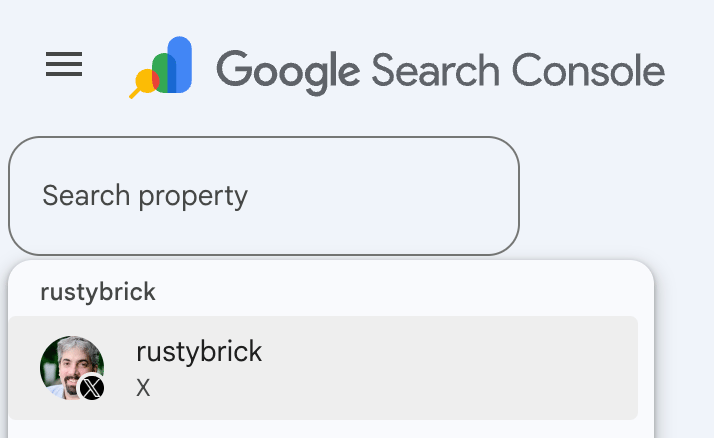
Google Search Console property selector showing a search field and an X platform profile option for the rustybrick account.
A Google Search Console dropdown highlights the new platform property flow, with the rustybrick X profile appearing as a selectable property for reporting.

In the performance report, I can review total clicks, impressions, and other key metrics. I can also filter and sort the data to see which posts and queries are driving the most traffic, and if I want to analyze it somewhere else, I can export the data.

In the insights report, I can get a higher-level view of recent traffic trends, top-performing posts, and the ways people are discovering my account through Google Search.
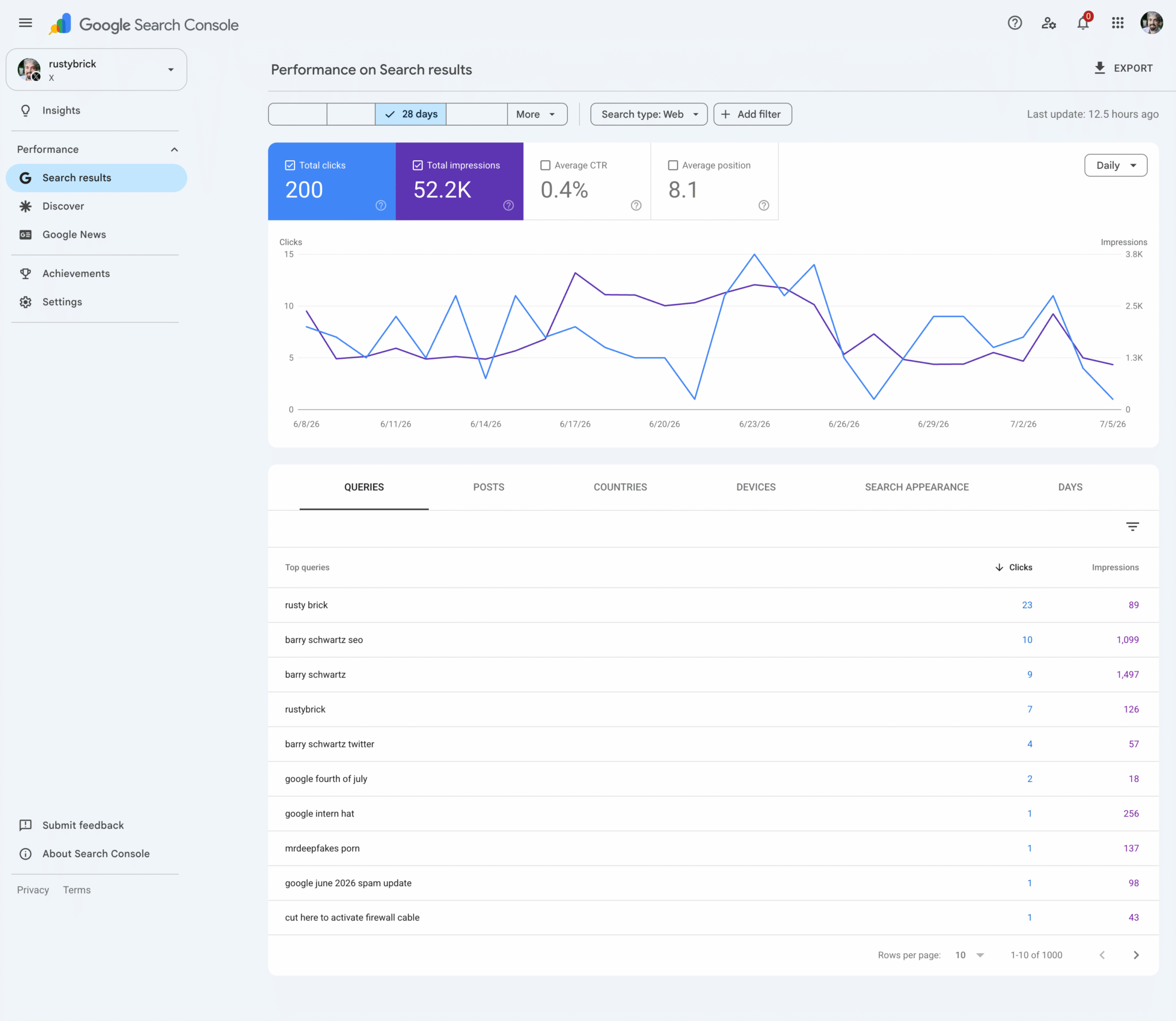
Google Search Console performance report for the rustybrick X profile showing clicks, impressions, CTR, position, trend chart, and top search queries.
A Google Search Console platform property view shows how an X profile appears in Search, pairing 28-day click and impression trends with the queries driving visibility.

The achievements section adds another useful angle by helping me track growth milestones, such as reaching a new threshold for total clicks from Google Search over the last 28 days.

This feels similar to the social channel details that previously appeared in Search Console insights, but platform properties look like a more direct way to verify and analyze these accounts.
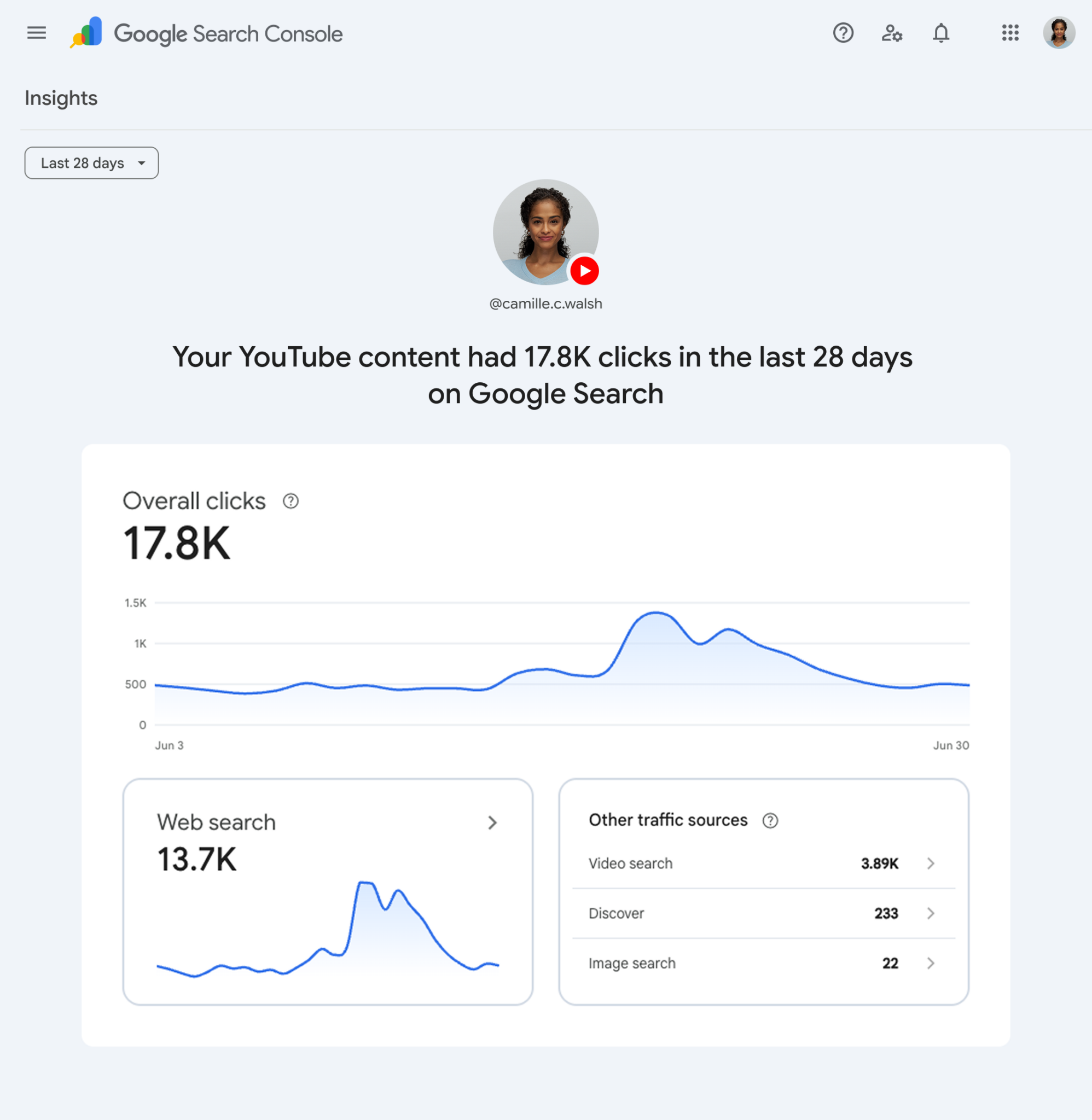
Google Search Console Insights dashboard showing YouTube content with 17.8K clicks, traffic source cards, and a search performance line chart.
A Google Search Console Insights view highlights how YouTube posts are gaining visibility in Search, with 17.8K clicks and traffic broken down by web, video, Discover, and image search.

To set this up, I need to verify a platform property inside my Google Search Console account. I can start by opening Search Console, going to the Search Console verification page, or using the property selector dropdown anywhere in Search Console and choosing “Add property.”

From there, I select one of the currently supported platforms: Instagram, TikTok, X, or YouTube. Then I follow the onscreen verification steps to securely authorize the connection.
Neon Google search bar with microphone icon over a futuristic digital data background, representing search technology and SEO updates.
A glowing Google search bar cuts through streams of digital data, capturing the fast-moving world of search, shopping visibility, and SEO innovation.

Google said platform properties will roll out gradually over the coming weeks, so I may not see the option in my account right away. For setup details, Google points users to its help center documentation. The help document had briefly appeared a few weeks earlier before being removed, so this release makes the feature official.

This is also different from Google’s search profiles feature, which has its own analytics.

What stands out to me is the access this gives marketers, creators, and SEOs. Google has not traditionally given us a clear way to see how our content performs on domains or properties we do not own. With platform properties, I can finally start seeing how my social and video content performs in Google Search, even when I do not have developer access to those platforms. That opens up a much better view of search-driven visibility beyond my own website.


Inspired by this post on Search Engine Land.


crushpress.ai community screenshot

FAQs

What are Google Search Console platform properties?

Platform properties are a new Google Search Console reporting layer for supported social and video accounts. They let users analyze how content on Instagram, TikTok, X, and YouTube appears and performs in Google Search.

Which platforms are supported for Search Console platform properties?

The article lists Instagram, TikTok, X, and YouTube as the currently supported platforms. Users can choose one of those platforms when adding and verifying a platform property in Search Console.

What metrics can users see for social and video content in Search Console?

The performance report can show clicks, impressions, and other key metrics for supported platform content. Users can also filter and sort data by posts and queries, review trends in Insights, and track achievements such as 28-day click milestones.

How do I add a platform property in Google Search Console?

Open Google Search Console, go to the verification page, or use the property selector and choose Add property. Then select Instagram, TikTok, X, or YouTube and follow the onscreen verification steps to authorize the connection.

Why does this update matter for marketers, creators, and SEOs?

The update gives marketers, creators, and SEOs a way to see search visibility for content hosted on third-party platforms. It helps them understand Google Search performance beyond websites they own or manage directly.

Will everyone see platform properties in Search Console right away?

No. Google said platform properties will roll out gradually over the coming weeks, so the option may not appear in every Search Console account immediately.

Comments

Leave a Reply

Your email address will not be published. Required fields are marked *