
Your Shopify admin will not load, customers are reporting checkout errors, and paid campaigns are still sending people to the store. The worst response is to change everything at once.
You need to identify which part of the buying journey is broken, stop avoidable losses, preserve reliable data, and keep a temporary platform failure from becoming a lasting search problem.
Key takeaways
- Test the store as a customer. An inaccessible admin does not automatically mean the storefront or checkout is unavailable.
- Pause conversion campaigns when customers cannot complete payment, and record when you changed each campaign.
- Do not noindex products, redirect product URLs, or mark inventory as out of stock solely because Shopify checkout is unavailable.
- Resume promotion only after you have tested the complete journey from product page to order confirmation.
Triage the customer journey before changing campaigns
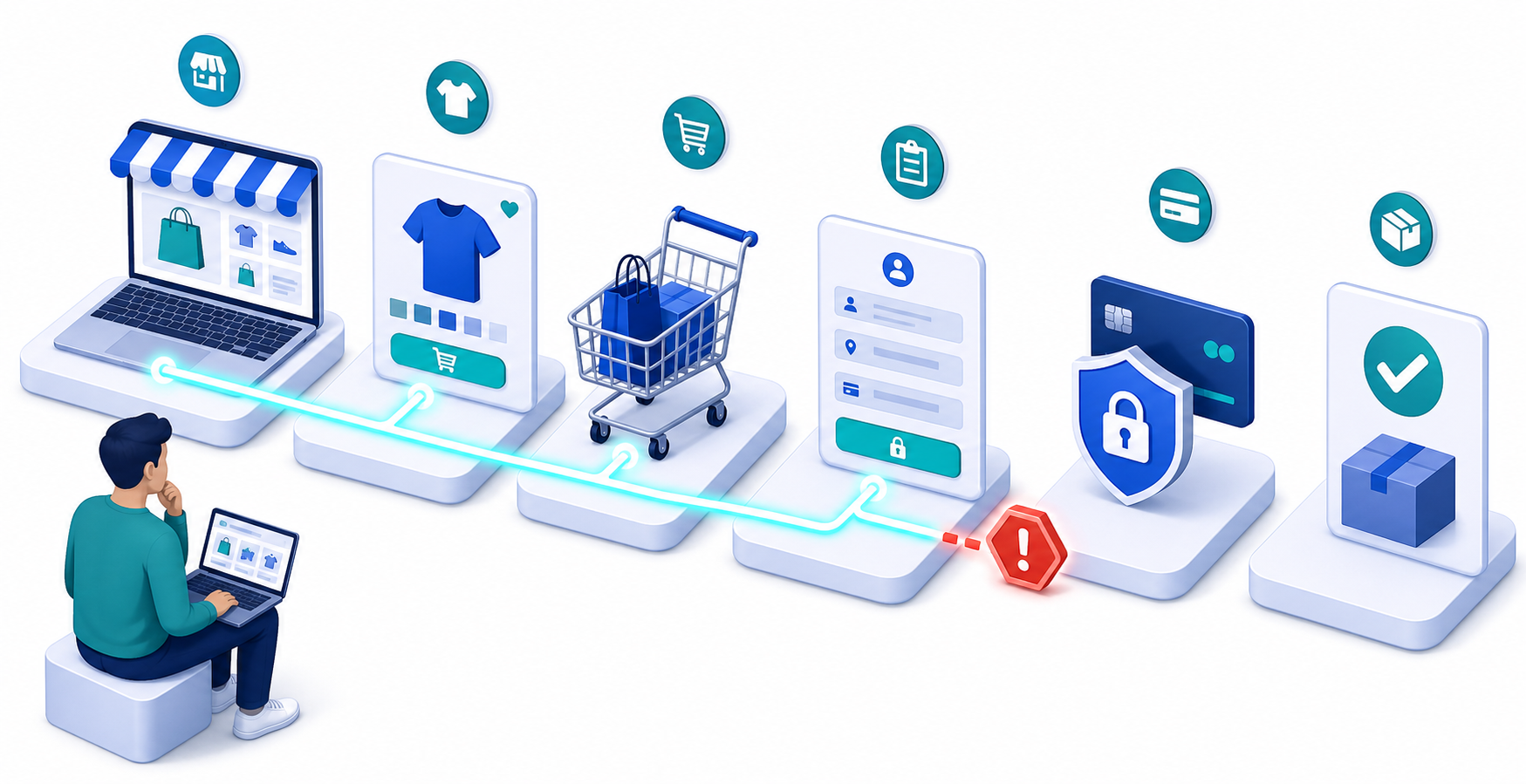
Start outside Shopify Admin. Open a private browser window and follow the same path a new customer would take: load a product page, add the product to the cart, begin checkout, and attempt to reach the final payment stage. If you operate physical locations, check Retail POS separately.
This separation matters because one service can fail while another remains usable. During the reported Tuesday disruption, Shopify acknowledged problems involving Admin and Retail POS at 9:27 a.m. EDT, while merchants and customers also encountered trouble with storefronts, checkout, and support access. Shopify was still investigating at 9:45 a.m. and reported an identified cause and improving service at 10:37 a.m. That improvement did not, by itself, prove that every merchant’s customer journey had recovered.
| What you observe | What it means for your response |
|---|---|
| Admin is unavailable, but a customer can browse and complete checkout | Keep monitoring sales. Do not pause every campaign merely because store management is difficult. |
| Storefront loads, but checkout fails | Pause campaigns intended to produce immediate purchases and hold scheduled promotional sends. |
| Storefront does not load | Stop traffic whose landing pages are unavailable and publish a clear service notice on a channel you can still control. |
| Retail POS fails while online checkout works | Separate the retail response from the ecommerce response. Do not treat all revenue channels as unavailable. |
| Support is inaccessible | Maintain an internal incident log and use the platform’s available public updates without waiting for a support reply. |
Assign one person to maintain the incident record. Capture what failed, how it was tested, when the failure was first confirmed, which promotions were active, and which actions the team took. This prevents several people from making conflicting campaign, site, or customer-service changes.
Control paid traffic without destroying useful evidence
If checkout cannot accept orders, each additional conversion-focused click can add cost without creating a sale. Pause the affected campaigns rather than deleting them. A pause preserves campaign settings and makes it easier to compare performance before, during, and after the interruption.
Make decisions by destination and objective. A campaign leading to a failed product or checkout path should stop. A campaign serving a functioning market, store, or non-transactional resource may not need the same treatment. The test result should decide, not the frustration of being locked out of Admin.
Record the time of every pause, budget adjustment, promotional cancellation, and restart. Add the incident window to your analytics annotations or reporting notes. Keep Shopify’s acknowledgement and recovery updates in the record, but use your own customer-path tests to define the period when your store was actually unable to convert.
Do not evaluate that window as an ordinary campaign-performance decline. Separate traffic sent during the failure from normal traffic, then reconcile ad-platform conversions with completed Shopify orders after access returns. Otherwise, automated bidding changes and human budget decisions may both react to a platform problem as though it were weak demand or poor creative.
Protect SEO, product schema and AI-facing answers
A temporary checkout failure is not an inventory change. Do not switch Product or Offer structured data to OutOfStock unless the item is genuinely unavailable. Machine-readable availability can remain visible after the checkout problem ends, leaving search engines, shopping systems, and AI assistants with an inaccurate description of the product.
Likewise, do not noindex product pages, remove canonical tags, delete URLs, or redirect the catalog to the homepage as an emergency measure. Those changes can outlive the incident and create crawling, indexing, and reporting problems that are harder to reverse than the outage itself.
If you can publish outside the affected storefront, maintain one plain-language status message. State which customer action is failing, which channels still work, and when you last verified the condition. Use the same wording in social updates, support replies, and internal scripts. Consistent public language gives customers a clearer answer and reduces the chance that search or AI systems encounter contradictory explanations.
Avoid promising a recovery time you do not control. A platform update saying that services are improving is a reason to retest, not a reason to declare your own store operational.
Restart only after a complete purchase succeeds

Recovery should be verified from the customer’s side. Restored Admin access is useful, but it does not establish that product pages, carts, checkout, payment, confirmation, and order recording are all working together.
- Repeat the full purchase path in a clean browser session.
- Confirm that the completed order appears where your team expects to manage it.
- Check Retail POS separately if physical stores were affected.
- Review the incident window for incomplete, delayed, or unexpectedly repeated customer activity before sending more promotion.
- Resume campaigns in a controlled order, starting with the paths you have directly verified.
- Update the public service message only after your own checks pass, and preserve the incident notes for reporting.
Once operations are stable, save a short outage runbook containing the incident owner, customer-path tests, campaign controls, analytics annotation process, and status-message template. The next Shopify disruption should trigger a familiar sequence, not a fresh argument about what to do.
Leave a Reply