The Importance of No-JavaScript Fallbacks for SEO in 2026

```json
{
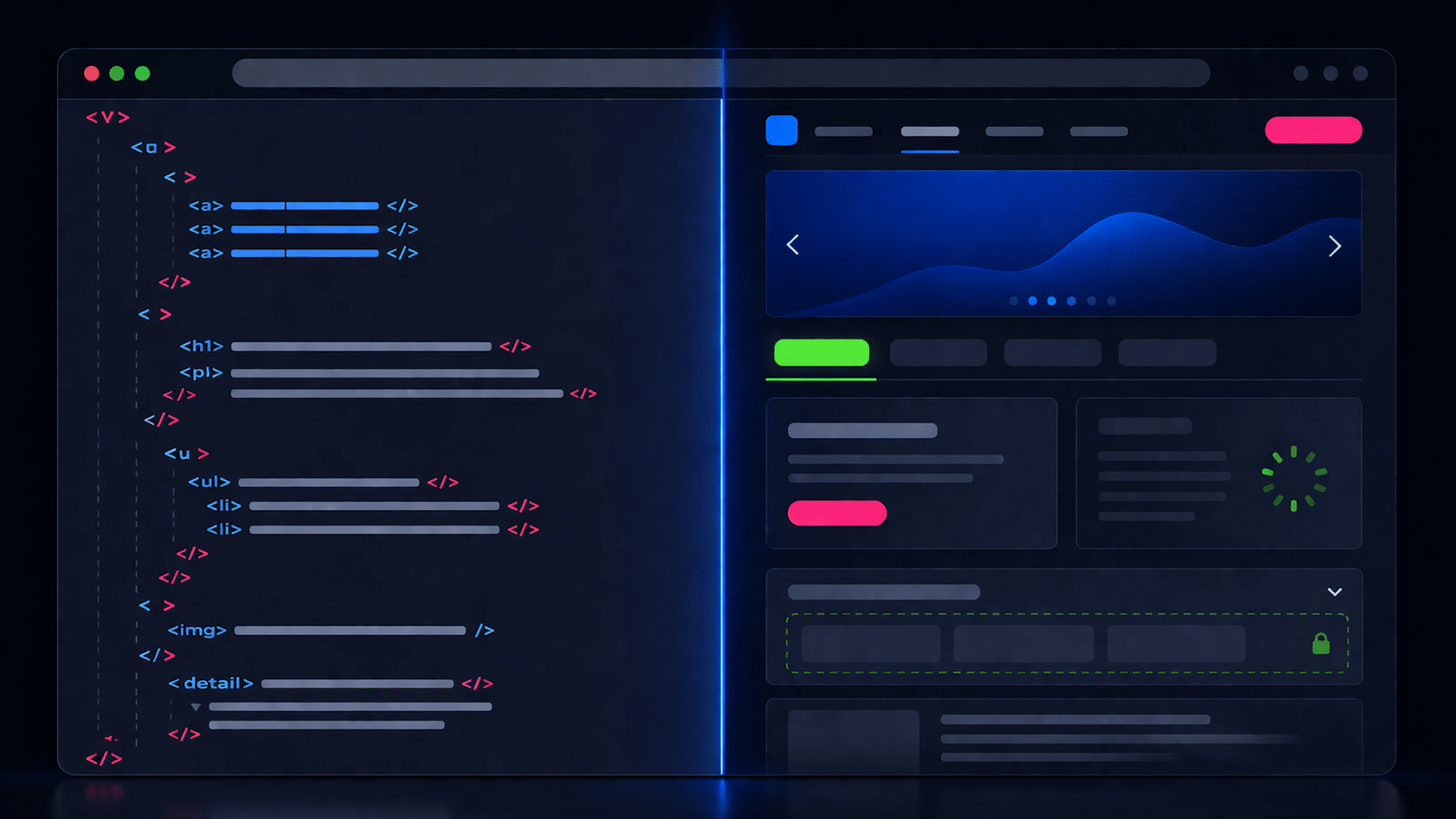
  "alt": "Split screen showing HTML code on the left and a web design on the right.",
  "caption": "Visualize your code: a blend of HTML and web design coming to life on screen.",
  "description": "This image illustrates a split-screen view with HTML code on the left and a corresponding web design layout on the right. The code includes HTML tags such as , , and , while the design shows a modern interface featuring a navigation bar, a carousel with a wave graphic, and various widgets. This digital concept highlights the transformation of code into visual elements, catering to both developers and designers."
}
```

Rendering isn’t always immediate or complete. Discover where no-JavaScript fallbacks still safeguard critical content and indexing in 2026.

I’ve noticed that Google has the capability to render JavaScript, but it doesn’t always do so instantly or flawlessly. Since Google’s 2024 comments on rendering all HTML pages, developers have questioned the necessity of no-JavaScript fallbacks. Now, in 2026, the answer is clearer yet nuanced.

```json
{
  "alt": "The CapmatchOne logo with a gradient circle and bold text.",
  "caption": "Discover innovation with the CapmatchOne logo, featuring sleek typography and a modern gradient circle.",
  "description": "The CapmatchOne logo features bold, modern typography coupled with a gradient circle, symbolizing connection and innovation. The sleek design conveys a sense of progress and creativity. This image can be used for branding or promotional purposes, appealing to audiences interested in innovative solutions and forward-thinking designs."
}
```

Google’s position on JavaScript rendering has been a hot topic since July 2024. During an episode of Search Off the Record, Martin Splitt and Zoe Clifford from Google’s rendering team discussed rendering costs and prioritization.
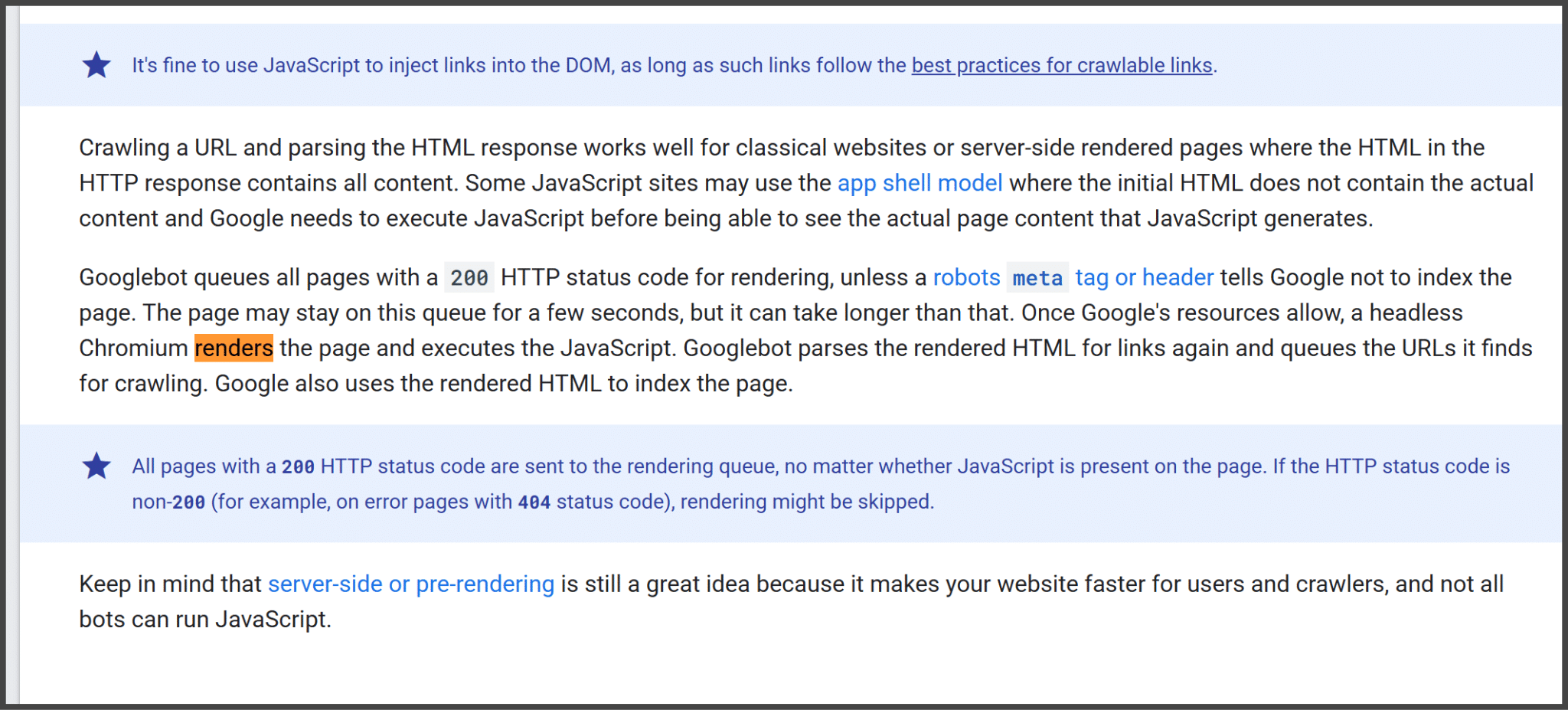
```json
{
  "alt": "Guide explaining JavaScript usage and Googlebot URL crawling process.",
  "caption": "Discover how Googlebot handles JavaScript on your site, managing URLs and leveraging HTTP status codes for efficient crawling.",
  "description": "This image provides a detailed guide on how Googlebot interacts with JavaScript-heavy websites. It explains the importance of the app shell model, how Googlebot manages URLs with a 200 HTTP status code, and the role of server-side or pre-rendering. The content emphasizes the need for efficient rendering to optimize crawling and indexing by Google, highlighting essential elements like robots meta tags and headers."
}
```

Developers, especially those working on JavaScript-heavy applications, began to question the need for fallbacks. On the other hand, many SEOs remained skeptical, wary of removing fallbacks without understanding Google’s consistency and limits in rendering processes.
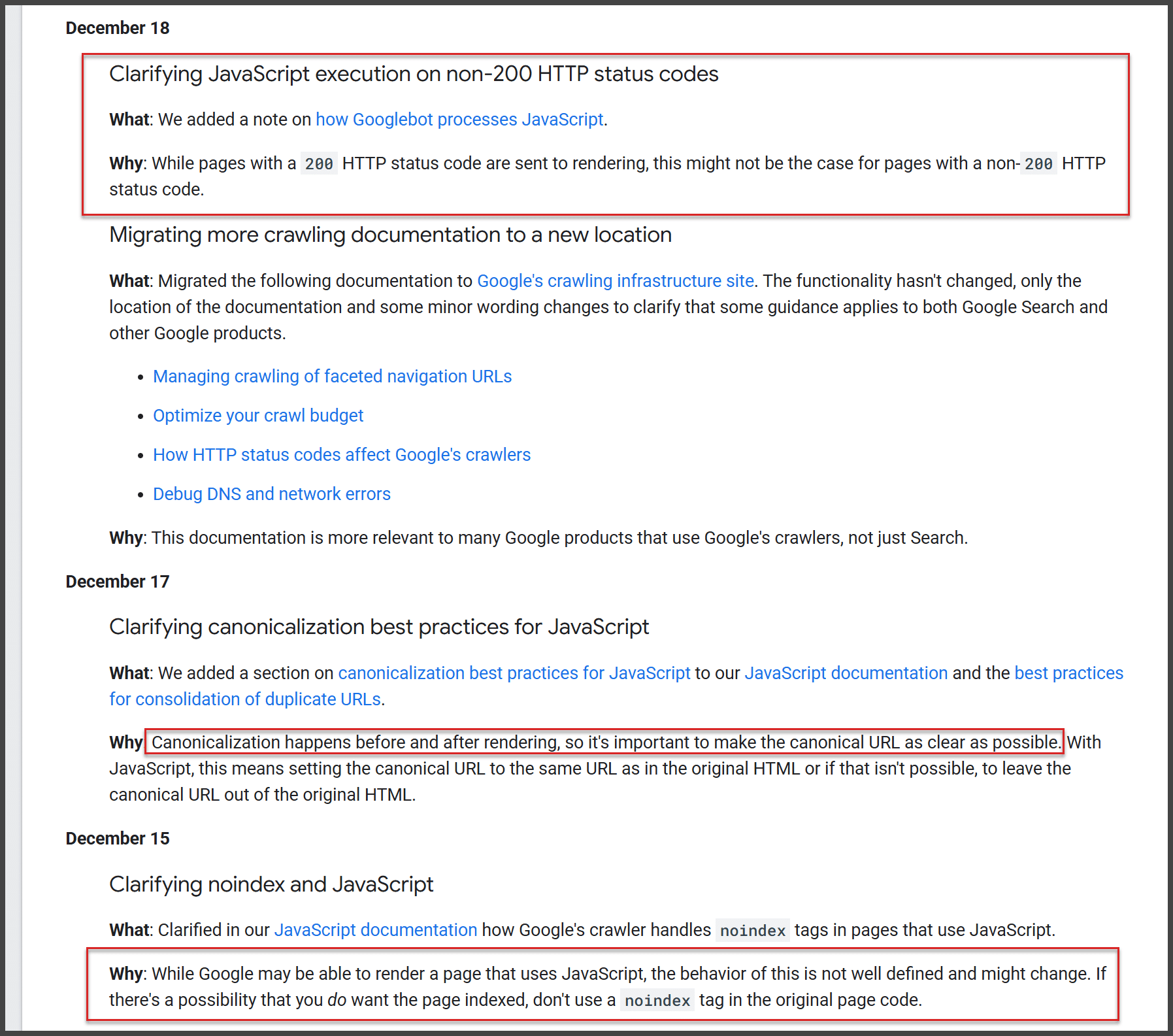
```json
{
  "alt": "Document detailing updates on JavaScript, HTTP status codes, and SEO from Google's guidelines.",
  "caption": "Explore key updates from Google on JavaScript execution and SEO best practices, ensuring efficient website indexing and crawling.",
  "description": "This image captures a document from Google detailing updates related to JavaScript execution with non-200 HTTP status codes, migrating crawling documentation, and clarifying canonicalization and noindex best practices in JavaScript. The content stresses the importance of setting canonical URLs correctly, avoiding noindex tags where indexing is desired, and explaining the handling of HTTP status codes for enhanced SEO and crawler efficiency. These updates are aimed at improving the performance of web pages in search indexing and rendering."
}
```

While developers debated, Google’s documentation clarified how JavaScript rendering functions. Pages are queued for rendering, and once resources become available, a headless browser processes the JavaScript. This means that not all interactions within JavaScript elements are parsed immediately.
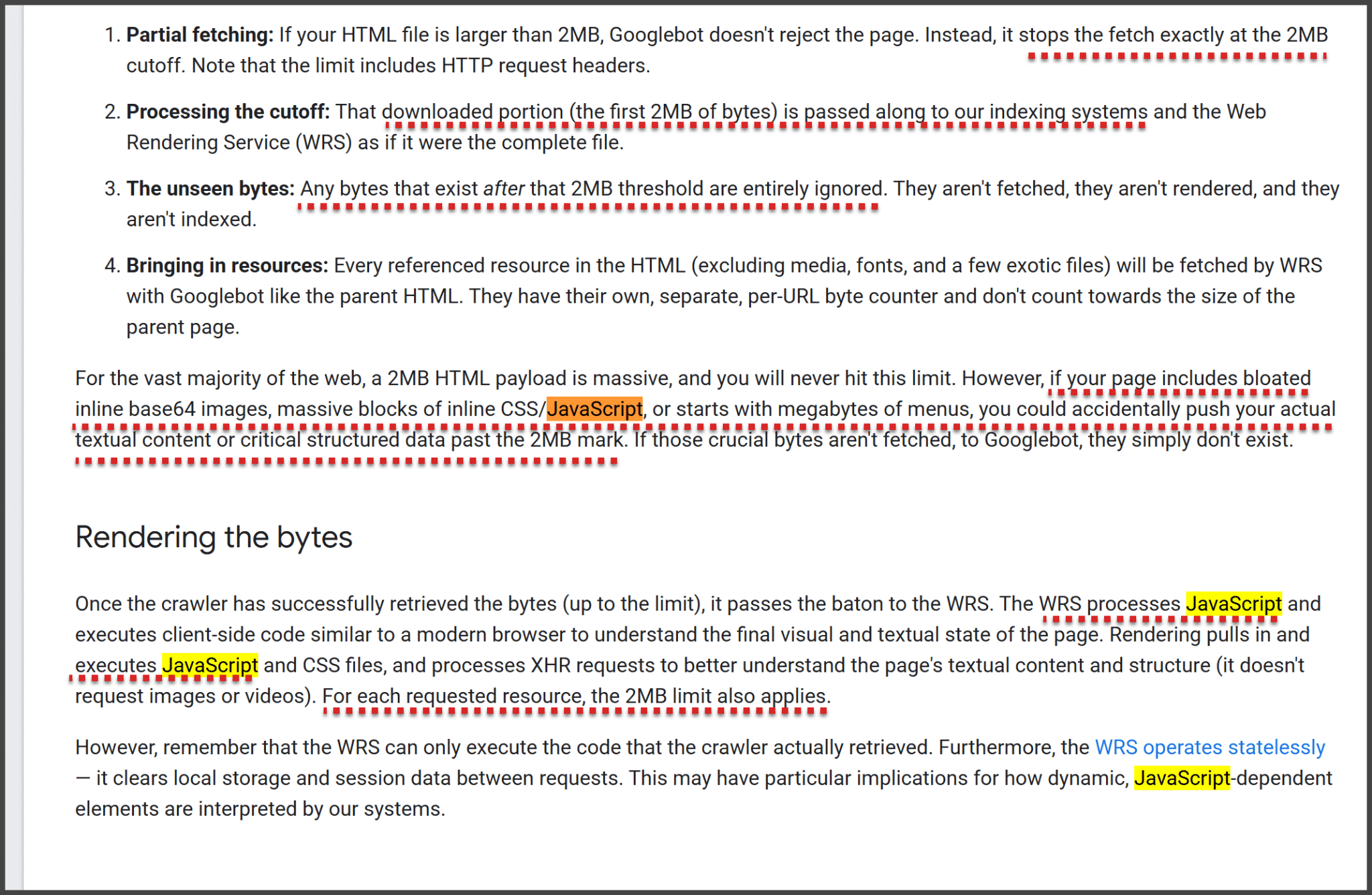
```json
{
  "alt": "Screenshot of text explaining Google's 2MB limit on HTML page fetching and processing.",
  "caption": "Discover how Google handles large HTML files with a 2MB fetching limit, affecting data processing and JavaScript rendering.",
  "description": "This image contains a detailed explanation of Google's approach to handling HTML files larger than 2MB. It outlines four key points: partial fetching, processing the cutoff, ignoring unseen bytes, and bringing in resources, specifically addressing the impact of JavaScript and CSS. Additionally, it discusses how the Web Rendering Service (WRS) processes and renders these resources and its implications for web page indexing. Important keywords include 2MB limit, Googlebot, HTML, JavaScript, and WRS."
}
```

Google’s guidelines on rendering emphasize the importance of pre-rendering strategies like server-side rendering to ensure critical content is indexed properly. Although Google claims it renders all pages, there are practical limits, such as a 2MB HTML and resource cap.
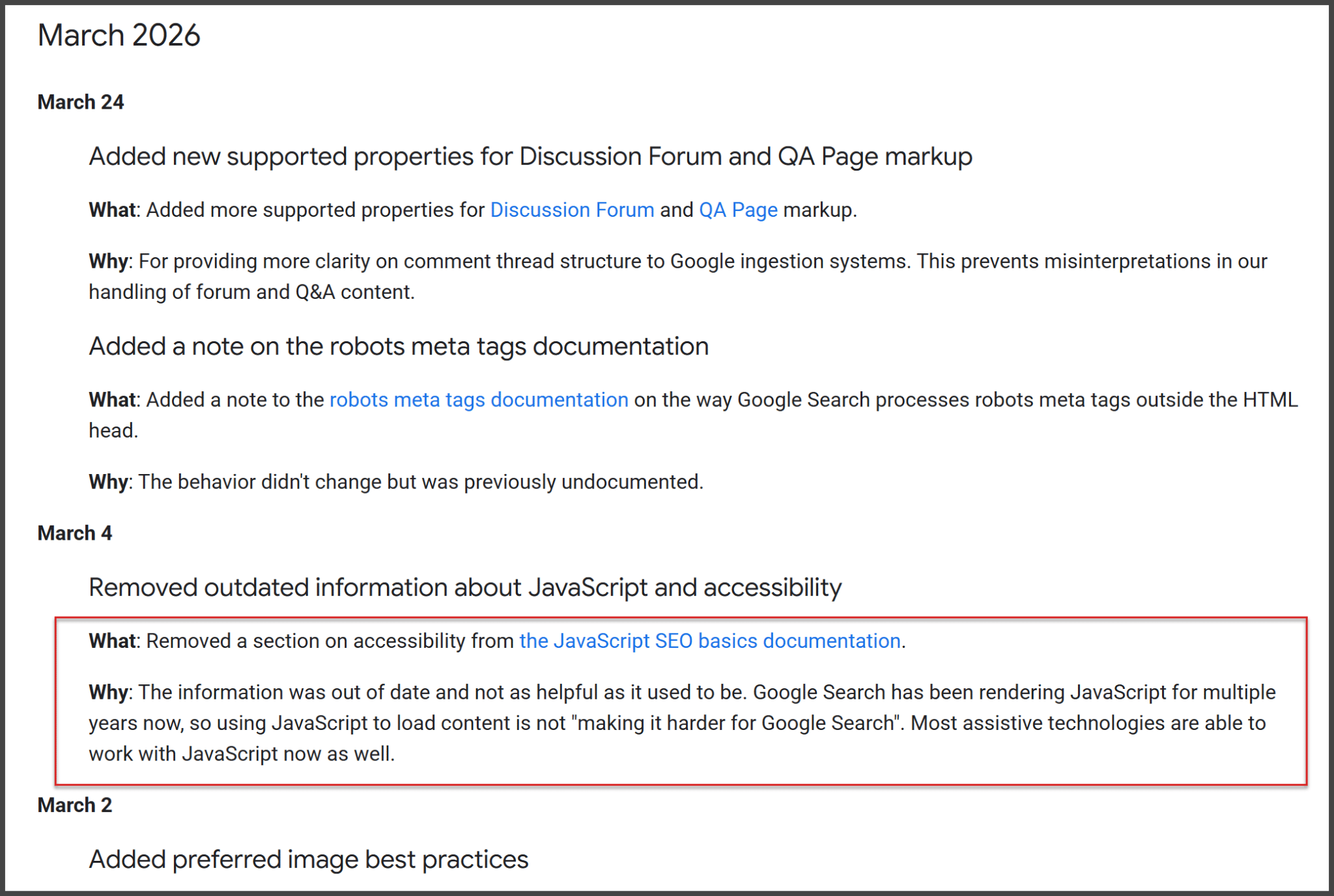
Google's update log for March 2026 listing changes in documentation for SEO, JavaScript, and more.
Discover Google's March 2026 updates, enhancing clarity in forum markup, meta tag processing, and modernizing accessibility content for SEO.

Although Google’s JavaScript capabilities have improved, the broader web hasn’t uniformly adapted, with many systems still dependent on HTML-first delivery. As AI crawlers and other non-Google bots often don’t execute JavaScript, the need for no-JavaScript fallbacks remains critical.
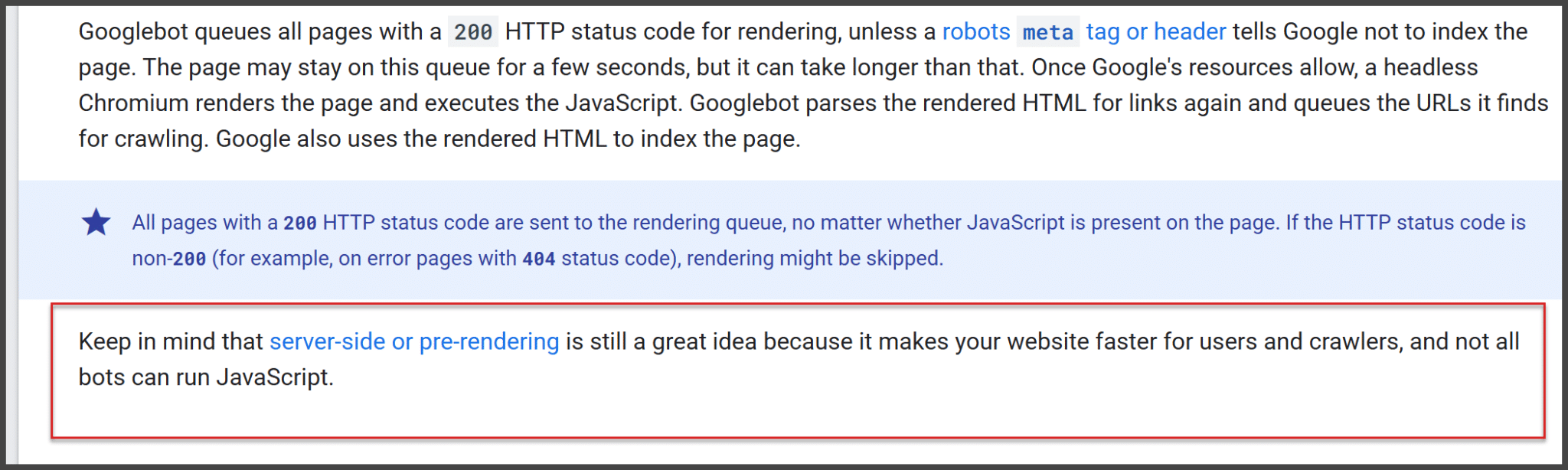
```json
{
  "alt": "Text about Googlebot rendering with HTTP status codes and pre-rendering tips.",
  "caption": "Understanding Googlebot's behavior: Learn how HTTP status codes impact webpage rendering and why server-side pre-rendering is beneficial for website performance.",
  "description": "This image provides insights into how Googlebot processes webpages using HTTP status codes. Pages with a 200 status go through rendering, utilizing a headless browser if JavaScript is present. It highlights the importance of server-side or pre-rendering to enhance site speed since not all bots can handle JavaScript. The text emphasizes the roles of meta tags, headers, and error codes like 404 in this process."
}
```

Despite Google’s advancements, fallbacks for critical architecture, content, and links are still vital. Google’s documentation and recent updates reinforce this by highlighting the ongoing importance of server-side rendering and resilient HTML.

```json
{
  "alt": "Graph showing percentage of pages with valid rel=canonical links from Jan 2020 to Mar 2026.",
  "caption": "Explore the trends in valid rel=canonical pages over time, showing a noticeable jump in compliance around November 2024.",
  "description": "This image features a time series graph depicting the percentage of web pages with valid canonical links, as detected by Lighthouse. The data spans from January 2020 to March 2026. A sharp increase is observed around November 2024, indicating higher compliance rates with rel=canonical standards. Desktop and mobile results are displayed, sourced from httparchive.org. Key insights can be drawn from the fluctuations noted in the graph."
}
```

From personal experience, it’s clear that while blanket no-JavaScript fallbacks might not be universally necessary, critical content should not solely depend on JavaScript. In 2026, no-JavaScript fallbacks for essential content are more than just a good idea; they are often essential for maintaining SEO integrity.
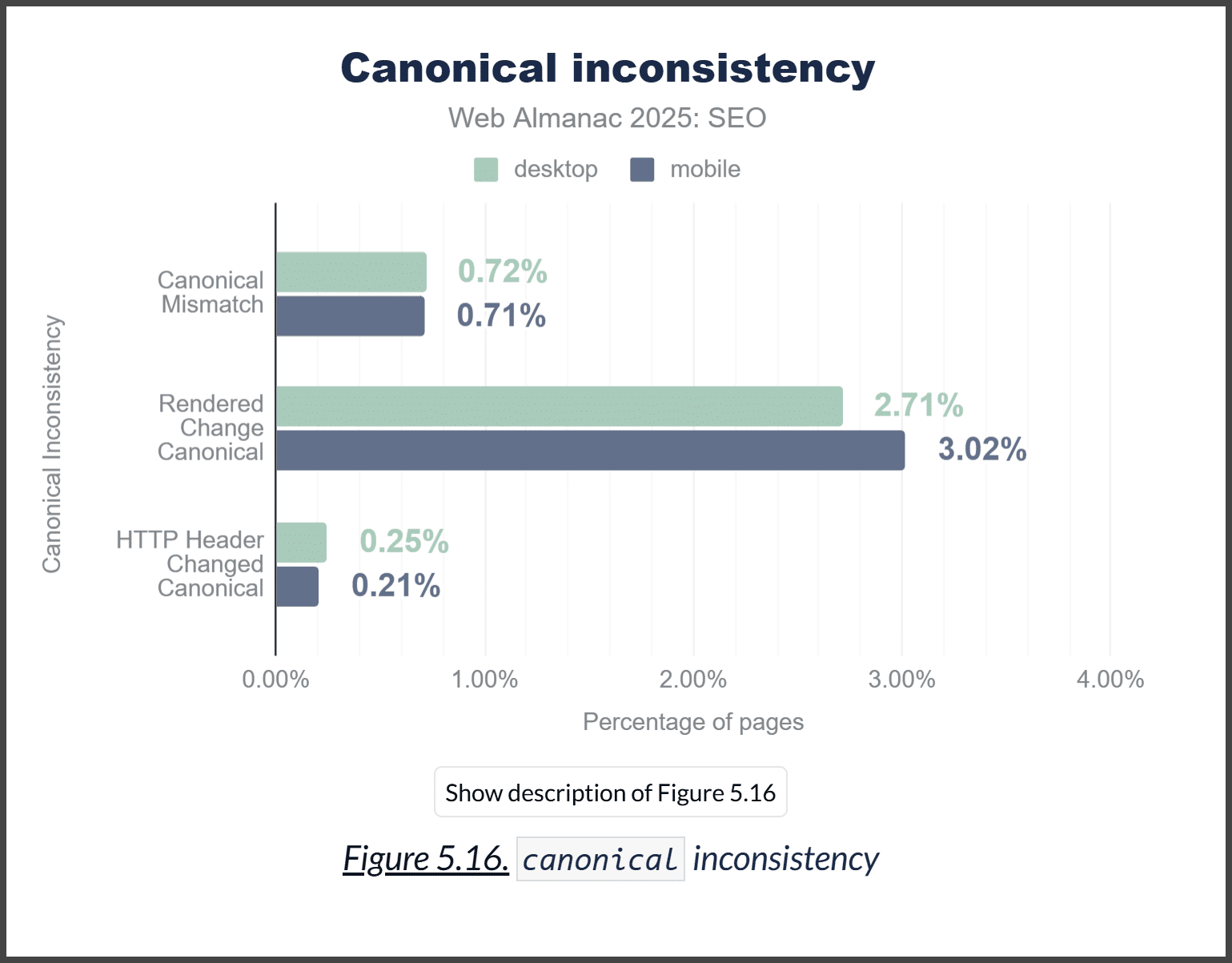
```json
{
  "alt": "Bar graph showing canonical inconsistency in desktop and mobile SEO from Web Almanac 2025.",
  "caption": "Exploring canonical inconsistencies in SEO for 2025, this graph illustrates the variances between desktop and mobile metrics.",
  "description": "This bar graph titled 'Canonical inconsistency' from Web Almanac 2025 compares SEO performance discrepancies between desktop and mobile platforms. It highlights three categories: Canonical Mismatch, Rendered Change Canonical, and HTTP Header Changed Canonical, each showing different percentage values for desktop and mobile. Desktop shows a higher percentage in Rendered Change Canonical at 2.71%, while mobile records 3.02%. The visual emphasizes critical areas for SEOs in addressing canonical issues across device types. Useful for digital marketers, SEOs, and analysts."
}
```

Inspired by this post on Search Engine Land.


crushpress.ai community screenshot

FAQs

What are no-JavaScript fallbacks and why do they matter for SEO in 2026?

No-JavaScript fallbacks provide essential content in HTML so search engines can index it even if JavaScript rendering is incomplete. They remain vital because Google’s rendering isn’t always instant or flawless.

Does Google render JavaScript, and do fallbacks still matter?

Google can render JavaScript but not always instantly or flawlessly. Because of this, no-JavaScript fallbacks remain important to ensure indexing and accessibility.

What is the 2MB HTML limit mentioned in Google's rendering guidelines?

Google enforces a 2MB limit on HTML page fetching and processing, which can affect how pages with heavy JavaScript are crawled and rendered.

Why is server-side rendering (pre-rendering) recommended?

Guidelines emphasize pre-rendering strategies like server-side rendering to ensure critical content is indexed properly and to improve crawl efficiency.

Why are no-JavaScript fallbacks still needed for non-Google bots?

Although Google’s rendering has improved, AI crawlers and other non-Google bots often don’t execute JavaScript, so no-JS fallbacks remain critical for broad indexing.

Comments

Leave a Reply

Your email address will not be published. Required fields are marked *