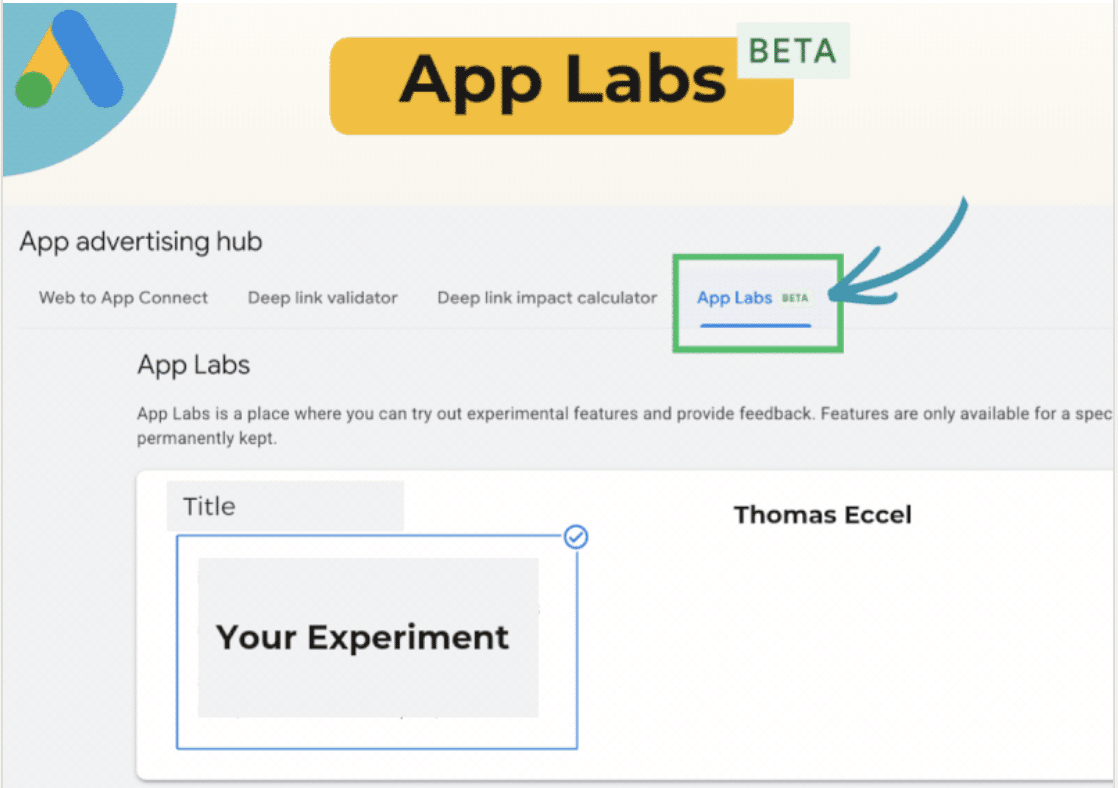
I recently discovered that Google is quietly testing something quite intriguing—a new “App Labs” beta in Google Ads. This development is offering app advertisers early access to experimental campaign features before they’re available to everyone.
What’s new? There’s a new dedicated tab within the App advertising hub. Here, advertisers like me can explore limited-time experiments, provide valuable feedback, and take a sneak peek at tools still in development.
Why do I care? Well, Google providing early access means I get a chance to test, learn, and optimize before competitors catch on. This early adoption could give my advertising efforts a significant performance edge, helping me adapt more quickly as new tools standardize.
Zoom in. Features in App Labs are essentially short-run tests. They’re not guaranteed to roll out on a permanent basis, but they offer Google real-world feedback while giving me a first-mover advantage.
Between the lines. This is essentially a sandbox for app campaigns and signals that Google values advertiser input early in the product cycle.
What to watch. As an early adopter, I might see performance advantages by testing and adapting to features long before my competitors are even aware of them.
First seen. I first heard about this update from Google Ads expert Thomas Eccel, who spotted it and shared the news on LinkedIn.
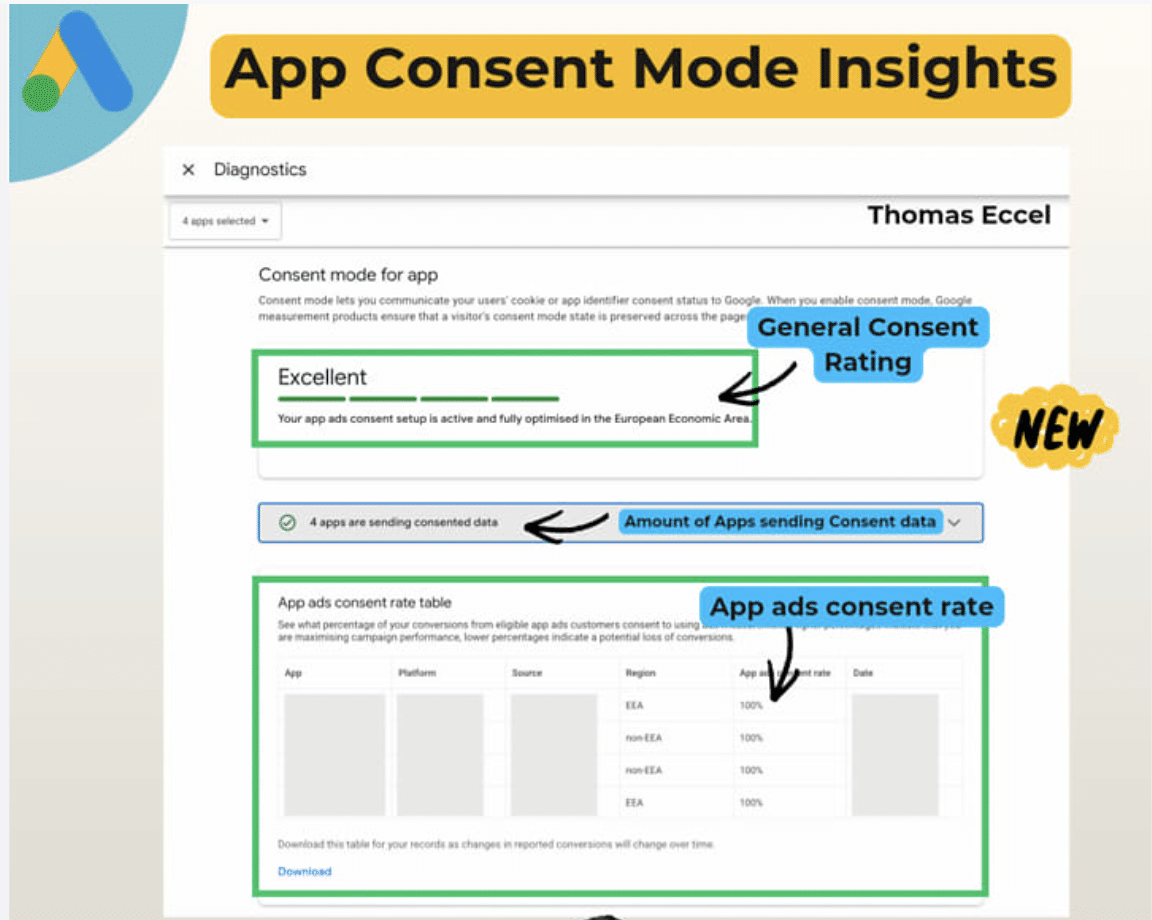
I’ve got some exciting news about Google Ads: They’ve introduced something called App Consent Insights! This new feature aims to give us, the advertisers, a much clearer picture of how consent affects our app campaign performance.
What’s new? There’s this cool diagnostics view that breaks down consent data across various apps, platforms, regions, and traffic sources. It’s a game changer for understanding where we might have gaps in our setup.
Zoom in. I can now see an overall consent rating described as “Excellent,” “Good,” or “Poor.” Plus, there’s a live count of apps actively sending consented data and a detailed table that shows consent rates for conversions, including the differences between EEA and non-EEA users.
Why it matters to us. With privacy regulations getting stricter, consent isn’t just a compliance issue—it’s a critical factor for measurement and optimization. This update gives us more visibility into how consent setups could be holding back our performance.
Between the lines. Google is making it easier for us to measure and act on consent data at a time when signal loss significantly impacts campaign performance.
What to watch. We should start looking at optimizing not just for conversions, but also for improving consent rates as another lever of performance.
Bottom line. With better visibility into consent, we can achieve better data quality and ultimately, better campaign outcomes.
First seen. Google Ads expert Thomas Eccel first noticed this update on LinkedIn.
I often find that platform reporting can lead me astray when trying to gauge the real impact of Demand Gen creative. To get a clear picture, conducting controlled experiments can validate if my creative work genuinely boosts conversions.
Demand Gen campaigns shine across YouTube, Discover, and Gmail, but they also bring a challenge—what I call the “attribution illusion.” It’s frequent for me to question whether reported conversions are truly incremental or if users would have converted through search regardless.
Google introduced asset uplift experiments in November, allowing me to measure the impact of my Demand Gen creative using an A/B split test. This feature helps replace assumptions with clearer insights into what’s truly driving results.
Relying heavily on creative instinct or standard reporting can misdirect efforts and waste valuable resources on underperforming assets. Google’s A/B testing capabilities empower me to isolate the impact of individual assets, preventing such outcomes.
Why attribution doesn’t equal incrementality
For example, if someone views a Demand Gen ad on YouTube but doesn’t click, only to search for my brand later and convert, Google might still credit the Demand Gen campaign. This attribution reflects correlation more than causation.
To measure accurately, I need to understand the scenario without showing the creative. Withholding test assets from a portion of the target audience helps establish a baseline.
The difference in conversion rates, or any key KPI between groups exposed to the ad and those not, reveals the actual incremental lift the creative drives.
Launching experiments without enough data for statistical significance is a common misstep. Before testing, I ensure campaigns meet necessary prerequisites to avoid inconclusive or invalid results.
Conversion volume
Google suggests having at least 50 conversions across test groups during the experiment for accurate lift measurement. If primary conversions fall short, I consider optimizing the test around micro-conversions like “Add to Cart.”
Budget minimums
Experiments require continuous, uninterrupted spending. A limited budget stopping my campaign early skews data for the control group.
The campaign budget must be sufficient to run for at least four weeks or until statistically significant results are achieved.
Creative isolation
I test one new variable at a time to determine if a specific asset drives uplift, keeping all other campaign elements unchanged.
Running a creative uplift test in Google Ads is now more streamlined. Here’s how I set up a valid experiment.
1. Define a clear hypothesis
Each scientific test starts with a clear hypothesis. I avoid tests without defined objectives. For example:
Bad hypothesis: “Let’s see if our new video works.”
Good hypothesis: “Adding user-generated content (UGC) to our Demand Gen asset group will drive a 10% incremental lift in ‘purchase’ conversions compared to standard static image carousels.”
Navigate to the Experiments interface
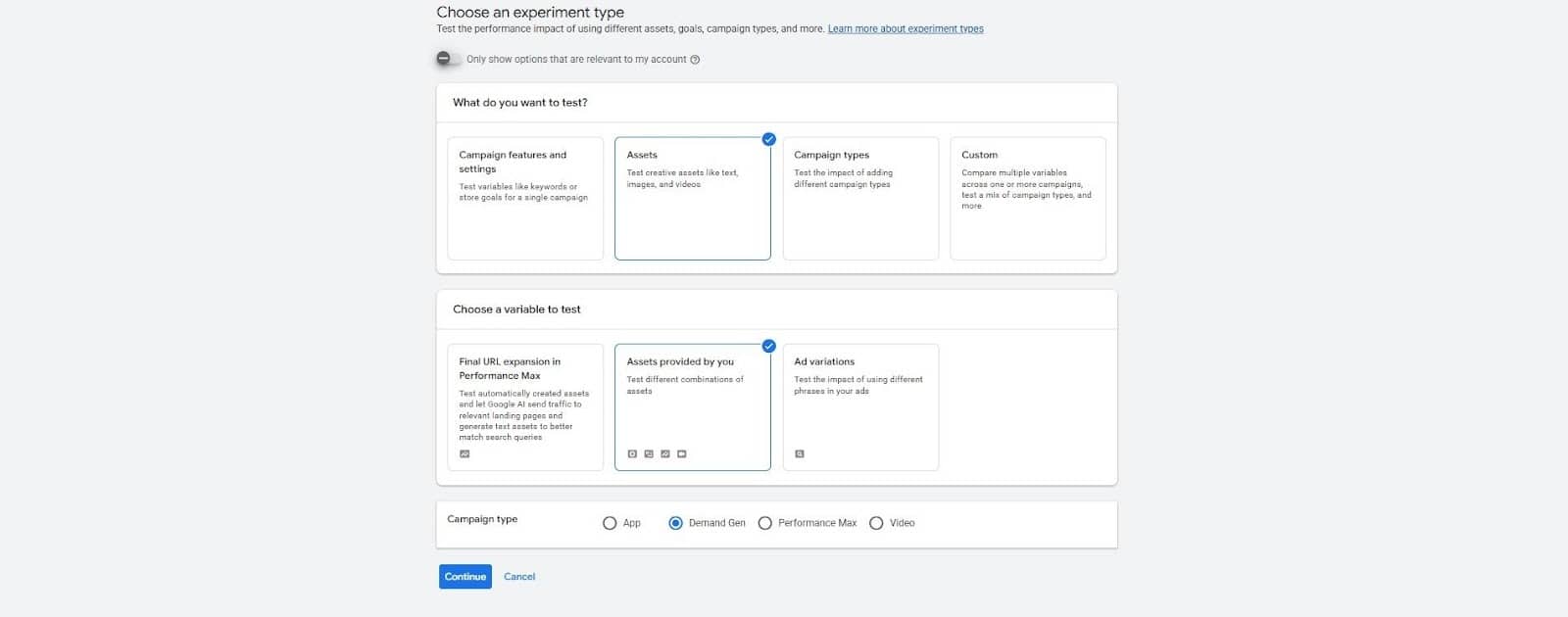
In my Google Ads account, I navigate to Campaigns > Experiments. I create a new experiment, selecting Asset tests provided by you for a Demand Gen campaign.
Configure a 50/50 split
I define a 50/50 cookie-based split to ensure both groups have equal historical data and algorithm weighting, preventing users from being in both test arms.
My existing campaign becomes the control, and the new asset campaign serves as the treatment.
Lock your variables
Once started, I practice extreme discipline by not altering audiences, targeting, or making drastic bid and budget changes.
Any changes during the test can introduce noise, affecting the statistical significance of results.
Set the duration
I run experiments for at least four weeks. Week 1 is a learning period, and Weeks 2 to 4 provide actionable data.
Longer conversion cycles in B2B SaaS might require six to eight weeks.
A positive lift with 95% confidence means my creative asset adds real value. I calculate incremental cost per acquisition (iCPA) by dividing the treatment group’s ad spend by incremental conversions over the control.
This iCPA becomes my benchmark for further scaling.
Outcome 2: Negative lift
Creatives may underperform, perhaps being too disruptive or skipped in ads. Pausing these assets is crucial to let data direct budget choices over personal preference.
Outcome 3: Inconclusive result
If results are negligible and don’t confidently attribute conversions after four weeks, I might extend the test for more data. If still inconclusive, trying a drastically different creative asset is my next step.
Prove creative impact with incrementality testing
Creative remains a powerful differentiator for performance. Creating high-quality video or UGC is one thing, but proving its impact with scientific rigor strengthens my creative decisions.
Asset uplift experiments provide evidence of Demand Gen’s budget worthiness to stakeholders. When I start with a holdout test, establish a baseline, and let data guide my creative roadmap, the results speak for themselves.
When it comes to Google Ads management, I’ve always followed the same routine: logging in, evaluating the performance, making updates, and crossing my fingers for success.
Despite advances in technology, from spreadsheets to automated bidding, the fundamental process hasn’t changed—until now.
Today, groas is shaking things up with a new, fully autonomous model for managing campaigns. The aim? To seamlessly handle the entire advertising process without constant manual input.
This revolutionary system has been in the making for years. Our company has developed an AI-driven approach that runs 24/7, matching or even exceeding industry benchmarks in PPC performance.
From building a campaign to managing bids, creating ad copy, and expanding keywords, this AI network takes care of everything autonomously.
When we first launched groas as a lightweight platform, it primarily provided optimization tips. But the true game-changer came from real-world data.
Early adopters joined from various industries, providing invaluable data that shaped groas into the powerhouse it is today.
Thanks to this diverse data from real campaigns, our AI has become skilled at understanding what truly works.
Our founder, David Pourquery, once shared the frustration of valuable recommendations sitting idle, awaiting approval. Now, our system makes those changes automatically.
We recently overhauled our system, creating interconnected AI agents that process mountains of data every hour, lifting the limits of manual management.
Ads management tasks are automated, allowing human professionals to focus on bigger strategic goals. groas delivers dynamic landing pages through a single JavaScript line, enhancing conversion rates continuously with A/B testing.
I don’t have to check in daily. Weekly reports summarize the autonomous progress while a human PPC manager supervises it all.
Starting off with groas is quick and easy. My personal account manager handles the setup, providing a detailed action plan within a day.
groas now autonomously manages significant monthly ad spends, all through word-of-mouth and direct referrals—without a dime spent on advertising.
Our client base includes businesses seeking consistent results and agencies leveraging groas for streamlined campaign execution.
With Google’s lean towards automated ads, groas offers a unique, fully autonomous solution that maintains strategic involvement through a dedicated manager.
The industry has long debated automation degrees in PPC. groas answers by fully automating while managing extensive ad spend.
groas has transcended traditional approaches; we’ve reduced the need for recommendation engines entirely.
Our services start at $999 per month, scaling as needed. This model requires a minimum $2,000 monthly ad spend to optimize data effectively.
Ever since learning about Google’s latest update to its YouTube and Discover Feed ad requirements, I’ve been intrigued by the clarification on election-related ads. This change, effective April 2026, doesn’t alter enforcement but provides much-needed transparency.
Why it matters. As someone navigating the complex landscape of YouTube and Discover ad placements, I understand how tightly regulated these spaces are. Historically, election ads have been surrounded by ambiguity. Now, the update helps clear up that confusion without imposing additional restrictions.
What’s new (and what’s not). It’s interesting to note that election ads are now clearly exempt from specific YouTube and Discover Feed ad requirements. However, no changes in enforcement mean that if compliance was achieved before, there’s no need for advertisers to shift gears.
Why we care. With this update, I’ve noticed how Google aims to eliminate the haze surrounding election ads on YouTube and Discover. Although these ads don’t need to meet placement-specific requirements, adherence to Google Ads policies remains essential, offering clearer guidance and more predictable campaign launches.
Zoom in. For election ad campaigns, this exemption is beneficial since these ads aren’t required to comply with the targeted YouTube and Discover Feed ad guidelines. However, advertisers must pass the Election Ads verification within the ad’s targeted region.
Between the lines. It’s vital to recognize this as a documentation clarification rather than a policy change. Google is distinguishing between the unique requirements for YouTube and Discover ads and its overarching ads policy framework.
What advertisers should do. If you’re running political campaigns, it’s crucial to maintain your verification status and continue adhering to Google Ads policies. Despite the exemption, keeping up with regulations is necessary for a smooth advertising process.
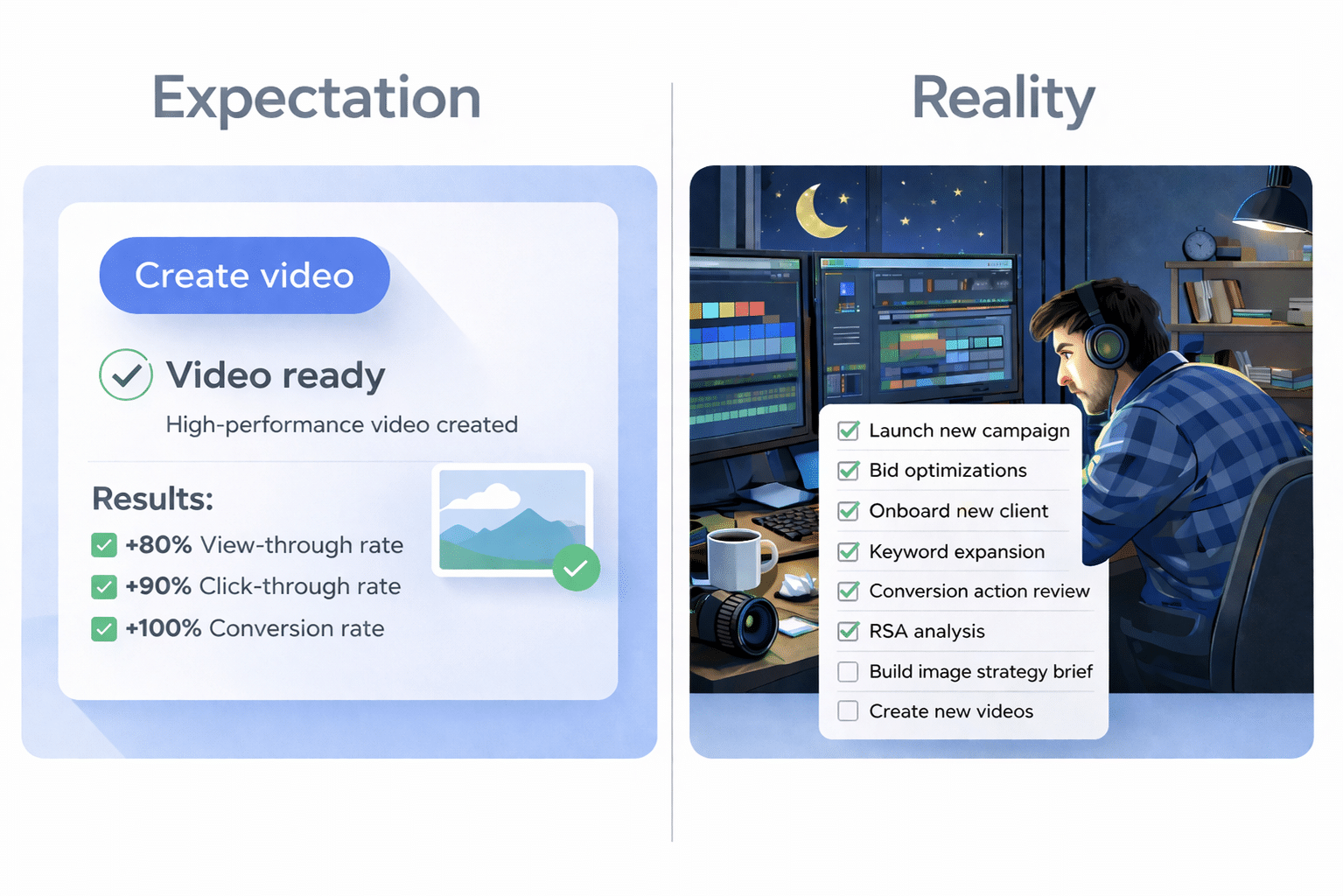
I recently dove into Google Ads Asset Studio to see what all the hype was about. I’ve heard declarations like, “Google just ended all excuses for not running video ads!” and “It’s a total game-changer; no production budget needed!”
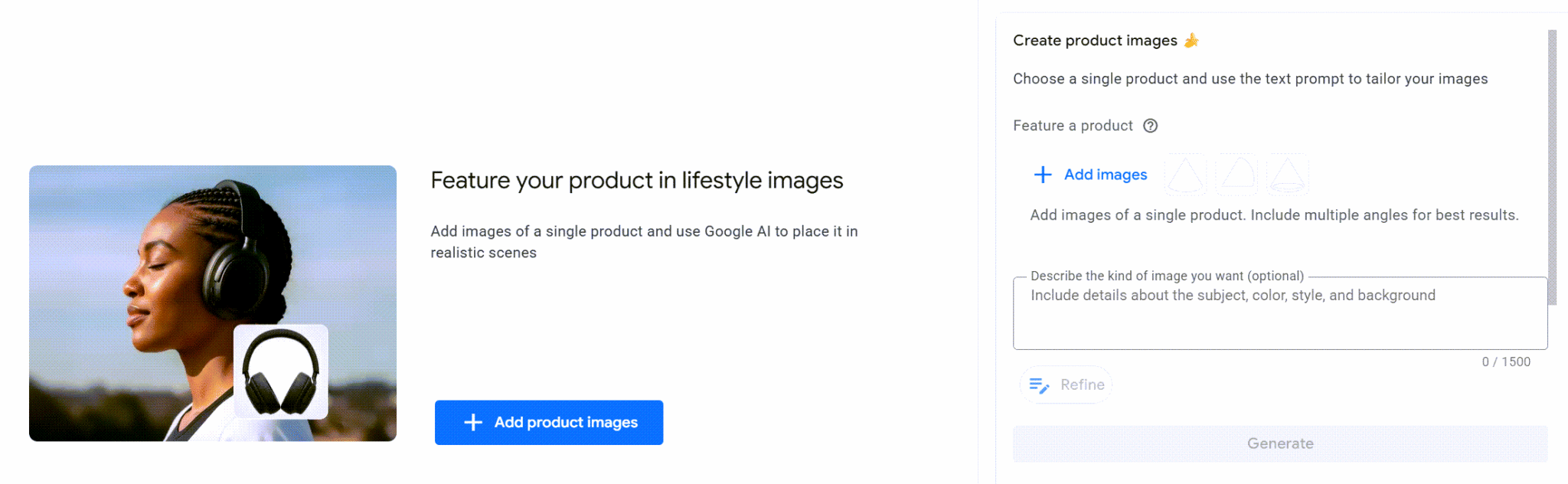
The process is supposed to be simple: upload some images and get campaign-ready videos in minutes. Using Google Ads > Tools > Asset Studio, I can manage and scale images and videos effortlessly across various ad formats.
Recent additions like Veo, Google’s AI video model, and Nano Banana Pro suggest we can transform a few product images into engaging video ads almost instantly.
But does it really change the advertising game? Let’s explore if it’s truly worth our time.
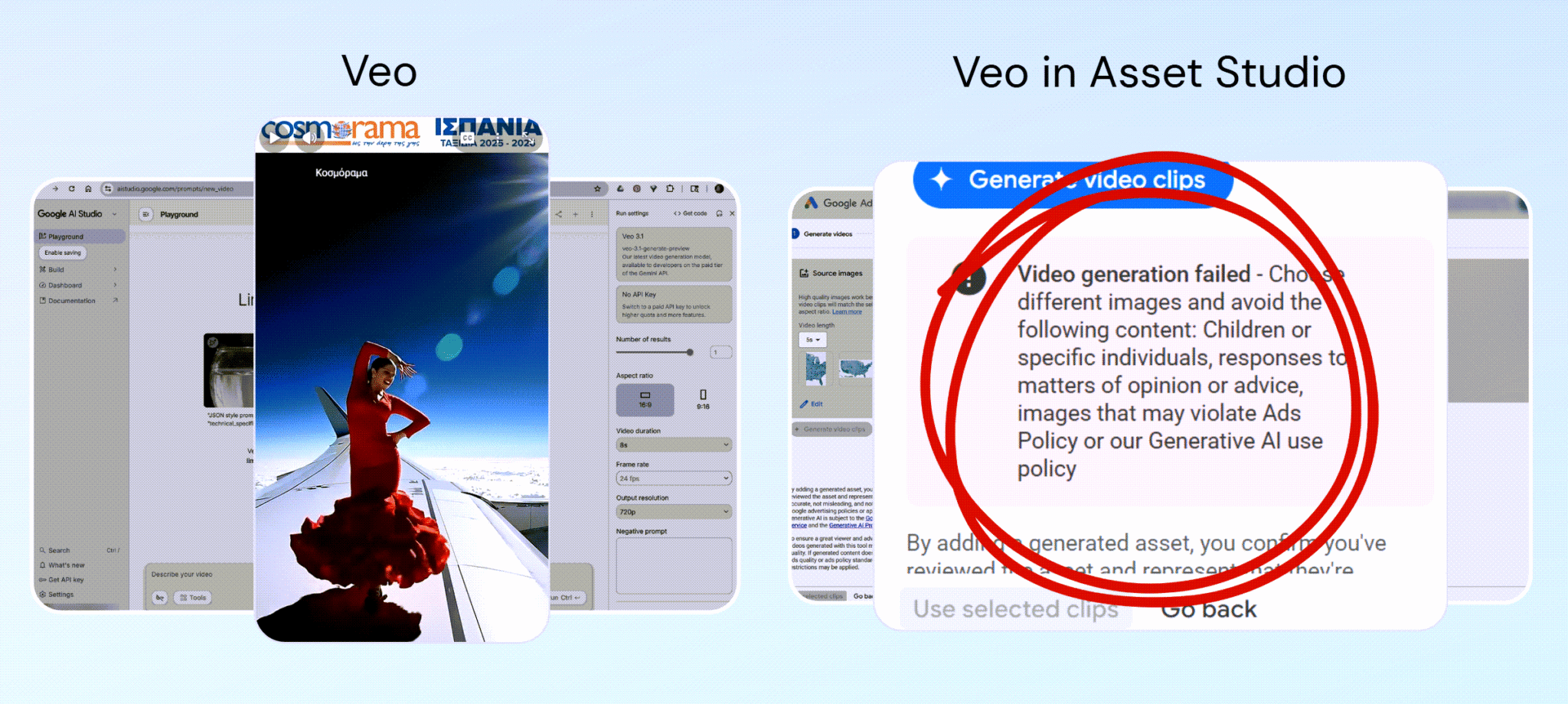
From the Think with Google article about AI-generated ads, such as those for Cosmorama, I tried to reverse-engineer their imaginative approach. Unfortunately, despite using Nano Banana and Veo, I encountered many limitations.
For instance, I found the lack of scene-level control problematic. No prompting for video scenes meant I couldn’t guide the animation’s motion or pacing.
When generating videos, anything that resembled a human face—AI-generated or not—caused errors. This restriction limited my asset options significantly.
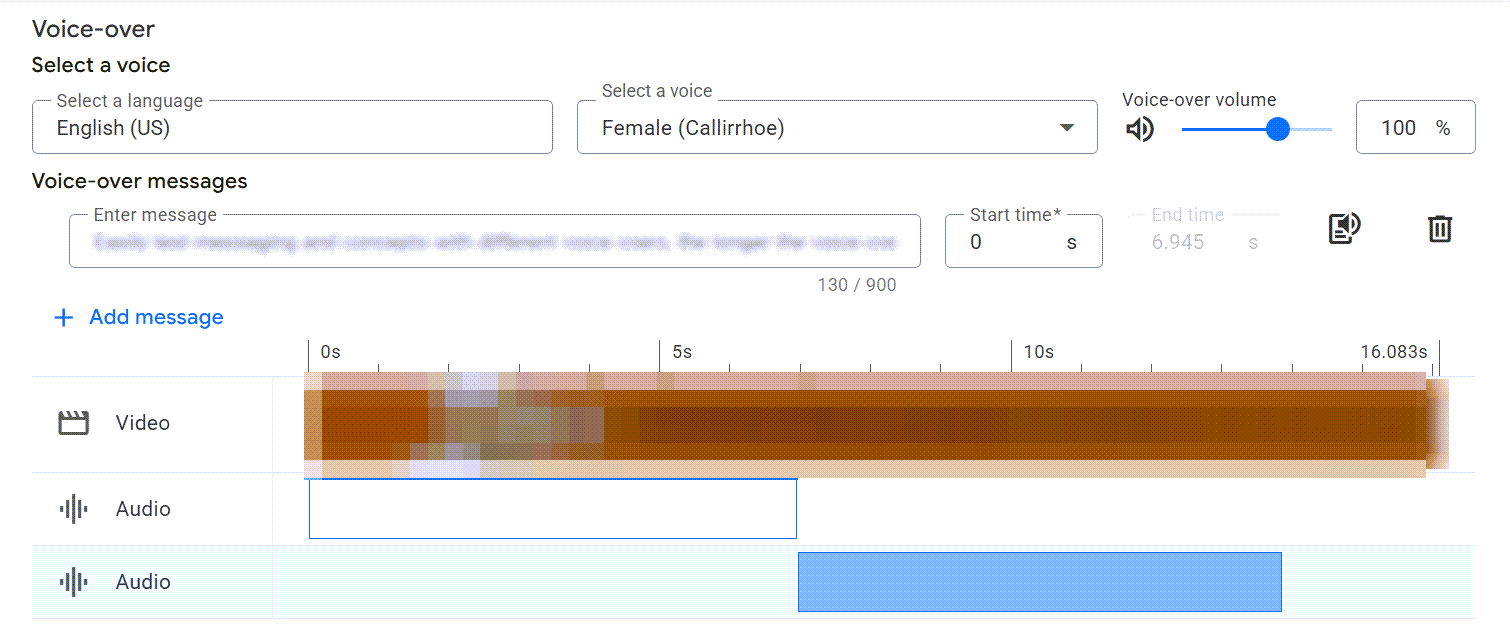
The audio options were also very limited. Unlike Cosmorama’s videos with cinematic scores, I was stuck with a small set of preloaded audio without the ability to upload custom tracks.
Overall, while Veo 3 introduced significant restrictions within Asset Studio, requiring a shift from expectations of advanced creative freedom.
While simplifying production could be beneficial, if you were expecting full creative control, you might be disappointed.
Thinking about whether Asset Studio truly saves time and effort, my experience suggests it’s a mixed bag. For brands previously in need of full production teams, Asset Studio might offer a faster and more cost-effective solution. However, for agencies or individuals incorporating this into existing workloads, it turns creative constraints into a newfound responsibility.
Regarding AI ad compliance, it’s worth noting there are no current U.S. federal laws against using AI in ads. However, places like New York are setting new precedents with upcoming laws requiring disclosure of AI use.
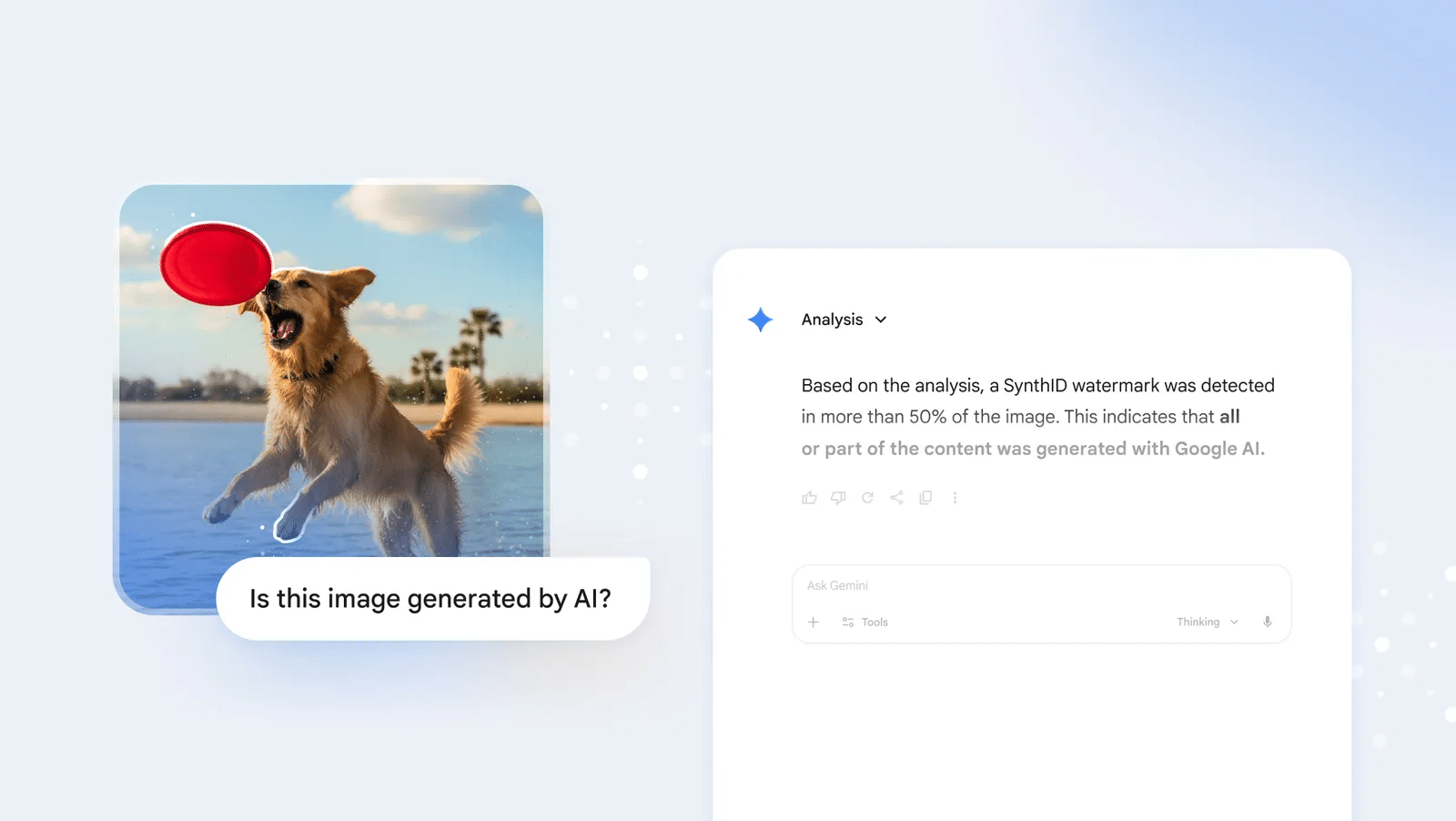
On the brighter side, if you use Asset Studio with ethical transparency in mind, although there’s no watermark or disclosure methods built-in, Google’s SynthID supports invisible AI tagging.
Could this tool live up to its potential without succumbing to ‘AI slop’? Josh Spanier from Google suggests not to worry, yet it’s essential to maintain control to avoid low-quality AI-generated ads from being published unwittingly.
Asset Studio indeed offers a streamlined way to bring product images to life, optimized for product integrity through tools like Nano Banana 2.
Features like quick trimming and leveraging simple templates show promise in turning around high-performing, concise ad creatives, even doubling CTR compared to previous client efforts.
In conclusion, while Asset Studio isn’t a complete game-changer, it provides tools that democratize creative access for those lacking a full production budget. However, it’s vital to measure the outcomes in terms of conversions and sales.
I’m running tests to see what truly holds up. Stay tuned.
As someone who frequently works with Google’s advertising tools, I know firsthand how crucial security is. Starting April 21, Google is implementing a mandatory multi-factor authentication (MFA) requirement for its Ads API. This is a significant move towards enhancing security, but it’s one that might need us to rethink our authentication workflows.
Driving the news. Google will gradually enforce mandatory MFA for the Ads API, aiming for complete roll-out just weeks after the initial date. This means we all need to be prepared.
This update directly impacts those of us generating new OAuth 2.0 refresh tokens, as it mandates a more secure authentication process.
What’s changing. We’ll now need to add another step in verifying our identity. This could be in the form of a phone prompt or an authenticator app, alongside the usual password.
Existing OAuth tokens we’re already using will stay unaffected, but for any fresh authentications, MFA will become the default requirement. If we’re not yet using two-step verification, it’s time to set it up.
Why we care. This shift influences how we manage and access our Google Ads data through various APIs and connected tools. While it undeniably enhances security and mitigates unauthorized access risks, it could also require us to adjust existing workflows, especially when generating new credentials often. Preemptive preparation can save us from potential disruptions.
Who’s affected. If your applications or workflows rely on user-based authentication, you’re in for some changes.
User authentication workflows: These will need MFA for new token setups.
Service account workflows: Thankfully, these remain untouched. They’re actually recommended for automated or offline scenarios.
The requirement isn’t limited to the API alone. We’ll also see it in tools like Google Ads Editor, Scripts, BigQuery Data Transfer, and Data Studio.
The big picture. As we lean more heavily on ad platforms for sensitive data and automation, security can’t be pushed aside. This need grows as API access proliferates across various teams, tools, and integrations.
Yes, but. While boosting security against unauthorized intrusions is welcome, we must consider the challenges it introduces. Especially for teams like ours that often create new credentials or depend on manual authentication flows.
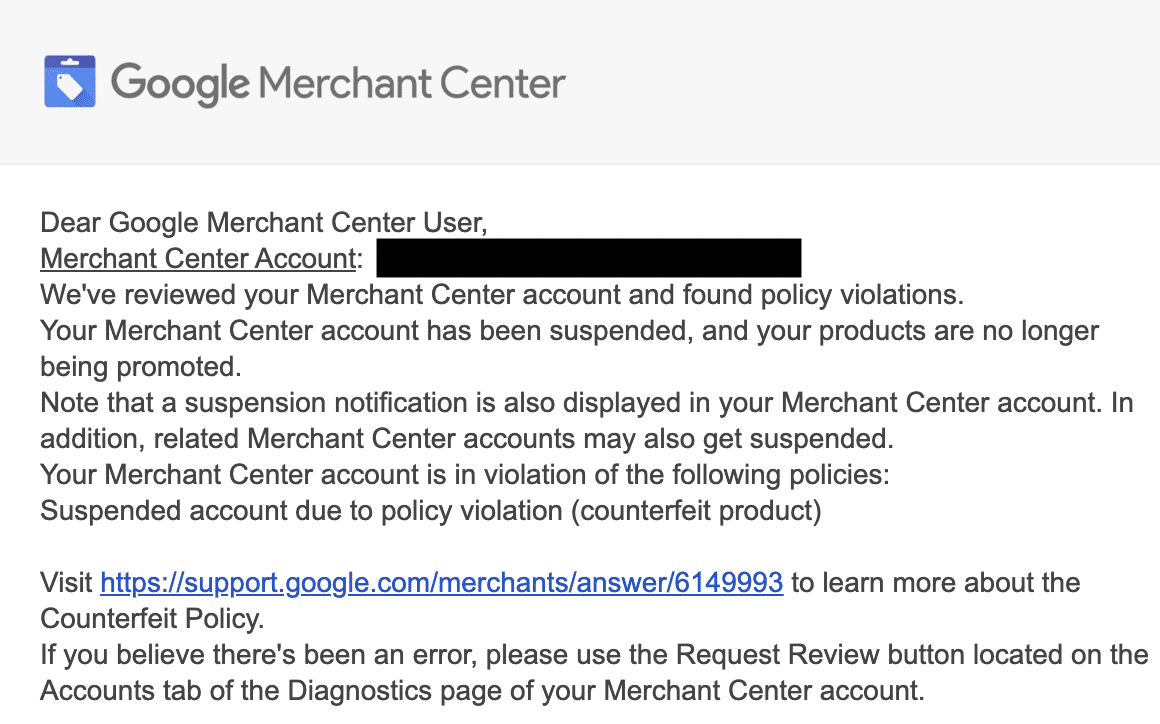
Having my Google Merchant Center account suspended felt like a gut punch. One moment, everything’s running smoothly, and the next, you’ve lost access to Google Shopping and your most lucrative sales channel is cut off. It’s daunting, but here’s how I managed to turn things around.
Initially, I needed to understand why my Merchant Center was flagged. It required a comprehensive audit of my site and feed to pinpoint and correct the issues before I could confidently request a review.
Google imposes strict policies for Google Shopping, stricter than its general advertising rules. Any perceived violation can lead straight to suspension. Let me walk you through my experience and offer some heartfelt guidance.
Here’s what I did to fix the suspension and bring my account back online. I learned it’s not just a matter of addressing one big issue; often, it’s a combination of smaller gaps that signal untrustworthiness to Google’s automated systems.
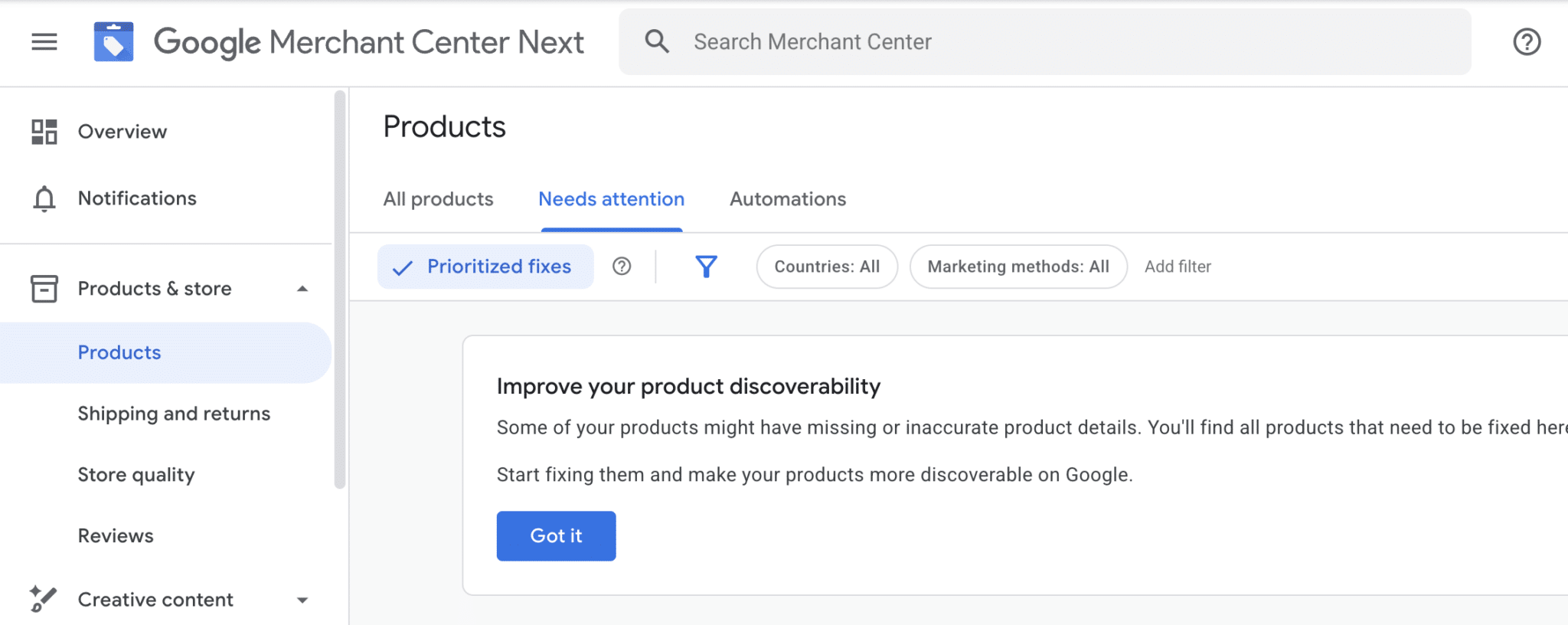
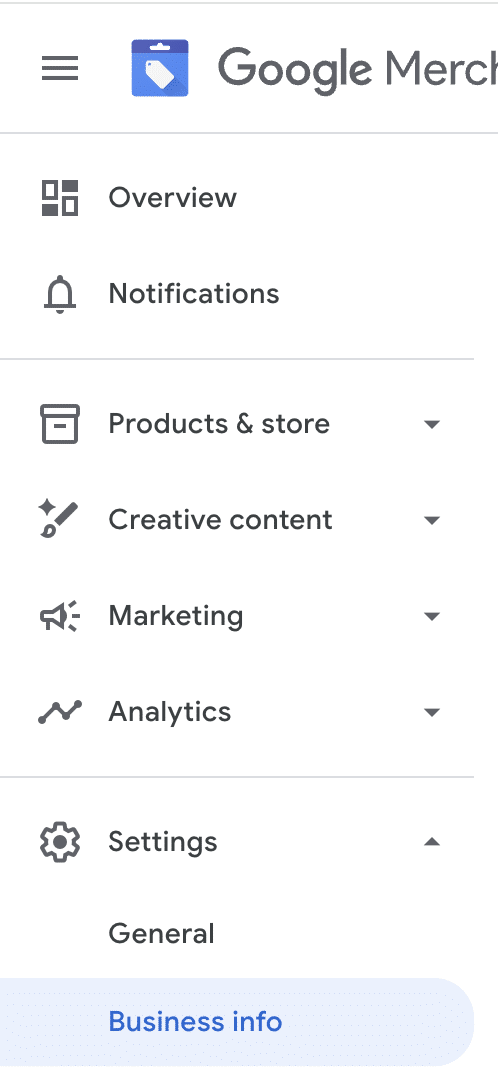
The first step was a complete compliance audit of my website and Merchant Center settings. I discovered that my Contact Us page needed a physical address and professional email. These are small details that Google flags for authenticity.
Next, I addressed policy pages like shipping, returns, and refund policies, ensuring they contained all the necessary details such as cancellation terms and payment methods.
Additionally, I ensured the functionality of my site was up to par. It was essential that Google could crawl my site without issue. I fixed URL structures and ensured product data matched across platforms.
Each change was meticulously documented and prioritized. Once everything was set, I requested a review from Google. It felt rewarding when Google approved the appeal and reinstated my account.
Key takeaway: It’s crucial to understand that reinstatement often requires addressing multiple aspects of your site and data feed. Google evaluates your entire ecosystem, not just isolated elements.
I’ve noticed that Google Ads tends to produce the same results repeatedly, no matter how much money I invest. This pattern stems from the system being trained by my consistent actions over time.
Previously, achieving success in paid searches was all about optimizing. I would adjust bids, restructure campaigns, refine match types, and add negatives, directly impacting performance.
While this method remains standard for many, during audits, these accounts often appear well-managed on paper—active management, matched targets, proper ROAS. Yet, their performance seems stuck.
Google Ads now builds upon the signals I’ve reinforced. Hearing phrases like “That didn’t work” usually indicates that minor changes didn’t override the ingrained patterns.
What many advertisers call optimization is actually training, and if I’m not careful, I might teach it the wrong lessons.
Why Isolated Optimizations Don’t Work Anymore
The current environment features Smart Bidding, Performance Max, and modeled conversions. These systems learn cumulatively rather than resetting at each change.
If I change my ROAS target today, it won’t wipe away months of established patterns. Shutting down a new campaign prematurely can mark such volatility as something to avoid.
It’s about optimizing for survival—behaviors that get funded, hit targets, and aren’t paused are what the platform focuses on.
When accounts plateau, especially under strong management, it often indicates that the system has been trained to avoid unpredictability—while that’s precisely where growth occurs.
What Training Looks Like in Google Ads
On the backend, Google Ads consistently evaluates the concept of success based on factors like conversion inclusion, valuation, and how I handle volatility.
Over time, these become the signals shaping its behavior, influencing queries, audience priorities, auction strategies, and demand exploration.
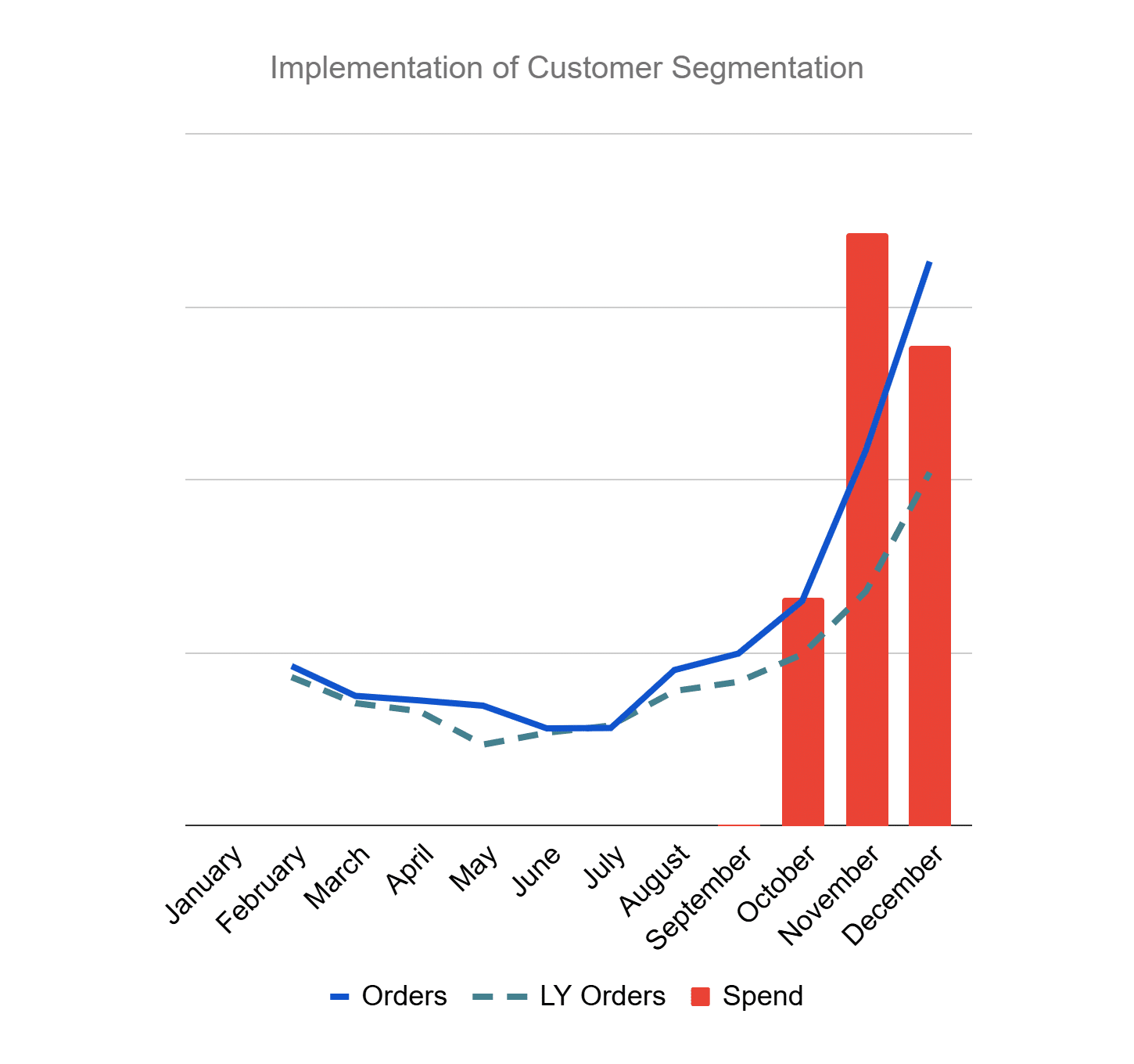
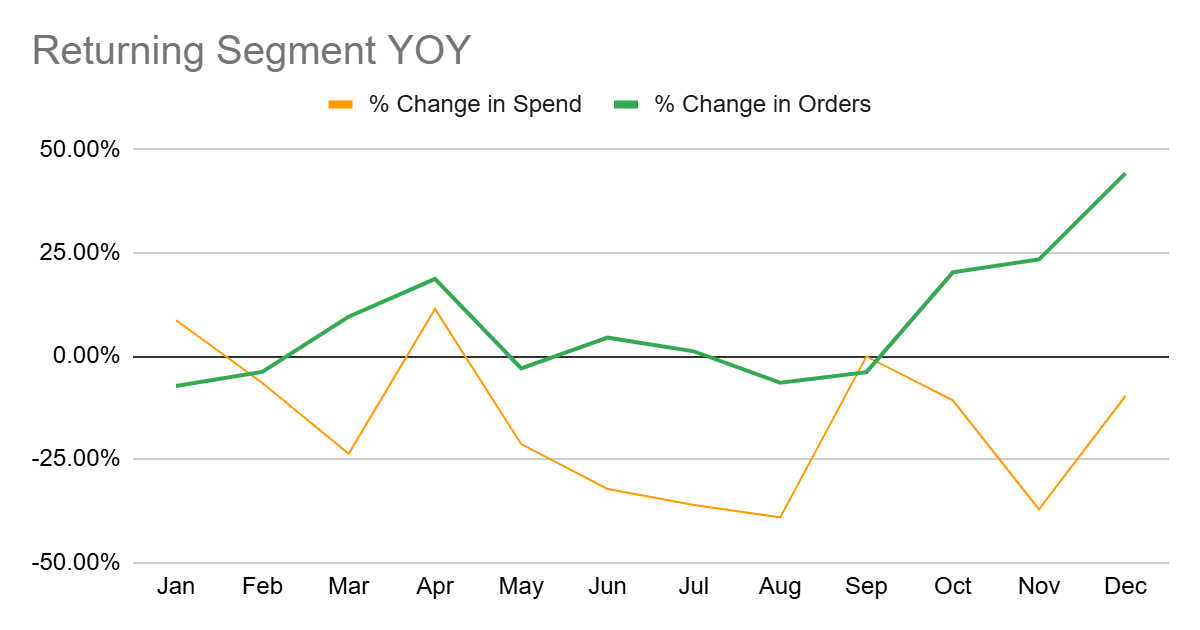
For example, if repeat customers easily hit ROAS targets but prospecting fluctuates, the system learns to prioritize what’s safe over what’s incremental.
Common Mistakes in Google Ads Training
These errors often pass for good management, but recognizing them is crucial. Here are a few I’ve noticed:
Mistake 1: Leaning on Easiest Revenue
Encouraging branded searches and repeat customers seems logical, but Google learns that predictable revenue is the ideal.
Shouldering this strategy makes incremental demand suffer as the account conservatively emphasizes what works, causing stagnation.
Mistake 2: Punishing Volatility
Responding to short-term inefficiency quickly by tightening targets or pulling budgets can send a message that exploration isn’t allowed.
This results in prioritizing stability, which eventually limits expansion and innovation, as the account simply recycles existing demand.
Mistake 3: Treating All Purchases the Same
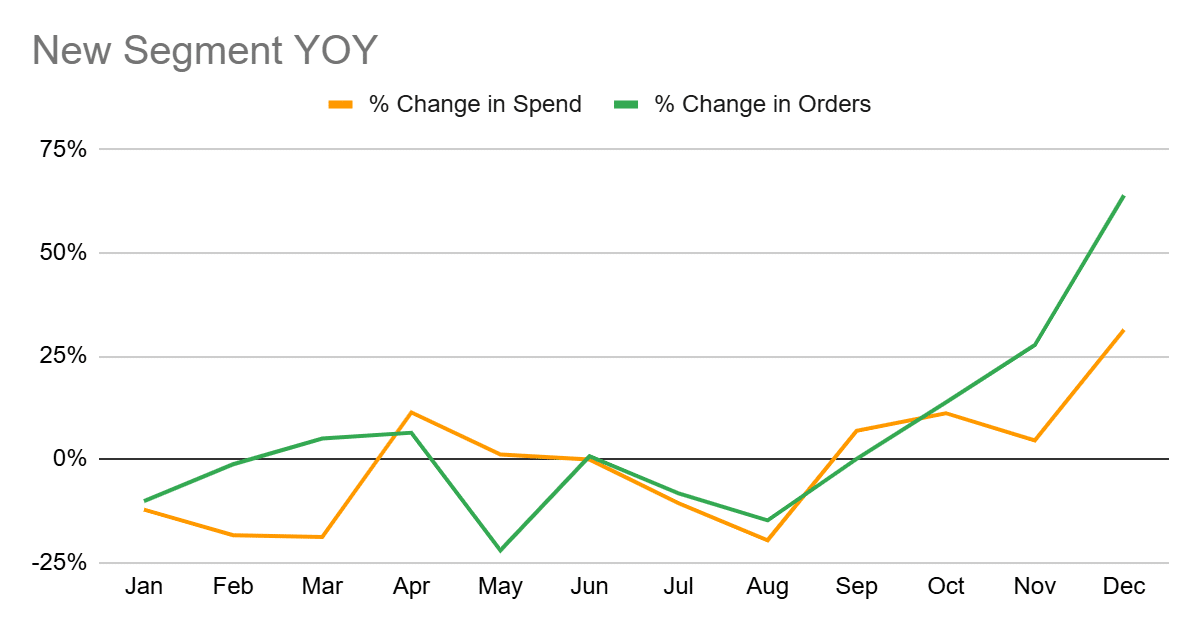
Not all purchases are equal. When everything sends the same signal, Google defaults to what’s easiest to replicate—typically repeat purchases.
This can hinder new customer acquisition, a vital component of sustainable growth.
Intentional Training for Optimal Google Ads
Aligning Google Ads with business goals rather than just ROAS is key. Here’s my approach to intentional training that I’ve found effective:
Maintaining Efficiency Lanes
These are my accounts’ baseline revenue protectors. They include brand campaigns and high-intent terms with stable performance. These are not my growth engines.
Building Growth Lanes
Growth campaigns have broader match types and looser targets, aimed at demand expansion and new customer acquisition.
By separating growth lanes with realistic expectations, I allow them to learn even when fluctuations arise.
Changing Signals Slowly
Constantly adjusting ROAS targets can disrupt the system. I avoid weekly changes to let the data compound for broader query expansion and improved share.
Overall, it’s about accepting gradual growth rather than seeking overnight success.
Managing a Trained Google Ads System
Reflect on your management approach. If you’ve answered “yes” to questions about tightening targets quickly or pausing exploratory campaigns, it indicates your system is merely following the training it’s received.
The focus should shift from speed to thoughtful teaching, constantly evaluating what behaviors I’m reinforcing and how they align with my bigger picture goals.
I’m excited to invite you to our upcoming event on May 6, where I’ll be part of SMX Now for the second time. Join me as Ameet Khabra reveals insights on identifying and preventing PPC drift before it impacts your campaign’s performance.
It’s essential to remember that automation doesn’t inherently fail—it just executes what it’s programmed to do. The issue arises when Google Ads receives signals that are incomplete, misaligned, or too broad, which can lead to optimization for the wrong outcomes, catching advertisers off guard.
During the second edition of SMX Now, our breakthrough monthly series, Ameet Khabra from Hop Skip Media will dive into a real-life account. She will showcase a scenario where a 417% surge in conversions wasn’t the success it seemed. Through this case study, she’ll explain how automation drift manifests in four critical areas: signal drift, query drift, inventory drift, and creative drift.
You’ll gain a practical framework to identify drift early on, comprehend the importance of human oversight, and manage automation with intent. The goal is to ensure automation aligns with actual business objectives rather than just the successes platforms report.
Make sure to join us on May 6 at noon ET to learn more.