Tag: Google Ads

  • How Rising CPC Affects Your Business and Ways to Counter it

    How Rising CPC Affects Your Business and Ways to Counter it

    I’ve noticed that the cost-per-click (CPC) is increasing across most industries, and I’m sure you’re observing the same. Let’s dive into what’s causing this trend and explore strategies to safeguard your profit margins.

    According to WordStream by LocaliQ’s 2025 benchmarks, nearly 87% of industries saw their CPCs rise year-over-year. The average CPC for Google Ads across sectors is now at $5.26 per click. In high-intent verticals, such as legal services, the average is $8.58, with some competitive B2B segments reaching $8 to $9 per click.

    These increases reflect significant shifts in the design of search results pages, the optimization of auctions, and inefficiencies that accumulate across paid search accounts. Often, these issues remain hidden until a detailed PPC audit brings them to light. To begin reclaiming your budget, especially your branded terms, you need to understand the current landscape.

    Here are the five trends every advertiser needs to grasp at this moment.

    What’s Driving Your CPC?

    More Advertisers Are Chasing the Same Limited Inventory

    At its core, search advertising is an auction. As more advertisers target the same keywords, prices naturally increase. While global PPC spending continues to rise (Quantumrun Research), the number of available click slots on search results pages hasn’t expanded at the same pace. This results in higher CPCs, as more money competes for limited inventory.

    The pandemic has had a permanent effect on this shift. Brands that previously didn’t invest in paid search have now joined Google’s auction and have stayed active.

    Google’s AI Overviews Are Taking Over

    Over the past decade, one of the most significant changes in paid search is happening right within the Search Engine Results Page (SERP). Google’s AI Overviews now dominate the space for informational and exploratory questions. As they grow into 2024 and 2025, they diminish the number of organic and paid listings visible above the fold.

    A late-2025 analysis by Seer Interactive, reviewing 3,119 search terms across 42 organizations, revealed that the paid click-through rate (CTR) on queries with AI Overviews declined by 68%—from 19.7% to 6.34%.

    The straightforward mechanism is that AI Overviews take more real estate (Skai), reducing the number of visible paid placements above the fold. As a result, impression share tightens, and automated bidding becomes more aggressive, driving up prices.

    The important detail here is that users who navigate beyond an AI Overview tend to be further in their purchasing journey. WordStream data indicates approximately 65% of industries experienced higher conversion rates despite the increase in CPCs. This suggests the need to shift budgets toward high-intent transactional queries where AI Overviews are less likely to dominate, and away from informational queries where they are prevalent.

    Smart Bidding Is Raising Auction Costs

    Modern Google Ads campaigns more heavily rely on automated bidding strategies like maximizing conversions or targeting CPA. According to Google’s Smart Bidding documentation, the system precisely sets bids for each auction based on predicted conversion chances, prioritizing performance over cost control.

    ```json
{
  "alt": "Bluepear advertisement offering brand audit with a shield icon and promo code BRANDAUDIT.",
  "caption": "Discover who's bidding on your brand! Register with Bluepear and receive a personalized report within 48 hours using the promo code: BRANDAUDIT.",
  "description": "This image is an advertisement for Bluepear, spotlighting their service to uncover bidding activities on your brand. It features a sleek shield icon with a lock, set against a dark blue background. The text invites users to register for a custom report in 48 hours with promo code BRANDAUDIT. The attractive design aims to engage businesses seeking brand protection."
}
```

    As almost every competitor utilizes the same logic, there’s a self-reinforcing loop of rising bid pressure, a market-wide dynamic that you need to adapt to rather than reverse.

    Unauthorized Brand Bidding Is Inflating Costs Internally

    Although platform algorithms and macroeconomics are beyond your control, one significant driver of CPC inflation is something you can manage.

    When affiliates, partners, or competitors bid on your trademarked keywords, they enter an auction that should have minimal competition. Each additional bidder elevates your branded CPC, making you pay twice: once to create the demand, and again when third parties capture that same searcher at the bottom of the funnel.

    The impacts accumulate. AI Overviews have already condensed available click inventory; unauthorized brand bidding further inflates the inventory cost you actually secure.

    Detecting violations goes beyond manual SERP checks. Unauthorized bidders frequently use cloaking—geotargeting away from your headquarters or dayparting outside business hours—to evade detection. With a platform like Bluepear, you can implement automated 24/7 monitoring across search engines, geographies, and devices, capturing ad copy and landing page evidence to contest invalid affiliate commissions and enforce trademark guidelines at scale. Fewer bidders on your branded terms mean less auction pressure and lower CPCs for traffic you rightfully own. It’s one of the few paid search levers that doesn’t need a comprehensive strategic overhaul to be effective.

    What To Do About It: Three Priorities for Advertisers

    The gathered data indicates three clear priorities as you navigate this environment:

    • Protect your branded baseline. Your branded keywords represent demand you’ve already generated. Rigorously monitor competitors in those auctions and eliminate unauthorized bidders with automated brand protection tools—an essential high-leverage action at present.
    • Anchor optimization to cost per acquisition. Based on WordStream’s 2025 benchmarks, higher CPCs can bring a higher-quality, further-down-funnel user, leading to a lower CPA. The headline CPC figure is becoming an unreliable measure for campaign health.
    • Build first-party data infrastructure. The best defense against continued CPC inflation is leveraging high-quality, proprietary conversion signals for your bidding algorithms, thus minimizing reliance on the platform’s broad audience approximations.

    Average CPCs are reaching new heights and this trend is unlikely to reverse. Advertisers who effectively manage costs have already adjusted their strategies in response.

    Unsure how many unauthorized bidders are in your branded auction at the moment? Register with the promo code BRANDAUDIT to receive a personalized audit of your branded search landscape from the Bluepear team within 48 hours!

    For continuous insights into branded search and paid search protection, follow Bluepear on LinkedIn.


    Inspired by this post on Search Engine Land.


    crushpress.ai community screenshot
  • Google’s New Rules for Political Shopping Ads: Key Changes to Know

    Google’s New Rules for Political Shopping Ads: Key Changes to Know

    Starting April 16, Google is tightening rules around political content in Shopping ads. If you’re running such ads, you might need to verify your account as an election advertiser. Let me walk you through what’s happening and why it matters to us.

    What’s Changing? From mid-April, merchants in nine countries must verify their Google Ads accounts for political Shopping ads. Plus, some political ads will face outright bans in India.

    Countries Affected: You’ll need to pay attention if you’re operating in Argentina, Australia, Chile, Israel, Mexico, New Zealand, South Africa, the United Kingdom, or the United States.

    Why Does This Matter? This update shows Google’s commitment to election integrity across different platforms, including commerce. If you’re selling political merchandise or campaign items, it’s crucial to act before the deadline.

    What Should You Do?

    1. Check Google’s updated policy to see if your ads now fall under these new guidelines.

    2. If they do, apply for election advertiser verification via Google Ads before April 16 to keep your ads running smoothly.

    The Bottom Line: This change might affect a small group of merchants, but missing the deadline could lead to disapproved ads or flagged accounts. If you’re selling politically themed items in the specified regions, verify your eligibility now to avoid hiccups.


    Inspired by this post on Search Engine Land.

    crushpress.ai community screenshot
  • Unlock AI Insights with Google’s New Ads DevCast for Developers

    Unlock AI Insights with Google’s New Ads DevCast for Developers

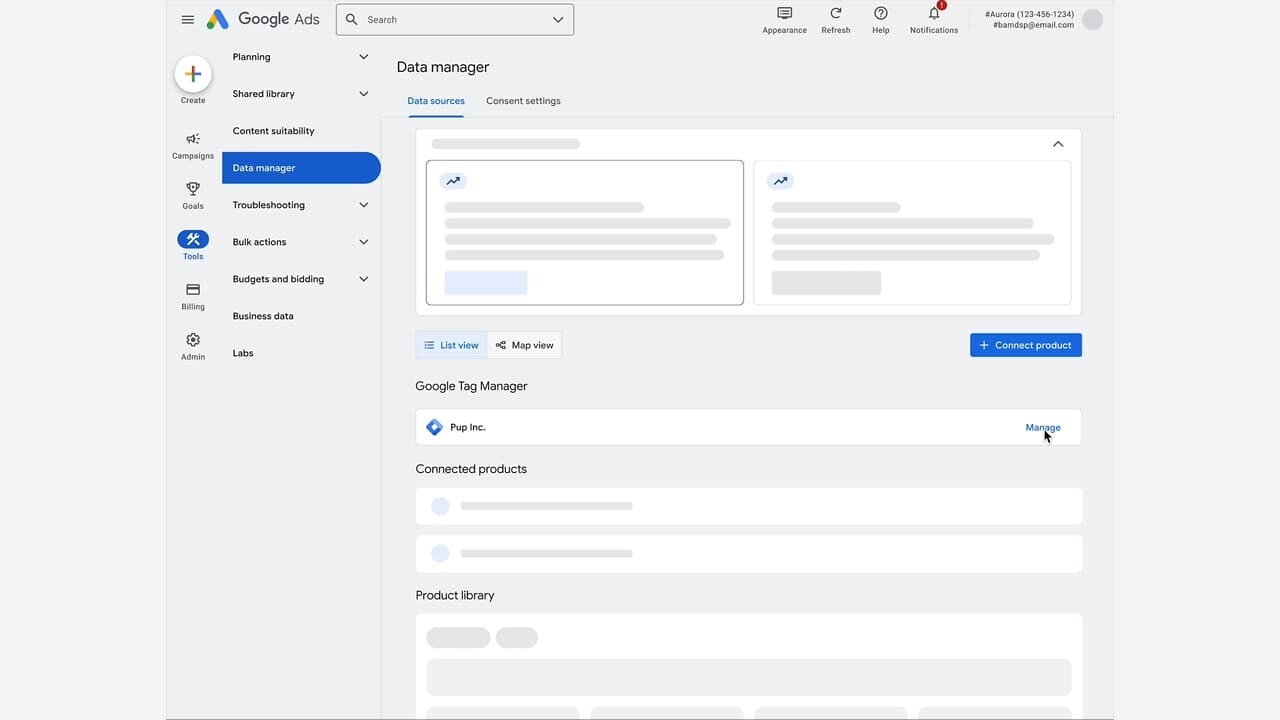
    I’ve been eagerly following the latest developments from Google, and their new Ads DevCast is truly a groundbreaking resource for developers like me. This initiative offers technical insights into Google Ads and highlights how AI-driven changes are transforming ad APIs.

    The new show is hosted bi-weekly by Cory Liseno, as part of the Google’s Advertising and Measurement Developer Relations team. Ads DevCast focuses on deep technical dives across key tools like Google Ads, Google Analytics, and Display & Video 360. It feels like a direct line to the experts who are constantly innovating in our field.

    What’s interesting here is that Ads DevCast complements Ads Decoded, which is more about campaign strategy, hosted by Ginny Marvin. It’s specifically designed with us developers in mind, highlighting the need for a specialized approach to understanding these platforms.

    The first episode, intriguingly titled “MCPs, Agents, and Ads. Oh My!”, delves into the “agentic shift” that Google is observing. With AI agents becoming the main users of ad APIs, this shift is something we’re all keenly interested in.

    For those of us deeply involved with Google’s ad tools, Ads DevCast is an invaluable resource. It helps us stay ahead of technical evolutions, discover new capabilities quickly, and build efficient integrations in a landscape increasingly dominated by AI.

    I see Google broadening the horizon from a niche “Ads Developer Community” to a wider “Ads Technical Community.” This change allows marketers to carry out technical tasks without needing exhaustive development cycles.

    As a pilot project, Ads DevCast is still very much in development, and Google is actively seeking feedback from us to refine future episodes. It’s exciting to know we can influence its direction.

    This initiative reinforces Google’s commitment to keeping us in the loop with their latest innovations, enabling us to adapt quickly and effectively in an AI-first world. Check out Ads DevCast if you haven’t already!


    Inspired by this post on Search Engine Land.

    crushpress.ai community screenshot
  • Revamp Your Search Ads with Google’s New Vehicle Feeds

    Revamp Your Search Ads with Google’s New Vehicle Feeds

    I’ve just discovered some groundbreaking updates from Google that could transform how automotive advertisers leverage search campaigns. Google is now empowering us by integrating vehicle feeds directly into Search ads, making our inventory more visible with a vibrant and more engaging format.

    So, what’s new? Google Ads now allows for vehicle feed integration on Search ads. We can pull from Google Merchant Center to enrich our ads with specific details like make, model, price, and images, all designed to enhance the standard text ad.

    Let me explain how it works. These vehicle listings appear as clickable assets alongside our usual Search ads. They can either show up below or beside the main text, offering users a seamless path to either a detailed vehicle page or a broader landing page based on their interaction.

    Why should we care? This update is a game-changer. It allows us to showcase real inventory directly in our Search ads, making them more attractive and informative for high-intent users. We can achieve richer visibility and potentially gain more qualified leads by displaying key details upfront in Google Search, without the hassle of extra campaign setup.

    What makes this noteworthy is how it brings Shopping-style visual elements to our Search campaigns. We can now feature real inventory without needing separate campaign types, which is a significant advantage.

    As advertisers, the benefits are immense. We get a more engaging ad experience, the opportunity for higher-intent leads, and we can use our existing Merchant Center feeds effectively, eliminating the need for duplicate setups.

    When it comes to measuring success, we can track performance through the “Click type” segment. This helps us understand user interactions with vehicle listings compared to standard ads, offering insights into what works best.

    Matching is another area where Google shines. Their automation decides which vehicles appear based on user intent and query context, marking a shift towards less manual control and more AI-driven ad assembly.

    Here’s the takeaway. Vehicle feeds in Search campaigns offer us a powerful way to integrate inventory with intent-driven queries. We can turn standard text ads into dynamic, product-led experiences, significantly enhancing user engagement within Google Search.


    Inspired by this post on Search Engine Land.


    crushpress.ai community screenshot
  • Unlock More Creative Control with Google Ads Editor Update

    Unlock More Creative Control with Google Ads Editor Update

    The latest update of Google Ads Editor has really opened up a world of possibilities for me as an advertiser. Now, I’m enjoying enhanced creative flexibility and budget control, which are crucial in today’s fast-paced AI-driven advertising landscape.

    Google has significantly expanded its capabilities in the Ads Editor, providing us with better tools to manage creativity, automation, and budget precision. This is particularly handy as AI-driven campaign types continuously evolve.

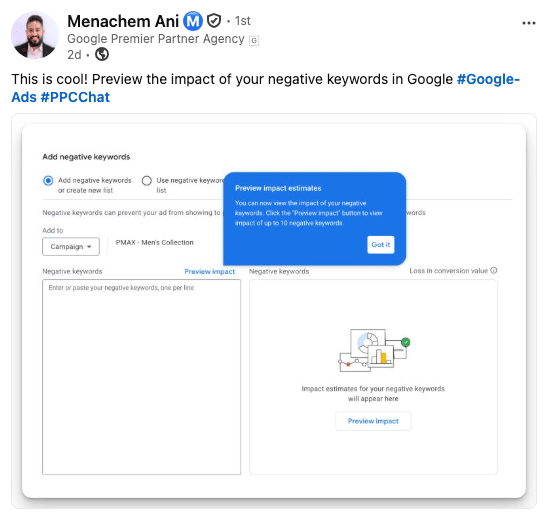
    What’s new. With the 2.12 release, I’m excited to explore the updates across Performance Max, Demand Gen, and video campaigns. The focus here is on scaling creative assets and enhancing workflow efficiency.

    Creative expansion. I’m now able to include up to 15 videos per asset group in Performance Max campaigns. This is a game-changer, allowing me to offer more variations for Google’s AI to test. Additionally, the introduction of 9:16 vertical images caters to the growing demand for mobile-first formats.

    Campaign upgrades. Demand Gen campaigns have seen several exciting enhancements. New customer acquisition goals, brand guideline controls, and hotel feed integrations are just a few updates. The new minimum daily budget and streamlined campaign build flow are set to improve campaign stability and setup.

    Video & AI control. I’m appreciating the updates to non-skippable video formats and real-time bid guidance. They offer greater control over performance, and with new text and brand guidelines, I can ensure my AI-generated assets stay true to my brand.

    Budgeting shift. The new total campaign budget feature is ideal for setting fixed spends over defined periods, like promotions or seasonal bursts. It’s great to see Google automatically pacing the delivery, ensuring every dollar counts.

    Workflow improvements. With improvements like account-level tracking templates, better visibility into Final URL expansion performance, and clearer campaign status filters, my campaign management has become much more efficient.

    Why I care. These updates provide me with enhanced creative flexibility and control over AI-driven campaigns, particularly in Performance Max and Demand Gen. Features like increased video limits and total campaign budgets empower me to test more, scale faster, and manage spend efficiently.

    Moreover, the improvements in workflows and brand safeguards make it easier for me to guide automation while ensuring consistency and performance across Google Ads.

    Between the lines. This update is part of a broader trend where, as automation rises, Google provides more ways to guide AI instead of manually controlling every aspect.

    The bottom line. Google Ads Editor 2.12 isn’t about one standout feature. It’s about incremental improvements across creative assets, automation, and control, helping me refine my approach to increasingly AI-driven campaigns.


    Inspired by this post on Search Engine Land.

    crushpress.ai community screenshot
  • Mastering Google Ads: Avoid Costly Pitfalls & Optimize Performance

    Mastering Google Ads: Avoid Costly Pitfalls & Optimize Performance

    I recently had an enlightening chat with Chloe Varnfield, a seasoned digital marketer from Atelier Studios with nearly eight years of PPC experience. She shared invaluable insights on avoiding hidden Google Ads settings, steering clear of Friday mishaps, and the dangers of following Google rep advice blindly. These hard-learned lessons resonated with me deeply.

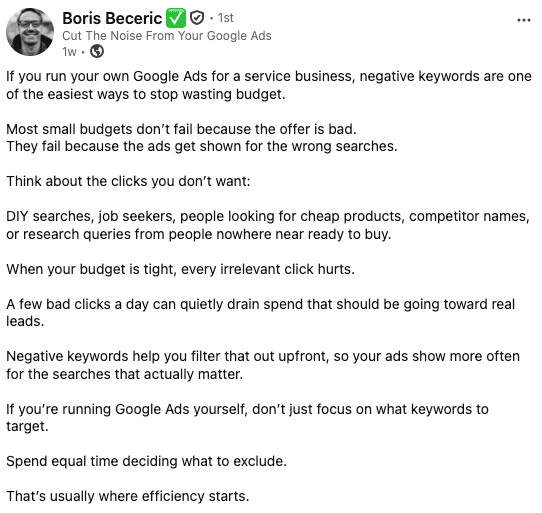
    One of Chloe’s early eye-openers involved Google’s elusive account-level automated assets setting. It’s tucked away so deeply that I didn’t even realize it existed until I got an unexpected client message questioning a bizarre headline in their ad. It turns out Google had generated it automatically. This experience taught me the importance of auditing account-level settings and being proactive about Google updates.

    Another lesson Chloe swears by is to never implement significant changes on a Friday. Once, she adjusted a campaign’s geographic targeting mid-conversation, only to accidentally exclude the UK. Recovery took three bewildering days. The rule I learned? Avoid major changes on a Friday and promptly audit your campaigns when things go awry.

    Chloe’s most costly mistake unfolded when she followed a Google rep’s suggestion to switch bid strategies. What seemed like solid advice plummeted her campaign’s performance. It was a stark reminder of the high stakes involved in altering bid strategies, especially for businesses not hitting conversion volume thresholds. Patience and trusting my judgment emerged as crucial takeaways.

    While auditing inherited accounts, Chloe often finds recurring issues like broken conversion tracking and brand-broad match campaigns—challenges that skew performance data and waste precious budget. These insights made me acutely aware of consistently vigilant account management.

    Transparency in client relationships plays a pivotal role in Chloe’s success. Honest communication—explaining issues, solutions, and next steps—has shielded her from losing client trust. Her advice? Stay calm, be kind to yourself, and remember every problem offers a chance for growth.

    Lastly, Chloe emphatically warns against over-relying on AI for generating ad copy without thorough review. AI should be a tool to enhance speed, not replace meaningful human oversight. It reinforced my commitment to always infuse my unique voice and critical review into AI outputs.


    Inspired by this post on Search Engine Land.

    crushpress.ai community screenshot
  • Master Google Ads Audits: Navigate the Changes in 2026

    Master Google Ads Audits: Navigate the Changes in 2026

    I recently tuned into an episode of Google’s Ads Decoded podcast where Brandon Ervin, Director of Product Management for Google Search Ads, shared insights on campaign consolidation, AI Max, and the future of advertiser control as we approach 2026. It was enlightening to hear a product team so in tune with advertiser concerns.

    However, I felt the podcast left some gaps. There’s a significant disconnect between Google’s narrative and what advertisers truly experience on the ground. While Ervin’s team is making strides, the fast-evolving platform presents new challenges, shifting performance measurement onto economic standards. This change fundamentally alters how we should approach search ad audits.

    As I reflect on recent improvements, it’s clear that enhancements like brand exclusions in Performance Max and Demand Gen, exclusion of site visitors in PMax campaigns, and improved search term visibility are crucial. These are responses to issues caused by bundling and aggressive automation. It’s worth noting that these controls arrived after advertisers were already knee-deep in implementation.

    In an era where Google’s product team pushes for advancement, it’s vital for us to audit whether these new tools genuinely expand control or simply restore baseline transparency lost with earlier automation efforts.

    In building the foundation for a 2026 search audit, we need to start with the basics, ensuring full ad extensions, strategic automated bidding, and maintaining negative keyword lists, among others. These are undeniable essentials that set the stage for deeper audits.

    ```json
{
  "alt": "The CapmatchOne logo with a gradient circle and bold text.",
  "caption": "Discover innovation with the CapmatchOne logo, featuring sleek typography and a modern gradient circle.",
  "description": "The CapmatchOne logo features bold, modern typography coupled with a gradient circle, symbolizing connection and innovation. The sleek design conveys a sense of progress and creativity. This image can be used for branding or promotional purposes, appealing to audiences interested in innovative solutions and forward-thinking designs."
}
```

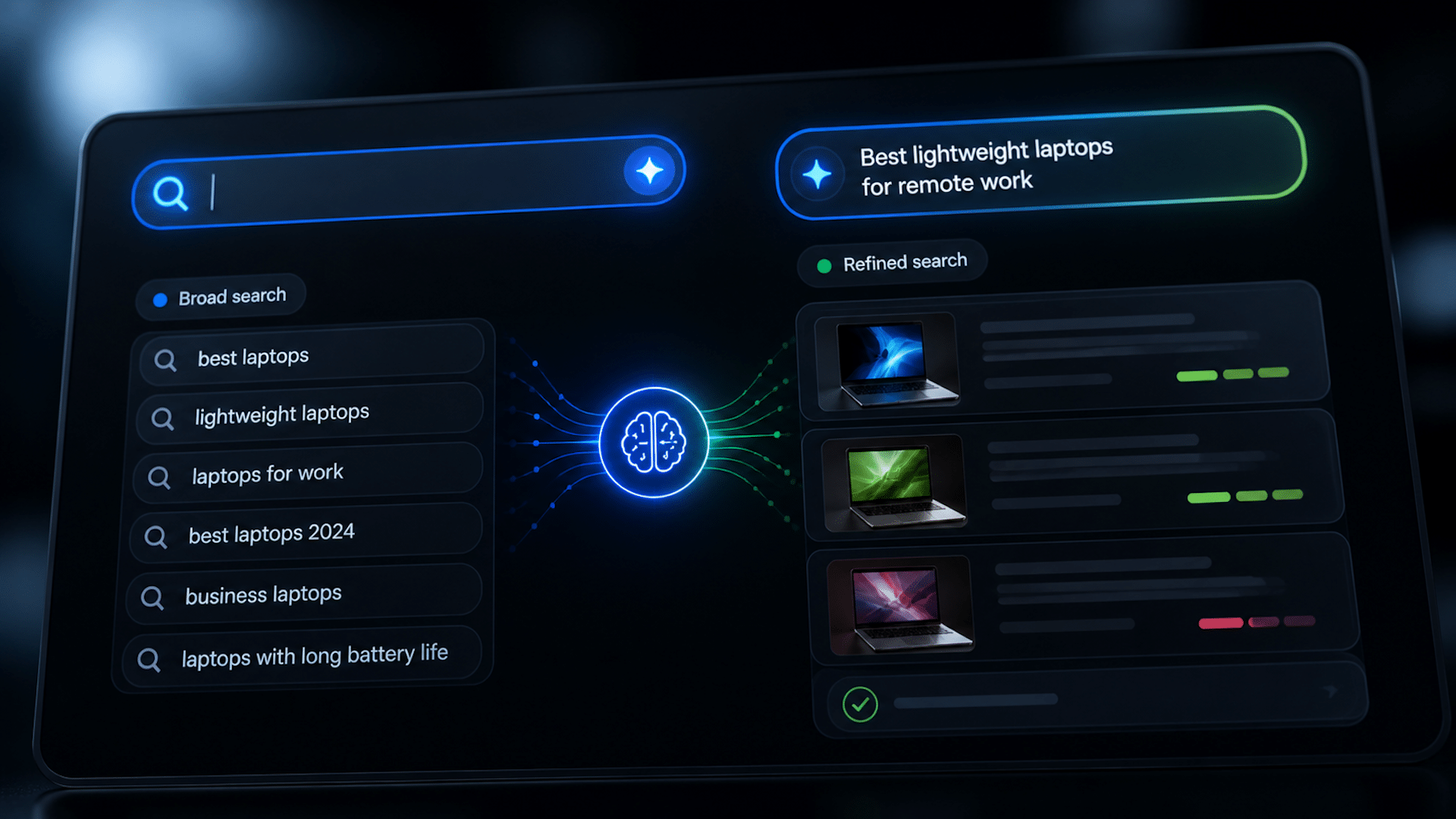
    Focusing on the intricacies of signal architecture, I realize that while traditional controls like exact match and manual bids gave us direct oversight, the new controls shift focus to data quality, density, and selectivity. These influence the algorithm, which ultimately makes the decisions.

    An effective audit in this context addresses three core aspects: the quality of the data imported, the density of high-quality data available for modeling, and the selectivity of the data shared with Google. These elements are pivotal in shaping campaign success.

    Being mindful of incrementality is another key consideration. Google optimizes towards reported conversions, often encompassing brand search and retargeting signals that may not truly reflect incremental gains.

    It’s critical to analyze marginal returns as Google’s system operates on a blended cost-per-action model. Without understanding the incremental cost at each spend tier, advertisers risk overspending without realizing diminishing returns.

    ```json
{
  "alt": "Sales funnel process from meaningful engagement to a closed-won deal, highlighting stages and predictions.",
  "caption": "Navigating the sales funnel: From initial engagement to securing the deal, each stage plays a critical role in success.",
  "description": "This image illustrates a sales funnel process, moving from meaningful engagement with high-quality non-conversion activity to a closed-won deal with revenue booked. It highlights stages such as Lead, Strong Lead, MQL, SQL, OPP, culminating in WON. The funnel emphasizes prediction and density levels, with notes like 'We are here' at Strong Lead and 'These are our money makers' at MQL. It provides clarity on how leads progress to sales."
}
```

    Furthermore, as Ervin acknowledged, AI-driven campaigns sometimes misalign with intended targets. Query mapping has deteriorated over time, and AI Max exacerbates irrelevant matches, underlining the need to rigorously classify queries by intent to maintain high-value engagements.

    Lastly, the economics of network performance in bundled campaigns like Performance Max and Demand Gen need thorough examination as they obscure valuable insight into actual network-driven outcomes.

    By focusing on value redistribution through audits, we can ensure that the surplus value generated by high-intent searches isn’t misallocated into Google’s weaker inventory, thereby optimizing ad spend efficiency and accountability.


    Inspired by this post on Search Engine Land.

    crushpress.ai community screenshot
  • Google Hints at Ads in Gemini: A Shift in Strategy

    Google Hints at Ads in Gemini: A Shift in Strategy

    How to use Google Gemini for better SEO

    I recently came across some interesting news about Google and its potential plans to incorporate ads into its Gemini AI app. A senior executive at the company shared with WIRED that ads in Gemini are not out of the question — a stark contrast to previous denials just a few months ago.

    What’s changed: Back in January, Google DeepMind CEO Demis Hassabis assured reporters at Davos that there were no plans to introduce ads in Gemini. However, now Google’s SVP Nick Fox has hinted otherwise, mentioning that insights gained from ads in AI Mode could eventually be applied to Gemini.

    The current strategy. Instead of rushing into ads within Gemini, Google is leveraging AI Mode — a search product powered by Gemini — as a testing ground for advertising formats in AI settings.

    Here’s how they’re currently managing it:

    • Ads are distinct from organic results and clearly labeled.
    • Only relevant ads are displayed — if there’s nothing that fits, no ads are shown.
    • Google’s extensive experience in search ads informs this approach.

    Why we care. Advertising is at the core of Google’s business model. How they introduce ads into AI products like Gemini will have a significant impact on the industry and influence how AI companies monetize their free services. Brands that can position themselves effectively within these conversational AI platforms now will gain a crucial advantage.

    The bigger picture. Google, with its strong financial backing, is in a comfortable position to proceed at a steady pace, having surpassed $400 billion in revenue in 2025. In contrast, OpenAI is under pressure to more than double its $30 billion revenue target this year and has already begun testing ads in ChatGPT’s free tier.

    Between the lines: Fox’s remarks are strategically cautious but enlightening. By framing Gemini ads as a “prioritization question” rather than a debate of values, Google hints that it’s more about when the ads will appear, not if.

    What to watch: There’s an intriguing aspect of Gemini called Personal Intelligence, which extracts data from a user’s Gmail, Photos, and Calendar. Fox considers personalization to be critical for search, and it may eventually integrate into the broader Search experience. If that occurs, advertisers could tap into a new realm of contextual targeting, though user data will strictly remain unsold and unshared.

    What’s next. Advertisers should start preparing now. As Google fine-tunes AI ad formats in AI Mode, these insights will make their way to Gemini. Brands that master the art of being relevant in context-driven, conversational AI environments will be well ahead when the opportunity for advertising in Gemini fully materializes.

    Dig deeper. For a more detailed exploration of Google’s advertising strategy in Gemini, check out the full article on WIRED.


    Inspired by this post on Search Engine Land.

    crushpress.ai community screenshot
  • Unlocking Google AI Max: Insights from 23 Tests Revealed

    Unlocking Google AI Max: Insights from 23 Tests Revealed

    Over the past nine months, I’ve put Google AI Max to the test, conducting 23 in-depth analyses with 16 well-established advertisers across diverse sectors. My goal? To truly harness the capabilities of this campaign for optimal outcomes.

    Of course, your own tests and insights might differ, and that’s where the real conversation begins. I’m eager to engage in a dialogue about AI Max, encourage replication of my analyses in your accounts, and explore outcomes unique to your data.

    Before you dive into your AI Max tests, consider some critical elements. Two stand out:

    Your campaigns must bid on crucial conversion actions relevant to your business. Utilize tools like Enhanced Conversions to polish your conversion strategy. Aim for value-based bidding when possible. Additionally, ensure your campaigns are not restricted by budget limitations. This is particularly important with AI Max as it opens up new targeting opportunities.

    ```json
{
  "alt": "The CapmatchOne logo with a gradient circle and bold text.",
  "caption": "Discover innovation with the CapmatchOne logo, featuring sleek typography and a modern gradient circle.",
  "description": "The CapmatchOne logo features bold, modern typography coupled with a gradient circle, symbolizing connection and innovation. The sleek design conveys a sense of progress and creativity. This image can be used for branding or promotional purposes, appealing to audiences interested in innovative solutions and forward-thinking designs."
}
```

    Let’s delve into some key insights I’ve gathered from testing AI Max.

    AI Max can reach its full potential when you activate all three core features:

    • Search term matching.
    • Text customization.
    • URL optimization.

    Campaigns that leveraged all three features saw a 40% higher success rate compared to those that only used search term matching.

    ```json
{
  "alt": "Bar chart showing text customization performance by asset type: Headline and Description.",
  "caption": "Exploring text customization performance: Headlines significantly outperform Descriptions across impressions, cost, and conversion value.",
  "description": "This bar chart illustrates the performance contribution of text customization by asset type. 'Headline' and 'Description' are compared across three metrics: impressions, cost, and conversion value. Headlines, shown in blue, have higher contributions, peaking at 23.5% for conversion value. Descriptions, in pink, offer lesser contributions, topping at 8.6% for conversion value. Useful for analyzing marketing effectiveness and text strategy optimization."
}
```

    Text customization can significantly enhance performance, increasing return on ad spend and extracting more value per impression. While it’s more frequently applied to headlines than descriptions, the benefits are clear.

    One exciting outcome of text customization is the observable boost in Quality Score. Our analysis showed that enabling this feature improved Quality Score from 6.8 to 7.3, with ad relevance seeing the most significant rise.

    Given these findings, I encourage testing all three features if possible, especially since our tests showed that only half of the campaigns utilized text customization and even fewer activated URL optimization.

    ```json
{
  "alt": "Bar graph showing impact on quality score with pre- and post-text customization metrics.",
  "caption": "Explore how text customization influences quality scores, with improved metrics post-customization for CTR, landing page experience, and ad relevance.",
  "description": "This bar graph illustrates the impact of pre- and post-text customization on quality score components: Expected CTR, Landing Page Experience, and Ad Relevance. Blue bars represent pre-customization, while pink bars show post-customization results. Each metric sees improved scores post-customization, highlighting the effectiveness of text adjustments in enhancing ad performance. Keywords: quality score, text customization, CTR, landing page, ad relevance."
}
```

    If you’re testing AI Max, consider implementing it across your entire account rather than selectively. This approach facilitates a more comprehensive assessment of its impact.

    Not all new AI Max traffic will be completely new to your account, with 54% of queries having been previously captured by other campaigns. Despite this, AI Max still provides an additional uplift in conversion value.

    Ensure you evaluate AI Max by looking at overall account performance rather than isolated campaign tactics. Additionally, monitor how AI Max interacts with other campaigns, notably Dynamic Search Ads (DSA), since overlapping capabilities can sometimes hinder performance.

    Once you’re comfortable with AI Max, explore additional testing opportunities such as partnering it with Search Bidding Exploration (SBE) for achieving even greater customer reach.

    Finally, it’s crucial to experiment beyond AI Max’s current scope. Consider alternative strategies and the evolving balance between segmentation and consolidation within your account structure.


    Inspired by this post on Search Engine Land.

    crushpress.ai community screenshot