
I recently dove into Google Ads to explore their new customer acquisition goals. With fresh capabilities like high-value customer bidding and retention targeting, I was curious about how they could boost my marketing efforts.
Many strategies still assume new customers are the most valuable, but this breaks down rapidly. Not every new customer is worthwhile, and ignoring existing ones can be a mistake. The crux is Google’s high-value customer and retention bidding goals.
Google uses predictive bidding to pinpoint high-value customers, but the key is the customer match list I upload. To tweak settings, I venture into the customer lifecycle optimization section under Goals > Summary and select Edit Goal.
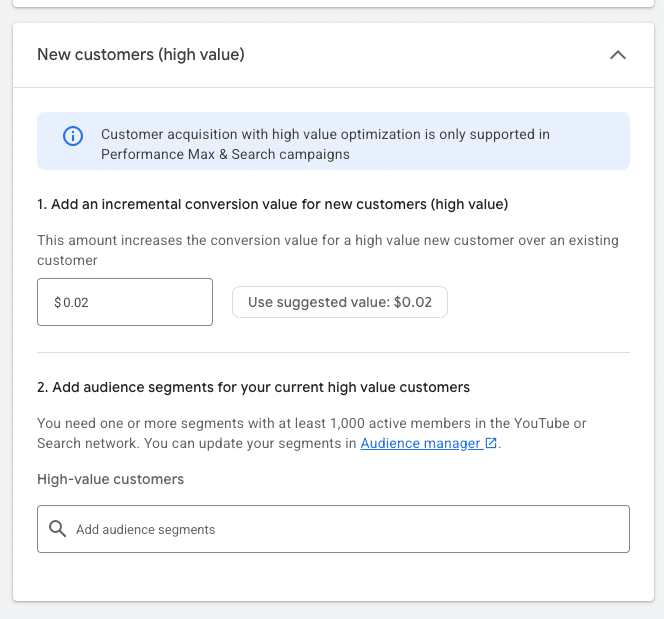

Here, I set a higher new customer value to bid aggressively for high-value clients. Google usually suggests a value based on higher LTV, but I ensure it aligns with my strategy before making adjustments.
Once adjusted, Google’s reports reflect the added conversion value alongside the actual sale or lead value. If using cost-per-conversion models, the discrepancy is less impactful. However, it can skew ROAS in a ROAS-based model. Luckily, Google introduced a column to separate true and additional values for clarity.

Dig deeper: Google Ads quietly rolls out a new conversion metric
Building high-value customer audiences means adding an audience list of high-value customers. I think about what makes my customers valuable, whether due to high order values or interest in premium services.
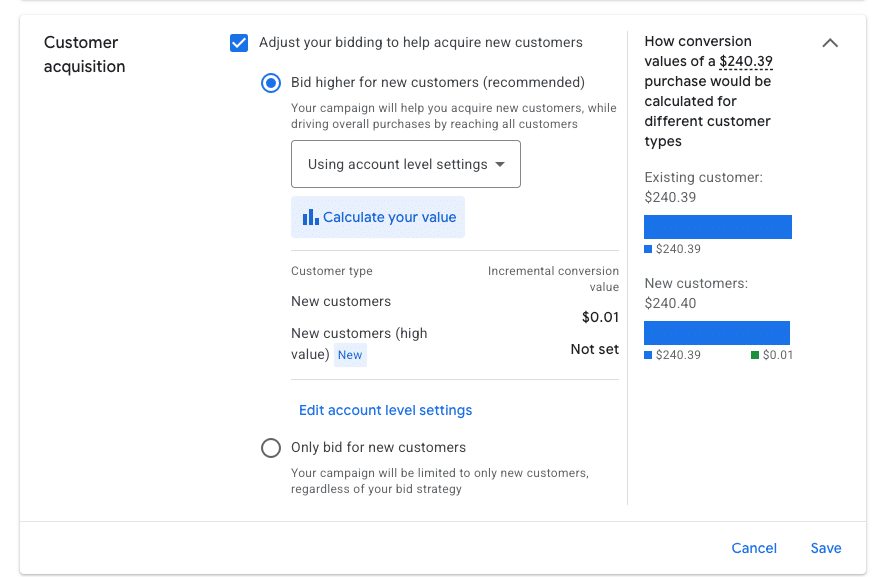
Once I compile and upload the list, I need at least 1,000 active members on YouTube or Search networks to serve effectively. Including additional data like phone numbers and addresses improves my match rates.
If I want a streamlined approach, tools like Klaviyo can integrate audiences directly into my Google Ads account, often yielding high match rates.
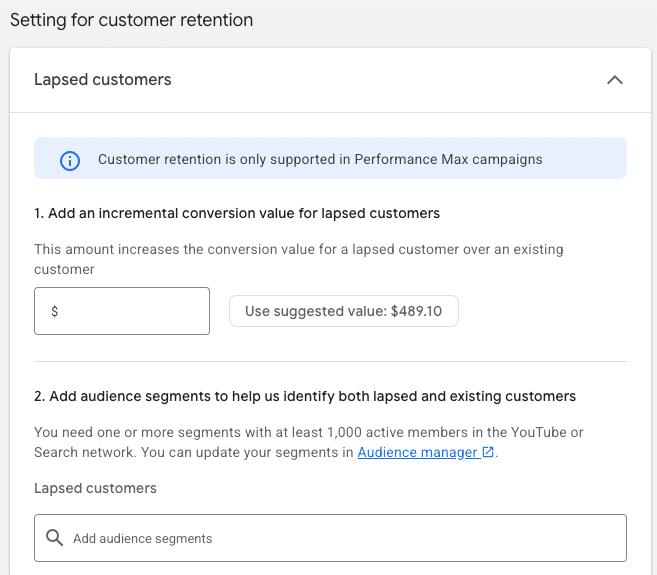
With everything set in the customer lifecycle optimization section, it’s time to optimize my campaigns. I can’t apply both bidding goals to the same campaign, so I tailor my targeting and ad copy to different customer types.
For campaigns focusing on high-value new customers, I expand the Customer Acquisition segment and choose a bidding option to target specifically new customers.
It’s critical that my ad content resonates whether I’m aiming for new clientele or re-engaging past customers.

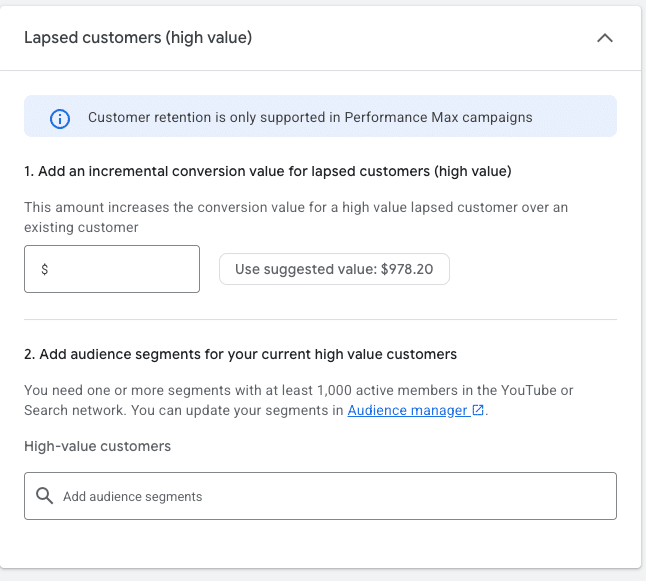
When it comes to re-engaging lapsed customers, I set bidding parameters for retention back under Goals. There, I find lists for lapsed and high-value lapsed customers, if I have the data to support them.
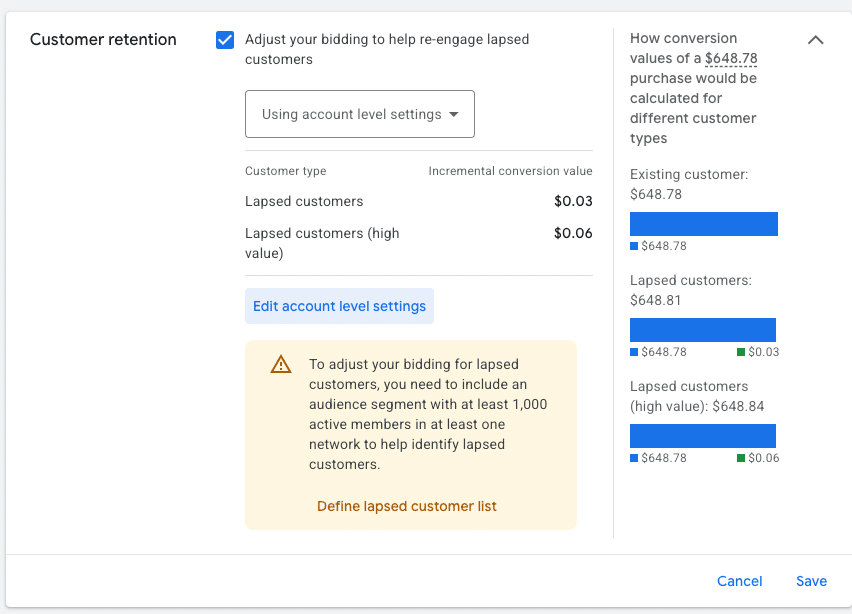

Google suggests values or lists, but accuracy is key before saving adjustments. In Performance Max campaigns, lapsed customers may see a variety of ads, making it essential my messaging speaks to them effectively.
Everything hinges on having reliable inputs like quality customer match lists and performance metrics. Used right, lifecycle bidding can prioritize valuable customers and revive lapsed ones, but careless usage just skews data without driving real results.
Inspired by this post on Search Engine Land.

Leave a Reply