
Your team works in Slack, but your content lives in a CMS. When review requests, approvals, publication decisions, and correction notes drift between the two, nobody can tell which instruction is current.
The fix is not to move content management into chat. Keep the CMS authoritative and use Slack to bring the right decision to the right person. A well-designed connection between WordPress or Sanity and Slack can streamline publishing, updates, and coordination. The operational gain comes from how you define states, permissions, alerts, and write-backs around that connection.
Make the CMS authoritative and Slack actionable
Start with a hard boundary: the CMS owns durable content state; Slack owns attention and conversation. This distinction prevents a familiar failure mode in which a message says an item is approved while the CMS still says it is in review.
What the CMS should own
- The current body, title, media, taxonomy, and machine-readable metadata.
- The content status, such as draft, in review, approved, scheduled, published, or update required.
- The current revision identifier and revision history.
- The assigned owner, reviewer, and publisher.
- Publication settings, including the URL, schedule, canonical selection, and index controls.
- The durable record of approvals, rejections, overrides, and publication events.
What Slack should own
- Notifications that a content item needs attention.
- A concise summary of the proposed transition and its consequences.
- Links to the editing screen, preview, and relevant validation results.
- Authorized actions that write a decision back to the CMS.
- Discussion about an exception, contained in a thread associated with the content item.
- Escalation when an automated step fails or a deadline is at risk.
Apply one rule to every integration feature: if a Slack action changes the official state of a content item, the integration must record that change in the CMS. A button that only changes a message, adds an emoji, or posts a reply has not completed the workflow.
The boundary also protects sensitive implementation details. Slack messages should contain content identifiers and links, not CMS credentials, API tokens, unpublished secrets, or full payloads that do not belong in chat. Keep credentials in the integration’s secret store and let CMS permissions determine what each person may do.
Model content events before connecting the tools
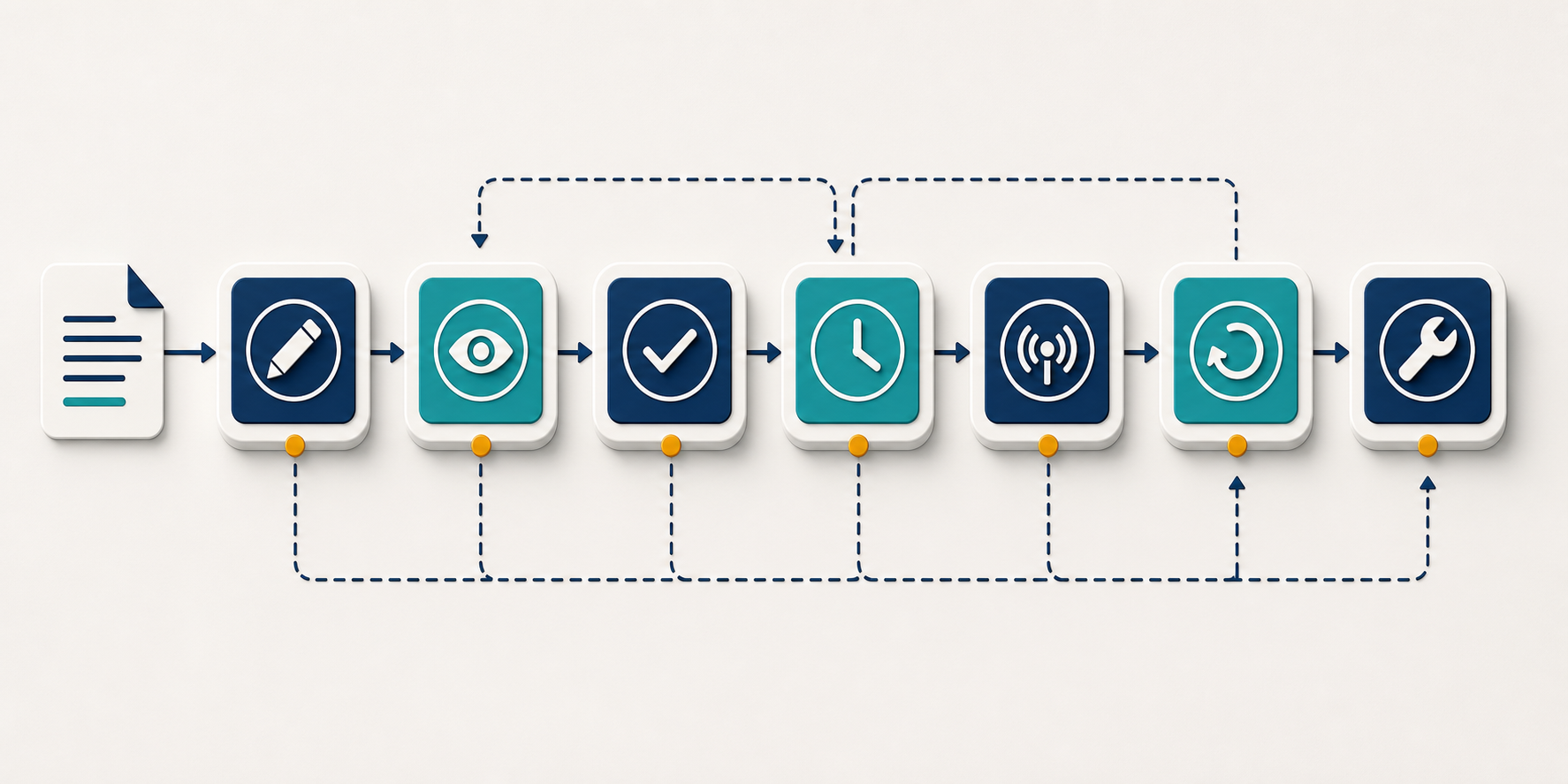
Do not begin by sending every CMS update to a channel. That creates a feed, not an operating system. Begin with the state changes that require a person to decide, act, or investigate.
A practical first workflow is the review loop: an author requests review, a reviewer approves or returns the item, a publisher schedules it, and the system confirms publication. It is narrow enough to test, but it exposes the permissions, stale-revision, notification, and failure-handling problems that larger automations must solve.
- Name each event for what happened, such as content.review_requested, content.approved, content.scheduled, content.published, and content.publish_failed.
- Define the CMS state required before each event. A schedule action, for example, should not accept an item that is still marked in review.
- Define who may trigger the transition. Channel membership alone should never grant publication authority.
- Specify the write-back. Record the actor, decision, relevant revision, timestamp, and reason where one is required.
- Specify the failure path. Decide who is notified, what remains unchanged, and how the action can be retried safely.
Put enough context in every actionable message
A reviewer should not have to search several systems just to understand the request. Each actionable Slack message should identify:
- The content title and stable CMS identifier.
- The content type, site, locale, and environment when your operation has more than one.
- The current state and requested next state.
- The owner and requested reviewer.
- The revision being reviewed.
- A preview link and an edit link with visibly different labels.
- The requested action and any deadline already stored in the workflow.
- Validation failures or missing fields that could block the transition.
Include the revision identifier even if people rarely read it. Without it, someone can approve an earlier preview after another editor has changed the content. The integration should reject or re-request an approval when the underlying revision no longer matches.
Engineer for duplicate and delayed events
CMS events can be retried, delivered late, or received more than once. Give each event a stable identifier, retain the content and revision identifiers, and make handlers idempotent so a retry cannot schedule or publish the same revision again. When event order matters, compare the incoming revision and state with the current CMS record before changing anything.
A failed delivery also needs an explicit destination. Send operational failures to a channel monitored by the people who can resolve them, with the content identifier, attempted action, error category, and safe retry path. Do not report success until the CMS has accepted the mutation.
Route by responsibility rather than broadcasting everything. Review requests belong where reviewers work; release confirmations belong where publishers monitor launches; integration failures belong with the workflow owner. Batch low-priority activity into a digest if nobody needs to act immediately. Notification volume is part of the design because an alert that is routinely ignored is not a control.
Make approvals durable, scoped, and revision-aware
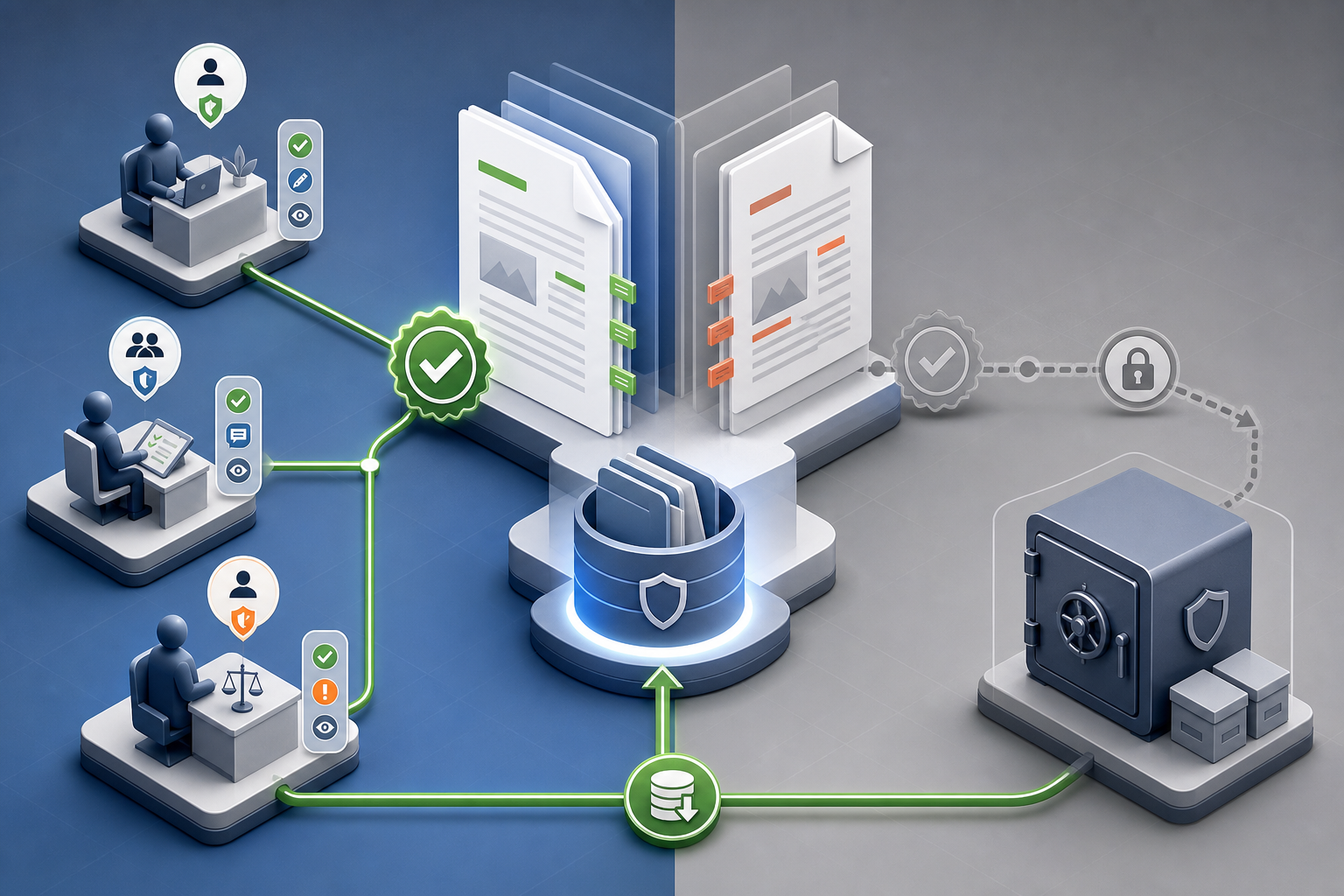
Approval is a state transition, not a reaction. An emoji can communicate sentiment, but it should not be the only evidence that a specific person approved a specific revision for publication.
Use separate roles even when one person fills more than one of them:
- The author prepares the item and requests review.
- The reviewer approves the current revision or returns it with a reason.
- The publisher confirms the destination and schedule.
- The integration verifies the transition, writes it to the CMS, and reports the resulting state.
Keeping the actions distinct makes handoffs visible. It also lets you change permissions later without redesigning the entire workflow.
Validate every action at the moment it is taken
- Authenticate the Slack user and map that identity to an authorized CMS user or role.
- Confirm that the content remains in the expected state.
- Confirm that the revision still matches the one shown in the message.
- Require a reason when content is rejected, sent back, or moved through an override path.
- Write the result to the CMS before updating the Slack message.
- Replace the actionable controls with the final outcome so an old button cannot be used later.
If any check fails, leave the CMS state unchanged and explain what the person should do next. A stale approval should lead to a fresh preview and review request, not a best-effort approval of whatever revision happens to be current.
Plan the exception path before you need it
Urgent corrections will eventually bypass a normal queue. Give that path tighter controls rather than no controls: limit who can use it, require a reason, identify the revision, record the override, and notify the content owner. For destructive actions, prefer unpublishing or archiving with revision history intact over deleting content from a Slack control. A mistaken chat action should not erase the recovery path.
Threads are useful for discussion, but the final decision must still return to the CMS. Summarize the resolution in a structured field or audit entry rather than expecting a future editor to reconstruct it from channel history.
Tie the workflow to AI-search quality, then measure it
Connecting Slack to a CMS does not, by itself, make a page more visible in AI search. The connection supports visibility when it helps your team publish accurate, accessible, well-structured content and correct problems without losing ownership or context.
Turn high-risk quality checks into publication gates
Store these checks in the CMS or validation service and surface their results in Slack. Do not ask reviewers to type machine-readable values into chat.
- Confirm that the title, summary, headings, and visible answer agree about the page’s subject.
- Confirm that the intended public URL, canonical selection, and index controls are set for the correct environment.
- Validate that structured data describes the content a visitor can actually see rather than an earlier draft or a different page type.
- Require the relevant author, organization, product, service, date, and taxonomy fields for the content type.
- Check that important claims, citations, and destination links survived the latest revision.
- Assign an owner for future corrections so a published item does not become operationally anonymous.
The Slack notification should report pass, fail, or needs review for each gate and link to the field that needs work. It should not bury a blocking error in a long log. If a check is advisory rather than mandatory, label it that way so reviewers know whether they can proceed.
After publication, send a separate confirmation containing the public URL, CMS identifier, published revision, responsible user, and validation outcome. A publication request and a successful publication are different events. Treating them separately keeps a timeout or platform error from looking like a completed launch.
Measure the handoffs, not the message count
Slack activity is not a useful success metric on its own. Join workflow events by content identifier and track the points where work waits, returns, or fails:
- Review queue age: time from review request to the first reviewer action.
- Approval cycle time: time from review request to approval of the accepted revision.
- Revision loops: how often an item returns to the author before approval.
- Stale actions: attempted decisions against a revision or state that has already changed.
- Metadata completeness: required fields present when review or publication is requested.
- Publication reliability: successful confirmations compared with failed or unresolved publication attempts.
- Post-publication corrections: items that require an avoidable fix after release.
Establish the baseline before adding more automation, then compare the same content type and workflow stage. If review time remains high but routing delay falls, the integration is doing its job and the remaining constraint is editorial capacity or decision quality. If correction volume rises, faster publishing has exposed a weak gate rather than solved the operation.
Keep operational measures separate from AI-search outcomes. Visibility, mentions, citations, and referral traffic can change for many reasons outside Slack. Use the integration to preserve a reliable record of what changed and when, then evaluate search outcomes against that record without assigning the entire movement to one tool connection.
Key takeaways
- Keep content, metadata, permissions, revisions, and final state in the CMS; use Slack to route attention and authorized actions.
- Automate named state transitions rather than forwarding every update into a channel.
- Attach every approval to a specific content item and revision, then write the decision back to the CMS.
- Design for duplicate events, delayed events, stale buttons, permission failures, and publication errors from the beginning.
- Surface SEO, structured-data, and content-quality gates in Slack while retaining their values and validation logic outside chat.
- Measure queue age, revision loops, stale actions, failed publications, metadata completeness, and corrections before expanding the workflow.
Start with one transition that currently causes visible friction, usually the move from ready for review to approved. Make that loop authoritative, revision-aware, and recoverable. Once it works without manual reconciliation, extend the same event model to scheduling, publication, updates, and post-publication quality checks.
Leave a Reply