Tag: CMS Integration

  • Conductor Content API for AEO: Build a Reliable Workflow

    Conductor Content API for AEO: Build a Reliable Workflow

    You do not need another place for writers to paste drafts. You need a controlled way to move a useful brief into a reviewed, publishable answer without losing evidence, ownership, or editorial judgment between systems.

    That is the practical opportunity behind the Conductor Content API. Used well, it can bring AEO guidance into the tools where your team already plans, writes, approves, and publishes content. Used carelessly, it can turn an opaque score into an automated publishing rule. The difference is the workflow you build around it.

    The API belongs inside your content system, not above it

    The Content API is designed to generate, score, and optimize content for AI and traditional search inside your own stack. That describes its functional role. It does not mean that an API-generated draft, a higher score, or an optimization pass guarantees inclusion in an AI answer.

    Treat it as a decision-support layer between your content inputs and publishing controls. Your content management system should remain the system of record. Your evidence library should remain the source of approved claims. Your editors should remain accountable for what reaches the public page.

    The integration is most useful when your current problem is operational: briefs are interpreted differently by each writer, optimization happens late, drafts move between several tools, or teams cannot apply the same review criteria at scale. It is less likely to help when the real problem is missing expertise, weak evidence, unclear ownership, or pages that cannot be updated after publication. An API can accelerate a defined process; it cannot define the truth for you.

    Before committing engineering time, identify the exact handoff you want to improve. Good candidates include creating a first draft from an approved brief, evaluating a draft before editorial review, or returning suggested changes inside a CMS. Avoid starting with a broad instruction such as “optimize all content for AEO.” It gives your team no stable input, acceptance rule, or safe stopping point.

    Build the pipeline around an explicit content contract

    A transparent standardized container holds organized content components as it passes between editorial and publishing workspaces.

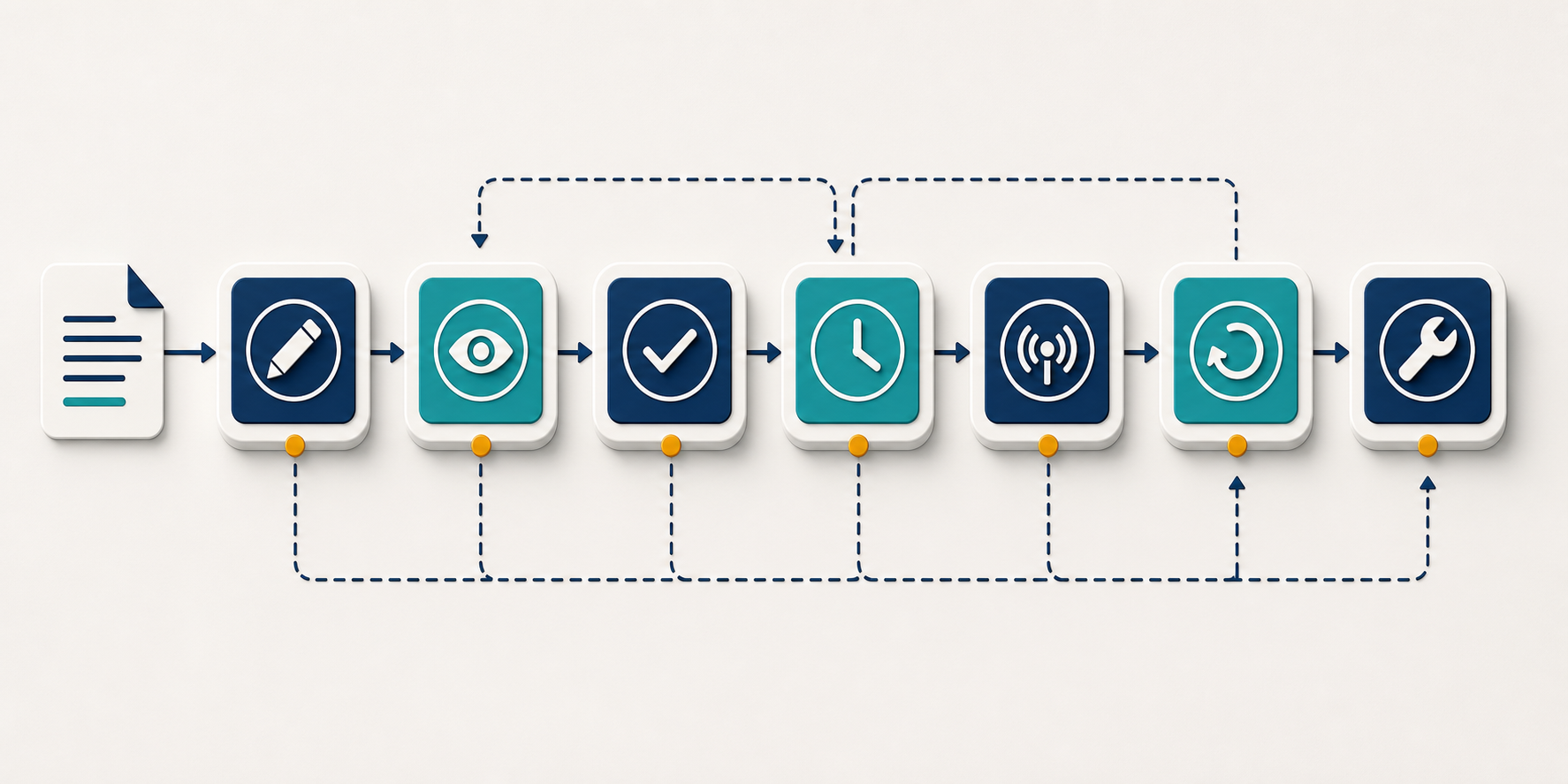
    Your first implementation artifact should not be an API call. It should be a content contract: the fields every request must contain, the outputs your system will retain, and the conditions a draft must satisfy before it can advance.

    Define the inputs that make an answer trustworthy

    A keyword and a desired word count are not an AEO brief. Give the pipeline enough context to produce an answer that is specific, attributable, and appropriate for the page. A practical internal request object should usually contain:

    • A persistent content ID, so every request and revision can be traced to the same asset.
    • The question or task the page must resolve, written in the language the intended reader would use.
    • The audience and decision stage, including what the reader already knows and what they need to do next.
    • A proposed canonical answer: the short, direct response the page must support rather than obscure.
    • Approved evidence, including source URLs, factual notes, dates where freshness matters, and the claims each item supports.
    • Named entities that must be represented unambiguously, such as products, organizations, locations, standards, or people.
    • Claims that require specialist, legal, compliance, or brand review.
    • The CMS content type, required fields, internal links, and any structured data fields populated downstream.
    • An owner and a review trigger for information that can become outdated.

    Keep those fields in your own data model even if the API uses different names. Your internal contract should outlive a particular endpoint or response format. Map it to the exact API specification available to your account rather than designing your entire content operation around an announcement-level description.

    Separate generation, evaluation, and revision

    Generation, scoring, and optimization solve different problems. Combining them into one invisible action makes failures difficult to diagnose. Keep them as observable stages:

    1. Assemble the brief. Validate required fields before sending content anywhere. A missing approved source should stop a source-dependent claim from being generated.
    2. Generate only where generation is useful. A new draft may benefit from generation. A carefully written expert page may need evaluation without being rewritten.
    3. Score the draft. Store the result alongside the exact input and draft version that produced it. A score without its corresponding text is not auditable.
    4. Apply selected recommendations. Present proposed changes as a revision or diff. Do not silently overwrite an editor’s draft.
    5. Run your own acceptance checks. Validate facts, links, required CMS fields, accessibility, structured data inputs, and approval status before publication.

    This separation also helps you locate the real problem. A weak draft may come from an incomplete brief, a misunderstood question, unsupported claims, or an optimization that removed necessary nuance. Repeatedly sending the same text through another optimization pass will not repair a bad input contract.

    Before development begins, confirm the field schema, authentication method, error behavior, usage constraints, and versioning rules that apply to your access. Those details determine how you handle retries, validation, logging, and fallbacks; they should not be inferred from the product’s high-level positioning.

    Use the score as evidence, not as the publishing decision

    A content score is useful when it helps an editor notice a correctable weakness. It becomes dangerous when a team treats the number as a proxy for factual accuracy, authority, or guaranteed AI visibility.

    Do not set an automatic publishing threshold until you have calibrated the result against content your own reviewers consider acceptable. During calibration, compare like with like. A product page, support answer, glossary entry, and long educational page perform different jobs; a raw score may not carry the same meaning across all of them.

    For each evaluation, retain the draft version, request inputs, returned recommendations, any component scores the response provides, and the final editorial disposition. Record whether the editor accepted, modified, or rejected each recommendation and why. That history will show whether the integration catches useful issues or merely creates revision work.

    Your human review should test qualities that no scalar score should be trusted to settle on its own:

    • Answer proximity: Can the reader find a direct answer close to the question it resolves?
    • Standalone clarity: Does the core answer remain understandable when read without the surrounding introduction?
    • Claim support: Can the reviewer connect each material factual claim to approved evidence?
    • Entity clarity: Are full names used where pronouns, abbreviations, or similar product names could create ambiguity?
    • Qualification: Are conditions and limitations placed beside the claim they modify rather than buried at the end?
    • Information access: Are important facts present in readable page text instead of existing only in an image, script, or interaction?
    • Page integrity: Do the title, headings, canonical URL, internal links, and structured data describe the same primary subject?
    • Editorial value: Does the page add a useful answer, explanation, decision rule, or evidence rather than merely restating common language?

    Structured data belongs in this review, but it should be generated from verified CMS fields rather than invented from prose. Schema markup can make page entities and relationships more explicit. It cannot rescue an unsupported answer, and it does not guarantee that an answer engine will select the page.

    Use a failed score to open a review, not to authorize an indiscriminate rewrite. If a recommendation conflicts with evidence, changes the intended audience, removes an essential caveat, or introduces a claim that is not in the brief, reject it. The purpose of optimization is to improve communication without changing what is true.

    Pilot the workflow in shadow mode before it can publish

    Two parallel workflow lanes show a draft being tested in shadow mode while a human editor controls the publishing gate.

    Choose one repeatable, low-risk content type for the pilot. A tightly defined template makes it easier to distinguish a useful optimization from normal variation between pages. Do not begin with regulated advice, high-value transactional pages, or a bulk rewrite of your archive.

    Run the first version in shadow mode: send the same material through the proposed pipeline, but let the existing editorial process remain authoritative. Reviewers can compare the draft, score, and recommendations without allowing the integration to change a live page.

    Measure the process before trying to attribute search outcomes. Useful operational measures include editorial acceptance, recurring rejection reasons, missing-input errors, manual revision effort, publishing failures, and the proportion of recommendations that survive review. Track traditional search performance and AI visibility separately, because they are different observations and neither automatically proves that an API-generated change caused the result.

    The production design should also fail safely:

    • Write generated and optimized text to a draft or revision, never directly over the current published version.
    • Use a stable request identifier so a retry cannot create duplicate drafts or duplicate publishing jobs.
    • Preserve the last approved version and the evidence attached to it.
    • Keep credentials, private customer information, and unnecessary personal data out of content payloads.
    • Require the relevant approval when a recommendation changes a factual claim, disclaimer, offer, or regulated statement.
    • Stop the workflow when a required field, source, or validation result is missing instead of publishing a partial response.
    • Keep optimization separate from deployment so an API error does not take down page delivery.

    Expand only after the pilot tells you which inputs predict good output and which recommendations editors consistently trust. At that point, you can reuse the contract for another content type, establish a separate calibration set, and add automation around the decisions that have proved stable. Do not assume the first template’s thresholds or review rules transfer unchanged.

    Key takeaways

    • Place the Content API inside a governed content workflow; do not treat it as a replacement for your CMS, evidence library, or editors.
    • Define the question, audience, canonical answer, approved evidence, entities, risk flags, owner, and CMS destination before requesting generation or optimization.
    • Keep generation, scoring, optimization, validation, and publishing as separate, traceable stages.
    • Calibrate scores by content type and use them to prompt review, not to guarantee quality or AI visibility.
    • Introduce the integration in shadow mode, preserve revisions, and require explicit approval for material claim changes.
    • Measure editorial usefulness and operational reliability before expanding the workflow or attributing search performance to it.

    Your next step is small but consequential: write the content contract and one unambiguous acceptance gate before anyone builds the integration. If your team cannot state what a safe, publishable answer must contain, connecting an API will only automate that ambiguity. Once the gate is clear, the Content API can become a useful part of a measurable AEO operation rather than another disconnected scoring tool.

    References


  • Digital Asset Management Activation: From Library to Delivery

    Digital Asset Management Activation: From Library to Delivery

    Your DAM can be impeccably organized and still leave you with late campaigns. If engineers resize hero images, regional marketers re-upload files into local systems, or teams keep asking which logo is current, the library is working but the delivery chain around it is not.

    Digital asset management activation closes the distance between an approved asset and its correct appearance on a page, product listing, email, social post, or partner platform. You do that by replacing manual handoffs with governed references, on-demand variants, direct integrations, and machine-readable rules that apply equally to people, applications, and AI agents.

    Find the activation gap before you add another tool

    A traditional DAM answers library questions: Where is the asset? Which version is approved? Who can use it? When does it expire? Activation answers a different set of questions: How does the approved asset reach its destination? Who changes it along the way? Does the destination receive the right size, crop, format, locale, and version? What happens when the approved original changes?

    The activation gap is the work between approval in the DAM and verified delivery in the customer-facing channel. It includes every download, chat request, spreadsheet lookup, resize, local upload, approval check, and duplicate copy in that path. Those steps may look harmless individually. Together, they create delay and make it difficult to prove what actually went live.

    Content demand makes that gap harder to ignore. In a 2025 Adobe survey of more than 1,600 marketers, 62% said demand had increased fivefold or more over the preceding two years. That survey result is directional, not a performance benchmark for your organization. Establish your own baseline from actual launches.

    Start by tracing one recently published asset from approval to delivery. Choose a normal launch with real exceptions, not the cleanest workflow your team can demonstrate.

    1. Record the asset identifier, approval state, approved revision, owner, market, usage constraints, and approval time.
    2. List every person and system that touched the asset after approval.
    3. Mark each point where the file was downloaded, copied, renamed, resized, reformatted, edited, or uploaded again.
    4. Record where a person had to interpret an ambiguous field, confirm permission in chat, or decide which version was current.
    5. Stop only when the asset has rendered correctly in the live destination and someone has verified it.

    Measure the workflow with operational signals you can reproduce:

    • Elapsed time from DAM approval to verified publication.
    • Number of manual handoffs and download-upload cycles.
    • Number of derived files stored as separate assets.
    • Requests sent to design or engineering for routine channel variants.
    • Incidents involving the wrong revision, market, rights state, or expiration status.
    • Share of live placements that retain a traceable DAM identifier or governed delivery URL.
    • Time required to replace or withdraw an asset across every destination.

    You now have an activation backlog. Prioritize the handoff that appears most often or creates the most consequential errors. A portal redesign will not remove a download-upload loop. A new taxonomy will not remove an engineering resize request. Match the fix to the failure you observed.

    Give every asset a machine-readable activation contract

    A protected digital asset is surrounded by structured rule tokens linked to a validation gate and several publishing destinations.

    Direct integrations move assets faster, but they also move ambiguity faster. Before a CMS, commerce platform, automation, or AI agent can select an asset safely, it needs an explicit contract describing what the asset is, where it may be used, and which transformations are permitted.

    Define that contract for each asset class. A useful minimum includes:

    • Identity: a persistent asset ID, asset class, owner, and relationship to the relevant product, campaign, page, or brand entity.
    • Lifecycle state: clear values such as draft, under review, approved, published, withdrawn, and expired. Do not rely on a folder name to imply approval.
    • Revision: an explicit approved revision and a record of what it replaced.
    • Usage context: permitted brands, markets, locales, channels, campaigns, and destinations.
    • Rights and timing: usage constraints, start and end dates where applicable, and the party responsible for renewal or withdrawal.
    • Descriptive metadata: controlled terms and destination-ready descriptions that downstream systems can map to visible and machine-readable fields.
    • Delivery policy: approved crops, aspect ratios, output dimensions, format rules, quality rules, and whether generative editing is allowed.
    • Replacement behavior: whether consumers should always receive the current approved asset or remain pinned to a specific revision.

    Required fields should be enforced when the asset changes state, not discovered by the publishing system later. An upload may remain a draft with incomplete metadata. Approval should fail if a field needed for safe activation is missing. Downstream systems should retrieve only records that satisfy their eligibility rules.

    For SEO, AEO, and GEO teams, activation is an operational control rather than a ranking shortcut. It helps the CMS, page templates, feeds, and structured outputs receive the same stable asset reference and descriptive information. If your CMS emits structured data, map media fields from the governed asset record instead of maintaining a second, disconnected set of values in a plugin or spreadsheet.

    Choose deliberately between current and fixed references

    One URL that always resolves to the latest approved asset is useful when every placement should update together. A brand logo, evergreen product image, or corrected illustration may fit that pattern. The reference remains stable while the approved file behind it changes.

    Other placements need an immutable, revision-specific reference. Campaign records, archived pages, contractual partner deliveries, and creative with time-limited rights may need to preserve exactly what was published. Silently replacing those files can create compliance, reporting, or evidentiary problems.

    Support both behaviors. Use a current alias when automatic propagation is intentional and a fixed revision when reproducibility matters. Document the choice in the activation contract rather than leaving each destination to guess.

    Generate channel variants from a governed original

    One approved bottle image branches into wide, square, vertical, and thumbnail variants while remaining connected to the master asset.

    Routine resizing should not create a new branch of your asset library. A 2023 Santa Cruz Software survey found that 76% of designers spent at least 20 hours per week resizing graphics. Do not treat that vendor-cited survey as a universal staffing benchmark. Check your own request queue and file history to see how much specialist time is being consumed by predictable derivatives.

    The better operating model keeps one governed original and creates delivery variants when a channel requests them. A 6MB, 4000 by 3000 original can supply a 1920 by 1080 hero, a 400 by 400 thumbnail, a 1200 by 630 social preview, and a 750 by 1000 mobile treatment without storing four manually exported copies.

    Build this around named transformation recipes rather than unrestricted editing parameters:

    1. Preserve the original as the governed master. Do not let a destination overwrite it.
    2. Define recipes by business purpose, such as product thumbnail, desktop hero, mobile hero, social preview, and partner feed image.
    3. Specify dimensions, aspect ratio, crop behavior, focal-point handling, format, and quality in each recipe.
    4. Let the CMS or delivery layer request the asset ID plus the recipe instead of uploading a separate file.
    5. Log the master revision and transformation recipe used for each generated result.
    6. Test what happens when the master changes, including cache refresh, rollback, and destinations pinned to an older revision.

    Separate deterministic processing from creative generation. Resizing, format conversion, and approved crop rules can usually run as repeatable delivery operations. Background replacement, generative fill, and prompt-based edits change the creative meaning of the asset. Treat those outputs as governed derivatives that need an identity, lineage, rights review, and approval state of their own.

    This distinction prevents a serious automation mistake: allowing a runtime request to create brand-new creative without review. AI can produce the variation, but it should not silently grant that variation permission to publish.

    Connect publishing tools without weakening governance

    A DAM portal is still useful for browsing, curation, review, and administration. It should not be the only route by which content enters or leaves the library. Requiring every user to find, download, transform, and re-upload an asset turns the portal into a manual transport layer.

    Design the activation path so each system performs one clear job:

    • Creative tools submit originals and required metadata to the DAM.
    • The DAM controls identity, lifecycle state, rights, approval, and lineage.
    • The CMS, commerce platform, email system, or partner application stores a governed reference rather than an unmanaged copy whenever its architecture allows.
    • The delivery layer returns the approved revision in the requested transformation recipe.
    • Monitoring records which asset, revision, recipe, and destination were involved.

    Use a native integration when it removes a frequent context switch inside a tool where work already happens. Use a headless API when another application needs dependable read or write access. In both cases, define the allowed operations, required metadata, error behavior, authentication, and audit trail before connecting production systems.

    Model Context Protocol, or MCP, adds another interface for AI-assisted workflows. An MCP server can expose DAM capabilities to compliant AI tools, allowing an assistant or automation agent to search for approved assets and request a valid rendition without navigating the portal.

    MCP changes the interface; it does not replace governance. Expose narrow, task-specific capabilities such as searching approved assets, reading metadata, retrieving a fixed revision, or requesting an allowed variant. Do not give a general-purpose agent arbitrary update, approval, publication, or deletion rights merely because the connection supports them.

    Apply eligibility filters before semantic relevance

    Keyword-only search becomes unreliable when teams use inconsistent labels. Natural-language search can match meaning, visual search can find similar imagery, and video discovery can index visible content and spoken dialogue rather than relying only on titles. Those capabilities improve recall, but relevance alone is not enough for activation.

    Filter the candidate set by hard business rules first: approved state, permitted destination, market, locale, rights window, brand, and required asset class. Rank the eligible results by semantic or visual similarity only after those conditions pass. A visually perfect result is still wrong if it is expired, unapproved, or licensed for another market.

    Return enough context for the caller to make a safe choice. A search result should include its asset ID, revision, lifecycle state, intended use, market or locale constraints, rights status, and available recipes. An agent should also record which result it selected and which conditions were evaluated.

    AI can help maintain the library by checking uploads, proposing controlled vocabulary, identifying missing metadata, and holding noncompliant files in draft. Introduce that autonomy in stages. Start with suggestions and validation. Move to automatic blocking only when the rules are deterministic and the team can inspect false positives. Keep publication behind an explicit approval state.

    Prove activation with one bounded publishing workflow

    A large DAM transformation can disappear into platform work. A bounded pilot makes the result visible. Choose one asset class, one destination, and one repeated source of friction. Good candidates include product images sent to an ecommerce CMS, campaign heroes sent to a web CMS, or approved social previews recreated for every launch.

    1. Define the boundary. Name the point at which an asset becomes approved and the point at which delivery is verified. Exclude adjacent workflow problems unless they prevent the pilot from operating.
    2. Capture the baseline. Measure elapsed time, manual touches, duplicate files, routine resize requests, errors, and replacement time for recent examples.
    3. Specify the activation contract. Make required identity, state, rights, locale, destination, revision, and delivery fields explicit.
    4. Create the smallest useful recipe set. Include only variants the selected destination actually consumes.
    5. Connect the destination. Make it retrieve an approved reference and recipe directly. Preserve a controlled fallback while you validate the new path.
    6. Add hard publication checks. Reject drafts, expired assets, disallowed markets, missing required metadata, and unsupported recipes before delivery.
    7. Test change behavior. Replace an approved asset in a non-production environment, verify cache behavior, confirm fixed revisions remain fixed, and exercise rollback.
    8. Compare the result with the baseline. Look for removed handoffs and errors, not merely a successful API response.

    The pilot is ready to expand when the workflow meets concrete acceptance conditions:

    • A user can publish the approved asset without downloading and re-uploading it.
    • The destination retains a traceable asset ID or governed URL.
    • Routine variants come from approved recipes rather than local exports.
    • Draft, withdrawn, expired, or otherwise ineligible assets cannot pass the delivery gate.
    • The team has tested both current and fixed-reference behavior.
    • Logs identify the master revision and transformation applied to a live result.
    • An owner can withdraw, replace, or roll back the asset without searching multiple unmanaged libraries.

    Assign ownership along the same boundary. Creative owns the approved master and intentional composition. DAM operations owns metadata rules and lifecycle governance. Channel teams own destination requirements. Engineering owns interfaces, authentication, delivery reliability, caching, and observability. Brand, legal, or rights owners define the restrictions that publication checks must enforce.

    Key takeaways

    • DAM activation is the governed path from an approved original to a verified channel result.
    • Measure manual handoffs, duplicate files, routine variant requests, errors, and replacement time before changing the architecture.
    • Give every asset a machine-readable contract covering identity, status, revision, rights, context, and transformation policy.
    • Generate predictable channel variants from the governed original instead of storing repeated exports.
    • Use APIs, native integrations, and MCP as controlled interfaces; none of them substitutes for permissions, approval, or auditability.
    • Apply approval, rights, market, and lifecycle filters before semantic or visual ranking.
    • Prove the model with one asset class and one destination, then expand using measured results.

    Choose one asset from a recent launch this week and draw its path from approval to live delivery. Circle every download, copy, resize, permission check, and upload. The first activation project is the smallest connection that removes the most repeated circle while preserving a clear record of what was allowed to publish.

    References

  • How Sale Dates and Product Categories Work in Merchant Markup

    How Sale Dates and Product Categories Work in Merchant Markup

    Google’s merchant listing structured data guidance now covers two pieces of product information that often live outside the page markup: when a sale price applies and how a product is categorized. Together, the additions give merchants a clearer way to keep product pages, structured data, and Merchant Center submissions conceptually aligned.

    The practical value is not simply having more properties to publish. It is being able to represent promotional timing and product classification consistently, without treating structured data as an isolated SEO layer.

    Key takeaways

    • Google’s updated guidance explains how validFrom, validThrough, and priceValidUntil can describe the effective period of a sale price.
    • The timing properties may be placed on Offer or PriceSpecification nodes, according to the supplied CrushPress.AI report.
    • Product.category can use merchant-defined text or CategoryCode values associated with a formal category system.
    • The additions align structured data more closely with Merchant Center’s sale_price_effective_date, product_type, and google_product_category attributes.
    • Consistent values across the product page, structured data, and feed should be the implementation priority; the new markup does not by itself guarantee greater search visibility.

    Two updates address one product-data problem

    The supplied CrushPress.AI report presents sale duration and product category as additions to the same merchant listing documentation. Although they describe different aspects of a product, both address a common operational problem: important commerce data can become inconsistent when it is maintained separately in a storefront, structured data, and a Merchant Center feed.

    The sale guidance connects schema.org properties with Merchant Center’s sale_price_effective_date attribute. The category guidance similarly connects Product.category with the product_type and google_product_category feed attributes. This does not make those fields interchangeable in every system. It does, however, give implementation teams a clearer correspondence between the concepts expressed in each channel.

    That correspondence matters because promotional data is time-sensitive, while category data is usually taxonomy-sensitive. A pricing error may expose an expired or premature offer; a category mismatch may give systems conflicting descriptions of what the product is. The documentation changes provide a more explicit model for managing both risks.

    Sale markup should follow the promotion’s actual lifecycle

    A product moves through three calendar-like stages, with a discount tag attached only during the illuminated middle stage.

    According to the report, Google’s new sale-duration section discusses validFrom, validThrough, and priceValidUntil as ways to define when a sale price is effective. It also includes guidance and examples for assigning the properties to either an Offer or a PriceSpecification node.

    The choice of node should reflect how the site’s product model owns pricing information. If an Offer contains the active commercial terms, the timing data may belong with that offer. If prices are represented through a dedicated PriceSpecification, keeping the dates with that specification can make the relationship between the amount and its validity period clearer. The important point is to use a coherent model rather than distributing related values arbitrarily.

    Implementation should begin with the source of truth for the promotion. The structured data’s start and end values should be generated from the same approved schedule that controls the visible sale price and, where applicable, the Merchant Center submission. Automated removal or replacement after the promotion ends is just as important as publishing the future dates correctly.

    Teams should also distinguish a scheduled sale from a routine price update. The reported guidance concerns the effective period of sale pricing; it should not be used to manufacture a promotional window when the page does not genuinely present a time-bound offer.

    Product categories can preserve two useful vocabularies

    One product connects to two separate branching arrangements of blank category tiles and folders.

    The same report says Google’s documentation now supports Product.category using both Text and CategoryCode types. This mirrors two different classification needs represented in Merchant Center: product_type can express a merchant’s own taxonomy, while google_product_category represents Google’s classification.

    A custom text category can preserve the language used in navigation, merchandising, reporting, or inventory management. A category code can identify the product within an external classification system. These are complementary signals: one communicates the merchant’s view of the catalog, and the other connects the item to a standardized vocabulary.

    The source reports that Google’s examples allow custom text labels and Google Product Category codes in structured data. The implementation lesson is to retain the meaning of each value. A merchant label should not be presented as though it were an official code, and a code should remain associated with the category system it comes from.

    Category markup should also be generated from maintained catalog data rather than copied manually into individual templates. Central ownership reduces the chance that a product is reclassified in the feed or storefront while stale structured data remains on the page.

    A practical implementation and validation sequence

    1. Identify the systems that control visible prices, promotion schedules, merchant feeds, and catalog categories.
    2. Map sale start and end data to validFrom, validThrough, or priceValidUntil in the Offer or PriceSpecification model used by the site.
    3. Map the internal merchant taxonomy and any Google category assignment to the appropriate Text or CategoryCode representation for Product.category.
    4. Generate the markup from the same governed data used by the storefront and feed instead of maintaining a separate manual copy.
    5. Check products before a sale begins, while it is active, and after it ends to confirm that visible content and machine-readable values change together.
    6. Include category and promotional fields in routine structured-data audits so catalog migrations and template changes do not silently create conflicts.

    Validation should cover meaning as well as syntax. Markup can be technically parseable while still containing an expired sale window, an incorrect category, or a value that disagrees with the page. The more useful test is whether every representation describes the same product and offer at the same moment.

    As merchant markup moves closer to feed-level expressiveness, the durable advantage will come from shared product-data governance. Merchants that connect templates to reliable pricing and taxonomy sources will be better positioned to adopt these fields without creating another layer of catalog maintenance.

    References

  • Profound MCP Connectors: What the Integration Really Means

    Profound MCP Connectors: What the Integration Really Means

    Profound’s External MCP Connectors are presented as a way to bring outside work systems into Profound through a shared integration layer. The practical promise is less tool switching: information and actions associated with content management, project tracking, and team communication could become accessible from a more centralized workflow.

    The available source is a short, vendor-authored announcement rather than independent testing or detailed technical documentation. Its claims therefore establish Profound’s intended direction, but not the connector catalog, supported operations, security model, or measurable productivity gains.

    What Profound says its external connectors enable

    According to the Profound post, External MCP Connectors can link the platform with CMS tools, project trackers, and team communication platforms. The announcement describes these connections as a way to manage projects, streamline workflows, improve collaboration, and access important tools from a central hub.

    Those statements should be read as product positioning. The source does not identify particular supported services, distinguish between read-only access and write actions, or demonstrate a complete workflow. It also offers no comparative results showing how much time or effort the connectors save. Consequently, the meaningful takeaway is the proposed integration model, not a verified performance outcome.

    Why MCP changes the integration conversation

    Different digital systems connect through a standardized bridge to a single AI workspace.

    In general terms, the Model Context Protocol provides a standardized way for an AI-enabled application to interact with external sources and tools. Instead of treating every connection as an entirely separate product integration, an MCP-based approach can give compatible systems a common interface for exposing permitted context or actions.

    For Profound users, the architectural implication may matter more than the phrase “central hub.” A common interface can make it easier to assemble workflows spanning several systems, but it does not automatically make those systems interchangeable. Each connector can still differ in authentication, available functions, data structure, reliability, and administrative controls.

    Key takeaways

    • Profound reports that External MCP Connectors can connect CMS, project-tracking, and team-communication tools with its platform.
    • The central value proposition is workflow consolidation, although the source provides no independent evidence or quantified results.
    • MCP standardizes the connection pattern; it does not guarantee identical capabilities, permissions, or data quality across external tools.
    • Teams should evaluate each connector at the level of actual tasks, accessible data, permitted actions, and operational controls.

    The questions teams should answer before adoption

    A digital connector workflow passes through permission, identity, audit, and human approval checkpoints while a team monitors it.

    A useful evaluation starts with the workflow rather than the number of available connections. A team might examine where information currently moves between its CMS, project tracker, and communication system, then identify which transfers are repetitive, slow, or prone to inconsistency. The connector is valuable only if its available operations match those specific handoffs.

    Access boundaries also require scrutiny. Evaluators should determine which data Profound can retrieve, which actions it can initiate, how users authenticate, and whether permissions from the connected service remain enforceable. Logging, error handling, approval requirements, and procedures for revoking access are similarly important wherever a connector can change external records.

    Finally, teams should test the quality of the resulting context. Centralized access is not necessarily coherent access: duplicated records, inconsistent naming, stale project statuses, or ambiguous ownership can still undermine an integrated workflow. A limited pilot built around one repeatable task can reveal whether the connector reduces friction without obscuring accountability.

    From connectivity to dependable workflows

    Profound’s announcement points toward a platform that can sit closer to the systems where teams already plan, communicate, and manage content. Whether that direction produces meaningful efficiency will depend on the depth of individual connectors and the governance surrounding them. Future documentation and hands-on evaluation will be needed to establish which workflows are genuinely supported and how reliably they operate.

    References

  • How to Recover SEO Traffic After a Website Migration

    How to Recover SEO Traffic After a Website Migration

    Your new site is live, the redirects appear to work, and organic traffic is still falling. The dangerous response is to assume you have a content or ranking problem. A migration can leave valuable pages outside Google’s index while crawlers keep revisiting the old host, empty pages, duplicate URLs, or automatically generated dead ends.

    Traffic recovery starts by locating the exact break in the search pipeline. Once you know whether the failure sits in the redirect, crawl, render, indexing, or ranking stage, you can fix the dependency that is holding everything else back.

    Find the broken stage before changing your content

    A page has to pass through four practical stages before it can earn search traffic: crawl, render, index, and rank. These stages are connected, but they are not interchangeable. A page can be crawled without being indexed, indexed without ranking, or ranked while your analytics implementation fails to record the resulting visit.

    That distinction matters because the remedies are different. Rewriting an article will not repair a redirect chain. Building links will not correct a canonical that still names the old domain. Improving Core Web Vitals will not make an empty page with a 200 success response useful.

    Start with a migration worksheet built from Google Search Console, analytics, your redirect map, and server logs if you have them:

    1. Preserve the before-and-after baseline. Export page-level clicks and impressions for both the old and new properties. Keep the old property in your reporting instead of looking only at the destination domain.
    2. Build a priority URL set. Take the old landing pages that produced the most organic traffic and map each one to its intended destination. Group them by template, content type, country, language, and directory.
    3. Test the complete URL pair. Record the old URL’s response, every redirect hop, the destination response, the destination canonical, and its current index status. A successful browser load is not enough.
    4. Inspect exclusions by pattern. Export the Page indexing reasons from Search Console. Group soft 404, duplicate, discovered-not-indexed, and crawled-not-indexed URLs by template rather than reviewing them individually.
    5. Check where crawling is going. Compare crawl activity on the old and new hosts. Continued crawling of a large obsolete URL inventory is evidence that consolidation is incomplete or that old URLs remain discoverable.
    6. Separate search loss from measurement loss. If Search Console clicks remain stable while recorded organic sessions collapse, audit analytics, consent, and tagging. If clicks and impressions fall together, continue through the search pipeline.

    Read the pattern, not just the total

    Old URLs still receive crawl activity while new URLs remain excluded: suspect an incomplete handoff. Check redirect coverage, internal links, XML sitemaps, canonicals, and regional annotations.

    New URLs are crawled but not indexed: the move may be technically reachable, but Google is not accepting the pages into the index. Look for duplicates, thin templates, conflicting canonicals, soft 404s, and large collections of low-value URLs competing for crawl attention.

    New URLs are indexed but have fewer impressions: the migration handoff may be working while relevance, internal authority, content changes, or search demand account for the remaining loss. That is when ranking analysis becomes useful.

    Do not let a nearby algorithm update end the diagnosis. Updates can complicate the timeline, but they do not explain a wrong canonical, a missing redirect, or a new URL that remains excluded. In one domain move, daily clicks fell from roughly 15,000-25,000 to 2,000-4,000, and the lower level persisted for more than a year while the old domain continued to consume crawl activity. That was not ordinary post-launch turbulence.

    Repair the migration as a URL-level contract

    Individual webpage tiles cross illuminated bridges between two platforms while technicians repair broken, looping, and merged routes.

    A domain migration is not one redirect from an old homepage to a new homepage. It is a contract for every URL that previously carried content, links, traffic, or index history. Each old URL needs a deliberate outcome.

    Old URL conditionCorrect outcomeSignals to align
    A clear equivalent existsSend a direct permanent redirect to that equivalentDestination returns 200, uses the intended canonical, and receives updated internal links
    The content was consolidatedRedirect to the closest page that preserves the old intentDestination meaningfully covers the old topic; avoid a generic homepage redirect
    No replacement existsReturn a real 404 or 410 responseRemove the URL from internal links and XML sitemaps
    A duplicate new variant was createdConsolidate it onto one preferred URLCanonical, internal links, redirects, and sitemap inclusion all name the same preferred version

    Use a permanent redirect such as 301 or 308 when the move is permanent, and make it one hop wherever possible. A chain from the old domain to an intermediate URL and then to the final URL creates more opportunities for conflicting signals and failed requests. Redirecting unrelated retired pages to the homepage does not preserve their relevance and can look like another form of soft 404.

    Then align every signal on the destination site:

    • Internal navigation, contextual links, pagination, breadcrumbs, and alternate-language links should point directly to final URLs.
    • Each indexable destination should return 200 and declare the intended canonical. A self-referencing canonical is usually the clearest choice for a unique migrated page.
    • XML sitemaps should contain canonical destination URLs, not redirecting, missing, or duplicate URLs.
    • Protocol, hostname, trailing-slash, parameter, and case variants should resolve consistently.
    • Country and language versions should be tested separately. A correct English migration does not prove that a Brazilian, German, Polish, Spanish, or French host inherited the same configuration.
    • The old host must remain able to serve its redirect responses. Shutting it down removes the handoff search engines still need to crawl.

    Validate representative URLs outside the CMS preview and outside an authenticated session. Test high-traffic pages, deep pages, paginated archives, media URLs, and every distinct template. If one category template emits an old canonical, checking the homepage will never reveal it.

    Avoid launching a second migration simply because recovery is slow. Changing the domain or URL structure again replaces a diagnosable handoff with another layer of redirects and uncertainty. Stabilize the current destination, repair the mappings, and collect evidence before considering a reversal.

    Clear soft 404s and low-value URL factories

    A soft 404 occurs when a URL returns a successful 200 response but provides little or no meaningful content. The server says the request succeeded; the page itself behaves as though nothing useful exists. At scale, these URLs create an inventory that search engines must repeatedly discover, fetch, classify, and exclude.

    The problem is often structural rather than editorial. Automatically generated combinations can create thousands of pages without a deliberate search purpose. One migration recovery uncovered currency-converter URLs such as thin combinations generated for currencies with little useful content. Those pages competed for crawl attention while time-sensitive news pages waited to be indexed.

    Audit soft 404s by URL pattern. A list containing hundreds of thousands of exclusions is not hundreds of thousands of separate writing assignments. It is usually a smaller set of templates, rules, or generators producing the same failure repeatedly.

    1. Group URLs by their generating rule. Look for shared directories, parameters, slugs, taxonomies, conversion pairs, empty search results, and expired entities.
    2. Decide whether each group deserves to exist. A real page should answer a distinct user need and contain the information its title and URL promise. If the template cannot do that, stop generating the URLs.
    3. Return the truthful status. Use 404 or 410 for content that does not exist and has no replacement. Use a permanent redirect only when a genuinely equivalent destination exists.
    4. Remove discovery paths. Delete invalid URLs from sitemaps, navigation, related-content modules, pagination, and other internal link sources. Otherwise crawlers may continue finding them after their status is fixed.
    5. Consolidate duplicates. Make the canonical, internal links, sitemap, and redirect behavior agree on one preferred version.
    6. Recheck the rendered page. A server-rendered shell can return 200 while the useful content fails to appear. Confirm that a crawler receives the primary content, not only a placeholder or error message.

    Do not interpret every crawled-not-indexed URL as a crawl-budget problem. Google may also exclude pages it considers low value or duplicative. Your job is to separate legitimate canonical pages from junk inventory. Improve the pages that should rank; retire or consolidate those that should not.

    Likewise, do not use robots.txt as cleanup paint. Blocking a path may reduce future crawling, but it does not correct bad status codes, remove invalid internal links, or let a crawler see a page-level indexing directive. Fix URL creation and discovery at the source. Noindex can be appropriate for valid user-facing pages that do not belong in search, but it is not a substitute for stopping an unlimited invalid URL pattern.

    The scale of this problem can be easy to underestimate. One Brazilian property accumulated 513,369 URLs in Crawled – currently not indexed. After the migration and indexing work, that count fell by 57%, soft 404s fell by 69%, and traffic began moving upward within weeks. Those percentages are not a universal recovery benchmark. They show why removing a template-level bottleneck can matter more than optimizing isolated pages.

    Run recovery in dependency order and prove it by cohort

    Webpage tiles move through a series of mechanical chambers as technicians repair an upstream blockage and grouped batches wait for verification.

    Migration recovery becomes slower when several teams make unrelated changes at once. Freeze nonessential URL, template, navigation, and rendering changes long enough to establish a stable baseline. Then work through the dependencies in this order:

    1. Protect the evidence. Save the old redirect map, pre-migration analytics, Search Console exports, sitemap files, and any available server logs. Do not overwrite the history you need for diagnosis.
    2. Restore access and truthful responses. Make sure the old host serves redirects, destination pages return 200, and deleted pages return an actual missing-page status.
    3. Correct the highest-value mappings. Start with old pages that earned the most clicks, impressions, links, or business value. Fix repeated redirect and canonical errors at the rule or template level.
    4. Align internal consolidation signals. Update internal links, canonicals, XML sitemaps, alternate-language relationships, and hostname rules so they all support the destination URLs.
    5. Remove crawl traps. Stop thin generators, duplicate variants, empty templates, and obsolete URLs from creating a competing crawl inventory.
    6. Validate before asking for more crawling. Test representative URL groups in Search Console and with direct HTTP checks. Requesting another crawl before fixing the pattern only reproduces the failure.
    7. Improve valid but weak pages. Once technical signals are coherent, address genuine quality, duplication, and intent problems among URLs that are supposed to be indexed.
    8. Return to performance and enhancement work. Core Web Vitals, structured data, and AI-search optimization matter, but they cannot compensate for a page that is unavailable, noncanonical, or absent from the index.

    Watch leading indicators before waiting for traffic

    Total organic sessions are the final outcome, not the earliest proof of a fix. Monitor the migration by URL cohort and template so that one recovering section does not hide another section that remains broken.

    • Priority old URLs resolve in one hop to their intended destinations.
    • Destination pages return 200, render their primary content, and declare the expected canonical.
    • Crawl activity shifts away from obsolete hosts and invalid URL patterns toward the canonical destination inventory.
    • Soft 404 and crawled-not-indexed groups shrink for the templates you repaired.
    • Fresh, important pages move from discovery to indexing more quickly. On the affected news site, new stories could be crawled in about two minutes but still take roughly 24 hours to reach the index, a damaging gap for time-sensitive coverage.
    • Impressions return to migrated URL cohorts, followed by clicks and organic landing-page sessions.

    No single Search Console count proves recovery. Exclusion totals can change as new URLs are discovered, and a few inspected pages can pass while an entire template remains wrong. Require several aligned signals: correct responses, correct canonicals, cleaner crawl allocation, improving index coverage, and returning impressions.

    How long should migration recovery take?

    A clean domain migration may need weeks or months while Google recrawls URLs and consolidates signals. That is not a guaranteed deadline. Site size, crawl demand, URL quality, redirect coverage, and the amount of obsolete inventory all affect the process.

    The calendar is less useful than directional evidence. If important old URLs have been recrawled but still point incorrectly, or new canonical pages remain excluded for the same repeated reason, waiting is not a recovery plan. Return to the first failed stage and fix the pattern. When redirects, exclusions, crawl activity, and impressions all move in the right direction, give the corrected system time to propagate without introducing another migration.

    Key takeaways

    • Diagnose crawl, render, indexing, ranking, and analytics separately; a traffic graph alone cannot identify the failure.
    • Give every old URL a deliberate outcome: a direct redirect to a true equivalent or an honest 404/410 when no replacement exists.
    • Make redirects, canonicals, internal links, XML sitemaps, and regional signals agree on the same destination URLs.
    • Group soft 404s and crawled-not-indexed URLs by template. Fix the generator instead of submitting individual URLs repeatedly.
    • Prioritize indexing dependencies before Core Web Vitals, schema enhancements, link building, or broad content rewrites.
    • Measure recovery by URL cohort and require aligned technical, indexing, impression, and traffic signals.

    Open the old property’s landing-page report and take the 20 highest-value URLs that lost visibility. Trace each one from its old response through its destination, rendered content, canonical, and index status. A repeated failure will usually expose the rule or template to fix first. Repair that pattern, validate a fresh sample, and then watch the affected cohort instead of waiting for the site-wide total to rescue itself.

    References

  • How to Build an AI Discovery-to-Publishing Workflow

    How to Build an AI Discovery-to-Publishing Workflow

    You can have AI finding topics, another tool drafting copy, and a CMS waiting at the end, yet still spend most of your time repairing handoffs. The idea loses its original purpose, evidence disappears during drafting, and the CMS entry arrives without the context an editor needs to approve it.

    The fix is a controlled workflow in which every stage produces a clear artifact for the next one. Discovery should become an evidence-backed brief. The brief should constrain drafting. The approved draft should map cleanly into CMS fields. Publishing should happen only after editorial, technical, and discovery checks pass.

    Start with an answer gap, not a draft request

    A researcher examines an illuminated empty space among knowledge tiles while source materials collect into a brief folder.

    Treat AI-mediated discovery as a reasoning layer in which original insights and citations shape visibility. That changes the unit of work. A keyword is not enough. You need to identify a question, the situation behind it, the missing answer, and the contribution your page can make.

    A useful discovery record should answer the following before anyone opens a drafting tool:

    • User question: Write the question in the language a real reader would use, without turning it into a target keyword.
    • Reader situation: Record what the reader is trying to decide, fix, compare, or implement.
    • Existing-answer gap: State what is missing, unclear, fragmented, or difficult to apply in the current coverage.
    • Proposed contribution: Define the method, distinction, framework, evidence, or practical decision rule your content will add.
    • Evidence available: Attach the URLs, internal knowledge, approved data, and expert material that can support the contribution.
    • Desired next action: Specify what the reader should be able to do after getting the answer.
    • Acceptance decision: Record why the opportunity should move forward, wait for more evidence, or be rejected.

    This record prevents a common failure: a discovery system finds a promising theme, but the production team receives only a phrase such as “AI content workflow.” That phrase does not explain who needs the content, what problem is unresolved, or why another page deserves to exist.

    A production-ready opportunity is much sharper: a content lead wants to move AI-discovered questions into a CMS without allowing unreviewed copy to publish, and needs a field map, approval states, and quality gates. That statement gives the writer a job to complete. It also gives the editor a basis for rejecting a draft that drifts into a generic discussion of AI writing.

    Group related questions by reader decision rather than by shared wording. Questions about choosing a workflow, configuring it, approving output, and diagnosing failures may contain overlapping terms, but they belong on the same page only when they help the same reader complete the same job. If they represent different decisions, give them separate discovery records.

    Reject an opportunity when nobody can name its distinctive contribution. “We should cover this because competitors do” is not a contribution. Neither is “AI can write it quickly.” Speed lowers the cost of producing a redundant page; it does not give that page a reason to be discovered or cited.

    Turn the accepted opportunity into a production contract

    The brief is the contract between discovery, drafting, review, and publishing. It should preserve the reasoning that made the opportunity worth pursuing. If the brief contains only a title, keywords, and a word-count target, the drafting stage has to reconstruct that reasoning and will often invent the missing parts.

    Build the brief around decisions and claims:

    • Promise: State the outcome the page must deliver for the reader.
    • Primary answer: Write a concise answer that the completed page must be able to defend.
    • Supporting questions: Include only questions needed to understand or apply the primary answer.
    • Required contribution: Describe the original method, analysis, example, or distinction that must survive into the final copy.
    • Claim map: List the important claims, their types, and the evidence allowed for each one.
    • Structure: Assign a reader purpose to every planned section. Remove sections that exist only to make the page look comprehensive.
    • Internal destinations: Identify relevant pages that genuinely help the reader continue the task.
    • CMS destination: Map the future title, excerpt, body, taxonomy, structured-data inputs, owner, and workflow status.
    • Stop conditions: Define what must send the work back to discovery instead of being patched during drafting.

    The claim map deserves particular care. Classify each important statement as an established fact, an interpretation, an original finding supplied by your organization, a recommendation, or an unsupported hypothesis. These labels can remain internal, but they force the team to apply the right standard of proof.

    For each claim, store the exact wording, claim type, evidence URL or internal evidence location, permitted interpretation, uncertainty, and destination section. This makes citation review mechanical. An editor can see whether the evidence supports the actual sentence instead of merely discussing the same general subject.

    Original insight does not mean unsupported novelty. It can be a useful synthesis, a clearly explained method, a distinction that resolves confusion, or an analysis grounded in material you are permitted to publish. The workflow should preserve the connection between original insight, citation, credibility, and discovery, not ask a model to manufacture something that merely sounds new.

    Give the drafting model the approved brief, claim map, evidence, house rules, and explicit boundaries. A practical instruction is: Use only the supplied evidence for factual claims. Mark missing support as [EVIDENCE NEEDED]. Do not create quotations, figures, examples presented as real, product behavior, or conclusions that the evidence does not establish.

    Draft in controlled passes. Generate the answer structure first, then develop sections, then review claim-to-evidence alignment, and only then polish the prose. This makes drift visible. If a section cannot fulfill its assigned reader purpose with the approved evidence, send it back to the brief instead of hiding the weakness beneath smoother language.

    Use AI as a challenger after it has been a drafter. Ask it to identify unsupported claims, vague nouns, missing steps, repeated ideas, and recommendations that lack a stated mechanism. Treat those findings as review leads, not automatic corrections. A model can flag a possible gap, but the responsible editor still decides whether the content is accurate and sufficiently supported.

    Connect drafting to the CMS through explicit states

    Blank content modules move through separated editorial review gates before assembling into a complete CMS page.

    Direct integrations can remove copy-and-paste work. Profound Agents, for example, can read from and write to Framer CMS while moving content from insight into staged CMS items. That is valuable when the integration carries editorial context with the copy. It is risky when “write to CMS” silently becomes “publish whatever the model produced.”

    Give every item an explicit workflow state. Each state should define what the automation may do and what a person must approve before the item can advance.

    Workflow stateRequired inputPermitted automationHuman gate
    DiscoveredQuestion, reader situation, gap, and available evidenceCluster related questions and populate the discovery recordConfirm that the opportunity represents a real reader decision and has a defensible contribution
    BriefedAccepted discovery recordAssemble the production brief, structure, and initial claim mapApprove scope, evidence, uncertainty, and stop conditions
    DraftedApproved brief and evidenceGenerate and revise copy within the stated constraintsVerify accuracy, usefulness, originality, and claim-to-evidence alignment
    StagedReviewed copy and CMS field mapCreate or update the CMS item and fill mapped fieldsInspect the rendered preview, links, taxonomy, metadata, and structured data
    ApprovedCMS item that passed reviewPrepare the approved item for its authorized releaseConfirm the final URL, publication status, ownership, and timing
    PublishedLive URLCollect workflow and discovery observationsDecide whether to update, expand, consolidate, or retire the content

    Use a stable content ID from discovery through publication. The connector should update the CMS item associated with that ID rather than creating a new item whenever a job is retried. This is an idempotent write: running the same approved action again reaches the same intended state instead of producing duplicates.

    Your field map should distinguish editorial content from workflow control data. At minimum, map the stable content ID, workflow state, owner, working title, public title, slug, excerpt, body, taxonomy, internal links, evidence record, approval status, and structured-data inputs. Keep nonpublic notes and evidence metadata out of public body fields.

    Generate JSON-LD from the approved, visible page rather than from an earlier draft. Structured data must not introduce claims, entities, authorship, dates, or relationships that the reader cannot verify on the page. If the body changes after schema generation, send both through the same review state again.

    Keep live publication behind a separate permission. Discovery, brief assembly, drafting, linting, and CMS staging are suitable candidates for automation because their output can still be inspected. Acceptance of the original contribution, resolution of contested claims, and release to the public need an accountable owner.

    When a connector fails, preserve the last approved state and return a clear error. Do not let a partial write produce a live item with a title but no body, a body with stale schema, or a revised page without its approved citations. Recovery should resume from the failed state, not restart the entire workflow without context.

    Review the page as content, a CMS object, and an answer

    A polished draft can still fail after publishing. The copy may not answer the target question clearly, the CMS may render it incorrectly, or the most important claim may be too vague to cite. Separate these checks so a general “looks good” approval cannot conceal a technical or evidence problem.

    Editorial review

    • Confirm that the opening addresses the reader’s situation and gives a direct path toward the promised outcome.
    • Compare every important factual claim with its evidence record.
    • Open every external citation and verify that the linked material supports the linked words.
    • Separate fact from interpretation and recommendation in the wording.
    • Remove invented examples, quotations, measurements, product behavior, and implied firsthand experience.
    • Check that every section helps the reader do, decide, or notice something specific.
    • Delete repeated explanations rather than disguising them with different wording.

    CMS and technical review

    • Inspect the rendered preview rather than approving raw field values.
    • Check the title, slug, excerpt, heading hierarchy, lists, tables, links, categories, and tags.
    • Confirm that the item is in the intended draft, scheduled, or published state.
    • Verify that canonical and indexing controls reflect the intended public page.
    • Compare structured data with the final visible content.
    • Confirm that an update changed the intended CMS item instead of creating a duplicate.
    • Test the recovery path when a required field or integration step fails.

    Discovery and answer review

    • Restate the target question and confirm that the page answers it without requiring the reader to infer the conclusion.
    • Name important entities consistently so products, organizations, concepts, and roles are not confused.
    • Place support near the claim it supports.
    • Use descriptive headings that reveal what each section resolves.
    • Make each section understandable without depending on a distant paragraph for essential context.
    • Preserve the distinctive contribution identified during discovery. A draft that loses it should not pass merely because the prose is clean.
    • Check whether the conclusion gives the reader a concrete next action rather than repeating the introduction.

    After publication, measure the workflow and the outcome separately. Workflow records can show where work stalls: discovery awaiting evidence, briefs waiting for approval, drafts accumulating revisions, or CMS items failing at preview. Outcome records can capture whether the target question produces a relevant AI answer, whether your brand or URL is mentioned or cited, whether the landing page receives useful visits, and whether those visits support the intended next action.

    Do not collapse those observations into a single visibility score. A page can be cited without receiving meaningful traffic. It can receive traffic while attracting the wrong reader. It can also be a useful page that has not yet been surfaced for the question you tracked. Keep the observations distinct so the next action addresses the actual problem.

    • No relevant appearance: Check public accessibility, indexing intent, question fit, and whether the page provides a distinctive answer.
    • Appearance without citation: Inspect whether the useful claim is explicit, well supported, and attributable to the page rather than expressed as generic advice.
    • Citation with weak engagement: Check whether the page satisfies the same intent as the answer and offers a relevant next step. Do not assume citation automatically produces conversion.
    • Incorrect representation: Remove ambiguous wording, correct unsupported statements, align structured data, and make the intended relationship between entities explicit.
    • Repeated editorial rework: Change the discovery record, evidence requirements, or brief template. Recurring downstream errors usually belong in an upstream control.

    Feed each diagnosis back into the appropriate stage. Do not respond to every disappointing outcome by generating more content. Sometimes the right action is a clearer answer, better evidence, corrected CMS data, a merged page, or a decision to stop pursuing an opportunity that never had a defensible contribution.

    Key takeaways

    • Discovery is complete only when you can state the reader’s decision, the missing answer, your contribution, and the evidence available.
    • The content brief should preserve discovery reasoning through a claim map, explicit scope, CMS destination, and stop conditions.
    • AI may draft and challenge the work, but it should not invent the evidence, uncertainty, or editorial constraints.
    • A CMS connector should write to controlled workflow states. Staging and live publication are separate permissions.
    • The final JSON-LD, metadata, and CMS fields must reflect the approved visible page, not an earlier draft.
    • Measure workflow friction, AI visibility, citations, traffic, and reader outcomes as separate observations.

    Start with one repeatable content type. Create its discovery record, claim map, CMS field map, and approval states, then run a real item through the entire path. Keep the connector in staging mode until the team can recover from failed writes, explain every status change, and show who approved the live version. Once that path is dependable, you can expand automation without giving up editorial control.

    References


  • Transform Your Webflow Experience with Profound Agents Integration

    Transform Your Webflow Experience with Profound Agents Integration

    I’m thrilled to share that Profound Agents now seamlessly integrate with Webflow. This new capability transforms your CMS into an active automation endpoint, streamlining processes and boosting efficiency.

    This integration is designed to elevate how you manage content, providing newfound ease and automation right at your fingertips. It marks a significant step forward in optimizing digital workflows, empowering me to focus more on creativity and less on manual tasks.


    Inspired by this post on Try Profound Blog.


    crushpress.ai community screenshot
  • How to Run CMS Content Operations From Slack Without Chaos

    How to Run CMS Content Operations From Slack Without Chaos

    Your team works in Slack, but your content lives in a CMS. When review requests, approvals, publication decisions, and correction notes drift between the two, nobody can tell which instruction is current.

    The fix is not to move content management into chat. Keep the CMS authoritative and use Slack to bring the right decision to the right person. A well-designed connection between WordPress or Sanity and Slack can streamline publishing, updates, and coordination. The operational gain comes from how you define states, permissions, alerts, and write-backs around that connection.

    Make the CMS authoritative and Slack actionable

    Start with a hard boundary: the CMS owns durable content state; Slack owns attention and conversation. This distinction prevents a familiar failure mode in which a message says an item is approved while the CMS still says it is in review.

    What the CMS should own

    • The current body, title, media, taxonomy, and machine-readable metadata.
    • The content status, such as draft, in review, approved, scheduled, published, or update required.
    • The current revision identifier and revision history.
    • The assigned owner, reviewer, and publisher.
    • Publication settings, including the URL, schedule, canonical selection, and index controls.
    • The durable record of approvals, rejections, overrides, and publication events.

    What Slack should own

    • Notifications that a content item needs attention.
    • A concise summary of the proposed transition and its consequences.
    • Links to the editing screen, preview, and relevant validation results.
    • Authorized actions that write a decision back to the CMS.
    • Discussion about an exception, contained in a thread associated with the content item.
    • Escalation when an automated step fails or a deadline is at risk.

    Apply one rule to every integration feature: if a Slack action changes the official state of a content item, the integration must record that change in the CMS. A button that only changes a message, adds an emoji, or posts a reply has not completed the workflow.

    The boundary also protects sensitive implementation details. Slack messages should contain content identifiers and links, not CMS credentials, API tokens, unpublished secrets, or full payloads that do not belong in chat. Keep credentials in the integration’s secret store and let CMS permissions determine what each person may do.

    Model content events before connecting the tools

    A document moves through connected editing, review, approval, scheduling, publication, revision, and correction stages represented by symbols.

    Do not begin by sending every CMS update to a channel. That creates a feed, not an operating system. Begin with the state changes that require a person to decide, act, or investigate.

    A practical first workflow is the review loop: an author requests review, a reviewer approves or returns the item, a publisher schedules it, and the system confirms publication. It is narrow enough to test, but it exposes the permissions, stale-revision, notification, and failure-handling problems that larger automations must solve.

    1. Name each event for what happened, such as content.review_requested, content.approved, content.scheduled, content.published, and content.publish_failed.
    2. Define the CMS state required before each event. A schedule action, for example, should not accept an item that is still marked in review.
    3. Define who may trigger the transition. Channel membership alone should never grant publication authority.
    4. Specify the write-back. Record the actor, decision, relevant revision, timestamp, and reason where one is required.
    5. Specify the failure path. Decide who is notified, what remains unchanged, and how the action can be retried safely.

    Put enough context in every actionable message

    A reviewer should not have to search several systems just to understand the request. Each actionable Slack message should identify:

    • The content title and stable CMS identifier.
    • The content type, site, locale, and environment when your operation has more than one.
    • The current state and requested next state.
    • The owner and requested reviewer.
    • The revision being reviewed.
    • A preview link and an edit link with visibly different labels.
    • The requested action and any deadline already stored in the workflow.
    • Validation failures or missing fields that could block the transition.

    Include the revision identifier even if people rarely read it. Without it, someone can approve an earlier preview after another editor has changed the content. The integration should reject or re-request an approval when the underlying revision no longer matches.

    Engineer for duplicate and delayed events

    CMS events can be retried, delivered late, or received more than once. Give each event a stable identifier, retain the content and revision identifiers, and make handlers idempotent so a retry cannot schedule or publish the same revision again. When event order matters, compare the incoming revision and state with the current CMS record before changing anything.

    A failed delivery also needs an explicit destination. Send operational failures to a channel monitored by the people who can resolve them, with the content identifier, attempted action, error category, and safe retry path. Do not report success until the CMS has accepted the mutation.

    Route by responsibility rather than broadcasting everything. Review requests belong where reviewers work; release confirmations belong where publishers monitor launches; integration failures belong with the workflow owner. Batch low-priority activity into a digest if nobody needs to act immediately. Notification volume is part of the design because an alert that is routinely ignored is not a control.

    Make approvals durable, scoped, and revision-aware

    An isometric workflow shows two document revisions, with the latest connected to an approval seal and archive while the older approval path is locked.

    Approval is a state transition, not a reaction. An emoji can communicate sentiment, but it should not be the only evidence that a specific person approved a specific revision for publication.

    Use separate roles even when one person fills more than one of them:

    • The author prepares the item and requests review.
    • The reviewer approves the current revision or returns it with a reason.
    • The publisher confirms the destination and schedule.
    • The integration verifies the transition, writes it to the CMS, and reports the resulting state.

    Keeping the actions distinct makes handoffs visible. It also lets you change permissions later without redesigning the entire workflow.

    Validate every action at the moment it is taken

    • Authenticate the Slack user and map that identity to an authorized CMS user or role.
    • Confirm that the content remains in the expected state.
    • Confirm that the revision still matches the one shown in the message.
    • Require a reason when content is rejected, sent back, or moved through an override path.
    • Write the result to the CMS before updating the Slack message.
    • Replace the actionable controls with the final outcome so an old button cannot be used later.

    If any check fails, leave the CMS state unchanged and explain what the person should do next. A stale approval should lead to a fresh preview and review request, not a best-effort approval of whatever revision happens to be current.

    Plan the exception path before you need it

    Urgent corrections will eventually bypass a normal queue. Give that path tighter controls rather than no controls: limit who can use it, require a reason, identify the revision, record the override, and notify the content owner. For destructive actions, prefer unpublishing or archiving with revision history intact over deleting content from a Slack control. A mistaken chat action should not erase the recovery path.

    Threads are useful for discussion, but the final decision must still return to the CMS. Summarize the resolution in a structured field or audit entry rather than expecting a future editor to reconstruct it from channel history.

    Tie the workflow to AI-search quality, then measure it

    Connecting Slack to a CMS does not, by itself, make a page more visible in AI search. The connection supports visibility when it helps your team publish accurate, accessible, well-structured content and correct problems without losing ownership or context.

    Turn high-risk quality checks into publication gates

    Store these checks in the CMS or validation service and surface their results in Slack. Do not ask reviewers to type machine-readable values into chat.

    • Confirm that the title, summary, headings, and visible answer agree about the page’s subject.
    • Confirm that the intended public URL, canonical selection, and index controls are set for the correct environment.
    • Validate that structured data describes the content a visitor can actually see rather than an earlier draft or a different page type.
    • Require the relevant author, organization, product, service, date, and taxonomy fields for the content type.
    • Check that important claims, citations, and destination links survived the latest revision.
    • Assign an owner for future corrections so a published item does not become operationally anonymous.

    The Slack notification should report pass, fail, or needs review for each gate and link to the field that needs work. It should not bury a blocking error in a long log. If a check is advisory rather than mandatory, label it that way so reviewers know whether they can proceed.

    After publication, send a separate confirmation containing the public URL, CMS identifier, published revision, responsible user, and validation outcome. A publication request and a successful publication are different events. Treating them separately keeps a timeout or platform error from looking like a completed launch.

    Measure the handoffs, not the message count

    Slack activity is not a useful success metric on its own. Join workflow events by content identifier and track the points where work waits, returns, or fails:

    • Review queue age: time from review request to the first reviewer action.
    • Approval cycle time: time from review request to approval of the accepted revision.
    • Revision loops: how often an item returns to the author before approval.
    • Stale actions: attempted decisions against a revision or state that has already changed.
    • Metadata completeness: required fields present when review or publication is requested.
    • Publication reliability: successful confirmations compared with failed or unresolved publication attempts.
    • Post-publication corrections: items that require an avoidable fix after release.

    Establish the baseline before adding more automation, then compare the same content type and workflow stage. If review time remains high but routing delay falls, the integration is doing its job and the remaining constraint is editorial capacity or decision quality. If correction volume rises, faster publishing has exposed a weak gate rather than solved the operation.

    Keep operational measures separate from AI-search outcomes. Visibility, mentions, citations, and referral traffic can change for many reasons outside Slack. Use the integration to preserve a reliable record of what changed and when, then evaluate search outcomes against that record without assigning the entire movement to one tool connection.

    Key takeaways

    • Keep content, metadata, permissions, revisions, and final state in the CMS; use Slack to route attention and authorized actions.
    • Automate named state transitions rather than forwarding every update into a channel.
    • Attach every approval to a specific content item and revision, then write the decision back to the CMS.
    • Design for duplicate events, delayed events, stale buttons, permission failures, and publication errors from the beginning.
    • Surface SEO, structured-data, and content-quality gates in Slack while retaining their values and validation logic outside chat.
    • Measure queue age, revision loops, stale actions, failed publications, metadata completeness, and corrections before expanding the workflow.

    Start with one transition that currently causes visible friction, usually the move from ready for review to approved. Make that loop authoritative, revision-aware, and recoverable. Once it works without manual reconciliation, extend the same event model to scheduling, publication, updates, and post-publication quality checks.

    References

  • Google Search Snippets: A Technical SEO Readiness Guide

    Google Search Snippets: A Technical SEO Readiness Guide

    When Google adds an extra route from a search result into the middle of your page, the visitor may never see your title, introduction, or opening explanation. Your technical SEO job is no longer limited to improving the description beneath a blue link. You also need useful section-level entry points and a stable preferred URL.

    You cannot force Google to show a particular snippet enhancement. You can make the page ready for one, prevent JavaScript from sending conflicting canonical signals, and verify what Google can recognize. That is the practical standard this guide will help you apply.

    Build sections that work when the introduction is skipped

    Google’s read-more links can take a searcher directly to a section that is relevant to the query. That changes the page from a single top-down destination into a collection of possible entry points.

    Read an important section as if everything above it were hidden. If its opening depends on context from the introduction, a search visitor can land in the right place and still feel lost. The fix is not to repeat the entire page. It is to put the minimum orientation at the point of arrival.

    • Use a heading that names the question, decision, or task the section resolves. Replace labels such as “More details” or “Other considerations” with headings such as “When JavaScript should set the canonical URL.”
    • Answer the heading immediately. Put the direct answer in the opening sentence, then add qualifications and implementation detail.
    • Remove unexplained backward references. Phrases such as “as described above” fail when the visitor has bypassed the earlier material.
    • Define any term or acronym the reader needs to use the section. Do not make the visitor search upward for a definition that could fit in a short clause.
    • Keep the relevant example, warning, or next action with the explanation it belongs to. A section-level visitor should not have to reconstruct the procedure from disconnected parts of the page.
    • Use stable section IDs when they help your internal navigation or make sections easier to share. Treat those IDs as useful site architecture, not as a guarantee that Google will display a read-more link.

    Run the mid-page landing test

    Open the page at each important heading instead of starting at the top. Read only the heading, its opening paragraph, and the nearby action. You should be able to identify the subject, understand the answer, and know what to do next without consulting the introduction.

    This test also exposes content problems that a meta description cannot repair. Search-result copy may persuade someone to click, but only the destination can fulfill the promise. If the section is vague, fixing metadata leaves the actual landing experience unchanged.

    Treat snippet enhancements as outputs, not settings

    Read-more links have appeared in many results, but they are not included in every search snippet. Their absence is therefore not proof of a technical defect, and their presence is not proof that every section of the page is well optimized.

    The additional link creates another clickable route from a result and may give the page another opportunity to satisfy the searcher. It does not guarantee more traffic. The query, the wording Google presents, the selected destination, and the usefulness of that destination still shape what happens after the result is shown.

    Keep the control boundary clear. You control the page’s headings, section order, explanations, initial HTML, rendered HTML, canonical declaration, and indexability instructions. Google decides whether a result receives an additional link and which relevant section it exposes.

    That distinction prevents two common overreactions. Do not rewrite a canonical URL merely because an extra link did not appear. A canonical identifies the preferred page-level URL; it is not a switch for selecting a section. Likewise, do not assume that a visible enhancement makes the underlying technical setup correct. The result can look useful while JavaScript is still changing a critical signal behind the scenes.

    Use the symptom to choose the audit. If no read-more link appears, review section clarity and basic indexability without treating the absence as an error. If the link reaches a confusing passage, rewrite that section as an independent entry point. If Google surfaces an unexpected page URL, move your attention to canonical consistency.

    Make the canonical URL identical before and after JavaScript

    Side-by-side abstract versions of an original and rendered web page following matching blue routes to the same destination node.

    The canonical link tells Google which page-level URL you want treated as the preferred version. The cleanest implementation places that URL in the original HTML. If JavaScript also manages the document head, it should preserve the same canonical rather than changing it.

    A straightforward HTML declaration looks like <link rel="canonical" href="https://example.com/technical-seo/">. If that exact URL is present in the original response, the rendered document should retain it. Do not publish one value as a placeholder and depend on client-side JavaScript to replace it with another.

    Original HTMLAfter JavaScript runsWhat to do
    Canonical ACanonical AKeep this consistent pattern.
    Canonical ACanonical BResolve the conflict so both layers use the intended preferred URL.
    No canonicalJavaScript sets canonical AUse this only when the canonical cannot be emitted in the original HTML, then verify that Google recognizes it.

    In the table, “canonical A” means the exact preferred URL you intended to declare. During an audit, record the complete string from both layers. Compare the protocol, hostname, path, trailing slash, and query string. Even when two variants eventually reach the same content, a difference tells you that separate parts of the rendering system disagree about the page’s identity.

    If your framework genuinely cannot place the canonical in the original HTML, leave it out there and let JavaScript set the intended value. That is safer than publishing a provisional canonical and changing it after rendering. The JavaScript-only pattern is a fallback to verify, not a reason to move a working HTML canonical into client-side code.

    Trace any mismatch to the component that owns the document head. Common architectural pressure points include a server-rendered template supplying one URL while a client-side router or SEO component calculates another. You do not need two canonical systems competing for control. Establish one preferred URL and make every rendering layer produce the same answer.

    Keep section navigation separate from canonicalization. A search result may send someone into a particular passage, but the canonical still describes the page as a whole. Do not change the canonical to represent whichever section Google happened to expose for a query.

    Audit the original HTML, rendered page, and Google view

    Three abstract panels show a web page as original document structure, fully rendered layout, and a crawler-inspected view under magnifying lenses.

    A browser can show you a functioning page while concealing a disagreement between the response Google first receives and the document JavaScript eventually creates. A useful audit therefore checks both states and then confirms Google’s interpretation.

    1. Choose a page that uses the same template and rendering path as the pages you care about. If multiple templates manage metadata differently, audit each template rather than assuming the homepage represents the whole site.
    2. Open the original page source. Record the canonical URL exactly as delivered and check whether an index-blocking instruction is present.
    3. Inspect the document after JavaScript has completed its normal rendering. Record the rendered canonical and check for duplicate canonical elements.
    4. Compare the initial and rendered values character by character. If JavaScript changes the value, fix the component producing the disagreement instead of accepting the rendered value as “close enough.”
    5. Use Google Search Console’s URL Inspection tool to verify Google’s recognition of a JavaScript-generated canonical. This is especially important when the initial HTML contains no canonical.
    6. If a live search result contains a read-more link, follow that actual link. Check whether the selected heading and opening explanation make sense without the top of the page.
    7. Repeat the check after changes to routing, templates, head-management components, or deployment logic. Those are the layers most capable of altering the original-versus-rendered relationship.

    Do not rely on JavaScript to undo an initial noindex

    If you want a page indexed, do not put a noindex instruction in the original code and expect JavaScript to remove it later. The safer implementation is to omit the initial noindex from a page intended for indexing.

    This matters when staging controls leak into production or when a rendering system starts with restrictive metadata and relaxes it on the client. Resolve the deployment state before the page is served. An indexable production page should not begin by telling a crawler not to index it.

    Canonical and noindex also answer different questions. The canonical identifies the preferred URL among versions; noindex asks that a page not appear in the index. Do not use one as a substitute for the other, and do not expect an attractive snippet treatment to compensate for contradictory indexability instructions.

    Key takeaways

    • A Google read-more link may bypass the top of your page, so every important section should make sense as an entry point.
    • The enhancement is not universal and cannot be treated as a setting, technical entitlement, or guaranteed traffic increase.
    • Put the canonical URL in the original HTML when possible. If JavaScript also touches it, the value should remain identical.
    • If the original HTML cannot contain a canonical, omit it there, set the intended value with JavaScript, and verify Google’s recognition in URL Inspection.
    • Do not ship an initial noindex on a page you want indexed and depend on client-side code to remove it.
    • Audit search presentation and page identity separately: section quality affects the landing experience, while canonical consistency protects the preferred page-level URL.

    Start with one JavaScript-rendered template. Place its original source beside the rendered document, compare the canonical values, and then open its major sections without reading the introduction. That small audit will tell you whether the next fix belongs in your content structure, rendering system, or indexability controls.

    References

  • AI Observability for WordPress: A Practical Setup Guide

    AI Observability for WordPress: A Practical Setup Guide

    You know AI systems are reaching websites, but your WordPress reports may not show which agents requested which pages, what the site returned, or where the collection gaps are. Without that evidence, AI optimization turns into a series of content changes with no reliable feedback loop.

    The useful goal is not a bigger bot-traffic chart. It is an auditable path from an observed request to the corresponding WordPress content item and delivery result. Build that path first, label what it cannot prove, and the data becomes useful for technical fixes and editorial decisions.

    Define what AI observability can actually prove

    An AI agent request is evidence of access. It is not evidence that a model understood the page, retained its information, cited it in an answer, or sent a visitor. That distinction should shape your dashboard before you collect any data.

    Observed signalQuestion it can answerWhat it does not prove
    Agent-labelled requestWas this URL requested by a client presenting this identity?That the identity is authentic or the content entered a model
    Successful deliveryDid the site return the requested resource without a visible delivery error?That the agent parsed, trusted, or retained the content
    Repeated requestsDid the same declared agent family return to the page?That the page gained AI visibility
    Identifiable AI referralDid a human visit arrive with a recognizable referral signal?Which model answer, citation, or passage caused the visit

    Think of observability as four connected layers: access, delivery, content mapping, and outcome measurement. WordPress-side agent analytics is strongest at the first three. Outcome evidence usually comes from a separate visibility, citation, or referral measurement process.

    Keep those layers separate in reports. A page can receive frequent agent requests without appearing in an answer, while a page can influence an answer without producing an identifiable referral. Calling every request an impression or every request increase a visibility gain creates certainty the data does not support.

    Put the collector where your hosting stack can see requests

    Isometric website hosting stack with request paths crossing a glowing collection sensor before reaching server, cache, application, and database layers, while one path bypasses it.

    Raw edge or server logs are a natural place to observe automated requests, but WordPress teams do not always have access to them. Managed hosting can place the relevant delivery layer outside your control, and an external log drain may not be available on the account.

    A WordPress-specific integration gives you another collection point. Profound Agent Analytics, for example, supports WordPress through a custom plugin intended to track crawler and agent interaction even when traditional CDN log drains are unavailable. The same collection model can be relevant to both managed and self-hosted WordPress, although the visible portion of the request path depends on the hosting architecture.

    The important caveat is caching. If an edge cache answers a request before WordPress runs, a collector operating only inside WordPress may never see it. A plugin can therefore be working correctly while still producing an incomplete view. You need to identify that boundary rather than assume every public request passes through the application.

    Trace the request path before installation

    Draw the actual path from an agent to the requested page. Include the edge network, host-level cache, security layer, web server, WordPress runtime, and analytics collector where each applies. Then answer these questions:

    • Which layer receives every public request first?
    • Which layer can serve a cached page without invoking WordPress?
    • Can your team export logs from that upstream layer?
    • Does the collector receive the original request identity, or a rewritten value from a proxy?
    • Which page types bypass the cache and which are normally served from it?
    • Will multiple collectors create duplicate events for the same request?

    This map tells you whether a plugin is your primary collector, a gap-filler, or one part of a combined dataset. It also gives you a precise limitation to disclose in reports: for example, WordPress-executed requests are visible while edge-served requests are not.

    Use an acceptance test, not a successful activation screen

    Plugin activation only proves that WordPress accepted the plugin. Validate the data path with controlled requests before relying on the dashboard:

    1. Request a public page using a clearly marked test user-agent value. Confirm that the event appears with the expected path and observation time.
    2. Request a URL that redirects. Check whether the collector records the requested address, the destination, and the delivery result without merging away useful evidence.
    3. Compare a route known to reach WordPress with one normally served from an upstream cache. If only the first appears, document the cache blind spot.
    4. Check that query parameters do not fragment a single article into misleadingly separate pages. Preserve the raw request for diagnosis, but report against a normalized content identity.
    5. Verify that private, administrative, preview, login, and account routes are excluded or handled under your data policy.
    6. Export a sample. Confirm that the fields required for analysis are available outside the dashboard and that observation times use an understood time zone.

    A synthetic user-agent request tests capture, not bot authenticity. Keep that distinction in the test record so a validation event is never mistaken for genuine agent activity.

    Build an event model that survives WordPress changes

    A connected sequence links an abstract automated request, timing and origin components, a modular content item, a response package, and a stored event while surrounding website modules change position.

    Raw URLs are fragile analytical keys. Slugs change, tracking parameters multiply, redirects accumulate, and the same content may be reachable through several address variants. Map each observed request to a stable WordPress content identity whenever possible.

    A useful event record contains the following fields, subject to what your stack can expose:

    • Observation time and time zone: needed to align requests with publishing, deployments, and access-rule changes.
    • Raw requested path: preserves the evidence required to diagnose malformed URLs, obsolete links, and parameter noise.
    • Normalized or canonical URL: allows equivalent requests to be grouped for reporting.
    • WordPress content identity: connects the request to the post, page, product, archive, attachment, or other content object that produced the response.
    • Content state: distinguishes a current public item from a redirect, missing resource, preview, or restricted route.
    • Declared agent identity: retains both the raw user-agent value and the normalized family assigned by your detection rules.
    • Request method and delivery result: separates ordinary page retrieval from other request types and highlights redirects, missing pages, blocked requests, and server failures.
    • Collection point: identifies whether the event came from WordPress, the server, an edge layer, or another integration.
    • Cache state, when visible: helps explain why similar requests appear in one collector but not another.

    Do not discard the raw path or raw user-agent value after classification. Detection rules evolve, and retaining the original value lets you reclassify historical events without pretending the earlier label was definitive.

    User-agent text is a claim made by the requester, not proof of identity. If your system performs additional verification, store the verification state separately. Useful labels include declared, verified, unverified, and unknown, but only use verified when an actual verification method ran successfully. A polished agent name in a dashboard should not erase that uncertainty.

    Collect only what the analysis needs. Full query strings can contain identifiers or sensitive values, and administrative routes can expose operational details. Normalize or remove unnecessary parameters, restrict access to raw telemetry, and apply the same retention and privacy review you use for other request logs.

    Turn agent requests into technical and editorial decisions

    Agent request volume is an input to investigation, not a content score. A high count may reflect repeated fetching, a loop, URL duplication, or ordinary rediscovery. A low count may reflect an access problem, an upstream visibility gap, or simply limited observed activity. Start with patterns that lead to a decision.

    • Coverage: Compare requested content with the set of public pages you intended to expose. Investigate important sections that never appear, but first rule out cache blind spots and collection failures.
    • Concentration: Group requests by content type, topic cluster, template, and normalized page. This shows where observed attention is concentrated without treating that attention as endorsement.
    • Delivery quality: Find agent requests ending in redirects, missing resources, access denials, or server failures. Fix broken delivery before rewriting the destination page.
    • Duplicate paths: Look for several URLs mapping to the same WordPress item. Consolidate reporting around the canonical identity and inspect why the variants remain discoverable.
    • Recurrence: Separate isolated retrieval from repeated requests over time. Recurrence can justify closer inspection, but it still does not prove citation or model use.
    • Change alignment: Annotate publishing, schema, template, internal-link, and access-rule changes. Compare the same request signals afterward, while treating movement as correlation unless outcome evidence supports a stronger conclusion.

    The operating loop should move from data quality to site quality and only then to content optimization:

    1. Validate that the relevant delivery layers are represented and that agent classifications have not changed unexpectedly.
    2. Resolve delivery failures, redirect chains, duplicate routes, and unintended access restrictions.
    3. Map the remaining requests to WordPress content objects and group them by meaningful editorial dimensions.
    4. Select a content hypothesis tied to a visible pattern. Examples include answering the page’s central question earlier, clarifying entity relationships, improving descriptive headings, updating stale claims, or adding internal links that expose related material.
    5. Make the smallest change that can test the hypothesis, record it as an annotation, and preserve the prior state when practical.
    6. Revisit the same access and delivery signals, then check separate citation, visibility, and referral evidence before claiming an outcome.

    Structured data belongs in this workflow when it accurately describes the visible page. Agent analytics may help you choose which content to inspect, but request counts cannot establish that a schema change caused a model to cite the page. Keep implementation quality and outcome attribution as separate questions.

    Evaluate an AI observability tool against your blind spots

    Choose the tool that fits your request path and decision process, not the one with the longest list of bot names. Ask each provider or internal implementation owner these questions before rollout:

    • Where does collection occur, and which cache or CDN paths bypass it?
    • Will it work on the current WordPress hosting plan if external log drains are unavailable?
    • Does it retain raw request evidence as well as normalized agent labels?
    • How does it distinguish declared identity from verified identity?
    • Can it map URL variants to canonical URLs and stable WordPress content objects?
    • Can you filter by content type, topic, template, delivery result, and collection point?
    • Can raw and aggregated data be exported in a usable format?
    • How are duplicate events handled when several layers observe the same request?
    • What data is stored, who can access it, and how can sensitive parameters or private routes be excluded?
    • What happens to page delivery if the analytics service or plugin integration fails?
    • Does the reporting distinguish requests from citations, visibility, and human referrals?

    A credible tool should make its coverage boundary understandable. If you cannot determine where an event was observed, how an identity was assigned, or which requests are invisible, the resulting precision is mostly cosmetic.

    Key takeaways

    • AI observability starts with a traceable request, not a visibility claim.
    • A WordPress plugin can restore useful request data when CDN log drains are unavailable, but upstream caching may still create gaps.
    • Normalize URLs to stable WordPress content identities while retaining raw evidence for diagnosis and reclassification.
    • Treat user-agent identity as declared unless a separate verification method confirms it.
    • Fix collection and delivery problems before using request patterns to prioritize content work.
    • Measure citations, AI visibility, and referrals separately from crawler or agent access.

    Before changing another page for AI search, trace a controlled request from its entry point to its normalized WordPress record. If the chain breaks, repair the instrumentation first. Once it holds, use the pattern across genuine requests to choose the next technical or editorial change, and reserve outcome claims for outcome evidence.

    References