
You probably do not need another long diagnosis of your store. If you already have a backlog of crawl, template, category, and product-page issues, the immediate constraint is delivery: deciding what deserves attention, assigning an owner, releasing the change safely, and proving that it works as intended.
Use the next 30 days to build that delivery rhythm. You will not finish e-commerce SEO in a month, and you should not promise a ranking increase on a fixed date. You can finish the month with important changes in production, a reliable validation record, and a smaller, sharper backlog for the next sprint.
Why e-commerce SEO audits stall before production
An audit recommendation is not executable work. It becomes executable only when it has a defined scope, an owner, known dependencies, an acceptance test, and a release path.
The gap can be expensive. One $4 million Shopify brand had paid $12,000 for a 127-page audit containing 53 recommendations. Six months later, the company had changed titles and meta descriptions and added a few blog posts, while 41 recommendations remained untouched and unscheduled.
The problem was not a shortage of ideas. It was the absence of a mechanism that converted ideas into releases. A backlog without sequencing lets easy, visible tasks displace less glamorous work that may affect entire templates. A recommendation without an owner waits for someone to volunteer. A change without an acceptance test can be deployed without anyone knowing whether the defect was actually removed.
Key takeaways
- Treat the 30 days as a delivery window, not a promise that search performance will improve on your schedule.
- Prioritize confirmed problems affecting crawlable, indexable, revenue-relevant page types over a long list of loosely supported observations.
- Prefer a safe template-level correction when the same defect appears across many pages, but test its reach before a full release.
- Track implementation, technical validation, search response, and business impact as separate states.
- Give canonicals, redirects, indexing directives, URL changes, and template edits an explicit rollback plan.
Your month-end deliverable should not be another presentation. It should be a release log, a set of validated changes, evidence of what happened after release, and a prioritized next sprint.
Days 1-3: Turn recommendations into a release backlog
Day 1: Create one source of operational truth
Bring recommendations from audits, crawlers, analytics reviews, support tickets, developer notes, and merchandising requests into one board. Merge duplicates. Do not leave technical work in one spreadsheet and content work in another if both compete for the same developers, templates, or approvals.
Each backlog item needs these fields before it can enter the sprint:
- Problem: Describe the observed condition, not a generic instruction such as “improve category SEO.”
- Evidence: Record affected URLs, templates, screenshots, crawl output, or search-performance data that confirms the condition.
- Scope: State whether the change affects one URL, a page group, a template, navigation, structured data, or a platform rule.
- Expected effect: Explain what should become possible after the fix, such as consistent canonicalization, clearer page differentiation, or stronger internal discovery.
- Owner: Name the person responsible for moving the item to its next state. A department name is not an owner.
- Dependencies: Identify development, design, legal, merchandising, analytics, or platform access needed before release.
- Acceptance check: Write the observable condition that will prove the implementation is correct.
- Rollback: Record how you will reverse the change if it damages navigation, indexing signals, product information, or conversion paths.
If you cannot describe the affected pages or the expected post-release condition, the item is still an investigation. Label it that way instead of allowing it to masquerade as an implementation ticket.
Day 2: Prioritize by reach, commercial relevance, and readiness
Do not copy a crawler’s severity label into your roadmap and call it prioritization. A technically severe warning on an irrelevant page type may deserve less attention than a confirmed template defect affecting category or product pages.
Ask these questions in order:
- Does the problem prevent an intended page from being crawled, indexed, understood, or reached through internal navigation?
- Does it affect a revenue-relevant page type, such as a category, collection, product, or commercially useful supporting page?
- Is the problem systemic, or would the team be editing individual URLs without addressing the template that created them?
- Is the diagnosis supported by direct evidence from the affected pages?
- Can the team implement, inspect, and reverse the change within this sprint?
Place the resulting work into three lanes: release this month, prepare for the next sprint, and park pending evidence. The release lane should contain work that is both important and ready. A high-impact idea that still needs legal approval, a platform migration, or an unresolved architecture decision belongs in preparation, not in a sprint where it will remain blocked.
Day 3: Assign owners and freeze the baseline
Assign one accountable owner to every selected item, even when several specialists will contribute. Then record the pre-change condition for the exact page set in scope.
Your baseline can include:
- Organic clicks, impressions, and click-through rate for the selected pages and relevant queries.
- Organic sessions, transactions, revenue, and conversion rate when the analytics setup can support those measurements reliably.
- Current response codes, index directives, canonical targets, sitemap inclusion, and internal-link paths.
- Existing titles, primary headings, visible product facts, and structured-data output.
- A dated record of promotions, stock changes, redesigns, or campaign activity that could complicate later interpretation.
Save the filters, date settings, and URL list with the baseline. A screenshot without its query, segment, or date context will not help you make a defensible comparison at the end of the month.
Days 4-10: Fix the technical path to money pages
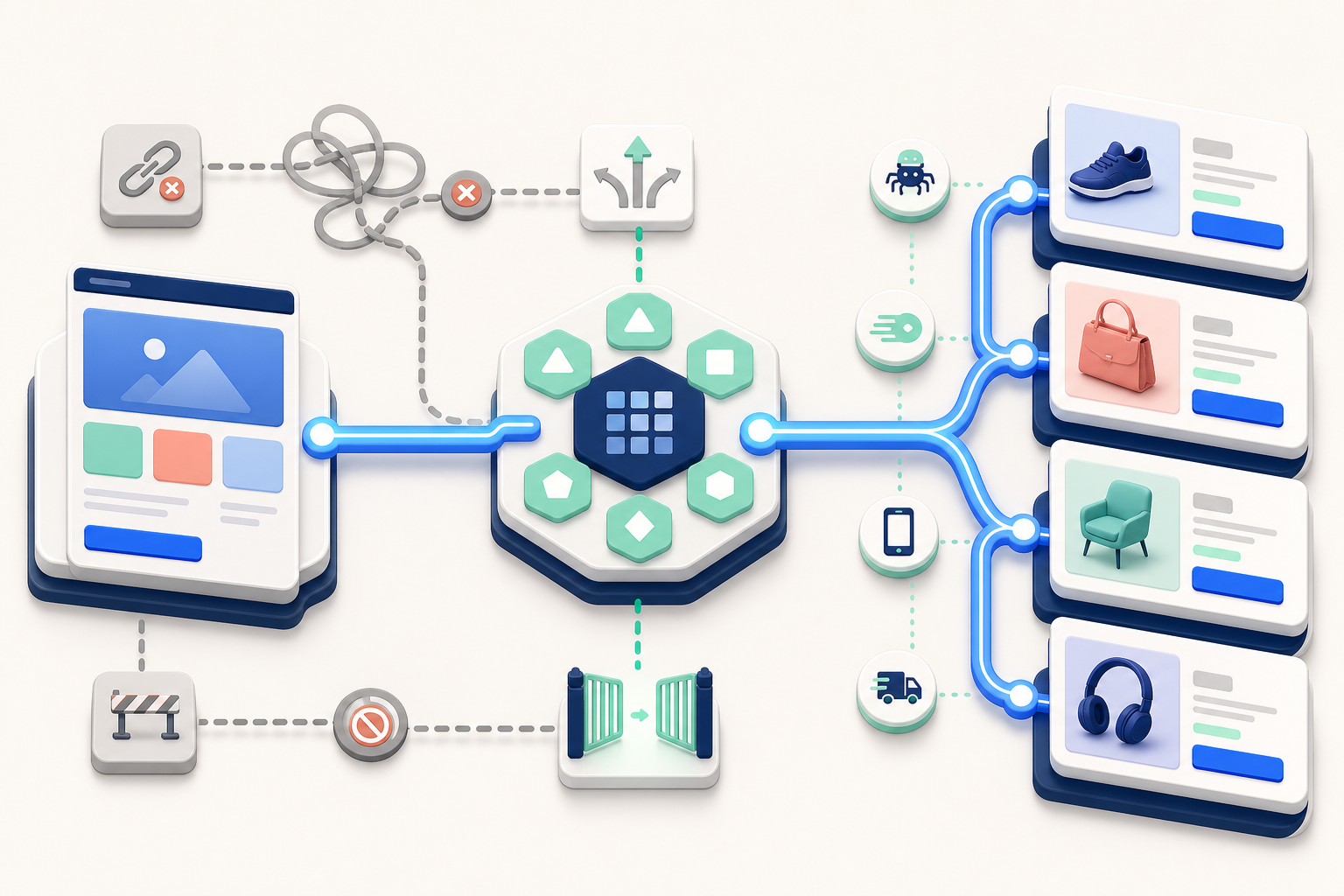
Start implementation with confirmed technical conditions that obstruct intended category and product pages. Content improvements cannot compensate for a page that is unintentionally excluded, canonicalized elsewhere, isolated from navigation, or served incorrectly.
Days 4-5: Validate the diagnosis on real page types
Inspect representative URLs from every affected template before changing code. Include ordinary products, variants, categories, paginated or filtered states where relevant, and edge cases such as unavailable products. A warning seen on one URL does not prove that every similar-looking URL has the same cause.
- Confirm the response code and whether the page is available to crawlers.
- Check index directives and the final canonical target.
- Verify whether an intended indexable URL appears in the correct sitemap.
- Trace how a shopper and a crawler can reach the page through navigation, breadcrumbs, categories, or contextual links.
- Determine which template, component, application, or rule creates the output before assigning the fix.
- Separate intentional handling of filters, sorting, variants, and duplicate states from genuine mistakes.
This step often changes the ticket. What looked like hundreds of page-level defects may be one template condition. The reverse also happens: superficially similar URLs can be controlled by different components and require separate releases.
Days 6-8: Implement the smallest systemic correction
Choose the smallest change that resolves the confirmed cause across the intended scope. If a template emits the wrong canonical, repair the template logic rather than manually overriding pages. If navigation fails to expose an important category, correct the navigational relationship rather than adding isolated links wherever someone happens to notice the problem.
Keep unrelated change families out of the same release when possible. Combining canonical logic, title generation, navigation, structured data, and design changes makes failures harder to diagnose and rollback. The team should be able to connect a changed output to a specific ticket.
Template edits can reach far beyond the sample that revealed the problem. Generate an affected-URL estimate, inspect a test set, and preserve the previous configuration or template version before deployment.
Days 9-10: Release with a technical safety check
Validate the change in a staging environment when the platform permits it, then inspect production after release. Check both the rendered page and the machine-readable output where relevant. Re-crawl the defined scope and compare the result with the ticket’s acceptance check.
Changes to robots directives, noindex rules, canonicals, redirects, URL structures, or sitewide templates can remove valuable pages from search or send shoppers to the wrong destination. Do not mass-redirect, noindex, or canonicalize pages merely because an automated tool calls them duplicates. Preserve the current rules, test representative URLs, review the proposed targets, and keep a verified rollback path.
A URL migration is also not routine backlog cleanup. If changing URLs is genuinely necessary, treat the mapping, internal links, redirects, sitemap output, analytics continuity, and post-release monitoring as a separate controlled project.
Days 11-20: Improve the pages that answer buying intent
Once the technical path is sound, improve the pages that help a shopper choose a category or product. Publishing more blog posts is not a substitute for making commercially important pages clear, differentiated, and internally connected.
Days 11-12: Build a page-to-intent map
For each page in scope, write down the searcher’s likely need, the page’s job, the relevant products or subcategories, and the next useful action. Then identify pages competing to perform the same job.
- Choose a primary destination for each important buying need.
- Improve an existing suitable page before creating another near-duplicate destination.
- Merge or differentiate overlapping pages based on what each page can genuinely offer.
- Record the internal links that should lead into and out of the destination.
- Flag inventory, compliance, or merchandising facts that require approval before publication.
This is not an exercise in assigning one exact phrase to every URL. It is a decision about which page should satisfy a distinct need. If the team cannot explain why two pages both need to exist, adding more copy to each will not resolve the overlap.
Days 13-17: Strengthen categories and products
For category and collection pages: make the title and primary heading describe the actual selection. Add concise information that helps a buyer understand what belongs in the category, how meaningful options differ, and where to go next. Link to useful subcategories or buying paths. Remove generic boilerplate that could be pasted onto any category without changing its meaning.
For product pages: make the product identity and differentiators explicit. Include accurate attributes, dimensions or specifications where relevant, fit or compatibility, variants, what is included, and the conditions that affect the buying decision. Keep price, availability, shipping, returns, and warranty information consistent wherever those facts appear. Do not invent certainty when a product team has not verified a claim.
Answer genuine product questions in direct language. Do not generate paragraphs simply to make a page longer. Repeated filler can hide the few details that actually distinguish one product from another, while creating a factual-review burden for the team.
Days 18-20: Connect pages and synchronize structured data
Make the site’s relationships visible. Categories should lead to appropriate subcategories and products. Product pages should expose their category context through navigation or breadcrumbs. Supporting content should link to the commercial destination when that destination genuinely answers the reader’s next question.
Review Product, offer, and breadcrumb markup alongside the visible page. Names, prices, currencies, availability, variants, and navigational relationships should not contradict what a shopper sees. Structured data can express information more clearly to machines, but it cannot repair a blocked page or substitute for missing and inaccurate product information.
If AI helped produce descriptions, FAQs, or attribute summaries, send every affected page through factual and merchandising review. Automation can accelerate drafting, but ownership of price, compatibility, safety, availability, and policy claims remains with the business publishing them.
Days 21-30: Release, validate, and protect the next sprint

Days 21-23: Ship controlled batches
Release in batches small enough for the team to inspect but large enough to exercise the template or page group you intended to fix. For every batch, record the deployment time, owner, change family, affected templates or URLs, expected output, and rollback location.
Run the acceptance checks immediately after production deployment. Confirm that important navigation, product selection, add-to-cart behavior, analytics collection, and page rendering still work. An SEO change is not successful if it damages the shopping experience or your ability to measure it.
Days 24-27: Validate implementation before judging performance
Keep three questions separate:
- Was it shipped? The code, content, navigation, or markup is present in production.
- Is it correct? The affected pages meet the written acceptance conditions without creating a new defect.
- Did performance change? Search visibility, qualified traffic, engagement, transactions, or revenue moved after the release.
The first two questions can often be answered within the sprint. The third may remain open because search systems do not discover and reevaluate every changed page according to your internal calendar.
Re-crawl the released scope, inspect representative pages manually, and compare current output with the frozen baseline. Check whether measurement still works before interpreting a flat or missing metric. If an acceptance check fails, fix or roll back that batch before adding another layer of changes.
Days 28-30: Close every item with evidence
Do not allow tickets to end the month in an ambiguous “done” column. Give each item a precise final state:
- Shipped and validated: The production output meets its acceptance check.
- Shipped, response pending: Implementation is correct, but search or business effects cannot yet be judged.
- Blocked: The missing dependency and its owner are named.
- Rejected: Validation disproved the diagnosis, the risk exceeded the benefit, or the item no longer serves the store’s goals.
- Prepared for the next sprint: Scope, evidence, owner, and dependencies are ready for scheduling.
Review leading indicators such as corrected page output, internal discovery, index eligibility, impressions, and click-through rate alongside business measures such as qualified organic visits, transactions, conversion, and revenue. Keep promotions, stock changes, paid campaigns, redesigns, and other overlapping events in view. A metric moving after a release does not by itself prove that the SEO change caused it.
Finish with a short closeout record containing what shipped, what passed validation, what remains uncertain, what was blocked, and what enters the next sprint. Preserve the detailed evidence in the backlog instead of recreating a large report that the delivery team must interpret again.
Open your backlog now and choose the first change whose scope, owner, acceptance check, and rollback are all clear. If no item meets that standard, your first job is not ranking the recommendations. It is turning vague recommendations into work that can safely reach production.
Leave a Reply