Tag: SEO

  • Enhance SEO with AI: Aligning Search Intent Effectively

    Enhance SEO with AI: Aligning Search Intent Effectively

    When I think about improving my website’s visibility, AI comes to mind as a crucial tool. It serves as a second pair of eyes, helping me evaluate intent signals, compare top results, and refocus pages that aren’t performing well.

    Despite having well-written content, excellent layout, and robust backlinks, pages can still underperform in rankings. A frequent culprit is misaligned search intent, which can be more elusive than it seems.

    Focusing on content optimization and usability sometimes makes it easy to overlook or misjudge intent. This is where AI shines as a reviewing tool, effectively steering things back on course.

    Whether I’m working on a new page or revising an existing one, returning to the basics of search intent always sets me up for success.

    Starting with a simple AI prompt to outline likely search intents for a keyword offers a solid framework for content creation or optimization.

    This comprehensive list isn’t something I strive to cover completely on a single page. Instead, it highlights diverse user types, shifts in intent, and needs I might not have initially considered.

    By considering these factors, I aim to create a more useful, well-rounded page that genuinely satisfies user needs.

    Dig deeper: There are more than 4 types of search intent

    Getting the intent right can be challenging. AI tools help me understand what’s already successful by examining top-ranking pages and what they excel at.

    I utilize AI tools for a swift overview of a page’s primary intent. By evaluating this at scale, I can see if top-ranking pages meet the same intent.

    It’s crucial to assess the intent of my page with the same rigor, be it a fresh draft or a page I’m optimizing. If the primary intent aligns with what’s succeeding, it’s a strong starting point. If not, it provides clear direction for improvement.

    Again, consulting AI tools for improvement suggestions can yield valuable insights into refining intent. Key areas to focus on include:

    The language I use can either reinforce or contradict the intended message. For commercial intent, persuasive wording is necessary, while for informational pages, clear and descriptive language is preferred.

    The format of a page can also convey intent. For instance, in a sales page, details like product placement and accompanying information matter greatly. Similarly, guides need clear step-by-step labeling and possibly visual aids.

    Clearly defined calls to action are essential. They align the user’s actions with the page’s intent, enhancing both engagement and ranking potential. Unclear or generalized calls to action dilute this effect.

    Dig deeper: How to master user intent with SEO personas

    Listing accurate pricing, VAT elements, and currency signals is vital in conveying commercial intent. They guide users accurately at critical decision points.

    Availability of support is another crucial factor. I make sure that pre- or post-sale queries can be easily addressed by ensuring my contact details and support options are clearly visible.

    Trust signals, like product guarantees, return policies, and customer reviews, make a big difference in user decisions. Including these details serves to strengthen user trust.

    When clear comparisons are needed, laying out products side by side can assist users in their decision-making process, moving them closer to making a purchase.

    In my experience with working pages centered around user intent, I’ve seen that excess information can sometimes bloat a page.

    Previously, this depth might have worked, but now clarity and a focus on intent are what truly resonate.

    I’ve learned to reassess where content performs best within the user journey, often seeking AI’s guidance to refocus content structure wisely.

    For instance, if I notice my sales page for internal French doors isn’t performing, I consult AI, along with competitor analysis, to uncover key insights.

    Competitors might be focusing on selling first, while my page addresses user concerns, which means I need to reposition my content priorities.

    By reordering sales-driven content and addressing pain points concisely, I better align with user intent, letting supporting pages deal with detailed post-sale information.

    AI isn’t here to replace expertise but to guide my strategic intent, enhancing my understanding of user behavior for better conversion.


    Inspired by this post on Search Engine Land.


    crushpress.ai community screenshot
  • Master AI Search: Techniques to Enhance Your SERP Strategy

    Master AI Search: Techniques to Enhance Your SERP Strategy

    As I dive into the evolving landscape of search, I’ve noticed a shift from traditional keywords to more conversational prompts. In today’s digital world, searchers are replacing shorter queries with detailed prompts, seeking comprehensive answers rather than a mere list of links.

    Until we’re equipped with an AI-specific Google Search Console or Bing Webmaster Tools, understanding our audience’s behavior on AI platforms feels like a guessing game. But fear not, as we can still trace their journey using data proxies. By leveraging these proxies, I can uncover how my audience might be searching and track those prompts with my preferred AI Tracking Tool.

    ```json
{
  "alt": "Screenshot showing SEO-related questions and a link to 'SEO For Dummies' on Amazon.",
  "caption": "Curious about SEO? Discover answers to common questions and explore 'SEO For Dummies' on Amazon to enhance your understanding and skills.",
  "description": "This image is a screenshot of a Google search result displaying SEO-related questions under 'People also ask', including 'What is SEO and how does it work?' and 'What is SEO for dummies?'. It features a highlighted link to 'SEO For Dummies (For Dummies (Computer/Tech))' on Amazon, designed to guide beginners in optimizing websites for better search engine ranking. Keywords: SEO, search engine optimization, SEO guide, Amazon SEO book."
}
```

    One invaluable tool is the ‘People Also Ask’ feature on search engines. This well-known SERP component can help transition from keywords to questions. Introduced in 2014, it suggests related questions, allowing me to explore queries that echo conversational prompts.

    ```json
{
  "alt": "The CapmatchOne logo with a gradient circle and bold text.",
  "caption": "Discover innovation with the CapmatchOne logo, featuring sleek typography and a modern gradient circle.",
  "description": "The CapmatchOne logo features bold, modern typography coupled with a gradient circle, symbolizing connection and innovation. The sleek design conveys a sense of progress and creativity. This image can be used for branding or promotional purposes, appealing to audiences interested in innovative solutions and forward-thinking designs."
}
```

    Using platforms like AlsoAsked, I can extract these questions at scale, finding long conversational queries that closely resemble AI prompts.

    ```json
{
  "alt": "Search performance dashboard showing top queries for 12 months.",
  "caption": "Explore the top search queries of the past year with this performance dashboard, highlighting key interests and trends in software and SaaS platforms.",
  "description": "This image displays a section of a performance dashboard for search results, focused on the last 12 months. It highlights top search queries, including interests in software companies and SaaS pricing comparisons. Tabs like QUERIES and options to filter data by time are visible. This tool helps analyze search trends and insights for business strategies."
}
```

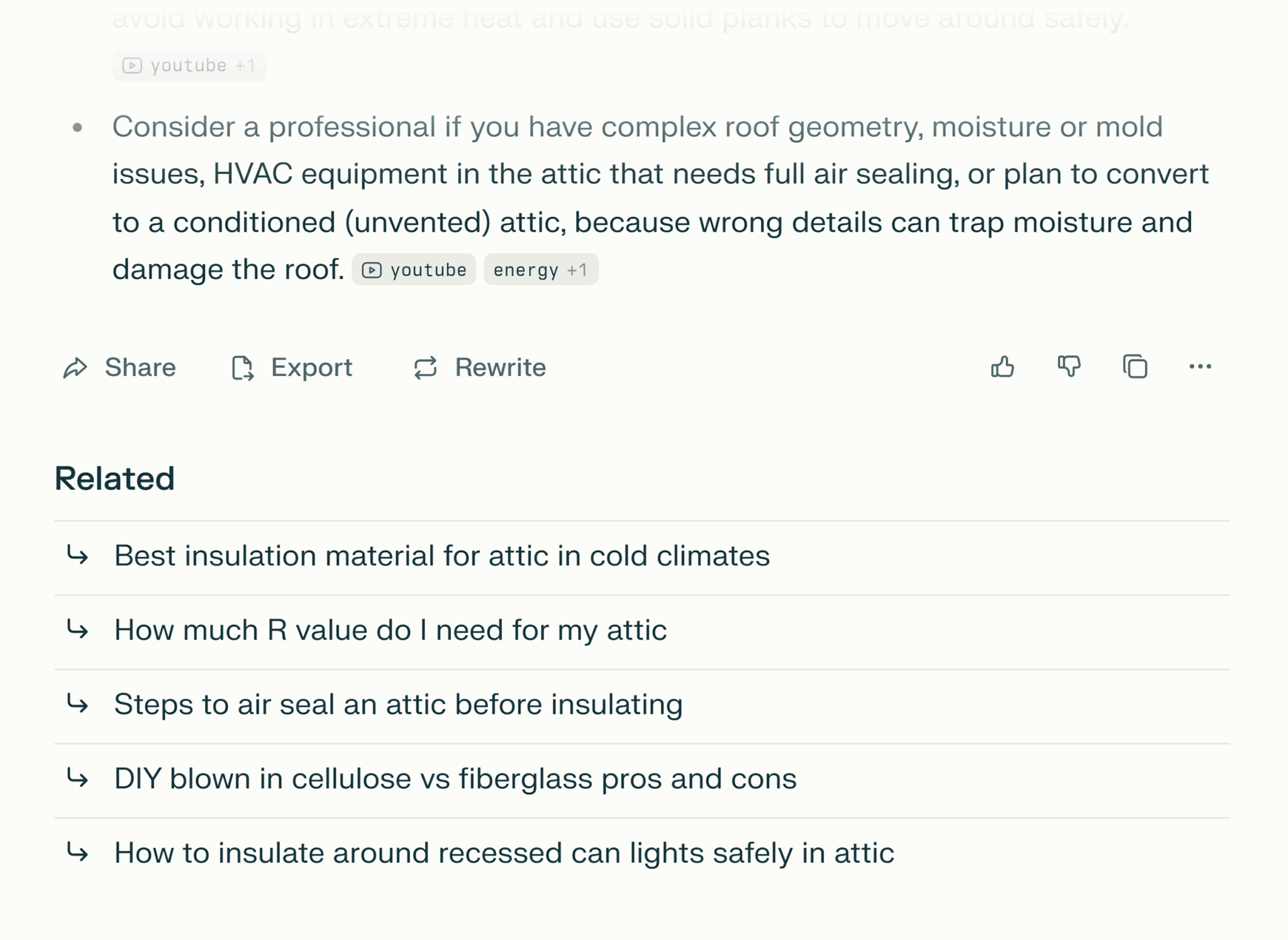
    Another avenue I explore is through Userbots such as ChatGPT-User and Perplexity-User. These bots offer insights into how my content is utilized in AI search, highlighting pages that are frequently cited without needing to guess the relevance of prompts.

    ```json
{
  "alt": "Screenshot showing advice on attic maintenance with related article links.",
  "caption": "Considering attic improvements? Explore expert advice with links to related DIY guides and tips.",
  "description": "This image features a section of a website discussing attic maintenance, emphasizing hiring professionals for complex roof issues and HVAC sealing. It also includes related article links on topics such as insulation materials, R-value requirements, air sealing steps, and DIY materials comparison. Icons for sharing, exporting, and rewriting are visible, providing users with interactive options."
}
```

    The process, called RAG (Retrieval-Augmented Generation), effectively grounds language models in factual data. It’s fascinating to consider how my content can play a role in shaping user responses, even if it doesn’t result in a direct click.

    ```json
{
  "alt": "Dashboard showing data on content marketing including related topics, prompts, brands, and source domains.",
  "caption": "Explore the dynamic world of content marketing with this informative dashboard, featuring insights on topics, prompts, brands, and source domains, highlighting the ever-evolving landscape of digital strategies.",
  "description": "This image displays a data dashboard focused on content marketing research. Key elements include related topic volume of 1.6 million, 137 topics, 3,000 prompts, and the mention of 4,000 brands. The graph indicates informational intent as the dominant type. Brands like LinkedIn, Google, and Instagram are highlighted, alongside top sources YouTube.com, LinkedIn.com, and Reddit.com. The dashboard offers valuable insights into current trends and strategies in content marketing as of October 31, 2025. Keywords: content marketing, data dashboard, digital strategy, brand insights."
}
```

    Gaining insights from long queries through tools like Google Search Console is another method I employ. By utilizing innovative techniques like Ziggy Shtrosberg’s complex regex filters, I can unearth queries that simulate AI search behavior.

    ```json
{
  "alt": "Screenshot of a browser developer tools network panel with filters and response details displayed.",
  "caption": "Diving into the network panel: A behind-the-scenes look at web page data with browser dev tools. Explore the intricacies of online transactions with ease.",
  "description": "This image shows a screenshot of a browser's developer tools, focusing on the network panel. The interface includes options like 'Preserve log' and 'Disable cache,' along with a filter search for 'conversation.' Various request names are shown, along with detailed response headers and values. This tool is essential for developers to track and debug network requests and responses efficiently, aiding in webpage optimization and debugging."
}
```

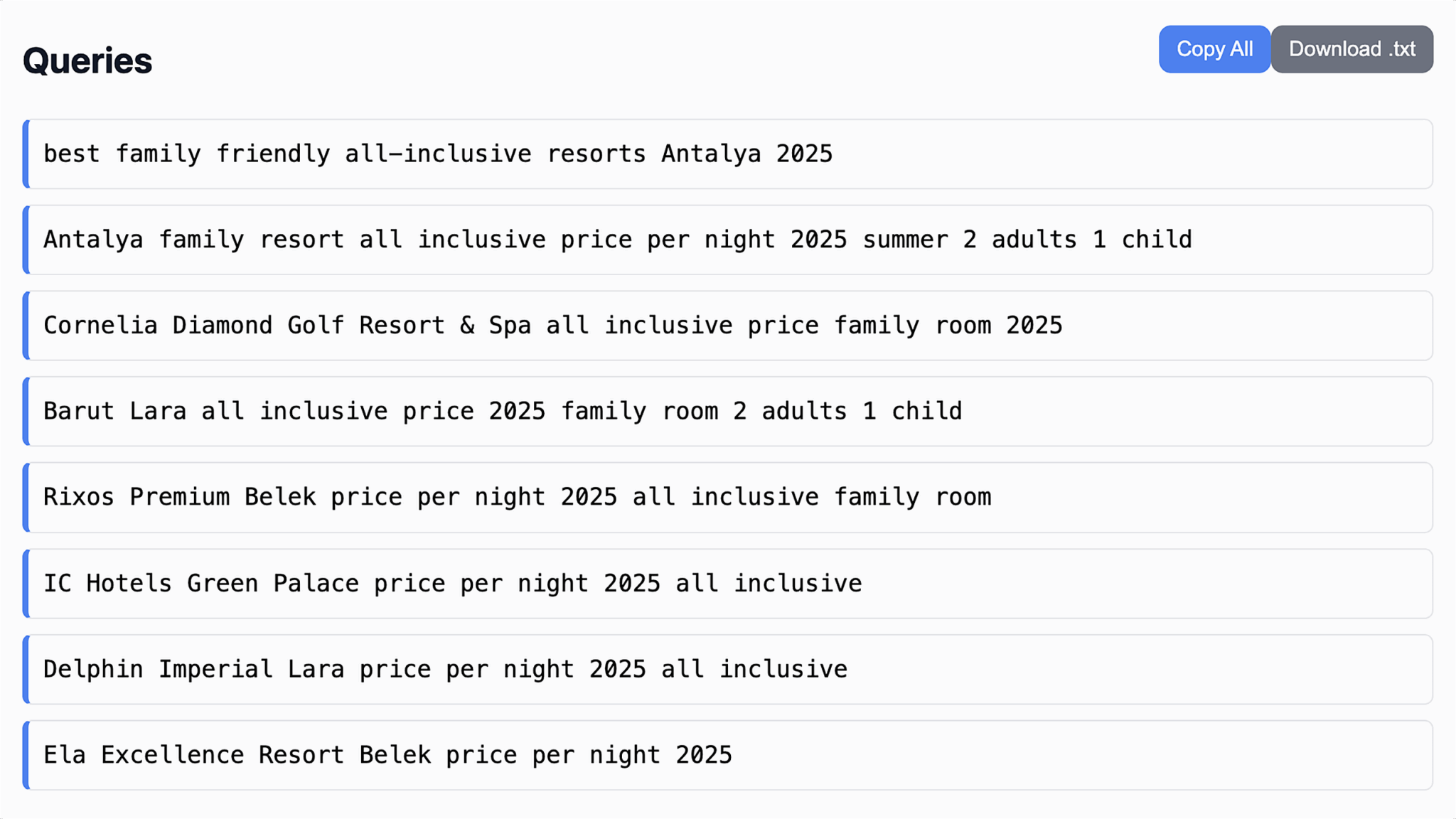
    It’s essential to approach this data cautiously, as some patterns might stem from automated trackers rather than genuine human interaction. For instance, high-appearance queries with zero clicks could indicate non-human usage.

    ```json
{
  "alt": "A list of search queries for family-friendly all-inclusive resorts in Antalya for 2025.",
  "caption": "Explore the top family-friendly resorts in Antalya for an all-inclusive 2025 vacation. Discover the best deals for families and enjoy unforgettable memories.",
  "description": "The image displays search queries related to family-friendly all-inclusive resorts in Antalya for the year 2025. Queries include resort names like Cornelia Diamond Golf Resort & Spa, Barut Lara, and Rixos Premium Belek, focusing on family room pricing for two adults and one child. Keywords like 'price per night' and 'summer' are present, highlighting user interest in affordable, comprehensive vacation packages in Antalya's popular hotel destinations."
}
```

    Engaging with Perplexity AI’s follow-up feature is also enlightening. This feature can hint at how users might prompt AI systems, aiding my understanding of expected human interaction.

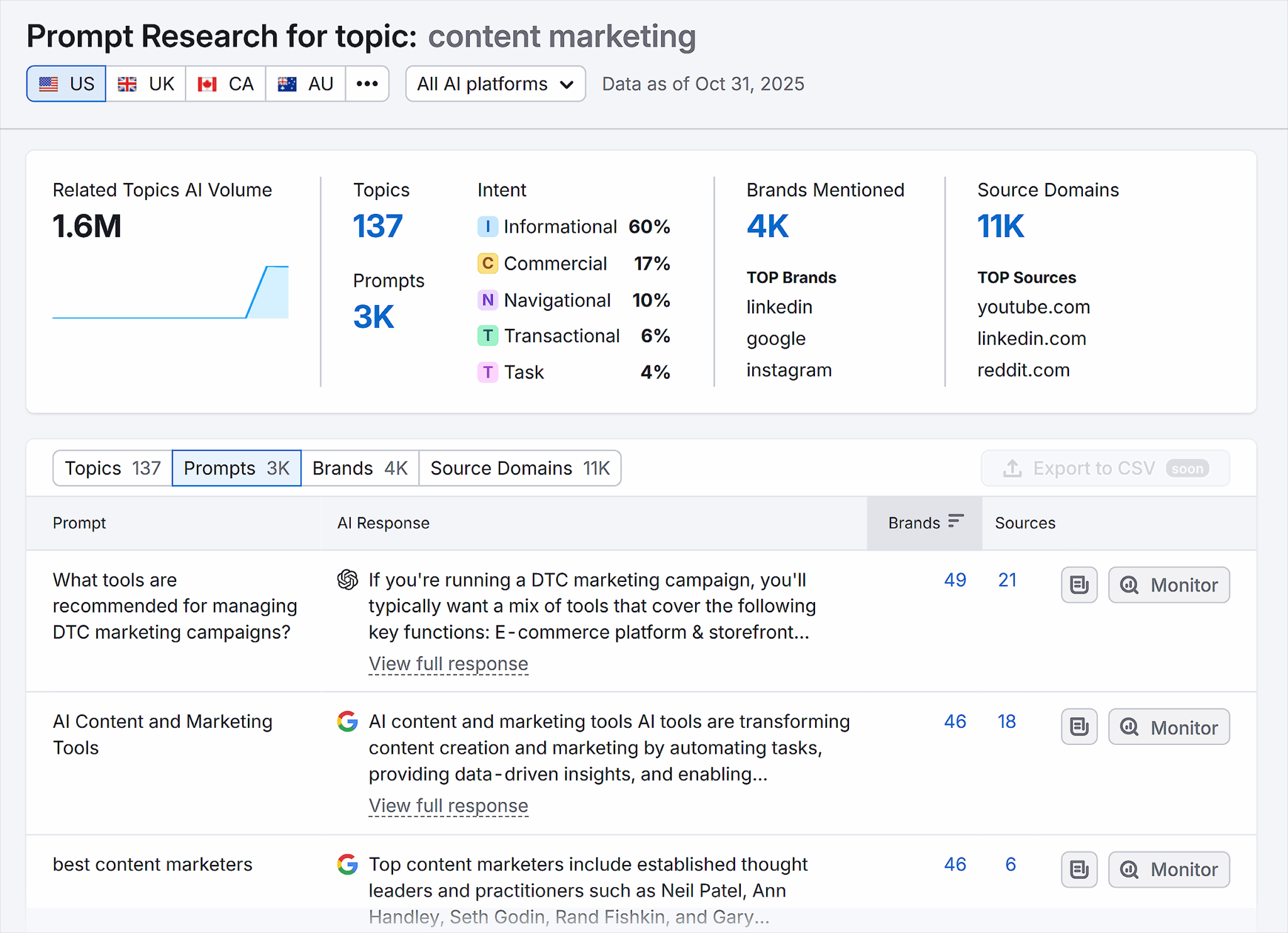
    Finally, the Semrush AI Visibility Tool provides an ingenious way to manage the scaling challenge of unique prompts. By merging prompts into broader topics and using AI to distill their meanings, I gain valuable insights into intent and brand mentions across different regions.

    In a rapidly changing tech environment, staying grounded in data is vital. Not all prompts engage Retrieval-Augmented Generation (RAG), which means those needing answers already in training data may bypass linking to new page sources.

    However, when users seek recommendations (for example, dining options or attractions), page visibility within AI-generated answers can still convert offline interactions, benefiting brand exposure.

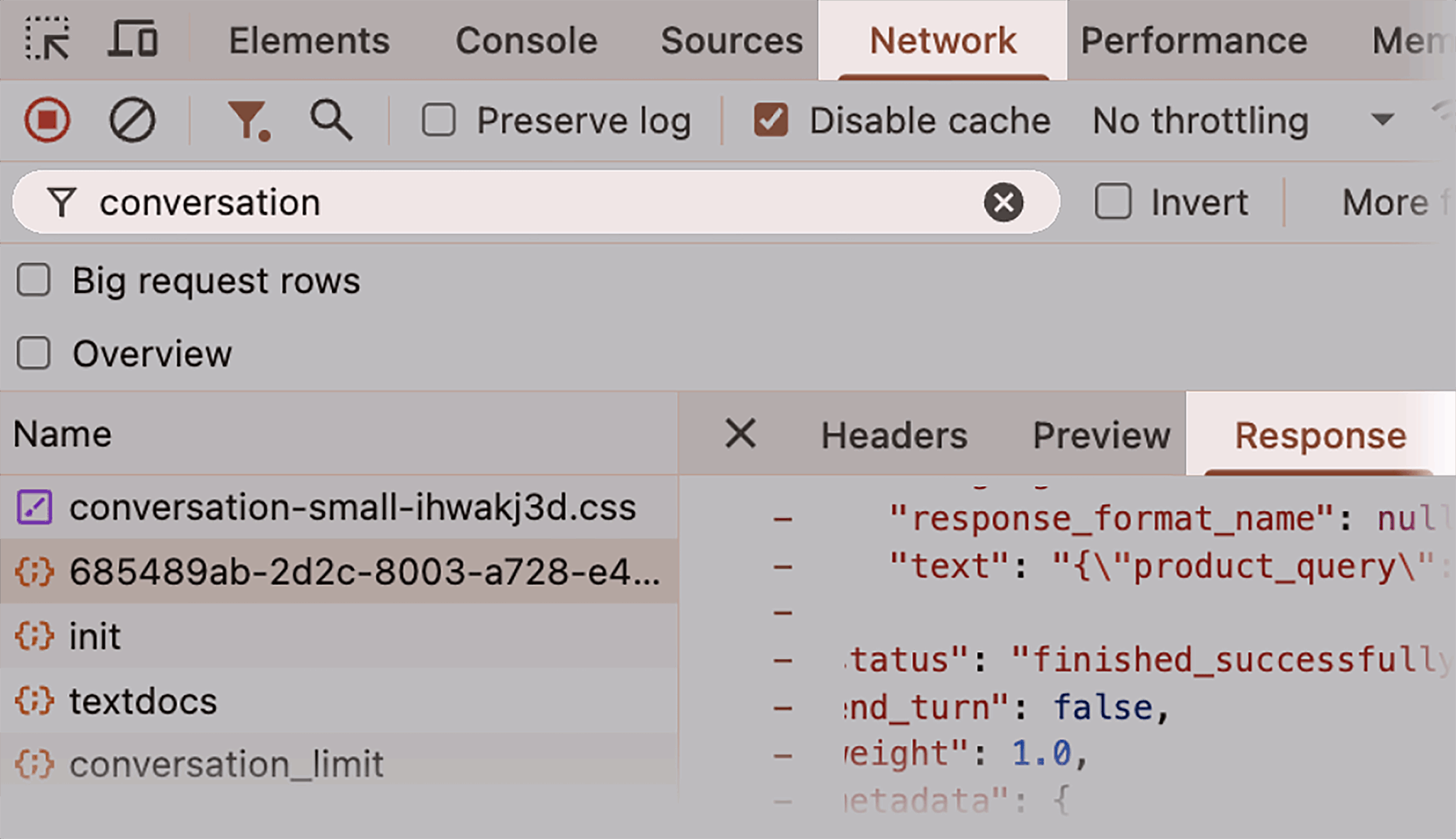
    Checking the background operations of ChatGPT reveals search prompts within Chrome Dev Tools. By identifying searches and their relevancy to RAG, I can strategize to optimize this invisible layer of search behavior.

    The quest to master AI search dynamics is ongoing. New AI models and evolving user behaviors necessitate continuous adaptation to comprehend and leverage audience interactions effectively.


    Inspired by this post on Search Engine Land.


    crushpress.ai community screenshot
  • Enhance Product Images with Google’s New Merchant Center Tools

    Enhance Product Images with Google’s New Merchant Center Tools

    I recently discovered that Google has supercharged its Merchant Center with some noteworthy additions. If you’re like me, always on the lookout for ways to make your product listings pop, this update is exciting!

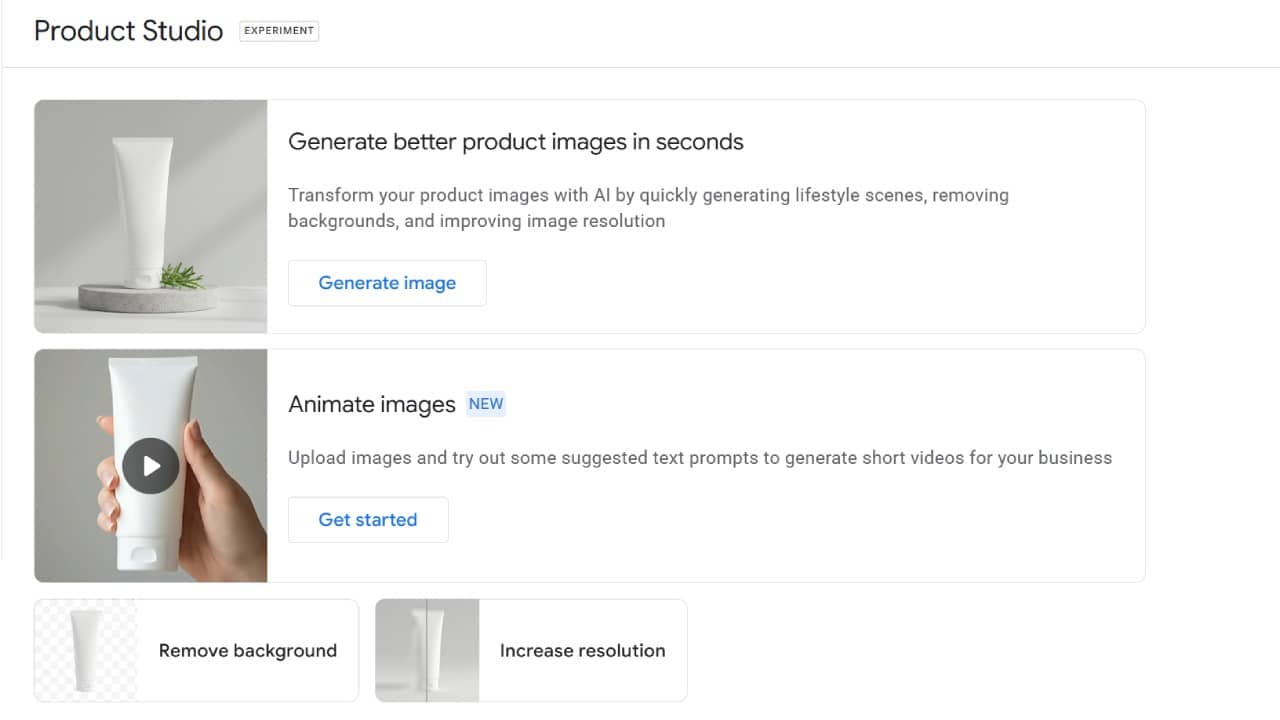
    Google’s Product Studio is now equipped with three creative features that add flair to your product images. Previously, it was all about generating images, but now there’s so much more on offer.

    What’s New: Imagine transforming your static product pictures into engaging short videos with just a few text prompts. Product Studio now makes it easy to do just that, perfect for creating eye-catching ads for social platforms.

    Another cool feature is the one-click background removal. This tool is fantastic for making your product images look clean and professional, allowing products to stand out more vividly in Shopping visuals.

    The third addition is really handy—enhancing image resolution. It lets us upscale older, lower-quality images to meet today’s high visual standards, ensuring our listings look their best.

    ```json
{
  "alt": "Product Studio interface with options for generating images and animations.",
  "caption": "Discover the power of Product Studio! Easily generate and animate product images to enhance your brand's online presence.",
  "description": "This image showcases the Product Studio interface, offering features like generating better product images using AI, animating images, and improving image quality by removing backgrounds and increasing resolution. Buttons like 'Generate image' and 'Get started' invite users to engage with these functionalities, enhancing e-commerce visuals with ease and efficiency."
}
```
    New Product Studio Features

    Why We Care: High-quality images are crucial for boosting Shopping performance. However, creating and updating these assets has always required time and effort. These new features speed up the process and keep us from relying heavily on design teams.

    The Big Picture: Google’s integration of AI-powered tools within Merchant Center is a game-changer. By making it easier to animate and enhance images, Google lowers the barriers to testing creative content—essential for maximizing campaigns.

    What to Watch: For those of us with limited creative resources, these tools could be a massive time-saver. As Google pushes for more video-focused and visually enhanced ad formats, staying ahead with these updates will be vital.

    First Seen: I came across this exciting update thanks to a post by Senior PPC Specialist, Vojtěch Audy.


    Inspired by this post on Search Engine Land.


    crushpress.ai community screenshot
  • Experience AI Revolution: Google Unveils Gemini 3 Flash in Search

    Experience AI Revolution: Google Unveils Gemini 3 Flash in Search

    I’ve just learned that Google is rolling out the new Gemini 3 Flash as the default AI Mode in Search globally, and I couldn’t be more intrigued. This update promises to supercharge our search experience with faster and smarter answers, elevating the way we approach complex questions and planning tasks.

    The significance of this update lies in Google’s shift towards an AI-first approach in search. By integrating AI Mode more deeply, it’s possible that we’ll see more direct answers to our queries, potentially diminishing reliance on traditional search result listings. The enhanced reasoning capabilities mean I can expect this new AI Mode to tackle tasks involving comparisons and multi-step inquiries even more efficiently.

    So, what’s exactly changing? Google has now equipped AI Mode in Search globally with the power of Gemini 3 Flash, phasing out older Flash-class models. This transition results in AI Mode responses that offer Gemini 3-level reasoning, improved speed, and lower latency.

    Here’s what AI Mode actually does according to Google’s announcement:

    – It breaks complex queries into manageable parts.

    – Real-time information and links are effortlessly pulled from across the web.

    – Answers are presented in a visually organized and structured manner.

    – It handles multi-step tasks efficiently, like trip planning or learning intricate topics.

    Tulsee Doshi, Google’s senior director of product management, mentioned in a blog post how Gemini 3 Flash leverages enhancements in reasoning capabilities. By considering each facet of our queries, it’s designed to deliver thoughtful and comprehensive responses that integrate real-time and local insights. For someone like me aiming to plan a last-minute getaway or delving into complex learning objectives, this is especially compelling.

    If you’re curious about the full announcement, here’s the link to Google’s blog post: Gemini 3 Flash: frontier intelligence built for speed


    Inspired by this post on Search Engine Land.


    crushpress.ai community screenshot
  • Master Canonicalization with Google’s JavaScript SEO Update

    Master Canonicalization with Google’s JavaScript SEO Update

    Earlier this week, I noticed Google made another tweak to its JavaScript SEO best practices document. This time, they focused on clarifying canonicalization best practices. In essence, Google suggests that setting the canonical URL to match the URL in the original HTML is crucial. If that’s not possible, it’s better to leave the canonical URL out of the HTML altogether.

    Google’s New Additions. Google introduced a fresh section that explains:

    “The rel=‘canonical’ link tag helps Google identify a page’s canonical version. While you can use JavaScript for this, it shouldn’t alter the canonical URL from what’s set in the original HTML. Ideally, use HTML to set it, but if JavaScript is necessary, ensure the JavaScript sets it identically to the HTML. If HTML isn’t an option, use JavaScript and omit the canonical URL in the HTML.”

    Understanding Google’s Stance on Noindex. They also issued a warning earlier regarding noindex tags—advising not to use them in the original page code if you want the page indexed.

    Why This Matters to Me. If I rely on JavaScript for setting canonical links, Google’s advice is to verify its recognition through the Google Search Console’s URL Inspection tool. It’s a great reminder to review these updated best practices, especially if JavaScript plays a crucial role on my site.


    Inspired by this post on Search Engine Land.


    crushpress.ai community screenshot
  • How Google AI Overviews Transformed Search in 2025

    How Google AI Overviews Transformed Search in 2025

    I’ve been captivated by how Google AI Overviews shifted the search landscape in 2025. Since then, I’ve delved into a detailed analysis by Semrush, which evaluated over 10 million keywords, revealing significant volatility, an increase in ads, stronger click-through rates (CTRs), and AI Overviews venturing beyond purely informational searches.

    The year witnessed a rapid expansion of AI Overviews in Google’s search functions, which eventually tapered off as they began appearing in commercial and navigational inquiries. Between January and November, Semrush’s analysis identified these dynamic changes.

    AI Overviews surged, then retreated. The deployment of AI Overviews was far from linear. Google introduced them at a rapid pace, peaking mid-year, then scaled back based on user data and feedback:

    • January: AI Overviews appeared in 6.5% of all queries.
    • July: Their presence peaked, appearing in nearly 25% of searches.
    • November: By this time, their appearance was retracted to less than 16%.

    Zero-click behavior defied expectations. Contrary to initial beliefs, I noticed that click-through rates for searches with AI Overviews have increased steadily. It seems that rather than reducing clicks, AI Overviews may actually encourage them.

    • AI Overviews are more common on searches that generally lead to no clicks.
    • But when examining the same keywords pre and post-introduction of an AI Overview, the zero-click rates decreased from 33.75% to 31.53%.

    Informational queries no longer dominate. At the start of 2025, AI Overviews predominantly served informational purposes:

    • January: 91% informational
    • October: 57% informational

    Eventually, I observed AI Overviews appearing in commercial and transactional searches:

    • Commercial queries: Jumped from 8% to 18%
    • Transactional queries: Increased from 2% to 14%

    Navigational queries are rising fast. Interestingly, there’s a noticeable increase in AI Overviews intercepting brand and destination searches:

    • Navigational AI Overviews rose from under 1% in January to over 10% by November.

    Google Ads + AI Overviews. Earlier this year, ads rarely appeared next to AI Overviews. Now, their presence is much more common:

    • Ads alongside AI Overviews grew from about 3% in January to around 40% by November.
    • Roughly 25% of AI Overview SERPs now show ads at the bottom.

    Science is the most impacted industry. In terms of keyword saturation, Science tops the list with AI Overviews appearing in 25.96% of searches. This is followed by Computers & Electronics at 17.92%, and People & Society at 17.29%.

    • Since March, Food & Drink has experienced the fastest growth among all categories in AI Overview usage.
    • In contrast, sectors like Real Estate, Shopping, and Arts & Entertainment see AI Overviews in less than 3% of queries.

    Why we care. With AI Overviews persistently reshaping click behaviors, commercial visibility, and ad placements, I believe it’s important to keep a close eye on these shifts and adapt accordingly.

    The report. For a deeper dive, you can explore the full Semrush AI Overviews Study: What 2025 SEO Data Tells Us About Google’s Search Shift.

    Dig deeper. Earlier, in May, I reported on the initial findings of Semrush’s study in Google AI Overviews now show on 13% of searches: Study.


    Inspired by this post on Search Engine Land.

    crushpress.ai community screenshot
  • Win an All Access Pass: Help Shape SMX Advanced 2026!

    Win an All Access Pass: Help Shape SMX Advanced 2026!

    I’m excited about the opportunity to influence the future of search marketing events. You can help shape SMX Advanced 2026 by sharing your insights and preferences. The event is happening from June 3-5 at the Westin Boston Seaport, and we want to know what you’re eager to learn and who you’re interested to hear from.

    Reflecting on June’s event, it was thrilling to reunite in person for the first time since 2019 at SMX Advanced. It was more than just a conference; it felt like a global reunion for search marketers to connect, share ideas, and dive into cutting-edge insights.

    The world of search is ever-evolving, with swift changes in AI SEO, algorithm updates, and the delicate balance of AI with a human touch. Advanced, actionable education is more crucial than ever, and that’s where you come in.

    Help Shape SMX Advanced 2026

    Our aim for SMX Advanced 2026 is to make it the most relevant and exciting yet, but we need your expertise to get there. Your input is invaluable, and we’re inviting you to directly influence the 2026 curriculum.

    Completing our brief survey lets you help build a program that addresses the critical challenges and opportunities you’re facing. Share with us:

    • Which advanced topics will boost your professional growth.
    • The search changes and complexities that concern you the most.
    • Experts and innovators you’re excited to hear from.
    • Preferred session formats, whether deep-dive clinics, lightning talks, or interactive panels.

    Fill out the survey here.

    Be Entered to Win an All Access Pass

    As a token of our appreciation, everyone completing the survey gets a chance to enter an exclusive drawing.

    One lucky winner will receive an All Access pass to SMX Advanced 2026! Join us for this landmark event at the Westin Boston Seaport from June 3-5.

    Submit a Session Pitch

    Beyond influencing the agenda, we’re offering you the chance to submit a session pitch. If you’ve developed a groundbreaking strategy or have valuable insights, lead the conversation and showcase your expertise.

    Check out our guide to speaking at SMX for details on submitting your session idea. When you’re ready, create your profile and send us your pitch.

    I’m looking forward to your submissions and insights! If you have questions, feel free to reach out to me at kathy.bushman@semrush.com.


    Inspired by this post on Search Engine Land.

    crushpress.ai community screenshot
  • Boost Shopify Conversions: Master Integrations for Success

    Boost Shopify Conversions: Master Integrations for Success

    I’ve realized that not every Shopify integration delivers the value we expect. Let me share how I organize and prioritize checkout, re-engagement, and optimization tools to make a real revenue impact.

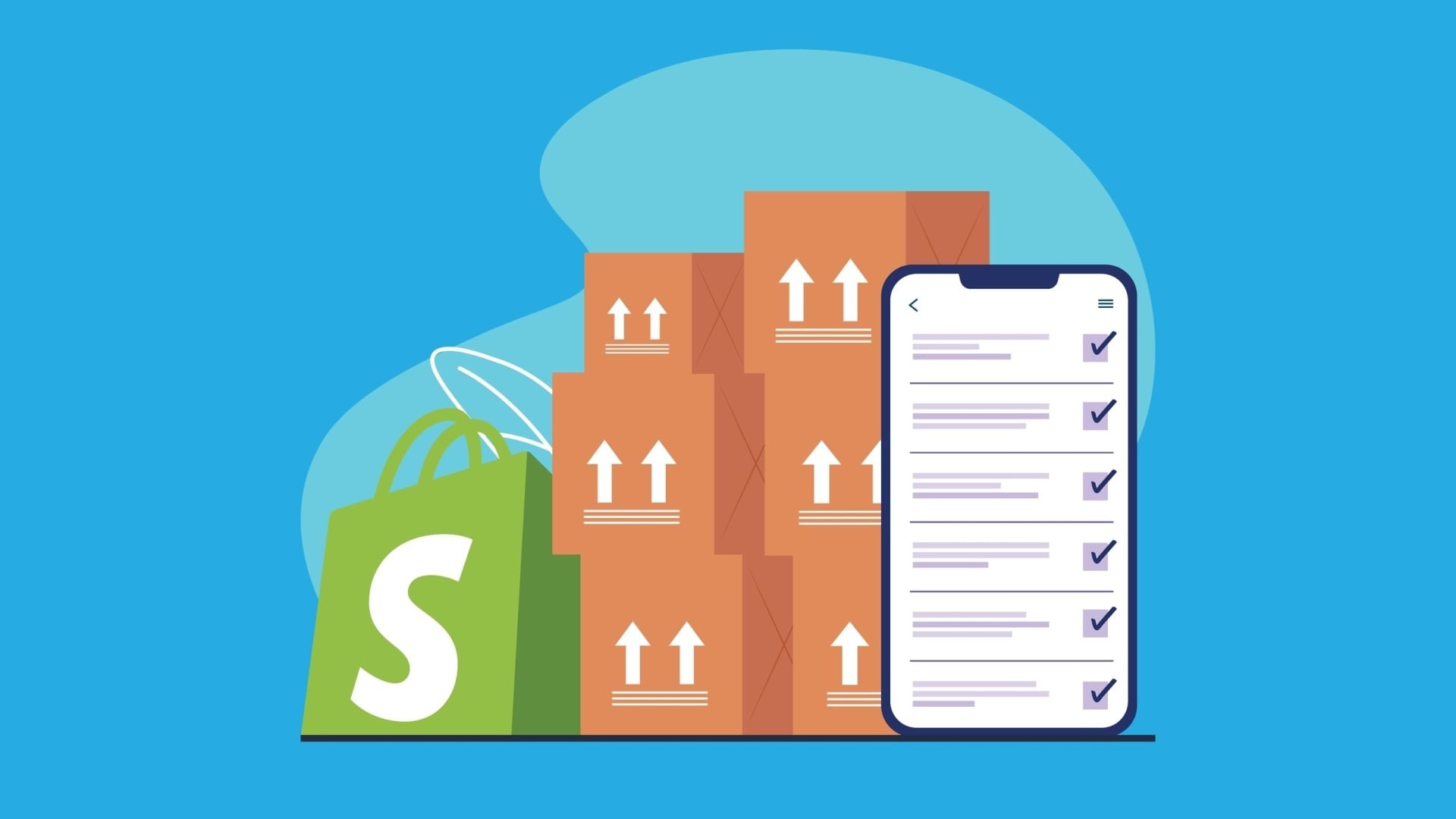
    Shopify powers over 6 million live ecommerce websites, offering a rich app ecosystem that extends across the customer journey.

    Developers have the freedom to create apps for almost any function imaginable.

    Yet, with countless options available, ecommerce teams often waste time on shiny add-ons that promise gains but fail to deliver.

    Having been involved in numerous Shopify setups, I’ve seen firsthand which integrations truly enhance checkout completion and cart recovery while boosting revenue.

    From my experience, I’ve structured the most impactful integrations into three tiers. This helps prioritize essentials before advancing to sophisticated optimization.

    With 54.5% of holiday purchases happening on mobile, it’s crucial that the ecommerce experience is seamless and accommodating.

    Thus, every Shopify store should integrate two key components into its storefront:

    • Compatibility with digital wallets.
    • A ‘buy now, pay later’ (BNPL) option.

    Without these integrations, customers may face unnecessary friction and turn to competitors for a smoother transaction experience.

    The great news is that both of these features integrate easily with Shopify without requiring custom development.

    Digital wallets, like Apple Pay, Google Pay, and PayPal, streamline the payment process by autofilling necessary details, reducing friction on small screens.

    This efficiency reduces the purchase process to just a few clicks from a social ad to checkout.

    Up to 64% of Americans now use digital wallets as much as traditional methods, with 54% preferring them more often.

    Beyond convenience, customers seek payment flexibility. Providers like Klarna and Afterpay offer BNPL options that mitigate price objections at checkout.

    Last year, these options contributed $18.2 billion to online revenues.

    Combining digital wallets with BNPL functionality forms a robust foundation for a mobile-first checkout experience. With these in place, Shopify sellers can focus on re-engagement tools that drive customers back to complete their purchases.

    Dive deeper: The ultimate Shopify SEO and AI readiness playbook

    The second tier centers on re-engagement strategies. These tools are designed to entice back customers who have already shown interest.

    They enhance abandoned-cart recovery, boost repeat purchases, and build trust through social proof.

    Email remains a powerful channel for re-engaging customers across their journey. For Shopify users, platforms like Klaviyo and Attentive offer deep integrations with minimal setup.

    These platforms also extend to SMS, enabling automated texts to shoppers’ mobile devices.

    SMS consistently outperforms email in terms of open, click-through, and conversion rates, making it particularly effective for re-engagement needs such as recovering abandoned carts.

    However, navigating CAN-SPAM and TCPA regulations means explicit opt-ins are required for email and SMS marketing, respectively.

    While Klaviyo and Attentive excel at targeting opted-in customers, CartConvert helps merchants engage with the 50% to 60% who haven’t subscribed.

    CartConvert uses real agents to reach out via SMS, bypassing automated restrictions and engaging customers in real-time conversations.

    By combining CartConvert with platforms like Klaviyo, sellers can ensure comprehensive re-engagement strategies for both opted-in and non-opted customers.

    Human-centered marketing also enhances buyer confidence. Modern online shoppers depend on reviews heavily when deciding on purchases.

    Incorporating reviews directly into the shopping experience bolsters trust and legitimacy, boosting conversion rates.

    According to the Spiegel Research Center, a product with just five reviews is 270% more likely to be purchased than one without any reviews.

    Tools like Okendo, Yotpo, and Shopper Approved easily integrate with Shopify and sync with Google Merchant Center, enhancing Google Shopping ads’ performance.

    The third tier involves advanced integrations that help optimize your sales funnel and performance for scale.

    With GA4’s updates, tracking and attributing performance has become more challenging. Since 2023, Triple Whale has positioned itself as a robust alternative with third-party attribution tools integrating easily with Shopify.

    It supports various attribution models and provides real-time data—something Google Analytics lacks—offering valuable insights, especially during high-stakes periods like Black Friday.

    For improving conversion rates, custom landing pages are key. Replo allows Shopify users to design and A/B test landing pages on a large scale without coding risks.

    These personalized pages typically convert at higher rates than standard templates by using site data to adapt to users’ browsing patterns.

    Lastly, as TikTok grows as a paid media platform, its Shopify integration allows sellers to link ads directly to their sites, opening new opportunities for creative outreach and engagement.

    Remember, you don’t need to adopt every tool at once. Start by auditing your current set-up, fill in the gaps, and prioritize tools that promise to enhance conversions and re-engagement.

    Shopify’s greatest strength is its flexibility, empowering us to convert more visitors into loyal buyers.


    Inspired by this post on Search Engine Land.

    crushpress.ai community screenshot
  • Mastering AI SEO: Insights from Google’s Nick Fox

    Mastering AI SEO: Insights from Google’s Nick Fox

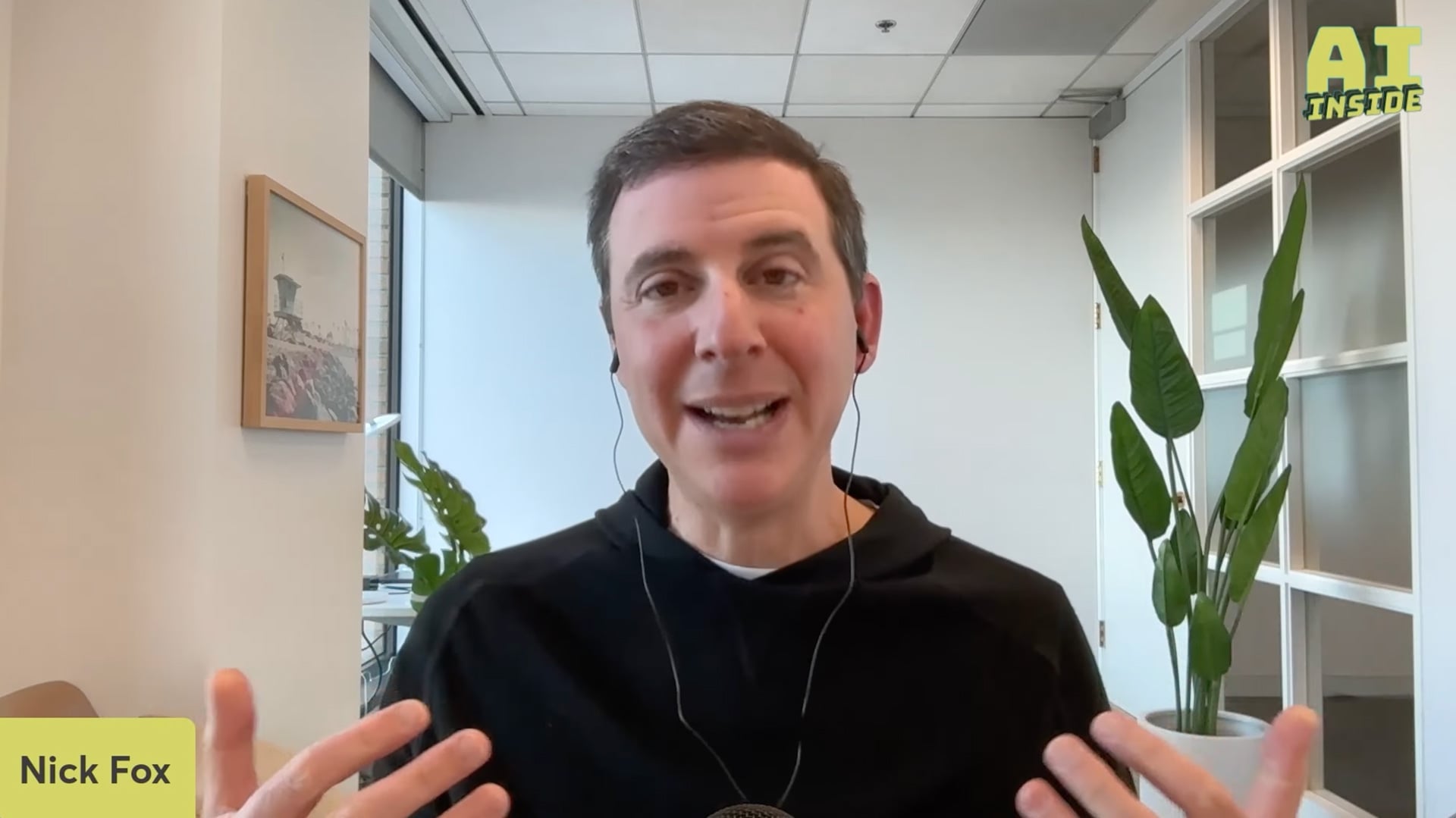
    Recently, I listened to a fascinating podcast featuring Nick Fox, Google’s Senior Vice President of Knowledge and Information. He shared an intriguing perspective: optimizing for AI search is fundamentally the same as traditional SEO. His advice? Focus on creating great sites with engaging content for your users.

    Podcast Highlights: During the AI Inside podcast, hosted by Jason Howell and Jeff Jarvis, Nick Fox provided invaluable insights. Here’s a snippet from around the 22-minute mark:

    Jeff Jarvis asked a pressing question: “For publishers wanting to participate in AI, should they view their content differently?”

    Nick Fox’s response was clear and straightforward: “The short answer is no.” He emphasized that the approach to optimizing for Google’s AI experiences mirrors best practices for traditional search. Ultimately, it boils down to building outstanding sites and content. “Create what you’d want to read,” Fox advised.

    If you want to dive deeper, check out the full episode around the 22-minute mark:

    This perspective aligns with what other Google experts like Danny Sullivan and Gary Illyes have shared. Good traditional SEO translates to effective AI optimization. You can read more about Danny Sullivan’s thoughts and Gary Illyes’ advice on focusing on normal SEO here.

    Why This Matters: As someone who’s been honing SEO skills for years, it’s reassuring to know that these skills are just as relevant in the era of AI search. We are already equipped to excel in this new landscape.

    So go ahead, take advantage of your hard-earned expertise and thrive in the evolving SEO world.


    Inspired by this post on Search Engine Land.

    crushpress.ai community screenshot
  • Google Search Console Performance Reports: Delay Resolved

    Google Search Console Performance Reports: Delay Resolved

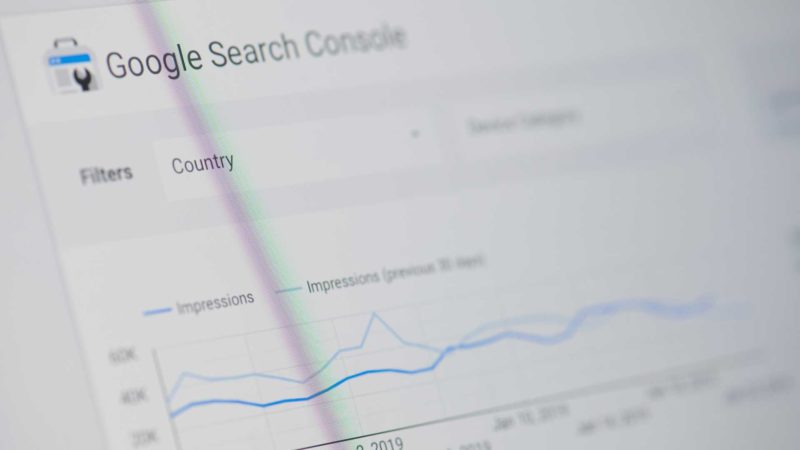
    Screenshot of Google Search Console

    After enduring weeks of delays, I’m relieved to see that the performance reports in Google Search Console are finally back to normal. These reports had been set back by over 50 hours, creating quite the challenge for anyone relying on timely data.

    Latest Status: If you access the search performance report now, you’ll notice the data delay is significantly reduced to just 2 to 6 hours, which is fairly typical. Compare this to the over 70-hour delays we experienced recently!

    This is exactly what I observe:

    The delays started a few weeks back and it took about three weeks for Google to resolve the issue, clearing the backlog in the process.

    ```json
{
  "alt": "Interface features including icons for help, account settings, notifications, apps, and export option.",
  "caption": "Navigate with ease using intuitive icons for help, account settings, notifications, and more. Export your data seamlessly with up-to-date features.",
  "description": "This image showcases a user interface section with various icons, including a question mark for help, a user icon for account settings, a bell for notifications, and a grid for app access. An export option is available, highlighting recent updates with a timestamp indicating the last update was 2.5 hours ago. These features are part of a streamlined access panel designed for user convenience."
}
```

    Page Indexing Update: Unfortunately, the page indexing report delay we mentioned earlier is still not resolved. It’s frustrating to note that this delay has stretched to nearly a month, with Google acknowledging the issue in a notice:

    “Due to internal issues, this report has not been updated to reflect recent data”

    Why This Matters: If you depend on Search Console for analytics and reporting to clients, these delays can be incredibly frustrating. While it’s a relief that performance reports are up-to-date, the ongoing delay in the indexing report can still disrupt reporting processes.

    Meanwhile, Google has rolled out several exciting new features recently, including:


    Inspired by this post on Search Engine Land.


    crushpress.ai community screenshot