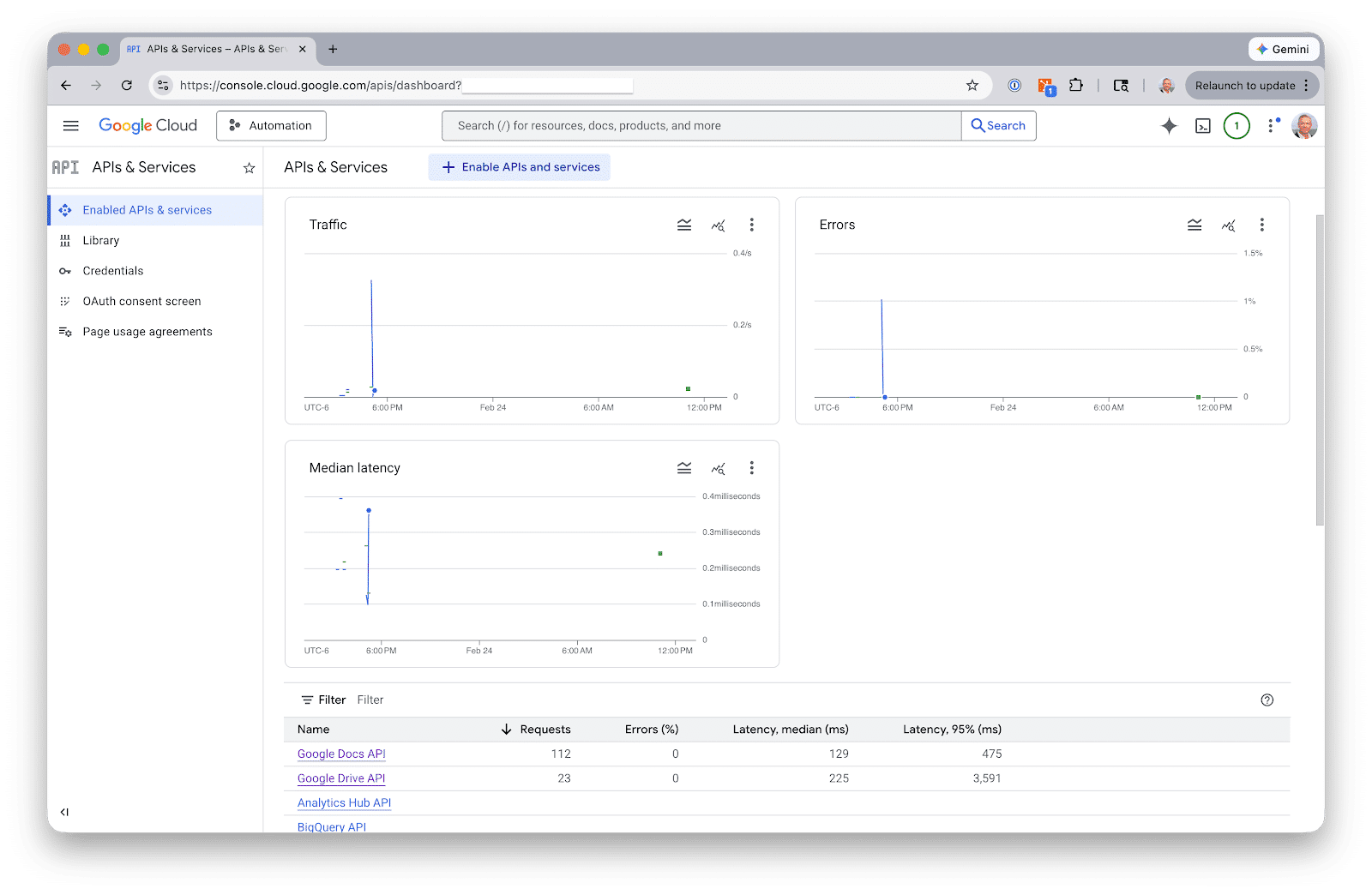
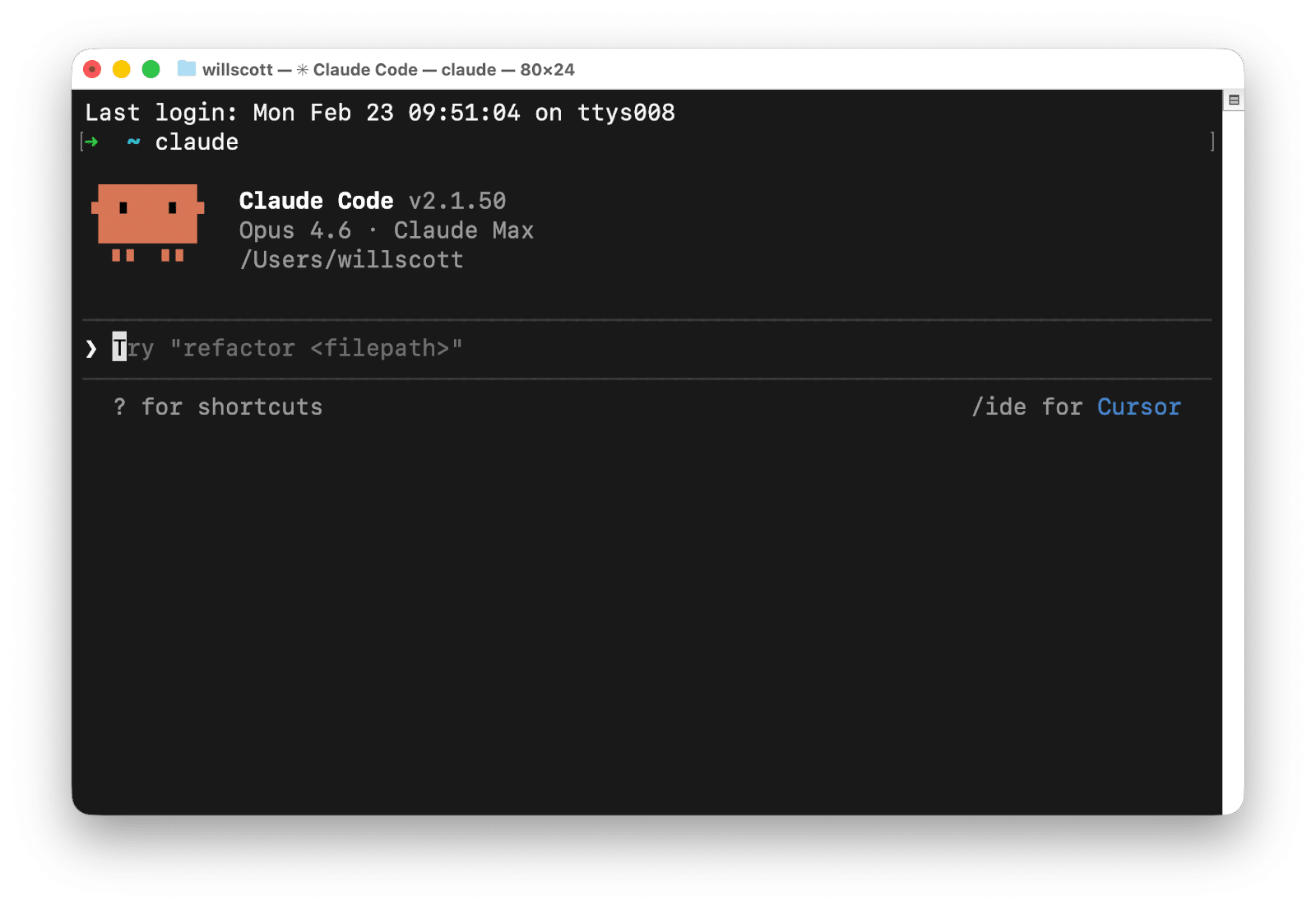
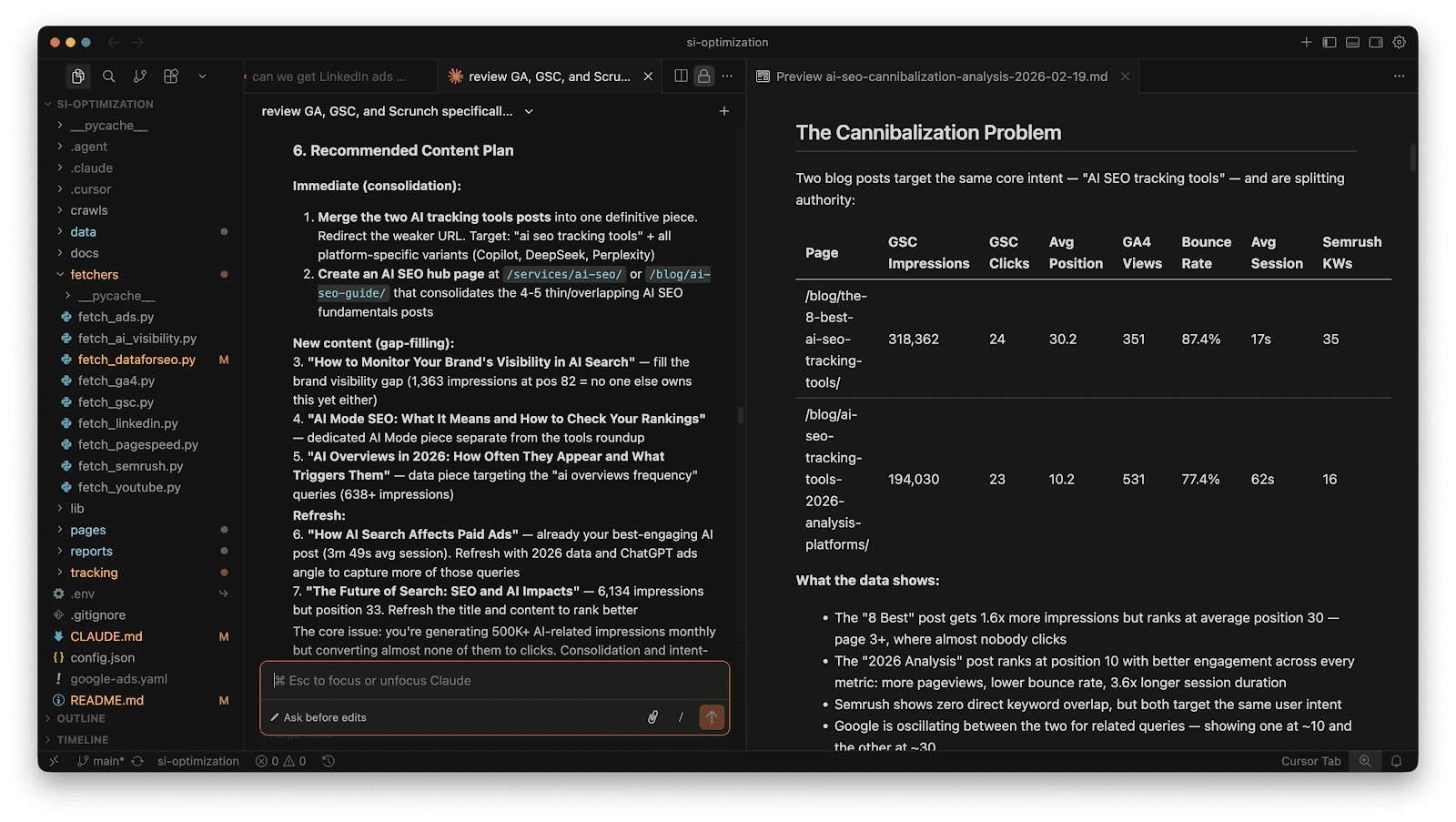
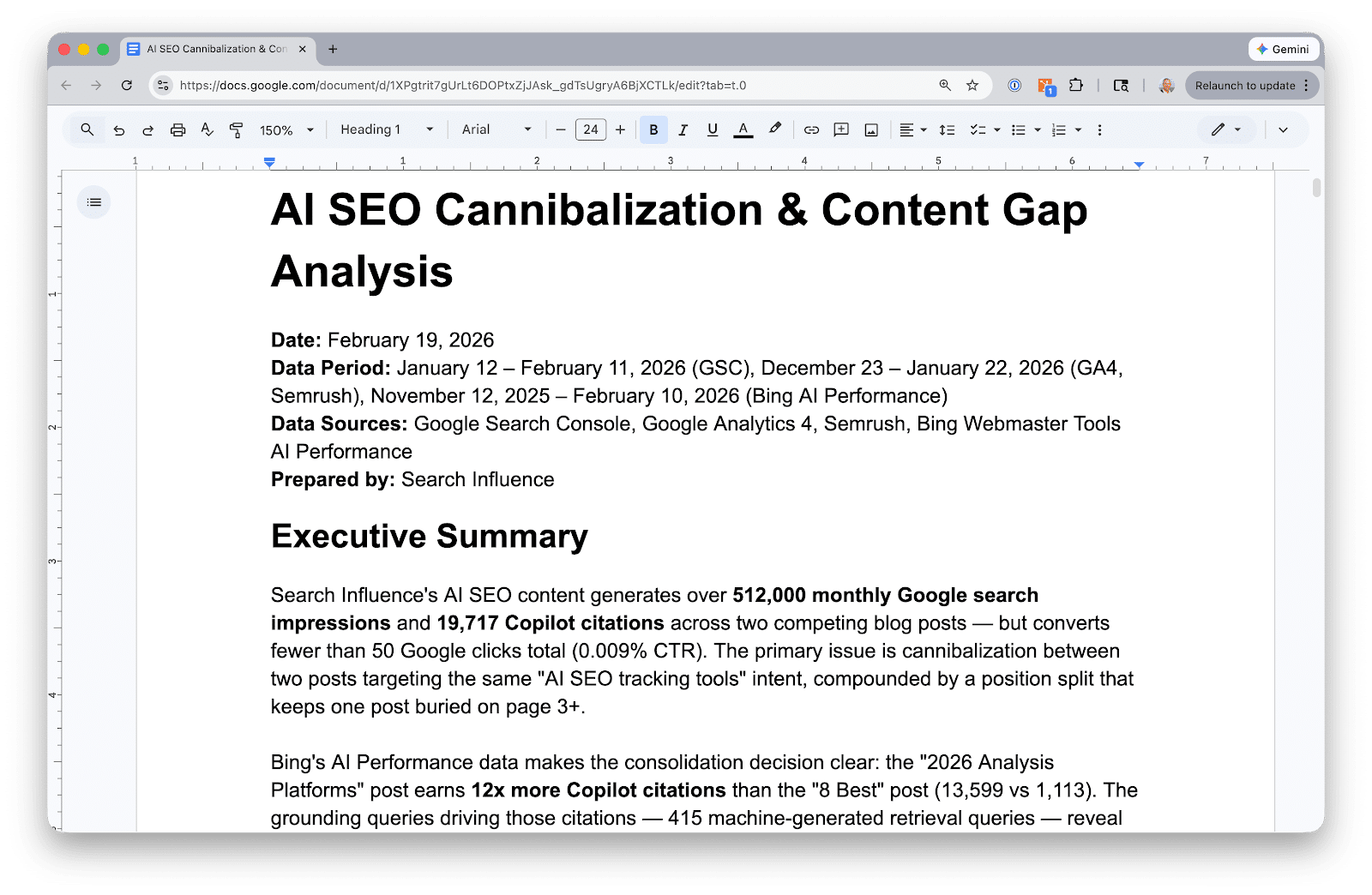
Recently, I’ve found myself immersed in Claude Code, especially within Cursor. I’m not a coder by trade; I run a digital marketing agency. But using Claude Code through Cursor has dramatically sped up how I handle critical tasks such as data extraction and analysis from Google Search Console, GA4, and Google Ads.
Setting up this system takes about an hour, but once it’s done, asking questions like “Which keywords am I overpaying for that I already rank for organically?” becomes a breeze. It provides answers in seconds, eliminating the need for tedious hours spent on spreadsheets.
Let me share the step-by-step process I developed for our agency clients. If any of this seems too intricate, simply paste this article’s URL into Claude, and ask it to guide you through the steps.
Ultimately, you’ll build a project directory where Claude Code can access Python scripts that pull live data from your Google APIs. The data is fetched, stored in JSON files, and you’re free to interact with it without the need for dashboards or complex templates.
seo-project/
├── config.json               # Client details + API property IDs
├── fetchers/
│   ├── fetch_gsc.py         # Google Search Console
│   ├── fetch_ga4.py         # Google Analytics 4
│   ├── fetch_ads.py         # Google Ads search terms
│   └── fetch_ai_visibility.py  # AI Search data
├── data/
│   ├── gsc/                 # Query + page performance
│   ├── ga4/                 # Traffic by channel, top pages
│   ├── ads/                 # Search terms, spend, conversions
│   └── ai-visibility/       # AI citation data
└── reports/                 # Generated analysis
Begin by setting up Google API authentication. This step requires a Google Cloud service account, which covers GSC and GA4. Google Ads, however, requires its own OAuth setup.
Next, you’ll move on to building the data fetchers. Each fetcher is a Python script that authenticates, pulls data, and saves it in JSON format. You won’t need to dive into API documentation either; Claude Code can write the scripts based on simple descriptions of what you want to achieve.
Once you’ve got your data, Claude Code can answer cross-source questions, such as spotting keywords with paid and organic gaps, or analyzing content performance across platforms.
For AI visibility tracking, consider tools like Scrunch or Semrush. Export your data as CSV or JSON to further enhance your insights through Claude Code.
Overall, this workflow takes about thirty-five minutes for a new client and reduces monthly refresh times to about twenty minutes. It saves you from the hassle of manually managing and deciphering data across multiple platforms.
Claude Code enhances your data analysis capabilities, but it’s not a replacement for strategic insight. Remember to verify results just as you would scrutinize work from a new team member.
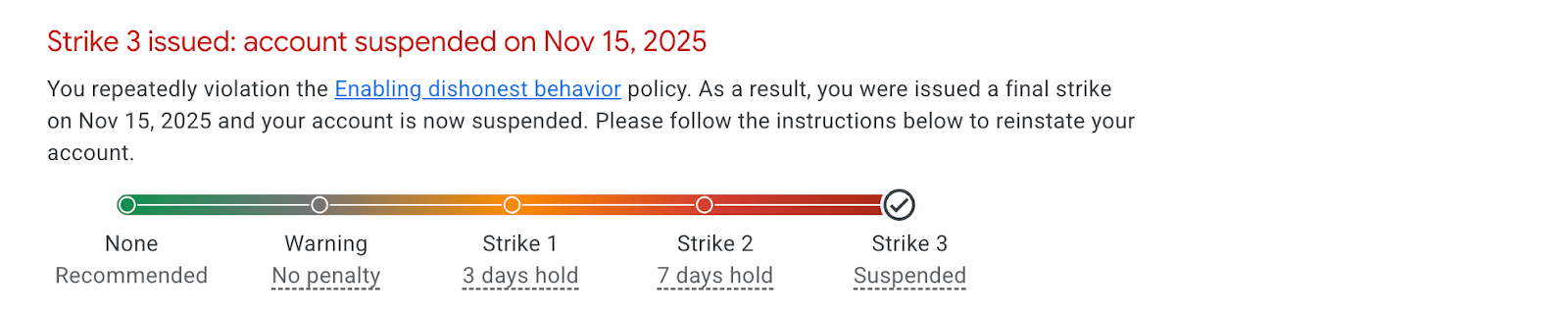
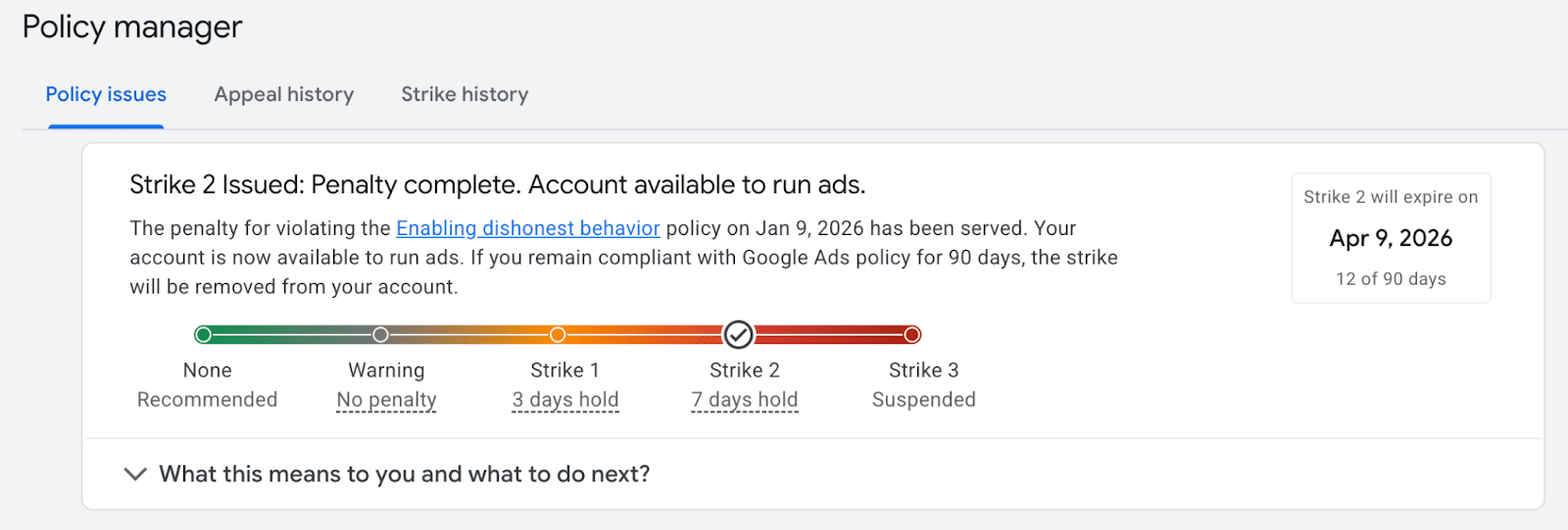
Google has a system to manage advertisement policy compliance known as the ‘three-strikes system.’ In my experience, your Google Ads account can face suspension after accumulating three policy violations within 90 days. Let me guide you through understanding this process and how you can maintain the smooth sailing of your campaigns.
Every year, Google suspends millions of accounts because of advertising policy violations. One misunderstood policy that often trips up advertisers like myself is Google’s three-strikes system.
In essence, if your account is caught repeatedly violating any of Google’s 15 specific advertising policies, it risks suspension. Understanding this system can help you ensure that a single mistake doesn’t lead to your account being shut down.
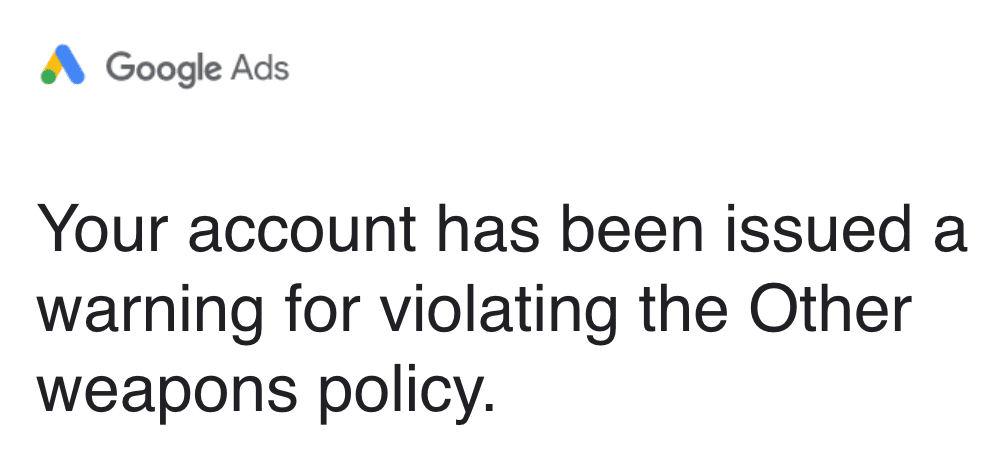
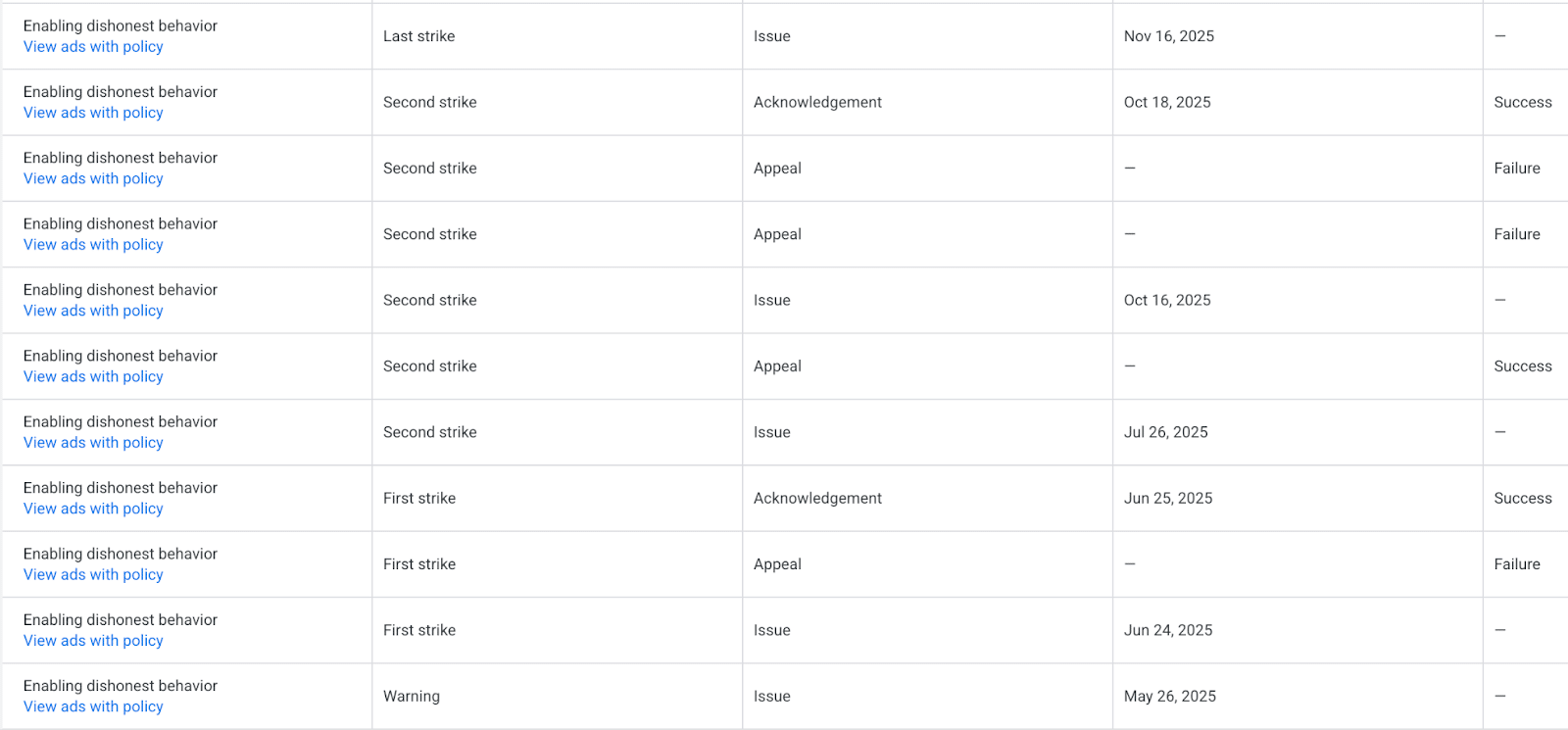
Over the years, I’ve assisted many advertisers in navigating Google’s policies. A recent case involved a business that sells ceremonial swords, which interestingly was flagged by Google’s ‘Other Weapons’ policy. Although ceremonial swords are allowed, the misinterpretation led to a warning, and later a strike.
Despite this misunderstanding, the journey taught me the importance of patience and persistence in appealing against wrongful strikes. Hard work paid off when the business could continue without any further policy issues, proving that even if strikes occur incorrectly, they can be resolved.
Successfully navigating Google’s three-strikes system begins with recognizing what each step involves. The first step is always a warning – a chance to rectify issues without penalties yet.
Once you receive a warning, take it seriously! Make sure to address and correct the violation immediately or appeal if you believe Google is mistaken.
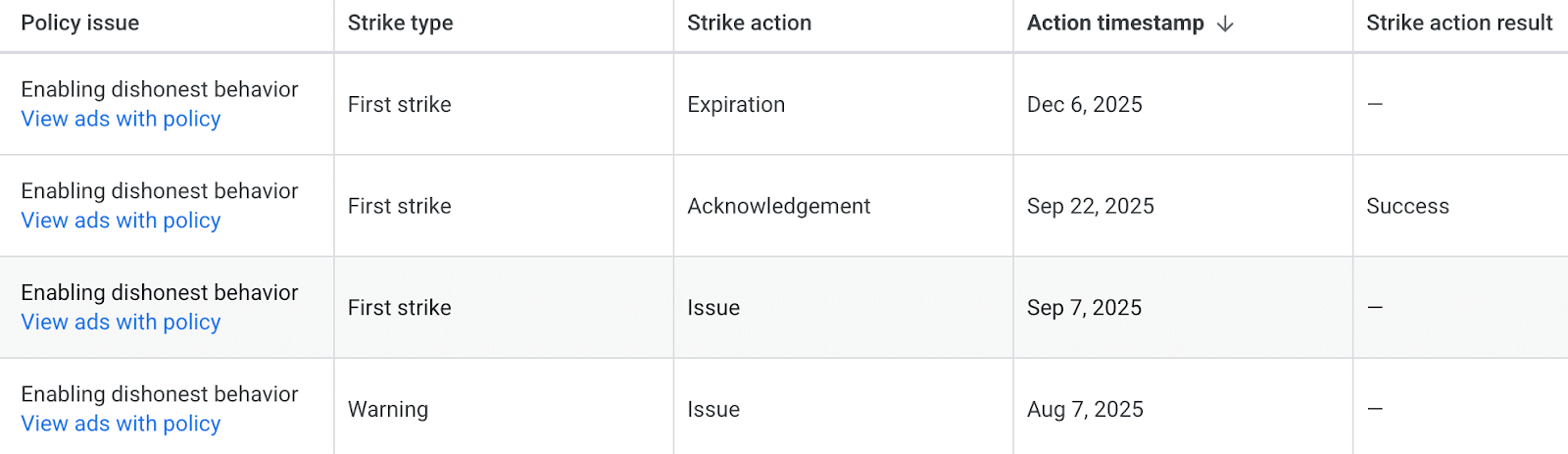
If a violation is believed to persist, a first strike follows, temporarily pausing your ads for three days. Here, the choice is to acknowledge the strike and remove any violations, or appeal if you’re certain you’ve complied with policies.
The second strike sees ads paused for seven days, indicating another violation or unresolved first strike, leaving the same choices for action.
If a third strike occurs, your account faces suspension, and appeals become your sole recourse, though challenging and often uncertain.
Remember, even if you appeal successfully, Google might not reset the 90-day clock, so monitor it closely and take proactive steps to avoid potential infractions.
Keep your account strike-free by understanding the policies, addressing issues promptly, and adding disclaimers to your site to clarify compliance.
Ultimately, knowing Google’s policies inside out and being prepared to address any concerns quickly are crucial steps to ensure a healthy Google Ads account.
Discover how vibe coding empowers me to create custom PPC tools quickly using intuitive AI prompts instead of traditional coding techniques.
I now find myself able to generate custom PPC tools using plain English, thanks to GPT-5. It’s a game-changer, giving a competitive edge to those who embrace AI-assisted automation.
Frederick Vallaeys, who has built tools in mere minutes instead of months, is leading the way with AI. He has ten years of experience at Google creating invaluable tools like the Google Ads Editor and another decade at Optmyzr as CEO.
Vallaeys has witnessed the evolution of automation firsthand, and vibe coding is the next giant leap. At SMX Next 2025, he shared his personal journey with vibe coding.
If you’re involved in PPC, automation is crucially important. Initially, I relied heavily on Google Ads scripts because there was always more work than could be done in a day.
The problem arises when Vallaeys questions who truly writes their scripts. Only a few people raise their hands, as most often copy and paste due to lack of coding skills.
This results in limitations, confining you to what others have crafted instead of adding your personal flair.
GPT revolutionized scriptwriting for those without coding skills.
The best part lies in large language models being multimodal. Now, a simple photo of my campaign decision flowchart can be deciphered by AI to generate a complete Google Ads script.
Instead of viewing client meetings as additional work, I’ve embraced them as opportunities for prompt-engineering sessions.
Changing my mindset allowed me to treat these meetings as prompt instructions for AI, simplifying task execution.
Instead of delving into code, I merely describe my desired outcome, and AI takes care of the technical side. That’s vibe coding for you!
Imagine needing software to perform functions X, Y, and Z. Detail your needs to a coding tool, and watch as it constructs the software. Vallaeys describes this process as mind-blowing.
Scripts have become outdated; vibe coding is the way forward.
Vallaeys demonstrated the effectiveness of this method by requesting a persona scorer for an ad tailored to various audiences from Lovable. The result was rapid and precise.
Working collaboratively with it, akin to a human developer, you describe needed changes without ever touching code.
The automation framework traditionally targeted tasks ranging from frequent, quick activities to extensive, periodic ones. Vallaeys recommends not limiting automation to what’s already being done, but rather considering what you wish to do more often, making time-consuming tasks manageable.
The old method was slow, taking at least a month to launch anything.
I used to spend days compiling specifications, waiting for engineers to build, finding bugs, organizing meetings, and repeating the cycle.
Traditional code was deterministic, relying purely on if/then logic. While reliable, it struggles with nuanced actions, like identifying competitor terms. Encompassing every variation of competitor keywords was virtually impossible.
Sam Altman’s launch of GPT-5 heralded a new era of on-demand software generation, transitioning beyond software-as-a-service.
Tapping into this new approach takes just minutes, from writing a spec to letting AI build and refine it. Within an hour, you have a functional automation tool.
This code isn’t just deterministic; it’s also flexible. Large language models handle nuanced queries with impressive accuracy.
Vibe coding allows machines to create anything I can articulate clearly, from landing pages adhering to brand guidelines to unique audience tools.
This paradigm shift means even tasks taking 90 minutes by hand are candidates for automation, creating disposable software to save time today, unaffected by future failures.
Vibe coding enables building a range of online solutions — from landing pages to browser extensions — all through simple directives.
Begin with tools you may already use, such as Claude or ChatGPT, for data analysis or visualization tasks.
For more complex applications with databases or user logins, tools like Lovable, V0.dev, Replit, or Bolt simplify the process.
If you have technical skills, Codex, Bolt.new, or Cursor offer robust capabilities, but simpler tools are often sufficient.
I challenged someone in my team with no coding background to create a seasonality analysis tool using Claude.
The process involved gathering materials, crafting a prompt, and testing via a browser without requiring installation.
The team quickly iterated, enhancing features. The AI efficiently added helpful guidance and streamlined interfaces, leveraging its extensive training.
I envisioned a tool sequence for expert review of blog posts, synthesizing feedback through a consolidated summary. This was easily vibe-coded in V0.dev.
A Chrome extension for demos needing to blur sensitive numbers was swiftly constructed via simple prompts, addressing specific visibility needs.
Effective prompting involves specifying the exact use case, allowing AI to generate relevant options and suggest innovative methods.
Engage with questions to uncover insights such as process approaches or data storage solutions, furthering learning opportunities.
Utilizing chat mode for alternative exploration is advantageous, allowing detailed direction without altering code initially.
You can experiment with my team’s audience analyzer, adapting it with ease to suit specific needs like logo integration or functional adjustments.
It’s clear from Vallaeys: the competition isn’t against AI but against individuals harnessing its capabilities more effectively.
Dive into vibe coding today. Select a tool, issue a simple prompt, and witness the remarkable outcomes firsthand. My first attempt left me in awe.
By integrating this newfound knowledge, improving AI skills becomes attainable, ensuring a competitive edge.
I’m thrilled to share the exciting news about Google’s latest innovation, Nano Banana 2. This powerhouse merges pro-level image quality with lightning-fast speed, enabling me to create stunning, production-ready images faster than ever.
Google DeepMind has introduced Nano Banana 2, officially known as Gemini 3.1 Flash Image. This new model seamlessly blends the intelligence of Nano Banana Pro with the swift performance of Gemini Flash.
What’s new. Here are some standout features of Nano Banana 2:
Advanced world knowledge: It elevates how I render subjects by integrating Gemini’s real-time web grounding, making it easier to create infographics and data visualizations.
Precision text rendering and translation: The model delivers cleaner, more readable text in images, even providing localization options if needed.
Stronger instruction adherence: It’s great to finally have a tool that handles complex, multi-layered prompts with ease.
Subject consistency: I can maintain up to five characters and 14 objects within a single workflow, enhancing my creative projects.
Production-ready outputs: With support for resolutions from 512px to 4K, I can generate content suitable for any project specification.
Enhanced visual fidelity: Enjoy sharper details, richer textures, and more dynamic lighting — all at incredible speeds.
Why I care. Nano Banana 2 revolutionizes how I generate high-quality images, slashing the time and cost usually associated with creative development. This innovation means that I can quickly produce campaign assets and localized variations, saving me days of work.
Fully integrated into Google Ads and Gemini, it streamlines the creative production process by accelerating testing and iteration cycles, allowing me to focus more on creativity and less on logistics.
The rollout. Nano Banana 2 is now available within Google’s ecosystem, including Google Ads, Gemini app, Search AI Mode, Lens, and more — making it more accessible than ever.
Between the lines. Google is raising the bar by making high-end image generation a standard feature. This shift suggests that premium creative control is now the norm, not an expensive upgrade.
The bottom line. With Nano Banana 2, Google is predicting that creators like me desire fewer compromises — offering fast generation, robust reasoning, and production-ready visuals all within a single, streamlined model.
I’ve got some exciting news to share: Google is rolling out its AI Max text guidelines across the globe! This means that as advertisers, we gain more autonomy over the creative processes of AI-generated ad copy by implementing custom text rules to maintain on-brand messaging.
Here’s What’s Happening: Now, AI Max provides worldwide access to text guidelines for Search and Performance Max campaigns. These guidelines come with comprehensive language and vertical support.
We can now use natural language instructions to shape AI-generated creatives. This includes the power to exclude certain terms or phrases, ensuring that what we publish stays true to our brand.
Why This Matters to Us: In an era where AI-powered creative content is central to performance marketing, keeping a tight rein on brand safety and tone is crucial. By customizing text, we can ensure that ads align with user intent and our brand’s unique positioning. This way, we establish guardrails ensuring consistency, like guiding AI to avoid language that misrepresents our brand. Early adopters, such as BYD, have witnessed increased lead generation at reduced costs—proving that human-guided AI can significantly enhance campaign outcomes.
The Bottom Line: Maintaining your brand voice in AI-generated ads is probably a top priority, just like it is for me. With Google’s expanded text guidelines, we now have practical and easy-to-use tools to keep control while scaling AI capabilities.
Starting March 1, 2026, Google’s update is a game changer for those of us using ad scheduling. This change will actively pace our budgets, potentially reaching the full 30.4x monthly limit, even if our campaigns are running only on specific days.
Understanding the Change. Many of us may recall how Google used to pace our budgets based on active days. But with this update, they will aim to hit the full monthly cap within our scheduled times.
How It Works:
The 2x daily overspend rule remains in place.
The 30.4x average daily budget monthly cap is unchanged.
Our campaigns will continue to run only within scheduled hours.
Google’s new approach attempts to hit the full monthly budget within our existing schedule.
Why This Matters. Previously, if we ran campaigns on limited schedules, like weekends, our monthly spend was naturally lower. But now, we might see a significant increase in spending thanks to this pacing change—without any alteration to daily budgets or billing limits.
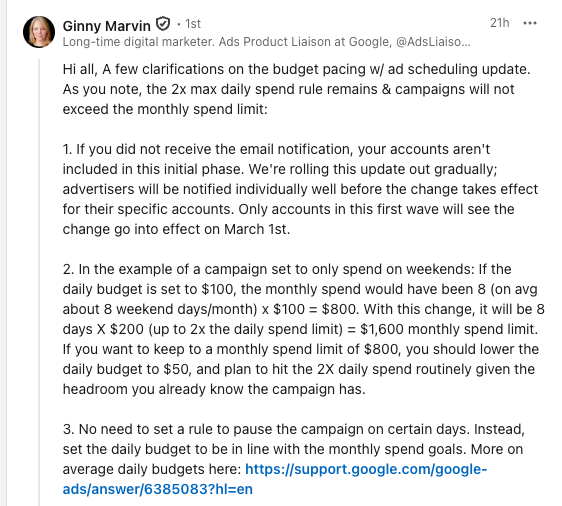
For instance, if we have a $100 daily budget set for weekends-only, our spend could jump from around $800 to $1,600 monthly because Google will try to maximize our spending on each active day.
Google’s Perspective. Ginny Marvin from Google clarified that this shift aims to better match the pacing with our expectations for monthly spending limits. While we won’t exceed billing caps, we should anticipate an adjustment in how budgets are approached.
According to Ginny, only those who received direct notifications of this update will be affected, and the change will roll out gradually.
What It Means for Us. Essentially, this isn’t about raising limits but about how Google utilizes current ones. If we rely on ad scheduling to contain our spending, this might cause unexpected increases unless we adjust our daily budgets accordingly.
Steps to Take Now:
Review all campaigns using ad scheduling.
Recalculate daily budgets to align with your true monthly goals.
Consider lowering daily budgets to maintain previous spending levels.
The Bottom Line. Google’s not altering our spending capacity, just the pace at which we might reach it. Ensure to modify flighted or part-time campaigns before March 2026.
Initial Insight. This update was first brought to my attention by Jordan Fry, who shared Google’s message on LinkedIn.
I’ve noticed a shift in Google Merchant Center that makes video a key player in retail ad strategies. The once-empty Video Assets section is now abuzz with automatically sourced content.
Initially showcased at Google Marketing Live 2025, this feature is designed to centralize our video content within Google Merchant Center. Although the rollout started in September, many of us saw only a blank screen.
That’s no longer the case—videos are now seamlessly imported, including those from YouTube.
Why is this important to me? Google’s commitment to making Merchant Center a hub for creative commerce shows through this update. With videos auto-populating, our brands can enhance visibility across Shopping and Performance Max with less effort, though it means I must ensure my YouTube and website videos are commerce-ready.
In essence, video is becoming essential in retail ad delivery, and by staying proactive, I can gain a competitive advantage.
Reading the details, Google aims to centralize videos from various platforms including potential AI-generated sources, transitioning Merchant Center into a comprehensive creative hub rather than just a product feed manager.
This trajectory aligns with the larger movement towards video-first shopping experiences in campaigns like Search, Shopping, and Performance Max.
What I should monitor. I still have questions about how performance reporting and optimization controls in the Video Assets section will develop. However, the transition from an empty placeholder to a populated library illustrates that the infrastructure is now live.
Breaking news. This update was initially reported by PPC News Feed founder Hana Kobzová.
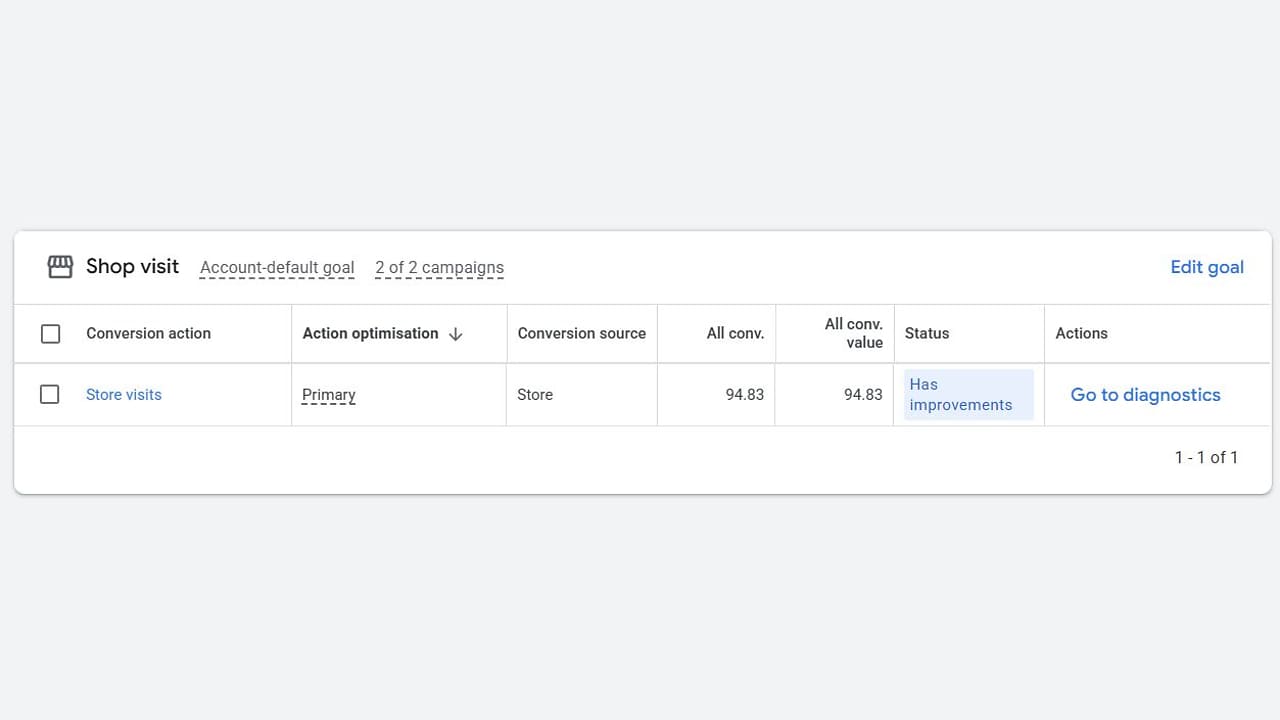
I’m thrilled to share that Google Ad Grants has introduced a new feature allowing nonprofits to focus on increasing actual foot traffic to their locations. By setting ‘shop visits’ as a goal, we can drive more visitors through our doors and witness our campaigns translate into real-world impact.
Driving the news. Before this update, attempting to set shop visits as a goal in Ad Grants would result in an error. It’s exciting to see this barrier removed, enabling eligible accounts to now include store visit conversions in their primary goal settings.
The update empowers us, as nonprofits and local organizations, to better use bidding and optimization strategies that align with increased in-person visits — a valuable enhancement for appearing in Maps and location-based searches.
Why we care. For organizations like museums, community centers, and places of worship, having a tool that marries digital engagement with physical impact is invaluable. Optimizing for shop visits ensures our ad success is directly linked to actual visitor numbers.
Between the lines. Google’s emphasis on local search intent and Maps-based discovery makes this feature even more critical for nonprofits. It shifts our focus from simply generating clicks to driving actionable visits, which can significantly enhance local community engagement.
What to do. If you’re using Ad Grants, I recommend reviewing your account-level goals to ensure shop visits are activated where applicable. This focus on foot traffic can significantly uplift local impact, especially for organizations heavily reliant on face-to-face interactions.
Spotted by: This advancement was highlighted by Google Ads Expert Jason King, who shared it on LinkedIn.
When I’m crafting paid search ads that beat the competition, I always remember to review them in context, not isolation. This helps me understand how my ads stand against others. By doing this, I gain practical insights to enhance messaging, leverage AI effectively, and create PPC copy that truly converts.
How frequently do I analyze my PPC ad copy? I don’t just focus on performance metrics within the ad platform. I make it a point to assess how my ads appear alongside competitor ads, ensuring my message stands out.
Am I using the same messaging as my competitors? What makes my offer unique? I strive to create ads that feature clear calls to action and convincing selling points, avoiding bland and generic content.
Here are several strategies I follow to make my paid search ads stand out and attract customers to my brand.
1. Think about how assets will appear together, not just individually
When I’m working on Responsive Search Ads, it can be tempting to simply fill out all 15 headline options and the four descriptions. But I know that if each headline essentially repeats the same message with minor variations, the ad copy can appear monotonous and repetitive.
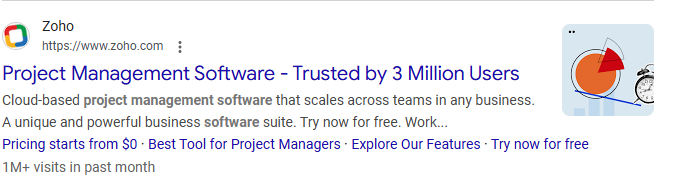
To avoid this, I ensure the headlines offer a variety of angles and points of interest. For example, instead of having headlines like “Project Management Software – Project Management Solution – Project Management,” I use options such as “Project Management Software – Trusted by 3 Million Users.”
If I want to experiment with several headlines, I pin them to the same position so the platform can rotate between them without showing similar options simultaneously.
While checking the ad strength rating is common, I focus on the bigger picture instead of just chasing an Excellent score.
I’m more concerned about whether each headline and description accurately reflects my benefit points. Although pinning can negatively impact ad strength, it’s worth it for cleaner messaging.
3. Use AI as a partner, but don’t blindly outsource all your copy to AI
I utilize AI tools from Google and Microsoft to generate text for my ad assets, but I don’t use them without review. These tools provide a starting point, but I always add the human touch to ensure alignment with my brand voice and compliance with industry guidelines.
When I claim to be the “Best Local Contractor,” I provide evidence, such as “Voted Best Local Contractor by [News Outlet].” I use numbers where possible to enhance credibility and reinforce my claims.
5. Highlight ease of effort
I emphasize how my product or service saves time and effort. Whether it’s “Open an account in 10 minutes” or “Schedule a same-day appointment,” I ensure these claims reflect reality to build trust.
To catch potential customers’ attention, I highlight free offerings like “Free trial” or “Free quote.” Such offers encourage prospects to take the next step.
7. Turn off automated assets
Given the possibility for concerns over compliance and accuracy, I disable the setting for automatically generated assets. This ensures the messages and links presented are ones I’ve approved.
8. Highlight pricing where it makes sense for your brand
In scenarios where I can highlight competitive pricing, I do so to help my ad stand out, especially during comparison shopping. When pricing is higher, mentioning it can effectively filter out less suitable prospects.
9. Mention locations in regional campaigns
Mentioning specific locations in my ad copy, like “Now Open in Buckwheat County,” helps create a local alignment, making the ad more relevant to users in that area.
With these strategies in mind, I consistently review and refine my ad copy. I ask myself where I can improve asset combinations, highlight unique value propositions, or better tailor my wording to customer concerns.
In the end, my ad doesn’t just compete in isolation; it competes in the search results alongside others. Understanding this helps me ensure my ad stands out and delivers results.
As an advertiser reaching out to Google Ads support, I’ve discovered there’s a new step involved in the process. Now, I must authorize any support-led changes to my account while still being accountable for the outcomes.
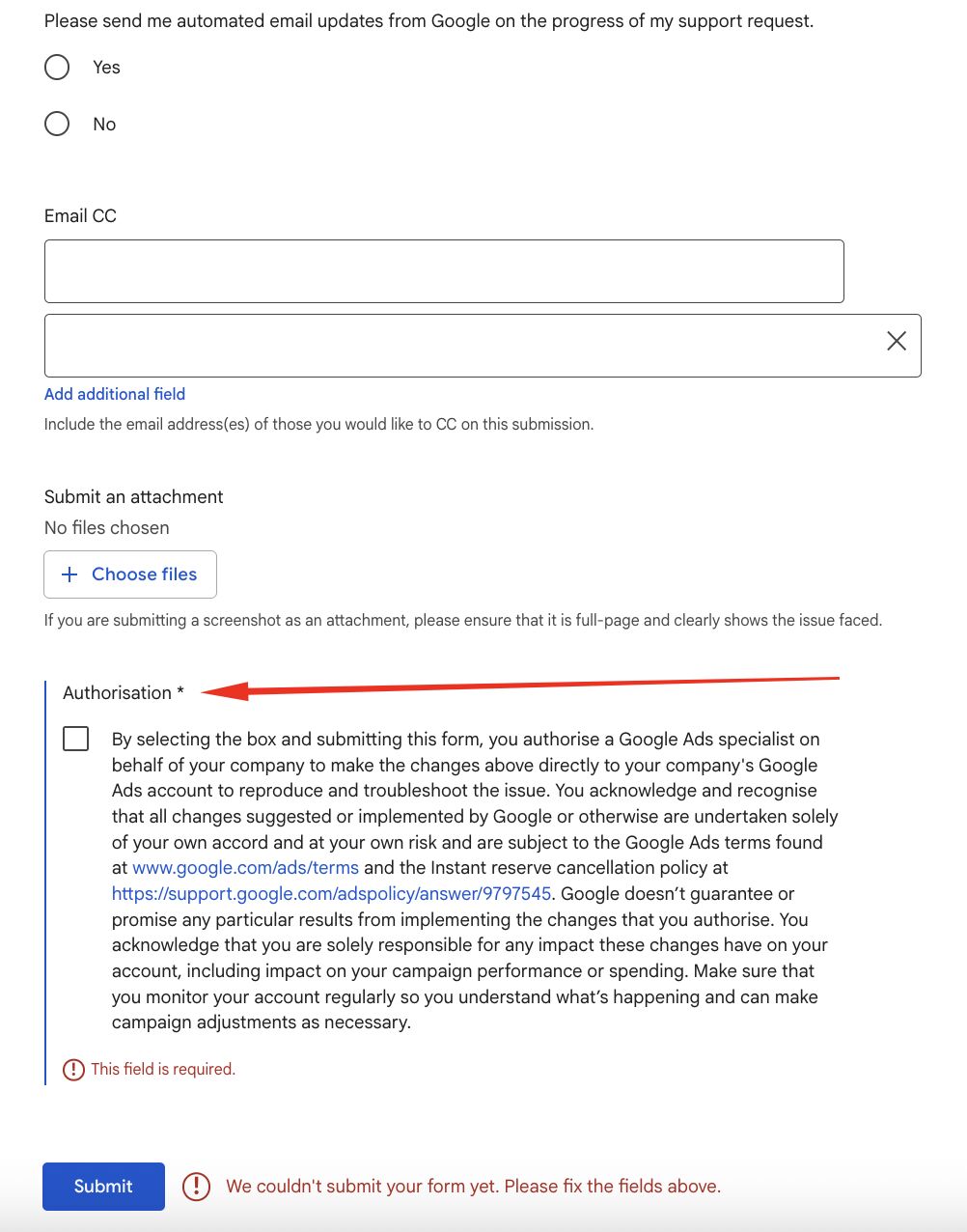
When I contact Google Ads support, I encounter a beta AI chat first. If I choose to fill out a support form instead, I need to check an ‘Authorization’ box. This allows a Google Ads specialist to access my account and deal directly with the issues by making necessary changes.
The fine print makes it clear that while Google may assist, they don’t guarantee any specific results. Any alterations are at my own risk, meaning I am fully responsible for any impact on my campaigns’ performance and costs.
Why do we care about this change? The new requirement places more responsibility on us, the advertisers. Even in an era of automation and AI, if any changes are applied by support, I still bear the risks associated with campaign performance and spending adjustments.
This situation presents a dilemma for people like me, as it offers a trade-off between speed and control. Allowing access can quicken the troubleshooting process, but it also means potential changes at the account level that might affect live campaigns without a guarantee of better results.
The bottom line? To obtain support, I might now have to temporarily hand over control, but I still need to remain accountable for my account’s future performance.
This change was first observed by PPC specialist Arpan Banerjee, who shared the message on LinkedIn.