
If your team can already make one attractive AI image, the harder problem is repeatability. Can the same product, character, visual hierarchy, and approved copy survive the next ten versions without a cleanup cycle wiping out the time you saved?
Google DeepMind’s Nano Banana Pro is relevant because it brings stronger reasoning, multi-reference consistency, text rendering, and targeted editing into one image workflow. Its value, however, depends less on the first impressive render than on how you brief, review, publish, and test the resulting assets.
Decide whether the job matches Nano Banana Pro
Nano Banana Pro builds on the original Nano Banana and combines image generation and editing with Gemini 3 Pro’s reasoning capabilities. That combination is designed for more controlled production work, not merely open-ended image prompting.
- Context-heavy visuals: It can use real-world context supplied through Search, which can help when a scene, diagram, recipe, or infographic depends on recognizable information.
- Text inside images: It is designed to produce clearer on-image text in multiple languages, making posters, packaging concepts, calligraphy, and labeled graphics more practical.
- Reference consistency: It can attempt to maintain characters and objects across as many as 14 inputs. That matters when a campaign must preserve a recognizable product, person, or visual world.
- Directed editing: Its controls extend to localized changes, lighting, camera position, color balance, focus, and aspect ratio. You can refine a chosen direction without intentionally rebuilding every element.
- Concept development: Rough drawings can become polished scenes, diagrams, storyboards, and architectural mockups, shortening the distance between an idea and something stakeholders can evaluate.
Those capabilities make Nano Banana Pro a strong candidate when your bottleneck is controlled variation: adapting one approved concept into new layouts, markets, scenes, or campaign treatments. It is less convincing as an unsupervised authority for exact logos, prices, measurements, product claims, or factual diagrams. Those elements still need deterministic files, approved copy, and human sign-off.
Access should also be treated as product-dependent. The rollout was described as progressive across Google’s platforms, while image-generation enhancements were made available in Google Ads. Confirm that the surface your team intends to use actually provides the required controls before you redesign a production process around it.
Build a controlled brief, not a clever prompt

A clever sentence may produce an interesting image. It rarely produces a dependable asset system. For repeatable work, separate the business objective, reference material, fixed constraints, creative variables, and approval criteria.
- Define the asset’s job. State where the image will appear, who it is for, what it must communicate, and what action it supports. A product-page hero, paid-ad variant, visual explainer, and storyboard frame need different compositions even when they share a subject.
- Curate the reference set. Nano Banana Pro can work across up to 14 inputs, but that is a ceiling rather than a target. Include only references with a clear role, then label each role: product geometry, character appearance, palette, environment, lighting, typography direction, or composition.
- List the non-negotiables. Specify what must remain unchanged, such as product proportions, wardrobe, brand colors, approved terminology, packaging structure, or the number and position of objects. Do not hide these requirements inside a long mood description.
- Separate creative variables. Name the elements that may change: background, camera angle, lighting, crop, season, supporting props, or emotional tone. This gives the model room to work without making every part of the asset unstable.
- Supply approved on-image copy. Put every required word in a dedicated field, including capitalization, punctuation, language, and desired line breaks. Multilingual rendering is useful only after a qualified reviewer has approved the translation itself.
- Describe the composition explicitly. Identify the focal subject, foreground and background relationship, viewing angle, negative space, intended crop, lighting direction, color treatment, and required aspect ratio. Terms such as premium or cinematic are too broad unless you explain what they mean visually.
- Approve one master before making variants. Resolve product shape, character continuity, hierarchy, copy, and overall art direction in a master image. Only then use localized edits and detailed visual controls to create derivatives.
- Record what produced the approved result. Save the references, prompt, approved copy, output, requested edits, intended channel, and reviewer decisions together. Without that record, the next campaign starts as another guessing exercise.
A reusable Nano Banana Pro brief
You can turn the workflow into a short production template. Replace each instruction with project-specific language:
- Objective: Create an image for a named page, campaign, or presentation and state the decision or action it should support.
- Reference roles: Input 1 controls product shape; input 2 controls palette; input 3 controls character appearance; input 4 controls composition.
- Must preserve: List the objects, proportions, colors, expressions, terminology, and layout relationships that cannot change.
- Scene and treatment: Define environment, camera position, focal length in plain visual terms, lighting direction, depth, color balance, and mood.
- Exact copy: Provide the approved words, language, capitalization, punctuation, and hierarchy. Instruct the system not to add other text.
- Output: State the required aspect ratio, placement of negative space, and any crop-safe area your channel needs.
- Edit rule: Preserve every approved element and change only the named variable in each revision.
The edit rule is especially important. Instead of asking for a better version, request a defined delta: keep the subject, pose, product, copy, palette, and framing unchanged; adjust only the background lighting. A narrow instruction gives you a result that is easier to compare and approve.
Review the image like a production asset
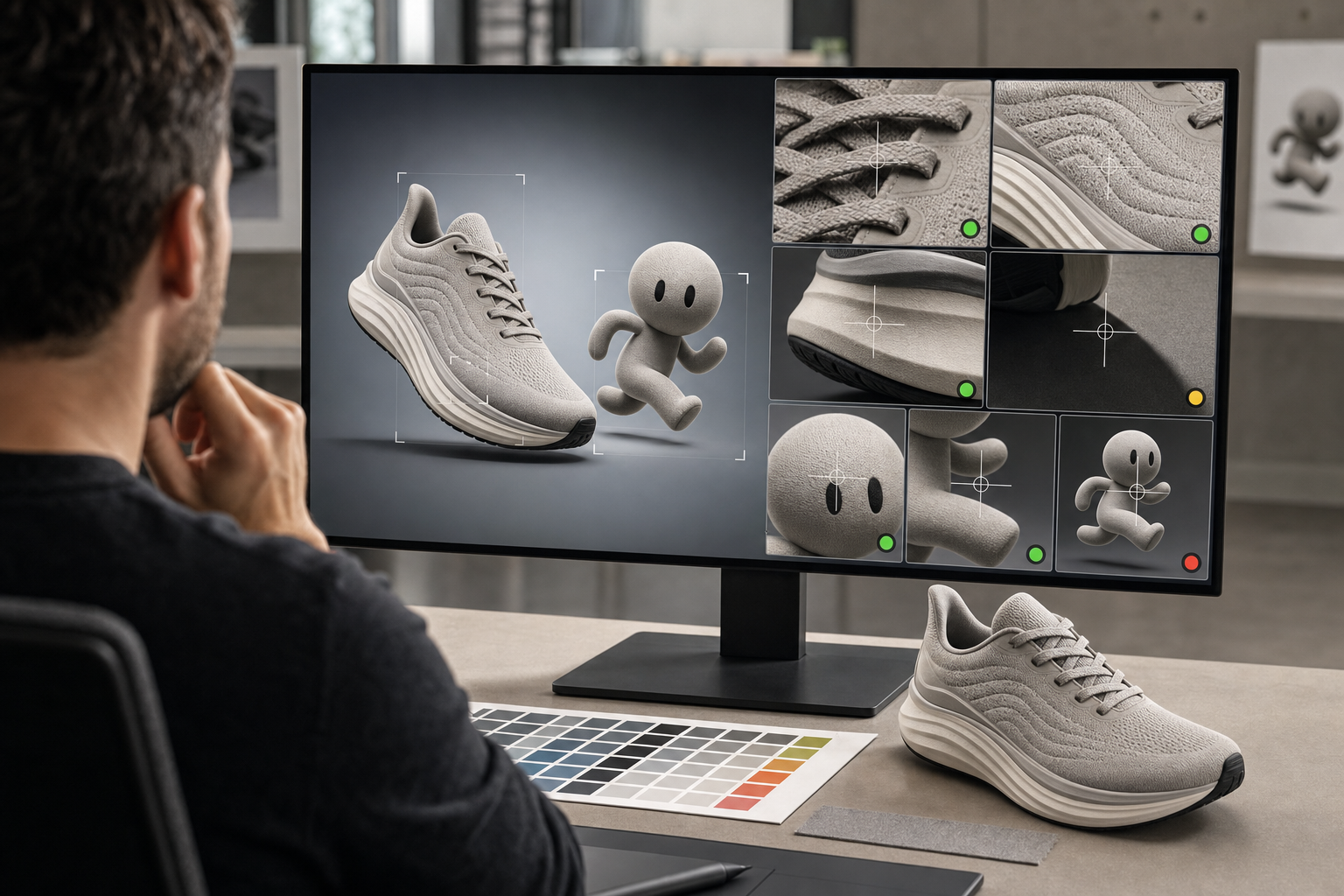
Rendering quality and correctness are different tests. Text may look polished while containing a substituted character. A product may remain recognizable while its controls, label, or proportions drift. Search-connected context may help the model build a scene, but it does not transfer responsibility for the scene’s claims to Google.
- Check text character by character. Compare every word, numeral, unit, punctuation mark, and line break with the approved copy. Review the exported size as well as the large preview; small labels can fail only after resizing.
- Review each language independently. Legibility does not prove that a translation is accurate, culturally appropriate, or compliant with your terminology. Give a fluent reviewer the copy and the rendered image, not the image alone.
- Compare products and brand elements with their references. Inspect silhouettes, component count, labels, materials, colors, logo geometry, and relative scale. If exactness is mandatory, replace generated brand marks or copy with approved production assets.
- Verify factual content against approved data. Recheck names, quantities, relationships, ingredients, annotations, and visualized facts. For an infographic, keep the underlying data and its provenance with the review record.
- Inspect continuity across the set. Look beyond facial resemblance. Check clothing details, accessories, object placement, shadows, materials, and environmental logic from one image to the next.
- Test the real crop. Preview every destination rather than assuming one output will adapt cleanly. Confirm that the focal subject, required copy, and important context remain visible wherever the image will appear.
- Provide a text equivalent. If an image contains information needed to understand the page, repeat that information in HTML. Alt text should describe the image’s purpose in context, not become a list of target keywords.
Assign ownership before review begins. A creative owner can approve composition and consistency, a subject or language owner can approve claims and copy, and a channel owner can approve crop, accessibility, and placement. A general request for everyone to check everything usually leaves the riskiest detail without a named decision-maker.
If repeated local corrections begin changing previously approved areas, return to the master and regenerate the derivative from there. A chain of patched exports is harder to reproduce, audit, and update than one approved base with documented variations.
Make each output useful to search systems and ad testing
For SEO, AEO, and GEO content
A generated image can explain an idea, establish context, or make a page easier to scan. It cannot replace the page’s evidence. If the answer exists only inside pixels, you make it harder for people using assistive technology and for systems that depend on accessible page text to interpret and cite the underlying information.
- Place the image beside the passage it supports rather than treating it as detached decoration.
- Repeat essential labels, claims, instructions, and data in visible HTML. For a detailed infographic, provide a compact text explanation or accessible transcript.
- Write alt text around the image’s function on that page. Describe what a reader needs to understand; do not paste a keyword list or duplicate a long caption.
- Add a caption when the visual needs a title, data context, methodology note, or explanation that would be awkward in alt text.
- Use consistent names for products, entities, and concepts in the image, heading, body copy, and metadata. Visual creativity should not introduce new terminology for the same thing.
- Where the page’s existing schema type supports an image property, connect it to the final image URL and keep the structured description aligned with the visible page. JSON-LD expresses a relationship; it does not verify that a generated claim is true.
This distinction matters for Search-connected generation. Real-world context can accelerate visual creation, but it is not a citation or a provenance record. Keep the factual basis of the image visible, inspectable, and consistent with the surrounding content.
For Google Ads and campaign experiments
Nano Banana Pro’s availability through Google Ads can reduce the handoff between asset creation and campaign setup. That convenience does not demonstrate that an image will improve performance. Treat every generated variation as a creative hypothesis.
- Start with one approved master so visual differences are intentional rather than accidental.
- Change one meaningful variable per test, such as background context, camera angle, product emphasis, or lighting treatment.
- Keep the offer, audience, landing experience, and other campaign conditions stable when you need to learn whether the visual caused the difference.
- Choose the decision metric before launching. A higher click-through rate may be useful, but it should not justify broader spend if the campaign’s actual conversion or cost objective deteriorates.
- Name and archive variants by the changed variable. Labels such as blue-background or close-product-crop are more useful than final-7.
- Do not increase spend merely because a generated asset looks more polished. Use your normal budget controls until performance against the campaign objective supports the change.
The production advantage is the ability to explore more controlled variations without rebuilding every asset manually. The measurement advantage appears only when those variations remain controlled enough to teach you something.
Key takeaways
- Nano Banana Pro is most useful for constrained visual production: consistent references, exact copy requirements, localized edits, and planned variants.
- Although it can work across as many as 14 inputs, use only the references that have a defined role in the output.
- Approve one master before creating derivatives, and request one explicit change at a time.
- Readable multilingual text, Search-connected context, and polished rendering still require language, factual, product, and brand review.
- For search content, keep essential information in HTML and align the image with visible copy, alt text, captions, and applicable structured data.
- For advertising, evaluate generated variants through controlled tests rather than assuming faster production or better-looking creative will improve results.
Start with one existing asset that already creates expensive variation work. Define what must stay fixed, choose one variable, produce and approve a master, then run a small controlled test. If Nano Banana Pro preserves the constraints and makes the next version easier to reproduce, it belongs in the production workflow. If it cannot, keep it upstream as a concept and storyboard tool.
Leave a Reply