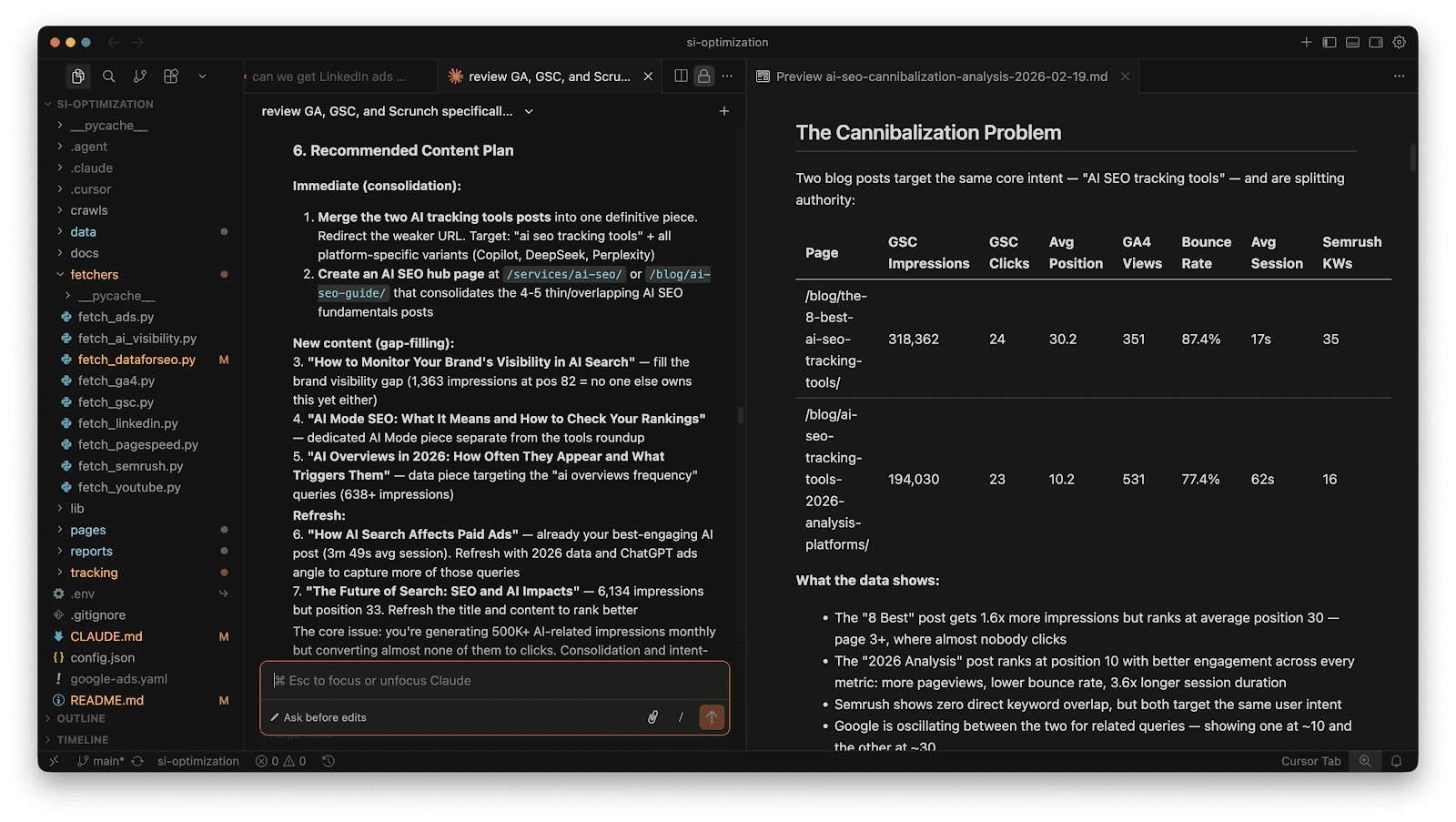
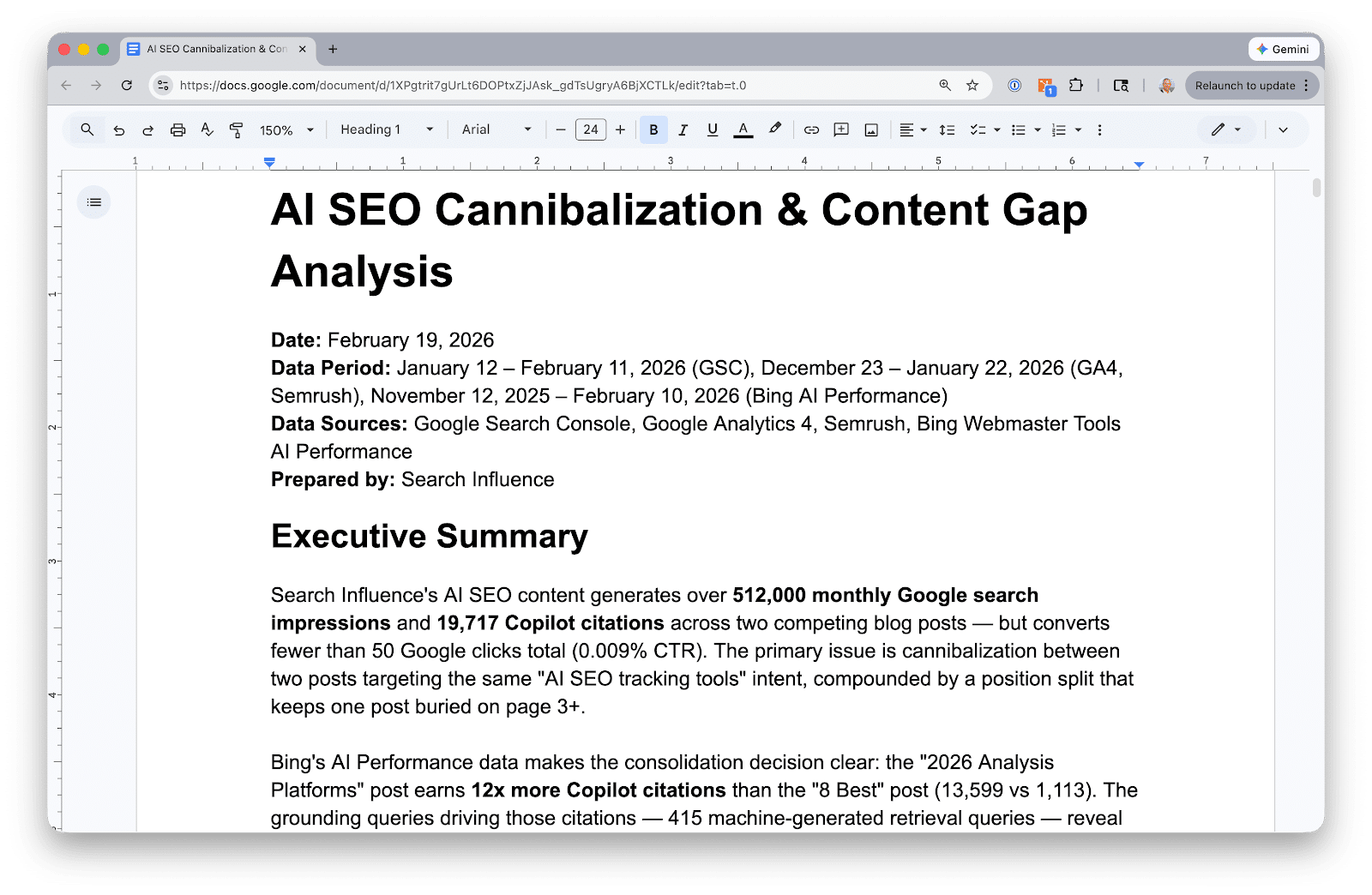
Recently, I’ve found myself immersed in Claude Code, especially within Cursor. I’m not a coder by trade; I run a digital marketing agency. But using Claude Code through Cursor has dramatically sped up how I handle critical tasks such as data extraction and analysis from Google Search Console, GA4, and Google Ads.
Setting up this system takes about an hour, but once it’s done, asking questions like “Which keywords am I overpaying for that I already rank for organically?” becomes a breeze. It provides answers in seconds, eliminating the need for tedious hours spent on spreadsheets.
Let me share the step-by-step process I developed for our agency clients. If any of this seems too intricate, simply paste this article’s URL into Claude, and ask it to guide you through the steps.
Ultimately, you’ll build a project directory where Claude Code can access Python scripts that pull live data from your Google APIs. The data is fetched, stored in JSON files, and you’re free to interact with it without the need for dashboards or complex templates.
seo-project/
├── config.json               # Client details + API property IDs
├── fetchers/
│   ├── fetch_gsc.py         # Google Search Console
│   ├── fetch_ga4.py         # Google Analytics 4
│   ├── fetch_ads.py         # Google Ads search terms
│   └── fetch_ai_visibility.py  # AI Search data
├── data/
│   ├── gsc/                 # Query + page performance
│   ├── ga4/                 # Traffic by channel, top pages
│   ├── ads/                 # Search terms, spend, conversions
│   └── ai-visibility/       # AI citation data
└── reports/                 # Generated analysis
Begin by setting up Google API authentication. This step requires a Google Cloud service account, which covers GSC and GA4. Google Ads, however, requires its own OAuth setup.
Next, you’ll move on to building the data fetchers. Each fetcher is a Python script that authenticates, pulls data, and saves it in JSON format. You won’t need to dive into API documentation either; Claude Code can write the scripts based on simple descriptions of what you want to achieve.
Once you’ve got your data, Claude Code can answer cross-source questions, such as spotting keywords with paid and organic gaps, or analyzing content performance across platforms.
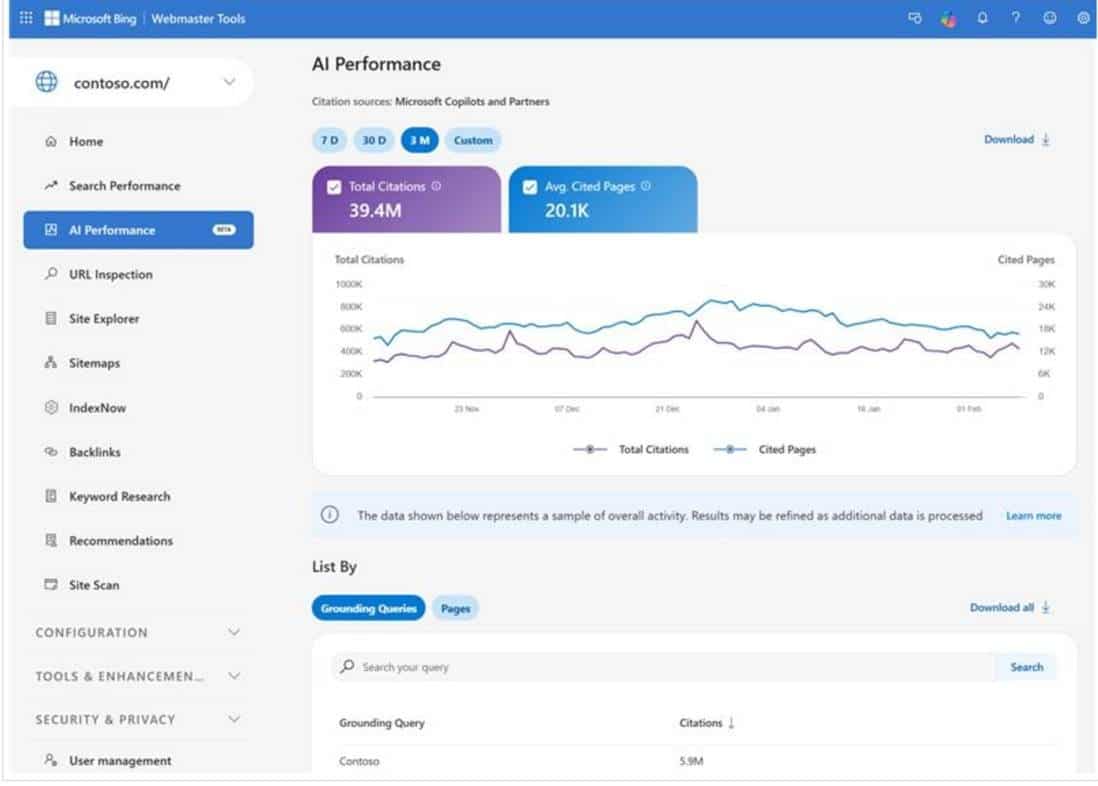
For AI visibility tracking, consider tools like Scrunch or Semrush. Export your data as CSV or JSON to further enhance your insights through Claude Code.
Overall, this workflow takes about thirty-five minutes for a new client and reduces monthly refresh times to about twenty minutes. It saves you from the hassle of manually managing and deciphering data across multiple platforms.
Claude Code enhances your data analysis capabilities, but it’s not a replacement for strategic insight. Remember to verify results just as you would scrutinize work from a new team member.
I recently discovered a new help document from Google that explains how their web crawlers operate. This document aims to offer basic educational information about crawling, highlighting key resources available to site owners.
There are currently nine essential insights listed in the document, and they’re pretty enlightening!
Frequent crawling is a good sign! It indicates that your site’s pages contain fresh or highly relevant content that attracts attention. Google specifically mentions, “If we’re crawling your site a lot, it’s an indication your pages have fresh or highly relevant content that people want to find, and that our systems are recognizing that demand. Online shopping is a great example: we crawl ecommerce sites often so that our results will display retailers’ most up-to-date prices, promotions, and inventory status.”
What’s included in the guide? Here’s a quick overview, though I’d definitely recommend diving into the document for a detailed read. It’s not new information, but it serves as a beneficial refresher:
What is crawling? In short, crawling is how Google “sees” the web.
Google uses numerous crawlers, each tasked with different jobs.
Repeat crawls help provide the freshest search results by catching the latest updates.
Frequent crawling remains a positive indicator!
With the increased complexity of pages over time, Google’s crawling has evolved.
Crawling is automatically optimized.
Google doesn’t access paywall or subscription content without consent.
Site owners have control over what gets crawled and how.
Respect for robots.txt and other instructions is a standard for Google’s crawlers.
Why does this matter? The art of crawling is a cornerstone of SEO, essential for being visible in Google Search and other platforms. This new help document can serve as a guide to enhance the crawlability of your site.
Recently, while exploring the latest developments in web technology, I stumbled upon something groundbreaking: WebMCP, introduced in Chrome 146. Being a tech enthusiast, I was intrigued to learn how this emerging protocol could reshape the way AI agents interact with websites.
Chrome 146 has rolled out an exciting early preview of WebMCP, hidden behind a flag. This protocol, known as Web Model Context Protocol (WebMCP), is designed as a web standard to lay out website tools in a structured manner, guiding AI agents in executing tasks seamlessly.
So, what does this mean for us? Historically, the internet has been developed with humans in mind. Buttons, forms, and dropdowns are all elements we understand. But there’s an emerging user—AI agents. Soon, they will be completing registrations, purchasing tickets, and achieving other goals autonomously on websites.
Currently, AI agents face a daunting task. They navigate websites by crawling and attempting to decipher their functionalities. Imagine an AI agent trying to book a flight. It has to identify input fields, guess data formats, and pray nothing goes awry. It’s far from ideal.
The introduction of WebMCP is set to change this. By exposing the structure behind web tools, AI agents will be equipped to understand and execute tasks with ease.
Let’s dive a bit deeper to understand WebMCP. Picture yourself needing to book a flight.
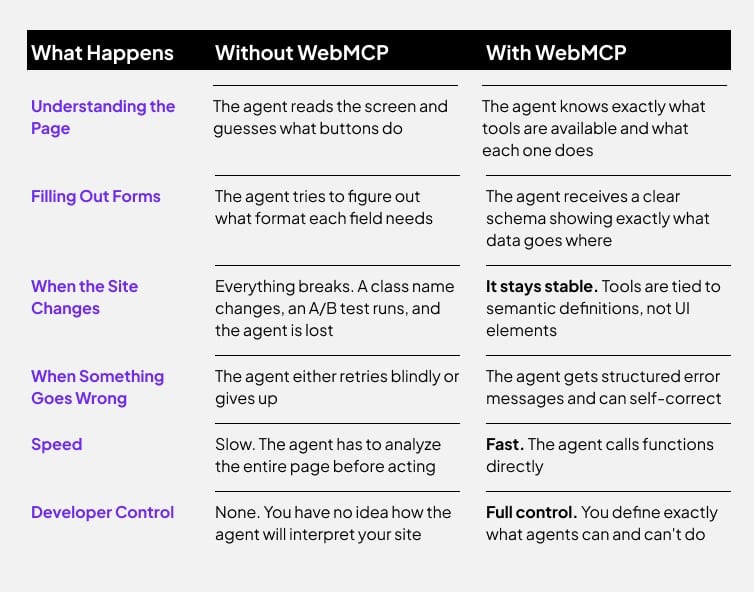
Without WebMCP: An AI agent scrambles to find a relevant button like “Book a Flight” or “Search Flights.” It then interprets the on-screen information, hoping it inputs correctly.
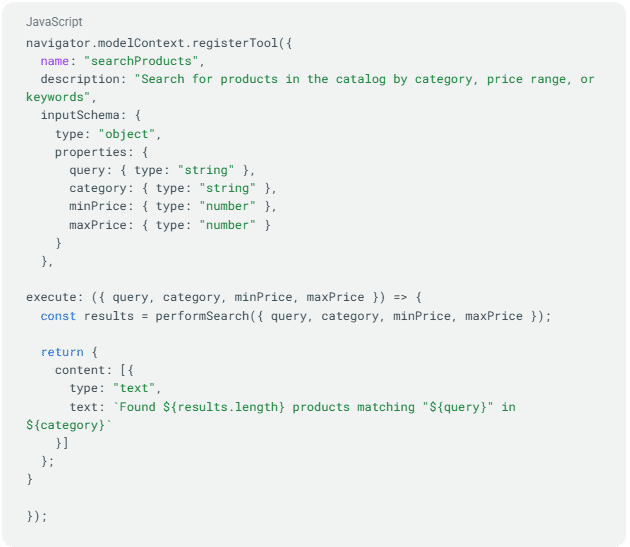
With WebMCP: Forget searching for buttons. Instead, the agent calls a function, like bookFlight(), using well-defined parameters (such as date, origin/destination, and passengers), receiving a structured result in return. Much like developers interacting via APIs, AI agents will seamlessly call functions.
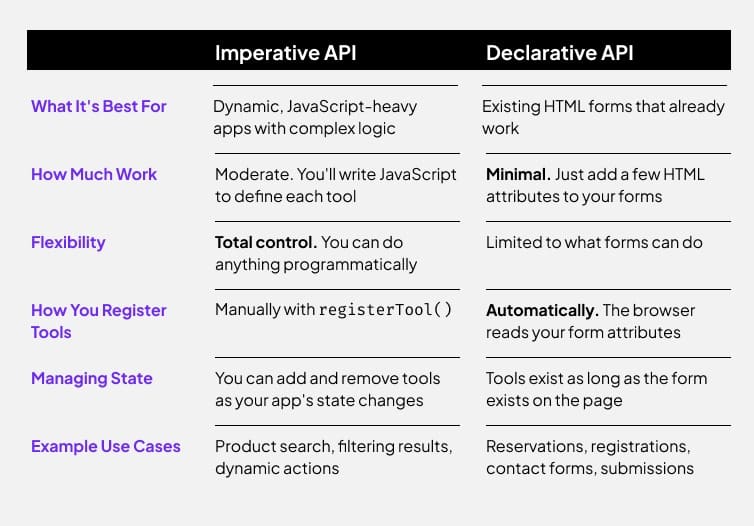
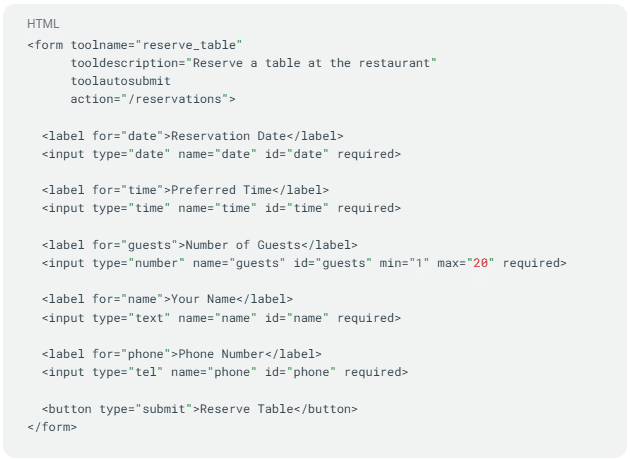
WebMCP empowers websites with JavaScript APIs and HTML form annotations, guiding AI agents on interacting with web tools in three steps:
Discovery: What tools does the page support? Examples include Checkout, BookFlight, or searchProducts.
JSON Schemas: They precisely define expected inputs and the kind of output that will be returned.
State: Tool availability alters based on the page’s state, allowing agents to only see actions relevant to the current context.
My website, for instance, could offer a list of actions each detailing its functionality, accepted inputs, returned outputs, and required permissions.
But why does this matter? AI agents are infiltrating our daily workflows rapidly. Soon, AI will handle our flight bookings, fill out forms, and publish content. But, as of now, AI agents struggle to interact seamlessly with websites due to two current approaches:
Automation (fragile): An AI acts by clicking buttons and inputting data like we do, but since websites frequently update, this can lead to failures.
APIs (limited): While APIs offer a structured approach for interaction, they’re not universally available or comprehensive.
WebMCP offers a middle ground, allowing websites to make tools accessible without the drawbacks of UI automation or needing separate APIs.
Like the early 2000s SEO race, WebMCP symbolizes a shift towards optimization for AI agents. Those who adopt this early could enjoy significant advantages as AI-centric search and commerce grow.
This opportunity is not merely about SEO anymore. It’s about realizing broader growth potential through WebMCP, which signifies not just being discoverable, but actionable by AI agents who’ll soon connect with future customers.
Practical applications of WebMCP in B2B and B2C scenarios are vast, from simplifying quote requests to expediting inventory checks, offering a seamless experience for business and everyday consumers alike.
To start experimenting with WebMCP, Chrome 146 lets you access it behind a feature flag. It’s still in its nascent stage but provides a valuable chance for developers and innovative teams to play around with the conceptual framework.
While getting acquainted with WebMCP, you’ll need Chrome version 146.0.7672.0 or later and a basic understanding of Chrome flags. Follow these steps to set up:
Navigate to chrome://flags/#enable-webmcp-testing in Chrome.
Set the “WebMCP for testing” flag to “Enabled”.
Relaunch Chrome.
Start experimenting with WebMCP today and perhaps even install the Model Context Tool Inspector Extension to witness WebMCP in action. It’s an exciting era we’re stepping into, enabling websites to be as understandable to AI as they are to us.
As someone keen on improving AI search visibility, I’ve delved into the world of schema markup. Let me share what I’ve learned about essential schema types, practical implementation tips, and how structured data enhances the understanding of content by Large Language Models (LLMs).
By incorporating schema markup, I’ve noticed significant improvements in how AI and search engines interpret my content. This not only boosts my content’s visibility but also ensures it reaches the right audience effectively.
The right schema types serve as a bridge, enabling AI systems to decipher and present content accurately. In my experience, selecting the appropriate schema type is crucial for optimizing how LLMs process information.
Moreover, implementing schema markup isn’t as daunting as it seems. With some practice, I’ve found that the structured data seamlessly fits into my workflow, enhancing the overall search optimization process.
When I first dove into the complexities of AI recommendations, the process seemed daunting. But understanding the AI engine pipeline and its 10 gates offers incredible opportunities to optimize brand visibility and gain a competitive edge.
AI engine pipelines, from discovery to the final winning moment, are intricate systems where small adjustments can yield significant results. By embracing the entire pipeline, from upstream disciplines to structural shifts, we can profoundly influence how AI recommends our content.
Every piece of digital content navigates through a 10-gate journey before becoming an AI recommendation. I refer to this progression as the AI engine pipeline, or DSCRI-ARGDW, encompassing these crucial stages:
Discovered: The bot becomes aware of your existence.
Selected: The bot opts to further investigate your content.
Crawled: The bot fetches your material.
Rendered: The bot comprehends the content it has gathered.
Indexed: Your content is committed to the algorithm’s memory.
Annotated: The algorithm classifies the meaning of your content.
Recruited: Your content is integrated for use by the algorithm.
Grounded: The system verifies your content’s credibility.
Displayed: The user is presented with your content.
Won: You’ve secured the prime spot in the AI decision-making process.
The journey through these gates determines the strength of your AI recommendation. After securing a ‘win,’ the eleventh gate, which focuses on how your brand serves post-decision, plays a crucial role in reinforcing or diminishing ongoing AI confidence.
It’s essential to create a seamless path that bots can easily navigate (DSCRI) and outperform your competitors during the stages of recruitment, grounding, and display (ARGDW).
As the AI engine progresses through each gate, it evaluates your content against checkpoints and standards. Skipping gates by using structured feeds or direct data pushes can give you a strategic advantage by circumventing traditional path constraints.
Ultimately, understanding and optimizing for each gate in the AI engine pipeline not only enhances your brand’s digital footprint but also helps secure long-term recommendations consistently. Join me as we unravel how to enhance our content throughout this AI landscape and ensure it stands out at every step.
For over a decade, the content formula was clear-cut: choose a keyword, craft an article, publish, promote, rank, and convert. But now, that system is failing.
In today’s world, content marketing is in transformation. AI delivers direct answers to search queries within the results page. With large language models processing information faster than we can distribute it, a new content approach is essential.
While the cost of content creation plummets, the challenge of standing out becomes steeper. Here’s a method for thriving in a market where visibility is far from guaranteed.
The decline of informational SEO
Informational SEO was once a beacon for growth. The idea was simple: produce enough articles, get traffic, and grow. But that traffic was always just a proxy for real progress.
Now, AI tools deliver instant summaries, reducing the need for users to click through. If your strategy revolves around responding to common queries, you’re up against highly trained AI, rendering traditional informational SEO strategies ineffective.
Content needs a new purpose, evolving beyond customer support and sales to creating genuine brand notoriety.
SEO’s evolution into a competition for boardroom-worthy metrics has diluted its effectiveness. It’s time to reset focus.
Content serves two purposes: as a business in itself or as a strategy to boost another business. For most, content acts as advertising—building brand recall, as proven by advertising science, hinges on fame, feeling, and fluency.
Gone are the days when we could rely on attracting users through search alone. AI now answers questions instantly, reducing the effectiveness of content designed only to draw in search engine traffic. It’s time to pivot towards pushing content to audiences directly through media, partnerships, and events.
In this overcrowded media landscape, it’s not about access—it’s about strategy and targeting.
Kevin Kelly’s insight in “The Inevitable” reveals a crucial shift: visibility is now a scarce commodity. As content production skyrockets, curation and distribution become the keys to visibility, shifting the value from creation to distribution.
With finite human attention, being found is a matter of scarcity economics. Today, it’s not just about creating content but making sure it’s uniquely visible.
Dig deeper:
Powerful messaging in an age of abundance
Rory Sutherland’s concept of impactful messaging emphasizes the need for distinct, memorable signals in marketing. When everything is efficient, inefficiency and peculiarity become powerful signals. Just as lavish wedding invitations signal importance through their very wastefulness, marketing must adopt similar strategies to stand out.
In a world awash with competent yet forgettable content, distinct efforts stand out and make a lasting impression.
Paul Feldwick’s principles of fame—interest, reach, distinctiveness, and voluntary public engagement—shape how we approach content marketing now. Creating unique and engaging content that stands out is essential for becoming memorable and broadening reach.
It’s not enough to produce content; it must be distinctive, distributed effectively, and encourage engagement.
Operationalizing fame in search marketing
To thrive in the AI era’s content landscape, marketers must adopt a new mindset. Focus on five steps: differentiate infrastructure from fame-building initiatives, invest in originality, prioritize distribution before creation, establish distinctive brand assets, and measure your growth in fame, not just traffic.
Understanding that fame, not content volume, catalyzes growth is vital. By crafting memorable and distributed content, we can achieve genuine recall in our audience’s minds.
Automation takes the mundane out of our hands, empowering us to create outstanding content. Successful content strategies will pivot from producing large volumes to making each piece count, driving creative impact. As information proliferates, brands must strive not only to be visible but also to be remembered.
In the AI age, the brands that will shine are those that master the art of being found, focusing on creative impact rather than mere existence.
Before I dive into updating my Conversion Rate Optimization (CRO) strategies for AI, it’s crucial to focus on the basics first. Clear messaging, robust user experience, and technical precision are still the foundation of successful CRO efforts.
Every marketer wonders how CRO and findability differ between AI systems and humans. Do different strategies cater to AI needs versus human needs, or is there common ground?
As more marketers adopt AI-powered discovery tools, understanding how CRO functions for AI agents compared with humans is crucial. Despite various considerations, the main takeaway is straightforward: effectively serving people also enhances AI findability. Though technical aspects are important, drastically different strategies for AI compared to humans aren’t necessary.
Understanding CRO Beyond the Website
When customers interact with my business directly through AI or agents, my information needs to be clear and actionable. This means having clean, well-structured data that’s easily processed by downstream systems.
With more consumers using AI assistants, it’s important that my products and services seamlessly connect. Standards like Model Context Protocol (MCP) help agents effectively engage with shared information sources.
Sometimes, humans still prefer to interact directly on a brand’s website. In these cases, my content and formatting must consistently enable users to take the actions they want, whether through paid media or organic avenues.
In the past, SEO strategies suggested maximizing keywords and text blocks. That’s no longer the case.
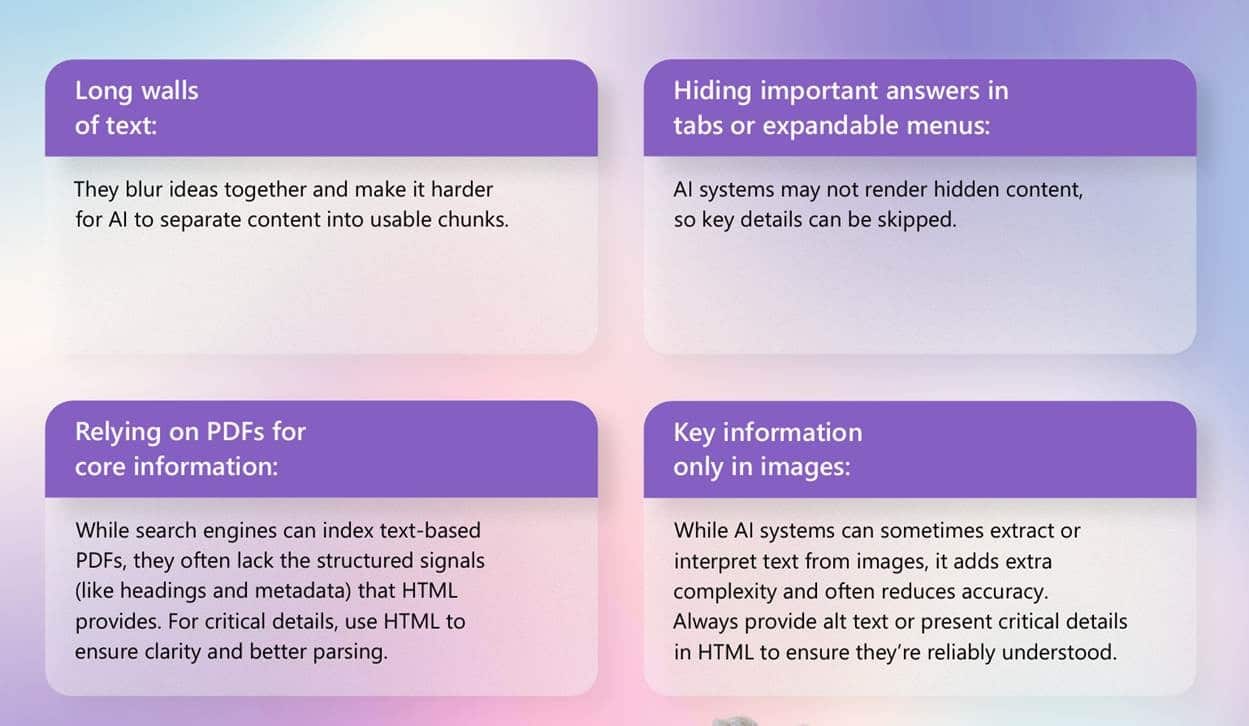
Both humans and AI favor well-structured, modular content. People find dense text blocks difficult to scan, which leads to misunderstandings. A clear layout with good spacing and a visual hierarchy helps users quickly grasp their objectives on the page.
There’s no perfect text amount for every situation. I aim to provide just enough content to clearly describe my offering, its benefits, and what makes it unique.
Visual elements, complete with effective alt text, can enhance user experience. Lead generation forms should be simple for humans to use and regularly tested to minimize spam or friction. Difficult content creates hurdles for both humans and automated systems.
The best way to communicate effectively with systems is to communicate well with people. I focus on showcasing my expertise without using excessive jargon. Descriptions should be precise, honest, and reflect the brand.
A simple test: If a 10-year-old can’t roughly understand what I offer, why it’s valuable, or how to engage, my messaging is overly complex. Even with sophisticated AI systems, clarity remains key to achieving human-focused outcomes.
If clarity is an issue, I might ask an AI assistant to critique my position statements. The goal is to simplify and clarify without adding embellishments or unfounded claims.
Visual aids like comparison tables can be useful if they genuinely clarify information. They can be detrimental if used as mere design gimmicks. Accessibility is paramount: adequate color contrast, readable fonts, and moderate font choices are necessary for everyone to access my site.
Images should be easily understood and relevant to their accompanying text, with alt text supporting users with assistive technologies and reinforcing content relations.
Optimization 3: Effective Calls to Action
People visit my site for a purpose, whether it’s shopping, requesting a quote, or contacting my team. They need to know what action to take.
When the intended action lacks clarity, it confuses both users and automated systems.
Good shopping experiences align with shopping intentions, as assistants aim to fulfill tasks they’re set to do. If checkout processes are unclear, it obstructs human businesses with me and AI might fail to understand my site’s transactional nature.
Lead generation also demands transparency. Include clickable phone numbers for calls, submit forms to lead systems, or initiate email clients. Avoid frustrating users with complex, multi-page forms.
Technical adjustments come last for a reason: the primary goal is to support my audience. Technical tweaks can help but aren’t game-changers on their own.
Excessive imagery, low text-to-background contrast, or unstable layouts can create usability issues.
Ensuring consistent and meaningful rendering is important for my site. Large layout shifts that occur after page load, measured as cumulative layout shift (CLS), frustrate users. Pages flooded with ads or pop-ups detract from their primary purpose, raising trust concerns.
Security is non-negotiable. Malware warnings, display issues, and incomplete page loads worry both users and automated systems.
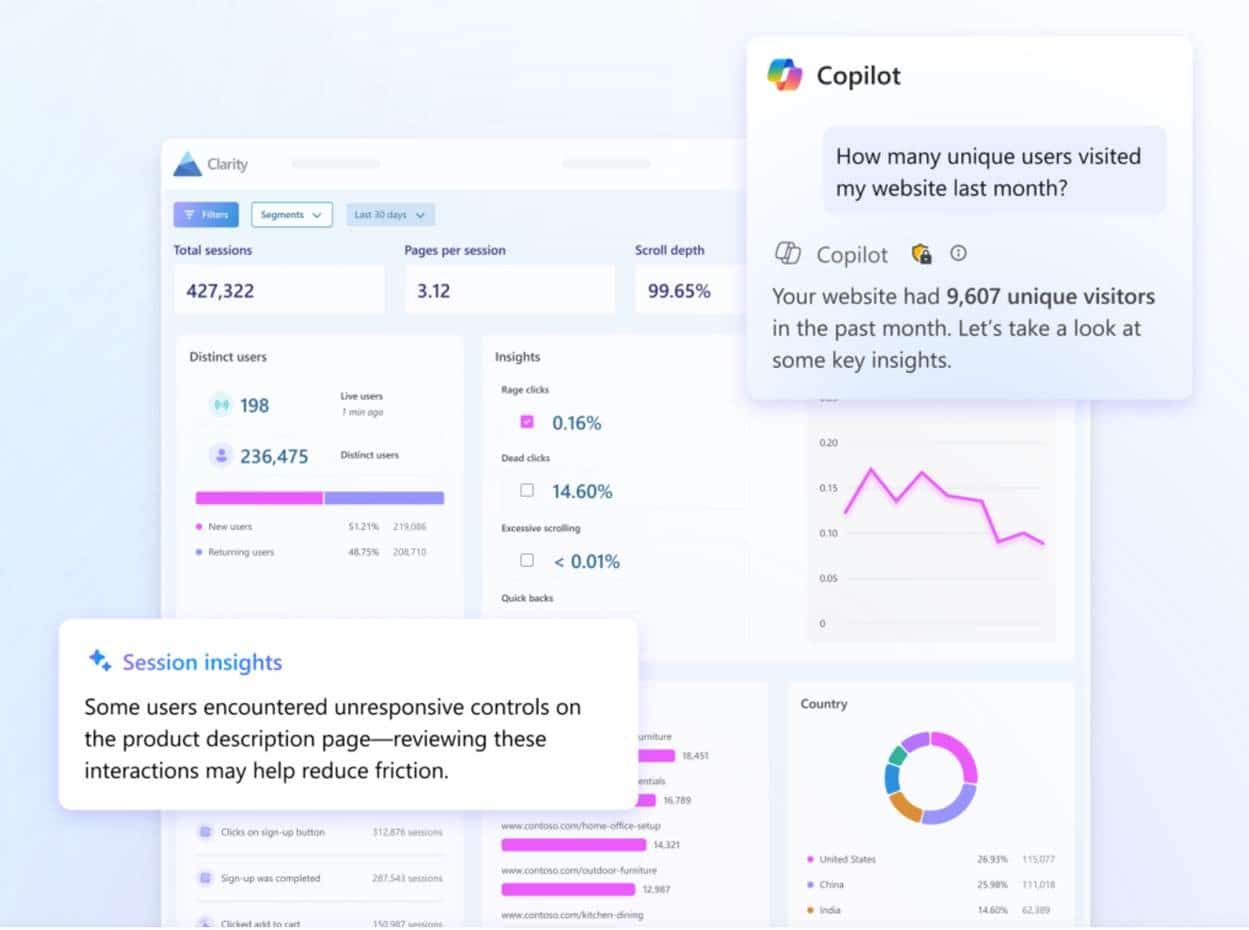
Using tools like IndexNow helps alert search engines about content updates faster. Microsoft Clarity is free and provides insights into user site behavior, identifying friction points that might go unnoticed without it. It’s particularly handy for improving chatbot experiences.
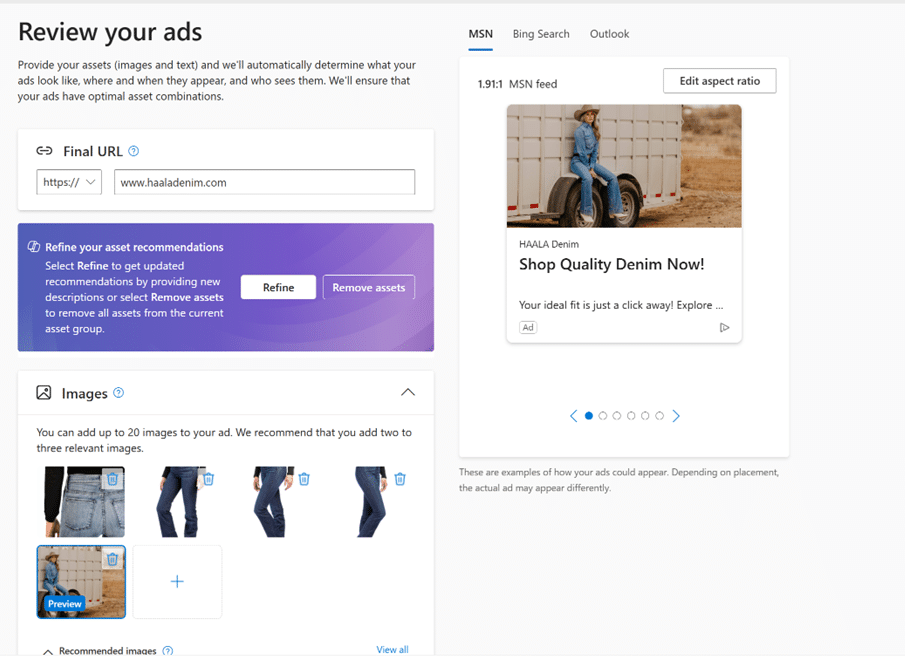
What’s more, utilizing ad platforms and auto-generated creative tools, like Performance Max campaigns, can be enlightening. They offer glimpses into how platforms interpret my content. If the output aligns with my intentions, I’m properly serving both humans and systems. If not, it’s a sign to reevaluate clarity and user flow.
When it comes to ensuring my images stand out in Google Search and Discover, I’ve learned that it’s all about using both schema.org markup and the og:image meta tag effectively. Google recently revised its image SEO best practices and Discover guide to clarify how they utilize these elements to select thumbnails.
“Google’s selection of an image preview is entirely automated, considering various sources to display a suitable image on Google, such as a text result image or a preview image in Discover.”
So, how can I influence the thumbnails Google selects?
I can specify the primaryImageOfPage property with a URL or ImageObject in schema.org. Alternatively, linking an image URL or ImageObject to the main entity using the mainEntity or mainEntityOfPage properties could be beneficial. Another option is to define the og:image meta tag.
Overall best practices include choosing an image that truly represents the page, avoiding generic images or those containing text, steering clear of extremes in aspect ratios, and opting for high-resolution images whenever possible.
Google Discover Image Selection – In the Discover documentation, I found some insightful tips:
“Incorporate engaging, high-quality images in your content, especially large images, as they are more likely to attract visits from Discover. Images should be at least 1200px wide, high resolution of at least 300K, and maintain a 16×9 aspect ratio.”
Google attempts to crop images automatically for Discover. If I choose to crop images myself, they should be well-positioned for landscape use, ensuring vital details remain in the cropped version specified in the og:image meta tag.
Also important is enabling the max-image-preview:large setting or using AMP. Utilizing schema.org markup or the og:image meta tag allows specifying a large, relevant image as thumbnails in Discover.
Why It Matters – Images significantly impact click-through rates from Google Search and Discover. By understanding and applying these guidelines, I can better guide Google in selecting the right image thumbnails to boost visibility.
As someone who’s been working with brand content for a while, I’ve gathered quite a bit of material that could use a refresh to improve our presence in AI-generated search results. In this context, let’s call this AEO—Answer Engine Optimization—to encapsulate our strategy going forward.
Recently, I’ve been fielding a lot of questions from brand marketers eager to enhance their AEO. To them, the suggestion of revising old content has often been an illuminating solution.
This insight opens up several important follow-up questions that I’d like to delve into now.
How do you reformat content for better AEO performance?
When it comes to content reformatting, I follow these core principles: topical breadth and depth, chunk-level retrieval, and answer synthesis.
Topical breadth and depth.
Chunk-level retrieval.
Answer synthesis.
Let me break down what these mean in practical terms.
Optimize for topical breadth and depth
I organize my site using a hub-and-spoke model. This involves creating a hub page for each main category or keyword theme, which serves as a comprehensive introduction and links to detailed spoke pages.
Each spoke page tackles one specific aspect in detail, which helps in addressing various user questions and broadens the overall topical landscape for our content.
By linking related spoke pages to each other and back to the hub, I reinforce content connections, providing AI systems with clearer signals about topic relationships.
Optimize for chunk-level retrieval
I focus on making each content chunk comprehensible on its own, without relying on the entire page for context. This involves crafting sections that are semantically tight, with each focused on a single idea.
Keep each passage tightly centered on one concept — Our Family Wizard does an excellent job of this
Optimize for answer synthesis
I start answers with a clear, concise sentence, then elaborate using well-structured summaries like “Summary” or “Key takeaways.” A plain, factual style works best.
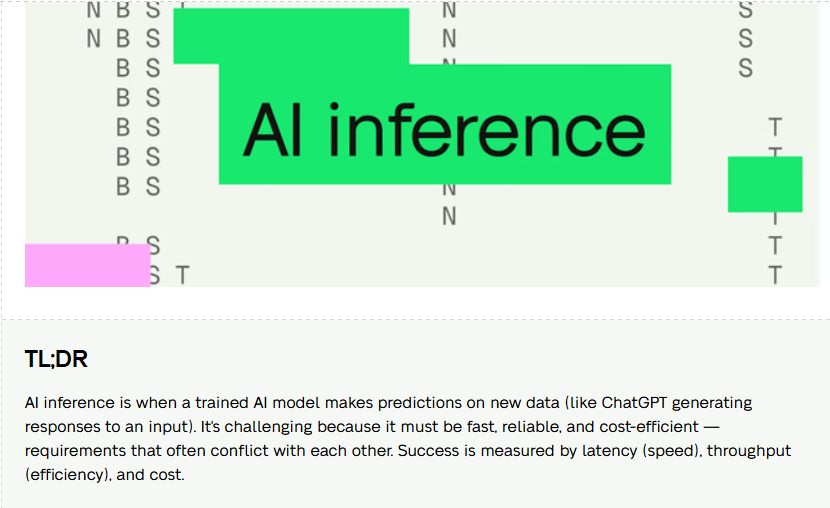
Here’s an example of effective formatting from Baseten, which places a TL;DR summary at the beginning of a post discussing AI inference:
My experience so far has been that AI readability, focused on clarity, actually appeals to human readers who appreciate content they can understand quickly.
AI systems resonate with content that:
Names rather than infers answers.
Has sections with clear intent.
Allows easy extraction of key points without rewriting.
In some cases, it requires being more explicit than traditional SEO practices, like defining terms upfront, summarizing sections, and providing conclusions early on.
The challenge for me is balancing clarity with nuance, especially since AI-produced content can sometimes oversimplify intricate details.
When optimizing, I focus on:
Explaining initially, then expanding.
Identifying insights, then substantiating them.
Presenting the answer before adding any complexities.
This strategy makes the content appealing for both AI and human audiences.
Although, I’ve noticed that AI-generated content sometimes feels too generic, especially when it lacks personal perspectives and insights not readily available online.
I keep an eye out for AI content characteristics like the “dreaded em dash” and aim to remove them when refining my content.
How do you approach metadata when revising content for AEO?
While SEO uses metadata as ranking levers, in AEO, these elements act as context anchors.
Let’s dive into some key elements.
Title tags
For AEO, title tags should describe the page’s main answer or purpose in addition to the topic.
A title like “Session replay software” might become “Session replay: what it is, when to use it, and when not to use it.” Clearer signals aid AI citation decisions.
Headings (H1-H3)
Rather than generic headers, I align them with specific questions or assertions suited for user inquiries.
What is compliance monitoring?
Why does compliance monitoring matter for {x} industry?
Issues from lacking compliance monitoring
When to invest in compliance monitoring?
If answering these takes more than a few sentences, it likely needs refinement for clear, direct responses.
Meta descriptions
In AEO, meta descriptions serve as a compressed intent signal rather than appearing directly in search results.
They should clarify:
The target audience of the content.
The problem it addresses.
Its framing context.
Viewed through the AEO lens, they function as concise briefing notes for both users and AI systems.
While SEO and AEO often align, understanding where they diverge helps optimize for AI search visibility.
I’m not suggesting a drastic shift in strategy, but recognizing that AI engages with content differently from traditional algorithms is crucial for repurposing valuable content.
In 2021, my fascination with Google Discover began when I noticed it generating millions of clicks monthly for publishers. I never imagined how significant it would become.
As I scroll through my feed, it covers everything from soccer, television, Baltimore news, SEO, to global happenings. This variety underscores just how intuitively Discover knows users.
Remarkably, Discover isn’t confined to a single app. It shows up in Chrome’s new tabs, Google app, Android homescreens, on Google.com via mobile browsers, and elsewhere on Google platforms.
Given Discover’s pervasive presence, it’s imperative for us SEOs to leverage the opportunities it presents. Let me guide you on how to do just that.
To start, it’s essential to understand that Discover traffic isn’t suitable for every brand, similar to how search may not be the answer for all.
In Discover, timely content takes precedence. The most successful content is often from reputable sources, particularly major publishers, and is usually time-sensitive. Evergreen content is a rare sight.
Interestingly, sites I’ve collaborated with often draw more traffic from Discover compared to traditional search.
There’s an ongoing decline in Discover traffic due to the influx of social posts and AI summaries, which now occupy space in the Discover feed, pushing aside traditional articles.
Previously, crafting articles about viral social media topics was highly effective for attracting clicks. However, the landscape is shifting, prompting Google to experiment with tracking social platform traffic.
Nevertheless, quality and relevance in content continue to hold significant value. Regardless of technical optimization, content that resonates with user interests will always triumph over less relevant material.
Should your content miss the mark on Discover, assess whether it aligns with what Discover seeks to highlight. And in case of a traffic dip, critically examine your content before delving into technical issues.
Don’t be discouraged from optimizing for Discover. These strategies won’t impact traditional search negatively, and they might unexpectedly boost your Discover traffic, as I’ve observed non-publishers enjoy temporary spikes in clicks.
The three primary factors I scrutinize during new client audits are the Discover publisher profile, article images, and signals from the publisher and author. These form the basis of your optimization process.
Your publisher profile should reflect your website and social profiles accurately. Tools like Damian Tsuabaso’s app, albeit in Spanish, can help identify your profile page.
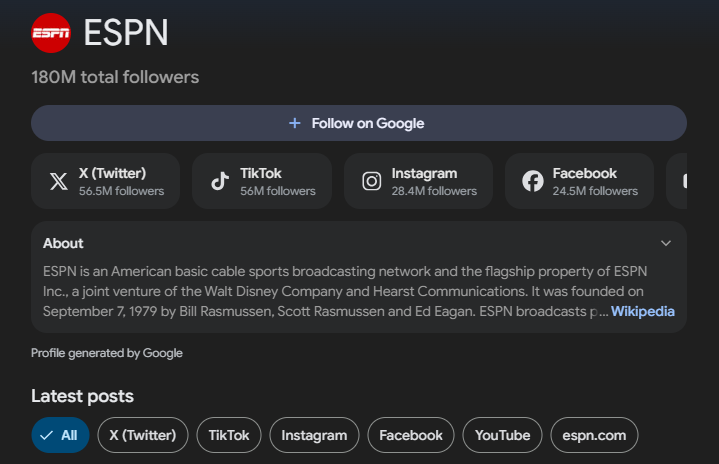
Discover profiles are linked to your entity’s Knowledge Graph ID and this is crucial for your representation as a publisher. Focus on whether your profile pages accurately portray your brand’s identity.
Incorporate your social media handles into your publisher’s profile. This linkage often requires patience, as manual updates are necessary.
Verify if you have the max-image-preview:large tag, which is vital for showcasing large images in article previews, a detail often overlooked in many CMSs.
Images, especially hero images, should be at least 1,200 pixels wide, aligning with Google’s recommendations for optimal display in Discover.
Ensure your Open Graph image tags are correctly configured and reflect high-quality images instead of logos, enhancing Discover visibility.
Prioritize author transparency by ensuring details such as author photos, bios, and social links are visible, underpinning credibility.
Maintain thorough publisher transparency by linking robust About Us and policy pages, as well as implementing structured data carefully.
Discover thrives on relevance, timely content, and authority. Optimization can’t substitute the necessity for high-quality, suitable content.
Remember, Discover is just the starting point. Uncover larger opportunities for your content through comprehensive audits.