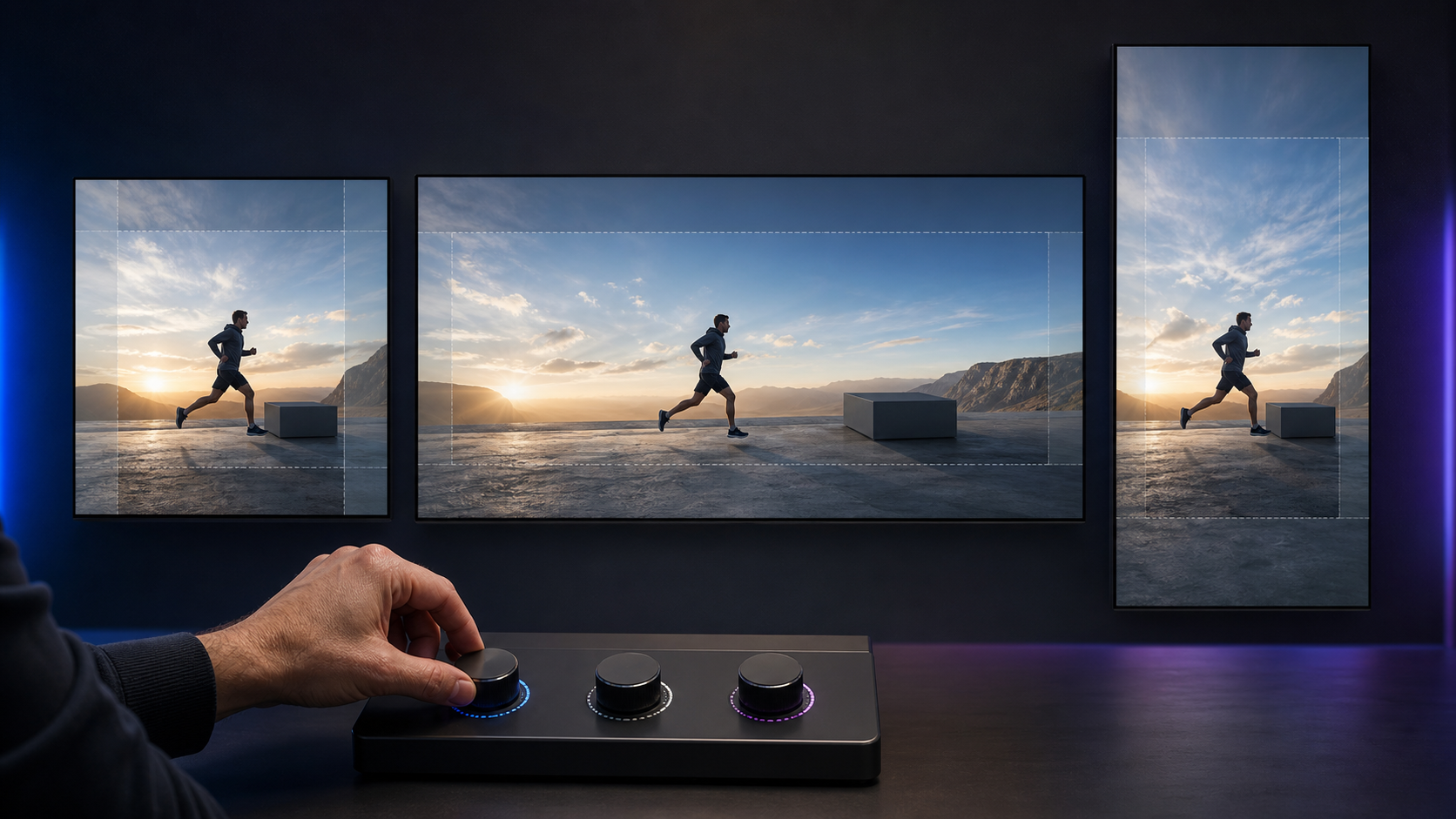
You gave Performance Max a strong horizontal video. Now Google can extend it into vertical and square versions so the campaign can reach inventory that the original shape could not cover. That can save production work, but it also gives automation a hand in what your customer sees.
Your decision is not simply whether to switch an AI feature on or off. You need to decide which assets can tolerate generative adaptation, what must remain visually exact, and who has authority to reject a version that fits the placement but fails the brand.
What generative AI resizing changes in Performance Max
Google Ads can now extend existing Performance Max videos into missing aspect ratios. The capability builds on video enhancements that can already convert horizontal assets into vertical and square formats. Google’s stated aim is to improve the viewing experience and make the video eligible for more inventory.
The important word is extend. Ordinary resizing changes dimensions. Cropping removes or repositions material already in the frame. Generative extension can create material needed to complete a differently shaped frame. That moves Performance Max beyond deciding where an ad runs and into adapting the visible creative.
More eligible inventory is a coverage benefit, not proof that every generated version communicates equally well. A vertical asset may fit a vertical placement while weakening the composition, moving attention away from the product, or placing too much visual weight around a logo or call to action. Evaluate format coverage and creative fidelity as separate questions.
This distinction also changes ownership. Media teams can judge whether broader inventory is useful. Brand and creative owners must judge whether the adapted frame remains accurate. If only the first group reviews the feature, the campaign can pass a performance check without passing a creative one.
Choose your control level from the asset, not the campaign

A campaign should not receive one blanket risk rating just because it is a Performance Max campaign. One asset may be easy to extend, while another in the same campaign depends on exact geometry. Classify the videos themselves before deciding how much automation to allow.
A practical three-level policy looks like this:
- Allow with routine review: The main subject is centered, the surrounding background is visually simple, essential text is not pressed against an edge, and adding space around the scene would not change what the product appears to be.
- Require explicit approval: The subject moves across the frame, a demonstration depends on spatial relationships, text appears in several positions, or the original composition uses the edges deliberately.
- Use manually produced formats: The video contains exact package details, interface demonstrations, prices, disclosures, comparison imagery, before-and-after claims, trademark-sensitive shapes, or another element that must not be visually reinterpreted.
The third level does not mean generative tools are inherently unsuitable for the brand. It means the cost of a small visual error is higher than the production time saved on that particular asset. A generated background anomaly in an atmospheric scene may be correctable. An altered product label or misleading interface state is a different class of problem.
Do not use campaign budget as a shortcut for this assessment. A low-spend campaign can still publish an inaccurate representation, while a high-spend campaign may contain a visually flexible asset. Product truth, brand constraints, and message structure are better control signals than spend alone.
If you operate several accounts, write the policy once and attach examples from your own approved creative library. Name which asset types are eligible, which require approval, and which must be supplied in every needed ratio. That keeps the decision from changing whenever a different campaign manager encounters the setting.
Review every generated ratio as a new piece of creative

The safest review process treats a generated version as a new execution derived from an approved master. Calling it a resize can encourage a quick edge check. A full creative review catches errors that appear during motion, after a scene change, or around the final call to action.
- Record the master asset. Keep the approved original, its campaign and asset-group location, the available ratios, and the person responsible for creative approval in one register.
- Mark the non-negotiable elements. Identify the product silhouette, package text, logo, typography, interface state, offer language, disclosures, and visual claims that must remain unchanged.
- Inspect the entire timeline. Review the opening frame, every scene transition, moments when the subject approaches an edge, and the closing frame. Do not approve a moving asset from a single thumbnail.
- Review each ratio independently. Horizontal, vertical, and square versions can fail in different places. An approval for one shape should not automatically cover the others.
- Check small-screen legibility. View the adapted asset at a realistic small display size. Confirm that the focal action, essential wording, and call to action still make sense without relying on the original composition.
- Log defects by timestamp and type. Record where the problem occurs and whether it affects product accuracy, brand presentation, legibility, narrative clarity, or commercial information. A precise rejection is easier to act on than a note saying the version looks wrong.
- Assign a clear outcome. Approve the ratio for campaign use, replace it with a manually produced version, or change the relevant video setting. Do not leave a failed version in an informal state where nobody knows whether it can run.
Your review should answer concrete questions. Did the number, color, label, and proportions of products remain accurate? Is the logo intact? Does generated visual material look like part of the same scene? Does the composition still direct attention to the intended action? Are prices, conditions, and disclosures as legible and unambiguous as they were in the master?
Keep campaign approval separate from library approval. A variant that is acceptable for one controlled use should not automatically become an evergreen brand asset or a template for other channels. Record the scope of the approval alongside the decision.
A September 4 opt-out window was provided through account teams or Google’s form, but advertisers can also change video settings from within Google Ads at any time. If that opt-out date has passed for your account, do not assume the decision is permanent. Inspect the current setting and make the appropriate account-level or campaign-level governance decision based on the controls actually available to you.
Measure coverage and creative quality on separate scorecards
Generative resizing is intended to make a video available across more inventory. That objective can be met even when a particular output is not good enough for your brand. Your scorecard therefore needs one track for delivery and another for creative acceptability.
| Decision question | Evidence to inspect | Action |
|---|---|---|
| Did the new ratio create useful coverage? | Changes in eligible formats, delivery, or placement information available in the account | Keep the format only when its additional coverage serves the campaign goal |
| Is the output factually accurate? | Frame-by-frame comparison with the approved master and product references | Reject any material error, regardless of campaign performance |
| Does the message survive the new composition? | Focal action, text legibility, sequence clarity, and call-to-action visibility | Produce the ratio manually when the shape weakens the intended message |
| Does it remain within brand rules? | Logo treatment, typography, colors, spacing, product presentation, and restricted elements | Approve, restrict, or replace the version according to the documented policy |
| Can a performance change be attributed to resizing? | A change log plus the campaign reporting available during the review period | Treat a simple before-and-after change as directional, not as isolated proof |
Record the setting, approved assets, and review date before making a change. Where practical, avoid introducing another major creative change during the same evaluation period. Performance Max also automates media buying, so campaign results can move for reasons other than the new video ratio. A campaign-level lift or decline by itself does not isolate the effect of generative extension.
Set the rejection rules before looking at performance. A visually inaccurate product should not earn approval because the campaign converted. If a generated ratio delivers useful coverage but repeatedly fails creative review, that is a signal to produce the format manually, not to lower the accuracy standard.
Also log how often your team can inspect generated variants before they run. If the practical workflow gives nobody a reliable chance to review the output, your real choice is not automation with oversight. It is unreviewed creative automation. Change the setting or supply complete format coverage yourself until the approval path exists.
Key takeaways
- Performance Max can use generative AI to extend existing videos into missing aspect ratios, including formats suited to vertical and square inventory.
- Additional format coverage does not guarantee that the composition, product representation, or message remains acceptable.
- Classify risk at the asset level. Exact product visuals, interfaces, disclosures, and layout-dependent demonstrations deserve tighter control.
- Review the full timeline of every generated ratio, not just a thumbnail or the approved master.
- Measure delivery coverage separately from creative fidelity, and reject material visual errors regardless of performance.
- If you cannot establish a dependable owner and approval path, change the video setting or provide manually produced formats.
Start with the highest-risk video currently attached to a live Performance Max campaign. Record its video-enhancement setting, identify its non-negotiable visual elements, and review every available ratio from beginning to end. If nobody can clearly approve or reject the generated versions, pause that layer of automation until ownership is explicit.
References

Leave a Reply