Category: Video

  • Generative AI Video Resizing in Performance Max: A Control Guide

    Generative AI Video Resizing in Performance Max: A Control Guide

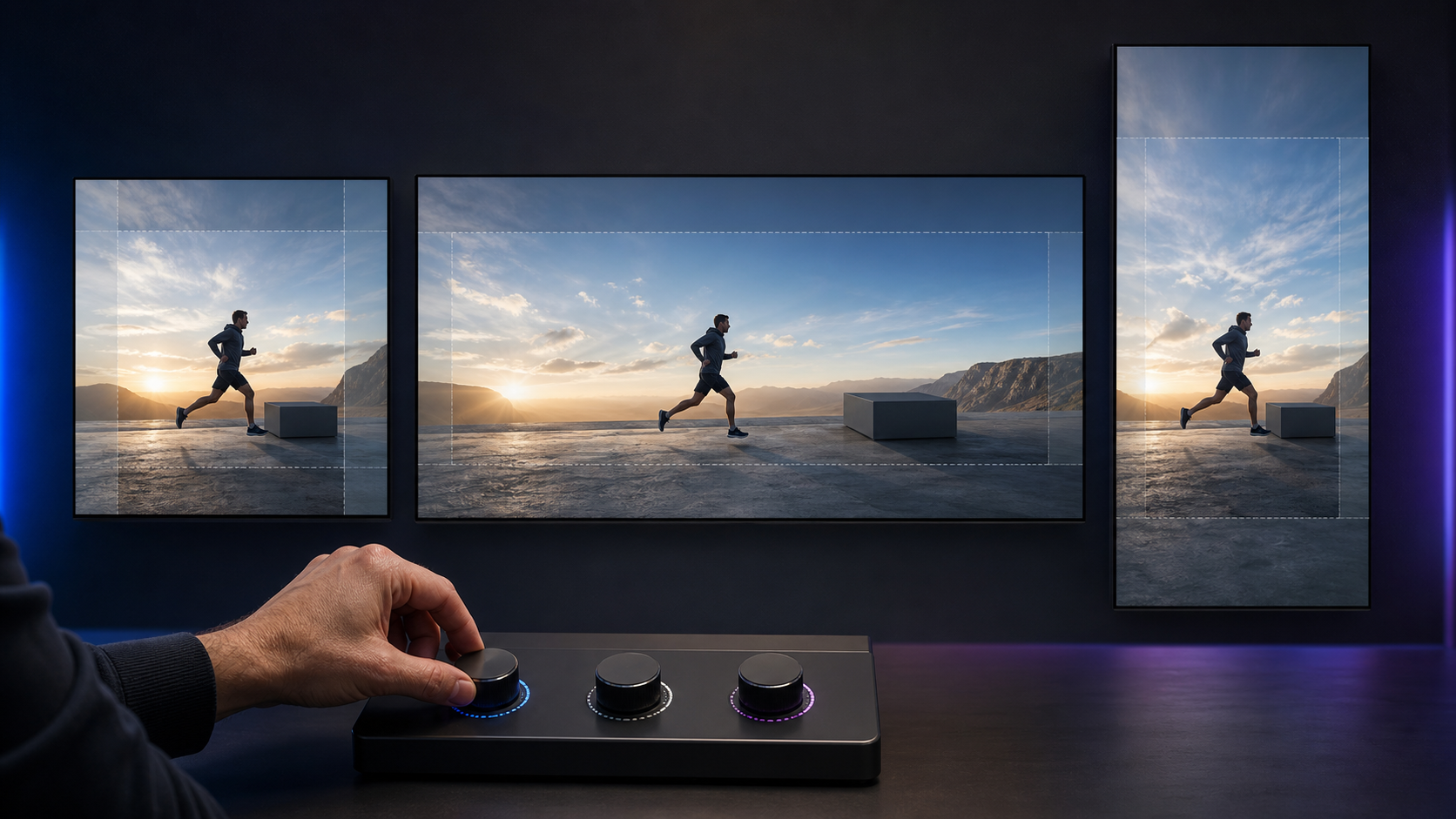
    You gave Performance Max a strong horizontal video. Now Google can extend it into vertical and square versions so the campaign can reach inventory that the original shape could not cover. That can save production work, but it also gives automation a hand in what your customer sees.

    Your decision is not simply whether to switch an AI feature on or off. You need to decide which assets can tolerate generative adaptation, what must remain visually exact, and who has authority to reject a version that fits the placement but fails the brand.

    What generative AI resizing changes in Performance Max

    Google Ads can now extend existing Performance Max videos into missing aspect ratios. The capability builds on video enhancements that can already convert horizontal assets into vertical and square formats. Google’s stated aim is to improve the viewing experience and make the video eligible for more inventory.

    The important word is extend. Ordinary resizing changes dimensions. Cropping removes or repositions material already in the frame. Generative extension can create material needed to complete a differently shaped frame. That moves Performance Max beyond deciding where an ad runs and into adapting the visible creative.

    More eligible inventory is a coverage benefit, not proof that every generated version communicates equally well. A vertical asset may fit a vertical placement while weakening the composition, moving attention away from the product, or placing too much visual weight around a logo or call to action. Evaluate format coverage and creative fidelity as separate questions.

    This distinction also changes ownership. Media teams can judge whether broader inventory is useful. Brand and creative owners must judge whether the adapted frame remains accurate. If only the first group reviews the feature, the campaign can pass a performance check without passing a creative one.

    Choose your control level from the asset, not the campaign

    Three advertising assets have different protective boundaries and separate paths to square and vertical versions.

    A campaign should not receive one blanket risk rating just because it is a Performance Max campaign. One asset may be easy to extend, while another in the same campaign depends on exact geometry. Classify the videos themselves before deciding how much automation to allow.

    A practical three-level policy looks like this:

    • Allow with routine review: The main subject is centered, the surrounding background is visually simple, essential text is not pressed against an edge, and adding space around the scene would not change what the product appears to be.
    • Require explicit approval: The subject moves across the frame, a demonstration depends on spatial relationships, text appears in several positions, or the original composition uses the edges deliberately.
    • Use manually produced formats: The video contains exact package details, interface demonstrations, prices, disclosures, comparison imagery, before-and-after claims, trademark-sensitive shapes, or another element that must not be visually reinterpreted.

    The third level does not mean generative tools are inherently unsuitable for the brand. It means the cost of a small visual error is higher than the production time saved on that particular asset. A generated background anomaly in an atmospheric scene may be correctable. An altered product label or misleading interface state is a different class of problem.

    Do not use campaign budget as a shortcut for this assessment. A low-spend campaign can still publish an inaccurate representation, while a high-spend campaign may contain a visually flexible asset. Product truth, brand constraints, and message structure are better control signals than spend alone.

    If you operate several accounts, write the policy once and attach examples from your own approved creative library. Name which asset types are eligible, which require approval, and which must be supplied in every needed ratio. That keeps the decision from changing whenever a different campaign manager encounters the setting.

    Review every generated ratio as a new piece of creative

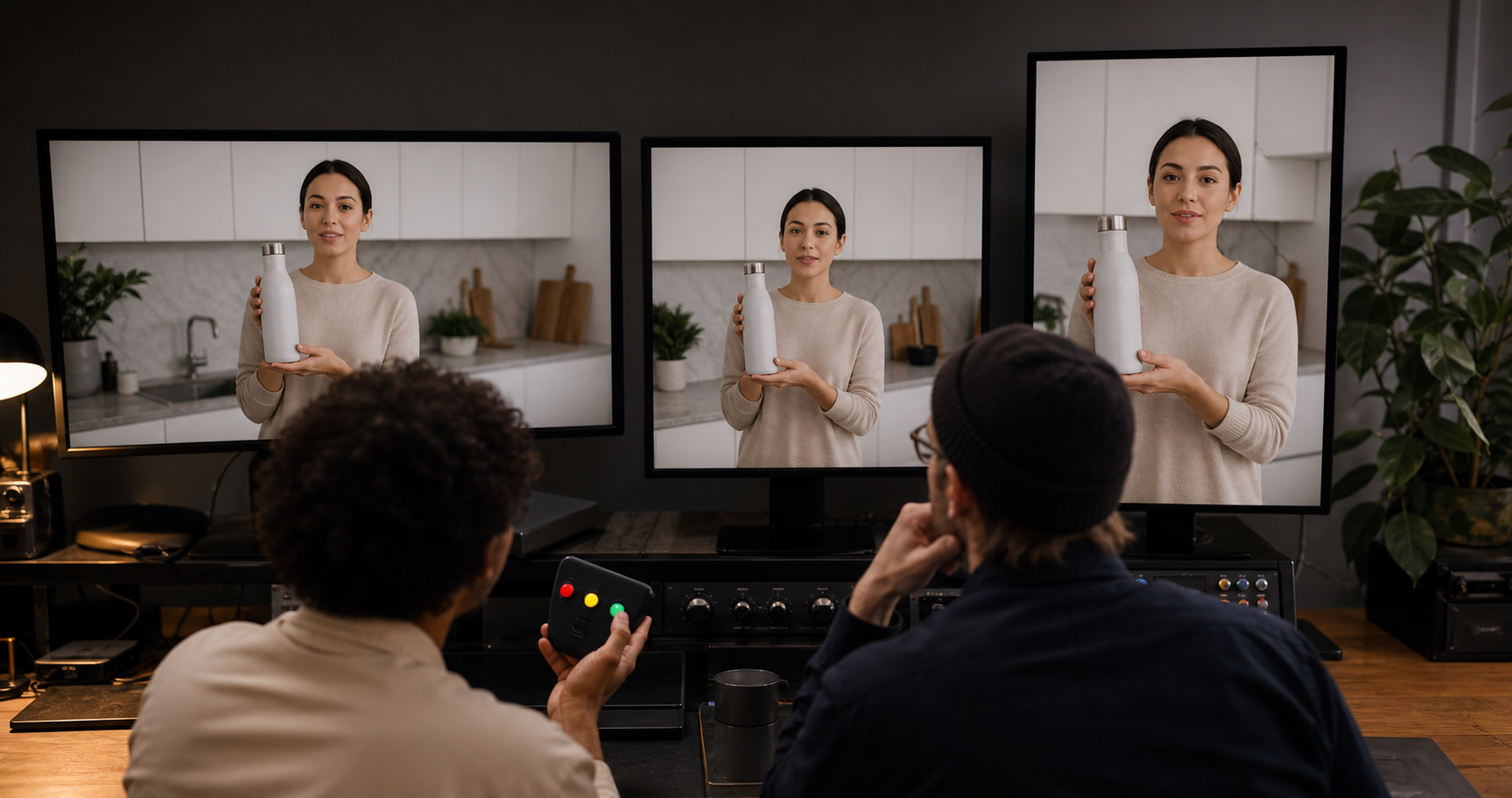
    Two creative reviewers compare horizontal, square, and vertical versions of an unbranded kitchen video across three displays.

    The safest review process treats a generated version as a new execution derived from an approved master. Calling it a resize can encourage a quick edge check. A full creative review catches errors that appear during motion, after a scene change, or around the final call to action.

    1. Record the master asset. Keep the approved original, its campaign and asset-group location, the available ratios, and the person responsible for creative approval in one register.
    2. Mark the non-negotiable elements. Identify the product silhouette, package text, logo, typography, interface state, offer language, disclosures, and visual claims that must remain unchanged.
    3. Inspect the entire timeline. Review the opening frame, every scene transition, moments when the subject approaches an edge, and the closing frame. Do not approve a moving asset from a single thumbnail.
    4. Review each ratio independently. Horizontal, vertical, and square versions can fail in different places. An approval for one shape should not automatically cover the others.
    5. Check small-screen legibility. View the adapted asset at a realistic small display size. Confirm that the focal action, essential wording, and call to action still make sense without relying on the original composition.
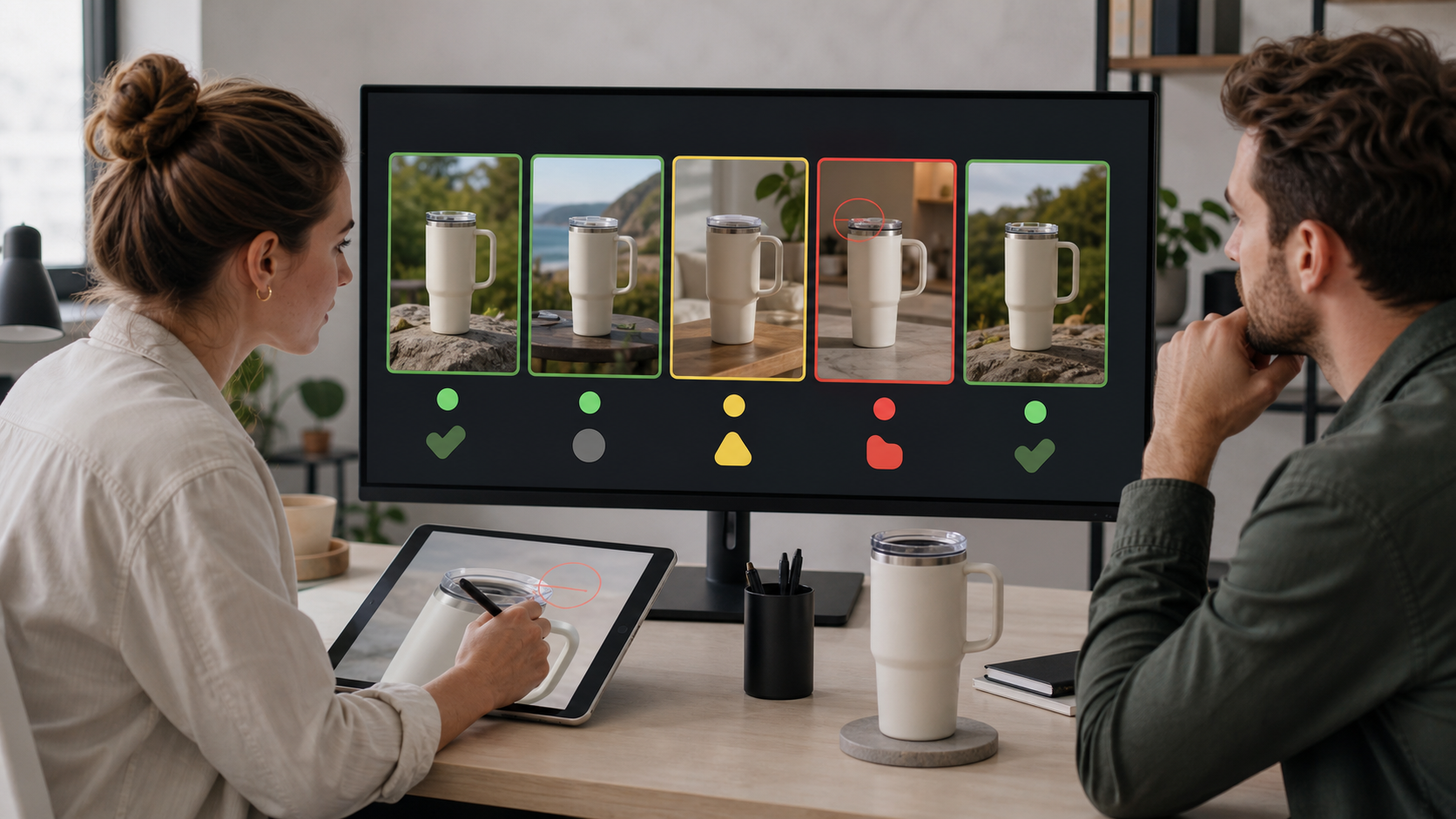
    6. Log defects by timestamp and type. Record where the problem occurs and whether it affects product accuracy, brand presentation, legibility, narrative clarity, or commercial information. A precise rejection is easier to act on than a note saying the version looks wrong.
    7. Assign a clear outcome. Approve the ratio for campaign use, replace it with a manually produced version, or change the relevant video setting. Do not leave a failed version in an informal state where nobody knows whether it can run.

    Your review should answer concrete questions. Did the number, color, label, and proportions of products remain accurate? Is the logo intact? Does generated visual material look like part of the same scene? Does the composition still direct attention to the intended action? Are prices, conditions, and disclosures as legible and unambiguous as they were in the master?

    Keep campaign approval separate from library approval. A variant that is acceptable for one controlled use should not automatically become an evergreen brand asset or a template for other channels. Record the scope of the approval alongside the decision.

    A September 4 opt-out window was provided through account teams or Google’s form, but advertisers can also change video settings from within Google Ads at any time. If that opt-out date has passed for your account, do not assume the decision is permanent. Inspect the current setting and make the appropriate account-level or campaign-level governance decision based on the controls actually available to you.

    Measure coverage and creative quality on separate scorecards

    Generative resizing is intended to make a video available across more inventory. That objective can be met even when a particular output is not good enough for your brand. Your scorecard therefore needs one track for delivery and another for creative acceptability.

    Decision questionEvidence to inspectAction
    Did the new ratio create useful coverage?Changes in eligible formats, delivery, or placement information available in the accountKeep the format only when its additional coverage serves the campaign goal
    Is the output factually accurate?Frame-by-frame comparison with the approved master and product referencesReject any material error, regardless of campaign performance
    Does the message survive the new composition?Focal action, text legibility, sequence clarity, and call-to-action visibilityProduce the ratio manually when the shape weakens the intended message
    Does it remain within brand rules?Logo treatment, typography, colors, spacing, product presentation, and restricted elementsApprove, restrict, or replace the version according to the documented policy
    Can a performance change be attributed to resizing?A change log plus the campaign reporting available during the review periodTreat a simple before-and-after change as directional, not as isolated proof

    Record the setting, approved assets, and review date before making a change. Where practical, avoid introducing another major creative change during the same evaluation period. Performance Max also automates media buying, so campaign results can move for reasons other than the new video ratio. A campaign-level lift or decline by itself does not isolate the effect of generative extension.

    Set the rejection rules before looking at performance. A visually inaccurate product should not earn approval because the campaign converted. If a generated ratio delivers useful coverage but repeatedly fails creative review, that is a signal to produce the format manually, not to lower the accuracy standard.

    Also log how often your team can inspect generated variants before they run. If the practical workflow gives nobody a reliable chance to review the output, your real choice is not automation with oversight. It is unreviewed creative automation. Change the setting or supply complete format coverage yourself until the approval path exists.

    Key takeaways

    • Performance Max can use generative AI to extend existing videos into missing aspect ratios, including formats suited to vertical and square inventory.
    • Additional format coverage does not guarantee that the composition, product representation, or message remains acceptable.
    • Classify risk at the asset level. Exact product visuals, interfaces, disclosures, and layout-dependent demonstrations deserve tighter control.
    • Review the full timeline of every generated ratio, not just a thumbnail or the approved master.
    • Measure delivery coverage separately from creative fidelity, and reject material visual errors regardless of performance.
    • If you cannot establish a dependable owner and approval path, change the video setting or provide manually produced formats.

    Start with the highest-risk video currently attached to a live Performance Max campaign. Record its video-enhancement setting, identify its non-negotiable visual elements, and review every available ratio from beginning to end. If nobody can clearly approve or reject the generated versions, pause that layer of automation until ownership is explicit.

    References


  • How to Measure Social Video Visibility in Search Console

    How to Measure Social Video Visibility in Search Console

    Google Search Console’s platform properties extend search reporting beyond an organization’s own website to supported social and video accounts. The practical payoff is a clearer view of which Google searches surface hosted content and which posts earn visits from Search.

    The feature should be treated as a measurement layer for Google visibility, not as a replacement for each platform’s native analytics. Used with that boundary in mind, it can connect search demand, content performance, and channel planning.

    What platform properties add to search measurement

    According to the source report, a verified platform property can represent an Instagram, TikTok, X, or YouTube account in Search Console. This changes the reporting scope: teams can examine Google Search activity involving content hosted on supported third-party platforms, even though they do not own those platforms’ domains.

    The report says Search Console can show the search terms that lead people to this content, along with clicks, impressions, post-level performance, and audience discovery information. That creates a useful bridge between two views that are often separated: what people seek on Google and how an account’s individual social or video posts satisfy that demand.

    The distinction matters. Platform-property data describes exposure and traffic originating in Google Search. Native platform analytics generally describe behavior within the host platform. A post can therefore perform differently in the two environments, and neither dataset alone represents its complete audience performance.

    Three Search Console views answer different questions

    Three abstract analytics panels show query, video content, and destination perspectives side by side.

    The source identifies three areas where platform information appears: the performance report, the insights report, and achievements. Each supports a different level of analysis.

    Performance report: diagnose queries and posts

    The performance report is the detailed working view. The source says users can review clicks and impressions, filter and sort the results, identify leading queries and posts, and export the data. This is where a team can connect a search theme to the specific content receiving visibility.

    Insights report: monitor direction

    The insights report provides a higher-level picture of recent traffic trends, leading posts, and discovery paths, according to the source. It is better suited to routine monitoring and editorial conversations than to granular diagnosis.

    Achievements: recognize growth thresholds

    The achievements area tracks milestones such as reaching a new threshold for total Google Search clicks over the previous 28 days, the source reports. Milestones can make progress visible, but they should remain supporting signals rather than campaign objectives by themselves.

    A practical workflow for acting on the data

    Hands arrange video cards, search symbols, and planning markers around a circular measurement workflow on a desk.

    Setup begins in the Search Console property selector or verification page. The source says the user selects a supported platform and follows the onscreen authorization process. It also reports that availability is rolling out gradually, so the option may not appear in every account immediately.

    Once data is available, analysis should begin with a defined question. Query data can reveal the language searchers use; post data can show which executions attract clicks; and trend data can indicate whether visibility is strengthening or weakening. Those signals can guide updates to titles, descriptions, topics, and future content, while subsequent reporting can show whether Google Search response changed.

    Interpretation should account for context. Impressions indicate that content appeared in eligible search results, while clicks indicate visits from those results. Neither metric, on its own, establishes watch quality, engagement, leads, or business value. Those outcomes require native platform data or other measurement systems.

    Comparisons should also remain like-for-like. A team can examine posts within the same account, queries within a shared topic, or changes across comparable reporting periods. Differences between Instagram, TikTok, X, and YouTube may reflect distinct content formats and audience behavior, so a simple cross-platform ranking can obscure more than it explains.

    The source further notes that platform properties are distinct from Google’s search profiles feature, which has separate analytics. Keeping those property types and datasets labeled clearly will help prevent unrelated measurements from being combined.

    Key takeaways

    • Platform properties bring supported Instagram, TikTok, X, and YouTube accounts into Search Console reporting, according to the source.
    • The performance report supports detailed query and post analysis, while Insights summarizes trends and achievements records growth milestones.
    • The data measures discovery through Google Search, not the full performance of content inside a social or video platform.
    • Useful analysis connects query intent to individual posts, then combines Search Console findings with native engagement and business-outcome data.
    • Because access is being introduced gradually, some Search Console accounts may not yet offer the property type.

    As platform reporting becomes available, the strongest opportunity will be to incorporate hosted social and video content into the same search-led editorial process already used for websites. That can turn an otherwise fragmented set of channel reports into a more coherent view of how audiences discover content.

    References

  • Google Ads AI Video: A Practical Workflow for Better Creative

    Google Ads AI Video: A Practical Workflow for Better Creative

    If your Google Ads account has plenty of product images but little usable video, Veo gives you a practical way to close that gap. You can turn existing visual assets into short YouTube ads without waiting for a conventional production cycle.

    The useful question isn’t whether AI can make a video. It can. The question is whether you can give it the right inputs, catch the wrong outputs, and measure the result without confusing generated creative with video your team produced. This workflow covers all three.

    What Veo changes inside Google Ads

    Veo reduces the smallest viable video project. Inside Google Ads Asset Studio, you can upload as many as three static images and generate a video of up to 10 seconds. The model adds motion, and customizable templates help turn the result into an ad suitable for YouTube.

    That is a meaningful capability, but it is a narrow one. Veo is well suited to a concise product demonstration, a visual benefit, or a single promotional idea. A 10-second output is not a substitute for a customer story, a detailed explanation, or a campaign concept that depends on dialogue and multiple narrative beats.

    Treat the tool as a creative multiplier, not a strategy generator. It can add movement to an idea you have already clarified. It cannot decide which customer problem matters, which claim is credible, or what the viewer should do next.

    The accompanying Nano Banana integration expands the editing layer. You can change backgrounds, adjust text, and tailor creative for different audience interests. That makes iteration faster, but each edit still needs the same brand, product, and claim review you would apply to work from a designer.

    Choose images that give the model a clear job

    An unbranded travel cup is photographed from multiple angles in a tabletop studio with a camera and soft lighting.

    The quality of the source images determines how much ambiguity the model must resolve. A clean product shot with an obvious foreground, stable proportions, and a plausible type of movement gives it a constrained problem. A dense collage with several focal points, embedded copy, and conflicting perspectives gives it several problems at once.

    Before uploading anything, score each candidate image against these criteria:

    • One unmistakable subject: A viewer should know what the ad is about without studying the frame.
    • Clear separation: The product, person, or focal object should be visually distinct from the background.
    • Plausible movement: You should be able to describe what could move in one sentence, such as a package rotating, fabric flowing, or a camera pushing toward a product.
    • Consistent product details: Packaging, colors, proportions, and visible features should agree across the images.
    • Minimal baked-in text: Important copy is easier to inspect and revise when it is handled as an ad element instead of being embedded in a busy image.
    • Enough visual space: Leave room for template copy, branding, or a call to action without covering the subject.
    • Accurate context: The setting must not imply a use, feature, size, or outcome the product cannot support.

    Do not upload three images merely because three are allowed. Every image should have a role. One might establish the product, another might show the relevant detail, and a third might place it in context. If two images contradict each other or compete for attention, use the stronger one and remove the ambiguity.

    Clean consumer-product imagery is a particularly sensible starting point. Early testing shared by Ameet Khabra indicated that brands with clean images and an obvious logic for movement may benefit most. That is an early practitioner observation, not a universal performance rule, so use it to select an initial test rather than to predict a result.

    Build a repeatable generation and review workflow

    Two creative team members compare generated product-video frames and inspect them for visual inconsistencies against a physical travel cup.

    Generating first and deciding what the ad means afterward produces a folder of clips, not a campaign. Write the creative brief before opening Asset Studio, even if the brief is only four lines.

    1. State the audience and problem. Name the person the ad is for and the single situation that makes the product relevant. Avoid a broad label such as “all shoppers.”
    2. Choose one promise. A short video rarely has room for a feature list. Select the one benefit the viewer should retain after the clip ends.
    3. Define the visible action. Describe what should move and why that movement helps communicate the promise. Motion should reveal, demonstrate, or focus attention; it should not exist only to make the image look active.
    4. Select up to three source images. Give each image a purpose, remove weak duplicates, and confirm that the product details agree across the set.
    5. Generate a restrained baseline. Start with the simplest version of the concept. A conservative baseline is easier to evaluate than an output containing simultaneous background, text, pacing, and visual-style changes.
    6. Create one deliberate variant. Change one meaningful element: the input image, the setting, the visual emphasis, or the template treatment. Do not change everything at once.
    7. Use Nano Banana for controlled edits. Swap a background or adjust the copy only after the core motion works. Treat each edit as a new creative that must pass review.
    8. Label the asset before launch. Put the concept, generation method, and variant in the name. A structure such as product, benefit, Veo, and variant number will be more useful later than a filename such as “final-video-3.”

    Inspect the output as an ad, not as a novelty

    Watch the generated clip several times with a different purpose on each pass. First judge the message. Then inspect the product. Finally, check every frame that contains copy, branding, or a transition.

    • Product identity: Does the same product remain recognizable from beginning to end?
    • Shape and scale: Do proportions stay stable as the camera or object moves?
    • Packaging and text: Are labels, logos, prices, and claims legible and accurate?
    • Physical behavior: Does the movement make sense for the material and setting?
    • Background integrity: Do shadows, reflections, edges, and contact points agree with the new environment?
    • Message hierarchy: Can a viewer understand the product, benefit, and next action without pausing?
    • Landing-page continuity: Will the person who clicks find the same product, offer, and promise on the destination page?

    If the product changes shape, the label mutates, or the setting creates a false impression, reject the output. A polished transition does not compensate for a misleading frame. When the defect affects the central subject, a new generation from a clearer image is usually a sounder decision than layering more edits onto the mistake.

    Separate creative testing from generation method

    AI-generated video creates two questions that are easy to collapse into one: did the creative idea work, and did the generation method help? You need to preserve the origin of each asset if you want to answer either question.

    Google Ads API v23.2 adds a VideoEnhancement resource that can distinguish Google-generated video from advertiser-provided video. If your team maintains a reporting pipeline, update the relevant client library and code before building analysis around that distinction. A dashboard cannot recover creative provenance later if the pipeline never captured it.

    Keep a corresponding field in the creative log used by marketers. Record the asset name, source images, generation method, concept, edited element, campaign, and launch status. The API classification tells you where a video came from; the creative log tells you what hypothesis it was meant to test.

    Run tests that lead to a decision

    Begin each test with a sentence that can be proved wrong. For example: “A product-in-use image will communicate the benefit more clearly than an isolated pack shot.” Then preserve everything you reasonably can except the element named in that sentence.

    • To test the generation method: Compare Google-generated and advertiser-provided videos with comparable messages, audiences, offers, and destinations.
    • To test an input image: Keep the template and message stable while changing the source visual.
    • To test a background: Keep the product, copy, and motion concept stable while changing only the setting.
    • To test a message: Keep the visual treatment stable while changing the benefit or call to action.
    • To test a template treatment: Use the same source images and promise, then vary the presentation rather than the underlying idea.

    Choose the campaign goal and evaluation metrics before launch. Do not declare a winner because one clip looks smoother or receives an early burst of delivery. Judge it against the action the campaign is intended to produce, and document the decision so the next generation builds on a finding rather than restarting the experiment.

    Google Ads AI video FAQ

    Can Veo replace a conventional video production?

    It can replace a narrow production task: turning up to three still images into a short, template-assisted video ad. It does not replace concept development, complex storytelling, accurate product demonstration, brand review, or footage that must document a real person, place, or event. Use it where the format matches the job.

    What should you test first?

    Start with a product that has clean photography, a single focal point, and an easily described motion concept. Generate one restrained baseline and one controlled variant. That pair will teach you more than a batch of unrelated outputs because you will know what changed.

    Do you need Google Ads API v23.2 to create Veo videos?

    No. Creation happens in Asset Studio. API v23.2 matters when you operate custom reporting and need programmatic visibility into whether a video was generated by Google or supplied by the advertiser. Teams that rely only on interface reporting can still adopt the same discipline by labeling assets and maintaining a creative log.

    Your next move should be small and auditable: choose one image-rich product, write one clear promise, generate a baseline plus one variant, and record the origin of both assets before they enter a campaign. That gives you a usable ad and a test you can learn from.

    References


  • Google Automated Video-Ad End Screens: A Practical Audit Guide

    Google Automated Video-Ad End Screens: A Practical Audit Guide

    Your video can finish exactly as edited and still deliver a different final impression from the one your team approved. On an eligible Google video ad, an automated conversion card can appear after playback and replace the YouTube end screen you expected viewers to see.

    If you run mobile app install campaigns, review the served experience rather than approving only the video file. The ending now depends on the creative, the campaign data used to build Google’s card, and whether an existing YouTube end screen is displaced.

    Key takeaways

    • Google can append an interactive, AI-generated conversion card after an eligible video finishes.
    • The stated eligibility is currently limited to in-stream ads in mobile app install campaigns. A broader rollout is planned, but no definite timeline has been given.
    • The card can draw on campaign information such as the app name, icon, price, and a direct install link.
    • When automatic end screens are active, they overwrite manually added YouTube end screens. An outro embedded in the video remains part of playback, but it is no longer necessarily the final thing viewers see.
    • The feature does not change billing or view counts, so those metrics cannot tell you whether the end screen appeared correctly.

    Separate the video ending from the ad ending

    Two smartphones compare a video's edited final frame with a separate conversion card displayed after playback.

    The most important distinction is between an embedded outro and a YouTube end screen. An embedded outro is part of the video file: the logo, message, animation, or call to action is encoded into the final frames. A YouTube end screen is a platform-level element added around the video. Google’s automatic card is another platform-level element, shown after playback.

    That means you are managing three layers, not one. Approving the edited file verifies only the first layer. It does not verify which platform-level screen will follow it or whether the information on that screen is correct.

    LayerWhat to verifyMain risk
    Embedded video endingBrand, message, visual hierarchy, and spoken call to actionThe outro assumes a different action from the automated card
    Manual YouTube end screenWhether the campaign depends on it for an essential message or destinationIt can be overwritten when automatic end screens are active
    Google automatic end screenApp name, icon, price, install link, and overall presentationCampaign data becomes part of the creative without appearing in the source video
    Billing and view reportingNormal campaign accountingNo change is expected, so these metrics are not a QA signal

    The replacement behavior matters most when a manual end screen carries information that appears nowhere else. If your offer, product distinction, or required next step exists only in that layer, the automated card can remove it from the experience. Treat any message essential to comprehension as part of the video itself.

    Design an ending that works with either screen

    You do not need to rebuild every eligible video around the automatic card. You do need an ending that remains coherent when the card follows it. The safest pattern is to let the video complete the argument and let the automated screen provide the conversion path.

    • Finish the promise inside the video. State the app’s purpose, the relevant benefit, and the intended action before playback ends. Do not leave the meaning of the ad to a manual YouTube end screen that may disappear.
    • Use a compatible call to action. If the automatic card supplies a direct install link, an embedded instruction that sends viewers somewhere else can create two competing next steps. Decide which action matters and align the video’s language with it.
    • Avoid making a visual end card do all the work. A final logo frame can still reinforce recognition, but the viewer may immediately see an interactive Google-generated screen. Keep essential copy readable during playback instead of relying on a post-roll hold.
    • Treat campaign metadata as creative material. Because the automatic card can use the app name, icon, price, and install destination, those fields need the same review discipline as the headline and artwork in the video.
    • Plan for both states. The video should make sense if the manual end screen appears, if the automatic card appears, or if a viewer leaves as soon as playback finishes.

    This approach also prepares non-eligible campaigns for a wider rollout. There is no announced timetable, so a wholesale redesign would be premature. Making new endings self-contained is a low-regret change: it improves message continuity without depending on an unconfirmed expansion date.

    Audit the served ad, not just the source file

    A quality-assurance specialist checks different served video-ad ending states on a smartphone, tablet, and laptop.

    The current priority is easy to define: find in-stream video ads used in mobile app install campaigns. Those are the ads within the stated scope. Other campaign types can go on a watchlist, but they do not need to be treated as eligible without confirmation.

    1. Build the eligible inventory. List each mobile app install campaign using an in-stream video, along with its video asset, intended YouTube end screen, app, destination, and owner.
    2. Record the approved ending. Capture the final frames of the video and any manually configured YouTube end screen. This gives reviewers a clear baseline instead of relying on memory.
    3. Check whether automatic end screens are active. Eligibility and activation determine whether the manual screen is at risk. Record what the account currently shows rather than assuming the behavior is universal.
    4. Inspect the complete ad experience. Use the preview or test-serving method available to your account and continue through the end of playback. Checking the uploaded video alone cannot reveal an appended post-roll card.
    5. Verify every populated field. Confirm the displayed app name, icon, price, and install link wherever those elements appear. Follow the link and make sure it reaches the intended app destination.
    6. Check message continuity. Read the final spoken or visual call to action and then the automatic card as one sequence. Flag conflicting actions, abrupt changes in branding, duplicated instructions, or a missing claim that previously lived on the manual screen.
    7. Save evidence. Keep a screenshot or short recording of the result with the campaign, asset, device context, and review date. A pass/fail label without the rendered screen is difficult to investigate later.
    8. Assign a release decision. Mark the ad approved, approved with a known limitation, or blocked. Give every failed field or conflicting call to action an owner before the campaign receives traffic.

    Repeat this check when the video changes, relevant campaign details change, the app destination changes, or Google expands eligibility. You do not need a daily inspection. You need a defined trigger that puts the end screen back into the normal creative approval process.

    Measure conversion impact without misreading the rollout

    Automatic end screens are intended to guide viewers toward conversion, but intent is not proof of incremental performance. Treat creative QA and performance evaluation as separate questions. First establish that the card is accurate and brand-safe. Then assess whether campaign outcomes changed.

    Do not look for evidence in billing or view totals. Google states that automatic end screens do not affect billing or view counts. An unchanged view count therefore says nothing about whether the card rendered, whether viewers interacted with it, or whether it improved conversion behavior.

    1. Record the first verified date. Use the date your team confirmed the automatic card in the served experience, not an assumed platform-wide launch date.
    2. Note simultaneous changes. Budget, audience, bidding, app price, video, and destination changes can all complicate a before-and-after reading. Log them beside the end-screen verification.
    3. Use conversion-relevant reporting. Review the campaign’s established click, install, and conversion measures rather than expecting billing or view-count movement.
    4. Prefer a controlled comparison when one is genuinely available. If your account configuration permits a clean comparison, keep the rest of the campaign conditions as stable as practical. If it does not, describe any performance movement as an association rather than crediting the end screen alone.
    5. Keep brand QA as a release requirement. Even a favorable conversion trend does not make a wrong price, incorrect icon, broken destination, or contradictory call to action acceptable.

    Start with the campaigns inside the known eligibility boundary. Add the automatic card to your creative sign-off, move indispensable messaging into the video, and keep non-eligible formats on a monitored list until Google confirms a broader rollout. That gives you control over the part you can verify now without pretending the future scope is settled.

    References

  • Unlock Video Ad Success: Vital Metrics and Strategies

    Unlock Video Ad Success: Vital Metrics and Strategies

    As someone passionate about video advertising, I’ve noticed how easily videos can now be distributed across platforms like YouTube, paid social media, and connected TV. It’s an immense opportunity for exposure.

    However, I often find myself questioning the real effectiveness of these videos. Campaigns sometimes show impressive metrics, but lack in tangible business impact due to strategic missteps.

    The issue isn’t so much about targeting or budget; it’s about focusing more on outputs—views, impressions—rather than crucial outcomes like attention and persuasion. That’s where most video strategies falter.

    Misunderstanding Attention: A Common Pitfall in Video Ads

    Many video ads operate under the assumption that they’re just like TV commercials, but that’s a misunderstanding of how attention works today.

    In past meetings, we’ve defined success by views and impressions, not realizing these metrics don’t always translate to engagement or conversion.

    True success lies in transforming impressions into meaningful actions, and that requires a drastic shift in strategy.

    Dig deeper: Explore the latest in YouTube Ads

    The First Five Seconds: Capturing Attention Fast

    I’ve learned that the opening seconds of a video ad are critical. Initially, I assumed upfront branding mattered most, but ads that opened with engagement hooks performed better.

    View-through rates don’t equate to persuasion. Real impact happens before the viewer can skip the ad.

    An effective hook makes all the difference, whether it’s striking visuals or compelling questions. That initial grab of attention sets the stage for success.

    Scrappy Ads Often Outperform Polished Productions

    It’s surprising how often simple videos outperform higher quality productions. Authenticity resonates more with audiences than polished, overtly professional content.

    Audiences and algorithms favor content that feels genuine over what looks like an ad. It’s about fitting in with the platform’s native content style.

    Dig deeper: Improve Meta Ads with Vertical Video Formats

    Ad Length: A Creative Choice, Not a Limitation

    Through experience, I’ve realized that the optimal length for an ad depends on the message itself. Sometimes a longer duration with a well-crafted story outperforms shorter clips.

    A well-paced narrative keeps viewers engaged, making them more receptive to the brand’s message, regardless of duration.

    Understanding Metrics: Decoding Signals, Not Outcomes

    The abundance of data can be misleading, with metrics often misinterpreted as outcomes. I’ve seen campaigns with high completion rates fail to drive any business impact.

    The true measure of success is how video metrics correlate with real-world actions and conversions.

    Aligning Briefs with Creative Outcomes

    A common issue is poorly defined briefs leading to lackluster creative. Clear objectives and a deep understanding of the target audience guide more effective video strategies.

    Knowing precisely who you’re speaking to and what action you desire them to take results in more intentional and impactful creative.

    Creative and Distribution: An Inseparable Duo

    Strategically planning how and where ads are distributed is just as crucial as content creation. I’ve witnessed great ideas fall flat due to mismatched platform contexts.

    Designing ads tailored for specific platforms ensures they resonate and are effective in their intended environment.

    Insight-Driven Testing: Beyond Mere Variance Generation

    Effective testing focuses on key elements that engage audiences. Hypothesis-driven testing yields insights far more valuable than superficial variant testing.

    Ultimately, I’m looking for tools that prove reliable in predicting real-world outcomes, enhancing creative confidence well before any campaign goes live.

    @media (max-width: 768px) { .headline-responsive { font-size: 30px !important; line-height: 1.3 !important; } }

    Optimizing for People: The Ultimate Strategy

    Despite evolving platforms and algorithms, I’m convinced that the core elements of attention, curiosity, and trust remain constantly human.

    The most successful video ads I’ve been part of focused on relevance, respecting viewers’ time, and delivering valuable content. That’s what truly captivates audiences.

    Success in video advertising comes from understanding people—not just appealing to platform metrics.


    Inspired by this post on Search Engine Land.


    crushpress.ai community screenshot
  • B2B Video Sales Strategy: Win the Shortlist Before the Demo

    B2B Video Sales Strategy: Win the Shortlist Before the Demo

    Your sales team gets the meeting, sends a polished demo, and still hears that the buyer is leaning toward a familiar competitor. That is often not a demo problem. The vendor list may have hardened before the buyer ever filled out your form.

    LinkedIn and Bain & Company found that 86% of buyers had preferred vendors in mind on Day 1, while 81% eventually chose from their initial list. Without a disclosed sample and method, those percentages should guide prioritization rather than forecast your pipeline. The practical point is still hard to ignore: your B2B video strategy has to create recognition before demand appears, reduce risk while the buying group evaluates you, and make the next step easy when intent arrives.

    Build recognition across the buying group before intent appears

    Day 1 is not necessarily the day an inquiry reaches sales. It is the point at which people inside an account begin forming a mental shortlist. By the time they search for a category, download a comparison, or request a proposal, familiar vendors already have an advantage.

    That advantage belongs to the buying group, not just your internal champion. A functional leader may like your product and still fail to move the deal when finance, procurement, security, or an executive approver encounters an unfamiliar company. In the reported buying data, a vendor known across the group was more than 20 times likelier to be selected on Day 1. Treat that figure as directional platform evidence, not a guaranteed multiplier. It is a strong reason to stop defining reach as contact with one lead.

    Start your strategy with a buying-group map. Do not begin with a list of video formats.

    1. Name one buying situation. Describe the moment that makes the account reconsider its current approach, not merely the category you sell.
    2. Write one memory sentence. It should connect that situation to the change your company enables without trying to explain every feature.
    3. List the roles that can advance, fund, review, use, or block the purchase. Remove roles that do not participate in this specific buying situation.
    4. Give each role one question to answer. A user may ask whether the workflow will improve. A functional leader may ask whether the change can be implemented. A budget owner may ask whether the choice is defensible. A reviewer may ask what new exposure it creates.
    5. Create role-specific cuts from the same narrative. Keep the central promise consistent, but change the proof, language, and next step for the viewer.
    6. Distribute those cuts through paid media, executive and employee channels, relevant website pages, and sales follow-up. The story should travel across channels even when the individual video files differ.

    This approach prevents a common failure: one broad brand video reaches many people but gives none of them a reason to remember you. Recognition requires both reach and a usable memory. The viewer should be able to repeat what problem you understand and why your approach belongs on the shortlist.

    Measure this stage at the account and role level. Total impressions can hide the fact that you repeatedly reached users while missing economic buyers and approvers. Track which target accounts saw the campaign, which relevant roles were represented, whether those accounts returned, and whether later opportunities contained prior video exposure. You are looking for buying-group coverage, not a large anonymous view count.

    Give every video one job in a three-play portfolio

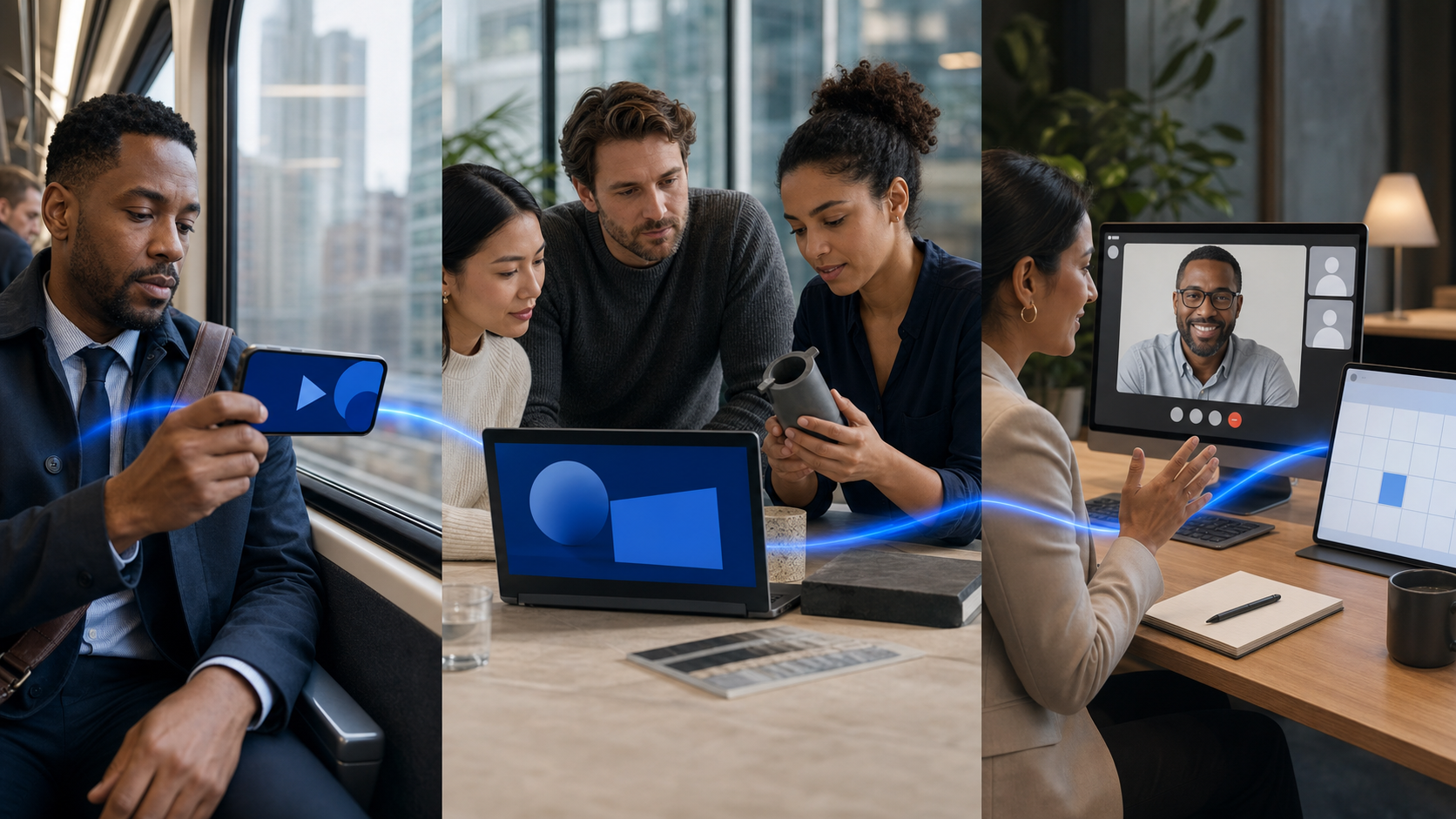
    Three connected scenes show an executive noticing a phone video, a buying group reviewing product proof, and a buyer joining a sales meeting.

    A demo is not an awareness asset, and a memorable brand clip is not a substitute for implementation proof. Trying to make one video perform every sales job usually produces a slow introduction, a rushed product section, weak evidence, and an abrupt request to book a meeting.

    Build a connected portfolio instead. Each play should answer a different buyer question and earn a different next action.

    PlayBuyer momentQuestion to answerVideo jobAppropriate next step
    Reach and primeBefore active evaluationHave I heard of this company, and what is it known for?Create a memorable association between a buying situation, a point of view, and your brandWatch, visit a focused page, or remember the brand
    Educate and nudgeWhile options are being exploredCan I trust and defend this approach?Explain the change, show expertise, and reduce perceived professional riskReview proof, understand the process, or share the asset internally
    Convert and captureWhen the group is ready to actWill this work here, and how difficult will the next step be?Resolve a specific objection and remove friction from the handoffSubmit a form, request an assessment, or begin a sales conversation

    Play 1: Reach and prime

    Your first-play video is a memory device. It does not need to present the interface, introduce every service line, or prove the full business case. It needs to make one relevant idea easy to notice and easy to retrieve later.

    A useful script sequence is: recognizable buying situation, sharp point of view, credible promise, brand cue. For example, the situation should be concrete enough that the right viewer recognizes their work. The point of view should reveal how you think. The promise should name the direction of improvement without making an unsupported result claim. The brand cue should arrive while attention is still present, not after a long cinematic reveal.

    The call to action should match that modest job. Asking a cold viewer to schedule a complex consultation can create unnecessary friction. A focused page, a related explanation, or simply a clear branded ending may be enough. The purpose is to improve the odds that your company feels familiar when the account begins evaluating vendors.

    Play 2: Educate and nudge

    Once viewers recognize you, the task changes from getting noticed to becoming buyable. Capability matters, but a technically strong product can still lose if the person recommending it expects to be blamed for a poor outcome. Only two of five leading buyer considerations centered on product capability, while 34% prioritized confidence that they could defend the decision if it went wrong.

    Your evaluation videos should therefore answer the questions a buyer will hear in an internal review:

    • Why should we change the current approach?
    • What makes this method credible rather than merely different?
    • What has to be true for it to work?
    • What will our team need to contribute?
    • What are the likely objections from finance, procurement, operations, or leadership?
    • What evidence can the champion forward without having to reinterpret it?

    Strong assets at this stage include an executive explaining a category change, a practitioner walking through the operating process, a customer describing a comparable decision, and a direct response to a recurring objection. The goal is not to overwhelm the viewer with information. It is to give the buying group language and evidence it can reuse when you are not in the room.

    Play 3: Convert and capture

    A conversion video should stop broad persuasion and help the viewer complete one next step. State what will happen after the click, who will be involved, what information is needed, and what the buyer will receive. If the form opens onto an unexplained sales process, the video has not removed the important friction.

    On LinkedIn, combining video ads with immediate lead-generation forms was reported to triple form open rates. That platform benchmark is a testable hypothesis, not a promise. Compare the full path in your own campaign: form opens, completed submissions, accepted meetings, qualified opportunities, and progression after the first call.

    Match the handoff to sales-cycle length. For a cycle under 30 days, the suggested starting pattern is a direct video-and-form combination that captures intent immediately. For a longer cycle, retarget engaged viewers with expert-led material and invite a useful conversation rather than forcing an early transaction. In either case, define what the next step gives the buyer. Learn more is not a value proposition.

    Make the first frame work with the sound off

    B2B video is often reviewed in a quiet office, between meetings, or inside a fast-moving feed. If meaning begins only when a speaker finishes an introduction, much of the audience never reaches the point.

    On LinkedIn, 79% of users were reported to browse without sound. The same platform data associated bold colors with 15% higher engagement and clear, process-oriented steps with 13% better retention. Those figures do not mean every brand should use the same palette or turn every message into a numbered list. They show why visual contrast and immediate structure deserve a place in the brief.

    Use this silent-first production check before approving a cut:

    • The first frame identifies a relevant situation, tension, or outcome. A logo by itself does not do that job.
    • Captions begin with the first meaningful spoken line. Do not make the viewer wait for context.
    • On-screen text carries the essential nouns and verbs. Keep supporting detail in the narration, caption track, or destination page.
    • Each visual beat advances one idea. Decorative motion should not compete with the claim.
    • The brand appears while the central idea is being communicated, not only on an end card that many viewers will never see.
    • The last frame names a specific next action and the value of taking it.

    For awareness on LinkedIn, videos in the 7-to-15-second range produced stronger brand lift than shorter or longer alternatives. Keep the qualifier attached: that is an awareness finding from one platform, not a universal length for demos, customer stories, webinars, or sales follow-up. An evaluation video should be as long as necessary to answer its assigned question and no longer. Cutting a complex proof point to fit an awareness benchmark can make the asset less useful.

    Use repeatable storyboards instead of one universal template

    • For recognition: show the buying situation, introduce a counterintuitive point of view, connect it to a credible promise, and close on a brand cue.
    • For evaluation: state the buyer’s question, make the claim, show the mechanism or process, supply proof, address the strongest objection, and offer a deeper resource.
    • For conversion: identify the peer or use case, show the relevant outcome, clarify what the buyer must do, explain what happens next, and present the form or conversation as a useful exchange.

    Use cultural references and memes carefully. They were associated with 41% and 111% higher engagement, respectively, in the reported platform data. Engagement is not the same as trust, buying-group coverage, or revenue. A reference earns its place only when your audience understands it, your brand can carry it naturally, and it sharpens the commercial point. If the joke is more memorable than the problem you solve, it has taken over the asset.

    Resolve execution, decision, and effort risk with proof

    Three business decision-makers review a product workflow, a finished deliverable, and an implementation kit with a technical specialist.

    Late-stage buyers do not need another general claim that your solution is powerful, seamless, or innovative. They need evidence that addresses the downside they are trying to avoid. Separate that anxiety into three practical categories before choosing the speaker or format.

    • Execution risk: Will the solution produce the expected result in an organization like ours? Use a credible peer, comparable context, and a clear explanation of what changed.
    • Decision risk: Is this a choice I can recommend and defend? Use expert reasoning, transparent decision criteria, and visible people who can support the account.
    • Effort risk: How difficult will adoption be? Show the implementation process, responsibilities, dependencies, first milestone, and the support available after purchase.

    Social proof is especially important here. A reported 90% of buyers rely on social proof, but a wall of customer logos gives the buying group little material to evaluate. A recognizable logo may signal familiarity. It does not explain whether the customer faced the same constraint, made the same tradeoff, or completed a comparable implementation.

    Build a customer proof video around information the viewer can actually use:

    1. Identify the customer’s role and relevant operating context.
    2. Describe the prior condition without inflating the problem.
    3. Explain the criteria used to choose an approach.
    4. Show what implementation required from both sides.
    5. Present only outcomes the customer has verified and approved for publication.
    6. Name an important condition, limitation, or lesson so the story does not sound frictionless.
    7. Point to a page or conversation where the buyer can examine the proof in more depth.

    Real people also make the vendor easier to evaluate. On LinkedIn, ads featuring executive experts were associated with 53% higher engagement, rising to 70% for executives shown speaking on conference stages. The useful lesson is not to manufacture stage footage. Put credible subject-matter experts in situations where their expertise is visible: explaining a tradeoff, challenging a weak assumption, or walking through a decision.

    Employee distribution can extend that trust beyond a corporate account. Regular posting by only 3% of employees was associated with a 20% lift in lead generation. Do not turn 3% into a staffing target or pressure employees to repeat approved slogans. Start with people who already have useful expertise and a credible relationship with the audience. Give them a clear topic, factual guardrails, captions, and room to speak in their own voice.

    For effort risk, show enough of the process to make the work legible. Explain the first meeting, the information the buyer must supply, the teams typically involved, and the ownership on each side. Do not claim implementation is effortless if it is not. Visible complexity can be managed; hidden complexity damages confidence after the contract is signed.

    Run one always-on system and measure movement, not views

    A three-play strategy fails when brand, demand generation, sales, and customer marketing operate separate video libraries. Brand buys broad reach. Demand generation asks for form fills. Sales records one-off explainers. Customer marketing owns the usable proof. The buyer then encounters different claims, visual identities, and promises at each stage.

    Create one shared brief for every asset. It should contain the buying situation, target roles, assigned play, risk being addressed, claim, approved proof, channel, next action, and success metric. Give every video an identifier that follows it into campaign reporting, landing-page analytics, and the CRM. That makes it possible to see which asset introduced an account, which one deepened evaluation, and which one preceded a qualified handoff.

    Consistency matters more than occasional bursts. Always-on campaigns were associated with 10% higher conversions than campaigns that repeatedly stopped and restarted. Always-on does not mean running one creative indefinitely. It means preserving continuous buying-group coverage while rotating messages, speakers, proof, and formats as performance or buyer questions change.

    Measure each play against the movement it is supposed to create:

    • Reach and prime: target-account reach, role coverage, frequency, qualified visits, and later opportunity exposure.
    • Educate and nudge: repeat engagement from target accounts, completion of substantive proof assets, visits to customer or implementation pages, internal sharing where observable, and influence on open opportunities.
    • Convert and capture: form open-to-submit rate, accepted meetings, qualified-opportunity rate, progression after the meeting, and time to the agreed next step.

    Views, watch time, and engagement remain useful creative diagnostics. They are not interchangeable with commercial progress. If an asset earns attention but reaches the wrong roles, produces no deeper evaluation, and never appears in opportunity journeys, decide whether it needs a different audience, message, or place in the portfolio.

    Companies that connected video across the buying journey were reported to generate up to 1.4 times as many leads. That relationship does not prove that integration alone caused the lift. Use it as a reason to test a connected system against your current fragmented approach, with the same commercial definitions on both sides.

    Key takeaways

    • Enter the buying process before active demand by building recognition across the full buying group, not only the likely user or champion.
    • Assign every video one job: create memory, make the choice defensible, or remove friction from the next step.
    • Design awareness video for silent viewing, immediate context, and fast brand association; do not force its length rules onto proof-heavy assets.
    • Sell buyability as well as capability by answering execution, decision, and effort risk with verifiable proof.
    • Use experts, customers, and employees because of the specific questions they can answer, not merely because a human face tends to attract engagement.
    • Connect brand and demand measurement at the account level so views can be related to buying-group coverage, evaluation, and pipeline movement.

    Start with one buying situation and one account segment. Build three connected assets: a silent recognition cut, a risk-answering expert or customer explanation, and a conversion video that makes the next step explicit. Give each asset its own audience, action, and metric, then distribute them as a sequence rather than three unrelated campaigns.

    Your next sales video should not begin with a camera choice. It should begin with a buying-group role, a risk, and a next action. If the brief cannot name all three, do not shoot yet.

    References

  • Mastering AI Video Ads: Top Strategies for PPC Success

    Mastering AI Video Ads: Top Strategies for PPC Success

    AI for video advertising- 5 best practices for PPC campaigns

    As I delve into the world of digital advertising, I realize that AI is more than just a buzzword; it’s a fundamental component of our strategies in 2026. Especially with video ads, where visuals speak louder and clearer than text, leveraging AI has become crucial not just for creating content but for innovating how we connect with audiences.

    The power of video in advertising is undeniable as it allows consumers to process information rapidly. With the drop in creative costs, using video is more viable and impactful than ever. The real question I find myself asking is not if PPC teams should use AI, but how to optimize its usage to maximize results and ensure our content remains compelling and governed well, safeguarding against pitfalls like hallucinations that might disrupt performance.

    Why has AI adoption in PPC alone become insufficient to enhance performance? Nearly 90% of marketers now integrate AI for creating or modifying video ads—a testament to its widespread use, though it does not guarantee success. Being successful in this domain now hinges more on our ability to feed AI the right creative inputs, data signals, and monitoring practices instead of relying on outdated manual bidding strategies.

    Here are five AI-backed strategies that I believe are key to enhancing video PPC campaigns effectively:

    1. Embrace Modular Asset Libraries Over Perfection

    Historically, we have approached video production with a mindset tailored for TV-style advertising. However, in this new age of Performance Max, providing a rich library of modular assets allows AI to dynamically craft video experiences, tailored to user behavior, device, and intent. Flexibility in creative elements does not hinder, but rather enhances, performance by offering multiple hooks, bodies, and CTAs that AI can creatively assemble.

    2. Move Beyond Keywords to Intent Orchestration

    In today’s AI-driven ad environment, keywords are more about nuances rather than triggers, aimed at helping systems understand audience themes. Rather than allowing AI to optimize within broad, unguided targets that may reduce quality, it’s imperative to guide it toward understanding and targeting true intent, using negative keywords and first-party data to inform its decisions.

    3. Optimize With Value-Centric Data

    One common pitfall we face is feeding generic or low-value conversion signals to AI systems, which misdirects efforts toward less fruitful outcomes. By aligning AI optimization strategies with value-based conversions through enhanced and offline data imports, we can refine how AI perceives and prioritizes user actions, ensuring a focus on quality over mere quantity.

    4. Opt for Lift Measurement Over Last-Click Attribution

    In assessing the impact of AI-driven video formats like YouTube Shorts, adopting advanced attribution models becomes crucial since traditional models fall short. By employing media mix modeling or simple tests that monitor consistency in spend and revenue growth, we can better understand and demonstrate the true value ads deliver across channels.

    5. Cater to Silent Viewers

    Many viewers start by watching videos on mute, especially during initial discovery phases. Therefore, ensuring that visual elements of a video are clear and engaging without the necessity of sound can effectively maintain audience interest and ensure message retention from the first visual frame onward.

    Shaping the Future of PPC

    The role of the PPC manager resembles that of an architect, structuring the framework in which AI operates. The emphasis has shifted from direct control to strategic input planning and data management, allowing for scalable and efficient AI-guided campaigns that propel brands toward success.


    Inspired by this post on Search Engine Land.


    crushpress.ai community screenshot
  • Microsoft AI-Generated Video Ads: A Practical Testing Plan

    Microsoft AI-Generated Video Ads: A Practical Testing Plan

    You already have image ads that communicate the offer. The problem is turning them into credible video creative without waiting for another full production cycle.

    Microsoft’s AI image animation can close part of that gap, but generating motion is only the production step. You still need to choose the right source image, protect the message, control the test, and decide whether the resulting video deserves more spend.

    What Microsoft’s image animation changes

    Microsoft Advertising’s Copilot-powered Image Animation feature turns static creative into video through Ads Studio’s video templates. It was introduced as a global pilot available outside mainland China, so account access should be verified before you make it part of a campaign deadline.

    The practical benefit is asset extension. Instead of beginning every video concept with a script, shoot, edit, and new approval cycle, you can give an existing image a motion treatment and make it eligible for more video opportunities across Microsoft’s publisher network.

    That does not make an animated image equivalent to a purpose-built video. It does not create a stronger offer, repair weak positioning, or prove that video will outperform the original image. The feature reduces production friction; it does not remove the need for creative judgment.

    This distinction should shape your first decision. Use image animation when the static asset already contains a complete, intelligible idea and motion could make that idea easier to notice. Commission purpose-built video when the message depends on a demonstration, a sequence of claims, a spokesperson, a detailed explanation, or a narrative change over time.

    Choose a source image that can survive motion

    A hand selects a clean, spacious running-shoe image from three unbranded advertising compositions on a design table.

    Your most attractive image is not automatically your best animation candidate. Motion directs attention, which means it can amplify either a clear hierarchy or a confused one. Start with assets that pass these checks before animation is added:

    • The image has one obvious focal point. A person, product, interface, or result should command attention without competing with several equally prominent elements.
    • The offer works as a still image. A viewer should understand the basic promise even if the animation fails to add meaning.
    • The text is readable without depending on motion. Animation should support the message rather than move essential words through the frame or make them harder to follow.
    • The brand is identifiable. A logo alone is not enough if the colors, product, offer, and landing-page experience feel unrelated.
    • The composition has room to move. A crowded collage, dense screenshot, or image packed with disclaimers gives the animation little freedom without creating distraction.
    • The asset has a reason to be tested. Prior engagement or conversion performance is useful evidence, but a strategically important new image can also qualify if you define the hypothesis clearly.

    Be especially cautious with comparison charts, multi-product grids, small interface screenshots, and images whose meaning depends on fine print. These can be effective static ads because viewers can pause and inspect them. Added motion may reduce that advantage.

    Do not choose an image merely because it is available. Write one sentence explaining what the motion is supposed to improve: make the product easier to notice, reveal a benefit, create depth around the focal point, or refresh a proven concept for video inventory. If you cannot finish that sentence precisely, you do not yet have a testable reason to animate the asset.

    Build a controlled image-to-video workflow

    The fastest route from image to video is not necessarily the fastest route to a usable ad. Put a short decision process around generation so that reviewers evaluate the output against the same objective.

    Define the test before generating variants

    1. Name the source asset. Record the exact image, its message, and why it was selected.
    2. State the motion hypothesis. Describe the viewer behavior you expect the animation to influence, not simply that the video should be more engaging.
    3. Set the non-negotiables. Identify the product details, logo treatment, claims, price information, and required disclosures that must remain accurate and legible.
    4. Generate a small, meaningfully different set. Do not keep numerous near-identical outputs. Retain only variants that create distinct attention paths or motion treatments.
    5. Choose against the hypothesis. Select the version that best serves the intended message, even if another version looks more dramatic.
    6. Preserve the static control. Keep the original image and its performance context so the video result can be judged as an extension of known creative rather than an isolated asset.

    Keep campaign variables stable wherever the platform and inventory permit it. The audience, offer, landing page, bidding approach, and measurement window should not all change at the same time as the format. Otherwise, a result cannot tell you whether animation helped or whether another variable produced the difference.

    Apply a quality gate before the ad reaches review

    AI-generated motion can be technically valid and still be commercially unusable. Watch the complete output repeatedly, including without audio, and stop the asset if any of these checks fail:

    • Object integrity: Products, hands, faces, packaging, interfaces, and logos remain visually coherent throughout the motion.
    • Claim integrity: Movement does not imply a product function, transformation, or result that the offer cannot support.
    • Message order: The first thing motion emphasizes is also the first thing the viewer needs to understand.
    • Text stability: Essential copy remains readable and is not obscured, distorted, or pulled away from its intended context.
    • Brand continuity: The animation still looks like the brand and still leads naturally into the landing page.
    • Ending clarity: The final state leaves the viewer with a recognizable product, offer, and next action instead of ending on decorative movement.

    Reviewers should also compare the video directly with the source image. The right question is not, “Does this move?” It is, “What became clearer because it moves?” Reject output that adds activity but weakens comprehension.

    Keep the approved source image, generated output, final exported asset, approval record, and campaign label connected in your asset library. That lineage matters when a price changes, a claim expires, or a product image is replaced. Without it, an efficient production process can create a larger cleanup problem later.

    Measure whether motion improves the business outcome

    A marketing analyst compares matched static and animated versions of the same bottle advertisement on two displays.

    Video metrics can make weak creative look busy. Views, starts, and completion behavior tell you how people consumed the format, but they do not automatically tell you whether the ad attracted the right audience or advanced the campaign goal.

    Select the primary metric from the campaign objective before launch. A response campaign should ultimately be judged by the valuable action it is designed to produce. An awareness campaign can use video-consumption and reach signals, but it still needs a defined outcome rather than a collection of whichever metrics improved.

    Read the result as a sequence rather than a single total:

    • Delivery changed: If the animated asset receives different inventory or substantially different exposure, separate the effect of access from the effect of creative quality.
    • Video engagement improved but clicks did not: The movement may hold attention without communicating a sufficiently relevant offer.
    • Clicks improved but post-click performance weakened: The animation may be creating curiosity that the landing page does not satisfy, or it may be attracting less-qualified traffic.
    • Downstream performance improved: Check whether the gain is consistent enough to justify producing more animations from the same creative pattern.
    • Nothing meaningful changed: Do not add more motion by default. Revisit the source image, the hypothesis, and whether animation is the appropriate format for the message.

    These patterns are diagnostic clues, not proof of a cause. Campaign delivery, inventory, audience composition, and normal variation can affect them. The cleaner your setup and asset labeling, the less likely you are to scale a false winner.

    When a test wins, scale the principle before you scale the production volume. Identify what appears to have worked: focal-point movement, a clearer product reveal, stronger brand presence, or access to useful video inventory. Apply that lesson to the next suitable image and test again. Generating a large batch from every asset would replace a production bottleneck with a measurement bottleneck.

    Key takeaways

    • Microsoft’s Copilot-powered feature converts static images into video through Ads Studio templates and can extend existing creative into more video inventory.
    • Account availability should be confirmed because the documented rollout was a pilot rather than an unconditional promise of access.
    • The strongest source image already communicates one clear idea; motion should reinforce that hierarchy rather than invent it.
    • A useful test changes the format while keeping the offer, audience, landing page, and measurement approach as stable as practical.
    • Generated motion needs human review for distorted objects, altered claims, unstable text, weak endings, and brand discontinuity.
    • Scale only when the video improves the metric tied to the campaign objective, not merely because it collects more video activity.

    Start with one image whose role you understand. Write the motion hypothesis, generate a restrained set of options, pass the winner through a strict quality check, and test it against a preserved control. If the downstream result improves, you have found a repeatable creative direction rather than merely a faster way to make files.

    References