
An OpenAI API key lets you programmatically use OpenAI’s models — so you can build apps, automate tasks, experiment, or integrate AI features into software.
Why someone would generate one
- Build applications — chatbots, writing assistants, code tools, content generators, recommendation engines.
- Automate workflows — summarize emails, generate reports, extract data from documents, classify text at scale.
- Prototype ideas quickly without hosting models yourself.
- Integrate AI into products — add natural language features to websites, mobile apps, CRM systems, etc.
- Research and experiments — testing prompts, comparing models, doing fine-tuning (if available).
- Batch processing / analytics — run large text/audio/image jobs programmatically.
How to generate one?
Step 1 – Go to OpenAI Platform
Go to https://platform.openai.com/ and use the Login or Sign Up options on the top right

Step 2 (Optional) – Complete Onboarding if you just signed up
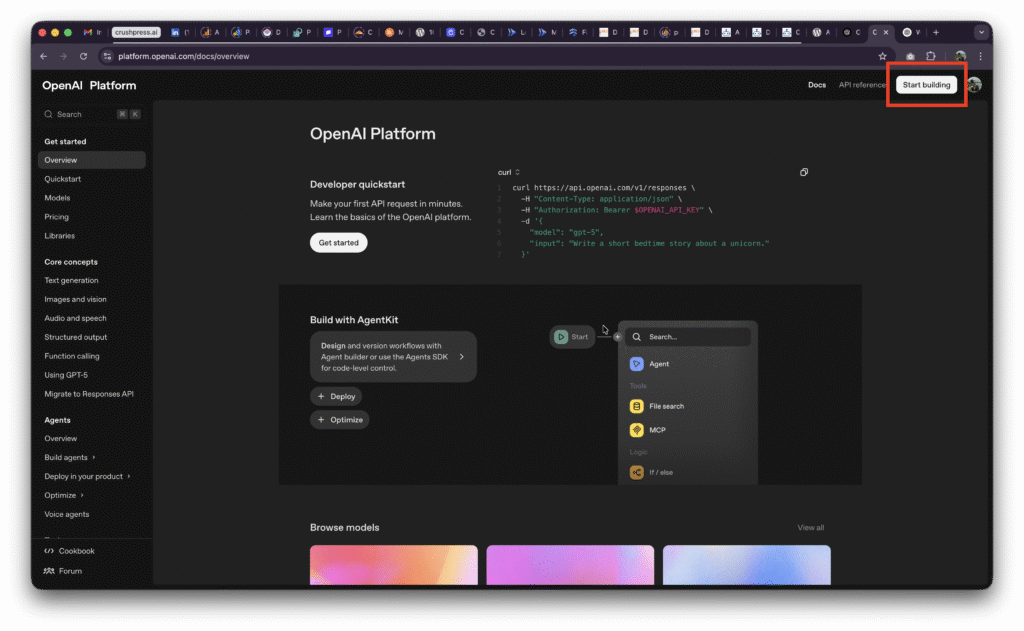
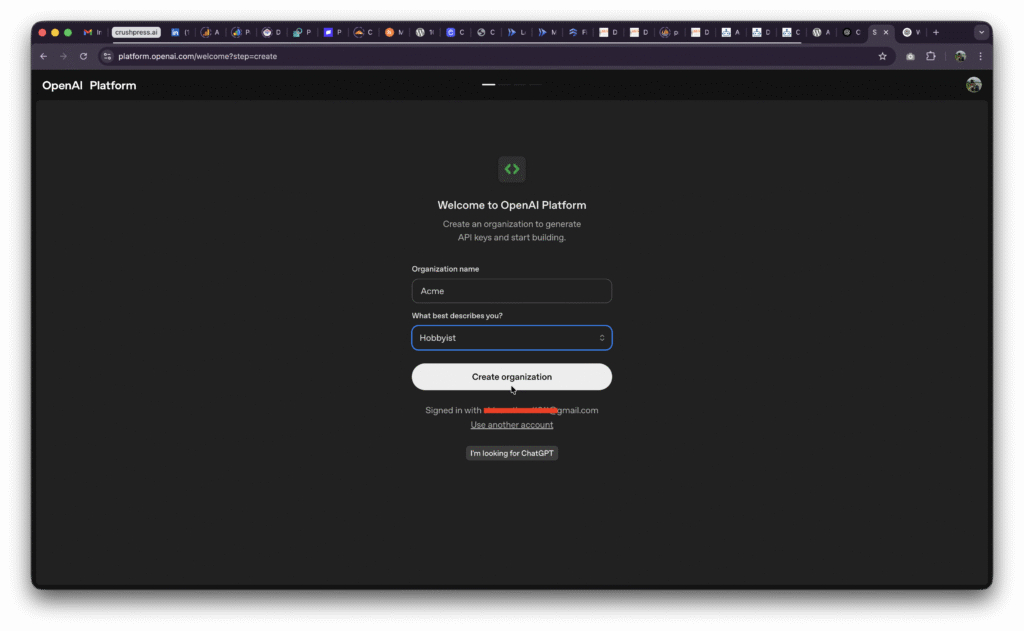
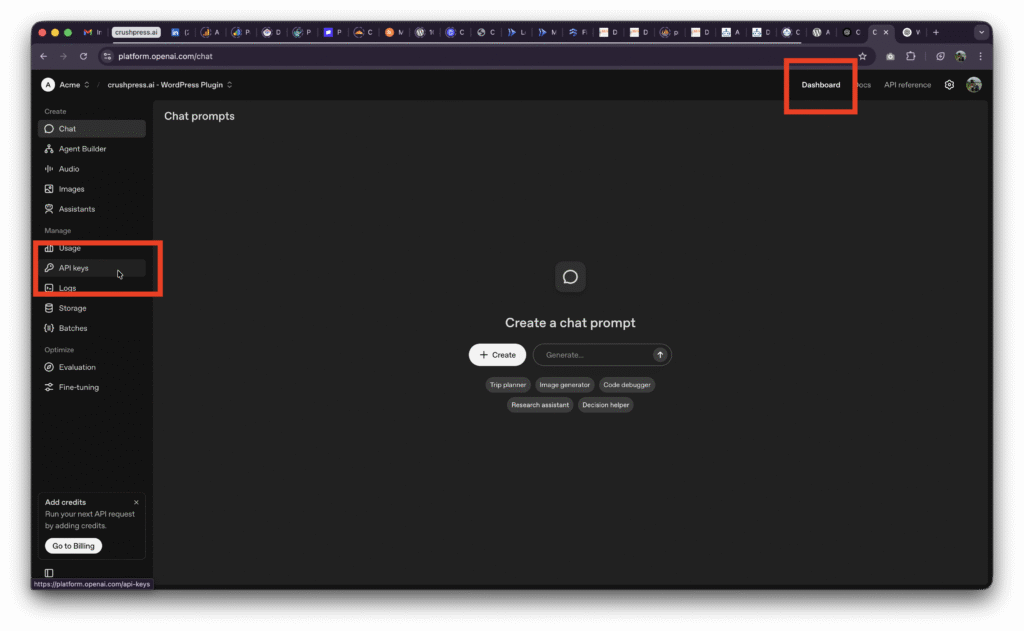
Step 3 – Generate & Copy your API key
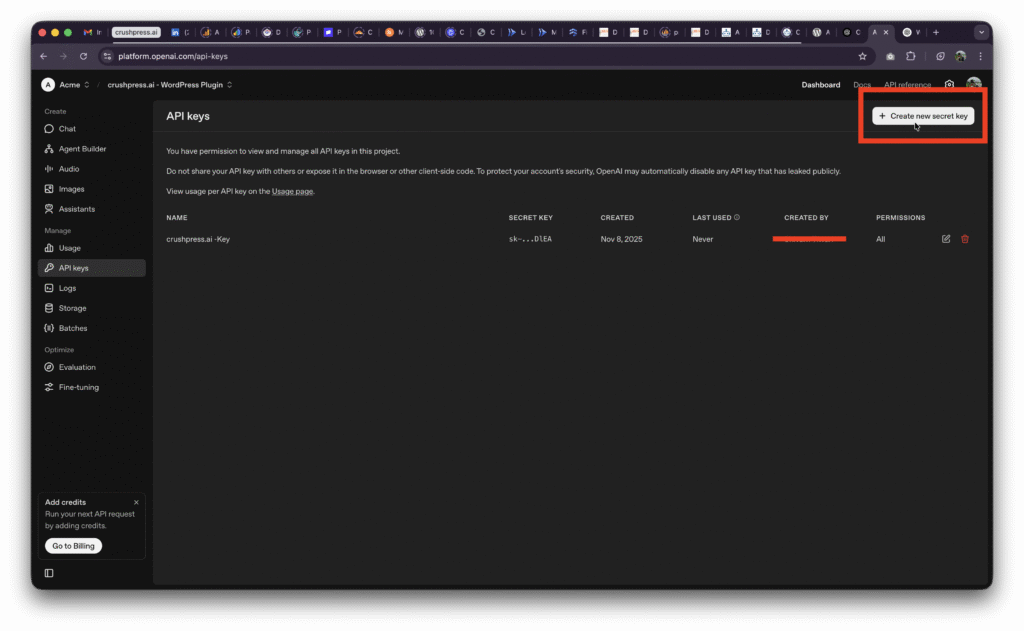
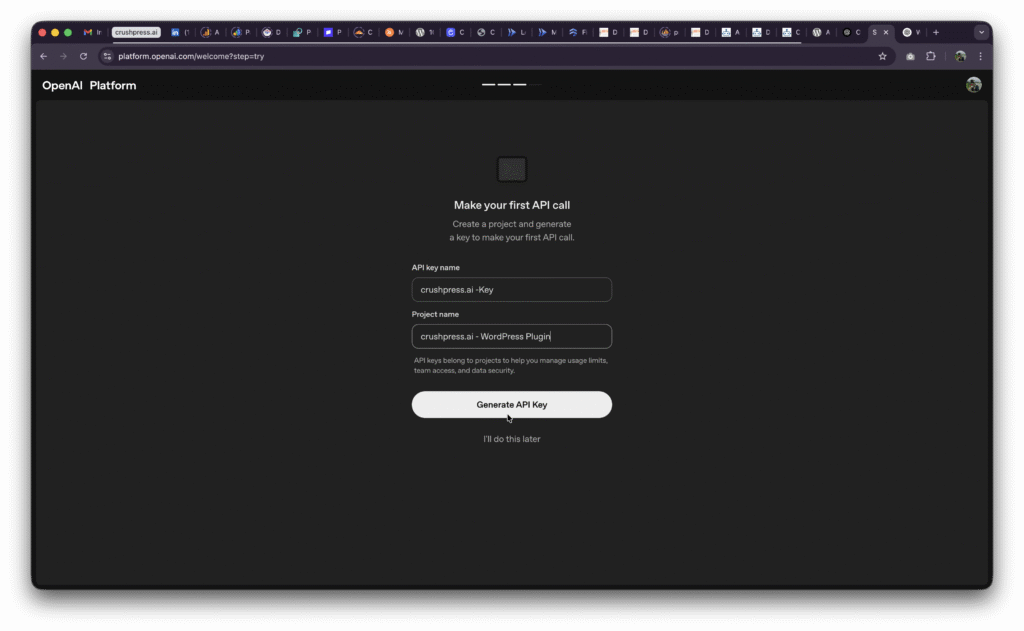
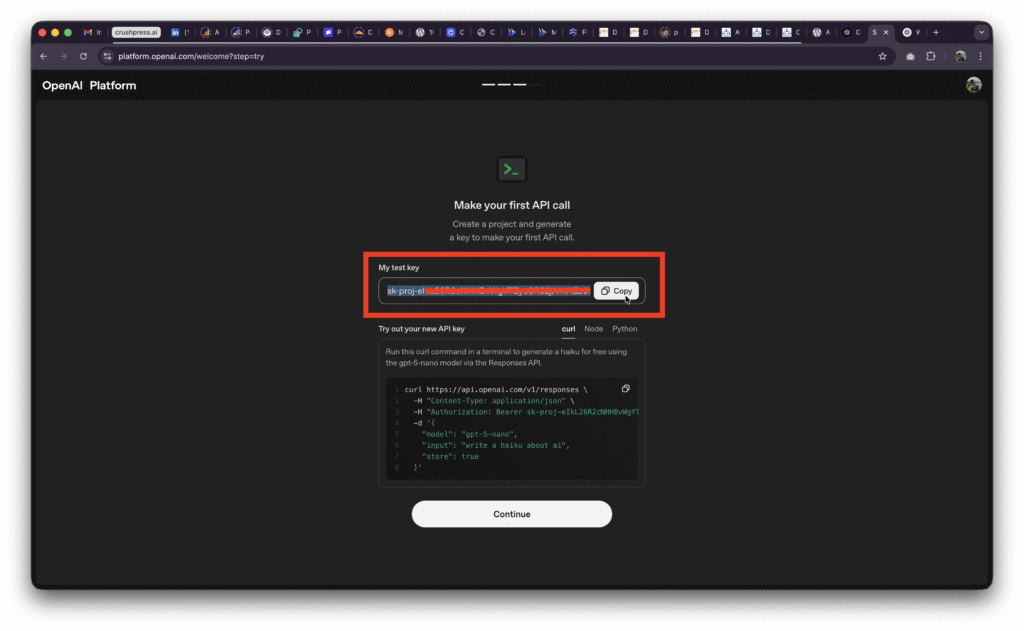
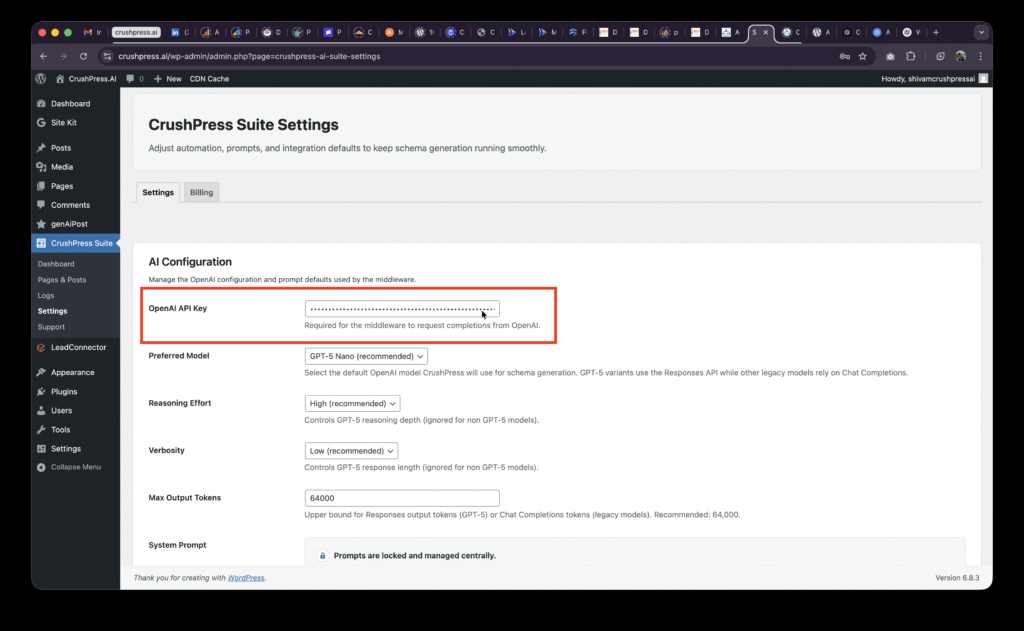
Step 4 – Add it to crushpress Suite wordpress plugin
Go to wp-admin -> CrushPress Suite -> Settings and paste the API Key (Secret Key) you just copied and hit save.
Important security & usage best practices
- Never embed keys in client-side code (JavaScript on webpages, mobile apps).
- Store keys in environment variables or a secrets manager.
- Rotate keys periodically and revoke compromised keys immediately.
- Apply least privilege (use separate keys for dev/staging/prod).
- Monitor usage and set billing/quotas to avoid surprises.
- Restrict keys where possible (IP restrictions, allowed referrers).
- Don’t share keys publicly (no GitHub commits with keys).
Risks & costs
- Keys grant access to billable API usage — a leaked key can generate charges.
- Misuse could cause unwanted outputs; always validate/guard outputs before using them in critical flows.
FAQs
What is an OpenAI API key used for?
An OpenAI API key lets you programmatically use OpenAI models. The guide lists uses such as building applications, automating workflows, prototyping ideas, integrating AI features into products, research, experiments, and batch processing.
How do I generate an OpenAI API key?
Go to https://platform.openai.com/ and use the Login or Sign Up option. If you just signed up, complete onboarding, then generate and copy your API key.
Where do I paste the OpenAI API key in CrushPress Suite?
In WordPress, go to wp-admin, then CrushPress Suite, then Settings. Paste the API Key or Secret Key you copied and save the settings.
Why should I keep my OpenAI API key private?
The guide warns that API keys grant access to billable API usage, so a leaked key can generate charges. It also says not to share keys publicly or commit them to GitHub.
What are the recommended security practices for API keys?
Store keys in environment variables or a secrets manager, rotate them periodically, and revoke compromised keys immediately. The guide also recommends least privilege, separate keys for dev, staging, and production, usage monitoring, quotas, and restrictions where possible.
Leave a Reply