
Need help or just want to discuss if crushpress.ai is right for you? Jump on with our team!
Category: docs
crushpress.ai docs, guides & help articles
-
How to Install the CrushPressAI WordPress Plugin?
Step 1 – Download the CrushPressAI WordPress plugin .zip file
This will download a .zip file on your computer. If you are prompted to approve thee download please do so.
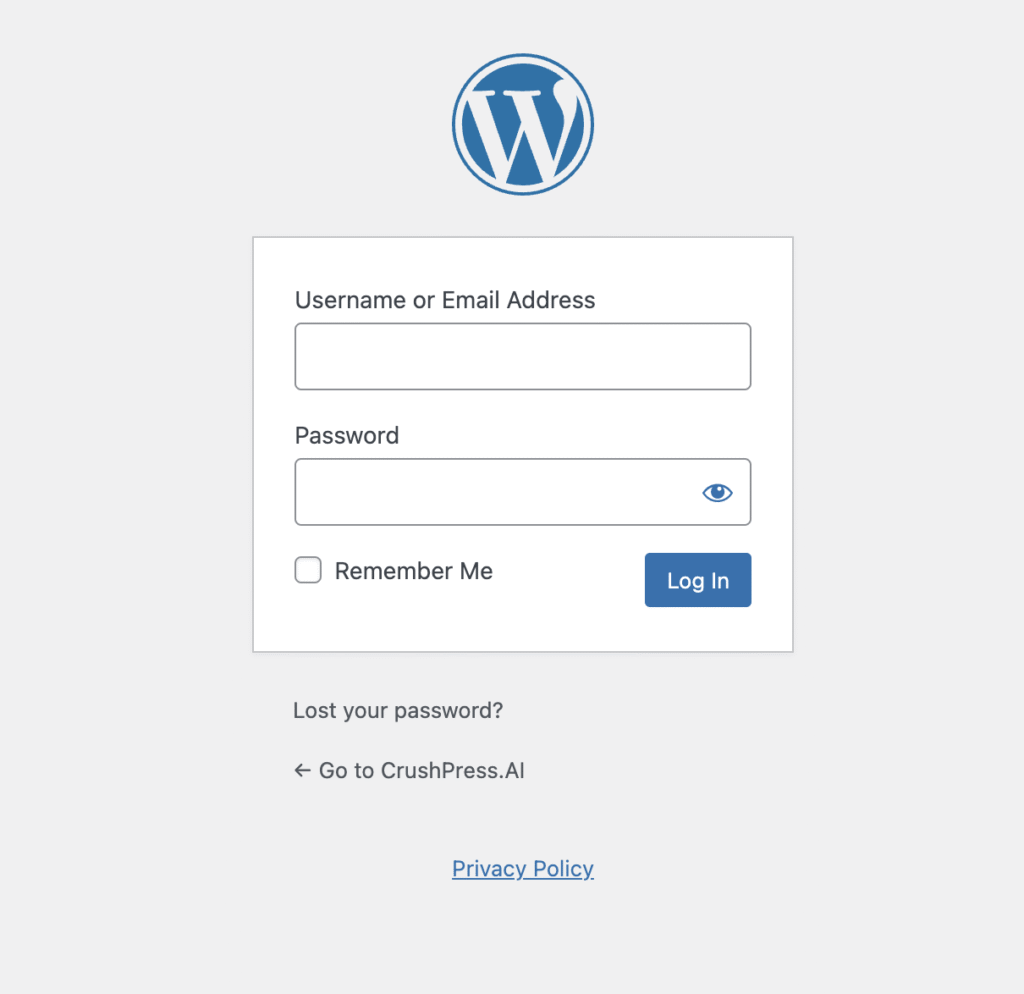
Step 2 – Login to /wp-admin of your WordPress site and Add Plugin
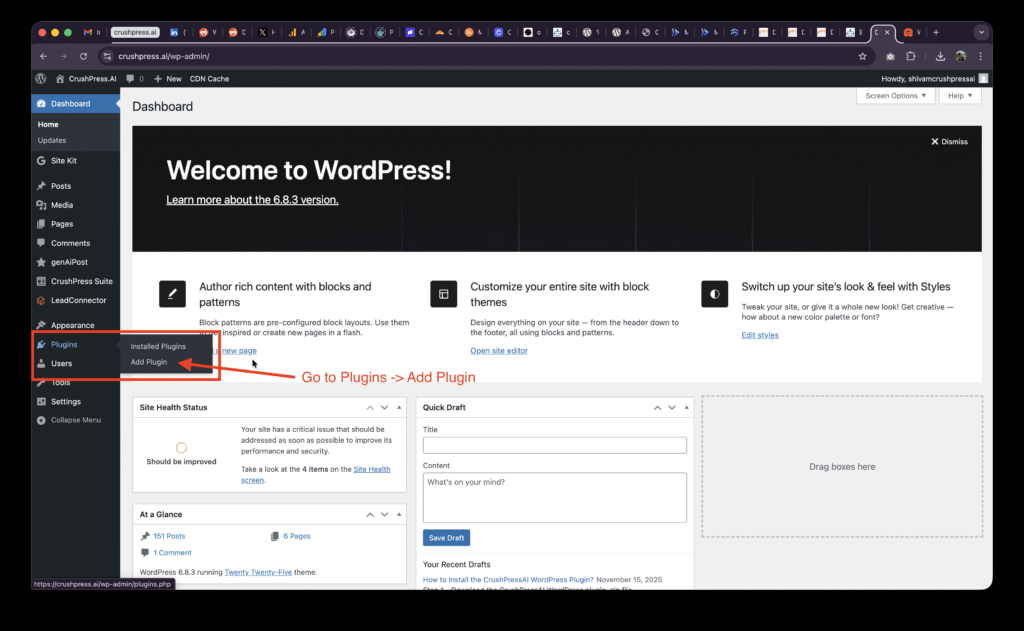
After logging-in to your /wp-admin console go to Plugins -> Add Plugin
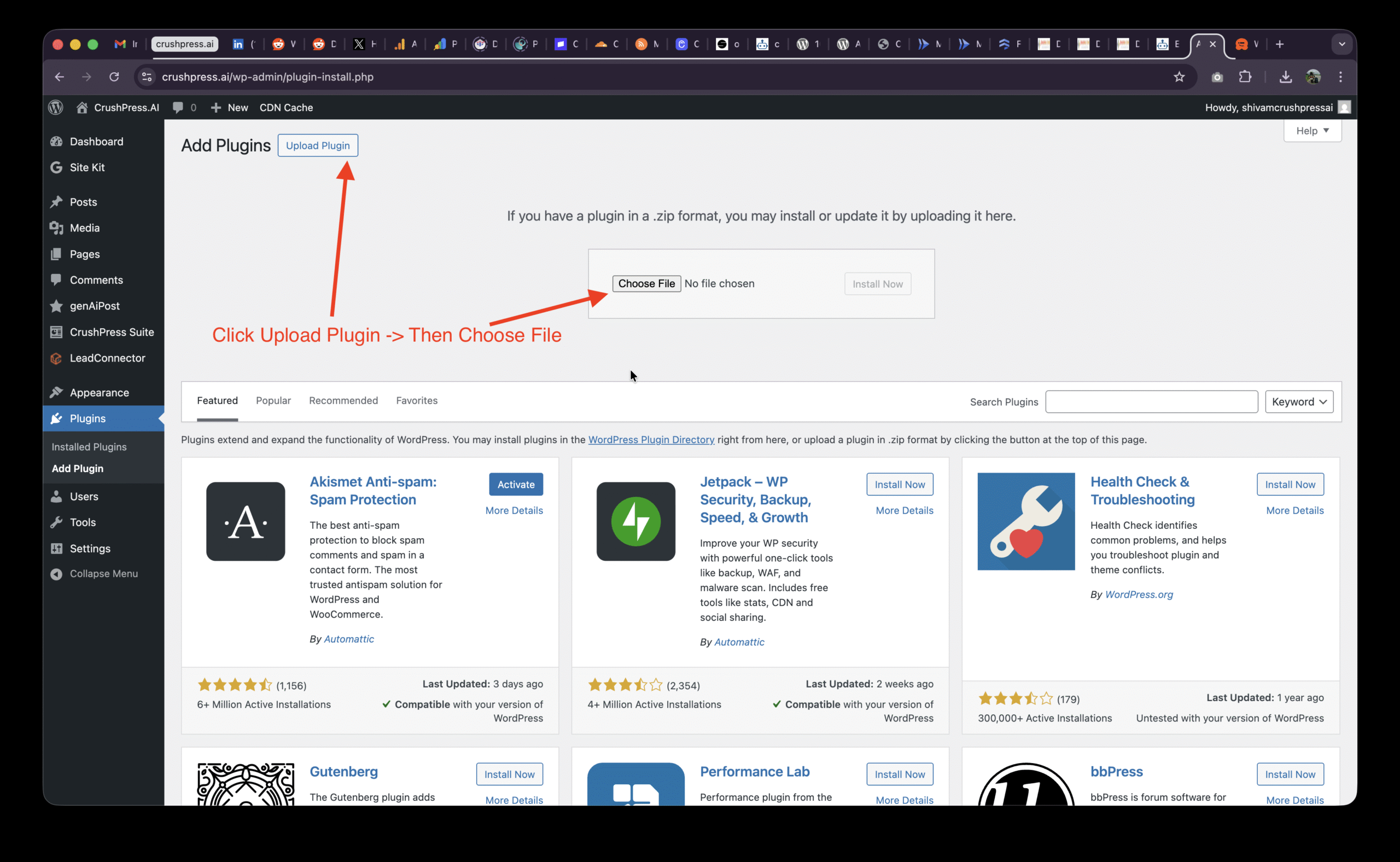
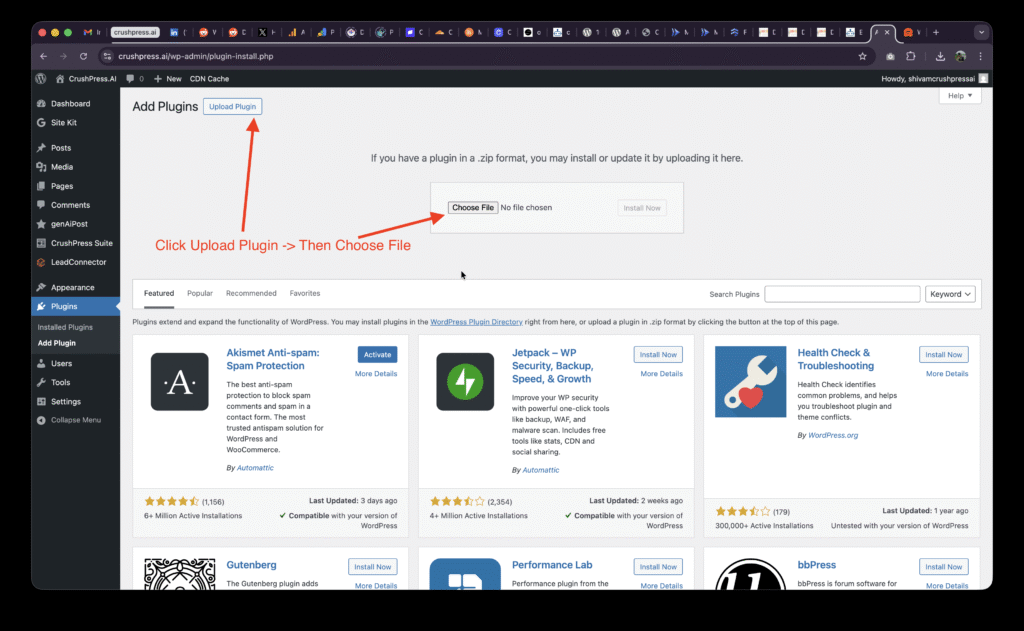
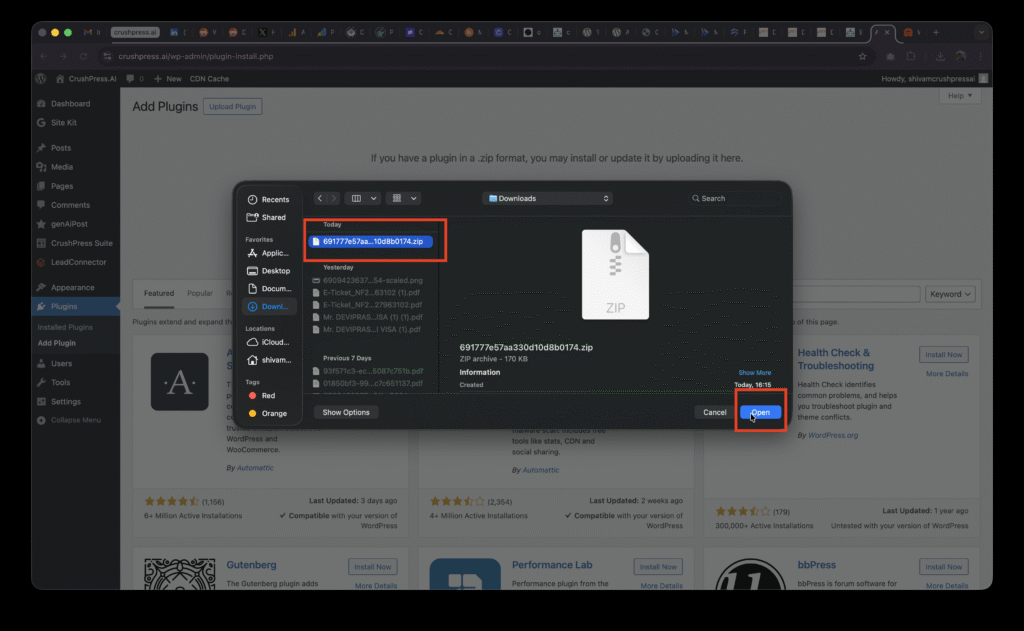
Then Click on Upload Plugin and Choose File
Select the .zip file and Upload Plugin
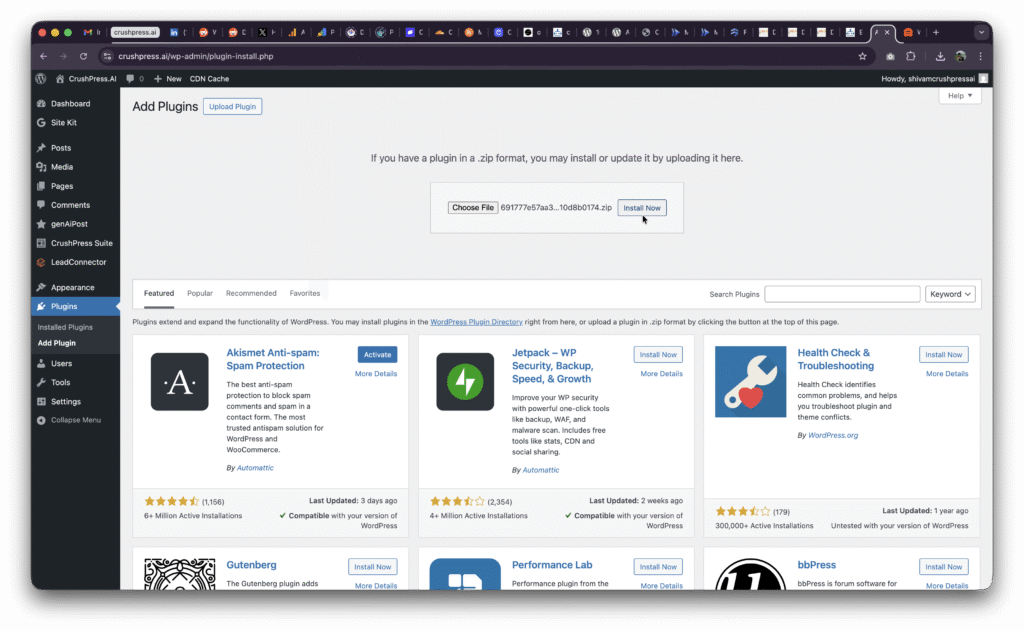
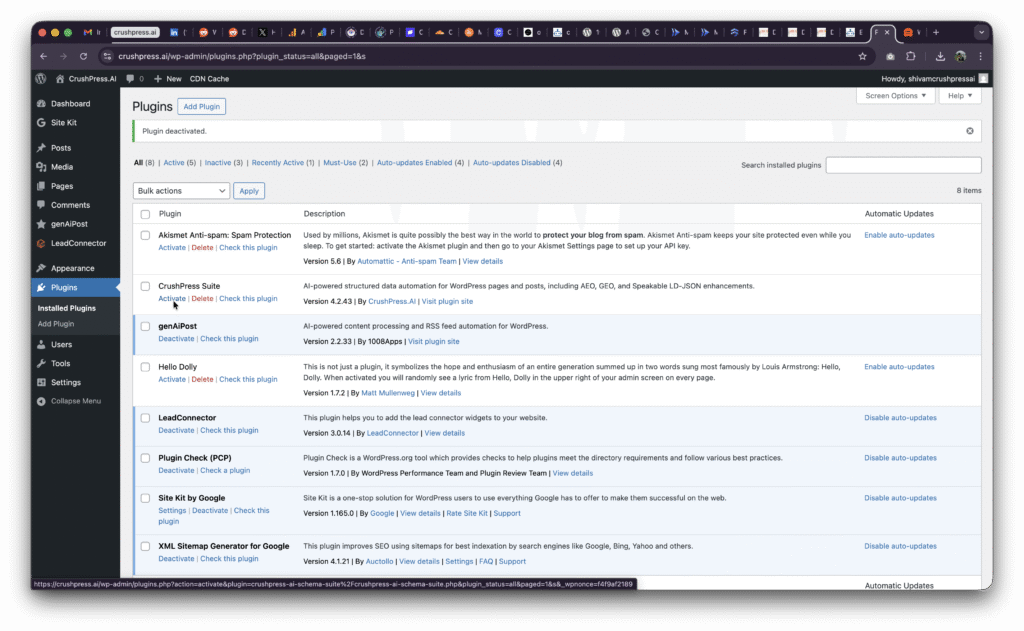
You may need to Activate the plugin if this is your first install.
Step 3 – Add card, choose plan, Setup OpenAI and ALL SET!
You should be able to see CrushPress Suite in the left menu now
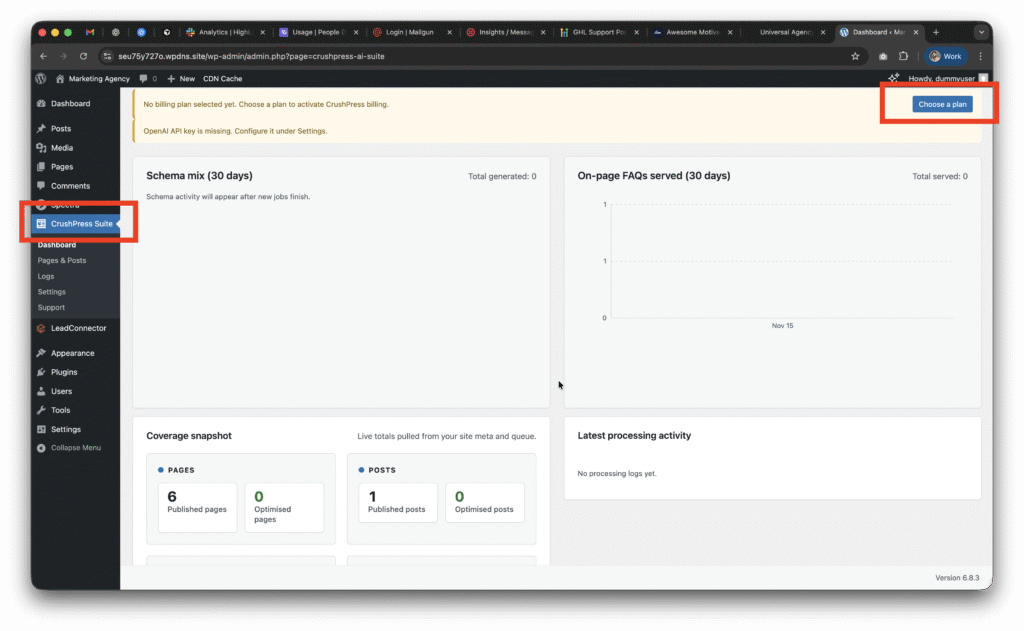
Now go to CrushPress Suite -> Settings -> Billing page and add your card and choose your plan.
You can choose the free pan to start with which will not charge you anything and is FREE FOREVER (be mindful of the overages though!)
Checkout our 2025 Black Friday / Cyber Monday Promo to get unlimited usage free for 2 months on unlimited sites!
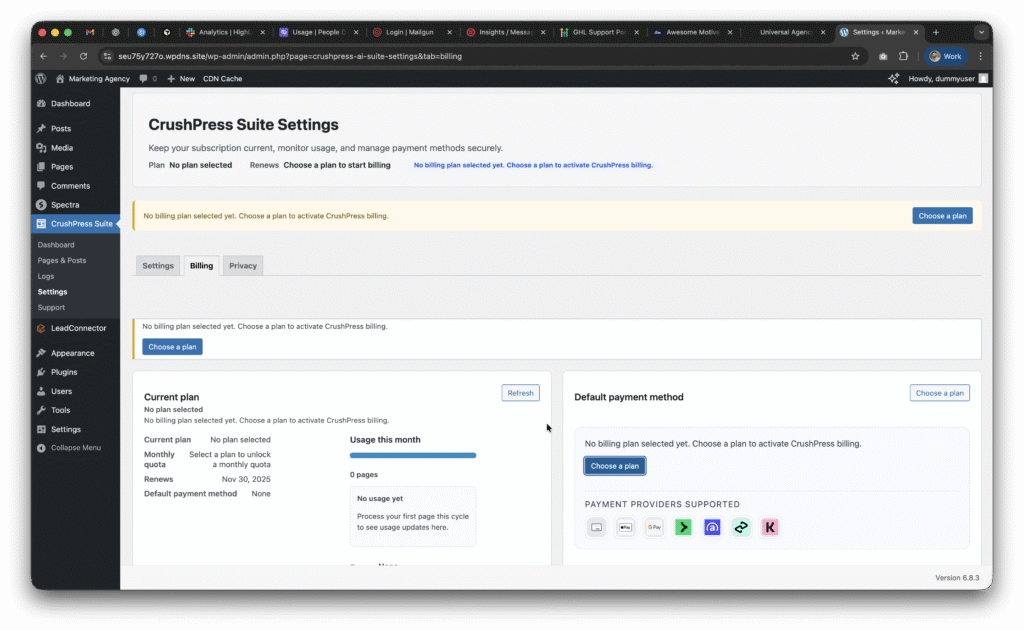
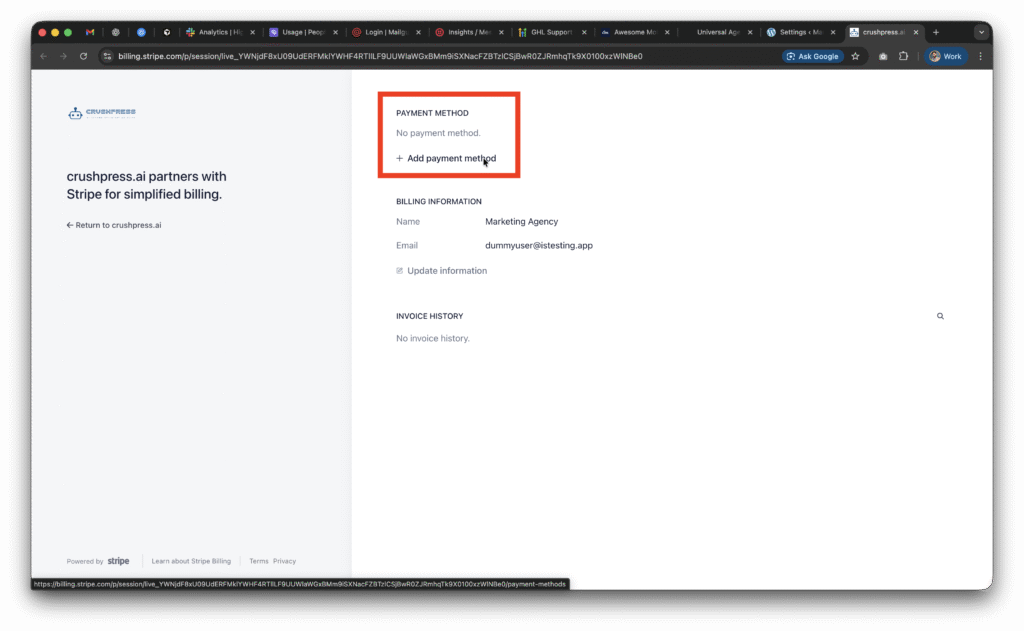
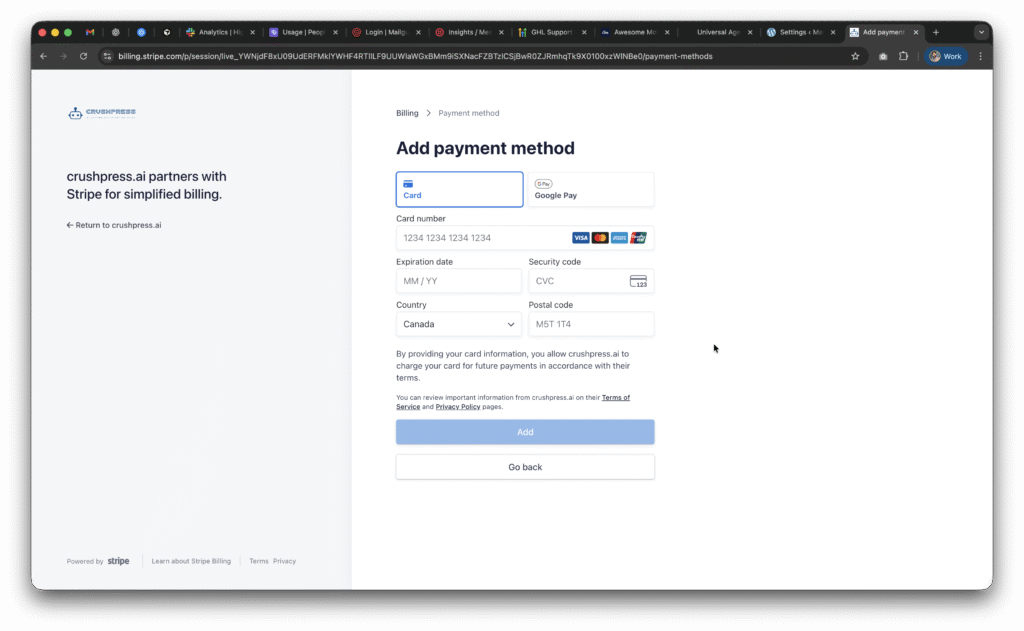
Once you setup the card and choose a plan; you need to setup the OpeAI API Key.
This post walks you through how to configure your OpenAI API Key.
-

How to generate OpenAI API Key?
An OpenAI API key lets you programmatically use OpenAI’s models — so you can build apps, automate tasks, experiment, or integrate AI features into software.
Why someone would generate one
- Build applications — chatbots, writing assistants, code tools, content generators, recommendation engines.
- Automate workflows — summarize emails, generate reports, extract data from documents, classify text at scale.
- Prototype ideas quickly without hosting models yourself.
- Integrate AI into products — add natural language features to websites, mobile apps, CRM systems, etc.
- Research and experiments — testing prompts, comparing models, doing fine-tuning (if available).
- Batch processing / analytics — run large text/audio/image jobs programmatically.
How to generate one?
Step 1 – Go to OpenAI Platform
Go to https://platform.openai.com/ and use the
LoginorSign Upoptions on the top right
Step 2 (Optional) – Complete Onboarding if you just signed up
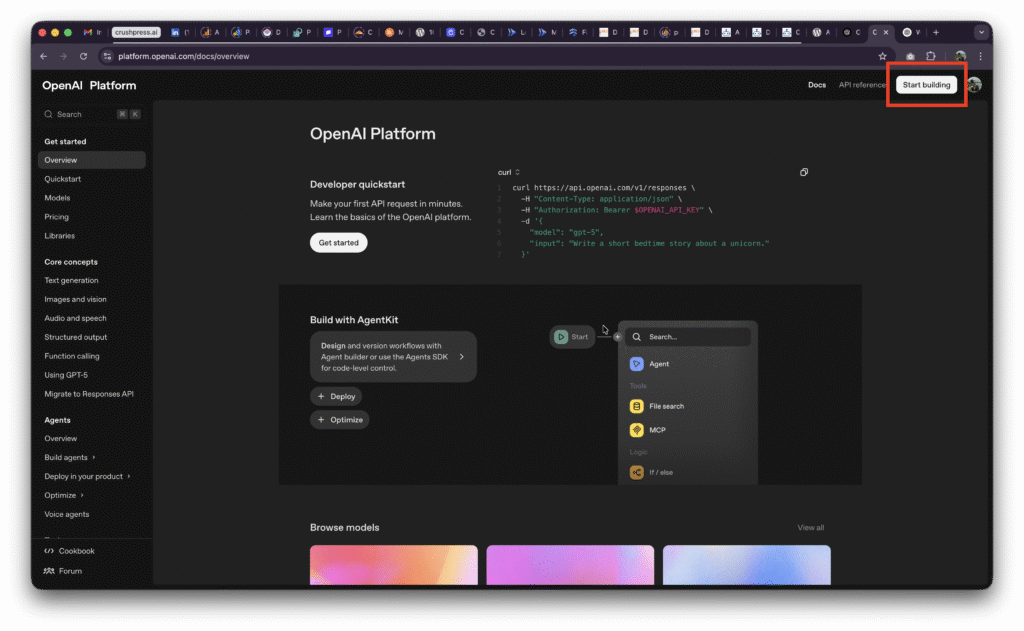
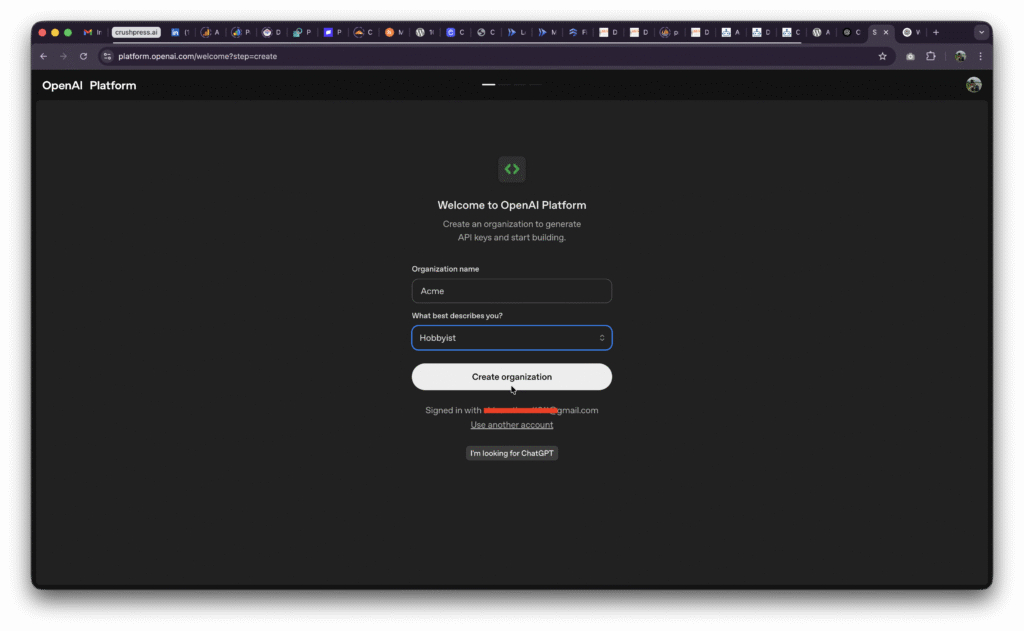
Step 3 – Generate & Copy your API key
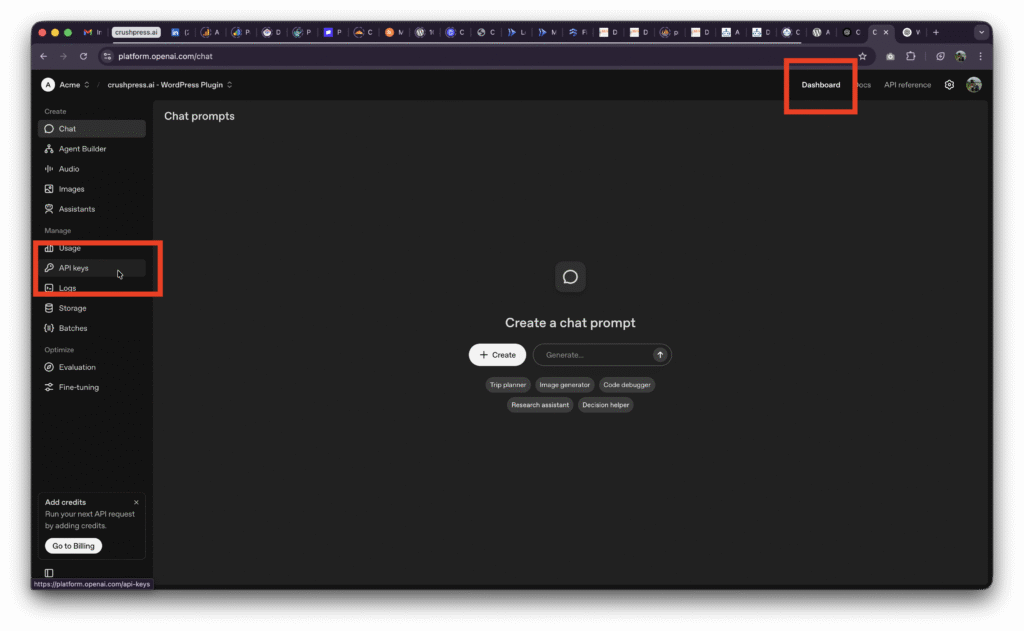
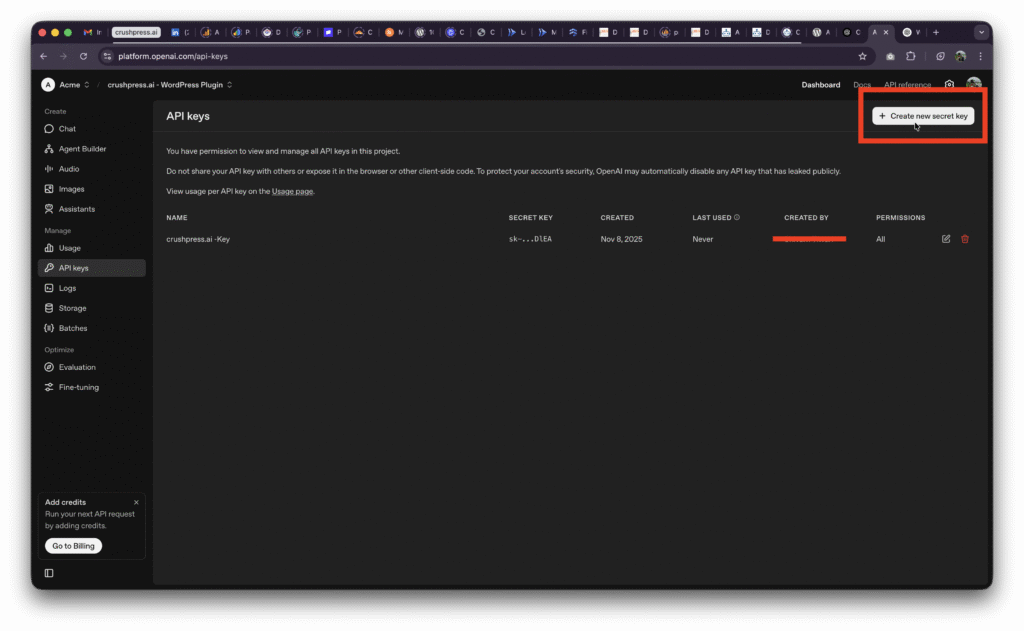
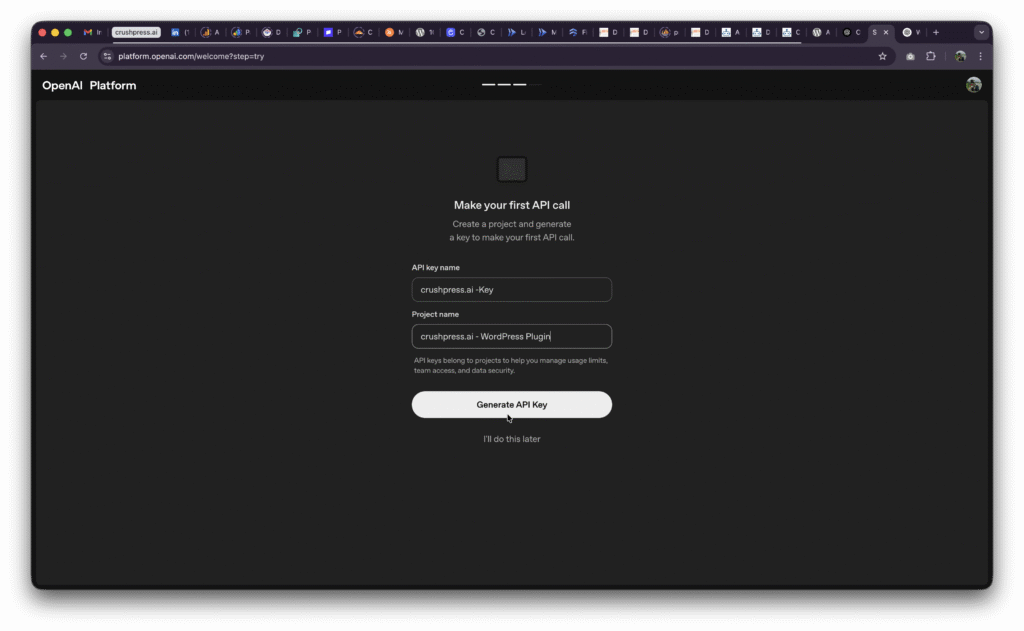
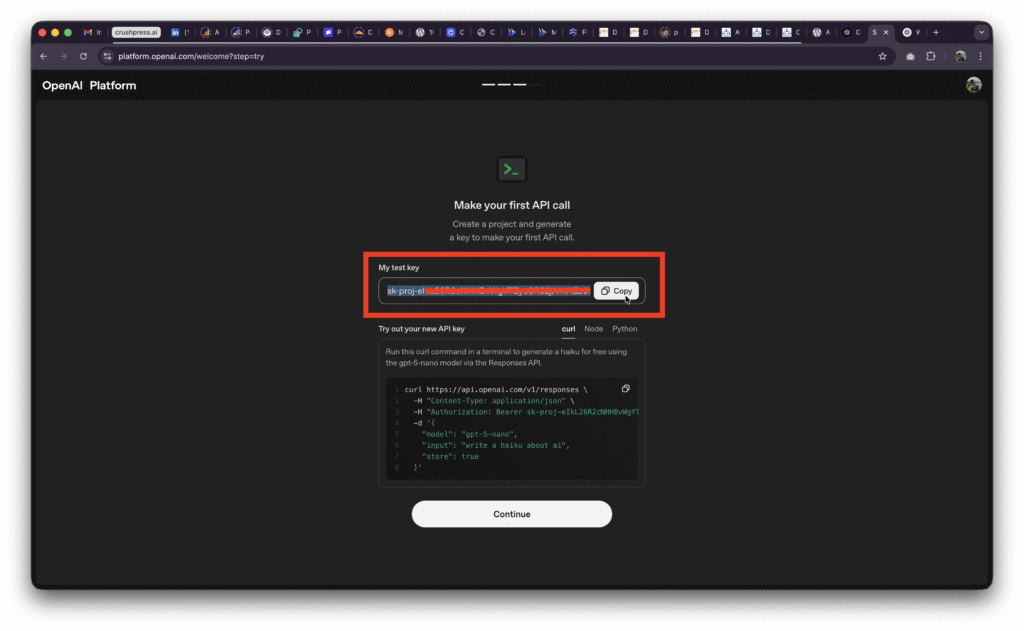
Step 4 – Add it to
crushpress Suitewordpress pluginGo to
wp-admin->CrushPress Suite->Settingsand paste the API Key (Secret Key) you just copied and hit save.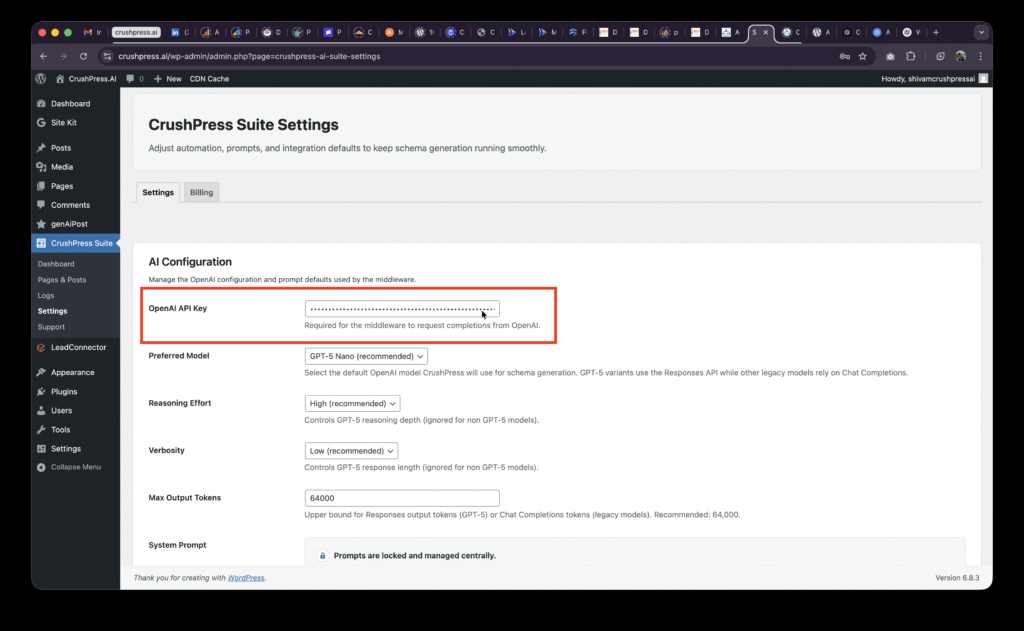
Important security & usage best practices
- Never embed keys in client-side code (JavaScript on webpages, mobile apps).
- Store keys in environment variables or a secrets manager.
- Rotate keys periodically and revoke compromised keys immediately.
- Apply least privilege (use separate keys for dev/staging/prod).
- Monitor usage and set billing/quotas to avoid surprises.
- Restrict keys where possible (IP restrictions, allowed referrers).
- Don’t share keys publicly (no GitHub commits with keys).
Risks & costs
- Keys grant access to billable API usage — a leaked key can generate charges.
- Misuse could cause unwanted outputs; always validate/guard outputs before using them in critical flows.