Category: Google Ads

  • Unlock Ad Performance with Google’s Mix Experiments Beta

    Unlock Ad Performance with Google’s Mix Experiments Beta

    I’ve discovered that Google is introducing a fascinating new tool called Campaign Mix Experiments (beta). This innovative framework allows me and other advertisers to experiment across various campaign types, budgets, and settings all within a single, unified setup.

    How it works:

    As an advertiser, I can create up to five experiment arms, each with its own unique combination of campaigns. This means I can include the same campaign in multiple arms and distribute traffic among them.

    Google’s mix experiments support a wide range of campaigns, including Search, Performance Max, Shopping, Demand Gen, Video, and App campaigns, though it does exclude Hotels.

    I’m able to customize traffic splits starting at a minimum of 1%, and the results are adjusted to the smallest split for a fair comparison — ensuring accuracy in our findings.

    What I can test:

    The beta provides an exciting opportunity to explore and test budget allocation across different campaign types. I can also assess account structures, varying between consolidation and fragmentation.

    It allows me to examine differing bidding strategies, targeting options, and feature adoptions, alongside studying cross-channel performance interactions, beyond just individual campaign impacts.

    Why I care. With this new tool, I can go beyond individual campaign testing, gaining insights into how various campaign types interact and identifying which combinations yield the most substantial business outcomes.

    Reporting details: I can monitor results through the Experiment summary and campaign-level reporting, selecting from confidence intervals like 95%, 80%, or 70%, and focus on key metrics such as ROAS, CPA, conversions, or conversion value.

    Best practices:

    I make sure to keep the experiment arms similar, only altering one variable at a time. I align the total budgets across these arms unless budget allocation itself is the variable being tested.

    It’s advised to avoid shared budgets and significant changes while the experiment is underway, and to run these tests for at least six to eight weeks to ensure the results are statistically reliable.

    Between the lines: Google is shifting the focus from a single-campaign victory to understanding how the right mix of efforts can lead to success, especially as automation reshapes the landscape.

    Bottom line: By utilizing campaign mix experiments, I gain a realistic view of how different campaign types and financial plans work collaboratively. This empowers me to make informed decisions on where my spending truly adds value.


    Inspired by this post on Search Engine Land.


    crushpress.ai community screenshot
  • Maximize Ecommerce Success with Demand Gen & Performance Max

    Maximize Ecommerce Success with Demand Gen & Performance Max

    When Google introduced Demand Gen campaigns in 2023, I saw them as a promising way to boost engagement across platforms like YouTube, Discover, and Gmail.

    Initially, they felt experimental, straddling the line between awareness and performance, but they’ve come a long way since.

    Now, the creative flexibility and enhanced audience control make Demand Gen a go-to campaign type for my ecommerce clients.

    This strategy allows me to scale revenue in a controlled manner, maintaining brand consistency while testing creative approaches to drive conversions.

    I’ve found that Demand Gen delivers the best results when strategically paired with Performance Max and Search campaigns.

    Advertising with Demand Gen is ideal if you crave more control.

    One major drawback of Performance Max is its lack of transparency and manual control.

    If precise targeting, placement, or creative control is essential, Demand Gen stands out as the better option.

    Performance Max auto-generates ads from your uploads, relying on Google’s AI to mix and match for the best performance.

    This makes it crucial to provide top-notch creative assets.

    For example, a fitness brand might create separate asset groups for products like leggings, shorts, and vests.

    While this helps target relevant audiences, the control isn’t exhaustive.

    However, Demand Gen offers far superior flexibility.

    It allows me to upload, preview, and tweak ad combinations before launch, adapting each creative to its unique placement.

    For instance, I can customize YouTube ads for in-feed, in-stream, and Shorts placements.

    This control is perfect for ecommerce brands focusing on creative precision, message testing, and maintaining a strong visual identity.

    Dig deeper: The Google Ads Demand Gen playbook

    Using Demand Gen alongside Performance Max can be incredibly effective if you leverage their roles within the customer journey. They enhance each other rather than compete.

    Demand Gen builds awareness and sparks interest by reaching higher-funnel audiences before they actively start product searching.

    Conversely, Performance Max focuses on converting lower-funnel users who are primed to purchase.

    ```json
{
  "alt": "Collage featuring the Google Pixel Watch and Fitbit Sense 2 with various display cards and interactive elements.",
  "caption": "Discover seamless integration with Google Pixel Watch and Fitbit Sense 2. Explore features and styles that keep you connected and healthy, right at your fingertips.",
  "description": "The image showcases a collage of the Google Pixel Watch and Fitbit Sense 2, emphasizing their sleek design and advanced functionality. The central focus is a profile of a person interacting with the Google Pixel Watch, surrounded by smaller display cards of the Fitbit Sense 2. Interactive social media elements like likes and dislikes hint at user engagement. The arrangement suggests an interactive and user-friendly interface, highlighting features like health tracking and connectivity options. Keywords: Google Pixel Watch, Fitbit Sense 2, health tech, smartwatches."
}
```

    For example, a fitness retailer might utilize Demand Gen for lifestyle videos and discovery ads promoting their latest activewear.

    When a potential customer begins to research or exhibit purchase intent, Performance Max engages with tailored Shopping and Search ads to finalize the sale.

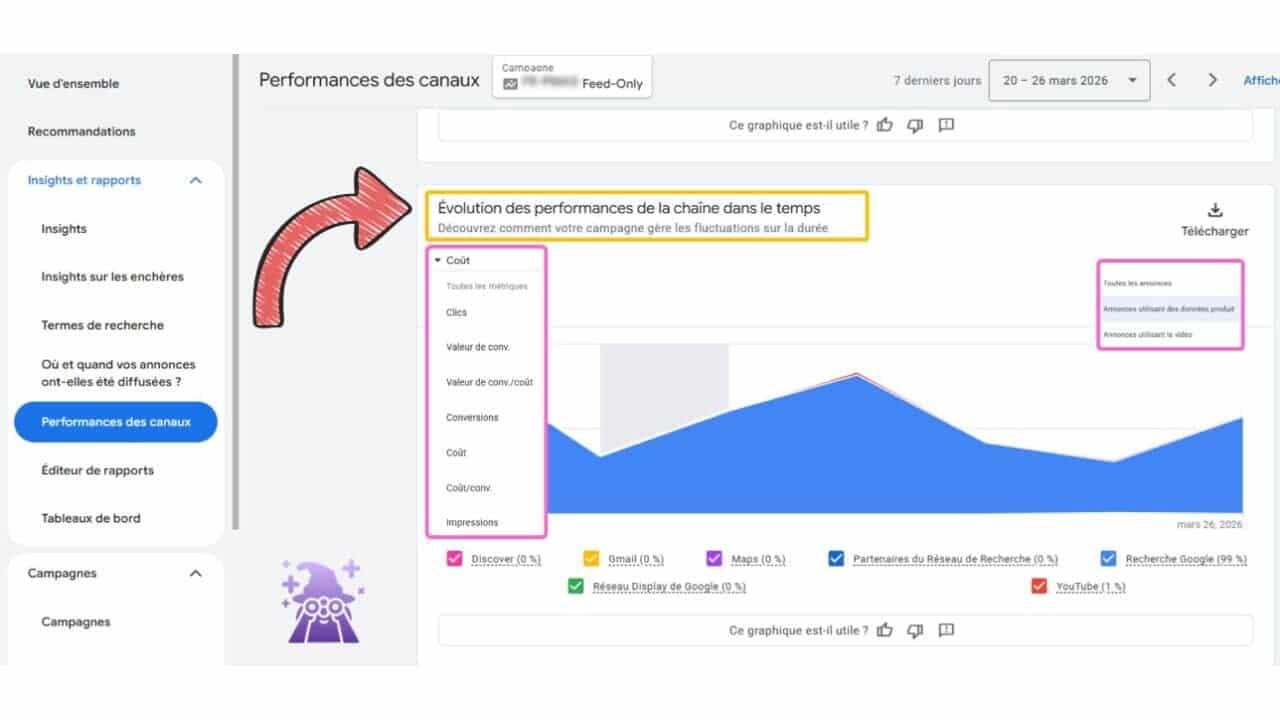
    I’ve set up feed-only Performance Max campaigns, providing only a product feed within the asset group.

    This restricts Performance Max activities to Shopping placements, focusing it sharply on direct conversions.

    Meanwhile, Demand Gen operates across platforms like YouTube, Gmail, Discover, and Shorts, covering the upper and mid-funnel with more visual, creative content focused on awareness.

    This configuration minimizes overlap between campaign types while ensuring user engagement throughout the funnel, from brand discovery to purchase.

    For larger accounts with flexible budgets, this dual structure drives holistic performance and clearer attribution.

    In contrast, smaller accounts seeking efficiency should prioritize mastering high-intent campaigns before layering in Demand Gen once the core conversions are stable.

    The diverse campaign types now offer advertisers more flexibility than ever, yet it requires understanding Google’s restructuring of video and discovery products.

    Dig deeper: Why Demand Gen is the most underrated campaign type in Google Ads

    Since July 2025, Google’s Video Action Campaigns (VACs) have been replaced by Demand Gen.

    It streamlines Google’s visual placements into one campaign type, including YouTube in-stream, Shorts, in-feed, Gmail, and Discover.

    This change is significant. VAC was successful for ecommerce, particularly for conversion-centric video. Its removal underscores Google’s encouragement to embrace Demand Gen.

    The advantage is that Demand Gen provides stronger creative control and diverse testing options across YouTube placements.

    If you previously ran VAC campaigns, they are now under Demand Gen. Ensure your top-performing assets and audiences have migrated correctly, then use the new controls to optimize performance.

    Audience control is a significant benefit of Demand Gen, and it’s a reason why I consistently use it for ecommerce.

    Demand Gen allows precise audience creation, letting me decide who sees the ads.

    I can select placements, merge audience types, and allocate the budget strategically.

    It’s the only Google Ads campaign type supporting lookalike audiences, valuable for brands focused on acquiring quality leads.

    ```json
{
  "alt": "Google Ads campaign settings screen showing various ad channel options.",
  "caption": "Maximize your reach by choosing from various Google Ads channels like YouTube, Discover, and Gmail to tailor your advertising strategy.",
  "description": "This image displays a Google Ads campaign setup screen on a laptop. The interface allows users to select ad channels including YouTube, Discover, Gmail, and the Google Display Network. Each option is highlighted with checkboxes that can be selected to target specific audiences and surfaces. This setup enhances the versatility and reach of digital marketing campaigns, providing advertisers with the tools to optimize ad delivery across multiple Google platforms."
}
```

    While Performance Max utilizes audience signals over fixed targeting, Demand Gen excels for control, testing, and segmentation strategies.

    In mid-2025, Google rolled out an open beta for advertisers to opt out of specific Demand Gen channels manually.

    This means I can now control ad display, excluding Discover or YouTube Shorts if they don’t align with my objectives or creative format.

    This small but significant update offers more control, a feature often lacking in many of Google’s automated campaign types.

    Dig deeper: Google Ads rolls out channel control for Demand Gen campaigns

    In early 2025, Google introduced product feed integration for Demand Gen campaigns. This change allows me to link the Google Merchant Center feed, incorporating live product data directly into visual ads.

    This development bridges performance and branding for ecommerce, enabling storytelling through creative visuals while displaying actual products.

    For instance, a fashion retailer can showcase a new collection in a video advert while featuring shoppable product cards below.

    This update positions Demand Gen as a hybrid between Shopping and Display, a much-anticipated capability among ecommerce advertisers.

    Demand Gen typically demands a larger budget than other campaign types.

    Google recommends starting at about £100 per day per campaign or 20 times your target CPA/tROAS, whichever is higher.

    Practically, the £100-per-day baseline is a viable starting point for effective data collection and optimization. Lower budgets restrict data flow and slow progress.

    Demand Gen complements your broader Google Ads strategy, rather than replacing Search or Performance Max.

    It’s a premium, visually led campaign type that boosts awareness leading to conversions, particularly effective when you have accurate measurement, a clean product feed, and clearly defined audiences.

    The table compares Demand Gen and Performance Max on key aspects that matter to advertisers.

    Dig deeper: Google pushes Demand Gen deeper into performance marketing

    Performance Max excels in scale but can be opaque.

    Demand Gen offers the control advertisers have demanded—genuine creative testing, audience precision, and placement visibility.

    For sustainable ecommerce growth, I recommend using both. Performance Max captures demand, while Demand Gen creates it.

    Together, they form a comprehensive framework for scalable and sustainable growth.


    Inspired by this post on Search Engine Land.


    crushpress.ai community screenshot
  • Urgent: Switch to Google’s New Merchant API or Risk Ad Interruptions

    Urgent: Switch to Google’s New Merchant API or Risk Ad Interruptions

    As someone deeply invested in digital advertising, I recently learned about Google’s impending changes to their Shopping API. If you rely on Shopping and Performance Max campaigns like I do, switching to Google’s Merchant API isn’t just recommended—it’s essential to keep things running smoothly.

    What’s happening. Google plans to phase out older API versions, making the Merchant API the go-to for all things Shopping Ads. I checked my own campaigns in Merchant Center Next under Settings > Data sources to see which API I’m using. Any listing marked as “Content API” needed my immediate attention.

    ```json
{
  "alt": "API users must switch to Merchant API by specific dates, options for different user types.",
  "caption": "Attention API users! Transition to Merchant API for enhanced management. Check deadlines for your user group.",
  "description": "This informative image outlines the transition to Merchant API, detailing deadlines for Merchant API beta users (by February 28, 2026) and Content API users (by August 18, 2026). Non-API users are encouraged to start integration for automated product uploads and inventory management. The design features bold text and action buttons for easy navigation, ensuring users stay informed and take necessary steps on time."
}
```

    Why this matters to us. Google has been actively notifying us advertisers to make the move to the new Merchant API. For those in beta, the deadline is February 28th, and for others using Content API, it’s August 18th. If I miss this, my campaigns that depend heavily on product feeds might just stop working. That’s not a risk I’m willing to take.

    ```json
{
  "alt": "Google Merchant Center Data Sources page displaying product source information.",
  "caption": "Explore how Google Merchant Center automates product discovery and management with streamlined data sources.",
  "description": "The screenshot shows the Data Sources section in Google Merchant Center, highlighting both Google-found and user-provided product sources. The interface displays a primary source named 'Content API' with 18 products listed. On the left, various navigation options include Store Quality, Marketing, and Analytics. The page invites users to manage products that Google found on their online store. This overview helps businesses understand how to integrate product data efficiently. Keywords: Google Merchant Center, data sources, Content API, product management."
}
```

    The risk. I realized that feed labels don’t seamlessly transfer during the migration. Overlooking this can cause significant issues in Shopping and Performance Max campaigns, which rely on these labels for structure or bidding strategies. Without proper updating, my campaigns could quietly fail.

    ```json
{
  "alt": "Notice about Merchant API replacing Content API, with key dates for transition in 2026.",
  "caption": "Attention sellers: Switch to Merchant API by 2026 for seamless access to Google services, as Content API will soon be retired.",
  "description": "The image is a notice confirming the Merchant API as the replacement for Content API for Shopping. Key transition dates include February 28, 2026, when Merchant API v1beta will be discontinued, and August 18, 2026, when Content API for Shopping will cease. Users must switch to Merchant API v1 by these dates to maintain access to Merchant Center. This change is essential for sellers to continue their organic and ad experiences on Google platforms efficiently. Keywords: Merchant API, Content API, deprecation, Google Shopping, transition dates, API switch."
}
```

    What to do now. Google’s suggesting that we complete this migration sooner rather than later. On my end, that means reviewing my feed labels, reconnecting my data feeds, and making sure everything’s back on track. This transition process started in mid-2024 and is becoming urgent as legacy APIs are on their way out.

    Bottom line. Ignoring this isn’t an option for me. This change is more than just a backend tweak—it’s a potential revenue disruptor if not addressed promptly.

    First seen. I first caught wind of this update through Google Shopping Specialist Emmanuel Flossie. He flagged the issue on LinkedIn.


    Inspired by this post on Search Engine Land.


    crushpress.ai community screenshot
  • Unlocking Success: A/B Testing for Google Shopping Ads

    Unlocking Success: A/B Testing for Google Shopping Ads

    I recently learned that Google Ads is running a fascinating experiment, allowing select advertisers to A/B test different product titles and images in Shopping Ads. This feature, known as “product data experiments,” provides insightful results within three to four weeks.

    Who gets it? At the moment, only a small group of merchants have access to this test, according to Google Ads Liaison Ginny Marvin. However, it seems broader availability is on the horizon.

    Why we care. The impact of product titles and images on Shopping ad performance is significant. Yet, traditionally, advertisers face challenges in testing changes without affecting live results. This new feature promises a much-needed opportunity for experimentation within product feeds.

    ```json
{
  "alt": "LinkedIn exchange between two users discussing a product teased at GML.",
  "caption": "An engaging LinkedIn conversation about a product teased at GML, hinting at limited testing and future availability.",
  "description": "A LinkedIn conversation between two users discussing a product that was teased at GML the previous year. The conversation highlights limited current testing among select merchants and anticipates broader availability. One user humorously asks for influence to move higher on an internal list. Keywords: LinkedIn, conversation, GML, product tease, merchants, availability, testing."
}
```

    What it does. By comparing variations of product titles and images, advertisers can identify which combinations lead to higher sales, all without committing changes to their entire feed.

    Context. Previously teased at Google Marketing Live, this feature builds on earlier tests allowing A/B experiments in some Performance Max campaigns, suggesting a larger trend towards increased experimentation across automated formats.

    ```json
{
  "alt": "Google Merchant Center Experiments tab displaying a product data experimentation feature.",
  "caption": "Explore new heights in sales with Google Merchant Center's A/B testing for product data. Boost your campaign performance effectively!",
  "description": "The image shows the 'Experiments' tab in Google Merchant Center Next's interface. It highlights a feature allowing A/B testing for product titles and images, aimed at improving sales performance. A promotional message encourages merchants to increase sales through data experiments, with results expected in 3 to 4 weeks. A 'Find out more' button is visible, inviting further exploration."
}
```

    Big picture. With Google Ads increasingly embracing automation, tools for controlled testing like this become essential. They give advertisers the insight needed to understand performance drivers, particularly in Shopping and feed-based campaigns.

    Credit. I discovered this news through a screenshot shared by Duane Brown, the founder of Take Some Risks, on LinkedIn.

    What to watch. Should this feature be widely rolled out, product data experiments could become a key optimization tool for Shopping Ads and fulfill a long-standing request from advertisers focused on feed performance.


    Inspired by this post on Search Engine Land.


    crushpress.ai community screenshot
  • Unlock Easy Access to Manual CPC in Google Ads Campaigns

    Unlock Easy Access to Manual CPC in Google Ads Campaigns

    I’ve discovered that Google Ads has made it much simpler for us to access Manual CPC during campaign setups. Before this change, I had to go out of my way to select ‘a bid strategy directly (not recommended).’ Now, I can easily find ‘Manually set bids’ right under the Conversions goal. It’s a small but significant improvement in the user experience.

    The change:

    • Manual CPC is now integrated directly into Google’s primary bidding flow.
    • I no longer have to bypass Google’s recommended strategies to find it.
    • This update is readily visible within the campaign bidding settings across the user interface.

    Why it matters to me. Manual CPC has always been my go-to bidding strategy when I want hands-on control over my campaigns. Google’s previous setup often nudged me towards automated bidding, but with this update, I face less friction when opting for manual control.

    ```json
{
  "alt": "Google Ads bidding settings screen showing focus on conversions and manual bid setting option.",
  "caption": "Setting the stage for success: Choose to focus on conversions and manually set bids in your Google Ads campaign.",
  "description": "This image displays a Google Ads interface where the user is setting campaign focus on 'Conversions' with an option to 'Manually set bids'. An arrow highlights the manual bid section. Other options include locations targeted and language settings. The interface suggests using a manual CPC bid strategy based on these selections, offering flexibility in ad spending."
}
```

    The bigger picture. Despite Google’s push towards Smart Bidding, this change shows that manual bidding remains important, particularly for experienced advertisers like myself, or in niche campaigns where full automation may not be suitable.

    Thanks go to: This update was shared by Hana Kobzová, founder of PPC News Feed.


    Inspired by this post on Search Engine Land.


    crushpress.ai community screenshot
  • Streamline Your Google Ads: Account-Level Exclusions Unveiled

    Streamline Your Google Ads: Account-Level Exclusions Unveiled

    Recently, I discovered an exciting update from Google Ads that could really simplify how I manage my campaigns. They’ve introduced account-level placement exclusions, making it possible to block unwanted inventory from a single, centralized location.

    What’s new? Now, I can apply one exclusion list at the account level. This efficiency extends across Performance Max, Demand Gen, YouTube, and Display campaigns. Before this, blocking had to be done at each ad group or campaign level separately.

    How does it work? Once I’ve excluded certain placements at the account level, Google Ads ensures that spending is prevented on those websites, apps, or YouTube placements across all eligible campaigns.

    Why is this important? Previously, placement control was a fragmented and tedious process prone to errors, especially for large accounts. With this update, brand safety is now more straightforward and efficient on a larger scale.

    The big picture. As Google shifts towards more automation-heavy formats like Performance Max, this change answers the demand from advertisers for stronger, more streamlined control measures without disrupting automation advantages.

    ```json
{
  "alt": "Google Ads interface showing ad exclusion options.",
  "caption": "Navigating Google Ads: Learn how to manage ad placements with options to exclude from group, campaign, or account.",
  "description": "The image displays a Google Ads interface focusing on the 'When and where ads showed' report. It highlights options for excluding ads from different levels, such as ad group, campaign, or account. The menu is shown in the context of a list featuring YouTube.com as a placement. The screenshot is a tool for advertisers to optimize ad visibility and manage where their ads appear. Keywords: Google Ads, ad management, exclude options, YouTube placement."
}
```

    Between the lines. This update allows me to:

    • Reduce exposure to low-quality or irrelevant inventory
    • Enforce brand-safety standards consistently
    • Save time managing exclusions across complex accounts

    What to watch. I need to review and carefully consolidate existing exclusion lists, as applying a single account-level block too broadly might unintentionally limit my reach.

    First seen. This savvy update was first highlighted by Google Ads Campaigns Specialist Aleksejus Podpruginas on LinkedIn.

    Bottom line. Google’s updates make controlling ad placements easier, tweaking the interface just enough to significantly enhance efficiency and maintain brand safety.


    Inspired by this post on Search Engine Land.


    crushpress.ai community screenshot
  • Maximize Your Ad Spend: Google’s New Total Campaign Budgets

    Maximize Your Ad Spend: Google’s New Total Campaign Budgets

    I recently discovered an exciting update from Google that’s set to revolutionize how we manage our ad spends. By allowing us to set a total campaign budget over specified days or weeks, Google now takes charge, optimizing spending without the need for constant tweaks on my part. This ensures my campaigns stay on track effortlessly.

    With this new functionality, I can allocate a total budget for a campaign over a given timeframe, allowing Google to automatically optimize spending so that the budget is fully utilized by the campaign’s conclusion. Previously exclusive to Performance Max, this feature is now available for Search and Shopping campaigns as well, making daily budget adjustments a thing of the past.

    Why I care. Handling budgets for short-term projects like product launches or sales can be quite a challenge. Historically, I’ve had to constantly tweak budgets to avoid exceeding them or not using enough. With Google’s new total campaign budgets, currently in open beta, this hassle is significantly reduced.

    The bigger picture. This update empowers me to run campaigns with confidence, without the worry of overspending. Whether I’m running a short test over a few days or a promotional push over a month, the campaign total budget feature shifts my focus from budgeting to strategy.

    Real-world impact. A great example is UK beauty retailer Escentual.com, which utilized this feature during promotions. They experienced a notable 16% increase in website traffic while staying within budget without negatively affecting ROAS. As Tom Jenkins, Insights Manager, aptly put it: “The campaign total budget feature helped us hit our traffic goals while staying on budget.”

    Looking ahead. This feature simplifies campaign management, granting me more time to concentrate on achieving better results. For an in-depth look, check out this blog post discussing the feature.


    Inspired by this post on Search Engine Land.


    crushpress.ai community screenshot
  • Google’s New Campaign Setup: Faster and More Efficient

    Google’s New Campaign Setup: Faster and More Efficient

    I recently discovered that Google Ads is experimenting with a quicker way for new advertisers like me to get up and running. This advancement promises a seamless account setup experience by integrating pre-built campaigns.

    Driving the news. Over the past few weeks, there’s been a buzz about a new setup option in Google Ads called “Create an account with campaign for faster setup.” It caught my attention when I saw others, including Anthony Higman, mention it on X. It seems to be a recent addition.

    Why we care. Account setup has always been a potential roadblock for new advertisers like me. By offering a bundled account creation with a ready-to-go campaign, Google could significantly shorten the time it takes to launch, reducing the risk of stalling before I’m fully onboarded.

    The big picture. Google aims to make onboarding simpler and quicker, pushing for more automated and pre-configured settings. This latest test highlights Google’s commitment to convenience and efficiency, which is exciting for someone looking to dive into advertising without the complexities of manual setup.

    ```json
{
  "alt": "Online account setup interface showing fields for name, signup type, country, time zone, currency, and more options.",
  "caption": "Streamline your account setup with ease. This interface offers options from account type to currency, ensuring a tailored experience.",
  "description": "The image showcases an online account setup interface, featuring fields for entering details such as name, signup type (account only or with campaign), country, time zone, and currency. Additional options include data protection settings and inviting users. A security CAPTCHA is visible at the bottom. This setup simplifies the process for customized account management. Keywords: account setup, online interface, customization, user-friendly."
}
```

    Between the lines. While this faster setup could be a huge help for advertisers just starting out, it might also limit my initial control over campaign structure and settings, particularly if I’m not yet familiar with Google’s automated recommendations.

    What to watch. Google hasn’t officially announced this feature, indicating it could still be in a testing phase or gradually rolling out. I’m eager to see if Google decides to expand this feature based on its success in improving user activation and expenditure.

    The bottom line. Google’s move to expedite advertisers’ journey to going live underscores a shifting priority towards speed, albeit with less emphasis on early-stage decision-making nuance.


    Inspired by this post on Search Engine Land.


    crushpress.ai community screenshot
  • Uncovering Hidden Google Ads Settings That Could Alter Your Branding

    Uncovering Hidden Google Ads Settings That Could Alter Your Branding

    When Google Ads automation hurts more than it helps and how to catch it

    I recently stumbled upon a not-so-obvious setting in Google Ads that might allow Google to insert unapproved images into location-based ads. This could be a headache for maintaining consistent brand visuals.

    Here’s what’s happening: In the Shared Library under the Location Manager, there’s a setting called “Google Owned Location Data.” If active, Google can use imagery from its database, adding them to ads linked to your business locations without your direct approval.

    Why it matters: While Google might promote this feature as a means to enhance performance, it risks introducing unwanted creative elements that haven’t been vetted—posing a challenge for advertisers who prioritize strict brand standards.

    The broader context: Google Ads is increasingly automating creative aspects, extending its control beyond bid and targeting strategies. This change moves decision-making about visuals significantly into Google’s hands, particularly for those utilizing location extensions.

    ```json
{
  "alt": "Google Ads Location manager settings interface showing options for Google-owned location imagery.",
  "caption": "Explore the Google Ads Location Manager to optimize your campaigns with high-quality location imagery and merchant photos.",
  "description": "This image displays the Google Ads Location Manager settings interface, highlighting options for using Google Business Profile merchant photos and Google-owned location imagery. It shows checkboxes allowing users to give permission for utilizing these photos in ad campaigns. The interface includes tabs for business locations, location groups, and settings. This feature can help advertisers enhance campaign performance by incorporating professionally curated media."
}
```

    Implications: For brands with stringent creative rules, industries subject to regulation, or franchise operations, such settings can lead to mismatches or compliance issues, often without any warning.

    Action steps: If you’re concerned about maintaining creative oversight, I recommend auditing the settings in the Location Manager within the Shared Library to see if “Google Owned Location Data” is enabled.

    Discovery: Paid Media Analyst Conor Crummey first noticed this update and shared his findings on LinkedIn.

    In summary: This is a subtle yet significant update from Google Ads for those who value controlling their creative output. Take the time to check your settings before unapproved content makes an unwelcome appearance in your ad campaigns.


    Inspired by this post on Search Engine Land.


    crushpress.ai community screenshot
  • Unveiling the Power of Demand Gen in Google Ads

    Unveiling the Power of Demand Gen in Google Ads

    Looking to expand your reach beyond Google Search? Demand Gen campaigns push your ads to ideal audiences across YouTube, Discover, and Gmail.

    As someone deeply involved with Google Ads, I spend most of my time optimizing Search, Shopping, or Performance Max campaigns. It’s understandable, as the Google SERP is foundational to Google Ads. But there’s a significant opportunity within your Google Ads account that many overlook.

    I firmly believe Demand Gen is the most undervalued campaign type in Google Ads, and this needs to change.

    If you’ve been cautious about trying Demand Gen or have written it off due to past failures, consider this your nudge to incorporate it into your 2026 strategy. Demand Gen offers a transformative approach to using Google’s ecosystem for growth through paid advertising.

    To understand Demand Gen, move away from a keyword-centric mindset. Think of it as running Meta (Facebook or Instagram) ads but leveraging Google’s platforms instead.

    Where traditional Search campaigns react to a user’s query, Demand Gen focuses on the user themselves, distributing creative content—images or videos—based on user characteristics rather than their immediate actions or searches.

    Demand Gen can place your ads on Google’s various “owned and operated” properties, including:

    • YouTube (Shorts, In-stream, In-feed)
    • Gmail
    • Discover
    • Google Maps (coming soon!)

    I advise starting with all these channels activated but opting in or out of specific channels as desired.

    While the Google Display Network is an option, it’s wise to prioritize Google-owned properties where intent signals are more robust.

    In Demand Gen, targeting moves away from content and instead utilizes Google’s extensive audience targeting capabilities:

    • Lookalikes: Build audiences mirroring your converters, similar to Meta.
    • Remarketing: Re-engage past visitors or customers.
    • In-Market, Life Events & Affinity segments: Reach people based on interests or behaviors.
    • Detailed demographics: Target based on user demographics.
    • Custom Segments: Focus on search terms or websites/apps users frequent.

    However, combined segments aren’t compatible with Demand Gen; you can only exclude your data segments.

    Demand Gen supports a versatile range of ads: standard image ads, carousel image ads, and video ads. If you’re in ecommerce, integrate your Google Merchant Center feed for product-based ads.

    Unlike Video campaigns, which aim for impressions or views, Demand Gen targets clicks or conversions using these bid strategies:

    • Maximize Clicks
    • Maximize Conversions
    • Maximize Conversion Value
    • Target CPC
    • Target CPA
    • Target ROAS

    You must choose a conversion category, whether it’s a purchase or another action like a YouTube subscription.

    What’s more, Demand Gen uniquely permits the Target CPC strategy, allowing control over CPC in a space dominated by AI-driven bidding. This manual control is beneficial for tightly managed budgets.

    Demand Gen surpasses standard Display campaigns in several ways:

    1. Inventory Quality:

    It primarily serves on authenticated Google-owned properties, ensuring higher engagement compared to random web placements typical in Display campaigns.

    2. Spam Reduction:

    Higher audience and inventory quality reduce the likelihood of spam leads, a crucial factor for lead generation.

    3. The Cost Reality:

    While CPCs in Demand Gen often exceed Display, the quality justifies the price. Plus, it remains cheaper than Search campaigns, with CPCs typically between $0.50 to $2.00.

    Demand Gen isn’t a black box; it provides transparent reporting similar to Performance Max:

    • Asset-level reporting: Analyze text, image, and video performance.
    • Audience insights: Understand who engages with your ads.
    • Channel segmentation: Control where ads appear (YouTube, Discover, Gmail) and tailor placements accordingly.
    • Placement reporting: Inspect YouTube placements to refine targeting.

    Feeling ready to launch a Demand Gen campaign? Here’s my advice for structuring a test:

    For smaller businesses:

    With a tight budget ($5-40/day), go simple.

    Targeting: Use your “Google Engaged” remarketing audience and a Custom Segment of top-performing search terms.

    Why: Capture high-intent users yet to convert with Demand Gen’s cost-effective inventory.

    For ecommerce businesses:

    Creative reigns supreme! Run one Demand Gen campaign with and one without your product feed.

    Why: Test whether product ads or lifestyle visuals better drive engagement. Results will reveal optimal strategy.

    For larger businesses:

    If budget allows, Demand Gen should be a strategic staple, not just a test. Treat it as an “always-on” layer for targeting specific audiences.

    Targeting: In-Market, Life Events, Detailed demographics, Affinities.

    Why: This approach keeps your brand visible and top-of-mind among your target audience.

    In conclusion, Demand Gen stands out by bridging high-intent Search with social storytelling, offering superior quality over Display and cost-efficiency compared to Search. Will Demand Gen make it into your strategy this year? If growth beyond the search bar is your goal, it absolutely should.

    This article is a part of Search Engine Land’s ongoing series, Everything you need to know about Google Ads in less than 3 minutes. Each edition, curated by Jyll, highlights a different Google Ads feature to maximize your results swiftly.


    Inspired by this post on Search Engine Land.


    crushpress.ai community screenshot