If AI-led campaigns keep producing form fills that sales rejects, the system may be succeeding at the wrong task. A thank-you page tells an ad platform that an action occurred. It does not tell the platform whether the lead was qualified, reachable, commercially relevant, or likely to become revenue.
Your first job is to connect those business outcomes to acquisition. Your second is to make the offer equally clear on the landing page, in the feed, across map profiles, and inside every creative asset. Do those two things before increasing spend, and automation has a much better signal to optimize.
Key takeaways: what to fix before spending more
Optimize toward business quality, not raw form volume. Define an accepted lead, return downstream statuses from the CRM, and keep diagnostic actions separate from primary conversion goals.
Make the offer unambiguous. A visitor and an automated system should both be able to identify what you sell, who it is for, why it matters, what action to take, and what happens next.
Measure each funnel stage on its own terms. Awareness, consideration, lead capture, qualification, opportunity creation, and revenue do not share one useful success metric.
Treat feeds, map listings, structured data, pages, and creative as one information system. Conflicting names, categories, locations, or conversion labels weaken both targeting and attribution.
Audit placements as well as campaigns. Automated campaigns can reach visual discovery surfaces that behave differently from conventional text search, so a blended click-through rate can hide what changed.
Teach the buying system what a qualified lead means
Begin in the CRM or lead management system, not in the bidding interface. Write down the point at which an inquiry becomes worth pursuing. That definition might depend on service fit, geography, budget, need, or another criterion your sales team already uses. The exact criteria are yours; the important part is that marketing, sales, the CRM, and the ad platform use the same definition.
Your pages rank, your crawl reports look clean, and your brand still disappears when an AI assistant answers the same question. That gap does not mean SEO has stopped working. It means ranking is now one checkpoint in a longer path through discovery, interpretation, citation, recommendation, and action.
You need a strategy that can diagnose where that path breaks. The framework below will help you make important pages easier for search engines and language models to understand, support, select, and represent accurately without abandoning the technical and editorial fundamentals that already earn search visibility.
Key takeaways
Keep technical SEO in place, but stop treating indexing as proof that an AI system understands the page correctly.
Make the primary entity, page purpose, relationships, authorship, scope, and date unmistakable in both visible copy and structured data.
Treat factual accuracy and citation grounding as separate requirements. An answer can be correct while its linked evidence fails to support it.
Give AI systems a defensible reason to recommend your brand, including a defined audience, meaningful distinctions, limitations, and corroborating evidence.
Measure mentions, factual representation, citations, recommendations, visits, and business outcomes separately. They are different stages, not interchangeable measures of success.
Treat AI visibility as four separate outcomes
AI visibility is too broad to be a useful diagnosis. A brand can be retrievable but misunderstood, correctly described but not cited, cited but not recommended, or recommended without receiving a visit. Calling all of these states visible hides the work you actually need to do.
Outcome
What must happen
What you should inspect
Eligibility
The page can be discovered, crawled, indexed, and retrieved for a relevant need.
Robots directives, index status, canonicals, internal links, renderability, page status, and information architecture.
Interpretation
The system identifies the correct entity, attributes, relationships, intent, scope, and authorship.
The page or brand is chosen as evidence, a citation, or a recommendation.
Claim clarity, extractability, qualifications, supporting evidence, external corroboration, and differentiation.
Business impact
The answer produces recognition, preference, a visit, or a valuable action.
Referral traffic, branded demand, assisted conversions, landing-page fit, lead quality, and revenue-related outcomes.
Not every engine exposes these stages, and different products implement retrieval differently. Use the model as a diagnostic framework, not as a claim that every system has an identical architecture.
A practical annotation model starts with gatekeepers such as language, geography, time, and entity identity. It then moves through attributes and relationships, query intent and expertise, confidence and corroboration, and finally extraction quality. A failure near the beginning contaminates everything that follows. If the system mistakes a reviewer for the author, an old price for the current price, or a regional service page for a global offer, more keyword coverage will not repair the underlying interpretation.
Make every important page easy to classify and quote
Start with pages tied to a meaningful audience decision: core service pages, product pages, category pages, comparison resources, original analysis, and authoritative explanations. Audit each page in the order below. The sequence matters because later improvements cannot reliably compensate for an ambiguous identity.
State the page’s category and job early. The opening should identify the subject before it introduces a slogan, story, or broad market claim. A useful pattern is: [entity] is a [category] for [audience]. It helps with [task] in [context].
Choose one primary entity. Decide whether the page is principally about a company, person, product, service, location, event, or concept. Use its exact name consistently, and make the relationship between that entity and any secondary entities explicit.
Align names and roles. The visible byline, author biography, reviewer credit, publisher identity, organization page, and structured data should describe the same relationships. Do not place a prominent expert biography where a system could reasonably interpret that expert as the author.
Qualify important claims locally. Put the relevant date, region, version, audience, unit, or limitation next to the claim it changes. A distant disclaimer is weak context for an extracted sentence.
Make useful passages self-contained. A heading and its following paragraph should identify the subject without depending on several earlier sections. Pronouns such as it, they, and this approach become ambiguous when a passage is retrieved on its own.
Remove competing answers. Reconcile old and new descriptions across product pages, help content, author profiles, location pages, PDFs, and structured data. If an old page must remain available, label its historical scope clearly.
Inspect the rendered page, not only the editor. Navigation, related-content modules, biographies, popups, templates, and injected markup can introduce entity signals that are more prominent than the copy you intended an engine to interpret.
Use JSON-LD to reinforce the visible page, not to create a second version of it. Entity names, authorship, publishing relationships, dates, page type, and material attributes should agree with what a reader can see. Passing a syntax validator only proves that the markup can be parsed. It does not prove that the graph identifies the correct entity or that its claims are supported.
Run a simple extraction test after editing. Copy each important section without its site header or preceding paragraphs. Check whether a reader can still identify who or what the section concerns, what is being claimed, where the claim applies, when it applies, and what supports it. If you have to reconstruct those details from elsewhere on the page, the passage is not yet robust enough for independent retrieval.
Give engines evidence to ground and reasons to recommend
Correctness is not the same as grounding. In Oumi’s 4,326-query SimpleQA benchmark, Google AI Overviews answered 91% correctly in the February test, up from 85% in the October test. Yet 56% of the correct February answers were classified as ungrounded because their linked references did not fully support them, compared with 37% in October.
For every commercially important or frequently repeated claim, create an evidence unit that contains the following information close together:
Claim: the precise assertion you want a person or system to understand.
Scope: the audience, location, product, plan, version, or situation to which it applies.
Basis: the method, documentation, data, policy, test, or first-party record that supports it.
Time: the publication, verification, or effective date when recency changes the meaning.
Limitation: the material exception, uncertainty, tradeoff, or condition that prevents overstatement.
Keep the evidence on the page that makes the claim whenever practical. A generic references page may help a diligent reader, but it forces an extraction system to join distant context correctly. A short local explanation, followed by a relevant link to deeper evidence, creates a cleaner relationship.
Do not manufacture certainty with structured data, repeated wording, or unsupported superlatives. No schema property can turn best, safest, fastest, or most trusted into evidence. Replace the superlative with a bounded fact the reader can evaluate, or remove it.
Make the recommendation case explicit
A page can explain a category perfectly and still give an answer engine no reason to favor its brand. Recommendation visibility requires a proposition, not merely topic coverage. The system needs evidence about who the offer suits, what makes it meaningfully different, and why that distinction matters in the user’s situation.
Define the audience and use case narrowly enough that suitability can be evaluated.
Describe meaningful differences in capabilities, process, scope, support, availability, or constraints.
Explain the consequence of each difference instead of presenting an unprioritized feature list.
State who or what the offer is not suitable for when that boundary affects the decision.
Support self-published claims with appropriate corroboration, such as substantive reviews, independent recognition, documented results, or consistent coverage beyond your own domain.
AI-mediated recommendations can draw on reviews, brand prominence, positioning, and other signals of authority and preference. That makes brand building, public relations, reputation management, product clarity, and SEO connected parts of the same job. Publishing more informational pages will not compensate for a proposition nobody can distinguish or evidence nobody else confirms.
Build topic coverage around decisions rather than endless keyword variations. Alongside a definitive category page, cover the problems that create demand, the situations in which different approaches work, evaluation criteria, important constraints, implementation questions, comparisons, and current facts that genuinely change the answer. Link these pages through shared entities and consistent terminology so the site forms a coherent explanation instead of a pile of loosely related posts.
Write headings that reflect real subquestions, then answer each one directly before adding nuance. This does not require robotic question-and-answer copy. It requires a reader to know, within the first sentence of a section, whether that section resolves the condition they included in their prompt.
Measure the path from answer to business result
Referral sessions are useful, but they are not a complete AI visibility metric. Many answers do not trigger a live web search, and many users receive enough information without clicking. A brand can therefore gain or lose influence inside an answer before analytics records a visit.
Semrush’s analysis of more than a billion lines of U.S. clickstream data from October 2024 through February 2026 found that ChatGPT referrals grew 206%, but the outbound traffic remained concentrated. Google received 21.6% of outbound clicks, while the ten largest destinations collectively received more than 30%. The number of sites receiving any referral traffic peaked around 260,000 in 2025 and later settled near 170,000.
Live search was also triggered for 34.5% of observed queries, down from 46% in late 2024. These findings concern one platform and one clickstream dataset, so they are directional rather than a universal forecast. They still expose the reporting error to avoid: more AI referrals across the market do not guarantee meaningful referral traffic for your site, and a missing referral does not prove your brand was absent from the answer.
Define stable query families. Include prompts about the brand, category discovery, problem solving, comparison, suitability, objections, and facts where freshness matters. Use prompts that contain the context a real buyer would provide.
Record the test conditions. Save the exact prompt, date, platform, visible model or mode, whether live search occurred, and whether the session had context that could affect the response.
Score each stage separately. Record whether the brand was mentioned, represented accurately, supported with a citation, linked to the correct page, included in a recommendation, visited, and associated with a valuable action.
Inspect the words around the brand. A mention framed as unsuitable, outdated, expensive, unverified, or intended for the wrong audience is not a visibility win. Capture the attributed category, strengths, weaknesses, and comparison set.
Preserve a baseline before editing. Document the affected pages and the specific change, then rerun the same prompts under comparable visible conditions. Individual answers can vary, so do not declare a trend from one response.
Observed pattern
Likely gap to investigate
Next action
No mention and no citation
Eligibility, relevance, or entity recognition
Check crawl and index status, internal linking, category clarity, and whether the page directly addresses the prompt’s need.
Move support closer to the claim, make passages self-contained, and strengthen the relationship between the assertion and its evidence.
Cited but not recommended
Positioning, suitability, or corroboration
Clarify the intended audience, meaningful differences, tradeoffs, and credible proof beyond the brand’s own assertions.
Recommended but rarely clicked
Possibly no failure at all, or an answer that satisfies the user before a visit
Assess brand representation and downstream demand alongside referrals; give users a legitimate reason to continue without withholding the basic answer.
Referral traffic without valuable action
Prompt-to-page or page-to-offer mismatch
Compare the referring conversation with the landing page’s promise, audience, next step, and conversion path.
Start with one query family tied to a real decision. Confirm technical eligibility, audit entity and claim clarity, strengthen the evidence and recommendation case, and then measure every stage with the same prompts. The first useful win is not a larger content calendar. It is knowing exactly where your current pages stop being understood, trusted, selected, or acted on.
Your marketing stack can look diversified and still have a single point of failure. If one vendor controls how you reach an audience, define a conversion, store campaign history, automate customer journeys and prove performance, adding another dashboard does not give you meaningful protection.
The goal is not complete vendor independence. Specialized platforms can create real leverage. The goal is optionality: if a platform’s economics, rules, performance or roadmap changes, you can preserve customer context, move critical work and continue measuring business outcomes without reconstructing your marketing operation from memory.
Key takeaways
Platform dependency exists when losing access to a vendor would interrupt demand, erase operational context or make performance impossible to verify.
Count independent pathways to customers and data, not the number of tools in your stack. Several tools can still share the same underlying failure point.
Keep customer permissions, business definitions, source assets, automation logic and measurement rules in systems and documentation you control.
Test portability by exporting and rebuilding a bounded, revenue-relevant workflow. An untested export option is not an exit plan.
Choose among staying, renegotiating, modularizing and replacing based on the constraint you need to remove, not the novelty of the alternative.
Recognize dependency before it becomes an emergency
Heavy use of a platform is not automatically a problem. You may deliberately concentrate spending or operations where performance is strongest. Concentration becomes dependency when the business cannot change course without losing data, customer access, operating knowledge or the ability to measure what happened.
Enterprise marketing systems reveal the same dependency in a different form. Teams can become constrained by tangled data, contract lock-in, repetitive messaging and layers of fragile workarounds. At that point, the platform is not merely executing the strategy. Its data model and operating constraints are shaping which strategies are practical.
Use the following control map to locate the dependency. For every row, decide whether the capability is owned by your organization, shared with a vendor or effectively vendor-bound.
Control area
Portable position
Vendor-bound warning
Audience access
You have a lawful, independent route to the customer or can shift demand to another route.
The usable audience exists only inside the platform, with no alternative acquisition or retention path.
Customer data
Canonical records, field definitions, permissions and suppression states live in systems you control.
Important attributes or consent context cannot be exported in a usable, documented form.
Campaign logic
Segments, triggers, exclusions, sequencing and decision rules are documented outside the interface.
Only the platform configuration explains why a person receives a message or enters a journey.
Content and creative
Source files, copy, templates, feeds, structured data and approval history are retrievable.
The usable version exists only in a proprietary editor, account or asset library.
Measurement
Platform reports can be reconciled with orders, qualified pipeline or another business-owned outcome.
The vendor selling the media or service is also the only place where success can be observed.
Operations
Named internal owners understand the workflow, dependencies, credentials and recovery path.
A specialist, agency or vendor is the only party that can explain or safely change the setup.
Commercial exit
Renewal, export, assistance, retention and termination conditions are understood before a decision is due.
The team discovers notice requirements, extraction limits or transition costs only when it wants to leave.
Do not turn this into an average score. A severe dependency in customer permissions or revenue measurement can matter more than several portable, low-impact capabilities. For each vendor-bound row, write down the business consequence of failure, the current recovery path and who has authority to act. Anything that could halt revenue, cause inappropriate customer contact or make results unverifiable belongs near the top of the diversification backlog.
Some access is proprietary by design. You should not expect to extract a platform’s private audience graph, ranking system or auction data. The practical question is whether your business has a separate way to create demand and retain customer relationships if that access becomes less effective. Diversification should surround proprietary advantages with portable controls, not pretend those advantages can be copied.
Diversify pathways, not vendor logos
A stack with several vendors is not resilient when every campaign depends on the same identity provider, customer feed, tracking implementation, agency, creative pipeline or reporting logic. Genuine diversification changes the failure modes. It gives you another way to reach the market, another trustworthy view of performance or another way to execute a critical workflow.
Diversify how demand reaches you
Group channels by how they can fail, not by the labels in a budget report. Paid search and paid social are different channels, but both depend on auction platforms, platform policies and platform-defined delivery systems. Organic discovery, direct traffic, permission-based messaging, partnerships and community participation introduce different mechanics. That difference is what creates resilience.
You do not need equal investment across every route. Keep concentration where it earns its place, then maintain a credible alternative for the customer journey that matters most. If paid acquisition weakened, could prospects still discover a useful page, recognize the brand, subscribe through a property you control and receive an appropriate follow-up? If not, the missing step is more important than adding another media account.
Apply the same principle to AI search and answer engines. Publish the canonical explanation on your own site, keep its schema markup and source content under your control, and treat each search or answer platform as a discovery surface rather than the permanent home of your knowledge. Keep the query themes, evaluation criteria, citation observations and content decisions outside any single visibility tool. That lets you change measurement tools without losing the learning history behind your optimization program.
Diversify the evidence used to make decisions
Platform reporting is useful for diagnosing delivery inside that platform. It should not be the sole definition of business success. Define the conversion in business terms first: a completed order, an accepted application, a qualified opportunity, a retained customer or another outcome your organization can verify. Then document how platform events map to that outcome.
Keep an event dictionary that records the event name, business meaning, trigger, exclusions, data owner and downstream uses. Store attribution assumptions beside the reports that depend on them. When two systems disagree, investigate the identity, timing and definition differences rather than selecting the larger number. The disagreement is information about the measurement system, not an inconvenience to hide.
This separation also improves platform optimization. You can still send conversion signals back to advertising and engagement systems, but the canonical definition remains yours. If a vendor changes its interface, attribution view or recommended setup, you can evaluate the change against a stable business definition.
Diversify execution only where interruption would hurt
A fallback does not have to duplicate the full production stack. It needs to preserve the minimum critical operation. For customer messaging, that may mean retaining exportable permission and suppression records plus a documented emergency communication process. For paid acquisition, it may mean approved creative, landing pages and business-owned conversion data that can be connected elsewhere. For SEO and AEO, it means keeping source content, structured-data templates, redirects and publishing access outside a reporting vendor.
Use the same dependency test before adding a supposed alternative:
Does it require the same account, identity layer or parent provider?
Does it consume the same fragile data feed or connector?
Does it rely on the same people and undocumented operating knowledge?
Does it use an independent measure of the business outcome?
Would the same policy, tracking failure or contract dispute disable both routes?
If most answers reveal a shared dependency, you are adding capacity rather than resilience. Capacity may still be valuable, but it should not be presented as diversification.
Build a portable core and prove the exit path
The safest place for flexibility is below the channel and campaign tools. Build a portable marketing core: the small set of assets, definitions and controls that allows specialized platforms to be replaced without changing what the business means by a customer, permission, conversion or successful campaign.
That core should include:
Identity definitions: the identifiers used for prospects, customers and accounts, including the rules for matching and deduplication.
Permission and suppression context: what the person agreed to, where that status originated, which channels it covers and why contact may be prohibited.
Business and event definitions: plain-language meanings for lifecycle stages, conversion events, audience membership, exclusions and performance metrics.
Content and creative sources: approved copy, original media, feeds, landing-page content, schema templates, brand rules and usage rights.
Automation specifications: triggers, waits, branches, priority rules, frequency controls, fallbacks and exit conditions expressed outside the vendor interface.
Measurement methodology: the business outcome, reconciliation process, attribution assumptions, known gaps and owner of each decision-making report.
Operational ownership: named owners for accounts, domains, credentials, integrations, approvals, data quality and incident response.
Documentation alone is not portability. A data file is not useful if nobody knows what its fields mean. A suppression list is unsafe if the reason and scope of suppression are missing. A screenshot of an automation is not a specification if the hidden filters and dependencies cannot be reconstructed.
Prove portability with a bounded reconstruction drill:
Select a revenue-relevant workflow with clear inputs and a verifiable business outcome. Keep the scope small enough to inspect end to end.
Export the required records, content, configuration and history using the access available to your team. Record where vendor assistance is required.
Translate proprietary objects and interface settings into plain business rules. Include eligibility, exclusions, permissions, timing, measurement and failure handling.
Recreate the audience, calculation or workflow in a controlled environment. A shadow calculation is enough when sending live messages from two systems would confuse customers.
Compare eligibility, exclusions and business outcomes. Investigate mismatches instead of accepting a superficially similar total.
Record every unavailable field, unexplained rule, manual dependency and contractual obstacle. Assign an owner and a safe remediation path.
The gaps exposed by this drill are your real lock-in. They are more useful than a generic feature comparison because they show exactly what the business cannot currently move.
If replacement becomes necessary, migrate by capability rather than attempting an undifferentiated switch. Stop creating undocumented dependencies in the old system. Move a bounded workflow, reconcile it against the original, then expand only after permissions, exclusions, reporting and operational support behave as intended. Keep the original records available in a controlled, read-only state until the required history and audit context have been verified.
Do not disable a customer system or cancel access while consent records, suppression logic, financial evidence or required reporting remain trapped inside it. The downside is not just inconvenience: you could lose evidence needed to explain past decisions or contact people who should not be contacted. Have the appropriate privacy, legal, security and finance owners verify retention, deletion and contractual obligations before decommissioning anything.
Renewal preparation is part of technical architecture. Ask procurement and counsel to establish, in writing, which data can be exported, the available formats, who owns derived records, what access remains after termination, whether transition assistance carries a fee, how historical reports are retained and how deletion is confirmed. Technical teams should verify the mechanism rather than relying only on a contractual right that has never been exercised.
Choose the smallest move that restores real choice
Not every dependency justifies a migration. Replacing a major platform can introduce data loss, customer disruption, new integration work and a different form of lock-in. Start with the constraint, then choose the least disruptive move that removes it.
Stay when the platform provides a clear advantage, its results can be independently verified, critical data and logic are portable, and the team has a credible recovery path.
Renegotiate when the product still fits but commercial terms, export rights, assistance, account control or renewal conditions create unnecessary dependence. Make portability an explicit procurement requirement.
Modularize when the core platform remains useful but a particular layer is blocking change. Measurement, content, decision rules, identity, messaging or reporting may be separable without replacing everything.
Replace when a vendor-bound capability is business-critical, meaningful change cannot be made safely, outcomes cannot be verified, or the operating model no longer supports the strategy. The replacement case must show how the underlying constraint will disappear.
Before approving a replacement, test whether the problem is actually the product. Poor definitions, unclear ownership, weak governance and undocumented workarounds follow the team into a new platform. Copying the same tangled data model and operating habits into a different interface changes the vendor, not the dependency.
Build the decision case around observable constraints. For each proposed change, name the blocked business action, the consequence, the target capability, the proof that will show improvement, the migration risk, the fallback and the accountable owner. Feature lists matter only after that chain is clear.
Then make optionality routine. Add export checks to platform reviews. Require new automations to have an external specification. Keep business definitions separate from vendor terminology. Review account and data ownership when people or agencies change. Put renewal and termination conditions where marketing, procurement and technical owners can see them before a deadline forces a rushed decision.
Start with the customer journey that would be hardest to lose. Export its inputs, explain its rules without opening the platform and verify its outcome against a system the business controls. Whatever you cannot retrieve, explain or rebuild becomes the next item to fix. You do not need freedom from every platform; you need the ability to choose before a platform chooses for you.
I am thrilled to share the news of an exciting new partnership that is set to revolutionize the way we connect AI visibility data to tangible citation outcomes and impacts.
This collaboration promises to enhance the visibility of AI-generated insights and effectively translate them into actionable citations, thereby amplifying their real-world influence.
In a world where AI continues to drive change and innovation, ensuring that these contributions are recognized and used is crucial, and this partnership is a significant step in that direction.
You have an AI-assisted page ready to publish, but one question is holding it up: will Google treat the content as low quality because a model helped write it? Rewriting every sentence by hand is not the answer. Neither is publishing the model’s first draft and hoping formatting or schema will make it competitive.
The practical job is to create a page whose claims a human editor can defend. That matters in conventional search and in AI-generated answers. Google has acknowledged using protections against manipulative, low-quality listicles in both Search and Gemini, while ranking data show that detectable AI writing patterns are associated with much weaker performance at the top of Google. The useful response is better evidence and editorial judgment, not an attempt to disguise the production method.
Ranking data does not prove that Google penalizes AI
Those numbers are a warning against unchecked automation, but they are not evidence of a direct AI penalty. GPTZero was used to classify the pages, and AI detectors can misclassify human, mixed, and machine-generated writing. Because writing type and ranking position were observed together, the result is correlation. It does not reveal which signals Google used or establish that authorship method caused the rankings.
That distinction changes what you should do. Do not run every draft through an AI detector and rewrite it until the detector returns a preferred label. A detector score is not a Google quality score, and prose that looks human can still be generic, inaccurate, or commercially biased.
Instead, test whether the page contains judgment that survives scrutiny:
Decision value: Does the page help a specific reader choose, fix, avoid, or understand something?
Evidence: Can you trace every consequential claim to genuine experience, a supplied record, or a reliable reference?
Boundaries: Does the recommendation say who it is for, when it applies, and when it does not?
Editorial ownership: Has a named person or accountable team decided that the claims are accurate and worth publishing?
Original contribution: Does the page add an explanation, distinction, method, or decision rule beyond what a model could infer from common web copy?
A human-written page that fails those tests is still weak. An AI-assisted page that passes them has a defensible reason to exist. That is a more useful quality distinction than human versus machine.
Content quality breaks where evidence and independence are implied
The clearest failure pattern appears in commercial listicles. A brand publishes a "best tools" page, includes products it has not tested, assigns unexplained scores, and places its own product first. The page looks like an independent evaluation even though the outcome, evidence, and publisher relationship are hidden.
This is not just a question of writing style. The page is making an evidence claim: that someone performed a fair comparison and has grounds for the ranking. A fluent AI draft can make that unsupported claim sound more convincing, which increases the problem rather than solving it.
What the page claims to be
Evidence it needs
How to frame it honestly
Independent review
Genuine use or testing by the reviewer
Identify what was tested, how it was tested, and any limits that affected the conclusion.
Feature comparison
Verifiable product facts and declared comparison criteria
Call it a researched comparison and do not imply firsthand use that did not occur.
Owned recommendation
Support for each claim plus a clear material-relationship disclosure
State that the publisher owns or sells one of the products and explain how the recommendation was reached.
Customer testimonial
A genuine statement from the person to whom it is attributed
Preserve the speaker’s meaning and do not create, rewrite, or assign praise that the person did not provide.
Use "best" only when you can defend the category
A defensible winner needs more than a score. Define the audience, use case, eligibility rules, criteria, weighting, evidence type, exclusions, and material relationships. If changing an unstated preference could reverse the result, you do not have an objective ranking. You have an editorial preference that should be presented as one.
Conditional recommendations are usually more useful than universal winners. "Best for teams that need a self-hosted workflow" gives the reader a decision condition. "Best overall" conceals the condition and invites you to defend a much broader claim.
If you did not test the products, remove language such as "we found," "our test showed," or "after using." You can still compare documented capabilities, but label the work accurately. A researched feature matrix is not a review, and turning it into one with confident prose does not create the missing experience.
Treat disclosure as part of the answer
Including your own product in a comparison is not the same as presenting the comparison as independent. Put the relationship where a reader will encounter it before relying on the ranking. A disclosure buried after the recommendations does not help someone interpret the claims that came first.
The legal exposure deserves separate attention. The FTC’s Consumer Review Rule, 16 CFR Part 465, took effect in October 2024 and prohibits deceptive practices involving reviews and testimonials, including presenting company-controlled material as independent, reviewing products that were not actually used, and attributing reviews to people who did not write them. Penalties can reach $53,088 per violation.
These are editorial risk controls, not a legal opinion about your page. If you publish testimonials, comparative scores, endorsements, or rankings involving your own product, have qualified counsel assess the specific presentation and relationships. Do that before scaling the template across many URLs, because repeating the same defect multiplies the exposure.
Build a human-led workflow around verifiable claims
AI is valuable when its role is explicit. Among 224 SEO professionals surveyed, 87% retained substantial human involvement and 64% used a human-led, AI-assisted process. Speed was the main benefit for 73%, while only 19% credited AI with improving quality. That gap is the operating principle: automation can accelerate production, but your workflow must create quality somewhere else.
A reliable process separates transformation from judgment:
Write the reader’s decision first. Complete this sentence before drafting: "After reading this page, the reader should be able to decide whether…" If you cannot finish it precisely, the page does not yet have a useful purpose.
Create a claim ledger. For every important assertion, record the proposed wording, supporting evidence, applicable limit, commercial relationship, and person responsible for verification. Unsupported claims should not enter the prompt as facts.
Give AI a closed evidence set. Ask it to organize only the material you supply, preserve uncertainty, mark missing support, and avoid inventing experience. This makes omissions visible instead of allowing fluent filler to hide them.
Add the human decision layer. A subject-matter editor chooses which evidence matters, resolves conflicts, defines tradeoffs, and decides when no recommendation is justified. These are editorial decisions, not sentence-generation tasks.
Run an adversarial review. Challenge every superlative, score, testimonial, first-person experience claim, and statement about a competitor. Ask what proof would be required if the affected company or customer disputed it.
Edit for direct retrieval. Give each section one clear job, answer its heading promptly, name the entity being discussed, and keep conditions next to the claims they qualify. This improves comprehension for readers and reduces the chance that an answer system extracts an unqualified statement.
Approve facts separately from prose. A smooth final edit can introduce errors by changing scope or certainty. Recheck names, figures, dates, links, disclosures, and recommendation conditions after the prose is polished.
Within this process, AI can reorganize notes, propose outlines, identify repetition, generate alternative explanations, and convert approved information into another format. It should not manufacture a test, infer customer sentiment, create a score, or turn a product relationship into an independent recommendation.
Structured data comes after the editorial work. JSON-LD can clarify the entities and content already visible on the page, but it cannot supply missing evidence or convert an opinion into a verified fact. Keep markup aligned with the visible wording, authorship, review status, and relationships. A technically valid schema implementation attached to a misleading page only makes the underlying claim more structured.
Audit existing AI content by risk, not detector score
Do not mass-delete pages because a detector labels them as AI-generated. Detector classifications are uncertain, and deleting a useful URL can discard rankings, links, internal pathways, and conversion history without fixing the actual editorial weakness.
Start with pages where quality and commercial risk overlap:
"Best," "top," and comparison pages that rank your product first.
Reviews of products your team cannot show it used or tested.
Pages with numerical or categorical scores but no reproducible method.
Testimonials whose author, wording, permission, or origin cannot be verified.
Templates that repeat the same recommendation across many queries with only nouns changed.
Pages where citations exist but do not support the sentence beside them.
Choose a page-level action
Keep: The page answers a real decision, supports its claims, discloses relevant relationships, and contributes useful judgment. Improve clarity without rewriting it merely to change an AI score.
Rebuild: The topic is valuable, but the evaluation lacks evidence. Obtain the missing evidence, revise the method, and have a human editor make the recommendation again.
Reframe: The factual material is sound, but the page implies testing that did not happen. Convert it into a documented feature comparison, directory, or selection checklist and remove review language.
Retire or consolidate: The page adds no unique decision support and duplicates a stronger URL. Check traffic, backlinks, internal links, and business value before changing the URL or status.
If a page contains potentially fabricated reviews, false firsthand claims, or undisclosed company-controlled recommendations, remove the questionable claims from public view and involve counsel. That is different from a routine quality refresh and should not wait for the next editorial cycle.
Use a stop-ship publication gate
Do not publish when any of these statements is true:
The page claims firsthand use, but nobody can identify who used the product or what was done.
A score cannot be reproduced from the stated criteria and evidence.
Your own product wins, but ownership or another material relationship is not clear before the recommendation.
A testimonial cannot be matched to the person and words behind it.
A consequential factual claim has no support, or its citation supports a narrower claim than the prose makes.
The draft hides uncertainty by converting "may," "for this use case," or "based on documented features" into an absolute conclusion.
Once those failures are cleared, improve usefulness. Put the direct answer near the question it resolves. Separate observed facts from editorial judgment. Include the condition that would change the recommendation. Remove paragraphs that merely restate the keyword. Make every heading earn its place by helping the reader do, decide, or notice something distinct.
Key takeaways
Do not treat an AI detector result as a Google ranking verdict; use evidence, decision value, and editorial accountability as the quality test.
Use AI to transform approved material and accelerate production, while people retain responsibility for truth, tradeoffs, recommendations, and publication.
Do not imply independent testing, customer experience, or objective scoring unless you can prove it and disclose relevant commercial relationships.
Define who a recommendation is for and what would change it; conditional advice is more defensible and more useful than an unsupported universal winner.
Audit high-risk comparison and review pages first, then rebuild, reframe, or retire each URL according to its evidence and unique value.
Add schema only after the visible content is accurate; structured data can describe a claim, but it cannot make the claim true.
Choose one commercially important AI-assisted page and build its claim ledger before touching the prose. Remove anything you cannot support, expose the method and relationships, and let a human editor make the final recommendation. That single page will give you a reusable quality standard for every brief, prompt, comparison, and schema deployment that follows.
In my latest exploration, I uncovered how critical Bing is in shaping the brands that ChatGPT recommends. A study showed that without a strong presence on Bing, even top brands can become virtually invisible. Here, I
If your pages rank but your brand rarely appears in AI-generated answers, publishing more content can multiply the same problem. First find the break: can the system access your page, retrieve the right passage, reuse that passage without repairing it, and connect the claim to you?
The practical goal is not to make your writing sound machine-generated. It is to make useful knowledge easy to find, extract, understand, trust, and attribute while keeping the page genuinely useful to the person who lands on it.
AI visibility depends on four separate gates
Answer engine optimization, or AEO, is the practice of making information usable inside generated answers. AI search visibility is the outcome: your organization, experts, pages, or ideas appear when an answer engine responds to a relevant question.
Access: The system must be allowed and able to reach the page. Crawl rules, indexing controls, rendering, canonicalization, and page availability belong here.
Retrieval: A passage must clearly match the question. Descriptive headings, explicit terminology, and focused sections help the right material get selected.
Reuse: The selected passage must answer the question cleanly. If it depends on missing context or requires substantial rewriting, it is a weak answer candidate.
Attribution: The system must be able to associate the information with a recognizable brand, author, dataset, framework, or other entity.
These gates give you a useful diagnostic sequence. If a page cannot be accessed, rewriting its introduction will not help. If a passage is accessible but says nothing until its fifth paragraph, adding more schema will not solve the retrieval problem. If a useful passage could have been written by any competitor, it gives an answer engine little reason to name you.
Key takeaways
Optimize complete answer passages, not just whole pages.
Put the direct answer immediately below the heading that states the question or task.
Use structured data to clarify accurate page facts, not to compensate for thin or ambiguous content.
Build consistent associations between your entity, its experts, and the topics they can credibly address.
Measure access, retrieval, reuse, and attribution separately so you know what to fix.
Turn each important question into a standalone answer passage
A page can cover the right topic and still contain no passage that directly resolves the reader’s question. This often happens when an introduction delays the answer, several sections repeat the same background, or a heading uses a clever label that does not reveal what follows.
Build each important section as an answer unit. It should make sense when separated from the title, introduction, navigation, and surrounding paragraphs. That does not mean every section must be short. It means the section should identify its subject, answer its assigned question, and explain any necessary limits without forcing the reader to reconstruct context.
Use this answer-unit workflow
Assign one clear question. Write down the exact question the section must resolve. Split sections that attempt to answer unrelated questions.
State the answer first. Make the opening sentence useful on its own. Put qualifications in the same passage rather than hiding them elsewhere.
Explain the mechanism. Tell the reader why the answer is true, what makes it work, or where it stops applying.
Add a decision or action. Give the reader a check, choice, sequence, or correction they can apply.
Make the subject explicit. Replace vague references such as “this,” “it,” or “that approach” when the missing noun would make an extracted passage ambiguous.
Add distinct value. Include an original definition, framework, dataset, expert interpretation, or unusually precise boundary when you can support it.
Consider a section headed “Why it matters” that opens with: “This makes the process more effective and improves visibility.” A human who has read the previous section may infer the meaning. An isolated passage cannot. The heading does not name the subject, and the sentence does not identify the process, mechanism, or outcome.
A stronger version would use the heading “Why answer-first passages improve AI retrieval” and open with: “Answer-first passages improve AI retrieval because the question, subject, and usable response appear in one self-contained section.” The next paragraph can add nuance, examples, and limitations. The direct answer has already done its job.
Distinct framing helps with attribution, but do not confuse distinctiveness with invented jargon. Renaming a familiar checklist does not create authority. A useful framework separates a messy problem into decisions the reader could not make as easily before. Name it only if the name makes that reasoning easier to remember and reference.
Run the isolation test during editing
Copy a candidate section into a blank document without its page title or preceding text. Then ask:
Can you identify the exact subject from the heading and opening sentence?
Does the passage answer a real question before expanding on it?
Are important qualifications present in the same section?
Would a quotation preserve the original meaning?
Is there a specific reason to associate the passage with your organization or expert?
Keep technical SEO and structured data in their proper roles
AEO adds a retrieval and attribution layer; it does not replace technical SEO. A blocked, unavailable, insecure, or badly implemented page gives every downstream system less to work with. At the same time, technical compliance alone is not differentiation.
HTTPS appears on more than 91% of pages, while title-tag adoption is close to 99%. Those figures show how thoroughly basic practices have become embedded in platforms, content management systems, and plugins. They also explain why merely having a title tag or secure connection is not an AI visibility strategy. These are prerequisites that protect the opportunity to compete.
Audit the foundation before changing the prose
Access and indexing: Confirm that the intended canonical page is reachable, indexable where appropriate, and not contradicted by template-level controls.
Titles and headings: Give the page a descriptive title and use headings that identify the actual question, entity, comparison, process, or decision in each section.
Crawl policy: Review robots.txt as a publishing-policy decision. Make crawler access intentional instead of inheriting a default that no one has checked.
Structured data: Ensure every declared fact agrees with the visible page. Names, descriptions, relationships, authorship, and other identifiers should not conflict across templates.
Rendered output: Check the final HTML, not only the editor. A plugin setting is not proof that the intended markup, heading hierarchy, or metadata reached the published page.
JSON-LD can clarify what a page describes and how its entities relate. It cannot manufacture expertise, repair an unclear answer, or guarantee inclusion in an AI response. Treat it as a factual declaration layer: the markup should describe the page that exists, using values you can keep consistent and maintain.
FAQPage markup deserves the same discipline. Its continued use despite Google limiting FAQ snippets points to a broader reason for structured data: explicit machine-readable context can remain useful even when a particular visual search feature is unavailable. Use FAQPage only when the visible page contains genuine questions and answers. Do not add repetitive FAQs merely to create more markup.
Apply similar restraint to llms.txt. Adoption has been cautious, so it should not displace crawlability, clear content, accurate structured data, or entity work. You can evaluate it as an additional publishing signal, but do not treat the file as a universal inclusion switch. By contrast, robots.txt already has a practical policy role and deserves a deliberate review.
Make your entity recognizable and your knowledge worth citing
Extraction gets your words into consideration. Attribution gives the system a reason to connect those words to you. That connection becomes easier when your owned pages describe the same organization, experts, topics, and claims consistently.
Backlinks still matter, but AEO authority also involves brand mentions, citations, and clear associations between an entity and its areas of expertise. A mention does not guarantee a citation, and repetition does not make an unsupported claim true. The useful objective is credible corroboration: relevant publishers and experts repeatedly associate your entity with information it is qualified to provide.
Create an internal entity brief
Before you try to earn external recognition, make your own representation coherent. Maintain a brief that records:
The exact organization name and a plain description of what it does.
The audience it serves and the topics it can credibly address.
The names, roles, and relevant credentials of contributing experts.
The principal pages that define the organization, people, services, research, and terminology.
The original frameworks, datasets, benchmarks, or recurring claims the organization owns.
The preferred language for relationships that are often described inconsistently.
Use the brief as a consistency check, not as a script to paste everywhere. About pages, author profiles, editorial pages, structured data, media biographies, and contributed commentary should agree on factual identity while fitting their individual contexts.
Publish assets other people have a reason to reference
Choose the format after identifying the evidence you actually possess. If you have original data, publish the method, definitions, limitations, and findings clearly enough for someone to cite the result accurately. If your advantage is practitioner expertise, answer a narrow question with named expert input and explicit reasoning. If the market suffers from inconsistent terminology, build a glossary that defines boundaries instead of recycling dictionary-level descriptions.
Then distribute the asset to people who already cover the subject. A workable outreach sequence is:
Identify a narrow question journalists, analysts, creators, or industry writers repeatedly need to answer.
Produce a citable asset that resolves that question with evidence or qualified expertise.
List the people and publications for whom the finding is genuinely relevant.
Pitch the usable finding, definition, or visual rather than asking for a generic mention.
Keep the asset accurate so future citations do not point to stale or contradictory information.
Do not make every sentence a brand claim. Put the entity name where attribution matters: beside an original definition, owned methodology, expert interpretation, or dataset. Natural, precise attribution is stronger than repeating the brand in passages where it adds no meaning.
Measure the query, passage, citation, and next action
Conventional rank tracking cannot tell you why an answer system omitted your brand. Build a fixed query set from real customer questions, category questions, comparisons, definitions, and decision-stage concerns. Keep the wording and tested surface recorded so later checks are comparable.
For each query, capture:
Whether an AI-generated answer appeared.
Whether your brand or expert was named.
Whether your page was cited or linked.
Which passage, claim, or asset appeared to support the response.
Which competing entities were repeatedly named or cited.
Whether the answer represented your position accurately.
What changed after a content, technical, entity, or distribution update.
Do not compress those observations into one visibility score before diagnosing the failure. The visible symptom should determine your next check.
The page is available, but another passage answers the query
Retrieval
Heading specificity, question alignment, terminology, and section focus
The right section is found, but it is not used cleanly
Reuse
Opening answer, missing context, vague pronouns, qualifications, and passage completeness
Your information appears without your brand or expert
Attribution
Entity naming, authorship, original value, external mentions, and citation-worthy assets
Your brand is named inaccurately or for the wrong topic
Entity consistency
Conflicting descriptions, outdated profiles, ambiguous relationships, and unsupported topic associations
This approach also prevents false wins. A cited page is not useful if the answer misstates your position. A brand mention for an irrelevant topic does not strengthen the association you need. A technically perfect page is not finished if it contains no extractable answer. Record the outcome at the same level at which you intend to improve it.
Start with the highest-value question your audience asks. Trace it through the four gates, repair the first failure you find, and make that page the pattern for the rest of your library. AI search visibility becomes manageable when you stop treating it as one mysterious ranking and start treating it as a chain of observable decisions.
Since 2021, I’ve been immersed in the world of guest posting, working on over 350 published pieces. Through this experience, I’ve honed a scalable outreach process that reliably captures approvals without the need to pay for placements.
While guest blogging is increasingly challenging, the fundamental principles of personalized outreach remain unchanged. With a focus on creating mutual value, this approach will be just as effective in 2026 and beyond.
Step 1: Build Your Outreach List
Your outreach list is essentially a compilation of websites to which you’ll propose guest-written content. There are several effective strategies to build this list.
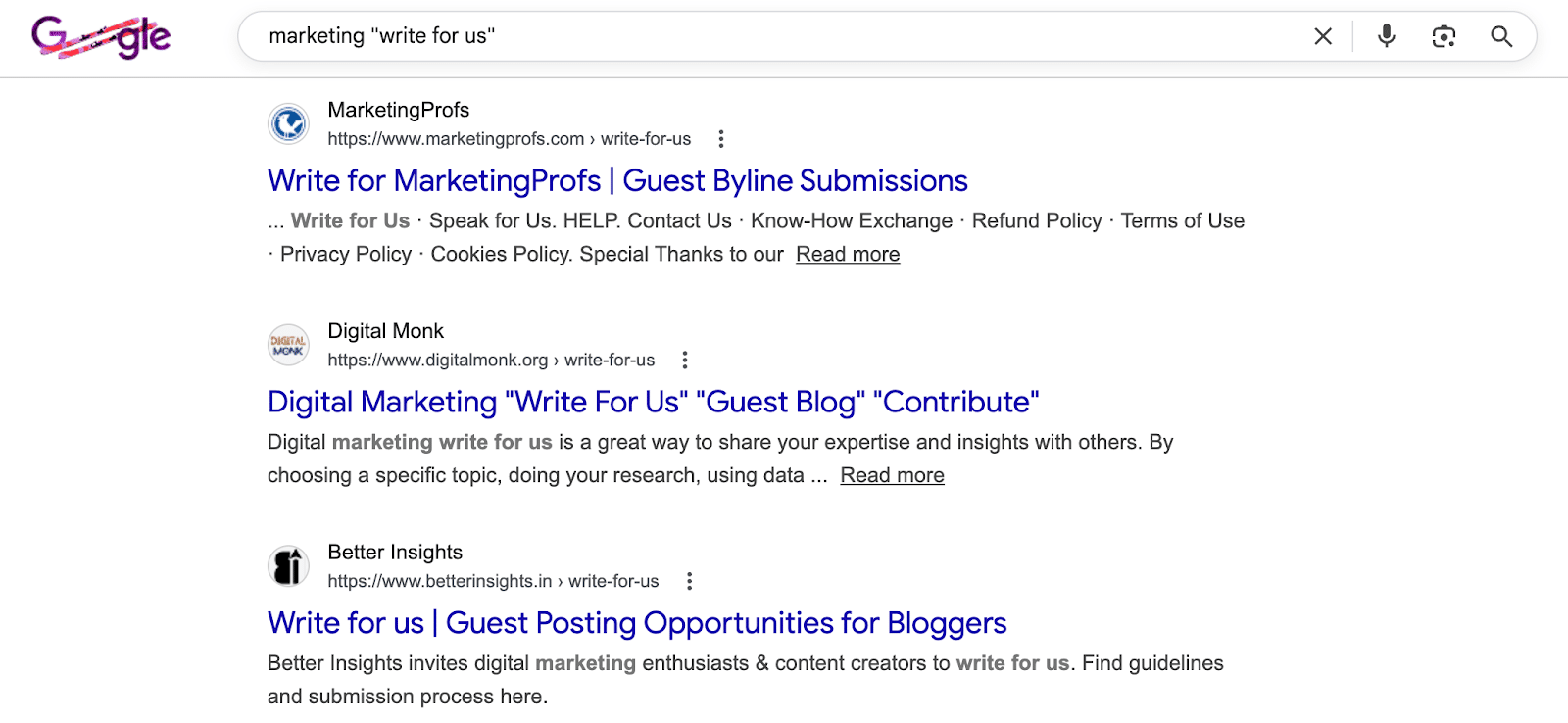
The simplest method is to search for your niche accompanied by phrases like “write for us” to discover potential websites.
Many reputable websites openly accept guest posts with established approval processes you can find online. This was precisely the approach I used to get published on G2’s Learning Hub.
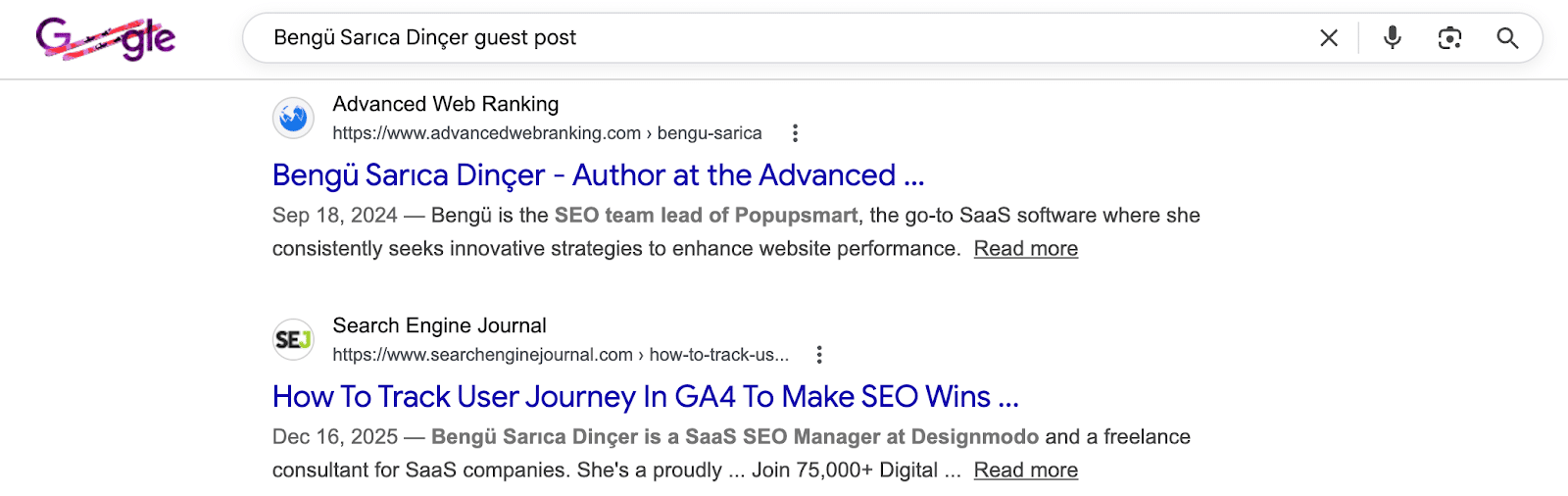
Alternatively, by searching the name of a prominent individual in your niche paired with keywords like “guest post” or “guest author,” you can identify websites that have previously accepted guest posts and might do so from you.
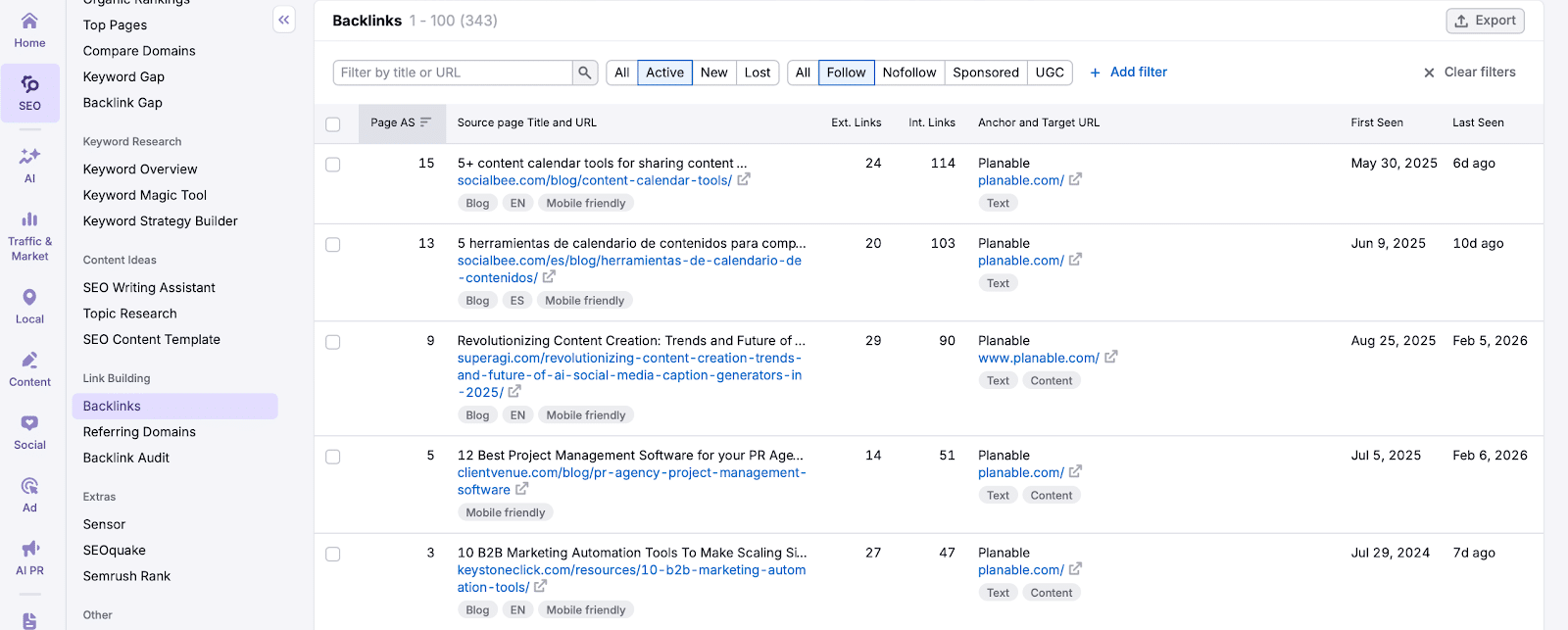
You can also explore competitors’ backlink profiles via an SEO tool like Semrush under the ‘Link Building’ section.
Verify if these websites have a history of publishing content from guest authors. If they predominantly feature in-house content and you’re not a big name in the industry, your pitch may not stand out.
Once you’ve compiled a list of potential sites, assess them against your website quality criteria, considering factors such as niche, top pages, organic traffic trends, and authority scores. Automation tools can optimize this step for efficiency.
Step 2: Find the Right Contacts
Successful guest post outreach hinges on contacting the right individual. Most emails get ignored if irrelevant, so identifying the appropriate contact is crucial.
To find the right person, start with LinkedIn:
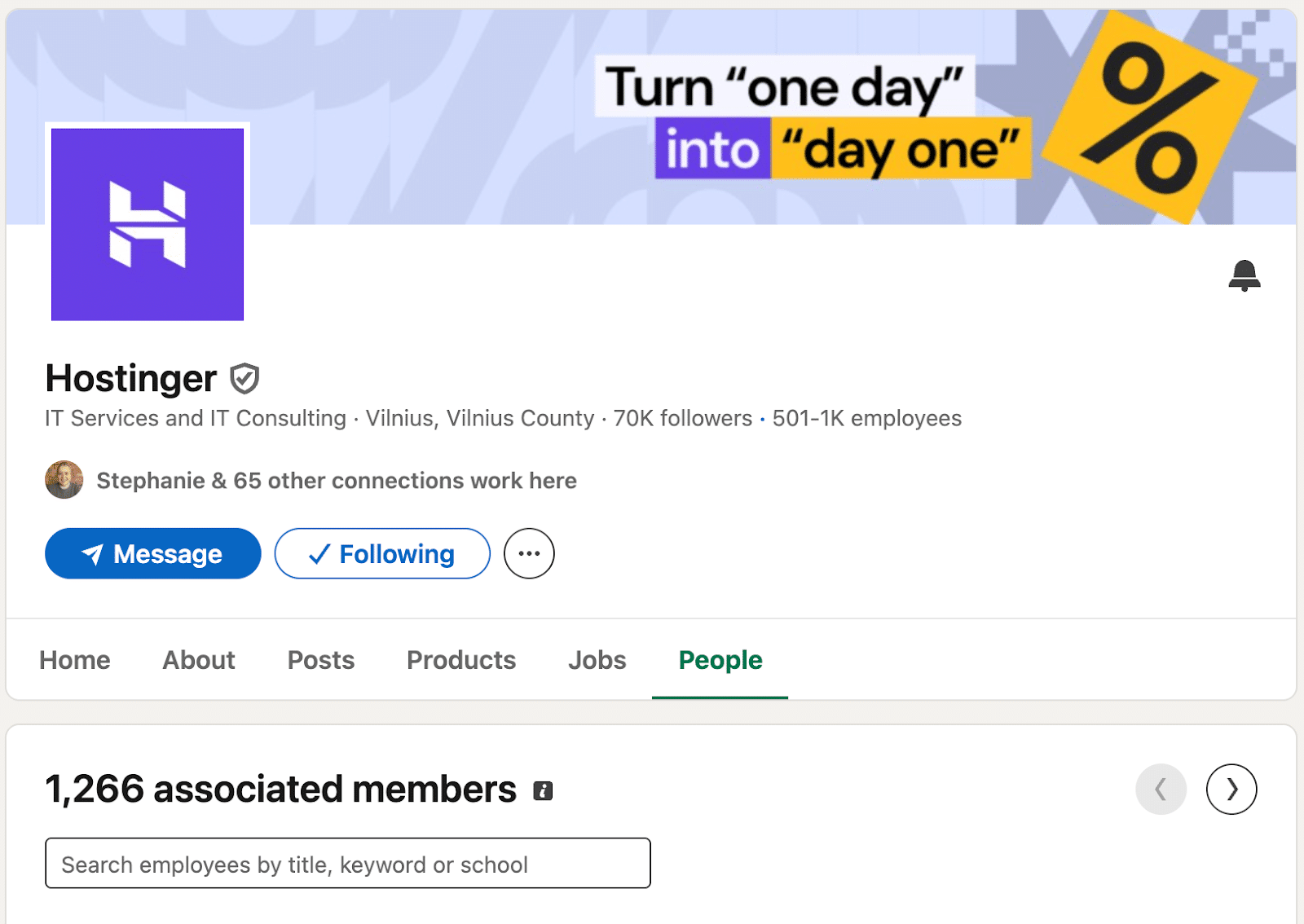
Visit the company profile and navigate to the People tab.
Filter profiles using relevant keywords to find someone responsible for content decisions, typically a content manager or editor.
In smaller organizations, targeting individuals with “marketing” or “growth” roles can be effective, sometimes the founders in micro companies.
Use tools like Apollo or Hunter to locate the work email of your identified contacts.
Occasionally, you might only find generic emails like contact@ or support@, which can still be suitable in certain niches, especially in B2C contexts.
Verify all email addresses to maintain a good sender reputation and ensure inbox deliveries.
Step 3: Choose Your Outreach Approach
When it comes to guest posting outreach, you can take one of two primary approaches.
Send Out a Generic Email Template with Basic Personalization
This involves asking whether the website accepts guest contributions, allowing you to focus primarily on building your outreach list without extensive personalization.
Emails here are minimally personalized, usually only including the recipient’s name and company, resulting in moderate reply rates.
To be effective, a large list is crucial since you need a 3% to 5% reply rate to secure enough opportunities.
Hyper-Personalize Your Emails
This approach offers distinct propositions to each company, requiring more time for research but yielding a higher reply rate—around 19%, from my experience.
It’s best when dealing with a concise outreach list or when contacting high-profile sites.
Step 4: Research the Right Topics
Regardless of your approach, pitching the right topic is paramount. Basic personalization involves suggesting topics post-reply, while hyper-personalized emails propose them from the get-go.
Top-tier sites have stringent requirements; finding their editorial guidelines is crucial to align your pitch.
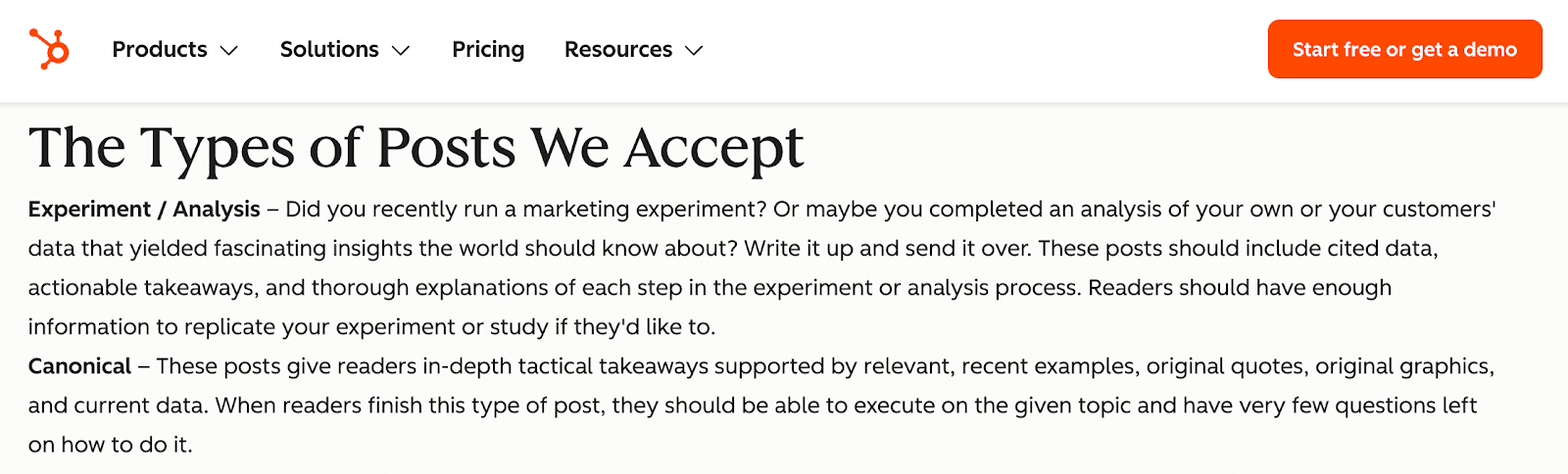
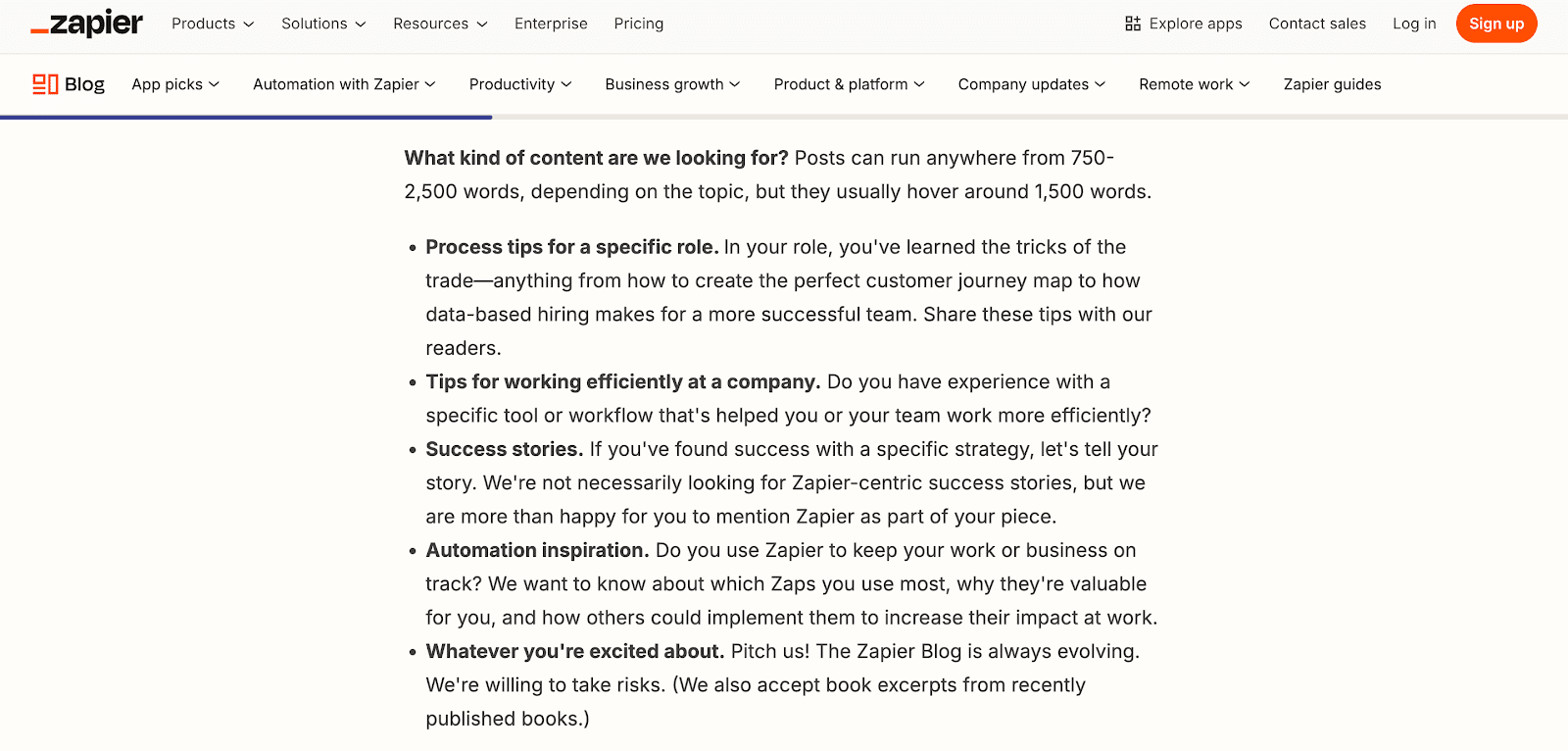
For instance, HubSpot only accepts content like marketing experiments or in-depth guides. Meanwhile, Zapier demands industry-specific experience for contributions.
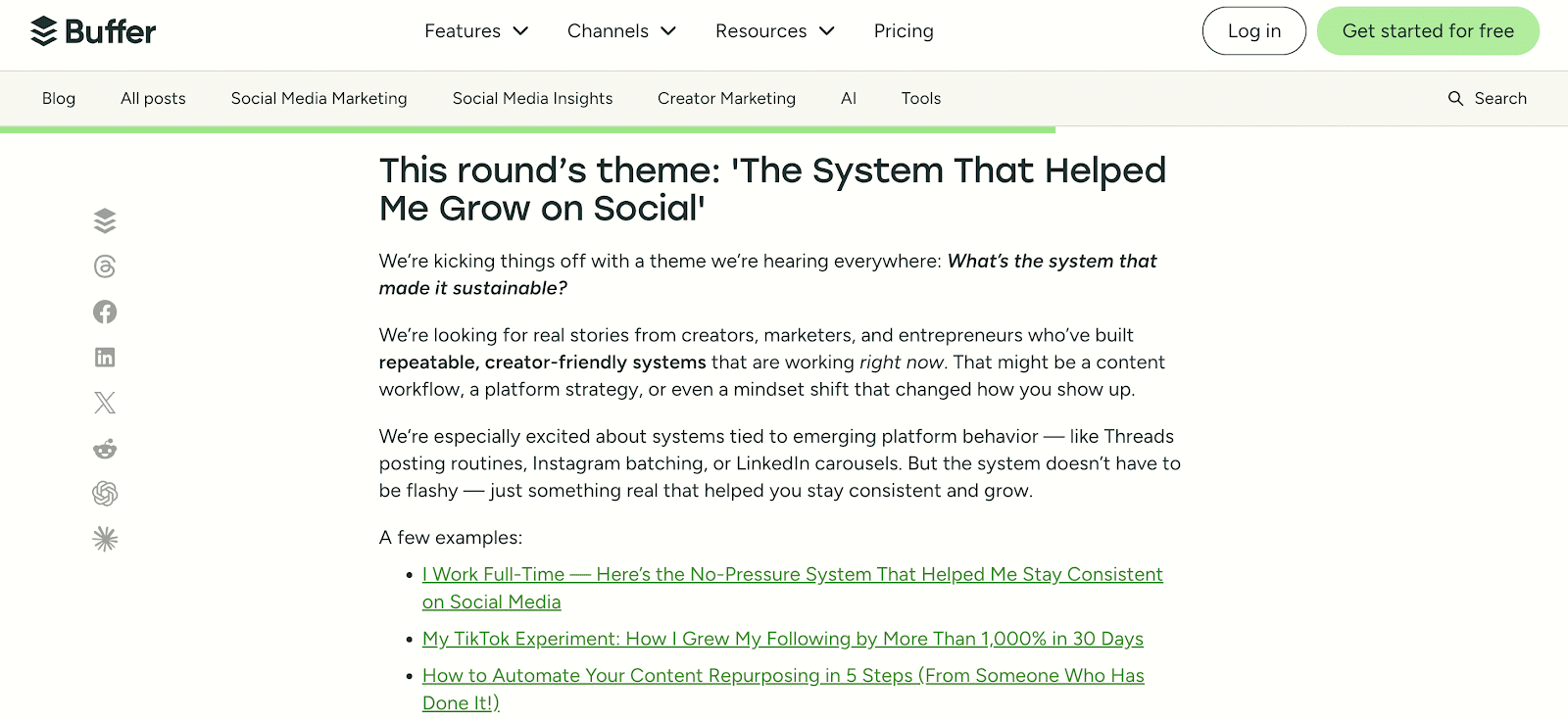
Moreover, Buffer opens guest posting rounds for specific themes, streamlining their editorial process. Adhering to such criteria significantly improves your pitch’s success rate.
Keep in mind that some editors maintain a list of sought-after topics, which they might share with potential contributors.
How to Do a Keyword Gap Analysis with Semrush
If I aim to pitch to monday.com, here’s my approach:
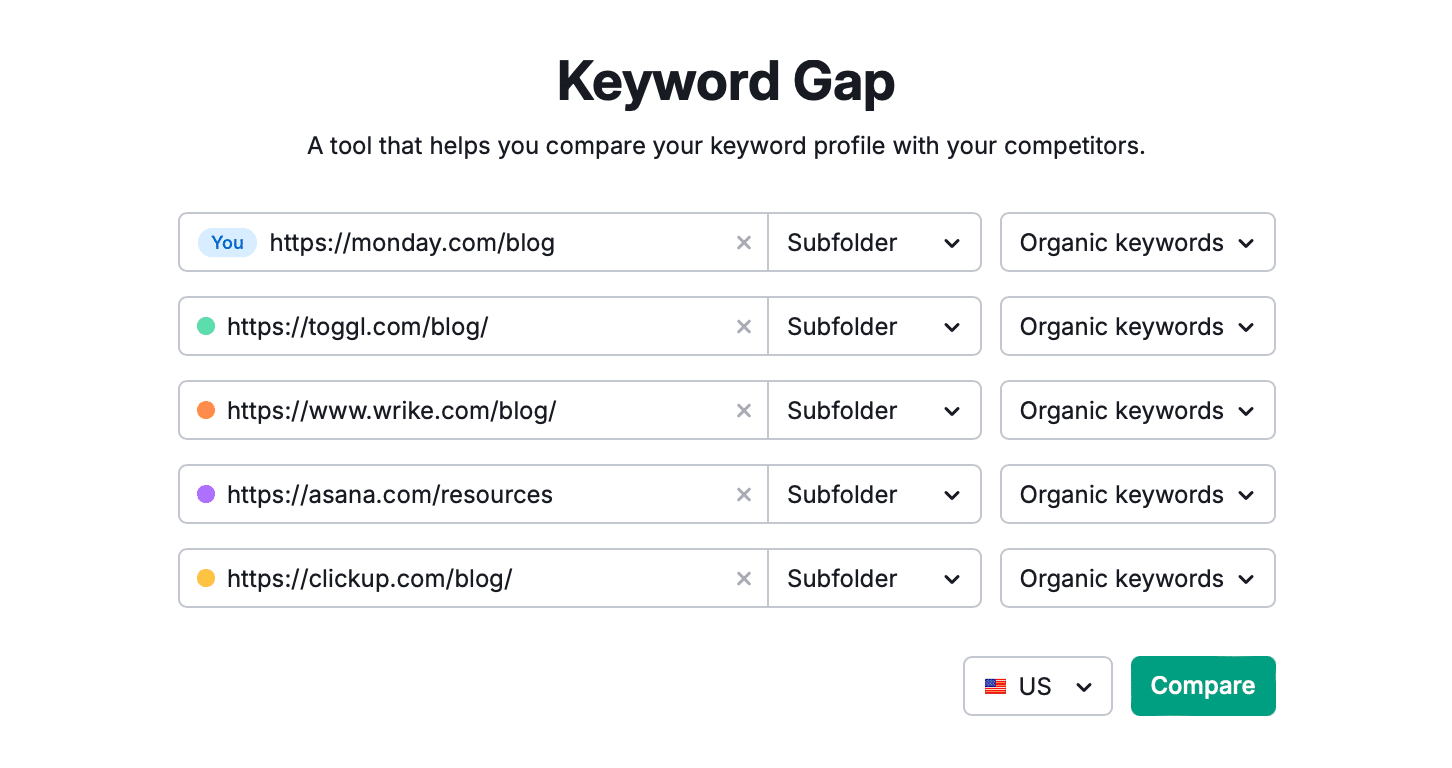
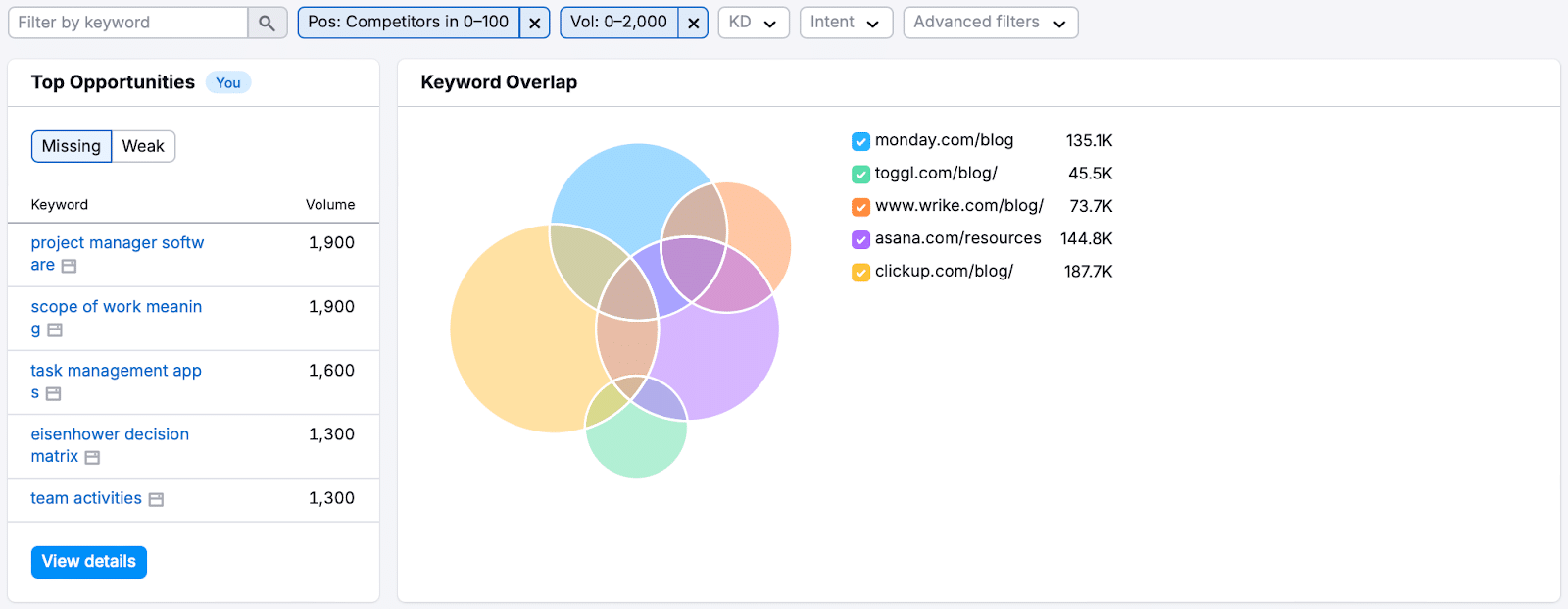
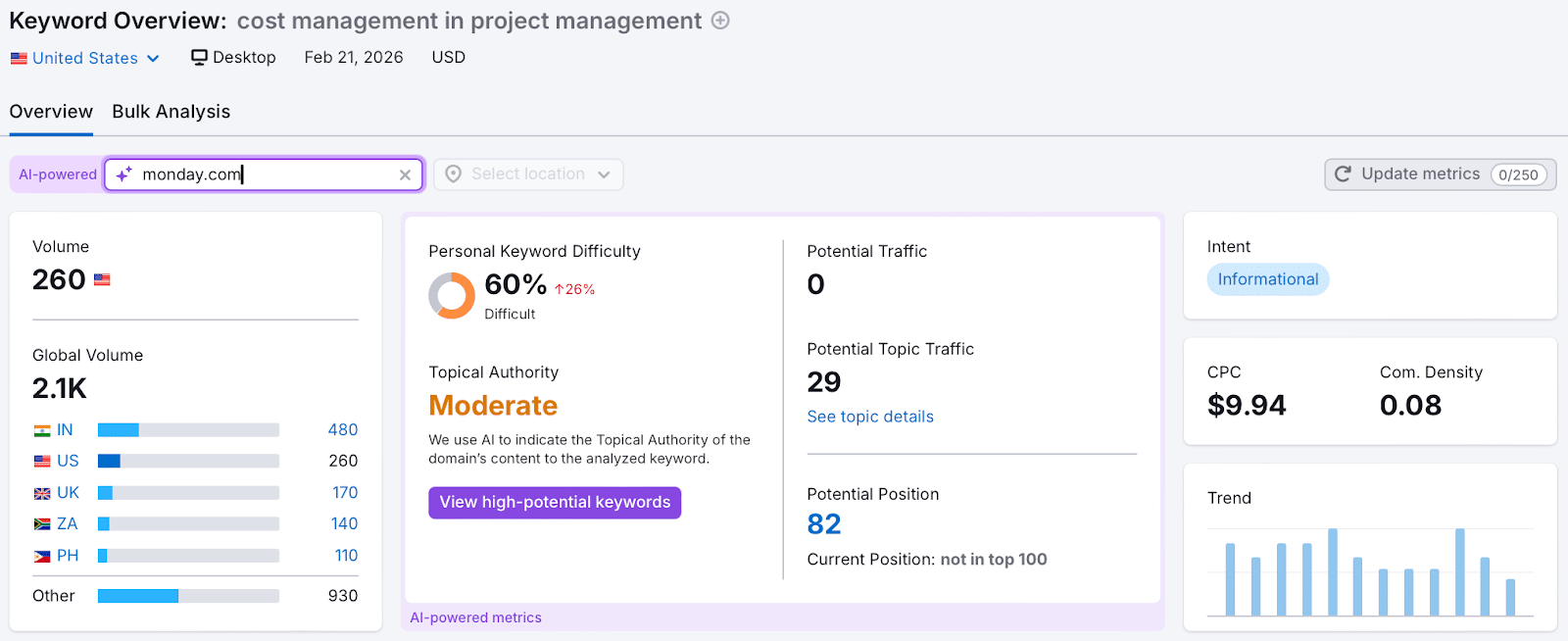
Open Semrush’s SEO tools and go to Keyword Gap. Enter the URL of monday.com’s blog along with competitors’ URLs, and hit Compare.
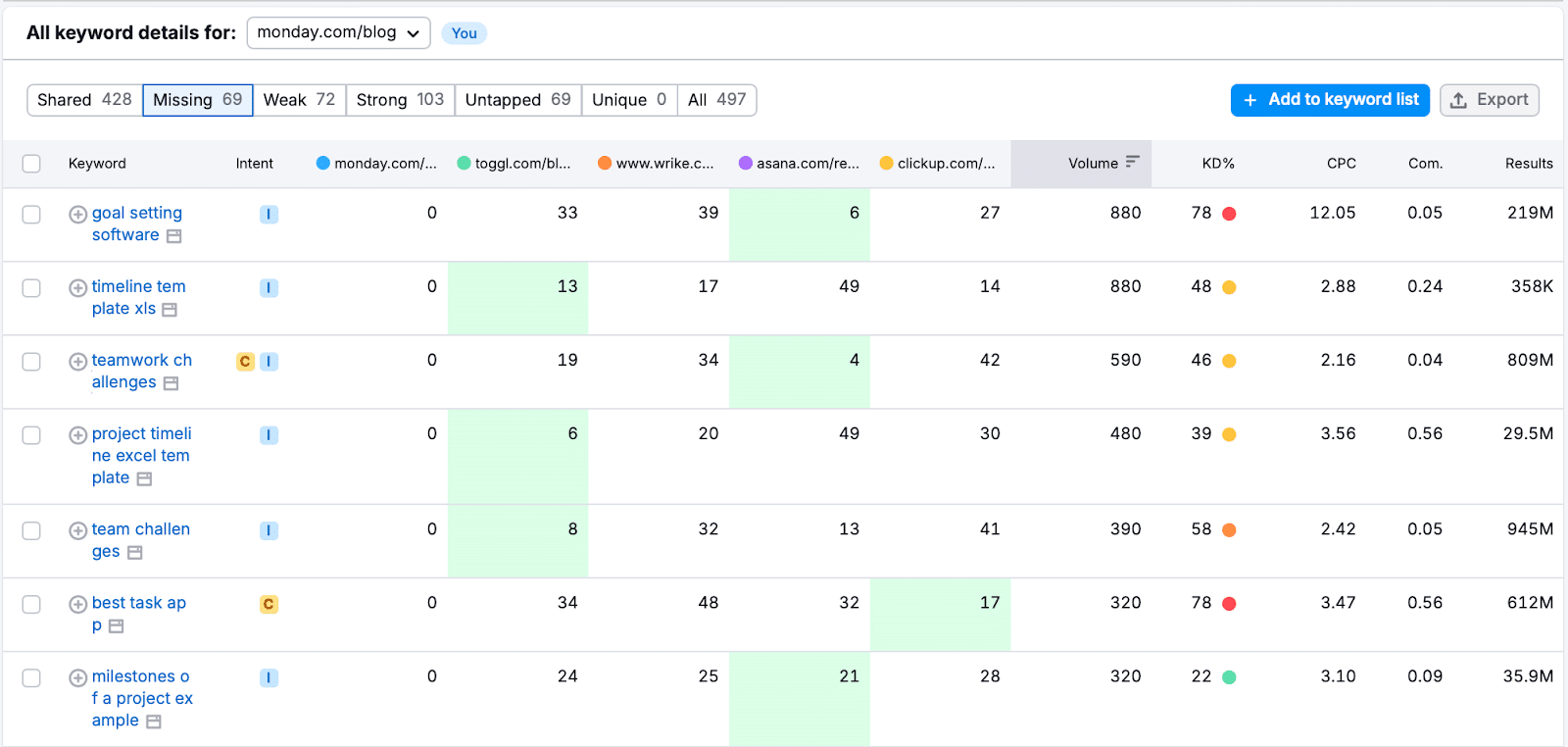
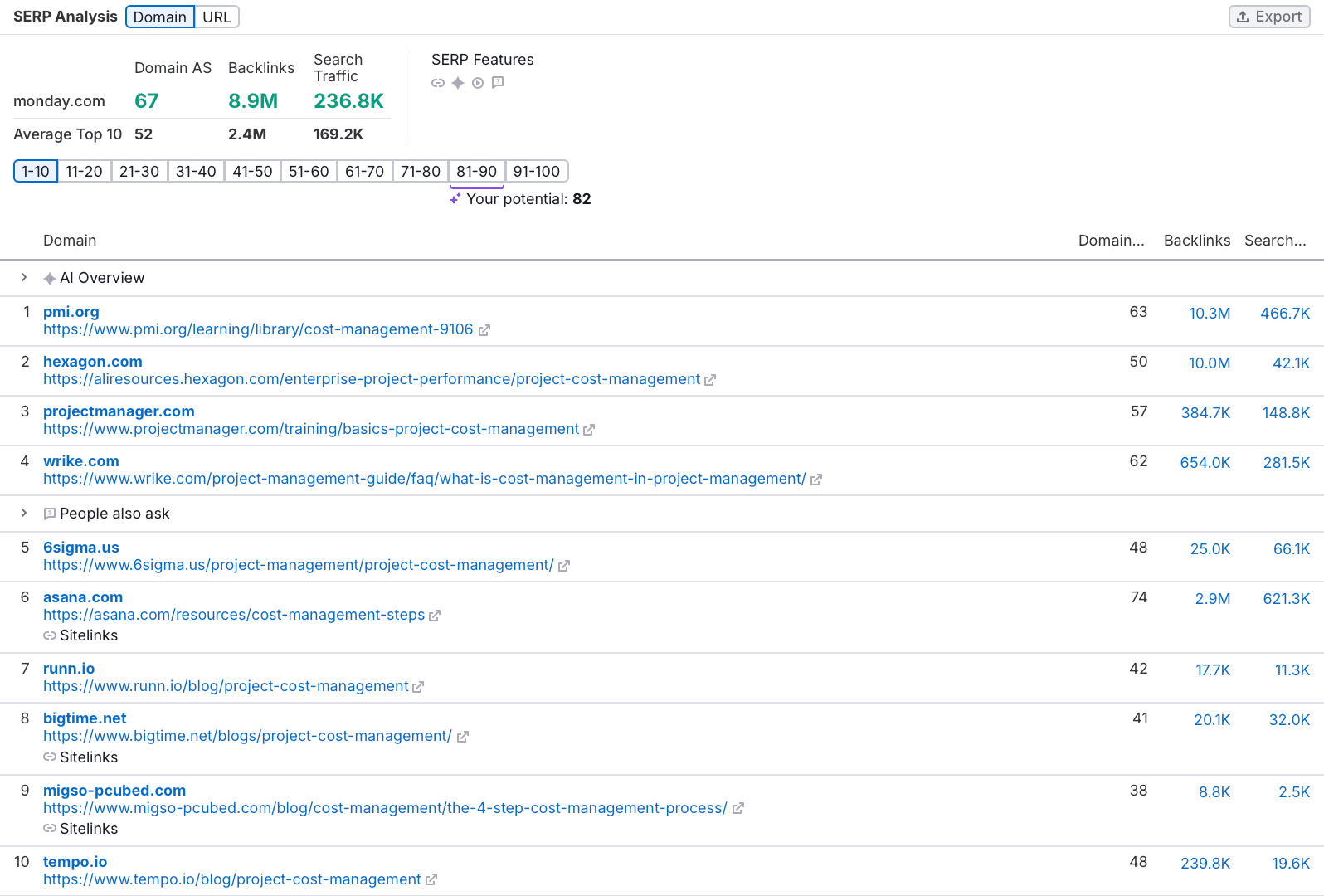
Filter these keywords to spot ones where competitors rank in the top 100 but your target doesn’t, revealing gaps you can fill.
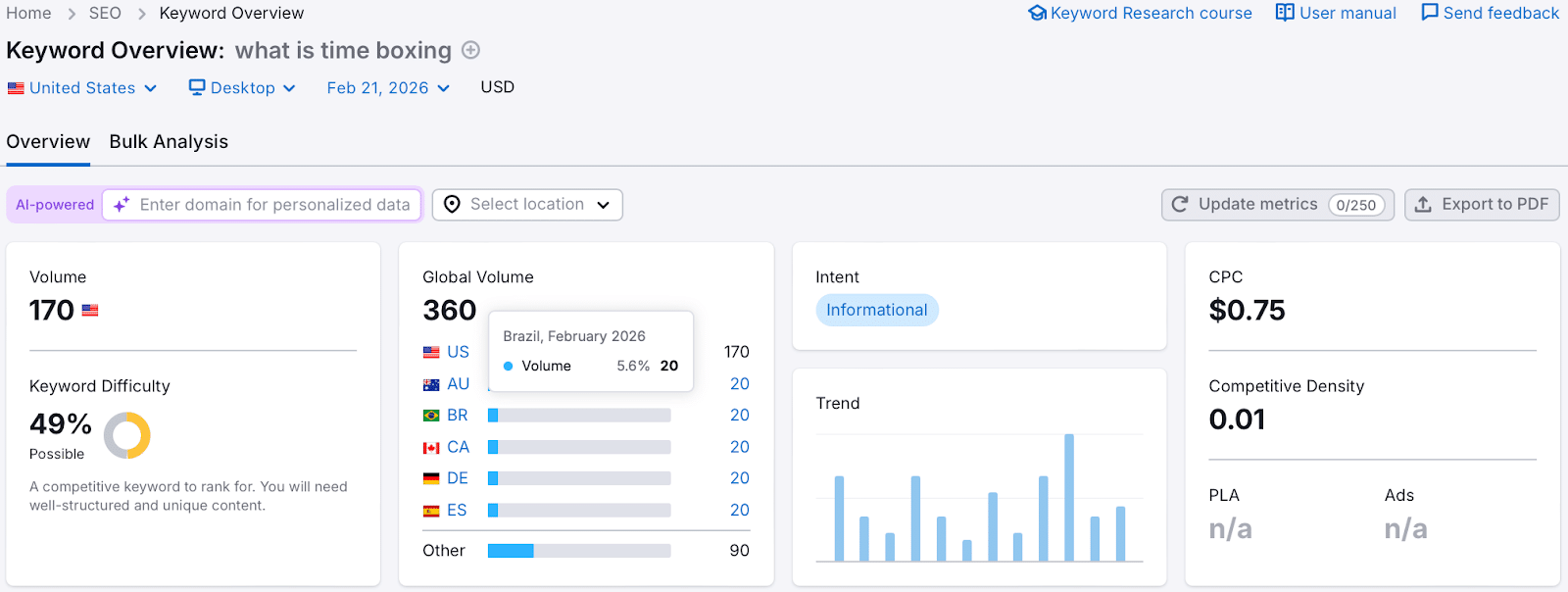
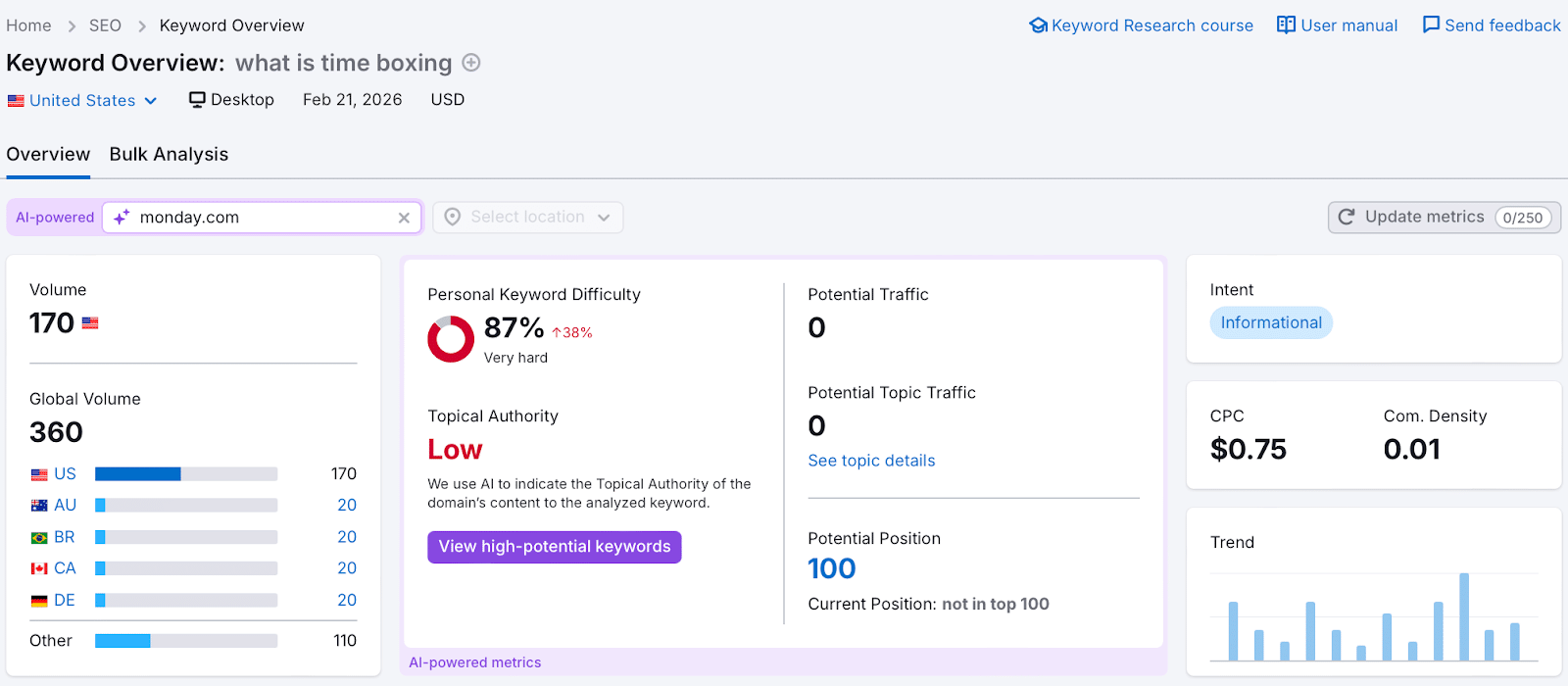
Assess the relevance and complexity of these keywords against your expertise. For example, “what is time boxing” might be too competitive, but less contested terms could present viable opportunities.
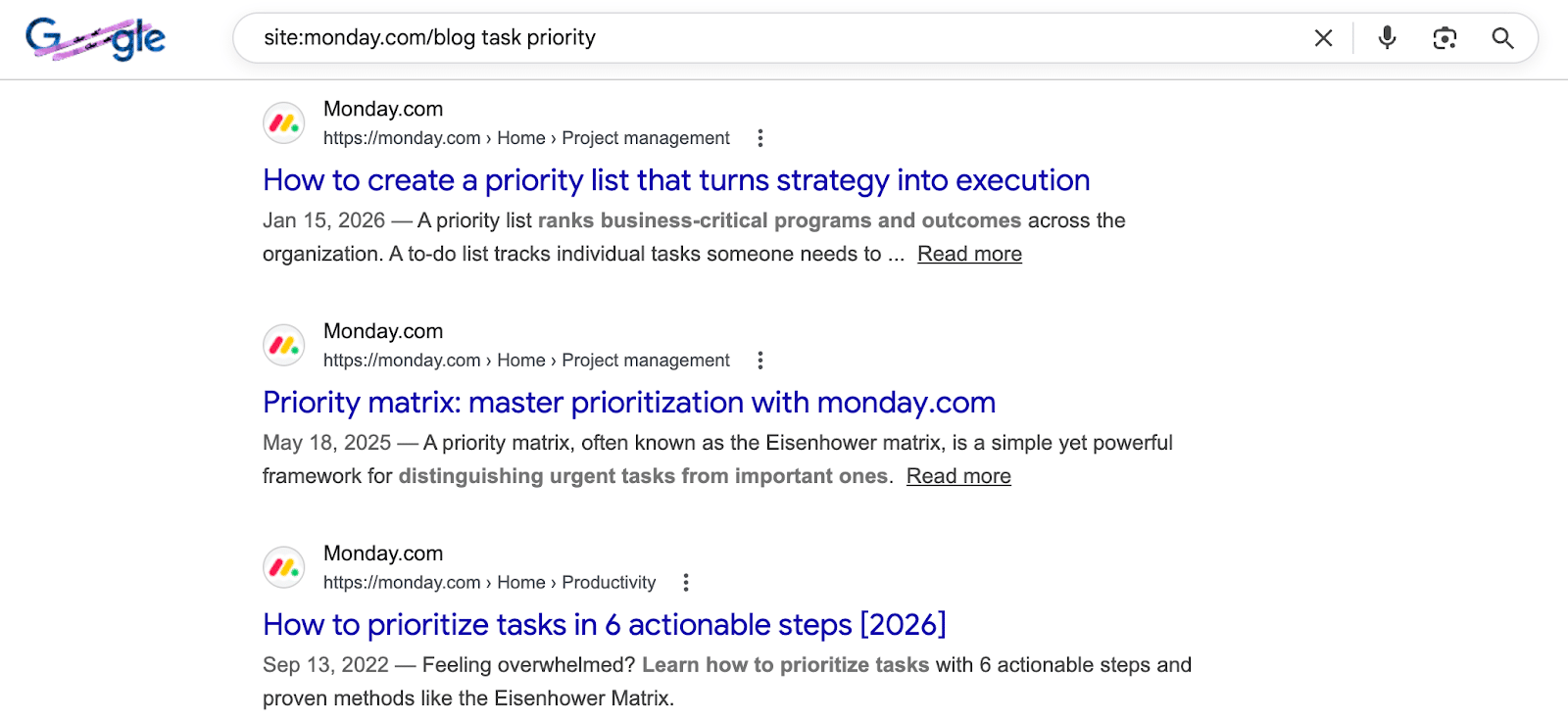
Check if the target site is already optimizing for your chosen keywords by using the “site:” search operator in Google.
Propose 3-4 varied topics to ensure one aligns with the editor’s needs. A diverse proposal increases your acceptance odds.
Step 5: Create Your Extra Value Proposition
Your additional value proposition is about showcasing what else you bring to the table, beyond content.
Have you authored notable industry content?
Can you promote content to a substantial social media following?
Do you manage a newsletter with a relevant audience?
Are you part of a community interested in the topic?
For instance, I might mention my 11,000 LinkedIn followers, predominantly industry professionals, when pitching to a project management blog, highlighting the relevance of my audience.
Step 6: Prepare Your Emails
Crafting your outreach emails involves attention to the subject line, email body, and follow-ups.
The subject line entices recipients to open your email; the body secures replies, and follow-ups increase your chances of a response.
BuzzStream suggests a few best practices for subject lines:
They should contain 9-13 words and over 71 characters.
Emojis can enhance engagement.
Mentioning the website, not the person, proves effective.
Title case outperforms sentence case.
Email bodies should be concise and easily digestible since editors favor brevity due to their busy schedules.
Follow-ups are critical; data show that follow-up emails generally increase overall response rates significantly. Limit yourself to two follow-ups to avoid being perceived as too pushy.
Step 7: Send Your Outreach Emails
It’s finally time to dispatch your emails. Here’s what you need to know:
Send Days
Research shows the best day to send emails is Monday, followed by Tuesday and Wednesday due to higher open and response rates.
Send Times
Aim to dispatch emails before 12 p.m. local time for your recipient, aligning your timing with their work schedule.
Unsubscribe Option
Always include a clear way for recipients to opt out. This will help maintain a good sender reputation and avoid being marked as spam.
Step 8: Track and Adjust
Utilize outreach tools to track open, reply, and success rates, offering insights into your campaign’s effectiveness.
Open rate shows how many recipients opened your emails, influenced by your subject line and sender reputation.
Reply rate indicates the percentage who responded, driven by your email’s relevance and content.
Success rate tracks emails leading to published guest posts, dependent on topic selection and following editorial guidelines.
Run A/B tests to explore what works best. Keep variables minimal to accurately measure impact—adjustments can lead to better success rates.
Step 9: Build Relationships with Editors
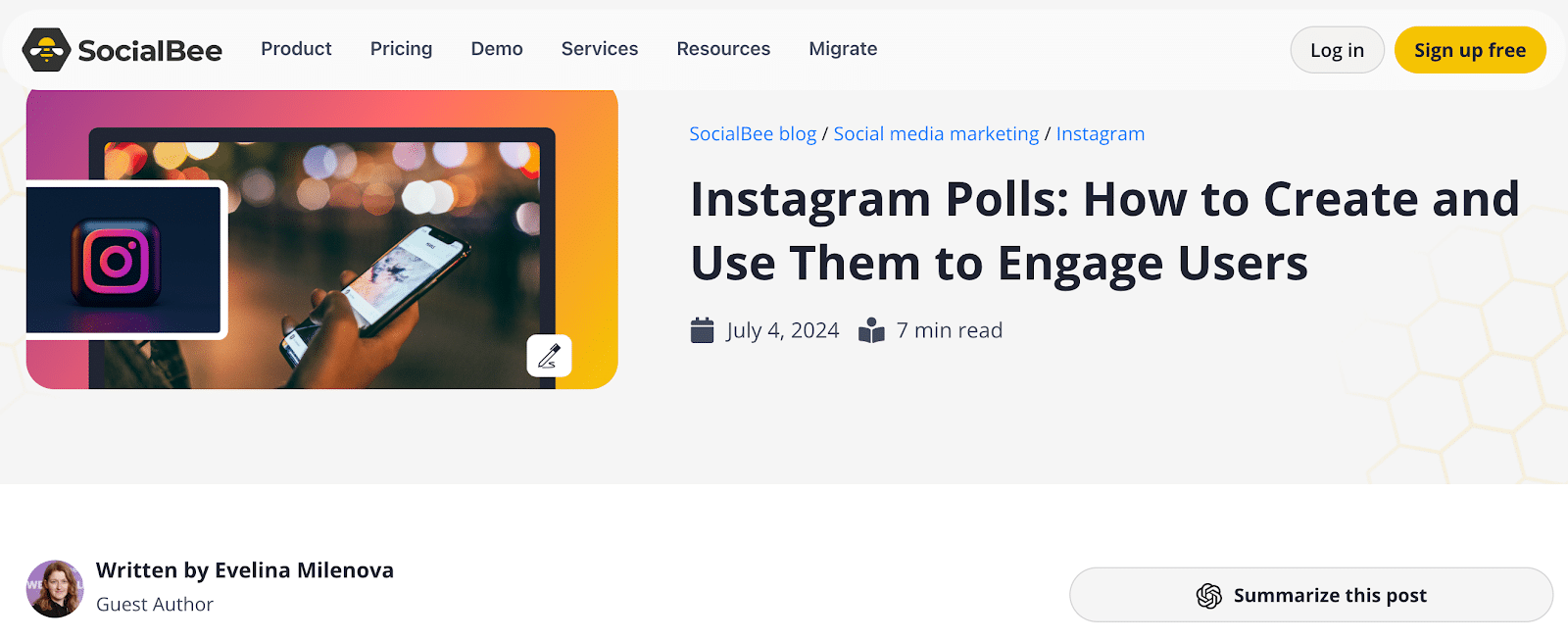
I’ve published over 350 guest articles, many through building and maintaining strong relationships with editors. Quality work fosters ongoing collaborations.
I use keyword gap analysis to ensure proposed topics offer potential for traffic, simplifying future pitches.
To secure lasting editor relationships:
Deliver exceptional content: Meet search intent with original visuals and expert quotes.
Support post-publication: Promote through your channels and link to it in other works.
Be reliable: Communicate clearly, respect guidelines, and meet deadlines consistently.
My Guest Posting Email Template with an 18% Success Rate
This template has been pivotal to my success:
Subject: Fresh content ideas for [Company Name]
Hi [First Name],
My name is [Your Name], and I’m the [Your Job Title] at [Your Company].
I’d love to contribute articles to [Company Name]’s blog. I have extensive industry experience from projects with [Brand 1] and [Brand 2].
Topic Ideas:
[Proposed Article Title 1]: keyword, US search volume [volume]
[Proposed Article Title 2]: keyword, US search volume [volume]
[Proposed Article Title 3]: keyword, US search volume [volume]
View my LinkedIn for more on my expertise or check my work published by [Publication 1], [Publication 2], [Publication 3].
Upon publication, I can promote it to my audience of [audience size or description].
Looking forward to hearing your thoughts.
[Your Name]
Guest Blogging Caveat
Your author profile significantly impacts your success rate. Newcomers should start with smaller industry blogs to build a portfolio, making later pitches more enticing to editors.
As your portfolio grows with contributions to recognized sites, your credibility and success rates naturally improve.
Ultimately, investing in your author profile is the key to thriving in guest blogging.
In this report, I’m going to walk you through a comparison of conversion rates among the four leading AI chatbots: ChatGPT, Gemini, Claude, and Perplexity.
From May 2025 through April 2026, my research team conducted an in-depth study on AI conversion rates across various industries. We used anonymized data from more than 150 client companies, honing in on the most popular generative AI chatbots. Building on our previous analysis of ChatGPT conversion rates, we noted that most companies in our dataset had invested in generative engine optimization. The fascinating results of our study are presented below.
While all chatbot traffic converts at higher rates than traditional SEO, my study shows that ChatGPT and Perplexity typically have higher conversion rates compared to Gemini and Claude. This might be due to the greater user trust vested in ChatGPT and Perplexity’s recommendations.
Claude stands out in knowledge-driven and regulated industries. Its performance in Healthcare, Higher Education, and Industrial IoT indicates that professionals in these fields favor Claude for more detailed, analytical queries.
Industries such as Engineering, Software Development, and Transportation & Logistics exhibit relatively low conversion rates overall. This might suggest less dependence on AI tools or more specialized workflows not captured within this dataset.
B2B SaaS and Financial Services demonstrate moderate but closely clustered conversion rates across all models, likely reflecting significant but cautious AI adoption given potential compliance concerns and familiarity with AI limitations.
If you want a PDF copy of this report or wish to know more about our GEO services, reach out here.
First Page Sage Internal Research Study, February 2026, First Page Sage.
If your Search Console impression line falls while clicks stay steady, don’t treat the chart as proof that your search visibility collapsed. Google confirmed that a logging error over-reported impressions from May 13, 2025 onward, so corrected reporting can produce a visible drop without removing any clicks you actually received.
The right response is to audit the measurement before changing your SEO. You need to separate the reporting correction from any genuine performance movement, rebuild affected comparisons, and explain why impression-based ratios may change even when user behavior does not.
What the correction changes and what it doesn’t
The confirmed problem was impression logging inside Google Search Console. It was not a change to how many people clicked your results, and Google said clicks were unaffected by the error. As fixes were implemented, the Performance report could therefore show fewer impressions without showing a corresponding loss of clicks.
That distinction matters because the metrics answer different questions. Impressions describe how often your result appeared in search results. Clicks describe visits initiated from those results. Conversions describe what visitors did afterward. A correction to the first metric does not retroactively remove the activity measured by the other two.
Click-through rate needs special handling because it is calculated from both affected and unaffected values:
CTR equals clicks divided by impressions.
An inflated impression denominator makes CTR appear lower.
If corrected impressions decrease while clicks stay unchanged, CTR can rise automatically.
That mathematical increase does not prove that titles, descriptions, rankings, or search intent improved.
The correction also isn’t a blanket explanation for every decline after May 13. A real SEO loss can occur during the same period as a reporting repair. Treat the bug as a measurement issue to test, not as a reason to dismiss contradictory evidence.
Use three signals before diagnosing an SEO decline
Don’t respond to the impression chart in isolation. Run the following check with the same Search Console property, search type, date range, country, device, page, and query filters throughout. Changing a filter halfway through creates another explanation for the difference.
Compare impressions and clicks on the same timeline. A sharp impression change accompanied by stable clicks is consistent with a reporting correction. If clicks also decline, the impression bug does not explain the entire movement.
Check an independent outcome. Review organic landing-page sessions, leads, sales, or another meaningful conversion in your analytics system. These numbers do not have to match Search Console clicks exactly because the systems measure differently; you are looking for corroborating direction, not identical totals.
Inspect where the change appears. A broad impression step across many pages and queries, with clicks remaining steady, fits a logging correction better than a decline concentrated in one directory, page type, country, device, or query group. A concentrated loss deserves a separate technical, content, or ranking investigation.
Google described the correction as a rollout taking several weeks rather than a single instantaneous rewrite. That means you should not expect every affected chart or saved report to change at exactly the same moment. Multiple movements during the correction window may still be reporting-related, but stable clicks remain the most useful first check supplied by this incident.
Hold off on reactive title rewrites, content deletions, internal-link changes, or technical deployments until this check identifies an independent problem. Those changes can introduce real performance movement and make an already messy reporting period harder to diagnose.
Rebuild comparisons around the May 13 boundary
May 13, 2025 is the important boundary. Impression data before that date was outside the confirmed error period. Impression data from that date onward was subject to over-reporting and subsequent correction.
May 2025 is therefore not a clean monthly baseline: it contains days before the confirmed start and days after it. Any longer reporting period that crosses May 13 also blends data from two measurement conditions. A smooth monthly or quarterly chart can hide that break unless you annotate it.
Add a visible annotation at May 13, 2025 in every dashboard that uses Search Console impressions or CTR.
Preserve exports created before the correction. Label them as pre-correction snapshots rather than silently replacing them; the old files will not update themselves.
Re-export affected date ranges from the current Performance report when you need a corrected analysis. Record the export date so another analyst can distinguish it from the earlier snapshot.
Recalculate every derived metric that uses impressions, including CTR, impression growth, impression forecasts, and custom visibility indices.
Prefer clicks and downstream conversions when an immediate business comparison is required, while still investigating any independent decline in those metrics.
Do not invent a flat correction factor. No reliable percentage was supplied for subtracting the overcount, and there is no basis here for assuming that every property, page, query, or day was inflated by the same proportion. Re-exporting corrected records is safer than multiplying old exports by an estimated adjustment.
Year-over-year reporting needs the same care. If one side of the comparison came from an inflated export and the other did not, the calculated growth rate is partly a measurement difference. Rebuild both sides from a consistent dataset before presenting the percentage as an SEO result.
Fix dashboards, forecasts, and the stakeholder narrative
The correction has different consequences for different reports. Update each one according to the metric it actually uses:
Impression dashboards: refresh affected ranges and retain a data-quality annotation.
CTR reports: recalculate the ratio after impression values are corrected, then avoid crediting the mechanical change to optimization work.
Click reports: keep using click totals, but investigate any genuine click movement on its own evidence.
Conversion reports: use them as an independent business check, while remembering that attribution rules can make them differ from Search Console clicks.
Forecasts: retrain or rebuild models that learned from inflated impressions. Otherwise, the model may set an unreachable impression baseline even if future search performance is healthy.
Your explanation to clients or leadership should distinguish a reporting change from an outcome change. It should also avoid promising that every unfavorable number is caused by the bug. The following status note keeps those boundaries clear.
Google confirmed that Search Console over-reported impressions from May 13, 2025 onward because of a logging error. Corrected reporting may reduce the displayed impression total, while clicks were not affected by this error. We are rebuilding impression and CTR comparisons and separately checking clicks and conversions for evidence of any real performance change.
Suggested stakeholder status note
That wording is more defensible than saying rankings definitely did not change. The correction proves that impression reporting was wrong; it does not prove that every site’s underlying search performance remained unchanged throughout the same period.
Google Search Console impression correction FAQ
Did my rankings drop when reported impressions fell?
The impression decrease alone cannot answer that question. If the drop appears as corrected reporting while clicks and independent organic outcomes remain stable, there is no evidence in that chart alone of a ranking loss. If clicks, conversions, or a specific group of pages and queries also decline, investigate that movement separately.
Can I compare CTR from before and after May 13?
Only after confirming that both sides use consistently corrected impression data. Clicks may be accurate on both sides while the impression denominator is not, producing an apparent CTR change that reflects data repair rather than different searcher behavior. Re-export the affected period and recalculate the ratio before drawing a conclusion.
Can I keep using an old Search Console export?
Keep it for the audit trail, but label it clearly if it includes impressions from May 13, 2025 onward and was captured before the correction. Do not combine its impression values with corrected exports or use it as an unqualified forecasting baseline. Create a new export for current analysis and retain the export date with the file.
When was the correction complete?
Google’s notice did not provide a precise completion date. It said the fixes would be implemented over several weeks. Avoid selecting an unsupported end date for the anomaly; document when each report was exported and verify affected historical ranges again before finalizing a high-stakes comparison.
Start with one report that crosses May 13. Annotate the boundary, place clicks beside impressions under identical filters, and relabel any earlier exports. Once the measurement history is clean, you can see whether anything remains that genuinely requires SEO work.