I’ve noticed that when I rely too heavily on micro-conversions, my PPC campaigns don’t quite perform as expected. This often leads to distorted CPA and ROAS figures. Here’s how I’m learning to refine my approach to micro-conversions and align my strategies with real revenue.
AI-powered ad bidding systems are remarkably advanced, yet I find myself grappling with conversion tracking that isn’t as evolved. While ad platforms nudge me to keep track of multiple actions, I’ve heard from experts that it’s actually more beneficial to zero in on final outcomes.
From my experience, neither approach is entirely foolproof. Both over-signaling and under-signaling can impact PPC campaigns negatively. Too many vague micro-conversions can introduce noise, steering the bidding process toward less valuable actions, hampering the actual results. Conversely, with too few signals, the system lacks sufficient data for learning.
This issue becomes particularly apparent in my work with Performance Max and similar setups. The optimization here leans heavily on whatever signals I provide, irrespective of their true business value.
I started reflecting on how micro-conversions can overshadow real conversions, leading me to explore why these bidding systems operate this way and how to create a conversion framework that better aligns signal volume with actual business impact.
The Myth of a ‘Data-Hungry’ PPC Algorithm
I had always believed that algorithms thrive on data, a notion reinforced by platform guides and numerous PPC articles. They often imply that more signals inherently equate to better learning.
Yet, I’ve realized that while bidding systems need a certain signal density, they don’t necessarily gain from indiscriminate micro-conversion logging. More data doesn’t equate to better data.
When I add low-intent or weakly related actions, performance can degrade. The system might start optimizing for actions not aligned with real revenue.
It’s clear to me that these machine-learning systems assess frequency, consistency, and predictability without discerning the strategic relevance of a signal.
My account often contains a blend of meaningful actions like purchases and others less significant, like pageviews. Without a value hierarchy, the algorithm treats all signals as viable targets, leaning toward easy, frequent actions that offer little business value.
As I adjust my approach, I’m finding the need to streamline my focus. By applying disciplined strategies and value-based bidding, I can align my signal structures more effectively with my business outcomes.
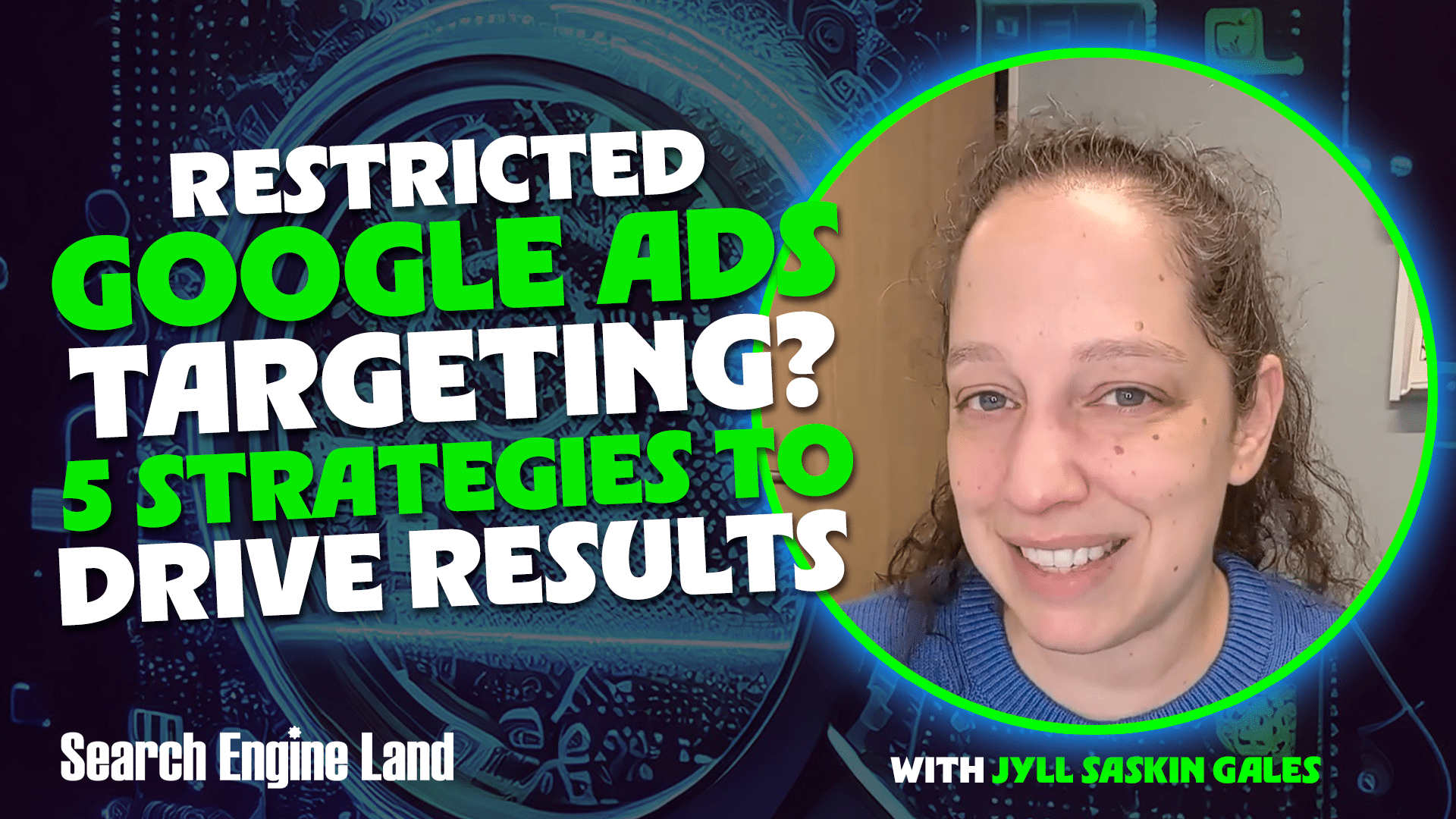
Struggling with restricted targeting? Dive into my guide on how to drive conversions using intent signals, creative messaging, and offline data, especially when remarketing isn’t an option.
Have you ever experienced that “Eligible (Limited)” status in your Google Ads account? As a lawyer, college administrator, or financial services provider, I know how challenging it can be when your remarketing lists and exact match keywords aren’t working as expected.
Feeling like Google Ads is your adversary in sensitive interest categories can be frustrating, but there are valid reasons for these regulations. More importantly, strategies exist to overcome them.
In this article, I will explain the personalized advertising policies, their implications for your account, and share five tactics you can implement to achieve success with Google Ads.
Why does Google have personalized advertising policies?
Google’s policies are rooted in legal requirements and ethical standards, as detailed in their official documents. In the U.S., legislation like the Fair Housing Act and employment laws prohibit discrimination based on age, gender, or location. This means Google can’t allow you to exclude individuals based on such demographics.
Ethically, remarketing can become invasive, especially in high-stakes industries like healthcare. If you’re running a rehab center, trailing someone across the internet with ads about their struggles is intrusive. Google’s policies help maintain user privacy in such cases.
What can’t you do in a sensitive interest category?
Operating in housing, employment, credit, healthcare, or legal services means restricted audience targeting. Here’s what you’ll miss out on:
Website or App Remarketing Lists: Targeting past visitors is off the table.
Customer Match: Uploading and targeting email or phone lists is not permitted.
YouTube Audiences: Targeting based on video interactions is restricted.
Custom Segments: You can’t create audiences based on specific searches or website visits.
Moreover, in categories like housing, further demographic targeting like age or ZIP code may also be stripped away.
The good news: What can you do in a sensitive interest category?
Despite these restrictions, there’s still much you can utilize. Here’s what you have at your disposal:
Keywords and Feeds: Intent-driven strategies are perfect for Search, Shopping, and Performance Max.
Google Audiences: Use Affinities, In-Market, and Life Events segments as allowed.
Optimized Targeting: AI-driven targeting is still viable for certain ad types.
Content Targeting: Target ads based on keywords, topics, and placements.
Conversion Tracking: Maintain conversion tracking and utilize Enhanced Conversions.
5 strategies to win in sensitive categories
Thinking outside the box can yield results, even without remarketing. Let me share five strategies that work:
1. The “Separate Domain” strategy
For businesses offering a mix of sensitive and non-sensitive services, avoid having your entire account restricted. By placing sensitive services on a separate domain, you maintain the flexibility of using full Google Ads capabilities for your main business.
2. Choose Demand Gen over Display
Opt for Demand Gen when using image or video ads. My experiences show it attracts higher-quality audiences in restricted niches.
3. Lean into Phrase and Broad Match
While Exact Match keywords might seem appealing, the algorithm often restricts narrow queries. Consider using Phrase or Broad Match, giving you the chance to target users querying the same concept differently.
4. Feed the AI with offline conversion tracking
For industries like law and finance, where online conversions are rare, provide Google with offline conversion data. This step trains the algorithm, ensuring smart bidding leverages real-world outcomes, even with privacy guidelines in mind.
5. Creative-Led Targeting
In cases where user lists are off-limits, let your creatives do the talking. Your visual and textual ads should be clear on who they’re meant for, improving conversion by weeding out unfit viewers.
Navigating Google Ads in sensitive areas isn’t easy, but it’s achievable. By focusing on what users seek and fine-tuning your messaging, you can deliver outstanding results.
This piece is part of my Search Engine Land series: Everything you need to know about Google Ads in under 3 minutes, where Jyll discusses critical Google Ads features to help you maximize your advertising results.
After almost two decades in digital marketing, AI significantly impacted how I work. It’s been a game-changer by saving time, cutting down on repetitive tasks, and speeding up challenging ones.
However, AI doesn’t operate as a magic wand. It won’t do the entire job for you or transform everything overnight. In the hands-on world of SEO, armed with real clients and deadlines, AI serves as a handy tool to ease workloads but doesn’t eliminate the necessity of hard work.
Below are 20 ways I’ve integrated AI into my SEO strategies. Some are specific to SEO, while others benefit anyone in the industry. Each usage is practical, tested, and transparent about its constraints.
Content creation and copywriting
1. Writing first drafts
The best way to leverage AI in content is to see it as a rapid first-draft creator rather than expecting it to deliver polished, ready-to-publish pieces. Provide it with your brief, target keywords, audience, and angle to get a structured draft.
Focus on rewriting this draft in your voice by injecting your unique expertise. Enhance AI-generated content with personal stories, case studies, stats, and your professional insights.
AI helps avoid the daunting starting point of a blank page, saving valuable time.
2. Generating meta title and description variations
Provide your target keyword, page topic, and character limits to Claude or ChatGPT, and request 10 variations for your meta titles and descriptions. You might choose one or mix two for the best effect, reducing creation time from 20 minutes to just two!
Many tools will let you upload CSVs, add AI-generated suggestions, and download them for review. However, always ensure a human review for optimal results.
3. Refreshing underperforming content
If a page or blog post is underperforming, paste it into an AI tool to get feedback on missing elements, extensible parts, and outdated information. Although not always perfect, it offers a fresh perspective without needing to reread everything yourself.
Detailed prompts with context yield better results than simply pasting content cold.
4. Generating FAQ sections
Ask AI to generate the top 10 questions around your target keywords and check them against ‘People Also Ask’ and your research. By providing well-crafted answers, you get an FAQ section, potential featured snippets, and a content gap analysis in around 10 minutes.
5. Writing alt text at scale
Crafting alt text for numerous images can be a tedious task. Describe the image, its page context, and include the target keyword for AI to generate appropriate alt text descriptions. While not glamorous, it’s essential and much faster.
Running a site through Screaming Frog, exporting it, and using AI to write alt text can quicken the process if file names are descriptive. Human oversight remains a necessity, focusing on speed rather than full automation.
AI proves invaluable for those without a developer background by translating technical error messages, interpreting server logs, and identifying why a page isn’t being indexed. Paste in your output, ask for explanations and recommended fixes, verifying the insights before implementation.
7. Writing schema markup
Schema markup can be tedious. Provide AI with page content descriptions and schema type (like FAQ or Article), and let it generate the JSON-LD code. Always verify it with Google’s Rich Results Test to ensure correctness. The process now takes me only five minutes per page type!
8. Creating regex for Google Search Console
If you’re utilizing regex in GSC filters and aren’t an expert, AI can lend a hand. Describe what you need to filter and request the regex string. It usually gets it right and can even explain the logic for your understanding.
9. Analyzing crawl data with prompts
Export crawls from Screaming Frog or Sitebulb. If you’re uncertain what to prioritize, input the data into an AI tool and receive guidance on the highest-priority issues for site goals. It’s a great assistance when diagnosing plenty of issues under tight timings.
One underrated AI use in SEO work involves creating narratives around the data. You have the facts, but forming a coherent narrative explaining fluctuations and future expectations takes effort. Share your key metrics, contextual events, and have AI draft the narrative for you to refine and enhance.
This method helps blend information from multiple sources. I save hours monthly while compiling reports.
11. Summarizing long reports for clients
Not every client wishes to examine a 12-page report. Task AI with summarizing it into an executive five-bullet summary for better engagement. The comprehensive report remains optional for those who seek details.
Providing a simple, easy-to-understand executive summary bridges understanding gaps for clients not familiar with SEO intricacies.
12. Identifying anomalies in data
Input your keyword rankings or traffic data and let AI detect unusual trends or patterns that deviate from expectations, such as drops or unexplained gains.
While it won’t replace comprehensive analysis, it is beneficial for a preliminary review when overwhelmed by data.
List your top competitors and yourself, asking AI to identify potential content gaps based on competitors’ strategies and positioning.
Use AI-generated insights to guide targeted keyword research, starting the manual process with hypothesis-generating edge.
14. Understanding a new industry quickly
For unfamiliar industries, rely on AI to guide you with key terminology, major players, buying cycles, search habits, and common pain points. This approach saves you time on initial discovery calls.
15. Identifying search intent mismatches
Ask AI to categorize your target keywords by search intent, then check for disparities in your current page targeting approach. It’s straightforward yet tedious when dealing with numerous keywords.
AI eases the burden of crafting challenging emails, whether explaining dropped rankings or missed deadlines. Provide situation details, needed actions, and let AI draft a professional message to edit and send, saving emotional energy.
17. Writing SOPs and process documentation
To document processes, verbalize or note down rough steps and let AI turn them into structured SOPs. This approach helps overcome procrastination, offering a framework to refine further.
18. Preparing for client calls
Before client calls, recap recent report data, outstanding issues, and planned agenda with AI assistance for structuring and anticipating potential client queries. This primes you for a well-prepared meeting experience.
Productivity and admin
19. Processing your own thinking
I frequently turn to AI when grappling with strategic or creativity blocks. I discuss challenges aloud and AI helps clarify thoughts, aiding in quicker and easier decision-making processes.
Ask AI for honest feedback to bypass mere agreement, ensuring you receive pertinent, challenging insights.
20. Building prompts you actually reuse
The greatest productivity surge from AI arises by crafting a repository of tailored prompts for your workflow. Save successful prompts to establish a library, avoiding the need to reinvent each time. Consistent reuse of effective prompts compounds productivity gains over time.
Top tip: Many premium AI tools permit project creation with specified instructions, saving time spent repeatedly inputting detailed information for prompts.
These AI tips augment, but do not replace, the expertise and relationships crucial to excellent SEO practice. AI lacks nuanced understanding of business intricacies, account histories, and client relationships.
By lessening time spent on monotonous tasks, AI allows more room for expert work. Always employ AI as a tool, remain cautious of the hype, and ensure to personally review content before presenting to a client.
I recently explored a groundbreaking solution for enhancing our AI search performance. By diving into this new system of record for AEO performance, I can now pinpoint exactly where we’re excelling and understand the reasons behind our success.
The comprehensive insights provided by this system have empowered me to make more informed decisions, ensuring that our strategies are aligned with winning patterns in AI search.
Attracting the perfect candidates without breaking the bank is my goal when using LinkedIn recruitment campaigns. By leveraging intent signals, pre-qualification, and funnel segmentation, I can ensure that every dollar spent is worth it, engaging only those truly interested in a career change.
I’ve discovered that LinkedIn stands as one of the most robust platforms for recruiting top-tier talent. However, without properly structured campaigns, it’s all too easy to see budgets drained with little return.
Too often, recruitment strategies focus more on visibility than on targeting intent. Simply increasing impressions doesn’t necessarily lead to quality hires. Broad targeting often swamps me with unqualified applicants, hiking up my cost-per-hire and dragging out recruitment timelines.
By focusing on attracting and converting high-intent candidates, while naturally filtering out those who aren’t a fit, I’ve streamlined my recruitment process. Here’s how I achieve this efficiency.
Shifting Strategy: Prioritize Intent over Reach
I’ve learned that targeting solely based on job titles, industries, and experience can result in high volumes without efficiency. Successful campaigns that I’ve run focus on intent-based targeting, which helps me reach candidates more likely to consider my opportunity.
My approach is multi-layered:
Core fit: Job titles, skills, and certifications.
Behavioral signals: Open-to-work status, group memberships, and industry content engagement.
Career friction indicators: Roles prone to burnout, companies undergoing layoffs, and environments with limited growth.
These layers allow me to go beyond just “who they are” to “why they might want change,” which drives impactful performance gains.
Pre-qualify Candidates with Strategic Ad Creative
Crafting my ad creative isn’t solely about grabbing attention; it’s also about effective audience filtering. One of the smartest ways I’ve reduced cost-per-hire is by deterring unqualified candidates from clicking my ads initially.
My effective recruitment ads follow this structure:
Identify pain points or specific identities: “Burned out from long shifts in healthcare?”
Define target undertaking: “Seeking licensed RNs with 3+ years of experience.”
Showcase meaningful value: Flexibility, compensation, career growth, or mission.
Set clear expectations: “Not an entry-level position” or “Requires enterprise account management.”
This approach of combining attraction and exclusion maximizes likelihood that clicks convert into genuine applications.
Segment Campaigns According to Candidate Intent
Effective LinkedIn strategies don’t rely on a single campaign. Instead, I segment based on candidate intent to better tailor my outreach approach.
High-intent (bottom funnel)
This segment targets active job seekers, offering high conversion potential.
Messaging: Career upgrades, lifestyle improvements, growth opportunities.
Outcome: Builds a scalable pipeline of qualified candidates.
Cold passive talent (top funnel)
These are potential candidates developing long-term interest, to eventually progress in the recruitment funnel.
Target: Broader audiences and lookalikes.
Messaging: Employer brand, company culture, “day in the life.”
Outcome: Reduces future acquisition costs by fostering a talent pool.
Cost Control Through Smart Bidding and Optimization
I’ve seen how LinkedIn’s platform can quickly turn costly. Starting with manual CPC bidding gives me control, allowing flexibility to test automated options as performance metrics stabilize.
Focusing on critical metrics such as qualified applications, rather than just clicks, refines my strategy. Tracking interview and hire rates further informs optimizations.
I remain agile in making decisions—high click-through rates with low applications hint at poor alignment, while high applications but low interviews suggest inadequate pre-qualification.
Efficiency is achieved by curbing wasted expenditure sooner, conserving budget and ensuring audience precision.
Improve Engagement with a Simplified Application Process
Avoid passing candidates directly to lengthy application forms. Instead, I use a two-step funnel:
Pre-qualification landing page:
Role overview and expectations.
Clear compensation details.
Criteria for applicant suitability.
Application:
Short application form or LinkedIn Easy Apply.
This structure aligns expectations and screens candidates, often reducing cost-per-hire by 30-50%.
Retargeting: Re-engage Interested Candidates
Not every prospective candidate will apply right away. Using retargeting, I can re-capture the interest of high-intent users who’ve previously interacted with my material.
Career page visitors.
Ad viewers.
50%+ video engagement viewers.
Follow up these interactions with messaging like:
“Still considering a new role?”
“Last chance to apply”
Employee success stories.
I’ve found retargeting to be one of the most cost-efficient tactics in my recruitment strategy.
Advanced Strategies for Better ROI
After mastering the basics, I applied these advanced tactics to push performance further:
Competitor targeting: Engaging employees from competing companies by highlighting my offering’s strengths.
Skill-based segmentation: Differentiating campaigns by specific skills to lower ad costs.
Targeted Message Ads: Particularly for specialized or senior roles, with refined targeting. Understanding that broad targeting can lead to high costs.
Here’s how I crafted a successful LinkedIn InMail approach, which significantly boosted high-intent applications:
Hi [First Name],
This might be a stretch — but your background in HVAC sales caught my eye.
We’re looking for seasoned sales reps eager for stable commissions and predictable schedules.
Ideal candidates will have:
3+ years in HVAC/home services sales
In-home consultation experience
A desire for stable, high earning potential
Unique perks include:
Weekends free
Pre-qualified leads (no cold calls)
Consistent six-figure potential
Note that this isn’t suited for newcomers to sales or entry-level reps.
If a brief conversation interests you, let’s connect.
If not, thanks for considering.
— [Name]
Clearly stating the requirement for “experienced sales reps” ensures relevancy, enhancing response rates and minimizing inappropriate responses.
Highlighting candidate benefits like no weekend work aligns with the audience’s priorities, making my pitch more appealing.
Ending with a reminder that the role isn’t entry-level helps avoid wasted discussions, further curtailing cost-per-hire.
Intent Overpowers Reach in LinkedIn Recruitment
The most effective LinkedIn recruitment campaigns I’ve crafted stem from sharp, strategic decisions.
Focusing on intent-based targeting, pre-quals through ad creatives, funnel segmentation, and conversion optimization shapes a recruiting method that consistently draws the right individuals and minimizes frivolous spending.
In the end, reducing cost-per-hire is about timely engagement with the right people through a tailored message.