Tag: YouTube

  • Boost Holiday Sales with YouTube Shorts’ New Interactive Ads

    Boost Holiday Sales with YouTube Shorts’ New Interactive Ads

    Recently, I’ve discovered that YouTube Shorts has updated its ads, making them more interactive and creator-focused. These enhancements are aimed at helping advertisers engage more effectively during those important holiday seasons.

    I’ve noticed that the new advertising features are particularly designed for Shorts, offering brands a chance to maximize their holiday marketing budgets by riding the short-form video trend.

    So, what’s new?

    First, advertisers can now allow comments on eligible Shorts ads, which brings the ad experience closer to organic content. This opens up new ways for real-time engagement with audiences.

    Additionally, creators who share branded content on Shorts can link directly to a brand’s website. This provides viewers with an easy path from discovery to action.

    Finally, YouTube is expanding Shorts ad placement to the mobile web, allowing advertisers to reach viewers as they move across different devices, such as TV, desktop, and mobile apps.

    Why does this matter? These updates make Shorts ads not only more engaging and native but also more actionable. This is crucial for improving performance in the crowded holiday market. Ads with comment features increase engagement signals and allow brands to understand audience reactions in real time.

    Link-outs from creators can shorten the path from discovery to purchase, effectively transforming creator influence into measurable traffic. The expanded placement to mobile web ensures a broader reach during busy shopping periods.

    The bigger picture? As more of us are watching short-form videos across various screens, YouTube is positioning Shorts as a platform that marries creator authenticity with measurable results. This strategy is directly aimed at advertisers planning for the holiday season.

    Looking ahead, advertisers might find these new, more interactive Shorts ads on YouTube beneficial in cutting through the noise and converting viewer attention into holiday sales.


    Inspired by this post on Search Engine Land.


    crushpress.ai community screenshot
  • Google’s Partner Match: Precision Targeting for YouTube

    Google’s Partner Match: Precision Targeting for YouTube

    I’m thrilled to share that Google is launching an innovative tool called Partner Match, designed to revolutionize how advertisers can target YouTube audiences using third-party hashed data. This advancement is detailed in newly released help documentation, and it’s poised to make a significant impact.

    What advertisers must do: Activating Partner Match is straightforward. Advertisers need to:

    1. Authorize the data partner
    2. Accept the Partner Match terms
    3. Apply the generated audience lists during campaign setup

    Why we care: Partner Match could provide advertisers with precise targeting at a time when reaching audiences is increasingly challenging. It’s expected to enhance alignment between brands’ first-party signals and YouTube delivery, making Video Reach, Video Views, and Demand Gen campaigns more effective.

    Remarkably, its global availability—with a few exceptions—makes Partner Match one of YouTube’s most scalable targeting innovations in recent years.


    Inspired by this post on Search Engine Land.


    crushpress.ai community screenshot

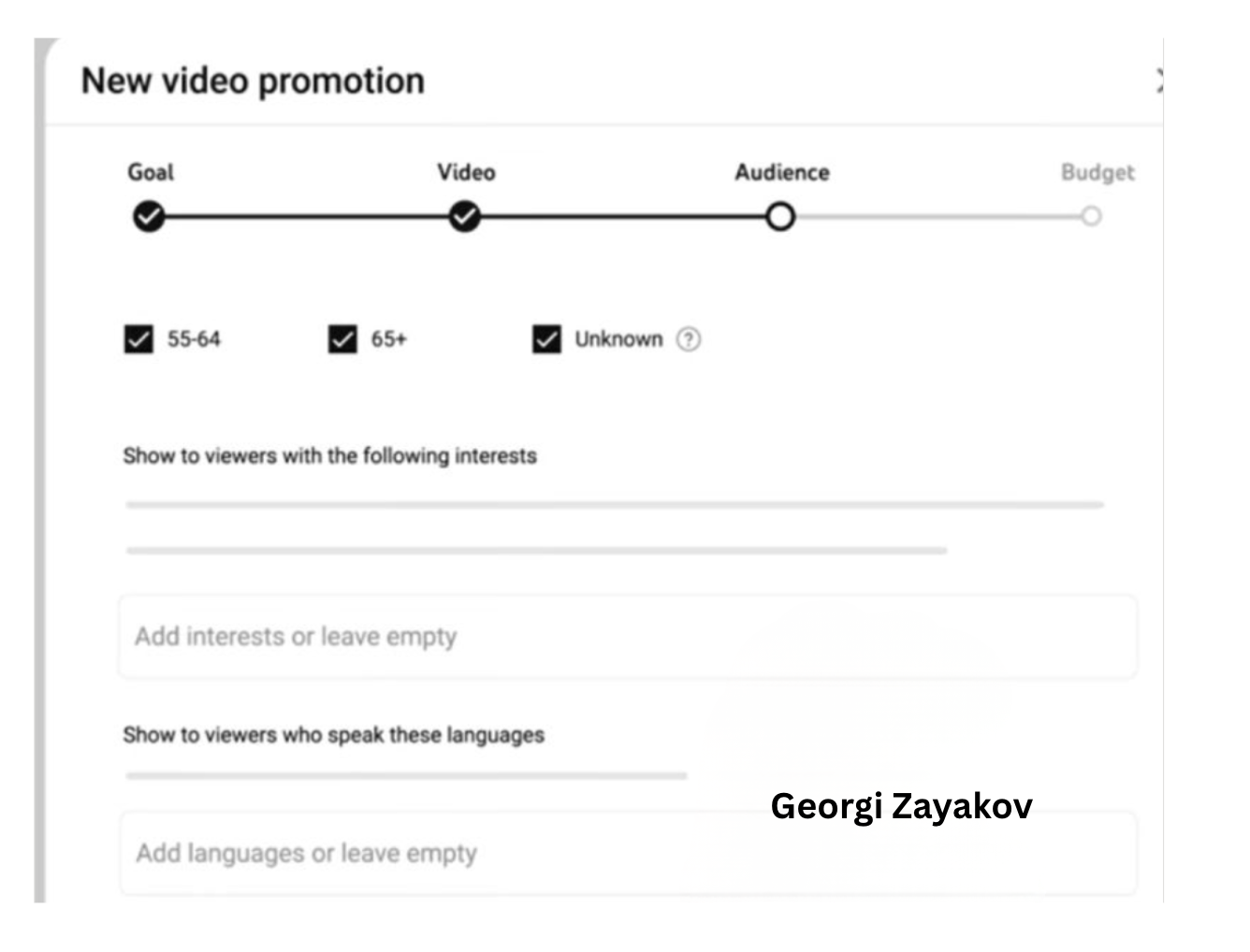
    How it works: Partner Match empowers approved partners to upload hashed user data, such as email addresses, names, or ZIP codes. Google then aligns this data with signed-in YouTube accounts, enabling advertisers to target these tailored audience segments effectively.

    • Video Reach campaigns
    • Video Views campaigns
    • Demand Gen campaigns (YouTube channel only)

    Though it won’t support ad sequences or YouTube Select guaranteed deals, the flexibility it offers is remarkable.

    Where it’s available: Partner Match will be rolled out globally, with exceptions in the UK, Switzerland, and the EEA. That said, advertisers in these regions can still reach audiences in eligible countries.

    What advertisers must do: Activating Partner Match is straightforward. Advertisers need to:

    1. Authorize the data partner
    2. Accept the Partner Match terms
    3. Apply the generated audience lists during campaign setup

    Why we care: Partner Match could provide advertisers with precise targeting at a time when reaching audiences is increasingly challenging. It’s expected to enhance alignment between brands’ first-party signals and YouTube delivery, making Video Reach, Video Views, and Demand Gen campaigns more effective.

    Remarkably, its global availability—with a few exceptions—makes Partner Match one of YouTube’s most scalable targeting innovations in recent years.


    Inspired by this post on Search Engine Land.

    crushpress.ai community screenshot
  • Simplify Video Ad Campaigns with Google’s Direct Uploads

    Simplify Video Ad Campaigns with Google’s Direct Uploads

    I recently discovered a game-changing update from Google that’s bound to catch the attention of many advertisers. Google’s Performance Max now allows me to upload video files directly in the “Edit assets” panel, simplifying the campaign setup process significantly. What’s even better? I don’t need a YouTube channel or Shared Library for this.

    Here’s the scoop. This handy feature pops up as an “Upload” tab in the Google Ads UI, making it super easy to add video assets during PMax campaign creation. Just a simple drag-and-drop, and I’m set to move on, especially helpful if I’m new to video advertising.

    In the YouTube ad setup, I’ll find a clear, highlighted box prompting me to drop in my video file, smoothing out what used to be a more complicated process.

    How does it work? These video files are stored in a Google-managed channel, not on my personal YouTube account. While they’re usable in ads, they don’t function like typical YouTube uploads, which might affect how I manage my content.

    Why it matters to me. This update is a boon if I don’t have a YouTube presence or need a quick way to upload video assets. However, I should be mindful of the trade-offs: I’ll have no analytics, no remarketing capabilities, no metadata access, and crucially, I won’t own the assets long-term. It’s a convenient option for quick setups, but I must proceed with caution and ideally upload through a proper brand channel when possible.

    ```json
{
  "alt": "YouTube ad upload interface highlighting channel selection option.",
  "caption": "Easily select your YouTube channel for ad video uploads and manage your content efficiently with full control over analytics and features.",
  "description": "This image shows the YouTube ad upload interface, specifically focusing on the section where users can choose their channel for uploading videos. The interface allows up to 5 video selections for ad campaigns. The interface highlights the option to upload videos to 'Your own channel,' ensuring users have full control, access to analytics, and various features through YouTube Studio. This process is part of the ad campaign setup on YouTube, emphasizing the importance of channel selection for video management."
}
```

    Important limitations. Using this method imposes several restrictions:

    • No YouTube Analytics
    • No remarketing audiences
    • No metadata editing
    • No custom thumbnails
    • No ability to appeal rejections or restrictions
    • No brand-channel presence or asset ownership

    How I found out. The first mention of this update came from Web Marketing Consultant Dario Zannoni, who shared it on LinkedIn. I appreciated his insights into how this could change my advertising approach.

    The takeaway. This feature is a great shortcut if I’m in a hurry or don’t have a robust YouTube setup. Still, maintaining best practices by using my official brand channel ensures I preserve analytics, gather audience data, and retain creative control.


    Inspired by this post on Search Engine Land.

    crushpress.ai community screenshot
  • Effortless YouTube and Google Ads Integration Boosts Advertiser Insights

    Effortless YouTube and Google Ads Integration Boosts Advertiser Insights

    Recently, I’ve noticed Google has started automatically linking YouTube channels with Google Ads accounts. This innovation allows advertisers like me to quickly tap into valuable audience data, though it does require careful permission management.

    When Google’s system detects a strong connection between a YouTube channel and a Google Ads account, it takes action by linking them. This gives us richer audience signals without us having to do a manual setup.

    What’s happening now? Google will set up these links automatically if a strong relationship is identified, notifying us 30 days in advance. This email notification allows us to decide whether to opt out or connect sooner.

    How does it work?

    During the 30-day period, if no one opts out, the link will be completed automatically. If I manage both accounts, I can even connect them immediately. There’s flexibility here, too, as I can always adjust permissions or unlink later if needed.

    Why this matters to us. This development simplifies how we, as advertisers, access YouTube audience data. It makes it straightforward to target viewers and construct data segments. However, it also introduces uncertainties about control over our assets and the permissions we’ve set.

    Benefits for advertisers. Once linked, I can:

    • Use YouTube interactions to run more effective ads.
    • Leverage organic views and earned actions for performance insights.
    • Create data segments from how audiences engage with my channel.
    • Consider channel engagement as conversion activities, like subscriptions.

    Limitations I’ve noticed

    • Channel owners gain no control over the actual Google Ads account.
    • Copy or edit capabilities for channel videos are not given to advertisers.
    • If personalized ads are disabled, audience data reports are also turned off.
    • Restrictions on Video Ads Certification (VAC) are still applicable; removal of these is specific to the linked Ads account.

    Managing these links. If I, as an admin, choose to opt out, I can easily do so through the links provided in the notification emails from Google. If opted out, the link won’t be made. Meanwhile, manual linking can always be done via the traditional Google Ads settings menu.

    Initial discovery. The new auto-linking feature was first highlighted by Hana Kobzová, founder of PPC News Feed. More on this can be read here.

    Final thoughts. With Google’s new auto-linking, we as advertisers can enjoy less setup hassle and better YouTube performance insights. However, it’s crucial to monitor our notifications to ensure that data sharing aligns with our privacy preferences and company policies.


    Inspired by this post on Search Engine Land.

    crushpress.ai community screenshot
  • YouTube’s Innovative Cost Adjustments Ease Ad Campaign Risks

    YouTube’s Innovative Cost Adjustments Ease Ad Campaign Risks

    YouTube AI citations

    Recently, I discovered that YouTube is experimenting with a beta feature designed to lower the costs of Demand Gen Target CPA (tCPA) campaigns that aren’t performing as expected. This new approach aims to maintain a tighter grip on CPAs during the often unpredictable learning phase, offering us advertisers a form of financial relief when early results aren’t as impressive as predicted.

    Why this matters to me. This update provides me with a financial safety net at the start of YouTube campaigns, which is typically the most uncertain period where conversion predictions fluctuate dramatically. It’s quite refreshing to see Google taking a step to refund part of the ad spend voluntarily as a way to meet performance targets.

    How it works from what I understand:

    • The system keeps an eye on new Demand Gen tCPA campaigns during their initial learning stages.
    • If conversions are not hitting Google’s forecast, it may recalibrate costs retroactively to align CPAs with my target goals.
    • The adjustment kicks in within five days of launching a campaign and may last up to three weeks.
    • There won’t be separate credits or line items; instead, I’ll notice the final reported cost has been subtly adjusted.

    What this means for me as an advertiser. Google seems to be making an effort to reduce performance volatility in the beginning, allowing their algorithms more leeway to learn while minimizing my financial risk.

    What I should watch out for. The eligibility for this feature largely depends on the quality of my account, how well tracking is maintained, and consistently following best practices. Even then, adjustments aren’t guaranteed and could only be applicable to certain days or specific campaigns.

    The takeaway? For me, YouTube’s performance-based cost adjustment marks a small yet meaningful shift: Google is showing a willingness to share risk during the crucial learning period, making it smoother for us performance-focused advertisers to start our Demand Gen campaigns.


    Inspired by this post on Search Engine Land.