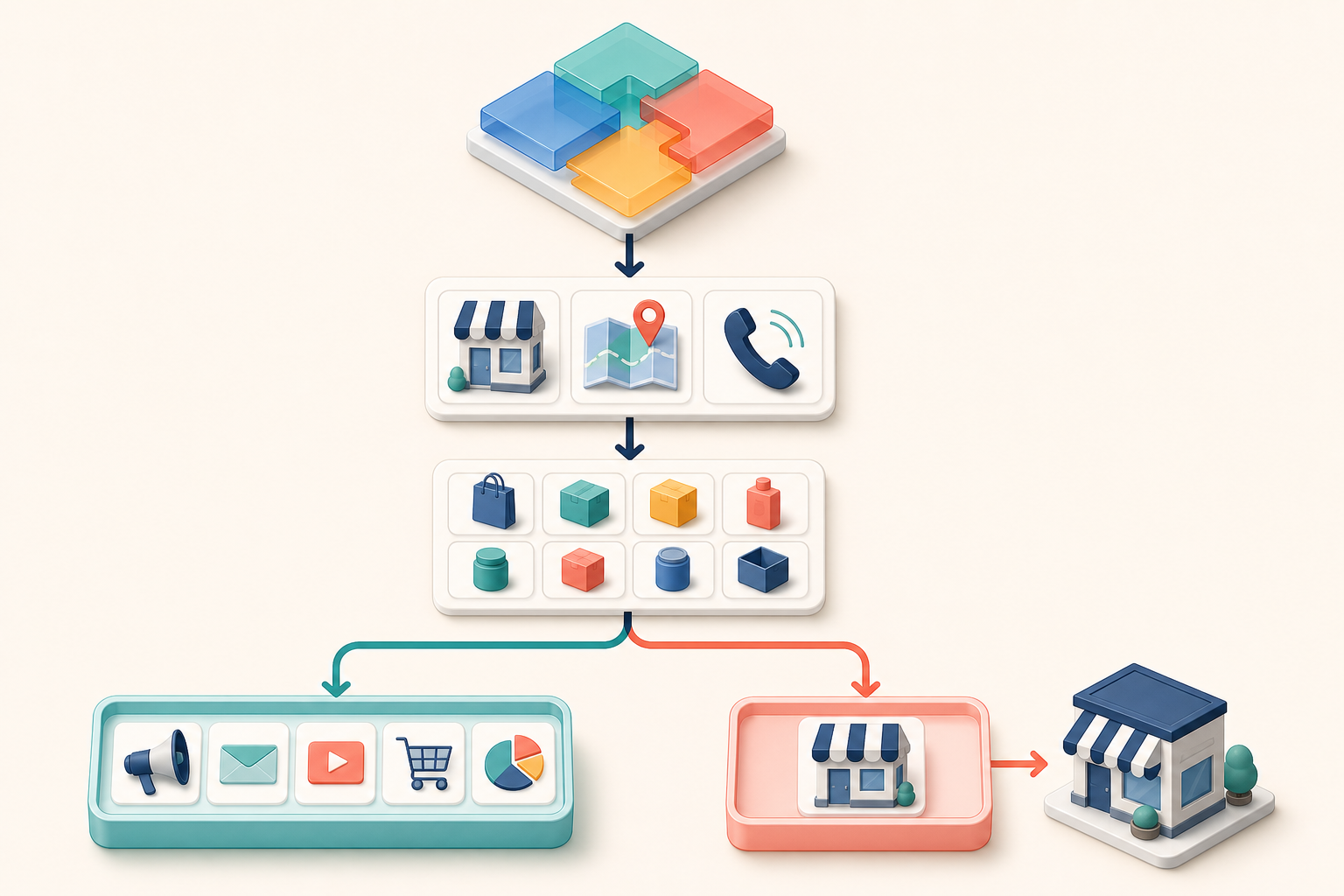
Tag: Audience Targeting

  • Google Ads Customer Match: Setup, Uses, and Privacy Checks

    You have customer data that competitors can’t copy. The question is whether you’re giving Google Ads a clean, current, consented version of it—or leaving its automation to learn from the same broad signals available to everyone else.

    Customer Match can support acquisition, retention, exclusions, bidding, and audience discovery. You can get some of that value even before your account qualifies to target a customer list directly.

    Key takeaways

    • Upload eligible first-party customer data even if your account hasn’t reached the spending threshold for direct Customer Match targeting.
    • Choose one job for each list: find new customers, retain existing ones, prioritize high-value customers, or exclude people who shouldn’t see an offer.
    • Use a direct integration when possible; otherwise, establish a recurring CSV refresh schedule.
    • Upload only data collected with appropriate consent, and make sure your privacy policy explains advertising-related data sharing.
    • Judge a list by matchable scale, freshness, and business relevance—not by its raw row count.

    Upload your list before direct targeting becomes available

    A common mistake is treating the US$50,000 lifetime-spend threshold as a reason to postpone Customer Match entirely. That threshold affects direct targeting and exclusions. Eligibility also requires an account in good standing and at least 90 days of spending history.

    If you haven’t met those conditions, you can still upload a customer list for use as an automation signal. Google can use the characteristics of those customers to inform Smart Bidding and optimized targeting. This matters because your first-party data gives the system information that isn’t available from generic market signals alone.

    An uploaded list can also unlock Audience Insights in Audience Manager. Inspect the demographic patterns and Google audience segments associated with your customers. Then turn the findings into testable decisions: adjust a landing page for the audience you actually attract, develop Demand Gen creative around a recurring interest, or challenge an assumption about who buys from you.

    Don’t read an insight as proof of causation. Use it to form a campaign hypothesis, then validate that hypothesis with conversion data.

    Give each Customer Match list one clear campaign job

    Customer Match can work across Search, Shopping, Gmail, YouTube, and Display once your account is eligible. Performance Max doesn’t offer conventional audience targeting, but customer lists can still shape Customer Lifecycle goals.

    Business objectiveHow to use the listWhat to check
    Acquire only new customersUse New Customer Only mode so known customers are excluded.Confirm that the list covers enough existing customers to make the exclusion meaningful.
    Pay more for new customersUse New Customer Value to distinguish acquisition value from an ordinary conversion.Make sure the added value reflects your economics rather than an arbitrary premium.
    Drive repeat purchasesUse Customer Retention mode to concentrate on known customers.Exclude people whose purchase timing or status makes the offer irrelevant.
    Prioritize your best customersBuild a high-value customer segment from a defensible business rule.Define value consistently, such as the customer status already used in your CRM.
    Prevent wasted impressionsExclude matched customers from acquisition campaigns when they shouldn’t receive the offer.Check that your list is refreshed frequently enough to catch recent customers.

    Scale determines whether these controls will materially change delivery. One practical heuristic is the 1% rule: compare the active list with the population in your target geography. In a US-wide campaign, 1% of a population of 340 million would be about 3.4 million people. This is a planning heuristic, not a Google eligibility rule. A smaller list can still be useful, but you shouldn’t expect it to redirect a large national campaign by itself.

    Use the narrowest list that still has enough scale for its job. A list of all historical leads may be large but strategically muddy. A current-customer list, lapsed-customer list, and high-value segment give you cleaner decisions, provided each status is defined and maintained.

    Build a repeatable upload and refresh process

    Start in Tools > Data Manager and look for a direct connection to the system that holds your customer records. Shopify, HubSpot, and Salesforce integrations can keep data synchronized without repeated manual exports. If a suitable connection isn’t available, use a CSV upload through Tools > Shared Library > Audience Manager.

    Your operating process should be simple enough that it still happens during a busy month:

    1. Define the list’s purpose and the customer status that qualifies a person for it.
    2. Remove records that don’t belong, including test accounts and people outside the intended segment.
    3. Confirm that the data was collected with the consent required for advertising use.
    4. Connect the platform or upload the CSV.
    5. Check whether the resulting audience has enough matched users to serve its intended campaign function.
    6. Set an owner and a refresh cadence.
    7. Review campaign settings after every major list-definition change.

    Match the cadence to the speed of your business. Daily synchronization makes sense when leads or purchases arrive regularly and recent customer status affects exclusions. A slower business may be adequately served by a bi-weekly or monthly refresh. The key is to choose the interval deliberately instead of relying on someone to remember.

    If you’re also using Enhanced Conversions, examine conversion-based customer lists. These can automatically maintain audiences of people who completed selected conversion actions. A conversion records an event; a data segment represents a group that can continue to inform campaign decisions. Connecting the two reduces manual list maintenance.

    Put consent and list quality ahead of match volume

    Customer Match is not permission to upload every email address your organization possesses. Use your own customer data, collected with suitable consent. Bought third-party lists can violate Google policy and applicable privacy law. Your privacy policy should clearly disclose that customer data may be shared with providers such as Google for advertising.

    Healthcare and finance require particular caution because sensitive-industry restrictions can prevent Customer Match use. Don’t try to work around a restriction by renaming a segment or broadening its label. If eligibility is unclear, verify the proposed use against Google policy and your organization’s legal requirements before uploading anything.

    Assign operational responsibility as well. Marketing can define the campaign objective, but someone must own consent status, suppression rules, customer-status logic, and refresh failures. Record the list’s purpose, inclusion criteria, update frequency, and connected campaigns in the same place your team documents campaign settings.

    Finally, monitor outcomes that match the list’s job. For acquisition exclusions, watch how much spend and conversion volume move toward new customers. For retention, evaluate repeat-purchase performance. For an automation signal, compare campaign performance over a meaningful period without crediting every change to the list. Customer Match improves the information available to Google Ads; it doesn’t replace sound bidding, creative, measurement, or offer strategy.

    Your next step is concrete: identify one consented customer segment, give it one campaign purpose, and either connect it in Data Manager or schedule its first upload. Then put the refresh date on the calendar before you leave Audience Manager.

    References

  • How to Build a Google Ads Activation and Data Integration Plan

    How to Build a Google Ads Activation and Data Integration Plan

    You have retailer audiences in one system, media buying in another, and purchase data somewhere else. The problem isn’t a lack of data. It’s making that data usable across Google without losing control of identity, measurement, or ownership.

    A workable plan separates audience activation from conversion measurement, then connects them through a shared data contract. That gives your media team broader reach while preserving a credible path from ad exposure to sale.

    Key takeaways

    • Treat audience activation and conversion ingestion as separate data paths with different owners, permissions, and failure modes.
    • Use retailer first-party audiences to reach relevant shoppers through Demand Gen on YouTube, Discover, and Gmail.
    • Define one internal conversion schema before mapping events to Google destinations.
    • Do not add identifiers merely because an integration supports them. Collection rights, consent, security, and retention rules still apply.
    • Judge the integration by business outcomes and data reliability, not by audience size or event volume alone.

    Separate audience activation from conversion measurement

    Two color-coded data paths separately connect anonymous audience tokens with advertising screens and purchase events with a measurement repository.

    Audience activation answers, “Who should see the campaign?” Conversion ingestion answers, “What happened after someone saw or engaged with it?” Combining those questions into one vague data project makes ownership unclear and troubleshooting difficult.

    On the activation side, the Commerce Media Suite can make retailer first-party audiences available to Demand Gen campaigns across YouTube, Discover, and Gmail. A brand can therefore use retailer audience intelligence outside the retailer’s own website while Google AI optimizes delivery toward conversions and sales.

    On the measurement side, the Data Manager API can ingest offline conversion events for Campaign Manager 360, Search Ads 360, and Display & Video 360. A common schema can route data to multiple destinations in one request instead of forcing your team to maintain a separate integration for every product.

    Data pathQuestion it answersOutput to define
    Retail audience activationWhich eligible shoppers should the brand reach?Approved retailer audience segments for Demand Gen
    Campaign deliveryWhere should those audiences encounter the campaign?Channel, creative, objective, and optimization settings
    Conversion ingestionWhich commercial outcome occurred?Validated offline event sent to the intended Google destinations
    MeasurementDid advertising contribute to a purchase?Reporting that connects exposure and engagement with sales outcomes

    Give each path its own owner. The retailer or commerce team should approve audience definitions and permitted uses. The media team should own campaign configuration. Analytics or marketing operations should own event quality, routing, and reconciliation. Privacy and security teams should approve identifier handling across all three.

    Define the data contract before building the integration

    A shared API does not automatically create shared meaning. If one team calls an order “complete” when payment is authorized and another waits until fulfillment, both can send technically valid events while producing incompatible reporting.

    Write an internal event contract before anyone maps fields. For every conversion, document the business definition, originating system, event timestamp, transaction identifier, value and currency when relevant, permitted user identifiers, consent state, destination products, correction process, and accountable owner. Treat this as your business specification, not as a substitute for the API’s required-field documentation.

    Next, create a routing matrix. Each row should be an approved event, and each destination column should state whether that event is sent, transformed, or withheld. This prevents the convenience of one-request routing from quietly turning into indiscriminate data distribution.

    Teams still using the Campaign Manager 360 API for conversion uploads should evaluate migration to the Data Manager API as the central ingestion layer. Inventory existing event definitions and destination-specific transformations first. Otherwise, a migration can preserve old inconsistencies inside a newer pipeline.

    Govern identity matching as a capability, not a shortcut

    Better matching can improve audience usefulness and attribution, but every identifier expands your governance obligations. The Data Manager API supports encrypted identifiers such as email addresses and phone numbers. Those fields should enter the pipeline only when you have a documented collection basis, approved advertising use, appropriate protection, and a defined retention policy.

    IP ingestion for Google Ads Customer Match is scheduled to begin in Q3 2026 through a CompositeData field, paired with an observation timestamp. Treat that as an additional matching option, not permission to upload every IP address available to you. Confirm product availability for your account and region, review applicable consent and policy requirements, and document where the address originated before enabling the field.

    Do not promise a specific match-rate gain. Instead, establish a controlled baseline and watch whether the additional identifier improves eligible audience reach without increasing rejected records, policy risk, unexplained reporting changes, or data-handling complexity. If your team cannot explain an identifier’s origin and permitted use, leave it out.

    Launch with evidence gates at every stage

    A glowing data pipeline passes through several security and verification checkpoints before reaching a final activation node.
    1. Name the business outcome. Choose the sale or offline conversion that the campaign is meant to influence. Avoid starting with a broad goal such as “send all customer data.”
    2. Confirm the systems of record. Identify which retailer system defines audience membership and which transaction system has authority over the final outcome.
    3. Approve audience rules. Record who qualifies, which brand may use the segment, where it may be activated, and when eligibility ends.
    4. Approve the event contract and routing matrix. Resolve differences in conversion definitions before coding field mappings.
    5. Test data quality. Verify that timestamps survive transformation, transaction identifiers remain stable, values reach only approved destinations, and duplicate events do not inflate reporting.
    6. Run a limited activation. Start with a clearly defined audience and conversion so your team can trace the path from retailer data to Demand Gen delivery and then to the reported purchase outcome.
    7. Reconcile before expanding. Compare accepted and rejected records, destination totals, retailer sales records, and unexplained gaps. Expand to more audiences or destinations only after the first path is trustworthy.

    The integration is working when your teams can answer four questions without assembling an emergency spreadsheet: which audience was eligible, where it was activated, which conversion definition was used, and how the reported outcome reconciles with the retailer’s sales record.

    Start with one audience, one commercial outcome, and an explicit owner for each data path. Once that loop is reliable, broader activation across Google’s inventory becomes an expansion of a proven system rather than another disconnected campaign.

    References

  • DV360 Demand Gen API Support: A Safe Rollout Plan

    DV360 Demand Gen API Support: A Safe Rollout Plan

    If your DV360 integration assumes every returned line item or ad group belongs to a type it already recognizes, Demand Gen support creates a practical failure point. A successful API call can still break downstream processing when an unfamiliar resource reaches a strict parser, reporting job, or campaign-management rule.

    You can prepare without rebuilding your DV360 workflow. Start by making reads tolerant of Demand Gen resources, then introduce write operations behind explicit controls.

    What Demand Gen support changes in DV360

    The Display & Video 360 API is adding support for Demand Gen line items, ad groups, and ad formats. Developers and advertisers can retrieve, create, update, and delete the supported Demand Gen resources through the API.

    The important detail is not just the new write capability. Demand Gen line items and ad groups can appear alongside standard resources in existing list responses. That means an integration may encounter them even if your team has not started creating Demand Gen campaigns through the API.

    Treat this as both a schema-compatibility change and a new automation opportunity. The first job is protecting current workflows. The second is deciding which Demand Gen actions you are ready to automate.

    Harden every workflow that reads line items or ad groups

    Different shapes of data blocks pass through a flexible gateway into organized processing lanes.

    Begin with an inventory of anything that consumes DV360 list responses. Include campaign dashboards, data pipelines, naming-rule checks, budget monitors, approval tools, and internal interfaces. A shared API client does not guarantee that every downstream consumer handles new resource types safely.

    1. Find closed type assumptions. Search for switch statements, enum validation, allowlists, and default branches that reject or misclassify an unfamiliar line-item or ad-group type.
    2. Separate parsing from business eligibility. Your integration should be able to read and retain a Demand Gen resource even when a particular workflow is not authorized to act on it.
    3. Use an explicit unsupported state. Do not silently treat an unrecognized resource as a standard line item. Record its identifier and type, skip the unsafe action, and make the event visible to operators.
    4. Test mixed responses. Exercise the full path with standard and Demand Gen resources in the same collection. Confirm that filtering, pagination, reporting, and batch processing still complete.
    5. Check output contracts. If your DV360 data feeds another system, make sure the receiving schema can preserve a new type instead of dropping the record or failing the entire batch.

    The safest behavior is forward-compatible: accept a valid object, preserve what you understand, and block only the operation that lacks a defined rule. This contains the impact of future resource additions as well.

    Add create, update, and delete operations in stages

    Three connected deployment chambers use guarded gates while background account nodes show different availability states.

    API availability does not mean every mutation should be enabled at once. Give each operation its own release control and validation path.

    1. Start with retrieval. Confirm that you can identify Demand Gen line items and ad groups, store them correctly, and display them without exposing unsupported controls.
    2. Enable creation in a constrained workflow. Validate inputs before the request, record the request and resulting resource identifier, and prevent an automatic retry from creating duplicates.
    3. Permit updates by field. Use an allowlist of fields your integration intentionally manages. Do not send a broad object copied from a read response when only one value needs to change.
    4. Protect deletion separately. Require an explicit resource-type check, a clear ownership rule, and confirmation that the target identifier belongs to the intended advertiser and campaign.

    Keep read and write permissions conceptually separate. A reporting integration may need to understand Demand Gen objects without receiving authority to modify them. A campaign-management service may need update access but no delete path.

    For each mutation, log the resource type, operation, target identifier, result, and calling workflow. That record gives your team a usable trail when an automated change needs investigation.

    Plan around partial rollout and mixed account availability

    The announced rollout begins June 10 and is expected to be fully available by June 24. During a staged release, availability should be treated as a capability to detect, not a universal assumption.

    Use a capability gate for Demand Gen writes. If a request shows that support is unavailable, return a clear status to the operator and keep the rest of the DV360 workflow running. Do not translate an availability problem into a generic campaign failure.

    Your release sequence should cover three states: no Demand Gen resources returned, Demand Gen resources returned but writes disabled, and full management enabled. Test rollback too. Turning off creation or updates should not stop the integration from reading resources that already exist.

    Operational ownership matters here. Assign one person or team to review unsupported-type logs during rollout, approve write enablement, and decide when an account is ready. Without that owner, compatibility warnings tend to sit unnoticed until a scheduled job fails.

    Key takeaways

    • Existing list queries may return Demand Gen line items and ad groups, so read compatibility comes before new campaign automation.
    • Parse valid resources independently from deciding whether a workflow may act on them.
    • Release create, update, and delete capabilities separately, with validation, logging, and operation-specific controls.
    • Expect mixed availability during the June 10 to June 24 rollout window and make write support capability-driven.
    • Keep Demand Gen reads working even when you disable mutations or roll back an automation release.

    Start with one concrete check: run a mixed-resource response through every DV360 consumer you operate. Once those paths can identify, preserve, and safely skip Demand Gen objects, you have a stable base for adding campaign management at your own pace.

    References

  • How to Use Google’s AI Audience and Shopping Insights

    How to Use Google’s AI Audience and Shopping Insights

    You can have plenty of Google data and still not know what to change. One screen points to people who may not know your brand. Another shows signals about your products in AI-assisted shopping. The hard part is turning those signals into decisions without mistaking automation for proof.

    The useful approach is to give each tool one job. Use audience targeting to test whether you can reach genuinely new people. Use shopping visibility insights to find product information that deserves investigation. Then measure whether either change produces incremental customers, not just more activity.

    Separate the audience question from the product question

    Google’s audience and shopping tools solve different problems. Combining them into one vague “AI performance” score makes both harder to use.

    The audience question is: are you spending money on people who have never meaningfully encountered your brand? Google’s “new prospects” targeting mode is intended to focus spending on that cold audience. It automatically excludes previous purchasers, branded searchers, website or app visitors, and people who engaged with brand content across Google and YouTube.

    The product question is different: where does your catalog appear weak, unclear, or absent when AI helps shoppers discover products? AI shopping visibility insights in Merchant Center can give you a place to begin that investigation. Visibility is a diagnostic signal. It isn’t the same as a click, a sale, or incremental revenue.

    Keep those questions separate in your reporting. Label one workstream “new audience acquisition” and the other “product visibility.” You can connect them later, but only after each has a clear baseline and success measure.

    Make prospects mode testable before you switch it on

    Two parallel shopper pathways represent a controlled test of reaching new prospects against a comparison group.

    Prospect targeting is only as credible as the signals used to identify people who already know you. If purchase records, site visits, app activity, branded searches, or video engagement are incomplete, some familiar users may be classified as prospects.

    Before using the mode, write down what “new” means for your business. A first-time buyer is not always a brand-unaware person. Someone may have watched a product video, visited through an untagged link, searched for your brand on another device, or bought through a channel that doesn’t return customer data to your advertising setup. You won’t eliminate every gap, but naming them prevents false confidence.

    Check whether your purchase data covers the channels that matter, whether website and app activity is captured consistently, and whether your brand-term set includes common names and variants. Review which Google and YouTube engagements count as prior contact. If a major signal is missing, fix it or record the limitation before interpreting campaign results.

    When the mode is available in your account, compare it with a relevant baseline rather than with your entire advertising program. Keep the offer, landing experience, product scope, and conversion definition as stable as practical. Otherwise, you won’t know whether a result came from reaching colder people or from changing several variables at once.

    Turn Merchant Center visibility signals into product fixes

    An analyst improves generic product imagery and information while reviewing differing levels of shopping visibility.

    An AI visibility signal should trigger a product-level inspection, not an immediate budget change. Start with products that matter commercially and look for repeatable patterns. A single weak result may be noise. The same weakness across a product family is a better reason to act.

    What you noticeWhat to inspectWhat to do next
    An important product has weak visibilityIts feed record and product pageCheck whether the name, description, attributes, price, availability, and identifiers are complete and consistent.
    One product family performs differently from similar itemsFields and page content that differ across the familyDocument the differences, then correct the clearest information gap before changing bids.
    Visibility changes after a catalog updateThe exact fields and pages changedConfirm that the update propagated correctly and watch whether the pattern persists.
    Visibility looks healthy but sales do notOffer competitiveness, landing-page clarity, and conversion trackingTreat discovery as adequate and investigate what happens after the product is surfaced.

    Consistency matters because a shopping system must reconcile information from your catalog and your site. Product titles should identify the item clearly. Descriptions should answer concrete buying questions. Price and availability should agree wherever they appear. Product structured data should describe the same offer shown to a person on the page.

    Don’t rewrite an entire catalog because a dashboard changed. Choose a coherent group of products, record the problem, make one class of improvement, and note the date. That creates a usable change log even when the interface doesn’t provide a causal explanation.

    Measure incremental customers, not convenient conversions

    AI targeting can look efficient while capturing demand that would have arrived anyway. Your measurement plan therefore needs to distinguish a new customer from a new prospect and both from a returning customer.

    Use the strongest customer-status data you have at the point of conversion. Compare acquisition cost, new-customer volume, revenue quality, and return behavior with your established baseline. Also monitor total business outcomes. A campaign-level improvement is less persuasive if overall new-customer growth stays flat.

    Value settings can materially affect optimization. Advertisers using New Customer Acquisition Value Mode saw a 9% improvement in return on ad spend when they valued a new customer at twice the average order value. Treat that as evidence that value signals matter, not as a universal setting or promised result. Your assigned value should reflect your own economics.

    Shopping visibility belongs in the same decision process but not in the same success column. It can help explain where product discovery may be constrained. Revenue and verified customer status tell you whether fixing that constraint was worthwhile. If visibility improves without a commercial effect, investigate the offer and purchase journey before declaring the work successful.

    Key takeaways

    • Use prospects mode to answer whether you can acquire genuinely brand-unaware customers, not merely people who haven’t purchased.
    • Audit purchase, branded-search, website, app, Google, and YouTube signals before trusting automated exclusions.
    • Treat Merchant Center AI visibility as a diagnostic input that points you toward product-data and page checks.
    • Change one coherent product group at a time and keep a dated record of what changed.
    • Judge the work by incremental customer and business outcomes, not visibility or campaign efficiency alone.

    Start with one acquisition campaign and one commercially important product group. Define the baseline, document the data gaps, and make the smallest change that can answer a real question. Google’s AI can help you find audiences and surface patterns; your measurement discipline determines whether those patterns become growth.

    References

  • How to Manage Ad Targeting and API Updates Without Chaos

    How to Manage Ad Targeting and API Updates Without Chaos

    An advertising-platform release can create two very different jobs. A targeting feature asks whether you can reach a better audience. An API change asks whether your reporting, security checks, stored data, and automation will continue to work. Treat both as features to try, and you can spend budget before measurement is ready or discover a broken data dependency after the damage is done.

    That distinction matters now because Microsoft Advertising has extended LinkedIn profile targeting to connected TV campaigns, while Google Ads API v24.1 adds reporting, creative-control, experiment, authentication, and retention-related changes. You need a release process that protects existing operations first, validates measurement second, and tests growth opportunities third.

    Classify each change before scheduling the work

    The loudest feature should not automatically become the first task. Rank changes by what happens if you ignore them. A new audience may represent an opportunity, but a data-retention limit can permanently narrow the history available to your reporting system.

    Use five practical classes:

    • Continuity changes: retention limits, unsupported requests, client compatibility, and anything else that can interrupt a production workflow.
    • Measurement changes: new segments or metrics that alter how performance can be divided and interpreted.
    • Security changes: fields that help you identify account protections or authentication gaps.
    • Control changes: options that affect how an approved creative is uploaded, transformed, or displayed.
    • Growth changes: new audiences, inventory, campaign types, and experiment surfaces.

    Work through them in that order unless a documented dependency changes the sequence. Continuity comes first because lost history or a failed reporting job can affect every campaign. Measurement comes before growth because you cannot judge a new audience reliably until you know what the reporting can and cannot observe.

    For the current updates, the 37-month Google Ads data-retention boundary belongs in the continuity queue. The mobile-device platform segment belongs in measurement. The passkey field belongs in security. Demand Gen image control belongs in control. LinkedIn-based CTV targeting belongs in growth. That classification gives your team an actionable backlog rather than an undifferentiated list of announcements.

    Test professional CTV targeting as an audience hypothesis

    A media planner runs a small connected TV audience test by selecting one professional audience cluster for comparison.

    Microsoft’s CTV expansion lets advertisers use professional attributes such as industry, job function, company category, and professional identity signals. For a B2B advertiser, that can connect broad streaming exposure with a more relevant professional audience.

    It does not turn a professional attribute into buying intent. A viewer’s job function may indicate fit, but it does not prove that the viewer is researching a purchase. Treat the targeting as a testable audience hypothesis: people matching this professional profile should respond differently from a suitable comparison audience when the message and measurement remain consistent.

    Build the first test in this order:

    1. Choose one buying group. Describe it with the smallest useful combination of industry, function, and company characteristics. If you begin with a heavily stacked audience, you will not know which condition created the result or restricted delivery.
    2. Write down what the attributes mean. Record the exact audience definition, intended buying role, exclusions, eligible markets, and date of activation. Platform labels are not a substitute for an internal audience specification.
    3. Hold avoidable variables steady. Use comparable creative, offers, geography, inventory conditions, and evaluation windows across the audience cells. Otherwise, a creative or delivery difference can masquerade as a targeting effect.
    4. Select an observable outcome before launch. Do not let an easy-to-read delivery metric become the business objective by default. Use the conversion, lift, or qualified-response signal that your measurement stack can support consistently.
    5. Set a decision rule. Define what evidence would justify expanding, revising, or stopping the audience. Making that decision after seeing the result invites selective interpretation.
    6. Review privacy and compliance. Confirm that the proposed professional segmentation, creative, data handling, and market coverage fit your organization’s requirements before the audience begins receiving ads.

    Measurement deserves extra attention. CTV has traditionally operated as a brand-oriented channel with less direct attribution than search or shopping. Professional targeting can improve audience relevance, but it does not automatically resolve that measurement gap. Keep exposure quality, downstream response, and attribution confidence separate in your readout.

    Several implementation details remain uncertain, including market availability, segmentation granularity, measurement capabilities, and privacy considerations. Verify those items in the account and market you intend to use. Do not build a forecast around targeting combinations or reporting dimensions you have not confirmed are available.

    Turn Google Ads API v24.1 into an engineering checklist

    An engineer checks reporting, security, creative, experiment, automation, and data modules before an API workflow reaches production.

    API adoption is not complete when a client library installs successfully. The real work sits downstream: query builders, schemas, dashboards, experiment records, asset workflows, authentication reports, exception handling, and historical storage.

    Start by mapping each v24.1 capability to the system it can affect:

    The retention change deserves a separate migration task. Search your query code, scheduled exports, dashboards, year-over-year reports, model-training inputs, and audit workflows for requests that can reach beyond 37 months. Then verify what history is still queryable and preserve future data at the granularity your business actually needs.

    An archive is useful only if you can interpret and restore it. Store the account identifier, reporting period, timezone, currency context, field definitions, extraction timestamp, and relevant attribution or configuration metadata alongside the metrics. Test a restore into a clean table before relying on the archive. A successful export file is not proof of a recoverable reporting history.

    Update error handling as well. DateRangeError.REQUESTED_DATE_GRANULARITY_NOT_SUPPORTED identifies an unsupported date-range request. Treat a confirmed policy boundary as a query-design problem, not a transient failure to retry indefinitely. Logging the requested dates and granularity will make the remediation far faster.

    Put targeting and API work through one change-control loop

    Marketing and engineering do not need separate definitions of a successful platform update. They need one shared record that distinguishes a business hypothesis from a technical dependency.

    Change typeQuestion to answer firstEvidence requiredSafe response if it fails
    New audienceCan you isolate the audience effect?Documented audience cells, stable measurement, and a predefined decision rulePause the new segment without disturbing the existing campaign structure
    Reporting dimensionCan every downstream system accept and interpret it?Schema validation and reconciled totals against a baselineRemove the new dimension from production queries while preserving the test
    Creative-control fieldDoes the delivered asset match the approved intent?Asset-level quality review and recorded campaign mappingReturn to the previously approved asset path
    Retention boundaryCan analysis continue after platform history expires?External archive plus a successful restore testNo platform rollback exists; repair the archive and shorten unsupported queries
    Authentication-status fieldWho acts when an account lacks the expected protection?Verified field ingestion, ownership, and a remediation queueKeep the current authentication flow while correcting the reporting or rollout process

    Every change ticket should name an owner, impacted accounts, affected queries or campaigns, the validation evidence, a rollback path, and the date when someone will make a keep-or-revert decision. If no one owns that decision, the change is not ready for production.

    Keep the Microsoft audience test and Google API migration separate even if they appear in the same planning cycle. One measures whether professional targeting improves an advertising outcome. The other protects and expands the systems used to report that outcome. Combining them creates two moving parts and a result that is harder to diagnose.

    Key takeaways

    • Prioritize continuity and data-retention work before testing new reach.
    • Treat professional CTV attributes as proxies for audience fit, not proof of current purchase intent.
    • Confirm Microsoft CTV availability, measurement, segmentation, and compliance conditions in the actual account and market before forecasting results.
    • Test every new Google Ads API field through queries, schemas, storage, and dashboards before promoting it to production.
    • Maintain an external, restorable archive if your reporting requires more than 37 months of Google Ads history.
    • Give every rollout a named owner, acceptance evidence, rollback path, and decision date.

    At your next platform-change review, create two queues: one for operational deadlines and one for controlled growth tests. Clear the dependencies that can damage data or reporting, validate the measurement layer, and then give the new audience or creative capability a fair test.

    References

  • How to Build Culturally Aware Marketing Personalization

    How to Build Culturally Aware Marketing Personalization

    If your Mexico campaign is a translated version of your Spain campaign with a different flag, you have not personalized it. You have changed the label while leaving the customer’s decision context untouched.

    Culturally aware personalization works in two passes. First, establish what is true for the market: availability, language, pricing, payments, delivery, support, policies, and local proof. Then use the individual’s preferences and recent behavior to decide which of those truths matter now. This gives you more relevant marketing without turning culture into a crude demographic shortcut.

    Personalize the market before you personalize the person

    Do not begin with the question, What does this culture like? That invites stereotypes and gives your team little operational guidance. Ask instead: What must be true for this customer, in this market, to make the decision confidently?

    Spanish-speaking markets make the distinction easy to see. When more than 20 countries are compressed into one generic Spanish audience, Spain often becomes the unspoken default and other markets inherit its vocabulary, formats, assumptions, and commercial context. The copy may be grammatically correct while the experience is commercially wrong.

    A customer does not experience culture as a tone-of-voice document. They encounter it through the words used for a product, the currency beside the price, the payment methods available at checkout, the delivery promise, the return process, the support they can reach, and the rules governing the transaction. If those details contradict one another, adding local slang will not make the campaign feel local.

    Before creating a market segment, complete a market-readiness check:

    1. Confirm serviceability. Define which products or services are actually available, where they can be delivered, and which promises your operation can keep.
    2. Confirm the transaction. Record the correct currency, price, payment options, taxes or fees your team is responsible for presenting, and any offer restrictions.
    3. Confirm support. Identify the language variant customers can use, the channels available to them, and who owns escalation when the standard journey fails.
    4. Confirm policy scope. Have the appropriate internal specialists approve market-specific claims, disclosures, terms, and customer-facing policies. A translation team should not be expected to invent regulatory guidance.
    5. Confirm local evidence. Select examples, partnerships, media mentions, testimonials, and practical details that genuinely belong to the market. Do not relabel global proof as local proof.

    If you cannot complete those five checks, you are not ready to promise a localized experience. Publish market-neutral information, state the limits clearly, or delay the campaign. A market-specific URL or hreflang annotation cannot repair a service that does not fit the market.

    This also defines the right unit of personalization. A language is not a market, a market is not a culture, and a culture is not an individual. Treat each layer as context rather than identity.

    Build a profile that separates context from identity

    A shopper stands between separate translucent cabinets containing market-context objects and personal-preference objects.

    Most personalization programs try to place everything into one customer profile. A safer and more useful design keeps market truth separate from person-level signals, then combines them only when making a decision.

    LayerWhat it containsWhat it should control
    Market contextCountry or region served, language variant, currency, catalog, pricing, payments, delivery, support, policies, and approved local evidenceWhat the brand is eligible to say, sell, recommend, or promise
    Customer contextDeclared preferences, consent, account market, recent browsing, purchases, support interactions, and communication historyWhich eligible message is most useful to this person now
    Decision contextChannel, journey stage, current product, recent event, and any conflicting or missing signalsWhether to personalize, ask for clarification, suppress a message, or use a neutral fallback

    The market layer should be owned like product data, not treated as campaign copy. When a payment option, delivery promise, price, or policy changes, the underlying market record should change once and feed every channel that uses it.

    The customer layer needs a confidence hierarchy. Use signals in this order:

    • Declared preferences: the language, market, channel, or product interest the person chose. Make these settings easy to review and change.
    • Verified relationship data: the market attached to an account, contract, shipping destination, or completed transaction, when using it is appropriate for the interaction.
    • Observed behavior: pages viewed, products compared, carts started, purchases made, and support journeys opened. These signals describe recent intent, not cultural identity.
    • Inferences: predicted interests or likely next actions. Store their origin, confidence, and age, and provide a neutral fallback when the prediction is weak.

    A language setting, surname, device location, or content choice does not prove nationality or ethnicity. Do not use those signals as proxies for sensitive identity. If market selection materially changes prices, eligibility, access, or terms, let the person confirm it and explain why you need the information. In situations involving protected or sensitive traits, have privacy and legal specialists review both the inputs and the resulting decisions before activation.

    Expectation is not the problem. An Adobe 2026 report found that 71% of consumers wanted personalized deals and content and 78% expected a seamless cross-channel experience, while fewer than half of brands delivered that consistency. The gap appears when fragmented records make one channel unaware of what happened in another.

    Your unified profile therefore needs suppression signals as much as recommendation signals. A product view may justify a useful follow-up. It should not override a later purchase, an unresolved complaint, an unavailable product, a declined consent setting, or a market rule that makes the offer ineligible. Personalization becomes trustworthy when the system knows when not to personalize.

    Transcreate the decision, not just the sentence

    Translation asks whether a sentence carries the same literal meaning. Transcreation asks whether the entire decision makes sense in the customer’s market. That includes terminology, examples, offer details, proof, objections, and the action the customer is being asked to take.

    This distinction also matters for AI discovery. If two country pages remain about 95% alike, an AI system may merge them into one representation and prefer whichever version appears most standard. Changing the country name in the heading is not enough to establish a distinct market entity.

    Create a transcreation brief before a writer touches the copy. It should answer:

    • Which market and language variant is this asset for?
    • What customer decision must the asset support?
    • Which terms are locally expected, and which apparently equivalent terms could mislead?
    • What price, currency, payment, availability, delivery, return, and support facts must remain exact?
    • Which objections are specific to this market or journey?
    • Which local examples and proof can the customer verify?
    • Which claims, jokes, idioms, images, or references require review rather than direct adaptation?
    • What should the system show if the visitor’s market is unknown or conflicts with the page?

    Review the result in three passes. A language reviewer checks meaning and natural usage. A market owner checks commercial and operational truth. A journey owner follows the call to action through the next screen, email, checkout, or support handoff. This last pass catches a common failure: localized acquisition copy leading into a generic or contradictory transaction.

    Personalize message hierarchy before surface details. Suppose a returning visitor has repeatedly compared one service. The market layer should first supply the correct offer, terminology, delivery or implementation conditions, and local proof. Only then should the behavior layer move comparison details, a relevant case example, or the next practical step higher on the page. Inserting the person’s first name while leaving the wrong currency in the offer is not meaningful personalization.

    Use local slang sparingly. It can be effective when it belongs naturally to the brand, audience, and situation, but it is not evidence of cultural understanding. Accurate transaction details and recognizable customer problems carry more trust than decorative regional language.

    Put cultural boundaries into retrieval and activation

    An isometric content library routes marketing assets through transparent guardrail gates while two people review diverted items.

    AI will not repair ambiguous market data. It will process that ambiguity faster and reproduce it across more channels. The guardrails therefore need to exist before generation, recommendation, or orchestration begins.

    Use this decision sequence for web personalization, email, paid media, support prompts, product recommendations, and retrieval-augmented generation:

    1. Resolve the service market. Prefer an explicit selection or verified account context. When signals conflict, ask or use a neutral experience; do not silently translate location into nationality.
    2. Apply eligibility rules. Remove products, offers, claims, and actions that are unavailable or inappropriate in that market before calculating person-level relevance.
    3. Filter the content pool. Retrieve assets with matching language, market, currency, availability, policy scope, and approval status. In a RAG system, apply this filter before semantic ranking, not after the model has drafted an answer.
    4. Rank eligible options. Use declared preferences, current intent, journey stage, purchases, and support events to choose among the remaining messages.
    5. Compose from approved facts. Let AI adapt structure or emphasis only within the market facts and claims your owners have approved.
    6. Validate the output. Check market, language variant, price, currency, payment, availability, delivery, policy, and call-to-action destination before publication or send.
    7. Record the decision. Log which context, rule, asset, and model or workflow produced the experience so your team can investigate errors instead of guessing.

    A practical content record might include fields such as language, country or region, currency, product eligibility, policy scope, approval owner, review date, and supported channels. The names can match your stack; the important part is that market boundaries are machine-readable and maintained by accountable owners.

    For an unknown market, the fallback should be deliberately neutral. Present only globally valid information, avoid market-specific prices or promises, and offer a clear market selector when the choice changes the experience. Defaulting every Spanish-language visitor to Spain, Mexico, or an averaged global segment simply hides uncertainty inside the system.

    Your public discovery signals need the same consistency. Market-specific URLs, hreflang, visible copy, structured data, offer details, organization information, and internal links should point to the same locale. Structured data must agree with what the customer can see; markup cannot make an unavailable service locally available.

    External authority matters as well. Local media coverage, partnerships, and consistent regional entity signals help search and generative systems connect the brand with the market it actually serves. Build those relationships around real operations and expertise, not location names inserted for ranking.

    Finally, keep channels synchronized. If the website records a purchase, email should stop promoting the same first purchase. If support opens a serious issue, an upbeat upsell should not arrive because the advertising platform still sees an old audience membership. Real-time activation is valuable only when every channel receives the same updated customer and market truth.

    Measure accuracy before celebrating personalization lift

    A global conversion rate can conceal a strong result in the default market and a poor experience everywhere else. Evaluate each market separately, and separate commercial lift from cultural and operational accuracy.

    Your scorecard should cover five questions:

    • Eligibility accuracy: How often did customers see only products, offers, and actions genuinely available to them?
    • Experience consistency: Did the price, currency, availability, delivery, policy, and support promise remain consistent from discovery through conversion and service?
    • Personalization value: Did the personalized experience improve the chosen outcome against a suitable non-personalized or market-baseline experience within the same locale?
    • Retrieval accuracy: When search engines or your own AI system answered a market-specific question, did they retrieve the correct regional page and preserve its local facts?
    • Trust signals: Are opt-outs, complaints, corrections, support escalations, and manual market changes revealing a segment that your performance average hides?

    Maintain a fixed quality-assurance set for every supported market. Include an anonymous visitor, a person with a declared market, a returning customer, a visitor with conflicting language and market signals, an ineligible offer, an outdated asset, and a recent support event. Run the same cases across web, email, recommendations, support, and AI answers whenever data, rules, prompts, or content change.

    When a test fails, classify the cause before editing the copy. The root problem may be incorrect market data, weak identity resolution, missing consent, an eligibility rule, stale content, unrestricted retrieval, generation drift, or a cross-channel delay. That classification tells you which owner can actually fix the failure.

    A/B testing remains useful, but compare variants inside the same market and service conditions. If one variant receives different inventory, prices, or operational support, you are testing more than messaging. Document those differences or the result will not tell you what to repeat.

    Key takeaways

    • Treat cultural context as market and service information, not as a shortcut for ethnicity or nationality.
    • Establish availability, transaction, support, policy, and local-proof facts before applying person-level behavior.
    • Transcreate the full decision journey; translated copy cannot compensate for the wrong currency, offer, delivery promise, or policy.
    • Filter AI retrieval by market eligibility before ranking content for personal relevance.
    • Give uncertain or conflicting profiles a neutral fallback and an easy way to confirm their market.
    • Measure eligibility, consistency, retrieval accuracy, and trust signals by market alongside conversion lift.

    Start with one market and one high-intent journey. Write down the service truth, select the signals you can use responsibly, transcreate the necessary assets, add eligibility and retrieval gates, and test the journey through every active channel. Expand only when your team can trace a wrong experience back to the exact data, rule, or asset that created it.

    References

  • Mastering Audience Engineering: Elevate Your Paid Media Strategy

    Mastering Audience Engineering: Elevate Your Paid Media Strategy

    Audience engineering
    Embrace audience engineering to influence AI decisions, manage ad spend wisely, and connect with high-value customers through creativity and data.

    I’m witnessing a significant transformation in the paid media landscape as platforms shift from manual targeting to AI-driven audience discovery. This change is redefining how we approach advertising, with automation tools consolidating campaigns, obscuring data, and favoring prediction algorithms over manual selection.

    This transition requires me to innovate by mastering the art of audience engineering. By doing so, I ensure I’m equipped with strategies to thrive in this evolving landscape.

    The End of Manual Targeting as I Knew It

    Previously, I depended on detailed keyword lists and demographic filters to pinpoint my ideal audience. I directed platforms about where to focus and paid to access the desired market.

    However, these options are now outdated:

    • Google has transitioned to Performance Max, which eliminates keyword-specific targeting in favor of more fluid groups and signals.
    • Meta’s Advantage+ automates demographic focus, turning my role into that of a signal provider instead of an audience selector.
    • Microsoft’s inclusion of this model confirms this is an industry-wide evolution.

    While traditional targeting seems to have vanished, it has merely moved to the internal structures of the platforms where algorithms dictate the direction based on their indigenous data.

    The Rise of Audience Engineering

    My role shifts from targeting to engineering as it becomes more about guiding algorithms than manually selecting audiences.

    From Targeting to Teaching

    The distinction is crucial. Traditionally, targeting emphasized choosing audiences, but now it’s about educating AI with comprehensive conversion data, targeted creativity, and insightful first-party data.

    Previously, I might have targeted CFOs with job filters, but now I feed the AI robust data (e.g., “deal closed” signals) to characterize valuable prospects and devise creative content tailored to their needs.

    The New Competitive Discipline

    Embracing this transformation gives me an edge. By finetuning conversion signals, honing creative content, and fortifying data systems, I ensure our performance remains robust.

    The performance gap now relies on the quality of signals, making audience engineering pivotal for success.

    The Three Levers that Now Drive Targeting

    I focus on optimizing these three crucial AI inputs to ensure effective audience segmentation:

    1. Conversion Signal Quality

    By providing the algorithm with relevant business outcomes rather than superficial metrics, I encourage it to find results that truly matter.

    Using tools like Offline Conversion Imports (OCI) and the Conversions API (CAPI), I ensure our data highlights genuine sales by leveraging value-based bidding techniques.

    2. Creative as a Targeting Mechanism

    With no demographic filters, my creative content now acts as the primary targeting tool, filtering users through its message.

    If my creative targets niche pain points, the AI connects with users aligned with that perspective, even without traditional filters.

    3. First-Party Data as Competitive Moat

    Our customer lists and engagement signals become core learning elements for the algorithm, replacing third-party signals and offering a competitive edge.

    Essentially, I’m arming the AI with a guide to discover the most profitable audiences.

    How This Plays Out in Real Campaigns

    The journey to AI-led targeting isn’t just theoretical. Within our agency, managing over $215 million in media spend annually, we have evaluated this approach across different platforms, witnessing its power firsthand.

    Advantage+ Audiences in Practice

    One long-standing client had a specific perception of their audience based on a vast history of accurate data. Initially, our campaigns ran with tightly controlled targeting to maintain efficiency.

    Transitioning to Advantage+ allowed for data-driven optimization, revealing an unexpectedly lucrative older demographic, improving their click-through rates by 37% and conversion rates immensely.

    Broader AI-optimized targeting cut costs and raised revenue — outperforming past manual methods.

    By aligning goals with data and creative, we found valuable segments conventional targeting schemes previously overlooked.

    Microsoft PMax Placement Transparency and Advanced Audience Signal Targeting

    Another client benefited from a Microsoft PMax test, effectively targeting high-intent prospects using internal data across several Microsoft networks, seeing notable increases in performance metrics each month.

    This trial highlighted the importance of combining strategic oversight with smart AI deployment, enhancing the algorithm’s reach while maintaining disciplined campaign direction.

    The balance between scale and strategic input preserved efficiency and bolstered overall performance.

    The Risks Nobody is Talking Enough About 

    While automated targeting offers significant advantages, it’s essential to understand its limitations. Here’s what I strive to avoid:

    Garbage In, Garbage Out

    Poorly defined conversion objectives, weak data quality, or junk data hinder performance and mislead the algorithm. Feeding it quality information and focused outcomes is crucial.

    An overly broad goal without distinct signals results in quantity over quality, which doesn’t necessarily translate to business success.

    The Self-Reinforcement Trap

    If the seed data has biases, the AI will continuously optimize for those biases, possibly neglecting valuable audience segments.

    These underrecognized biases present inherent risks in leveraging automated systems without mindfulness.

    Automation Without Oversight

    Platforms promote broad automation, but I recognize the need for continued oversight to realign campaigns with business goals.

    Constant monitoring is essential to ensure objectives are met, avoiding a passive management style.

    Creative Complacency

    As automation advances, creative strategy becomes a crucial differentiator and shouldn’t be neglected.

    Crafting compelling creative that addresses core customer issues is vital in distinctively standing out.

    How to Put Audience Engineering into Practice

    Here’s how I integrate audience engineering into everyday operations:

    • Audit Conversion Events: Ensure conversion signals mirror authentic business achievements, prioritizing revenues.
    • Restructure Creative: Focus on intent signals, addressing what beliefs inspire conversion.
    • Predefine Guardrails: Establish performance boundaries before unleashing the algorithm, allowing for better campaign control.

    The Future Belongs to Audience Engineers

    The era of manual targeting is closing, but precision remains crucial. Audience engineering acts as an invaluable skill, unlocking AI’s full potential to achieve maximum results in this dynamic landscape.


    Inspired by this post on Search Engine Land.


    crushpress.ai community screenshot
  • Avoid These Costly Google Ads Mistakes for Ecommerce Success

    Avoid These Costly Google Ads Mistakes for Ecommerce Success

    Expanding beyond paid social? Discover how I learned to structure campaigns, control spend, and unlock demand without depending solely on the Meta playbook.

    My paid social campaigns were thriving. I understood my audience intimately, had a tight creative process, and watched results improve each year. Naturally, when leadership proposed expanding into Google Ads, I was thrilled—envisioning it as a new revenue channel.

    But sticking to our existing strategy only led to difficult conversations. Google demands different tactics—intent signals and campaign structures vary, and common budget-draining mistakes aren’t always obvious. Many brands mirroring their Meta strategy end up with flashy dashboards but disappointing balance sheets.

    From my experiences, six frequent mistakes can cause substantial damage before they’re even noticed. They’re what I’ve seen most often with ecommerce brands transitioning to Google Ads—and each error is reversible.

    Mistake 1: Treating Google like a retention channel

    Utilizing Google Ads for retention and brand defense is possible, but relying solely on it as a strategy is problematic. I often notice brands new to the platform diving straight into Performance Max. Initially, the ROAS shines bright, making everyone happy. However, when the right question surfaces—”Are we truly growing or just capturing purchases?”—issues arise.

    For example, a client approached me with branded search and retargeting doing most of the work in PMax—a mere tax on demand already created elsewhere, leading to stagnant revenue. Although ad spend was soaring, growth wasn’t.

    Acquiring new customers requires a different setup, like:

    • Shopping campaigns to highlight products to new audiences.
    • Search campaigns centered on non-branded, high-intent keywords.
    • Layered PMax configurations to bypass defaulting to easy conversions.

    When Google grants vast access to new audiences, focusing solely on closing disregards most of this opportunity.

    Dig deeper: Ecommerce PPC: 4 takeaways that shape how campaigns perform

    Mistake 2: Not knowing how to leverage Google’s core levers

    Although paid social expertise is somewhat transferable to Google, I’ve observed four major gaps. Let me share them with you in more detail.

    Search intent: Social media ads interrupt, but search ads meet users actively seeking your offerings, transforming campaign structure, ad copy, and keyword targeting entirely.

    Data feed optimization: An optimized product feed enhances visibility and targeting in Shopping or Performance Max campaigns.

    Keyword research: Understanding match types and search intent is critical for reach and cost efficiency.

    Landing pages: Engaging landing pages outperform product pages for high-intent but unfamiliar visitors.

    Dig deeper: 7 Google Ads search term filters to cut wasted spend

    ```json
{
  "alt": "The CapmatchOne logo with a gradient circle and bold text.",
  "caption": "Discover innovation with the CapmatchOne logo, featuring sleek typography and a modern gradient circle.",
  "description": "The CapmatchOne logo features bold, modern typography coupled with a gradient circle, symbolizing connection and innovation. The sleek design conveys a sense of progress and creativity. This image can be used for branding or promotional purposes, appealing to audiences interested in innovative solutions and forward-thinking designs."
}
```

    Mistake 3: Allowing operational issues to interrupt campaign momentum

    Consistent data is key for Google’s algorithms. Every unintended campaign pause can reset learning, causing weeks of degraded performance and wasted spend.

    Common disruptions include:

    • Payments: Bill lapses, leading to campaign pauses, overshadow the actual cost when factoring in downtime recovery.
    • Tracking and feed integrity: Broken pixels and feed errors silently degrade performance.

    Setting up automated alerts and regular audits can prevent these costly errors.

    Mistake 4: Overly granular campaign structures

    Detail-oriented advertisers may over-segment campaigns, believing it provides control. However, widespread budget allocation hinders Google’s automation from optimizing effectively.

    Instead, tight, well-funded campaigns optimize better and are more manageable.

    Dig deeper: How to find and fix the root cause of low conversions

    Mistake 5: Leaving campaigns on Max Conversion Value without ROAS targets

    Max Conversion Value aims for conversion volume, neglecting cost efficiency. A realistic ROAS goal encourages the algorithm to maximize efficiency. Setting this correctly is crucial.

    Dig deeper: How each Google Ads bid strategy influences campaign success

    Mistake 6: Underfunding campaigns, keeping them in learning mode

    Underfunding during the learning phase results in indefinite stalled progress. Adequately funding new campaigns from the outset fosters quicker, more accurate results.

    Expanding beyond Meta to include Google is a strategic move, accessing actively expressed demand. These pitfalls aren’t deterrents but guideposts for smoother transitions and optimized strategies.

    For early adopters, start with my guide on expanding from Meta to Google Ads. If seeking further optimization, learn how to sidestep Google’s automation traps.


    Inspired by this post on Search Engine Land.


    crushpress.ai community screenshot
  • How to Automate Paid Search Without Losing Conversion Quality

    How to Automate Paid Search Without Losing Conversion Quality

    Your paid search account can look healthier while the business behind it gets worse. Cost per conversion falls, the dashboard fills with activity, and automation appears to be working – yet purchases weaken, qualified leads become rarer, or the sales team spends more time rejecting inquiries.

    That usually isn’t an automation failure. It is an instruction failure. Automated bidding, targeting, and testing follow the goals you make visible to them. If those goals reward easy actions rather than valuable outcomes, the system can become highly efficient at acquiring the wrong conversions.

    Make the business outcome the strongest conversion signal

    A bidding system doesn’t independently decide which website action matters to your company. It learns from the conversion actions, values, and campaign goals you provide. When purchases, qualified leads, pageviews, button clicks, and form starts are all treated as optimization targets, frequent low-friction actions can overwhelm the events that produce revenue.

    This is the central conversion-quality problem: more conversion data is not automatically better conversion data. A pageview is easier to generate than a sale. A form start is easier to generate than a qualified submission. If the system receives no meaningful value hierarchy, it has a strong incentive to find the predictable action rather than the commercially important one.

    Too few signals can also slow learning, so the answer is not to delete every intermediate event. The answer is to distinguish observation from optimization. Keep useful micro-conversions for analysis, audience understanding, and funnel diagnosis, but do not automatically make every event a primary campaign goal.

    Build a conversion hierarchy before changing bids

    1. Name the final business outcome. For ecommerce, that will normally be a completed purchase. For lead generation, it may be a qualified lead, an accepted opportunity, or another offline stage that represents genuine commercial intent.
    2. Identify the earliest event that reliably predicts that outcome. A submitted form might be useful if nearly every submission is legitimate. If submissions vary sharply in quality, the stronger signal sits later in the sales process.
    3. Separate primary and secondary actions. Use the commercially meaningful action for bidding. Retain form starts, calls below your qualification standard, page engagement, and similar events as diagnostic signals unless they have demonstrated business value.
    4. Send offline outcomes back to the ad platform. When value is established after a call, review, consultation, or sales conversation, online form tracking alone gives automation an incomplete picture. Offline conversion tracking lets the system learn which clicks created real outcomes.
    5. Use values to express meaningful differences. If two outcomes have materially different business value, representing them as equal conversions hides that distinction. Value-based bidding only helps when the values reflect the hierarchy you actually care about.
    6. Validate the data path. Check that each event fires at the intended stage, is not duplicated, carries the right value, and can be connected to its originating campaign. A sophisticated bidding strategy cannot repair a mislabeled or duplicated conversion.

    Do not compensate for sparse final conversions by promoting every available event into the primary goal set. First check whether delayed or offline outcomes are missing. Adding weak signals may increase reported volume while moving optimization farther away from revenue.

    Use intent and creative to qualify traffic before the click

    Several shoppers with different intentions approach a branching gateway that guides serious buyers toward a focused path and casual browsers toward side paths.

    Conversion quality starts before someone reaches the landing page. Your keywords, product feed, campaign structure, and ad language determine which searches can enter the funnel. The more freedom you give automated targeting, the clearer those inputs need to be.

    This becomes especially important in housing, employment, credit, healthcare, and legal services. Google Ads can restrict website and app remarketing, Customer Match, YouTube interaction audiences, and custom segments in sensitive-interest categories. Housing campaigns may face additional demographic limitations. Even with those controls unavailable, advertisers can still work with keywords, feeds, permitted Google audiences, content targeting, conversion tracking, and certain forms of automated targeting.

    When audience history cannot do the qualifying, search intent and creative have to carry more of the load:

    • Start with the problem expressed in the query. Organize keywords around what the searcher needs, not just the service name your company uses internally.
    • Use phrase or broad match deliberately. Exact match may miss different ways of expressing the same need, particularly in restricted categories. Broader matching can recover that demand, but it should be paired with meaningful conversion signals and regular query review.
    • Make the offer specific in the ad. State who the service is for, what is being offered, and any important eligibility boundary that can be communicated lawfully. Clear creative discourages unsuitable clicks before they consume budget.
    • Keep feeds accurate. For Shopping and feed-led campaigns, titles, categories, prices, availability, and other product attributes shape which searches can surface an item. Feed quality is part of targeting quality.
    • Separate genuinely different services. If a company offers both sensitive and non-sensitive services, distinct sites or domains can preserve a clean operational boundary. That separation should reflect a real difference in the business and user journey, not an attempt to disguise a restricted service.

    Placement changes can complicate the picture. Microsoft has tested a larger, double-row sponsored product carousel in Bing Shopping results, although the format was not visible to every user and should be treated as an experiment rather than a universal layout. More sponsored inventory can increase impressions and clicks without improving the intent of those clicks.

    If Shopping traffic rises abruptly, do not assume the campaign has found a better audience. Compare product-level conversion quality, revenue, query composition, and final outcomes before raising budgets. A larger ad surface is an inventory change; it is not evidence that the additional traffic is valuable.

    Put automated experiments behind business guardrails

    Small autonomous vehicles test multiple routes within glowing boundaries, passing business-value checkpoints while a barrier stops a risky path.

    Experiments are valuable because they isolate a proposed change from the existing campaign. The risk appears at the handoff from test result to live account. Google Ads includes an experiment setting that can apply a winning result automatically and is enabled by default. That can shorten the testing cycle, but it also removes the review point where downstream quality problems are often discovered.

    The experiment interface allows directional evaluation or statistical-significance thresholds of 80%, 85%, or 95%. It also prevents automatic application when a selected success metric performs significantly worse. The limitation is just as important: an experiment can use only two success metrics, so an unselected third metric can deteriorate without stopping the rollout.

    Before launching a test, write down three things outside the platform: the result that would count as a win, the business metric that must not fall below an acceptable level, and the conditions that require manual review. This prevents a visually convincing dashboard from redefining success after the test ends.

    When automatic application is reasonable

    • The change is easy to reverse and has limited reach.
    • The primary success metric represents a final or strongly qualified outcome.
    • The second metric protects the most important cost, value, or quality constraint.
    • No critical business measure sits outside those two metrics.
    • Conversion tracking has been validated before the experiment starts.

    When to require manual review

    • The test changes the conversion goal, assigned values, or bidding strategy.
    • The change expands traffic through broader matching, automated targeting, new inventory, or a substantially different feed.
    • Lead quality is determined offline or only after a meaningful delay.
    • The campaign operates in a regulated or sensitive category.
    • The commercial downside of a false winner is larger than the operational cost of reviewing it.

    For a manual review, look beyond the two headline metrics. Inspect the conversion-action mix, qualified-lead or purchase rate, revenue or assigned value, search-query and product composition, spend distribution, and any delayed offline outcomes. If the experiment appears to win only because it generated more low-value actions, it has not passed a conversion-quality test.

    Diagnose quality loss from the symptom, not the dashboard score

    Automation problems leave recognizable patterns. Use the visible symptom to identify which instruction the system may be following, then correct the signal or boundary before making another bid adjustment.

    What you noticeLikely mechanismWhat to inspectWhat to change
    Reported CPA falls while qualified-lead or purchase rate fallsAn easy micro-conversion is dominating optimizationPrimary goals, conversion-action mix, duplicate events, and assigned valuesMove weak actions to observation, correct duplication, and optimize toward the final or qualified outcome
    Form volume rises but the sales team rejects more leadsThe platform sees submission volume but not downstream qualificationOffline outcome imports, attribution identifiers, and the delay between submission and reviewImport qualified stages and use them as the stronger bidding signal
    Shopping impressions and clicks jump without comparable revenueMore prominent or expanded ad inventory is creating extra exposureProduct-level revenue, query composition, conversion rate, and average order valueHold budget decisions until final conversion quality is clear; refine products and feed inputs where needed
    A sensitive-category campaign has very little eligible trafficAudience restrictions and narrow matching are constraining reachPolicy status, prohibited audience dependencies, keyword coverage, feeds, and ad specificityUse compliant intent targeting, permitted audiences, phrase or broad match where appropriate, and clearer qualifying creative
    An experiment wins but downstream revenue weakensThe deteriorating business metric was not one of the two protected success metricsThe complete funnel, not only the experiment summaryReverse or withhold the rollout, redesign the metrics, and keep automatic application off for that test class
    Smart bidding has too little useful dataFinal outcomes are sparse, delayed, or missing from the platformTracking completeness, offline imports, attribution matching, and conversion lagRepair the final-outcome data path before adding low-intent events as optimization goals

    Resist the urge to solve every symptom by loosening targets or increasing budget. Those changes may give the system more room to pursue the same incorrect objective. Fix the definition of success first, then decide how aggressively to scale it.

    Key takeaways

    • Automated bidding optimizes the conversions and values you expose; it does not independently know which actions create revenue.
    • Keep micro-conversions available for funnel analysis, but make them primary goals only when they are reliable proxies for business value.
    • For lead generation, send qualified offline outcomes back to the platform instead of asking form submissions to stand in for lead quality.
    • When remarketing or audience controls are restricted, use search intent, accurate feeds, and self-qualifying creative to shape traffic.
    • Treat increases caused by new or expanded ad inventory as exposure gains until purchase or lead-quality data proves otherwise.
    • Review auto-applied experiment settings before launch, especially when an important business metric cannot fit among the two success metrics.

    Start your next optimization session in the conversion-goal settings, not the bidding controls. Confirm which actions are primary, trace them to a real business outcome, and identify the quality metric that could deteriorate unnoticed. Once those instructions are sound, automation has something worth scaling.

    References


  • How to Make LinkedIn Recruitment Campaigns More Efficient

    How to Make LinkedIn Recruitment Campaigns More Efficient

    Your LinkedIn recruitment campaign can generate plenty of clicks and applications while still failing at the one outcome that matters: producing qualified hires at a sustainable cost. When interview volume stays flat as campaign activity rises, you are probably paying for attention rather than candidate fit.

    The remedy is not simply a narrower audience or a lower bid. You need a campaign system that identifies intent, filters candidates before expensive actions, separates different stages of demand, and connects media spend to interviews and hires.

    Define efficiency before you buy another click

    Recruitment efficiency is not a high click-through rate, a cheap click, or even a low cost per application. Those metrics describe parts of the journey. They do not tell you whether the campaign is helping the company hire suitable people.

    Start with a complete conversion chain. Every active campaign should be traceable through these stages:

    1. Ad click or lead interaction.
    2. Pre-qualification page visit.
    3. Application start.
    4. Completed application.
    5. Qualified application.
    6. Interview.
    7. Hire.

    Define a qualified application with the hiring team before launch. It might require a particular certification, a minimum level of relevant experience, permission to work in the required location, or another genuine condition of the role. If recruiters apply different definitions after applications arrive, campaign comparisons will be unreliable.

    Calculate cost per hire using one consistent scope: the spend assigned to a campaign divided by the hires attributed to it. If you include creative, agency, or platform costs, include them consistently across every campaign you compare. Apply the same attribution rule as well. A neat dashboard cannot rescue inconsistent definitions.

    Your working report should show spend, clicks, completed applications, qualified applications, interviews, and hires for each campaign. Add conversion rates and costs between stages. That makes the source of waste visible:

    • High click-through rate but few applications: the ad may be creating curiosity that the role cannot satisfy, or the application handoff may be too demanding.
    • Many applications but few interviews: your audience, creative, or landing page is not doing enough pre-qualification.
    • Qualified applicants and interviews but few hires: inspect the offer, recruiter follow-up, interview process, and hiring decision before changing the ads.
    • Hires from one segment but weak volume: increase that segment carefully instead of loosening the requirements across the whole account.

    The first two patterns are especially important because click and application volume can conceal poor alignment. Optimizing to the earliest available event encourages the campaign to find more of that event, not necessarily more people the hiring team wants to meet.

    For early testing, manual cost-per-click bidding can give you tighter control over how quickly the budget is exposed. Consider automated bidding after conversion tracking is working and the campaign has produced a stable enough mix of qualified applicants to judge. The purpose is not to defend manual bidding forever. It is to avoid paying an automated system to amplify an unproven audience or message.

    Build audiences from fit and intent, then keep them separate

    Diverse professionals move along separate teal and amber pathways while a translucent lens highlights people where fit and intent overlap.

    Job title, industry, and seniority tell you who a person is professionally. They do not tell you why that person might consider changing jobs. A more useful audience plan combines three layers:

    • Core fit: relevant titles, skills, certifications, and experience.
    • Behavioral intent: open-to-work status, recent job-seeking activity, relevant group membership, or engagement with industry content, where those signals are available in your campaign setup.
    • Career-friction hypotheses: roles associated with burnout, employers affected by layoffs, or environments where advancement may be limited.

    Use career friction to form a messaging hypothesis, not to pretend you know how an individual feels. An employee at a competitor is not automatically dissatisfied. A person in a demanding profession is not automatically burned out. Your ad can describe a credible alternative without making a personal claim about the viewer.

    Give each intent level its own campaign job

    Active candidates and cold passive candidates should not share the same budget, message, and success expectation. Separate them so that a high-intent audience cannot hide waste in a broad awareness campaign.

    Intent segmentUseful audience signalsMessageCampaign job
    High intentOpen-to-work users, recent job seekers, and retargeting audiencesRole specifics and a direct application invitationGenerate qualified applications now
    Warm passiveRelevant skills, competitor employers, and niche professional groupsA concrete career, schedule, compensation, or lifestyle improvementTurn openness into consideration
    Cold passiveBroader qualified audiences and lookalike audiencesEmployer reputation, culture, mission, and realistic day-in-the-life contentBuild a future talent pool

    This high-, warm-, and cold-intent structure also changes how you interpret performance. A cold employer-brand campaign should not be expected to match the immediate application rate of retargeting. Its job is to create an audience that a later campaign can convert more economically.

    Control overlap when you build these segments. Start with the most specific high-intent pool, then exclude it from warm campaigns where your setup allows. Exclude both from the cold campaign. Without those exclusions, the same promising candidate can appear in several campaigns, making cost and conversion comparisons harder to trust.

    Skill-based segmentation is often more actionable than one large professional audience. If a role accepts candidates from several disciplines, place each major skill group in a separate campaign and adapt the value proposition. You will see which background produces qualified applicants, rather than averaging unlike candidates into one result.

    Make the ad qualify candidates before they click

    A recruitment ad has two jobs: attract the right person and discourage the wrong person from spending your budget. If the ad hides hard requirements to maximize clicks, the application process has to reject those people later, after you have paid for their attention and consumed recruiter time.

    A practical recruitment ad contains four elements:

    1. A recognizable identity or friction: name the professional situation the role improves.
    2. A hard fit statement: specify the required role, skill, certification, or experience.
    3. A verified reason to move: state the real compensation, flexibility, schedule, growth path, mission, or working conditions.
    4. A clear boundary: say when the position is not entry-level or requires a specific background.

    Use this fill-in structure when drafting creative:

    [Professional identity]: If [specific, credible friction] is making you consider a change, [company] is hiring for [role]. You will need [must-have requirements]. The position offers [approved and verifiable benefits]. This role is not suitable for [clear exclusion]. [Direct next step].

    The exclusion is not an apologetic footnote. It is part of the offer. Phrases such as “requires enterprise account management experience” or “not an entry-level position” can reduce irrelevant responses and protect recruiter capacity. The same principle applies to licensed or specialist roles: put the non-negotiable credential in the ad, not halfway through the application.

    Only promote benefits the employer has confirmed. “Flexible schedule” is not useful filtering language if flexibility depends on the manager. A compensation claim should match the actual structure and conditions. An exaggerated promise may raise clicks, but the mismatch will surface in application abandonment, interviews, or offer rejection.

    Test the message against qualified outcomes

    Run creative tests that change one decision-relevant element at a time. You can compare an identity-led opening with a friction-led opening, test schedule against career growth as the primary value proposition, or move the hard qualification earlier in the copy. Keep the audience, role, and destination consistent while you test.

    Do not declare a winner because one variation earns more clicks. Compare completed applications, qualified-application rate, interview rate, and eventual hires. The more selective ad may have a lower click-through rate and still be the more efficient recruitment asset.

    For specialized or senior positions, a narrowly targeted Message Ad can carry more context than a short feed ad. Keep the outreach specific and easy to decline:

    Hi [First Name], your background in [relevant skill or field] stood out. We are hiring a [role] for people with [must-have experience]. The position offers [two verified benefits], and it is intended for [seniority or specialist profile], not entry-level candidates. Would you be open to a brief conversation? If not, thank you for considering it.

    Broad message campaigns can become expensive quickly. Reserve this format for audiences whose eligibility and likely value proposition are already well defined.

    Use a two-stage application path and retarget real interest

    A job seeker begins on a smartphone, passes through a qualification gateway, and reaches an interview table while glowing connections loop back to other interested candidates.

    Sending every click directly to a long applicant-tracking form forces candidates to do too much before they understand the role. It also prevents you from distinguishing between a poor offer and a difficult application experience.

    Use a two-stage path instead:

    1. Pre-qualification page: explain the work, expectations, location or schedule, compensation details, must-have criteria, and who should not apply.
    2. Short application: ask only for the information needed to evaluate the next step, or use LinkedIn Easy Apply when it suits the hiring workflow.

    The first stage should increase clarity, not create an obstacle course. A reported 30-50% reduction in cost per hire has been associated with this two-step structure, but treat that range as a directional campaign claim rather than a forecast. Your result will depend on the role, offer, audience, tracking, and existing application process.

    Instrument both stages separately. Track the proportion of ad visitors who reach the page, start the application, complete it, qualify, interview, and get hired. If many suitable-looking visitors leave before starting, inspect the offer and page. If many begin but do not finish, inspect the form. If completions are high but interview selection is low, strengthen the qualification language.

    Retarget people according to what they already did

    Not every qualified person applies during the first visit. Build retargeting audiences from career-page visitors, ad viewers, and people who watched at least 50% of a recruitment video. Their next message should move the decision forward rather than repeat the original ad.

    • Career-page visitor: restate the role’s main benefit and the most important qualification.
    • Substantial video viewer: show an employee outcome, realistic role detail, or day-in-the-life proof that answers a likely concern.
    • Application visitor who did not complete: return to the role and a shorter next step, if your tracking and campaign rules support that audience.
    • Interested candidate near a genuine deadline: communicate the real closing date. Do not manufacture urgency.

    Exclude people who have already applied unless the follow-up has a deliberate recruiting purpose. Otherwise, you keep paying to ask for an action they have completed and distort the apparent efficiency of the retargeting campaign.

    Once the core funnel is working, expand carefully. Competitor-employee targeting can emphasize a verified advantage without attacking another employer. Skill-specific campaigns can reveal which backgrounds convert. Targeted messages can reach a small pool of senior specialists. Each tactic should remain separate enough that you can identify its qualified applications, interviews, and hires.

    Key takeaways for your next recruitment campaign

    • Measure cost per qualified application, interview, and hire alongside clicks and completed applications.
    • Define qualification with recruiters before launch so campaign comparisons use the same standard.
    • Combine core professional fit with available intent signals instead of targeting job titles alone.
    • Separate high-intent, warm passive, and cold passive candidates because they need different messages and success criteria.
    • Put must-have requirements and meaningful exclusions in the ad to prevent avoidable clicks.
    • Use a clear pre-qualification page followed by a short application, then track the handoff between them.
    • Retarget demonstrated interest with a next-step message and exclude candidates who have already applied.
    • Move budget according to qualified applications, interviews, and hires, not the campaign with the busiest top-line metrics.

    Before increasing your next LinkedIn budget, rebuild one role from end to end. Separate active and passive audiences, add one hard qualifier to the creative, route candidates through a concise role page, and add qualified applications, interviews, and hires to the campaign report. That smaller redesign will show you where the waste actually begins.

    References