Category: Google

  • Revamp Your Search Ads with Google’s New Vehicle Feeds

    Revamp Your Search Ads with Google’s New Vehicle Feeds

    I’ve just discovered some groundbreaking updates from Google that could transform how automotive advertisers leverage search campaigns. Google is now empowering us by integrating vehicle feeds directly into Search ads, making our inventory more visible with a vibrant and more engaging format.

    So, what’s new? Google Ads now allows for vehicle feed integration on Search ads. We can pull from Google Merchant Center to enrich our ads with specific details like make, model, price, and images, all designed to enhance the standard text ad.

    Let me explain how it works. These vehicle listings appear as clickable assets alongside our usual Search ads. They can either show up below or beside the main text, offering users a seamless path to either a detailed vehicle page or a broader landing page based on their interaction.

    Why should we care? This update is a game-changer. It allows us to showcase real inventory directly in our Search ads, making them more attractive and informative for high-intent users. We can achieve richer visibility and potentially gain more qualified leads by displaying key details upfront in Google Search, without the hassle of extra campaign setup.

    What makes this noteworthy is how it brings Shopping-style visual elements to our Search campaigns. We can now feature real inventory without needing separate campaign types, which is a significant advantage.

    As advertisers, the benefits are immense. We get a more engaging ad experience, the opportunity for higher-intent leads, and we can use our existing Merchant Center feeds effectively, eliminating the need for duplicate setups.

    When it comes to measuring success, we can track performance through the “Click type” segment. This helps us understand user interactions with vehicle listings compared to standard ads, offering insights into what works best.

    Matching is another area where Google shines. Their automation decides which vehicles appear based on user intent and query context, marking a shift towards less manual control and more AI-driven ad assembly.

    Here’s the takeaway. Vehicle feeds in Search campaigns offer us a powerful way to integrate inventory with intent-driven queries. We can turn standard text ads into dynamic, product-led experiences, significantly enhancing user engagement within Google Search.


    Inspired by this post on Search Engine Land.


    crushpress.ai community screenshot
  • Google AI Mode: Ad-Free Personal Intelligence Experience

    Google AI Mode: Ad-Free Personal Intelligence Experience

    Recently, I’ve learned that Google’s AI Mode will continue to be ad-free for those of us who connect apps to enable Personal Intelligence. This remains true even as Google expands ad testing in its U.S. rollout of more personalized features.

    Although Google is experimenting with ads in AI Mode, those of us who have linked our apps for Personal Intelligence won’t see any ads — a feature confirmed by Google. This decision means our user experience remains focused and personal.

    What’s happening.

    Google has been testing ad placements within AI Mode in the U.S., and I’ve noticed how they describe these connections as “helpful” to users, which, according to Google, opens new opportunities to discover products and services.

    There is, however, an exception — no ads for those of us who opt into app-connected, highly personalized experiences.

    The details.

    Google has recently expanded Personal Intelligence in AI Mode as a beta for anyone in the U.S., allowing Gemini to create truly tailored responses. By linking data across Google services like Search, Gmail, and YouTube, our experiences become exponentially more personalized.

    By opting into Personal Intelligence, I’ve experienced that AI Mode remains ad-free.

    Why we care.

    With ads potentially moving into AI Mode, Google approaches carefully, especially where personal data is most sensitive. As it stands, Personal Intelligence experiences remain ad-free as Google finds the right balance.

    What Google is saying.

    A Google spokesperson shared:

    “There are no ads for us who connect our apps with AI Mode. That isn’t changing at this moment.”

    “Test results over the past months indicate that people find business connections helpful and uncover new opportunities for products and services.”

    “Future ads will operate similarly for us connecting apps. They will maintain relevance related to queries, response context, and user interests.”

    Bottom line.

    In embracing Personal Intelligence, I see Google’s Gemini app positioning itself as a more personalized assistant. This groundwork sets the stage for future ad experiences built on richer, cross-platform user context.


    Inspired by this post on Search Engine Land.

    crushpress.ai community screenshot
  • Discover Google’s Personal AI Now in Search, Gemini & Chrome

    Discover Google’s Personal AI Now in Search, Gemini & Chrome

    I’ve got some exciting news to share about Google’s latest developments! They’re expanding their innovative Personal Intelligence feature across AI Mode in Search, the Gemini app, and in Chrome—specifically for U.S. users.

    Google’s Personal Intelligence now moves beyond its beta phase, reaching more everyday users. It’s an exhilarating step toward a truly personalized search experience, thanks to clever use of first-party data like Gmail and Photos. This shift makes search outcomes more personalized and unique, especially in AI Mode, where results adapt to individual user behaviors, previous purchases, and search histories.

    Why I care

    Google’s push into personalized search fascinates me. It’s creating a landscape where search results become increasingly individualized, but consequently harder to predict or replicate.

    The details

    Personal Intelligence will now function across:

    • AI Mode in Google Search (available now in the U.S.)
    • Gemini app (currently rolling out to free users)
    • Gemini integrated in Chrome (ongoing rollout)

    How it works

    I can connect applications such as Gmail and Google Photos, allowing Google to give me personalized responses. Some of the cool examples I’ve come across include:

    • Shopping suggestions rooted in my buying habits and favorite brands.
    • Tech troubleshooting aided by receipt details for the exact devices.
    • Travel tips tailored to my flight schedules and past getaways.
    • Custom itineraries and local recommendations.
    • Hobby proposals based on my interests.

    Availability

    It’s worth noting that these features are reserved for personal Google accounts and won’t extend to Workspace users—for now, at least.

    Want to know more?

    You can check out the details on the ad-free promise Google made for AI Mode users here.

    Catch-up quick

    Originally, Google introduced Personal Intelligence for Gemini subscribers in January with limited access to AI Pro and Ultra users. At that point, it hadn’t been integrated with Search—something they’ve since rectified.

    • Initially, the feature was optional and off by default.
    • New updates deliver on Google’s plan by making it part of Search AI Mode.
    • They’re rapidly expanding access to more users, even for free accounts.
    • Plus, it’s now merging into Chrome.

    Privacy and control

    Google emphasizes user choice:

    • Opt-in is required to connect apps like Gmail.
    • Users can enable or disable connections whenever they choose.
    • Importantly, Gmail and Photos content isn’t directly used to train AI models.
    • However, Google may use limited data like prompts and responses to enhance their systems.

    For further reading, check out Google’s blog post on this impressive expansion of Personal Intelligence here.


    Inspired by this post on Search Engine Land.


    crushpress.ai community screenshot
  • How Google’s Universal Commerce Protocol Transforms Search

    How Google’s Universal Commerce Protocol Transforms Search

    When I learned about Google’s latest protocol, I realized how significant this new development could be for those of us in ecommerce. Google’s Universal Commerce Protocol (UCP) is here to revolutionize how purchases are made within the Gemini and AI search environments. It allows users to make purchases without ever leaving Google’s interfaces, which changes the game for search conversions.

    As Google introduces AI Overviews, AI Mode in Search, and the Gemini ecosystem, a new challenge presents itself: how do users get answers and complete purchases seamlessly within Google’s spaces? That’s where UCP comes in, currently in its beta phase.

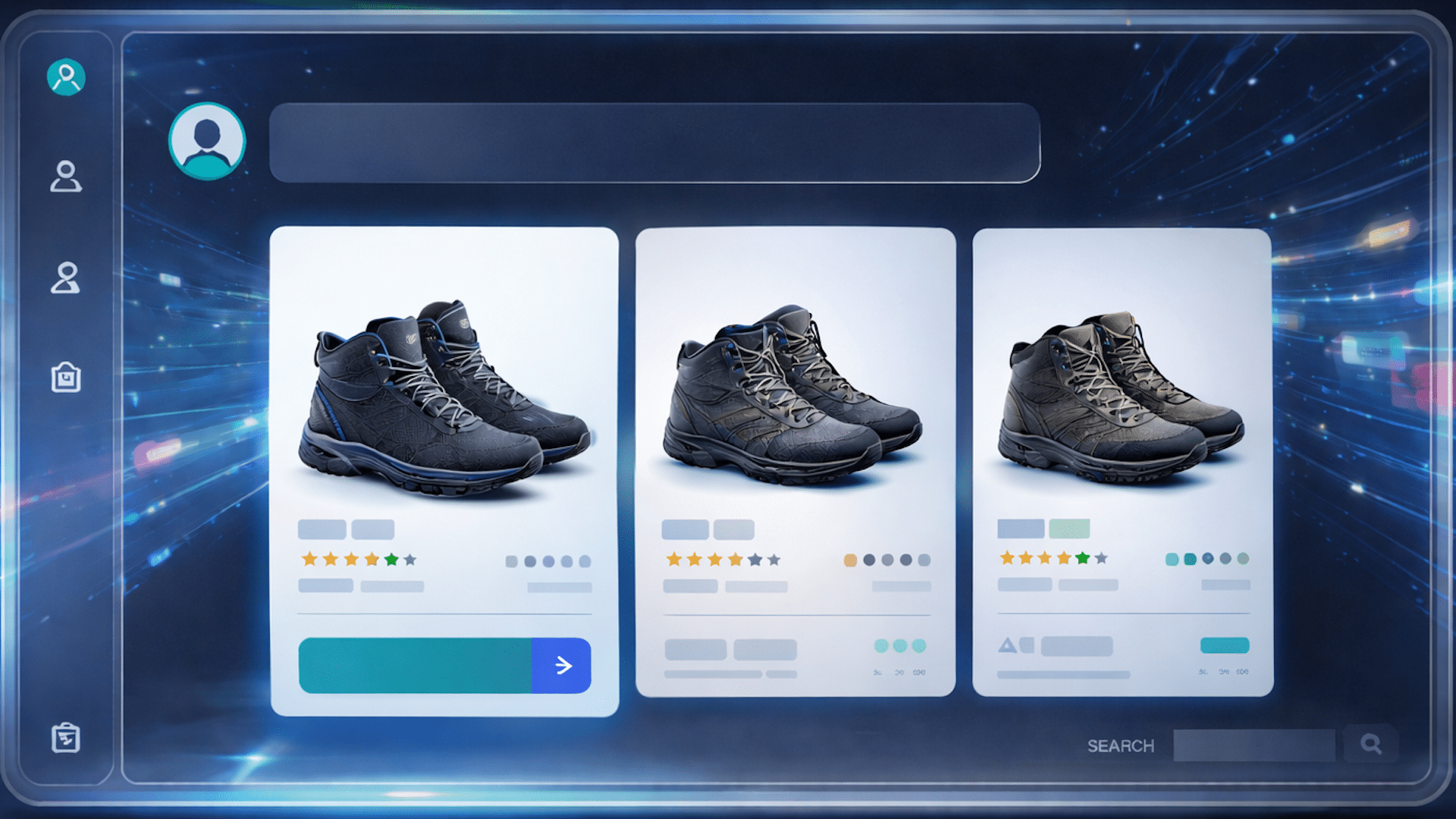
    UCP is a tool designed to help brands reach customers directly within the Gemini or Language Learning Model (LLM) environments. It allows consumers to finalize transactions, earning reward points, and completing checkouts, all within the LLM. Imagine telling Gemini, “Find me a highly rated, waterproof hiking boot in size 10 under $200 and buy it,” and watching as UCP makes that transaction happen smoothly.

    At its heart, UCP standardizes the communication between consumer AI interfaces and merchant checkout systems. Although Google’s developer documentation might mention terms like “Model Context Protocol (MCP)” and “Agent2Agent (A2A) interoperability,” the process is actually user-friendly:

    ```json
{
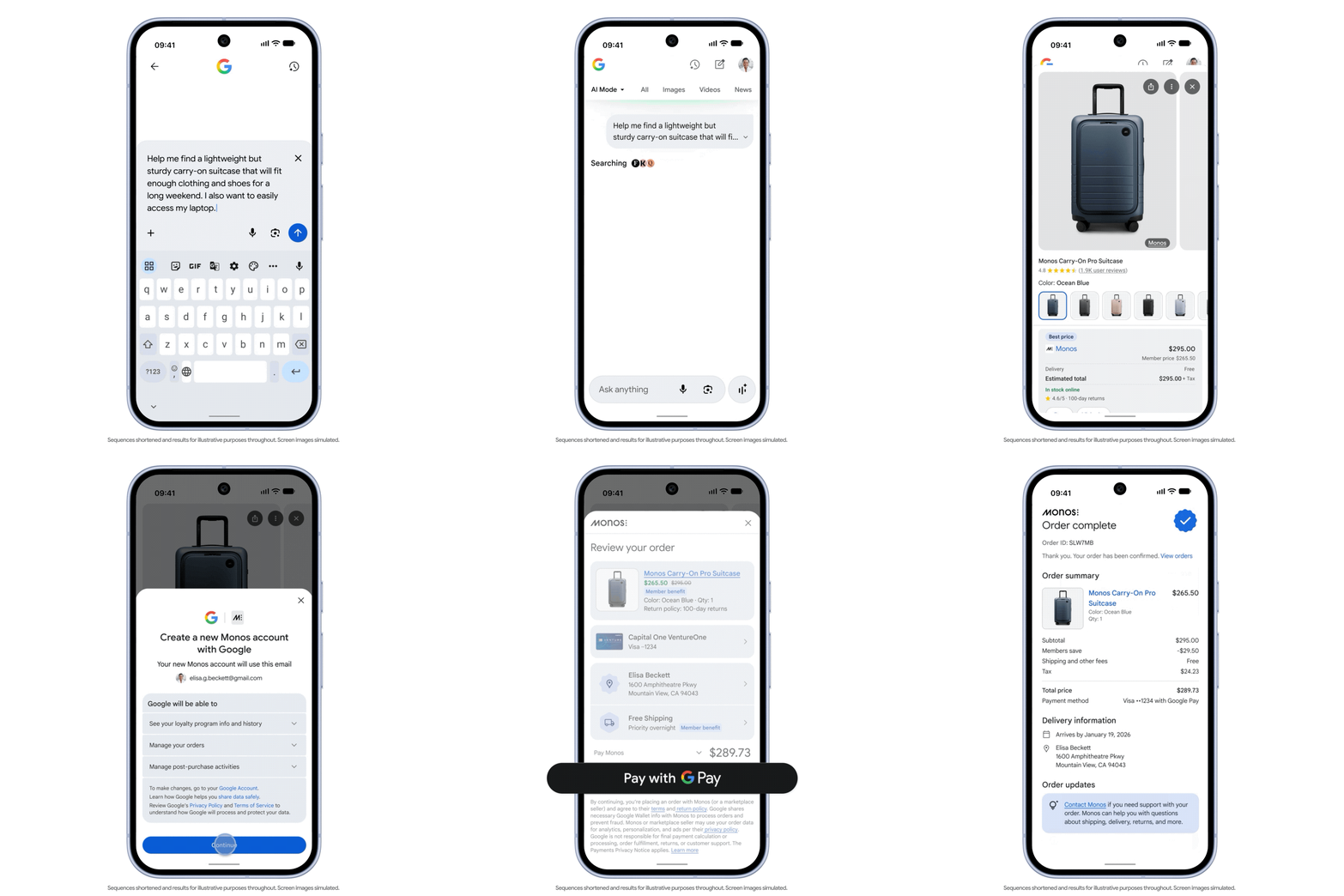
  "alt": "Smartphone screen displaying a message asking for a carry-on suitcase suggestion, with a Google logo above.",
  "caption": "Seeking the perfect carry-on? This smartphone screen shows a traveler typing a request for a lightweight suitcase recommendation.",
  "description": "This image shows a smartphone with a message on the screen seeking advice on finding a lightweight, sturdy carry-on suitcase suitable for a long weekend. The message includes a requirement for easy laptop access. The Google logo is visible at the top, indicating possible use of a Google service. The image demonstrates practicality and ease in using mobile technology for travel planning."
}
```

    UCP leverages your existing Google Merchant Center shopping feeds. It ensures you remain the merchant of record, thus preserving your customer relationships and data. Plus, by integrating checkout within Google’s AI ecosystem, it minimizes cart abandonment and boosts conversions.

    Explore further: How Google’s Universal Commerce Protocol changes ecommerce SEO

    Implementing UCP involves enhancing your shopping feed management and staying updated on best practices. Google’s guidelines suggest focusing on feed data hygiene, conveying trust signals, and upgrading your technical infrastructure.

    ```json
{
  "alt": "The CapmatchOne logo with a gradient circle and bold text.",
  "caption": "Discover innovation with the CapmatchOne logo, featuring sleek typography and a modern gradient circle.",
  "description": "The CapmatchOne logo features bold, modern typography coupled with a gradient circle, symbolizing connection and innovation. The sleek design conveys a sense of progress and creativity. This image can be used for branding or promotional purposes, appealing to audiences interested in innovative solutions and forward-thinking designs."
}
```

    To excel in this new system, it’s crucial to detail your product listings accurately and ensure comprehensive descriptions. Trust and convenience become paramount as AI-driven decisions heighten consumer’s purchasing confidence. Providing data on free shipping, return policies, and reliable pricing can make a difference.

    Finally, preparing for UCP means keeping pace with technological updates and future tools. Venture into Google’s pilot programs and explore features like Business Agents or Direct Offers to stay ahead in this evolving landscape.

    The evolution of search into a transactional engine within LLMs is undeniable. UCP offers a clearer path from search discovery to purchase conversion, and it’s up to us to adapt and thrive in this shift by ensuring our product data is impeccable.


    Inspired by this post on Search Engine Land.

    crushpress.ai community screenshot
  • Maximize Productivity with Google Suite Integration for Agents

    Maximize Productivity with Google Suite Integration for Agents

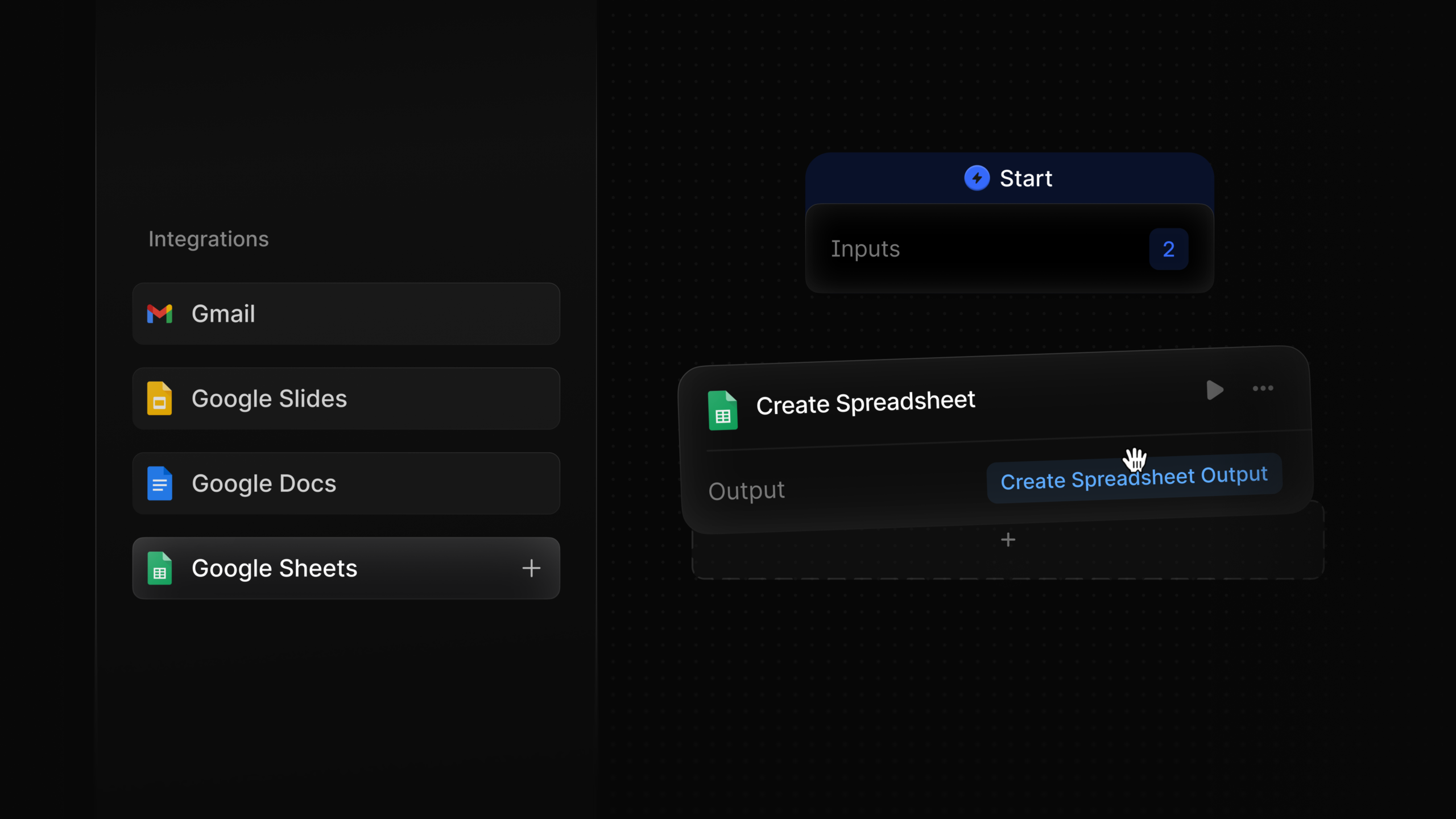
    Managing tasks efficiently is essential for anyone in the fast-paced world of agency work. With the introduction of Google Suite nodes, I now have the power to seamlessly integrate Google Suite into my workflow. This enhancement allows me to send emails, create and retrieve documents, and delve into spreadsheet data with ease.

    What excites me the most is having the ability to pull context from any deck effortlessly. This means all my presentation materials are at my fingertips, ready to help me deliver stellar pitches and presentations.

    Incorporating these tools not only streamlines my daily activities but also boosts my productivity significantly, allowing me to focus on creative and strategic aspects of my role rather than getting bogged down by logistical details.


    Inspired by this post on Try Profound Blog.


    crushpress.ai community screenshot
  • Empower Your Workflow with Google Suite Integration for Agents

    Empower Your Workflow with Google Suite Integration for Agents

    Have you ever found yourself juggling multiple tasks, wishing there was a seamless way to manage everything? I’m excited to introduce the Google Suite integration designed specifically for agents like me. This powerful tool allows us to streamline our workflows by sending emails, creating documents, and even pulling data from spreadsheets with ease.

    Imagine being able to access all your necessary documents without switching between different platforms. With this integration, I can not only create and retrieve documents but also extract context from any presentation deck in no time. It’s a game-changer for efficiency and productivity.

    What’s even more impressive is how this tool helps with spreadsheet data. I can read and write data seamlessly, making it easier to keep everything up-to-date. The Google Suite nodes provide us with everything we need to master our work environment.


    Inspired by this post on Try Profound Blog.


    crushpress.ai community screenshot
  • Google Hints at Ads in Gemini: A Shift in Strategy

    Google Hints at Ads in Gemini: A Shift in Strategy

    How to use Google Gemini for better SEO

    I recently came across some interesting news about Google and its potential plans to incorporate ads into its Gemini AI app. A senior executive at the company shared with WIRED that ads in Gemini are not out of the question — a stark contrast to previous denials just a few months ago.

    What’s changed: Back in January, Google DeepMind CEO Demis Hassabis assured reporters at Davos that there were no plans to introduce ads in Gemini. However, now Google’s SVP Nick Fox has hinted otherwise, mentioning that insights gained from ads in AI Mode could eventually be applied to Gemini.

    The current strategy. Instead of rushing into ads within Gemini, Google is leveraging AI Mode — a search product powered by Gemini — as a testing ground for advertising formats in AI settings.

    Here’s how they’re currently managing it:

    • Ads are distinct from organic results and clearly labeled.
    • Only relevant ads are displayed — if there’s nothing that fits, no ads are shown.
    • Google’s extensive experience in search ads informs this approach.

    Why we care. Advertising is at the core of Google’s business model. How they introduce ads into AI products like Gemini will have a significant impact on the industry and influence how AI companies monetize their free services. Brands that can position themselves effectively within these conversational AI platforms now will gain a crucial advantage.

    The bigger picture. Google, with its strong financial backing, is in a comfortable position to proceed at a steady pace, having surpassed $400 billion in revenue in 2025. In contrast, OpenAI is under pressure to more than double its $30 billion revenue target this year and has already begun testing ads in ChatGPT’s free tier.

    Between the lines: Fox’s remarks are strategically cautious but enlightening. By framing Gemini ads as a “prioritization question” rather than a debate of values, Google hints that it’s more about when the ads will appear, not if.

    What to watch: There’s an intriguing aspect of Gemini called Personal Intelligence, which extracts data from a user’s Gmail, Photos, and Calendar. Fox considers personalization to be critical for search, and it may eventually integrate into the broader Search experience. If that occurs, advertisers could tap into a new realm of contextual targeting, though user data will strictly remain unsold and unshared.

    What’s next. Advertisers should start preparing now. As Google fine-tunes AI ad formats in AI Mode, these insights will make their way to Gemini. Brands that master the art of being relevant in context-driven, conversational AI environments will be well ahead when the opportunity for advertising in Gemini fully materializes.

    Dig deeper. For a more detailed exploration of Google’s advertising strategy in Gemini, check out the full article on WIRED.


    Inspired by this post on Search Engine Land.

    crushpress.ai community screenshot
  • Why 80% of PMax Advertisers Are Embracing CTV Ads

    Why 80% of PMax Advertisers Are Embracing CTV Ads

    As someone who watches the advertising landscape closely, I find it fascinating how quickly things have changed. It’s incredible to note that eight out of ten Performance Max advertisers are now receiving connected TV (CTV) impressions via YouTube. This shift, as highlighted by Mike Ryan from Smarter Ecommerce, shows how Google has significantly expanded the reach of this channel. The pace of change is continuing to accelerate.

    Let me walk you through how we got to this point. In Q2 2025, Google began serving CTV ads using standard product feed images. This meant that even advertisers without video assets began generating TV impressions simply from their existing catalog photos. Then, in January 2026, Google announced shoppable CTV ads. Now, viewers can browse products and even purchase directly from their TV screens using QR codes that link to the Google Merchant Center product feeds.

    As someone invested in digital advertising, I care a lot about these changes. CTV is no longer a niche investment. If you’re running Performance Max, chances are you’re already on the big screen, and Google has been ramping up what this means for commerce. They’re automatically turning your product feed images into TV ads and allocating your budget to CTV impressions without needing action on your part.

    Without actively checking your channel performance breakdown, you could be unaware of where your budget is going or whether the auto-generated creatives are appealing enough for a 65-inch screen. Here’s what I recommend advertisers do right now:

    Firstly, pull your Channel Performance report. Google’s native channel breakdown will give you a clear picture of how much of your PMax spend and impressions are directed toward CTV. You might be surprised by the findings.

    Next, audit your feed images. Since Q2 2025, these product photos are being used automatically to create CTV ads. Images that worked well in a Shopping context might not translate perfectly to a 65-inch TV, so it’s essential to clean them up.

    ```json
{
  "alt": "Chart showing an increase in PMax advertisers with CTV impressions from Jan 2023 to Oct 2025.",
  "caption": "PMax advertisers are seeing a surge in Connected TV (CTV) impressions, with notable growth from early 2023 to late 2025.",
  "description": "The image displays a line graph illustrating the rise in the percentage of PMax advertisers receiving CTV impressions from January 2023 to October 2025. It highlights key trends such as the introduction of CTV ads by Google in Q2 2025 and the announcement of shoppable CTV ads earlier in the year. Data source: smarter-ecommerce.com, gathered from 926 Google Ads accounts in the ecommerce sector."
}
```

    Furthermore, check if shoppable CTV applies to you. If your campaigns are linked to a Merchant Center feed, they might already qualify for shoppable CTV formats. Google reports that Demand Gen campaigns including TV screens have driven 7% more conversions while maintaining the same ROI. Understanding whether this inventory benefits you or is just wasted is vital.

    Finally, consider the creative aspect. Using feed images as CTV ads should be seen as a starting point, not the end goal. Advertisers who develop purpose-built video assets specifically for TV screens will undoubtedly have an advantage over those who rely on auto-generated formats.

    Looking at the bigger picture, YouTube CEO Neal Mohan recently confirmed that TV has now surpassed mobile as the primary device for YouTube viewing in the United States by watch time. YouTube continues to be the number one streaming platform in the U.S. for the second year in a row. Many PMax advertisers are already taking part in this large-scale shift. However, the real question is whether they’re doing so intentionally or just following the current trends blindly.

    For those like me who want to dive deeper into this topic, I recommend checking out the article “YouTube Viewing on TV Now Surpasses Mobile, Desktop in U.S.” for more insights.


    Inspired by this post on Search Engine Land.


    crushpress.ai community screenshot
  • Unlock Insights with Google’s New Branded Queries Filter

    Unlock Insights with Google’s New Branded Queries Filter

    I recently discovered a fantastic update from Google Search Console that’s now available for all eligible sites. This new feature shows exactly how much traffic comes from branded versus non-branded search queries, and I couldn’t wait to explore its potential.

    Google’s branded queries filter, which was announced on November 20, allows us to separate branded and non-branded search traffic in the Performance report. This is a game-changer for anyone who’s struggled with manual regex filters or keyword lists to achieve similar results.

    Why I care. As someone deeply invested in understanding brand demand versus discovery traffic, this new native segmentation in Search Console makes life so much easier. Finally, I can accurately measure and compare these insights.

    What Google announced. Today, Google confirmed through a LinkedIn post that this branded queries filter is accessible to us all. It helps analyze the queries driving traffic by autofiltering between branded and non-branded ones.

    Exploring the details. This filter can be found in the Search results Performance report and allows queries to be segmented into two main groups:

    Branded: These queries include our brand name, its variations, any misspellings, and brand-related products and services.

    Non-branded: This group covers all other types of queries.

    When applying the filter, Search Console restricts metrics like impressions, clicks, CTR, and average position, focusing solely on the selected group. The filter works across all search types including Web, Image, Video, and News.

    Notable insights. Google also enriched the Insights report with a new card that breaks down clicks between branded and non-branded traffic, providing a clearer picture of brand recognition.

    As Google explained, this feature helps us measure the traffic from users already familiar with our brand compared to those discovering it for the first time.

    Understanding Google’s classification. Google employs an AI-driven system to classify queries as branded. This system can adeptly recognize brand names in various languages, handle misspellings or variations, and detect queries that mention unique brand products or services.

    There might be occasional misclassifications due to the contextual nature of brand detection, and Google clarifies that this filter doesn’t impact search rankings.

    Keeping an eye out. With today’s announcement, this feature is supposedly available for all eligible sites. However, some sites might not qualify yet due to specific query and impression volume requirements.


    Inspired by this post on Search Engine Land.


    crushpress.ai community screenshot
  • Google Unveils New Merchant Center Hub for Agency Efficiency

    Google Unveils New Merchant Center Hub for Agency Efficiency

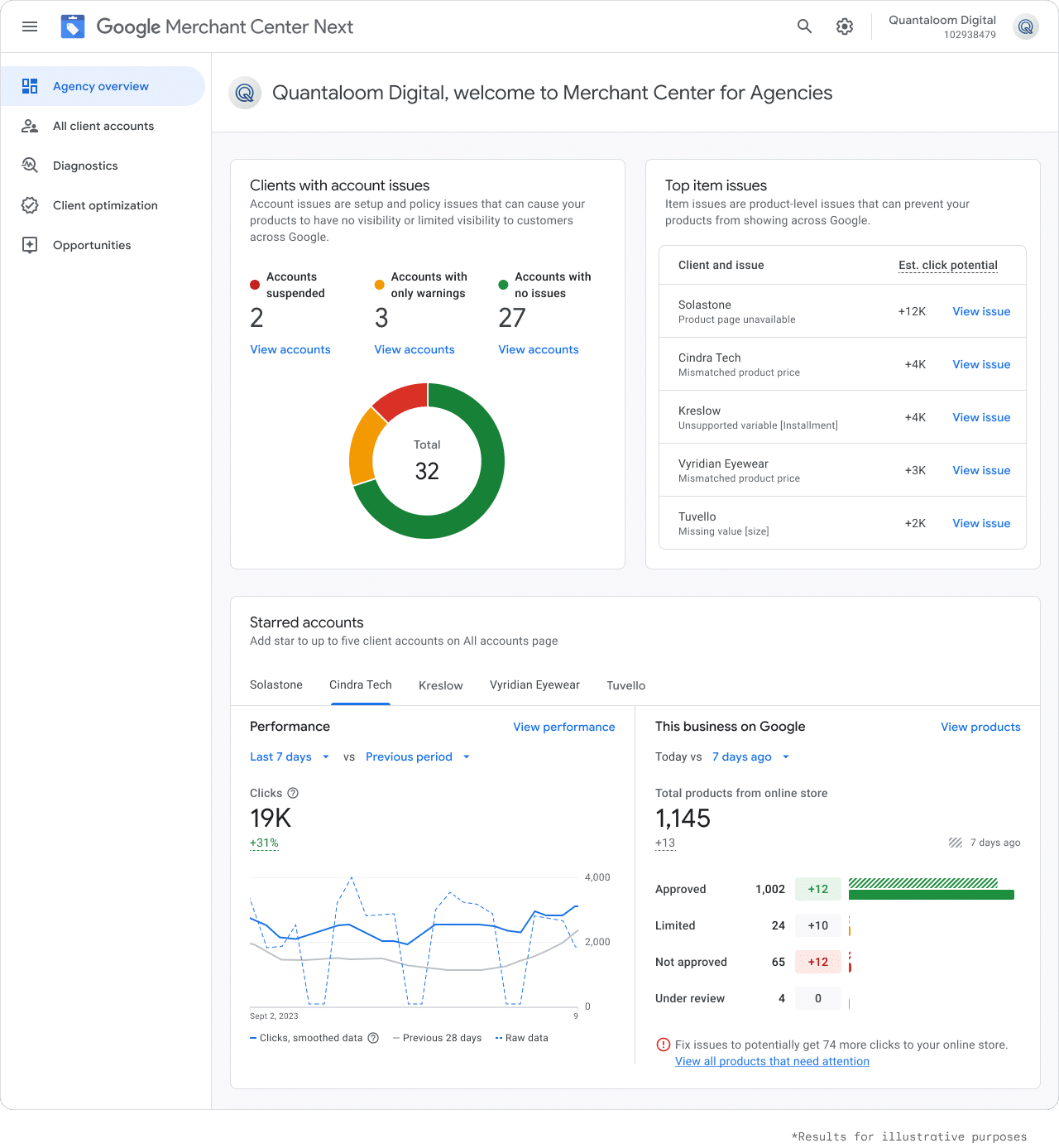
    I’m excited to share that Google has launched a dedicated Merchant Center hub for agencies in the U.S. and Canada. This hub allows us, as agency professionals, to use a single login to efficiently manage all of our merchant clients. It’s designed to provide proactive alerts, making it easier than ever to catch and address issues quickly.

    With the new Merchant Center, I have access to a unified dashboard that keeps all client accounts seamlessly integrated, saving time and reducing complexity in monitoring and optimization tasks.

    What’s included:

    This platform includes a comprehensive dashboard, which allows me to manage all client accounts from a single login experience. In addition to this convenience, it offers proactive diagnostics that help surface critical alerts across the entire client portfolio.

    ```json
{
  "alt": "Google Merchant Center dashboard for Quantaloom Digital showing account and item issues, performance metrics.",
  "caption": "Quantaloom Digital's Merchant Center offers insights into account issues, item problems, and performance metrics, guiding optimization for online visibility.",
  "description": "This image displays the Google Merchant Center dashboard for Quantaloom Digital, focusing on various metrics and insights. It includes sections highlighting accounts with issues, such as suspended, warning, and stable accounts. Pie and line charts illustrate account performance over time. A list identifies top item issues for clients, like product page unavailability and mismatched prices. Keywords: Google Merchant Center, dashboard, Quantaloom Digital, account issues, performance metrics."
}
```

    Another significant feature is the merchandising opportunity tools, which enable us to identify areas for performance improvement that feeds directly into Google Ads. These tools are indispensable for enhancing return on investment for our clients.

    Why we care. Managing multiple merchant accounts across Google’s ecosystem has traditionally been a logistical headache, switching between various logins and dashboards. This centralized approach ensures that potential issues are flagged and resolved more swiftly, preventing unnoticed revenue drains. Moreover, the built-in merchandising tools enable me to actively enhance performance across all client portfolios, making it much more than just a monitoring platform.

    Early results. I learned about Socium, a digital marketing agency that tested this product during the holiday rush. By consolidating client promotions, inventory, and diagnostics into one place, they managed to resolve monitoring tasks 50% faster.

    ```json
{
  "alt": "Client optimization report showing top out-of-stock products for Kreslow and Solastone with clicks and stock details.",
  "caption": "Explore the client optimization report highlighting top out-of-stock products from Kreslow and Solastone. Discover insights into clicks and inventory status.",
  "description": "This image displays a client optimization report detailing top out-of-stock products for two clients, Kreslow and Solastone. It includes metrics such as paid clicks, organic clicks, and total out-of-stock counts. The report is organized in a tabular format with product descriptions like 'Boost Spin Elite Titanium' and 'Verde Fontaine Granite Tile.' This visualization aids in understanding product performance and inventory challenges."
}
```

    The big picture for agencies. Every minute spent on account monitoring and diagnostics detracts from strategic planning. Tools that streamline these processes, especially during peak times like Q4, allow us to focus on high-value tasks that truly benefit our clients. Agencies managing large retail portfolios should definitely consider integrating this system before the next busy season.

    What’s next. For those interested in diving deeper, full details are available on Google’s Help Center. The rollout of this innovative hub is live now in the U.S. and Canada.


    Inspired by this post on Search Engine Land.

    crushpress.ai community screenshot