Tag: WordPress SEO plugin

  • Boost Conversions: Fix These 10 Landing Page Mistakes

    Boost Conversions: Fix These 10 Landing Page Mistakes

    I’ve realized that even with high website traffic, conversions aren’t always guaranteed. In my journey, I discovered how essential it is to look beyond the numbers and focus on optimizing our landing pages.

    Today, I want to share insights about the top 10 common landing page mistakes that most marketers, including myself at some point, tend to overlook. These pitfalls can significantly impact our conversion rates, but thankfully, there are actionable ways to rectify these errors.

    Through this post, I’ll guide you on transforming your landing pages to not just draw visitors, but to effectively convert them into loyal customers. Let’s dive into these crucial aspects and make meaningful changes together.


    Inspired by this post on genmark.ai Blog.


    crushpress.ai community screenshot
  • How to Install the CrushPressAI WordPress Plugin?

    How to Install the CrushPressAI WordPress Plugin?

    Step 1 – Download the CrushPressAI WordPress plugin .zip file

    This will download a .zip file on your computer. If you are prompted to approve thee download please do so.

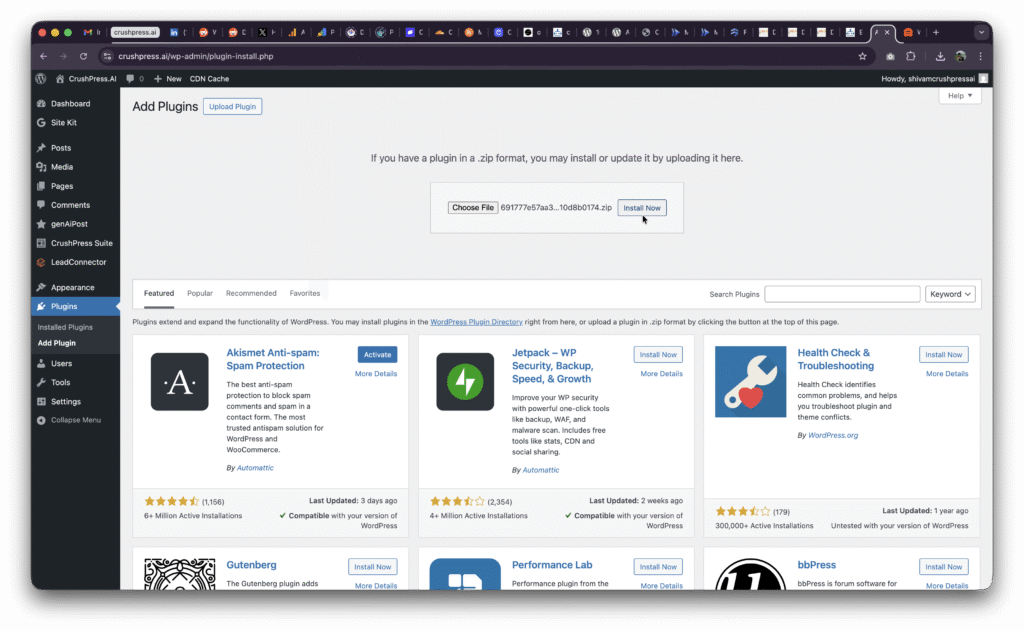
    Step 2 – Login to /wp-admin of your WordPress site and Add Plugin
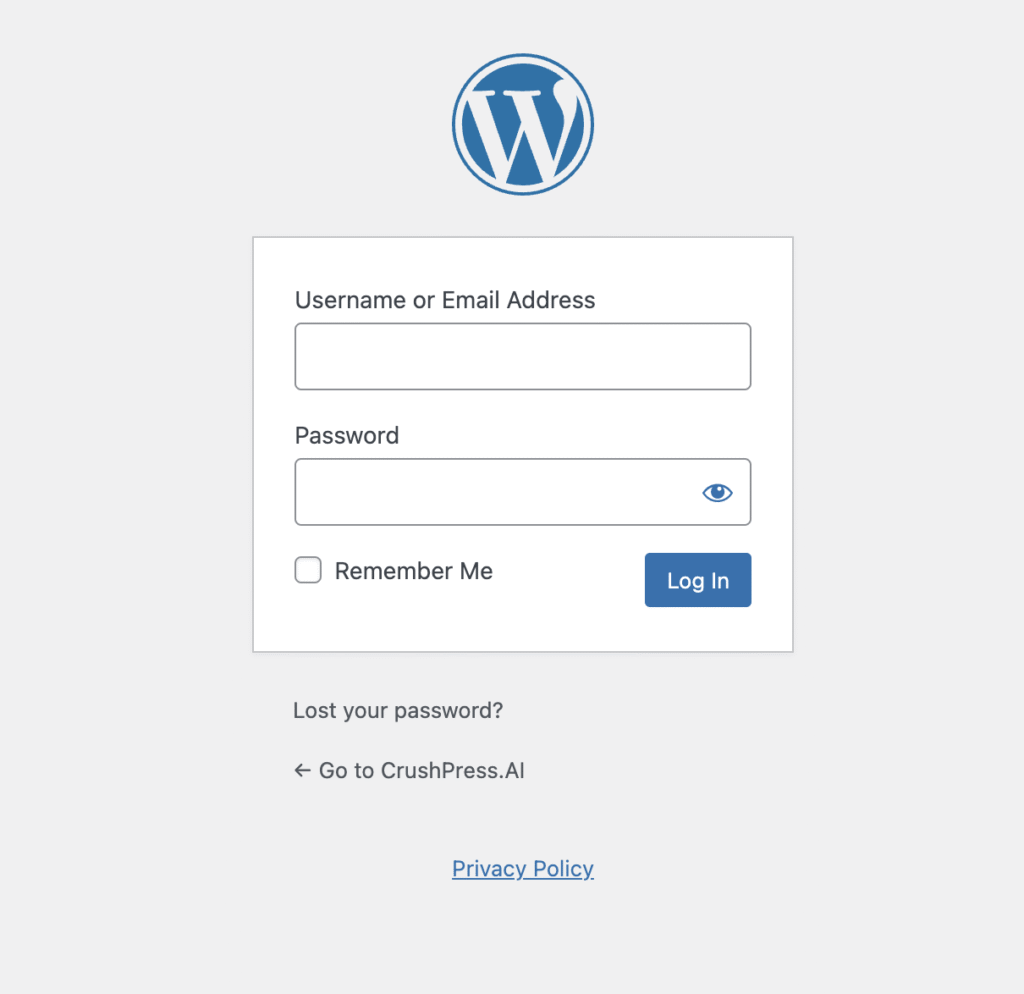
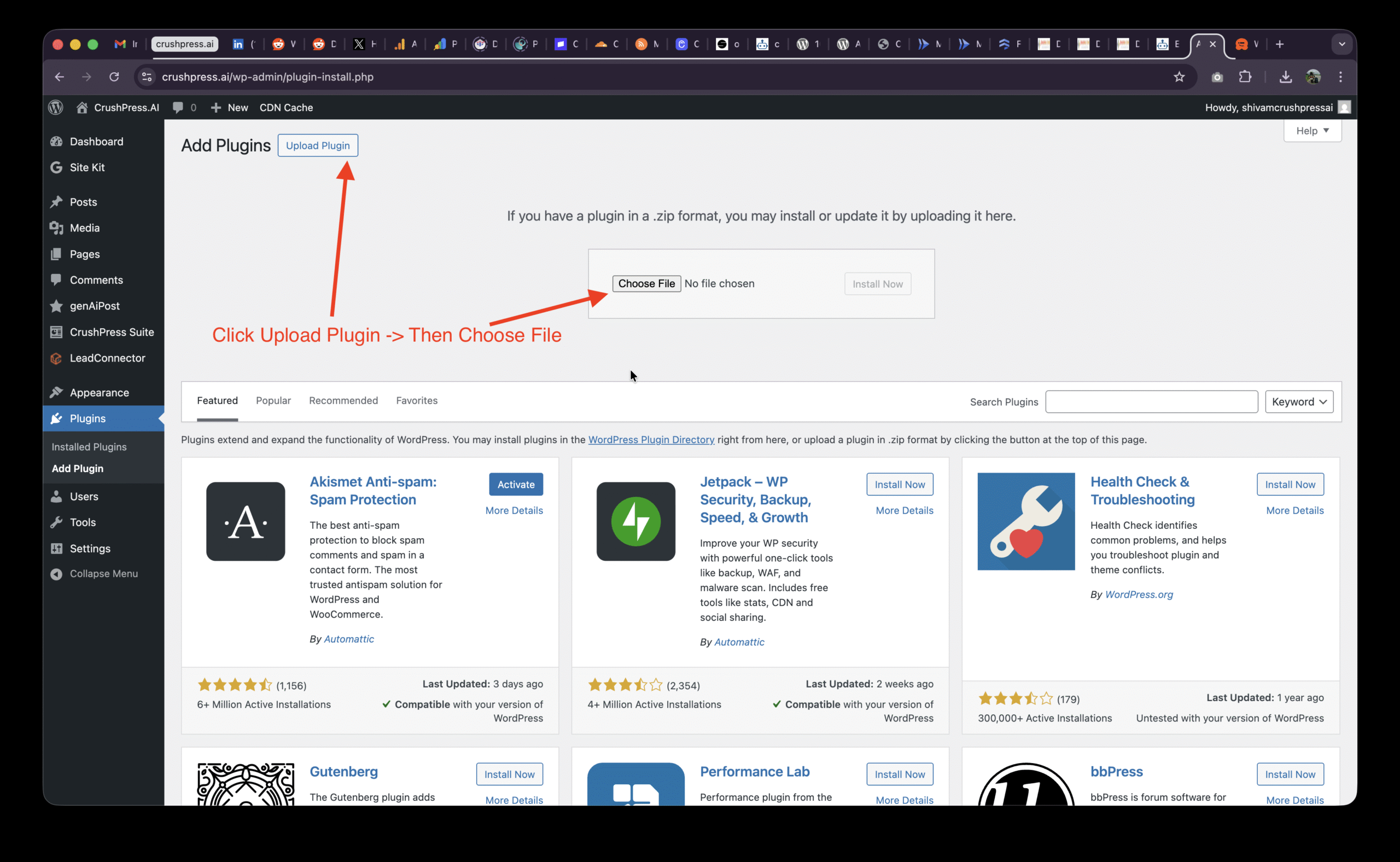
    After logging-in to your /wp-admin console go to Plugins -> Add Plugin
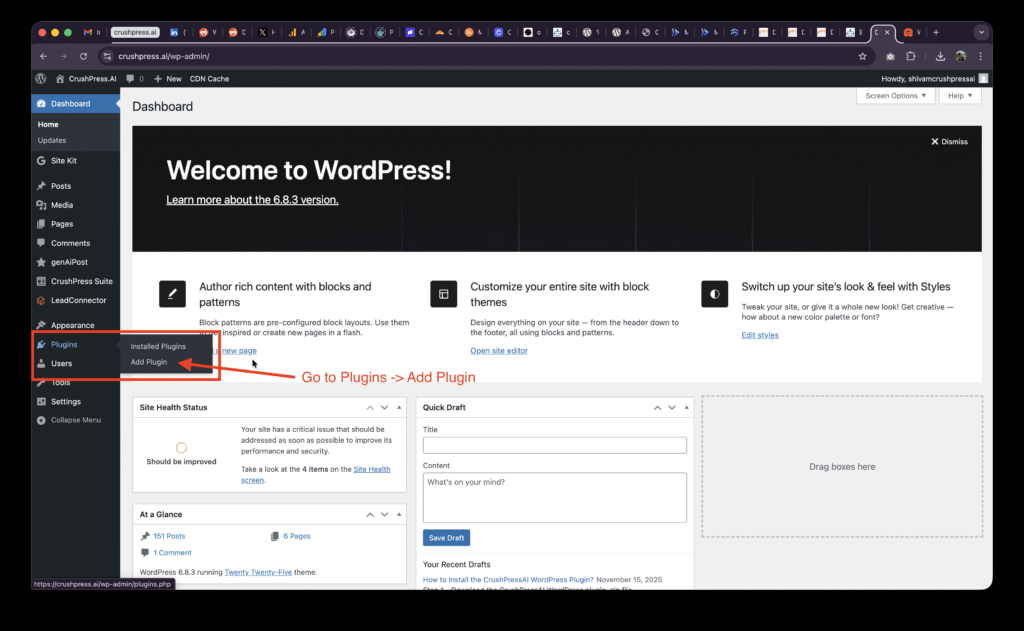
    Then Click on Upload Plugin and Choose File
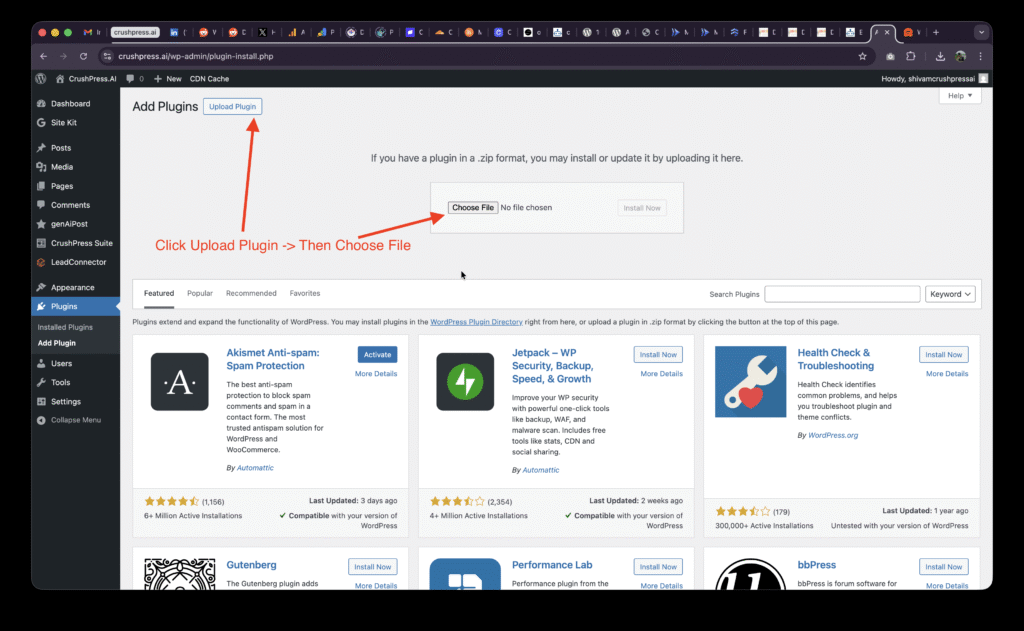
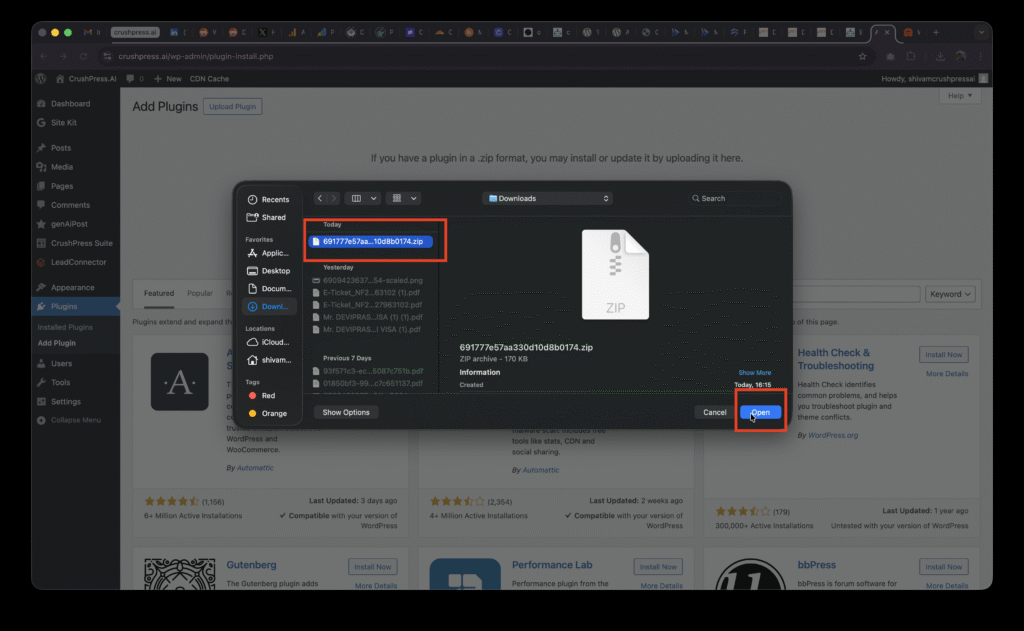
    Select the .zip file and Upload Plugin
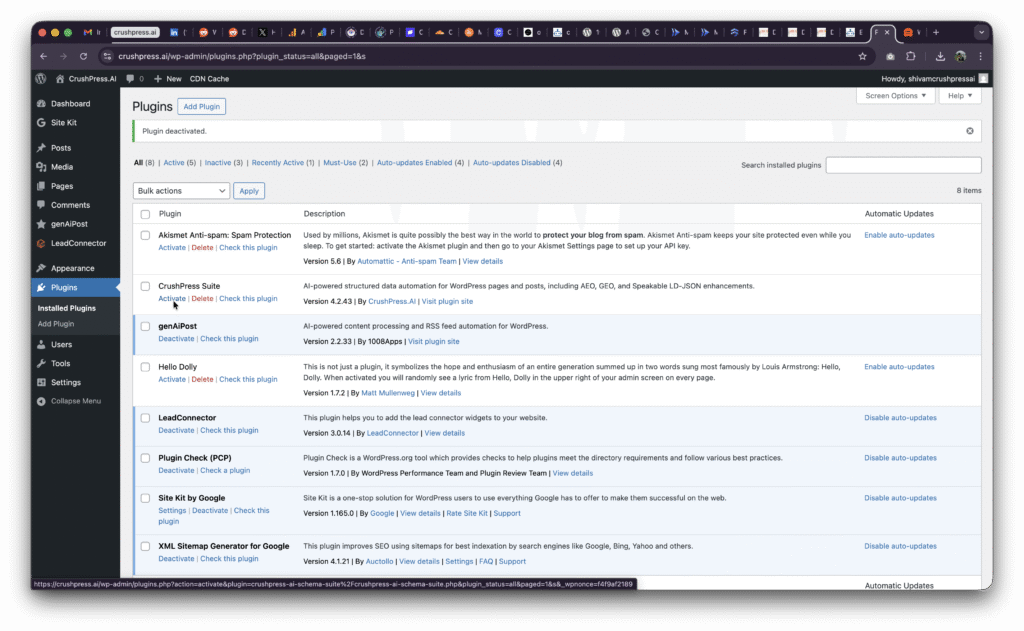
    You may need to Activate the plugin if this is your first install.
    Step 3 – Add card, choose plan, Setup OpenAI and ALL SET!

    You should be able to see CrushPress Suite in the left menu now
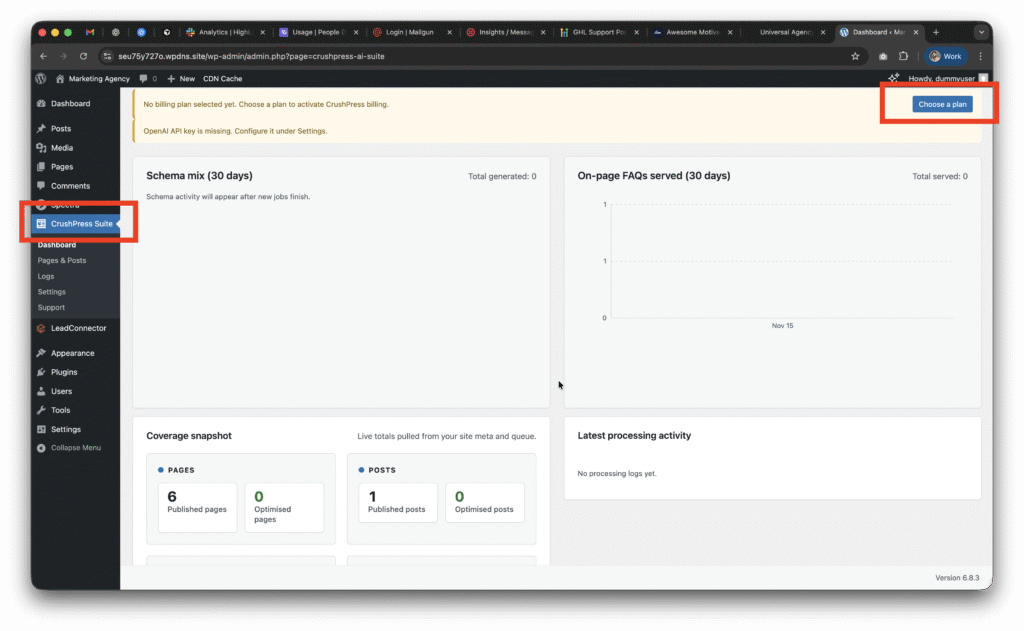
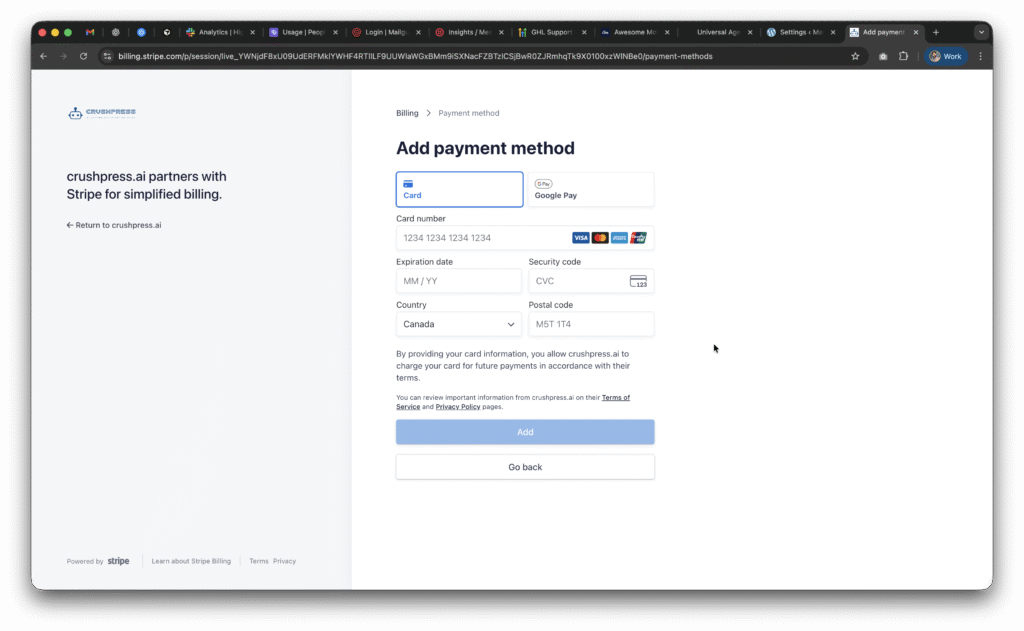
    Now go to CrushPress Suite -> Settings -> Billing page and add your card and choose your plan.

    You can choose the free pan to start with which will not charge you anything and is FREE FOREVER (be mindful of the overages though!)

    Checkout our 2025 Black Friday / Cyber Monday Promo to get unlimited usage free for 2 months on unlimited sites!
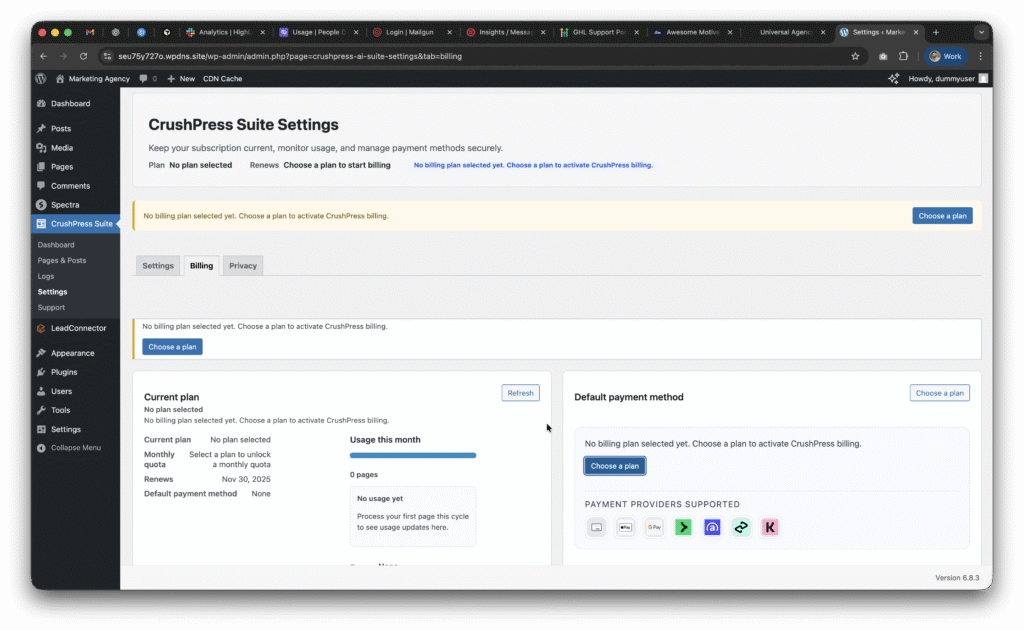
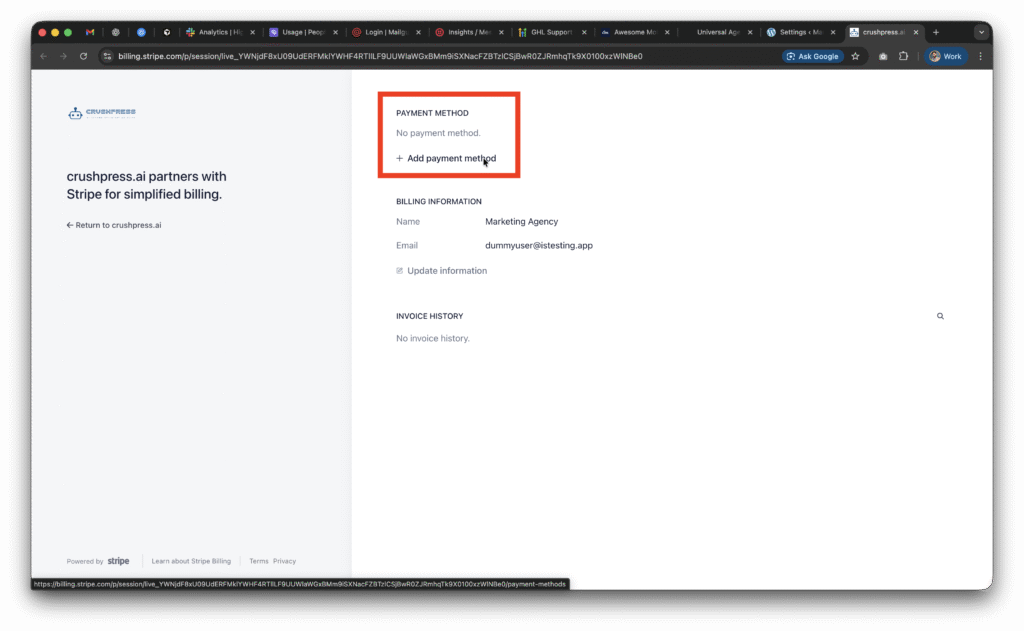
    Once you setup the card and choose a plan; you need to setup the OpeAI API Key.

    This post walks you through how to configure your OpenAI API Key.

  • Version 4.2.43 released

    Version 4.2.43 released

    CrushPress 4.2.43 — Now Fully Compatible With PHP 7.4

    If you weren’t able to install or activate CrushPress on some client sites earlier because of strict PHP version limits… good news. Our latest update, CrushPress 4.2.43, restores full compatibility with PHP 7.4, allowing the plugin to run smoothly even on older hosting environments.

    Many managed WordPress hosts still haven’t upgraded to PHP 8, which led to fatal errors for a few users in previous releases. This update fixes that — without removing any features or changing how the plugin works.


    What’s new in 4.2.43

    ✅ Full PHP 7.4 Support

    We rewrote several PHP 8-only code paths so they now run perfectly on PHP 7.4.
    If your host was blocking you from using CrushPress due to version requirements, you should now be able to install and activate the plugin normally.

    ✅ No Feature Changes

    This is a compatibility patch only.
    All features — schema generation, AEO/GEO tools, dashboard workflows — remain exactly the same.

    ✅ Updated Plugin Package

    The new build (crushpress-ai-schema-suite-4.2.43.zip) includes the compatibility fixes and is ready for download and update.


    Why this matters

    A handful of clients reported not being able to run CrushPress because their hosting provider was stuck on PHP 7.4. This update removes that blocker completely.


    You can now deploy CrushPress across all your sites — even the ones you couldn’t touch before.


    What you need to do

    1. Update to version 4.2.43 from your WordPress dashboard, or download the latest ZIP if you install manually.
    2. Re-activate CrushPress on sites that previously threw PHP errors.
    3. That’s it — nothing else changes for your workflows.

    If you still face issues on a legacy PHP host, reach out through the in-plugin support panel and we’ll help get you sorted.