
I’m excited to guide you through optimizing for voice search and Answer Engine Optimization (AEO) using conversational content, structured data, and strategies to achieve precise and answer-focused results.
Inspired by this post on HiGoodie Blog.


I’m excited to guide you through optimizing for voice search and Answer Engine Optimization (AEO) using conversational content, structured data, and strategies to achieve precise and answer-focused results.
Inspired by this post on HiGoodie Blog.
This will download a .zip file on your computer. If you are prompted to approve thee download please do so.
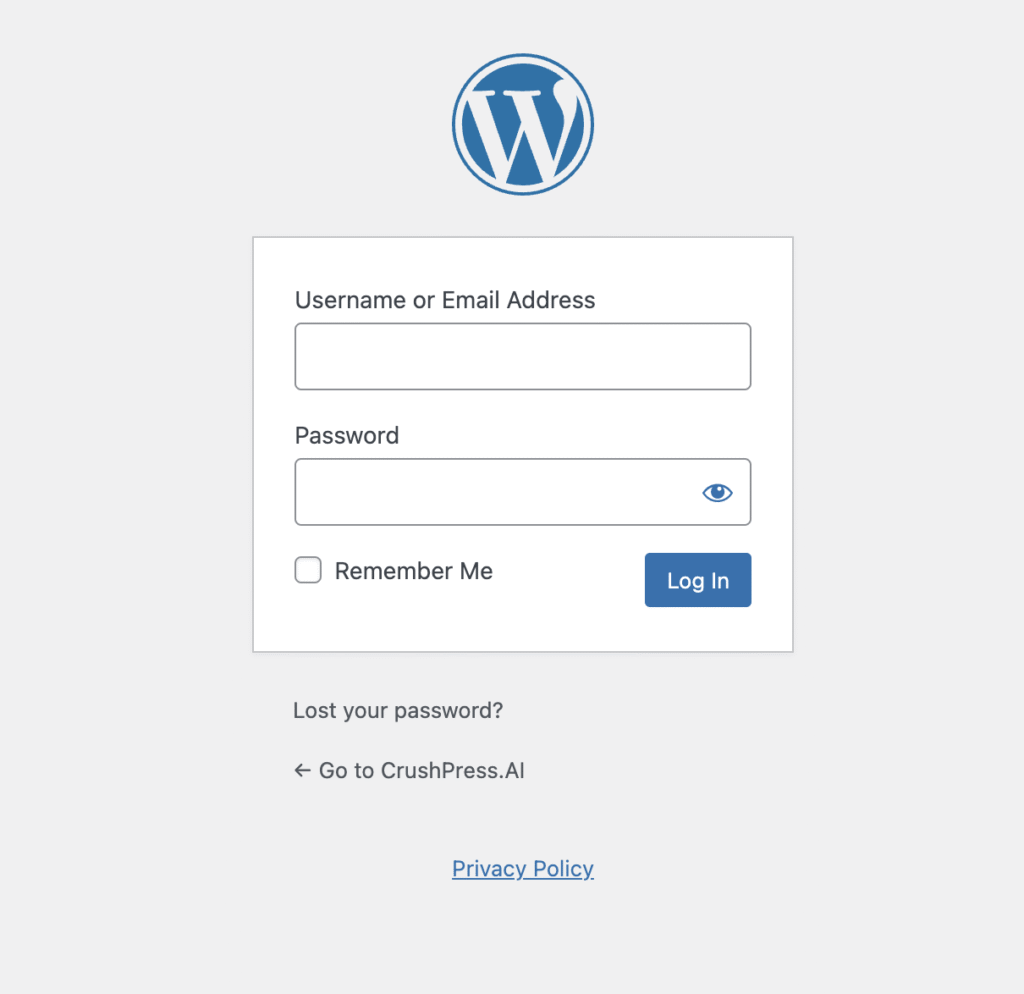
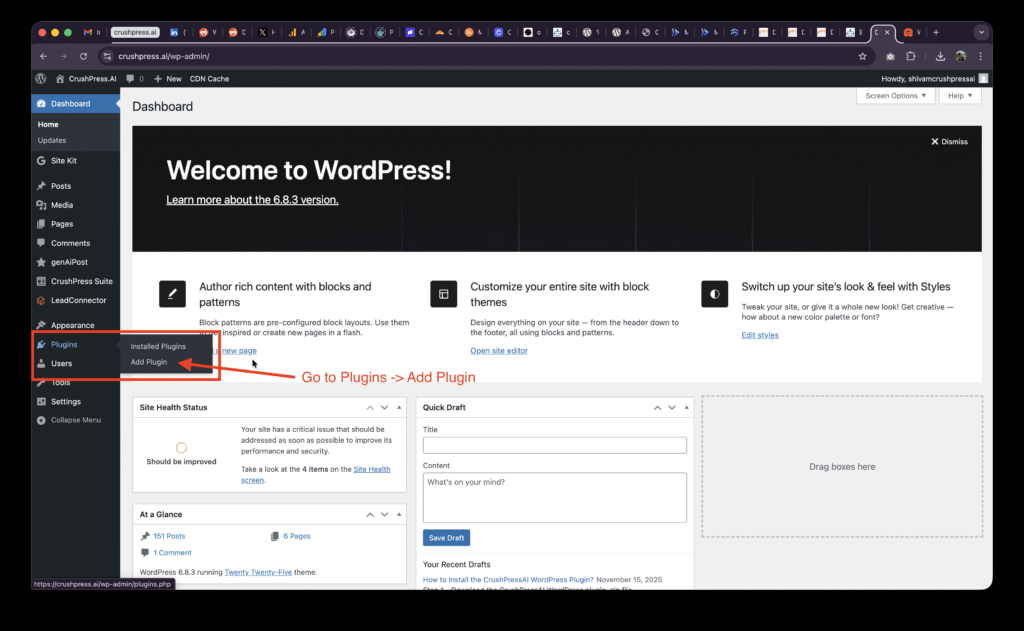
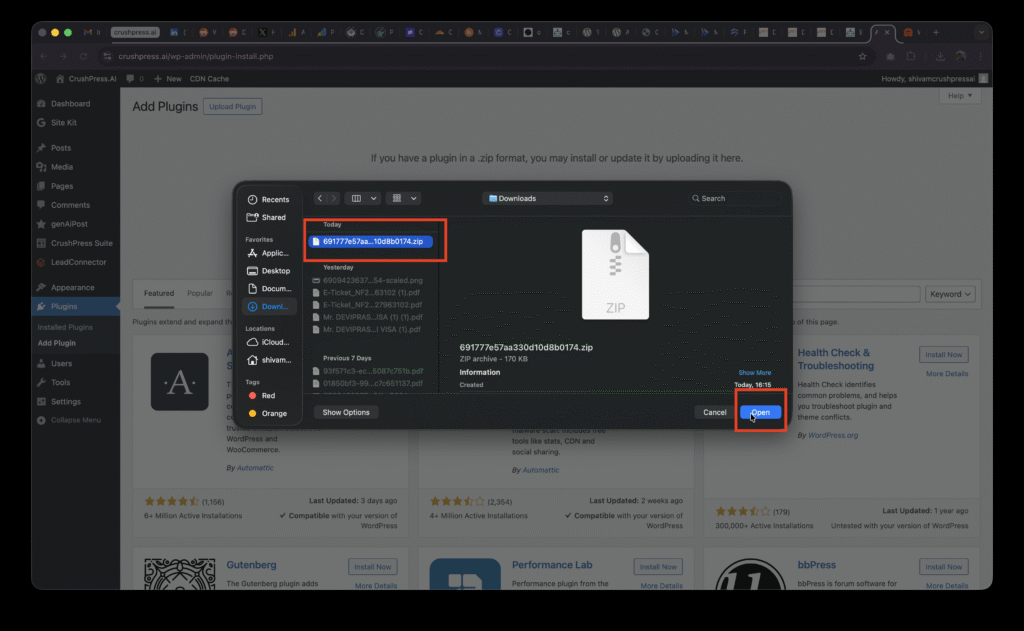
After logging-in to your /wp-admin console go to Plugins -> Add Plugin
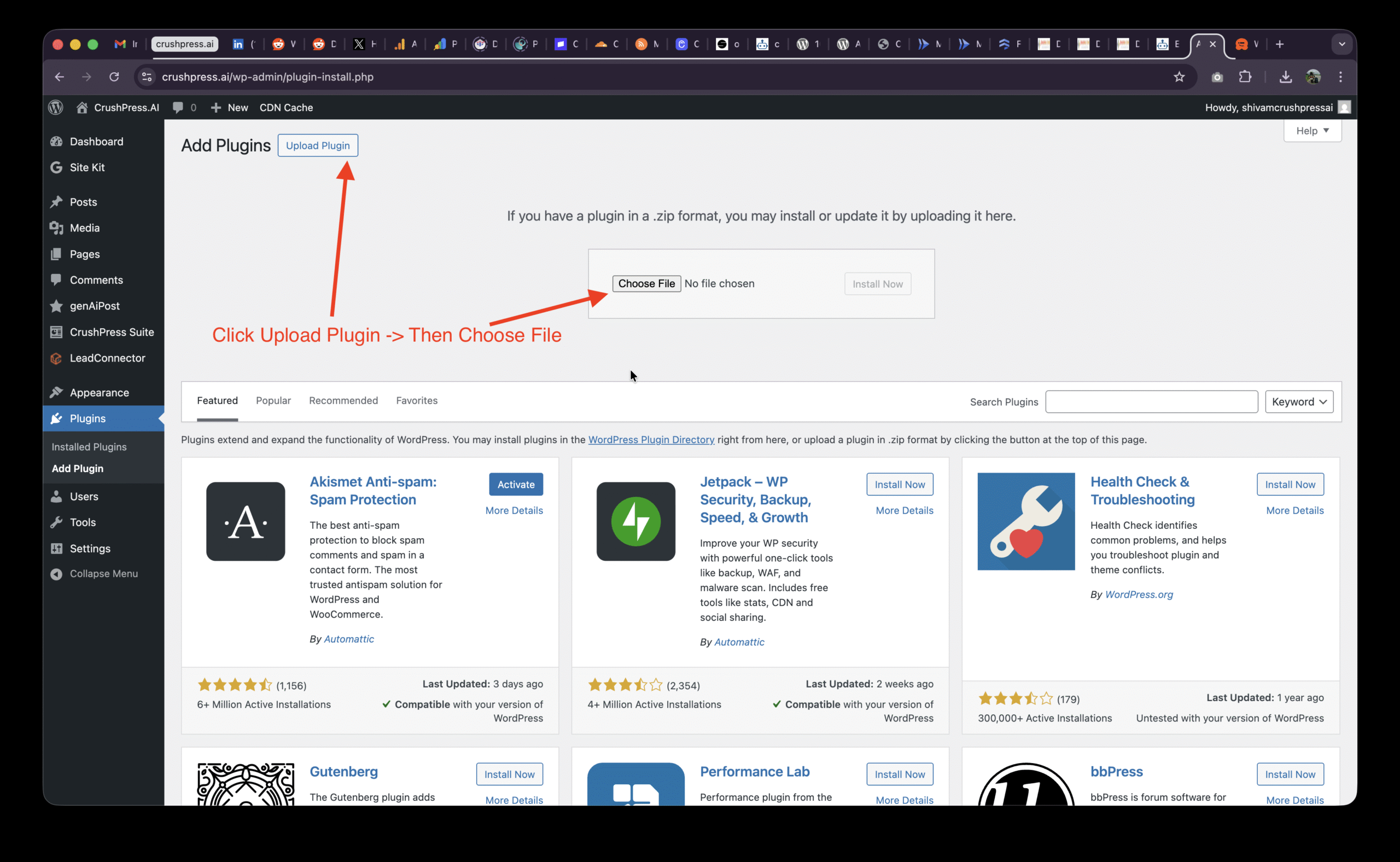
Then Click on Upload Plugin and Choose File
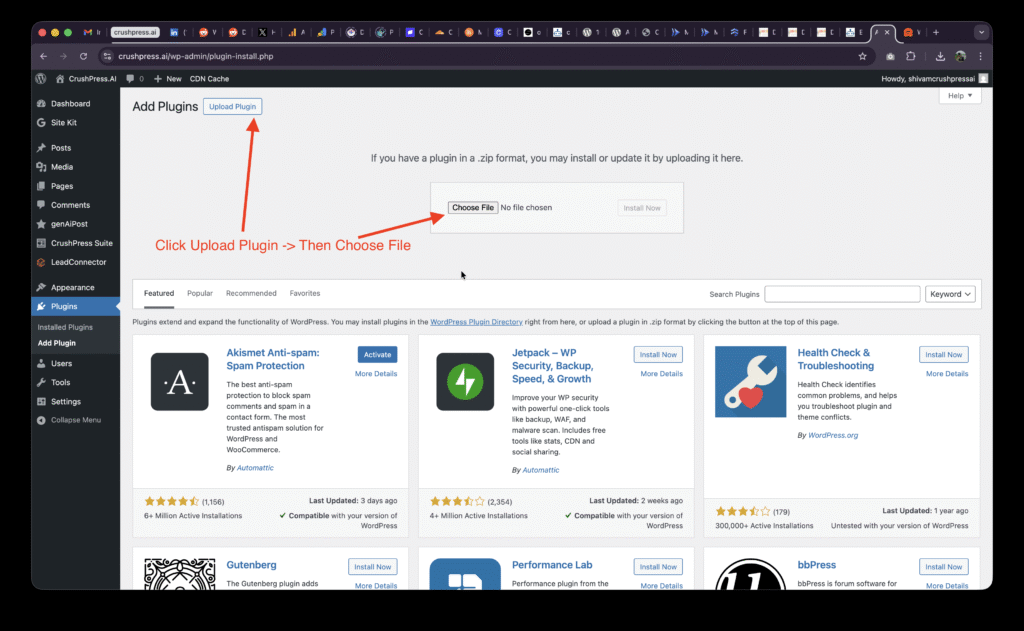
Select the .zip file and Upload Plugin
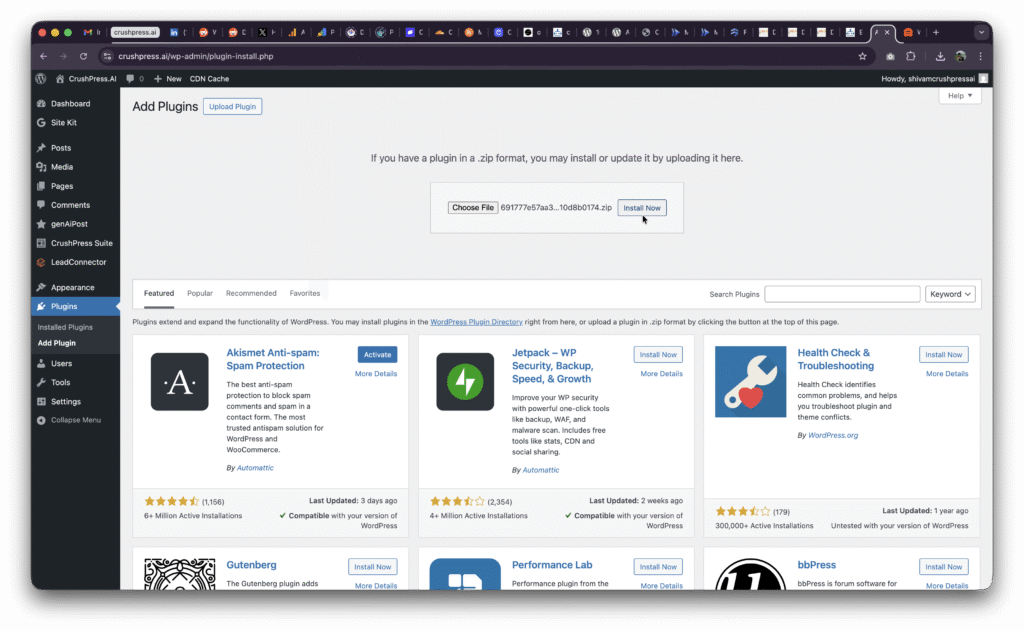
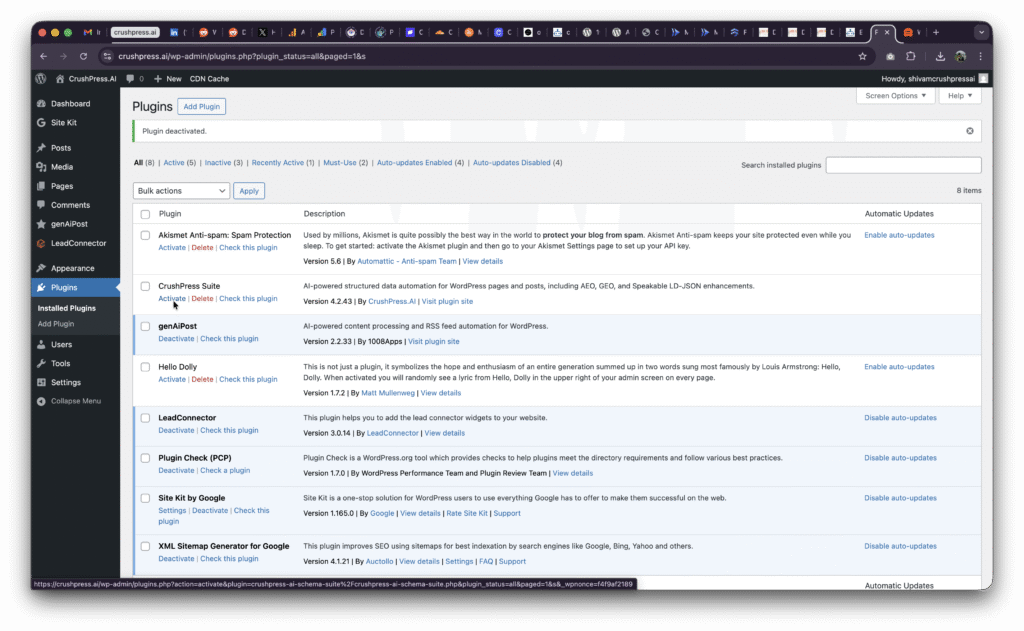
You may need to Activate the plugin if this is your first install.
You should be able to see CrushPress Suite in the left menu now
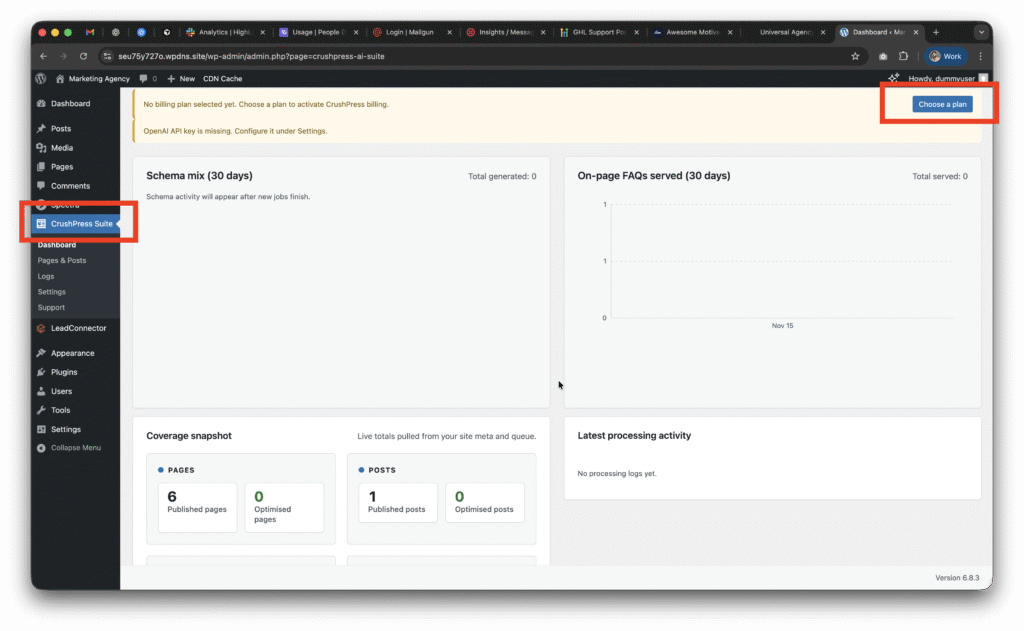
Now go to CrushPress Suite -> Settings -> Billing page and add your card and choose your plan.
You can choose the free pan to start with which will not charge you anything and is FREE FOREVER (be mindful of the overages though!)
Checkout our 2025 Black Friday / Cyber Monday Promo to get unlimited usage free for 2 months on unlimited sites!
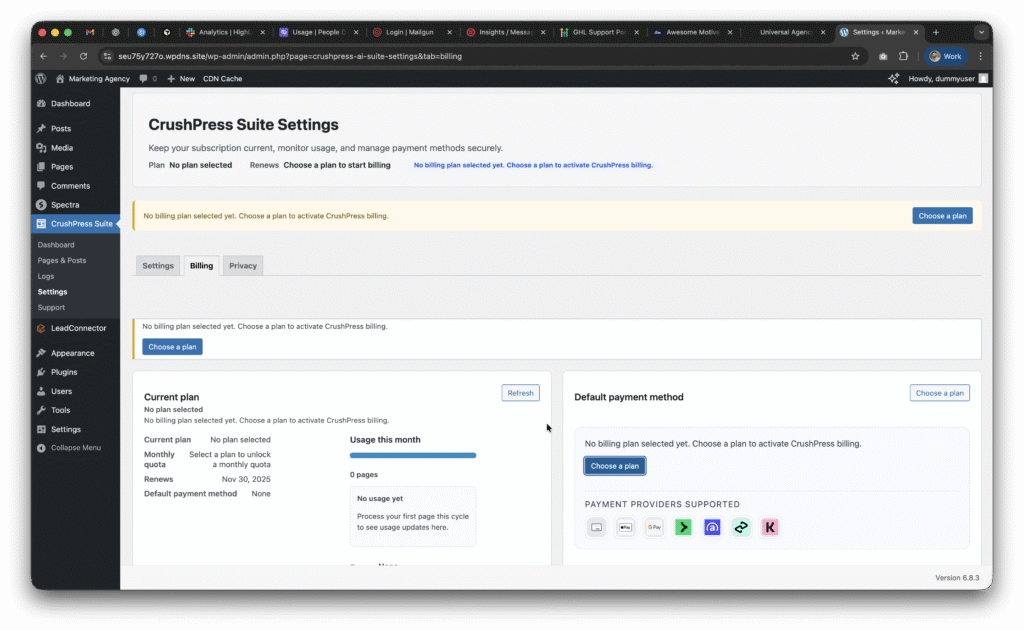
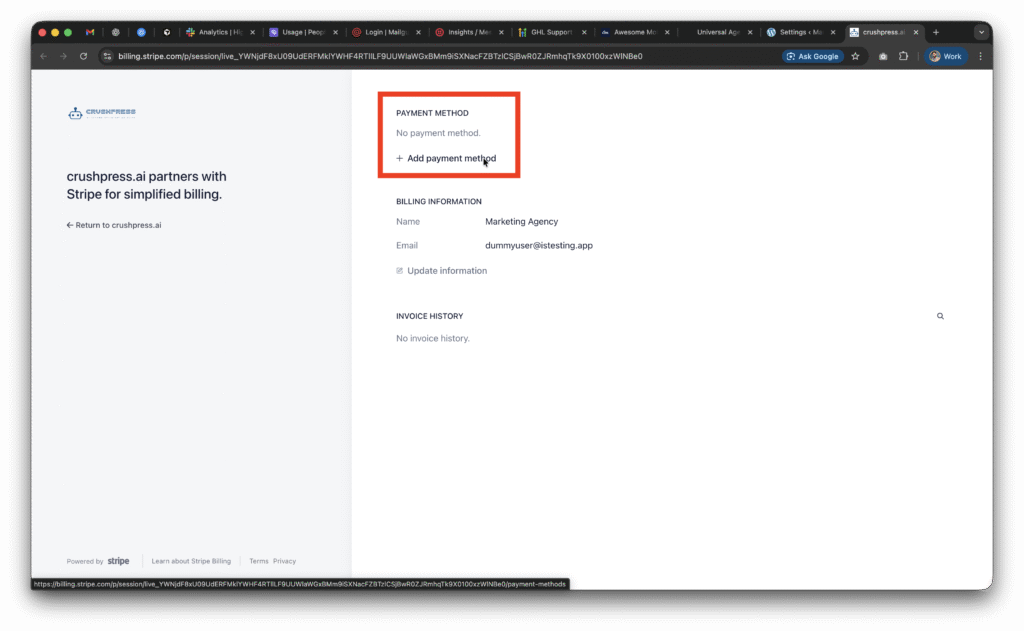
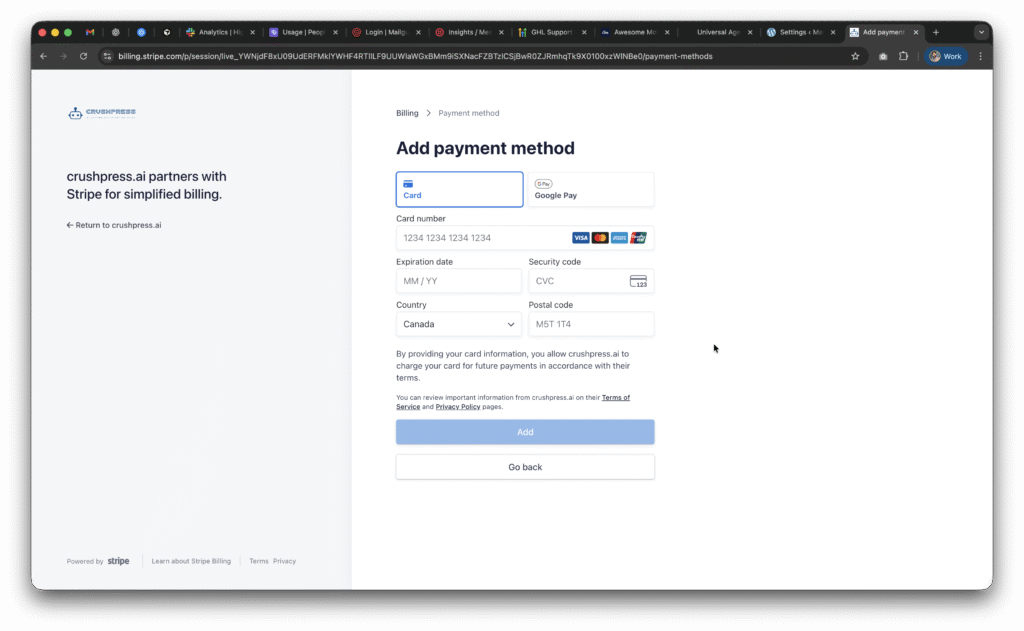
Once you setup the card and choose a plan; you need to setup the OpeAI API Key.
This post walks you through how to configure your OpenAI API Key.
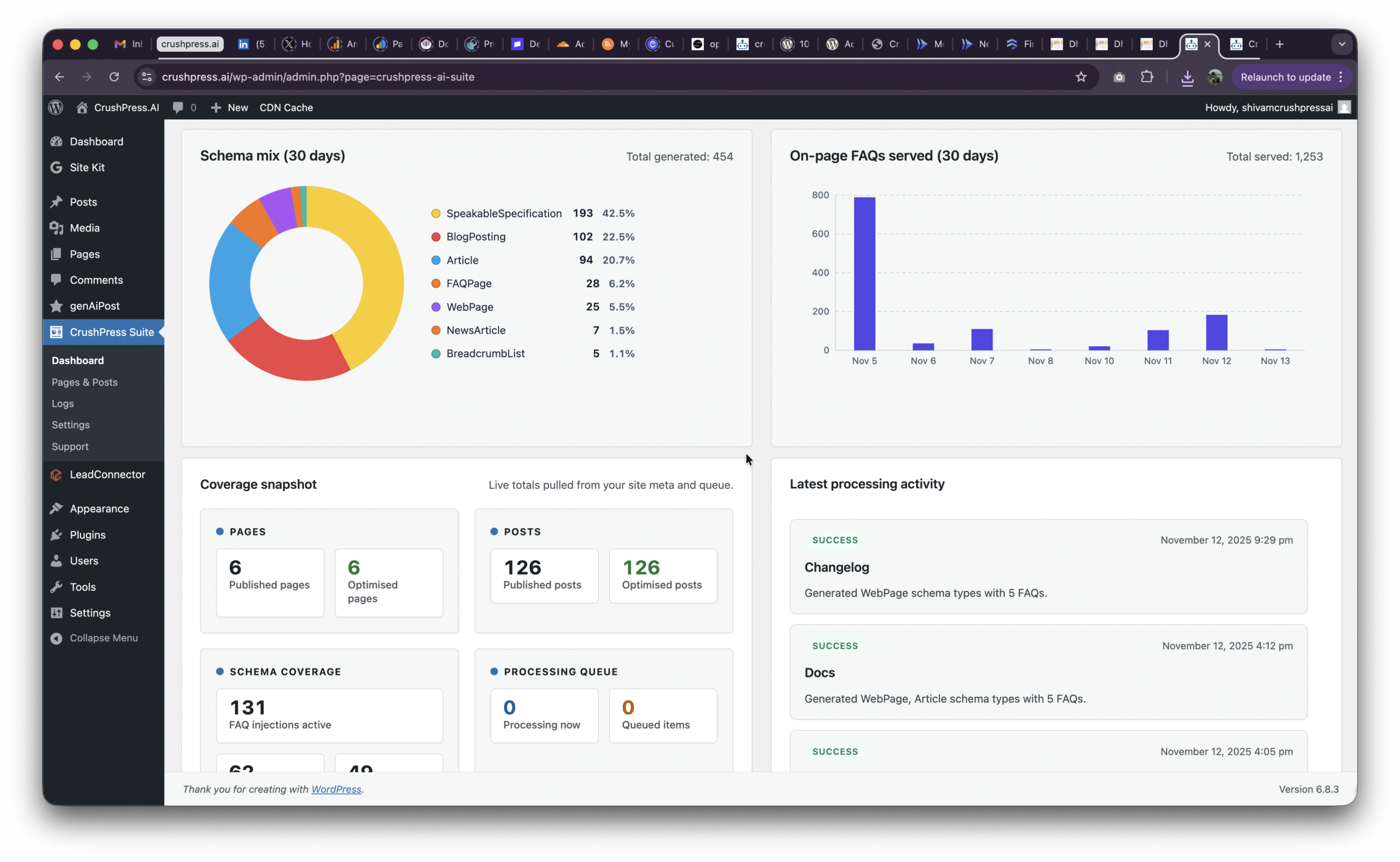
It auto-generates structured data (JSON-LD) that AI systems can reliably parse so your pages appear in AI answers (AEO) and generative summaries (GEO). It fixes the formatting issues most themes/plugins create.
No. SEO plugins optimize for Google SERPs. CrushPress optimizes for AI-powered engines (ChatGPT Search, Google AI Overviews, Bing AI, Perplexity). They work side-by-side.
AI search rewrites content. CrushPress ensures your content is machine-trustworthy so AI engines quote it instead of skipping or paraphrasing it.
All schema.org JSON-LD types, including Article, BlogPosting, LocalBusiness, Product, FAQPage, HowTo, Review, Organization, Service, and more — automatically.
No. CrushPress safely merges, extends, or replaces broken schema depending on your site’s state. It never duplicates.
No. The plugin is lightweight, server-side rendered, and optimized for high-traffic environments.
It dynamically generates schema on request, supports caching, and is stable for very large sites or multisite networks.
Yes. There are agency/host plans specifically designed for bulk usage.
Yes — automatically. It detects CPTs, taxonomies, and custom fields.
Yes. Gutenberg, Elementor, Divi, WPBakery, Oxygen, Bricks — anything that outputs HTML.
Yes — Product, Offer, Review, AggregateRating, Brand, etc are auto-generated.
CrushPress repairs the schema, fills gaps, removes duplicates, and ensures compliance.
Every output is validated against schema.org and Google Rich Result standards.
Yes. You can override templates, disable types, and map custom fields to schema.
Yes. CrushPress outputs the content structures Google’s AI Overviews prefer.
No. JSON-LD is recommended by Google. CrushPress follows safe guidelines.
Yes. It supports WHMCS, provisioning scripts, multisite installs, and silent activation.
Yes. Agency/host plans include priority support and onboarding.
You get significantly higher probability because your content becomes structured, trustworthy, and machine-readable.
No customer content is stored. All schema is generated on your server.
Yes — WP-JSON endpoints expose structured data.
No. Most pages are handled automatically. You can override if needed.
Yes. CrushPress parses the page and generates proper machine-readable schema.
Yes — WPML, Polylang, Weglot.
One plugin → activate → done. No complicated setup.
As the holiday season approaches, I’m thrilled to share that Google has rolled out a range of exciting AI-powered shopping features. Just recently, Google announced this major update, perfectly timed for our holiday shopping adventures.
What’s new with AI Mode? Picture this: you can now describe what you need as if you’re chatting with a friend! Google’s AI Mode organizes all the essentials—images, prices, reviews, and inventory—helping you decide confidently and quickly on your next purchase.
In my Gemini App experience, it has become my go-to for brainstorming gift ideas. It effortlessly compares products and supplies answers with handy shoppable links, all within a chat.
Are you too busy to check store stock levels? I now let Google’s agentic calling feature make those calls for me, ensuring I know about any promos or stock availability without lifting a finger.
And here’s something I absolutely love: tracking prices with agentic AI. Whenever an item I’ve been eyeing drops in price at eligible U.S. merchants, I receive a notification. I can let Google purchase it securely using Google Pay, all within my budget!
Why does this matter? The bustling holiday season is critical for many businesses. With these innovative AI features, I hope to see more traffic and revenue driving local stores rather than distracting buyers from making purchases.
I’m curious to see how these tools impact our shopping experiences, and I encourage everyone to explore these features to see where your website ranks.
Inspired by this post on Search Engine Land.