Tag: SEO Workflows

  • My AI Content Gap Workflow for Smarter SEO Priorities

    My AI Content Gap Workflow for Smarter SEO Priorities

    I can publish consistently, follow SEO best practices, and still watch competitors outrank me. When that happens, I usually find that the issue is not content quality alone. It is content coverage. Competitors are answering questions my audience is already asking, while my site is not fully part of that conversation yet.

    That is where I use content gap analysis. It helps me identify the topics competitors rank for that I do not, then decide which opportunities are actually worth pursuing.

    Finding gaps is rarely the hard part. SEO tools make that fairly easy. The real challenge is making sense of thousands of keywords across several reports and deciding what deserves attention first.

    My workflow combines competitor data, first-party search data, and AI so I can prioritize content opportunities around business impact instead of search volume alone.

    I bring my SEO data together before analyzing it

    In this workflow, I use Semrush to identify competitive opportunities, Google Search Console to validate where my site already shows signs of authority, and Google Analytics to add business context. Then I use Claude to bring those datasets together, group related opportunities, identify patterns, and help me decide what belongs on the content roadmap.

    I follow this process in one of two ways.

    • I export reports directly from the platforms and upload them to Claude.
    • If I have connected those platforms through MCP (Model Context Protocol, a standard that allows AI models to connect securely to data sources), I let Claude pull the data directly without manual exports. The workflow changes, but the analysis does not.

    Here is the process I use to turn a pile of SEO data into a prioritized content plan.

    Step 1: I choose the right competitors

    A content gap analysis is only as useful as the competitors I compare myself against. That sounds obvious, but it is one of the easiest places to go wrong.

    If I compare my site to Amazon, Reddit, or Wikipedia, I will end up with thousands of keyword “opportunities” that were never realistic in the first place. My goal is not to find every site ranking for my target keywords. My goal is to find businesses competing for the same audience.

    I usually start with Semrush’s Organic Competitors report. Instead of relying only on a list of known competitors, I use this report to find domains that compete across many of the same keywords. From there, I narrow the list to three to five sites that closely match the business and target audience I am analyzing.

    I do not worry if a few familiar names do not make the cut. Business competitors and organic search competitors are not always the same.

    I also filter out sites that can distort the analysis, including large marketplaces like Amazon, community-driven sites like Reddit or Quora, reference sites like Wikipedia, local directories, review sites, and publishers that do not directly compete with the business.

    There are exceptions. If I am analyzing a publisher, comparing against other editorial sites makes sense. The key is choosing competitors that create the type of content I am realistically trying to outperform.

    Semrush Organic Competitors dashboard showing keyword, traffic and cost metrics, a competitive positioning bubble chart, and SEO competitor domain table.
    A Semrush competitor analysis view turns organic search data into a clear map of rival domains, traffic potential, keyword overlap, and content gap opportunities.

    Before I move forward, I sanity-check the competitor list with stakeholders. Sales or product teams may know about newer competitors or strategically important niches that do not yet show up clearly in Semrush.

    Once I have settled on the right competitors, I am ready to find the gaps that matter most.

    Step 2: I gather and prepare the data

    With the competitor list finalized, I collect the data Claude will analyze. Whether I upload exports or connect through MCP, the goal is the same: bring together competitive rankings, my site’s search performance, and engagement data so I can separate meaningful opportunities from noisy keyword lists.

    I like to pull data from three core sources.

    Semrush: I find the gaps

    I start with Semrush’s Keyword Gap tool using the competitors selected in Step 1.

    From there, I pay close attention to three buckets: keywords competitors rank for and I do not, keywords where I rank but competitors rank higher, and keywords where I rank but competitors do not.

    The first bucket often points to missing topics or content hubs. The second bucket can reveal quicker wins, especially when my site already appears on Page 1 or Page 2. The third bucket shows existing strengths that I should protect and continue building around.

    Google Search Console: I validate the opportunity

    Next, I check Google Search Console before assuming every missing keyword deserves a new page.

    For example, Semrush may show that I do not rank for a keyword, but GSC might reveal that I already receive impressions for closely related queries. That tells me Google has started associating my site with the topic, even if rankings have not caught up yet.

    Those “almost there” topics often deserve a higher priority than topics where I would be starting from scratch.

    In GSC, I look for queries with high impressions and average positions between 8 and 20, existing pages ranking for related terms, and long-tail queries that reveal additional search intent.

    Google Analytics: I add business context

    Search volume is only part of the story. Engagement metrics help me answer a more important question: if I improve visibility for this topic, is it likely to support business goals?

    Semrush Keyword Gap report comparing workshopdigital.com and renaissancemarketingva.com, showing missing SEO keywords, overlap chart, and keyword opportunity table.
    A Semrush content gap analysis view reveals where a competitor ranks and the analyzed site does not, turning keyword overlap data into a practical roadmap for SEO content opportunities.

    I review metrics such as organic sessions, engagement rate, average engagement time, key events or conversions, and landing page performance.

    If a related content hub already drives engaged visitors or conversions, expanding that topic may be a smarter investment than chasing a completely new keyword with higher search volume.

    I clean the data before handing it to Claude

    If I am manually downloading the data and uploading it to Claude, I clean it first. Claude is excellent at finding patterns, but it can only work with the data I provide. Cleaner data leads to cleaner topic clusters and better recommendations.

    I remove duplicate keywords, competitor-branded terms, careers queries, login queries, support queries, locations or product lines outside the business, keywords with clearly different search intent, and high-intent commercial keywords that are too broad to compete for.

    For a manual workflow, I export Keyword Gap data from Semrush, query data from Google Search Console, and landing page performance data from Google Analytics, then upload the files to Claude. For a connected MCP workflow, I ask Claude to retrieve the Keyword Gap report, GSC query data, and GA4 landing page metrics directly from connected accounts.

    Step 3: I ask Claude to find the story in the data

    At this point, I should have a clean dataset that combines competitive keyword gaps, Search Console performance, and Google Analytics data.

    This is where the workflow becomes much more useful. Instead of scrolling through thousands of rows looking for patterns, I ask Claude to organize the data into something I can actually build a strategy around.

    The mistake I see most often is asking AI to “cluster these keywords.” That usually produces clusters based on keyword similarity alone. That can be useful, but it does not tell me what to do next.

    Instead, I ask Claude to think like an SEO strategist. I give it context about the business, including products or services, target audience, primary business goals, content priorities or constraints, and the exported or connected data from Semrush, GSC, and Google Analytics.

    Then I ask Claude to organize opportunities by search intent, funnel stage, business relevance, existing authority signals from GSC, user engagement from GA4, recommended content format, and internal linking opportunities.

    Rather than returning a spreadsheet of grouped keywords, I want Claude to produce topic clusters with a clear recommendation for each one.

    For example, one cluster might be labeled Technical SEO Audits and include supporting keywords, estimated opportunity, existing pages that could be updated, whether a new page is needed, internal linking recommendations, a priority score, and the reasoning behind the recommendation.

    Slide titled Part 2: Query Fan-Out & Topical Expansion showing SEO topic cards for AEO/LLMO, analytics tracking, and technical SEO.
    A content gap workflow turns scattered SEO signals into topical clusters, showing where AI search visibility, privacy-first analytics, and technical SEO need deeper coverage.

    Another cluster might reveal that several competitor keywords can be addressed by expanding an existing guide instead of publishing three separate articles. That is the kind of insight that is hard to spot manually but much easier for AI to surface.

    I separate quick wins from long-term investments

    Not every opportunity belongs on the same roadmap. As part of my prompt, I ask Claude to classify each cluster into quick wins, new content opportunities, and authority plays.

    Quick wins are existing pages that can be refreshed, expanded, or better optimized. New content opportunities are topics that deserve dedicated content because the site has little or no visibility. Authority plays are larger subject areas that may require multiple pieces of content and ongoing investment to compete effectively.

    This simple step helps me move from an overwhelming keyword list to a roadmap with both short-term wins and long-term initiatives.

    I do not skip the human review

    Claude can organize information remarkably well, but it does not know the business the way I do.

    Before moving on, I ask whether the topic supports business goals, whether multiple search intents are being combined into one cluster, whether existing content could already satisfy the need, whether the opportunity is realistic given authority and resources, and whether I would actually assign the topic to a writer.

    If the answer is no, I refine the cluster or remove it.

    The goal is not to accept every AI recommendation. The goal is to spend less time organizing data and more time making strategic decisions.

    The biggest prompt lesson is simple: I do not ask Claude to organize keywords. I ask it to recommend what my content strategy should be based on the data I have provided.

    Step 4: I score and prioritize the opportunities

    Once Claude has grouped the keywords into topic clusters, the next step is deciding what deserves attention first.

    This is where many content gap analyses fall apart. Teams naturally gravitate toward the biggest search volumes, but volume is only one piece of the puzzle. A topic that attracts qualified visitors and supports business goals is often a better investment than a high-volume keyword that is difficult to rank for or unlikely to convert.

    I score each opportunity across several criteria before I build a roadmap.

    SEO content gap analysis dashboard showing prioritized quick wins, impact, effort and AI visibility scores in a roadmap table.
    A prioritized content gap roadmap turns scattered SEO data into clear next moves, ranking quick wins by impact, effort and AI visibility.

    Business relevance

    I start with a simple question: if this content performs well, does it help the business?

    Topics aligned with products, services, or the customer journey should carry more weight than informational topics with little commercial value.

    Existing authority

    Next, I look at signals from Google Search Console. If my site already earns impressions or ranks on the second page for related queries, Google has likely established some level of topical authority.

    In those cases, improving an existing page or expanding a content hub may produce results much faster than starting from scratch.

    Search demand

    Search volume matters, but I do not let it dominate the scoring model.

    A collection of related long-tail queries with moderate demand can sometimes generate more qualified traffic than one broad keyword.

    Ranking difficulty

    I review the current search results before committing to a topic. I look at whether authoritative brands dominate the first page, whether the intent is informational, commercial, or transactional, what types of content are ranking, and whether I can realistically create something more useful or complete.

    This quick reality check keeps me from chasing opportunities that are not practical.

    Estimated effort

    Finally, I consider the work involved. Some opportunities require a light refresh of an existing article. Others call for a new content hub supported by multiple pages.

    Both can be worthwhile, but they should not carry the same priority when resources are limited.

    I let Claude apply the framework

    Once I define the scoring criteria, Claude can evaluate every topic cluster consistently.

    For example, I may ask Claude to score each opportunity on a five-point scale for business relevance, existing authority, search demand, ranking difficulty, and content effort. Then I ask it to calculate an overall priority score and explain why each recommendation received that score.

    SEO report page showing page-level refresh briefs, validation lessons, priority table, and off-page SEO opportunities for content gap analysis.
    A tactical SEO refresh brief turns AI-assisted content gap analysis into page-level priorities, surfacing validation lessons, effort estimates, and the biggest opportunities.

    The explanation is just as valuable as the number. If I disagree with a recommendation, I can adjust the weighting, add more business context, and ask Claude to score the opportunities again.

    By the end of this step, I have more than a list of content ideas. I have a prioritized content strategy that shows what to tackle next, what can wait, and what is not worth pursuing.

    Step 5: I turn priorities into page-level recommendations

    Once I have prioritized the opportunities, the next step is figuring out exactly what to change.

    Rather than handing a team a ranked list of topics, I ask Claude to generate page-level recommendations for the highest-priority opportunities. This is where connected data becomes especially valuable.

    Because Claude has access to Semrush research, Google Search Console performance, Google Analytics metrics, and my prioritization framework, it can evaluate each page in context instead of treating every recommendation the same.

    For each priority page, I ask Claude to produce a recommendation that explains why the page was selected, the primary keyword cluster, current rankings and impression data, supporting evidence from GSC and competitor research, recommended updates, estimated effort, expected impact, and priority level.

    One of the biggest advantages of this approach is validation.

    Before recommending a refresh, Claude can compare URL-level Search Console data against the original analysis. Sometimes what looks like a strong opportunity turns out to be misleading. A keyword may have inflated impression counts, a URL could have been mislabeled in an export, or the page may not be as close to ranking as it first appeared.

    Catching those issues before assigning work can save hours of unnecessary effort.

    The recommendations also make stakeholder conversations easier. Instead of saying, “I think we should update this page,” I can point to the supporting data, explain why it is a priority, estimate the effort involved, and tie the recommendation back to the larger content strategy.

    I treat these recommendations as implementation plans rather than full content briefs. They help SEO and content teams understand what should change, why it matters, and where to focus first. Writers can then use those recommendations to create or update content with confidence.

    Step 6: I measure whether the gap is closing

    Publishing the content is not the finish line. It is the start of the next round of analysis.

    Futuristic data archive with glowing server-like filing cabinets, stacked documents, and network lights symbolizing AI marketing data infrastructure.
    Rows of illuminated data cabinets and paper files stretch into the distance, capturing the pressure on marketers to turn fragmented customer data into a smarter performance engine.

    I begin with Google Search Console, tracking whether target queries are gaining impressions, improving in average position, and generating more clicks. When I refresh an existing page, I compare performance before and after the update to see whether the changes actually moved the needle.

    Next, I look at Google Analytics. Better rankings do not always translate into better business outcomes, so I review organic traffic alongside engagement and conversion metrics. If an updated page attracts more visitors but fails to keep them engaged or contribute to conversions, I know it is time for another round of optimization.

    If I am using Claude through MCP, I can also ask it to compare performance over time and summarize what changed. I might ask which refreshed pages improved the most, which content clusters gained the most visibility, which recommendations drove the strongest business results, and which opportunities still need attention.

    Instead of comparing reports month after month, Claude can quickly surface significant changes and point me toward the pages that deserve attention.

    I do not treat content gap analysis as a one-time exercise. Competitors publish new content, search behavior shifts, and my own site authority evolves. I like to repeat this workflow every quarter, or more often in fast-moving industries, so I can keep finding new opportunities and stay ahead of competitors.

    The tools will continue to improve, but the repeatable workflow is what creates the advantage.

    I build a repeatable content gap analysis process

    A content gap analysis helps me prioritize opportunities worth pursuing instead of chasing every possible keyword.

    Semrush helps me uncover competitive gaps. Google Search Console shows where I already have momentum. Google Analytics adds the business context that rankings alone cannot provide. Claude brings those datasets together, helping me identify patterns, prioritize opportunities, and create actionable recommendations in a fraction of the time it would take manually.

    Whether I upload reports or connect my tools through MCP, the workflow stays the same. I gather the right data, validate the opportunities, let AI organize the information, and apply my own expertise to decide what comes next. That is the part AI cannot replace.

    The biggest advantage is not simply having better prompts or faster analysis. It is having a repeatable process that helps a team make smarter content decisions every quarter.

    Prompt template: My prioritized content gap roadmap

    Here is the prompt I use after I have gathered the data, whether I have uploaded exports from Semrush, Google Search Console, and Google Analytics or connected those tools to Claude through MCP.

    “You are an experienced SEO strategist helping me perform a content gap analysis.

    I’ll either provide exported reports from Semrush, Google Search Console, and Google Analytics, or you’ll access those tools through connected MCP integrations.

    My goal is to identify the highest-impact content opportunities based on competitor visibility, existing authority, business value, and implementation effort.

    Here’s my business context:

    – Company:
    – Industry:
    – Products/services:
    – Target audience:
    – Primary business goals:
    – Geographic focus:
    – Any strategic priorities or constraints:
    – Tone of voice: [Insert brand voice adjectives here (e.g., authoritative, conversational, technical)].

    Using the available data, complete the following tasks.

    1. Identify content gaps

    Organize keywords into these categories:
    – Competitors rank and we don’t.
    – We rank below competitors.
    – We rank and competitors don’t.

    Highlight any content gaps, opportunities to consolidate pages, or keyword cannibalization issues.

    2. Validate the opportunities

    Use Google Search Console data to determine:
    – Which topics already receive impressions.
    – Which pages rank between positions 8 and 20.
    – Which existing URLs have the strongest chance of improving with optimization.

    Use Google Analytics data to determine:
    – Which pages drive meaningful engagement.
    – Which pages contribute to conversions.
    – Which content hubs are worth expanding.

    3. Create strategic topic clusters

    Group related opportunities by:
    – Search intent
    – Business relevance
    – Funnel stage
    – Recommended content type
    – Internal linking opportunities

    Don’t cluster based only on keyword similarity. Focus on topics that should become part of the same content strategy.

    4. Prioritize every opportunity

    Score each topic cluster using:
    – Business relevance
    – Existing authority
    – Search demand
    – Ranking difficulty
    – Estimated effort

    Assign each opportunity a priority (High, Medium, Low) and explain why.

    Separate recommendations into:
    – Quick wins
    – New content opportunities
    – Long-term authority investments

    5. Recommend next steps

    For every high-priority opportunity, recommend whether we should:
    – Refresh an existing page
    – Consolidate multiple pages
    – Create a new page
    – Build a pillar page with supporting content

    Include supporting evidence for every recommendation.

    6. Deliver the results

    Create:
    – An executive summary
    – Prioritized topic clusters
    – A scored opportunity table
    – Page-level recommendations for the highest-priority URLs
    – A phased implementation roadmap (30, 60, and 90+ days)

    If you find conflicting data between Semrush, Google Search Console, and Google Analytics, explain the discrepancy and recommend which source should guide the decision. The output should both be HTML and a Google Sheet.

    Before presenting your final recommendations, validate your own analysis. If reviewing Search Console or Analytics data changes your original recommendation, explain why and update your prioritization accordingly.”

    This prompt is only a starting point. I add business context, editorial guidelines, and scoring criteria that are unique to the organization I am analyzing. The more context I give Claude, the more useful and actionable its recommendations become.


    Inspired by this post on Search Engine Land.


    crushpress.ai community screenshot
  • My 120-Minute Weekly SEO Workflow That Drives Results

    My 120-Minute Weekly SEO Workflow That Drives Results

    When one person is responsible for paid campaigns, landing pages, reporting, email, social posts, sales requests, and last-minute website updates, I know exactly what usually happens to SEO: it waits.

    I have seen this play out on small marketing teams over and over. Everyone knows SEO can bring in qualified demand, reduce dependence on paid media, and support buyers long before they fill out a form. The problem is that SEO rarely feels urgent until traffic drops, rankings slide, or something breaks.

    That is why I like a simple 120-minute weekly SEO workflow. It gives me a practical way to protect visibility, find opportunities, improve high-value pages, and turn search data into business impact without pretending I have unlimited time.

    Why I keep SEO simple on lean teams

    When SEO falls behind, I rarely see effort as the real problem. The bigger issue is usually competing priorities and a lack of clear prioritization.

    On a lean team, SEO is one tab among 20. The person responsible for organic growth may also be sending newsletters, briefing designers, updating landing pages, and pulling the report leadership wants by Friday.

    Then the advice starts piling up: fix technical issues, publish more, build topical authority, refresh old posts, add schema, improve Core Web Vitals, build links, optimize for AI search, and keep going. Most of that advice may be valid, but no small team can do all of it in one week.

    The question I come back to is not, “What could I do?” It is, “What is the highest-leverage thing I can actually finish this week?”

    I also try to avoid the reporting trap. It is easy to spend an entire SEO block looking at rankings, traffic, impressions, clicks, CTR, conversions, competitor movement, and keyword shifts. Then the hour ends and nothing ships.

    For a small team, reporting has to be short enough to leave room for action. The goal is to decide what to fix next, not to build another dashboard.

    Why 120 minutes can be enough

    I do not try to run a lean team like an enterprise SEO department. If I audit everything, track everything, collect endless keywords, and ship nothing, I have not improved organic growth.

    The point of time-boxing is to force a decision. Every weekly session should end with one or two changes that improve visibility, traffic quality, or conversion potential.

    In my 120-minute workflow, I focus on four outcomes: finding what is already working, fixing what is blocking performance, improving the pages closest to revenue, and turning search data into next week’s actions.

    I am not trying to “do SEO” for two hours. I am using two focused hours to make decisions and ship work that has a realistic chance of moving the business forward.

    My 120-minute weekly SEO workflow

    0-15 minutes: Check organic data

    I start with a pulse check so I can catch problems before they turn into bigger performance drops.

    I look at Google Search Console clicks, impressions, CTR, and average position. I also check organic conversions or assisted conversions in GA4, top landing pages gaining or losing traffic, branded versus non-branded movement, and any indexing, crawling, or manual action warnings.

    What I do not do is turn this into a full reporting session. This is not a board deck. I only want to answer one question: is organic visibility moving in a direction that needs action?

    My output is a short weekly note: the biggest organic win, the biggest organic concern, one page or query to investigate, and one action to take this week.

    15-35 minutes: Find query opportunities

    Next, I look for the easiest opportunities in Google Search Console. The richest ones are often queries ranking in positions 4-15 with real impressions. Those pages are already close, and a focused improvement can help them move.

    I also watch for pages with strong impressions but weak CTR, queries climbing week over week, and rankings where the current page only partially matches search intent.

    I resist the urge to build a long keyword list. Instead, I pick three things: one page to improve, one query to answer better, and one title or meta description to test.

    For example, when I reviewed search data for a local accounting client, several queries kept appearing around tax help for freelancers, small-business tax mistakes, and the difference between an accountant and a bookkeeper.

    The obvious reaction would have been to write three new articles. Instead, I rewrote one service page around freelancers, added a short FAQ based on those queries, and linked it to an existing bookkeeping article. One page served three search intents, which was far more useful than three unfinished drafts.

    35-60 minutes: Improve one money page

    This is the most important part of the workflow. I define a money page as any page close to revenue, pipeline, bookings, sales, demos, or consultations.

    Image

    Money pages can include product pages, service pages, category pages, comparison pages, demo pages, consultation pages, pricing pages, and high-intent landing pages.

    My weekly goal is not to optimize the entire website. It is to improve one important page in one meaningful way.

    I ask what the buyer needs to believe before converting, what objection is missing, what proof would reduce hesitation, what comparison the buyer already has in mind, and what query the page almost satisfies but does not fully answer.

    A meaningful update might be adding three FAQs based on real queries, improving the H1 and introduction, adding comparison language, including proof points, linking to a case study, clarifying who the offer is for, improving the CTA, or adding a short “how it works” section.

    That is SEO work, but it is also conversion work. The best page improvements usually help both search engines and buyers understand the value faster.

    60-80 minutes: Fix one technical or indexing issue

    Technical SEO can take over the full two hours if I let it, so I stay focused on impact.

    The question I ask is simple: what could stop an important page from being discovered, understood, indexed, or trusted?

    That usually points me toward issues like priority pages not being indexed, broken internal links, redirect chains, duplicate or missing titles on key pages, incorrect canonicals, schema errors on important templates, or valuable pages buried too deep in the site.

    I want one of three outcomes from this block: a fix shipped, an issue assigned, or a clear developer brief.

    For example, if I find that ecommerce collection pages are not indexed because of incorrect canonical tags, documenting the affected URLs and writing a clear developer brief may be more valuable than publishing another generic article.

    80-100 minutes: Improve internal links

    Internal linking is one of the fastest SEO wins I can create because it does not require new content.

    It helps search engines understand which pages matter, helps users continue their journey, and helps informational content support commercial outcomes.

    Each week, I look for links from high-traffic articles to money pages, links from product or service pages to supporting guides, links from older articles to newer strategic content, and opportunities to use clearer anchor text.

    If an article ranks for “how to choose accounting software,” I do not want it to be a dead end. I want it to guide readers toward a comparison guide, a relevant case study, and a demo or pricing page. The traffic is already there, so I try to make it more useful.

    100-115 minutes: Turn one search insight into messaging

    I do not want search data to stay trapped in an SEO silo. The best query I find each week is often a useful signal for the rest of marketing because it shows the language buyers actually use.

    A query like “best CRM for small agencies” can become a comparison section on a landing page, a LinkedIn post, a sales email angle, and a paid search ad group.

    A query like “is [product] worth it” can become a proof section, a pricing explainer, a “who this is not for” paragraph, or a ready-made answer to a sales objection.

    When I share one search insight each week, SEO becomes more than a channel. It becomes a source of customer intelligence.

    115-120 minutes: Choose next week’s priority

    I end with a decision, not a long list. I choose one clear priority for next week based on business impact, search demand, ease of execution, current performance gap, and proximity to revenue.

    The template I use is: “Next week, my highest-leverage SEO action is [X] because [Y].”

    For example: “Next week, my highest-leverage SEO action is updating the pricing page because it gets non-branded traffic, supports demo requests, and does not answer implementation cost questions.”

    That is how I make SEO operational. The work becomes specific, owned, and easier to repeat.

    Image

    A sample month for the workflow

    To keep the workflow balanced, I like rotating the emphasis each week.

    In week one, I focus on a revenue page. I update copy, add FAQs, improve internal links, check indexing and schema, and sharpen the CTA.

    In week two, I refresh existing content. I choose one article with impressions but weak clicks or rankings, improve the title, add missing sections, update examples, link to money pages, and better match search intent.

    In week three, I handle technical cleanup. I focus on one crawl, indexing, or template issue, such as broken links, duplicate titles, sitemap problems, or a developer brief for a higher-impact fix.

    In week four, I turn SEO data into broader marketing assets. That may mean one landing page insight, one sales objection, one content brief, one paid or social angle, or one FAQ or comparison section.

    This rotation keeps me from spending every week in dashboards, technical audits, or new content production while ignoring the pages that already have potential.

    What I stop doing

    Most small teams do not have a doing problem. They have a stopping problem.

    I stop chasing every low-impact technical warning. I stop creating content just because a tool found a keyword. I stop publishing AI-assisted articles at scale without a strategy. I stop rewriting pages without a hypothesis. I stop optimizing low-value pages before revenue pages. And I stop treating rankings as the only score that matters.

    Before I create new content, I review the pages I already have. The highest returns often come from pages that already rank on Page 2, already get impressions, sit close to revenue, and are one focused update away from doing more.

    My test for any task is simple: if I cannot connect it to qualified traffic, conversions, discoverability, buyer education, or trust, it does not belong in the 120 minutes.

    How I make it work without a dedicated SEO person

    This workflow does not require a full SEO department. It requires one owner, a weekly rhythm, and a bias toward shipping.

    A marketing manager can own prioritization and the weekly SEO note. A content marketer can update copy, FAQs, and page sections. A developer or web support partner can handle technical fixes. A paid search manager can share query and conversion insights. A founder or sales team can contribute objections and buyer language.

    The owner matters most. Someone has to protect the 120 minutes, choose the priority, and make sure the session ends with an action.

    Without ownership, SEO becomes everyone’s job and nobody’s job.

    How I use AI to save time

    I use AI to shorten repetitive SEO work, not to hand over strategy.

    That might mean using a focused workflow to identify queries in positions 4-15, pages with high impressions and low CTR, search queries that should become FAQs, internal linking opportunities, or technical issues that should become developer briefs.

    For agencies, client-specific assistants can reduce context switching by remembering each client’s services, priority pages, competitors, and customer objections.

    The most useful AI workflows are narrow: a GSC opportunity analyzer, a money page refresh assistant, an internal linking assistant, a technical SEO brief generator, or an SEO reporting summarizer.

    I do not want one generic SEO assistant trying to do everything. I want small workflows that help me move faster from data to decisions.

    Consistency is the advantage

    Small teams win SEO by doing the highest-leverage things repeatedly.

    A 120-minute weekly SEO workflow will not replace a full strategy. It will not solve every technical issue, build every content asset, or uncover every opportunity.

    But it gives me a practical way to protect visibility, learn from search data, improve revenue pages, and keep organic growth moving.

    The mindset is simple: less auditing, more shipping, more buyer intent, less busywork, and more business impact.


    Inspired by this post on Search Engine Land.


    crushpress.ai community screenshot
  • 6 Claude Content Audit Workflows I Reuse for Better SEO

    6 Claude Content Audit Workflows I Reuse for Better SEO

    Claude content audit

    I see existing content as a goldmine, but only when I have a practical way to improve it. The hard part is usually finding the time, and that is where Claude has made a large, messy job feel much more manageable for me.

    I do not start by building a giant content audit system. I start with one article, run one focused audit, refine the output, and then turn the prompt into a reusable Claude skill. Over time, those one-off audits become a working library I can improve every time I use it.

    I use Claude to uncover topical gaps, flag outdated information, check brand voice, and evaluate whether a page is easy for AI systems to retrieve and cite. The real value comes from iteration: each time I improve a skill, the next audit becomes faster and more useful.

    Here are six content audit workflows I would build in Claude. The first four work at the page level, so I can start with a single article before moving into larger library-wide analysis.

    Page-level audits

    When I am not ready to build a full workflow, I start with page-level audits. These audits only require one article, which means I do not need a content inventory, a data export, or a complicated setup. After each session, I ask Claude to turn the process into a reusable skill for future page-level reviews.

    1. Brand voice consistency

    I use a brand voice consistency audit when a content library has drifted over time. Voice can shift because of new writers, changing services, product updates, or evolving positioning. This audit helps me spot where a page no longer sounds aligned with the brand.

    If I do not have detailed brand guidelines with strong examples, I let Claude extract the voice guide from high-quality content. That usually works better than relying on vague phrases like “conversational but authoritative” or “educational, not too formal.”

    I pick three to five articles that represent the brand at its best. If possible, I download them as markdown files and ask Claude to describe how the voice works in concrete terms.

    • How the articles usually open, such as whether they begin with a direct claim, a counterintuitive statement, or a specific scenario.
    • How sentences and paragraphs are built, including average length, range, rhythm, and how paragraphs tend to close.
    • Three to five personality dimensions framed as “We say X, but not Y,” with do and don’t examples.
    • Words and phrases the brand tends to use, and words or phrases it should avoid.
    • Specific constructions, phrases, and conventions the brand never uses.

    Instead of accepting a vague voice description, I want Claude to return concrete observations. For example, it might say that articles open with a direct claim rather than a scene-setting paragraph, sentences average 15 to 20 words and rarely exceed 30, and transitions are functional, such as “here’s why that matters,” rather than formulaic, such as “furthermore.”

    I also want example pairs, such as: “We’d say ‘the data shows three things,’ not ‘there are multiple factors to consider.’” The goal is not to create a voice guide for writers. The goal is to create one an LLM can understand and apply consistently.

    Once I like the output, I ask Claude to save it as a skill and evaluate an article against it. If Claude flags issues I disagree with, I update the skill until the feedback becomes useful and repeatable.

    I can then use that skill to find voice inconsistencies in older content, check new drafts for alignment, and even generate more on-brand first drafts. I still edit the output, but the starting point is much stronger.

    Dig deeper: How to train Claude to sound like your brand

    2. Coverage comparison

    When I need to improve content performance, I use a coverage comparison to find topical gaps. This helps me understand what competing pages cover that my article misses.

    I use the Claude in Chrome extension to have Claude review the top three to five ranking pages for my target keyword. Then I ask Claude to compare those pages against my content and highlight the most important gaps.

    • What competitors are doing well.
    • What my article already does well.
    • Where I can improve the piece without bloating it.

    If I want the output in a table, I ask Claude to format it that way. If I want a downloadable DOCX for review or handoff, I ask for that instead.

    When Claude recommends additions I would never publish, I make a note of those exclusions before packaging the workflow into a skill. That way, the skill gets closer to my editorial standards each time I refine it.

    3. Freshness audit

    Old content adds up quickly, and it is hard to prioritize refreshes while I am also producing new material. A freshness audit skill helps me identify what needs attention without rereading every older article from scratch.

    I give Claude an older article and ask it to flag anything time-sensitive: statistics tied to a specific year, named tools or platforms, references to “current” or “recent” trends, and claims that depend on a market, regulatory, or product context that may have changed. I am not asking Claude to rewrite the article yet. I am asking it to build an issue list I can act on.

    If my company has launched new products, removed old services, changed positioning, or updated terminology, I include that context in the input. That helps Claude flag what should be added, removed, or revised.

    Dig deeper: How to turn Claude Code into your SEO command center

    4. AEO and AI retrievability

    I use an AEO and AI retrievability audit to understand whether a page is likely to be surfaced in AI-generated answers. Tools such as ChatGPT, Perplexity, and Google AI Overviews tend to favor content that answers questions directly. If an article buries the answer under too much preamble, or structures key information in a way that is hard to extract, it becomes less useful for those systems.

    I give Claude the article and the target query, then ask it to evaluate several retrieval signals.

    • Whether the article answers the main question directly and early.
    • Whether key statements are specific enough for an LLM to quote or cite.
    • Where an FAQ-style section would improve clarity.
    • Whether the page includes authority signals, such as primary research, first-person experience, outbound citations, or specific examples.

    Once I save this as a skill, it becomes an extra editor focused specifically on AI visibility and answer retrieval.


    Library-level audits

    Once I am ready to move beyond individual pages, I use library-level audits. These require performance data, a content inventory, a connector, or a manual export.

    5. Performance triage

    When I think about a traditional content audit, performance triage is usually what comes to mind. It helps me analyze a content library and identify the pages that deserve attention first.

    Before I begin, I make sure Claude has access to the right data through a connector such as BigQuery or the Semrush API. If that is not available, I export the data I normally use for large-scale audits, such as traffic, clicks, engagement metrics, conversions, rankings, and related performance signals.

    I ask Claude to prioritize pages that have suffered meaningful performance drops in the past six to 12 months, pages with high impressions but consistently low click-through rates, and pages that have been live long enough to rank but never gained traction.

    I also define what a meaningful performance drop looks like for the site I am analyzing, because traffic patterns vary by industry, audience, and page type. Then I ask Claude for a prioritized list of what is worth investigating and why. From there, I use the page-level audits above to diagnose the problem.

    If I have run this analysis before, I give Claude the previous output. That helps the skill learn the kind of prioritization and reasoning I expect.

    Dig deeper: How to build a Claude Code-powered second brain for agency work

    6. Topical gap analysis

    I treat entities as a major part of AEO and semantic search. A topical gap analysis helps me see whether my content library has enough coverage to build authority around the entities tied to my brand.

    The core question I ask is simple: what is my content library not covering that it should?

    To start, I create a list of target entities. For example, at my agency, I want to be known for SEO and AEO. If I have a clear list of services or products, I can use that instead of a formal entity list.

    Using Cowork or Code, I ask Claude to analyze my sitemap and compare it to those target entities. If I have a Screaming Frog export with URLs, page titles, and meta descriptions, I use that as input for a more accurate analysis.

    Then I ask Claude to identify topic clusters that are missing or underrepresented based on the target entities, services, or products. If I want prioritization, I can use the Semrush MCP so Claude can check search volume for potential keywords.

    Not every gap is worth filling. I filter the results against audience needs, business relevance, and editorial standards. Then I feed those decisions back into Claude so the skill produces better recommendations next time. The final list can go directly into my content creation workflow or be handed off to a content team.

    I do not try to audit everything at once

    I have seen content audits stall because the scope feels too large, not because the team lacks data. My preferred approach is to pick one audit and one article, run the workflow, save the skill, and use it again on the next piece.

    For me, iteration is part of the value. I enjoy taking one Claude skill, improving it, and then chaining it with other skills to uncover more content opportunities. Starting small is what makes the system easier to keep using.


    Inspired by this post on Search Engine Land.


    crushpress.ai community screenshot
  • Unleash Marketing Efficiency with Profound Sheets

    Unleash Marketing Efficiency with Profound Sheets

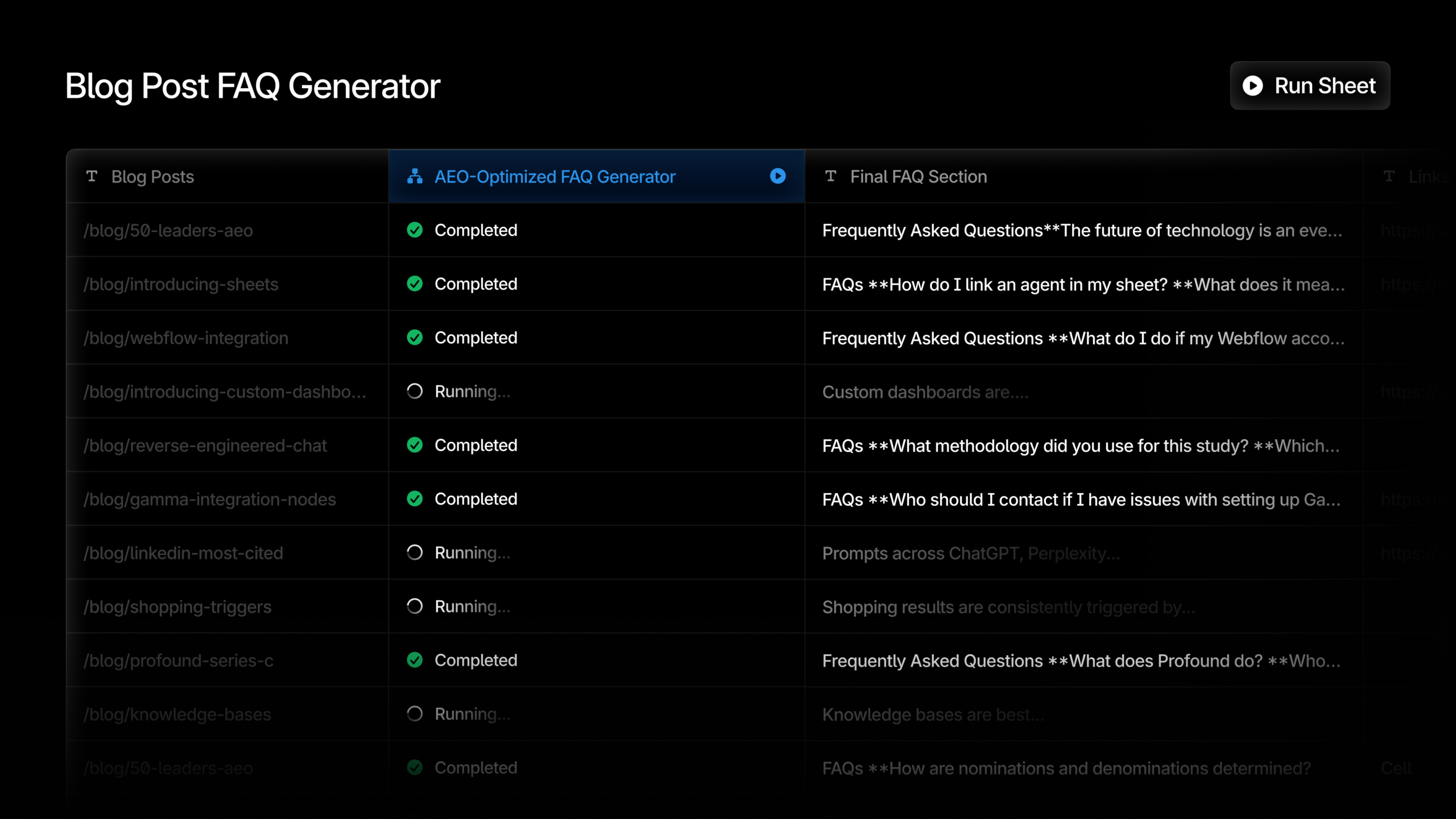
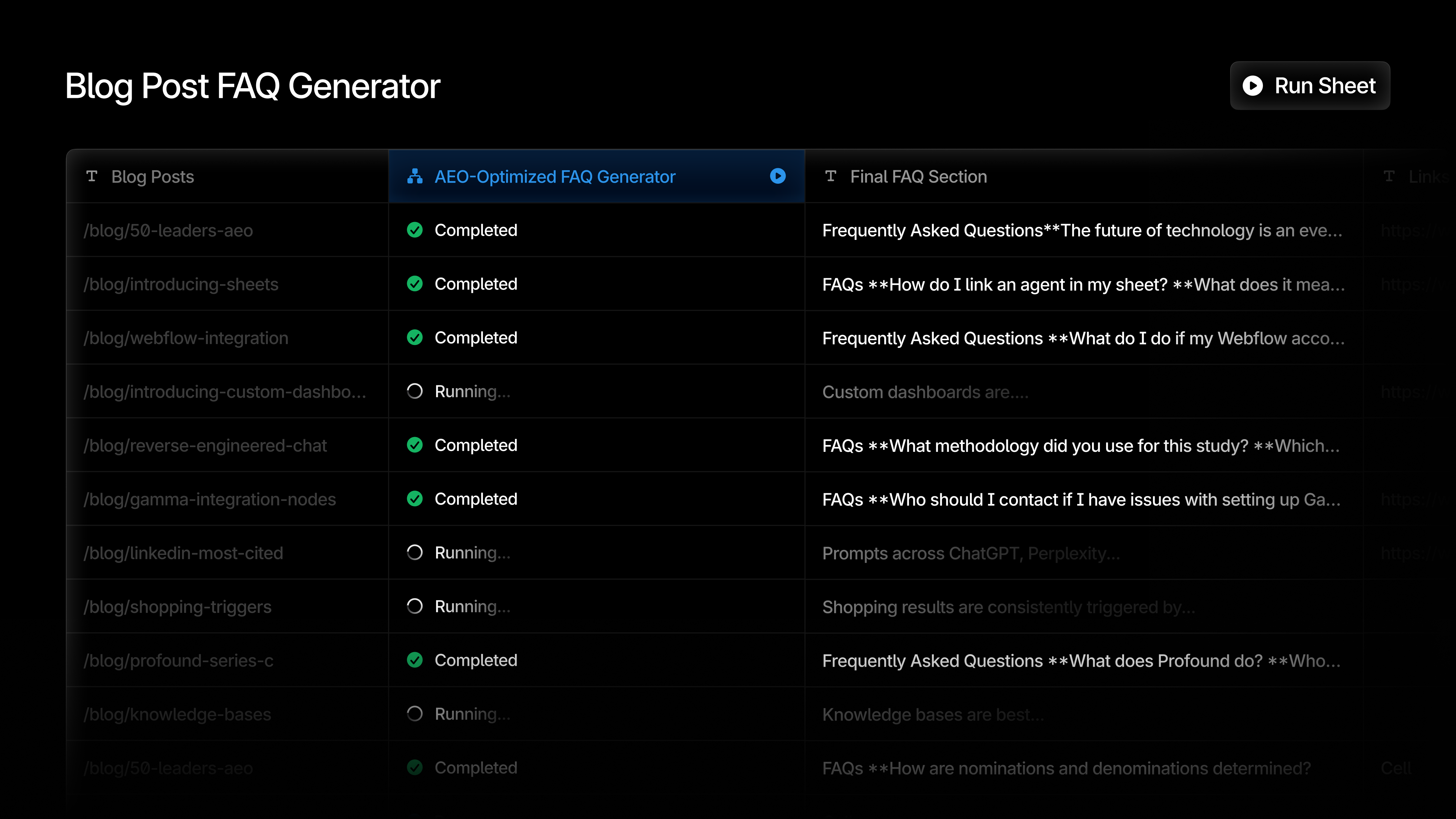
    Have you ever wished for a tool that makes orchestrating AEO efforts a breeze? Let me introduce you to Profound Sheets, a game-changer that brings efficiency to new heights. Imagine a spreadsheet-like interface where every row acts as its own Agent run, each with its unique context. This innovative system allows me to process hundreds of inputs simultaneously, amplifying my marketing strategies beyond imagination.

    By leveraging structured workflows, I’m able to accomplish what once took weeks in mere minutes. The time saved means more opportunities to focus on crafting creative strategies and optimizing performance. It’s like multiplying my marketing team’s capabilities overnight!


    Inspired by this post on Try Profound Blog.


    crushpress.ai community screenshot
  • Unlocking True SEO Potential Through VGMM Scoring

    Unlocking True SEO Potential Through VGMM Scoring

    When I first encountered the Visibility Governance Maturity Model (VGMM), it struck me as a tool most SEO programs desperately need. It’s not merely about how we execute SEO; it’s about clear ownership and documented processes that prevent undoing our hard work by teams unfamiliar with our efforts.

    But how do I score something so foundational yet intangible? It all starts with tailored governance questions specific to each business domain. These aren’t about auditing tools or execution but focus on governance and accountability.

    The VGMM questions reach out to managers and the C-suite—those who should know governance but often remain unaware. Meanwhile, I’m familiar with the documented standards and quality assurance processes that exist.

    Through VGMM, I learned that the real test is whether our organization can maintain its capabilities without me. When I go on vacation, get promoted, or leave, can everything still run smoothly?

    Managers often respond with phrases indicating gaps like ‘I don’t know the answer’ or ‘I’d have to ask Sarah’. These gaps reveal that our processes aren’t institutionalized.

    Dig deeper: Why most SEO failures are organizational, not technical

    ```json
{
  "alt": "The CapmatchOne logo with a gradient circle and bold text.",
  "caption": "Discover innovation with the CapmatchOne logo, featuring sleek typography and a modern gradient circle.",
  "description": "The CapmatchOne logo features bold, modern typography coupled with a gradient circle, symbolizing connection and innovation. The sleek design conveys a sense of progress and creativity. This image can be used for branding or promotional purposes, appealing to audiences interested in innovative solutions and forward-thinking designs."
}
```

    Single points of failure (SPOF) questions can hold our organization back. I could be that SPOF, the go-to person for SEO solutions, which feels secure but is actually limiting. Identifying SPOFs helps leadership provide resources for documentation and training.

    The VGMM process involves a few steps where each domain—whether it’s SEOGMM, CGMM, or another—yields a maturity score. I see these scores as a reflection of whether we’re documenting and sharing SEO knowledge across the team.

    We don’t compare scores with competition because they vary by business model, domain combinations, and organizational context. Instead, I track our progress over time, marking improvements as we address governance gaps and SPOF conditions.

    For me, VGMM scoring shields me from unjust blame. It highlights systemic issues and demonstrates our impact when we improve organizational capabilities. Over time, I can see our organization evolving from hero work to sustainable SEO.


    Inspired by this post on Search Engine Land.

    crushpress.ai community screenshot
  • Boost Your SEO Workflow with AI Agents: A Personal Guide

    Boost Your SEO Workflow with AI Agents: A Personal Guide

    Stepping into the world of automation has always intrigued me. It brings a level of efficiency that every SEO team craves. Today, AI agents like n8n are revolutionizing how we automate SEO workflows, from data scraping to structured delivery—plus, they have their set of challenges.

    What makes n8n particularly captivating is its flexibility and control. Let me walk you through how this platform functions and how it can be harnessed in modern SEO operations.

    Understanding How n8n AI Agents are Deployed

    Think of modern AI agent platforms as a more intelligent version of Zapier. Platforms like n8n don’t just shuffle data between steps—they interpret, modify, and decide on the next move.

    ```json
{
  "alt": "The CapmatchOne logo with a gradient circle and bold text.",
  "caption": "Discover innovation with the CapmatchOne logo, featuring sleek typography and a modern gradient circle.",
  "description": "The CapmatchOne logo features bold, modern typography coupled with a gradient circle, symbolizing connection and innovation. The sleek design conveys a sense of progress and creativity. This image can be used for branding or promotional purposes, appealing to audiences interested in innovative solutions and forward-thinking designs."
}
```

    Starting with n8n involves choosing your deployment method: cloud-hosted or self-hosted. While letting n8n host your environment could sound appealing, it has its downsides:

    • The environment can feel limited.
    • Customization, like modifying server interactions, becomes difficult.
    • No community nodes can be installed or utilized.
    • Costs are usually higher.

    But there’s a silver lining:

    ```json
{
  "alt": "Flowchart depicting an automated workflow for scraping RSS feeds, processing data with AI, and sending notifications.",
  "caption": "Explore the seamless flow of an automated system to keep your team updated with the latest RSS feeds using AI-powered processing and notifications.",
  "description": "This image showcases a detailed flowchart of an automated workflow designed to scrape RSS feeds weekly and process the data using OpenAI chat models. The workflow includes stages for error counting, intelligent decision-making loops, and AI-powered content parsing and conversion to HTML. Notifications and messages are sent via Microsoft Teams and email. This system ensures efficient and timely delivery of updated information, perfect for maintaining a dynamic news blog. Keywords: workflow automation, RSS feed scraping, AI processing, team notifications."
}
```
    • Less management is required—n8n takes care of updates and patches.
    • It’s user-friendly with little technical expertise required.
    • Maintenance stress is reduced significantly.

    n8n offers various license packages. The self-hosted option is free, though it poses challenges for larger teams due to limitations in version control and change tracking.

    How n8n Workflows Run in Practice

    API credentials from providers like Google and OpenAI are necessary to leverage AI models and LLMs. Once installed, n8n’s interface is reminiscent of Zapier—a simple canvas for process design.

    ```json
{
  "alt": "Screenshot of a Teams Message webhook settings interface with parameters and test URL options.",
  "caption": "Configuring webhooks in Teams Message: a glimpse into setting test and production URLs seamlessly.",
  "description": "This image shows a screenshot of the interface for configuring webhooks in Teams Message. The interface displays options for setting up test and production URLs, with fields for HTTP methods, paths, and authentication. The image highlights the 'Listen for test event' feature for testing webhooks. Keywords: Teams Message, webhook settings, URL configuration, HTTP methods."
}
```

    You can add nodes and pull data from external sources. Workflows can be triggered via webhooks, schedule, or another system interaction.

    The executed workflows transmit outputs to places like Gmail, Microsoft Teams, or HTTP request nodes, triggering further n8n workflows or interacting with external APIs.

    ```json
{
  "alt": "Interface showing JavaScript code and JSON RSS feed output for digital marketing content curation.",
  "caption": "Discover the intersection of technology and marketing as JavaScript processes RSS feeds, delivering curated content for digital marketing enthusiasts.",
  "description": "This image captures a split-screen interface highlighting a JavaScript code snippet designed to process RSS feeds for curating content on SEO and digital marketing. On the left, the code outlines criteria for content selection, while on the right, JSON formatted RSS feed output is displayed. The setup is intended for agencies focusing on recent updates in SEO strategies, PPC, and search marketing, showcasing a blend of programming and marketing expertise."
}
```

    Take, for instance, a workflow that scrapes RSS feeds, generating a summarized update. It’s not a full-scale article, but it trims down recap times substantially.

    Building AI Agent Workflows in n8n

    Within a webhook trigger node, you can generate a webhook URL that Microsoft Teams calls, activating the n8n workflow. It streamlines requests for search news updates directly in a Teams channel.

    ```json
{
  "alt": "Workflow interface showing settings and output parameters for SEO content curation.",
  "caption": "Explore the intricacies of an SEO content curation setup, featuring detailed parameters and output specifications for optimized digital marketing.",
  "description": "The image displays a detailed interface for a digital marketing tool focused on SEO and PPC content curation. It includes settings for prompt source, user message, and specific output format requirements. The interface also shows a section labeled 'OUTPUT' with information like title, date, URL, and description, showcasing a structured data setup. This image is a snapshot of a workflow designed to enhance the efficiency of generating curated content for search marketing agencies."
}
```

    Once the workflow runs, AI agent nodes communicate with LLMs like those from OpenAI and Google. This opens up numerous possibilities.

    Variables from the scraping node, including content from multiple RSS feeds, get transferred to the prompt for summarization. Both user and system prompts guide the AI in processing and formatting this data.

    ```json
{
  "alt": "Diagram showing a workflow from selecting important news to converting it to HTML using OpenAI models.",
  "caption": "Exploring an automated workflow: from selecting crucial news to crafting HTML output with OpenAI's robust chat models.",
  "description": "This diagram illustrates a workflow automation process involving OpenAI chat models. It begins with selecting the latest important news, processed through an Output Parser, and converts the information into HTML. The models integrate structured output parsers and memory tools, showcasing a seamless transition from data selection to conversion. Essential for developers working on automated news processing setups."
}
```

    While a single AI node handles summarization, a second node converts this summary into HTML, proving effective for specific tasks where dual AI nodes function best.

    The summarized news is delivered through Teams and Gmail, offering a look at efficient workflow execution.

    ```json
{
  "alt": "Email configuration interface showing parameters for sending a search news summary with JSON output.",
  "caption": "Preparing a search news summary email with advanced automation tools, blending AI and data analytics for seamless delivery.",
  "description": "The image displays an email configuration interface with parameters set for sending a 'Search News Summary.' It highlights detailed settings, including credentials, resource selection, operation type (Send), recipient details, subject line, and the message type formatted in HTML. The focus is on utilizing JSON for seamless message output, integrating updates on Google's AI advancements in search and advertising, which are part of the email content. The interface is designed for efficient and automated communication, catering to dynamic digital marketing needs."
}
```

    n8n SEO Automations and Other Applications

    While I’ve shared a rather straightforward project, n8n’s capabilities extend much further in SEO and digital applications, such as:

    • Creating full-length, in-depth content.
    • Crafting meta and Open Graph data snippets.
    • Analyzing content from a UX perspective.
    • Developing simple SEO scanners.
    • And much more!

    Inspired by a colleague’s comment, “If I can think it, I can build it,” I ventured into complex systems using n8n to meet the changing needs of SEO.

    ```json
{
  "alt": "Gmail interface showing an email about Google's AI integration updates.",
  "caption": "A look into the latest Gmail update detailing Google's advancements in AI across its platforms. Stay informed on how these changes might enhance your digital strategies.",
  "description": "This image captures a Gmail inbox displaying an email titled 'Search News Summary.' The email discusses Google's rapid advancements in AI integration across various platforms, including search, advertising, and ecommerce. The content highlights updates in Google Ads, conversational analytics, and new features like AI Mode and GEO/AEO optimizations. The interface shows options like Compose, Inbox, and Labels on the left, with the main email content on the right."
}
```

    Drawbacks of n8n

    Despite its potential, n8n isn’t without limitations:

    • Platform immaturity can lead to transaction hiccups during updates.
    • Resistance might stem from fears about job redundancy or ethics.
    • The focus should be on supplementing roles, not replacing them.
    • Its utility is limited in extensive technical audits or large-scale data analysis.

    Beginning with repetitive or tedious tasks and automating them might be the key to reducing friction within your team.

    SEO’s Shift Toward Automation and Orchestration

    AI agents don’t replace human expertise, but they enhance it. They free us from mundane tasks, allowing us to focus on strategic areas, showing the positive shift in SEO toward automation rather than the discipline’s demise.

    The evolution of tools may continue, yet the trend toward automation and orchestration is undeniable. Building proficiency in these systems is on the horizon as a vital skill for SEOs.


    Inspired by this post on Search Engine Land.

    crushpress.ai community screenshot