I recently delved into how AI systems handle content, and it’s fascinating how much they differ from us humans. AI doesn’t read like we do; it breaks down information into usable parts. What truly matters is designing our content so that it can be seamlessly integrated into AI-generated answers.
Traditional SEO emphasized ranking entire pages, but AI focuses on specific, meaningful excerpts. So, our approach to content creation must evolve:
AI now emphasizes passages that are answer-first and well-structured. This shift means content must be modular, using defined passages over full pages and structured intent over keywords.
In designing for AI visibility, understanding how AI retrieves and utilizes content is crucial. AI systems prefer structured content; they break it into passages, selecting sections without the rest of the page. Clear sections and headings significantly enhance AI retrieval.
Once retrieved, content needs clarity and completeness to be used in generating answers. AI systems look for direct responses that require little editing, ready to stand alone.
Distinct framing aids in attribution, with AI systems preferring content with unique concepts, frameworks, and non-interchangeable language, enhancing the likelihood of attribution.
I also learned about five core principles for AI-friendly content design, emphasizing modular design, hierarchical structuring, explicit messages, answer-first formatting, and passage-level extraction. These ensure pieces can be independently selected and reused.
Common patterns like ‘definition + expansion’ and ‘question → direct answer → context’ align well with AI systems, enhancing match, extraction, and usability.
Ensuring precise headings, avoiding vague or repetitive sections, and highlighting answers at the beginning of paragraphs are crucial. Structuring content logically and clearly improves its retrieval and usability by AI systems.
While rewriting content, focusing on breaking it into logical units, employing answer-first clarity, strengthening structural signals, and introducing distinct framing can significantly enhance its AI-friendliness.
Content design in AI-mediated search is rapidly evolving, where structural clarity, modular design, and distinctiveness are the keys to success. By understanding these principles and patterns, I can ensure my content is ready for the AI age.
Since 2021, I’ve been immersed in the world of guest posting, working on over 350 published pieces. Through this experience, I’ve honed a scalable outreach process that reliably captures approvals without the need to pay for placements.
While guest blogging is increasingly challenging, the fundamental principles of personalized outreach remain unchanged. With a focus on creating mutual value, this approach will be just as effective in 2026 and beyond.
Step 1: Build Your Outreach List
Your outreach list is essentially a compilation of websites to which you’ll propose guest-written content. There are several effective strategies to build this list.
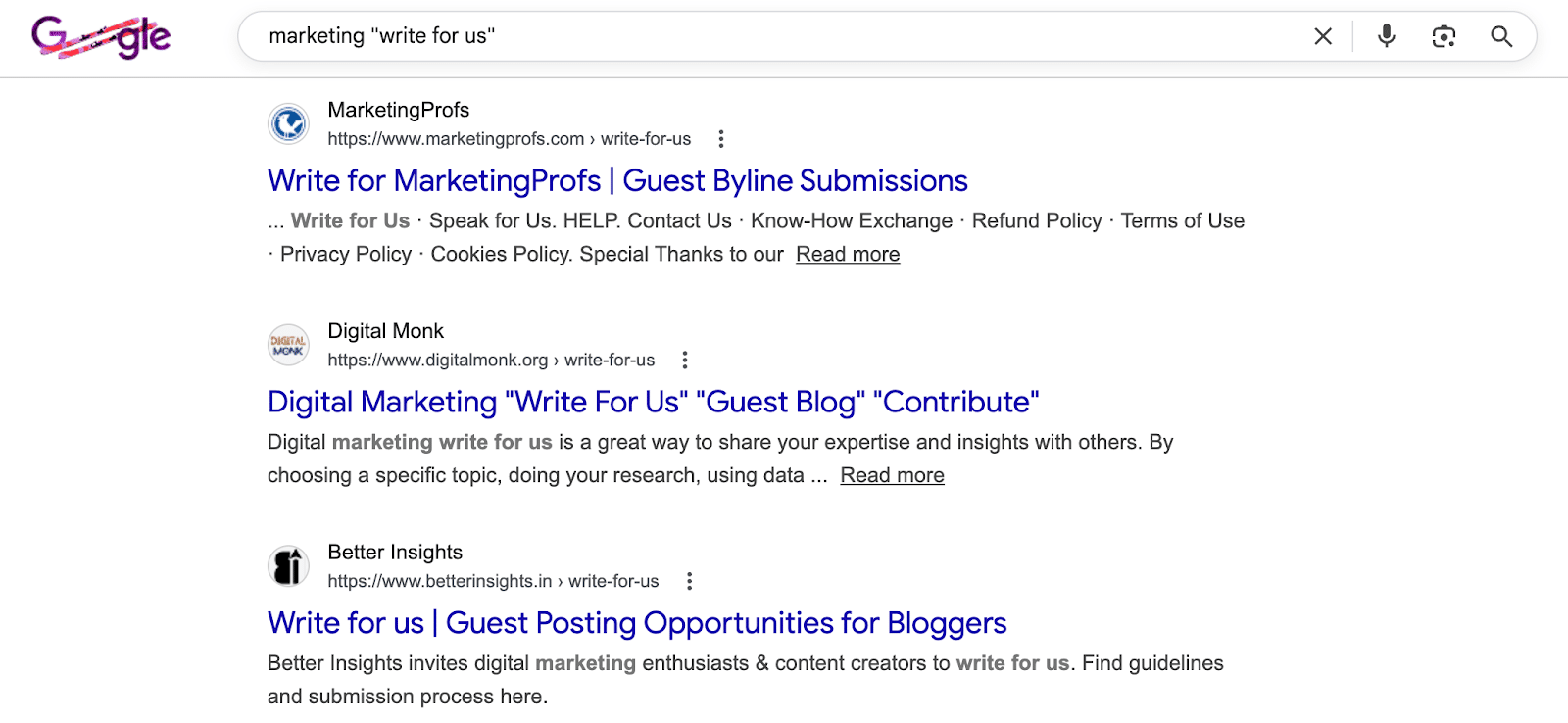
The simplest method is to search for your niche accompanied by phrases like “write for us” to discover potential websites.
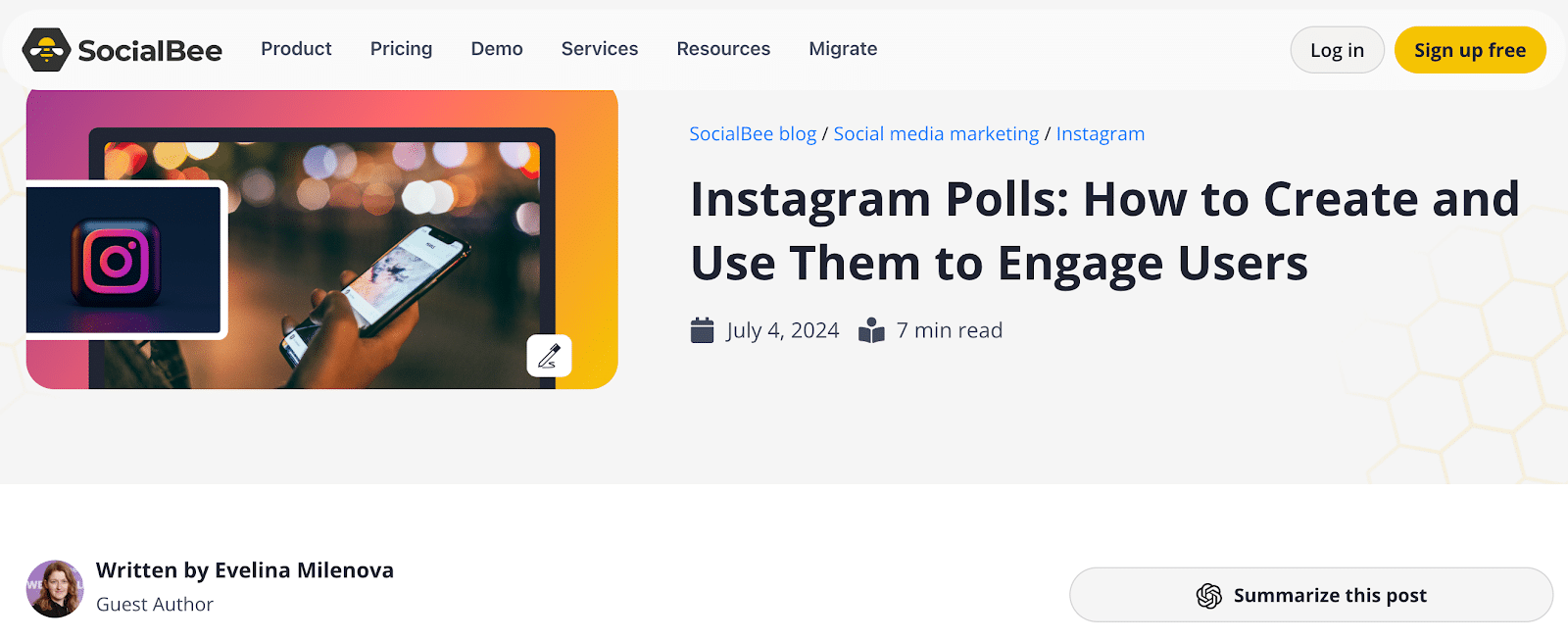
Many reputable websites openly accept guest posts with established approval processes you can find online. This was precisely the approach I used to get published on G2’s Learning Hub.
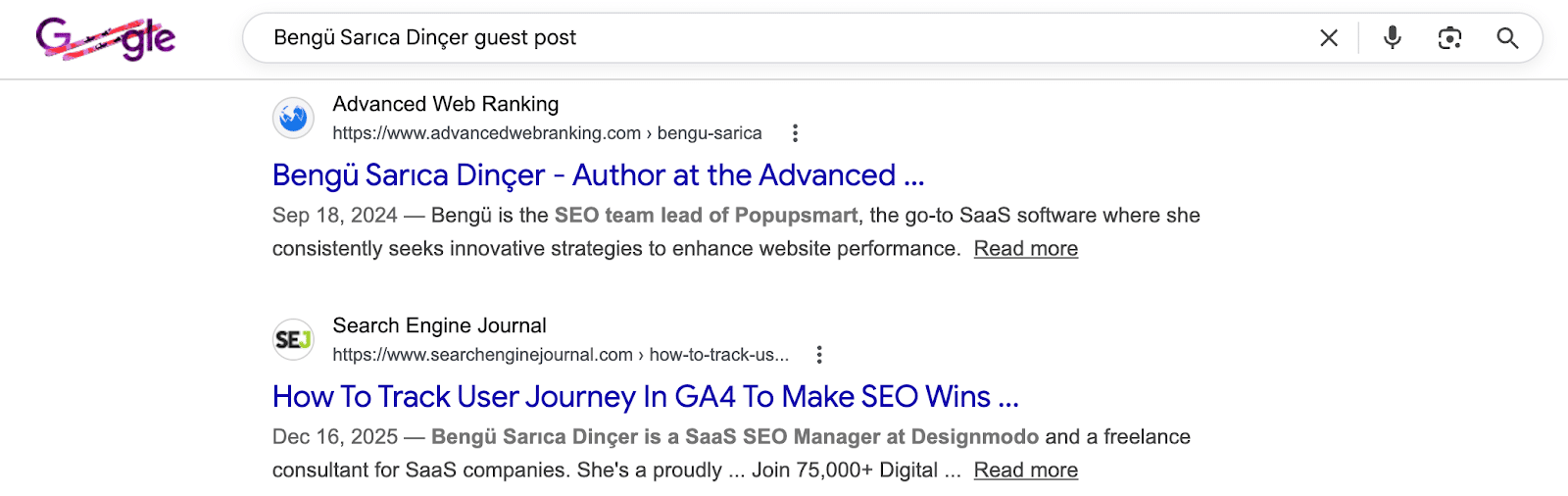
Alternatively, by searching the name of a prominent individual in your niche paired with keywords like “guest post” or “guest author,” you can identify websites that have previously accepted guest posts and might do so from you.
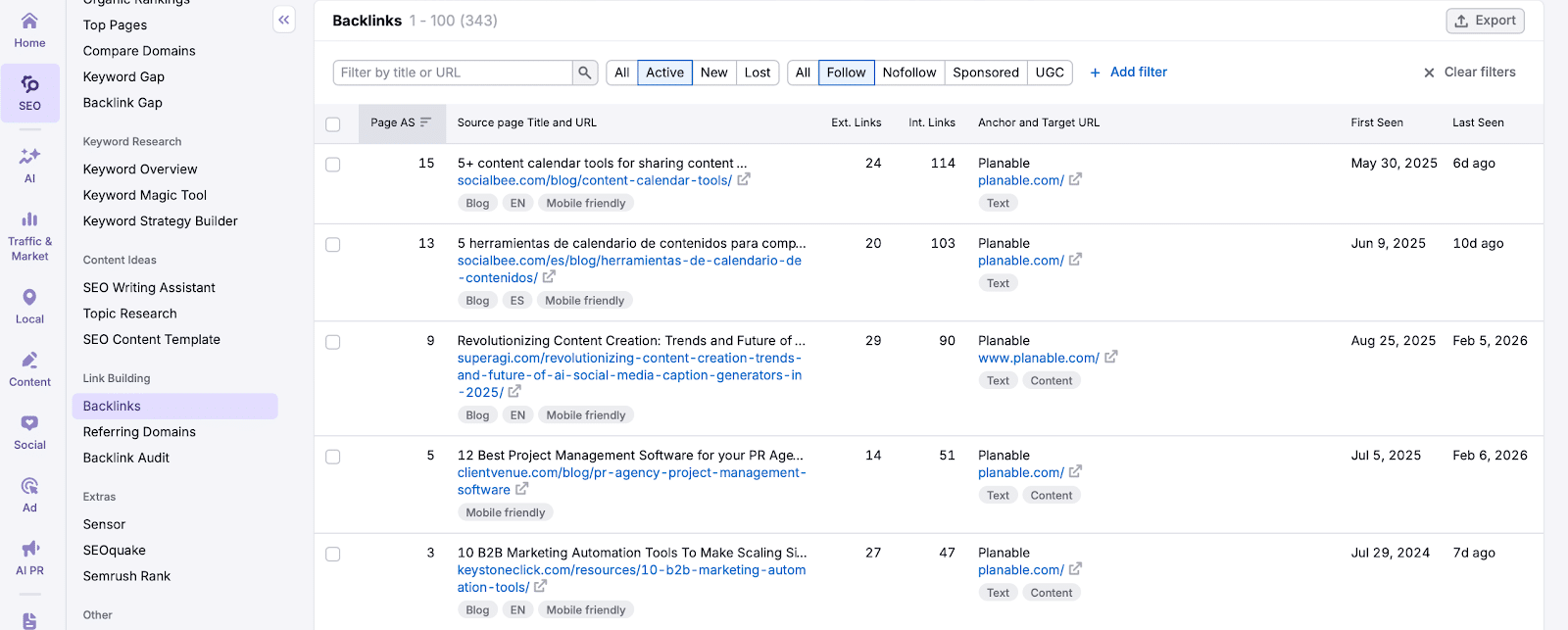
You can also explore competitors’ backlink profiles via an SEO tool like Semrush under the ‘Link Building’ section.
Verify if these websites have a history of publishing content from guest authors. If they predominantly feature in-house content and you’re not a big name in the industry, your pitch may not stand out.
Once you’ve compiled a list of potential sites, assess them against your website quality criteria, considering factors such as niche, top pages, organic traffic trends, and authority scores. Automation tools can optimize this step for efficiency.
Step 2: Find the Right Contacts
Successful guest post outreach hinges on contacting the right individual. Most emails get ignored if irrelevant, so identifying the appropriate contact is crucial.
To find the right person, start with LinkedIn:
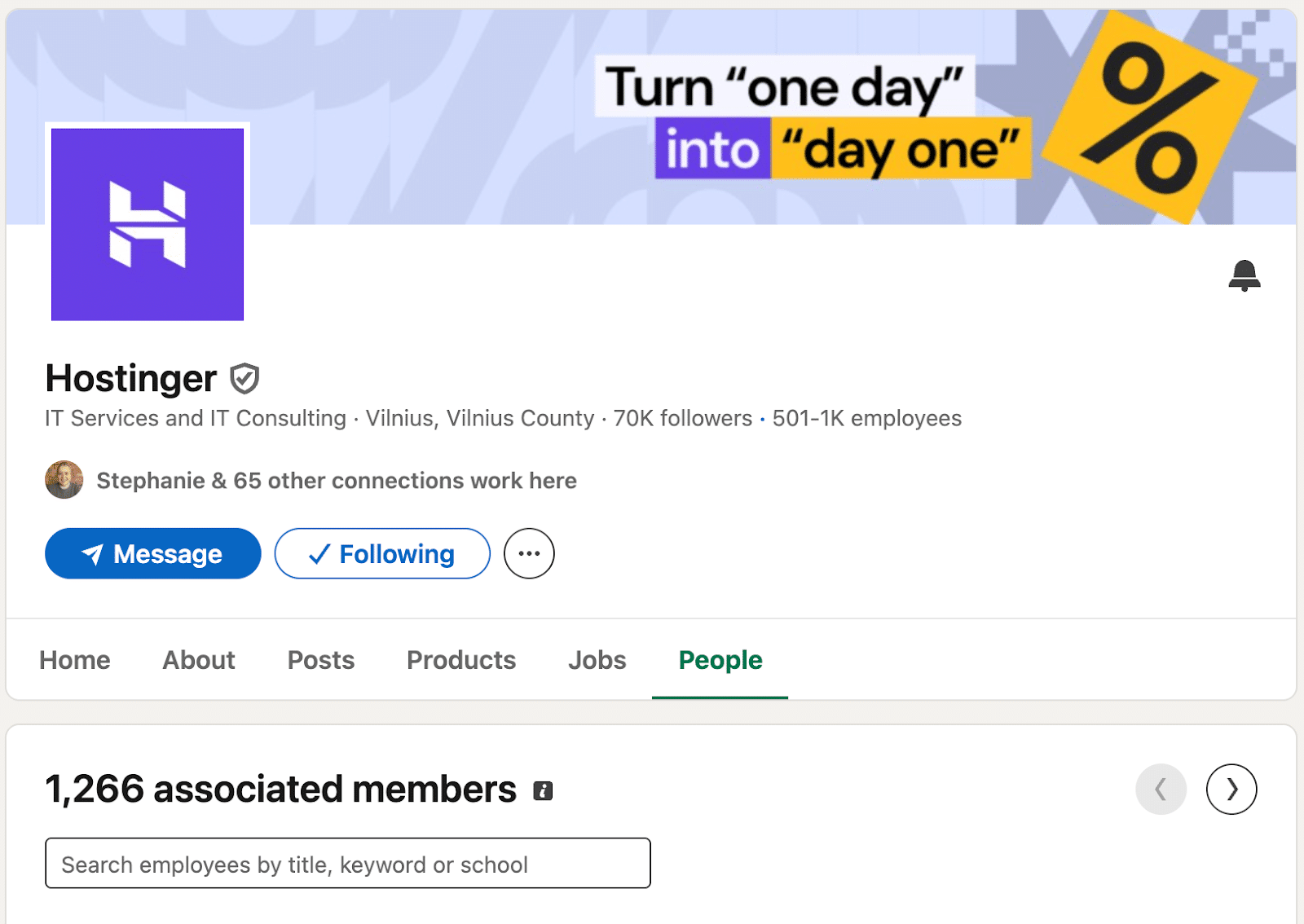
Visit the company profile and navigate to the People tab.
Filter profiles using relevant keywords to find someone responsible for content decisions, typically a content manager or editor.
In smaller organizations, targeting individuals with “marketing” or “growth” roles can be effective, sometimes the founders in micro companies.
Use tools like Apollo or Hunter to locate the work email of your identified contacts.
Occasionally, you might only find generic emails like contact@ or support@, which can still be suitable in certain niches, especially in B2C contexts.
Verify all email addresses to maintain a good sender reputation and ensure inbox deliveries.
Step 3: Choose Your Outreach Approach
When it comes to guest posting outreach, you can take one of two primary approaches.
Send Out a Generic Email Template with Basic Personalization
This involves asking whether the website accepts guest contributions, allowing you to focus primarily on building your outreach list without extensive personalization.
Emails here are minimally personalized, usually only including the recipient’s name and company, resulting in moderate reply rates.
To be effective, a large list is crucial since you need a 3% to 5% reply rate to secure enough opportunities.
Hyper-Personalize Your Emails
This approach offers distinct propositions to each company, requiring more time for research but yielding a higher reply rate—around 19%, from my experience.
It’s best when dealing with a concise outreach list or when contacting high-profile sites.
Step 4: Research the Right Topics
Regardless of your approach, pitching the right topic is paramount. Basic personalization involves suggesting topics post-reply, while hyper-personalized emails propose them from the get-go.
Top-tier sites have stringent requirements; finding their editorial guidelines is crucial to align your pitch.
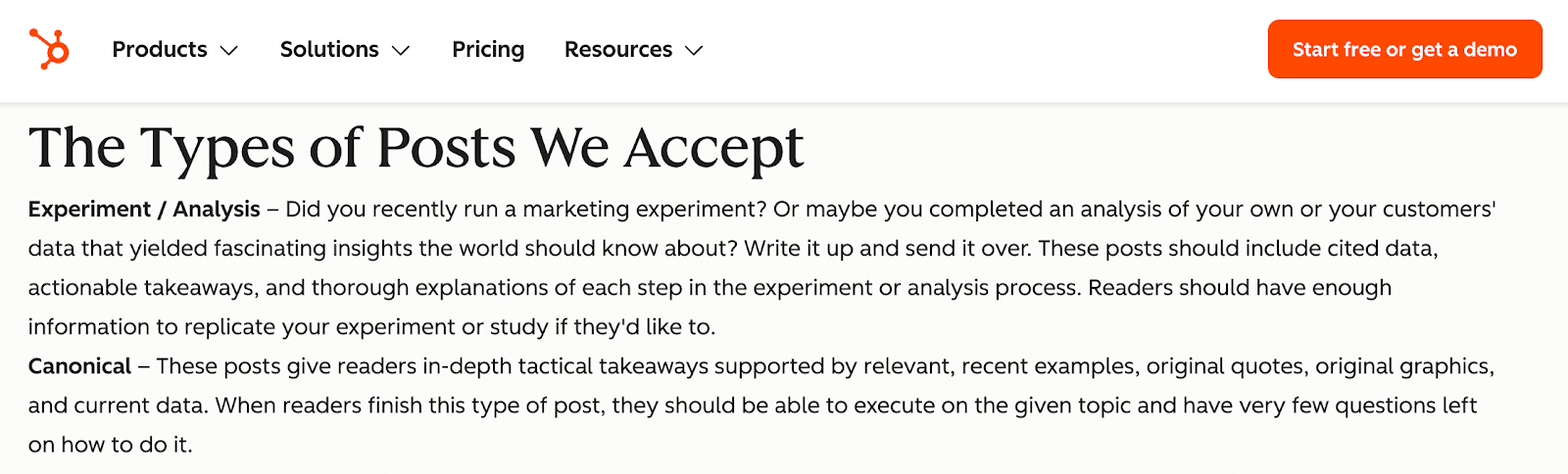
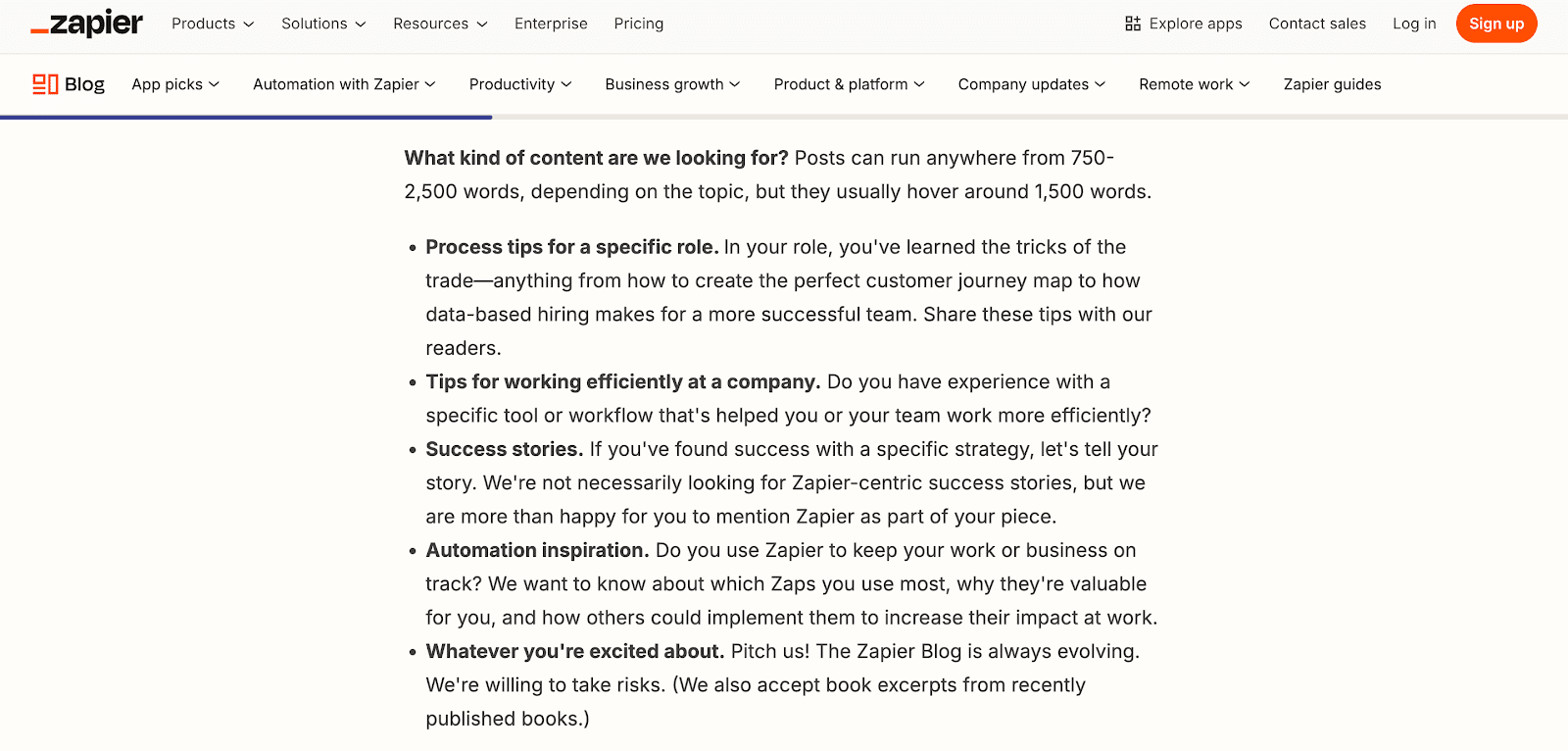
For instance, HubSpot only accepts content like marketing experiments or in-depth guides. Meanwhile, Zapier demands industry-specific experience for contributions.
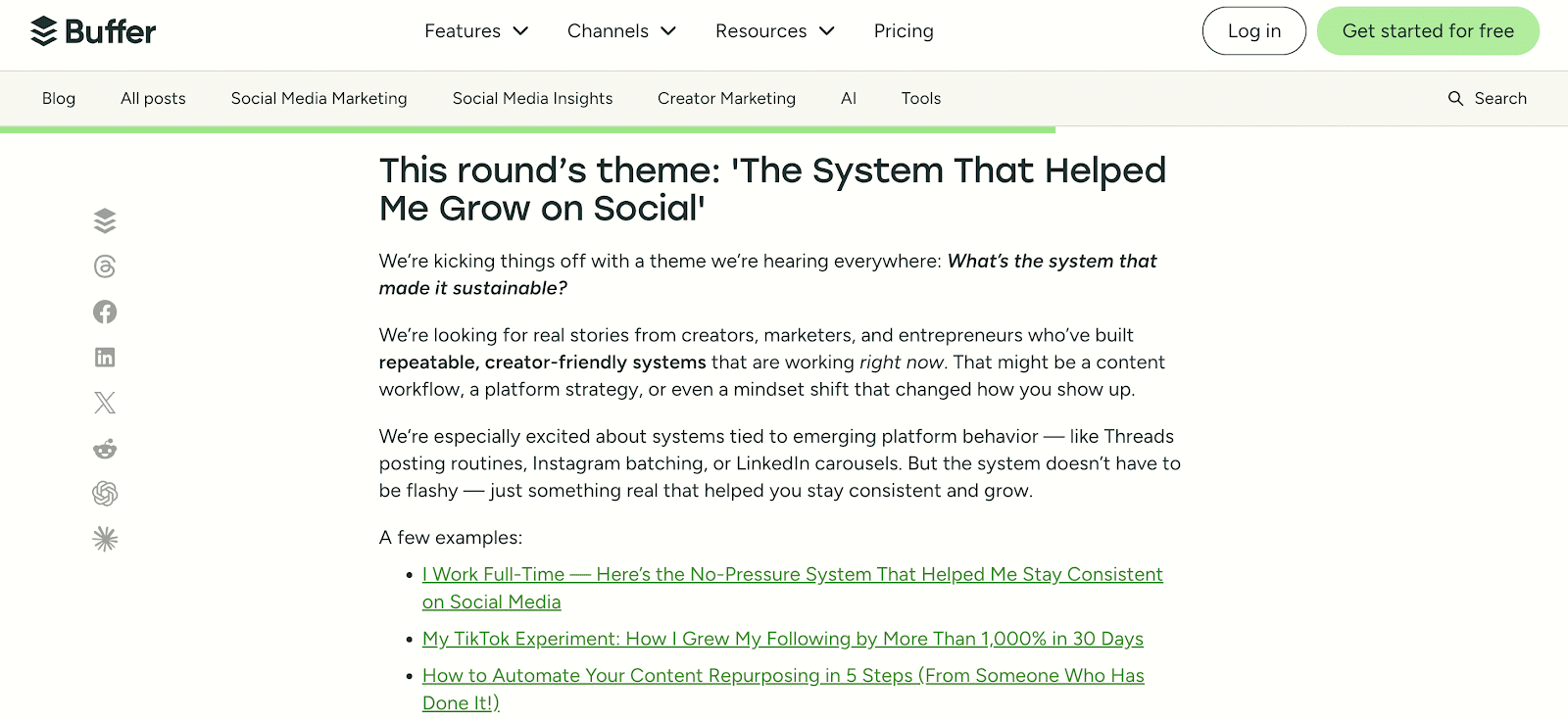
Moreover, Buffer opens guest posting rounds for specific themes, streamlining their editorial process. Adhering to such criteria significantly improves your pitch’s success rate.
Keep in mind that some editors maintain a list of sought-after topics, which they might share with potential contributors.
How to Do a Keyword Gap Analysis with Semrush
If I aim to pitch to monday.com, here’s my approach:
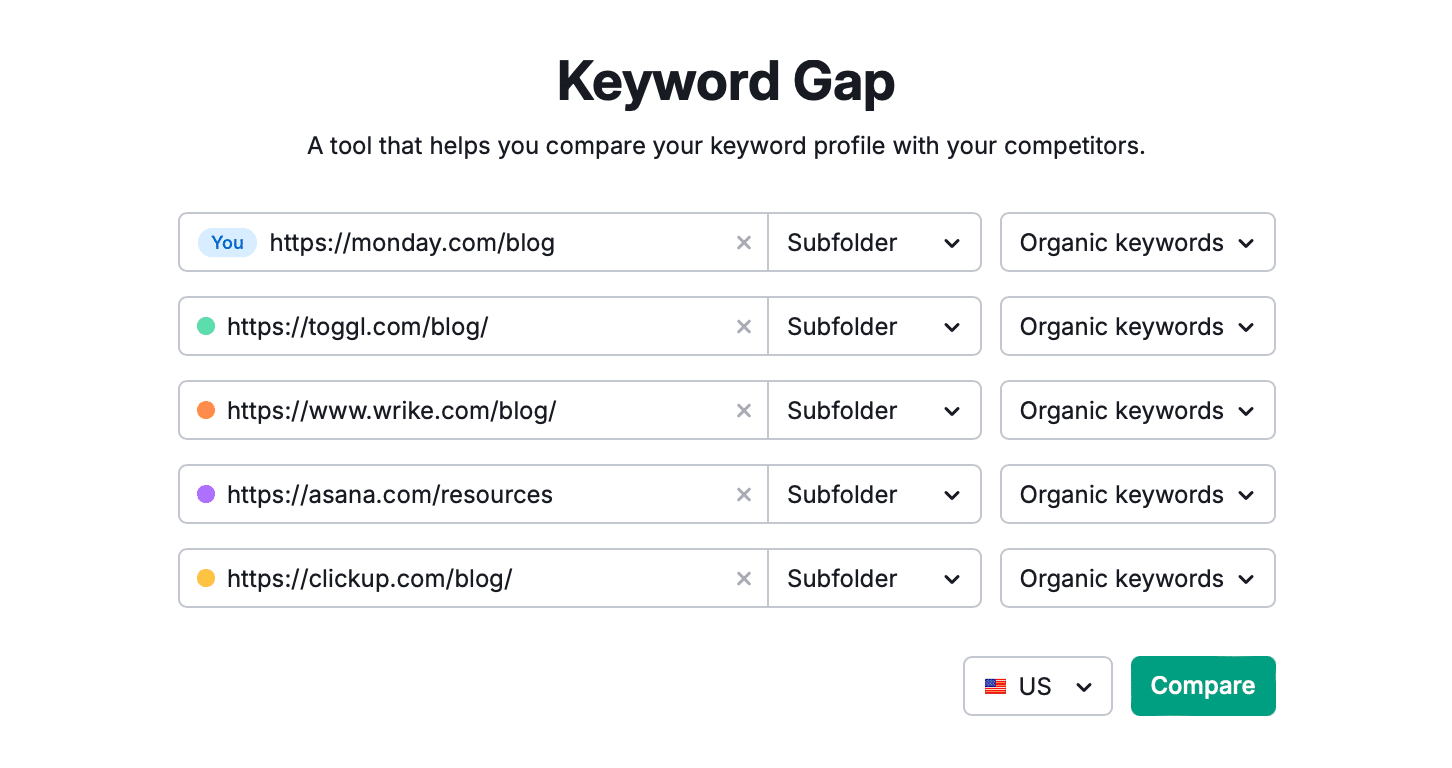
Open Semrush’s SEO tools and go to Keyword Gap. Enter the URL of monday.com’s blog along with competitors’ URLs, and hit Compare.
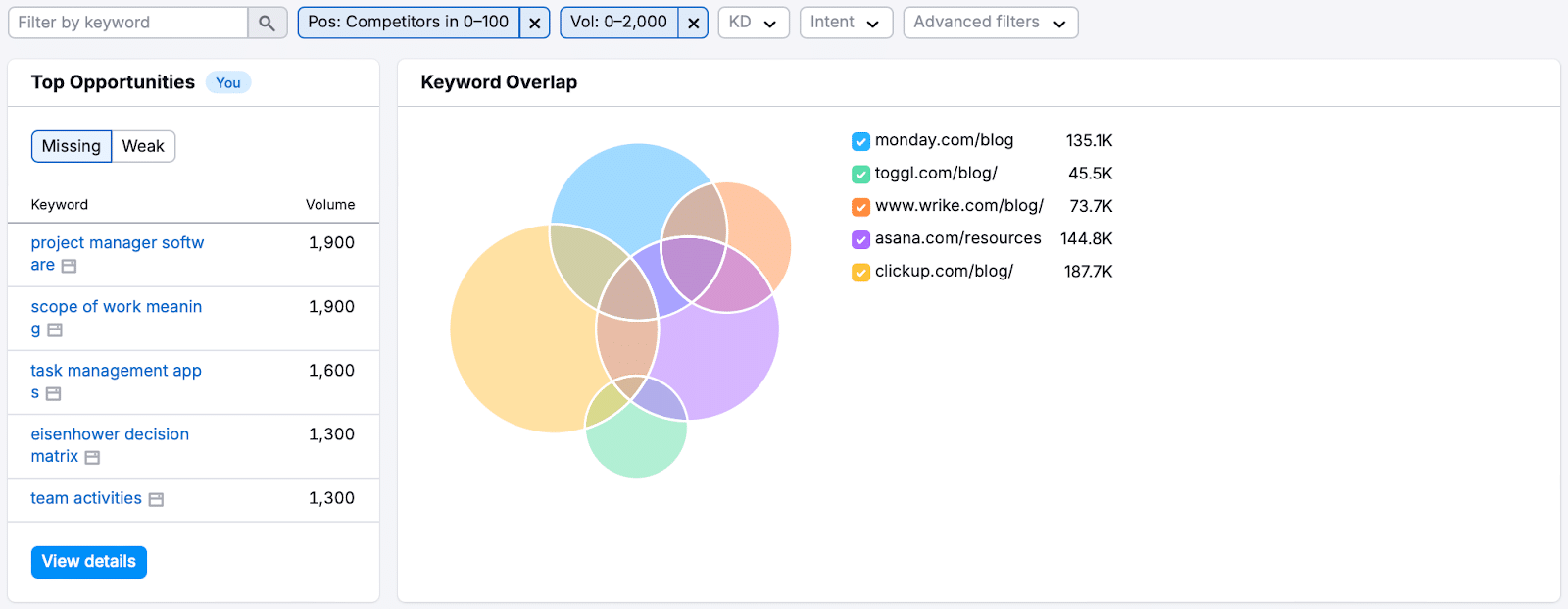
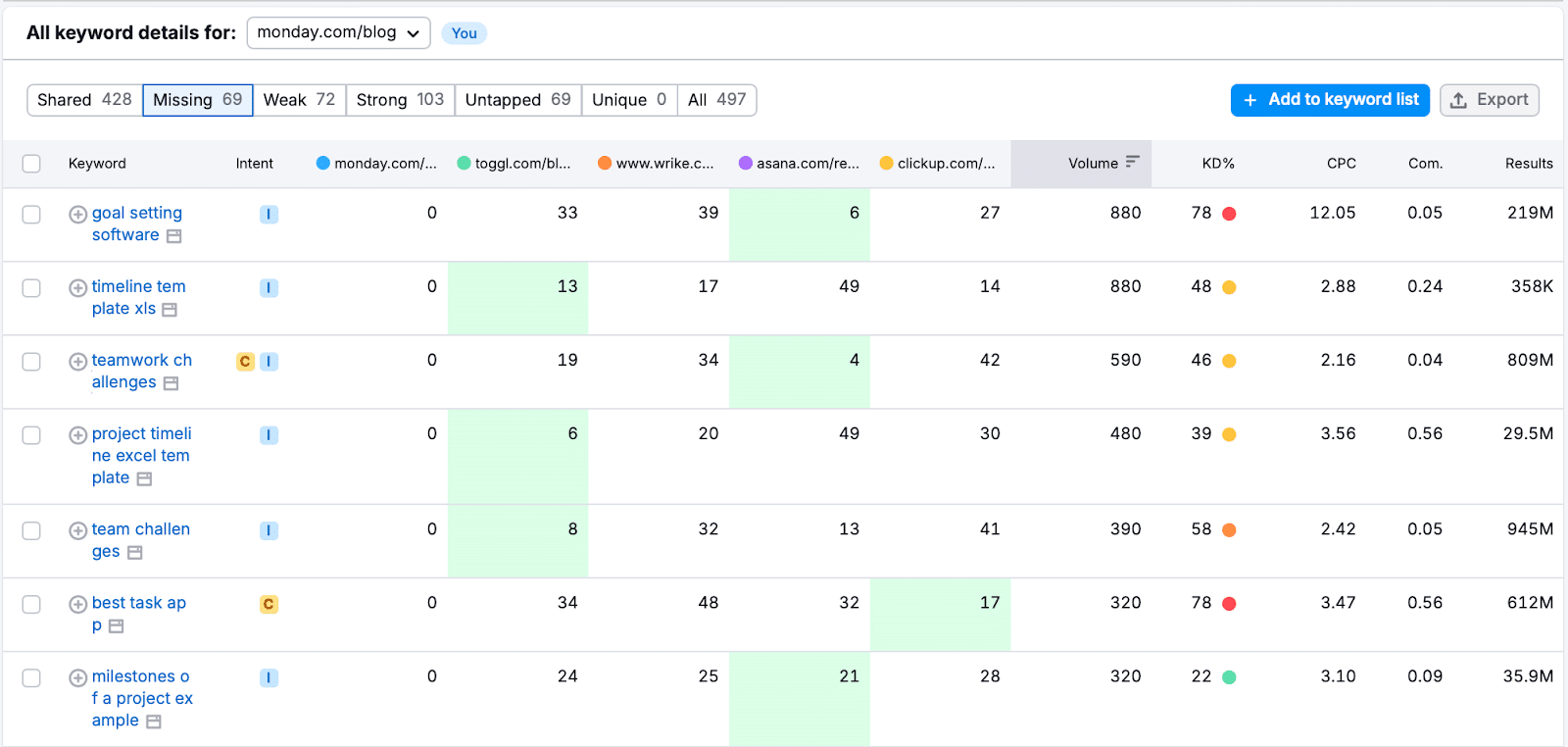
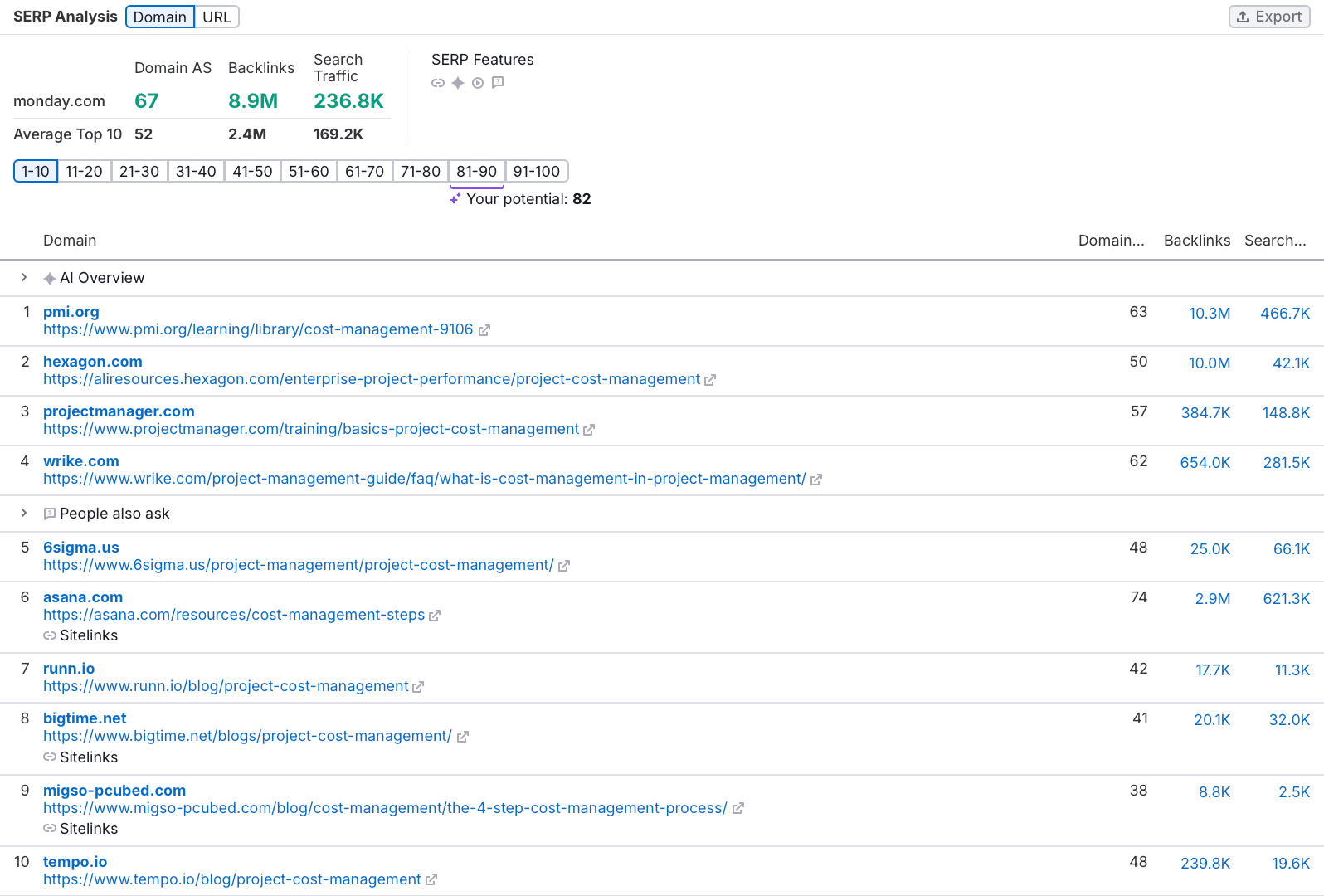
Filter these keywords to spot ones where competitors rank in the top 100 but your target doesn’t, revealing gaps you can fill.
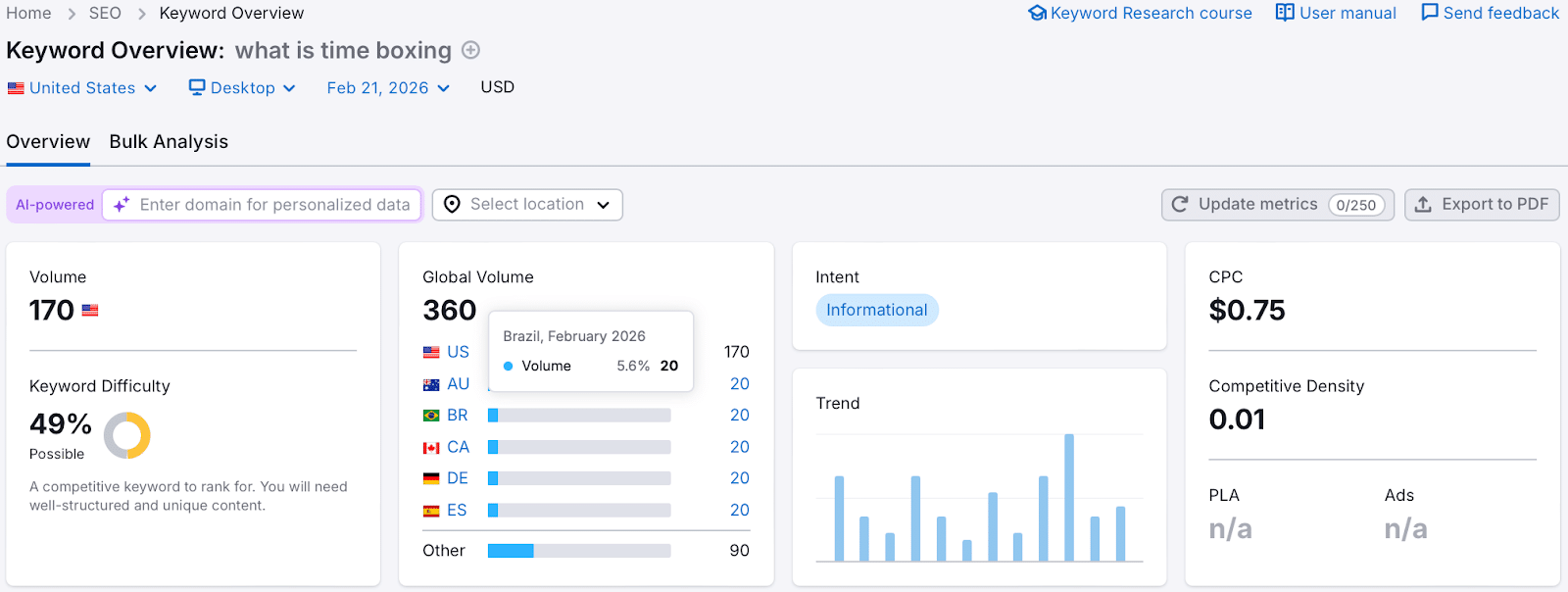
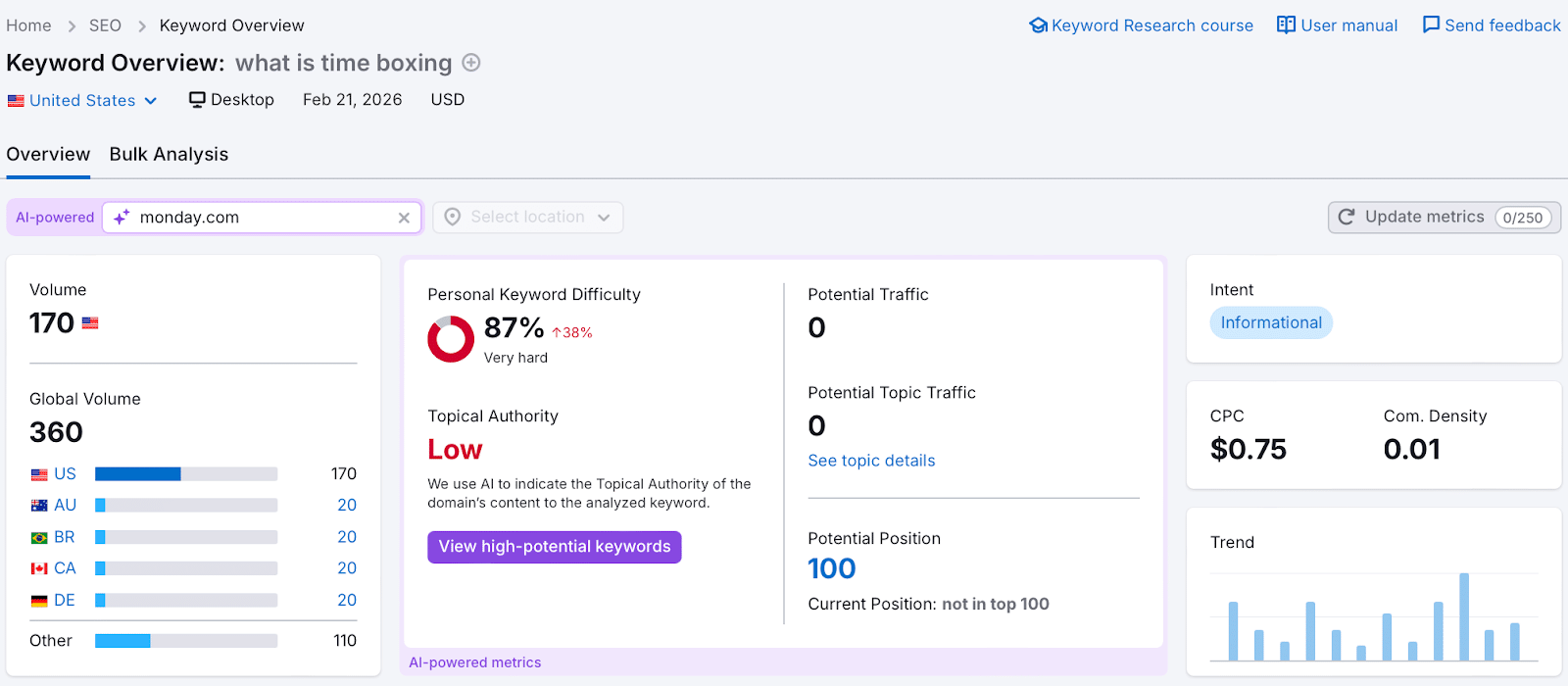
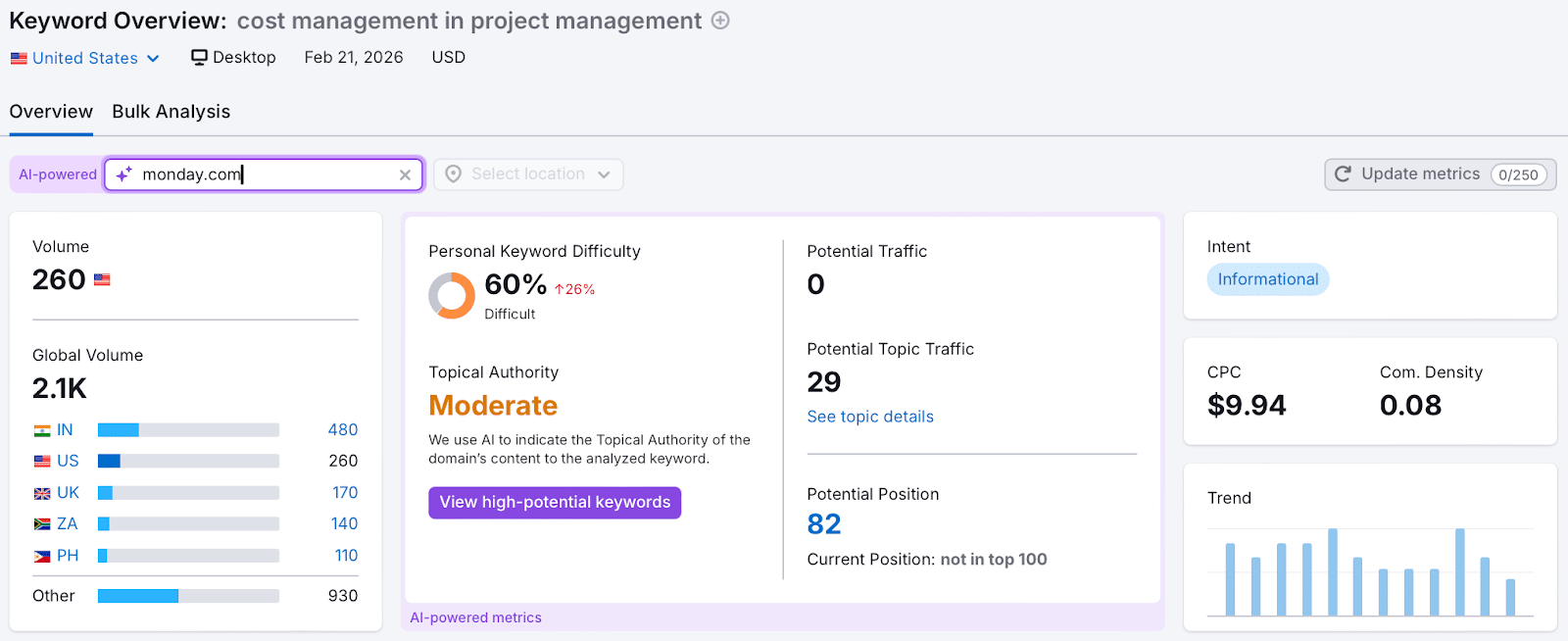
Assess the relevance and complexity of these keywords against your expertise. For example, “what is time boxing” might be too competitive, but less contested terms could present viable opportunities.
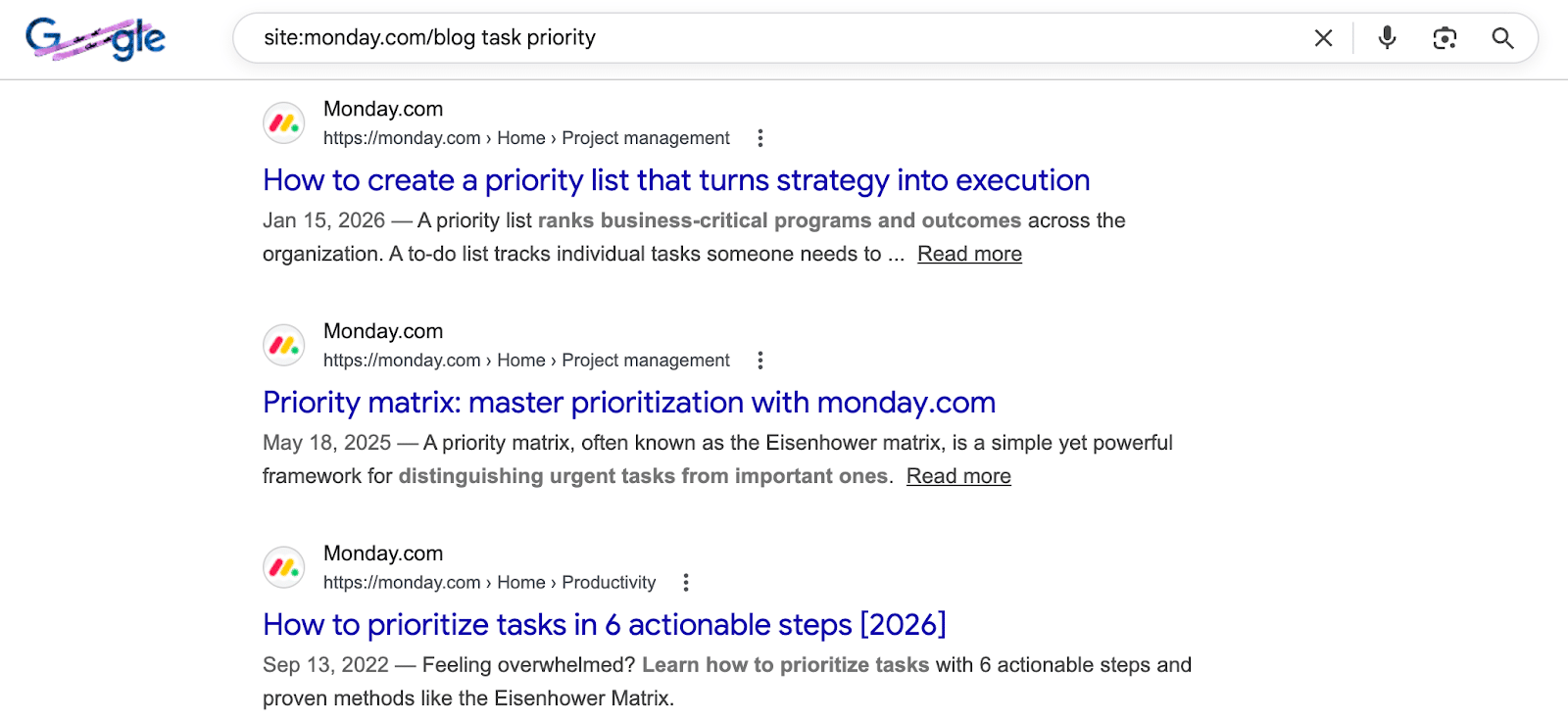
Check if the target site is already optimizing for your chosen keywords by using the “site:” search operator in Google.
Propose 3-4 varied topics to ensure one aligns with the editor’s needs. A diverse proposal increases your acceptance odds.
Step 5: Create Your Extra Value Proposition
Your additional value proposition is about showcasing what else you bring to the table, beyond content.
Have you authored notable industry content?
Can you promote content to a substantial social media following?
Do you manage a newsletter with a relevant audience?
Are you part of a community interested in the topic?
For instance, I might mention my 11,000 LinkedIn followers, predominantly industry professionals, when pitching to a project management blog, highlighting the relevance of my audience.
Step 6: Prepare Your Emails
Crafting your outreach emails involves attention to the subject line, email body, and follow-ups.
The subject line entices recipients to open your email; the body secures replies, and follow-ups increase your chances of a response.
BuzzStream suggests a few best practices for subject lines:
They should contain 9-13 words and over 71 characters.
Emojis can enhance engagement.
Mentioning the website, not the person, proves effective.
Title case outperforms sentence case.
Email bodies should be concise and easily digestible since editors favor brevity due to their busy schedules.
Follow-ups are critical; data show that follow-up emails generally increase overall response rates significantly. Limit yourself to two follow-ups to avoid being perceived as too pushy.
Step 7: Send Your Outreach Emails
It’s finally time to dispatch your emails. Here’s what you need to know:
Send Days
Research shows the best day to send emails is Monday, followed by Tuesday and Wednesday due to higher open and response rates.
Send Times
Aim to dispatch emails before 12 p.m. local time for your recipient, aligning your timing with their work schedule.
Unsubscribe Option
Always include a clear way for recipients to opt out. This will help maintain a good sender reputation and avoid being marked as spam.
Step 8: Track and Adjust
Utilize outreach tools to track open, reply, and success rates, offering insights into your campaign’s effectiveness.
Open rate shows how many recipients opened your emails, influenced by your subject line and sender reputation.
Reply rate indicates the percentage who responded, driven by your email’s relevance and content.
Success rate tracks emails leading to published guest posts, dependent on topic selection and following editorial guidelines.
Run A/B tests to explore what works best. Keep variables minimal to accurately measure impact—adjustments can lead to better success rates.
Step 9: Build Relationships with Editors
I’ve published over 350 guest articles, many through building and maintaining strong relationships with editors. Quality work fosters ongoing collaborations.
I use keyword gap analysis to ensure proposed topics offer potential for traffic, simplifying future pitches.
To secure lasting editor relationships:
Deliver exceptional content: Meet search intent with original visuals and expert quotes.
Support post-publication: Promote through your channels and link to it in other works.
Be reliable: Communicate clearly, respect guidelines, and meet deadlines consistently.
My Guest Posting Email Template with an 18% Success Rate
This template has been pivotal to my success:
Subject: Fresh content ideas for [Company Name]
Hi [First Name],
My name is [Your Name], and I’m the [Your Job Title] at [Your Company].
I’d love to contribute articles to [Company Name]’s blog. I have extensive industry experience from projects with [Brand 1] and [Brand 2].
Topic Ideas:
[Proposed Article Title 1]: keyword, US search volume [volume]
[Proposed Article Title 2]: keyword, US search volume [volume]
[Proposed Article Title 3]: keyword, US search volume [volume]
View my LinkedIn for more on my expertise or check my work published by [Publication 1], [Publication 2], [Publication 3].
Upon publication, I can promote it to my audience of [audience size or description].
Looking forward to hearing your thoughts.
[Your Name]
Guest Blogging Caveat
Your author profile significantly impacts your success rate. Newcomers should start with smaller industry blogs to build a portfolio, making later pitches more enticing to editors.
As your portfolio grows with contributions to recognized sites, your credibility and success rates naturally improve.
Ultimately, investing in your author profile is the key to thriving in guest blogging.
I recently came across some fascinating insights into the world of SEO tools and how they’re evolving. It turns out, marketers are swapping SEO platforms less frequently now, mostly due to AI advancements, tightening budgets, and shifting search dynamics.
In 2025, SEO tools emerged as the most commonly replaced martech application. You might think this indicates a problem, but there’s more to it. According to the 2025 MarTech Replacement Survey, for the first time, SEO platforms surpassed marketing automation platforms in replacements, a leader for five years.
At first, this replacement trend could appear as instability within SEO. With the arrival of large language models, AI-generated answers, and zero-click search experiences, traditional keyword tracking and ranking-based methods face challenges.
However, the survey data reveals a more complex narrative.
SEO Tools: Most Replaced, Yet Stabilizing
Despite being the most replaced category in 2025, the rate of SEO tool replacements actually slowed down compared to previous years. This indicates that while I’m seeing changes, there’s also increased stability.
This shift points to maturation. It seems we’re consolidating, upgrading, or refining our SEO toolkits as search methods evolve rather than causing widespread churn.
Meanwhile, other significant martech categories experienced sharper annual decreases in replacements:
CRM replacements dropped over 12% from 2024 to 2025, hitting an all-time survey low.
MAPs, email platforms, and CMS tools also saw declines compared to 2024.
Why SEO Tools Are Being Replaced
With stability not being the primary driver, you might wonder what’s fueling the change in SEO tool replacements. The survey highlights three main reasons:
1. AI Capabilities
The survey incorporated questions about AI’s role in replacement decisions for the first time, revealing its substantial impact.
37.1% of respondents considered AI capabilities crucial.
33.9% desired AI features in new tools.
This shift reflects the growing trend of SEO platforms rapidly adopting AI for tasks like content generation, SERP analysis, and workflow automation.
In many cases, swapping an SEO tool isn’t about leaving SEO behind; it’s about upgrading to incorporate AI capabilities.
2. Cost Pressures
Cost considerations significantly influence martech tool replacements, including SEO tools:
In 2025, 43.8% of marketers cited cost reduction as their reason for replacing applications, a sharp increase from 23% in 2024 and 22% in 2023.
This indicates growing pressure to evaluate overlapping tool functionalities and optimize the SEO tech stack effectively.
3. Changing Needs in a Shifting Search Landscape
As search trends evolve, so do the expectations for SEO platforms. Traditional rank tracking and keyword monitoring aren’t adequate anymore. Many teams are now looking for tools that can:
Provide insights across AI-driven SERPs
Track visibility beyond just clicks
Integrate more seamlessly with wider marketing and data systems
This evolution partially drives the ongoing replacements, even as the overall landscape becomes more stable.
AI Is Reviving Custom-Built SEO Tools
A remarkable trend from the 2025 survey is the comeback of custom-built solutions for SEO processes.
Homegrown applications made up:
8.1% of replacements in 2025, increasing from 3.4% in 2024 and 5% in 2023.
This marks a shift after years of depending almost entirely on commercial platforms.
“AI-assisted coding is changing the calculus of build versus buy,” explained martech analyst Scott Brinker. “Building is now faster and easier. Companies should still purchase applications where they lack a competitive edge. However, where they can differentiate through tailored solutions, custom-built software is gaining appeal.”
For SEO teams, this trend could see more organizations developing:
Custom data pipelines
Unique SERP tracking systems
AI-driven analysis tools customized for specific requirements
Other Martech Categories Show Even Greater Stability
While SEO tools led in replacements, the broader martech field is stabilizing.
Several key categories recorded reduced replacement rates in 2025:
CRM platforms (down over 12% year-over-year)
Marketing automation platforms
Email distribution tools
Content management systems
This trend suggests that many organizations are sticking with core systems while selectively updating rapidly changing areas like SEO.
Methodology
The survey invitations were sent out via email, website, and social media throughout Q4 2025. Out of 207 respondents, findings are drawn from the 154 marketers (60%) who had replaced a martech application in the preceding 12 months.
I’ve noticed a significant shift in the SEO industry toward senior, strategy-focused roles. As AI increasingly handles execution tasks, the demand for seasoned strategists has grown, along with an increase in salaries and responsibilities that span multiple channels.
The change in hiring trends is evident when looking at a recent Semrush analysis of 3,900 job listings. It appears companies are now prioritizing leadership skills, innovative experimentation, and cross-channel visibility over purely technical execution.
Why it matters to me. The landscape for SEO careers and skillsets is evolving. Entry-level positions are mostly focused on execution, while leadership roles require a firm grasp of strategy across various domains such as search, AI assistants, and paid channels, ensuring they drive significant revenue.
What’s changing now. Senior roles account for 59% of job listings, clearly dominating the landscape. In contrast, mid-level positions like specialists and managers are less prevalent, with only 15% and 10%, respectively.
Companies are redirecting their budgets towards strategic roles as AI tools begin to absorb more of the technical workload.
The shift in skills. The skills in demand now extend beyond traditional SEO to include coordination, experimentation, and decision-making capabilities:
Project management is mentioned in over 30% of the listings, highlighting its importance.
Communication is highlighted in 39.4% of non-senior roles, indicating its fundamental role in the industry.
Experimentation is noted in 23.9% of senior roles, compared to just 14% of other roles.
Technical SEO appears in approximately 6% of postings, showing its niche but crucial role.
Tools and channels. The modern SEO toolkit now includes analytics, paid media, and comprehensive data tools.
Google Analytics is cited in up to 47.7% of job listings, underlining its importance.
Google Ads features in 29% of the listings, showcasing its growing relevance.
Demand for SQL skills is rising, especially at the senior level.
AI tools, such as ChatGPT, are increasingly mentioned, reflecting their future role in SEO.
AI expectations. AI literacy is shifting from being a nice-to-have to an essential skill:
31% of senior roles now reference AI capabilities.
Nearly 10% of listings highlight familiarity with LLMs.
Concepts such as AI search and AEO are increasingly common in job descriptions.
Pay and positioning. SEO is being increasingly recognized as a vital business function:
The median salary for senior roles has reached $130,000, markedly higher than the $71,630 for other roles, with some positions offering even more.
Preferred degrees are leaning towards business and marketing, reflecting the strategic emphasis.
Remote work prevalence. Remote options are available in over 40% of job listings, indicating a shift towards flexible work environments across all levels.
About the data. This analysis by Semrush covers 3,900 SEO job listings in the U.S., gathered from Indeed as of November 25. The roles were deduplicated and segmented by seniority before a semantic keyword extraction analysis was applied.
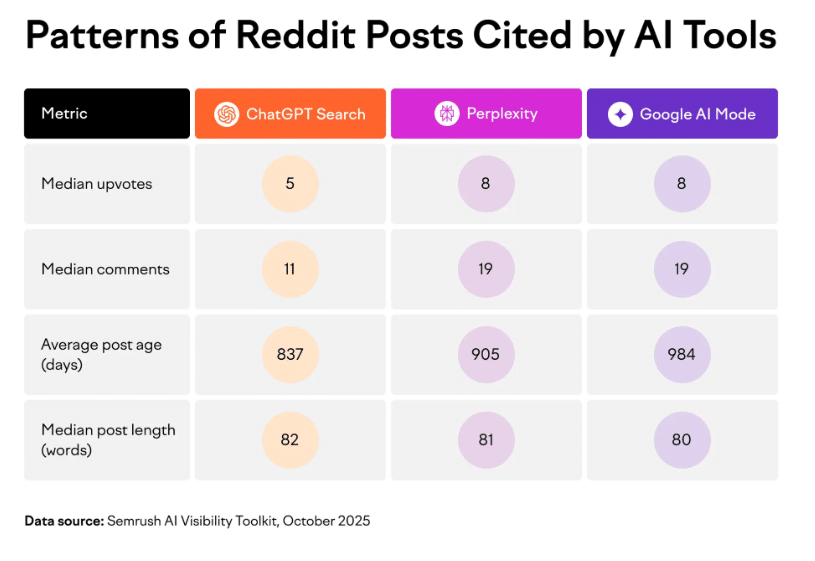
I often encounter discussions about the charts that go viral on LinkedIn, highlighting AI citation data. It’s common knowledge now that Wikipedia and Reddit top the list of domains cited by major LLM platforms. CMOs seem eager to jump on this data.
But this is where the challenge lies. Just do a search for any BOFU software query, and you’ll see Reddit threads prominently ranking. This explains why there’s a proliferation of ‘Reddit SEO’ agencies these days.
However, I believe it’s crucial to pause here. Shifting your entire GEO strategy towards platforms like Reddit or Wikipedia, based solely on this macro context, is typically a strategic misstep for most B2B brands.
The hype around these platforms is largely due to algorithmic shifts favoring large community forums and encyclopedias. While these charts might accurately reflect data, they’re often strategically misguided when misapplied as a universal strategy playbook.
Reddit is often targeted because it’s seen as easier to manipulate, unlike Wikipedia with its stringent editorial rules. This reflects a classic marketing Whiplash Syndrome, where foundational principles are sacrificed for new, shiny tactics.
Understanding why Reddit and Wikipedia are high-effort but low-upside channels for most brands requires looking beyond ignored contexts. Engaging with these platforms needs a comprehensive understanding of their dynamics and not a superficial chase for citations.
Studies show that citations are aggregated from a randomized keyword database ranging from pop culture to consumer advice, which is why massive sites like Wikipedia, Reddit, and YouTube naturally garner more citations.
Reddit threads that rank high on BOFU queries can’t simply be reproduced, as these rankings come from authentic, peer-reviews and ongoing discussions, not quick marketing hacks.
The illusion of hacking Reddit and Wikipedia for AI visibility backfires when you consider how LLMs process data. The data shows Reddit citations are based on historical consensus, not manufactured virality, and Wikipedia’s editors remain cautious.
If you decide to pursue strategies involving Reddit or Wikipedia, it’s important to approach these communities with respect to their unique ecosystems rather than attempting to circumvent their core principles for short-term gains.
In the 1990s, web copywriting was a wild ride of keyword stuffing and meta tag mayhem. Those days are long gone, as SEO copywriting has evolved alongside smarter algorithms.
Today, with advanced retrieval systems, our priorities have shifted. It’s no longer about tricking crawlers with repetitive keywords. We need a fresh, more sophisticated approach.
Let me share a playbook focusing on AI-friendly copywriting. It’s packed with actionable insights and high-density concepts that are ready to be implemented.
The ‘Grounding Budget’: Quality Over Quantity
Large language models, or LLMs, don’t need more information—they need better information. According to DEJAN AI’s analysis, Google’s Gemini uses a set budget of information, making precision crucial.
Your content allocation is roughly 380 words per webpage, so accuracy in those words is key to helping the AI accurately match your content.
Think of Schema.org as the building’s skeleton, and structured language as the supportive internal framework. This framework makes sentences machine-readable, enhancing the power of “semantic triplets”—subject, predicate, object.
For Google and AI models like ChatGPT, properly structured sentences are key. They require specific criteria sure to aid in retrieval.
Names entities: Clearly identifies subjects and objects (e.g., “Notion Team Plan”).
States relationships: Defines interactions with clear verbs (e.g., “costs”).
Preserves conditions: Adds context for authenticity (e.g., “$10 per user per month”).
Includes specifics: Offers verifiable detail over fluff (e.g., “includes 30-day version history”).
Transitioning from marketing fluff to structured language not only boosts readability but also enhances machine utility.
Best Practices for AI-Friendly Copywriting
Like a line of dominoes, traditional copywriting flows smoothly. But AI technology “chunks” text, breaking that flow if sentences aren’t independently robust.
Rule 1: Every Sentence Must Survive in Isolation
Each sentence should be able to stand alone, naming its subject clearly. Vague pronouns are problematic when content is extracted by AI.
Broken: “It also includes unlimited cloud storage.”
Anchorable: “The Dropbox Business Standard Plan includes 5TB of encrypted cloud storage.”
Rule 2: State Relationships, Don’t Just List Entities
Keyword stuffing leads to errors; clear, structured language explicitly states the relationships between entities.
The keyword dump: “We offer SEO, PPC, and content marketing services.”
The structured relationship: “Our agency integrates PPC data into SEO strategies to lower cost per acquisition (CPA) by an average of 15% within 90 days.”
Rule 3: Build ‘Anchorable Statements’
Deliver clear claims with evidence, ensuring your passages hold weight in dense AI environments.
“Ramon Eijkemans specializes in enterprise SEO with a focus on platforms exceeding 100,000 pages. He developed the LLM Utility Analysis framework, which includes five lenses crucial for content scoring.”
The AI Inverted Pyramid: Engineering ‘Citation Bait’
Research shows claims positioned near the start or end of text are more likely to be extracted by LLMs. Therefore, too much additional content can dilute effectiveness.
“Pages under 5,000 characters see around 66% extraction. Exceeding 20,000 characters reduces this to 12%.”
For creating effective citation bait, follow these four steps:
The direct answer: Begin with a concise answer in 40-60 words.
Context and detail: Continue with nuanced, dense information.
Structured evidence: Provide easy-to-extract data through lists, tables, etc.
Follow-up alignment: Use clear subheadings for potential queries.
Improving the relevance (cosine similarity) to AI, clear headings assist by up to 17.54%.
The 5 Lenses of LLM Utility
Ramon Eijkemans developed a robust scoring system measuring content’s citation likelihood:
Structural fitness: Builds clear hierarchies and relationships.
Selection criteria: Ensures information density.
Extractability: Avoids broken references or vague pronouns.
Entity completeness: Clearly names subjects and relationships.
Natural language quality: Is structurally rich but not robotic.
Practical Content Testing Tips
Four tests to ensure your pages are programmatically extractable:
The Isolation Test
Action: Select a random sentence from the webpage middle. Can it stand alone?
Goal: Ensure each sentence is self-contained, avoiding reliance on prior text.
The Context Test (‘Scroll Twice and Read’)
Action: Scroll the homepage until the banner disappears, start reading.
Goal: Ensure mid-page text can standalone without the primary layout for context.
Goal: Specific language ensures AI maps statements to correct entities.
The URL Accessibility Test
Action: Test your live URL with an LLM agent.
Goal: Ensure readability without blockers like JavaScript or bot protection.
AI Search Content Optimization FAQs
Here are some frequently asked questions about optimizing for AI-driven search.
Is Generative Engine Optimization (GEO) Legitimate?
Yes, it is. Focused on optimizing citation frequency, GEO uses dense, structured sentences. It’s about embedding explicit entity relationships into copy.
What’s the Ideal Section Length for Chunking?
Start with a tight 40-60-word statement. Long, buried information is often ignored by AI.
Does AI Search Copywriting Help Traditional SEO?
Yes! Structured content for AI also boosts traditional visibility due to vector embeddings.
Is Longer Content Better?
No, it’s not. Dense information beats length. Pages below 5,000 characters see more effective extraction.
What is the AI Copywriting Inverted Pyramid?
The pyramid strategy involves placing key details upfront for seamless machine extraction.
Write for Humans, Structure for Machines
As a content creator, I see my role evolving into one of a machine-readability engineer. Crafting content that both engages humans and can be precisely extracted by neural networks is crucial.
Without explicit entity relationships and self-contained, anchorable statements, AI might overlook your content entirely.
Have you ever wondered how search engines and AI perceive your brand? It all starts with the entity home, a pivotal page that shapes your digital identity. Let me tell you why it’s more important than you might think.
In my experience, this isn’t just about filling out the ‘About Us’ page on your website. It’s about creating a rich narrative that algorithms can trust. This single page acts as an anchor for how bots, algorithms, and even people view and validate your brand. I’ve seen firsthand how optimizing this page increased conversion rates by 6% for those who landed there.
For years, many in SEO, myself included, overlooked this. The focus was always on rankings and traffic, often neglecting the foundational elements of how a brand’s identity is communicated online. But the landscape has changed, and so must we.
What the Entity Home Isn’t
Let’s clear up some misconceptions before delving deeper.
Not a Ranking Trick
Improving the entity home isn’t some quick fix that will skyrocket your page views overnight. It’s about cultivating long-term trust and credibility.
Not Just Schema
Sure, schema is helpful for visibility in search, but it cannot replace substance. I’ve learned that the claims and evidence presented on your site are far more important.
Not Always the About Page
While it’s common, the About page isn’t always your entity home. In my case, I had to identify the URL that best showcased my brand’s identity and provided stable, long-term information.
Not Enough Without Corroboration
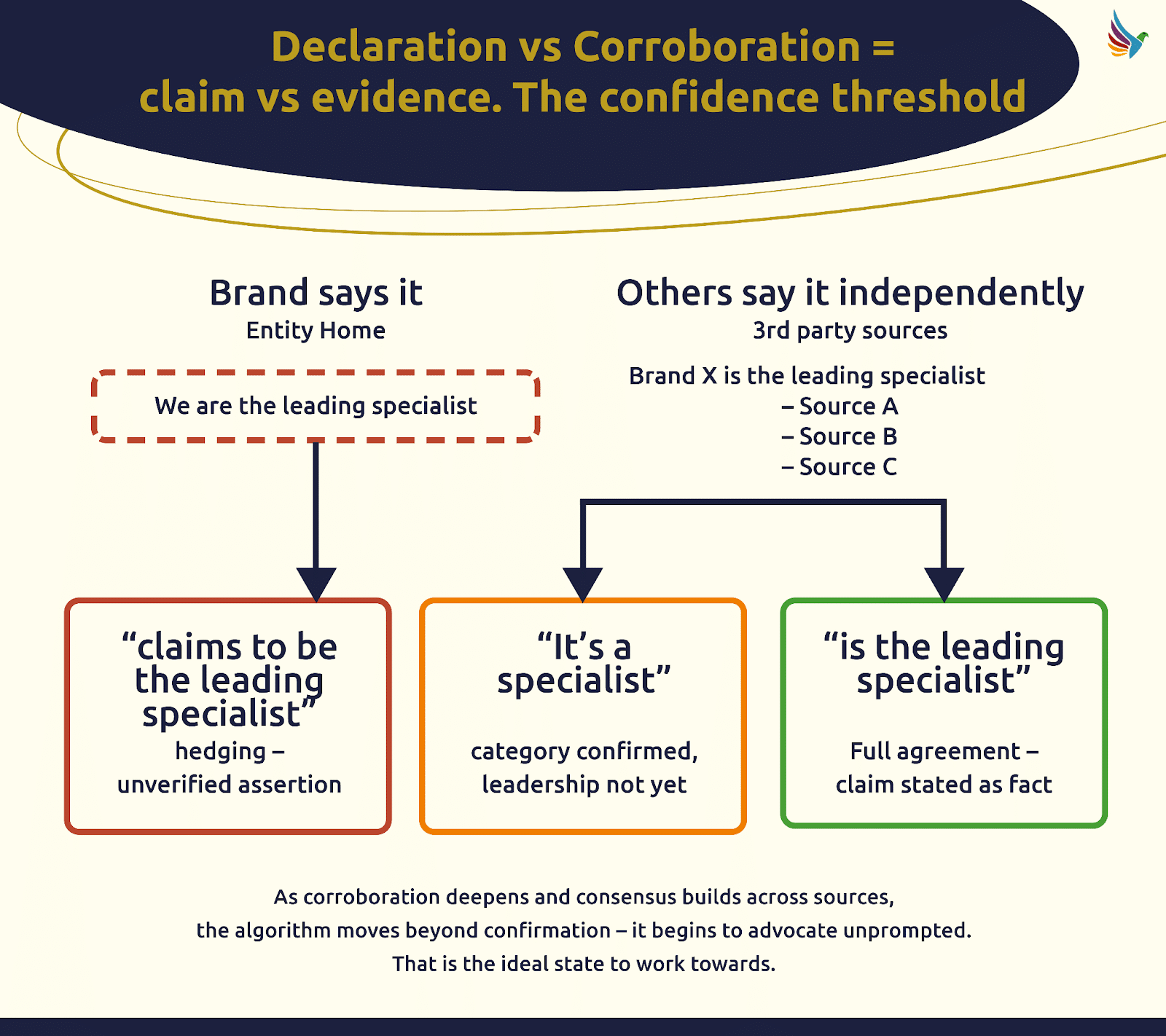
Declaring your claims on one page won’t cut it if they’re not backed by credible third-party sources. I’ve realized that evidence and corroboration create a trust bridge algorithms rely upon.
Three Audiences, One Anchor
The entity home serves three critical audiences, and I’ve noticed that many brands neglect two of them.
Bots map your digital footprint. Algorithms resolve identities from your entity home. People use it to verify your credibility before converting. Each element requires a slightly different approach, one that I’m continually fine-tuning.
The Entity Home is Just One Page and That Isn’t Enough
Your entity home lays the groundwork, but it doesn’t tell your whole story. I’ve learned to extend my brand narrative across other pages on my site.
I’ve structured pages to express who I am, what I do, and align them with supporting, independent sources. This multi-layered approach has been pivotal in how AI and search engines understand my brand.
Shifting my focus to assistive and agent-driven interactions has been a challenge, but it’s clear this is where the future lies. The change is happening faster than anticipated, and I’m adapting my strategy accordingly.
Building for Machines and Humans Simultaneously
At first glance, it seems building for machines might detract from the human element, but I’ve found the opposite to be true. Structured clarity satisfies both algorithms and human readers. There’s a mutual benefit in crafting content that speaks to both audiences effectively.
Getting the Entity Home Right Requires Definition, Proof, and Corroboration
Defining the core URL of my brand’s identity has been a meticulous process. I’ve ensured it contains explicit claims supported by robust third-party evidence.
This isn’t a sprint; it’s an ongoing education for algorithms. I reinforce my claims through continuous corroboration, ensuring that my brand stands on stable, trustworthy ground.
When I first encountered the Visibility Governance Maturity Model (VGMM), it struck me as a tool most SEO programs desperately need. It’s not merely about how we execute SEO; it’s about clear ownership and documented processes that prevent undoing our hard work by teams unfamiliar with our efforts.
But how do I score something so foundational yet intangible? It all starts with tailored governance questions specific to each business domain. These aren’t about auditing tools or execution but focus on governance and accountability.
The VGMM questions reach out to managers and the C-suite—those who should know governance but often remain unaware. Meanwhile, I’m familiar with the documented standards and quality assurance processes that exist.
Through VGMM, I learned that the real test is whether our organization can maintain its capabilities without me. When I go on vacation, get promoted, or leave, can everything still run smoothly?
Managers often respond with phrases indicating gaps like ‘I don’t know the answer’ or ‘I’d have to ask Sarah’. These gaps reveal that our processes aren’t institutionalized.
Single points of failure (SPOF) questions can hold our organization back. I could be that SPOF, the go-to person for SEO solutions, which feels secure but is actually limiting. Identifying SPOFs helps leadership provide resources for documentation and training.
The VGMM process involves a few steps where each domain—whether it’s SEOGMM, CGMM, or another—yields a maturity score. I see these scores as a reflection of whether we’re documenting and sharing SEO knowledge across the team.
We don’t compare scores with competition because they vary by business model, domain combinations, and organizational context. Instead, I track our progress over time, marking improvements as we address governance gaps and SPOF conditions.
For me, VGMM scoring shields me from unjust blame. It highlights systemic issues and demonstrates our impact when we improve organizational capabilities. Over time, I can see our organization evolving from hero work to sustainable SEO.
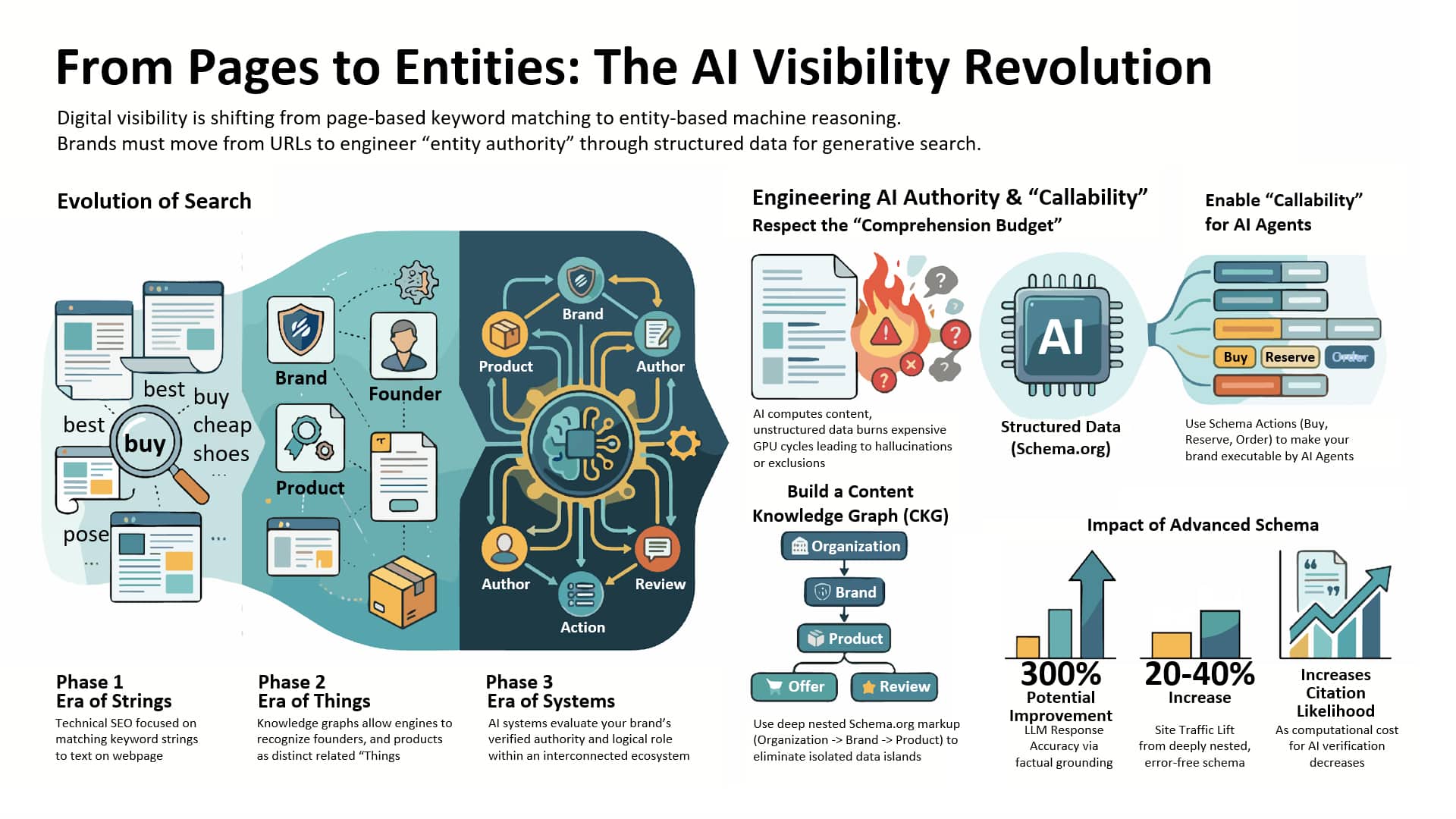
I realized that the traditional webpage is no longer the center of digital visibility. We’ve been relying on URLs and keywords, a structure made for a journey that AI now bypasses entirely.
In this era where search is everywhere, the entity—a precise, machine-readable concept of a product, organization, or individual—has become the core unit of power.
Brands that dominate now in the AI landscape are those creating strong entity authority. The key to surviving the shift to generative discovery is not merely about the page anymore. It’s about developing entity linkages to build the foundation of AI visibility.
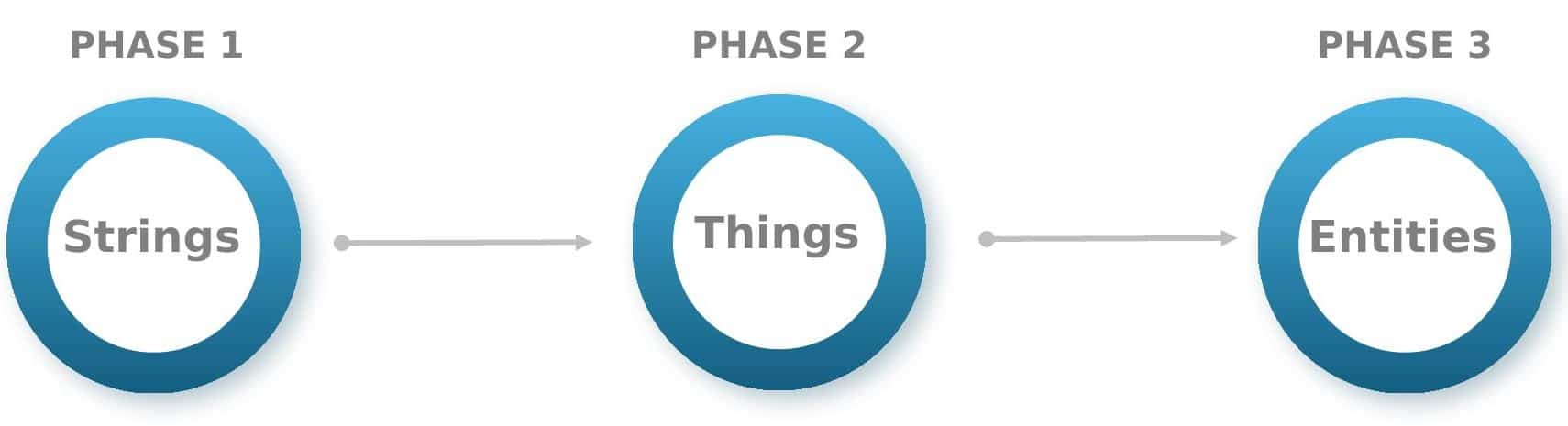
We need to acknowledge a profound transformation in how the web is indexed. We’ve moved beyond just retrieving information to a new three-stage evolutionary process.
Phase 1 (Strings): We focused on optimizing keyword strings in traditional SEO. The goal was to align queries with text on a page.
Phase 2 (Things): With modern search, we understand entities. Knowledge graphs now recognize brands, founders, and products as distinct entities.
Phase 3 (Entities): AI systems use structured entity ecosystems today. The aim is to become a verified authority within this interconnected network of entities and capabilities.
In this current phase, search engines evolve into reasoning engines, analyzing content and your brand’s ecosystem role.
The evolution is powered by economic necessity: the comprehension budget. AI systems are resource-intensive, processing content and calculating interpretations.
Whenever an engine clarifies a brand or assumes a relationship, it exhausts valuable resources. Unstructured or inconsistent data increases this computational load.
To optimize performance, I use a comprehension subsidy, employing Schema.org to make data more accessible to machines, reducing the inference needs for AI systems.
Shifting from traditional SEO to generative engine optimization (GEO), I focus on relevance engineering, structuring content to be part of AI-generated answers.
GEO is about making your brand’s information easily interpretable, verifiable, and useful in AI-generated responses across platforms like ChatGPT and Google’s AI Overviews.
Most enterprise sites have some structured data, but for AI, basic and fragmented schema is insufficient. It creates separate data islands and complicates the AI’s effort to form connections.
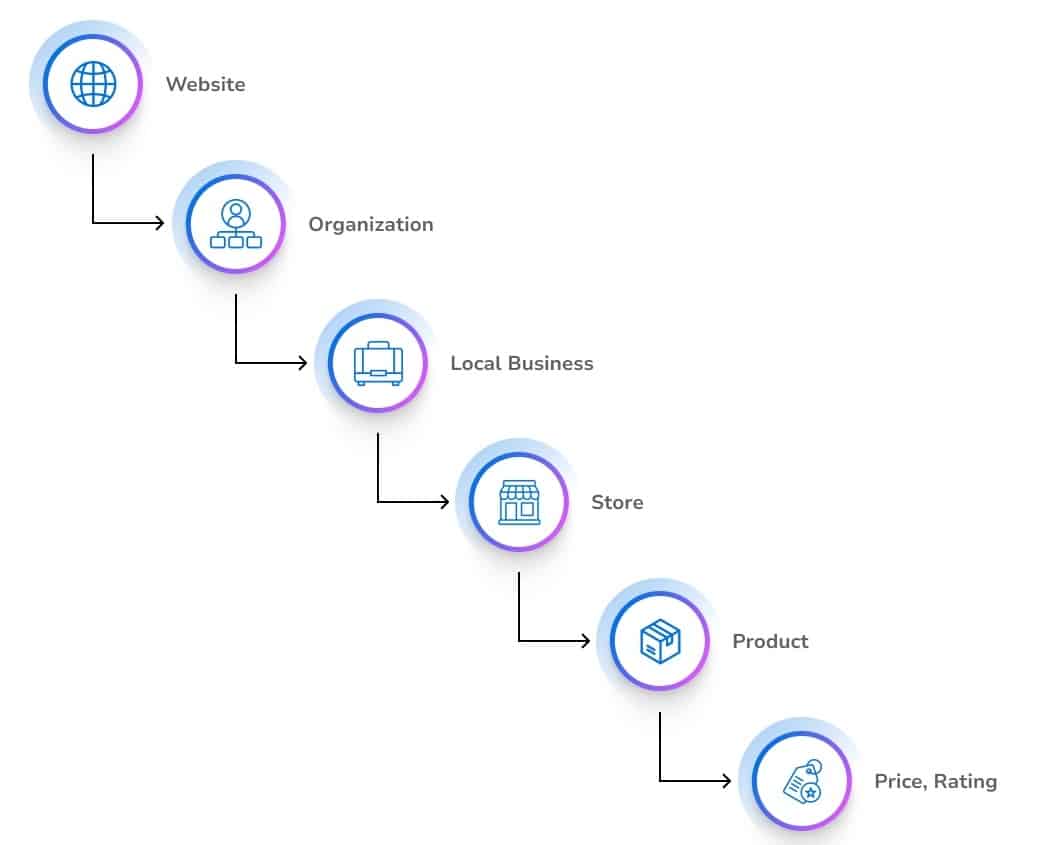
The correct approach is implementing a content knowledge graph, mapping entities hierarchically and ensuring they’re machine-readable through Schema.org and JSON-LD.
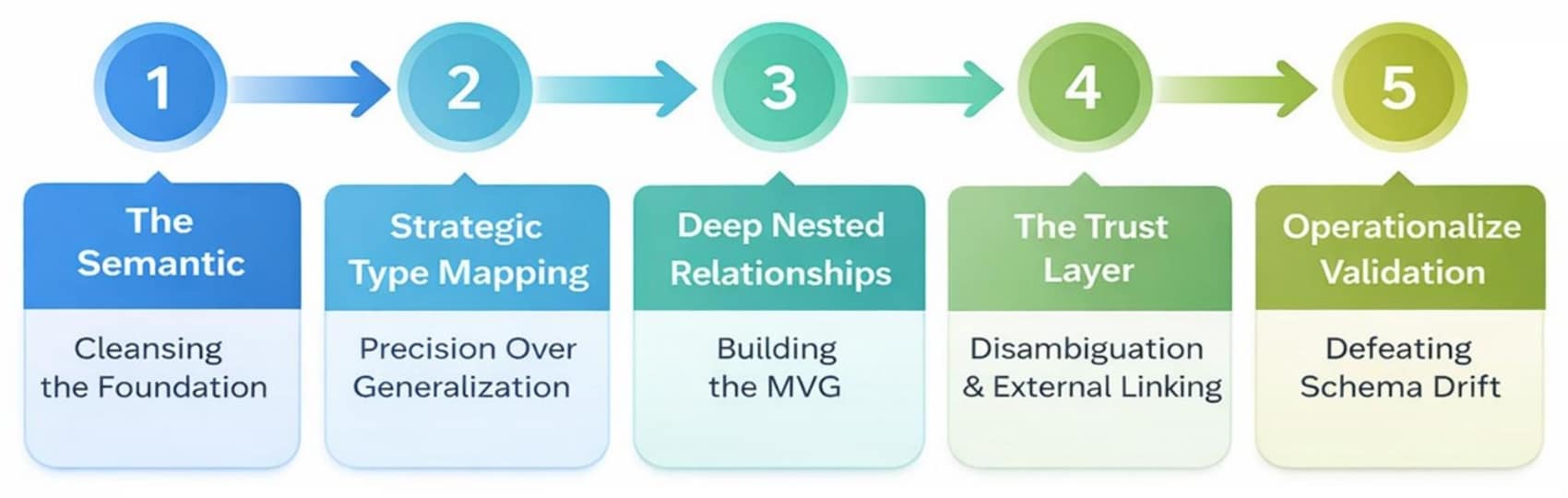
To be globally recognized, properties such as @id for consistency and sameAs for linking to reputable sources help in entity disambiguation, boosting credibility.
To maintain a strong AI relationship, move beyond simple tagging to entity governance—establishing verifiable sources of truth for AI platforms at scale.
As the AI experience evolves toward active agents managing user actions, I focus on schema actions that make my entity callable and ready to support AI-driven interactions.
If my entity isn’t clearly defined, AI may overlook it, turning to competitors prepared with actionable data pathways for users and AI systems.
Schema drift is a risk: inconsistencies between human-visible content and machine-readable formats can lead to lower confidence scores, reducing citations.
Monitoring and continually updating schema with real-time signals ensure I remain present and operationally capable in the agentic web ecosystem.
The new key performance indicators in AI environments go beyond traffic metrics, emphasizing model share and citation value, ensuring AI reflects my brand accurately.
Maintaining AI trust requires precise alignment of schema with declared business specifics, preventing entity drift and supporting positive AI interactions.
Embracing entity-first strategies allows me to build credibility and presence in AI searches, where content knowledge graphs enhance my brand’s visibility.
Ultimately, it’s not just about being on the page — it’s about the confidence AI places in my entity, ensuring it remains a powerful tool for discovery.
Key Takeaways:
From strings to things to systems: Transition from keyword targeting to entity authority, focusing on overall concept dominance.
Efficiency is currency: Streamlined, structured data helps AI access your information more efficiently, enhancing citation potential.
Citations are the new clicks: Achieving top visibility now involves influencing AI recommendations rather than just page visits.
Governance is revenue protection: Avoid schema drift to maintain AI confidence and brand presence.
Callability = survival: Ensure your brand’s entities are ready for AI agent interactions with actionable schema.
When I first dove into the complexities of AI recommendations, the process seemed daunting. But understanding the AI engine pipeline and its 10 gates offers incredible opportunities to optimize brand visibility and gain a competitive edge.
AI engine pipelines, from discovery to the final winning moment, are intricate systems where small adjustments can yield significant results. By embracing the entire pipeline, from upstream disciplines to structural shifts, we can profoundly influence how AI recommends our content.
Every piece of digital content navigates through a 10-gate journey before becoming an AI recommendation. I refer to this progression as the AI engine pipeline, or DSCRI-ARGDW, encompassing these crucial stages:
Discovered: The bot becomes aware of your existence.
Selected: The bot opts to further investigate your content.
Crawled: The bot fetches your material.
Rendered: The bot comprehends the content it has gathered.
Indexed: Your content is committed to the algorithm’s memory.
Annotated: The algorithm classifies the meaning of your content.
Recruited: Your content is integrated for use by the algorithm.
Grounded: The system verifies your content’s credibility.
Displayed: The user is presented with your content.
Won: You’ve secured the prime spot in the AI decision-making process.
The journey through these gates determines the strength of your AI recommendation. After securing a ‘win,’ the eleventh gate, which focuses on how your brand serves post-decision, plays a crucial role in reinforcing or diminishing ongoing AI confidence.
It’s essential to create a seamless path that bots can easily navigate (DSCRI) and outperform your competitors during the stages of recruitment, grounding, and display (ARGDW).
As the AI engine progresses through each gate, it evaluates your content against checkpoints and standards. Skipping gates by using structured feeds or direct data pushes can give you a strategic advantage by circumventing traditional path constraints.
Ultimately, understanding and optimizing for each gate in the AI engine pipeline not only enhances your brand’s digital footprint but also helps secure long-term recommendations consistently. Join me as we unravel how to enhance our content throughout this AI landscape and ensure it stands out at every step.