1. What exactly does CrushPress.ai do for my WordPress sites?
It auto-generates structured data (JSON-LD) that AI systems can reliably parse so your pages appear in AI answers (AEO) and generative summaries (GEO). It fixes the formatting issues most themes/plugins create.
2. Is this replacing traditional SEO plugins like Yoast or RankMath?
No. SEO plugins optimize for Google SERPs. CrushPress optimizes for AI-powered engines (ChatGPT Search, Google AI Overviews, Bing AI, Perplexity). They work side-by-side.
3. How does this help my clients get more visibility?
AI search rewrites content. CrushPress ensures your content is machine-trustworthy so AI engines quote it instead of skipping or paraphrasing it.
4. What data formats does CrushPress generate?
All schema.org JSON-LD types, including Article, BlogPosting, LocalBusiness, Product, FAQPage, HowTo, Review, Organization, Service, and more — automatically.
5. Will it mess with my existing SEO schema?
No. CrushPress safely merges, extends, or replaces broken schema depending on your site’s state. It never duplicates.
6. Does it slow down my website?
No. The plugin is lightweight, server-side rendered, and optimized for high-traffic environments.
7. How does it handle sites with thousands of pages?
It dynamically generates schema on request, supports caching, and is stable for very large sites or multisite networks.
8. Can I use it on client sites under my agency license?
Yes. There are agency/host plans specifically designed for bulk usage.
9. Does the plugin work with custom post types?
Yes — automatically. It detects CPTs, taxonomies, and custom fields.
10. Does CrushPress integrate with popular page builders?
Yes. Gutenberg, Elementor, Divi, WPBakery, Oxygen, Bricks — anything that outputs HTML.
11. Does it support WooCommerce?
Yes — Product, Offer, Review, AggregateRating, Brand, etc are auto-generated.
12. What happens if my theme already outputs partial or broken schema?
CrushPress repairs the schema, fills gaps, removes duplicates, and ensures compliance.
13. How do you ensure JSON-LD is valid?
Every output is validated against schema.org and Google Rich Result standards.
14. Can I customize the schema?
Yes. You can override templates, disable types, and map custom fields to schema.
15. Does this help with Google AI Overviews?
Yes. CrushPress outputs the content structures Google’s AI Overviews prefer.
16. Is there a risk of over-optimization or penalties?
No. JSON-LD is recommended by Google. CrushPress follows safe guidelines.
17. Can hosting providers deploy this at scale?
Yes. It supports WHMCS, provisioning scripts, multisite installs, and silent activation.
18. Is support included?
Yes. Agency/host plans include priority support and onboarding.
19. Will AI engines actually quote my content because of this?
You get significantly higher probability because your content becomes structured, trustworthy, and machine-readable.
20. Do you store any data?
No customer content is stored. All schema is generated on your server.
21. Does it work with headless WordPress setups?
Yes — WP-JSON endpoints expose structured data.
22. Do I need to manually add schema on each page?
No. Most pages are handled automatically. You can override if needed.
23. Will this fix messy content built with custom HTML or shortcodes?
Yes. CrushPress parses the page and generates proper machine-readable schema.
24. Does it support multilingual sites?
Yes — WPML, Polylang, Weglot.
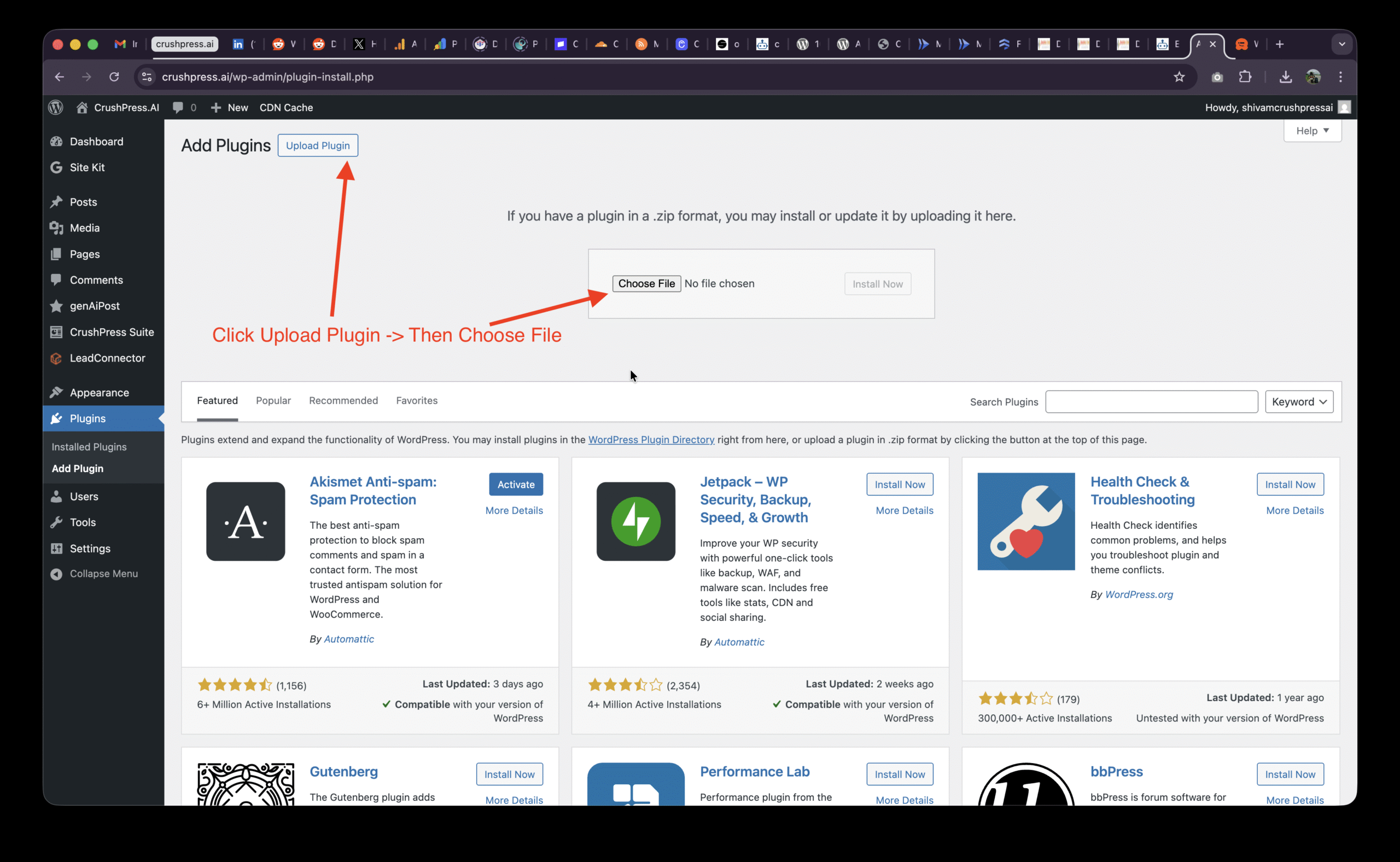
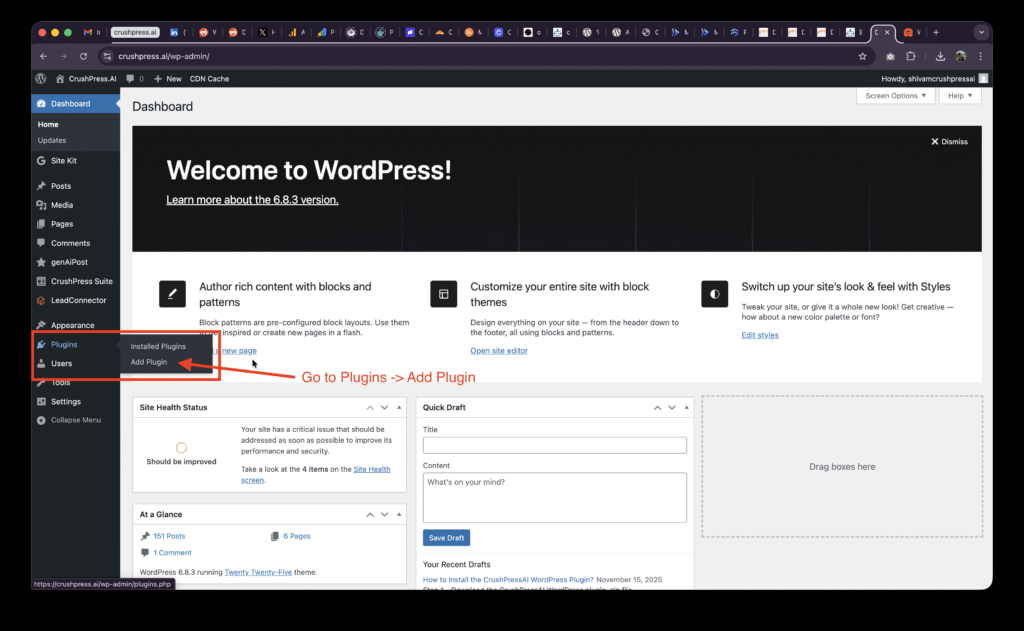
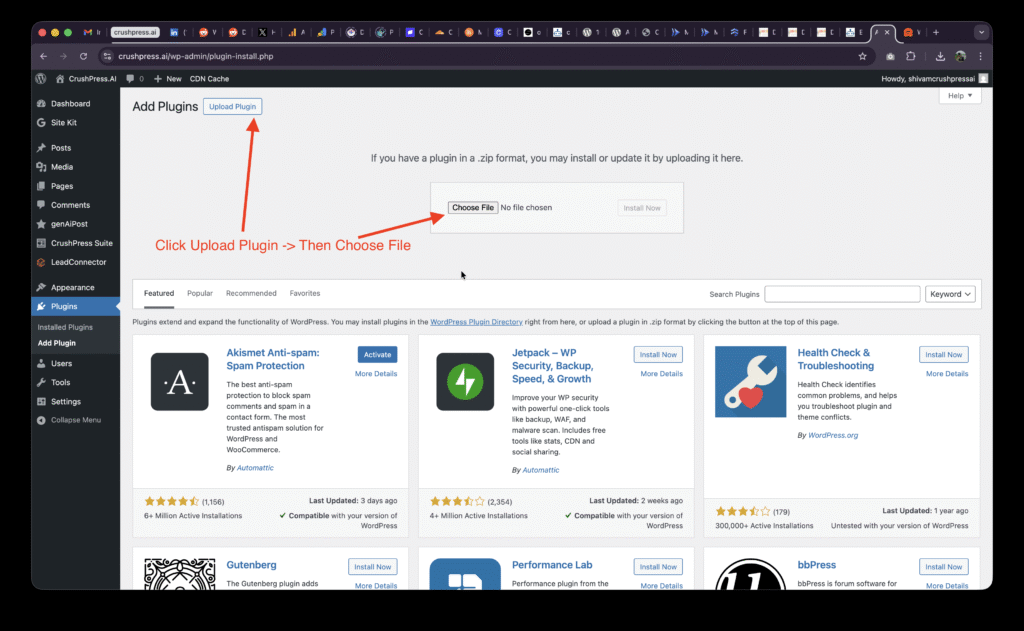
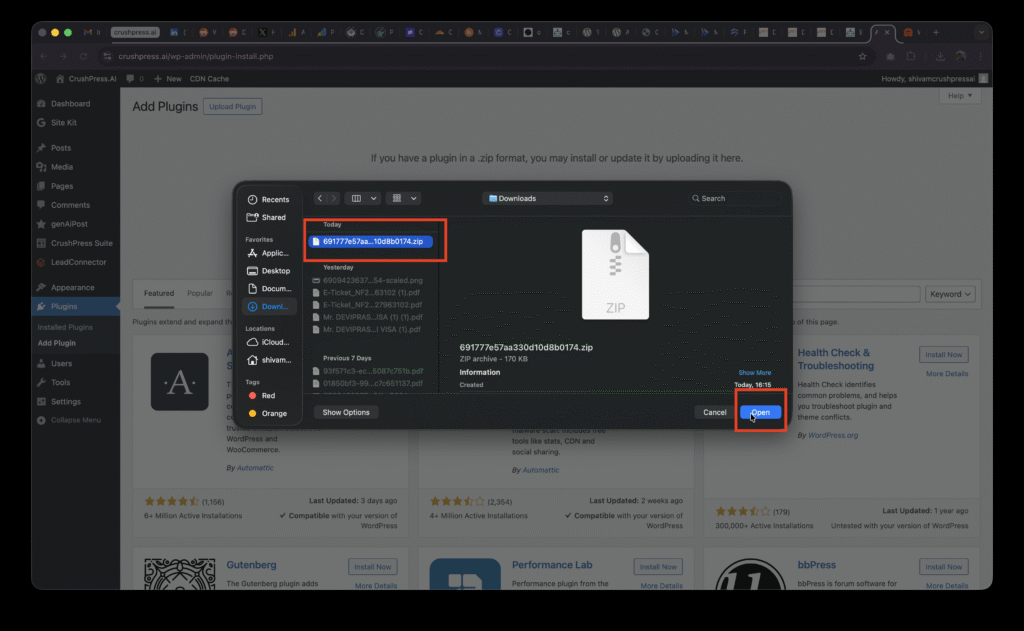
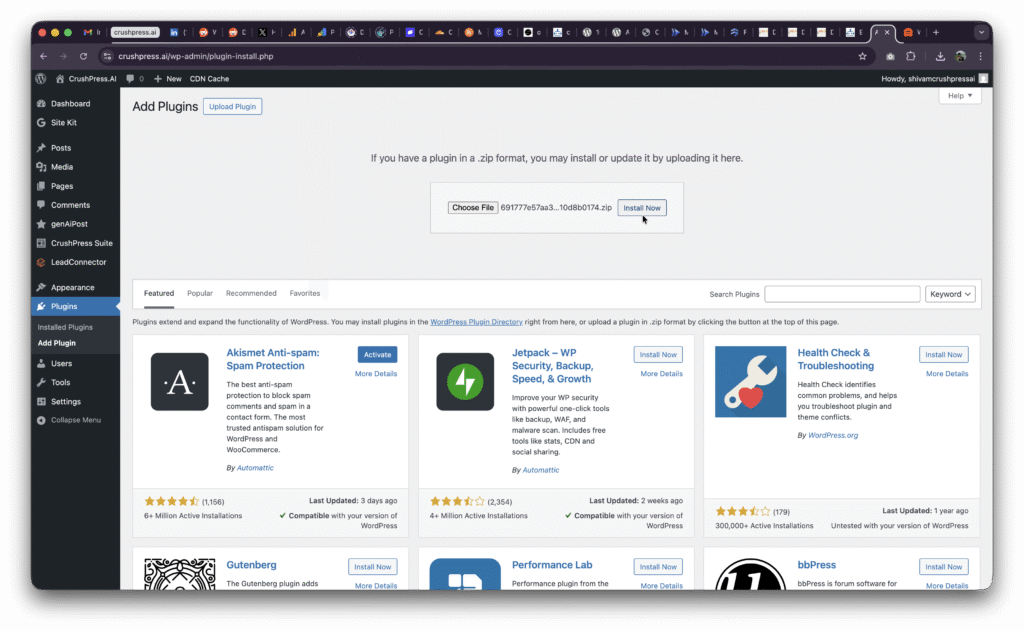
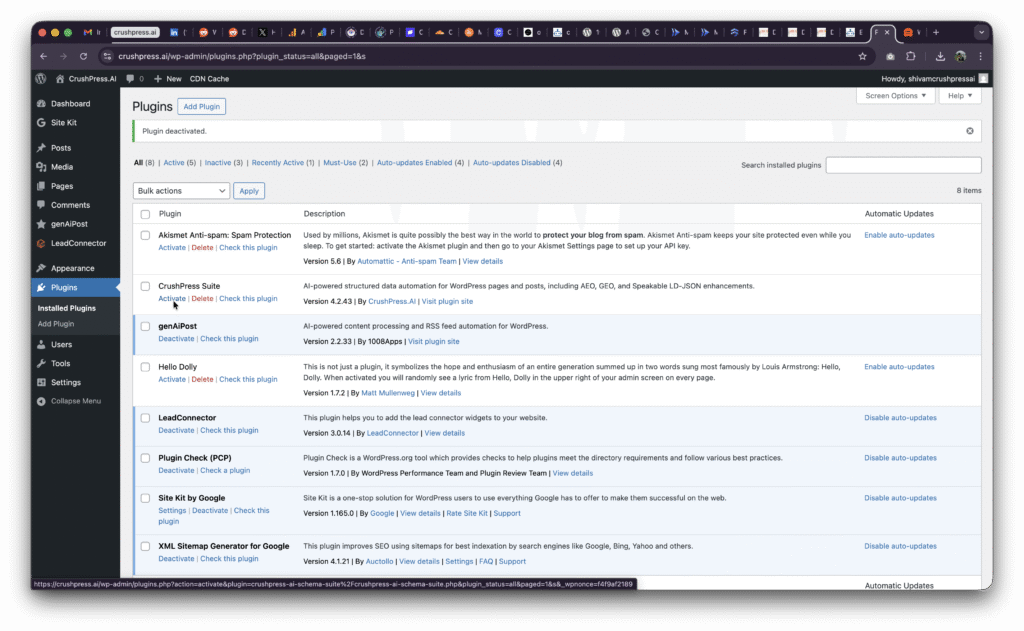
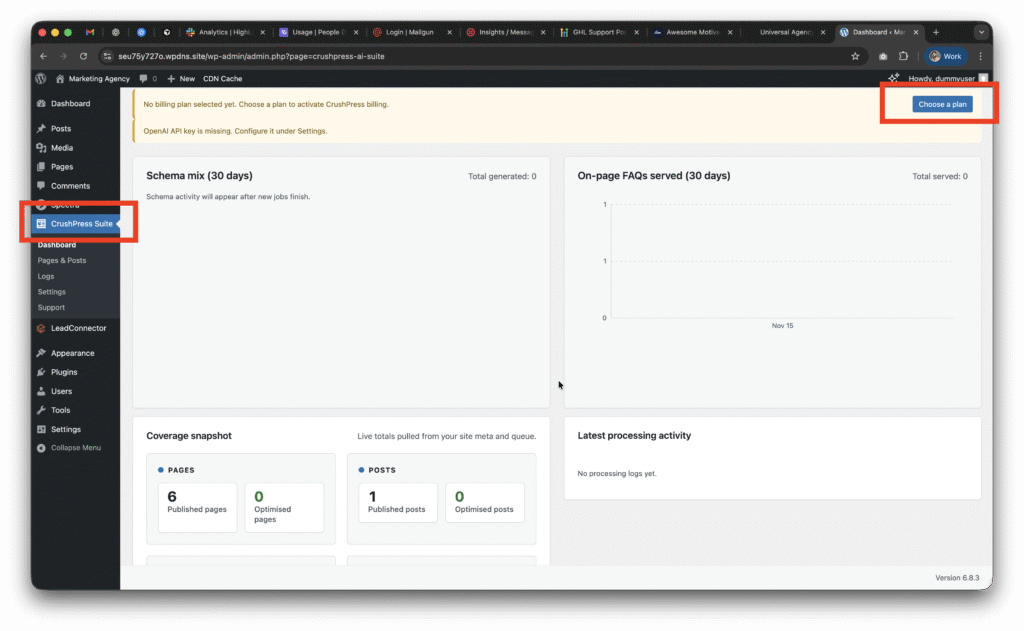
25. How fast is installation?
One plugin → activate → done. No complicated setup.