Tag: crushpress ai

  • Version 4.2.63 released

    Version 4.2.63 released

    CrushPress AI Schema Suite 4.2.63 – What’s New Since 4.2.43

    Download the latest stable plugin version here.

    Smarter, safer setup

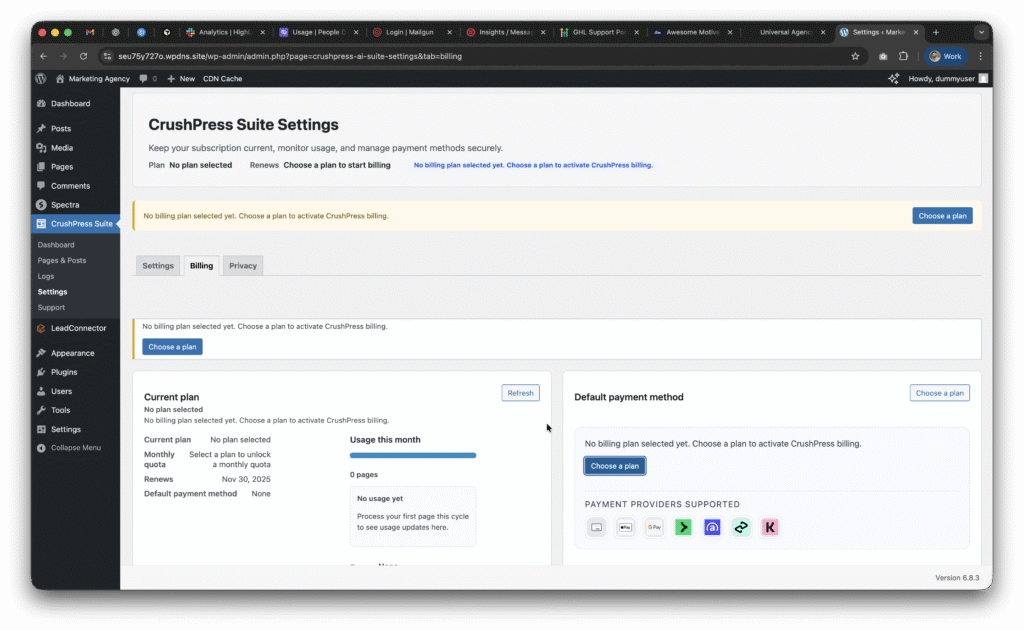
    • Guided alerts now flag missing billing plans and OpenAI keys the moment you land on the dashboard, with direct links to fix them.
    • Added inline OpenAI diagnostics plus an automatic key validator. If a key is incorrect, we show a human-friendly explanation, keep your working key in place, and stop configuration mistakes before they cause failed runs.
    • The Privacy tab now deliberately pauses all remote calls when you opt out, with clear messaging about what that means for your site.

    Faster time-to-value

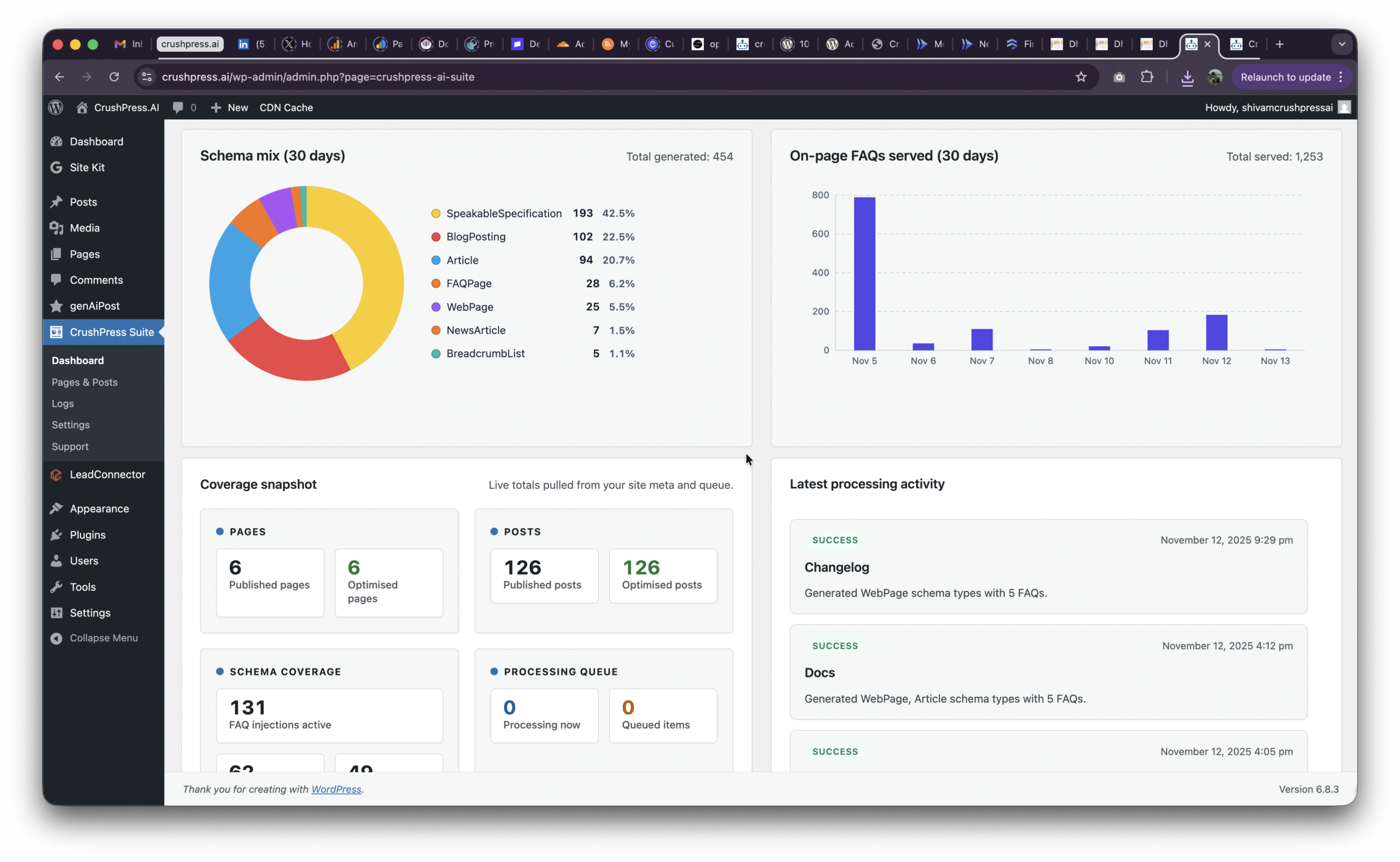
    • Fresh installs see realistic “sample data” across the dashboard (trend charts, schema coverage, FAQ activity, processing logs) so you understand the experience before automation kicks in.
    • The AI Engine card highlights connection status, selected model, reasoning effort, and checklist reminders, making it obvious what to do next.

    Better automation controls

    • New general settings for FAQ limits, Speakable, queue-only mode, and recurring refresh schedules put more automation knobs in one place.
    • One-click diagnostics, queue controls, and run/purge actions live directly on the dashboard and Pages & Posts screens.

    Improved transparency & support

    • Logs and system alerts now surface at the top of every CrushPress screen, so you never miss billing or connectivity notices.
    • Support tools gained richer media uploads, inline modals, and a tighter privacy workflow, making it easier to send actionable tickets.

    Polish & reliability

    • Sticky wp-admin footers keep WordPress’ “Thank you for creating…” text and version number visible even when CrushPress locks the billing view.
    • Numerous UX refinements (consistent buttons, inline flash messages, better empty states) make the plugin feel like a natural extension of WordPress.

    Download the latest stable plugin version here.

  • How to Install the CrushPressAI WordPress Plugin?

    How to Install the CrushPressAI WordPress Plugin?

    Step 1 – Download the CrushPressAI WordPress plugin .zip file

    This will download a .zip file on your computer. If you are prompted to approve thee download please do so.

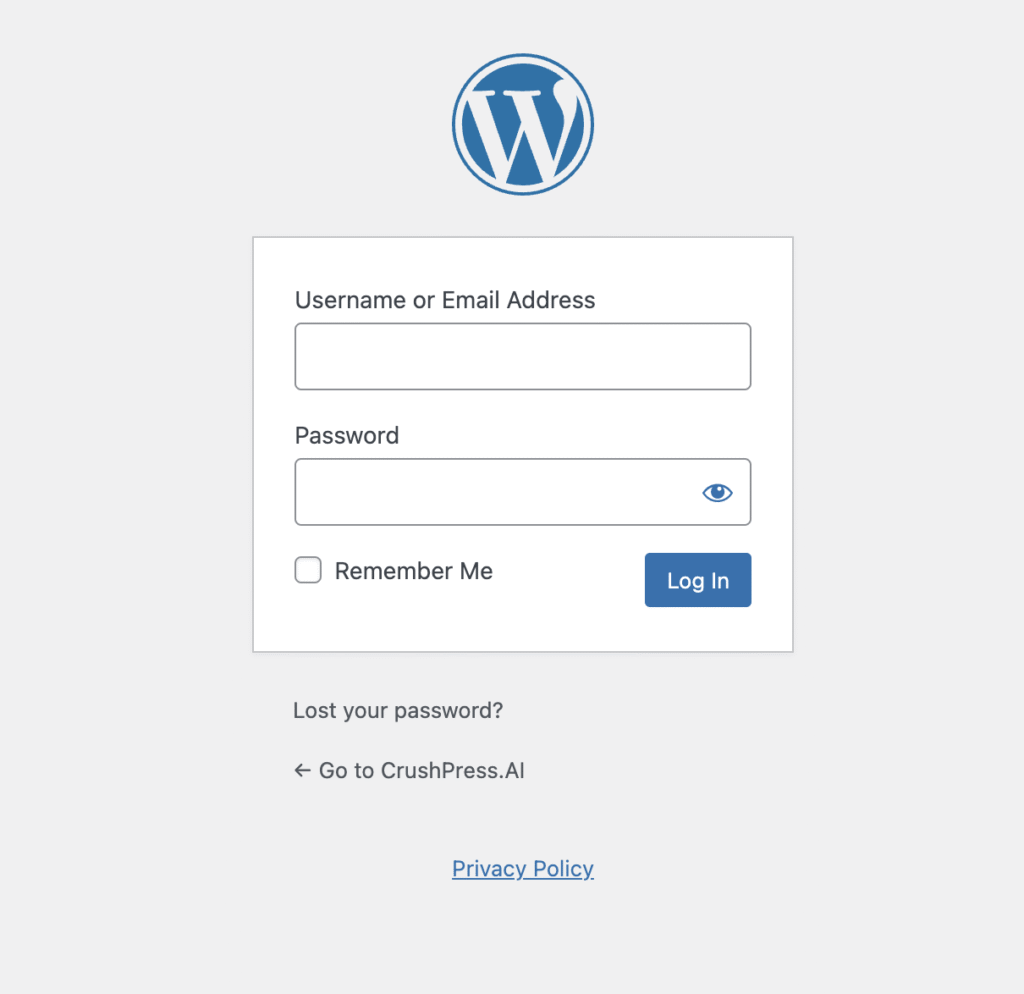
    Step 2 – Login to /wp-admin of your WordPress site and Add Plugin

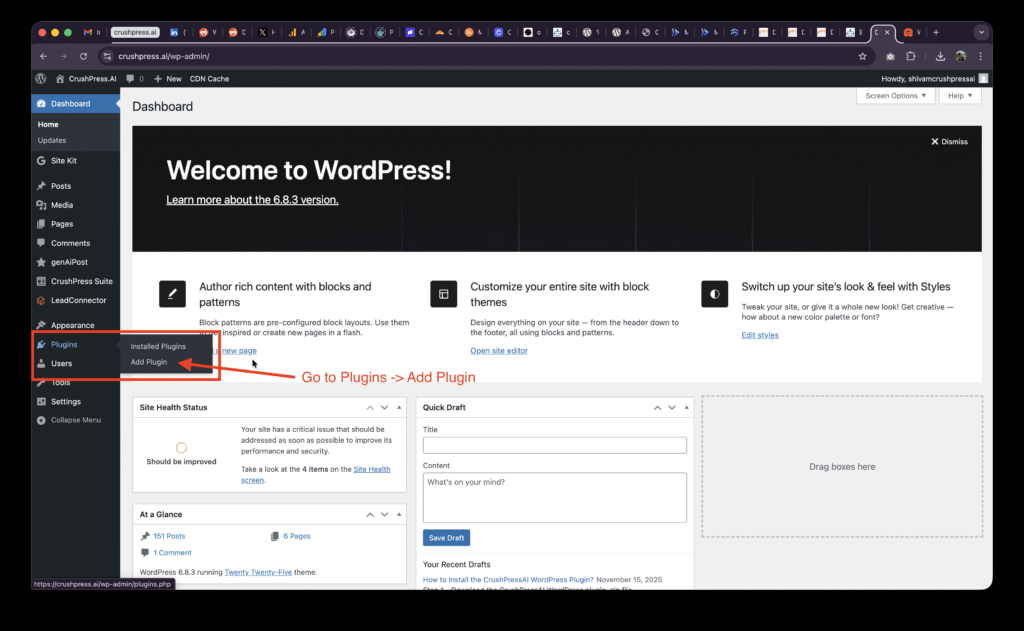
    After logging-in to your /wp-admin console go to Plugins -> Add Plugin

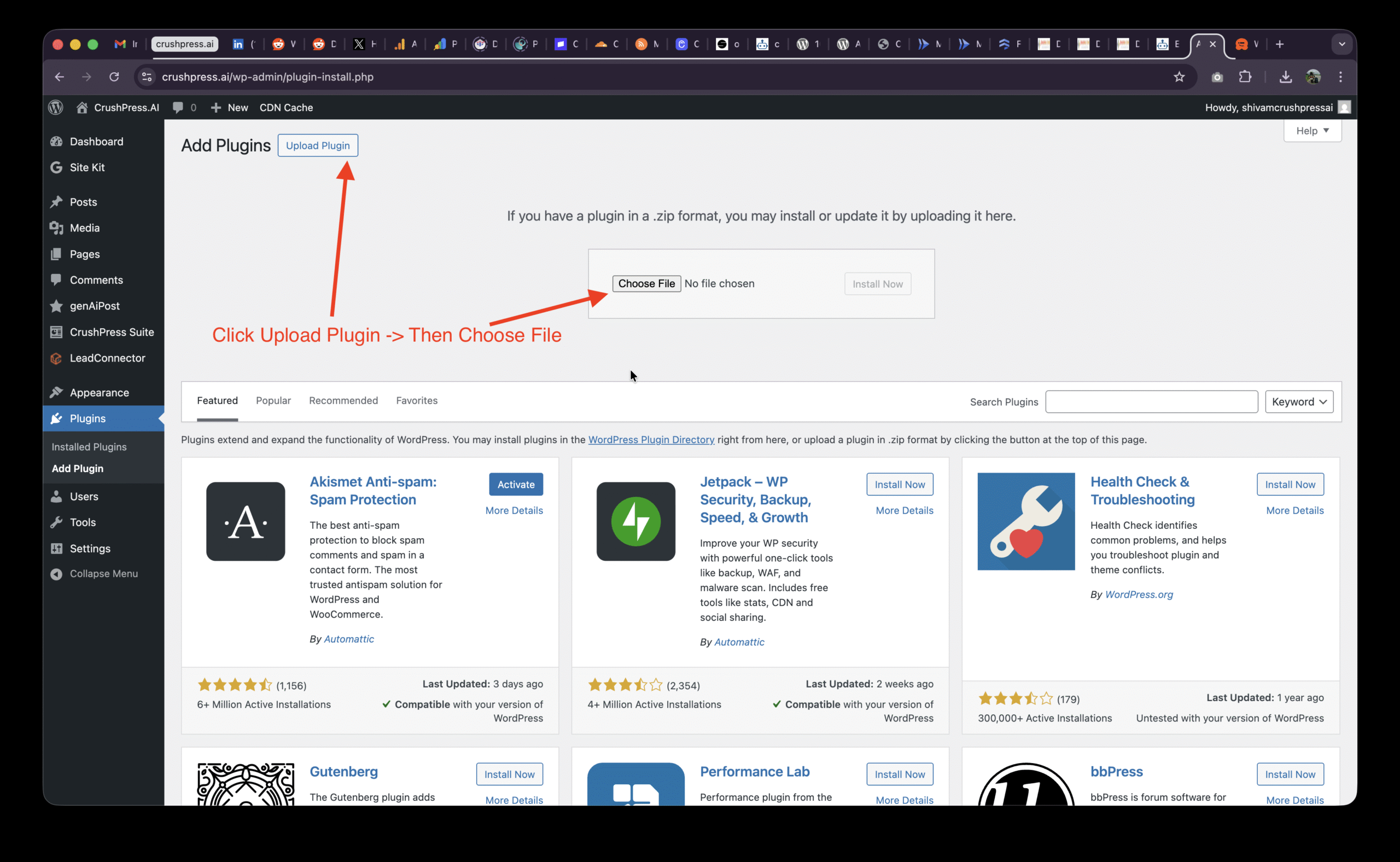
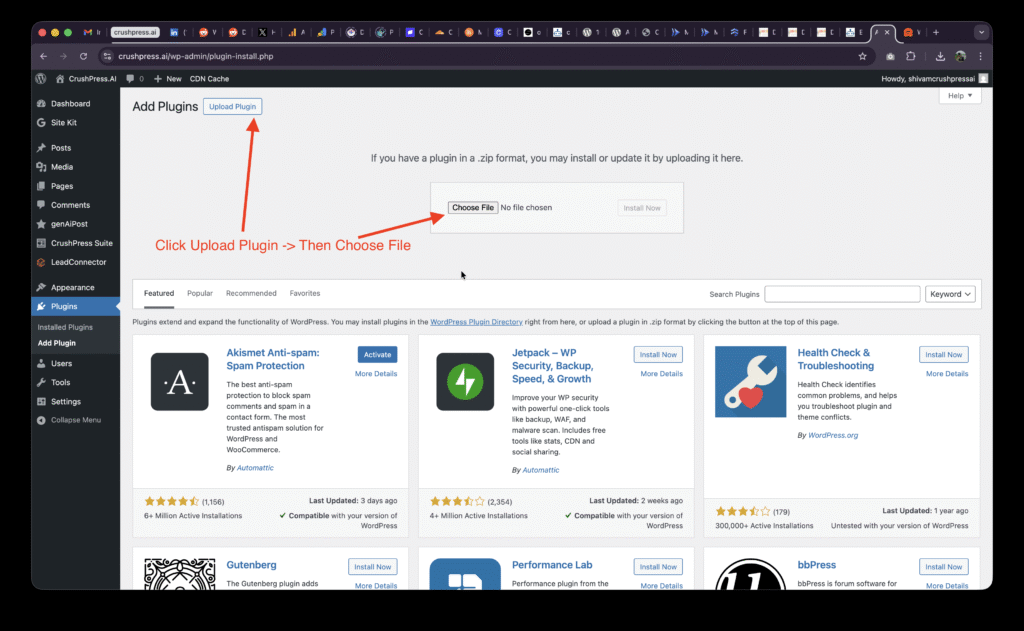
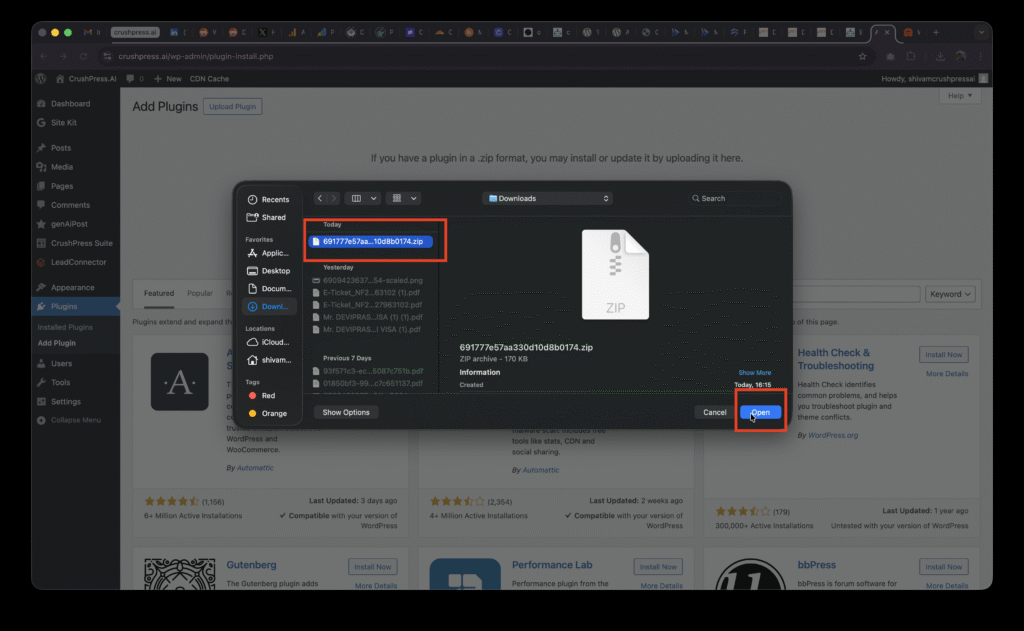
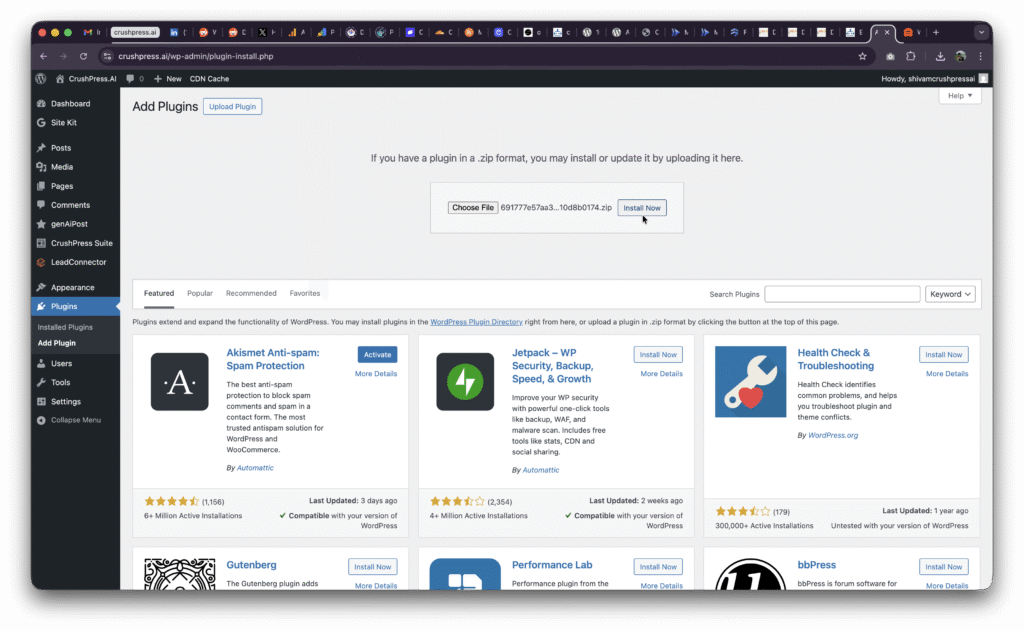
    Then Click on Upload Plugin and Choose File

    Select the .zip file and Upload Plugin

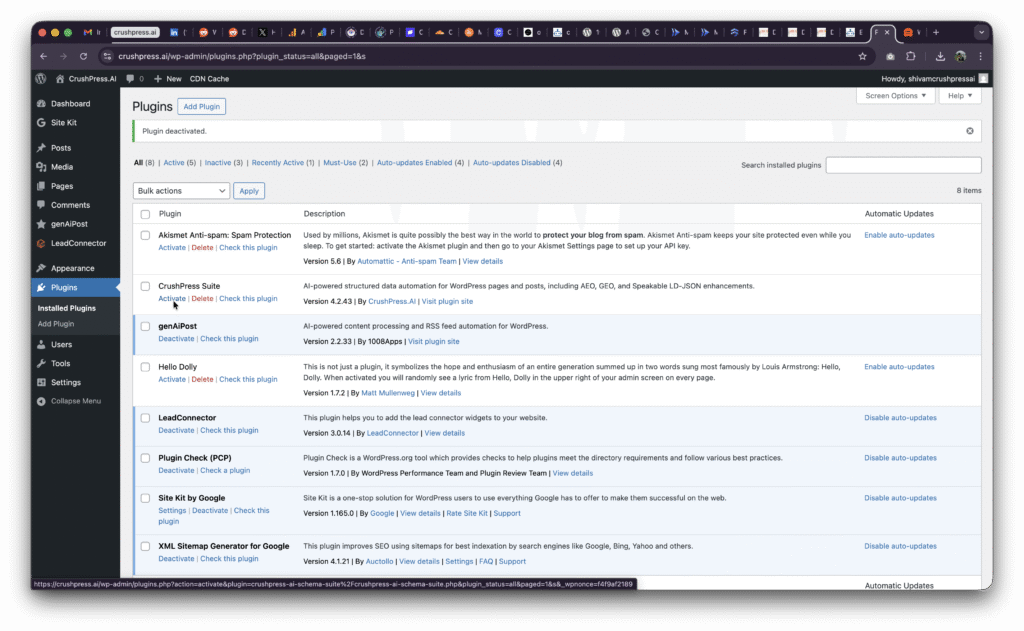
    You may need to Activate the plugin if this is your first install.

    Step 3 – Add card, choose plan, Setup OpenAI and ALL SET!

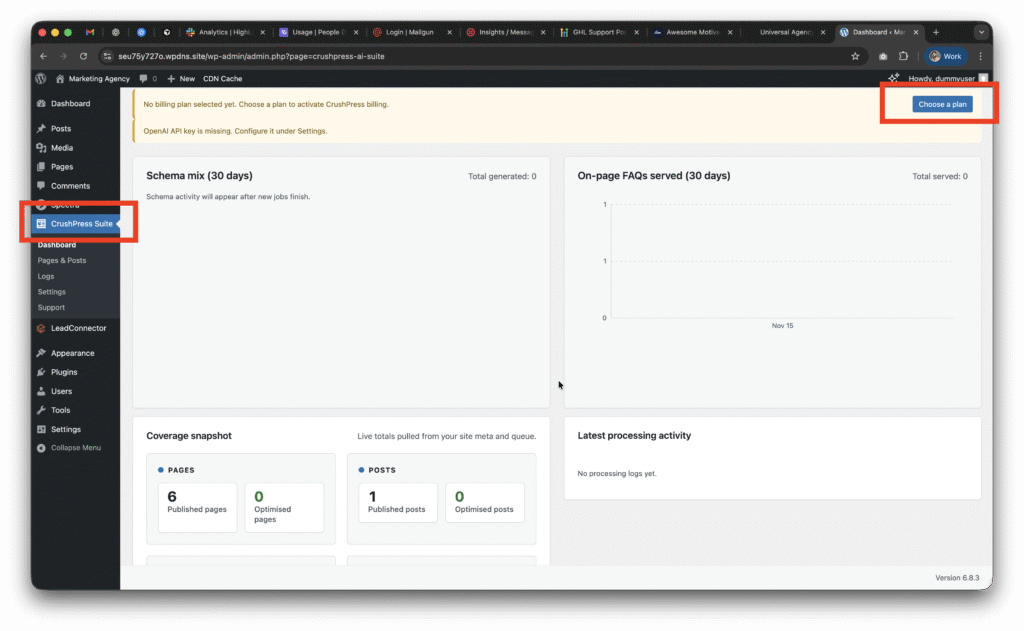
    You should be able to see CrushPress Suite in the left menu now

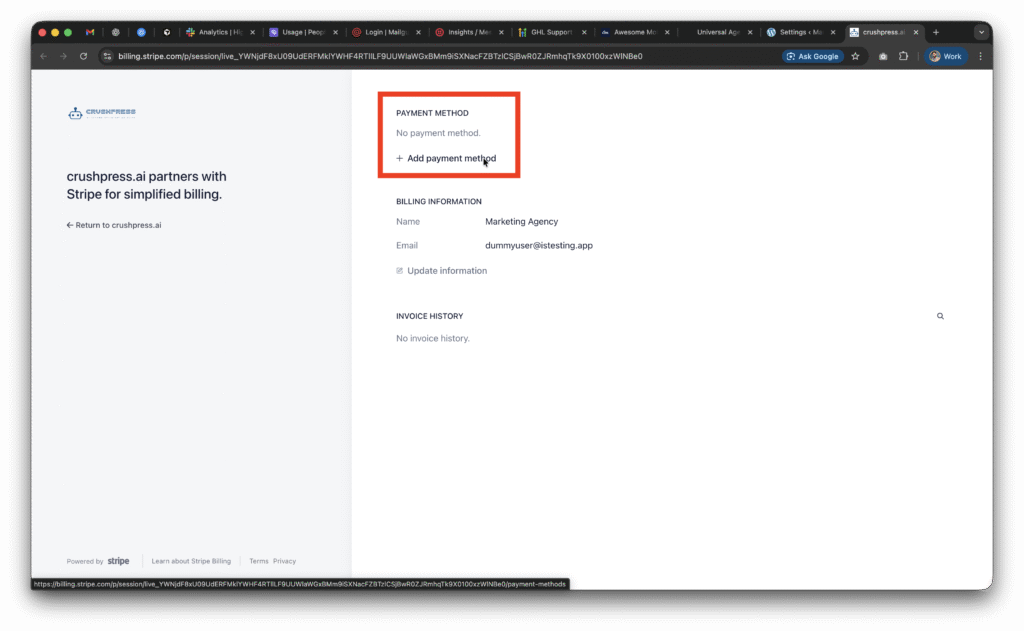
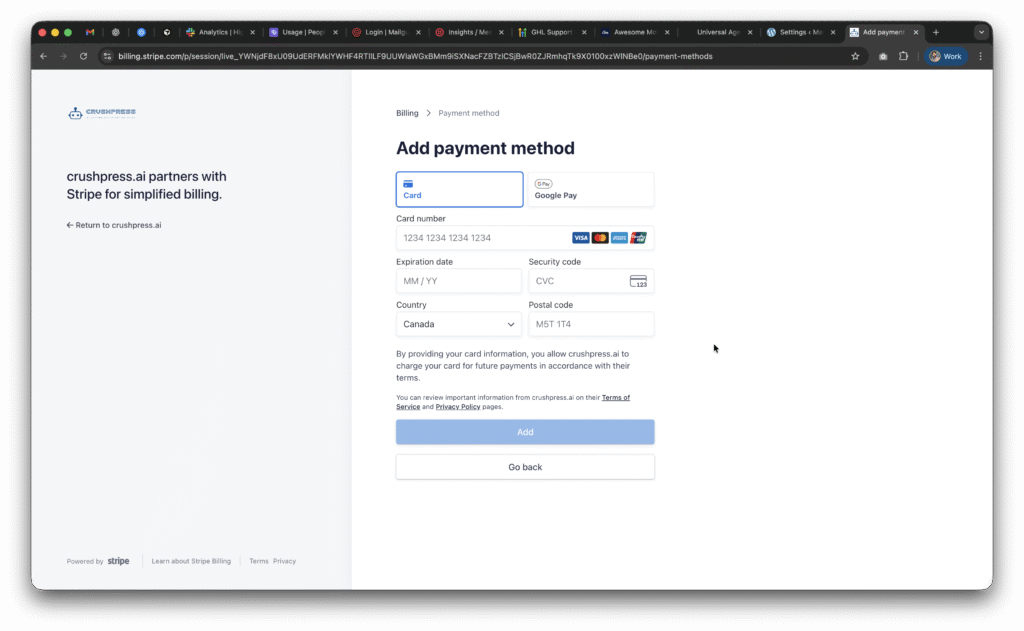
    Now go to CrushPress Suite -> Settings -> Billing page and add your card and choose your plan.

    You can choose the free pan to start with which will not charge you anything and is FREE FOREVER (be mindful of the overages though!)

    Checkout our 2025 Black Friday / Cyber Monday Promo to get unlimited usage free for 2 months on unlimited sites!

    Once you setup the card and choose a plan; you need to setup the OpeAI API Key.

    This post walks you through how to configure your OpenAI API Key.

  • CrushPress.ai – Agency & Hosting Provider FAQs

    CrushPress.ai – Agency & Hosting Provider FAQs

    1. What exactly does CrushPress.ai do for my WordPress sites?

    It auto-generates structured data (JSON-LD) that AI systems can reliably parse so your pages appear in AI answers (AEO) and generative summaries (GEO). It fixes the formatting issues most themes/plugins create.

    2. Is this replacing traditional SEO plugins like Yoast or RankMath?

    No. SEO plugins optimize for Google SERPs. CrushPress optimizes for AI-powered engines (ChatGPT Search, Google AI Overviews, Bing AI, Perplexity). They work side-by-side.

    3. How does this help my clients get more visibility?

    AI search rewrites content. CrushPress ensures your content is machine-trustworthy so AI engines quote it instead of skipping or paraphrasing it.

    4. What data formats does CrushPress generate?

    All schema.org JSON-LD types, including Article, BlogPosting, LocalBusiness, Product, FAQPage, HowTo, Review, Organization, Service, and more — automatically.

    5. Will it mess with my existing SEO schema?

    No. CrushPress safely merges, extends, or replaces broken schema depending on your site’s state. It never duplicates.

    6. Does it slow down my website?

    No. The plugin is lightweight, server-side rendered, and optimized for high-traffic environments.

    7. How does it handle sites with thousands of pages?

    It dynamically generates schema on request, supports caching, and is stable for very large sites or multisite networks.

    8. Can I use it on client sites under my agency license?

    Yes. There are agency/host plans specifically designed for bulk usage.

    9. Does the plugin work with custom post types?

    Yes — automatically. It detects CPTs, taxonomies, and custom fields.

    10. Does CrushPress integrate with popular page builders?

    Yes. Gutenberg, Elementor, Divi, WPBakery, Oxygen, Bricks — anything that outputs HTML.

    11. Does it support WooCommerce?

    Yes — Product, Offer, Review, AggregateRating, Brand, etc are auto-generated.

    12. What happens if my theme already outputs partial or broken schema?

    CrushPress repairs the schema, fills gaps, removes duplicates, and ensures compliance.

    13. How do you ensure JSON-LD is valid?

    Every output is validated against schema.org and Google Rich Result standards.

    14. Can I customize the schema?

    Yes. You can override templates, disable types, and map custom fields to schema.

    15. Does this help with Google AI Overviews?

    Yes. CrushPress outputs the content structures Google’s AI Overviews prefer.

    16. Is there a risk of over-optimization or penalties?

    No. JSON-LD is recommended by Google. CrushPress follows safe guidelines.

    17. Can hosting providers deploy this at scale?

    Yes. It supports WHMCS, provisioning scripts, multisite installs, and silent activation.

    18. Is support included?

    Yes. Agency/host plans include priority support and onboarding.

    19. Will AI engines actually quote my content because of this?

    You get significantly higher probability because your content becomes structured, trustworthy, and machine-readable.

    20. Do you store any data?

    No customer content is stored. All schema is generated on your server.

    21. Does it work with headless WordPress setups?

    Yes — WP-JSON endpoints expose structured data.

    22. Do I need to manually add schema on each page?

    No. Most pages are handled automatically. You can override if needed.

    23. Will this fix messy content built with custom HTML or shortcodes?

    Yes. CrushPress parses the page and generates proper machine-readable schema.

    24. Does it support multilingual sites?

    Yes — WPML, Polylang, Weglot.

    25. How fast is installation?

    One plugin → activate → done. No complicated setup.