Tag: Bing

  • Google’s AI Search Advice: Why Skepticism is Essential

    Google’s AI Search Advice: Why Skepticism is Essential

    As I immerse myself in Google’s latest guidance on AI search optimization, it’s hard not to approach it with a healthy dose of skepticism.

    Whenever Google releases a new Search Central document, our industry splits into two predictable groups. The first group eagerly screenshots the content to share on LinkedIn, captioning it with “SEE? IT’S JUST SEO” before returning to their usual practices. In contrast, the second camp underscores their posts with, “Here’s proof they’re deceiving us,” treating Google’s words as gospel as long as it supports their pre-existing beliefs.

    Recently, Google updated its guide on optimizing websites for generative AI features. The “it’s just SEO” advocates had much to celebrate. Many emerging concepts were downplayed or outright dismissed by the guide, reinforcing their belief that not much has changed over the years.

    Yet, I can’t help but recall the critical insight we gained a couple of years back from leaked internal documents. Those leaked papers revealed discrepancies between Google’s public messages and what their internal documentation actually detailed. Despite public denials, these documents showed certain signals were very much a part of Google’s algorithms. This reinforces the need for caution in taking Google’s public directions at face value.

    I’m not suggesting everything in Google’s new guidance is misleading, but it’s important to note Google’s tendency to push the industry towards its own interests first, possibly benefitting the open web as an afterthought. Google’s narrative drives SEOs to maintain the web’s infrastructure rather than moving towards a more independent approach across diverse platforms.

    In my previous discussions about chunking, I’ve highlighted how Google’s influence is waning, as competitive AI platforms redirect user attention. Google’s once-dominant definition of “good content” is now challenged, as evident in their increasingly protective language.

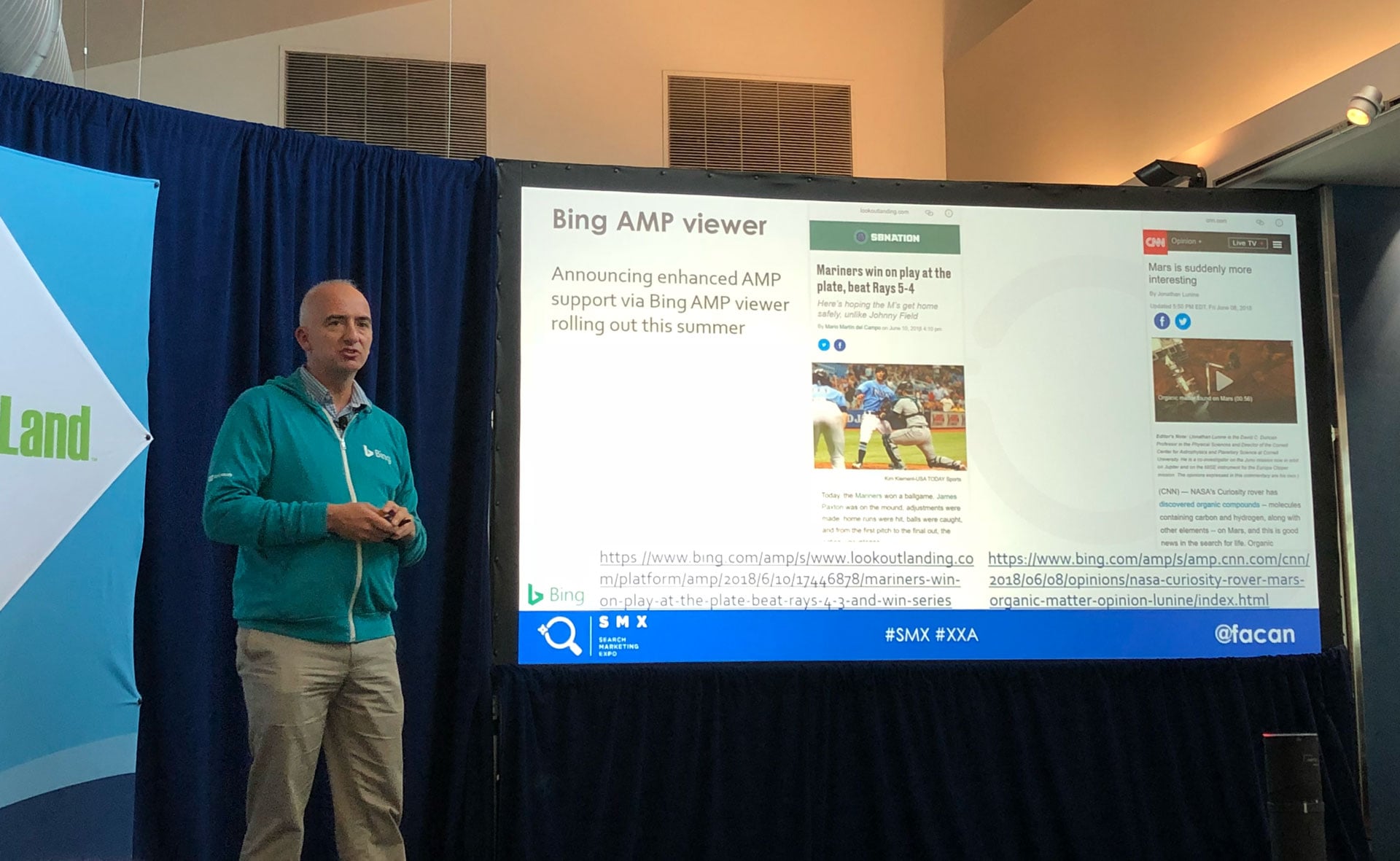
    Meanwhile, over at Microsoft, Bing is taking a different approach, transparent about changes and offering publishers insights and tools to optimize their content’s performance in AI responses.

    For instance, in their posts, Bing describes the transition towards Generative Engine Optimization and provides practical tools for users, something Google hasn’t quite matched.

    So, let’s discuss Google’s claims point by point:

    “Is SEO still relevant for generative AI search?”

    The idea that “it’s just SEO” is overly simplistic. SEO encompasses more than a collection of tactics; it includes strategic thinking and organizational presence. SEO has been evolving beyond basic practices to influence broader content strategies, yet it is often still underestimated as a supportive task.

    This pattern has persisted across various developments, from mobile and voice search to schema and AMP, all initially labeled as merely “SEO.” Each innovation triggers more work for SEO professionals without an equivalent increase in resources.

    The skill set and audience have diversified. Traditional SEO targets machine and human users differently than AI Search, which also caters to systems that might bypass traditional site visits altogether.

    New labels, like AEO and GEO, can prioritize budgets and attention towards such progressive approaches, unlike the catch-all label of SEO.

    When AI Search is recognized distinctly within organizations, it can catalyze cross-functional collaboration and sponsorships that SEOs have long sought.

    Despite the extra responsibility placed on practitioners, aligning AI Search under the SEO umbrella usually doesn’t come with new resources or authority, which limits growth and innovation.

    Google’s approach, treating all work as “just SEO” rather than recognizing unique systems like AI Mode or AI Overviews, simplifies the real diversity within their technologies.

    Non-commodity content is key. Creating valuable and unique content is universally acknowledged as a good practice.

    llms.txt files are beneficial, even if Google doesn’t require them. They serve other systems and therefore should be considered in a broad strategy.

    Ignoring the multi-platform dynamics leaves a business vulnerable to losing ground where other systems are gaining traction.

    Understanding that Google’s public guidance is tailored to its interests rather than offering generalized best practices across all platforms is crucial for developing a robust SEO strategy in this new era.

    Google’s recommendations are one perspective in a rapidly evolving landscape where multiple opinions and infrastructures are emerging.

    Stay informed, apply what’s relevant, but don’t take any single source as absolute truth. We’re navigating a new world requiring attention to diverse strategies to succeed across platforms.

    First published on the iPullRank blog, republished here with permission.


    Inspired by this post on Search Engine Land.


    crushpress.ai community screenshot
  • Bing’s Expanded Product Carousel Boosts Advertiser Visibility

    Bing’s Expanded Product Carousel Boosts Advertiser Visibility

    I’ve noticed that Bing is testing a double-rowed sponsored product carousel in its shopping results. As someone who keeps an eye on these updates, this change could offer substantial visibility boosts for Microsoft Shopping advertisers.

    The test, first spotted by Digital Marketer Sachin Patel, caught my attention when he noticed the broader layout while searching for cushions on Bing. This new format combines a significant double-rowed sponsored carousel, prominently paired with organic results below.

    Why this matters to me: If Bing decides to roll out this format broadly, I foresee a significant increase in screen space dedicated to sponsored products. This extra visibility typically translates to higher click-through rates, especially for those running Microsoft Shopping campaigns. The visually appealing double-row carousel puts Bing’s shopping ads on par with similar offerings by Google Shopping.

    Here’s the catch: The test seems to be in its early stages, as not all users, including seasoned industry experts like Mordy Oberstein, are seeing this expanded format. When I checked myself, I noticed a more compact layout, hinting at Bing’s ongoing experimentation.

    ```json
{
  "alt": "Google search results for cushions, showing various shopping options from different retailers.",
  "caption": "Explore a range of stylish cushions from top retailers. Enhance your home with unique designs and comfortable seating options.",
  "description": "This image displays search results for 'Cushions' on a Google interface, showing various cushion options available from retailers like Perigold, Walmart, and Cushion Lab. The results include products with prices and ratings, alongside sponsored content from Amazon and Wayfair, offering a variety of styles and custom cushion options for home decor."
}
```

    The takeaway: Bing often experiments with its search engine results pages without officially rolling them out. As a retailer using Microsoft Shopping, it’s crucial for me to stay alert for any increase in product impressions if the format becomes more widespread.

    Initially discovered. This testing phase was initially spotted by Sachin Paten, who shared his insights and a screenshot on X.


    Inspired by this post on Search Engine Land.


    crushpress.ai community screenshot
  • Bing Enhances AI Query Links to Cited Pages for SEO Insight

    Bing Enhances AI Query Links to Cited Pages for SEO Insight

    Recently, I’ve noticed something exciting happening on Bing. Now, when I use Bing Webmaster Tools, I can click a query to view its cited pages or select a page to see its grounding queries. It feels like a new level of connectivity where multiple queries and pages are seamlessly linked together.

    Microsoft has introduced query-to-page mapping within its AI Performance report on Bing Webmaster Tools. I find this feature incredibly helpful because it lets me directly connect AI-generated queries to cited URLs. This makes my SEO strategies more precise.

    Why it matters to us. Before this update, Bing’s dashboard presented queries and pages separately, which limited our optimization efforts. Now, I can align specific AI-triggering queries with the exact pages they reference, focusing my updates on real AI-driven demand rather than guesswork.

    Here’s the scoop. The Grounding Query–Page Mapping feature is a game-changer in the AI Performance dashboard:

    • With a click on a grounding query, I can see which pages are cited.
    • I can also click a page to find out which grounding queries are driving its citations.
    • The mapping system is many-to-many, meaning one query can be linked to multiple pages and vice versa.

    Catch up with Bing. Back in February, Microsoft launched the AI Performance report in Bing Webmaster Tools, marking its initial GEO-focused dashboard. This tool keeps track of where and how often my content gets cited in AI answers across platforms like Bing, Copilot, and more.

    • It tracks the grounding queries, cited URLs, and visibility trends over time, providing an insightful view into citation visibility.

    The buzz. According to Microsoft, this update came about due to “strong positive customer feedback and numerous requests,” and I can see why it’s so well-received.

    The announcement. The unveiling of the query-to-page mapping feature was detailed in a Microsoft Advertising blog post: The AI Performance dashboard: Your view into where your brand appears across the AI web


    Inspired by this post on Search Engine Land.


    crushpress.ai community screenshot
  • Boost Engagement with Multi-Image Shopping Ads on Microsoft

    Boost Engagement with Multi-Image Shopping Ads on Microsoft

    I’ve discovered that Microsoft Advertising is rolling out a captivating new feature that could transform how we see Shopping campaigns in Bing search results. These multi-image ads offer eCommerce brands a unique opportunity to showcase their products more vividly, potentially capturing shopper attention even before they click.

    What’s new. Now, I can include multiple product images in a single Shopping ad, allowing shoppers to preview various angles, styles, or variations directly within the search results. This approach could be a game-changer for advertisers.

    The design is crafted to enhance visual engagement and provide more informative ads. It allows consumers like myself to quickly compare options without the need to leave the results page.

    How it works:

    • I can upload additional images using the optional additional_image_link attribute in the product feed.
    • There is an option to include up to 10 images, which I can separate by commas.
    • The images will appear alongside pricing and retailer information in Shopping results.
    ```json
{
  "alt": "Online shopping results for Reebok Nano X5 Edge sneakers showing various styles and prices.",
  "caption": "Explore a range of Reebok Nano X5 Edge sneakers in different colors, available from multiple retailers at competitive prices.",
  "description": "The image displays online shopping results for Reebok Nano X5 Edge sneakers via a search engine. It showcases multiple sneaker styles, including white, grey, and black versions, with prices ranging from $184.91 to $220.00. Retailers like The Iconic and Amazon AU are highlighted, offering these products with different features, such as free shipping. Keywords: Reebok, Nano X5 Edge, sneakers, online shopping, footwear."
}
```

    Why we care. From my perspective, multi-image ads have the potential to boost engagement and purchase intent by offering a more comprehensive visual representation of a product. More imagery can highlight features, colors, and design elements that a single image might miss.

    Discovery. This feature was initially noticed by digital marketer Arpan Banerjee, who shared it on LinkedIn.

    The bottom line. For retailers like you and me, multi-image Shopping ads provide more creative freedom and give shoppers a richer context immediately. This shift has the potential to enhance ad performance and reshape how products are presented in search results.


    Inspired by this post on Search Engine Land.


    crushpress.ai community screenshot
  • Unlock AI Insights: New Bing Webmaster Tools Feature

    Unlock AI Insights: New Bing Webmaster Tools Feature

    Today, I stumbled upon some exciting news from Microsoft. They have officially launched the AI Performance feature in Bing Webmaster Tools, albeit in beta. Now, I have a tool that lets me see where and how often my content is cited in AI-generated answers across platforms like Microsoft Copilot and Bing’s AI summaries.

    What I find particularly useful is how AI Performance details exactly which URLs from my website are cited, the queries that trigger those citations, and how this activity evolves over time. It feels like a game-changer for understanding my content’s footprint in the AI domain.

    Initially, Search Engine Land reported on January 27 that Microsoft was testing the AI Performance report. Today, I can tell you firsthand that this new dashboard in Bing Webmaster Tools is a treasure trove for tracking citation visibility across AI interfaces.

    What’s new? I now have access to a specific dashboard dedicated to AI Performance. Unlike typical SEO tools that measure clicks or rankings, this one reveals if my content is grounding AI-generated answers. Microsoft describes it as an early step toward Generative Engine Optimization (GEO), helping me comprehend how my work appears in AI-oriented discovery.

    What it looks like? Thanks to Microsoft, I’ve seen an image of the AI Performance feature in action. It’s sleek and provides clear insights into how my content is performing across AI experiences.

    Insights from the dashboard? The AI Performance dashboard offers several new metrics, which include:

    Total citations: This tells me how many times my site is used as a source for AI-generated answers over a set period.

    Average cited pages: This metric gives me the average number of unique URLs from my site that AI systems reference daily.

    Grounding queries: These are sample query phrases that AI systems utilize to retrieve and cite my content.

    Page-level citation activity: Showing citation counts by URL, it highlights which pages of mine are popular in AI responses.

    Visibility trends over time: I can see a timeline view that shows how citation activity changes throughout different AI platforms.

    ```json
{
  "alt": "AI Performance dashboard of a website with total citations and cited pages metrics.",
  "caption": "Dive into your site's AI Performance metrics with insightful visuals and data analytics. Understand total citations and gain deeper insights into web metrics.",
  "description": "This image shows a Microsoft Bing Webmaster Tools dashboard focusing on AI Performance for a website. Key metrics are displayed, including Total Citations at 39.4M and Average Cited Pages at 20.1K. A line graph illustrates trends in these metrics over a three-month period. The dashboard includes dropdown options for viewing data over different timeframes and menu options on the left for broader site management capabilities. The 'List By' section allows sorting based on Grounding Queries or Pages."
}
```

    Though these metrics are informative, they only reflect citation frequency. They don’t give insights into my content’s ranking, prominence, or its specific contribution to AI answers. That’s something I’d have to explore further.

    Why I care? Knowing where and how my content is cited is fantastic, yet Bing Webmaster Tools doesn’t yet show how these citations convert into clicks, traffic, or concrete business results. Without click data, it’s still an open question whether AI visibility provides actual value.

    How can I use this? Microsoft suggests I utilize this data to:

    – Verify which pages of mine already appear in AI answers.

    – Spot topics that frequently show up across AI-generated responses.

    – Enhance clarity, structure, and completeness on less frequently cited pages.

    The advice echoes familiar best practices: maintaining clear headings, evidence-backed claims, up-to-date information, and consistent entity representation.

    What comes next? Microsoft has promised improvements in inclusion, attribution, and visibility across both search results and AI experiences, and to keep evolving these capabilities moving forward.

    Microsoft’s announcement. For more details, you can check out their announcement here: Introducing AI Performance in Bing Webmaster Tools Public Preview 


    Inspired by this post on Search Engine Land.


    crushpress.ai community screenshot
  • Google & Bing Advise Against Separate LLM Markdown Pages

    Google & Bing Advise Against Separate LLM Markdown Pages

    I’ve been following the lively debate around creating separate markdown pages for LLMs, and it appears that both Google and Bing are advising against this approach.

    Recently, I noticed that representatives from Google Search and Bing Search have specifically recommended not to create separate markdown (.md) pages designed exclusively for LLMs. This practice involves presenting different content to the LLMs compared to what users see, which can be considered a form of cloaking—a direct violation of Google’s policies.

    The question arose when Lily Ray inquired on Bluesky about the prevalence of creating markdown or JSON pages targeted at bots.

    • “Not sure if you can answer, but starting to hear a lot about creating separate markdown / JSON pages for LLMs and serving those URLs to bots.”

    Google’s stance, as explained by John Mueller, is clear. He replied to Lily’s query saying that LLMs have always interacted with standard web pages and don’t require separate markdown pages.

    • “I’m not aware of anything in that regard. In my POV, LLMs have trained on—read & parsed—normal web pages since the beginning, it seems a given that they have no problems dealing with HTML. Why would they want to see a page that no user sees? And, if they check for equivalence, why not use HTML?”

    John Mueller even criticized the whole idea, stating:

    • “Converting pages to markdown is such a stupid idea. Did you know LLMs can read images? WHY NOT TURN YOUR WHOLE SITE INTO AN IMAGE?” Of course, converting your entire site to a markdown format is an extreme measure.

    I’ve collected many of John Mueller’s remarks on this topic, which you can find here.

    Bing’s perspective is shared by Fabrice Canel from Microsoft Bing, who suggested that creating duplicate, non-user content isn’t effective.

    • “Lily: really want to double crawl load? We’ll crawl anyway to check similarity. Non-user versions (crawlable AJAX and like) are often neglected, broken. Humans eyes help fixing people and bot-viewed content. We like Schema in pages. AI makes us great at understanding web pages. Less is more in SEO!”

    Why this matters to us: Many of us are tempted by shortcuts to improve search engine performance. Yet, these shortcuts often backfire or yield short-lived benefits. As Lily Ray remarked on LinkedIn, managing duplicate and differing content for bots violates established search engine policies.

    Lily Ray’s thoughts on this are clear:

    • “I’ve had concerns the entire time about managing duplicate content and serving different content to crawlers than to humans, which I understand might be useful for AI search but directly violates search engines’ longstanding policies about this (basically cloaking).”

    Inspired by this post on Search Engine Land.


    crushpress.ai community screenshot
  • Discover Bing’s New Multi-Turn Search Feature Now Live Worldwide

    Discover Bing’s New Multi-Turn Search Feature Now Live Worldwide

    I’m excited to share that Microsoft has introduced a game-changing update to Bing with the global rollout of multi-turn search. As I scroll through Bing’s search results, I now see a Copilot search box conveniently positioned at the bottom, waiting to assist with follow-up queries.

    What is multi-turn search? In essence, this feature enables me to continue my search seamlessly. Imagine typing a follow-up question in the Copilot search box right at the bottom of the results page without any need to scroll back up. It feels so intuitive and user-friendly!

    Here’s a vivid screenshot that perfectly captures this experience:

    And here’s a video that brings it to life, showcasing the seamless functionality:

    Here’s what Microsoft had to say. Jordi Ribas, the CVP and Head of Search at Microsoft, took to X to share this exciting update, revealing that “After shipping in the US last year, multi-turn search in Bing is now available worldwide.”

    ```json
{
  "alt": "Search results page displaying articles on how AI works and certification programs.",
  "caption": "Explore how artificial intelligence operates and discover top certification programs to enhance your AI skills.",
  "description": "The image shows a search engine results page with articles focusing on the workings of artificial intelligence and AI certification programs. Results include GeeksForGeeks and Beebom articles explaining AI concepts, alongside Forbes featuring AI certification courses. Popular related searches, such as 'what is a chatbot in AI' and 'how does AI work simplified,' are displayed to the right. This setup provides educational insights and training resources for AI enthusiasts."
}
```

    Ribas went on to explain that “Bing users don’t need to scroll up to do the next query, and the next turn will keep context when appropriate,” indicating a significant enhancement in user experience.

    He further noted, “We’ve seen gains in engagement and sessions per user in our online metrics, highlighting the positive user value of this approach.”

    Why it’s important for us. With many search engines, including giants like Google, trying to push for more AI integration, Bing’s new feature is a step in that direction. Google’s AI Overviews, although not entirely without controversy, are pushing users deeper into AI interfaces. Meanwhile, Bing’s Copilot box, after rigorous testing over several months, is now fully available, underscoring Microsoft’s commitment to user-centered innovation.


    Inspired by this post on Search Engine Land.


    crushpress.ai community screenshot
  • Discover Bing’s New AI Performance Insights: A Sneak Peek

    Discover Bing’s New AI Performance Insights: A Sneak Peek

    I recently discovered that Bing is testing a new AI Performance report within their Webmaster Tools. This has piqued my interest, especially since Microsoft has been teasing the idea of providing better insights into website performance in AI-driven Bing and Copilot searches for months.

    It all started back in February 2023, and then in April 2023, Microsoft hinted at delivering data on Bing Chat and AI search impressions. Sadly, our hopes were dashed when they lumped this data together with regular web queries, leaving us still in the dark about our sites’ performance in Bing’s AI experiences. I can’t help but feel a bit let down.

    Now, it seems Bing is experimenting with a new report within Bing Webmaster Tools, known as the AI Performance report. This report is in a super limited beta phase, and Microsoft hasn’t officially announced anything yet. A source shared that it showcases citation data from both Microsoft Copilot and its partners, detailing the number of citations and cited pages per day.

    With this report, I can see how often Copilot cites my website and across how many pages. However, it still doesn’t reveal how many people clicked through from those citations to my site. The report also presents data categorized by “grounding queries” and “pages.” While “grounding queries” might not represent the exact query entered in Copilot, it shows how Bing interprets them, including insights into the intent behind such queries, like whether they are navigational or informational.

    This new report lets me identify the specific pages Copilot cites. While there’s excitement in seeing more AI performance-related data pop up in Bing Webmaster Tools, I can’t shake the feeling of wanting click-through data. Knowing the click-through rate from AI interactions compared to regular web searches is something I, and I’m sure many other publishers and site owners, have been eagerly anticipating.

    It feels like all search engines are intentionally keeping this data under wraps, and it’s frustrating not having full transparency.


    Inspired by this post on Search Engine Land.


    crushpress.ai community screenshot
  • Boosting AI Search Visibility: Avoiding Duplicate Content

    Boosting AI Search Visibility: Avoiding Duplicate Content

    Have you ever considered how duplicate content might be impacting your visibility in AI search results? Fabrice Canel and Krishna Madhavan from Microsoft recently discussed how duplicate content complicates AI search systems, reducing the chances of selecting the correct version for summarization.

    Much like traditional search engines, AI search platforms such as Bing and Google rely on consistent intent signals. When your content appears in duplicate forms, it can confuse these systems, making it difficult for them to interpret signals accurately.

    The Impact of Duplicate Content on AI Search. Here are key takeaways from the Bing blog about the impact of duplicate content:

    AI search utilizes traditional SEO signals while also adding layers to understand user intent.

    Repeated content across multiple pages weakens intent signals, complicating AI interpretation, and selection.

    If several pages contain similar content, AI cannot easily identify which aligns with user intent, reducing preferred page selection chances.

    Large Language Models (LLMs) cluster near-duplicate URLs, often selecting outdated versions if variations are minimal.

    Campaign pages and localized versions must differ meaningfully; identical content provides less matching signal.

    AI favors updates, but duplicates can slow the process of updating system information.

    The Challenge of Syndicated Content. Many might not realize syndicated content—articles republished on various sites—can also be problematic. Microsoft considers this duplicate content because identical articles across domains make it difficult for search engines and AI to identify the original source.

    Strategies to Minimize Duplicate Content. If you deal with syndicated content, ask partners to:

    • Use canonical tags directing to the original version on your site.
    • Rework content for uniqueness.
    • Noindex republished articles to prevent search engine indexing.

    Organizing Campaign Pages for Clarity. Microsoft warns that campaign pages with only minor changes can still be considered duplicates. To manage this:

    • Designate a primary campaign page for interaction.
    • Apply canonical tags to variations without unique intent.
    • Maintain separate pages for distinct intents like seasonal offers or local pricing.
    • Redirect outdated or redundant pages to consolidate content.

    Handling Localization Pages. Localization can also produce duplicate content if differences are minimal. Microsoft suggests:

    • Introduce meaningful local variations with examples, terminology, or regulations.
    • Avoid multiple same-language pages for identical purposes.
    • Use hreflang to define language and regional targeting accurately.

    Addressing Technical SEO Concerns. Technical issues can lead to URL duplication, often managed automatically by search engines. However, it’s best to prevent this by maintaining a single URL per content piece. Common problems include:

    • Utilize 301 redirects for URL consolidation.
    • Apply canonical tags when accessible versions are necessary.
    • Ensure consistent URL structures site-wide.
    • Restrict crawler access to staging or archived URLs.

    Why This Matters. While duplicate content is not a new issue in SEO, its importance extends into AI search. Familiarity with its impact on indexing and ranking can guide strategies for improved visibility.

    For more insights, visit the Bing Webmaster blog.


    Inspired by this post on Search Engine Land.


    crushpress.ai community screenshot
  • Bing Adopts Google’s Ad Design: What This Means for You

    Bing Adopts Google’s Ad Design: What This Means for You

    I recently stumbled upon some intriguing developments from Bing, as they are experimenting with a new ad format that closely resembles Google’s approach. This revamped ‘Sponsored results’ grouping could potentially lead to more accidental ad clicks, given how seamlessly these paid listings blend with the organic search results.

    Picture this: Microsoft is testing a redesign for search ads in Bing, wherein multiple sponsored links are grouped under a single ‘Sponsored results’ label. There’s also a handy ‘Hide’ button to collapse the ad block entirely, adding a layer of user control that’s quite novel.

    What’s Happening? It was Sachin Patel who first noticed this Bing test in action, sharing screenshots and a video that spotlight this new layout. Interestingly, in the current test, only the first ad in the group is marked with a label. Any subsequent ads are listed without labels beneath it. This feature allows users to click ‘Hide’ to collapse these ads and ‘Show’ to display them once more.

    Understanding the Mechanism. The design clusters ad units in such a way that blurs the lines between paid and organic content. By consolidating ad labeling to just one header, it makes each ad appear more like a standard search result.

    ```json
{
  "alt": "Screenshot of an online search result page featuring cushion products and suggestions.",
  "caption": "Explore a world of cushions with tailored results showcasing various styles and designs from top vendors.",
  "description": "This image is a screenshot of a search results page featuring cushion products. The left side displays sponsored results and related search suggestions, while the right side showcases product listings from different retailers with prices and ratings. Keywords like 'cushion covers' and 'custom' appear, indicating a search for diverse cushion options. The page design is clean, with easy-to-read information, targeting users interested in purchasing cushions online."
}
```

    Looking Back. Google introduced a similar approach not too long ago, and it quickly drove discussions around unintended ad clicks. According to a recent poll conducted by Barry Schwartz on X, a remarkable 63% of respondents admitted to inadvertently clicking on Google Ads results due to this new grouping.

    Bing following suit might indicate a broader industry trend in the labeling and display of search ads.

    Why Should We Care? Bing’s new grouped ‘Sponsored results’ format could potentially raise ad visibility and enhance click-through rates by making ads blend more seamlessly with organic listings. The ‘Hide’ button introduces a refreshing control element for users, though the single-label approach may still lead to increased accidental clicks, as observed with Google’s recent redesign, potentially resulting in higher bounce rates.

    ```json
{
  "alt": "Twitter poll by Barry Schwartz asking about unintentional clicks on Google Ads, showing 63% voted 'Yes'.",
  "caption": "Majority of voters on Barry Schwartz's poll reveal they've clicked Google Ads accidentally, with a striking 63% affirming amid changing ad layouts.",
  "description": "This image is a Twitter poll conducted by Barry Schwartz on November 2, 2025, asking users if they have unintentionally clicked on Google Ads due to the new Sponsored Results grouping layout. The poll results show 63% of participants selected 'Yes', while both 'No' and 'I Don't Know' received 18.5% each. The poll gathered 368 votes and is accompanied by options for liking, replying, or sharing. This poll highlights user experiences with ad layouts and is relevant for discussions on digital marketing and ad placement strategies."
}
```

    Should Microsoft decide to implement this change broadly, it could significantly impact campaign performance, attribution, and spending efficiency across Bing’s search platform.

    Initial Observations. This layout change was first shared by Sachin Patel, who took to X with his findings.

    The Takeaway: While the experiment remains limited for now, if Bing rolls this format out extensively, it could lead to increased engagement — whether intended or accidental — and renew discussions about how clearly ads are disclosed in search results.


    Inspired by this post on Search Engine Land.


    crushpress.ai community screenshot