
Category: Google Search Console

  • How to Use Google Search Console’s Branded Queries Filter

    How to Use Google Search Console’s Branded Queries Filter

    Your organic traffic changed, but the total line in Google Search Console can’t tell you whether more people discovered your site or simply searched for a brand they already knew. Those are different kinds of demand, and they call for different SEO decisions.

    The branded queries filter gives you that missing split. Used carefully, it can expose non-branded discovery growth, stop brand demand from inflating an SEO report, and show where your search visibility actually needs attention.

    What the branded query split actually measures

    A branded query can include your brand name, variations of that name, or brand-related products. The non-branded segment covers the queries Google does not classify that way.

    That makes the split useful for separating explicit brand demand from broader discovery. Someone searching your name is already navigating toward your brand. Someone searching for a problem, category, service, or product type gives you a clearer view of how often search introduces your site without requiring the brand name first.

    Do not translate those labels into “returning users” and “new users.” Search Console is classifying queries, not identifying the person behind each search. A first-time visitor can use a branded query after seeing your name elsewhere, while an existing customer can use a non-branded query. Treat the segments as types of search demand, not audience identities.

    This distinction also changes how you should judge click-through rate. Branded searches often carry stronger navigational intent, so they can produce a higher CTR than broad discovery searches. Comparing branded CTR directly with non-branded CTR usually tells you less than comparing each segment with its own previous performance.

    How to create a clean branded versus non-branded comparison

    An analyst sorts anonymous query tiles through a transparent funnel into two trays, with ambiguous tiles set aside for review.

    The filter sits in Search Console’s performance reporting as a query filter. The mechanics are simple, but the order matters. If you change dates, search types, countries, devices, or other filters between views, you no longer have a controlled comparison.

    1. Open the relevant Search Console property and go to its performance report.
    2. Choose the date range you want to analyze. If you are evaluating a change, set a comparison period before segmenting the queries.
    3. Select one search type. The branded query filter works with web, image, video, and news search, but each should be evaluated in its own context.
    4. Open the query filter and select the branded option. Record the clicks, impressions, CTR, and share of traffic shown for that segment.
    5. Switch to the non-branded option without changing any other setting. Record the same metrics.
    6. Inspect the queries and pages inside each segment. The aggregate split tells you what moved; the underlying rows show where it moved.

    If you do not see the option yet, that does not necessarily indicate a property or permission problem. Access is being rolled out gradually, so availability can differ between users or properties.

    Run the comparison separately for each property that represents a meaningful site or market. Combining unlike properties in your interpretation can hide whether the change belongs to one brand, language, product line, or regional site.

    Read absolute performance before you read traffic share

    Two pairs of glass vessels hold different quantities and proportions of cyan and coral spheres.

    A percentage can move even when the segment you are watching does not. Branded share rises when branded traffic grows, but it also rises when branded traffic stays flat and non-branded traffic falls. Those two situations look similar in a share chart and require opposite responses.

    Start with clicks and impressions for both segments. Then use CTR to understand whether visibility is turning into visits. Only after that should you interpret the percentage split.

    Pattern you seeWhat it may meanWhat to inspect next
    Branded clicks and impressions rise while non-branded performance stays stableExplicit demand for the brand may be increasingCheck which branded names or products account for the change, and note any campaigns, publicity, launches, or other activity that could have created demand
    Branded share rises, branded totals stay flat, and non-branded totals fallThe site has not necessarily gained brand strength; discovery performance has weakenedFind the non-branded queries and landing pages that lost impressions or clicks
    Non-branded impressions rise but clicks do not rise proportionallyThe site is appearing for more discovery searches without winning the same share of visitsReview the affected queries, search intent, page relevance, titles, and search-result descriptions
    Non-branded clicks rise while branded performance remains stableOrganic discovery is expanding beyond existing brand demandIdentify the pages, topics, and query groups producing the growth so you can reinforce them
    Branded impressions remain stable while branded CTR fallsSearchers still express brand demand, but fewer of those impressions become clicksInspect individual branded queries and their ranking pages before assuming the brand itself has weakened

    These patterns are diagnostic prompts, not automatic explanations. Search Console shows search performance, not the cause of brand demand. A branded increase may coincide with SEO work, but it can also reflect advertising, email, events, public relations, word of mouth, or product activity. Check the surrounding business context before assigning credit.

    Turn the split into better SEO reporting and prioritization

    The most useful reporting change is to stop presenting one organic total as if every click represents the same achievement. Give branded and non-branded performance separate lines in your scorecard. For each segment, show clicks, impressions, CTR, and the comparison with its own prior period.

    This makes three common reporting mistakes easier to avoid:

    • Calling brand demand an SEO discovery win. If total organic clicks increased because more people searched for the brand, report the gain accurately. It is valuable traffic, but it does not prove that category or problem-led visibility improved.
    • Missing a non-branded decline behind strong brand performance. A growing brand can keep the total trend positive while discovery queries and content-led entry pages lose ground.
    • Treating a lower non-branded CTR as a failure by default. Non-branded searches often cover broader intent. Judge their CTR against relevant prior performance and inspect the actual query mix before drawing a conclusion.

    The split can also sharpen content decisions. If non-branded impressions are growing around a topic but clicks lag, focus on the pages already earning those impressions. Check whether they answer the query directly, whether their titles describe the right outcome, and whether one page is being stretched across several different intents.

    If non-branded clicks are falling, do not respond with a site-wide rewrite. Use the filtered page and query rows to locate the loss first. A decline concentrated in one topic cluster calls for a different response from a decline spread across many page types.

    Branded data deserves its own review as well. Look for unexpected product terms, name variations, or branded queries landing on weak pages. A branded searcher usually has a more specific destination in mind, so a mismatch between the query and landing page can create friction even when the site still receives the click.

    Keep search types separate throughout this analysis. A rise in branded image visibility is not interchangeable with a rise in branded web clicks, and video or news performance may follow a different publishing cycle. The filter works across those surfaces; it does not make their metrics equivalent.

    Know what the filter cannot tell you

    The branded queries filter is Google’s classification, not a custom taxonomy built around your reporting rules. Because the definition can include name variations and related products, it may not match the exact list your organization uses for brand tracking.

    That matters when you manage several brands, share product names with generic terms, or need a contractual definition for client reporting. Use the native split for fast, consistent analysis. If the exact membership of the branded basket affects a formal target, inspect the included queries and apply your own documented classification outside the native filter.

    The filter also does not provide attribution. It cannot tell you which channel taught a searcher the brand name, whether the searcher is new or returning, or what happened after the click. Answer those questions with the appropriate campaign, audience, and conversion data instead of forcing Search Console to do work it was not designed to do.

    Finally, avoid turning the branded-to-non-branded ratio into a universal benchmark. The expected mix varies with business model, brand maturity, product naming, media activity, and the kinds of searches a site can satisfy. Your own trend, under consistent filters, is the defensible comparison.

    Key takeaways

    • Use branded and non-branded filters with identical dates, search types, and other report settings.
    • Treat the labels as query categories, not as proof of new versus returning users.
    • Read clicks and impressions before interpreting either segment’s percentage share.
    • Compare branded CTR with previous branded CTR, and non-branded CTR with previous non-branded CTR.
    • Report discovery performance separately so stronger brand demand cannot conceal weaker non-branded SEO.
    • Inspect the underlying queries and pages before assigning a cause or choosing an optimization task.

    Add the split to your next Search Console review, then choose one action from the segment that actually changed. That may be repairing lost non-branded visibility, improving a page with growing impressions, or correcting a branded landing-page mismatch. The filter earns its place when it changes the work you prioritize, not merely the chart you present.

    References

  • Google Shipping and Returns Policy Markup: A Setup Guide

    Google Shipping and Returns Policy Markup: A Setup Guide

    If you sell products online without using Merchant Center, Google does not have to infer your delivery charges, delivery expectations, or return terms from scattered pages. You can now provide shipping and return policy information through Search Console or site markup.

    The implementation is only reliable when the data matches checkout, customer-service rules, and the policy customers can read. Before touching JSON-LD, decide which rules are your store-wide defaults, which products are exceptions, and which system owns each value.

    Write down the operational policy before you encode it

    Structured data compresses a policy into machine-readable fields. It cannot resolve an unclear policy for you. If your shipping page, checkout, support team, and warehouse operate from different assumptions, markup will publish one of those inconsistencies more efficiently.

    Build a policy matrix with one row for every market whose terms materially differ. Record the answers to these questions:

    • Where do you ship?
    • Which shipping service does the policy describe?
    • What does the customer pay, and in which currency?
    • How long can handling take before the parcel enters the carrier network?
    • How long can transit take after handoff to the carrier?
    • Which countries are covered by the return policy?
    • Is the return window finite, unlimited, or unavailable?
    • If the window is finite, what event starts it: purchase, dispatch, delivery, or another event stated in your customer-facing terms?
    • Which return methods are allowed?
    • Who pays the return cost?
    • Which products or conditions are excluded?

    Keep handling time separate from transit time. Handling is under the merchant’s control; transit begins after carrier handoff. Combining them into an attractive but unsupported delivery promise creates a mismatch precisely where a shopper is looking for certainty.

    Use the policy customers can actually claim, not an aspirational service level. A lower shipping charge, faster delivery estimate, longer return window, or broader free-return promise can affect purchase decisions. If checkout or support will not honor it, do not publish it in structured data.

    Choose Search Console or Organization markup deliberately

    Search Console and structured data are two publishing routes for the same operational truth. Your choice should be based on ownership and maintainability, not on which route appears more technical.

    Publishing routeBest fitMain control to establish
    Search ConsoleYou want a no-code route and have a straightforward store-wide policy.Name the person responsible for updating the settings whenever operations or terms change.
    Organization JSON-LDYour team already manages structured data through code, a CMS, or a schema layer.Keep the values version-controlled or otherwise traceable to the policy owner.
    Merchant CenterYour shopping program already treats its account or feed data as the commercial source of truth.Do not add a separately maintained policy unless you can guarantee that the systems remain aligned.

    Search Console is often the smaller change when you do not use Merchant Center and do not want to alter templates. Organization JSON-LD is usually easier to audit alongside other website releases. Neither route improves a weak policy, and neither should become a forgotten copy of information maintained elsewhere.

    Avoid entering one version in Search Console while a plugin emits another version in the page source. Google may encounter both, but you should not assume it will resolve the conflict in the way you intended. Pick a primary owner, document any secondary output, and update both in the same change workflow if both must exist.

    Map your policy to the JSON-LD concepts

    Top-down illustration of shipping and return objects flowing through connected nodes into nested structured-data modules.

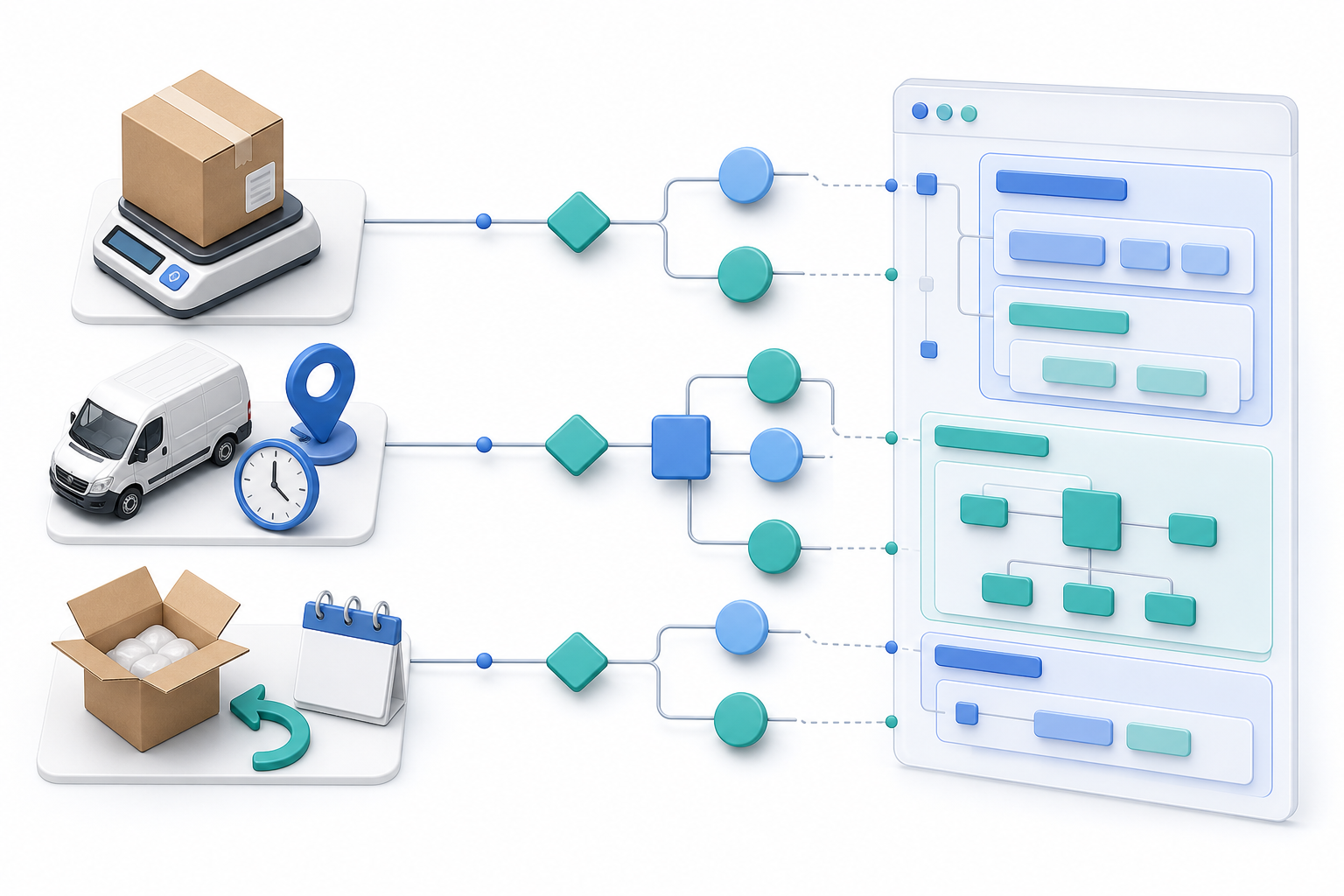
    At the Organization level, the conceptual structure has two branches. Shipping information is expressed through shippingDetails using OfferShippingDetails. Return information is attached through hasMerchantReturnPolicy using MerchantReturnPolicy.

    The following map is more useful than copying a generic snippet because it forces every machine-readable value back to an operational answer:

    Business questionStructured-data conceptWhat to verify
    Where does this shipping rule apply?shippingDestinationThe destination matches an area that checkout actually serves.
    What does shipping cost?shippingRateThe value and currency describe the selected service without hiding a condition that changes the charge.
    How long before carrier handoff?handlingTimeThe range reflects normal fulfillment commitments rather than the fastest observed order.
    How long after carrier handoff?transitTimeThe range belongs to the destination and service represented by this shipping rule.
    Where does the return policy apply?applicableCountryThe country is covered by the customer-facing terms.
    What kind of return window applies?returnPolicyCategoryThe category agrees with whether returns are finite, unlimited, or unavailable.
    How long is a finite window?merchantReturnDaysThe duration matches the policy page and the event from which your published terms calculate it.
    How can an item be returned?returnMethodThe encoded method is genuinely available to customers in the covered market.
    Who bears the return cost?returnFeesThe value reflects the ordinary case and does not erase important conditions or deductions.

    Use the defined Schema.org value expected by a category, method, or fee field rather than inserting promotional prose such as “easy returns.” JSON-LD describes the rule; the visible policy page explains qualifications, procedures, deadlines, item condition requirements, refund timing, and exceptions.

    Connect the policy to your existing canonical Organization entity instead of creating unrelated Organization objects in several plugins. A stable @id helps the graph refer to the same business, but it does not excuse conflicting values. Inspect the final rendered source because the output seen by a crawler can differ from what a CMS form displays.

    Do not let a store-wide default erase product exceptions

    Illustration of a general store policy covering most packages while separate policy paths lead to an oversized item and a sealed personal-care product.

    An Organization-level policy works as a default. It becomes misleading when a substantial set of offers follows different rules. Customized goods, clearance inventory, oversized products, subscriptions, perishable items, and digital products can all require different treatment depending on how your business operates.

    Do not encode the most generous policy as universal merely because it produces the cleanest markup. Decide how each exception should be handled:

    • If a different rule applies to a market, represent that market separately rather than blending incompatible destinations, currencies, charges, or delivery estimates.
    • If a product class has a different return rule, do not allow the organization default to make an unconditional promise that the product page later withdraws.
    • If your implementation supports properly scoped offer-level information, use it for genuine product exceptions and keep it synchronized with the offer.
    • If you cannot represent an exception accurately, narrow or omit the affected machine-readable claim instead of publishing a false universal rule.
    • Explain detailed conditions on a crawlable customer-facing policy page. Do not expect a compact structured-data object to carry the entire contract.

    Pay particular attention to conditional free shipping and conditional free returns. A rate that depends on basket value, membership, location, product class, or selected service is not simply a universal zero-cost rate. Encode only the condition your implementation can represent faithfully, and leave the full qualification visible before purchase.

    Validate the output and the promise

    Syntax validation is necessary, but it only proves that a machine can parse the data. A valid object can still describe the wrong destination, currency, service, timing, fee, or return window.

    1. Open the rendered page or server response that contains the Organization data. Confirm that the expected JSON-LD is present for an ordinary crawler and is not merely visible inside an administration screen.
    2. Parse the JSON-LD with a structured-data validator. Fix malformed JSON, unsupported value shapes, missing relationships, and duplicate entities.
    3. Compare every emitted value with the shipping page, returns page, checkout calculation, and current support instructions.
    4. Test representative destinations and product exceptions. A default that is correct for the easiest order may be wrong for the rest of the catalog.
    5. Check Search Console after publication for the status Google exposes, but do not treat the absence of an error as proof that the policy will be displayed.
    6. Add shipping and return data to your release checklist. Changes to carriers, fulfillment locations, service levels, charges, destinations, or return terms should trigger the same review.

    Structured data makes information eligible for machine use; it does not command a particular Search appearance or guarantee rankings. Judge the deployment first by accuracy, consistency, and maintainability. Any additional visibility is downstream of those basics.

    Key takeaways

    • You can provide shipping and return policy information through Search Console or website markup without using Merchant Center for the task.
    • Define destination, charge, handling, transit, return window, method, fees, and exceptions before encoding anything.
    • Use Organization-level data for a genuine default, not as a shortcut that conceals product or market differences.
    • Choose one operational source of truth and prevent Search Console, Merchant Center, plugins, templates, checkout, and policy pages from drifting apart.
    • Validate both the JSON-LD structure and the commercial promise represented by every value.

    Start with the policy matrix, assign an owner, and publish the smallest accurate default through the route your team can maintain. Once that default survives a comparison with real checkout scenarios and known exceptions, you have markup worth exposing to Google.

    References