Tag: Workflow

  • My AI Content Gap Workflow for Smarter SEO Priorities

    My AI Content Gap Workflow for Smarter SEO Priorities

    I can publish consistently, follow SEO best practices, and still watch competitors outrank me. When that happens, I usually find that the issue is not content quality alone. It is content coverage. Competitors are answering questions my audience is already asking, while my site is not fully part of that conversation yet.

    That is where I use content gap analysis. It helps me identify the topics competitors rank for that I do not, then decide which opportunities are actually worth pursuing.

    Finding gaps is rarely the hard part. SEO tools make that fairly easy. The real challenge is making sense of thousands of keywords across several reports and deciding what deserves attention first.

    My workflow combines competitor data, first-party search data, and AI so I can prioritize content opportunities around business impact instead of search volume alone.

    I bring my SEO data together before analyzing it

    In this workflow, I use Semrush to identify competitive opportunities, Google Search Console to validate where my site already shows signs of authority, and Google Analytics to add business context. Then I use Claude to bring those datasets together, group related opportunities, identify patterns, and help me decide what belongs on the content roadmap.

    I follow this process in one of two ways.

    • I export reports directly from the platforms and upload them to Claude.
    • If I have connected those platforms through MCP (Model Context Protocol, a standard that allows AI models to connect securely to data sources), I let Claude pull the data directly without manual exports. The workflow changes, but the analysis does not.

    Here is the process I use to turn a pile of SEO data into a prioritized content plan.

    Step 1: I choose the right competitors

    A content gap analysis is only as useful as the competitors I compare myself against. That sounds obvious, but it is one of the easiest places to go wrong.

    If I compare my site to Amazon, Reddit, or Wikipedia, I will end up with thousands of keyword “opportunities” that were never realistic in the first place. My goal is not to find every site ranking for my target keywords. My goal is to find businesses competing for the same audience.

    I usually start with Semrush’s Organic Competitors report. Instead of relying only on a list of known competitors, I use this report to find domains that compete across many of the same keywords. From there, I narrow the list to three to five sites that closely match the business and target audience I am analyzing.

    I do not worry if a few familiar names do not make the cut. Business competitors and organic search competitors are not always the same.

    I also filter out sites that can distort the analysis, including large marketplaces like Amazon, community-driven sites like Reddit or Quora, reference sites like Wikipedia, local directories, review sites, and publishers that do not directly compete with the business.

    There are exceptions. If I am analyzing a publisher, comparing against other editorial sites makes sense. The key is choosing competitors that create the type of content I am realistically trying to outperform.

    Semrush Organic Competitors dashboard showing keyword, traffic and cost metrics, a competitive positioning bubble chart, and SEO competitor domain table.
    A Semrush competitor analysis view turns organic search data into a clear map of rival domains, traffic potential, keyword overlap, and content gap opportunities.

    Before I move forward, I sanity-check the competitor list with stakeholders. Sales or product teams may know about newer competitors or strategically important niches that do not yet show up clearly in Semrush.

    Once I have settled on the right competitors, I am ready to find the gaps that matter most.

    Step 2: I gather and prepare the data

    With the competitor list finalized, I collect the data Claude will analyze. Whether I upload exports or connect through MCP, the goal is the same: bring together competitive rankings, my site’s search performance, and engagement data so I can separate meaningful opportunities from noisy keyword lists.

    I like to pull data from three core sources.

    Semrush: I find the gaps

    I start with Semrush’s Keyword Gap tool using the competitors selected in Step 1.

    From there, I pay close attention to three buckets: keywords competitors rank for and I do not, keywords where I rank but competitors rank higher, and keywords where I rank but competitors do not.

    The first bucket often points to missing topics or content hubs. The second bucket can reveal quicker wins, especially when my site already appears on Page 1 or Page 2. The third bucket shows existing strengths that I should protect and continue building around.

    Google Search Console: I validate the opportunity

    Next, I check Google Search Console before assuming every missing keyword deserves a new page.

    For example, Semrush may show that I do not rank for a keyword, but GSC might reveal that I already receive impressions for closely related queries. That tells me Google has started associating my site with the topic, even if rankings have not caught up yet.

    Those “almost there” topics often deserve a higher priority than topics where I would be starting from scratch.

    In GSC, I look for queries with high impressions and average positions between 8 and 20, existing pages ranking for related terms, and long-tail queries that reveal additional search intent.

    Google Analytics: I add business context

    Search volume is only part of the story. Engagement metrics help me answer a more important question: if I improve visibility for this topic, is it likely to support business goals?

    Semrush Keyword Gap report comparing workshopdigital.com and renaissancemarketingva.com, showing missing SEO keywords, overlap chart, and keyword opportunity table.
    A Semrush content gap analysis view reveals where a competitor ranks and the analyzed site does not, turning keyword overlap data into a practical roadmap for SEO content opportunities.

    I review metrics such as organic sessions, engagement rate, average engagement time, key events or conversions, and landing page performance.

    If a related content hub already drives engaged visitors or conversions, expanding that topic may be a smarter investment than chasing a completely new keyword with higher search volume.

    I clean the data before handing it to Claude

    If I am manually downloading the data and uploading it to Claude, I clean it first. Claude is excellent at finding patterns, but it can only work with the data I provide. Cleaner data leads to cleaner topic clusters and better recommendations.

    I remove duplicate keywords, competitor-branded terms, careers queries, login queries, support queries, locations or product lines outside the business, keywords with clearly different search intent, and high-intent commercial keywords that are too broad to compete for.

    For a manual workflow, I export Keyword Gap data from Semrush, query data from Google Search Console, and landing page performance data from Google Analytics, then upload the files to Claude. For a connected MCP workflow, I ask Claude to retrieve the Keyword Gap report, GSC query data, and GA4 landing page metrics directly from connected accounts.

    Step 3: I ask Claude to find the story in the data

    At this point, I should have a clean dataset that combines competitive keyword gaps, Search Console performance, and Google Analytics data.

    This is where the workflow becomes much more useful. Instead of scrolling through thousands of rows looking for patterns, I ask Claude to organize the data into something I can actually build a strategy around.

    The mistake I see most often is asking AI to “cluster these keywords.” That usually produces clusters based on keyword similarity alone. That can be useful, but it does not tell me what to do next.

    Instead, I ask Claude to think like an SEO strategist. I give it context about the business, including products or services, target audience, primary business goals, content priorities or constraints, and the exported or connected data from Semrush, GSC, and Google Analytics.

    Then I ask Claude to organize opportunities by search intent, funnel stage, business relevance, existing authority signals from GSC, user engagement from GA4, recommended content format, and internal linking opportunities.

    Rather than returning a spreadsheet of grouped keywords, I want Claude to produce topic clusters with a clear recommendation for each one.

    For example, one cluster might be labeled Technical SEO Audits and include supporting keywords, estimated opportunity, existing pages that could be updated, whether a new page is needed, internal linking recommendations, a priority score, and the reasoning behind the recommendation.

    Slide titled Part 2: Query Fan-Out & Topical Expansion showing SEO topic cards for AEO/LLMO, analytics tracking, and technical SEO.
    A content gap workflow turns scattered SEO signals into topical clusters, showing where AI search visibility, privacy-first analytics, and technical SEO need deeper coverage.

    Another cluster might reveal that several competitor keywords can be addressed by expanding an existing guide instead of publishing three separate articles. That is the kind of insight that is hard to spot manually but much easier for AI to surface.

    I separate quick wins from long-term investments

    Not every opportunity belongs on the same roadmap. As part of my prompt, I ask Claude to classify each cluster into quick wins, new content opportunities, and authority plays.

    Quick wins are existing pages that can be refreshed, expanded, or better optimized. New content opportunities are topics that deserve dedicated content because the site has little or no visibility. Authority plays are larger subject areas that may require multiple pieces of content and ongoing investment to compete effectively.

    This simple step helps me move from an overwhelming keyword list to a roadmap with both short-term wins and long-term initiatives.

    I do not skip the human review

    Claude can organize information remarkably well, but it does not know the business the way I do.

    Before moving on, I ask whether the topic supports business goals, whether multiple search intents are being combined into one cluster, whether existing content could already satisfy the need, whether the opportunity is realistic given authority and resources, and whether I would actually assign the topic to a writer.

    If the answer is no, I refine the cluster or remove it.

    The goal is not to accept every AI recommendation. The goal is to spend less time organizing data and more time making strategic decisions.

    The biggest prompt lesson is simple: I do not ask Claude to organize keywords. I ask it to recommend what my content strategy should be based on the data I have provided.

    Step 4: I score and prioritize the opportunities

    Once Claude has grouped the keywords into topic clusters, the next step is deciding what deserves attention first.

    This is where many content gap analyses fall apart. Teams naturally gravitate toward the biggest search volumes, but volume is only one piece of the puzzle. A topic that attracts qualified visitors and supports business goals is often a better investment than a high-volume keyword that is difficult to rank for or unlikely to convert.

    I score each opportunity across several criteria before I build a roadmap.

    SEO content gap analysis dashboard showing prioritized quick wins, impact, effort and AI visibility scores in a roadmap table.
    A prioritized content gap roadmap turns scattered SEO data into clear next moves, ranking quick wins by impact, effort and AI visibility.

    Business relevance

    I start with a simple question: if this content performs well, does it help the business?

    Topics aligned with products, services, or the customer journey should carry more weight than informational topics with little commercial value.

    Existing authority

    Next, I look at signals from Google Search Console. If my site already earns impressions or ranks on the second page for related queries, Google has likely established some level of topical authority.

    In those cases, improving an existing page or expanding a content hub may produce results much faster than starting from scratch.

    Search demand

    Search volume matters, but I do not let it dominate the scoring model.

    A collection of related long-tail queries with moderate demand can sometimes generate more qualified traffic than one broad keyword.

    Ranking difficulty

    I review the current search results before committing to a topic. I look at whether authoritative brands dominate the first page, whether the intent is informational, commercial, or transactional, what types of content are ranking, and whether I can realistically create something more useful or complete.

    This quick reality check keeps me from chasing opportunities that are not practical.

    Estimated effort

    Finally, I consider the work involved. Some opportunities require a light refresh of an existing article. Others call for a new content hub supported by multiple pages.

    Both can be worthwhile, but they should not carry the same priority when resources are limited.

    I let Claude apply the framework

    Once I define the scoring criteria, Claude can evaluate every topic cluster consistently.

    For example, I may ask Claude to score each opportunity on a five-point scale for business relevance, existing authority, search demand, ranking difficulty, and content effort. Then I ask it to calculate an overall priority score and explain why each recommendation received that score.

    SEO report page showing page-level refresh briefs, validation lessons, priority table, and off-page SEO opportunities for content gap analysis.
    A tactical SEO refresh brief turns AI-assisted content gap analysis into page-level priorities, surfacing validation lessons, effort estimates, and the biggest opportunities.

    The explanation is just as valuable as the number. If I disagree with a recommendation, I can adjust the weighting, add more business context, and ask Claude to score the opportunities again.

    By the end of this step, I have more than a list of content ideas. I have a prioritized content strategy that shows what to tackle next, what can wait, and what is not worth pursuing.

    Step 5: I turn priorities into page-level recommendations

    Once I have prioritized the opportunities, the next step is figuring out exactly what to change.

    Rather than handing a team a ranked list of topics, I ask Claude to generate page-level recommendations for the highest-priority opportunities. This is where connected data becomes especially valuable.

    Because Claude has access to Semrush research, Google Search Console performance, Google Analytics metrics, and my prioritization framework, it can evaluate each page in context instead of treating every recommendation the same.

    For each priority page, I ask Claude to produce a recommendation that explains why the page was selected, the primary keyword cluster, current rankings and impression data, supporting evidence from GSC and competitor research, recommended updates, estimated effort, expected impact, and priority level.

    One of the biggest advantages of this approach is validation.

    Before recommending a refresh, Claude can compare URL-level Search Console data against the original analysis. Sometimes what looks like a strong opportunity turns out to be misleading. A keyword may have inflated impression counts, a URL could have been mislabeled in an export, or the page may not be as close to ranking as it first appeared.

    Catching those issues before assigning work can save hours of unnecessary effort.

    The recommendations also make stakeholder conversations easier. Instead of saying, “I think we should update this page,” I can point to the supporting data, explain why it is a priority, estimate the effort involved, and tie the recommendation back to the larger content strategy.

    I treat these recommendations as implementation plans rather than full content briefs. They help SEO and content teams understand what should change, why it matters, and where to focus first. Writers can then use those recommendations to create or update content with confidence.

    Step 6: I measure whether the gap is closing

    Publishing the content is not the finish line. It is the start of the next round of analysis.

    Futuristic data archive with glowing server-like filing cabinets, stacked documents, and network lights symbolizing AI marketing data infrastructure.
    Rows of illuminated data cabinets and paper files stretch into the distance, capturing the pressure on marketers to turn fragmented customer data into a smarter performance engine.

    I begin with Google Search Console, tracking whether target queries are gaining impressions, improving in average position, and generating more clicks. When I refresh an existing page, I compare performance before and after the update to see whether the changes actually moved the needle.

    Next, I look at Google Analytics. Better rankings do not always translate into better business outcomes, so I review organic traffic alongside engagement and conversion metrics. If an updated page attracts more visitors but fails to keep them engaged or contribute to conversions, I know it is time for another round of optimization.

    If I am using Claude through MCP, I can also ask it to compare performance over time and summarize what changed. I might ask which refreshed pages improved the most, which content clusters gained the most visibility, which recommendations drove the strongest business results, and which opportunities still need attention.

    Instead of comparing reports month after month, Claude can quickly surface significant changes and point me toward the pages that deserve attention.

    I do not treat content gap analysis as a one-time exercise. Competitors publish new content, search behavior shifts, and my own site authority evolves. I like to repeat this workflow every quarter, or more often in fast-moving industries, so I can keep finding new opportunities and stay ahead of competitors.

    The tools will continue to improve, but the repeatable workflow is what creates the advantage.

    I build a repeatable content gap analysis process

    A content gap analysis helps me prioritize opportunities worth pursuing instead of chasing every possible keyword.

    Semrush helps me uncover competitive gaps. Google Search Console shows where I already have momentum. Google Analytics adds the business context that rankings alone cannot provide. Claude brings those datasets together, helping me identify patterns, prioritize opportunities, and create actionable recommendations in a fraction of the time it would take manually.

    Whether I upload reports or connect my tools through MCP, the workflow stays the same. I gather the right data, validate the opportunities, let AI organize the information, and apply my own expertise to decide what comes next. That is the part AI cannot replace.

    The biggest advantage is not simply having better prompts or faster analysis. It is having a repeatable process that helps a team make smarter content decisions every quarter.

    Prompt template: My prioritized content gap roadmap

    Here is the prompt I use after I have gathered the data, whether I have uploaded exports from Semrush, Google Search Console, and Google Analytics or connected those tools to Claude through MCP.

    “You are an experienced SEO strategist helping me perform a content gap analysis.

    I’ll either provide exported reports from Semrush, Google Search Console, and Google Analytics, or you’ll access those tools through connected MCP integrations.

    My goal is to identify the highest-impact content opportunities based on competitor visibility, existing authority, business value, and implementation effort.

    Here’s my business context:

    – Company:
    – Industry:
    – Products/services:
    – Target audience:
    – Primary business goals:
    – Geographic focus:
    – Any strategic priorities or constraints:
    – Tone of voice: [Insert brand voice adjectives here (e.g., authoritative, conversational, technical)].

    Using the available data, complete the following tasks.

    1. Identify content gaps

    Organize keywords into these categories:
    – Competitors rank and we don’t.
    – We rank below competitors.
    – We rank and competitors don’t.

    Highlight any content gaps, opportunities to consolidate pages, or keyword cannibalization issues.

    2. Validate the opportunities

    Use Google Search Console data to determine:
    – Which topics already receive impressions.
    – Which pages rank between positions 8 and 20.
    – Which existing URLs have the strongest chance of improving with optimization.

    Use Google Analytics data to determine:
    – Which pages drive meaningful engagement.
    – Which pages contribute to conversions.
    – Which content hubs are worth expanding.

    3. Create strategic topic clusters

    Group related opportunities by:
    – Search intent
    – Business relevance
    – Funnel stage
    – Recommended content type
    – Internal linking opportunities

    Don’t cluster based only on keyword similarity. Focus on topics that should become part of the same content strategy.

    4. Prioritize every opportunity

    Score each topic cluster using:
    – Business relevance
    – Existing authority
    – Search demand
    – Ranking difficulty
    – Estimated effort

    Assign each opportunity a priority (High, Medium, Low) and explain why.

    Separate recommendations into:
    – Quick wins
    – New content opportunities
    – Long-term authority investments

    5. Recommend next steps

    For every high-priority opportunity, recommend whether we should:
    – Refresh an existing page
    – Consolidate multiple pages
    – Create a new page
    – Build a pillar page with supporting content

    Include supporting evidence for every recommendation.

    6. Deliver the results

    Create:
    – An executive summary
    – Prioritized topic clusters
    – A scored opportunity table
    – Page-level recommendations for the highest-priority URLs
    – A phased implementation roadmap (30, 60, and 90+ days)

    If you find conflicting data between Semrush, Google Search Console, and Google Analytics, explain the discrepancy and recommend which source should guide the decision. The output should both be HTML and a Google Sheet.

    Before presenting your final recommendations, validate your own analysis. If reviewing Search Console or Analytics data changes your original recommendation, explain why and update your prioritization accordingly.”

    This prompt is only a starting point. I add business context, editorial guidelines, and scoring criteria that are unique to the organization I am analyzing. The more context I give Claude, the more useful and actionable its recommendations become.


    Inspired by this post on Search Engine Land.


    crushpress.ai community screenshot
  • My 120-Minute Weekly SEO Workflow That Drives Results

    My 120-Minute Weekly SEO Workflow That Drives Results

    When one person is responsible for paid campaigns, landing pages, reporting, email, social posts, sales requests, and last-minute website updates, I know exactly what usually happens to SEO: it waits.

    I have seen this play out on small marketing teams over and over. Everyone knows SEO can bring in qualified demand, reduce dependence on paid media, and support buyers long before they fill out a form. The problem is that SEO rarely feels urgent until traffic drops, rankings slide, or something breaks.

    That is why I like a simple 120-minute weekly SEO workflow. It gives me a practical way to protect visibility, find opportunities, improve high-value pages, and turn search data into business impact without pretending I have unlimited time.

    Why I keep SEO simple on lean teams

    When SEO falls behind, I rarely see effort as the real problem. The bigger issue is usually competing priorities and a lack of clear prioritization.

    On a lean team, SEO is one tab among 20. The person responsible for organic growth may also be sending newsletters, briefing designers, updating landing pages, and pulling the report leadership wants by Friday.

    Then the advice starts piling up: fix technical issues, publish more, build topical authority, refresh old posts, add schema, improve Core Web Vitals, build links, optimize for AI search, and keep going. Most of that advice may be valid, but no small team can do all of it in one week.

    The question I come back to is not, “What could I do?” It is, “What is the highest-leverage thing I can actually finish this week?”

    I also try to avoid the reporting trap. It is easy to spend an entire SEO block looking at rankings, traffic, impressions, clicks, CTR, conversions, competitor movement, and keyword shifts. Then the hour ends and nothing ships.

    For a small team, reporting has to be short enough to leave room for action. The goal is to decide what to fix next, not to build another dashboard.

    Why 120 minutes can be enough

    I do not try to run a lean team like an enterprise SEO department. If I audit everything, track everything, collect endless keywords, and ship nothing, I have not improved organic growth.

    The point of time-boxing is to force a decision. Every weekly session should end with one or two changes that improve visibility, traffic quality, or conversion potential.

    In my 120-minute workflow, I focus on four outcomes: finding what is already working, fixing what is blocking performance, improving the pages closest to revenue, and turning search data into next week’s actions.

    I am not trying to “do SEO” for two hours. I am using two focused hours to make decisions and ship work that has a realistic chance of moving the business forward.

    My 120-minute weekly SEO workflow

    0-15 minutes: Check organic data

    I start with a pulse check so I can catch problems before they turn into bigger performance drops.

    I look at Google Search Console clicks, impressions, CTR, and average position. I also check organic conversions or assisted conversions in GA4, top landing pages gaining or losing traffic, branded versus non-branded movement, and any indexing, crawling, or manual action warnings.

    What I do not do is turn this into a full reporting session. This is not a board deck. I only want to answer one question: is organic visibility moving in a direction that needs action?

    My output is a short weekly note: the biggest organic win, the biggest organic concern, one page or query to investigate, and one action to take this week.

    15-35 minutes: Find query opportunities

    Next, I look for the easiest opportunities in Google Search Console. The richest ones are often queries ranking in positions 4-15 with real impressions. Those pages are already close, and a focused improvement can help them move.

    I also watch for pages with strong impressions but weak CTR, queries climbing week over week, and rankings where the current page only partially matches search intent.

    I resist the urge to build a long keyword list. Instead, I pick three things: one page to improve, one query to answer better, and one title or meta description to test.

    For example, when I reviewed search data for a local accounting client, several queries kept appearing around tax help for freelancers, small-business tax mistakes, and the difference between an accountant and a bookkeeper.

    The obvious reaction would have been to write three new articles. Instead, I rewrote one service page around freelancers, added a short FAQ based on those queries, and linked it to an existing bookkeeping article. One page served three search intents, which was far more useful than three unfinished drafts.

    35-60 minutes: Improve one money page

    This is the most important part of the workflow. I define a money page as any page close to revenue, pipeline, bookings, sales, demos, or consultations.

    Image

    Money pages can include product pages, service pages, category pages, comparison pages, demo pages, consultation pages, pricing pages, and high-intent landing pages.

    My weekly goal is not to optimize the entire website. It is to improve one important page in one meaningful way.

    I ask what the buyer needs to believe before converting, what objection is missing, what proof would reduce hesitation, what comparison the buyer already has in mind, and what query the page almost satisfies but does not fully answer.

    A meaningful update might be adding three FAQs based on real queries, improving the H1 and introduction, adding comparison language, including proof points, linking to a case study, clarifying who the offer is for, improving the CTA, or adding a short “how it works” section.

    That is SEO work, but it is also conversion work. The best page improvements usually help both search engines and buyers understand the value faster.

    60-80 minutes: Fix one technical or indexing issue

    Technical SEO can take over the full two hours if I let it, so I stay focused on impact.

    The question I ask is simple: what could stop an important page from being discovered, understood, indexed, or trusted?

    That usually points me toward issues like priority pages not being indexed, broken internal links, redirect chains, duplicate or missing titles on key pages, incorrect canonicals, schema errors on important templates, or valuable pages buried too deep in the site.

    I want one of three outcomes from this block: a fix shipped, an issue assigned, or a clear developer brief.

    For example, if I find that ecommerce collection pages are not indexed because of incorrect canonical tags, documenting the affected URLs and writing a clear developer brief may be more valuable than publishing another generic article.

    80-100 minutes: Improve internal links

    Internal linking is one of the fastest SEO wins I can create because it does not require new content.

    It helps search engines understand which pages matter, helps users continue their journey, and helps informational content support commercial outcomes.

    Each week, I look for links from high-traffic articles to money pages, links from product or service pages to supporting guides, links from older articles to newer strategic content, and opportunities to use clearer anchor text.

    If an article ranks for “how to choose accounting software,” I do not want it to be a dead end. I want it to guide readers toward a comparison guide, a relevant case study, and a demo or pricing page. The traffic is already there, so I try to make it more useful.

    100-115 minutes: Turn one search insight into messaging

    I do not want search data to stay trapped in an SEO silo. The best query I find each week is often a useful signal for the rest of marketing because it shows the language buyers actually use.

    A query like “best CRM for small agencies” can become a comparison section on a landing page, a LinkedIn post, a sales email angle, and a paid search ad group.

    A query like “is [product] worth it” can become a proof section, a pricing explainer, a “who this is not for” paragraph, or a ready-made answer to a sales objection.

    When I share one search insight each week, SEO becomes more than a channel. It becomes a source of customer intelligence.

    115-120 minutes: Choose next week’s priority

    I end with a decision, not a long list. I choose one clear priority for next week based on business impact, search demand, ease of execution, current performance gap, and proximity to revenue.

    The template I use is: “Next week, my highest-leverage SEO action is [X] because [Y].”

    For example: “Next week, my highest-leverage SEO action is updating the pricing page because it gets non-branded traffic, supports demo requests, and does not answer implementation cost questions.”

    That is how I make SEO operational. The work becomes specific, owned, and easier to repeat.

    Image

    A sample month for the workflow

    To keep the workflow balanced, I like rotating the emphasis each week.

    In week one, I focus on a revenue page. I update copy, add FAQs, improve internal links, check indexing and schema, and sharpen the CTA.

    In week two, I refresh existing content. I choose one article with impressions but weak clicks or rankings, improve the title, add missing sections, update examples, link to money pages, and better match search intent.

    In week three, I handle technical cleanup. I focus on one crawl, indexing, or template issue, such as broken links, duplicate titles, sitemap problems, or a developer brief for a higher-impact fix.

    In week four, I turn SEO data into broader marketing assets. That may mean one landing page insight, one sales objection, one content brief, one paid or social angle, or one FAQ or comparison section.

    This rotation keeps me from spending every week in dashboards, technical audits, or new content production while ignoring the pages that already have potential.

    What I stop doing

    Most small teams do not have a doing problem. They have a stopping problem.

    I stop chasing every low-impact technical warning. I stop creating content just because a tool found a keyword. I stop publishing AI-assisted articles at scale without a strategy. I stop rewriting pages without a hypothesis. I stop optimizing low-value pages before revenue pages. And I stop treating rankings as the only score that matters.

    Before I create new content, I review the pages I already have. The highest returns often come from pages that already rank on Page 2, already get impressions, sit close to revenue, and are one focused update away from doing more.

    My test for any task is simple: if I cannot connect it to qualified traffic, conversions, discoverability, buyer education, or trust, it does not belong in the 120 minutes.

    How I make it work without a dedicated SEO person

    This workflow does not require a full SEO department. It requires one owner, a weekly rhythm, and a bias toward shipping.

    A marketing manager can own prioritization and the weekly SEO note. A content marketer can update copy, FAQs, and page sections. A developer or web support partner can handle technical fixes. A paid search manager can share query and conversion insights. A founder or sales team can contribute objections and buyer language.

    The owner matters most. Someone has to protect the 120 minutes, choose the priority, and make sure the session ends with an action.

    Without ownership, SEO becomes everyone’s job and nobody’s job.

    How I use AI to save time

    I use AI to shorten repetitive SEO work, not to hand over strategy.

    That might mean using a focused workflow to identify queries in positions 4-15, pages with high impressions and low CTR, search queries that should become FAQs, internal linking opportunities, or technical issues that should become developer briefs.

    For agencies, client-specific assistants can reduce context switching by remembering each client’s services, priority pages, competitors, and customer objections.

    The most useful AI workflows are narrow: a GSC opportunity analyzer, a money page refresh assistant, an internal linking assistant, a technical SEO brief generator, or an SEO reporting summarizer.

    I do not want one generic SEO assistant trying to do everything. I want small workflows that help me move faster from data to decisions.

    Consistency is the advantage

    Small teams win SEO by doing the highest-leverage things repeatedly.

    A 120-minute weekly SEO workflow will not replace a full strategy. It will not solve every technical issue, build every content asset, or uncover every opportunity.

    But it gives me a practical way to protect visibility, learn from search data, improve revenue pages, and keep organic growth moving.

    The mindset is simple: less auditing, more shipping, more buyer intent, less busywork, and more business impact.


    Inspired by this post on Search Engine Land.


    crushpress.ai community screenshot
  • How I Turn AEO Data Into Action With Profound Projects

    How I Turn AEO Data Into Action With Profound Projects

    Profound Projects

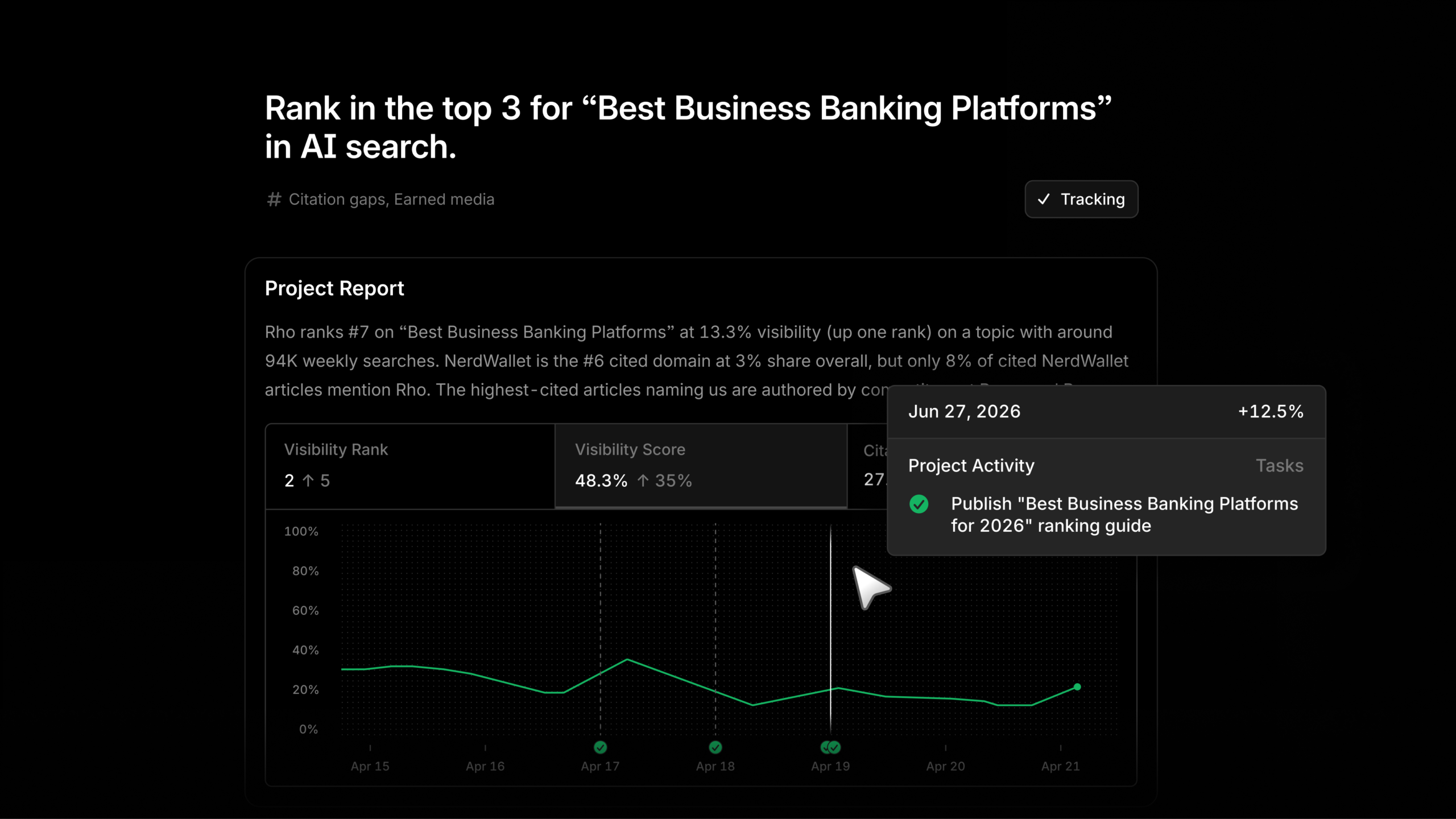
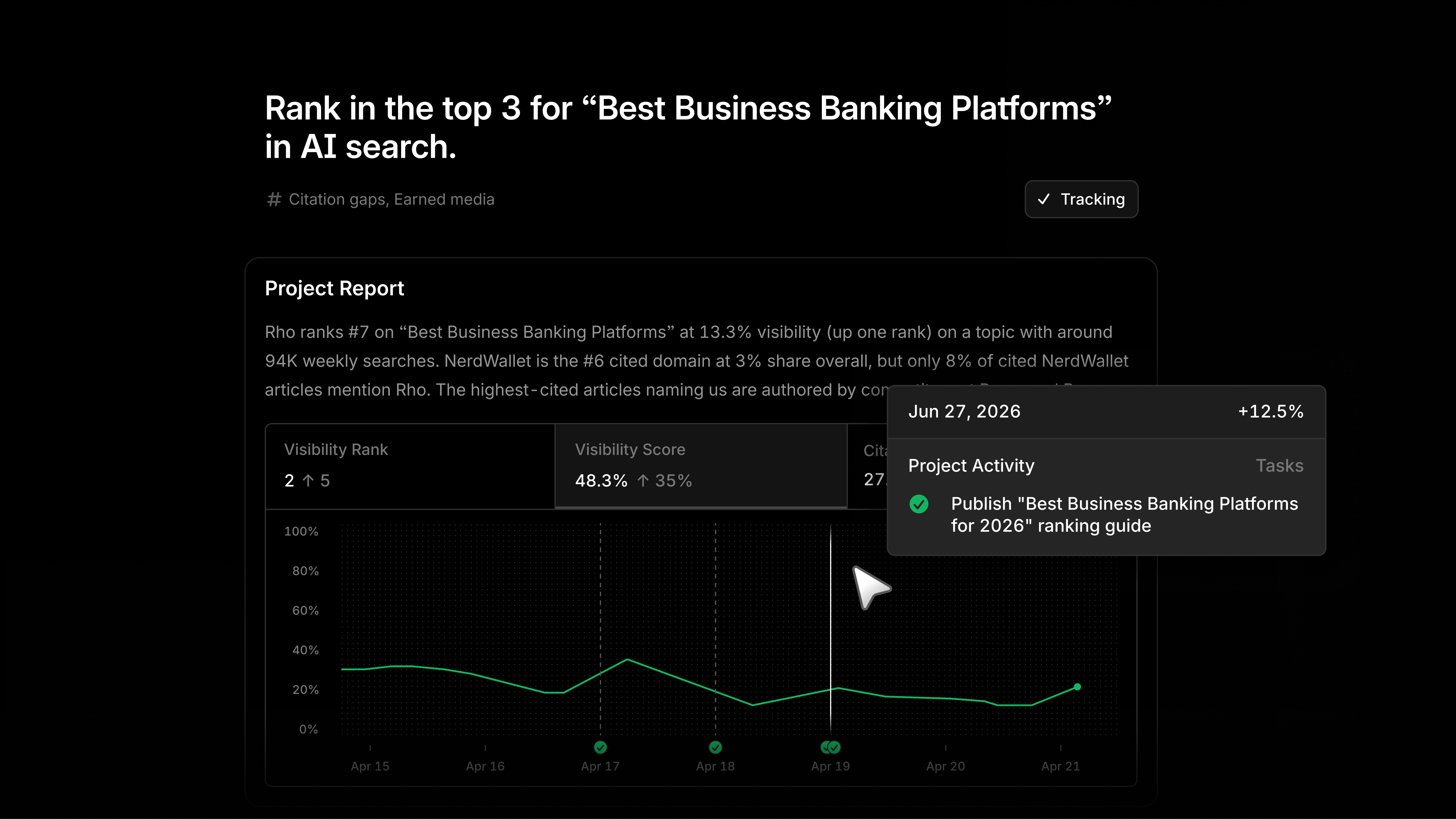
    With Projects in Profound, I can turn my AEO data into a clear, ranked list of opportunities instead of another report I have to interpret from scratch.

    Each opportunity is broken into practical tasks, with an agent ready to help do the work. That makes it easier for me to move from insight to execution without getting stuck in endless analysis.

    For me, Projects is about spending less time deciding what to do next and more time acting on the opportunities that can improve visibility, performance, and momentum.


    Inspired by this post on Try Profound Blog.


    crushpress.ai community screenshot
  • Deciding to Build or Buy Your Next SEO Tool with AI Insights

    Deciding to Build or Buy Your Next SEO Tool with AI Insights

    Before I consider requesting a new SEO tool, I always ensure that I understand the trade-offs between custom solutions, SaaS platforms, and hybrid approaches that utilize both.

    AI has empowered SEO teams, including mine, to become more ambitious about automation. Tasks that once required engineering support are now tackled easily with tools like Claude or ChatGPT.

    This is thrilling, yet it brings a new challenge: the assumption that everything can be automated. In today’s language, it boils down to a single question: Do we build or buy the tool?

    The build-versus-buy dilemma is intricate, made even more so by AI advancements. It isn’t merely about cost; it’s about security, maintenance, data access, internal capabilities, workflow fit, and whether a custom solution can stay reliable and useful as time progresses.

    How AI Lowers the Barrier to Building

    AI has drastically lowered the barrier to experimentation. Even those of us without technical know-how can now create custom GPTs, build workflows, connect data sources, or craft an internal AI assistant.

    However, maintaining a tool over the years remains a challenge, even if I managed to build it initially with AI support.

    AI significantly aids SEO teams in data analysis, pattern recognition, summarizing information, and recommending actions, saving us a lot of time. Ignoring AI would surely leave us trailing behind.

    It’s essential to acknowledge that AI still hasn’t reached the level of human creativity. It excels at working from established patterns and predicting outputs. This could evolve in the coming years.

    AI tools also come with unseen costs. Internally developed tools may appear free since their invoices typically bypass our SEO teams, but expenses from token usage, API calls, infrastructure, engineering time, security reviews, and maintenance do exist.

    Many organizations, as noted by Reuters, are experiencing “AI sticker shock,” finding themselves unable to forecast usage-based AI costs accurately. Companies like Uber, reported by TechCrunch, have even established AI spending caps after exceeding their annual budget in only a few months.

    Currently, marketing teams, including mine, aren’t the largest AI consumers compared to engineering teams. Yet, this could shift rapidly.

    When this happens, our expenditures will undoubtedly rise, prompting organizations to evaluate which AI tools and processes genuinely add value as opposed to simply consuming our budget.

    Start by Defining What You Need

    Before choosing whether to build or buy, SEO teams must define their true needs.

    Different Ways to Use AI and Automation

    I’ve noticed that many teams, including ours, lump various solutions together, yet they differ in cost, complexity, and maintenance.

    • A custom tool: Generally a complex internal system necessitating engineering support, often focusing on automation and potentially incorporating AI aspects.
    • A custom workflow: A repeatable process built with numerous tools like a custom GPT, spreadsheets, and automation, usually with an AI layer.
    • A custom layer on SaaS: Leveraging data from existing tools to shape personalized reporting, prioritization, or recommendation processes.
    • A true AI agent: A system capable of taking more autonomous actions, such as scanning Slack and following up on pending communications.

    Though similar, these are often misidentified. Overgeneralizing terms like “AI agent” can lead to cost and complexity misjudgments.

    Look for Repetitive, Context-Rich Tasks

    Our team is still exploring AI capabilities. So far, we have concentrated on daily tasks involving substantial manual work.

    For instance, we developed a custom GPT to assess whether our content aligns with our personas and addresses their pain points. The aim is not to replace our copywriters or reviewers, but to ensure that content isn’t generic and suggest pertinent enhancements.

    We’ve also leveraged AI for translations, monthly reporting, and creating a weekly summary that integrates meeting notes, Slack, and Jira to identify outstanding tasks or follow-ups.

    One of our newest workflows converts internal meeting recordings into structured landing page briefs.

    Such tasks are ideal candidates for AI-powered custom workflows, given their dependence on internal context, repeatability, and specific company knowledge.


    Not Everything Should Be Built

    A case from our team involved a colleague who vibe-coded a prompt tracking tool. Although a good start, data presentation required manual steps for trend graphing, soon becoming a maintenance hassle due to changes in LLM tools.

    The core issue was reliability. For AI visibility and prompt tracking, we needed stable data presentation, leading us to switch to a specialized platform like Peec AI, rather than maintain our own version.

    This experience was insightful, enhancing our understanding of the problem, complexities, and necessary features when considering external solutions.

    Here’s my advice: whether opting to build or purchase a tool, always explore existing market solutions. It helps to narrow down the essential features, preventing reliance on non-essential ones.

    Especially for business-critical tools like rank tracking and website crawling, smaller SEO teams without technical support should be cautious of building from scratch. Reliability should be prioritized when data is crucial for decision-making.

    Use AI Where Your Data Already Lives

    Consider buying a crawler, rank tracker, or AI visibility platform and focus on linking these with custom data like GA or GSC accounts, or CRM data. This integration allows comprehensive analysis in a single view.

    MCP connections also warrant consideration. The Model Context Protocol is a standard for linking AI applications with external systems, enhancing current workflows.

    Though not necessary to learn coding, understanding enough to ask the right questions is beneficial.

    If sensitive data is involved, like proprietary research or customer details, it’s crucial to assess security risks. It may be safer to allocate engineer support to avoid compromising sensitive information.

    Deciding on a custom tool requires acknowledging the full cost, including engineering time, security reviews, and API usage, despite invoices not being SEO-related.

    Before requesting any tool, SEO teams should articulate the problem, expected value, cost comparison between building and buying, and potential consequences of taking no action.

    Effective requests should not start with tool needs, but with the problem, its significance, tested solutions, and the proposed optimal solution.

    How to Prioritize What to Build First

    No one-size-fits-all matrix exists for prioritizing builds.

    Tools vary; from website crawlers to content evaluation systems, each can’t be judged by identical criteria.

    In doubt, start by mapping current workflows versus the ideal ones. Patterns often emerge, highlighting primary priorities.

    The first group involves tools that aid revenue generation, like identifying content opportunities or improving conversion. Marketing, including SEO, seeks visibility and leads, thus revenue-centric tools can be higher priorities.

    The second category concerns tools minimizing repetitive tasks. While they may not directly create revenue, they free up valuable team time for strategic work.

    Quick wins should not be ignored. Stakeholders value timely results, thus a small project with potential returns within weeks can build trust and support larger initiatives.

    Also, consider cross-team value in your decision. SEO problems often extend beyond one team. Collaborating with other teams can strengthen the business case for shared solutions.

    Often, the best tool isn’t the most complex. Starting small could be the strategy for smarter progress.

    Remember, effective scoping leads to good decisions. Even with AI easing the build process, proper scoping of what to build remains essential.

    • Define the problem, expected value, user base, and post-launch maintenance.
    • Engage with your team and other departments, identifying whether it’s solely an SEO issue or a broader business challenge.
    • Avoid building for AI’s sake, or being swayed by impressive demos.

    Neglecting scoping risks acquiring costly tools that don’t integrate with workflows or building internal tools beyond maintenance capabilities.

    Thoughtful consideration of scope is crucial before opting to build, buy, or customize a solution.


    Inspired by this post on Search Engine Land.


    crushpress.ai community screenshot
  • Enhance Teamwork by Using Profound in Slack Effortlessly

    Enhance Teamwork by Using Profound in Slack Effortlessly

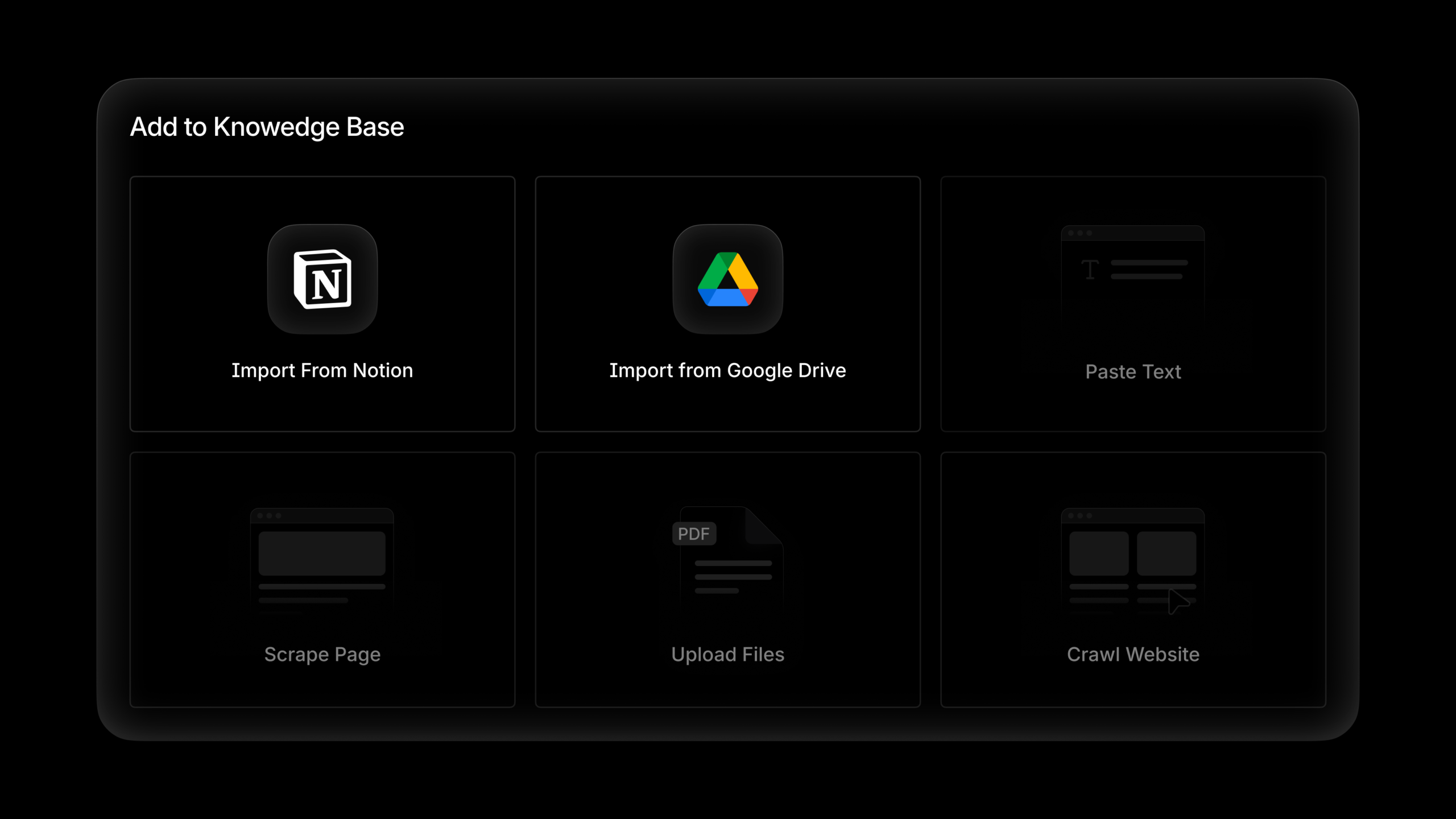
    I’m thrilled to share how you can seamlessly bring Profound into your Slack workspace. Imagine asking questions and launching projects without switching platforms. It’s a game-changer!

    With Profound, you can streamline your workflow, making collaboration smoother and more efficient. Being able to create and manage projects directly from Slack simplifies our daily tasks and fosters a dynamic work environment.


    Inspired by this post on Try Profound Blog.

    crushpress.ai community screenshot
  • Unlock SEO Success: The Essential Guide to Enterprise Changelogs

    Unlock SEO Success: The Essential Guide to Enterprise Changelogs

    I’m realizing more and more how crucial it is for enterprise SEO teams to track website changes meticulously. Without visible updates, we might be unaware of risky changes until they’ve negatively impacted our traffic and revenue. This is where changelogs become invaluable.

    Working within large enterprise websites, I collaborate with various stakeholders including SEO teams, developers, and product managers. It’s always a challenge to discover changes only after they’ve already affected our site’s performance—a frustrating reality.

    Consider how a quiet CMS update might strip core content from pages or how product rollouts generate canonical mismatches. By the time I identify the problem, rankings, traffic, and KPI reports are already suffering.

    That’s why I advocate for SEO changelogs. They are more than just records; they build visibility, accountability, and teamwork around website changes that can tweak search performance.

    Why I Believe Enterprise SEO Teams Can’t Do Without Changelogs

    In enterprise settings, SEO decisions often come last. Despite strong workflows, website changes may still occur away from SEO purview. By implementing an SEO changelog, I can bridge that gap, ensuring all impactful changes are documented and shared.

    For me, a comprehensive changelog includes metadata tweaks, schema updates, and internal link changes. It’s crucial for identifying risks quickly, understanding deployment impacts, and reducing unexpected SEO pitfalls. Documenting what changed, where, and the expected outcomes is vital.

    Organizations usually have deployment records through various logs, but these often lack an SEO perspective, which makes proactive monitoring challenging. My goal is clear: integrate SEO with enterprise changelogs for holistic site governance.

    The 2023 Lumar study found about 53% of teams face misalignment issues. With dynamic Google SERPs, improved operational visibility is key, and robust changelogs aid in tackling these challenges.

    Using tools like SEMrush, I can ensure brand visibility everywhere customers search. The SEO toolkit, enriched with AI data, becomes indispensable for me. It’s time to leverage these resources as I optimize my site’s search presence.

    The Anatomy of an Enterprise SEO Changelog

    I aim to create a clear and informative SEO changelog by focusing on these key areas:

    • Specific changes and their locations.
    • The context.
    • The stakeholders involved.
    • Expected and observed impacts.

    Defining the Changes Clearly

    It’s important for me to provide a clear definition and scope of changes. For instance:

    • Updated schema markup on product pages to include AggregateRating.
    • Modified hreflang tags across 10 European markets.
    • Updated robots.txt to disallow paths.

    Understanding the Context

    I need to note why a change was made and its intended aim, essential for retrospective analysis. For example:

    • Implemented schema markup to enhance rich snippet potential.
    • Updated hreflang tags for accurate regional page delivery.
    • Robots.txt update to refine crawl behavior per Search Console insights.

    Identifying the Stakeholder

    I ensure transparency by identifying who made changes, which assists in efficient follow-up if necessary. This fosters a culture of SEO awareness.

    Expected Impact

    Although not always comprehensive, detailing the expected impact is valuable. Larger deployments might include a business rationale, like improving site speed, while smaller changes might target specific metrics.

    Observed Impact

    I add this information retrospectively, after collecting sufficient data, such as clicks or impressions, to foster a culture of testing and learning.

    The Tools Assisting in Managing Changelogs

    Automation is my goal, and several tools assist in logging changes effectively. Here’s what I use:

    ```json
{
  "alt": "The CapmatchOne logo with a gradient circle and bold text.",
  "caption": "Discover innovation with the CapmatchOne logo, featuring sleek typography and a modern gradient circle.",
  "description": "The CapmatchOne logo features bold, modern typography coupled with a gradient circle, symbolizing connection and innovation. The sleek design conveys a sense of progress and creativity. This image can be used for branding or promotional purposes, appealing to audiences interested in innovative solutions and forward-thinking designs."
}
```

    GitHub/GitLab Webhooks

    Setting these up to post deployment summaries to SEO channels like Slack or email keeps me up-to-date.

    Jira/Linear Automation

    Using rules that log entries once a ticket is marked “Done” allows me to streamline the changelog process.

    CMS Change Logs

    Platforms like Contentful and Adobe Experience Manager maintain logs I can integrate into the central changelog using APIs.

    Third-party SEO Tool Alerts

    Leveraging tools like Botify and Lumar for immediate alerts helps me swiftly address crawl anomalies and metadata changes.


    Establishing a Changelog Workflow

    After defining core changelog elements, I plan a scalable workflow through phased implementation.

    Initiate a Pilot Program

    Starting small, I pick a team and simple logging method as a proof of concept, maybe using Slack or Google Sheets.

    Expand and Standardize

    Recognizing changelog value across teams allows me to standardize formats, enhancing cross-departmental integration.

    Include SEO Context

    Adding context helps my team understand changes better, facilitating proactive SEO management and effective deployment.

    Leveraging SEO Changelogs for Stakeholder Buy-in

    Enterprise SEO requires buy-in across organizations, often challenging due to stakeholder management gaps. An effective SEO changelog strategy aids in securing support by demonstrating its role in broader risk management, not just SEO.

    Highlight Business Risk Mitigation

    I position changelogs as business risk tools, emphasizing prevention of costly disruptions like faulty URL updates.

    Champion Internal Participation

    Identifying champions within development, content, or QA teams streamlines changelog integration into daily processes, converting potential threats into manageable business concerns.

    Celebrate Changelog Achievements

    I ensure that wins from changelog use, like stopping visibility issues, are shared, reinforcing its value across teams.

    Measuring Changelog Success

    For continuous improvement, I measure metrics like the percentage of changes captured, detection speed, and issue interception rate.

    Embedding SEO into Brand Culture

    I strive for more than documentation; it’s about fostering awareness of SEO’s impact on digital channels. By integrating SEO visibility as a business standard, brands strengthen their competitive edge, making SEO a shared responsibility across teams.


    Inspired by this post on Search Engine Land.


    crushpress.ai community screenshot
  • Unlock Seamless Integration with Google Drive and Notion

    Unlock Seamless Integration with Google Drive and Notion

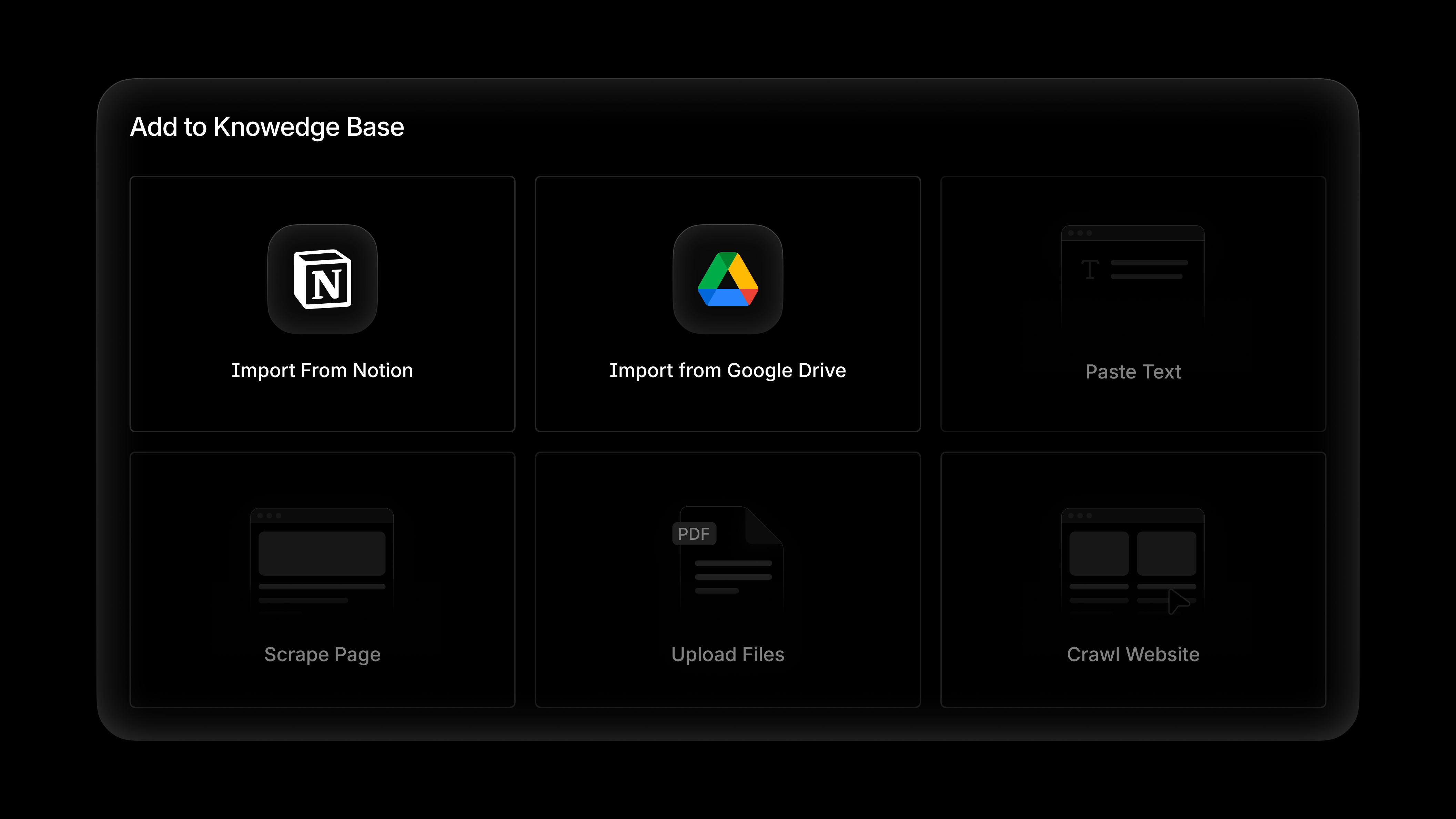
    As I delve deeper into enhancing my workflow, I realize that effective agents thrive on comprehensive context. Thanks to Profound’s Knowledge Bases, I empower my agents with my unique brand voice, product intricacies, and messaging guidelines.

    Now, I’m excited to share that integrating these knowledge bases with Notion and Google Drive is easier than ever. This integration allows me to streamline my processes and maintain consistency.


    Inspired by this post on Try Profound Blog.

    crushpress.ai community screenshot
  • Seamless Integration: Framer and Profound Agents Unite

    Seamless Integration: Framer and Profound Agents Unite

    As someone who loves efficient workflows, I’m thrilled to share that Framer users can now enjoy a smoother process from insight to content creation, thanks to Profound Agents. This integration allows Profound Agents to directly read and write within your Framer CMS, streamlining the way content is produced and staged as live CMS items without leaving the current workflow.

    By eliminating unnecessary steps and ensuring that everything stays within the ecosystem, this new capability saves time and enhances productivity. It’s perfect for those of us who value both speed and precision in content creation.


    Inspired by this post on Try Profound Blog.


    crushpress.ai community screenshot
  • Google Ads API: Embrace Enhanced Security with Multi-Factor Authentication

    Google Ads API: Embrace Enhanced Security with Multi-Factor Authentication

    As someone who frequently works with Google’s advertising tools, I know firsthand how crucial security is. Starting April 21, Google is implementing a mandatory multi-factor authentication (MFA) requirement for its Ads API. This is a significant move towards enhancing security, but it’s one that might need us to rethink our authentication workflows.

    Driving the news. Google will gradually enforce mandatory MFA for the Ads API, aiming for complete roll-out just weeks after the initial date. This means we all need to be prepared.

    This update directly impacts those of us generating new OAuth 2.0 refresh tokens, as it mandates a more secure authentication process.

    What’s changing. We’ll now need to add another step in verifying our identity. This could be in the form of a phone prompt or an authenticator app, alongside the usual password.

    Existing OAuth tokens we’re already using will stay unaffected, but for any fresh authentications, MFA will become the default requirement. If we’re not yet using two-step verification, it’s time to set it up.

    Why we care. This shift influences how we manage and access our Google Ads data through various APIs and connected tools. While it undeniably enhances security and mitigates unauthorized access risks, it could also require us to adjust existing workflows, especially when generating new credentials often. Preemptive preparation can save us from potential disruptions.

    Who’s affected. If your applications or workflows rely on user-based authentication, you’re in for some changes.

    User authentication workflows: These will need MFA for new token setups.

    Service account workflows: Thankfully, these remain untouched. They’re actually recommended for automated or offline scenarios.

    The requirement isn’t limited to the API alone. We’ll also see it in tools like Google Ads Editor, Scripts, BigQuery Data Transfer, and Data Studio.

    The big picture. As we lean more heavily on ad platforms for sensitive data and automation, security can’t be pushed aside. This need grows as API access proliferates across various teams, tools, and integrations.

    Yes, but. While boosting security against unauthorized intrusions is welcome, we must consider the challenges it introduces. Especially for teams like ours that often create new credentials or depend on manual authentication flows.

    The bottom line. Google’s decision to make MFA standard for Ads API access marks a shift towards more stringent security policies across advertising tools and workflows.


    Inspired by this post on Search Engine Land.


    crushpress.ai community screenshot
  • Transform Your Webflow Experience with Profound Agents Integration

    Transform Your Webflow Experience with Profound Agents Integration

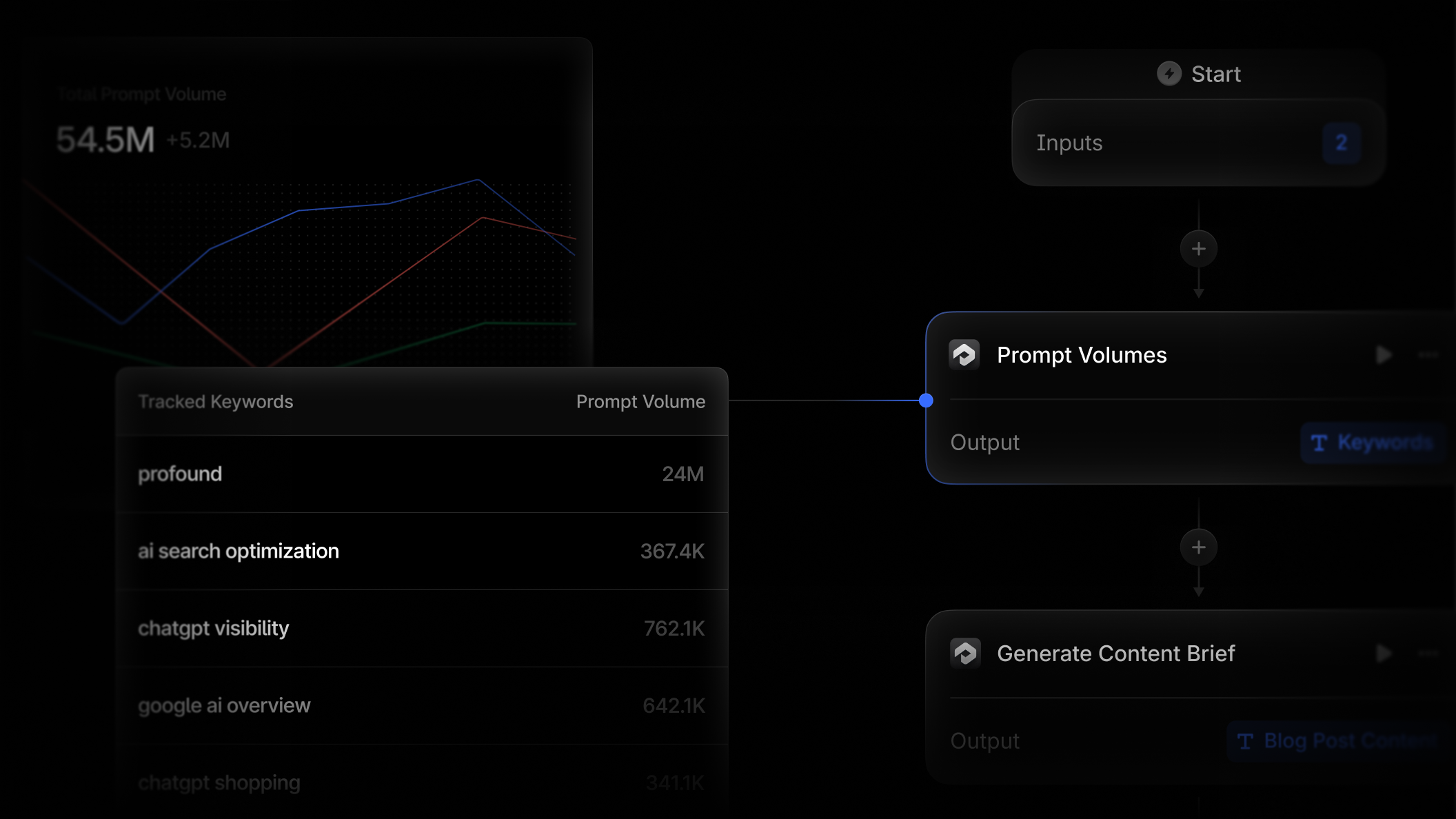
    I’m thrilled to share that Profound Agents now seamlessly integrate with Webflow. This new capability transforms your CMS into an active automation endpoint, streamlining processes and boosting efficiency.

    This integration is designed to elevate how you manage content, providing newfound ease and automation right at your fingertips. It marks a significant step forward in optimizing digital workflows, empowering me to focus more on creativity and less on manual tasks.


    Inspired by this post on Try Profound Blog.

    crushpress.ai community screenshot