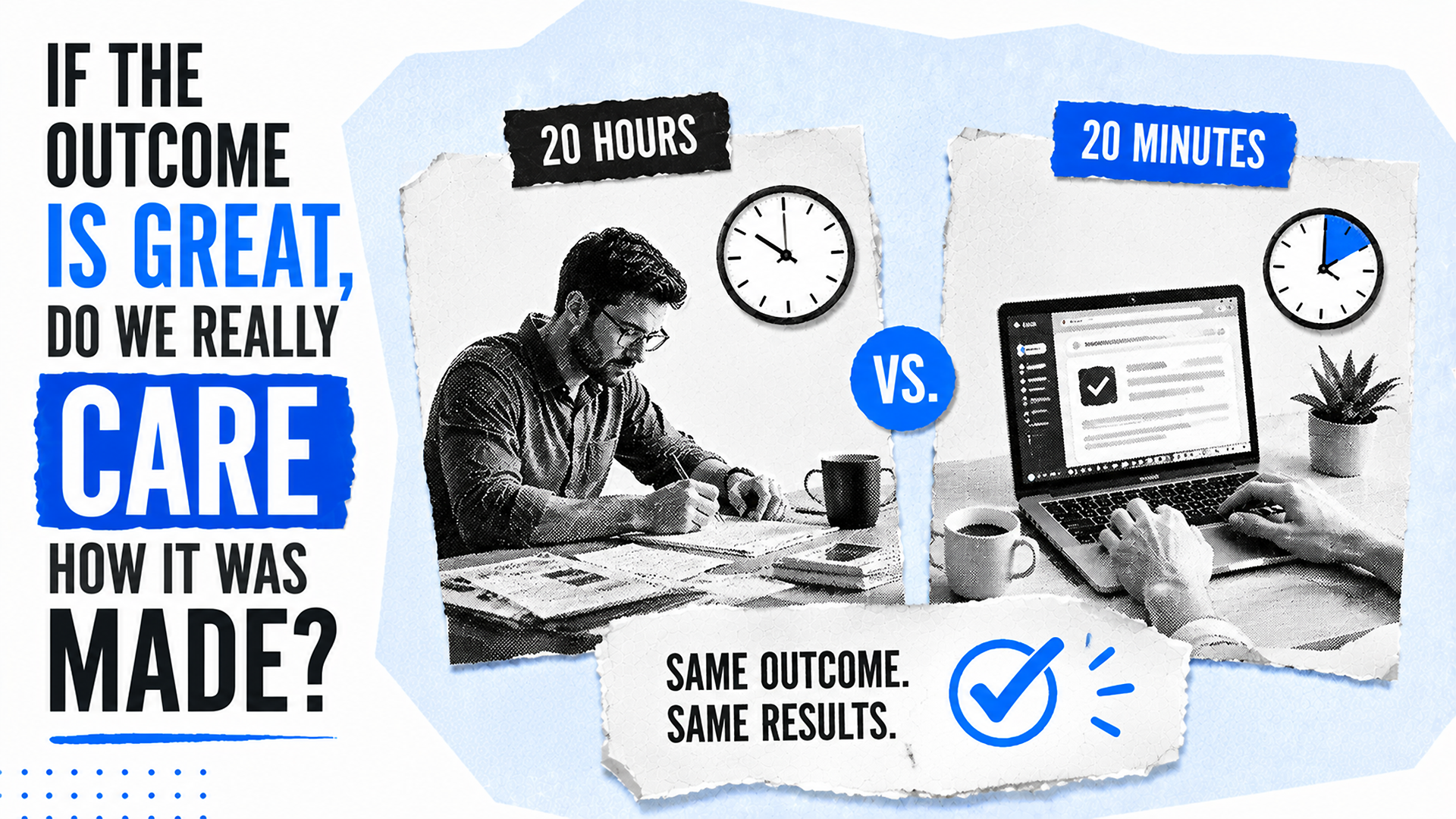
When I think about AI deliverables, I keep coming back to a simple scenario: a client receives two pieces of work.
Both deliverables solve the problem they were hired to solve. Both are accurate, useful, and tied to the same business outcome. The client is happy, and from the outside, there is no meaningful difference in the results.
Then the client learns that one took 20 hours to create, while the other took 20 minutes. That is when the uncomfortable questions begin.
Was AI involved? Should the faster deliverable cost less? Is the person who completed it less skilled because they found a faster, more efficient way to reach the same result?
What I find most interesting is how differently many of us react to AI depending on which side of the transaction we are on. I love using AI when it saves me time, but I also understand why customers can feel uneasy when they discover AI helped create something they paid for.
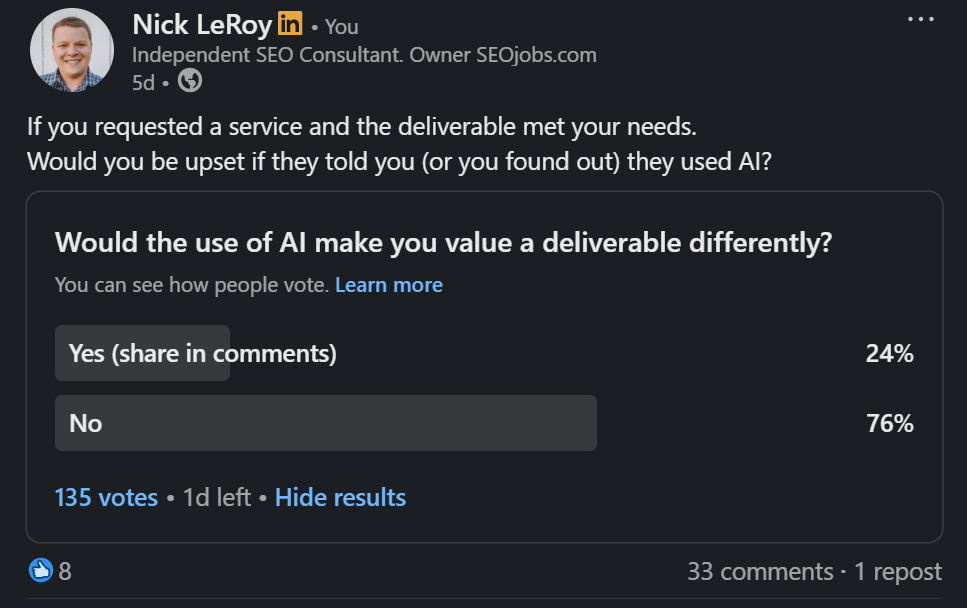
I recently ran a LinkedIn poll asking a simple question: if the outcome is great, do we really care how it was made?
The responses reinforced something I have been thinking about for a while. Many of the strongest objections people have to AI are not really about quality at all.
The Time vs. Value Fallacy
I think part of the discomfort comes from the fact that we have spent decades tying value to effort.
Long hours feel valuable. Fast work feels suspicious. Struggle often gets mistaken for expertise.
The harder something appears to be, the easier it becomes to justify the price attached to it.
There is an old story about a ship engine that stopped working. After multiple failed attempts to repair it, the owners brought in an engineer with decades of experience. He inspected the engine, tapped it once with a small hammer, and the machine roared back to life.
His invoice was $10,000.
The owners were furious and demanded an itemized bill. The response was simple: hammer tap, $2. Knowing where to tap, $9,998.
People debate whether that story is true or just a useful tale for people like me who believe in value-based pricing. But whether it really happened almost does not matter. The lesson still holds.
People are not paying for the tap. They are paying for the expertise behind it.
That is what makes AI such an important topic for me. It forces us to confront a question many of us have avoided for years: are we paying for expertise, or are we paying for visible effort?
Those are not always the same thing.
The Objections That Actually Matter
To be clear, I do not think every objection to AI is unreasonable. I have shared plenty of my own concerns, and some of them are serious.
In fact, I think the strongest arguments against AI have very little to do with how quickly something was created.
Those are legitimate concerns. What stands out to me is that none of them has much to do with how long it took to create the deliverable.
They are questions of trust.
Can the output be trusted? Can the recommendation be defended? Can someone confidently stand behind the work if it is questioned six months from now?
Because when something goes wrong, nobody gets to blame the AI. The employee is accountable. The consultant is accountable. The company is accountable.
That is why I have always found the quality debate to be the least interesting part of the conversation. The more important question is not whether AI was involved. It is whether the outcome is trustworthy enough for someone to put their name behind it.
The Outcome Test
The more I think about AI, the less interested I become in whether it was used.
Instead, I find myself asking a different set of questions. Was the outcome accurate? Was it useful? Was it better than the alternative? Would I be willing to stand behind it with my name, reputation, and credentials on the line?
If the answer to all of those questions is yes, then I have a hard time arguing that the production method matters more than the result.
Ironically, this is also where humans become more important, not less.
The future is not machines versus humans. I know, "The Terminator" and "I, Robot" movies will never feel the same. The real shift is humans using AI versus humans who refuse to adapt.
AI can accelerate execution, but people still decide what should be built, what should be published, and what risks are acceptable. More importantly, people are still responsible for the outcome.
The people who lose to AI will not be the ones using it. They will be the ones still evaluating effort while everyone else is measuring outcomes.
This post first appeared on the author’s website and is republished here with permission.
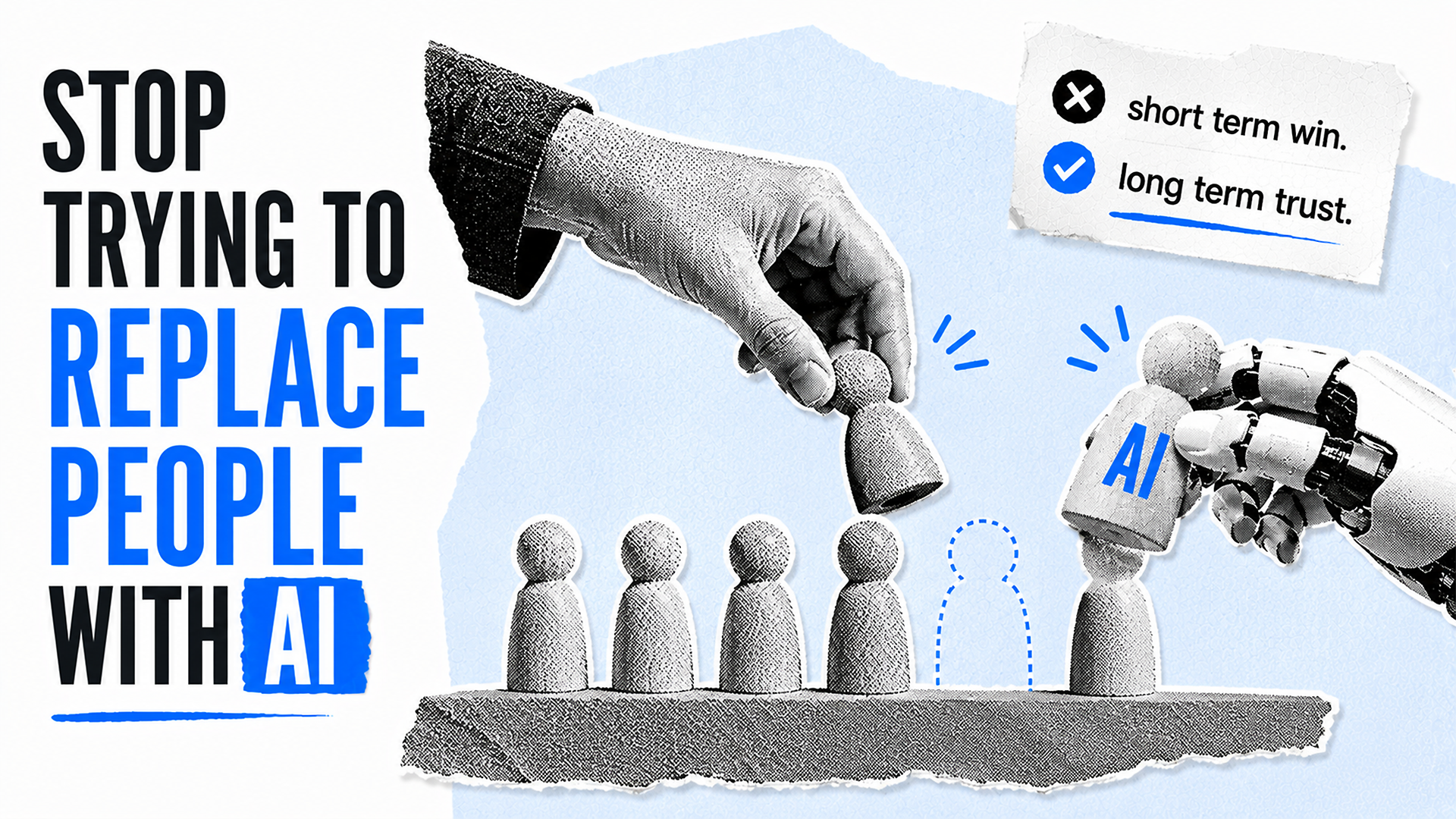
I think one of the biggest mistakes in AI marketing is positioning a product as a replacement for people. That message can win attention in the short term, but I believe it quietly drains trust over time.
This is a little different from what I usually write about, but it matters. The way we talk about AI shapes how customers, employees, executives, and markets respond to it.
In this memo, I want to focus on three things: why “substitution positioning” feels powerful at first but weakens a brand later, what the data says about whether AI is actually replacing people, and how I think companies should position AI instead.
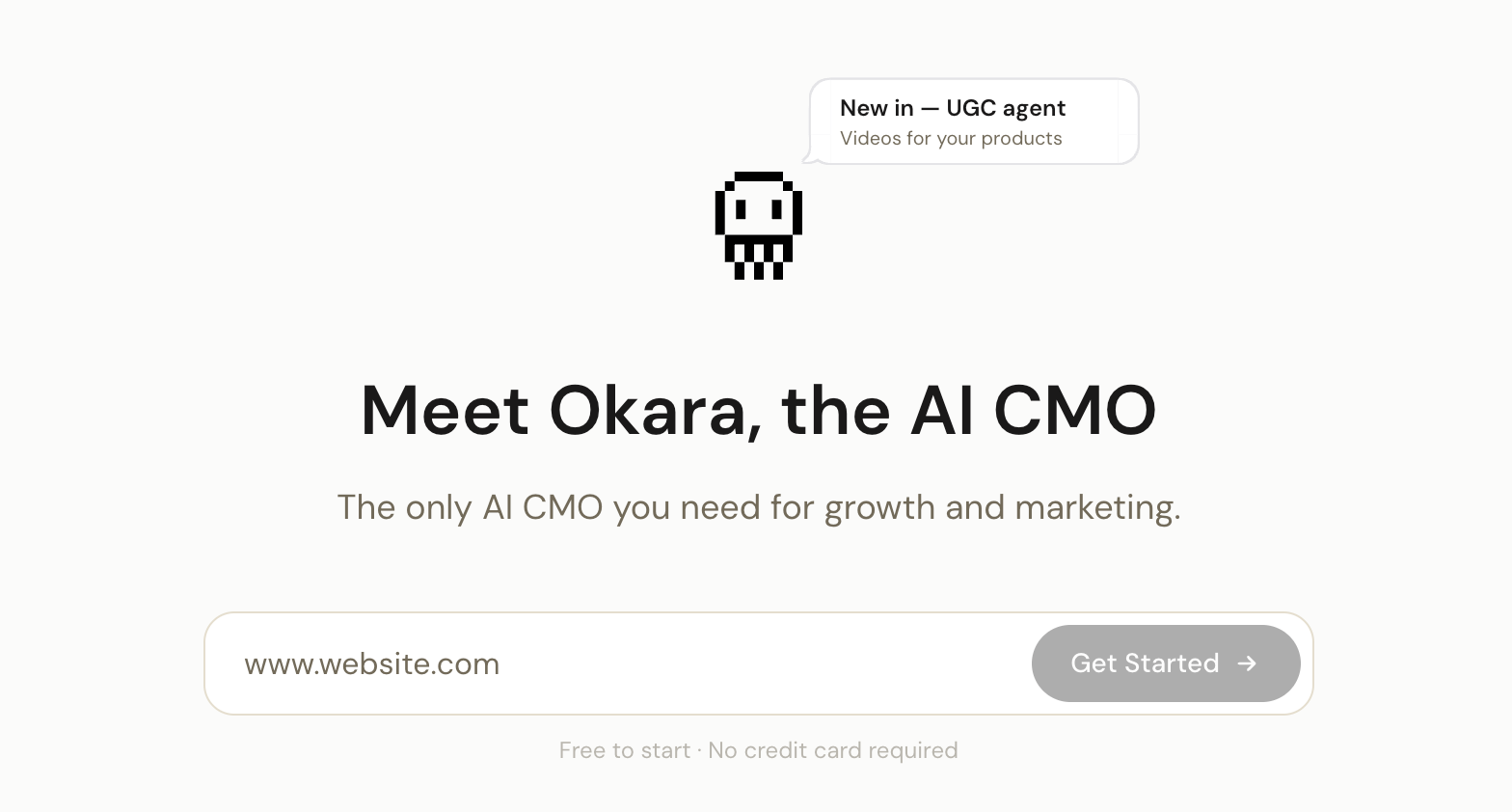
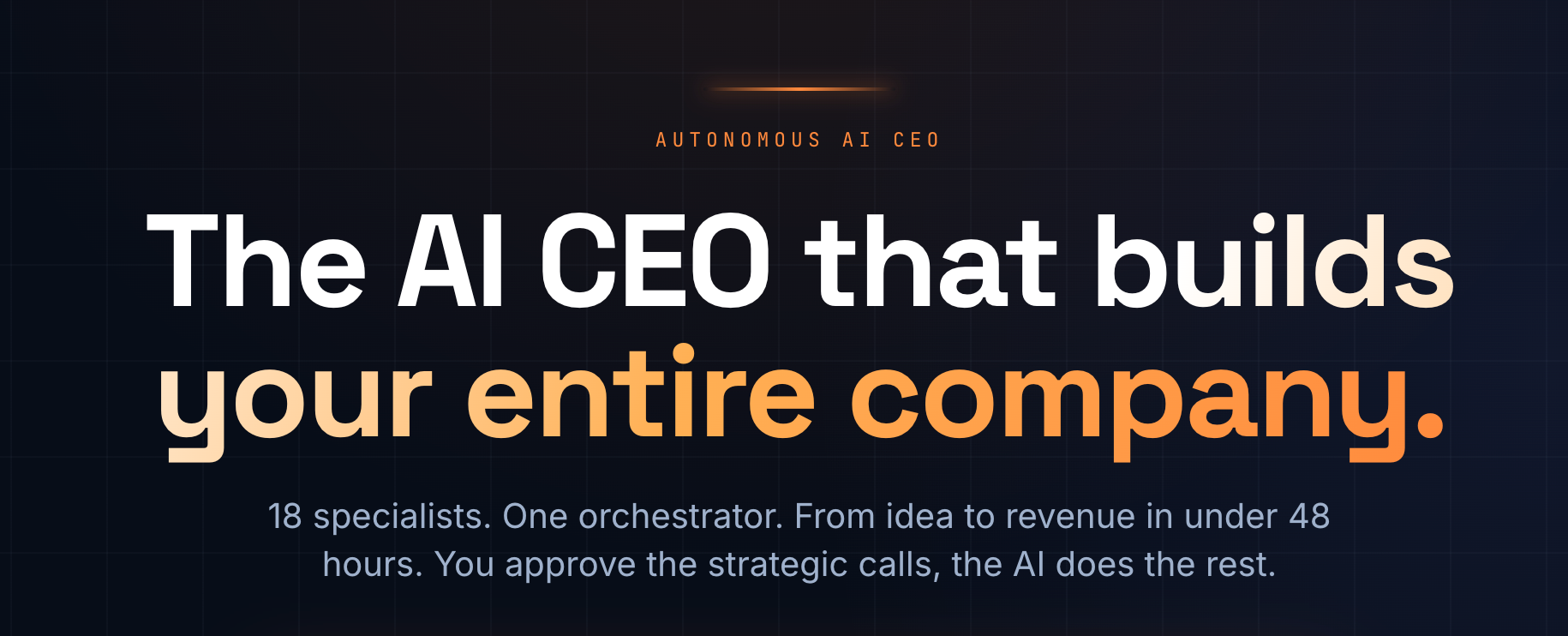
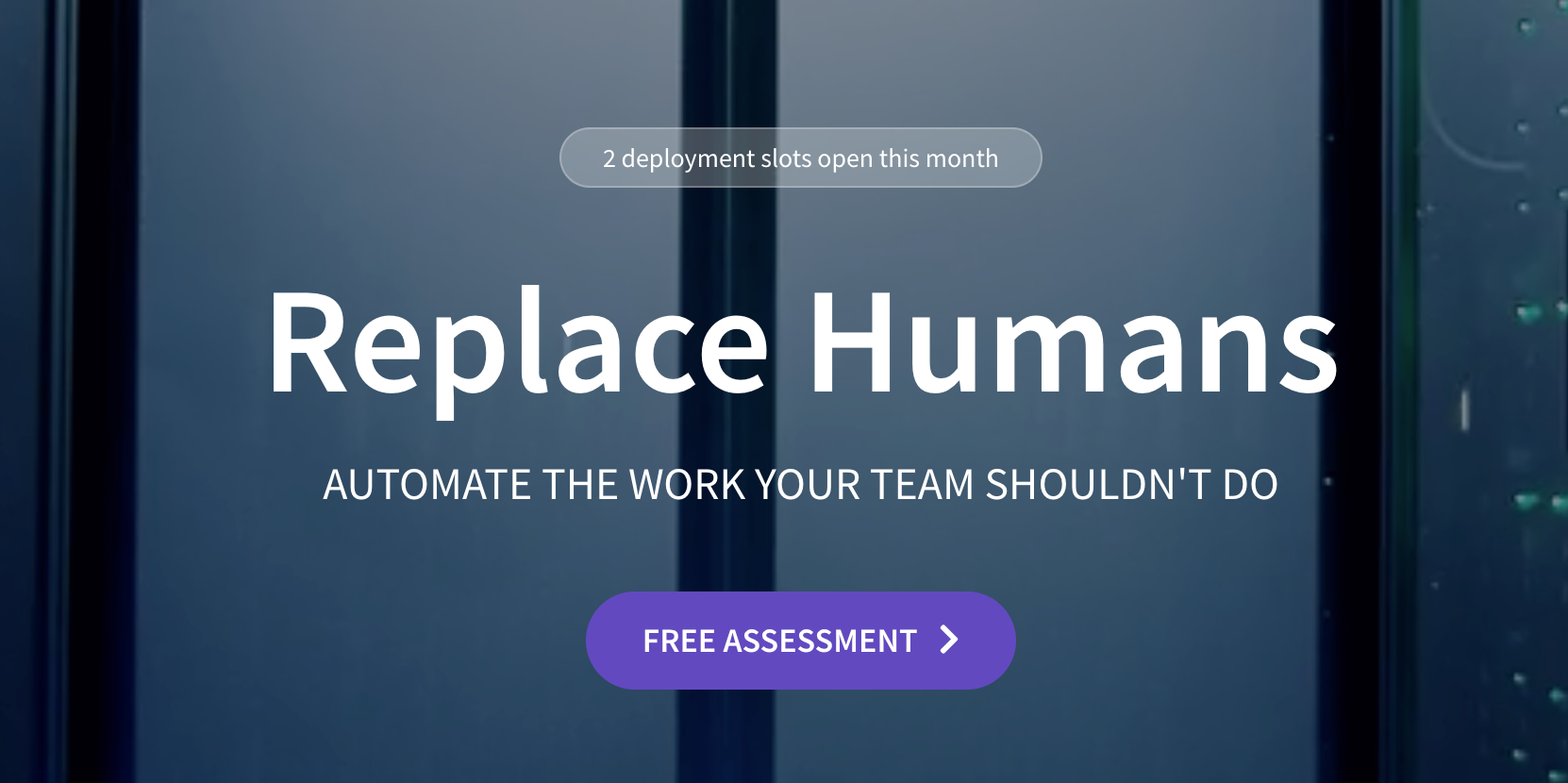
The cardinal sin of positioning in the AI era is replacement. I call it substitution positioning. It is tempting because it sounds bold, efficient, and disruptive. But over time, it creates anxiety, skepticism, and credibility problems.
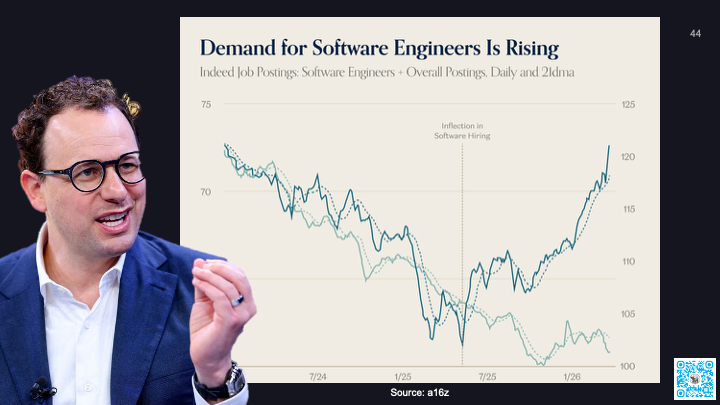
We have seen this pattern already. Anthropic CEO Dario Amodei predicted that software engineering jobs could disappear within 6 to 12 months as models began doing most or all of what software engineers do end to end. Yet demand for software engineers has continued to look strong.
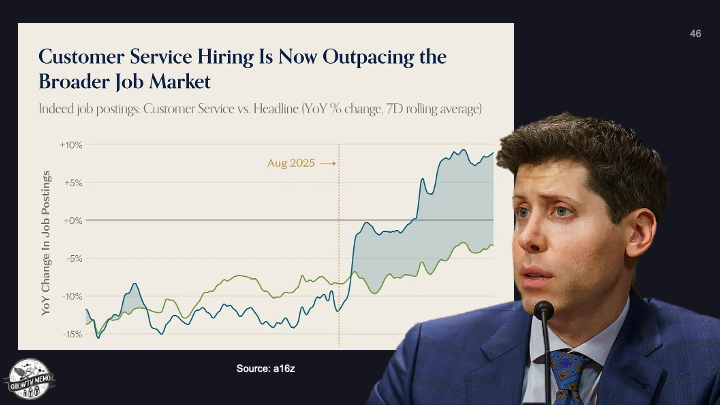
OpenAI CEO Sam Altman also predicted that many customer support jobs would go away because AI could handle that work better. Soon after, customer service hiring began outpacing the broader job market.
I understand why fear works as a marketing tool. The fear of being replaced gets attention fast. It got me, too. When powerful AI models gained traction, I worried about my own future. But when I still see AI companies hiring copywriters, SEOs, engineers, and support teams, I sleep better.
Fear sells because it taps into fight-or-flight. Layoffs make that story even louder. They let companies frame cost-cutting as innovation and make the replacement narrative feel more real than it may actually be.
But I do not think the facts support the clean replacement story. In New York, companies can indicate when mass layoffs are caused by technological innovation or automation. In one reported period, more than 160 companies filed mass layoffs affecting roughly 28,300 workers, and not one chose AI as the reason. That list included companies such as Amazon and Goldman Sachs.
Researchers at Yale also studied employment data from the Current Population Survey over 33 months and found no evidence of job displacement from AI. To me, the pattern looks less like instant replacement and more like the earlier waves of computers and the internet changing how work gets done.
That is why I keep coming back to this point: stop trying to make replacement happen. It is not happening in the simple, dramatic way many AI narratives suggest.
AI is powerful, but it is also inconsistent. In its current form, it can do some tasks better than humans and fail badly at others. That paradox is often called the Jagged Frontier.
The Jagged Frontier idea matters because it explains why some people see AI as transformative while others remain lukewarm. A BCG and Harvard study of 758 knowledge workers found that people get the most value from AI when they understand what it is good at and where it breaks down.
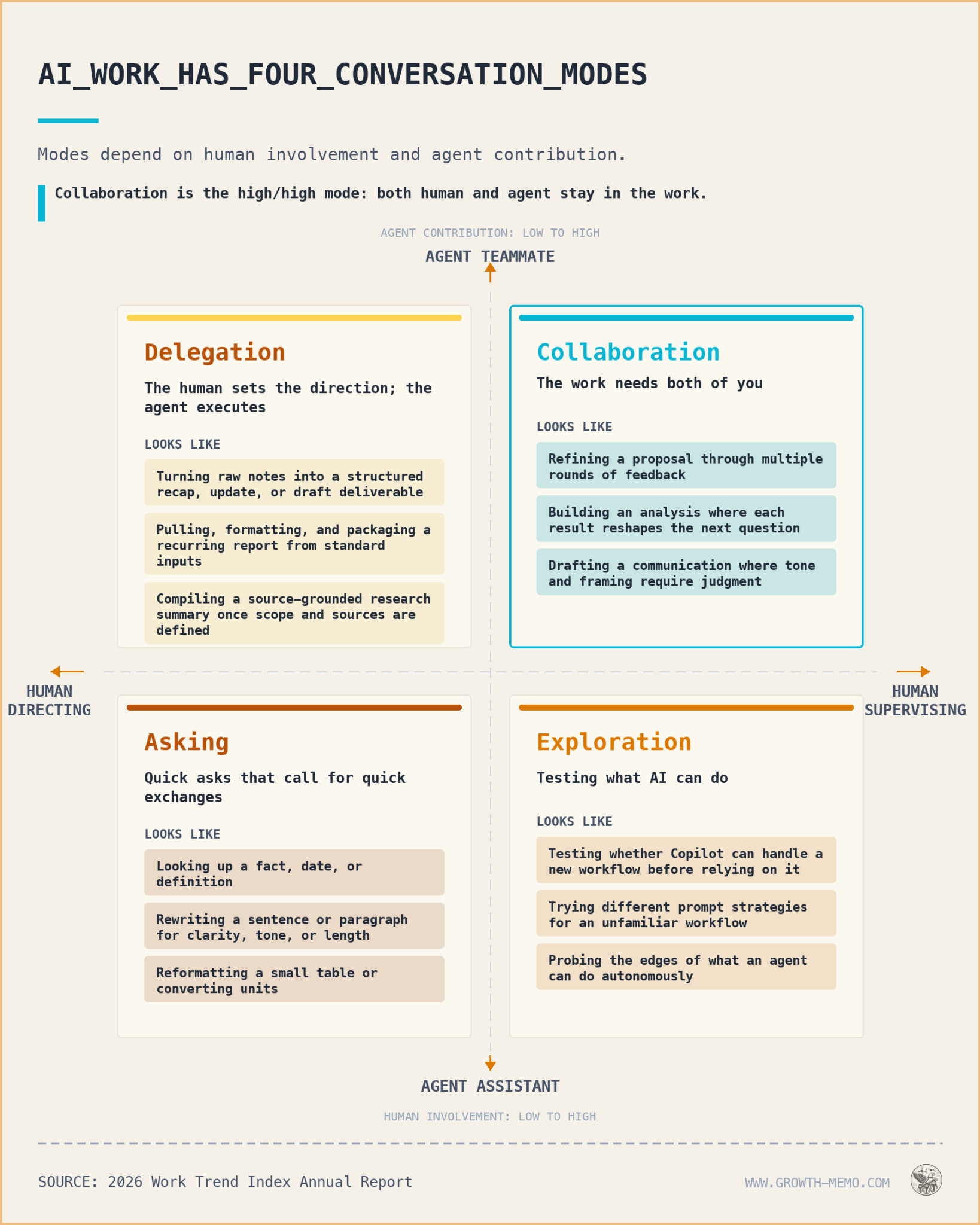
Microsoft reached a similar conclusion in its 2026 Work Trend Index Annual Report. The company found that a small group of advanced AI users, described as Frontier Professionals, were not simply using AI more often. They also knew which mode of AI use fit each task.
That distinction is important. The best AI users are not handing everything over blindly. They are applying judgment. They know when to use AI as a helper, when to use it as a collaborator, when to use agents for multi-step workflows, and when to keep a human firmly in control.
I still do not trust most AI workflows enough to leave them running with no maintenance, review, or quality assurance. The question I ask is simple: would I bet my brand, customer experience, or revenue on a fully automated workflow with no human oversight?
Klarna is a useful warning here. The company publicly promoted the idea that AI was doing the work of hundreds of agents and helping reduce headcount. Later, it reversed course and rehired humans after leadership acknowledged that aggressive cost-cutting had lowered quality and that customers still wanted a human option.
That is the tradeoff I see with substitution positioning. It creates immediate attention, but it can damage long-term credibility. The words often do not match the operational reality.
Replacement positioning could work if customers truly wanted full replacement and if the technology were consistently ready for it. I do not think either condition is true.
Cost reduction is a strong AI argument because it shows up quickly on the P&L. Productivity gains usually take longer. They build inside companies over time and often take even longer to appear across the broader economy.
But when replacement positioning goes beyond cost-cutting and becomes people-cutting, I believe it starts to antagonize the very people companies need to win over.
We have already seen backlash. Duolingo’s AI-first memo drew heavy criticism before the company reframed AI as a tool to accelerate work rather than replace contractors. Surveys have found that some workers refuse to use AI tools because they fear job loss. Pew has reported that many U.S. adults are more concerned than excited about AI in daily life. Reuters/Ipsos polling has shown widespread fear that AI will permanently displace workers.
There is also a quality problem. When employees believe the purpose of AI is to replace them, they may disengage or produce lower-quality work. In my view, that is not just an adoption issue. It is a positioning failure.
Executives often feel more excited about AI than the employees asked to use it every day. That gap matters. If leadership talks about AI as a replacement engine, employees hear a threat. If leadership talks about AI as leverage, employees have a reason to learn.
Token economics also complicate the replacement story. Some companies have bragged about massive AI usage, but token costs are still a real business variable. As those costs normalize, the math may make junior employees look interesting again, especially when human judgment, context, and accountability are part of the output.
So what should replace replacement? I think the answer is enhancement. Instead of positioning AI as a way to remove people, I would position it as a way to make capable people more effective.
AI can be used in two broad ways. A company can try to reduce the number of people, or it can grow output with the same number of people. The data I have seen suggests that productivity gains often create the stronger return.
A National Bureau of Economic Research paper surveyed 750 executives about AI’s impact on productivity and labor markets. Larger firms showed more interest in replacing labor costs, but the highest ROI came from productivity growth.
That is the lesson I take from the research: doing more with the talent you already have is often stronger than trying to remove the talent that knows what good work looks like.
Building products has become easier, but distribution has not. When supply explodes, the scarce thing is not output. The scarce thing is being the product, brand, or service that actually gets chosen.
That is why positioning matters more than ever. Product quality still matters, but the way I frame AI use can determine whether people see it as empowering or threatening.
My takeaway is simple: I would stop selling AI as a people replacement. I would sell it as judgment leverage, workflow acceleration, and creative expansion. Fear can get attention, but empowerment is a better long-term strategy.
This post first appeared on the author’s website and is republished here with permission.
Your calendar is full, clients are getting answers, and revenue is coming in. Yet the business still feels fragile. A delayed approval wrecks the week, a small request becomes another deliverable, and time off means work waiting for your return.
Sustainable SEO freelancing fixes the operating model behind that problem. The goal is not merely to get fewer meetings, more flexible hours, and more choice over projects. It is to build a practice in which pricing, scope, capacity, and client expectations reinforce one another.
Build the business around capacity, not availability
A freelancer can be available all day without having all day available for client delivery. Sales, proposals, invoicing, administration, professional development, tool maintenance, and recovery all consume capacity. If your revenue plan assumes that every working hour can be sold, it is underfunded before the first client request arrives.
Start with a capacity model rather than a revenue wish. Write down the time your practice must preserve for four kinds of work:
Client operations: meetings, email, access management, feedback, documentation, and invoicing.
Business development: qualification, proposals, referrals, publishing, partnerships, and follow-up.
Maintenance: learning, process improvement, administration, planned leave, and genuine space for unexpected work.
Only the delivery portion is directly billable in many engagements. Client operations still belong in the price. Business development and maintenance must be funded by the margin across all work. Treating them as unpaid tasks to complete after delivery is how a profitable-looking schedule becomes an exhausting one.
Use two simple calculations:
Required practice revenue = owner pay + business overhead + taxes and required reserves + reinvestment + profit.
Required effective rate = required practice revenue divided by realistic billable delivery capacity.
The effective rate is an internal diagnostic, not necessarily the price you show a client. A fixed-fee project can still be evaluated against it after accounting for calls, revisions, project management, and follow-up. If the effective rate is below your requirement, the project is not rescued by calling it value-based pricing.
Set a delivery ceiling as well as a revenue floor. The ceiling is the recurring workload you can support while keeping the non-delivery parts of the business intact. When demand passes it, your choices are to defer the start, narrow the scope, raise the fee, refer the work, or add carefully managed support. Quietly extending the working day is not additional capacity. It is borrowed capacity that will be repaid through slower work, weaker decisions, or lost recovery time.
Price the scope you control and the uncertainty you carry
SEO outcomes depend on more than the freelancer doing the work. Rankings, traffic, leads, and revenue can be affected by search-system changes, competitors, technical constraints, content quality, client implementation, product demand, tracking, and the time required for discovery and evaluation. Promise disciplined work and decision quality. Do not guarantee an outcome you cannot control.
A sustainable proposal connects a business problem to a bounded unit of work. It should answer the following questions in language a client can inspect:
Objective: What decision, constraint, or opportunity is this engagement meant to address?
Included work: Which properties, markets, templates, query groups, content types, or implementation tasks are covered?
Deliverables: What will the client receive, and in what form?
Exclusions: Which adjacent tasks are not included, even if they become visible during the work?
Client inputs: Which access, data, subject-matter review, engineering help, and approvals are required?
Dependencies: What can delay or limit the work without changing your obligations?
Feedback rule: Who consolidates comments, and when does feedback become a change request?
Definition of done: What observable condition closes the deliverable?
Change rule: How will additional work be estimated, approved, scheduled, and billed?
That final definition matters in SEO because delivery and performance are different events. A technical recommendation can be complete when it is documented, reviewed, and handed to the implementation owner. An implementation engagement is not complete at that point; it may require deployment checks and validation. Neither definition should imply that a valid change guarantees a ranking, rich result, AI citation, or business outcome.
Choose a commercial model that matches the work
Different kinds of uncertainty need different pricing structures:
Use a project fee when the objective, boundaries, inputs, and completion condition can be defined with reasonable confidence.
Use paid discovery when the client is asking for a firm solution before either party understands the site, data, constraints, or implementation environment.
Use a retainer when the client needs a recurring decision process, a prioritized work queue, or reserved capacity. State what recurs; do not sell an undefined bucket of access.
Use advisory access when the main value is judgment rather than production. Define the communication channel, response expectations, meeting boundary, and treatment of work that becomes execution.
Use optional work units when the core engagement is stable but the volume may change, such as additional templates, briefs, markets, or implementation reviews.
Do not price unresolved ambiguity as if it were a small, predictable task. Move the ambiguity into discovery, an assumption, an allowance, or an explicit change mechanism. Otherwise, the client pays for a tidy promise while you absorb the untidy reality.
Review every completed engagement using actual effort, not remembered effort. Include calls, access problems, research, revisions, quality assurance, administration, and post-delivery support. Compare that total with the fee and the value of the work. If a project missed its economic target, determine whether the cause was price, estimation, scope, client behavior, or your process. Raising every fee will not fix an undefined service, just as a tighter checklist will not fix a fundamentally unsuitable client.
A scope document also does not replace a proper agreement. When cancellation terms, liability, intellectual property, confidentiality, data access, payment enforcement, or subcontracting create meaningful exposure, use a contract appropriate to your jurisdiction and obtain qualified legal or accounting advice where needed.
Productize delivery without commoditizing your judgment
Productization does not mean giving every client the same recommendations. It means giving every engagement a reliable operating spine so your attention stays on the decisions that require expertise.
A reusable SEO delivery system can include:
An intake form that captures the business model, target audience, conversion paths, priority markets, known constraints, previous work, and decision owners.
An access checklist that separates required systems from useful systems and records who can resolve missing permissions.
A baseline record covering current visibility, important landing pages, technical conditions, conversions, measurement limitations, and known releases.
A hypothesis log that states what you think is happening, what evidence supports it, what would disprove it, and what action follows.
A prioritization method that weighs likely value, confidence, effort, dependencies, reversibility, and time to learn.
A deliverable template with an executive decision layer and enough implementation detail for the person expected to act.
A quality-assurance checklist specific to the work, whether that work concerns crawling, indexing, internal links, content, structured data, migrations, or measurement.
A decision log recording what was approved, deferred, rejected, changed, or left unverified.
A closeout note that names completed work, open risks, ownership, measurement limits, and the next decision.
The template should standardize evidence and handoffs, not conclusions. If every audit produces the same findings, either the diagnosis is too shallow or the service has quietly become a checklist sale.
Use automation to remove handling, not accountability
Automation and AI can help classify crawl data, normalize repeated inputs, draft routine summaries, compare versions, or turn meeting notes into a proposed action list. That can reduce handling time, but it does not transfer responsibility for the result.
Keep a human owner for claims, prioritization, technical interpretation, client-specific context, and any change that could affect a live site. Verify generated URLs, examples, markup, calculations, and recommendations against the actual property. Do not place confidential client data, credentials, customer information, or unpublished plans into an unapproved tool. Faster output is not a benefit if it creates a factual, security, contractual, or reputational problem.
Measure the process by whether it reduces total effort and rework. A generated deliverable that takes longer to verify than to create manually is not yet a useful workflow. Keep the automation only when its inputs, review point, failure modes, and owner are clear.
Report decisions instead of exporting activity
A sustainable report should make the next decision easier. Separate what changed from what was merely observed, and separate controllable progress from lagging performance.
Completed: What was delivered, implemented, or validated?
Observed: What changed in search visibility, referrals, conversions, technical conditions, or other agreed measures?
Uncertain: Which changes cannot yet be attributed, verified, or interpreted confidently?
Blocked: What needs a client decision, access change, developer, editor, or other owner?
Recommended: What should happen next, why does it matter, and what would it displace?
For AI search visibility, report only what can be observed with a stated method. A brand mention, cited page, referral visit, and commercial conversion are different signals. Do not collapse them into a single success claim. The same discipline applies to traditional search: movement in a dashboard is not automatically attributable to your latest task.
Make client relationships renewable, not endless
A good client is not simply one who can afford the fee. Sustainable delivery also requires access, decisions, implementation ownership, realistic expectations, and professional communication. Qualification should test the conditions under which your work can succeed.
Screen for operating fit before writing the proposal
Ask enough during qualification to expose the actual engagement:
What business decision or problem has made SEO a priority?
What has already been attempted, and what happened after the recommendations were delivered?
Who owns content, development, analytics, legal review, and final approval?
Which systems and data can the client provide?
What internal constraints could prevent implementation?
How will the client judge progress, and which measures are known to be incomplete?
Why is the work being considered now?
What does the client expect you to own that is not yet visible in the brief?
Listen for mismatches rather than trying to overcome every objection. A prospect demanding guaranteed rankings is not presenting a clever pricing puzzle. A company with no implementation owner is not ready for an execution-heavy roadmap unless resolving ownership becomes part of the engagement. A stakeholder who refuses to define a decision process is warning you that approval and rework may dominate delivery.
Declining poor-fit work protects more than time. It protects the attention required by existing clients and preserves room for work you can perform well. If you accept a difficult fit for a valid strategic reason, price and scope the additional coordination explicitly. Do not pretend the friction is free.
Set communication boundaries clients can rely on
Responsiveness is easier to trust when it is defined. Tell clients where requests go, when you review that channel, how meetings are scheduled, what qualifies as urgent, and what happens when a request changes committed work. A fixed operating rhythm is usually clearer than continuous partial availability.
Define urgent conditions narrowly. A release that unintentionally blocks important pages from crawling or indexing may warrant immediate triage. A routine question waiting for stakeholder review does not become an emergency because someone marked the message urgent. The boundary should protect genuinely consequential events while keeping normal work predictable.
Keep decisions in a shared record rather than scattered across meetings and messages. After a discussion, capture the decision, owner, dependency, and resulting scope change. This protects both sides from memory-based disagreements and makes later reporting substantially easier.
Renew around the next useful decision
A retainer should continue because recurring work still exists, not because neither side initiated an ending. Before renewal, review what was completed, what remains blocked, what the client can implement, what the data can support, and which decisions are likely to matter next. Then resize, redesign, pause, or end the engagement accordingly.
Maintain a pipeline even when capacity is full. Record qualified leads, keep referral relationships active, preserve non-confidential proof of your work, and make your positioning specific enough that the right buyer can recognize a fit. If losing any single client would immediately force you into financial emergency, the practice has a concentration problem even when current revenue looks healthy. Address it before the relationship ends, not after.
An orderly exit is part of good service. Hand over current documents, access ownership, open risks, pending decisions, and measurement caveats. Remove your access when it is no longer required. A client should not need to keep paying simply to understand the state of their own work.
Key takeaways and your next operating change
Base your revenue model on realistic billable capacity, not every hour you could theoretically work.
Put client operations, business development, maintenance, and recovery inside the economics of the practice.
Sell controlled deliverables and sound decisions; do not guarantee rankings, traffic, AI citations, or revenue.
Move uncertainty into paid discovery, explicit assumptions, optional work, or a change process.
Standardize intake, evidence, quality assurance, decisions, and handoffs while keeping recommendations specific to the client.
Use automation only when the inputs, verification step, failure modes, and accountable owner are clear.
Qualify for implementation capacity and decision quality, not budget alone.
Renew retainers around an identifiable work queue or recurring decision process, and end them cleanly when that need disappears.
Before sending your next proposal, inspect a recently completed engagement. Reconstruct its total effort, identify the request that created the most unplanned work, and decide whether the next version needs a higher fee, a narrower boundary, a better input, or a clearer change rule. Put that correction into the proposal itself.
Sustainability is built at the point where work is sold and defined. Protect that point, and growth no longer has to mean carrying more ambiguity, more availability, and more unpaid coordination.