Tag: Authentication

  • Google Sign-In Gates for More Search Results: An SEO Guide

    Google Sign-In Gates for More Search Results: An SEO Guide

    If you are checking a keyword and Google stops after several result pages with a request to sign in, do not record the blocked page as a lost ranking. A limited Google Search test has required an account sign-in to verify that the searcher is human and reveal more results. The prompt appeared after someone moved beyond the first few pages. That is an access event, not evidence that the underlying results disappeared.

    For SEO teams, that distinction matters. A sign-in gate can interrupt a manual audit, rank tracker, competitive-research workflow, or search-results API without changing the rankings those systems are trying to observe. Your immediate job is to identify the measurement failure, preserve the uncertainty, and avoid turning missing data into a false performance alert.

    What Google appears to be testing

    In the observed flow, Google asked the searcher to sign in to continue after navigating beyond the first few search-result pages. The message framed sign-in as a way to verify that the user was human and provide additional results. A CAPTCHA would normally serve that verification role, so requiring an authenticated account introduces a different kind of barrier.

    The scope is still uncertain. The behavior has been described as a limited test, and there is no confirmation that Google will apply it widely. There is also not enough evidence to define its precise trigger, affected environments, frequency, or duration. One screenshot or one blocked session cannot establish a global rollout.

    Keep the layers separate. Google can restrict access to another page of results without removing those results from its index or changing their order. The prompt also does not prove that the additional results would differ after sign-in, that authentication changes ranking, or that every signed-out user will encounter the same limit.

    Key takeaways

    • The sign-in gate has been observed as a limited test, not a confirmed universal Search feature.
    • It appeared after several result pages, so the immediate risk is reduced access to deep-result data rather than a demonstrated loss of search visibility.
    • A blocked or incomplete retrieval must not be translated automatically into “not ranking.”
    • Manual checks, rank trackers, and search-results APIs may encounter different access conditions, so record how each observation was collected.
    • Change your measurement and reporting workflow before changing content, schema, or SEO strategy.

    Separate a ranking change from a collection failure

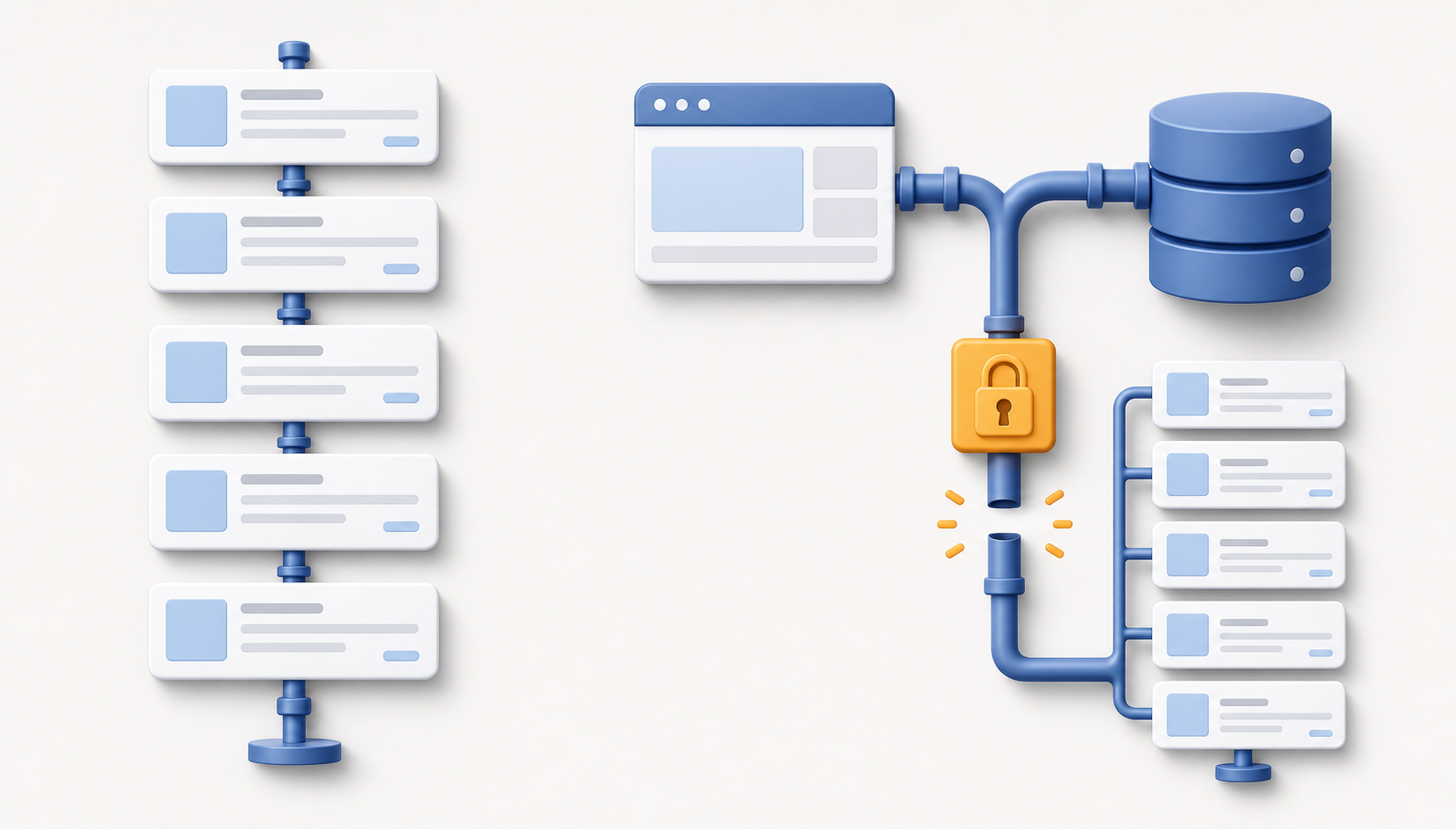
    A split scene contrasts stable search-result cards with a data-collection pipeline interrupted by a locked checkpoint.

    A rank tracker typically has to request a results page, parse its contents, and continue far enough to find the tracked domain. A sign-in challenge can stop that sequence before the domain is reached. If the system treats every interrupted search as a completed search with no match, the dashboard may show a dramatic ranking loss that never occurred.

    The correct result is not always a position. Sometimes it is a status: the measurement was blocked before the requested depth. That status may be less satisfying than a number, but it is more accurate and far safer for decision-making.

    What you seeWhat it supportsWhat to do
    A visible sign-in prompt after several pagesAccess to deeper results was interruptedRecord the result as blocked and save the last successfully observed depth
    A tracker returns a blank value or “not found” without diagnostic detailA ranking loss is possible, but a collection failure has not been excludedInspect the collection status or ask the provider how authentication challenges are classified
    First-party search performance remains broadly consistent while deep-rank readings disappearThe case for an immediate visibility collapse is weakerAnnotate the measurement gap and wait for corroborating evidence before escalating
    The prompt appears in one browser or session but not anotherThe behavior is not consistently reproducible in the environments testedDocument both environments rather than selecting the result that fits your expectation

    None of these signals independently proves what the hidden ranking was. They help you decide whether you have evidence of a performance change or merely evidence that the measurement stopped early. That is the standard your reports should preserve.

    Use this diagnostic runbook when the gate appears

    An analyst compares generic search results, a browser checkpoint, network status, timing, and database indicators at a workstation.

    Handle the event as an observability incident. The aim is not to defeat the gate. It is to determine what was measured, what was not measured, and which decisions can still be supported.

    1. Capture the evidence. Save the query, time, market, language, device type, browser, signed-in state, network environment, visible prompt, and deepest result page reached. Take a screenshot if the check is manual. Without this context, a later reproduction attempt will tell you very little.
    2. Identify the last valid observation. Record the final page or result depth that loaded normally. Do not assign an artificial bottom position to domains that might have appeared beyond that point.
    3. Inspect the failure state. Determine whether the collector received a sign-in page, redirect, challenge, empty response, parsing error, or timeout. Those outcomes may look identical in a dashboard while requiring different treatment.
    4. Reproduce lightly. Try a normal signed-out session in a clean browser context. If your organization’s policies allow it, compare that with an ordinary signed-in manual session. Treat both as contextual observations, not as a canonical SERP. Repeated automated requests may trigger more controls and make the test less informative.
    5. Triangulate with first-party data. Review Google Search Console query and page performance, relevant landing-page traffic, and indexing signals. These datasets do not reproduce a manual results page, but they can show whether the supposed ranking collapse has corresponding visibility or traffic evidence.
    6. Preserve uncertainty in the report. Use distinct labels such as “observed,” “not observed within checked depth,” “blocked by challenge,” and “collection error.” A blocked check is not a zero, and a zero is not a verified rank.
    7. Require corroboration before acting. Investigate content, technical SEO, or ranking systems only when the apparent decline is supported by accessible SERPs, first-party performance data, or another reliable signal. Do not rewrite a page because one collector could not pass a gate.

    Questions to ask your rank-tracking provider

    • Can the platform distinguish a sign-in challenge from a completed search in which the domain was absent?
    • Does it expose collection coverage and error status alongside reported positions?
    • Will a failed retrieval overwrite the last valid position, or remain a clearly marked gap?
    • Can reports separate shallow observations from keywords that require deeper retrieval?
    • How are retries handled, and can repeated failures create misleading volatility?
    • Does the provider use authenticated accounts, and if so, what are the security, privacy, and policy implications?

    Do not place an employee’s personal Google credentials into an automated tracker simply to recover deep-result data. That creates security and account-governance risks while potentially changing the conditions under which the results are collected. If authenticated collection becomes part of a vendor’s method, it should be disclosed, controlled, and reviewed rather than improvised.

    Your dashboard also needs a coverage measure. A position chart without collection coverage can make missing observations look like genuine movement. Show how many scheduled checks completed successfully, how many stopped at a challenge, and how deep each successful check reached. When a retrieval fails, retain the prior observation with its original date if historical context is useful, but never present it as a fresh current ranking.

    What this changes for SEO, schema, and AI visibility

    For now, this should change your measurement practice, not your optimization strategy. The observed behavior concerns access to additional search results. It does not establish a change to crawling, indexing, ranking, structured-data processing, or selection by AI answer systems.

    Adding schema will not remove a Google sign-in gate. Rewriting a page will not make an interrupted tracker complete its request. Increasing publishing volume will not repair a collector that classifies an authentication challenge as “not found.” Those actions address different systems.

    Continue content, technical SEO, AEO, and GEO work when independent evidence supports it. If impressions, clicks, accessible rankings, indexation, and business outcomes point to a real decline, investigate the decline. If only deep-result collection fails, fix the reporting model and monitor the test.

    A wider rollout could make deep-result research less complete and force tracking providers to disclose more about coverage. It could also reduce the reliability of competitor lists assembled from a single automated collector. Prepare for that possibility by keeping raw status data, using more than one type of evidence, and distinguishing “unknown” from “absent.” Do not call it a rollout until the behavior is consistently documented beyond an isolated test.

    The next time the prompt appears, save the environment details, mark the observation as blocked, and check first-party performance before anyone changes a page. That small discipline prevents an access-control experiment from becoming a false SEO emergency.

    References


  • Claude Chat Privacy: When Shared Links Enter Search Results

    Claude Chat Privacy: When Shared Links Enter Search Results

    If you’ve used Claude for something sensitive, hearing that Claude chats appeared in search results can make it sound as though every private prompt is searchable. That isn’t what the documented exposure established.

    The affected pages were chat snapshots made available through user-created public share URLs. The practical lesson is still serious: once you turn a conversation into a shareable web page, you should treat that page as public unless access control proves otherwise.

    A shared Claude link is a web page, not a private message

    Blank chat bubbles sit inside a secured chamber while a copied conversation page outside is illuminated by magnifying lenses.

    A conversation inside your authenticated Claude account and a snapshot exposed through a share URL occupy different privacy states. The first sits behind your account session. The second is designed to be opened outside that session, which means the URL can be forwarded, linked from another page, collected by automated systems, or discovered by a search crawler.

    Creating the share URL does not guarantee that Google or Bing will index it. It does, however, create the conditions under which indexing can happen. There are three separate stages:

    1. Public access: A person who has the URL can load the page without signing in.
    2. Discovery and crawling: A search engine finds the URL, often through a link or another crawlable source, and requests the page.
    3. Indexing: The search engine decides that the URL or its contents can appear in search results.

    The first stage is the privacy boundary. Indexing increases discoverability, but a page was already exposed before it appeared in search. An unindexed URL is therefore not the same thing as a private URL.

    This also separates search exposure from other questions about AI services, such as conversation retention or model training. Those issues depend on the service’s policies and settings. The incident at issue concerned public share pages reaching search indexes; it does not, by itself, establish that ordinary unshared chats were searchable.

    At one point, a site:claude.ai/share query surfaced hundreds of shared conversations, including sensitive health and political discussions. Those results were later removed. Removal from a search index reduces discovery, but it cannot establish that nobody opened, copied, forwarded, or captured a page while it was accessible.

    Key takeaways

    • An ordinary Claude conversation and a user-created share page are not the same privacy state.
    • A public page can be accessed before a search engine indexes it, so no search result does not mean no exposure.
    • If a shared conversation contains sensitive material, remove or revoke the page at its host before concentrating on search-result removal.
    • Robots.txt is a crawler-management file, not an access-control or privacy system.
    • A noindex instruction must remain visible to crawlers; blocking the same page in robots.txt can prevent them from seeing it.

    What to do if you created a Claude share link

    A person reviews a generic shared chat page while closing a link icon and placing a message card in a locked drawer.

    Start at the original page, not at Google. Search results are a downstream copy of a more important condition: whether the conversation is still publicly accessible.

    1. Inventory the links you created. Check any sharing controls currently available in your Claude account, then review places where you may have pasted links: email, chat messages, tickets, documents, notes, social posts, or team workspaces. Do not assume you created only one snapshot.
    2. Test each link while signed out. Open it in a private browser window where you are not logged into Claude. If the conversation loads without authentication or another access check, treat it as public. Avoid submitting the URL to unrelated scanning sites or public forums, because that creates additional copies and routes of discovery.
    3. Revoke or remove access at Claude. Use the platform’s current sharing controls to disable the link. If no self-service control is available, contact Anthropic through its support process and identify the exact share URL. Search delisting alone is not enough while the original page remains open.
    4. Record the minimum evidence you need. Keep the URL, when you noticed the exposure, and a private screenshot of any relevant search result if you may need an organizational incident record. Do not republish the conversation merely to document it.
    5. Respond to the contents, not just the page. Revoke exposed API keys, access tokens, invitation links, or session credentials. Change any exposed password wherever it was reused. If the chat contains client records, employee information, regulated data, or confidential business material, notify the appropriate security, privacy, or legal owner through your organization’s incident process. Removing a page does not make a disclosed credential safe again.
    6. Check search visibility after access is closed. Search for the exact URL, a distinctive non-sensitive phrase, and the site:claude.ai/share pattern in the relevant search engines. Treat these as spot checks rather than a complete audit. If a result remains, use the search engine’s webmaster or personal-information removal process, but keep the origin page disabled.

    If the page contained no identifying information, credentials, confidential records, or material tied to another person, revoking the link and checking for residual results may be proportionate. If any of those elements were present, escalation matters more than repeatedly searching your own name. The consequence comes from what was exposed and who could act on it, not merely from whether a result still ranks.

    For site owners, robots.txt is not a privacy control

    The technical failure behind this kind of exposure is easy to repeat. A team wants to keep pages out of search, so it disallows their paths in robots.txt and adds a noindex directive to the pages. That combination looks cautious, but the two instructions can work against each other.

    A noindex directive works only after a crawler retrieves the page and reads the directive in its HTML or HTTP response. When robots.txt prevents that retrieval, the crawler cannot see noindex. Google explicitly warns that a robots-blocked URL can still appear in results when the engine learns about it elsewhere, such as through links.

    The right configuration depends on the access policy you actually intend:

    • Private conversation: Require authentication and verify that the signed-in user is authorized to access that specific conversation. Add noindex as defense in depth, not as the lock on the door.
    • Public share page that should not appear in search: Allow compliant crawlers to request the page, then serve a noindex meta directive or X-Robots-Tag response header. Do not disallow the same URL in robots.txt while depending on noindex.
    • Public and indexable publication: Make the publishing consequence explicit before the user creates the URL. Let the user preview and redact the content, identify what metadata will be visible, and provide a reliable revocation control.
    • Revoked or deleted share: Remove public access at the origin. Require authorization again or return a genuine not-found or gone response. Search-removal requests can accelerate cleanup, but they should follow the access change.

    Noindex does not encrypt content, restrict direct visitors, stop forwarding, or prevent every scraper and archive from collecting a page. Robots.txt does none of those things either. If viewing the content would itself be a privacy failure, the content belongs behind authentication and server-side authorization.

    Test the privacy boundary as a stranger would

    A logged-in product test can hide the most important failure. Include these checks in every release that affects chat sharing:

    • Open a newly shared link in a clean, signed-out browser session.
    • Confirm whether the user made an explicit public-sharing choice before the URL was created.
    • Inspect the rendered meta robots value and response headers on the actual share template.
    • Verify that robots.txt does not block crawlers from reading a noindex directive you expect them to obey.
    • Revoke the link and confirm that the same signed-out request no longer reveals the conversation.
    • Maintain a server-side inventory of active share URLs instead of relying on site: searches, which are useful for discovery but incomplete as an audit.

    Before your next sensitive Claude session, decide whether the content should remain inside an authenticated conversation or become a shareable web page. If you choose to share, redact first and act as though the link may travel. For product teams, make that same distinction structural: private content needs access control, public-but-unlisted content needs a crawlable noindex directive, and revoked content needs to stop loading.

    References


  • EU Financial Ad Verification: What Advertisers Must Do

    EU Financial Ad Verification: What Advertisers Must Do

    Google’s expanded verification policy adds a compliance checkpoint for financial advertising across 24 European Economic Area markets. The practical issue is not simply whether an advertiser offers financial services, but whether the advertiser, its agency and any third party involved can document their authority to promote them.

    For affected organizations, early preparation can reduce the risk of campaigns losing eligibility while regulatory evidence, account relationships and verification responsibilities are being sorted out.

    Key takeaways

    • According to CrushPress.AI, Google’s requirements begin July 23 and cover designated financial categories in 24 EEA countries.
    • Advertisers prompted by Google must first complete a review through G2 and then submit Google’s application using the code supplied by G2.
    • The evidence may need to establish the services offered, the advertiser’s regulatory status and its authorization or exemption.
    • Agencies managing financial campaigns are also subject to compliance checks.
    • An unauthorized third-party promoter may need a verified institution to request verification on its behalf.

    The policy reaches beyond banks and insurers

    CrushPress.AI reports that the expansion applies across 24 EEA countries, including Austria, Belgium and Sweden. It can affect advertisers in designated categories such as banking and credit, but Google may change the category list. That makes the advertised service and target market more useful screening criteria than an organization’s broad industry label.

    The policy also extends operational responsibility beyond regulated institutions. Agencies managing campaigns for financial-services clients must pass applicable checks, while third parties promoting services approved by a verified institution may not be able to establish eligibility independently if they lack direct authorization.

    Verification combines external review with a Google application

    A compliance reviewer checks generic documents beside a tablet representing the second stage of an online verification process.

    The source describes a two-stage process rather than a single account setting:

    1. Complete verification through G2, Google’s third-party compliance partner for this process.
    2. Use the code received from G2 to submit Google’s financial verification application.

    During the review, an advertiser may have to provide information about the financial services being promoted, its regulatory standing and evidence that it is authorized or exempt under the relevant regulator. These elements should be checked for consistency before submission: discrepancies between the legal entity, authorization records, advertised service and Google Ads account could create avoidable administrative work, even though the source does not specify how Google handles individual discrepancies.

    Account ownership determines who must act

    A secure advertising account connects a financial company, an agency, and a third-party partner, with one ownership key highlighted.

    The most consequential distinction is between a directly authorized provider and a third party promoting that provider’s services. CrushPress.AI reports that a third-party advertiser without direct authorization must rely on the verified institution to submit a verification request on its behalf. Campaign access alone therefore does not necessarily give an agency or partner the authority needed to complete the process.

    Teams can prepare by mapping each campaign to the advertised service, target EEA market, regulated institution, Google Ads account and party responsible for verification. Agencies with several financial clients may need a separate evidence trail and owner for each relationship rather than treating verification as a one-time agency credential.

    How to reduce the risk of interrupted campaigns

    CrushPress.AI says Google will notify affected advertisers through its platform and warn that performance could be affected if verification is not completed. Failure to comply may prevent financial-services ads from running in the covered countries.

    A practical readiness review should therefore cover:

    • Which campaigns promote services that may fall within Google’s designated financial categories.
    • Which of those campaigns target any of the 24 covered EEA markets.
    • Whether the named advertiser can demonstrate authorization or exemption for the promoted service.
    • Whether an agency or other third party needs the regulated institution to initiate a request.
    • Who will monitor Google account notifications and coordinate the G2 and Google stages.
    • Which campaigns may need contingency planning if verification remains incomplete.

    Because Google can revise the categories covered, verification should become part of ongoing campaign governance rather than a one-off launch task. Clear ownership among the regulated provider, agency and advertising account holder will be the best defense against preventable disruption as the requirements evolve.

    References

  • How to Manage Ad Targeting and API Updates Without Chaos

    How to Manage Ad Targeting and API Updates Without Chaos

    An advertising-platform release can create two very different jobs. A targeting feature asks whether you can reach a better audience. An API change asks whether your reporting, security checks, stored data, and automation will continue to work. Treat both as features to try, and you can spend budget before measurement is ready or discover a broken data dependency after the damage is done.

    That distinction matters now because Microsoft Advertising has extended LinkedIn profile targeting to connected TV campaigns, while Google Ads API v24.1 adds reporting, creative-control, experiment, authentication, and retention-related changes. You need a release process that protects existing operations first, validates measurement second, and tests growth opportunities third.

    Classify each change before scheduling the work

    The loudest feature should not automatically become the first task. Rank changes by what happens if you ignore them. A new audience may represent an opportunity, but a data-retention limit can permanently narrow the history available to your reporting system.

    Use five practical classes:

    • Continuity changes: retention limits, unsupported requests, client compatibility, and anything else that can interrupt a production workflow.
    • Measurement changes: new segments or metrics that alter how performance can be divided and interpreted.
    • Security changes: fields that help you identify account protections or authentication gaps.
    • Control changes: options that affect how an approved creative is uploaded, transformed, or displayed.
    • Growth changes: new audiences, inventory, campaign types, and experiment surfaces.

    Work through them in that order unless a documented dependency changes the sequence. Continuity comes first because lost history or a failed reporting job can affect every campaign. Measurement comes before growth because you cannot judge a new audience reliably until you know what the reporting can and cannot observe.

    For the current updates, the 37-month Google Ads data-retention boundary belongs in the continuity queue. The mobile-device platform segment belongs in measurement. The passkey field belongs in security. Demand Gen image control belongs in control. LinkedIn-based CTV targeting belongs in growth. That classification gives your team an actionable backlog rather than an undifferentiated list of announcements.

    Test professional CTV targeting as an audience hypothesis

    A media planner runs a small connected TV audience test by selecting one professional audience cluster for comparison.

    Microsoft’s CTV expansion lets advertisers use professional attributes such as industry, job function, company category, and professional identity signals. For a B2B advertiser, that can connect broad streaming exposure with a more relevant professional audience.

    It does not turn a professional attribute into buying intent. A viewer’s job function may indicate fit, but it does not prove that the viewer is researching a purchase. Treat the targeting as a testable audience hypothesis: people matching this professional profile should respond differently from a suitable comparison audience when the message and measurement remain consistent.

    Build the first test in this order:

    1. Choose one buying group. Describe it with the smallest useful combination of industry, function, and company characteristics. If you begin with a heavily stacked audience, you will not know which condition created the result or restricted delivery.
    2. Write down what the attributes mean. Record the exact audience definition, intended buying role, exclusions, eligible markets, and date of activation. Platform labels are not a substitute for an internal audience specification.
    3. Hold avoidable variables steady. Use comparable creative, offers, geography, inventory conditions, and evaluation windows across the audience cells. Otherwise, a creative or delivery difference can masquerade as a targeting effect.
    4. Select an observable outcome before launch. Do not let an easy-to-read delivery metric become the business objective by default. Use the conversion, lift, or qualified-response signal that your measurement stack can support consistently.
    5. Set a decision rule. Define what evidence would justify expanding, revising, or stopping the audience. Making that decision after seeing the result invites selective interpretation.
    6. Review privacy and compliance. Confirm that the proposed professional segmentation, creative, data handling, and market coverage fit your organization’s requirements before the audience begins receiving ads.

    Measurement deserves extra attention. CTV has traditionally operated as a brand-oriented channel with less direct attribution than search or shopping. Professional targeting can improve audience relevance, but it does not automatically resolve that measurement gap. Keep exposure quality, downstream response, and attribution confidence separate in your readout.

    Several implementation details remain uncertain, including market availability, segmentation granularity, measurement capabilities, and privacy considerations. Verify those items in the account and market you intend to use. Do not build a forecast around targeting combinations or reporting dimensions you have not confirmed are available.

    Turn Google Ads API v24.1 into an engineering checklist

    An engineer checks reporting, security, creative, experiment, automation, and data modules before an API workflow reaches production.

    API adoption is not complete when a client library installs successfully. The real work sits downstream: query builders, schemas, dashboards, experiment records, asset workflows, authentication reports, exception handling, and historical storage.

    Start by mapping each v24.1 capability to the system it can affect:

    The retention change deserves a separate migration task. Search your query code, scheduled exports, dashboards, year-over-year reports, model-training inputs, and audit workflows for requests that can reach beyond 37 months. Then verify what history is still queryable and preserve future data at the granularity your business actually needs.

    An archive is useful only if you can interpret and restore it. Store the account identifier, reporting period, timezone, currency context, field definitions, extraction timestamp, and relevant attribution or configuration metadata alongside the metrics. Test a restore into a clean table before relying on the archive. A successful export file is not proof of a recoverable reporting history.

    Update error handling as well. DateRangeError.REQUESTED_DATE_GRANULARITY_NOT_SUPPORTED identifies an unsupported date-range request. Treat a confirmed policy boundary as a query-design problem, not a transient failure to retry indefinitely. Logging the requested dates and granularity will make the remediation far faster.

    Put targeting and API work through one change-control loop

    Marketing and engineering do not need separate definitions of a successful platform update. They need one shared record that distinguishes a business hypothesis from a technical dependency.

    Change typeQuestion to answer firstEvidence requiredSafe response if it fails
    New audienceCan you isolate the audience effect?Documented audience cells, stable measurement, and a predefined decision rulePause the new segment without disturbing the existing campaign structure
    Reporting dimensionCan every downstream system accept and interpret it?Schema validation and reconciled totals against a baselineRemove the new dimension from production queries while preserving the test
    Creative-control fieldDoes the delivered asset match the approved intent?Asset-level quality review and recorded campaign mappingReturn to the previously approved asset path
    Retention boundaryCan analysis continue after platform history expires?External archive plus a successful restore testNo platform rollback exists; repair the archive and shorten unsupported queries
    Authentication-status fieldWho acts when an account lacks the expected protection?Verified field ingestion, ownership, and a remediation queueKeep the current authentication flow while correcting the reporting or rollout process

    Every change ticket should name an owner, impacted accounts, affected queries or campaigns, the validation evidence, a rollback path, and the date when someone will make a keep-or-revert decision. If no one owns that decision, the change is not ready for production.

    Keep the Microsoft audience test and Google API migration separate even if they appear in the same planning cycle. One measures whether professional targeting improves an advertising outcome. The other protects and expands the systems used to report that outcome. Combining them creates two moving parts and a result that is harder to diagnose.

    Key takeaways

    • Prioritize continuity and data-retention work before testing new reach.
    • Treat professional CTV attributes as proxies for audience fit, not proof of current purchase intent.
    • Confirm Microsoft CTV availability, measurement, segmentation, and compliance conditions in the actual account and market before forecasting results.
    • Test every new Google Ads API field through queries, schemas, storage, and dashboards before promoting it to production.
    • Maintain an external, restorable archive if your reporting requires more than 37 months of Google Ads history.
    • Give every rollout a named owner, acceptance evidence, rollback path, and decision date.

    At your next platform-change review, create two queues: one for operational deadlines and one for controlled growth tests. Clear the dependencies that can damage data or reporting, validate the measurement layer, and then give the new audience or creative capability a fair test.

    References

  • Google Web Bot Auth: A Practical Adoption Plan for Websites

    Google Web Bot Auth: A Practical Adoption Plan for Websites

    If you manage bot access at a CDN, firewall, reverse proxy, or application layer, Google Web Bot Auth presents an awkward decision: prepare for stronger bot identity without blocking legitimate traffic that does not yet use it.

    The safe approach is to add Web Bot Auth as a new verification signal, not replace your existing controls. You can then learn from signed requests, distinguish authentication from permission, and tighten access only when coverage is reliable enough for the agents and routes you care about.

    What Web Bot Auth actually changes

    A user-agent string tells you what a requester claims to be. IP and reverse-DNS checks can associate a request with known infrastructure. Neither gives you the same kind of identity evidence as a cryptographically signed request.

    Web Bot Auth is an experimental cryptographic protocol that lets participating bots sign requests. A compatible verifier can use that proof to determine whether the request came from the claimed agent rather than trusting a label that another client could copy.

    SignalWhat it tells youHow to use it now
    User-agent stringThe identity a requester claimsKeep it as classification context, not proof by itself
    IP and reverse DNSWhether the request is associated with expected network infrastructureKeep using these checks during the limited rollout
    Web Bot AuthWhether a participating agent supplied valid cryptographic identity proofAdd it as a stronger signal where verification is supported

    This is an authentication improvement, not a complete bot-management policy. A valid signature can help establish who sent a request. It does not decide whether that agent may crawl a page, use an expensive endpoint, access licensed material, or bypass rate limits. Those are authorization decisions that remain yours.

    That distinction prevents the most dangerous implementation mistake: treating “authentic” as a synonym for “allowed.” A verified agent can still request a route your policy excludes. An unsigned agent may still be legitimate while adoption remains partial.

    Why Web Bot Auth must remain an additional signal

    Web Bot Auth is in a limited test involving some AI agents hosted on Google infrastructure. Not every Google user agent uses it, and Google is not signing every bot request. Requiring a valid Web Bot Auth result across your site would therefore turn incomplete deployment into an access-control failure.

    In practice, the absence of a signature has three possible meanings: the requester is not participating, a participating agent did not sign that request, or the requester is not what it claims to be. The rollout does not yet let you collapse those cases into “fraudulent.” Keep IP, reverse-DNS, and user-agent checks operating alongside the new protocol, as Google advises during gradual adoption.

    Your internal classification should represent that uncertainty. A binary “Google bot” field is no longer enough. Use separate states such as:

    • Cryptographically verified: Web Bot Auth verification succeeded and resolved to an identity you recognize.
    • Legacy verified: the request passed your established network and identity checks but did not carry usable Web Bot Auth proof.
    • Unverified: the request supplied no acceptable proof and did not pass your legacy verification path.
    • Contradictory or failed: the claimed identity conflicts with your verification results, or supplied authentication material fails verification.

    Do not silently translate “legacy verified” into “untrusted.” That would make a protocol coverage gap look like a security finding. Conversely, do not let a familiar user-agent string upgrade an unverified request into a trusted one.

    Failed proof deserves more scrutiny than absent proof. An unsigned request may simply sit outside the test. A request that presents authentication material but cannot be validated has actively failed the verification path. Your system should preserve that distinction for policy decisions and incident review.

    A safe adoption plan for your edge and application stack

    A layered website stack shows signed and unsigned automated requests moving through observation, verification, and limited enforcement paths with monitoring and rollback routes.

    You do not need to redesign every bot rule at once. Start by separating verification from enforcement, then introduce the new result in stages.

    1. Map the current decision path. Identify where user-agent checks, IP rules, reverse-DNS verification, rate limits, robots directives, and application permissions affect a request. Note whether the decisive action happens at the CDN, firewall, reverse proxy, application, or more than one layer.
    2. Define the verdicts before integrating them. Decide how your system will represent valid, absent, failed, unsupported, and indeterminate Web Bot Auth outcomes. Do not force these states into one Boolean field.
    3. Add verification without changing access. In the first phase, calculate and log the Web Bot Auth result while preserving existing allow, limit, challenge, and deny behavior. This gives you evidence about real coverage without risking accidental exclusions.
    4. Compare signals. Review requests that claim the same agent identity but produce different network and cryptographic results. Investigate disagreements before using the new signal to make blocking decisions.
    5. Introduce graded enforcement. Prefer lower-risk actions, such as applying ordinary rate limits to unverified automation, before making a signature mandatory. Reserve strict requirements for routes where you have confirmed support and where the cost of unauthorized access justifies the tighter rule.
    6. Keep a rollback path. Authentication failures should be visible, attributable to a specific policy, and reversible without redeploying unrelated application code.

    Place verification where request data can be inspected before an irreversible allow-or-deny decision. That may be at the edge in one architecture and inside a trusted gateway in another. Do not assume your CDN, security plugin, or bot-management service supports the protocol merely because it can read headers. Cryptographic verification requires a compatible implementation and a defined trust process.

    Before enabling enforcement, make the implementer answer the operational questions that matter for any signed-request system: What parts of the request are covered? How is the signing identity trusted? How are invalid, stale, or unverifiable proofs handled? How does verification behave during key or service changes? Which failure mode applies if the verifier is unavailable? If your stack cannot answer those questions, keep the integration in observation mode.

    Your logs should store conclusions that operators can use, not just a dump of unfamiliar authentication data. Useful fields include the claimed user agent, legacy-verification result, Web Bot Auth result, resolved identity, requested route, policy action, response status, and the component that made the decision. Apply your normal security, privacy, and retention rules to those records.

    Build AI-agent access rules around identity and purpose

    Verified automated agents follow different permission paths to public and restricted website resources, while policy barriers block access to sensitive areas.

    Once you can verify an agent, resist the urge to create a single global allowlist. Public articles, resource-intensive APIs, account pages, and licensed datasets do not have the same risk or purpose. The identity result should feed a route-specific policy.

    • Verified identity plus permitted route: allow the request under the limits assigned to that agent and content class.
    • Verified identity plus prohibited route: deny it. Authentication does not override the route policy.
    • No Web Bot Auth proof plus successful legacy verification: continue the established bot policy while coverage remains incomplete.
    • Claimed known identity plus failed verification: treat the request as untrusted and preserve the failed result for investigation.
    • Unknown automation: apply your general unknown-bot controls rather than granting access based on a recognizable name.

    Private or account-bound routes still need their ordinary application authentication and authorization. Bot identity proof is not a substitute for a user session, API credential, subscription entitlement, or content license.

    The same separation applies to robots instructions and other content-use rules. Web Bot Auth can help determine which agent is asking. Your published directives and internal access policy determine what that identity may receive. Keep those systems aligned, but do not merge them conceptually.

    For SEO, AEO, and GEO teams, the immediate benefit is cleaner observability rather than a promised visibility gain. Nothing in the limited rollout establishes Web Bot Auth as a ranking, citation, or inclusion mechanism. Do not change canonical tags, structured data, content architecture, or indexation rules merely because signed bot requests appear in your logs.

    Use the stronger identity signal to answer narrower operational questions: Which verified agents request your content? Which sections do they reach? What status codes do they receive? Where do rate limits or access rules interrupt them? How often does a claimed identity match a verified identity?

    Do not label a verified crawl as an AI citation, recommendation, or referral. A request proves an interaction with a URL, not what an agent later generated for a user. Keep server-side agent activity separate from user referral traffic and from any evidence that your brand appeared in an AI answer.

    Key takeaways and your next move

    • Web Bot Auth adds cryptographic identity evidence to participating bot requests.
    • The protocol remains experimental and is being tested with only some AI agents on Google infrastructure.
    • Not every Google user agent or request is signed, so missing proof is not proof of impersonation.
    • Keep user-agent, IP, and reverse-DNS verification running alongside Web Bot Auth during the rollout.
    • Authentication establishes identity; your route, content, and rate-limit policies still decide permission.
    • Use verified requests to improve bot observability, but do not treat a crawl as evidence of an AI citation or ranking benefit.

    Your next move is concrete: map the component that currently decides whether a bot request is allowed, add a multi-state Web Bot Auth verdict to that path, and run it without enforcement first. Preserve your existing controls until signed-request coverage is confirmed for the exact agents and routes you intend to govern.

    That design lets you benefit as adoption expands without making today’s legitimate unsigned traffic pay for tomorrow’s authentication model.

    References

  • Google Ads Security and Conversion Infrastructure Runbook

    Google Ads Security and Conversion Infrastructure Runbook

    Your Google Ads stack can fail in two opposite ways: access becomes too loose to trust, or security controls become so brittle that the people and automations responsible for measurement are locked out. Meanwhile, a conversion tag can deploy cleanly and still measure the wrong action.

    The practical goal is not merely to enable multi-factor authentication or create a Google Tag Manager tag. You need a traceable path from an authorized identity to a tested conversion event, with an owner and a recovery route at every handoff. This runbook shows you how to build that path without turning an access change or tagging shortcut into a campaign outage.

    Key takeaways

    • MFA enforcement matters most when someone creates a new OAuth 2.0 refresh token. An integration that works now can still fail during reconnection, onboarding, or credential replacement.
    • Service accounts remain the better fit for supported automated or offline workflows, but they still need explicit ownership, limited access, and a tested handoff process.
    • A pre-filled Google Tag Manager configuration can remove transcription work. It cannot decide whether you selected the right container, conversion action, trigger, or counting logic.
    • Never revoke a working credential or remove a working conversion tag until its replacement has passed a controlled test. Otherwise, your rollback path disappears at the moment you need it.
    • Security and measurement should share one release record: identity owner, authentication method, Ads account, conversion action, GTM container, test evidence, publisher, and rollback decision.

    Map authentication before MFA exposes a hidden dependency

    A cutaway security system shows human, automated, and recovery access routes converging on one gateway, with one route blocked and a backup route remaining open.

    Google’s announced rollout made MFA mandatory for new user-based Google Ads API authentication from April 21, with enforcement expanding over the following weeks. The important boundary is token creation: OAuth 2.0 refresh tokens that were already in use were not invalidated by the change, but fresh authentication requires the additional identity check.

    That boundary explains why an account can look healthy until a routine maintenance task causes a failure. A scheduled process may continue using its existing refresh token, while a new employee, replacement integration, revoked credential, or reconnection attempt reaches the MFA gate. Passing today’s automated run is therefore not proof that your recovery workflow is ready.

    Start with an authentication inventory. Do not begin by changing credentials. For every connection that can read from or act on a Google Ads account, record:

    • Workflow: the API job, reporting transfer, desktop tool, script, dashboard, or application that depends on access.
    • Authentication pattern: user-based OAuth or a service account.
    • Named owner: the person responsible for approving access, completing MFA, and handling recovery.
    • Operational owner: the person who can prove the workflow still runs correctly after an authentication change.
    • Credential event: what would force a new authorization flow, such as onboarding a user, replacing a connection, or rebuilding an integration.
    • Recovery route: who can restore access if the primary owner is unavailable, without sharing a personal password or MFA prompt.
    • Evidence: the last successful controlled authentication and the workflow result it enabled.

    For user authentication, make the MFA rehearsal realistic. Use the same consent and token-generation path that the production workflow expects. Confirm that the designated person can complete the second factor, which may be a phone prompt or an authenticator app. Then verify that the resulting credential reaches the intended account and supports the intended workflow. A successful Google sign-in alone is not enough.

    Choose user authentication or a service account deliberately

    Keep user-based OAuth when the workflow is genuinely tied to a person’s authorization and an interactive sign-in is acceptable. Use a service account for a supported automated or offline workload when the connection should survive staff changes and should not depend on a person responding to an MFA prompt. Google left service-account workflows outside the new MFA requirement and recommends them for automated or offline scenarios.

    Do not migrate to a service account merely to avoid MFA. A service account is a machine identity, not an exemption from governance. Confirm that the application supports it, grant only the access the workflow needs, document who owns that identity, and test what happens when its permissions or connection must be replaced.

    Expand the inventory beyond custom API code. The same security change reaches authentication used by Google Ads Editor, Scripts, BigQuery Data Transfer, and Data Studio. If those tools are owned by different teams, give one person responsibility for the complete dependency map. Otherwise, each team may believe another team owns the failing sign-in.

    Most importantly, do not revoke the working refresh token while you are only testing its replacement. Prove the new path first, record the result, and then retire the old credential through a reviewed change. Revoking first can stop reporting or automation without leaving you a quick way back.

    Use direct GTM setup to remove copying, not judgment

    Google Ads has tested a Set up in Google Tag Manager option inside the conversion setup flow. Where the option is available, you can select a GTM container and open a suggested, pre-filled tag configuration instead of manually carrying the conversion ID and label between products.

    Treat this as a safer handoff, not an automatic implementation. It reduces opportunities for transcription errors, but it does not know whether your chosen website action represents a qualified lead, a completed sale, an internal test, or an accidental page view. It also cannot resolve a poor container naming convention or decide whether an existing tag will overlap with the new one.

    The integration is described as a test, so do not make a launch deadline depend on the button appearing in your account. If it is absent, continue with the established manual setup and apply the same review process. Availability and implementation correctness are separate questions.

    1. Confirm the conversion definition. Write down the user action that should count, where it occurs, and what must not count. Do this before opening GTM.
    2. Match the account and container. Verify the Google Ads account, conversion action, website, GTM account, and container as one set. Similar client or environment names are not proof of a match.
    3. Inspect the pre-filled values. Check the conversion ID and label against the intended conversion action even when Google populated them. Automation should reduce copying, not eliminate review.
    4. Review the trigger separately. The tag configuration identifies where data should go; the trigger determines when it goes there. Confirm that the trigger represents the business event you defined in the first step.
    5. Check for an existing implementation. Search the container for tags and triggers that already send the same action. Publishing a second path may produce duplicate events or conflicting behavior.
    6. Test before publishing. Use GTM’s preview process and complete a controlled conversion path. Confirm that the tag fires on the intended action and remains silent on nearby actions that should not count.
    7. Publish a traceable version. Record the conversion action, reason for the change, reviewer, test performed, and rollback instruction in the version description or release record.
    8. Verify both ends. Confirm the expected firing behavior in GTM and then confirm that Google Ads recognizes the intended conversion setup. A passing browser-side test proves the trigger ran; it does not by itself prove that the account mapping is correct.

    Avoid deleting the old tag before the new configuration has been verified. At the same time, do not publish two equivalent live paths and hope to compare them later. Modify the existing implementation when that is the cleanest route, or make the old and new triggers mutually controlled during the release. Your rollback should restore a known configuration, not create a second unknown one.

    Operate access and tagging as one controlled release

    Two specialists approve access and inspect a digital event as it passes through secure testing, monitored release, and rollback stages.

    Authentication and conversion tracking are often assigned to different specialists, but they meet at the same operational boundary. The person publishing a tag needs reliable account access. The automation consuming conversion data needs a stable identity. The campaign owner needs confidence that the event still means what its name claims.

    Use one release record for both sides. In a larger team, assign an access owner, GTM implementer, independent reviewer, and business owner for the conversion definition. In a smaller team, one person may hold several roles, but the checkpoints should remain separate. Pause between configuring, reviewing, publishing, and validating so that familiarity does not replace evidence.

    1. Freeze unrelated changes. Keep other credential, container, and conversion-action edits out of the same release so a failure has a narrow set of possible causes.
    2. Capture the known-good state. Record which automation currently succeeds, which tag and trigger currently fire, and which conversion action they serve.
    3. Prove recovery access. Confirm that the named owner can complete a fresh user-authentication flow with MFA, or that the supported service-account workflow can be restored by its documented owner.
    4. Stage the measurement change. Build or review the pre-filled GTM configuration without publishing it. Confirm the account, action, ID, label, trigger, and duplication check.
    5. Run the controlled path. Exercise the actual conversion behavior and preserve enough evidence for another person to understand what was tested.
    6. Publish and validate. Confirm the container version, the live firing conditions, the Google Ads destination, and the next successful dependent automation run.
    7. Retire only what has been replaced. Revoke an old credential or remove an old tag only after the new path is proven and the rollback decision is documented.

    Use the failure layer to choose your first check

    When something breaks, identify whether the failure occurs at identity, authorization, container configuration, trigger logic, publishing, or destination mapping. Rolling back everything at once can hide the actual defect.

    SymptomLikely layerFirst check
    An existing API job runs, but a new connection cannot generate a refresh tokenUser authentication and MFARepeat the fresh consent flow with the named owner and confirm that the second factor can be completed.
    A connection succeeds for one person but cannot be recovered by the teamOwnership and recoveryCheck whether the workflow depends on one personal identity and whether a supported service-account pattern is more appropriate.
    Editor, Scripts, a transfer, or a dashboard fails during sign-inShared authentication policyIdentify the actual Google identity behind the tool instead of treating it as an isolated application error.
    The direct GTM option does not appearFeature availabilityUse the manual tag setup rather than delaying the release; the integration is being tested and may not be available in every flow.
    The tag does not fire during previewContainer or trigger logicConfirm the selected container, preview environment, trigger conditions, and exact user action.
    The tag fires, but it points to the wrong conversion actionDestination mappingCompare the conversion ID and label with the intended Google Ads action and account.
    More than one tag fires for a single intended actionDuplicate implementationSearch for older tags, overlapping triggers, and parallel containers before changing the conversion definition.
    The browser-side test passes, but the dependent automation failsAPI authorization or workflow logicTest the automation separately with its own identity and permissions; the GTM test does not validate API access.

    At your next planned change window, exercise one fresh authentication flow and trace one controlled conversion from the user action through GTM to the intended Google Ads action. If either path lacks a named owner, test evidence, or a safe rollback, fix that gap before you scale the campaign or add another integration. Your infrastructure is ready when another authorized person can understand it, test it, and recover it without guessing.

    References