As a seasoned PPC professional, I’ve learned the hard way that even experts can fall victim to default settings. It’s become clear to me how crucial it is to thoroughly double-check every campaign setting.
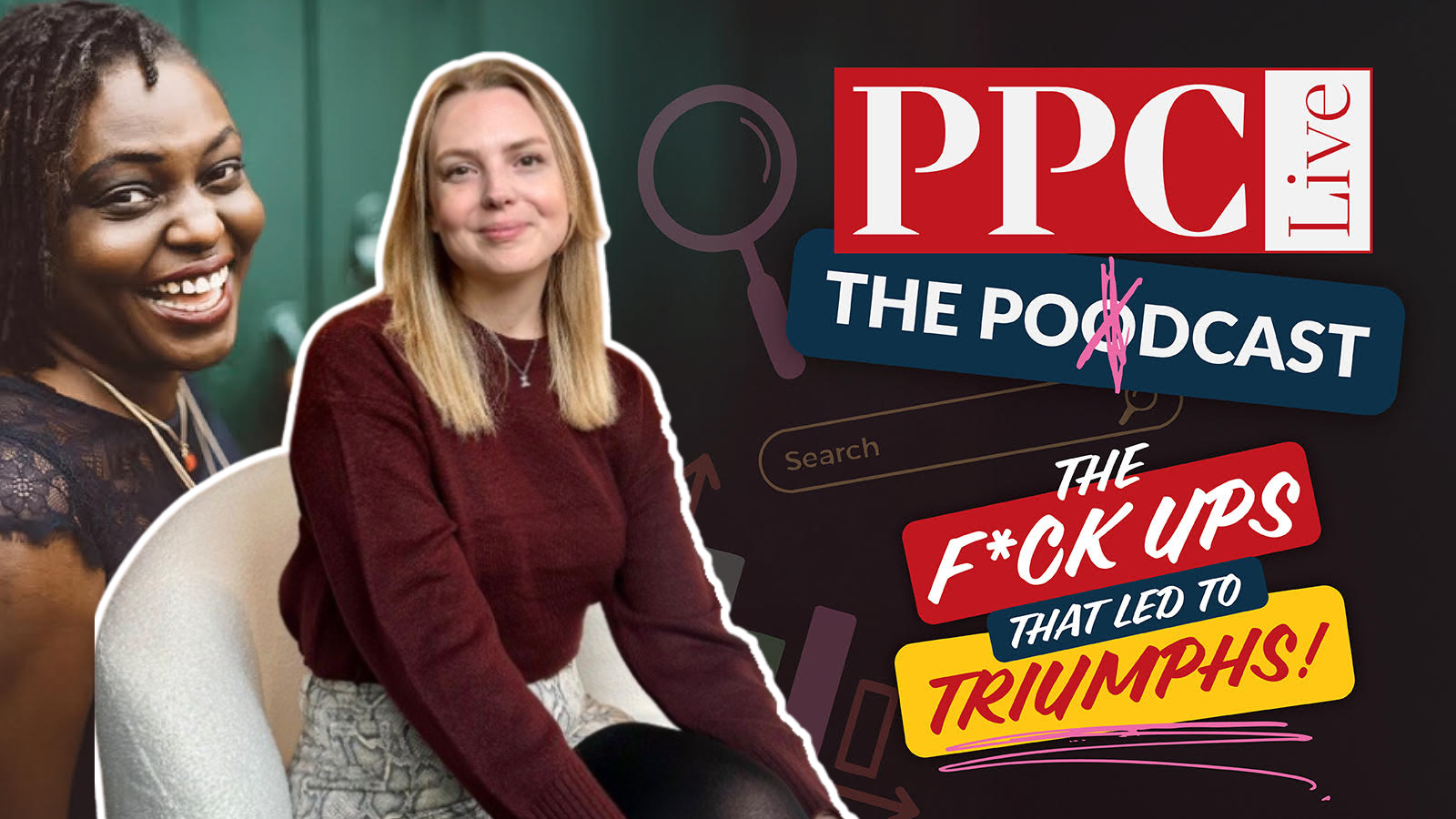
On episode 334 of PPC Live: The Podcast, I chatted with Sophie Fell, Head of Paid Media at Liberty Marketing Group. We delved into a memorable PPC mishap involving location targeting, illustrating how minor oversights can escalate into significant issues—but also how to resolve them effectively.
Sophie shared a story where she inadvertently launched a campaign with worldwide location targeting. The campaign quickly amassed 1,500 leads, which appeared promising until she realized they were from unintended locations.
At first glance, such a spike in leads seemed like a triumph, yet we soon saw it as a cautionary tale. Upon further investigation, the reason was clear: the location settings were misconfigured. This experience taught us the importance of scrutinizing results that seem unusually favorable.
The client noticed the mistake around the same time as Sophie. She addressed the situation with honesty, acknowledging the error, clarifying the misstep, and resolving it promptly. This transparency was crucial in maintaining trust, even if the client felt understandably frustrated.
This wasn’t a case of lacking expertise; rather, it was about rushing through processes and assuming reviews had been done. We’ve all made assumptions that trip us up, and this incident was a stark reminder of the dangers inherent in default settings.
Once the issue was corrected, Sophie’s campaign achieved exceptional results, hitting targets early and surpassing revenue goals by £3.5 million. This success wasn’t defined by the initial error but by the way it was handled.
Nowadays, Sophie double-checks campaign settings multiple times for assurance. She examines settings during any unusual performance shifts and ensures results are thoroughly vetted. Her key takeaway: post-launch reviews often catch what pre-launch overlooks.
When mistakes occur, Sophie advises: pause, assess, and be transparent. It’s critical to take responsibility, explain the error, and detail preventive measures. Errors only escalate into issues if mishandled.
In her audits, Sophie frequently encounters outdated accounts, over-reliance on brand campaigns, and misapplied automation tools. She emphasizes the ongoing importance of aligning keywords, ads, and landing pages, even in the era of AI-driven marketing.
Discussing mistakes is vital—many assume industry veterans no longer err, but learning never stops. Sharing these experiences fosters junior confidence, enhances leadership, and propels industry evolution.
I believe a healthy team culture tolerates experimentation and accountability. Sophie highlights the need for clear testing frameworks, budget constraints, and openness. Teams claiming perfection often lack innovation.
The key takeaway? Regularly verify your campaign settings. Platforms evolve, defaults change, and assumptions can lead astray. Ensuring campaigns align with intentions prevents mishaps.
If your Bing search ad click-through rate rises while conversions barely move, do not congratulate the creative team yet. The interface itself may have changed what a click means.
Bing is testing a grouped ad design that makes paid listings look more like a continuous set of search results. The practical response is not to guess whether the format is good or bad. It is to separate useful demand from interface-driven clicks before you change bids, budgets, ads, or landing pages.
The interface change alters what a click can mean
In the observed Bing test, several paid listings appear beneath one “Sponsored results” label. The individual ads below the first one do not receive their own labels. Searchers can also use a “Hide” control to collapse the block and a “Show” control to restore it.
That changes the visual unit a searcher encounters. Instead of evaluating several clearly separated ads, the user may perceive one sponsored section containing results that resemble the organic listings below it. The format could make ads more noticeable, but it could also make the paid status of an individual listing easier to miss.
The experiment remains limited, so you should not assume every impression in your account uses this design. You also should not infer that the test changes auctions, targeting, ranking, or attribution rules. A presentation change is enough to affect behavior even when the campaign underneath it stays the same.
This distinction matters when you review performance. A click has always combined two things: the searcher’s underlying interest and the interface’s ability to attract attention. Grouping can change the second factor. If you treat every resulting CTR increase as stronger intent, you may bid more aggressively for traffic that is no more valuable than before.
Diagnose performance with a metric chain, not CTR alone
CTR is clicks divided by impressions. It tells you whether an impression produced a click, but not whether the person understood that they were selecting an ad or whether the visit created business value. Read CTR alongside conversion rate, cost per acquisition, conversion volume, search-term quality, and post-click behavior.
A comparable grouped design on Google prompted an informal X poll in which 63% of respondents said they had clicked an ad unintentionally. That number is a warning signal, not a forecast for Bing. A voluntary social-media poll cannot establish the accidental-click rate among Bing users or prove that grouping caused every reported mistake.
Your own conversion economics are more useful than that headline number. Read changes as a sequence:
What you observe
What it may mean
What to do next
CTR rises, while conversion rate and cost per acquisition remain healthy
The additional clicks may be useful, although the design is not necessarily the cause
Check lead or order quality before increasing bids or budgets
CTR rises, conversion rate falls, and cost per acquisition worsens
The extra clicks may carry weaker intent, or another campaign change may have altered traffic quality
Segment the shift by query, device, campaign, and audience before changing the whole account
Clicks and spend rise, but conversions remain flat
Incremental traffic is consuming budget without producing a matching business result
Protect the account’s cost guardrail and reduce exposure in the affected segment if necessary
CTR rises alongside shorter or less engaged visits
Users may be arriving with the wrong expectation, but landing-page speed or message mismatch can produce the same pattern
Compare the ad promise, query intent, and first visible landing-page message
Paid clicks rise while organic clicks fall for the same query family
The new presentation may be redistributing existing demand rather than creating more of it
Evaluate total search conversions and revenue instead of celebrating one channel’s gain
The combination of higher CTR and lower conversion rate deserves particular attention. If clicks grow faster than conversions, conversion rate falls by definition. If spend then grows faster than conversions, cost per acquisition deteriorates. That is the signature to investigate when you suspect interface-driven traffic.
Do not automatically call it an accidental-click problem. A promotional change, broader matching, altered bids, seasonality, a slow landing page, or weaker offer alignment can create the same pattern. The layout is one hypothesis to test against the rest of the account history.
Build an audit trail while test exposure is uncertain
You need a record that lets you distinguish a search-interface shift from your own campaign changes. Start before performance looks unusual, because reconstructing the sequence later is difficult.
Document every confirmed sighting. Save a screenshot and record the query, device type, location, date, signed-in state if known, and whether the Hide and Show controls appeared. A screenshot proves the layout was visible in that context; it does not prove all campaign impressions used it.
Annotate changes under your control. Record bid, budget, targeting, keyword, creative, conversion-tracking, offer, and landing-page changes. Without this log, a performance shift that follows your own edit can easily be blamed on the interface.
Create a comparable baseline. Use periods that make sense for your sales cycle and account volume. Account for promotions, weekdays, seasonality, and major demand changes. A large but poorly matched baseline is less useful than a smaller comparable one.
Segment before averaging. Review brand and non-brand traffic separately, then inspect query themes, campaigns, devices, locations, and audiences using the dimensions available in your reporting. A localized problem can disappear inside an account-wide average.
Pair every attention metric with an outcome metric. Match impressions with clicks, clicks with qualified visits or conversions, and spend with revenue, pipeline value, or another business result. For lead generation, include accepted-lead quality when possible; a form submission alone may hide low-intent traffic.
Define your response before the numbers move. Use the CPA, return, margin, or lead-quality limits already required by the business. If performance crosses a financial guardrail, contain the affected segment rather than waiting for perfect causal proof.
Label causal claims honestly. If you cannot identify which impressions received the grouped layout, you have a correlation, not a controlled test. Say that clearly in stakeholder reporting.
The strongest comparison would separate traffic exposed to the grouped design from otherwise similar unexposed traffic. If you do not have a reliable exposure indicator, screenshots and timing can support an investigation, but they cannot turn normal account reporting into an experiment.
Adjust the campaign without chasing a temporary layout
A limited interface test does not justify rewriting an entire account. Start with changes that improve informed selection under any search design.
Make the advertiser and offer unmistakable. Use clear brand, product, service, and destination language. Do not rely on the visual ad label to explain what the person will reach.
Qualify before the click when it helps the user. Accurate price, location, audience, availability, or eligibility details can discourage unsuitable visits. Add only qualifications that are true and material to the decision.
Keep the landing-page handoff literal. The first visible page content should confirm the same offer and intent expressed by the query and ad. A user who has clicked quickly should not have to infer why the page is relevant.
Inspect search terms for the affected segments. If the increase comes from irrelevant or weakly related queries, refine targeting and exclusions. A visual redesign cannot rescue poor query-to-offer alignment.
Use meaningful conversion actions. Separate valuable outcomes from shallow actions where your measurement permits it. Otherwise, an increase in low-value activity can disguise deteriorating customer quality.
Protect budget at the narrowest useful level. If spend rises without a corresponding result, constrain the specific campaign, query class, device, or audience showing the problem. Broad account cuts can suppress traffic that remains profitable.
For lead-generation campaigns, adding deliberate qualification to the page or form can reveal whether new clicks reflect genuine interest. That does not mean creating pointless friction. Ask only for information needed to assess fit, and track whether accepted leads improve rather than judging success by raw form volume.
For ecommerce campaigns, compare paid click growth with completed orders, revenue, and margin. If traffic rises but product engagement and purchases do not, check whether the query, ad, price, and landing product still describe the same proposition. The grouped design may expose an existing mismatch rather than create it.
SEO and paid-search teams should also review overlapping query families together. A paid CTR gain accompanied by an organic click loss may be a redistribution of the same demand. The better question is whether total qualified search traffic, conversions, and revenue increased after accounting for the added ad spend.
Key takeaways for Bing search advertisers
Bing is testing multiple ads beneath one “Sponsored results” label, with controls that let users hide and restore the entire sponsored block.
The test is limited, so do not assume all impressions use the grouped format or attribute every account change to it.
A CTR increase is useful only when conversion quality and cost efficiency hold up downstream.
The reported 63% accidental-click figure came from an informal poll about a comparable Google design; it identifies a risk to investigate, not a Bing benchmark.
Document confirmed sightings and your own campaign edits so that timing alone does not become your evidence.
If costs deteriorate, contain the affected segment using existing business guardrails while continuing to investigate.
Judge paid and organic search together when both channels serve the same query intent.
Treat the redesign as a measurement problem first. Preserve your baseline, watch the path from impression to business outcome, and make the smallest defensible campaign change when the economics require one. If Bing expands the format, you will already have the evidence needed to decide whether its extra clicks are helping you or merely costing you more.
You have a Google Ads performance question, but answering it means choosing fields, writing GAQL, handling authentication, and turning the result into something the team can review. AI assistance can remove much of that technical friction. It cannot decide whether broader reach, a higher bid, or a new keyword strategy makes financial sense for your business.
The useful approach is to separate observation from action. Use the Google Ads API Developer Assistant to investigate performance through read-only queries, validate what it returns, and save repeatable analysis. Put any change to budgets, bids, targeting, or keywords through a deliberate human approval process.
Separate faster analysis from automated optimization
That is analysis assistance, not an optimization strategy. A table can show which campaign recorded the most conversions. It cannot determine whether those conversions were valuable, whether lead quality deteriorated, or whether the campaign consumed more budget than the outcome justified. Those judgments depend on business definitions and constraints that sit outside a generic performance query.
Keep the boundary explicit: the assistant retrieves and organizes evidence; an accountable person decides what the evidence means and whether the account should change.
Key takeaways
Begin with reporting and diagnosis. Do not treat generated output as permission to change the account.
Include the account scope, date range, dimensions, metrics, filters, sort order, and desired output in every request.
Review generated GAQL and Python as untrusted code before running or reusing it.
Treat Google Ads Recommendations as hypotheses to investigate, not instructions to accept.
Keep changes to budgets, bids, targeting, and keywords behind human approval and a defined rollback path.
Ask questions that lead to decisions, not just reports
A vague request such as analyze my campaigns leaves too many choices to the assistant. It does not identify the problem, the period, the level of detail, or the decision you need to make. The result may be technically valid and still be operationally useless.
Start with the decision. If you are deciding where to investigate a conversion decline, ask for a result that isolates campaign performance over a named period and includes the metrics needed to distinguish lower volume from higher cost. If you are checking a Google recommendation, request the evidence that would support or contradict its underlying claim.
Use this prompt pattern: Within [account or campaign scope], for [date range], return [dimensions] and [metrics]. Apply [filters], sort by [metric], and provide [GAQL, Python, a terminal table, or CSV]. Explain the row grain, field choices, and assumptions before the result.
Each part prevents a common analytical mistake:
Scope prevents a manager account, client account, campaign type, or status from being included unintentionally.
Date range makes the comparison reproducible. Relative periods are convenient for exploration, while explicit periods are easier to audit later.
Dimensions determine what one row represents. Adding a date, device, or other segment can change the grain and produce many rows for a campaign.
Metrics determine whether you can connect activity to a business outcome. A ranking by conversions alone does not show the cost or value behind those conversions.
Filters remove irrelevant entities, but an overly narrow filter can hide the reason performance changed.
Output determines whether you get an explanation, a reusable query, executable code, or an artifact another person can inspect.
Prompts you can adapt
For the previous 30 days, rank campaigns by conversions. Return the GAQL first, explain the selected fields, and then produce a read-only Python script using google-ads-python.
Compare campaign cost and conversion performance across two explicitly named periods. Show the row grain and flag any filter that excludes paused or removed entities.
Generate a read-only query that provides evidence for or against a recommendation to expand keyword matching. Separate the requested output by campaign so the account owner can review exposure and outcomes.
Run this approved query, display a terminal table, and export the same rows to CSV. Include the account scope and date range in the output description.
The first example closely matches a documented use case: a request for campaigns with the most conversions in the last 30 days can produce both a GAQL query and an optimized Python script. The important addition is the review instruction. You want to see what the assistant plans to ask the API before you rely on the answer.
Inspect five things before execution: the customer being queried, the dates, the row grain, the filters, and the metric definitions. Then look for a sanity check. Compare a small part of the result with a familiar Google Ads view or an existing trusted report. A plausible table is not proof that the query answered the question you intended to ask.
Configure Developer Assistant v1.0 for repeatable work
Do not stop once the assistant returns its first successful table. A useful setup makes the same request behave consistently for different operators and on different days.
Validate the connection with a known read-only question. Choose a result you can verify in the Google Ads interface. This separates authentication or account-scope problems from query-design problems.
Define project conventions in GEMINI.md. The assistant uses GEMINI.md and configuration files as project context when tailoring code. State the expected client library, output conventions, code location, naming rules, and read-only default.
Require an explanation before execution. Ask for the GAQL, selected resources, filters, dates, and row grain in plain language. A reviewer should be able to understand the intended request without reverse-engineering the code.
Keep credentials out of prompts and generated files. Use the supported configuration mechanism. Review saved files before sharing them or adding them to version control.
Review generated Python before running it. Check imports, customer selection, request type, file paths, exception handling, and whether the code does anything beyond retrieval and export.
Preserve a verified query as a smoke test. Run it after configuration or dependency changes. If its known output or shape changes unexpectedly, investigate the environment before trusting new analyses.
Project context is leverage. Good instructions make repeated analysis more consistent; incorrect instructions make the same mistake repeatable. Keep GEMINI.md short enough to review, specific enough to guide the assistant, and under the same change-control discipline as other project configuration.
The saved_code folder is most valuable when it becomes a reviewed library rather than a dumping ground. Give each retained script a clear purpose, record its account scope and required inputs, and distinguish experimental output from approved reporting code. Remove ambiguity before another person schedules or modifies it.
Turn Recommendations into an evidence-backed test queue
Google Ads Recommendations are prompts to evaluate. They are not proof that the proposed change fits your economics. A suggestion may be informed by patterns across accounts while missing a constraint that matters in yours. For example, an account using Exact and Phrase match keywords may receive a Broad Match suggestion even when its budget or niche requires tighter control.
Use the API assistant to build an evidence packet for each recommendation:
Restate the claimed problem. Is the recommendation trying to expand reach, improve efficiency, repair setup, or remove a limitation?
Request the relevant account evidence. Define the entities, period, metrics, and filters that would show whether that problem exists.
Write down the business constraint. Include budget limits, acceptable lead quality, geographic restrictions, inventory realities, or other rules that the platform cannot infer reliably.
Set success and failure criteria before making a change. Decide what result would justify keeping the change and what result would trigger reversal.
Choose a reversible test. Limit the blast radius and preserve the prior state so the account can be restored if performance or traffic quality deteriorates.
Assign an owner. One person should approve the change, monitor the agreed evidence, and decide whether to keep or roll it back.
Auto-apply deserves stricter treatment because it can remove that review gate. The documented control path is Recommendations, All Campaigns, and Auto-Apply Settings, where you can confirm that unwanted selections are unchecked. Check the setting at the account level instead of assuming that an earlier choice still reflects current policy.
This is a financial control, not interface housekeeping. Automatically applied suggestions can affect reach, spending, bids, or keyword behavior. Enable a category only when you have defined who owns it, what changes it permits, how the effect will be monitored, and how the prior state can be recovered.
Run one controlled loop from question to verified change
A reliable optimization process leaves a trail from the original question to the final decision. It should be possible for another person to see what was queried, what came back, why a change was approved, and whether the expected result appeared.
Name the decision. Write the question in a form that could change an action: which campaigns need investigation, whether a recommendation deserves a test, or where a recurring report shows an exception.
Specify the evidence. Add account scope, dates, dimensions, metrics, filters, and output format to the prompt.
Generate before executing. Read the proposed GAQL and code. Correct ambiguous fields, unintended segments, and overly broad scope.
Run read-only. Display the result in the terminal and export CSV when another reviewer or a longer audit trail is needed.
Validate the result. Compare a small slice with a trusted interface view or established report. Confirm that each row represents what you think it represents.
Form a testable explanation. State what appears to be happening, what evidence is still missing, and which reversible change could test the explanation.
Approve and implement separately. Use your normal controlled account-management process for changes. Do not turn generated analysis code into mutation code simply because the first output looked correct.
Run the same query again. Reuse the reviewed query so the before-and-after comparison is based on the same scope, fields, filters, and row grain.
Label saved queries and exports with enough context to make them interpretable later. At minimum, preserve the account scope, analysis period, purpose, and important filters alongside the artifact. A file called campaign_report.csv creates less accountability than an export tied to a specific question and approved query.
Automate stable retrieval only after the query has survived review and repeated validation. Keep recommendations and account mutations gated. The cost of manually approving a consequential change is small compared with the cost of allowing a misunderstood prompt, broad filter, or unsuitable recommendation to alter spend without supervision.
Start with one recurring question your team currently answers by hand. Define it precisely, run it read-only, verify the output, and retain the approved query. Once that loop is dependable, add the next question. The real efficiency gain comes from reusing trusted analysis while keeping financial decisions under human control.
You do not need another ad account. You need to know which part of the buying journey is failing: discovery, relevance, confidence, or checkout. Choose a tool before answering that question and you can buy plenty of activity without removing the constraint that is costing you sales.
The useful decision is not whether Instagram, LinkedIn, YouTube, Pinterest, or Shopify is the best platform. It is which platform capability can perform one defined job for your audience, then hand that person to the next step without changing the subject.
Choose the bottleneck before you choose the tool
Start with the moment immediately before the result you want. If buyers never encounter your category, you have a discovery problem. If they see you but assume the offer is not for them, you have a relevance problem. If interested visitors do not trust the promise, you have a confidence problem. If they want the product but cannot find or buy the right item, you have a transaction problem.
Those problems call for different tools. A high-attention video placement will not repair an incomplete product path. Dynamic personalization will not create demand for a category buyers do not understand. A commerce network can expose an item at a useful moment, but it cannot compensate for an offer that becomes confusing as soon as the shopper reaches the product page.
For discovery: use a visual or short-form surface capable of introducing the problem, category, or use case before the buyer searches for it.
For relevance: change the message for a meaningful audience characteristic, such as role, company, need, or viewing context.
For confidence: connect the ad to evidence that resolves the buyer’s next objection, not to a generic homepage.
For transactions: place the right product where demand already exists and reduce the distance between selection and purchase.
Write a one-sentence campaign brief before opening a platform: “For this audience, this placement will remove this bottleneck, and we will judge it by this outcome.” If you cannot complete every part without using words such as “engagement” or “awareness” as a substitute for a business result, the campaign is not ready.
Match each platform capability to a buying moment
Several newer capabilities blur the boundary between social advertising, creator marketing, recommendation systems, and onsite merchandising. That does not make them interchangeable. It makes their assigned job more important.
Buying moment
Useful capability
What it can change
What you should do
A person is exploring an interest
Instagram Reels and user-controlled topic preferences
Assume your product may be evaluated outside your own storefront. Make the title, image, category, offer, and product-page promise understandable without your usual brand context.
A person is collecting ideas and possible solutions
Choose the format from the campaign objective. The creative should show the desired outcome while the destination explains how to achieve or buy it.
The sequence matters. Social discovery surfaces are useful when someone needs to notice or understand an option. Commerce placement becomes more useful when the need is already legible and product selection is the remaining task. In B2B, predictable feed exposure can establish familiarity before a self-directed buyer begins comparing providers.
You can use more than one surface in the same journey, but do not assign all of them the same conversion target. A discovery placement should earn the next qualified action. A product placement should make the transaction easier. When every channel is judged as if it closed the sale alone, early-stage tools get cut too quickly and late-stage tools receive credit for demand they did not create.
Build one continuous handoff from ad to answer
The most common structural mistake is a message break. The ad speaks to one audience and problem; the destination opens with a broad corporate statement. The creative shows a specific item; the click leads to a collection page. The creator answers a practical question; the linked page makes the visitor reconstruct the answer from navigation and promotional copy.
Build the handoff in this order:
Name the entry context. Record what the person was watching, browsing, searching for, or trying to buy when the placement appeared.
Make one promise. The ad should communicate one useful outcome or answer one immediate question. Additional benefits belong after the click.
Continue that promise on the destination. Repeat the same product, category, audience, and use case near the start of the page. Do not make the visitor verify that the click worked.
Expose the supporting facts. Put specifications, eligibility, limitations, proof, price conditions, availability, or process details where they can be evaluated before the primary action.
Ask for the next proportionate action. A person discovering a new category may need an explanation or comparison. A shopper selecting a known item may be ready to add it to a cart. Do not force both into the same path.
Apply personalization only where it changes meaning. Inserting a first name may attract attention, but it does not explain relevance. A job title can be useful if the problem, evidence, or next step genuinely differs by role. A company name is useful only when the surrounding sentence remains accurate and natural. Test the personalized version against a plain version so novelty is not mistaken for qualified interest.
AI-generated ad variants need the same discipline. Give the system a fixed product identity, approved claims, audience, prohibited claims, call to action, and destination. Review every version that could change a price, capability, condition, or comparison. Producing more creative is valuable only when the variants test distinct ideas; dozens of cosmetic rewrites create volume without creating a useful experiment.
Instagram’s preference controls create a particularly important distinction. People can influence the topics they receive, but a brand cannot command a place in those preferences. The practical response is topical clarity: make the subject, audience, and use case recognizable without relying on a clever opening that conceals what the content is about.
YouTube comments can turn an ad into an objection log. Decide before launch who will review questions, what requires a response, and which recurring objections should be answered on the destination page. If comments repeatedly ask whether an offer works for a certain use case, the page should not leave that answer buried in a reply thread.
Shopify’s cross-merchant model creates the opposite challenge: your product may appear in a storefront the shopper did not associate with your brand. Evaluate the product card and landing page as a self-contained unit. A title that only makes sense beside the rest of your catalog, or an image that depends on brand familiarity, will be fragile in a contextual network.
This continuity also matters for SEO, answer-engine optimization, and generative-engine visibility. Advertising does not make a page authoritative or guarantee that an AI system will cite it. It can, however, reveal the words people use, the objections they raise, and the contexts in which a product becomes relevant. Use those observations to improve the public page a search engine or AI system can access.
Keep machine-readable information aligned with the visible destination. If a page uses Product or Offer structured data, its product name, brand, identifier, availability, currency, price conditions, and offer details should not contradict the page or the ad. Structured data is a clarification layer, not a place to repair an unclear or inconsistent offer.
Measure the constraint the tool was selected to remove
A campaign should produce a decision even when it does not produce a win. That requires a primary metric tied to the assigned job and a diagnostic metric that explains what happened next.
For predictable reach: compare planned and delivered impressions for the defined audience, then inspect whether that exposure led to qualified visits or later branded activity. Delivery proves the placement ran; it does not prove that the message landed.
For personalization: compare personalized and non-personalized creative against the same downstream outcome. Click-through rate alone can reward curiosity. Qualified leads, useful page actions, or completed buying steps tell you whether relevance improved.
For creator and interactive video: separate viewing, commenting, outbound traffic, and downstream action. Read comments by theme rather than treating their count as approval. Questions, objections, confusion, and purchase intent require different responses.
For commerce placement: measure orders and acquisition cost, then account for the commission or credit economics attached to the network. A sale is not automatically a profitable sale, and a referring placement may have value even when the referring merchant did not supply the product.
For discovery: look for movement from exposure to an intentional next step, such as a relevant page visit, product exploration, or another action your analytics can observe. Do not present social engagement as evidence that AI search visibility improved.
Use one controlled comparison at a time. If you change the audience, format, message, offer, and destination together, the result cannot tell you which decision helped. Start with the largest uncertainty: audience-message fit, creative angle, personalization, or destination handoff. Hold the other elements steady long enough to learn from that question.
Set a spending cap you can afford before the test begins. Paid systems can optimize toward the event you provide, including an event that is easier to generate but less valuable than the business result. Confirm that the selected conversion represents a real step in the buying process, then examine the leads or orders behind the aggregate number.
Keep platform status separate from campaign performance. LinkedIn’s Flexible Ad Creation was slated for early 2026, while Instagram described broader expansion of its preference controls beyond Reels. Availability can differ by account, placement, and market, so verify the feature inside the account before making it a dependency in your launch plan.
Key takeaways
Choose the buying bottleneck first: discovery, relevance, confidence, or transaction.
Give each platform one accountable job instead of asking every placement to close the sale.
Treat Instagram preference controls as user agency, not as an additional advertiser-targeting switch.
Use LinkedIn personalization to change the reason to care, not merely to insert a person’s profile data.
Connect Shorts and creator placements to the exact answer, product, or offer shown in the video.
Prepare commerce listings to make sense outside your own storefront and brand context.
Use advertising feedback to improve public content, but do not claim that paid engagement causes SEO, AEO, or generative-engine visibility.
Before your next launch, put six lines on one page: audience, bottleneck, platform capability, message, destination, and primary outcome. Add an affordable test cap and one controlled comparison. If the campaign cannot be explained on that page, adding another tool will make the uncertainty more expensive, not more manageable.
Your shopping campaigns can keep spending while your products become harder to find. When that happens, the failure may sit upstream of the ads: weak catalog language, inconsistent offer data, a landing page that cannot honor a regional price, or reporting that hides what each SKU actually earns.
If you are deciding where the next dollar should go, do not begin with the channel budget. Build one reliable product truth layer, give each channel a specific job, and find the earliest point where visibility turns into waste. That sequence makes your paid shopping, marketplace, social, and AI discovery work reinforce one another.
Build a product truth layer before adding campaigns
Treat every SKU as a bundle of claims that must agree wherever the product appears. The title should identify the same item as the landing page. The advertised price should match the price a qualified shopper can obtain. Availability, variants, regional eligibility, and member conditions should not change unexpectedly between the listing and the destination.
Audit each product family against five requirements:
Unambiguous identity: A shopper should be able to distinguish the product, brand, model, variant, size, or other meaningful option without opening several nearly identical listings.
Useful discovery language: Titles and descriptions should use the terms a buyer would recognize while remaining readable. Repeating keywords is not a substitute for identifying the product precisely.
Offer truth: Price, availability, promotion, region, and membership conditions should agree across the feed, visible page content, checkout path, and structured product data.
Decision detail: The page should explain who the product is for, what differentiates it from nearby alternatives, which options are available, and any limitation that could change the buying decision.
Destination continuity: The landing page should open the correct product and preserve the offer presented before the click. Do not make the shopper search again for the advertised variant or price.
The same discipline supports discovery outside conventional ads. A shopper using Perplexity Shopping is still trying to identify, compare, and choose products. Your goal is to make each offer understandable without requiring an AI system or a person to reconstruct essential facts from vague category copy.
Write product content for comparison, not merely description. Explain the meaningful difference between adjacent models. State what is included and what is not. Connect technical features to the decision they affect. Keep structured data aligned with what the shopper can see instead of using markup to introduce a second version of the offer.
Give every commerce channel one job in the buying journey
An ecommerce visibility strategy becomes expensive when every channel is expected to produce the same kind of result. Google, Amazon, social platforms, and AI shopping interfaces meet the buyer in different contexts. Your measurement and budget decisions should reflect those differences.
Channel
Primary job
First lever to inspect
Misleading conclusion to avoid
Google Performance Max
Capture and expand shopping demand through automated placements
Feed quality, conversion tracking, and actionable campaign segments
More budget will compensate for weak product data
Amazon
Convert marketplace demand close to the transaction
Offer quality plus keyword- and market-level performance
Strong conversion proves Amazon created all of the demand
Social platforms
Build awareness, customer lists, and remarketing audiences
Audience quality, creative response, and downstream engagement
Last-click sales reveal the channel’s entire contribution
AI shopping discovery
Help shoppers discover and compare relevant products
Clear product facts, differentiated offers, and useful destination pages
Referral clicks represent total visibility in answer-led journeys
Social activity often earns its place by creating future demand rather than closing every sale immediately. Giveaways can help build customer lists, awareness campaigns can introduce an unfamiliar product, and remarketing can bring interested shoppers back. If you judge all three solely by direct conversion, you may cut the activity that supplies later demand to Google, Amazon, or your own store.
Use channel roles as budget hypotheses, not permanent labels. When high-intent traffic exists but efficiency is poor, inspect product data, tracking, and offer continuity before funding more awareness. When conversion is healthy but discovery is thin, improve social reach, comparison content, and AI-readable product information. When Amazon performs but your direct store does not, compare the offer and landing experience before blaming the audience.
Make Performance Max accountable to decisions you can make
Performance Max becomes easier to manage when campaign boundaries correspond to real business decisions. A segment is useful only if you would change a budget, bid objective, creative approach, geography, or landing experience because of what it reveals.
Verify the conversion signal before trusting automation
Automated bidding optimizes toward the data it receives, not the business result you intended to send. Confirm that a completed order and its value are recorded correctly. If more than one integration can report the same order, verify that the purchase is not counted twice. Keep browsing actions and shopping-cart activity distinct from completed revenue so the campaign is not rewarded equally for unequal outcomes.
For stores using Shopify, synchronizing commerce data with Google Ads can support automated bidding and campaign experiments. The important part is not merely connecting the systems. Run a test order, follow it through the reporting path, and compare the recorded value with the actual transaction before increasing spend. Scaling against inflated or incomplete conversion data can direct more budget toward false revenue.
Segment the feed around controllable differences
Merchant Center default and custom labels let you group products for more precise campaign control. Useful labels can represent a product family, inventory condition, margin band, promotion, season, or region when you possess reliable data for that distinction.
Before creating a separate campaign, finish this sentence: “If this segment behaves differently, we will change ___.” A clear answer might be its budget, return objective, geographic reach, creative, or destination. If there is no different action to take, keep the reporting distinction without necessarily creating another campaign boundary.
Do not split a modest sales base simply because a granular dashboard looks tidy. PMax benefits from conversion volume. Excessive segmentation can leave each campaign with too little feedback to distinguish a real pattern from ordinary variation.
Improve query fit at the product level
Start with the products receiving meaningful exposure or spend. Read each title as if you know nothing about the store. Put the most distinguishing information where it can be understood quickly. Remove generic promotional language that displaces product identity. Use the description to clarify selection criteria rather than repeating the title in a longer form.
Then compare the feed record with the destination page. A well-formed listing cannot rescue a landing page that hides the selected variant, changes the price, or buries the information that justified the click. Conversely, an excellent page may never receive qualified traffic if the feed describes the product too vaguely.
Use this order for a PMax audit:
Validate the purchase event and transaction value.
Resolve feed eligibility, identity, price, and availability problems.
Check whether campaign segments correspond to different business actions.
Improve the product title, description, imagery, offer, and destination continuity.
Increase budget only after the earlier layers can convert additional demand accurately.
Use regional loyalty pricing only when the page can keep the promise
Regional member pricing can make a national catalog more locally relevant, but it also creates a strict continuity requirement. The shopper must see the appropriate member offer in the ad and on the page reached after the click.
Google is testing this capability as a beta with limited visibility. It is available only where both regional availability and pricing, or RAAP, and loyalty programs are supported. Eligible merchants must participate in Google’s loyalty add-on, define regional settings in Merchant Center, and add the program label, tier, and price through loyalty program attributes in regional inventory feeds.
The click is the critical handoff. Google adds a region ID to the URL, and the merchant’s landing page must use it to display the corresponding member price. If the page falls back to a national price or presents an unexplained amount, the shopper encounters a broken promise after a paid click.
Implement the beta as a controlled offer system:
Confirm eligibility first. Verify that the intended market supports both RAAP and loyalty programs before designing a campaign around the feature.
Define the commercial rules. Record which regions, program labels, tiers, products, and prices belong together. Decide what a shopper sees when regional or membership status cannot be established.
Configure Merchant Center and the feed. Set the regional definitions and populate the required loyalty program attributes in the regional inventory data.
Make the landing page region-aware. Read the region ID from the click and render the matching member offer. Clearly distinguish the regular price from a price that requires membership.
Test every handoff. Open representative ad URLs for each configured region, test signed-out and eligible-member states, and confirm that page caching does not inadvertently reuse one region’s price for another.
Measure the incremental outcome. Separate ordinary purchases, purchases using the member price, and loyalty registrations where your systems support those distinctions.
Localized loyalty incentives could improve conversion or program enrollment, but a limited beta does not establish that result for every merchant. Treat it as an experiment with a dependable fallback, not as the foundation of your shopping strategy. The durable advantage is the infrastructure: reliable regional data, explicit eligibility, and a landing page that can honor the offer it receives.
Key takeaways: diagnose the layer that failed
A blended return figure can tell you that performance changed without telling you why. Diagnose ecommerce visibility in the order a shopper and a commerce system encounter it:
No eligible visibility: Inspect feed approval, product identity, availability, price, region, and loyalty eligibility before changing bids.
Impressions without qualified clicks: Rework the title, primary image, visible offer, and product differentiation. The listing may be eligible but unconvincing or poorly matched.
Clicks without shopping progress: Check whether the page preserves the product, variant, price, region, and member conditions presented before the click.
Shopping activity without purchases: Inspect the transition from product selection to checkout and identify any condition or cost that appears later than the original offer.
Revenue without acceptable economics: Move from campaign-level return to SKU-level revenue and costs. Do not let profitable products conceal products that lose money as spend grows.
Direct sales without broader discovery: Review whether social and AI shopping activity is expanding the audience, customer list, comparisons, and later demand rather than judging it only by last-click orders.
Your dashboard should preserve those layers. Keep eligibility and visibility metrics separate from conversion and profit metrics. Break the useful views down by SKU or product family, channel, campaign, and region where the data supports that detail. A tool such as Sellerboard can connect revenue and costs at the SKU level, but the tool matters less than the decision the dashboard exposes.
Do not force all platforms into an identical attribution story. Amazon can provide keyword- and market-level transaction reporting. Google PMax depends on the conversions your store sends back. Social may contribute through awareness, audience building, and remarketing. AI shopping may influence product discovery and comparison without receiving the final click. Keep a visibility diagnostic for those channel-specific signals and a separate economic scorecard for orders, revenue, and trusted costs.
Choose one commercially important product family this week. Trace it through the feed, visible page content, structured data, PMax segmentation, marketplace offer, regional rules, and SKU dashboard. Fix the earliest inconsistency you find. Once that layer is dependable, the next budget decision becomes much easier to defend.
If your Reels ads attract views but produce weak sales or brand lift, do not assume the placement is the problem. A video can satisfy the 9:16 specification and still feel like an ad borrowed from another channel, complete with slow pacing, dominant branding, and a message that arrives after the viewer has swiped away.
Reels can be effective, but the useful answer is more specific: results improve when the creative is built around the product, benefit, sound, pace, and visual language of Reels. The strongest reported relationship was a 5.3x lift in purchase intent when direct-response ads supplied product context through benefits, features, or a clear unique selling proposition. That is a reason to test contextual creative, not a promise of 5.3x more sales.
What “effective” means in the Reels evidence
Meta supplied the underlying advertiser analysis, so its findings should be treated as directional vendor evidence. They identify creative characteristics associated with stronger purchase-intent and brand-interest rankings. They do not establish that one editing choice will cause the same lift in every account, audience, category, or campaign.
Purchase intent is also a proxy, not a completed transaction. It can help you identify whether an ad changed how people feel about an offer, but it does not account for price, landing-page friction, inventory, sales follow-up, or whether the platform received credit for a purchase that would have happened anyway. Your final judgment still has to come from the business outcome the campaign was meant to create.
Key takeaways
Reels-native creative means more than cropping an existing video vertically. It requires faster storytelling, platform-appropriate sound, and a message designed for a swipe-driven viewing environment.
Brand campaigns and direct-response campaigns need different branding patterns. Early, repeated branding can support brand objectives, while sales-oriented creative benefits from giving the product and proposition more screen time.
Speech and music work well together, but the core message should also be visible. The viewer should not need one particular audio setting to understand the offer.
The reported multipliers are separate associations. They cannot be added or multiplied to forecast the result of combining every tactic.
A/B testing can identify the better creative version. Incrementality testing is needed when you want to know whether the advertising created additional results.
Match the creative rules to the campaign’s real job
The apparent contradiction in Reels advice is that branding should sometimes appear early and often, yet sometimes occupy less than a quarter of the ad. Both can be sensible. The right treatment depends on whether you are trying to build memory for the brand or prompt a response to a product.
For brand campaigns, make the advertiser recognizable
Let the brand reappear. Multiple brand appearances were associated with a 1.8x improvement in top-tier purchase intent. Repetition can come from packaging, product use, a creator mentioning the name, or a closing frame; it does not require a permanent logo covering the video.
Carry the proposition in two channels. Presenting a message visually and audibly was associated with 1.8x stronger brand-interest performance. Put the essential claim on screen when it is spoken rather than relying on decorative text.
Place the brand in a believable moment. Everyday, slice-of-life situations were associated with a 1.5x lift in purchase intent. Choose a situation in which the product would naturally be used; relatability cannot rescue a scene with no connection to the offer.
The practical rule is to make the brand identifiable without making every frame behave like a title card. If viewers remember the scenario but cannot name the advertiser, the creative was under-branded. If the brand treatment prevents the scenario from feeling natural, it was over-engineered.
For direct response, give the product most of the attention
Show the product more than once. Multiple product appearances were associated with a 2.7x lift in purchase intent. An opening use case, a closer view in the middle, and a recognizable closing shot can each do a different job.
Keep explicit branding below 25% of the runtime. This pattern was associated with a 4.8x purchase-intent lift for direct-response creative. It does not mean hiding the advertiser. It means preventing logos and branded frames from displacing the demonstration, benefit, or reason to act.
Explain why the product matters. Benefits, features, and unique selling propositions produced the strongest reported relationship, at 5.3x higher purchase intent. Do not merely display an attractive object. Connect what the viewer sees to a problem, use case, or meaningful difference.
Make the call to action visible and audible. Using both channels was associated with a 1.9x lift in purchase intent. The action should match the destination: a pricing page, product page, lead form, or booking flow needs a correspondingly precise instruction.
Use a combined audio-visual hook. A hook that could be seen and heard was associated with 1.5x higher purchase intent. Open with the tension, outcome, product action, or useful question rather than an introduction that delays the point.
Use native elements only when they clarify tone or meaning. Emojis were associated with 2.5x stronger ranking performance for direct-response ads. An emoji can reinforce an emotion or label a step, but scattering them across an otherwise conventional commercial will not make it native.
These relationships are not a recipe whose ingredients automatically stack. A Reel with five product shots, repeated logos, speech, music, captions, emojis, several benefits, and two calls to action can become less understandable, not more persuasive. Start with one proposition and use each element to make that proposition easier to notice or believe.
Turn the findings into a workable Reels storyboard
A useful creative brief should fit into one sentence: this audience should take this action because this product delivers this specific benefit. If the sentence contains several audiences, actions, or benefits, split the concept before writing the script.
Open on the reason to keep watching. Pair an immediate visual with a spoken or on-screen idea. A brand campaign can establish the brand during this opening. A direct-response campaign should usually lead with the product, problem, outcome, or benefit.
Show the product doing its job. Repeat the product only when each appearance contributes something new: context, operation, detail, scale, result, or recognition. Reusing the same beauty shot does not add information.
State the proposition in speech and on screen. Keep the visual wording short enough to read while the scene moves. It should preserve the central meaning of the spoken line, not transcribe every word or compete with the product.
Add music as structure. Choose music that supports the pacing and leaves room for speech. If removing the music makes the idea collapse, the concept may be relying on atmosphere instead of a persuasive message.
Plan branding according to the objective. For brand building, place recognizable cues early and return to them naturally. For direct response, keep the advertiser identifiable while reserving most of the runtime for the offer, demonstration, and benefit.
End with one action. Show it, say it, and make sure the landing experience completes the same thought. A Reel promising a particular benefit should not send the viewer to a generic home page where that benefit is difficult to find.
Review the storyboard once with sound and once without it. In the sound-on review, check whether speech and music are balanced. In the silent review, check whether the product, proposition, brand, and action remain understandable. This is not an argument for making sound optional; it is a way to ensure that the visual and audio channels support each other instead of carrying two unrelated messages.
Test whether stronger creative produces stronger business results
The right question is not whether Reels works in general. It is whether a defined Reels treatment creates more of your intended outcome than the realistic alternative. That comparison might be a native Reel against your adapted video, an early product demonstration against a slower reveal, or a benefit-led script against a product-only montage.
Define the decision before launching. Name the primary result that will determine the winner. Use a brand metric for a brand question and a qualified lead, purchase, or other business outcome for a response campaign.
Change one meaningful variable. If one version changes the hook, music, product shots, branding, copy, and call to action at the same time, you may find a winner but will not know why it won.
Hold the surrounding conditions steady. Keep the audience, offer, destination, placement conditions, and campaign objective comparable so that the creative difference remains interpretable.
Set the test window and decision rule in advance. Do not end a test simply because one version leads during an early fluctuation. Wait for the planned test to finish, then apply the same winner criterion you chose before seeing the result.
Record what lost as carefully as what won. Note the hypothesis, exact variation, primary result, and important secondary signals. This prevents the next production cycle from repeating an old test under a new filename.
Use incrementality when the spending decision warrants it. An A/B creative test tells you which version performed better under the test conditions. Incrementality measurement asks whether advertising caused additional outcomes rather than receiving attribution for behavior that would have occurred anyway.
Do not promote a Reel to the main budget solely because it earned inexpensive views, strong reactions, or a high purchase-intent score. Those signals can diagnose attention and persuasion, but the campaign still has to clear the outcome that matters to the business. Conversely, a weak first test does not prove that the placement is ineffective if the ad was a repurposed asset that never tested the native treatment in question.
Avoid the conclusions the numbers cannot support
“A 5.3x intent lift means 5.3x revenue.” Intent is not revenue. Treat it as evidence that a proposition may be more persuasive, then verify the effect against completed business outcomes.
“Every reported tactic should go into every ad.” The relationships were measured separately and are not additive. Too many devices can obscure the single message a short video needs to communicate.
“Branding below 25% is a universal rule.” That finding applies to the direct-response analysis. Brand-oriented creative benefited from early and repeated recognition, so copy the rule that matches the campaign job.
“Native means casual, improvised, or disguised.” Native creative follows the format’s visual, audio, and storytelling grammar. It can still be carefully scripted, accurately branded, and unmistakably commercial.
“A vertical crop is a Reels strategy.” Aspect ratio is only the container. The hook, pacing, product visibility, sound design, benefit, and call to action determine whether the idea actually belongs in that container.
For your next production cycle, make one Reels-native version and keep the current creative as the control. If the objective is direct response, benefit context is the strongest first variable to test. If the objective is brand building, start with early, repeated recognition that remains part of the scene. Predefine the outcome, run the comparison, and validate incremental impact before moving a meaningful share of budget. That will tell you far more about Reels effectiveness than a general platform benchmark ever could.
You can run a busy Black Friday ad account and still lose money after the click. When media costs rise, every unclear offer, unnecessary form field, checkout surprise, and unworked lead consumes traffic you already paid to acquire.
The practical response is to manage the ad, landing page, checkout or form, and follow-up process as one conversion system. That gives you more useful decisions than simply chasing cheaper clicks or celebrating a higher click-through rate.
Higher ad costs change the acceptable post-click error rate
That combination matters because engagement and profitability can move in different directions. A campaign can attract more clicks while producing worse economics if its landing page converts poorly, its orders carry weak margins, its returns increase, or its leads fail to become customers. The early Black Friday figures could not settle that question because final conversion value and return on ad spend were still pending.
Do not respond by rejecting every expensive click. A higher CPC can work when the visitor converts at a strong enough rate and produces sufficient margin. A lower CPC can fail when cheap traffic generates low-quality leads, abandoned carts, cancelled orders, or purchases that are later returned.
Set your bidding and budget limits from unit economics before the promotion begins. For ecommerce, a useful starting relationship is:
Maximum sustainable CPC = post-click conversion rate x contribution margin per retained order.
Use retained orders rather than initial orders when returns and cancellations materially affect the business. Define contribution margin with the costs your finance team actually uses, rather than treating revenue as profit. If margins vary significantly by product, calculate the limit by product group or offer instead of applying one account-wide figure.
For lead generation, work backward from acquired customers:
Maximum sustainable cost per lead = lead-to-customer rate x acceptable cost per acquired customer.
Base the lead-to-customer rate on qualified, followed-up leads from a comparable campaign. A form submission is not equivalent to a sale. If your sales team rejects many submissions or cannot contact them, the headline cost per lead is hiding the real acquisition cost.
Build the destination from the ad promise backward
Post-click optimization starts before anybody reaches the page. Every ad makes a promise about a product, price, discount mechanism, eligibility condition, deadline, benefit, or next step. The destination must let the visitor verify and act on that promise without reconstructing it from banners, menus, and fine print.
List every decision-relevant claim in the ad. Include what is offered, who or what qualifies, how the saving is applied, and any material restriction.
Send the click to the narrowest page that can fulfil that promise. A product ad should reach the relevant product or variant. A category offer should reach a filtered collection. A lead-generation ad naming a specific service or resource should reach a page dedicated to it.
Repeat the decisive terms near the first meaningful action. The visitor should not need to enter checkout or submit a form to discover that the advertised condition does not apply.
Remove competing actions that do not help the visitor complete the promised journey. Navigation can remain useful, but unrelated promotions should not overpower the action the ad introduced.
Test the complete path with the campaign parameters attached. Confirm that the destination loads, the offer persists, the intended variant appears, the form or checkout works, and the conversion is recorded once.
Message match does not mean copying the ad word for word. It means preserving meaning. If the ad promotes a particular item, the page should not make the visitor search for it. If a code is required, show the code and its instructions where the visitor can use them. If eligibility or availability varies, disclose that before the visitor commits time or payment details.
For ecommerce traffic
The first useful view of the destination should establish the product, the applicable offer, the effective price when it can be calculated accurately, availability, fulfilment terms, return conditions, and the purchase action. Do not manufacture urgency with a countdown or stock claim your systems cannot support. That may produce clicks or carts, but it also creates avoidable cancellations, refunds, support work, and distrust.
Then test the transaction, not just the page. Add the advertised item or qualifying combination, apply the promotion as a customer would, select fulfilment, and reach the payment stage. Use an approved test environment, test payment method, or safely reversible transaction. An unreviewed live checkout change can break payments, tax handling, shipping rules, discount logic, or measurement at the most expensive point in the funnel, so keep a rollback path.
For lead-generation traffic
Ask for fields that support qualification, routing, compliance, or the next conversation. Every additional question should have an owner and a use. If nobody acts on the answer, remove it from the first interaction or collect it later.
The confirmation experience should explain what happens next without promising a response time the team cannot meet. Route the submission to a named queue or owner, retain the ad and offer context, and give the follow-up team the same promise the prospect saw. A lower CPC does not help if qualified prospects wait unassigned or receive a generic response unrelated to the ad.
Find the first expensive leak before changing the whole funnel
A conversion rate tells you that a problem exists, but not where it lives. Break the journey into transitions and inspect the first meaningful loss. Use your own comparable baseline rather than a universal benchmark: product prices, offer strength, traffic intent, checkout design, sales process, and measurement rules make account-to-account comparisons unreliable.
Transition
What a weak transition may indicate
First checks
Ad click to recorded landing session
A destination, page-load, consent, or tracking problem
Final URL, campaign parameters, redirects, page availability, and session recording
Landing session to product, cart, or form action
Weak message match, unclear value, poor hierarchy, or an unusable primary action
Headline, offer terms, selected product or variant, call to action, and device behaviour
Total price, fulfilment choices, required fields, error handling, promotion logic, and payment flow
Purchase to retained order
Expectation mismatch, fulfilment issue, cancellation, or return pressure
Product and offer accuracy, availability, delivery communication, cancellations, refunds, and margin
Submitted lead to qualified opportunity or sale
Poor traffic fit, weak qualification, routing delay, or ineffective follow-up
Lead validity, qualification outcome, owner assignment, contact attempts, opportunity creation, and closed customers
Use a disciplined triage sequence while the promotion is live:
Validate the offer and measurement first. A broken discount or duplicated conversion event can make every later decision wrong.
Segment the journey by ad, offer, destination, device class, audience, and new versus returning visitor where those distinctions are available and appropriate.
Locate the earliest transition that deteriorated against a comparable baseline. Downstream symptoms often begin upstream.
Weight the problem by spend and business value. A severe issue on a low-spend path may matter less than a moderate leak consuming most of the budget.
Change the smallest element capable of testing the diagnosis. Preserve a control where traffic supports a proper experiment, and record when each change went live.
Verify both the user experience and the analytics after deployment. A visual improvement is not complete if the offer, transaction, or measurement has broken.
Do not declare a winner from a short burst of promotional traffic simply because the percentage moved. Offer periods can change traffic mix rapidly, and returns or lead outcomes may not be visible immediately. If the campaign cannot produce enough observations for a reliable controlled test, use a careful change log, compare like-for-like segments, and label the result as directional rather than certain.
Prioritize high-confidence friction before cosmetic experimentation. An offer that fails to apply, a dead button, an invalid form rule, or an unassigned lead has a clear mechanism and consequence. Small wording and design preferences come later unless your funnel evidence points directly to them.
Measure the outcome that can afford the next click
Maintain an operational view for managing the live campaign and an economic view for deciding whether it worked. Mixing them into a single dashboard encourages premature conclusions.
The operational view
Spend, impressions, clicks, CTR, and CPC show how the market and ads are behaving.
Recorded landing sessions reveal whether paid clicks are reaching a measurable destination.
Product views, cart starts, form starts, and checkout starts expose intermediate movement.
Promotion failures, payment errors, form errors, and lead-routing failures identify problems that need immediate intervention.
These indicators are useful for control, but they are not the final business result. A campaign should not receive more budget merely because it produces an attractive CTR or a lower CPC.
The economic view
For ecommerce, connect each conversion to collected revenue, discount cost, product and fulfilment economics, advertising cost, cancellations, refunds, and returns using the definitions approved by your business. Review conversion rate, cost per acquired customer, revenue per click, contribution per retained order, and campaign contribution together. A blended ROAS can conceal a shift toward low-margin products or orders that do not remain completed.
For lead generation, retain the campaign, creative, offer, and destination identifiers through the customer system. Report submitted leads, valid leads, qualified leads, opportunities, customers, lead-to-customer rate, cost per acquired customer, and contribution from acquired customers. This prevents a cheap but unqualified lead source from taking budget away from a more expensive source that closes.
A provisional view helps you manage active spend. A reconciled view tells you whether the campaign created durable value. Keep both, label them clearly, and use the reconciled economics when setting the next campaign’s limits.
Key takeaways for your Black Friday operating plan
Set CPC, cost-per-lead, and budget guardrails from conversion rates and contribution economics, not from last year’s media price alone.
Treat every advertisement as a promise that the destination, form or checkout, confirmation, and follow-up process must preserve.
Diagnose the funnel by transition. Fix the first meaningful, spend-weighted leak before redesigning everything downstream.
For ecommerce, optimize toward retained orders and contribution, not initial revenue alone.
For lead generation, connect clicks to qualification and acquired customers, not just submitted forms.
Use live engagement data for operational decisions, but label profitability as provisional until delayed outcomes have been reconciled.
Before you raise your next Black Friday budget, open the highest-spend ad and follow its actual path through the landing page, offer, checkout or form, confirmation, and order or lead handoff. Write down the first place where the promise becomes unclear or the action becomes harder. Fix that point, verify the measurement, and then decide whether the next click deserves more budget.
You can launch a campaign with a tightly defined audience and still be unable to answer basic questions: Who supplied the audience data? Which campaign types may use it? What exactly was disapproved? Are weak conversion numbers real, or are conversions still arriving?
Those gaps lead to blunt fixes: replacing an entire audience, rebuilding an ad, cutting a budget, or changing bids before the evidence is ready. A better approach is to make every campaign traceable from audience origin to measurement maturity.
Key takeaways
Targeting transparency starts with audience provenance: who supplied the data, which identifiers were used, who authorized the partner, and where the resulting list may serve.
Hashing is a data-handling step. It does not document permission, ownership, or the reason your organization may use the audience.
Asset-level policy status lets you isolate a rejected image, headline, or text asset instead of diagnosing the whole campaign as broken.
Conversion reporting lag must travel with every performance report. A recent click cohort and a mature cohort are not directly comparable.
Make every audience traceable before it can serve
An audience name is not an audit trail. Labels such as “high-value customers” or “likely buyers” tell the campaign operator what a segment is supposed to represent, but they do not show where it came from, whether it is still valid, or which party handled the underlying data.
Create an audience ledger before anyone adds the list to a campaign. Give each audience one stable record containing:
A unique internal audience name and the corresponding platform list name.
The business purpose of the segment and the campaign objective it is intended to support.
The internal owner who approved its use.
The data partner responsible for preparing or uploading the identifiers.
The source of the underlying records and the identifier types included.
The date of the last upload or refresh, plus the person responsible for the next review.
The campaign types, channels, and countries in which the list is eligible to serve.
Links or locations for authorization, applicable terms, privacy review, and change history.
The activation record should mirror the actual setup. Advertisers using Partner Match must authorize the data partner, accept the Partner Match terms, and apply the generated audience list during campaign setup. Record those as three separate checkpoints. If authorization exists but the list was never attached to the intended campaign, the campaign has a configuration problem. If the list is attached but no one can produce the authorization, it has a governance problem. Those failures require different owners and different fixes.
Eligibility deserves its own field because an available audience is not automatically usable in every YouTube campaign. Partner Match supports Video Reach campaigns, Video Views campaigns, and Demand Gen campaigns limited to the YouTube channel. It does not support ad sequences or YouTube Select guaranteed deals. If a planner chooses an unsupported format, changing the audience bid or waiting for more volume will not solve the problem. The campaign structure has to change.
Do not let the word “hashed” close the privacy review. Hashing changes how identifiers are transferred and matched; it does not show where the records originated or why they may be used for advertising. If the accountable privacy or legal owner cannot verify that basis for a particular audience, do not activate the list until the issue is resolved. The downside is not merely weaker performance. It is losing control of customer data across organizational and partner boundaries.
Treat asset status as component diagnosis, not campaign diagnosis
Campaign transparency often breaks at the creative layer. A broad “disapproved” status can send the team into a full rebuild even when one image, headline, or text asset is the only blocked component.
Microsoft Ads can expose disapproval at the individual image, headline, or text-asset level. That visibility narrows the incident: identify the rejected component, address it, and leave unrelated parts of the campaign alone when they remain eligible. It also preserves a cleaner test history because a local policy problem does not have to become an unnecessary campaign-wide creative change.
Use a three-level status record whenever an ad has multiple assets:
Asset level: Which exact image, headline, or text item has a policy issue?
Ad level: Which combinations depend on that asset, and are alternative combinations still eligible?
Campaign level: Is the campaign serving, limited, or unable to serve after the asset-level decision?
Then use a constrained remediation sequence:
Capture the affected asset’s identifier, status, and visible reason before editing it.
Confirm whether the issue is isolated to that component or affects the ad or campaign container.
Replace or correct only the blocked component when valid alternatives can remain active.
Record what changed, who approved it, and when it was resubmitted.
Verify both policy status and actual delivery after the change. A corrected asset and a serving campaign are related checks, not the same check.
Keep policy remediation separate from creative optimization. Approval means an asset may serve; it does not mean the asset persuades the audience or improves campaign performance. Mixing those questions makes it difficult to tell whether a result changed because the ad became eligible, the message improved, or delivery shifted.
Put conversion maturity next to every performance number
A campaign can be transparent about its targeting and creative status while still producing a misleading performance report. The common failure is timing: clicks are visible before all associated conversions have been recorded, especially when the conversion happens later or arrives through an offline process.
Attach that lag window to the report instead of leaving it in a separate interface. For each analysis, record the end date of the click cohort, the date the report was produced, and whether enough time has passed to reach the 90% reporting point. Then apply four rules:
Label a cohort “preliminary” while it is younger than the observed reporting-lag window.
Compare campaigns or periods at the same conversion age. Do not compare yesterday’s immature clicks with an older cohort whose conversions have had time to arrive.
Delay major bid, budget, or pacing judgments until the selected cohort reaches the maturity point, unless an immediate operational risk requires intervention.
Keep monitoring after the 90% point. By definition, that marker is not the same as complete reporting.
This distinction prevents two opposite mistakes. You are less likely to cut a campaign whose conversions are merely late, and less likely to excuse genuinely weak performance once the relevant cohort has matured. It also makes cross-channel reporting more honest: each platform can be evaluated using its own observed lag rather than a shared reporting date that implies equal completeness.
Turn the campaign into an evidence chain
The most useful campaign record is not another dashboard. It is a compact evidence chain that connects the audience decision, serving eligibility, creative state, and measurement window. A reviewer should be able to move through it without guessing which team owns the next answer.
Control gate
Evidence to capture
Action when evidence is missing
Audience provenance
Data origin, internal owner, partner, identifier types, authorization, terms, and refresh history
Do not activate or refresh the audience until ownership and permitted use are verified
Serving eligibility
Campaign type, channel, advertiser region, target country, and applicable exclusions
Choose an eligible campaign structure or a different targeting method
Creative eligibility
Asset-level status, affected ad combinations, remediation owner, and verification time
Isolate and correct the blocked component, then confirm campaign delivery
Measurement maturity
Click-cohort end date, report date, conversion-lag window, and preliminary or mature label
Defer performance conclusions or state clearly that the result is incomplete
Add a decision log beneath those gates. Each entry needs the observation, the evidence available at that moment, the action taken, the owner, and the next review point. This protects you from hindsight errors. If conversions improve later, you can see whether the earlier budget decision used immature data. If delivery stops, you can distinguish an audience-eligibility mismatch from an asset disapproval without reconstructing the campaign from memory.
Start with your next campaign rather than trying to repair the entire account at once. Create the audience ledger before setup, capture asset status at launch, and put the conversion-maturity date on the first performance review. Once those controls are part of the workflow, targeting becomes explainable and campaign changes become easier to defend.
Your Demand Gen campaign is generating activity, but the next move is unclear. Should you change the audience, replace the creative, rewrite the landing page, or adjust the conversion goal? If you change all four, performance may move, but you will not know why.
The way out is to optimize the entire path as a sequence of decisions. Diagnose the weak link, form one testable explanation, change the layer responsible for it, and judge the result against the business outcome you actually want.
Demand Gen optimization starts with the whole journey
A Demand Gen campaign is only one part of the conversion system. Its performance depends on how well five elements connect:
Audience: The people Google is being asked to reach.
Creative: The visual, message, and reason to pay attention.
Promise: What the person expects after interacting with the ad.
Landing page: The experience that explains and fulfils that promise.
Conversion: The action Google records and your business values.
Demand Gen traffic can arrive before someone has expressed the precise intent you would see in a search query. That changes the job of the page. It may need to establish relevance, explain the offer, provide evidence, and make the next step feel proportionate before asking for a commitment.
Start by writing the five elements above on one line. Read them as if you were the person seeing the ad. If the creative promises a useful explanation but the page immediately demands a sales conversation, the problem is not necessarily targeting. The journey has changed its terms between the click and the page.
This distinction matters because campaign-level averages hide broken handoffs. A strong ad can produce inexpensive interactions with people who are poorly prepared for the page. A persuasive page can underperform because the ad created the wrong expectation. More traffic amplifies either outcome; it does not repair the connection.
Define the outcome before you edit the campaign
You cannot optimize coherently when every positive action is treated as success. An ad interaction, meaningful page visit, form submission, qualified opportunity, and completed purchase represent different levels of commitment. Decide which one is the business outcome and which ones are only diagnostic signals.
Create a short measurement contract before making changes. It should answer these questions:
What is the primary conversion? Choose the action closest to business value that is recorded reliably enough to guide decisions.
What makes that conversion valuable? Define the qualification, revenue, retention, or other downstream property that separates a useful conversion from a hollow one.
What is a leading signal? Identify the page and ad interactions that help you diagnose behaviour without mistaking them for the final result.
Which promise is being measured? Record the offer and message attached to the traffic so that unlike propositions are not evaluated as if they were interchangeable.
Where can measurement fail? Check whether confirmation pages, forms, consent behaviour, redirects, and analytics events represent the completed action accurately.
This prevents a common optimization error: improving the easiest recorded action while weakening the outcome that matters. A shorter form may generate more submissions, for example, but that is not an improvement if the additional contacts consistently lack the required fit. Read conversion volume and conversion quality together.
Do not choose a winner from a convenient reporting window alone. Demand Gen performance can be noisy, especially when conversions are sparse or delayed. Keep a change running until you have enough relevant outcome data to make a decision with confidence appropriate to the budget at risk. If the evidence remains inconclusive, label it inconclusive rather than turning a small fluctuation into a rule.
Read performance symptoms by layer
Optimization becomes faster when you match the symptom to the layer capable of causing it. Use the table below as a diagnostic starting point, not as an automatic verdict. More than one mechanism can produce the same surface result, so verify the explanation before acting.
What you observe
What may be happening
What to inspect next
Delivery is limited before meaningful traffic develops
The campaign may be constrained by audience rules, budget, assets, or a goal that is difficult to optimize toward
Check campaign eligibility and constraints before rewriting the landing page
Ads attract interaction, but visitors do little on the page
The creative promise may not match the page, or the first screen may not confirm relevance
Compare the ad message with the page headline, offer, visual context, and first requested action
Visitors engage with the page but rarely complete the action
The offer may lack proof, the next step may feel too large, or the conversion flow may contain friction
Inspect objections, form requirements, mobile usability, errors, trust signals, and action clarity
Recorded conversions rise, but business quality falls
The optimization event may be too shallow, or the message may be attracting people who cannot become valuable customers
Review qualification and downstream outcomes; improve the signal before buying more of the same traffic
Results change after several simultaneous edits
The campaign has produced an outcome without producing a usable lesson
Freeze unrelated variables and design the next change around one explicit hypothesis
The placement of the failure tells you where to begin. If people never meaningfully reach or use the page, changing form fields is premature. If qualified visitors repeatedly abandon a functioning form, broader audience expansion is unlikely to solve that friction. Work downstream from the earliest weak handoff.
Segment before declaring the whole campaign weak. Creative, audience, device experience, landing page, and conversion path can behave differently inside the same aggregate. Look for a repeatable concentration of the problem. A mobile-only page failure calls for a different decision than uniformly poor traffic quality.
Turn landing-page ideas into controlled experiments
Google appears to be testing a revived Website Optimizer connected with Google Ads and GA4. The early setup information places it under Google Ads reporting and calls for Google Ads access plus administrator permission on a linked GA4 property. It also indicates that a GA4 property can be created when one is not already available.
Treat those details as preliminary. Availability, the eventual depth of A/B testing, and support for server-side experiments are not settled. Do not delay a necessary testing program or design your measurement architecture around an unconfirmed feature.
Whether you use a Google tool or another testing method, begin with a hypothesis rather than a list of preferred designs. A useful hypothesis has four parts:
Observation: State the behaviour you can see, such as qualified visitors reaching the form but not completing it.
Mechanism: Explain why you think it happens, such as the form requesting information whose purpose has not been explained.
Change: Alter the element that tests that explanation while leaving unrelated variables stable.
Decision rule: Name the primary outcome, quality check, and evidence required to keep, reject, or refine the variation.
Prioritize tests according to the order in which a visitor experiences the page:
Message continuity: Make sure the page immediately fulfils the expectation established by the ad.
Offer comprehension: Help the visitor understand what is being offered, for whom, and why it is relevant.
Evidence: Place proof close to the claim or decision it supports.
Commitment level: Match the requested action to how much context and confidence the visitor is likely to have.
Conversion friction: Remove unnecessary fields, unclear requirements, broken interactions, and avoidable mobile obstacles.
Avoid bundling a new headline, offer, form, layout, and audience into one experiment. A bundled redesign can still produce a business result, but it cannot tell you which mechanism mattered. If a broad change is unavoidable, treat it as a replacement experience rather than pretending it isolated a specific cause.
Protect the experiment from a subtler mistake as well: allowing the ad and page variants to contradict one another. If you change the page promise, verify which ads still lead to it. Otherwise the test may measure inconsistent message matching rather than the page idea you intended to evaluate.
Run a decision loop instead of a queue of tweaks
A useful optimization process produces both performance and knowledge. Give every material change a record containing the date, affected layer, hypothesis, primary outcome, quality guardrail, and final decision. That record prevents old ideas from returning without context and makes later changes easier to interpret.
Capture the baseline. Save the current audience, creative promise, page experience, conversion definition, and relevant performance view.
Locate the earliest weak handoff. Determine whether the problem begins with delivery, traffic relevance, message continuity, page persuasion, conversion friction, or downstream quality.
Write one causal hypothesis. Describe the mechanism you expect the change to affect.
Change the responsible layer. Keep unrelated elements stable wherever practical.
Check implementation. Confirm that the intended audience, creative, URL, page variation, and conversion recording are actually live.
Read outcome and quality together. Do not scale a result that improves a dashboard metric while damaging business value.
Keep, reject, or refine. Record the decision and the evidence behind it before starting the next test.
Key takeaways
Optimize Demand Gen as a connected audience-to-conversion journey, not as an isolated campaign screen.
Separate the primary business outcome from leading engagement signals before judging performance.
Start at the earliest broken handoff and change the layer capable of fixing it.
Use landing-page experiments to test a stated mechanism, not to compare arbitrary design preferences.
Treat Google’s revived Website Optimizer as a promising but still preliminary option.
Scale only when conversion volume and downstream quality point in the same direction.
At your next campaign review, replace the question “What should we tweak?” with “Where does the journey first stop working?” Write down the answer, the mechanism you believe is responsible, and the single change that would test it. That is enough to turn the next edit into a decision you can learn from.
If you manage paid search, SEO, or both, Google AI Mode puts you in an awkward position. Ads are beginning to appear inside generated answers, yet you do not have the rollout details or clean reporting needed to treat AI Mode as a mature channel.
You can still prepare without rebuilding your search program around an experiment. The useful work is to identify the complex decisions that matter to your customers, connect each decision to a clear answer and landing experience, and separate confirmed performance data from assumptions about AI Mode.
It does not establish the size of the audience, the range of eligible campaigns, the auction mechanics, the controls advertisers will receive, or the performance you should expect. Repeated screenshots demonstrate availability, not reach or return on ad spend. Do not use them as a forecast.
This distinction matters. An optional tab creates a new destination for a subset of users. Automatic routing would change the path for users who believe they are conducting an ordinary search. Your preparation should be useful under either scenario.
Key takeaways
Treat AI Mode as an emerging surface inside Google Search, not as a separately measurable channel you can already manage with confidence.
Organize your strategy around complex customer tasks, because those are the searches most plausibly affected by direct routing into an AI experience.
Connect the generated answer, organic page, ad message, landing page, and conversion action around the same user decision.
Keep reported, observed, and inferred evidence separate. A screenshot can confirm that an ad appeared, but it cannot prove incremental traffic or revenue.
Use bounded tests with explicit spending and lead-quality limits. Do not make a broad budget shift before eligibility, controls, and reporting are clear.
Map the complex decisions behind your valuable searches
AI Mode matters because a generated response can combine discovery, clarification, and evaluation in the same interaction. A conventional keyword plan may tell you what phrase brought someone to Google, but it often misses the decision that person is trying to complete.
Start with the commercial decisions that deserve visibility. Useful groups include urgent service needs, comparisons with several constraints, troubleshooting that may lead to a purchase, and planning questions with multiple steps. These are planning categories, not claims about Google’s targeting rules.
Prioritize a group when it has meaningful business value, requires more explanation than a short product description can provide, and has a credible next action. A complex query with no relevant offer should not receive budget merely because it looks suited to AI Mode.
Use a query-to-answer worksheet
For each priority query group, document the following fields:
User task: the decision the person wants to complete, expressed without marketing language.
Required context: the constraints that could change the answer, such as location, use case, urgency, compatibility, company size, or budget sensitivity.
Direct answer: the shortest accurate response your page can support.
Decision criteria: the factors a buyer should evaluate before choosing an option.
Evidence: product specifications, service boundaries, policies, demonstrations, or other verifiable support for your claims.
Next action: the appropriate conversion for that stage, such as checking availability, viewing a relevant product, requesting an assessment, or starting a purchase.
Destination: the page that continues the decision without forcing the visitor to restart on a generic homepage.
Consider a hypothetical search about choosing payroll software for a multi-location company with hourly employees. The underlying task is not merely finding payroll software. The person needs to know whether a product fits distributed locations, hourly work, administration requirements, and implementation constraints. A useful destination addresses those factors directly, shows what can be verified, and offers a next step suited to an evaluator. A generic product page that repeats a broad value proposition leaves the actual decision unresolved.
This worksheet gives paid and organic teams a shared unit of work. SEO can build the complete explanation. Paid search can match the commercial intent and lead to the right destination. Conversion teams can remove friction from the next action. You are no longer optimizing three disconnected assets against the same keyword list.
Build one coherent journey across AI, organic, and paid results
You do not need a separate species of content called “AI content.” You need pages whose meaning, audience, evidence, and next step are easy to identify. That improves the material available to an answer system while preserving its usefulness for people who arrive through a conventional result or an ad.
Make the organic page answer-ready
Use a descriptive heading for the actual decision. A vague heading such as “Solutions” hides the subject from readers and machines alike.
Give the direct answer before expanding into criteria, alternatives, and caveats. Do not make the visitor excavate a recommendation from a long introduction.
Name the relevant entity, product, audience, location, and limitations precisely. Pronouns and slogans are weak substitutes for clear relationships.
Separate facts from recommendations. Specifications, availability, eligibility, and service boundaries should be explicit; editorial guidance should explain how to use them.
Support consequential claims with evidence on the page. If a claim cannot be substantiated, weakening or removing it is safer than making it more prominent for AI discovery.
Keep structured data consistent with the visible content. JSON-LD can clarify entities and relationships, but it should not introduce claims, ratings, questions, or offers that a visitor cannot see and verify.
Link to the next decision rather than merely to a parent category. A comparison page may need a product detail page, pricing information, an implementation explanation, or a location-specific service page.
Do not rewrite every page in response to early ad sightings. Apply this structure first to query groups closest to meaningful business outcomes. That keeps the work testable and prevents a speculative interface change from driving a site-wide content overhaul.
Make the paid destination continue the answer
An ad shown during an AI-assisted journey may meet a user who has already received definitions, options, or preliminary guidance. Sending that person to a page that starts again with a generic brand introduction creates a reset. The ad and destination should advance the task.
Align the ad message with the same decision criteria used on the organic page.
Send distinct intent groups to distinct destinations when the answer, eligibility, or next action genuinely differs.
State important restrictions before the conversion action. Hiding geography, compatibility, minimum requirements, or service limits can produce clicks that were never qualified.
Match the conversion to the user’s stage. A person comparing requirements may need detailed information before being ready for a sales conversation.
Preserve accurate conversion tracking and lead-quality feedback. More exposure in a new interface is not useful if you cannot distinguish qualified outcomes from superficial engagement.
Avoid writing ad copy that implies endorsement by Google’s generated answer. Placement inside an AI experience does not turn a sponsored claim into an independent recommendation. Clear brand identification and defensible language remain essential.
Paid and organic teams should review the journey together before launch. Check whether the organic explanation, paid promise, landing-page evidence, and conversion action describe the same offer for the same audience. If they conflict, AI Mode is not the first problem to solve; the search experience is already inconsistent.
Measure AI Mode without pretending the data is cleaner than it is
The same discipline should govern paid analysis. Use whatever placement and campaign detail Google actually reports in your account. If AI Mode is not identified as a distinct dimension, do not manufacture that distinction in a dashboard and present the result as platform data.
Maintain three evidence levels
Evidence level
What belongs in it
What it can support
Reported
Metrics and dimensions explicitly supplied by Google Ads, Search Console, analytics, and your conversion systems
Optimization within the scope those systems actually identify
Observed
Dated screenshots or reproducible appearances showing an ad in AI Mode for a particular query, device, and market
Confirmation that the surface appeared under those conditions
Inferred
Traffic shifts, query-pattern changes, or conversion movements that coincide with AI Mode activity but lack a dedicated source dimension
A hypothesis that requires further testing, not a claim of causation
Record observed appearances with the query, date, device type, market, visible ad, destination, and a screenshot. This log can help you spot recurring conditions. It cannot reveal impression share, incremental reach, auction cost, or conversions that Google has not attributed to the surface.
For reported performance, monitor the full path rather than stopping at click-through rate. Review landing-page engagement, completed conversions, lead quality, sales acceptance, and revenue signals available to your business. A new placement can generate attention while weakening commercial efficiency, so a click increase alone is not enough to justify more spending.
Run bounded tests instead of making a speculative budget shift
A large budget reallocation based on screenshots creates direct financial risk: you may pay to chase inventory that is limited, inconsistently available, or not separately controllable. Use a test structure that remains valuable even if AI Mode exposure cannot be isolated.
Choose a commercially important query group from the query-to-answer worksheet.
Write a falsifiable hypothesis, such as whether a decision-specific destination will improve qualified conversion performance compared with the current generic destination.
Define the primary outcome, the lead-quality check, the maximum acceptable spend, and the stopping condition before changing the campaign.
Change only the elements needed to test that hypothesis. Preserve a usable comparison wherever campaign volume and account structure allow it.
Annotate changes to copy, landing pages, targeting, budgets, measurement, and site content so later movements are not casually attributed to AI Mode.
Evaluate reported outcomes first. Add AI Mode observations as context, and label any connection between them as an inference unless Google provides direct attribution.
This approach also protects you if the product direction changes. Better intent mapping, clearer evidence, more relevant destinations, and stricter measurement improve conventional search campaigns and organic pages as well as emerging AI experiences.
Start with the high-value decision your existing search journey handles least clearly. Put the organic owner, paid-search owner, and conversion owner around the same query-to-answer worksheet, then fix the handoffs you can already measure. When Google supplies broader access or dedicated reporting, you will have a coherent system to test rather than a collection of guesses to unwind.