I’ve discovered that LinkedIn is more than just a networking platform—it’s a powerhouse for B2B discovery, especially with its growing influence on AI search results.
Recently, LinkedIn has emerged as a prime resource for how B2B buyers use AI to find products and services. By optimizing our LinkedIn profiles and content for AI search, I noticed a significant boost in our brand’s visibility.
Through my work with B2B clients, especially those in high-growth SaaS sectors, I’ve categorized our LinkedIn optimization into three main strategies:
Optimize earned media.
Feed LLMs strategic content.
Invest in post-engagement that strengthens LLM signals.
Here’s my approach to each area and the results you can expect.
1. Optimize Earned Media: Websites and LinkedIn Pages
Keeping our website and LinkedIn pages up to date is crucial. These include our company page and profiles of high-profile employees, like thought leaders who contribute content. This optimization signals to LLMs that we are a credible source of information.
Google’s E-E-A-T principles are parallel to how LLMs evaluate our media. Content published by our brand’s reps can enhance our credibility when it’s well-optimized.
On Websites
Ensure the business address, contact details, and product descriptions on your site are accurate and comprehensive.
On LinkedIn Company Pages
Regularly update the “About” section and services you offer. Reflect industry specifics where applicable to align with LLM prompts.
Consider the profiles of executives and thought leaders as brand extensions. Their active engagement and representation of the company further reinforce our authenticity to LLMs.
2. Feed the LLMs Strategic Content
Long-form content, specifically between 800-1,200 words, has shown to be more beneficial for AEO mentions. On LinkedIn, users anticipate in-depth content in articles and newsletters, making them perfect vehicles for these insights.
While engagement through carousels and videos is valuable, well-crafted written content seems to be highly favored by LLMs.
3. Invest in Building Post Engagement
LinkedIn posts that attract significant engagement—at least 10 quality comments or 60 reactions—are highly regarded by LLMs due to the social proof they offer. This engagement level doesn’t necessarily require a large budget increase.
Boosting company posts and utilizing Thought Leader Ads (TLAs) and follower ads can further bolster engagement and brand reach. Engaging content on employee profiles, particularly those with fewer than 3,000 followers, is seen as more trustworthy.
Empowering employees and forming partnerships with industry experts can amplify your content reach and reinforce your brand authority.
AI Search is Expanding LinkedIn’s Influence in B2B
Every B2B marketer should prioritize AEO in their strategy. The influence of AI search continues to grow, and staying ahead with LinkedIn optimization is key to capturing new opportunities.
I’ve noticed that more and more of us are finding ourselves suddenly and, at times, permanently locked out of our Facebook accounts. What used to be just an occasional issue has turned into a widespread frustration impacting not only everyday users but creators and business owners as well.
So, what’s driving this increase? It’s a mix of AI moderation, enhanced security protocols, platform dynamics, and changing user habits. Let’s dive into the underlying factors behind this trend.
The rise of AI moderation — and its tradeoffs
At the core of this issue is Meta, Facebook’s parent company, which relies heavily on artificial intelligence to oversee user activities across billions of accounts. These AI systems are tasked with:
Identifying harmful content,
Thwarting scams and abuse,
Enforcing community standards at scale.
However, there’s a significant tradeoff with AI moderation. Unlike humans, AI struggles to grasp context and nuance, which often leads to:
Flagging normal behavior as suspicious,
Misinterpreting the context of communications,
Imposing account restrictions based on patterns instead of intentions.
This has triggered an increase in false positives, where users find themselves unjustly locked out. Reports of wrongful account deactivation are rampant, typically due to AI-only moderation with little human oversight. Astonishingly, appeals can sometimes be resolved immediately, hinting at minimal human involvement despite official policies.
Account takeovers are increasing
With the surge in cybercrime over recent years, social media platforms have increased their security measures. Facebook now deploys more aggressive signals to spot:
Logins from unfamiliar locations or new devices,
Frequent changes to account settings,
Unusual messaging or posting patterns.
While these steps aim to block malicious actors, they also come with unintended side effects:
Travel, using a VPN, or device changes can cause lockouts,
Legitimate users may be snared alongside malefactors.
When hackers access an account, they often alter the registered email and password, activating security alerts and locking the original owner out entirely. From Facebook’s viewpoint, the account is indeed compromised; however, recovery processes don’t always fast-track access back to the rightful owner.
The role of new features and identity verification
In recent years, Facebook has introduced new security layers, including:
Two-factor authentication,
Identity verification checks,
Paid support options connected to account verification.
While these features enhance security, they also introduce complications, making account recovery more cumbersome:
Adding steps to recover accounts,
Creating barriers for users who struggle with identity verification,
Causing lockouts when verification fails.
Some users report being asked to submit identification several times without resolution, escalating the frustration.
The business incentive behind platform changes
Meta’s motivations for investing in AI moderation and automated enforcement boil down to cost-effectiveness. Automation provides instant scalability, reduces operational expenses, and manages ‘standard’ cases effectively. However, this efficiency comes at a price. For those outside agencies or larger entities operating within Business Manager, finding significant support can be a challenge — leaving some of us without a clear path for escalation.
Meta’s commanding position in the social media advertising space, coupled with robust financial performance and political influence, leads to minimal external pressure to reform its support systems. Meanwhile, search queries related to account recovery are often dominated by Meta’s resources, directing users back into the same narrow support ecosystem, even when alternative solutions might exist.
Platform scale is working against users
One can’t ignore the sheer enormity of Facebook’s operations. With a global user base of billions, even minor error rates can affect millions of individuals. Consequently, Meta’s support systems can’t possibly offer personalized support to everyone, leading to automation as the norm, despite its imperfections.
Additionally, internal fragmentation complicates matters further. Facebook isn’t a singular system — it’s an expansive ecosystem including personal profiles, Pages, ad accounts, Business Manager, and platforms like Instagram, Threads, and WhatsApp. Each operates with distinct rules and support channels. When issues traverse multiple systems — as they often do — no single team fully ‘owns’ the problem, making resolutions slower, more complex, and harder to navigate.
What can seem like a deeply personal problem is often the result of a system optimized for global efficiency, sometimes at the expense of individual support. Facebook aims to minimize risk on a large scale, which can clash directly with the need for prompt, personalized support.
Lack of human support and regaining access
One of the ongoing frustrations isn’t just the lockouts but what follows them. Many users, including myself, face challenges such as:
Limited access to human support,
Automated replies that fail to address the issue,
Confusing or ineffective recovery workflows.
Although Meta is introducing new support tools, much of the assistance process remains automated. If your problem doesn’t fit perfectly into one of their defined categories, resolution becomes even more challenging.
This is primarily because Facebook’s support system is structured around rigid, predefined pathways like “my account was hacked,” “I can’t log in,” or “my ad was rejected.” But most issues don’t neatly fit into one of these categories. They’re often multifaceted: part hack, part lockout, or linked to both personal and Business Manager accounts, further complicated by unclear or incorrect policy flags.
When my situation doesn’t match a single category, the system struggles to process it correctly. Instead of progressing towards a solution, I’m often routed through repetitive workflows — submitting forms that don’t entirely apply — leaving me trapped in exhausting loops without a clear way forward.
William Jennings, who runs WKJ Consulting, a social account recovery consultancy, has observed how these gaps have led to an underground recovery market. Some dubious services even exploit locked-out users by demanding payments through unconventional means like game credits — a problem that persists because legitimate recovery channels remain limited.
Accounts that link through Meta’s Account Center (including Facebook and Instagram) generally have a more straightforward recovery process. Sometimes, users can subscribe to Meta Verified on a linked Instagram account to access chat support and initiate an administrative claim.
Jennings highlights that:
“Meta Verified acts almost like paid protection — approximately 90% effective in preventing wrongful restrictions or disabling, though it doesn’t offer a guarantee if the rules are violated.”
A well-structured recovery method often involves:
Subscribing to Meta Verified to gain chat support,
Filing an administrative dispute with necessary documentation (such as error screenshots, emails, account URL, and ID verification),
Escalating to legal support in more acute scenarios.
It’s crucial that hacked accounts follow dedicated channels like facebook.com/hacked or instagram.com/hacked, and it’s far more effective to focus on prevention than recovery.
After regaining access, it’s essential to undertake steps like enabling two-factor authentication, saving recovery codes, and adopting advanced security measures.
Enforcement has scaled — recovery hasn’t
Facebook lockouts are an inherent consequence of the platform’s development. As Meta continues to emphasize automation and efficiency, many of us engage with systems built for speed, security, and risk minimization.
Most of the time, these systems function silently in the background. But when they falter, it feels abrupt, opaque, and incredibly hard to navigate.
Access to meaningful support often correlates with high ad spend, established business accounts, and tied to paid verification products. This leads to an unbalanced support landscape where major advertisers receive better assistance, leaving individuals and small businesses with fewer options.
For a platform operating on a global scale, this setup is intentional. But for those entangled in the process, it’s incredibly frustrating.
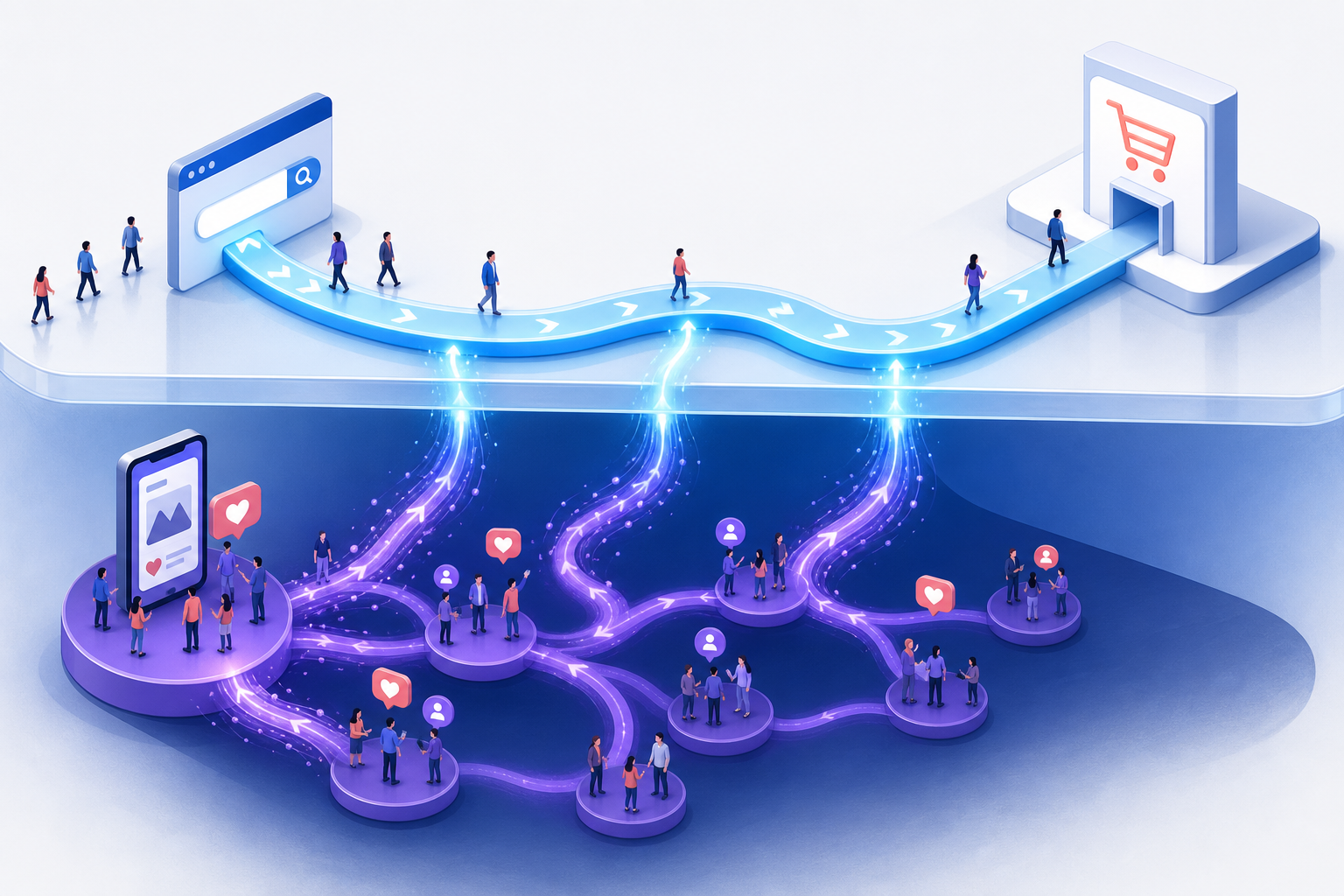
I sometimes find it challenging to measure the true impact of my paid social campaigns on PPC performance. Despite not always seeing conversions directly within the social platform, these ads can significantly influence my overall marketing efforts.
To truly understand how paid social affects my other marketing channels, including PPC, I’ve found a few strategies that help me set up and measure effective tests.
Step 1: Determine Your Hypothesis
I always start by clarifying what I want to learn from my tests. Defining a realistic hypothesis that I can evaluate with available data is crucial.
For example, I often use the following hypothesis to measure the influence of social traffic on PPC:
Search lift hypothesis: Increasing social media spend will boost brand search volume and PPC CTRs.
Logic:
Social ads build brand awareness, prompting more people to search for my brand during research and purchase stages.
As more people become familiar with my brand, they tend to click on PPC ads more, regardless of search terms, enhancing both brand and non-brand CTRs.
Exposure to my brand boosts trust, potentially increasing conversion rates.
Measurement:
Track impression and click volume for branded terms.
Monitor CTR changes for brand and non-brand terms.
Observe conversion rate changes for these terms.
My hypothesis varies, sometimes focusing on the lift from social spend or a surge in direct traffic.
Step 2: The Test
Setting up test parameters is my next step. It’s essential to avoid simply comparing results before and after changes due to possible seasonal effects. A geographic split test is typically my go-to method.
In this test, I increase social spend in specific geographies and analyze PPC data from these areas versus others. While selecting geographies, I control for various factors, such as regional televised sports events or confined TV commercials, to ensure my test results are valid.
It’s crucial to compare control and experimental groups by similar factors like income levels and region types. I also ensure my budget can accommodate anticipated increases in social spent, preventing budget limitations from skewing results.
Evaluating the impression share before and after allows me to ensure budget constraints don’t impact my outcomes.
Step 3: The Measurement
When starting measurement, I keep it simple, comparing platform data to see changes prompted by stopping social spend across all channels like TikTok, LinkedIn, Facebook, etc.
Upon halting social spending, I’ve observed mixed conversion rate results, with some regions showing increases and others decreases, though an overall drop in conversions was common.
Depending on my analytics setup, I delve into more complex analyses, looking at conversion touchpoint differences, visitor overlap rates between social and paid search, or different attribution models.
Before initiating any tests, I ensure that my measurement capabilities are robust enough to understand and interpret results accurately.
Step 4: Evaluation Beyond Test Criteria
While running tests, I measure results against my hypothesis but also look at additional variables that may provide further insight.
In one case, a brand I tested on believed they could cut down on brand advertising without affecting their search volume. However, a drop in common brand terms contradicted this. An evaluation across various factors showed unpredictable results that required expanded analysis.
I rely heavily on my experience to sniff out anomalies and conduct further internal evaluations.
When results seem unexpectedly drastic, I question whether it’s a quirk or if other factors, like recent AI-driven changes, are silently influencing outcomes.
What to Do With Your Social Impact Tests
The test setup is straightforward:
Define your hypothesis.
Choose how to test, preferably using a geographic split.
Ensure you can measure the outcomes appropriately.
Run the tests and evaluate the hypothesis-related metrics.
Assess additional metrics for further insights or testing ideas.
For some, social channels like Facebook are top converters, while others see poor outcomes in isolation, necessitating tests to guide budget allocation strategies.
In these scenarios, companies with substantial social media spending reduce to test impact, while others might increase spending to assess performance changes.
Results vary widely across companies, with some seeing significant performance lifts and others noticing minimal changes, underscoring the need for personalized testing.
Conducting geographic split tests can offer incredible insights into how social media campaigns bolster or detract from other marketing channels.
For years, I’ve been told to stick to a set of guidelines: always use top-notch creatives, maintain a polished brand, follow scripts, and adhere to platform-recommended formats.
Lately, while navigating ad accounts or simply scrolling through feeds, I’ve noticed something intriguing. The ads that grab my attention often defy these rules. They’re less polished, scrappier, and sometimes referred to as ‘ugly ads.’ What’s fascinating is that they’re outperforming the traditional, polished ones.
More brands are deliberately breaking so-called best practices to stand out. It’s important to remember that these practices represent an average of what worked for others in the past. By the time a strategy becomes a platform-recommended rule, it might have already lost its edge.
This is why defying best practices can lead to success — but only if you understand the reasons behind them.
Why Breaking Best Practices Enhances Ad Performance
Before diving into what to change, it’s crucial to understand the rationale behind existing rules. Platforms like Meta and TikTok have dual objectives:
They aim for you to spend money on ads.
They want to keep users engaged on their platforms.
The best practices they promote are designed to ensure a seamless experience, encouraging ads to resemble others. The issue is that familiarity eventually breeds invisibility. When I adhere too closely to the rules, my ads risk blending into the background noise, overlooked by users.
Highly-produced ads often scream ‘this is an ad,’ prompting users to skip them before my message hits home. In contrast, when my ad resembles something a friend might share, users’ defenses remain down longer, potentially transforming a scroll into a conversion.
This is why many top-performing ads today don’t appear traditionally polished or on-brand. They break patterns instead. Consider:
Grainy phone footage.
Notes app screenshots.
Green-screened reactions or commentary videos.
Other lo-fi formats that outperform studio-quality creatives.
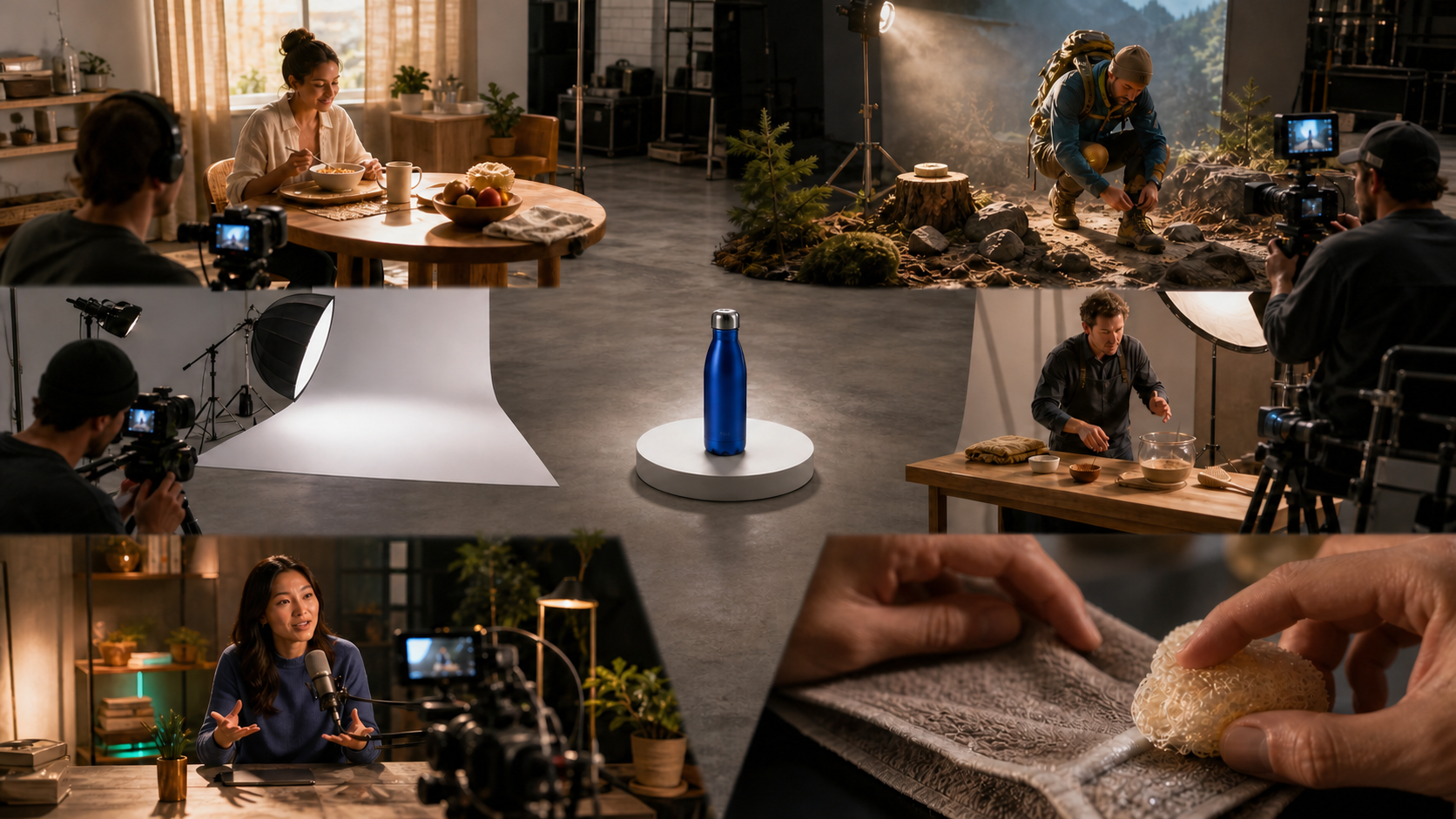
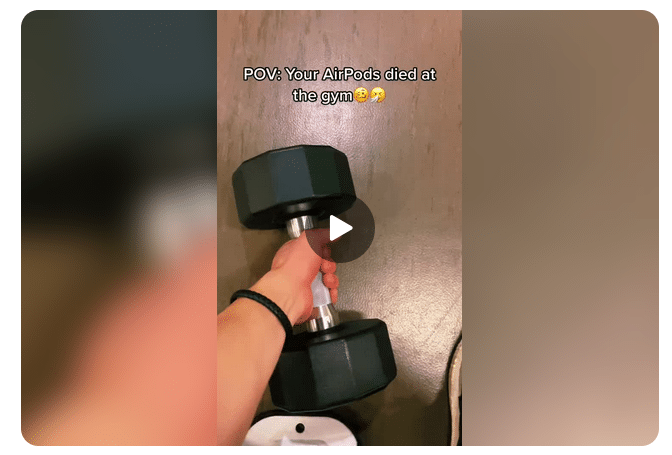
To implement this, I started intentionally reducing my production value and experimented with formats like point-of-view (POV) shots tailored to various personas.
Many brands have adopted guidelines that make them seem faceless and untouchable. They refrain from showing a messy office, an unpolished founder, or anything that challenges their corporate script. However, others are discarding that playbook, embracing founder-led ads that deviate from the polished executive version.
There’s a catch.
Breaking the rules works only when it’s genuine. I’ve learned that faking authenticity is easy to spot and can backfire. This was evident in a viral series of videos where McDonald’s CEO appeared to present a new burger, but his execution was criticized for being stiff and unconvincing.
As shown in a Dineline video, his performance appeared staged. Contrarily, Burger King’s president presented their burger with no hesitation, offering a genuine and relatable moment.
The distinction was evident: One was a product pitch, and the other felt authentic.
If my leadership doesn’t genuinely believe in the product, neither will my customers. Rule-breaking should allow us to be real, rather than simply appear unpolished.
You’ve probably encountered video hook best practices like ‘show the product in the first two seconds and state the value prop clearly.’ Sound familiar?
Imagine my ad starting with a screenshot of a negative comment, like one for a skincare product stating, ‘This probably smells like old socks, and does it even work?’ My ad would then show the founder confidently disproving this in an unscripted manner, applying the product.
Though this breaks the positive-association rule, it leverages viewers’ curiosity about digital conflicts. By the time they realize it’s an ad, they might already be engaged.
I learned not to abandon all polished assets just yet.
Rule-breaking is strategic, and often misunderstood when the ’80/20 rule’ is ignored.
Switching completely to shaky phone footage isn’t wise. Keeping 80% of the budget in traditional ads while using 20% for testing unconventional ones can be effective.
Next testing campaign, I plan to try:
The silent test: Running a silent ad with bold captions to stand out in a noisy feed.
The UI ghost: Using static images resembling platform notifications to pause scrolling.
The algorithmic trust fall: Disabling auto-optimizations in a campaign to test creative performance without constraints.
Don’t Follow the Rules; Understand Them
Best practices are a guide, not a strategy. To move beyond them, I do it systematically.
I start by questioning the rule’s existence, evaluating its current relevance, and testing its opposite in a structured manner. Comparing traditional and lo-fi approaches helps me understand user engagement better.
In an environment where brands play it safe, those who understand and strategically break the rules will capture attention and conversions. My goal is to learn faster than the competition, skipping guesswork.
Attracting the perfect candidates without breaking the bank is my goal when using LinkedIn recruitment campaigns. By leveraging intent signals, pre-qualification, and funnel segmentation, I can ensure that every dollar spent is worth it, engaging only those truly interested in a career change.
I’ve discovered that LinkedIn stands as one of the most robust platforms for recruiting top-tier talent. However, without properly structured campaigns, it’s all too easy to see budgets drained with little return.
Too often, recruitment strategies focus more on visibility than on targeting intent. Simply increasing impressions doesn’t necessarily lead to quality hires. Broad targeting often swamps me with unqualified applicants, hiking up my cost-per-hire and dragging out recruitment timelines.
By focusing on attracting and converting high-intent candidates, while naturally filtering out those who aren’t a fit, I’ve streamlined my recruitment process. Here’s how I achieve this efficiency.
Shifting Strategy: Prioritize Intent over Reach
I’ve learned that targeting solely based on job titles, industries, and experience can result in high volumes without efficiency. Successful campaigns that I’ve run focus on intent-based targeting, which helps me reach candidates more likely to consider my opportunity.
My approach is multi-layered:
Core fit: Job titles, skills, and certifications.
Behavioral signals: Open-to-work status, group memberships, and industry content engagement.
Career friction indicators: Roles prone to burnout, companies undergoing layoffs, and environments with limited growth.
These layers allow me to go beyond just “who they are” to “why they might want change,” which drives impactful performance gains.
Pre-qualify Candidates with Strategic Ad Creative
Crafting my ad creative isn’t solely about grabbing attention; it’s also about effective audience filtering. One of the smartest ways I’ve reduced cost-per-hire is by deterring unqualified candidates from clicking my ads initially.
My effective recruitment ads follow this structure:
Identify pain points or specific identities: “Burned out from long shifts in healthcare?”
Define target undertaking: “Seeking licensed RNs with 3+ years of experience.”
Showcase meaningful value: Flexibility, compensation, career growth, or mission.
Set clear expectations: “Not an entry-level position” or “Requires enterprise account management.”
This approach of combining attraction and exclusion maximizes likelihood that clicks convert into genuine applications.
Segment Campaigns According to Candidate Intent
Effective LinkedIn strategies don’t rely on a single campaign. Instead, I segment based on candidate intent to better tailor my outreach approach.
High-intent (bottom funnel)
This segment targets active job seekers, offering high conversion potential.
Messaging: Career upgrades, lifestyle improvements, growth opportunities.
Outcome: Builds a scalable pipeline of qualified candidates.
Cold passive talent (top funnel)
These are potential candidates developing long-term interest, to eventually progress in the recruitment funnel.
Target: Broader audiences and lookalikes.
Messaging: Employer brand, company culture, “day in the life.”
Outcome: Reduces future acquisition costs by fostering a talent pool.
Cost Control Through Smart Bidding and Optimization
I’ve seen how LinkedIn’s platform can quickly turn costly. Starting with manual CPC bidding gives me control, allowing flexibility to test automated options as performance metrics stabilize.
Focusing on critical metrics such as qualified applications, rather than just clicks, refines my strategy. Tracking interview and hire rates further informs optimizations.
I remain agile in making decisions—high click-through rates with low applications hint at poor alignment, while high applications but low interviews suggest inadequate pre-qualification.
Efficiency is achieved by curbing wasted expenditure sooner, conserving budget and ensuring audience precision.
Improve Engagement with a Simplified Application Process
Avoid passing candidates directly to lengthy application forms. Instead, I use a two-step funnel:
Pre-qualification landing page:
Role overview and expectations.
Clear compensation details.
Criteria for applicant suitability.
Application:
Short application form or LinkedIn Easy Apply.
This structure aligns expectations and screens candidates, often reducing cost-per-hire by 30-50%.
Retargeting: Re-engage Interested Candidates
Not every prospective candidate will apply right away. Using retargeting, I can re-capture the interest of high-intent users who’ve previously interacted with my material.
Career page visitors.
Ad viewers.
50%+ video engagement viewers.
Follow up these interactions with messaging like:
“Still considering a new role?”
“Last chance to apply”
Employee success stories.
I’ve found retargeting to be one of the most cost-efficient tactics in my recruitment strategy.
Advanced Strategies for Better ROI
After mastering the basics, I applied these advanced tactics to push performance further:
Competitor targeting: Engaging employees from competing companies by highlighting my offering’s strengths.
Skill-based segmentation: Differentiating campaigns by specific skills to lower ad costs.
Targeted Message Ads: Particularly for specialized or senior roles, with refined targeting. Understanding that broad targeting can lead to high costs.
Here’s how I crafted a successful LinkedIn InMail approach, which significantly boosted high-intent applications:
Hi [First Name],
This might be a stretch — but your background in HVAC sales caught my eye.
We’re looking for seasoned sales reps eager for stable commissions and predictable schedules.
Ideal candidates will have:
3+ years in HVAC/home services sales
In-home consultation experience
A desire for stable, high earning potential
Unique perks include:
Weekends free
Pre-qualified leads (no cold calls)
Consistent six-figure potential
Note that this isn’t suited for newcomers to sales or entry-level reps.
If a brief conversation interests you, let’s connect.
If not, thanks for considering.
— [Name]
Clearly stating the requirement for “experienced sales reps” ensures relevancy, enhancing response rates and minimizing inappropriate responses.
Highlighting candidate benefits like no weekend work aligns with the audience’s priorities, making my pitch more appealing.
Ending with a reminder that the role isn’t entry-level helps avoid wasted discussions, further curtailing cost-per-hire.
Intent Overpowers Reach in LinkedIn Recruitment
The most effective LinkedIn recruitment campaigns I’ve crafted stem from sharp, strategic decisions.
Focusing on intent-based targeting, pre-quals through ad creatives, funnel segmentation, and conversion optimization shapes a recruiting method that consistently draws the right individuals and minimizes frivolous spending.
In the end, reducing cost-per-hire is about timely engagement with the right people through a tailored message.
Have you ever wondered if it’s possible to run effective LinkedIn Ads without breaking the bank? I’m here to tell you it absolutely is, and I’ve got the playbook to prove it. By focusing on content depth, timing, and precise targeting, I managed to lower CPCs and improve lead quality in our LinkedIn campaigns.
LinkedIn Ads often deliver top-notch B2B leads but have a reputation for being costly in both CPC and CPL terms. So, I embarked on an experiment to see if a high-value, audience-specific content piece could achieve low-cost leads on LinkedIn.
Though our agency primarily runs LinkedIn Ads for clients, I decided to test this theory on Saltbox Solutions itself, where I serve as the Director of Strategy. I wanted full control to see just how big of an impact we could achieve.
We spent under $1,000 and generated a wealth of leads at less than $10 CPL. For those with limited budgets, LinkedIn Ads might not be as out of reach as you think—it just requires a well-thought-out strategy.
Want to know how I did it? I’ll break down every detail, from the setup to execution, so you can replicate it regardless of your budget.
The campaign targeted B2B marketing decision-makers by offering a 23-page Demand Gen Playbook for 2026. The timing was key, as it aligned with the planning cycle for many marketing leaders.
I chose a document ad format with a lead generation objective, allowing audiences to preview content before downloading. The form had minimal friction thanks to LinkedIn’s autofill options.
With a $600 lifetime budget and a $15 manual bid strategy, we focused on optimizing our spend efficiently.
Our audience research was rigorous. I aimed to understand the true needs and concerns of B2B marketing leads by mining client interactions and using tools like SparkToro to identify engagement patterns.
This meticulous research resulted in an asset that truly resonated with the audience, achieving a stellar 76% lead form completion rate.
The targeting strategy was layered, combining job titles and company roles to address a 54,000-person audience, efficiently refining the reach of our ads.
Ad copy was crafted with an inviting tone, leaning on hooks like “Steal our best demand gen ideas” to captivate and engage.
The result? An average CPC of $5.41—shattering expectations given our $15 bid ceiling. The campaign not only surpassed LinkedIn’s typical CTR benchmarks but also generated 60 qualified leads.
This test validated a model that I plan to relaunch, incorporating feedback from initial downloaders to further fine-tune the playbook.
If you want results like mine, start with audience research before creating your asset. Build meaningful, timely, and well-targeted content to see better ROI from your LinkedIn Ads.