If your DV360 integration assumes every returned line item or ad group belongs to a type it already recognizes, Demand Gen support creates a practical failure point. A successful API call can still break downstream processing when an unfamiliar resource reaches a strict parser, reporting job, or campaign-management rule.
You can prepare without rebuilding your DV360 workflow. Start by making reads tolerant of Demand Gen resources, then introduce write operations behind explicit controls.
What Demand Gen support changes in DV360
The Display & Video 360 API is adding support for Demand Gen line items, ad groups, and ad formats. Developers and advertisers can retrieve, create, update, and delete the supported Demand Gen resources through the API.
The important detail is not just the new write capability. Demand Gen line items and ad groups can appear alongside standard resources in existing list responses. That means an integration may encounter them even if your team has not started creating Demand Gen campaigns through the API.
Treat this as both a schema-compatibility change and a new automation opportunity. The first job is protecting current workflows. The second is deciding which Demand Gen actions you are ready to automate.
Harden every workflow that reads line items or ad groups
Begin with an inventory of anything that consumes DV360 list responses. Include campaign dashboards, data pipelines, naming-rule checks, budget monitors, approval tools, and internal interfaces. A shared API client does not guarantee that every downstream consumer handles new resource types safely.
Find closed type assumptions. Search for switch statements, enum validation, allowlists, and default branches that reject or misclassify an unfamiliar line-item or ad-group type.
Separate parsing from business eligibility. Your integration should be able to read and retain a Demand Gen resource even when a particular workflow is not authorized to act on it.
Use an explicit unsupported state. Do not silently treat an unrecognized resource as a standard line item. Record its identifier and type, skip the unsafe action, and make the event visible to operators.
Test mixed responses. Exercise the full path with standard and Demand Gen resources in the same collection. Confirm that filtering, pagination, reporting, and batch processing still complete.
Check output contracts. If your DV360 data feeds another system, make sure the receiving schema can preserve a new type instead of dropping the record or failing the entire batch.
The safest behavior is forward-compatible: accept a valid object, preserve what you understand, and block only the operation that lacks a defined rule. This contains the impact of future resource additions as well.
Add create, update, and delete operations in stages
API availability does not mean every mutation should be enabled at once. Give each operation its own release control and validation path.
Start with retrieval. Confirm that you can identify Demand Gen line items and ad groups, store them correctly, and display them without exposing unsupported controls.
Enable creation in a constrained workflow. Validate inputs before the request, record the request and resulting resource identifier, and prevent an automatic retry from creating duplicates.
Permit updates by field. Use an allowlist of fields your integration intentionally manages. Do not send a broad object copied from a read response when only one value needs to change.
Protect deletion separately. Require an explicit resource-type check, a clear ownership rule, and confirmation that the target identifier belongs to the intended advertiser and campaign.
Keep read and write permissions conceptually separate. A reporting integration may need to understand Demand Gen objects without receiving authority to modify them. A campaign-management service may need update access but no delete path.
For each mutation, log the resource type, operation, target identifier, result, and calling workflow. That record gives your team a usable trail when an automated change needs investigation.
Plan around partial rollout and mixed account availability
Use a capability gate for Demand Gen writes. If a request shows that support is unavailable, return a clear status to the operator and keep the rest of the DV360 workflow running. Do not translate an availability problem into a generic campaign failure.
Your release sequence should cover three states: no Demand Gen resources returned, Demand Gen resources returned but writes disabled, and full management enabled. Test rollback too. Turning off creation or updates should not stop the integration from reading resources that already exist.
Operational ownership matters here. Assign one person or team to review unsupported-type logs during rollout, approve write enablement, and decide when an account is ready. Without that owner, compatibility warnings tend to sit unnoticed until a scheduled job fails.
Key takeaways
Existing list queries may return Demand Gen line items and ad groups, so read compatibility comes before new campaign automation.
Parse valid resources independently from deciding whether a workflow may act on them.
Release create, update, and delete capabilities separately, with validation, logging, and operation-specific controls.
Expect mixed availability during the June 10 to June 24 rollout window and make write support capability-driven.
Keep Demand Gen reads working even when you disable mutations or roll back an automation release.
Start with one concrete check: run a mixed-resource response through every DV360 consumer you operate. Once those paths can identify, preserve, and safely skip Demand Gen objects, you have a stable base for adding campaign management at your own pace.
Your AI campaign can look efficient while answering the wrong business question. If AI Max captures people already searching for your brand, or Smart Bidding learns that every form submission is equally valuable, conversion volume can rise without proving that you created demand or found better customers.
You don’t need to abandon automation. You need boundaries at the query level and better feedback at the lead level. The following operating plan gives Google Ads room to optimize without letting its headline metrics define success for you.
Start with the two decisions automation cannot make for you
Before changing a campaign, write down what it is supposed to find and what a successful lead looks like. Those are business decisions, not bidding decisions.
Demand boundary: Is this campaign allowed to capture branded searches, or must it concentrate on people who are not yet searching for your brand?
Value boundary: Is a submitted form enough, or must a lead meet sales criteria before you want the bidding system to treat it as valuable?
Turn the answers into a one-sentence campaign brief. For example: “Use AI Max to find unbranded demand and optimize toward leads that sales has qualified.” That sentence gives you a standard for judging traffic, attribution, and bidding behavior.
Without these boundaries, the platform can pursue the easiest measurable result. That may be a branded conversion that would have happened through a dedicated brand campaign, or a low-intent form submission that never becomes an opportunity.
Show ads on all relevant searches: the reported default, allowing branded and unbranded demand to mix.
Manage branded searches with inclusions and exclusions: useful when some brand terms belong in AI Max but others should remain elsewhere.
Restrict ads to unbranded searches: the clearest choice when AI Max is meant to discover new demand rather than collect existing brand intent.
This control has not been confirmed as a universal rollout. Check the settings available in your account before building a process around it. If the native option is absent, brand exclusion lists remain the practical safeguard described for controlling branded queries.
Choose the setting from the campaign’s job, not from whichever option produces the lowest cost per conversion. Allowing all relevant searches can be reasonable when you intentionally want blended coverage. It is a poor fit when a separate brand campaign already owns that traffic or when you need to measure incremental reach.
After applying a boundary, inspect the searches the campaign attracts. If branded demand still appears where it shouldn’t, review brand variants, product names, misspellings, and other terms that may need to be handled explicitly. The control is the starting instruction; query review tells you whether the instruction is working.
Make qualified leads the signal Smart Bidding receives
Query controls decide which demand AI Max may pursue. Lead feedback tells Smart Bidding which outcomes deserve more investment. You need both layers because an unbranded click is not automatically a good prospect, and a completed form is not automatically revenue.
Google Ads now provides a lead management interface for leads from Google-hosted forms. It can show total, new, qualified, and lost leads, along with funnel progression and individual records containing contact details and lead stage. Updating those stages gives the bidding system information about lead quality rather than form volume alone.
Use the dashboard as an operating queue, not just a report:
Define qualification with sales. Write a short rule that separates a viable prospect from an incomplete, irrelevant, or unreachable inquiry.
Treat “new” as an inbox state. A new lead still needs review; it should not become your final measure of campaign quality.
Assign stage ownership. Name the person or team responsible for moving each record to qualified or lost.
Update outcomes consistently. If only some leads receive a final stage, the feedback sent to automation will describe your follow-up habits as much as lead quality.
Compare volume with progression. Rising submissions with flat or falling qualification indicate that the campaign is finding more forms, not necessarily more customers.
The built-in interface is limited to leads generated through Google-hosted forms, so it may not represent your entire sales pipeline. If other forms or channels matter, keep your broader customer system as the complete business record. Within its scope, however, the dashboard can shorten the path between a sales judgment and a bidding signal.
Run one audit that connects traffic quality to lead quality
Reviewing campaign traffic and lead stages separately can hide the real problem. A simple recurring audit should connect what AI Max captured with what happened after the form was submitted.
Question
Evidence to inspect
Decision to make
Did AI Max capture demand the campaign was meant to find?
Branded and unbranded searches associated with the campaign
Keep, narrow, or exclude branded coverage
Did submitted forms become credible prospects?
New, qualified, lost, and progressing lead records
Preserve the current signal or investigate lead quality
Does the headline conversion count reflect downstream value?
Form submissions compared with qualified-lead progression
Judge optimization by qualification, not volume alone
Can you explain a performance change?
Recent control, targeting, bidding, or qualification changes
Keep the change, reverse it, or gather more evidence
Run this review on a consistent schedule and change one major control at a time when practical. Record what changed, why it changed, and what result would justify keeping it. This prevents a branded-search adjustment, a qualification-rule change, and a bidding change from becoming one untraceable performance swing.
Pay particular attention to mismatches. If reported conversions improve while qualified leads deteriorate, don’t celebrate the cheaper conversion. Check whether branded traffic increased, whether qualification is being updated consistently, and whether the campaign is optimizing toward a shallow event. If unbranded reach grows and qualified-lead progression improves, automation is doing the job you assigned it.
Key takeaways
Define whether each AI Max campaign may capture branded demand before evaluating its performance.
Use the native branded-search setting if it appears in your account; otherwise maintain explicit brand exclusions.
Do not treat every form submission as equal when sales can distinguish qualified and lost leads.
Keep lead stages current so Smart Bidding receives a cleaner description of business value.
Audit query mix and lead progression together, then document each meaningful control change.
Start with one campaign where branded overlap or weak lead quality is already creating doubt. Write its demand and value boundaries, apply the available controls, and use the next audit to judge whether the campaign is producing qualified new demand rather than merely attractive platform metrics.
You can have plenty of Google data and still not know what to change. One screen points to people who may not know your brand. Another shows signals about your products in AI-assisted shopping. The hard part is turning those signals into decisions without mistaking automation for proof.
The useful approach is to give each tool one job. Use audience targeting to test whether you can reach genuinely new people. Use shopping visibility insights to find product information that deserves investigation. Then measure whether either change produces incremental customers, not just more activity.
Separate the audience question from the product question
Google’s audience and shopping tools solve different problems. Combining them into one vague “AI performance” score makes both harder to use.
The product question is different: where does your catalog appear weak, unclear, or absent when AI helps shoppers discover products? AI shopping visibility insights in Merchant Center can give you a place to begin that investigation. Visibility is a diagnostic signal. It isn’t the same as a click, a sale, or incremental revenue.
Keep those questions separate in your reporting. Label one workstream “new audience acquisition” and the other “product visibility.” You can connect them later, but only after each has a clear baseline and success measure.
Make prospects mode testable before you switch it on
Prospect targeting is only as credible as the signals used to identify people who already know you. If purchase records, site visits, app activity, branded searches, or video engagement are incomplete, some familiar users may be classified as prospects.
Before using the mode, write down what “new” means for your business. A first-time buyer is not always a brand-unaware person. Someone may have watched a product video, visited through an untagged link, searched for your brand on another device, or bought through a channel that doesn’t return customer data to your advertising setup. You won’t eliminate every gap, but naming them prevents false confidence.
Check whether your purchase data covers the channels that matter, whether website and app activity is captured consistently, and whether your brand-term set includes common names and variants. Review which Google and YouTube engagements count as prior contact. If a major signal is missing, fix it or record the limitation before interpreting campaign results.
When the mode is available in your account, compare it with a relevant baseline rather than with your entire advertising program. Keep the offer, landing experience, product scope, and conversion definition as stable as practical. Otherwise, you won’t know whether a result came from reaching colder people or from changing several variables at once.
Turn Merchant Center visibility signals into product fixes
An AI visibility signal should trigger a product-level inspection, not an immediate budget change. Start with products that matter commercially and look for repeatable patterns. A single weak result may be noise. The same weakness across a product family is a better reason to act.
What you notice
What to inspect
What to do next
An important product has weak visibility
Its feed record and product page
Check whether the name, description, attributes, price, availability, and identifiers are complete and consistent.
One product family performs differently from similar items
Fields and page content that differ across the family
Document the differences, then correct the clearest information gap before changing bids.
Visibility changes after a catalog update
The exact fields and pages changed
Confirm that the update propagated correctly and watch whether the pattern persists.
Visibility looks healthy but sales do not
Offer competitiveness, landing-page clarity, and conversion tracking
Treat discovery as adequate and investigate what happens after the product is surfaced.
Consistency matters because a shopping system must reconcile information from your catalog and your site. Product titles should identify the item clearly. Descriptions should answer concrete buying questions. Price and availability should agree wherever they appear. Product structured data should describe the same offer shown to a person on the page.
Don’t rewrite an entire catalog because a dashboard changed. Choose a coherent group of products, record the problem, make one class of improvement, and note the date. That creates a usable change log even when the interface doesn’t provide a causal explanation.
Measure incremental customers, not convenient conversions
AI targeting can look efficient while capturing demand that would have arrived anyway. Your measurement plan therefore needs to distinguish a new customer from a new prospect and both from a returning customer.
Use the strongest customer-status data you have at the point of conversion. Compare acquisition cost, new-customer volume, revenue quality, and return behavior with your established baseline. Also monitor total business outcomes. A campaign-level improvement is less persuasive if overall new-customer growth stays flat.
Shopping visibility belongs in the same decision process but not in the same success column. It can help explain where product discovery may be constrained. Revenue and verified customer status tell you whether fixing that constraint was worthwhile. If visibility improves without a commercial effect, investigate the offer and purchase journey before declaring the work successful.
Key takeaways
Use prospects mode to answer whether you can acquire genuinely brand-unaware customers, not merely people who haven’t purchased.
Audit purchase, branded-search, website, app, Google, and YouTube signals before trusting automated exclusions.
Treat Merchant Center AI visibility as a diagnostic input that points you toward product-data and page checks.
Change one coherent product group at a time and keep a dated record of what changed.
Judge the work by incremental customer and business outcomes, not visibility or campaign efficiency alone.
Start with one acquisition campaign and one commercially important product group. Define the baseline, document the data gaps, and make the smallest change that can answer a real question. Google’s AI can help you find audiences and surface patterns; your measurement discipline determines whether those patterns become growth.
Your Google Ads team now faces two different kinds of time pressure. New ads may receive policy feedback while they are being created, while older reporting data can disappear once its retention window closes.
The practical response is to redesign both ends of the campaign lifecycle: make compliance part of production, then make data preservation part of routine account operations. Here is a workable system you can put in place without turning every launch or export into a special project.
Key takeaways
Responsive Search Ads can receive editorial feedback during drafting and a policy decision after saving, so policy checks should happen inside your creation workflow.
Simple, editable problems need a clear owner who can correct and resubmit them immediately. Certifications, appeals, and other complex issues need a separate escalation path.
Hourly, daily, and weekly reporting data is retained for 37 months, while monthly, quarterly, and annual reporting can remain available for up to 11 years.
Reach and frequency metrics have a three-year retention limit, so preserve them on their own schedule.
Expired data becomes unavailable through both the Google Ads interface and APIs. An API connection is not an archive unless it writes data to storage you control.
Move policy review into campaign production
The old mental model was simple: build an ad, submit it, and wait for a separate review. Real-Time Policy Reviews move feedback into the creation process. While you draft a Responsive Search Ad, Google Ads can flag editorial problems such as typos and destination-link errors. After you save it, the system can return a policy decision immediately. Ads without identified problems can move toward delivery quickly, while more complicated cases go to a post-save review screen with the issue and available next steps. The capability initially applies to Responsive Search Ads, with expansion to other campaign types planned.
That changes what “campaign ready” should mean. Your launch checklist should no longer stop when the copy and landing page are approved internally. It should stop when the saved ad has a recorded Google Ads policy outcome.
Separate editable issues from complex issues
Google divides policy problems into two useful operational groups. Editable issues are problems you can correct in the ad workflow, such as formatting errors. Complex issues may require certification, an appeal, or another process that cannot be completed by rewriting a headline. Treating both groups as the same queue creates avoidable delay.
Draft and preflight: Confirm the final URL, spelling, formatting, and required internal approvals before saving.
Read the live feedback: Correct editorial flags while the creator still has the ad open and understands the context.
Save and record the decision: Capture the policy status in your campaign tracker rather than assuming that saving means approval.
Fix editable problems immediately: Keep these with the campaign builder so a minor correction does not enter a general support queue.
Escalate complex problems: Assign one named owner for certifications, evidence, appeals, and communication with stakeholders.
Confirm delivery: Check that an approved ad has actually begun serving before declaring the launch complete.
For each exception, record the account, campaign, ad, exact policy message, first detection time, assigned owner, action taken, and final status. This small audit trail helps you distinguish recurring production mistakes from genuine policy disputes.
Build your archive around the actual retention windows
Policy feedback can shorten the time from creation to delivery. Data retention creates the opposite constraint: waiting can permanently reduce what you are able to analyze. Beginning June 1, 2026, Google Ads applies different limits based on reporting period, and data that passes those limits is no longer available in the interface or through APIs.
Reporting data
Retention period
Practical archive decision
Hourly, daily, and weekly reports
37 months
Backfill granular history first and export it continuously.
Monthly, quarterly, and annual reports
Up to 11 years
Keep these rollups for long-range reporting, but do not treat them as a substitute for granular data.
Unique users, average impression frequency per user, 7-day and 30-day average impression frequency, and frequency distribution metrics
Three years
Give reach and frequency data its own earlier export deadline.
A monthly total cannot recover the daily pattern behind it. If you use historical performance for seasonality, forecasting, anomaly analysis, client benchmarking, or cross-channel planning, preserve the smallest reporting interval you genuinely need. Do not export every possible combination without a use case; that produces an expensive archive that nobody can interpret.
Use a backfill-first export plan
Inventory dependencies: List every dashboard, forecast, scheduled report, client deliverable, and internal analysis that reads Google Ads history.
Classify the required grain: Mark each dependency as hourly, daily, weekly, monthly, quarterly, or annual. Identify any use of reach and frequency metrics separately.
Find the oldest unpreserved period: Determine where storage you control begins. The gap between that date and the oldest data still available is your backfill target.
Export the oldest granular data first: Data nearest its deletion boundary carries the greatest risk. Work forward after securing it.
Automate incremental exports: Schedule recurring extraction into storage outside Google Ads. Include monitoring so a failed job cannot remain invisible for months.
Retain raw and transformed data separately: Preserve an unchanged extract, then build cleaned reporting tables from it. This lets you correct transformation errors without attempting to retrieve expired records again.
Your stored records also need enough context to remain usable. Keep stable account and campaign identifiers, reporting dates, reporting grain, relevant dimensions, metric names, account time zone, currency context, and the extraction timestamp. Document any transformation or filtering applied after export.
Prove that the archive can replace the interface
A successful export is not the same as a reliable archive. The real test is whether another person can reproduce a familiar report after the corresponding Google Ads data is no longer accessible.
Reconcile totals: Compare stored results with the Google Ads interface for several completed periods at each reporting grain you intend to keep.
Check completeness: Look for missing accounts, dates, campaigns, dimensions, and reach or frequency fields.
Test reruns: Confirm that retrying an extraction does not silently duplicate records or overwrite valid history.
Simulate recovery: Rebuild one recurring dashboard using only the archive and its documentation.
Assign ownership: Name the person responsible for failed exports, schema changes, access control, and retention decisions in your own storage.
Record validation evidence: Save reconciliation dates, discrepancies, fixes, and approval from the report owner.
API users need to be especially careful. An automated query that fetches data on demand still depends on Google’s retention window. Continuity comes from writing scheduled extracts to independent storage, validating them, and keeping enough documentation to interpret them later.
This history may also serve people outside the paid media team. If SEO, content, finance, or leadership uses advertising trends for planning, ask what granularity they depend on before choosing what to preserve. Their needs may not be visible in the Google Ads reporting setup.
Set a 30-day operating plan
In the first week, add the post-save policy decision to your campaign launch checklist and designate owners for editable and complex issues. During the second week, inventory reporting dependencies and retention risks. Use the third week for the oldest required backfill, prioritizing granular and reach-and-frequency data. In the fourth week, automate the next extraction, reconcile it against Google Ads, and run a report using only the stored copy.
Then make both controls routine. Every campaign launch should end with a verified policy and delivery status. Every reporting cycle should end with a successful, validated export. That gives your team faster launches without sacrificing the history needed to understand what happened later.
That changes what you need to watch. Clicks and form fills still matter, but they no longer explain the full journey. You need to separate auction pressure, conversational quality, and real business value before changing bids or budgets.
Key takeaways
Treat CPC, impression share, and visibility changes as alerts. Diagnose the cause before reacting.
Track competitor bidding, branded-query entrants, offers, messaging, ad frequency, and search-result coverage alongside your campaign metrics.
Judge conversational ads by the quality of the business outcomes they create, not merely by clicks or interaction volume.
Send accepted-lead, opportunity, sale, and revenue data back into the advertising system whenever your setup supports it.
Define where automation can explore and where a person must approve claims, offers, targeting changes, or budget shifts.
Read the signal stack from auction pressure to revenue
Start with the auction
Rising CPC, declining impression share, weaker visibility, and new advertisers on branded searches can reveal changing competition before the damage reaches revenue. These movements may appear days or weeks before a visible performance decline.
None of those metrics explains itself. A CPC increase can reflect more aggressive bidding, but it does not tell you whether the additional pressure affects valuable searches. A visibility decline may matter on a core commercial query and be harmless on exploratory traffic. Segment the change by campaign, query theme, brand versus non-brand demand, device, and geography before choosing a response.
Inspect the conversation
A conversational ad can let a prospective customer ask about services or pricing without following the familiar click, landing page, and form path. That interaction creates a new diagnostic layer. The questions people ask can reveal uncertainty about fit, cost, availability, proof, or the next step.
Use whatever interaction reporting the platform makes available, but do not mistake activity for success. A busy conversation that produces unsuitable inquiries is not better than a quiet one that produces qualified opportunities. Connect question themes and handoffs to downstream outcomes wherever privacy, consent, and platform controls allow.
Follow the outcome into your business
A form submission is an advertising event. An accepted lead, booked appointment, opportunity, sale, or renewal is a business result. If the bidding system sees only the first event, it may learn to find more inexpensive forms even when your sales team rejects them.
This is why CRM integration and offline conversion tracking become more important as automation expands. AI can optimize only against the information it receives. Pass back the deepest reliable outcome your sales cycle supports, and distinguish valuable outcomes from weak ones instead of assigning every conversion the same meaning.
Account for the model interpreting those signals
Lead intent scores, journey-aware bidding, predictive attribution, and AI Max move decision-making beyond visible keyword-to-conversion paths. AI Max can explore demand beyond familiar targeting patterns, while predictive measurement can connect exposure with later behavior. Those capabilities may uncover growth, but they also make weak data and unclear goals more consequential.
Keep a written record of the outcome being optimized, the data supplied to the system, and the decisions delegated to automation. When performance moves, you will know whether to investigate the market, the conversation, the business data, or the model interpreting it.
Use a signal map instead of reacting to isolated metrics
A useful monitoring view pairs every warning sign with a plausible explanation, a verification step, and a limited response. This prevents a single red metric from triggering an account-wide change.
Signal
What it may mean
What to check first
Practical response
CPC rises while impression share or visibility falls
Competitors may be bidding more aggressively on important demand
Query value, competitor coverage, budget constraints, and brand versus non-brand movement
Defend commercially important demand rather than raising bids across the account
A new advertiser appears on branded searches
A competitor may be trying to intercept high-intent prospects
Brand query coverage, ad distinction, impression share, and landing experience
Protect valuable brand demand and make your official offer unmistakable
CTR or conversion rate falls after rival messaging changes
Your proposition may look less relevant or less attractive
Offer, call to action, proof, pricing context, and search-result assets
Test a clearer value proposition based on customer needs rather than copying the rival
A competitor occupies more extensions, shopping placements, or other formats
Your visibility may be compressed even if rank appears stable
Asset eligibility, format coverage, feed quality, and query intent
Add formats that genuinely fit your inventory and the searcher’s task
Conversion volume holds while accepted leads or revenue decline
Automation may be finding cheap actions instead of valuable customers
CRM stages, offline imports, outcome definitions, and value mapping
Repair the business signal before expanding targeting or budget
Conversation activity rises without stronger qualified outcomes
The interaction may expose friction, attract poor-fit demand, or use incomplete business context
Available question themes, answer accuracy, qualification logic, and handoffs
Improve the approved answer set and route uncertain cases to the right next step
Interpret related signals together. Rising CPC with stable qualified revenue may be acceptable if the economics remain within your target. Growing form volume with declining accepted-lead quality is a stronger warning, even if the advertising dashboard labels the campaign successful.
Prepare your offer for questions, not only clicks
A click-focused ad makes a promise and sends the user elsewhere for detail. A conversational ad may need to explain fit before the visit. Give the system a consistent, approved business context covering audience fit, service availability, pricing context, exclusions, evidence, and the next step.
Start with the questions that determine whether someone should continue. Can you serve this location? Is the service appropriate for this type of need? What affects price? What is not included? What should the person do if the standard path does not apply? Clear answers can prevent poor-fit inquiries without forcing the AI to improvise.
Consistency matters across the ad conversation, landing page, sales script, and CRM. If the ad implies instant availability while the landing page describes a waiting period, you have created friction before the lead reaches a person. If pricing language changes between surfaces, you may attract interest that cannot survive qualification.
Finance, healthcare, and other trust-critical businesses need tighter controls. Use approved language for sensitive claims, define what the system must not infer, and provide a human escalation path when a question falls outside the approved context. The goal is useful qualification, not unrestricted improvisation.
AI-assisted creative production can reduce the effort required to make and test assets, but easier production does not create differentiation by itself. As more advertisers gain similar tools, brand strategy, audience understanding, and a defensible offer carry more of the load.
Respond without teaching automation the wrong lesson
Validate the cause. Pair the alert with evidence from another layer. If CPC rises, look for competitor expansion and check whether qualified acquisition cost or revenue changed. If lead quality falls, inspect the conversion signal and conversation path before blaming the auction.
Contain the exposure. Protect branded searches and the non-brand demand that reliably creates value. Avoid using an account-wide budget increase to solve pressure limited to a narrow query group. Expand ad formats only where they help you answer the searcher’s task or recover useful visibility.
Correct the weakest input. Auction pressure may call for tighter bidding or stronger coverage. A relevance problem may call for a clearer offer. Poor conversational qualification may call for better answers and handoffs. Weak business optimization requires better CRM and offline conversion data before more automation is added.
Test with a clean decision rule. Change a single major variable at a time when practical, state the business outcome you expect to improve, and record competitor conditions during the test. Otherwise, a market change can look like a successful creative test, or an improved offer can be hidden by a sudden auction surge.
Keep human control over strategy. Automation can explore targeting, predict intent, and assemble creative. You still need to decide which customers matter, which outcomes deserve value, which claims are acceptable, and when efficiency has become dependence on an opaque forecast. Lead-generation campaigns without reliable offline data face particular risk when AI-driven exploration expands beyond familiar campaign paths.
On your next campaign review, add competitor movement, conversational friction, and accepted business outcomes beside the usual PPC metrics. Require every bid, budget, creative, or automation change to name the layer it addresses and the downstream result it should improve. That is how you keep conversational advertising from turning a signal problem into a spending problem.
Your average click price is up. The next move is not automatically to cut bids, increase the budget, or replace the bidding strategy. First determine whether those more expensive clicks are producing enough qualified leads and customers to justify their cost.
That distinction matters because the 2025 market pattern is mixed: inexpensive traffic is becoming harder to find, while conversion efficiency has improved in many campaigns. You need to identify where your own economics break down before making a change that may reduce useful demand along with wasted spend.
Read higher CPCs through your unit economics
Across a benchmark covering more than 16,000 campaigns, average Google Ads CPC reached $5.26 in 2025, up from $4.66 in 2024. CPC increased in 87% of industries. Yet the average conversion rate reached 7.52%, and average cost per lead rose by a comparatively modest 5.13% to $70.11.
2025 benchmark
Value
What it can tell you
Average CPC
$5.26, up from $4.66
The price paid for traffic increased, but CPC alone does not show whether the traffic remained profitable.
Industries with higher CPC
87%
A rising CPC may reflect a broad auction trend rather than an account-specific failure.
Average conversion rate
7.52%
More expensive traffic can remain viable when a larger share of clicks produces the intended outcome.
Average cost per lead
$70.11, up 5.13%
Lead costs increased much less sharply than click prices, but a reported lead is not necessarily a qualified lead.
For a lead-generation campaign, the basic relationship is straightforward: cost per lead is CPC divided by conversion rate, expressed as a decimal. A higher conversion rate can therefore absorb some CPC inflation. The relationship stops being useful when the conversion count contains duplicate events, low-value actions, spam submissions, or leads your sales team would never pursue.
Build your decision around qualified outcomes rather than the platform average. Start with these calculations:
Actual cost per qualified lead: divide ad spend by leads that meet your agreed qualification criteria.
Actual customer acquisition cost: divide ad spend by new customers attributed to that spend.
Maximum acceptable lead cost: work backward from the expected value of a qualified lead, using contribution margin rather than headline revenue.
Maximum affordable CPC: multiply your maximum acceptable qualified-lead cost by your qualified conversion rate.
Those figures answer the question a benchmark cannot: whether your next click is economically worth buying. If CPC rises but qualified CPL and customer acquisition cost remain inside your limits, cutting bids may sacrifice profitable volume. If the platform CPL looks stable while qualified-lead rate falls, the apparent efficiency is a measurement or traffic-quality problem.
Do not divide several published averages to reconstruct an industry target. Aggregate CPC, conversion-rate, and CPL figures may be calculated across different campaign mixes. Use their direction to frame an investigation, then make decisions from account-level spend and valid business outcomes.
Use the right industry comparison before judging performance
A single account-wide average hides major differences in intent, competition, sales-cycle length, and customer value. The gap between industries is large enough that an apparently expensive campaign may be normal for its market, while a cheap campaign may simply be attracting weak intent.
Industry or journey type
2025 benchmark
Useful interpretation
Attorneys and legal services
$8.58 CPC
High auction prices make relevance, qualification, and downstream lead value especially important.
Finance and insurance; home improvement
CPC consistently above $7
A low conversion rate and a high click price can compound quickly, so raw lead counts are not enough.
Arts and entertainment; travel and hospitality
CPC in the $2 to $3 range
Cheaper clicks do not remove the need to measure bookings, purchases, or qualified demand.
Automotive repair
14.67% conversion rate
Immediate, local service intent can produce a high rate of direct response.
Finance and insurance
2.55% conversion rate
A complex, high-consideration journey is less likely to end with an immediate conversion.
B2B, legal, and high-ticket journeys
Typically 3% to 5% conversion rate
Longer evaluation cycles make lead quality and sales follow-through essential parts of campaign measurement.
These industry differences in CPC and conversion rate are diagnostic context, not performance targets. A finance campaign converting at 2.55% could still work if its qualified leads have enough value. An automotive repair campaign converting at 14.67% could still waste money if those conversions are duplicates, irrelevant calls, or low-value requests outside the service area.
Compare like with like. Keep the conversion definition, campaign objective, region, reporting period, and stage of the buyer journey consistent. Then classify what you see:
CPC is high and conversion rate is falling: investigate query relevance, audience or location targeting, ad-message fit, and auction pressure.
CPC is high but qualified CPL remains affordable: protect profitable volume instead of forcing CPC down for cosmetic reasons.
Conversion rate is rising but qualified-lead rate is falling: the campaign is probably optimizing toward an outcome that is too easy or too loosely defined.
Reported CPL is acceptable but customer acquisition cost is not: examine lead quality, sales acceptance, and the handoff after conversion.
Performance is worse than an industry benchmark but profitable: treat the benchmark as an opportunity to investigate, not a reason to disrupt a working campaign.
Your own historical baseline is often more useful than a cross-industry average. It shows whether a change came from higher auction prices, weaker conversion efficiency, deteriorating lead quality, or a different mix of traffic. Preserve the same definitions when comparing periods; otherwise, a tracking change can masquerade as performance improvement.
Fix conversion loss in the order that preserves evidence
Campaign changes interact. If you replace the bidding strategy, rewrite every ad, alter the landing page, and redefine conversions at the same time, you may improve performance without learning why. Worse, you may hide a tracking fault behind a temporary lift. Work from measurement outward.
Define the primary business outcome. Decide which action deserves budget optimization: a completed purchase, booked appointment, qualified inquiry, or another commercially meaningful event. Keep informational actions separate so they do not inflate the primary conversion rate.
Validate the conversion path. Test each form, call path, booking flow, and purchase route. Confirm that a successful action records once, failed actions do not record, and repeated page loads do not create duplicate results. If tracking is broken, stop using recent platform efficiency as evidence for budget decisions.
Remove irrelevant intent. Review the actual search language that generated spend. Add negative keywords for clearly unsuitable needs, locations, services, or research intent, but check ambiguous terms before excluding them. A negative applied too broadly can block profitable demand as easily as irrelevant traffic.
Match the search promise to the landing page. The query theme, ad message, visible page heading, offer details, eligibility conditions, service area, and call to action should describe the same next step. Sending every intent to a generic page forces the visitor to reconstruct the connection.
Reduce friction without lowering lead quality. Remove fields that are not needed for the next decision, make requirements clear before submission, and inspect the flow on the devices your visitors use. Judge a landing-page test by qualified outcomes, not only by the number of completed forms.
Reallocate marginal spend. Move the next portion of budget toward campaigns that can produce additional qualified demand within your economic limit. Do not assume the campaign with the best historical average will maintain that efficiency as spend expands.
Negative keywords remain particularly important in an automated environment. Accounts using them have shown conversion rates as much as three times higher. That is an association, not proof that adding any negative keyword will triple your results. The practical lesson is narrower: automated matching does not remove the need to define what your business does not want.
Keep a compact change log as you work. Record spend, clicks, CPC, primary conversions, raw conversion rate, qualified leads, sales, qualified CPL, and customer acquisition cost for comparable periods. Note the date and scope of each change. This prevents a higher raw conversion rate from receiving credit when the real change was a broader conversion definition.
Avoid responding to CPC inflation by chasing the cheapest available traffic. Cheap clicks with weak intent can lower account-wide CPC while raising qualified CPL. The better question is whether each traffic segment creates enough business value for the amount you pay to acquire it.
Make automation optimize the outcome you actually value
Smart Bidding and Performance Max are part of the environment in which conversion rates have improved. Their usefulness still depends on the objective and feedback they receive. Some accounts record no conversions at all, while poor tracking and weak optimization continue to waste spend despite the availability of automated bidding.
Automation can find patterns in the signals available to it. It cannot infer that one form submission became a profitable customer while another was spam unless your measurement distinguishes those outcomes. When every action looks equally valuable, the system has an incentive to find the easiest action rather than the best business result.
Keep primary conversions commercially meaningful. Use secondary actions for diagnosis when they do not deserve direct budget optimization.
Return downstream quality information where your setup supports it. Qualified leads, completed sales, and meaningful conversion values give automation a closer representation of business value than an undifferentiated form count.
Separate materially different economics. Campaigns serving services, locations, or customer types with very different values should not be judged by one blended CPL target.
Retain human controls. Continue reviewing search intent, exclusions, location relevance, landing-page alignment, and the controls available for each campaign type.
Evaluate sales outcomes as well as platform outcomes. A rising conversion rate is useful only when qualified-lead rate, customer acquisition cost, or revenue quality also holds up.
If an automated campaign has no trustworthy conversions, diagnose the signal before cycling through bidding strategies. Confirm that the desired action can be completed, that it records correctly, that ads are receiving relevant traffic, and that the landing page presents a usable next step. Repeated strategy changes cannot repair an unreachable form or a conversion event that never fires.
Give each material change enough comparable evidence to evaluate it, but do not wait for a misleading platform metric to become statistically impressive. A campaign attracting invalid or unqualified leads can accumulate conversion volume while moving farther away from profitability.
Key takeaways
Higher CPC does not automatically mean worse performance; qualified CPL and customer acquisition cost determine whether the traffic remains affordable.
Benchmarks help locate an unusual result, but your conversion definition, industry, intent, and customer value determine whether that result is acceptable.
A rising platform conversion rate can conceal deteriorating lead quality when low-value actions are counted as primary conversions.
Validate tracking before changing traffic, creative, landing pages, or bidding. Otherwise, you lose the evidence needed to identify the real cause.
Negative keywords and intent review remain necessary even when automated matching and bidding handle more campaign decisions.
Automation performs best when the outcome it sees resembles the outcome your business values.
At your next account review, place CPC, raw conversion rate, qualified-lead rate, qualified CPL, and customer acquisition cost side by side for one complete, comparable period. Mark the first point where the economics deteriorate. Change that layer, keep the measurement definition stable, and evaluate the downstream result before expanding the fix across the account.
An advertising-platform release can create two very different jobs. A targeting feature asks whether you can reach a better audience. An API change asks whether your reporting, security checks, stored data, and automation will continue to work. Treat both as features to try, and you can spend budget before measurement is ready or discover a broken data dependency after the damage is done.
The loudest feature should not automatically become the first task. Rank changes by what happens if you ignore them. A new audience may represent an opportunity, but a data-retention limit can permanently narrow the history available to your reporting system.
Use five practical classes:
Continuity changes: retention limits, unsupported requests, client compatibility, and anything else that can interrupt a production workflow.
Measurement changes: new segments or metrics that alter how performance can be divided and interpreted.
Security changes: fields that help you identify account protections or authentication gaps.
Control changes: options that affect how an approved creative is uploaded, transformed, or displayed.
Growth changes: new audiences, inventory, campaign types, and experiment surfaces.
Work through them in that order unless a documented dependency changes the sequence. Continuity comes first because lost history or a failed reporting job can affect every campaign. Measurement comes before growth because you cannot judge a new audience reliably until you know what the reporting can and cannot observe.
For the current updates, the 37-month Google Ads data-retention boundary belongs in the continuity queue. The mobile-device platform segment belongs in measurement. The passkey field belongs in security. Demand Gen image control belongs in control. LinkedIn-based CTV targeting belongs in growth. That classification gives your team an actionable backlog rather than an undifferentiated list of announcements.
Test professional CTV targeting as an audience hypothesis
It does not turn a professional attribute into buying intent. A viewer’s job function may indicate fit, but it does not prove that the viewer is researching a purchase. Treat the targeting as a testable audience hypothesis: people matching this professional profile should respond differently from a suitable comparison audience when the message and measurement remain consistent.
Build the first test in this order:
Choose one buying group. Describe it with the smallest useful combination of industry, function, and company characteristics. If you begin with a heavily stacked audience, you will not know which condition created the result or restricted delivery.
Write down what the attributes mean. Record the exact audience definition, intended buying role, exclusions, eligible markets, and date of activation. Platform labels are not a substitute for an internal audience specification.
Hold avoidable variables steady. Use comparable creative, offers, geography, inventory conditions, and evaluation windows across the audience cells. Otherwise, a creative or delivery difference can masquerade as a targeting effect.
Select an observable outcome before launch. Do not let an easy-to-read delivery metric become the business objective by default. Use the conversion, lift, or qualified-response signal that your measurement stack can support consistently.
Set a decision rule. Define what evidence would justify expanding, revising, or stopping the audience. Making that decision after seeing the result invites selective interpretation.
Review privacy and compliance. Confirm that the proposed professional segmentation, creative, data handling, and market coverage fit your organization’s requirements before the audience begins receiving ads.
Measurement deserves extra attention. CTV has traditionally operated as a brand-oriented channel with less direct attribution than search or shopping. Professional targeting can improve audience relevance, but it does not automatically resolve that measurement gap. Keep exposure quality, downstream response, and attribution confidence separate in your readout.
Turn Google Ads API v24.1 into an engineering checklist
API adoption is not complete when a client library installs successfully. The real work sits downstream: query builders, schemas, dashboards, experiment records, asset workflows, authentication reports, exception handling, and historical storage.
Start by mapping each v24.1 capability to the system it can affect:
Demand Gen image control:classic_display_images supports static image assets intended to appear as designed. Route those assets through the same approval and visual-quality checks used for other fixed creative. Record which campaigns require fixed presentation so an automated asset workflow does not silently replace the intended path.
Passkey visibility: the passkey_enabled field exposes passkey status. Ingesting the field does not enable passkeys by itself. Use it to identify and route account-security gaps to the person who can act on them.
The retention change deserves a separate migration task. Search your query code, scheduled exports, dashboards, year-over-year reports, model-training inputs, and audit workflows for requests that can reach beyond 37 months. Then verify what history is still queryable and preserve future data at the granularity your business actually needs.
An archive is useful only if you can interpret and restore it. Store the account identifier, reporting period, timezone, currency context, field definitions, extraction timestamp, and relevant attribution or configuration metadata alongside the metrics. Test a restore into a clean table before relying on the archive. A successful export file is not proof of a recoverable reporting history.
Put targeting and API work through one change-control loop
Marketing and engineering do not need separate definitions of a successful platform update. They need one shared record that distinguishes a business hypothesis from a technical dependency.
Change type
Question to answer first
Evidence required
Safe response if it fails
New audience
Can you isolate the audience effect?
Documented audience cells, stable measurement, and a predefined decision rule
Pause the new segment without disturbing the existing campaign structure
Reporting dimension
Can every downstream system accept and interpret it?
Schema validation and reconciled totals against a baseline
Remove the new dimension from production queries while preserving the test
Creative-control field
Does the delivered asset match the approved intent?
Asset-level quality review and recorded campaign mapping
Return to the previously approved asset path
Retention boundary
Can analysis continue after platform history expires?
External archive plus a successful restore test
No platform rollback exists; repair the archive and shorten unsupported queries
Authentication-status field
Who acts when an account lacks the expected protection?
Verified field ingestion, ownership, and a remediation queue
Keep the current authentication flow while correcting the reporting or rollout process
Every change ticket should name an owner, impacted accounts, affected queries or campaigns, the validation evidence, a rollback path, and the date when someone will make a keep-or-revert decision. If no one owns that decision, the change is not ready for production.
Keep the Microsoft audience test and Google API migration separate even if they appear in the same planning cycle. One measures whether professional targeting improves an advertising outcome. The other protects and expands the systems used to report that outcome. Combining them creates two moving parts and a result that is harder to diagnose.
Key takeaways
Prioritize continuity and data-retention work before testing new reach.
Treat professional CTV attributes as proxies for audience fit, not proof of current purchase intent.
Confirm Microsoft CTV availability, measurement, segmentation, and compliance conditions in the actual account and market before forecasting results.
Test every new Google Ads API field through queries, schemas, storage, and dashboards before promoting it to production.
Maintain an external, restorable archive if your reporting requires more than 37 months of Google Ads history.
Give every rollout a named owner, acceptance evidence, rollback path, and decision date.
At your next platform-change review, create two queues: one for operational deadlines and one for controlled growth tests. Clear the dependencies that can damage data or reporting, validate the measurement layer, and then give the new audience or creative capability a fair test.
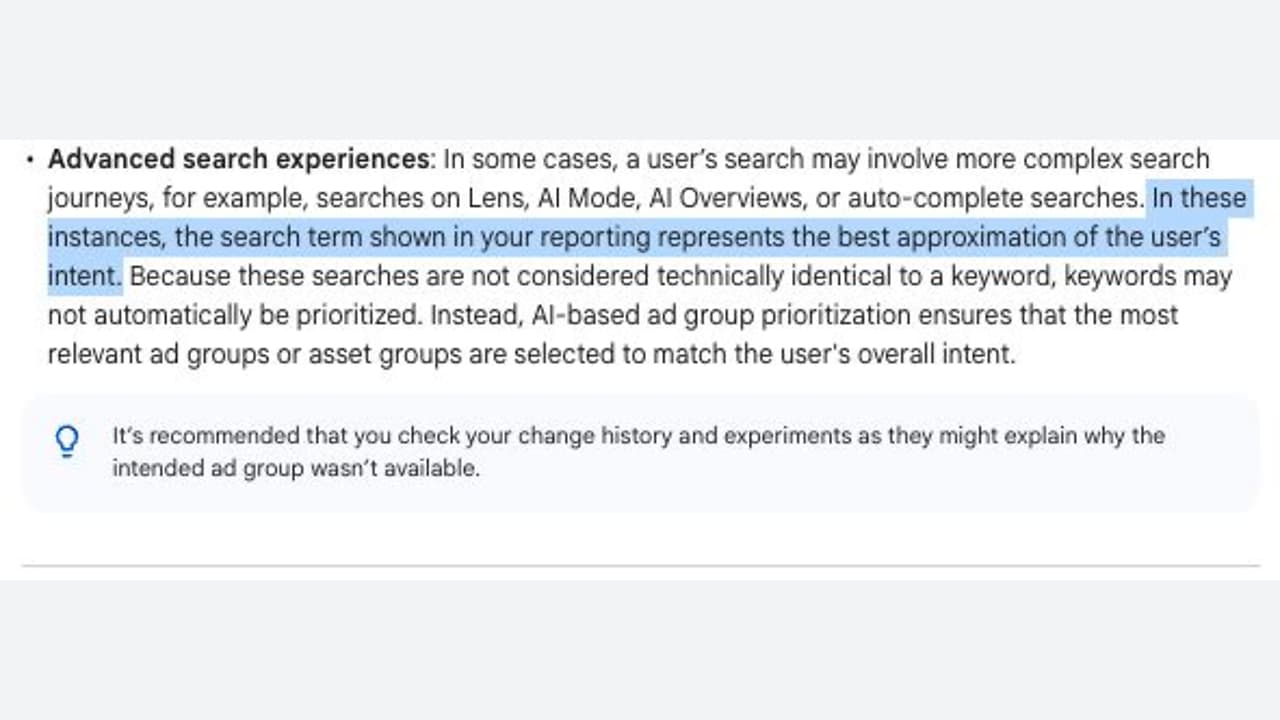
I’ve noticed that Google Search Query Reports are moving towards AI-driven interpretations, reflecting inferred intent rather than exact user searches.
What’s happening. Google has clarified that the search terms in Search Query Reports might not precisely match what users typed. Instead, the system displays the “closest approximation” due to the complexity of modern search behaviors.
What’s behind it. It’s fascinating how heavily AI now influences Google Ads’ matching systems. Rather than depending solely on specific keywords, Google increasingly interprets user intent, context, and behavioral signals to decide which ads to display.
Why we care. For those of us in advertising, Search Query Reports might become less of a mirror reflecting user language and more of a summarized representation of intent. This shift might complicate query analysis, decisions on negative keywords, and strategy around match types.
Discovered by. This update was brought to my attention by Adsquire founder, Anthony Higman, on an official Google help page discussing ad group and asset group prioritization in Google Ads.
The bottom line. Google Ads continues its evolution from keyword matching to AI-driven intent modeling, meaning we might have less insight into the exact searches that activate our ads.
You open Google Ads to investigate a conversion problem, but the change itself lives in Tag Manager. That usually means switching tools, reconstructing the implementation, and finding out who is allowed to publish.
Embedded Tag Manager controls can shorten that path. They don’t make tagging risk-free, however. If you can manage tags from Google Ads, you still need a controlled way to inspect, test, approve, publish, and verify every change.
What the integration changes – and what it does not
The immediate benefit is less navigation. A marketer investigating campaign measurement may be able to reach the relevant Tag Manager controls without leaving Google Ads. That can be especially useful for a small team that doesn’t have a developer available for every routine inspection.
Don’t read the shared interface as a merger of the underlying responsibilities. Your website or app still produces the action and its data. Tag Manager still decides whether a tag should fire and what it should send. Google Ads still receives and uses the resulting signal. Moving the controls closer together doesn’t remove any of those layers.
The functional scope also appears unsettled. It isn’t yet clear whether the complete Tag Manager experience will be embedded or whether Google Ads will expose only selected management actions. Availability may vary while the interface is surfacing. Treat the embedded view as a convenient entry point, not as proof that every preview, permission, versioning, or troubleshooting function is present.
That distinction gives you a simple rule: use the embedded controls when they show enough context to make the change safely. Move to the full Tag Manager interface when you can’t see the trigger logic, variables, testing state, version history, permissions, or rollback path you need.
Run each tag change as a controlled measurement release
The dangerous part of tag management isn’t opening the right interface. It is publishing a plausible-looking change without proving what will happen. A conversion tag that fires twice can inflate results. A trigger that stops matching can interrupt measurement. Either problem can distort campaign decisions and obscure whether performance actually changed.
Use the same release sequence whether you start in Google Ads or Tag Manager:
Define the business action. Write one sentence describing what should count. Name the user action, the point at which it qualifies, and any value or category the implementation must carry. “Track leads” is too vague; distinguish a successful submission from a form view, button click, validation error, or duplicate confirmation-page load.
Map the existing path before editing it. Identify what the site emits, which trigger listens for it, which tag sends it, and which Google Ads destination expects it. Check for another site-installed tag or container that may already send the same action.
Confirm that the available controls are sufficient. The embedded surface is appropriate only if it exposes the objects and context required for your task. If you can’t inspect dependencies or run your normal preview process there, continue in the full Tag Manager interface.
Make one scoped change. Avoid combining a trigger repair, naming cleanup, consent adjustment, and destination change in one release. A narrow change is easier to test and much easier to reverse.
Test qualifying and non-qualifying behavior. Prove that the intended action fires once. Then test a page view without the action, a failed or abandoned action, repeated interaction, and any relevant consent states. Confirm the destination identifiers and variable values, not merely that some tag fired.
Publish with a useful record. Record what changed, why it changed, who approved it, what was tested, and which version can be restored. A label such as “tag fix” won’t help during a later incident.
Verify the receiving side. After publishing, repeat the action in a controlled test and check both the tag behavior and the Google Ads side. Allow for normal processing delay before concluding that a working tag is broken, but don’t use that delay as a reason to skip implementation-level evidence.
Keep screenshots or a short test log for material conversion changes. The useful evidence is specific: the scenario tested, the event or input observed, the trigger result, the tag result, the destination used, and the version published. This makes a future discrepancy diagnosable instead of debatable.
Consent behavior deserves its own test case. Opening Tag Manager from Google Ads doesn’t change what a visitor permitted, what your configuration allows, or what your organization is responsible for. If the correct behavior is unclear, pause the release and involve the person responsible for privacy requirements and consent implementation.
Keep ownership clear when the interfaces converge
The integration reduces tool switching, but it may also blur who owns a measurement change. Access to a Manage control is not the same as authority to publish. Decide that boundary before someone is troubleshooting a live campaign.
A workable division of responsibility looks like this:
The campaign owner defines what the conversion means, confirms the correct Google Ads destination, and checks whether reporting matches the intended business action.
The Tag Manager owner maintains tags, triggers, variables, naming, preview evidence, versions, and publishing discipline.
The site or app owner controls the event and data produced by the user experience. This person fixes missing, unstable, or incorrectly populated data at its origin.
The privacy owner defines the applicable consent requirements; the implementation owner translates those requirements into testable behavior.
One person may fill several of these roles on a small team. The roles still need to be named. Otherwise, the person who can reach the control becomes the person assumed to understand every downstream consequence.
Set three permissions explicitly: who may inspect, who may edit, and who may publish. Inspection can be broad. Publishing should stay with people who can evaluate the implementation, its consent behavior, and its effect on campaign measurement.
Your handoff record can be brief, but it should connect the systems. Include the business event, affected container or version, changed tag and trigger, Google Ads destination, test evidence, publisher, and rollback point. That record prevents Google Ads and Tag Manager from becoming two separate stories about the same conversion.
Diagnose the failing layer before changing anything
When a conversion disappears or looks inflated, start at the user’s action and move downstream. Don’t begin by republishing tags or changing campaign settings. Each speculative change introduces another variable and can erase the evidence you need.
Layer
Question to answer
What a failure usually requires
Site or app
Did the qualifying action produce the expected event and values?
Repair the event, data, or user-flow behavior at its origin.
Tag Manager trigger
Did the intended trigger match, and did non-qualifying actions stay excluded?
Correct trigger conditions or the variables they evaluate.
Tag execution
Did the correct tag fire once with the intended identifiers and values?
Correct tag configuration, duplicates, runtime problems, or consent-dependent behavior.
Google Ads connection
Was the signal sent to the intended Ads destination?
Check the destination configuration and the connection between the systems.
Reporting
Is the received signal being interpreted as the business expects?
Separate an implementation problem from a reporting or attribution interpretation.
This order matters. If the site never emitted the event, changing a Tag Manager trigger won’t create reliable source data. If the trigger and tag worked but the destination was wrong, rewriting the site adds risk without addressing the failure.
Duplicate conversions require the same discipline. Reproduce the action once, then look for multiple matching events, repeated trigger matches, multiple tags targeting the same destination, and parallel installations outside the container. Don’t delete the first duplicate-looking tag you find until you know which implementation is authoritative and what else depends on it.
For a missing conversion, capture evidence at each boundary: the action occurred, the event existed, the trigger matched, the tag executed, and the intended destination received the signal. Stop at the first failed boundary. That is where the next investigation belongs.
After a website release, repeat the same path before blaming Google Ads. Changes to forms, confirmation states, URLs, element selectors, or data structures can invalidate trigger assumptions even when the container itself hasn’t changed. The tag configuration may be unchanged and still no longer match the site.
Key takeaways
Embedded Tag Manager controls shorten the route from a Google Ads measurement problem to the relevant management surface.
The shared interface doesn’t collapse the site, tag, destination, consent, and reporting layers into one system.
Use the full Tag Manager interface whenever the embedded view lacks the context, testing, permissions, versioning, or rollback controls needed for a safe release.
Define inspection, editing, and publishing permissions separately; visible controls should not silently redefine ownership.
Troubleshoot from the user action downstream, stopping at the first boundary where the expected evidence disappears.
If the Manage option is available in your account, start with inspection rather than a live edit. Choose one important conversion, map its complete path, document its current owner, and run the qualifying and non-qualifying tests. That gives you a safe baseline for deciding which future tasks belong in Google Ads and which still need the full Tag Manager workflow.
You are not choosing between manual Google Ads and a black box. You are deciding which decisions the system may make, what evidence it may use, and which mistakes it must never be allowed to make.
If AI Max, journey-aware bidding, or demand-led budgeting is on your roadmap, build that control system before you enable more automation. The safest operating model is simple: let AI handle frequent, reversible decisions, while you keep firm boundaries around landing-page eligibility, business goals, spending, and measurement.
Control has moved upstream of the individual decision
Advertisers often judge control by counting settings: keywords, bids, URL rules, daily budgets, and exclusions. That worked when campaign management centered on direct instructions. AI-driven campaigns change the location of control. You increasingly govern the inputs and boundaries, while the system makes more of the execution decisions inside them.
This is still control, but only when your inputs express the business clearly. A page feed full of loosely classified URLs is not a meaningful boundary. A conversion setup that treats every lead as equally valuable is not a meaningful objective. A flexible budget with no period-level ceiling is not a financial policy.
Before automating a campaign decision, assign it to one of five layers:
Control layer
Question you must answer
Proper division of responsibility
Eligibility
Which pages, products, locations, or offers may receive traffic?
You define the allowed set; automation works only inside it.
Objective
Which measurable action represents progress, and which represents business value?
You define and validate the signals; automation responds to them.
Economics
How much may be spent, over what period, and for what return?
You set the financial limits; automation allocates within them.
Execution
Which eligible opportunity should receive the next unit of spend?
Automation can make the high-frequency decision.
Evidence
What would prove that automation improved the business outcome?
You set the evaluation standard and decide whether to continue.
The distinction matters because execution errors and policy errors have different consequences. A single imperfect bid may be recoverable. A campaign-wide permission to send traffic to the wrong section of a large site can waste money repeatedly. Keep direct controls where an error would be expensive, difficult to detect, or hard to reverse.
Protect landing-page eligibility before activating AI Max
Landing-page control is the most immediate gap for teams moving from Dynamic Search Ads to AI Max. DSA could be arranged around categories, URL paths, and page rules that reflected a site’s architecture. AI Max does not reproduce every one of those targeting methods. In particular, the familiar “page contains” condition is not fully supported.
For a large or structured site, make that translation as a separate migration project:
List the pages that are allowed to receive paid traffic. Do not begin with the whole index and remove bad pages later. Start with a deliberate eligible set. A mistaken exclusion can block useful demand, but an overly broad inclusion can repeatedly spend against irrelevant, unavailable, or low-value pages.
Classify eligible pages with stable custom labels. Labels should describe business meaning such as product family, service line, region, margin group, lead type, or promotional eligibility. Avoid labels that merely repeat temporary campaign names; they become useless when the account structure changes.
Use ad-group inclusions to create local relevance. An ad group should receive only the URL groups appropriate to its intent and offer. If every ad group can reach every eligible page, the page feed is an inventory list rather than a targeting control.
Use campaign exclusions for non-negotiable boundaries. Apply them where a page class must not receive traffic from that campaign. Record the business reason for each exclusion so a future cleanup does not remove a safeguard that looks redundant.
Check the resulting landing pages, not just the configuration. Review where real traffic lands and ask whether the page matches the user’s likely intent, presents the intended offer, and supports the conversion action used by bidding.
Custom labels are the key design choice. A label such as “campaign-7” tells the system where a URL happened to be used. A label such as “enterprise-demo-eligible” states a policy. The second survives campaign reorganizations and gives you a reusable boundary for testing.
Be especially cautious with migrated DSA rules. Unsupported rules may continue functioning as read-only legacy rules that cannot be edited. That makes them dependencies, not durable controls. Document what each one permits or blocks, then recreate the intended outcome with page feeds, labels, inclusions, or exclusions where possible. Do not build a new operating model around a setting you can no longer maintain.
AI Max already applies an inventory-aware safeguard for out-of-stock items, but stock status is only one reason a page may be unsuitable. A page can be technically available while carrying the wrong offer, serving the wrong market, or producing poor downstream value. Keep your own eligibility model for those business distinctions.
Google has also signalled future account-level exclusions based on page content and titles. Treat those as prospective capabilities until they are present and usable in your account. A planned control cannot protect current spend.
Give automated bidding an optimization brief it can actually follow
Automated bidding cannot infer the distinction between a convenient measurement event and a valuable business outcome. If your account reports both as equivalent conversions, the system receives permission to pursue whichever is easier to generate.
That risk becomes more important as Google gives bidding a wider view of the customer journey. Journey-aware Bidding is a beta capability that can incorporate non-biddable conversions as additional journey context. More context can help only when the events are reliable and their roles are clear. An event should not be included merely because it is measurable.
Write a conversion map before changing the bidding system. For each event, record:
What the user actually did.
Whether the event is a progress signal or the business outcome.
Whether it is recorded consistently across campaigns and devices.
Whether duplicates, spam, cancellations, or low-quality leads can inflate it.
Which team owns its definition and can explain a sudden change.
Whether the event’s value reflects the economics you want the campaign to pursue.
Consider a campaign that records an inquiry form immediately but learns lead quality later. The form is useful journey evidence, but it is not automatically equivalent to a qualified opportunity or sale. If the system sees only form volume, it can improve the reported metric while sending the sales team more poor-fit leads. The automation is following the brief it received; the brief is the problem.
Use three tests for every signal you expose to bidding:
Interpretability: Can you describe the event in one sentence without vague terms such as “engagement” or “intent”?
Stability: Would a tracking, form, or CRM change alter the event count without changing actual demand?
Economic direction: If the system produced more of this event, would that usually move the business toward revenue, margin, retention, or another declared outcome?
If an event fails one of those tests, repair or separate it before asking AI to use it. Adding an unreliable signal does not create a fuller customer journey. It creates a larger measurement surface for the bidding system to exploit unintentionally.
Apply the same discipline to expansion features. Google reported that Smart Bidding Exploration produced 27% more unique converting users and has said the capability is expanding beyond Search into Performance Max and Shopping. Treat that figure as a vendor-reported result, not a profitability guarantee for your account. Unique converting users, conversion quality, revenue, and profit answer different questions.
Your test should therefore have two scorecards. The platform scorecard can include conversion volume and unique converters. The business scorecard should use the downstream outcome that justifies the spend. Expansion earns a larger rollout only when both move in an acceptable direction.
Automate budget pacing without outsourcing financial policy
Demand-led budgeting changes when money is spent, not why the money is available. It can increase spend when the system detects stronger opportunity and conserve it when demand is weaker. Total budgets can also shift management away from repeated daily changes toward a defined spending period.
That can remove genuine operational work. Advertisers using total budgets saw a Google-reported 66% reduction in manual budget adjustments. But fewer adjustments measure workload, not commercial success. A campaign can require less maintenance and still spend against low-quality conversions or an unsuitable product mix.
Before enabling demand-responsive pacing, write down four constraints outside the campaign interface:
The hard period ceiling: the maximum amount the campaign is authorized to spend over the relevant period.
The unit-economics condition: the business result that must remain acceptable as spend increases.
The capacity condition: the inventory, fulfillment, sales, or service limit beyond which additional demand loses value.
The intervention condition: the specific measurement or business change that requires a human review, pause, or budget reduction.
This matters because the system can respond to demand visible in the advertising environment, but it does not automatically know every private constraint in your business. If cash timing, fulfillment capacity, or lead-handling capacity cannot tolerate a high-spend day, flexible pacing creates financial exposure unless you constrain the period and monitor the limiting resource.
Do not pool campaigns under one flexible budget merely because they share a channel. Keep materially different economics separate. A campaign optimized for immediate purchases and one optimized for leads with delayed qualification should not inherit the same scaling decision unless you can compare their downstream value on a consistent basis.
Budget automation should be the last layer you expand, not the first. First confirm that eligible traffic reaches appropriate pages. Then confirm that bidding responds to trustworthy outcomes. Only then give the system more freedom to alter spend timing. Otherwise, faster pacing amplifies an unresolved targeting or measurement problem.
Roll out one delegated decision at a time
Turning on new landing-page selection, bidding exploration, journey signals, and budget pacing together may produce a different result, but it will not tell you which change caused it. A controlled rollout preserves your ability to diagnose and reverse.
Name the delegated decision. State whether the test concerns page selection, opportunity exploration, bid response, or budget pacing. Do not use “more AI” as the test definition.
Define forbidden outcomes. Examples include traffic to an ineligible site section, spend beyond the authorized period total, or growth in leads without acceptable downstream quality.
Prepare the input layer. Finish the URL classification, conversion audit, or financial constraints needed for that decision.
Capture a comparable baseline. Use the same campaign scope and the same business definitions you will apply after the change.
Change one control layer. Hold the others stable enough to make the result interpretable.
Review platform and business outcomes separately. More conversions may be a useful platform result, but it does not settle whether the change produced better customers or better economics.
Apply a prewritten rollback rule. Decide what failure means before spend is affected. If you wait until after the result, pressure to defend the test can move the standard.
Scale only after the boundary holds. A good average result is not enough if the campaign repeatedly violates landing-page, quality, or spending constraints.
The review cadence should match the business process, not the speed of the interface. A lead-generation campaign cannot be judged responsibly before the quality signal exists. An ecommerce campaign should not be scaled from order volume alone if cancellations or product mix materially change its value. Wait for the outcome needed to answer the commercial question, while keeping hard spend limits in place.
Key takeaways
Keep firm human control over eligibility, objectives, economic limits, and the evidence required to continue.
Translate DSA URL logic into page feeds, meaningful custom labels, ad-group inclusions, and campaign exclusions before relying on AI Max.
Treat unsupported read-only DSA rules as temporary legacy dependencies, even when they still function.
Use journey signals only when you can explain their relationship to the business outcome and trust their measurement.
Do not treat a vendor-reported increase in conversions or reduction in manual work as proof of profitable growth.
Expand budget automation only after landing-page selection and conversion quality are under control.
Delegate one decision at a time and define rollback conditions before the test begins.
Google Ads is moving the advertiser’s job from repeated intervention toward system design. Your next move is to choose one campaign and write a one-page policy covering eligible landing pages, optimization signals, spending authority, and rollback conditions. If the available controls cannot enforce that policy, do not automate that decision yet.