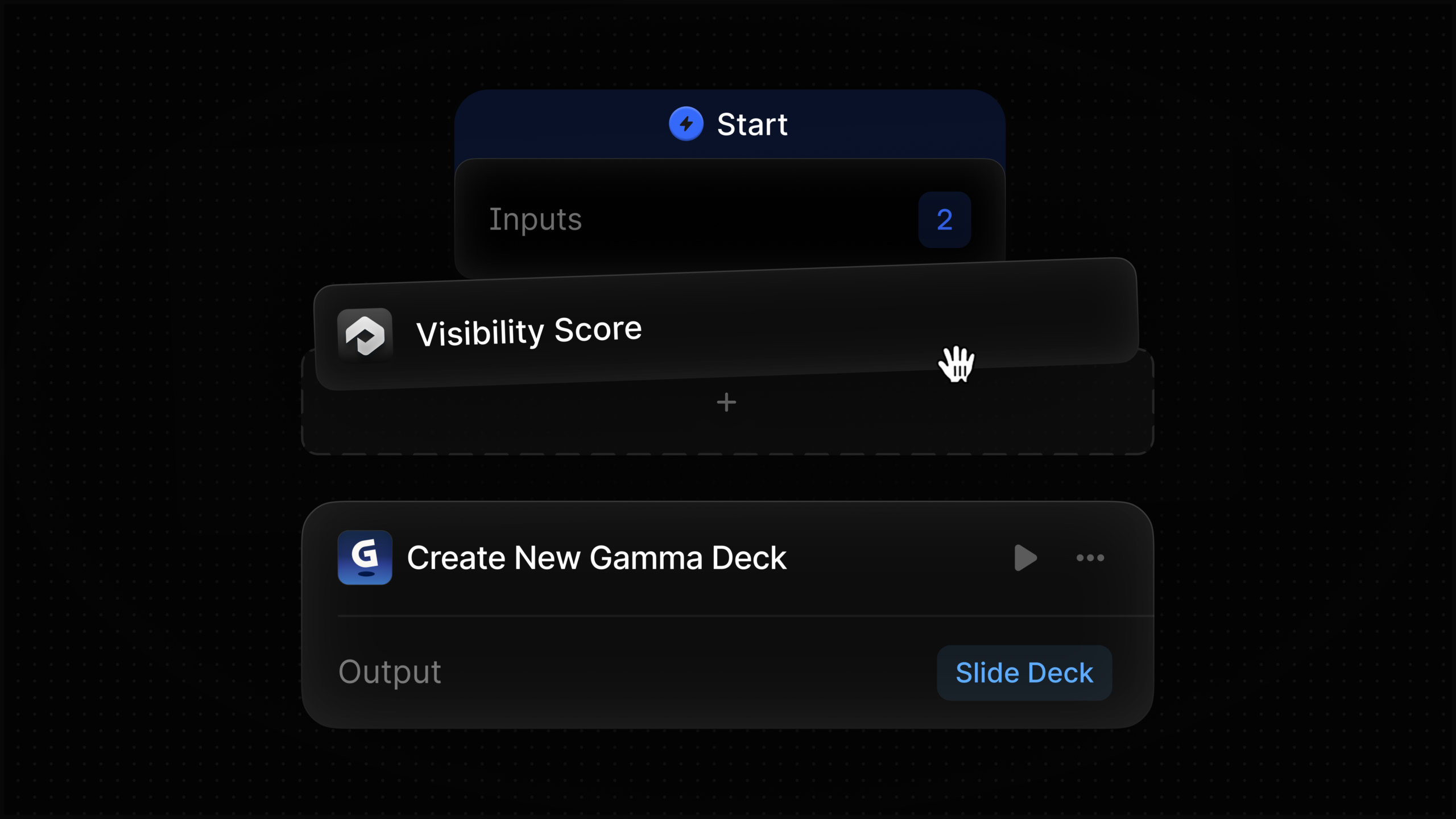
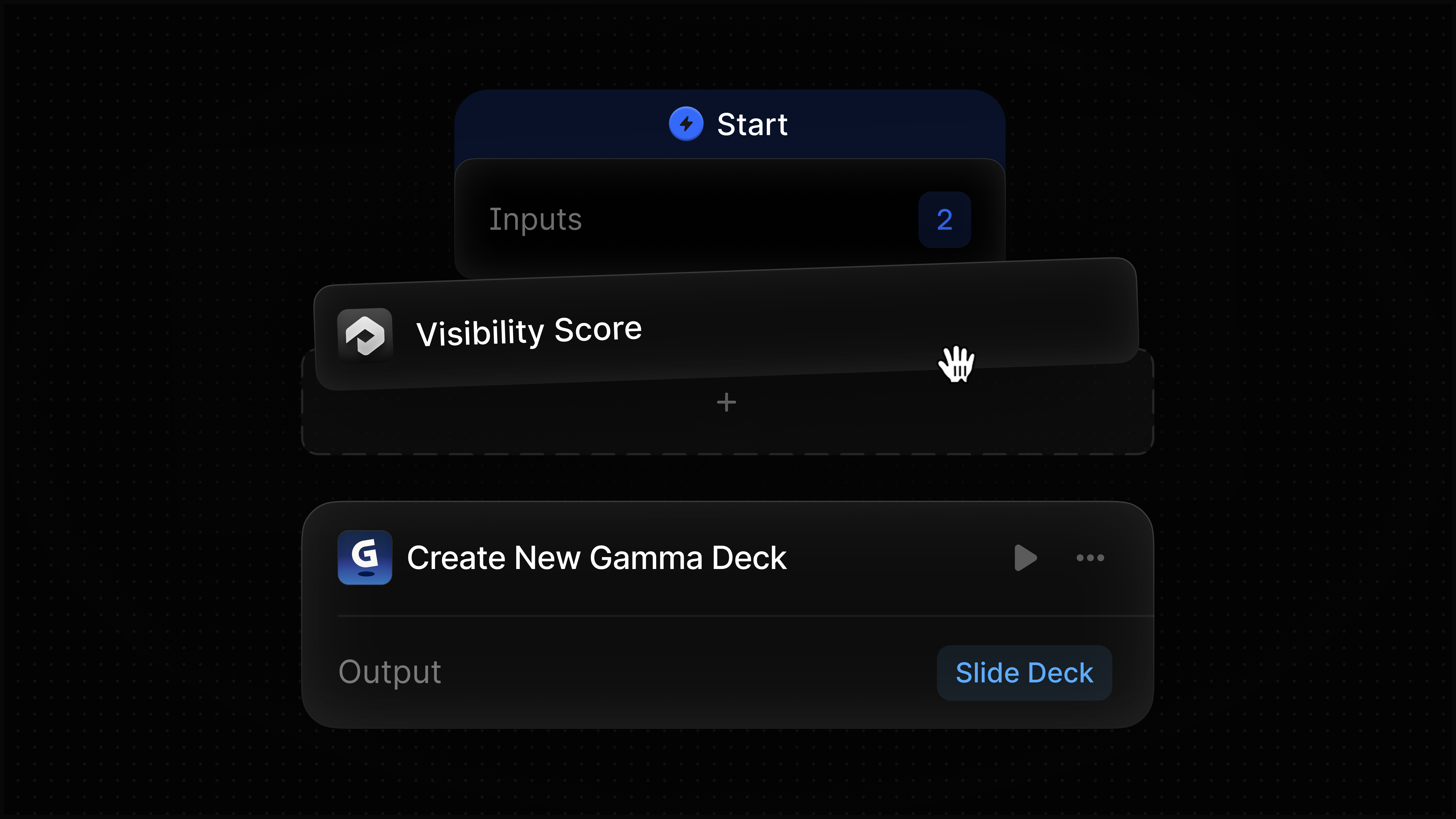
I’m thrilled to share that Profound Agents can now seamlessly create presentations, documents, and webpages within Gamma as part of my automated workflows. No more hassle of exporting data and rebuilding it elsewhere. My Agent takes the outputs from upstream nodes and crafts them into ready-to-share assets in Gamma, streamlining the entire process.
Your organic clicks increased. Before you call that an SEO win, find out who was searching. If the increase came almost entirely from queries containing your brand, organic search may be capturing demand created by advertising, public relations, product activity, or existing customer awareness. If non-branded queries grew instead, you may be reaching people who were searching for a problem or category rather than for you.
Contextual SEO keeps those situations separate. The goal is not to find one universal definition of good performance. It is to identify what changed, for which queries and pages, under which conditions, and what you should do next.
Key takeaways
Branded and non-branded search measure different relationships with demand. Do not judge them against the same CTR, position, or growth expectations.
Google Search Console’s branded-query filter gives you a native starting point, but its AI-generated classifications still need a human quality check.
A branded query is a query classification, not proof that the searcher is a returning customer or that SEO created the demand.
Report raw clicks and impressions alongside branded-share calculations. A changing percentage can hide which side of the ratio actually moved.
Segment by search type, page role, intent, market, and relevant business events before assigning a cause.
Use branded search to measure demand capture and non-branded search to measure discovery, then connect both to conversion data outside Search Console.
Context decides what an SEO number means
A click has no strategic meaning by itself. A branded click to a login page, a non-branded click to a comparison page, and an image-search click to a product page all appear in organic performance data, but they represent different needs and different opportunities.
This is why a responsible SEO answer so often begins with "it depends". Dependence is not an excuse to avoid a recommendation. It tells you which conditions must be defined before the recommendation becomes useful.
For branded search measurement, define these layers before interpreting a trend:
Business question: Are you evaluating brand demand, organic demand capture, category discovery, reputation, support demand, or revenue?
Query relationship: Does the query explicitly identify your company, a variation or misspelling of its name, or a distinctive product or service?
Search intent: Is the person navigating to a known destination, researching an offering, comparing alternatives, looking for help, or trying to complete a transaction?
Landing-page role: Is the result a homepage, product page, location page, editorial resource, support page, account page, or another type of destination?
Measurement scope: Which Search Console property, search type, country, device group, and comparison period are you using?
External context: Did a campaign, launch, news event, pricing change, public-relations effort, seasonal shift, site migration, or technical release overlap with the movement?
Without those boundaries, a sitewide average can combine unrelated behavior. Branded queries commonly carry stronger navigational intent than broad category queries, so comparing their CTRs directly does not reveal which segment is better optimized. Each segment should be compared with its own history and with similar query-page cohorts.
Average position needs the same care. It is an average across the queries included in the view. A change can reflect different queries entering the mix, not just an existing set of pages moving up or down. Use it to locate a question, then inspect the contributing queries and pages before making a decision.
Build a branded and non-branded baseline in Search Console
Google Search Console provides a native branded-queries filter in the Search results Performance report. It separates queries into branded and non-branded groups and applies the selected group to impressions, clicks, CTR, and average position. The filter works with Web, Image, Video, and News search types.
Use it to create a reproducible baseline rather than taking a single screenshot:
Choose one Search Console property. Record whether it is a domain property or a narrower URL-prefix property so the reporting scope is clear.
Select one search type. Do not combine Web, Image, Video, and News into one interpretation because each surface can respond to different content and user behavior.
Set a comparison period that covers the business event you are evaluating. Use the same dates, property, and filters for the total, branded, and non-branded views.
Export clicks, impressions, CTR, and average position for the total view. Repeat the export with Branded selected and then with Non-branded selected.
Break each segment down by the dimensions that matter to the question. Page groups, intent groups, country, and device are usually more useful than one sitewide total.
Save the filter scope, export date, classification notes, and known business events with the report. That record prevents a later analyst from comparing two differently defined datasets.
The four Search Console metrics answer different questions. Impressions indicate how often the included results were shown. Clicks show how much traffic those appearances produced. CTR describes clicks relative to impressions. Average position provides a directional view of visibility across the selected query set. None of them establishes why demand existed or whether the visit produced a business result.
Google uses an AI-driven system to classify branded queries. It can recognize brand variations, misspellings, multiple languages, and distinctive products or services associated with a brand. Contextual classification also creates the possibility of mistakes, especially where a term is ambiguous.
Audit the classification before presenting it as a clean split. Review the highest-impression and highest-click queries in both groups. Mark apparent false positives, false negatives, and terms whose meaning is genuinely ambiguous. You cannot rewrite Google’s classifier, but you can maintain an external exception list and disclose material ambiguity in your report. If questionable terms meaningfully affect the conclusion, create a separate ambiguous group in your exported analysis rather than forcing certainty.
The option is limited to eligible sites, and query or impression volume can affect eligibility. If the filter is unavailable, use a documented query list or regular-expression rule as a temporary substitute. Include the company name, known variations, misspellings, and distinctive product or service names. Version the rule whenever you change it so historical comparisons do not silently change definition.
The branded filter changes reporting, not rankings. Turning it on does not alter how a query or page performs in search.
Read brand demand, demand capture, and discovery separately
A branded query is a query-level signal. It does not identify the searcher as a loyal customer, prove that the person has visited before, or show which channel created the awareness. Someone can encounter a company elsewhere and then search its name for the first time. An existing customer can also use a generic query. Treat branded versus non-branded as a useful proxy for the wording and likely relationship of the query, not as an audience identity system.
With that limitation understood, the split gives you three useful views:
Observed brand demand: branded impressions show the search activity Google classified as explicitly connected to your brand. Call it observed demand because Search Console is not a complete brand-awareness survey.
Organic demand capture: branded clicks and branded CTR show how effectively your organic results captured those branded search opportunities.
Organic discovery: non-branded impressions and clicks show where you appeared and earned traffic without the query being classified as brand-led.
You can also calculate branded click share by dividing branded clicks by the combined branded and non-branded clicks in the same filtered scope. Use that percentage as a dependency indicator: it tells you how much reported organic traffic came through branded queries. It is not market share, brand awareness, or an SEO score.
Always place the share next to its raw numerator and denominator. Branded click share can fall because branded clicks declined, because non-branded clicks grew, or because both changed at different rates. Those scenarios lead to very different decisions.
Observed movement
Plausible reading
What to inspect next
Branded impressions rise while branded CTR is stable
More searches are being classified as brand-related, while organic capture remains proportionally similar.
Check which branded terms grew and compare the timing with campaigns, launches, publicity, seasonality, and other demand-generating activity.
Branded impressions are stable while branded clicks or CTR fall
Existing brand demand may be captured less effectively, although a changed query mix or search-results environment could also be involved.
Inspect the affected queries, ranking URLs, average position, result titles, page availability, indexation, and any migration or template changes.
Non-branded impressions rise while clicks lag
The site may be appearing for more queries without yet earning proportionate traffic. Weaker positions, poor intent alignment, or an expanded query mix are possible explanations.
Group the new visibility by query intent and landing page. Examine query-page fit, average position, and how accurately the result communicates the page’s value.
Non-branded clicks rise while branded activity is flat
Organic discovery improved, but the data does not yet show an accompanying increase in observed brand-query demand.
Identify the pages and topics driving discovery, then use analytics or customer data to evaluate engagement, conversion, and later brand interaction.
Branded activity rises while non-branded activity falls
Stronger observed brand demand may be masking weaker category discovery in the sitewide total.
Report the two movements separately. Diagnose non-branded losses by page group, intent, market, device, and search type before celebrating aggregate growth.
Both branded and non-branded clicks rise
Demand capture and discovery may both be improving, but common causes such as seasonality or broader market demand remain possible.
Find the query and page cohorts responsible for each increase, then compare them with known marketing activity and conversion outcomes.
These are diagnostic hypotheses, not automatic verdicts. Search Console shows patterns of visibility and traffic. It cannot by itself tell you that public relations caused branded demand, that a content change caused non-branded growth, or that an SEO campaign created awareness. The next check is part of the analysis, not an optional footnote.
Turn the split into a decision-ready SEO report
A useful report does more than label two lines on a chart. It connects a tightly defined observation to a decision. For every material change, write the analysis in this order:
Question: State what the analysis is meant to decide. For example, are you assessing non-branded discovery, branded-result capture, or the effect of a product launch?
Boundary: Record the property, dates, search type, market, device scope, query class, and page group.
Observation: Describe which raw metric moved and where. Avoid causal language at this stage.
Context: List overlapping SEO releases, technical incidents, campaigns, launches, publicity, pricing changes, seasonal conditions, and other events that could matter.
Interpretation: Offer the narrowest explanation supported by the segmented data. Preserve alternatives when more than one explanation fits.
Validation: Name the query, page, technical, analytics, campaign, or customer evidence that would support or weaken the interpretation.
Decision: Assign the next action, its owner, and the signal that will determine whether the action worked.
Suppose non-branded clicks increase on comparison pages while branded clicks remain flat. The defensible conclusion is that organic discovery improved within that page cohort. It is not yet evidence that brand awareness increased. Your next step is to inspect the gaining queries, confirm that the pages serve the intended comparison need, and evaluate downstream engagement or conversion in your analytics and customer systems.
The action should follow the diagnosed segment:
If branded impressions are healthy but capture weakens, verify that the correct official pages are indexed, available, and ranking for the relevant brand needs. Check whether titles and page purpose make the destination obvious.
If non-branded impressions grow without clicks, prioritize query-page alignment. Separate newly visible queries by intent before rewriting titles or content across the entire site.
If non-branded visibility declines in one page group, inspect that cohort for ranking, indexation, internal-linking, content-fit, and competitive changes. Do not redesign unrelated sections based on an aggregate loss.
If branded search rises after non-SEO activity, give the demand-generating channel appropriate context and evaluate SEO’s role as demand capture. Do not assign creation of the demand to SEO without additional evidence.
If the classification audit exposes material ambiguity, correct the exported reporting layer, disclose the rule, and keep the same definition in future comparisons.
On your next reporting cycle, export the branded and non-branded views before discussing total organic growth. Pick the segment that changed, inspect its query-page cohort, write one falsifiable explanation, and attach one action to it. That small discipline turns "it depends" from a vague qualification into a measurement method your team can use.
You check the AI answers for your priority queries. Your brand appears in one tool, disappears in another, and a colleague sees a different mix of links. That doesn’t automatically mean one test is wrong. It means “AI visibility” is too broad to be useful unless you preserve the conditions that produced each answer.
If you are deciding where to invest, don’t chase a universal top source or compress every result into one score. Measure visibility by platform, intent, category, user context and data access. That will show you whether you have a content problem, a channel problem, an access problem or simply a misleading average.
Key takeaways
An AI citation is a conditional observation, not a permanent rank. Record the platform, prompt, account state, market and date that produced it.
Keep platforms and categories separate until you have examined their differences. A blended citation share can hide the exact gap you need to fix.
Measure mentions, linked citations and recurring personalized exposure separately. They represent different user outcomes.
Match the intervention to the source pathway. Owned pages, individual community discussions, publisher profiles and crawler access each solve different problems.
Treat data access as a strategic decision involving visibility, control and content rights. It is not a technical switch that the SEO team should change in isolation.
A citation is an observation, not a permanent rank
A conventional ranking report usually starts with a query and a position. That model is incomplete for AI search. An answer can vary with the platform, the product surface, the user’s intent, the category, the information available to the system and the context attached to the user. The cited page is therefore an outcome of a particular test condition, not a universal position your page owns.
Start by separating four outcomes that teams often collapse into “visibility”:
Mention: the answer names your brand, product or expert but may not provide a link.
Citation: the answer links to a page or presents it as supporting material. Record whether that page is owned by you, owned by a third party or part of a community.
Recurring exposure: a user follows a publisher, receives a newsletter or keeps a personalized tile that can surface the brand again.
Source eligibility: the system can access and use the relevant material. A strong page cannot earn a citation through a pathway that cannot retrieve it.
The distinctions matter because citation behavior is highly conditional. Across high-commercial-intent prompts in nine verticals, citation patterns varied by platform, industry and intent during four months ending in January 2026. That is enough to reject the idea that one domain is the best citation target for every brand.
Reddit shows how quickly a headline can become a bad strategy. Its citations grew 73% in the tracked set from October 2025 to January 2026. Yet its January citation share was above 5% on ChatGPT and as low as 0.1% on Google Gemini. The category split was also substantial: Reddit accounted for 10% of citations in apparel and 2% in transportation. Growth, platform share and category share are different measurements. None of them, on its own, tells you to make Reddit the center of your plan.
The type of page matters too. ChatGPT’s Reddit citations in that period pointed to individual discussion threads rather than generic subreddit pages or branded community content. If those threads appear in your own category tests, the opportunity is useful participation in the exact conversations people and AI systems find valuable. Merely creating a branded Reddit presence does not reproduce that value.
Keep the scope attached to the figures: high-commercial-intent prompts, nine verticals, four months and an end date of January 2026. Use the numbers as evidence that averages can mislead, not as a benchmark your industry must match.
Personalization changes the unit of optimization
Personalization doesn’t just reorder a set of public links. It can change the surface on which discovery happens and place public information beside private account data, live feeds and followed interests.
Yahoo’s MyScout illustrates the shift. In its U.S. beta, logged-in users can build a personalized homepage from tiles connected to Yahoo Mail, News, Sports, Finance and Games, as well as topics or queries they choose. Users can add, remove and reorder tiles. Some information, such as stock prices, can update in real time; email, sports and breaking-news tiles can refresh during the day. Yahoo says the experience will become more personalized as it learns from activity.
That creates several data lanes in one interface. A public publisher page can compete for attention beside an inbox preview, a watchlist, a favorite team’s score or a followed topic. You cannot optimize a public article into becoming someone’s private email or finance data. You can, however, make the public part of the journey clear, attributable and worth following.
Yahoo’s publisher features make that distinction concrete. Brand pages can collect a publisher’s articles, videos and social feeds, while a follow function can turn an initial discovery into a subscription and curated email exposure. A query citation and a publisher follow are both valuable, but they are not the same result and should not share one KPI.
Use separate scorecards:
Discovery: Did the brand appear for the target prompt? Was it linked? Which page and domain received the citation?
Retention: Could the user follow the publisher, subscribe or add the topic to a persistent personalized surface?
Private utility: Did the surface answer the user through account-specific information? Track this as product context, not as an organic citation win.
Your testing also needs explicit account states. Label whether a result came from a logged-out session, a dedicated test account or an established account with follows, watchlists or activity. Record the exact account used. Calling a result “personalized” without documenting the relevant context makes it impossible to interpret or reproduce.
Build a measurement matrix that preserves context
The smallest meaningful unit in an AI visibility audit is a test cell: platform and product surface x exact prompt and intent x category x account context x source-access state. You can summarize cells later, but collect the raw conditions first.
Use a minimum viable citation log
Field
What to capture
Why it matters
Test condition
Platform, product surface, app or web, market, account and login state
Prevents unlike environments from being treated as the same result
Prompt
Exact wording, intent, category and journey stage
Shows whether citation behavior changes with the decision the user is making
Response
Brand mention, link presence, cited URLs, domains and page types
Separates brand awareness from actual citation capture
Source relationship
Owned site, publisher profile, community thread, third-party editorial page or competitor
Points to the channel and owner capable of making a change
Access state
Known crawler policy, restriction or platform relationship affecting the source
Identifies cases where availability, rather than page quality, may be the bottleneck
Timing
Date, time and any visible product or model label
Preserves context when feeds refresh or platform behavior changes
User action
Click, compare, follow, subscribe or another next step offered by the answer
Connects visibility to what the user could actually do
Run the audit in a fixed sequence
Define the decision set. Start with the real questions people ask while comparing, choosing or validating an option in one commercially important category. Assign one intent label to each prompt before collecting answers.
Choose the relevant surfaces. Include the AI products your audience actually uses. Do not add a platform merely because it is prominent in somebody else’s citation report.
Document account context. Use named test states and keep each account consistent. If follows, activity or watchlists are part of the test, record them before the run.
Save the complete response. Preserve the wording, every citation URL and enough page evidence to classify the cited source. A domain-only tally hides whether the system chose a product page, an editorial explanation or an individual discussion.
Calculate metrics inside comparable cells. Measure brand mention rate, linked citation rate and source share separately for each platform, intent and category. If you repeat prompts, use the same conditions and count every run, including runs with no citation.
Compare cells before combining them. Look for platform, intent and account-state differences. Only create a blended view after the underlying segments are visible, and retain those segment labels in every report.
Retest after a defined change. Keep the prompt set and collection conditions stable enough to see whether the intended cell moved. A before-and-after difference is a signal to investigate, not automatic proof that your intervention caused it.
Be precise about denominators. Citation growth is a change in count over time. Citation share is a source’s portion of all captured citations. Brand citation rate is the portion of eligible test runs that link to your brand or its owned pages, depending on the definition you set. Reporting one as if it were another is how an impressive number becomes an unhelpful decision.
Do not hide missing citations either. A no-citation answer, a citation to a third party that mentions you and a citation to your own page represent different source pathways. Each should have its own value in the log rather than being collapsed into a generic success column.
Turn each visibility gap into the right channel decision
Once the matrix is segmented, the pattern usually tells you where to investigate. The useful question is not “How do we rank in AI?” It is “Why does this source win for this decision on this surface under these conditions?”
When competitors’ owned pages receive the citations
Compare the cited page with yours at the decision level. Identify the question it resolves, the claims it supports, the details it makes explicit and the next action it enables. Build the missing value into the most relevant page on your site rather than publishing a generic AI-search article or copying the competitor’s structure.
Keep important facts in accessible page content. Use appropriate JSON-LD to identify the entity and content type and to connect information already visible on the page. Schema can reduce ambiguity for machines, but it is not a citation switch and should not be reported as one.
When individual community discussions receive the citations
Work at the thread level. Find the recurring questions in the cited discussions, answer them with category knowledge and disclose your relationship to the brand. The documented Reddit pattern favored unique discussions, so a generic corporate profile or empty branded community is not an equivalent intervention.
Track community citations separately from owned citations. A useful third-party discussion can increase brand representation without giving you control of the page, its future edits or its availability. That is a different asset and a different risk profile.
When a personalized surface offers a follow path
Make the publisher identity coherent across the material collected by that surface. Treat the brand page, follow action and newsletter as a retention path after discovery. Measure whether users can reach and follow the publisher; do not count the existence of the feature as a citation.
Amazon demonstrates the competitive consequence. Its more aggressive blocking of AI crawlers coincided with lower Amazon citation visibility on ChatGPT and more room for Walmart in the tracked results. That does not prove that every publisher should open every crawler. Amazon’s choice also reflects a preference for controlling direct customer interactions.
Before changing access, document which crawler or pathway is affected, which content is in scope, which AI surfaces matter to the business and what control or content-rights concerns prompted the restriction. Bring the content owner, technical team and appropriate legal or commercial stakeholders into the decision. A blanket unblock made only to chase citations can create a larger governance problem; a blanket block can surrender visibility to an accessible competitor.
Platform-specific source preferences can create another kind of gap. Even Google’s AI surfaces showed different citation mixes for social sources such as Reddit, Medium, YouTube and LinkedIn. If one format performs on one surface, verify the pattern elsewhere before expanding the entire channel program.
Use the next test to isolate one decision. Select one high-value category, preserve its exact prompts and account states, and map every citation to its source pathway. Then make the narrowest change that addresses the observed gap. Your first useful deliverable is not a universal visibility score. It is a map showing which source wins under which condition, who can influence it and what you will test next.
You may have handed Google more control than your operating process can currently supervise. Performance Max can place catalog images on television screens, Merchant Center data can shape what is eligible to advertise, and automated recommendations can alter campaign behavior faster than a monthly report will reveal.
The answer isn’t to reject automation. It is to build a control system around it: define the business outcome, verify the inputs, expose where the budget goes, assign owners to platform alerts, and reserve consequential decisions for a person. Here is the operating model we would put in place.
Key takeaways
Manage Google Ads automation as a system of inputs, decisions, evidence, and interventions. Campaign settings alone no longer describe everything the platform may do.
Validate conversion definitions before changing bids or budgets. An automated campaign can optimize efficiently toward a badly defined outcome.
Inspect Performance Max by channel. If connected TV inventory is present, review the images, video, product feed, and QR-code journey as television advertising.
Turn Merchant Center diagnostics into an owned work queue. A centralized dashboard helps only when every alert has a severity, deadline, and accountable person.
Use AI to summarize, draft, classify, and generate hypotheses. Require human approval for budget, bidding, measurement, targeting, and feed-wide changes.
Keep a decision log. When platform visibility is limited, your own record of what changed, why it changed, and what would trigger a rollback becomes essential evidence.
Build a control plane above the campaign interface
An automated campaign is not a set-and-forget campaign. It is a feedback loop. You supply goals, conversion signals, budgets, product data, creative assets, audience information, and landing pages. Google makes allocation and delivery decisions from those inputs. Performance data comes back, but not always at the level of detail you would prefer.
Your job is therefore broader than adjusting settings. You need to govern the loop. Start by documenting four things for every automated decision surface:
If you market a hotel, restaurant, tour, or attraction, a weak Tripadvisor listing can shape the decision before a traveler reaches your website. The platform can occupy valuable search-result space for your business name, appear during category discovery, and expose reviews, photos, and business details while the customer is deciding where to book.
Your goal is not to make Tripadvisor the center of your local SEO strategy. It is to manage the listing as one coordinated part of your search presence: accurate business facts, a clearly described experience, fresh evidence, useful customer language, and a credible path from discovery to action.
Tripadvisor influences discovery before it influences rankings
Tripadvisor performs three jobs at once. It is a search result, a comparison marketplace, and a reputation page. That combination matters because travelers visiting it are often beyond general inspiration and actively comparing places, experiences, or meals.
The scale is difficult to dismiss: Tripadvisor receives about 490 million monthly visits. Its large, programmatically structured collection of indexable destination, category, and business pages also gives it substantial visibility in conventional search results. In some tourism and hospitality searches, a Tripadvisor listing can even appear above the business’s own website.
That does not mean optimizing Tripadvisor will directly raise your website or Google Business Profile rankings. There is no defensible reason to report it as a guaranteed ranking shortcut. Its local SEO contribution is broader and more practical:
Search-result coverage: A complete listing gives searchers a credible third-party result when they look for your brand, location, or business type.
Internal discovery: Categories, tags, reviews, and profile content help Tripadvisor understand where the business belongs within its own marketplace.
Entity consistency: Matching identity information across Tripadvisor, your website, and Google Business Profile reduces ambiguity about which business each page represents.
Decision support: Current photos, detailed reviews, and clear descriptions answer questions that might otherwise stop a booking.
Qualified referral traffic: Visitors who reach your website after comparing options on Tripadvisor may arrive with stronger intent than someone conducting broad destination research.
Tripadvisor can also contribute to AI discovery, but the mechanism should be described carefully. Detailed profile text and factual owner responses create more explicit language about your amenities, audience, setting, and experiences. That gives AI-driven search systems more context to interpret; it does not guarantee that an AI answer will mention or recommend you. For AEO and GEO, prioritize clear passages and verifiable details, not inserted keyword strings.
Fix identity, duplicates, categories, and tags before polishing copy
A beautifully written description cannot repair a fragmented business identity. Begin with the fields that determine which entity the listing represents and where it can be discovered.
Look for duplicate and outdated listings. Search Tripadvisor and conventional search results using the exact business name, previous names, address, and common variations. Do this before creating anything new. A duplicate can divide attention, reviews, photos, and brand signals between competing pages.
Align the core facts. Check the operating name, address, website, primary business type, and other defining details against your website and Google Business Profile. Consistency means the facts agree; it does not mean every platform needs an identical marketing description.
Select accurate categories and tags. Represent the full set of experiences the business genuinely provides. Tripadvisor uses these classifications for internal discovery and curated collections, so an omitted attribute can prevent an otherwise suitable business from appearing in a relevant list.
Complete the decision-making fields. Describe the experience, amenities, menu, and other material offerings that a prospective guest needs to understand. Remove details that are no longer true.
Review the public page as a customer. Confirm that the lead image, summary information, categories, and recent customer feedback create one coherent expectation. Owner dashboards can hide how disconnected a listing feels when its public elements are viewed together.
Do not add categories merely because they attract desirable searches. If the listing claims a romantic dining experience, family-oriented amenity, or particular type of cuisine, the photos, menu, description, and customer feedback should support that claim. A misleading classification may win an impression but lose the booking when the visitor inspects the page.
Use this priority order when resources are limited: correct identity, remove duplication, choose the right categories, update the offer, refresh the visual evidence, and then refine promotional wording. The early steps determine whether the right listing can be found; the later steps help it convert.
Reviews and images should explain the experience, not decorate it
Write owner responses that add useful context
A review response is not only reputation management. It is public content attached to a specific customer experience. A thoughtful reply can turn a vague mention into a clearer explanation of what the business offers.
If a guest says only that the pool was enjoyable, for example, a useful response can acknowledge the comment and mention a relevant family feature or activity, provided that feature genuinely exists. This creates additional semantic context around the property’s amenities. The response should still sound like a reply to a person, not a paragraph built to carry search terms.
A reliable response structure is:
Acknowledge the specific experience. Refer to what the customer actually mentioned instead of opening with a generic template.
Add one relevant clarification. Explain a feature, setting, audience, or use case that helps the next reader understand the experience. Only add details you can substantiate.
Close naturally. Keep the response proportionate to the review. Repeating the business name, location, and service keywords adds clutter rather than value.
You can also encourage more informative reviews without scripting praise. After the visit, invite the customer to describe which experience they booked, what stood out, who the experience suited, or what they would tell another traveler. That produces more decision-useful language than asking only for a star rating.
Review velocity matters as an operational signal, but do not confuse velocity with sudden volume. The sustainable objective is a continuing stream of feedback from real customers, followed by regular owner attention. A burst of requests followed by months of silence leaves the listing looking less current and gives you fewer recent customer questions to learn from.
Use current images as evidence of what someone can book
Travel and hospitality decisions are visual. The strongest images quickly show what the guest will receive: the room, dish, view, activity, atmosphere, or defining feature. Replace photos that show an old menu, previous decor, unavailable amenities, or an experience that no longer represents the business.
You do not need to guess which creative deserves the lead position. If you already publish comparable photos on Instagram, use the engagement data as a directional signal for which subjects and compositions attract attention, then confirm that the selected image accurately represents the bookable experience. Popularity is useful only after accuracy.
Captions should describe the image in natural language. A practical formula is: what is shown, where or how it is experienced, and who or when it may be relevant. For example, a dish caption can identify the meal, the terrace or dining setting, and the season in which it is offered. Include audience claims such as “popular with solo travelers” only when you have a real basis for them. A string of location and service keywords does not help a traveler understand the image.
Manage Tripadvisor as a measurable local search channel
Profile optimization becomes difficult to defend when the only metric is average rating. Rating matters to customers, but it does not tell you whether the listing is accurate, discoverable, engaging, or sending qualified demand.
Track the channel in layers:
Presence: Record whether the correct Tripadvisor page appears for your business name and relevant local discovery searches. Note duplicate or outdated results separately.
Profile health: Monitor completeness, category accuracy, current menu or experience information, image freshness, and unanswered-review backlog.
Activity: Watch review velocity, owner response activity, new image publication, and recurring themes in customer language.
Engagement: Use the interaction and click information available to the account to identify whether people are moving beyond a listing impression.
Business outcomes: In your web analytics, segment Tripadvisor referral visits and evaluate them against the booking, reservation, enquiry, or purchase action that matters to the business.
Capture a baseline before making a substantial change. Compare equivalent reporting periods and annotate major profile updates, promotions, closures, and seasonal offer changes. This will not prove that a single caption or response caused a result, but it will prevent you from attributing every movement to the most recent edit.
Website traffic is only one part of the journey. Tripadvisor also functions as a comparison environment where a customer may make a decision without visiting your domain. Read referral traffic alongside profile engagement and actual bookings rather than declaring the channel successful or unsuccessful from sessions alone.
A manageable recurring workflow is to inspect identity fields and duplicates, clear the review-response backlog, replace outdated images or offer information, record emerging customer themes, and review referral outcomes. Assign ownership to a person or role. A listing that belongs vaguely to “marketing” is likely to remain untouched until a negative review or incorrect detail creates urgency.
Key takeaways
Use Tripadvisor as a distributed local landing page and comparison surface, not merely a place to collect ratings.
Resolve duplicate listings and align core identity information with your website and Google Business Profile before rewriting promotional copy.
Choose categories and tags for experiences the business actually delivers; those classifications affect internal discovery and customer expectations.
Respond to reviews with one useful, factual layer of context instead of inserting keywords or repeating a template.
Refresh images, captions, menus, and experience details whenever the public offer changes.
Measure profile health, engagement, qualified referral traffic, and business outcomes separately so you can see where the journey is improving or breaking.
Start with a duplicate and identity audit of the listing that already exists. Once the correct entity is established, improve one decision layer at a time: classification, offer clarity, reviews, images, and measurement. That sequence turns Tripadvisor from an unmanaged reputation page into a useful part of your local search system.
Short-form video, Thought Leader Ads, personalized creative, and Qualified Lead Optimization are showing promise. Here’s how I plan to test them.
LinkedIn made some noteworthy moves last year with significant payoffs for our B2B clients. As we embrace 2026 and zero in on our yearly marketing goals, I’ve gathered some exciting insights from 2025 to help you maximize your strategies. Let’s dive into the top tests to run, including:
Video.
Thought Leader Ads.
Personalized creative.
Qualified Lead Optimization.
Ads duplication.
Let’s explore each of these tests and the potential benefits they offer.
LinkedIn video is a must
Even though Meta and TikTok are more suited for videos, LinkedIn hasn’t shied away from the wave — especially with short-form videos (7-15 seconds). Crafting the right content is crucial for your marketing strategy. Here’s how you can leverage video effectively:
Consider new placements like First Impression Ads. Compare the performance of video ads in the feed against other ads to gauge impact and engagement.
The usual tips apply:
Avoid just repurposing videos from others. LinkedIn users interact differently — focus on content addressing professional challenges, testimonials, or tutorials.
Have a follow-up plan for users engaging with your video, as one video isn’t usually enough to convert immediately.
Define a strategy to measure video engagement value, from views to actions like “Comment X for the full guide.”
People respond to people, so try Thought Leader Ads
Engaging potential B2B clients can often be challenging, especially through a corporate lens. Thought Leader Ads (TLAs), which allow companies to boost employee content, have been around. Since I tested them rigorously in 2025, I’ve noticed they garner significantly higher engagement compared to typical business profile ads.
TLAs also afford creativity. Humorous posts, for instance, feel more authentic when shared from a personal profile.
As with all boosted content, selective investment is key. If a post organically gains traction and aligns with your business goals, it’s a prime TLA candidate.
Caveats to consider:
Ensure employees whose content you boost have your brand prominent on their profiles. Activate creator mode so users can follow them, adding value to future content.
Per LinkedIn, repurposing content published less than 30 days ago works best. My experiences confirm this.
In late 2025, I experimented with personalized LinkedIn ads across various regions and campaigns. Globally, I witnessed a >20% improvement in cost per lead, paired with better CTR and lower CPC. U.S. campaigns were remarkable, showing a 33% drop in CPLs.
According to my LinkedIn contacts, European users value privacy more than their U.S. counterparts, explaining why personalization resonated better stateside. Yet, even U.S. campaigns showed fatigue with personalized ads after a month.
Combining personalized and non-personalized ads in one campaign decreased the frequency of personalized ads and facilitated side-by-side performance comparisons.
Having experience with Conversions API (CAPI) and enhanced conversions in Meta and Google, the concept of Qualified Lead Optimization is familiar. LinkedIn’s take lets you merge your first-party data with its algorithm to target high-quality users more effectively.
Though not as adept as Meta and Google yet, I’ve noted an increase in qualified leads through LinkedIn.
Here’s how to test it:
Use LinkedIn’s CAPI to sync CRM data and define what constitutes a qualified lead.
Set up a CAPI conversion event for qualified leads and ensure data flow to Campaign Manager.
Use the new ads duplication feature
This tactical feature has saved me time across accounts, making it an essential tool. In March 2025, LinkedIn improved Campaign Manager with a feature for duplicating ads across campaigns and accounts, expediting our campaign launches — a win with no downsides.
One more LinkedIn ad format to watch
I’m still evaluating LinkedIn’s new CTV capability. It offers potential for testing brand messages and positioning through targeted niche audiences before committing to broader campaigns.
LinkedIn introduced substantial updates last year, prompting us to boost client budgets there. Setting clear platform expectations and having a robust evaluation framework will maximize LinkedIn’s value.
Armed with these strategies and a deep understanding of your ideal customer profile (ICP), LinkedIn could serve as a surprising source of growth in the coming months.
Your Meta campaign can hit its media-spend target and still exceed the amount finance expected to pay. From July 1, ads aimed at several European markets carry an additional charge of 2%, 3% or 5%, before any VAT.
If you advertise across borders, your company’s address won’t protect the budget. The rate follows the location targeted by the ad, so you need to revise forecasts, performance metrics and client billing at the market level.
The surcharge follows the audience, not your billing address
Under Meta’s announced digital-services-tax policy, the advertiser pays a location-specific surcharge beginning July 1. France, Italy and Spain carry a 3% rate; Austria and Turkey carry 5%; and the UK carries 2%.
The practical rule is simple: look at where the campaign targets people, not where the ad account, agency or company is based. A US business targeting France is exposed to France’s 3% rate. A UK business targeting Austria is exposed to Austria’s 5% rate.
Target location
Surcharge
Cost of $100 in media, before VAT
France
3%
$103
Italy
3%
$103
Spain
3%
$103
Austria
5%
$105
Turkey
5%
$105
UK
2%
$102
The table shows why a media budget and a payable budget can no longer be treated as the same number. Meta’s own example is a $100 ad targeting Italy: the advertiser pays $103, excluding VAT. VAT remains separate, so $103 should not automatically be treated as the final invoice total.
For campaigns covering several countries, don’t apply one country’s rate to the whole plan. Allocate spend by target market, multiply each amount by the applicable rate, and add the results. If delivery shifts toward a 5% market, the total charge rises even when aggregate media spend stays unchanged.
For locations outside the listed schedule, don’t invent a planning rate. Check the billing notice for that market before approving the budget. The absence of a country from this table is not evidence about every other tax or platform fee that might apply.
Choose which budget number must stay fixed
You can’t preserve the same media delivery, the same total cash outlay and the same return ratio simultaneously when a new cost is added. Decide which constraint matters before changing campaign budgets.
Keep media spend fixed. Use this when reach, traffic or conversion volume matters more than the existing cash ceiling. A $100 Italy media plan remains $100 in media, but its pre-VAT cost becomes $103.
Keep total cash outlay fixed. Reduce allowable media spend so the media plus surcharge fits the approved total. For a $100 pre-VAT cap in a 3% market, allowable media spend is approximately $97.09, because $97.09 multiplied by 1.03 is about $100.
Keep an economic return threshold fixed. Continue funding markets only while revenue or contribution margin supports the all-in cost. This may produce different budget decisions in two countries even when their in-platform conversion performance looks identical.
Use two formulas in your planning sheet:
Expected pre-VAT cost = media spend x (1 + surcharge rate).
Allowable media spend = fixed pre-VAT cash cap / (1 + surcharge rate).
Do not respond by cutting every European campaign 5%. That would overcorrect UK campaigns, which carry a 2% rate, and the 3% markets. It would also confuse a finance constraint with a performance decision. Apply the actual target-location rate first; then decide whether the resulting economics still meet your threshold.
The same distinction matters in annual and quarterly plans. If your existing budget authorization covers media only, add a separate surcharge line. If it is an all-in cash ceiling, calculate how much media remains available after the charge. Write that assumption into the plan so the campaign manager and finance team don’t each interpret the same number differently.
Measure all-in CPA and ROAS, not just platform performance
A billing surcharge can create a reporting split. The advertising view may focus on media spend and auction performance, while the ledger records the higher amount actually paid. Unless your reporting layer imports the surcharge, both views can be internally correct and still lead to different decisions.
Keep the media metrics for campaign diagnosis. They tell you whether targeting, creative, bids or conversion volume changed. Add all-in metrics for budget and profitability decisions:
Media CPA = media spend / conversions.
All-in CPA = media spend plus the surcharge / conversions.
Media ROAS = attributed revenue / media spend.
All-in ROAS = attributed revenue / media spend plus the surcharge.
All-in CPM = media spend plus the surcharge, divided by impressions, multiplied by 1,000.
Suppose an Italy campaign produces the same impressions, conversions and revenue after July 1 as it did before. Its media performance has not deteriorated. Its economic performance has: every $100 of media now creates $103 of pre-VAT cost. If you compare the old media-only ROAS with the new all-in ROAS without labeling the methodology, the apparent decline can be mistaken for an auction or creative problem.
Preserve both columns rather than rewriting history. Label one set as media metrics and the other as all-in metrics, then mark July 1 as a change in cost methodology. This gives operators a stable campaign diagnostic while giving finance and leadership the number that reflects actual cost.
VAT needs its own treatment. Whether VAT belongs in a profitability model can depend on the business, jurisdiction and recoverability. Have the finance or tax owner decide that treatment; don’t make a universal VAT assumption inside the advertising dashboard.
Build a market-level control sheet before approving spend
A single blended percentage is acceptable for a rough scenario, but it is weak operational control. The country mix can change, and the difference between 2% and 5% is large enough to distort forecasts when spend is concentrated in the higher-rate markets.
Your control sheet should contain one row per target market and these fields:
Target country and reporting currency.
Planned media spend.
Applicable surcharge rate.
Expected surcharge amount.
Expected total before VAT.
Approved cash ceiling and whether it includes the surcharge.
Conversions and attributed revenue.
Media CPA and ROAS.
All-in CPA and ROAS.
Invoice variance and the person responsible for resolving it.
Then work through the change in this order:
Inventory active and scheduled campaigns. Identify every campaign that targets France, Italy, Spain, Austria, Turkey or the UK, including campaigns run from accounts based elsewhere.
Map spend to the correct rate. Avoid applying a company-wide rate when campaigns deliver into countries with different percentages.
Declare the fixed constraint. Record whether the approved number is media spend, pre-VAT cash outlay or a return target.
Update forecasts and purchase approvals. Add the charge as a visible line instead of hiding it in a miscellaneous variance allowance.
Update performance reporting. Add all-in CPA, ROAS and CPM while keeping media-only metrics available for diagnosis.
Reconcile the first affected invoice. Compare the charged amounts with spend delivered into each covered location. Investigate differences instead of silently absorbing them into campaign variance.
You don’t necessarily need to split every multi-country campaign. Separate markets when country-level budget control, margin differences, client ownership or invoice reconciliation justify the added structure. Keep them consolidated when a unified campaign is operationally preferable, but calculate the expected surcharge as a spend-weighted amount rather than using the highest or lowest rate.
Agencies also need a contract check. Don’t add a generic 5% client fee to all European activity: the listed rates differ, and the charge follows the target location. Confirm whether taxes and platform surcharges are included in the existing fee arrangement or passed through separately. If the contract is unclear, get legal or finance review before changing a client’s invoice.
Key takeaways for your July 1 plan
Meta’s surcharge is determined by the ad’s target location, not the advertiser’s home country.
The listed rates are 3% for France, Italy and Spain; 5% for Austria and Turkey; and 2% for the UK.
A $100 Italy ad becomes $103 before VAT, so media spend and total payable cost are different numbers.
If the cash ceiling cannot rise, divide that ceiling by 1 plus the applicable rate to find the allowable media spend.
Use media-only metrics to diagnose campaigns and all-in CPA, ROAS and CPM to judge economic performance.
Forecast and reconcile by market, especially when one campaign covers countries with different rates.
Before the next Europe-focused budget is approved, add the country, rate and all-in cost fields to the planning sheet and make one person responsible for the first invoice reconciliation. The surcharge itself isn’t optional for covered delivery; the decision you control is whether it becomes a planned cost or an unexplained miss.
Your video can finish exactly as edited and still deliver a different final impression from the one your team approved. On an eligible Google video ad, an automated conversion card can appear after playback and replace the YouTube end screen you expected viewers to see.
If you run mobile app install campaigns, review the served experience rather than approving only the video file. The ending now depends on the creative, the campaign data used to build Google’s card, and whether an existing YouTube end screen is displaced.
The stated eligibility is currently limited to in-stream ads in mobile app install campaigns. A broader rollout is planned, but no definite timeline has been given.
The card can draw on campaign information such as the app name, icon, price, and a direct install link.
When automatic end screens are active, they overwrite manually added YouTube end screens. An outro embedded in the video remains part of playback, but it is no longer necessarily the final thing viewers see.
The feature does not change billing or view counts, so those metrics cannot tell you whether the end screen appeared correctly.
Separate the video ending from the ad ending
The most important distinction is between an embedded outro and a YouTube end screen. An embedded outro is part of the video file: the logo, message, animation, or call to action is encoded into the final frames. A YouTube end screen is a platform-level element added around the video. Google’s automatic card is another platform-level element, shown after playback.
That means you are managing three layers, not one. Approving the edited file verifies only the first layer. It does not verify which platform-level screen will follow it or whether the information on that screen is correct.
Layer
What to verify
Main risk
Embedded video ending
Brand, message, visual hierarchy, and spoken call to action
The outro assumes a different action from the automated card
Manual YouTube end screen
Whether the campaign depends on it for an essential message or destination
It can be overwritten when automatic end screens are active
Google automatic end screen
App name, icon, price, install link, and overall presentation
Campaign data becomes part of the creative without appearing in the source video
Billing and view reporting
Normal campaign accounting
No change is expected, so these metrics are not a QA signal
The replacement behavior matters most when a manual end screen carries information that appears nowhere else. If your offer, product distinction, or required next step exists only in that layer, the automated card can remove it from the experience. Treat any message essential to comprehension as part of the video itself.
Design an ending that works with either screen
You do not need to rebuild every eligible video around the automatic card. You do need an ending that remains coherent when the card follows it. The safest pattern is to let the video complete the argument and let the automated screen provide the conversion path.
Finish the promise inside the video. State the app’s purpose, the relevant benefit, and the intended action before playback ends. Do not leave the meaning of the ad to a manual YouTube end screen that may disappear.
Use a compatible call to action. If the automatic card supplies a direct install link, an embedded instruction that sends viewers somewhere else can create two competing next steps. Decide which action matters and align the video’s language with it.
Avoid making a visual end card do all the work. A final logo frame can still reinforce recognition, but the viewer may immediately see an interactive Google-generated screen. Keep essential copy readable during playback instead of relying on a post-roll hold.
Treat campaign metadata as creative material. Because the automatic card can use the app name, icon, price, and install destination, those fields need the same review discipline as the headline and artwork in the video.
Plan for both states. The video should make sense if the manual end screen appears, if the automatic card appears, or if a viewer leaves as soon as playback finishes.
This approach also prepares non-eligible campaigns for a wider rollout. There is no announced timetable, so a wholesale redesign would be premature. Making new endings self-contained is a low-regret change: it improves message continuity without depending on an unconfirmed expansion date.
Audit the served ad, not just the source file
The current priority is easy to define: find in-stream video ads used in mobile app install campaigns. Those are the ads within the stated scope. Other campaign types can go on a watchlist, but they do not need to be treated as eligible without confirmation.
Build the eligible inventory. List each mobile app install campaign using an in-stream video, along with its video asset, intended YouTube end screen, app, destination, and owner.
Record the approved ending. Capture the final frames of the video and any manually configured YouTube end screen. This gives reviewers a clear baseline instead of relying on memory.
Check whether automatic end screens are active. Eligibility and activation determine whether the manual screen is at risk. Record what the account currently shows rather than assuming the behavior is universal.
Inspect the complete ad experience. Use the preview or test-serving method available to your account and continue through the end of playback. Checking the uploaded video alone cannot reveal an appended post-roll card.
Verify every populated field. Confirm the displayed app name, icon, price, and install link wherever those elements appear. Follow the link and make sure it reaches the intended app destination.
Check message continuity. Read the final spoken or visual call to action and then the automatic card as one sequence. Flag conflicting actions, abrupt changes in branding, duplicated instructions, or a missing claim that previously lived on the manual screen.
Save evidence. Keep a screenshot or short recording of the result with the campaign, asset, device context, and review date. A pass/fail label without the rendered screen is difficult to investigate later.
Assign a release decision. Mark the ad approved, approved with a known limitation, or blocked. Give every failed field or conflicting call to action an owner before the campaign receives traffic.
Repeat this check when the video changes, relevant campaign details change, the app destination changes, or Google expands eligibility. You do not need a daily inspection. You need a defined trigger that puts the end screen back into the normal creative approval process.
Measure conversion impact without misreading the rollout
Automatic end screens are intended to guide viewers toward conversion, but intent is not proof of incremental performance. Treat creative QA and performance evaluation as separate questions. First establish that the card is accurate and brand-safe. Then assess whether campaign outcomes changed.
Do not look for evidence in billing or view totals. Google states that automatic end screens do not affect billing or view counts. An unchanged view count therefore says nothing about whether the card rendered, whether viewers interacted with it, or whether it improved conversion behavior.
Record the first verified date. Use the date your team confirmed the automatic card in the served experience, not an assumed platform-wide launch date.
Note simultaneous changes. Budget, audience, bidding, app price, video, and destination changes can all complicate a before-and-after reading. Log them beside the end-screen verification.
Use conversion-relevant reporting. Review the campaign’s established click, install, and conversion measures rather than expecting billing or view-count movement.
Prefer a controlled comparison when one is genuinely available. If your account configuration permits a clean comparison, keep the rest of the campaign conditions as stable as practical. If it does not, describe any performance movement as an association rather than crediting the end screen alone.
Keep brand QA as a release requirement. Even a favorable conversion trend does not make a wrong price, incorrect icon, broken destination, or contradictory call to action acceptable.
Start with the campaigns inside the known eligibility boundary. Add the automatic card to your creative sign-off, move indispensable messaging into the video, and keep non-eligible formats on a monitored list until Google confirms a broader rollout. That gives you control over the part you can verify now without pretending the future scope is settled.
If your AI commerce plan assumes an assistant can find a product, sign in and complete the purchase, the Perplexity-Amazon dispute exposes a flaw in that model: discovery, account access and transaction authority are separate permissions.
The injunction targets authenticated access, not all AI shopping
The scope matters. U.S. District Judge Maxine Chesney issued a preliminary injunction concerning Comet’s access to password-protected parts of Amazon, including areas used by Prime members. It is not a final judgment declaring every AI shopping agent unlawful, nor does it establish that public product pages cannot be found, interpreted or recommended by AI systems.
The central distinction is between two kinds of authorization. A customer may authorize an assistant to use the customer’s account, but the platform may still withhold authorization from the assistant itself. The judge cited strong evidence that users granted Comet access while Amazon did not. For anyone building an agent, user consent is therefore necessary but may not be sufficient.
Amazon has accused Perplexity of computer fraud and unauthorized access, including allegedly allowing Comet to make purchases without identifying itself properly as a bot. Those are Amazon’s allegations, not settled findings on every claim. At issuance, the injunction was suspended for one week so Perplexity could appeal.
The deletion requirement deserves as much attention as the access restriction. An agent team may need to identify and remove data by platform, account, user and collection method. If you cannot isolate data at that level, a dispute over one integration can turn into a much larger data-governance problem.
Discovery, recommendation and purchase are separate systems
AI commerce is often discussed as one continuous journey, but three layers determine whether it works. Each has a different owner, failure mode and remedy.
Layer
Question it answers
Typical responsibility
Common failure
Visibility
Can an AI system find and understand the product?
SEO, content, structured data and public-site engineering
The product is absent, misunderstood or cited inaccurately
Recommendation
Does the product fit the user’s request well enough to be selected?
Product information, positioning, availability and the agent’s decision logic
The product is understood but not chosen
Execution
Can the agent enter an account, modify a cart or complete a purchase?
Authentication, platform policy, security, legal review and approved integrations
The journey stops at sign-in, checkout or another protected action
Schema markup can improve machine understanding at the visibility layer. Clear product details can strengthen the recommendation layer. Neither one grants an agent access to an authenticated account. Treating them as substitutes for platform permission creates a false sense of readiness.
The same distinction applies to robots.txt and other crawl controls. A public crawling directive is not a purchasing authorization system. It does not answer whether an agent may use a signed-in session, accept terms, place an order or retain account data. Those questions need explicit product, security and legal decisions.
Your SEO work still matters, but it cannot grant access
The wrong reaction would be to stop optimizing products for AI discovery. The injunction concerns authenticated access, while much of the discovery and evaluation journey happens through public information. Your content can still help an assistant understand what a product is, who it suits and where the customer can continue safely.
Give each important product a stable public destination. Use a consistent canonical URL and make variant handling predictable so an agent does not have to reconcile several conflicting versions of the same offer.
Put decision-critical facts in accessible page text. Product names, identifiers, specifications, compatibility, options, limitations and fulfillment conditions should not exist only inside images or interface states that require interaction.
Keep structured data aligned with the visible page. Markup that contradicts the page can produce incorrect extraction and erode trust. Treat structured data as a machine-readable representation of the offer, not a place to publish claims the customer cannot verify.
Separate product availability from transaction capability. An agent may be able to report that an item appears available without being authorized to buy it. Use language and interfaces that do not blur those two states.
Provide a durable human handoff. If automated checkout is unavailable, preserve the selected product or variant in a public deep link and let the customer sign in, review the cart and confirm the purchase.
Publish an approved path for automation if you offer one. Document the permitted integration, identity requirements, data limits and prohibited actions. Do not force agent developers to infer transactional permission from crawlability.
Measure these layers separately as well. AI referrals and product-page visibility tell you about discovery. Product selection or cart initiation tells you about consideration. Completed orders tell you about execution. Combining all three into a single “AI traffic” measure hides the exact permission gate where the journey fails.
Audit the handoff before an agent reaches login
You do not need to wait for another court dispute to find the weak point in your own workflow. Trace one high-value purchasing journey from the first public result through order confirmation, then record the identity, permission and data rules at every transition.
Mark every access boundary. Label which pages and actions are public, account-gated, membership-gated or restricted to an approved integration. Include cart changes, saved payment methods, order history and purchase confirmation.
Name the permission owner. Record whether the customer, merchant, marketplace, payment provider or another party controls each action. If two parties must consent, capture both rather than treating the customer’s approval as universal authorization.
Define agent identity. Decide how an automated system identifies itself and how your service distinguishes it from the human account holder. Do not rely on the fact that the agent is operating through a customer’s browser session.
Minimize retained data. Keep only what the approved workflow needs, attach provenance to it and make deletion possible by source and account. The Amazon data-deletion requirement shows why broad, unlabelled data stores create operational exposure.
Design a graceful stop. When the next action is not authorized, the agent should explain the boundary, preserve useful context and return control to the customer. It should not repeatedly retry, conceal its identity or route around the restriction.
Test the fallback as a primary path. Confirm that the customer lands on the correct product and variant, can see what remains to be reviewed and can complete the protected steps without rebuilding the transaction.
If your agent enters authenticated services or makes purchases, do not attempt to evade a platform block or disguise automated traffic. That can increase contractual, security and legal exposure. Have qualified counsel review the relevant terms, authorization model and data practices before launch; this dispute is too narrow and preliminary to serve as a universal legal rule for another platform or implementation.
Key takeaways for AI commerce teams
A user’s permission to use an account does not necessarily provide the platform’s permission for an agent to access it.
The injunction is specific to Perplexity’s Comet agent and password-protected Amazon areas; it is not a general ban on AI product discovery or shopping assistance.
SEO, AEO and structured data improve visibility and understanding, but they do not authorize account access or transactions.
A useful agent-ready journey needs both a machine-readable discovery layer and an explicitly permitted execution path.
When full automation is unavailable, a precise human handoff is better than an agent that fails silently at login or checkout.
Data provenance and targeted deletion are core integration requirements, not cleanup tasks to invent after a dispute begins.
Your next move should be concrete: diagram one purchasing journey, circle every point where the agent crosses from public information into protected action, and assign an owner to each permission. Keep optimizing the public layer for discovery, but do not describe the journey as agent-ready until the authenticated steps have an approved path or a tested human handoff.
You have a credible announcement, useful expertise, or a strong point of view, but journalists aren’t replying. The problem may not be the writing. A polished email still fails when it asks a journalist to turn company news into a story for the audience.
Useful media coverage can increase exposure, support authority and trust, and sometimes produce valuable backlinks. You improve your chances by treating pitching as a disciplined sequence: find the audience consequence, select the right journalist, make the idea easy to evaluate, follow up with restraint, and remain useful after the immediate pitch is over.
Key takeaways
A brand claim is not yet a media story. Lead with what changed, who is affected, and why the consequences matter now.
Build your media list from demonstrated coverage fit. A short list of relevant journalists is more useful than a large list of vaguely related contacts.
Keep the subject line and email focused on the same angle. The journalist should not have to infer why the idea belongs with their audience.
For non-urgent pitches, wait about a week before following up and stop after two or three total attempts.
A rejected angle does not have to end the relationship. Respect the answer, record what you learned, and return only when you have a genuinely better fit.
Find the audience story inside your company news
Being first, calling yourself the best, or promising to change an industry does not automatically create a story. Those are claims about the company. A journalist needs a change, tension, consequence, or useful insight that matters to the people reading or watching.
Before you draft an email, complete this story test:
What changed? Name the event, decision, behavior, problem, or emerging pattern. Avoid adjectives that merely describe your brand.
Who is affected? Identify a specific audience rather than saying everyone, consumers, or businesses.
What is the consequence? Explain what that audience may now need to do, decide, avoid, pay for, or understand differently.
Why does it matter now? Connect the idea to a real development, an active public question, or a timely decision. Do not attach an unrelated news event to manufacture urgency.
What can you substantiate? List the evidence, knowledgeable source, demonstration, documents, or access you can actually provide.
A useful angle can often be expressed in one sentence: Because this changed, this audience now faces this consequence, and we can help demonstrate or explain it. If you cannot complete that sentence without returning to promotional language, the idea needs more work before outreach begins.
Compare the underlying shapes of these two approaches:
Brand claim: Our company has launched a groundbreaking platform that will transform the market.
Audience angle: A change in the market is forcing a defined group to reconsider a familiar decision; we can show what is changing, explain the tradeoff, and provide access to a qualified source.
The second version does not hide the company. It gives the company a legitimate role inside a larger story. Your mission can help explain why you are involved, but the mission is usually context, not the headline.
Prepare the supporting material before you pitch. Confirm who can speak, what that person is qualified to address, which claims can be verified, which assets are ready, and whether any information has restrictions. If the strongest sentence in the email depends on evidence you cannot share, remove it.
Media outreach is a matching problem, not a volume contest. The right contact has covered the subject, serves an audience affected by your angle, and works in a format that can use what you are offering.
Start with published work. Search relevant outlets, search engines, and journalists’ professional social profiles for coverage of the underlying issue. Do not stop when a job title appears related. Read enough recent work to understand the journalist’s beat, the questions they pursue, the geography or sector they cover, and the kinds of sources they use.
Qualify each contact with four checks:
Topic fit: Has this person covered the actual issue, not merely the broad industry?
Audience fit: Would the consequence in your pitch matter to this outlet’s readers, viewers, or listeners?
Format fit: Can you supply what the journalist’s work typically requires, such as an expert explanation, access, a demonstration, or supporting material?
Timing fit: Is the issue active for this journalist now, or are you relying on an old connection to the subject?
Your working media list should contain more than names and email addresses. Record the outlet, beat, relevant coverage, audience, reason for fit, preferred contact route, date of outreach, angle sent, follow-up status, response, and any stated preferences. This prevents duplicate emails and makes future outreach more informed.
Separate contacts by strength of fit. Your primary group should have a clear connection to both the issue and the affected audience. A secondary group may cover an adjacent consequence or a different format. Remove anyone you included only because the outlet is prominent. Prestige does not repair a relevance gap.
Send in controlled waves rather than releasing the same email to the entire list at once. Early replies can expose an unclear premise, a missing fact, or a better framing. You can then improve the pitch for contacts who have not received it. That is useful iteration, provided you do not change facts or imply exclusivity that you have not offered.
Write a pitch that is easy to evaluate
A journalist may be sorting through hundreds of pitches in a day. Your email does not need to explain everything. It needs to make the editorial decision clear: what the story is, why it fits, why it matters now, and what you can contribute.
Start with the subject line. It should carry the same angle as the body. Useful structures include:
[Change] is creating [specific consequence] for [audience]
Why [audience] is reconsidering [familiar decision]
Available: [qualified source] on [specific question]
Avoid empty labels such as press release, exciting announcement, game-changing news, or quick question. They describe your email, not the story. Do not use urgent, exclusive, or breaking unless those terms are accurate.
Then build the body in a simple order:
Relevance: Show briefly why this idea belongs with this journalist. Refer to a genuine area of coverage rather than offering generic praise.
Angle: State what changed, who is affected, and why it matters. Keep this in a compact paragraph.
Support: Name the evidence, access, or qualified source you can provide. Be precise about what is available.
Ask: End with a direct, low-friction question that the journalist can answer without decoding your intention.
A reusable draft might look like this:
Subject: [Change] is creating [consequence] for [audience]
Hi [name],
Your coverage of [specific theme] made this worth sending to you.
[State the change.] It matters to [defined audience] because [consequence]. The timely question is [the question an audience needs answered], rather than [the promotional claim your company wants to make].
We can provide [specific evidence or access] and [source name and relevant qualification].
Would this angle be useful for your coverage?
Thanks, [name] [role and direct contact information]
Personalization should prove fit, not prove that you can copy a headline. If the opening reference could be pasted into an email to every reporter at the outlet, it is not doing useful work.
Keep the company biography, product detail, and executive history subordinate to the angle. Offer deeper materials rather than forcing every fact into the first email. The pitch earns the next conversation; it does not need to contain the finished coverage.
Before sending, perform a final editorial check:
Can the subject line be understood without opening the email?
Does the first paragraph explain relevance to the journalist’s audience?
Is the main claim factual and supportable?
Can the proposed source speak directly to the stated issue?
Is the ask clear?
Would the pitch still be interesting if your brand name were removed from the opening sentence?
Follow up with restraint, then invest in the relationship
Silence is common and is not a verdict on your company. It may mean the journalist missed the message, the timing was wrong, the angle did not fit, or other work took priority. Your follow-up should make the idea easier to assess, not create pressure.
Hi [name] – following up on the angle below about [specific consequence]. Since my note, [new relevant fact, available source, or useful clarification]. If it is not a fit for your coverage, no response is needed.
A final note can be even shorter:
Hi [name] – closing the loop on this idea. We will not send another follow-up, but I am happy to help if the issue becomes relevant later.
Do not disguise a repeated pitch as a fresh email, switch channels to evade silence, or add urgency that the underlying story does not have. When the sequence ends, archive the pitch and preserve the contact for a more relevant idea.
Handle each type of response differently:
Interested: Confirm the deadline, requested format, scope, source availability, and supporting materials. Respond promptly, and say plainly when you do not know something.
Not now: Record the timing issue and any future trigger the journalist mentions. Do not keep selling the same angle.
Not a fit: Thank the journalist and update your media list. A clear rejection is useful targeting information.
Referral: Contact the suggested person with context and mention the referral accurately. Do not imply an endorsement that was not given.
No response: End the sequence after the planned attempts. Silence does not authorize indefinite reminders.
A no closes the current angle; it does not necessarily close the relationship. Durable media relations come from predictable usefulness. Send future ideas only when they match the journalist’s work. Respect stated preferences. Make qualified people available. Correct errors in your own materials quickly. Never demand favorable wording, advance approval, a backlink, or a preferred anchor phrase in exchange for access.
When coverage is published, keep a record of the URL, outlet, journalist, publication date, brand naming, claims used, expert quoted, destination link, and any follow-up request. For SEO, AEO, and GEO planning, this becomes an auditable public evidence trail rather than a vague claim that PR improved visibility. It shows your team which explanations were credible enough to use, which supporting assets helped, and where brand facts need to become more consistent.
If coverage contains a material factual error, request a precise correction and supply the supporting fact. Do not use a correction request to negotiate more promotional language. Editorial independence is part of the relationship you are trying to preserve.
Before your next outreach, choose your strongest audience-centered angle, remove contacts without demonstrated fit, write the subject line before the body, and schedule the stopping point for follow-ups. That gives you a process you can improve without turning journalists into entries in a mass-email campaign.