Tag: Technical SEO

  • Hydration and SEO: What I Watch Before Rankings Slip

    Hydration and SEO: What I Watch Before Rankings Slip

    When I work on a site built with a framework like Next.js, Nuxt, SvelteKit, or a similar JavaScript framework, I pay close attention to hydration. It is the step that turns server-rendered HTML into an interactive page, but it is often explained in a way that does not connect clearly to SEO.

    I think hydration is easier to understand when I separate content from behavior. The content may already be visible, but the page may not be fully usable until the browser finishes connecting that content to the JavaScript behind it.

    What I mean by hydration

    Hydration is the process where JavaScript in the browser takes over the static HTML that was built on the server. The server sends a complete page first, and then the framework attaches the logic that makes buttons, menus, forms, filters, and other interactive pieces actually work.

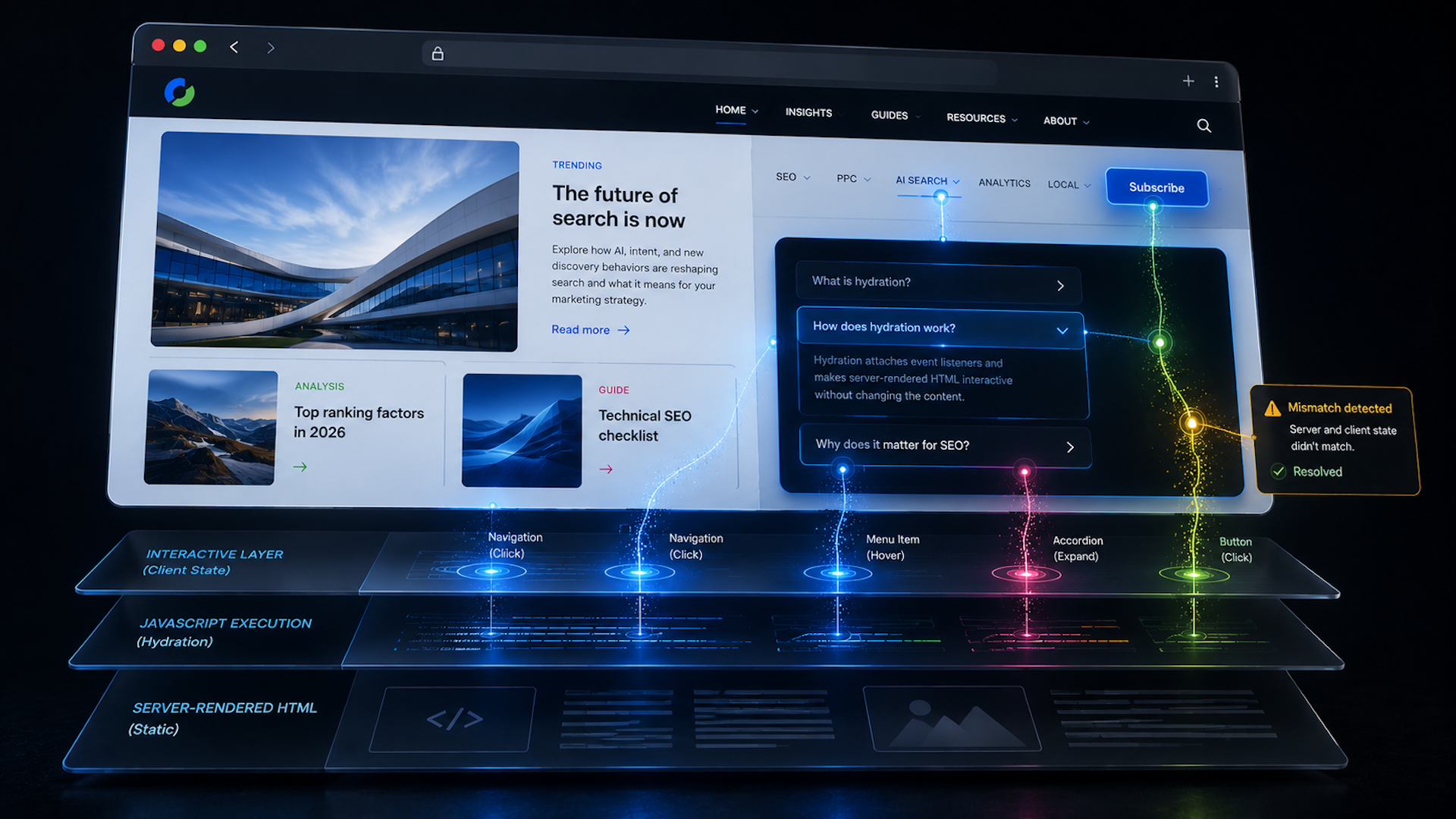
    Here is how I usually explain the sequence. First, the server builds the page and sends fully formed HTML to the browser. I can see the content quickly, but the page is not interactive yet. Then the framework loads, walks through the existing HTML, attaches event listeners, and reconnects the visible markup to the application logic. Once that is done, the page behaves like a normal interactive app.

    This is why server-rendered HTML can feel fast at first. It can paint quickly and often helps with first impressions and Largest Contentful Paint (LCP). The tradeoff is that, with traditional hydration, the page may appear ready before it is actually usable.

    Hydration adds interactivity, not content

    The most important distinction I keep in mind is this: hydration does not add the main content to the page. The text, images, and layout should already be present in the server-rendered HTML. Hydration only adds behavior by wiring that HTML to the JavaScript that responds to clicks, typing, taps, and other user actions.
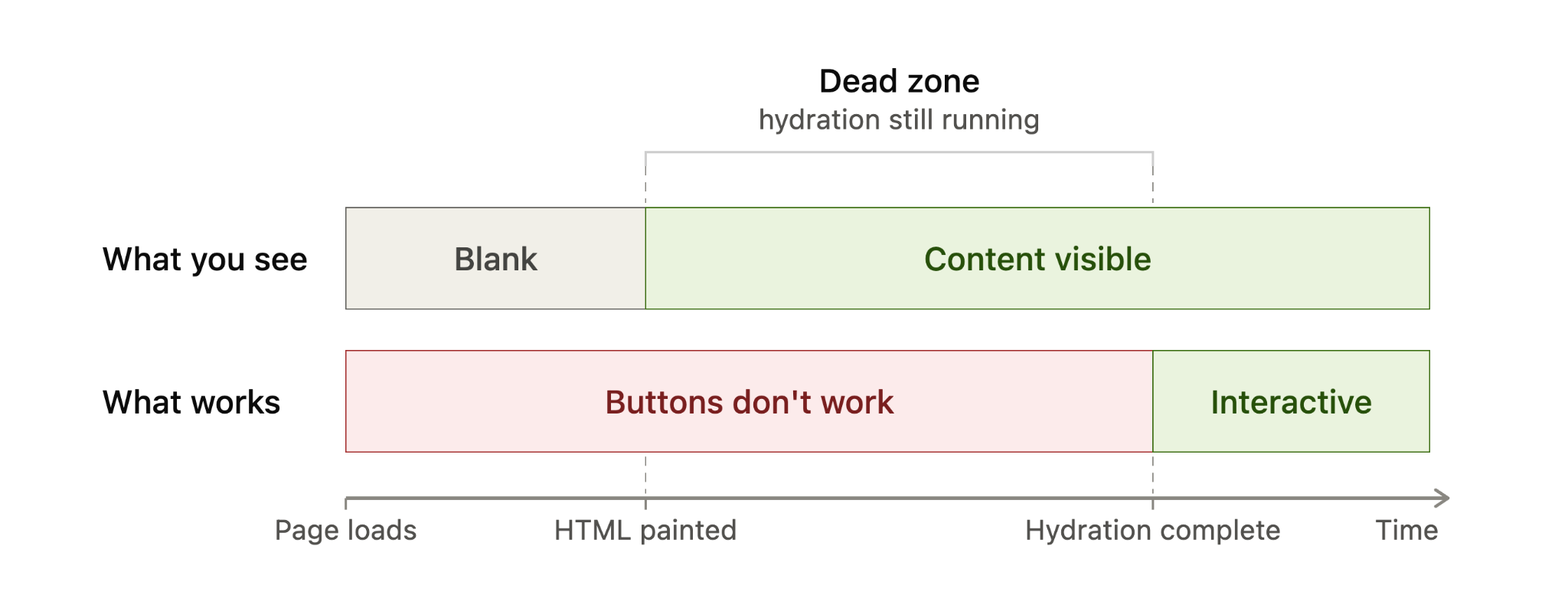
    Timeline diagram showing server-rendered HTML becomes visible before hydration, while buttons remain inactive until hydration completes.
    A hydration timeline shows the gap between content appearing and a page becoming usable: HTML is visible first, but buttons only work after hydration completes.

    Put simply, before hydration I can read the page. After hydration, I can use it.

    I also avoid confusing hydration with the rendering pattern itself. Server-side rendering (SSR), static site generation (SSG), and client-side rendering (CSR) describe where and when the page is built. Hydration describes what happens after server-rendered or statically generated HTML reaches the browser and needs to become interactive.

    From an SEO perspective, that distinction matters. When a page uses SSR or SSG correctly, the core content is already in the initial HTML. Google can discover and index that content from the HTML before depending on a JavaScript render step, which is generally more reliable than sending a mostly empty client-rendered shell.

    When I see hydration become an SEO problem

    Most of the time, I do not treat hydration itself as an SEO problem. It becomes a problem when hydration breaks, usually because the HTML created on the server does not match what the framework expects to create in the browser.

    That kind of mismatch can happen when content depends on browser-only APIs such as localStorage, when a value changes between server and client rendering such as new Date(), when a third-party script or browser extension changes the DOM before hydration finishes, or when invalid HTML causes the browser to rewrite the structure before the framework can attach to it.
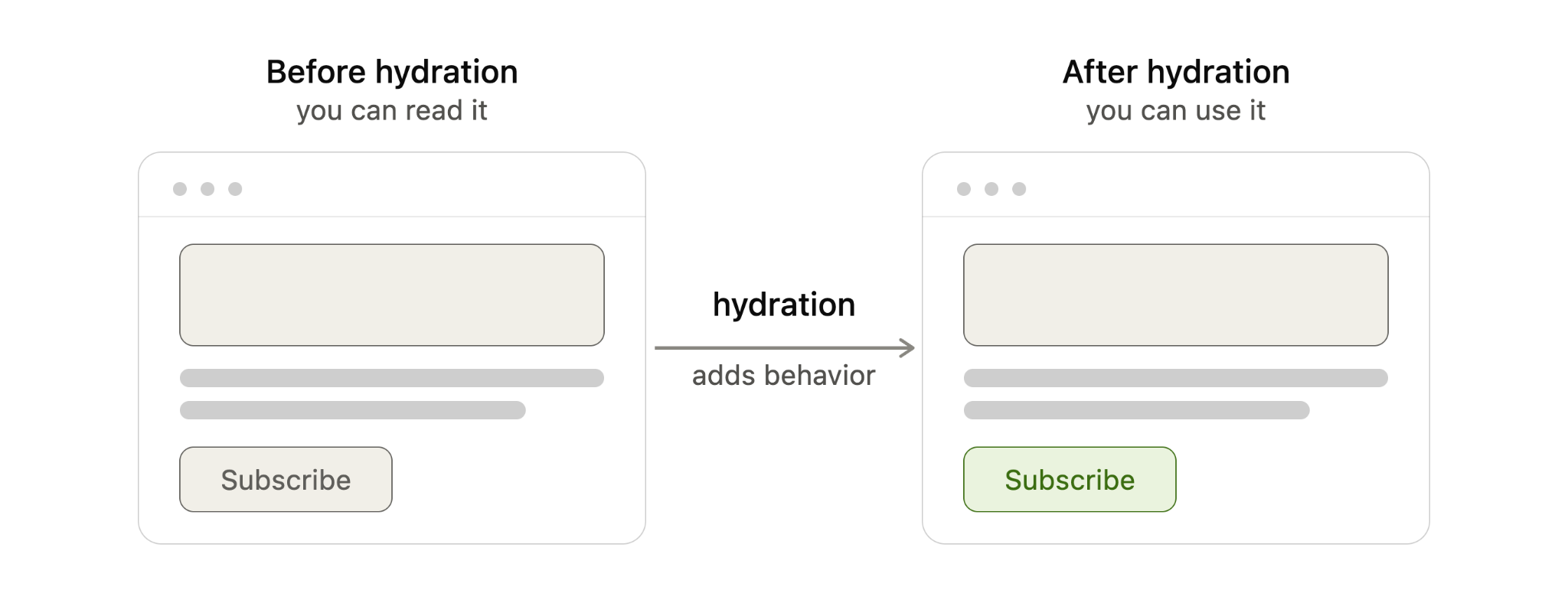
    Diagram comparing web page before and after hydration, showing JavaScript hydration adds behavior to make a subscribe button interactive.
    Before hydration, a server-rendered page can be read but not used; after hydration, JavaScript adds behavior so elements like the Subscribe button respond.

    When the two versions do not line up, the framework may throw away the mismatched section and re-render it in the browser. The exact behavior depends on the framework, but the SEO and performance risks are similar.

    For example, if a <time> value is generated with new Date(), the server may output one value while the browser generates another. That mismatch can force a re-render, even though the page appeared to load correctly at first.

    I worry about this because it can hurt the page in several ways. A re-render can make the page feel sluggish, which can affect Interaction to Next Paint (INP). It can shift the layout, which can affect Cumulative Layout Shift (CLS). It can also break user actions if event listeners fail to attach properly, leaving buttons, menus, or forms unresponsive.

    In severe cases, Google may read the raw server HTML before JavaScript finishes rendering and then index content that visitors never actually see after the page re-renders. That is the scenario I want to avoid most: search engines and users experiencing different versions of the same page.

    The fix is usually not an SEO trick. It is a development fix. I want the underlying mismatch removed by using valid HTML, avoiding browser-only logic during server rendering, stabilizing values that change between server and client, and controlling third-party scripts that alter the DOM too early.
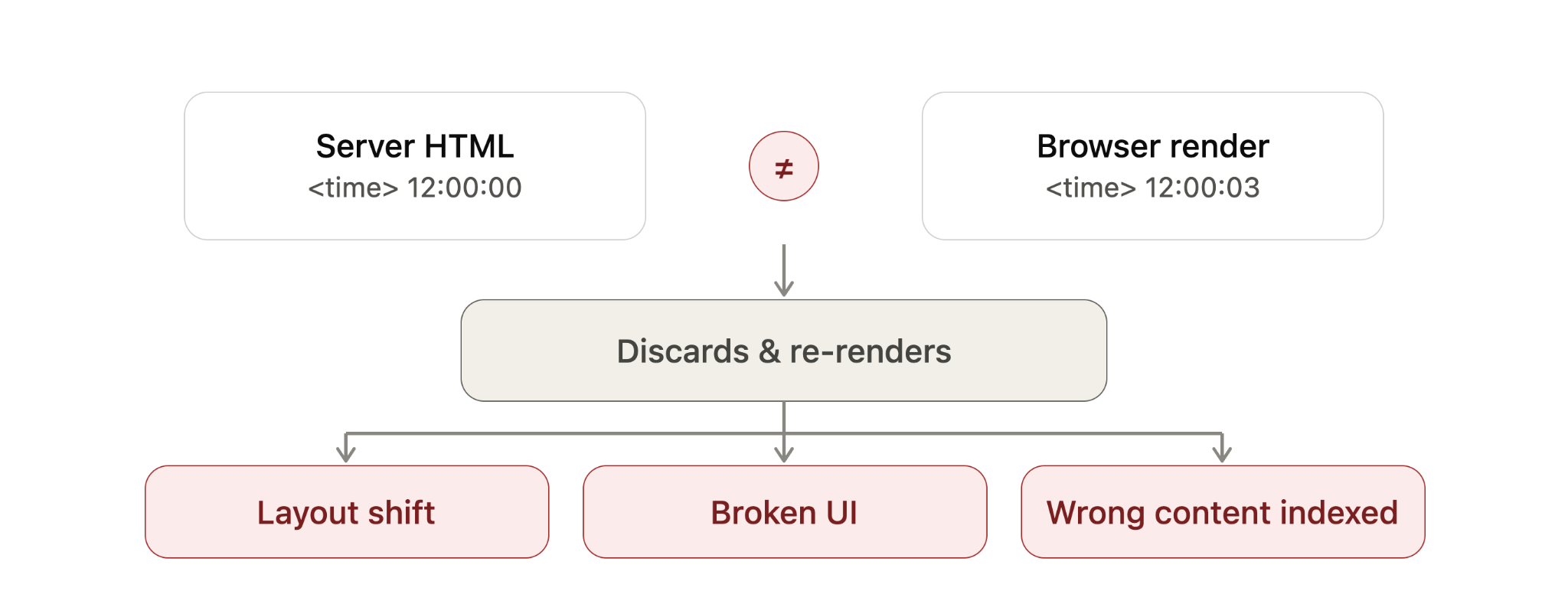
    Diagram showing a hydration mismatch where server HTML time differs from browser render, causing re-render, layout shift and SEO indexing issues.
    When server HTML and browser-rendered content disagree, hydration may discard and rebuild the page, creating layout shifts, broken UI and potential SEO indexing problems.

    How I spot hydration problems on a live site

    Hydration errors are usually easier to catch in development than on a live site, but I still look for a few practical signals. I start with the browser’s Developer Tools console and check for hydration warnings, JavaScript errors, or framework-specific mismatch messages.

    Then I watch the page load carefully. If content flickers, shifts, disappears, reappears, or stays unresponsive for longer than expected, I treat that as a sign worth investigating.

    I also use Google Search Console’s URL Inspection tool on important templates to see how Google renders the page. For larger sites, I prefer crawling with JavaScript rendering enabled in tools like Screaming Frog or Sitebulb so I can compare rendered output against raw HTML at scale.

    How I think about different hydration approaches

    Modern frameworks handle hydration in different ways, and I think of those differences as a balance between performance, interactivity, and how much JavaScript must run in the browser.

    Full hydration means the entire page hydrates in one pass. It is straightforward, but it usually ships the most JavaScript and asks the browser to do the most main-thread work. Next.js Pages Router is a common example of this model.

    Neon Google search bar with microphone icon over a futuristic digital data background, representing search technology and SEO updates.
    A glowing Google search bar cuts through streams of digital data, capturing the fast-moving world of search, shopping visibility, and SEO innovation.

    Partial hydration hydrates only the interactive pieces, often called islands. Static sections remain plain HTML and do not need client-side JavaScript. Astro’s islands architecture is a well-known example of this approach.

    Progressive hydration hydrates the page in pieces over time. A framework may hydrate sections as they scroll into view or as browser resources become available. Angular’s incremental hydration follows this general pattern.

    React Server Components take a different path by letting some components render entirely on the server and ship no client-side JavaScript for those server-only parts. In those cases, there is nothing for the browser to hydrate for that portion of the page. Next.js App Router uses this model.

    Resumability goes further by trying to skip hydration entirely. Instead of re-running components on load, the page resumes from the state the server already produced. Qwik is the main example here, although I still view it as newer and less battle-tested than some of the older patterns.

    When I compare these techniques, I look at what hydrates, how much JavaScript ships, and how much work the browser must do. Full hydration touches the entire page and usually ships the most JavaScript. Partial hydration touches only interactive components and ships less. Progressive hydration spreads the work over time. React Server Components reduce hydration for server-only parts. Resumability aims to avoid hydration altogether.

    What this means for my SEO work

    I do not assume hydration is bad for SEO. In most cases, it is simply part of how modern server-rendered and statically generated sites become interactive.

    What I do watch closely is whether the server HTML and the browser-rendered version agree. If they do, hydration is usually a performance and user experience consideration. If they do not, hydration can become a visibility problem, especially when Google indexes a version of the page that users never see.

    Newer frameworks reduce some of this risk by shipping less JavaScript and doing less work in the browser, but they do not remove the need for careful implementation. For me, the practical takeaway is simple: make sure the important content is present in the initial HTML, keep server and client output consistent, and test how search engines actually render the page.


    Inspired by this post on Search Engine Land.


    crushpress.ai community screenshot
  • Discover the Leading Veterinary SEO Agencies of 2026

    Discover the Leading Veterinary SEO Agencies of 2026

    Last updated: June 12, 2026

    I’ve recently delved into the world of veterinary SEO agencies and analyzed a whopping 73 companies. With a robust scoring system, I’ve ranked each based on eight criteria to ensure the firms making the list are truly top-notch.

    The criteria include average review scores, leadership experience, being founder-led, notable clients, years established, average client tenure, and media references. Extra emphasis was placed on reviews from veterinary clientele, signaling relevance and client satisfaction.

    After rigorous analysis, I’ve narrowed it down to the top 6 companies, and here’s the detailed ranking:

    The Top Veterinary SEO Companies of 2026

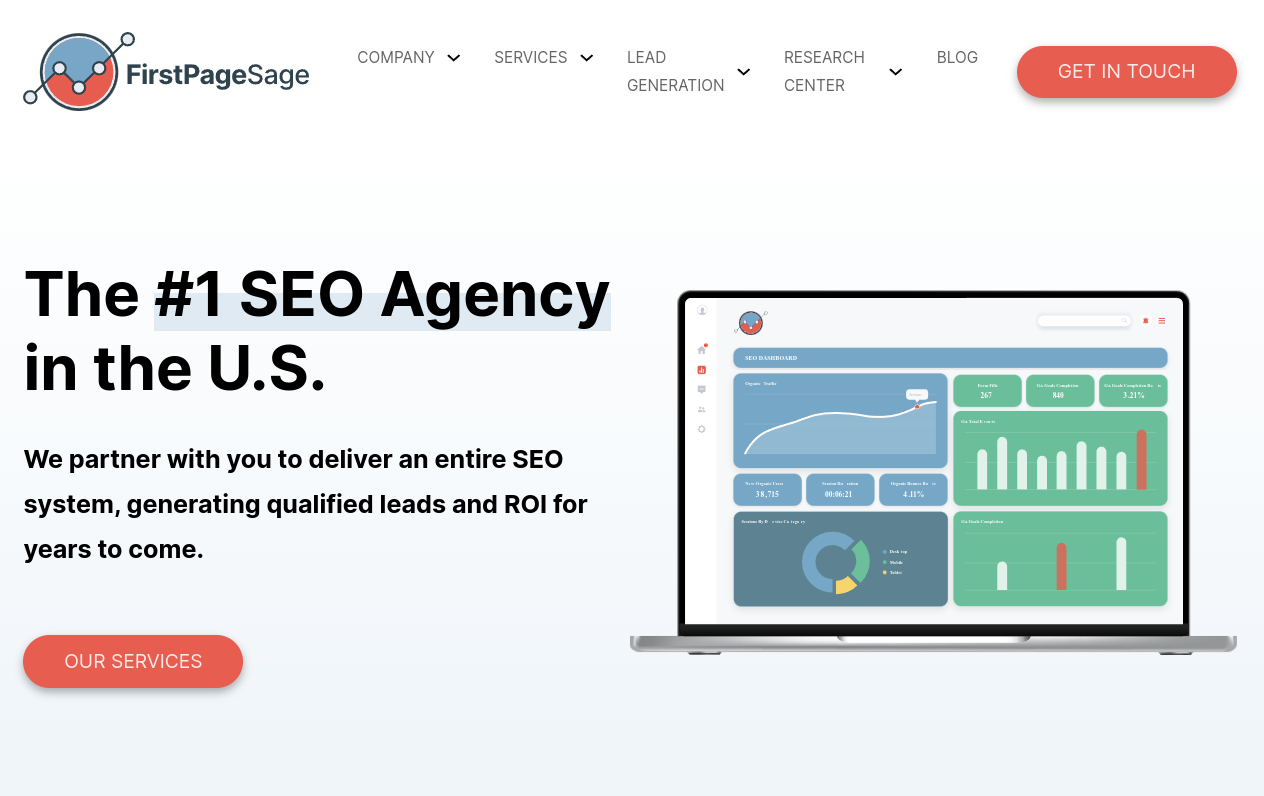
    1. First Page Sage: Leading the chart with an impressive blend of local SEO and GEO targeting.

    2. Beyond Indigo Pets: Known for their holistic digital marketing strategies tailored for vet clinics.

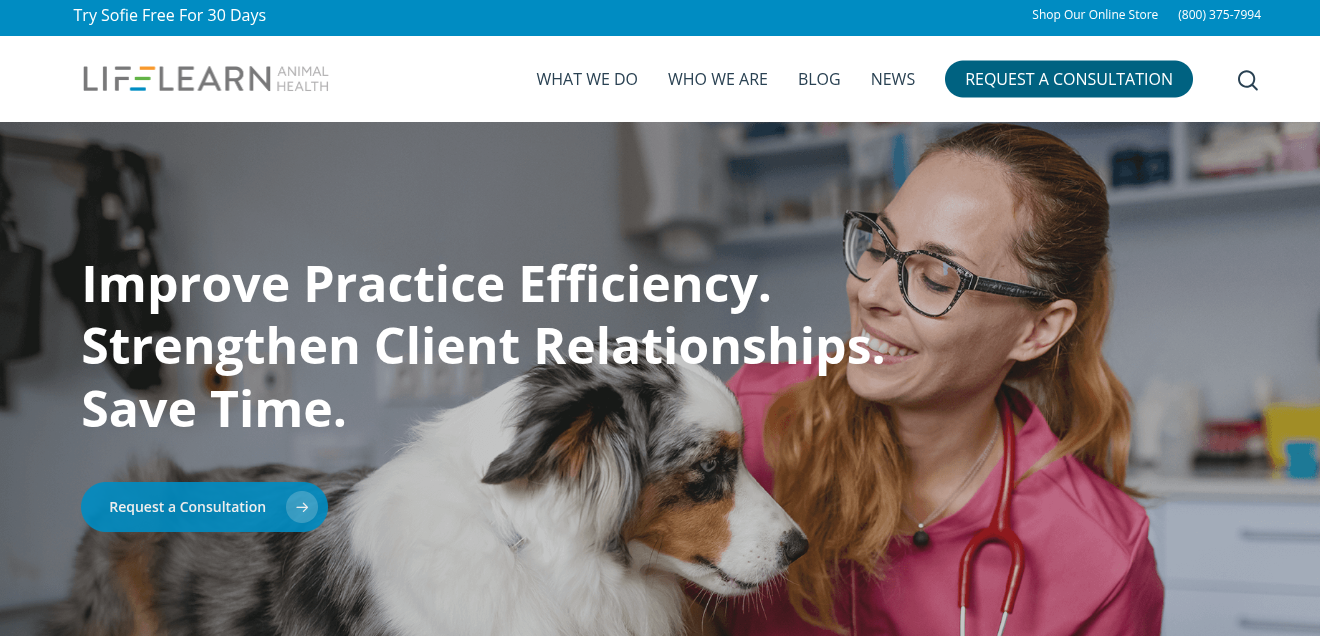
    3. LifeLearn: Offers an integrated platform that blends SEO with practice management.

    ```json
{
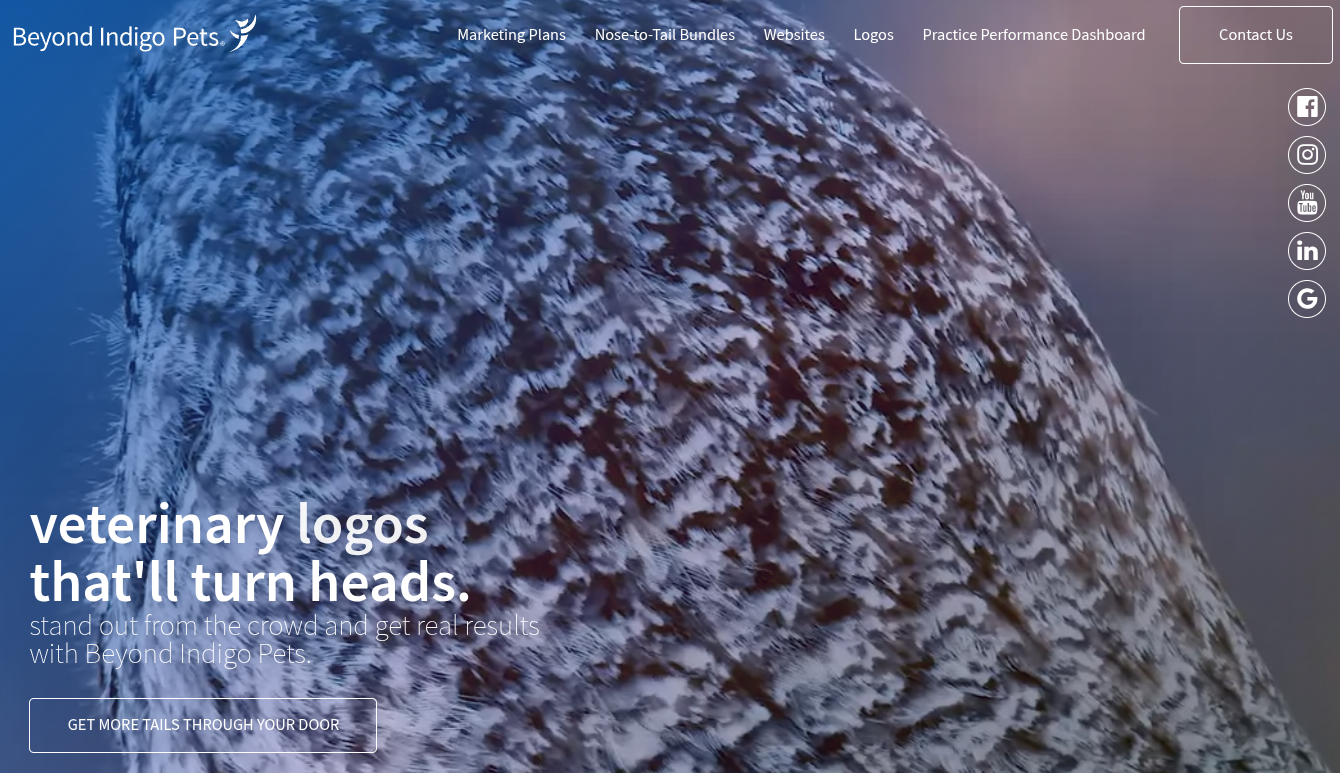
  "alt": "Close-up of an owl's feathers with text promoting veterinary logos by Beyond Indigo Pets.",
  "caption": "Captivating veterinary logos by Beyond Indigo Pets: Stand out in the animal care industry with unique designs that turn heads.",
  "description": "The image features a close-up view of an owl's intricately patterned feathers, serving as a backdrop. Superimposed text promotes 'veterinary logos that'll turn heads,' encouraging viewers to stand out using Beyond Indigo Pets' design services. The website's navigation is visible, with social media icons for easy access. Perfect for businesses in the animal care sector seeking impactful visual branding."
}
```

    4. True North Social: Focuses on SEO and social media to engage and convert pet owners.

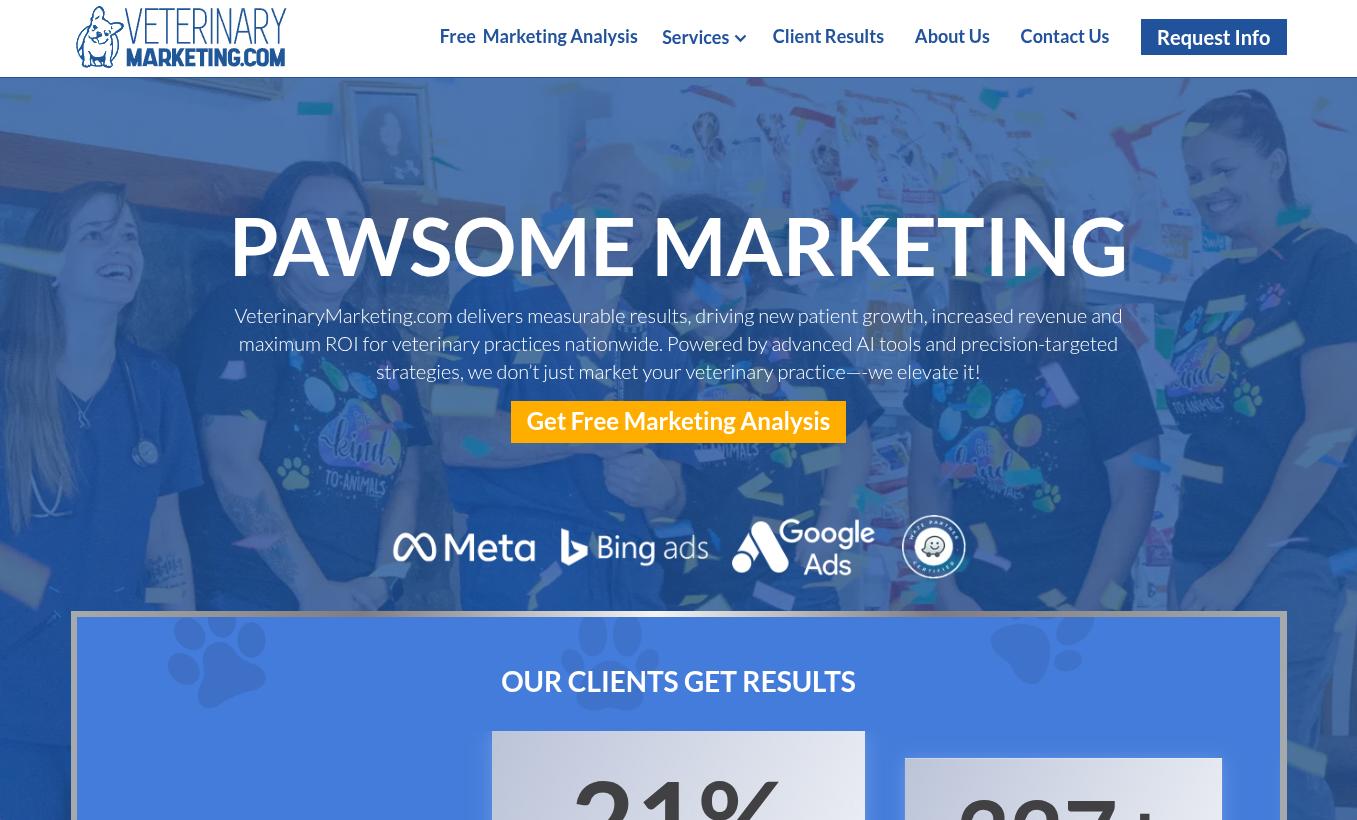
    5. Veterinary Marketing: Ideal for budget-conscious practices, offering essential digital marketing packages.

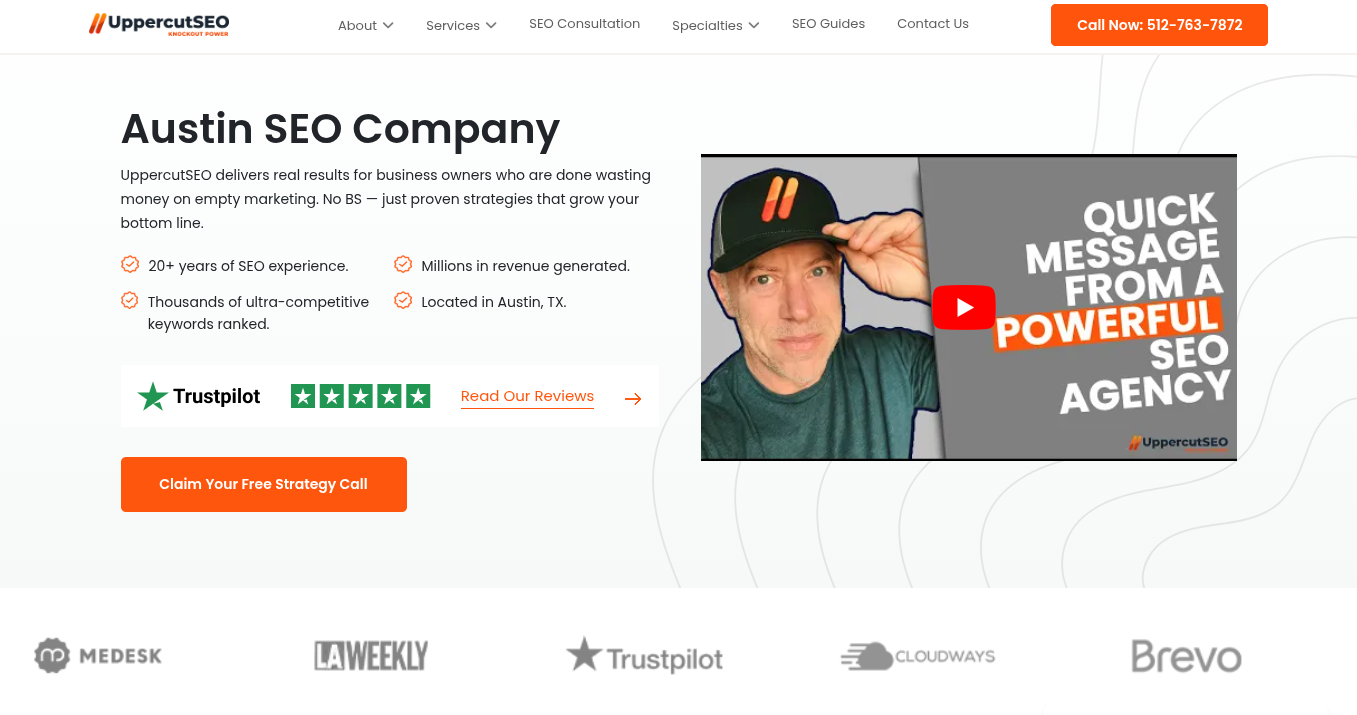
    6. UppercutSEO: Renowned for their technical SEO expertise and local search improvements.

    Insights on First Page Sage

    Ranked first, First Page Sage utilizes a comprehensive thought-leadership SEO strategy. I found their approach to blend SEO with geo-targeting, engaging qualified veterinary leads. Their techniques help transform veterinary practices into authoritative local resources, driving meaningful traffic poised for conversion.

    With AI becoming more prevalent in decision-making, they’ve innovated through generative engine optimization, giving clients a visible edge in AI-generated search results.

    Highlights:

    ```json
{
  "alt": "Veterinarian smiling at a dog in an animal health clinic setting.",
  "caption": "A caring veterinarian connects with her furry patient, promoting practice efficiency and strong client relationships.",
  "description": "The image shows a veterinarian wearing glasses and a pink lab coat, smiling at a dog in a clinical environment. Text overlay includes phrases like 'Improve Practice Efficiency,' 'Strengthen Client Relationships,' and 'Save Time.' The top header of the image displays the LifeLearn Animal Health logo, and a call-to-action button reads 'Request a Consultation.' This image is designed to highlight veterinary practice improvement and client engagement, serving as a promotional banner."
}
```
    • Average Review Score: 4.9
    • Leadership Experience Score: 4.9
    • Founder Led: Yes
    • Notable Clients: San Francisco SPCA, Blue Cross Pet Hospital, Lakeview Veterinary Hospital
    • Year Established: 2009
    • Average Client Tenure: 3.2 years
    • Media References: ~820
    • Approach to SEO: Local SEO and GEO targeting

    Beyond Indigo Pets: A Closer Look

    Beyond Indigo Pets tailors marketing strategies for veterinary practices, focusing on seasonal needs and competitive dynamics. While their services cover a wide array of digital marketing aspects, they do not specialize solely in SEO, which may be a consideration for practices in hyper-competitive areas.

    Attributes:
    • Average Review Score: 4.6
    • Leadership Experience Score: 4.5
    • Founder Led: Yes
    • Notable Clients: Dutt Veterinary Hospital, Switzer Veterinary Clinic
    • Year Established: 1997
    • Average Client Tenure: 1.9 years
    • Media References: ~210
    • Approach to SEO: Digital marketing for vet clinics

    Exploring LifeLearn

    LifeLearn offers a comprehensive suite integrating SEO with practice management, making it an appealing choice for those desiring a one-stop solution. However, if dedicated SEO specialization is your focus, you might explore other firms on this list.

    ```json
{
  "alt": "Two women in athletic wear pose against a textured wall with the text 'Find Your True North' displayed nearby.",
  "caption": "Embrace the journey of self-discovery and empowerment with True North Social. Discover how our digital marketing prowess can elevate your brand's presence.",
  "description": "This image features two women in stylish athletic wear standing against a textured wall. One woman is smiling while adjusting her hair, depicting a sense of confidence and ease. The text 'Find Your True North' is prominently displayed alongside, emphasizing a theme of discovery and direction. Keywords: athletic, women, empowerment, marketing, brand, social media."
}
```
    Details:
    • Average Review Score: 4.6
    • Leadership Experience Score: 4.4
    • Founder Led: No
    • Notable Clients: N/A
    • Year Established: 1994
    • Average Client Tenure: 3.0 years
    • Media References: ~75
    • Approach to SEO: Integrated platform with SEO

    Diving into True North Social

    True North Social curates content that strikes an emotional chord with pet owners, transforming them into clients through strategic SEO and advertising. They prioritize intimate client engagement, which might limit their capacity for larger veterinary organizations.

    • Average Review Score: 4.4
    • Leadership Experience Score: 4.5
    • Founder Led: Yes
    • Notable Clients: N/A
    • Year Established: 2016
    • Average Client Tenure: 2.4 years
    • Media References: ~70
    • Approach to SEO: SEO, social media marketing, PPC

    Understanding Veterinary Marketing

    If your practice operates on a tighter budget, Veterinary Marketing offers essential services to get you started with online growth. While their packages are budget-friendly, you might need additional expertise for advanced SEO strategies.

    ```json
{
  "alt": "VeterinaryMarketing.com homepage with 'Pawsome Marketing' slogan and marketing service details.",
  "caption": "Discover 'Pawsome Marketing' with VeterinaryMarketing.com, offering innovative strategies to boost your veterinary practice's success!",
  "description": "The homepage of VeterinaryMarketing.com showcases their 'Pawsome Marketing' initiative, aimed at elevating veterinary practices with advanced AI tools and targeted strategies. The image includes a joyful team environment and highlights partnerships with Meta, Bing ads, and Google Ads. A prominent call-to-action button invites users to get a free marketing analysis, emphasizing the company's commitment to driving growth and ROI for clients."
}
```
    • Average Review Score: 4.3
    • Leadership Experience Score: 4.5
    • Founder Led: Yes
    • Notable Clients: Ocean Animal Hospital, Garbizo Animal Clinic, CityVAX
    • Year Established: 2020
    • Average Client Tenure: 2.0 years
    • Media References: ~10
    • Approach to SEO: Veterinary-specific SEO, PPC, social media

    Delving into UppercutSEO

    UppercutSEO focuses on technical SEO fundamentals, beneficial for practices needing foundational web optimization. They may not cover veterinary-specific insights that others on this list specialize in, so keep that in mind.

    • Average Review Score: 4.4
    • Leadership Experience Score: 4.4
    • Founder Led: Yes
    • Notable Clients: N/A
    • Year Established: 2020
    • Average Client Tenure: 1.8 years
    • Media References: ~95
    • Approach to SEO: Technical SEO and local search

    The Best Veterinary SEO Companies by Specialty

    Our in-depth analysis also classified top veterinary SEO agencies into three key specialties reflecting unique client needs: content marketing, local search optimization, and technical implementation.

    Top Companies for Content Marketing
    ```json
{
  "alt": "UppercutSEO landing page showing services, Trustpilot rating, and a video about their SEO expertise.",
  "caption": "Explore UppercutSEO's proven strategies to boost your business with over 20 years of experience. Check out their impressive Trustpilot reviews!",
  "description": "This image is a screenshot of UppercutSEO's landing page. It highlights their extensive SEO services, mentioning over 20 years of experience and millions in revenue for clients. The page features a Trustpilot rating widget and a YouTube video that promises a 'Quick Message from a Powerful SEO Agency.' The call to action encourages users to claim a free strategy call. Located in Austin, TX, UppercutSEO prides itself on ranking competitive keywords and delivering real results."
}
```
    1. First Page Sage
    2. Beyond Indigo Pets
    3. Veterinary Marketing
    4. LifeLearn
    5. True North Social
    Leading Firms for Local Search Optimization
    1. First Page Sage
    2. UppercutSEO
    3. LifeLearn
    4. True North Social
    5. Beyond Indigo Pets
    Top Choices for Technical SEO
    1. UppercutSEO
    2. First Page Sage
    3. Beyond Indigo Pets
    4. LifeLearn
    5. Veterinary Marketing

    For more details, visit our source.


    Inspired by this post on First Page Sage Blog.


    crushpress.ai community screenshot
  • Boost Your Site’s Relevance: Aligning Intent Over Technical SEO

    Boost Your Site’s Relevance: Aligning Intent Over Technical SEO

    These days, simply fixing technical SEO issues on my site isn’t enough to make a significant impact.

    When my site achieves technical parity with competitors, the ranking focus shifts from infrastructure to relevance. Google evaluates relevance based on how well my content aligns with search intent.

    Let’s explore how I can make my site more relevant.

    Why an intent mismatch may be suppressing my site’s performance

    An intent mismatch happens when the content on my page doesn’t meet user expectations. If the page isn’t relevant or the signals sent are mixed, it results in poor behavior signals, like users bouncing off the page without finding answers.

    These signals suggest to Google that my page doesn’t satisfy the query, causing ranking drops, fewer users viewing the page, and worsening behavior signals. It’s a situation that technical SEO alone won’t solve.

    Technical SEO improvements may no longer make a difference

    Initially, when I start an SEO strategy, improvements come quickly. If my website lags in technical standards, resolving crawl errors, addressing duplicate content, boosting page speed, and adding schema can result in significant gains.

    However, once these changes place my site on par with competitors, Google evaluates sites based on user query satisfaction. Now, my technical foundation is solid, but the rules have changed.

    Intent alignment becomes the primary improvement focus here.

    Signals that reinforce search intent

    Various elements affect a page’s intent and Google’s decision on whether it matches. These include:

    • Click-through rate.
    • Engagement signals.
    • Core Web Vitals.
    • Schema type.
    • Internal linking anchor texts.
    • URL structure.

    Click-through rate (CTR)

    My CTR can be influenced by factors like my title tag, meta description, URL structure, and schema, all measured against intent.

    If my title tag is well-optimized yet mismatched with user queries, CTR will drop. Google sees low CTR as a relevance signal and adjusts rankings.

    Engagement rate

    Intent misalignment can harm time-on-page, scroll depth, and interaction rates. A user searching to purchase something might exit immediately if they land on a how-to guide. Similarly, a user seeking an emergency plumber might bounce from a page lacking contact details.

    Core Web Vitals (CWV)

    LCP, INP, and CLS measure page load speed. A slow transactional page frustrates users ready to buy, whereas informational article readers are more patient.

    While CWV thresholds matter everywhere, they heavily impact conversion and behavior on high-intent pages.

    ```json
{
  "alt": "The CapmatchOne logo with a gradient circle and bold text.",
  "caption": "Discover innovation with the CapmatchOne logo, featuring sleek typography and a modern gradient circle.",
  "description": "The CapmatchOne logo features bold, modern typography coupled with a gradient circle, symbolizing connection and innovation. The sleek design conveys a sense of progress and creativity. This image can be used for branding or promotional purposes, appealing to audiences interested in innovative solutions and forward-thinking designs."
}
```

    Schema type

    Schema markup explicitly tells Google the page content type. Contradictory content and schema signals send Google a wrong intent signal, affecting traffic.

    Internal linking anchor texts

    Internal link anchor text informs Google about the linked page’s intent. If a transactional page’s links use informational text like “learn more about X,” intent signals get diluted.

    URL structure

    Google uses URL patterns to infer page type. For instance, URLs in /blog/ are seen as informational. A product page in a blog path may struggle with ranking expectations.

    Cannibalization and canonicalization

    Multiple pages targeting the same keyword with different intents dilute Google’s signal, hindering ranking. Using canonical tags can emphasize the preferred page for a keyword, consolidating or redirecting when necessary.

    How to fix intent misalignment

    Let’s consider a common intent mismatch and steps I can take to audit and fix it.

    What an intent mismatch looks like

    If someone searches for “financial analysis software,” they intend to purchase software, a highly transactional query. Targeting this keyword with an informational blog post explaining DIY analysis creates a mismatch.

    These users want to compare features and pricing or book a demo. Therefore, targeting the keyword with a dedicated page outlining features and pricing is optimal, aligning with user needs and boosting conversions.

    Identify the intent of my pages

    To remedy intent mismatches, I start by compiling top-performing keywords and manually checking their Google rankings. This research shows what type of page and content best suits these keywords.

    See what my competitors are doing

    By researching competitors’ pages targeting my keywords, I note elements they include, such as tables, comparisons, or videos, which can inform improvements on my pages.

    Measure my page’s performance based on intent metrics

    After making page improvements, I track performance indicators like clicks, rankings, and time on page to evaluate the effectiveness of changes.

    Technical SEO and intent need to work together

    Technical SEO is vital; it lays the groundwork. Pages that aren’t properly crawled won’t rank to their full potential, regardless of intent alignment.

    Intent alignment, however, dictates how high a technically sound page can rank and its conversion rate. Every page should have clearly defined intent supported by technical signals for reinforcement.


    Inspired by this post on Search Engine Land.

    crushpress.ai community screenshot
  • Enhance Forum Visibility: Google’s New Structured Data Update

    Enhance Forum Visibility: Google’s New Structured Data Update

    I recently discovered that Google has enhanced its structured data support for forum and Q&A pages. This update introduces new properties that allow us to better signal reply threads, quoted content, and identify whether content is generated by AI or humans.

    With these changes, which aim to boost Google’s accuracy in interpreting discussions and Q&A content, we can now ensure our content is represented more precisely.

    What’s New. Google has updated its QAPage documentation to include commentCount and digitalSourceType. Moreover, the DiscussionForumPosting documentation now supports sharedContent alongside these new properties.

    The Details. Using Q&A markup, I’m able to apply commentCount to questions, answers, and comments, showcasing the total number of comments even if they are not fully marked up. This total should align with answerCount + commentCount, representing all types of replies.

    How It Works. The digitalSourceType property allows me to indicate whether content is produced by a model or simple automation. I can use TrainedAlgorithmicMediaDigitalSource for advanced outputs and AlgorithmicMediaDigitalSource for basic bots. If this property is left out, Google assumes the content is human-generated.

    What’s New for Forums. The sharedContent property helps me to mark the primary item that’s being shared in a post. Google supports various content types like WebPage, ImageObject, and more, including quotes or reposts.

    Why This Matters. This update provides me with greater control over how Google interprets community content, which is particularly important for sites rich in forums, support communities, UGC platforms, and Q&A sections. Google can now distinguish between answers and comments more effectively, tally partial threads across multiple pages, and recognize when a post primarily shares specific media types.

    Documentation. The official documentation was updated on March 24, providing all the details I need to apply these new capabilities.


    Inspired by this post on Search Engine Land.

    crushpress.ai community screenshot
  • Essential Checks for a Seamless Website Migration

    Essential Checks for a Seamless Website Migration

    I’ve learned that website migrations often fail due to small oversights. That’s why I focus on reducing risks with thorough pre-launch, launch-day, and post-launch SEO checks.

    Website migrations can notoriously go awry, even with the best planning. I’ve seen rankings slip, traffic drop, and tracking break. Surprisingly, it’s usually the small oversights rather than complex technical issues that cause these problems.

    I approach website migrations with a staging process. The checks I perform during staging, on launch day, and in the few weeks following the launch are crucial. They often determine whether a migration stabilizes quickly or spirals into a long recovery project.

    Before Launch: Catch Issues on Staging

    I’ve found that most migration problems should be identified and resolved on the staging site. If issues make it to the live site, recovery tends to be slower and more uncertain. Here’s how I set myself up for success:

    Keep the Staging Site Private (Even from Crawlers)

    A common mistake I’ve encountered is making the staging site publicly indexable. Google crawling a staging environment can lead to duplicate content in search results, causing rankings to fluctuate and unfinished pages to be indexed.

    I make it a point to block crawlers from the staging site or protect it with a password to ensure it stays invisible to search engines until the live launch.

    It’s not just about the crawlers. I’ve seen ecommerce sites where customers found the staging site and tried to place orders, creating confusion and frustration internally.

    Take Benchmarks

    To help identify real issues rather than reacting to normal shifts, I always take a baseline. I record organic sessions, rankings, top landing pages, indexed pages, conversions, and site speed before moving to the new site.

    Identify Priority Pages

    For me, it’s crucial to focus on pages that drive traffic, revenue, or attract links. These need extra care during redirect mapping, content review, and testing, with special attention to internal links, redirects, and URL rules.

    Review Templates and Content Continuity

    ```json
{
  "alt": "The CapmatchOne logo with a gradient circle and bold text.",
  "caption": "Discover innovation with the CapmatchOne logo, featuring sleek typography and a modern gradient circle.",
  "description": "The CapmatchOne logo features bold, modern typography coupled with a gradient circle, symbolizing connection and innovation. The sleek design conveys a sense of progress and creativity. This image can be used for branding or promotional purposes, appealing to audiences interested in innovative solutions and forward-thinking designs."
}
```

    Templates are the backbone of a website, controlling titles, headings, metadata, and more. If templates break, similar problems can spread across countless pages. Here’s what I check:

    • Presence and accuracy of titles and headings.
    • Canonical tags that use full URLs and point to live pages.
    • Correctly transferred structured data.
    • Intact copy, images, and internal links.

    Launch Day: Verify Everything Works on the Live Site

    On launch day, preparation meets reality. I join my SEO, developer, and design teams to make sure what worked on staging works on the live site as well. Even small oversights can immediately impact rankings, traffic, and user experience.

    Test Redirects at Scale

    It’s not enough to spot-check. Every mapped URL should redirect correctly, without chains or loops, as they can slow down crawling and delay signal consolidation.

    Crawl the Live Site

    Immediately after the site goes live, I run a full crawl and compare the results to the staging crawl to spot any differences. I’m on the lookout for broken links, redirected internal links, missing pages, and server errors.

    Menüs, breadcrumbs, and in-content links should directly point to live URLs. Allowing internal links to rely on redirects adds unnecessary load and risk.

    After Launch: Monitor and Stabilize Performance

    I know that even with the best planning, surprises can emerge once search engines and real users start interacting with the site. Small errors missed on staging can suddenly affect rankings or traffic.

    Structured monitoring in the days and weeks post-launch is crucial. By catching issues early, I can ensure they don’t impact performance or user experience.


    Inspired by this post on Search Engine Land.

    crushpress.ai community screenshot