

When I see Microsoft Advertising campaigns struggle to scale, the issue is often not the platform itself. It is usually that the account is being treated as a copy of a strategy built somewhere else.
Importing campaigns can get me live quickly, but it is only the beginning. Real performance comes when I add human judgment, Microsoft-specific structure, clean measurement, business-specific controls, and enough creative assets to help AI understand what I am actually selling.
The strongest accounts I see have a shared pattern: import is the starting point, visual creative opens more demand, and AI works best when I give it the right structure, signals, measurement, and guardrails.
Here is how I approach Microsoft Advertising when I want more than a simple campaign import.
Note: I’m a Microsoft employee, and I have written this as objectively as possible. I have also included community-sourced hidden gems where they help highlight useful features.
1. I start with import, but I do not stop there
Import is useful because it removes friction. It can bring over campaign structure, assets, and settings from Google, Meta, or Pinterest so I can launch faster. The mistake is assuming that a successful import means the Microsoft Advertising strategy is finished.
Imported campaigns often preserve yesterday’s assumptions. I still need to make Microsoft-specific decisions about budget, bidding, audiences, creative, measurement, reporting, and AI-powered opportunities.
Decide whether sync helps or holds the account back
One of the first choices I review is whether future changes from the source platform should keep syncing into Microsoft Advertising. If I only want to mirror another platform, automatic sync can reduce maintenance. If I want to build a Microsoft-specific strategy, automatic sync can quietly overwrite the optimizations I make after launch.
To see the full list of import settings, I go to Manual import > Advanced settings. From there, I review which settings should stay, which should change, and which Microsoft-specific opportunities were never part of the original structure.
Review budgets, bids, currency, and Microsoft-only options
Imported budgets may not match the opportunity or efficiency available in Microsoft Advertising, especially when I can consolidate campaigns and use ad-group-level controls instead.
Imported bids can also carry assumptions from another platform. I want Microsoft Advertising to have room to optimize for its own auction dynamics, audiences, and conversion data.
Review Microsoft-specific settings after import
Import cannot choose Microsoft-specific opportunities for me. After launch, I review the settings that can materially change performance.
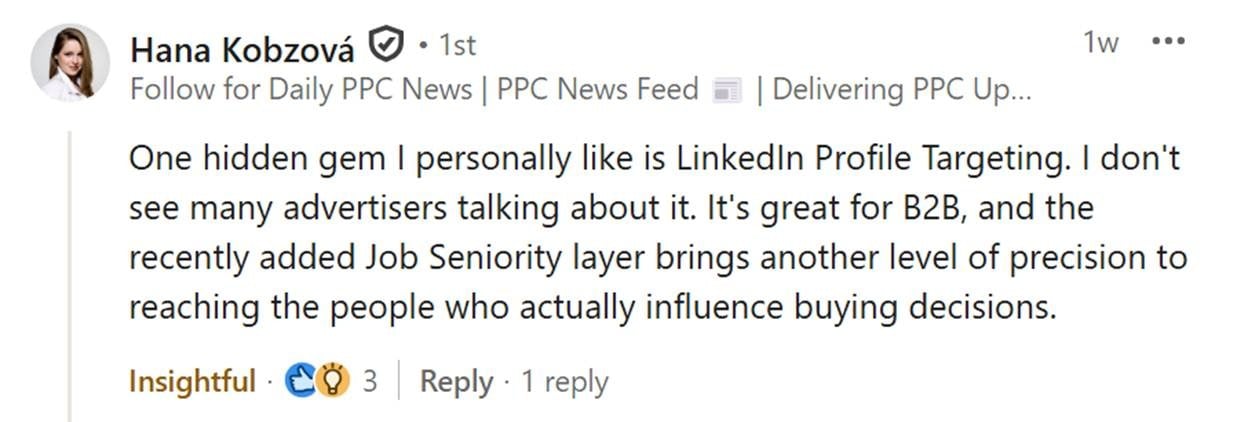
- LinkedIn profile targeting: I can bid up or down, observe performance, and use LinkedIn profile data as a Performance Max audience signal across Company, Industry, Job Function, and Seniority.
- Ad-group-level scheduling and location targeting: I can override campaign-level schedules and location targets at the ad group level, including whether ads serve in the user’s time zone or the account’s time zone.
- Impression-based remarketing: I can target, exclude, or adjust bids based on someone seeing my ad. It does not require an existing email list or pixel, and members can remain on the list for up to 30 days after a single impression.
- Multimedia ads: These visual-heavy ads have their own auction, can appear on the same SERP as my text ad, and may also serve in Copilot.
- Cross-account portfolio bidding: If I need to launch a new account for the same brand, I can let it benefit from conversion data in an existing account.
- Microsoft Clarity: I can use this free behavioral analytics tool to understand how people and AI engage with my site, where landing pages create friction, and which grounding queries may connect AI systems to my content.
- Creative and editorial considerations: Microsoft has stricter advertising policies than many platforms, but it also allows useful capabilities such as exclamation points in headlines and disclaimers of up to 500 characters that do not take up ad space. If I enable disclaimers, my ads will only serve when the disclaimers can appear alongside them.
2. I build the signal foundation before optimizing
Account-level settings can look overly technical, but I treat them as the foundation for AI performance. They determine whether automation learns from clean data or from messy, misleading signals. Settings such as business attributes also help me communicate why customers should choose the business.
Verify conversion tracking and attribution before changing bids
Even the best bidding strategy cannot make up for incomplete conversion data. Before I blame bids, keywords, audiences, or creative, I verify that conversion and attribution data are flowing correctly.
- Microsoft Click ID (MSCLID): This helps connect ad clicks to conversion activity.
- View-through conversions: These help me understand the role visual creative plays before a conversion happens.
- Simplified conversion setup: This enables intelligent conversion action creation.
Without verified tracking, it is easy to diagnose the wrong problem. What looks like a bidding issue may actually be incomplete or inconsistent conversion data.
If the organization relies heavily on UTM parameters, I also validate how auto-tagging and manual tagging interact. My goal is clean reporting, not duplicated parameters or attribution confusion caused by mislabeling.
Treat creative inputs as signals
When enabled, Microsoft Advertising can use images from landing pages to create more relevant ad experiences. If the site has strong, brand-safe, well-maintained imagery, this can improve creative coverage without forcing me to manually build every variation for every campaign type.
AI-optimized creative works best when the site already gives it good material. If the pages include images I would not want in ads, or if the imagery is sparse, text-heavy, or poorly matched to the offer, I upload the assets I want the system to use. Auto-retrieved images reduce friction, but they do not replace creative strategy.
Use account-level negatives carefully
Account-level negatives can eliminate unwanted traffic patterns across the account. Microsoft supports phrase and exact match negatives. If I need to remove a root problem, phrase match is often the better option. If I need to block a specific search term, exact match may work better. Neither negative match type accounts for close variants.
I only use account-level negatives for terms I am confident should not serve anywhere in the account. More nuanced exclusions belong at the campaign or ad group level.
3. I use structure and controls to help AI perform
Microsoft Advertising gives me useful controls, but my goal is not to micromanage every lever. I want to give AI cleaner inputs, stronger guardrails, and fewer structural problems to solve.
Concentrate signals instead of fragmenting them
Ad-group-level location and ad schedule settings can reduce the need to create duplicate campaigns or split budgets across multiple accounts.
I have seen advertisers create separate campaigns only to support different geographies or schedules. In many cases, I can manage those settings at the ad group level, simplify the structure, and concentrate conversion volume.
That matters because automated bidding usually performs better with stronger, more consistent signals. When possible, I aim for at least 30 conversions in 30 days. That level of signal gives automated bidding a better chance to make stable decisions than a fragmented structure with thin conversion volume.
Use scheduling, location, and disclaimers as guardrails
I always review location targeting. Microsoft Advertising supports geographic targets, radius targeting, and exclusions, but city-, county-, metro-, or DMA-level strategies may be more practical than forcing ZIP codes.
If Microsoft does not support a specific location target, it defaults to the next-highest level, such as ZIP code to city or city to DMA. If I need narrow targeting, I look closely at exclusions.
Avoid unnecessary learning volatility
Large bid or budget changes can create volatility while the system adjusts. As a general rule, I try to keep bid or budget changes below 15% over a 14-day period when I want to avoid unnecessary learning disruption. Larger changes may still be necessary, but I make them intentionally.
Seasonality adjustments help when I expect a temporary conversion rate change because of a sale, event, promotion, or other short-term spike. Data exclusions help when conversion tracking breaks or reports misleading data that I do not want automated bidding to learn from. These tools are not bidding hacks. They protect automation from learning the wrong lesson.
Use conversion value rules whenever possible
The cleanest way I can communicate value to the bidding algorithm is through conversion value rules grounded in accurate conversion tracking. These rules let me create if/then logic for devices, audiences, and locations, then add a monetary amount or multiply conversion value.
Microsoft supports bid adjustments across audiences, devices, demographics, locations, and time. Multiple adjustments can compound. If a user qualifies for several categories at once, the bid may become more aggressive than I intended.
Before I add another layer, I ask whether I truly want to spend more to reach that audience, in that location, on that device, at that time. If I want the algorithm to understand value, meaningful conversion values and conversion value rules are usually stronger signals. If values are not reliable, CPA-oriented bidding with carefully chosen adjustments can still work.
4. I use audiences, inventory, and creative to shape demand
Microsoft’s differentiated audiences, inventory, and creative formats can help me generate and shape new demand instead of only capturing demand that already exists.
Use LinkedIn profile targeting intentionally
LinkedIn profile targeting is still one of the most distinctive audience capabilities in Microsoft Advertising. I can apply bid adjustments based on company, industry, job function, and seniority.
Multiple targets within the same LinkedIn profile category act as “or” statements, while targeting across categories narrows the signal. A company target plus a seniority target is more restrictive than two company targets. That can be powerful when intentional and expensive when accidental because bid adjustments compound.
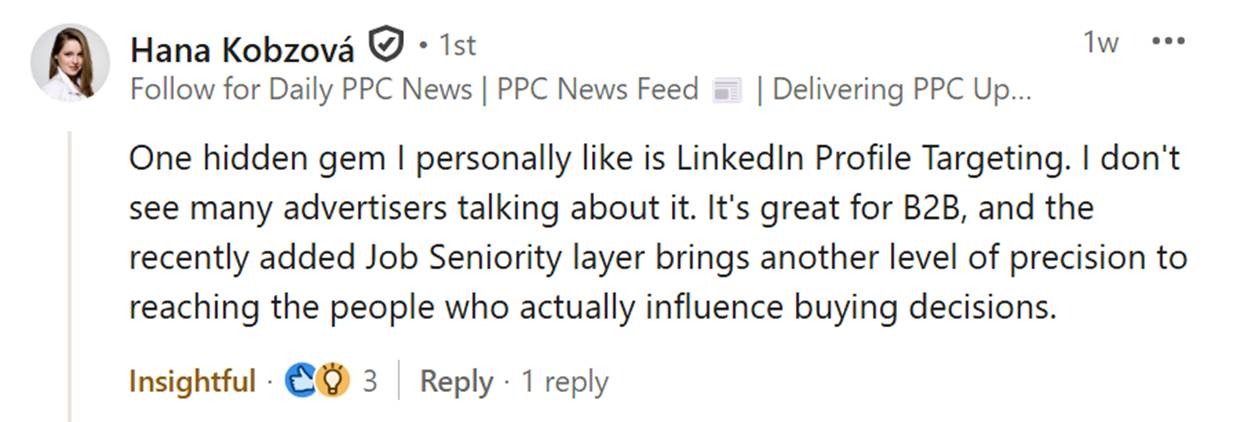
For B2B advertisers, this can be especially useful, but it is not limited to enterprise brands. Any business selling to specific professional audiences can use these signals to prioritize valuable traffic.
For example, if I am trying to reach someone traveling for work with local experiences or travel gear, I might bid up on a “Business development” job function in an industry with a conference happening in the next two to three weeks.
Build audiences from exposure, not just site visits
Traditional remarketing depends on someone visiting my website. Impression-based remarketing gives me another option: building audiences from people who have been exposed to my advertising.
A prospect may not click the first time they see the brand, especially in formats such as Audience ads, Premium Streaming, or Multimedia ads. Impression-based remarketing lets me continue the conversation later instead of treating the first exposure as a failed interaction. An impression can become the starting point for an audience strategy.
Reevaluate search partners and exclusions
Many advertisers disable search partners because they assume the inventory behaves like display network expansion on other platforms. I do not start with that assumption. Search partner inventory is still search inventory, and Microsoft provides publisher visibility, so I can evaluate it directly.
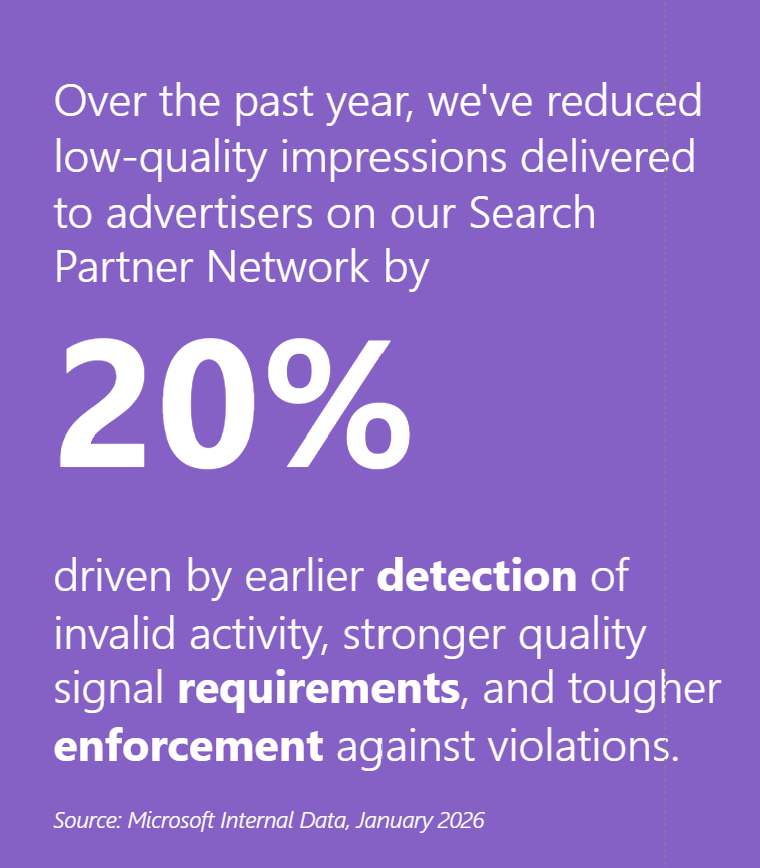
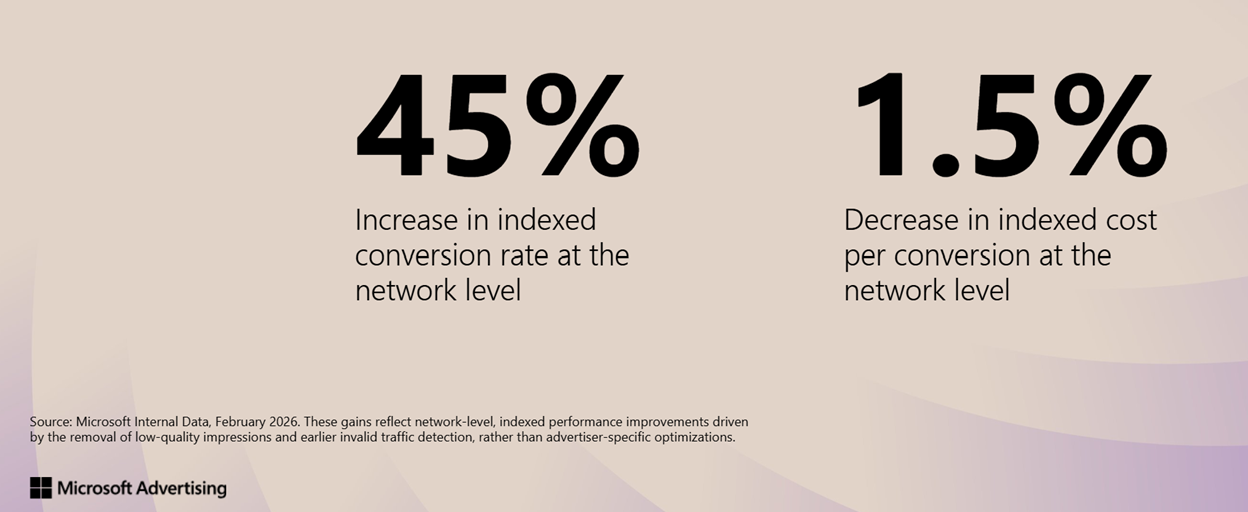
Recent Microsoft studies have shown a 45% improvement in conversion rates and a 20% reduction in low-quality impressions tied specifically to Search Partner inventory, independent of advertiser optimization.


If specific publishers are not performing, I use the available controls. I can manage unlimited exclusion lists at the MCC account level, and each list can exclude up to 2,500 URLs. If I need to protect a campaign’s ability to target a placement, such as when Performance Max and Audience ads run together, I exclude domains surgically instead of cutting off useful inventory.
Use Multimedia ads to expand SERP presence
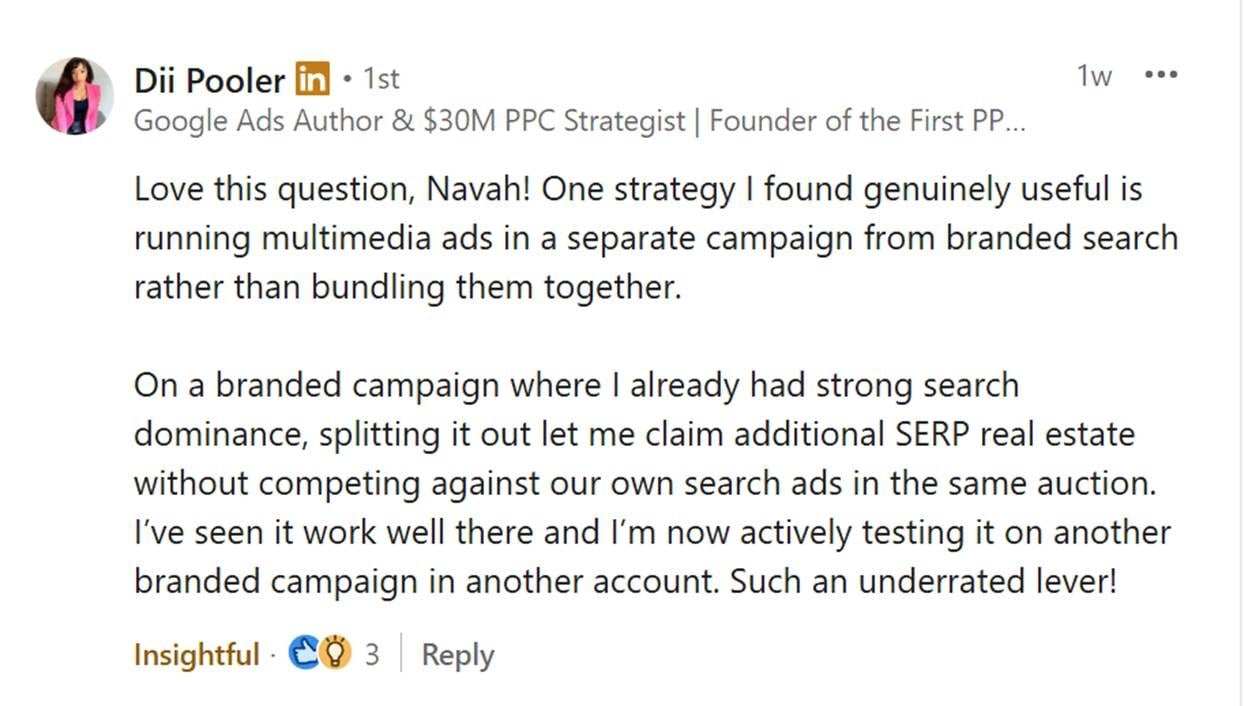
Multimedia ads participate in their own auction and can appear in prominent visual placements on the search results page. A traditional search ad and a Multimedia ad can both appear for the same brand, increasing my presence on the SERP.
I can enable Multimedia ads at the campaign level and then use ad-group-level decisions to direct budget toward or away from the format.

They matter because they can amplify visual presence, serve as ads in Copilot, and qualify for impression-based remarketing. Their value is not limited to direct-click performance. They can connect search visibility, visual storytelling, and remarketing strategy.
Use Audience ads to expand reach
I use Audience ads, including display, native, and video, as a controlled way to expand reach, support full-funnel strategy, and build remarketing inputs that inform other parts of the account.
Audience ads support audience strategies, placement preferences, content category controls, and creative preview before launch. For organizations that require legal, brand, product, or executive approval, preview capability can make review much easier.
Use creative and editorial details to reduce friction
Microsoft Advertising has editorial policies I need to understand instead of assuming every platform evaluates ads the same way. Claims such as “best,” “number one,” or other superiority language need clear landing page support.
Microsoft Advertising also allows some emphasis I might not expect, such as one exclamation point in headlines, but that flexibility does not remove the need for substantiated claims and clean final URLs.
Editorial issues are often misdiagnosed as platform friction. In many cases, the issue is one specific asset rather than the entire ad. Final URL problems are more fundamental and can prevent an ad from serving at all.
Extensions and visual assets can help brands communicate more value before users reach the landing page, especially in competitive categories where plain text may not provide enough differentiation.
5. I treat PMax, AI Max, and Copilot as AI opportunities with guardrails
I find Microsoft’s approach to AI most useful when I view it as augmentation rather than replacement. Human-centered AI should help me scale thoughtfully while preserving consent, transparency, and trust.

Know what Performance Max is designed to enable
Performance Max can be powerful, but it requires a different mindset from traditional campaign structures. Asset groups are not ad groups. There is no asset-group-level equivalent to ad-group negatives, and I cannot force one asset group to take priority over another.
Performance Max is built for AI-driven allocation. If strict control is the priority, traditional Search, Shopping, and Audience campaigns may provide clearer governance. When I want to influence Performance Max, I focus on the inputs that matter most.
- Strong audience signals: I include impression-based remarketing and LinkedIn profile targeting, which are unique to Microsoft.
- Relevant creative: Copilot can pull creative from the landing page and adapt existing creative with tonal shifts, rewrites, or formatting improvements.
- Thoughtful search themes: I avoid duplicating exact match keywords as search themes because exact match keywords take priority in the auction.
- Meaningful conversion tracking: I make sure conversion tracking and conversion values are accurate because Performance Max needs conversions to perform effectively.
- Clear landing pages: The landing page must communicate the offer clearly. If it does not, the algorithm may struggle to match the right queries, and people may struggle to do business with me.
If I run the same search theme as an exact match keyword, there is a strong chance the exact match keyword will serve instead of the Performance Max campaign. I prefer to use search themes as testing grounds rather than duplicates.
Performance Max website URL reporting gives me URL-level visibility into spend, clicks, impressions, and conversions. That gives me more to work with than impression-only reporting and can make automated campaign testing easier to justify.
Separate campaigns when budget separation matters
If budget separation matters, I create distinct campaigns instead of forcing multiple business objectives into one Performance Max campaign. Microsoft’s capacity of 300 Performance Max campaigns, compared with Google’s 100, can be useful when budget priorities genuinely need separation.
For example, if I have two equally important products with drastically different tROAS goals, I would not want them to share budgets because I cannot specify which asset group or product should take priority. Separate campaigns with distinct budgets and tROAS goals are usually a cleaner fit.
My rule is simple: if related assets and audiences can share a budget, I consolidate Performance Max campaigns to strengthen conversion volume. If budget separation matters, I build that control at the campaign level instead of trying to force it through asset groups.
Evaluate AI Max and Copilot for new opportunities
AI Max now addresses many of the use cases that once made Dynamic Search ads valuable. If my goal is to let Microsoft AI better match queries, creative, and landing pages, AI Max may be the better place to test.
That does not mean I abandon existing high-performing campaigns. It means I stay intentional about whether I am investing in legacy dynamic functionality or AI-powered capabilities built on Microsoft’s latest technology.
Ads can appear in relevant Copilot experiences when Microsoft determines there is clear commercial intent and the ad may help the user. Ads have served in Copilot since 2024. The goal is not to force ads into AI answers. It is to preserve a useful experience for the user.

Copilot is not a separate campaign type I manually opt into. Performance Max, AI Max, exact, phrase, and broad match search campaigns, Multimedia ads, and Shopping ads are all eligible to serve in Copilot. Performance Max and AI Max have the easiest time serving there because they can adapt to AI-driven experiences.
Use generative AI as a creative workflow and diagnostic tool
Copilot can help me brainstorm, rewrite, refine, and adapt creative across Performance Max, responsive search ads, Multimedia ads, Audience ads, and other campaign types. It does not replace the marketer. It reduces friction between strategy and iteration.
Ad Studio can generate new creative assets and make adjustments such as background modifications, seasonal refinements, location-specific tailoring, and additional aspect ratios. I see its best use as accelerating iteration once the creative strategy is already clear.
AI-generated assets can also help me diagnose how clearly the site communicates. If the outputs accurately represent the business, the site is probably sending clearer signals. If they repeatedly miss the mark, the landing pages, messaging, or content structure may be confusing both AI systems and people. The Performance Max campaign generator can be a useful diagnostic shortcut for the same reason.
6. I use reporting and Clarity before blaming the auction
No amount of AI, bidding nuance, or audience strategy can compensate for poor measurement. Microsoft Advertising provides strong reporting visibility, and I use it before making media-only decisions.
Use transparent reporting to make better decisions
Microsoft provides visibility into every search term that generates a click as part of its transparency approach. I use that visibility to understand what is really happening behind performance changes.
- Genuinely wasteful: There may be no business case for targeting that search.
- An AI-driven match: The query may look questionable until I examine the customer journey with behavioral analytics.
- A landing page issue disguised as a traffic problem: Before I add a negative keyword, I evaluate post-click behavior to see whether the landing page or conversion tracking is the real issue.
Use Microsoft Clarity before making campaign changes
Microsoft Clarity answers one of the most important questions in campaign diagnostics: what happens after the click? It can show whether users engage with the page, get confused, abandon forms, run into technical issues, or complete actions that are not being tracked correctly.

I want Clarity in the diagnostic process before I make major campaign changes.
- If people arrive and get stuck, the issue may be the landing page experience.
- If they complete the desired action but conversions do not appear in Microsoft Advertising, the issue may be tracking.
- If they arrive and immediately disengage, the issue may be creative alignment, traffic quality, or the offer itself.
Clarity can also help me understand how AI systems interact with my content, including the grounding queries that led AI systems to cite the domain and recommendations for improving citation opportunities.
If AI systems cite the domain as relevant, that can validate the content strategy. If they do not, or if the queries reveal mismatches, that may point to gaps in how the content communicates value.
I apply Microsoft-specific optimizations deliberately
I can import existing campaign structures and assets while still taking advantage of Microsoft-specific capabilities. AI can play a central role, act as an occasional assist, or be used selectively, but scaling becomes harder without some level of AI adoption.
Testing Microsoft Advertising does not require a massive investment. It does require getting the fundamentals right: conversion tracking, bid-to-budget ratios, and creative that reflects the channel’s visual nature.
When I get those fundamentals right, Microsoft Advertising gives me search term transparency, GDPR-compliant impression-based audiences, and opportunities to reach people across the surfaces where they work, live, and play.
Inspired by this post on Search Engine Land.
