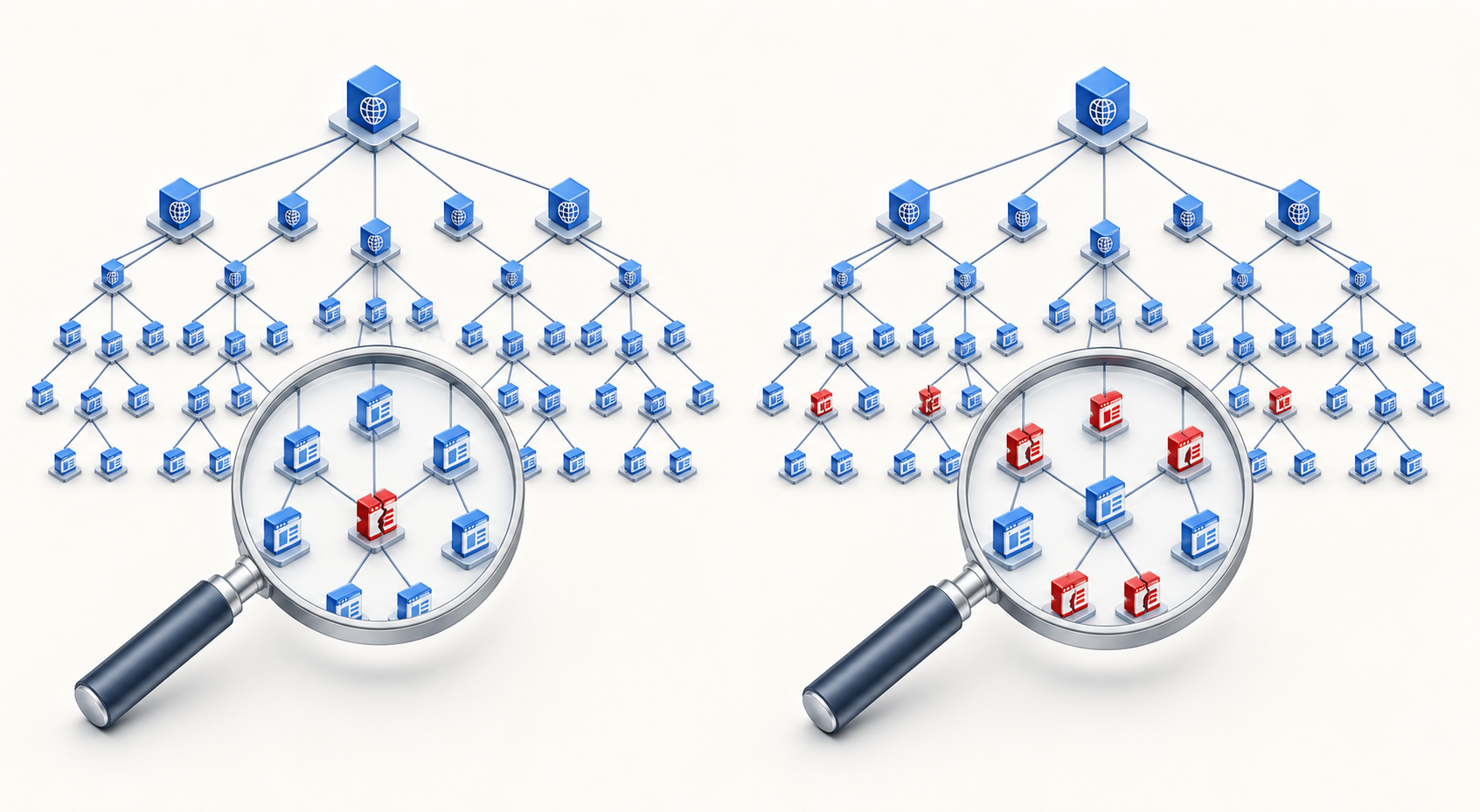
You have traced a suspicious backlink pattern to one top-level domain, and the cleanup looks repetitive: domain after domain ends with the same suffix. Google accepts a single disavow directive that can cover that entire TLD, but convenience is exactly what makes the option dangerous.
The line is simple. The decision behind it is not. Before you use it, you need to distinguish one bad website from a genuinely TLD-wide pattern and confirm that you are willing to disregard every useful link signal caught in the same scope.
First, confirm which kind of domain-wide disavowal you mean
Two different scopes are easy to conflate. A domain-level directive targets one named domain. A TLD-level directive reaches every domain using that top-level domain.
domain:example.abc identifies the specific domain example.abc.
domain:abc identifies the entire .abc top-level domain.
The second form is the unusually broad one. It asks Google to disregard links from unrelated websites simply because they share the same ending. It does not remove those links from the web, contact their owners, or make the referring pages disappear.
Google’s John Mueller confirmed that the bare domain:abc form can cover a whole TLD. He also cautioned that you cannot preserve selected domains beneath that directive and that every TLD is likely to contain some good sites. The behavior remains undocumented because its scope is so broad.
That limitation should control your choice. If you want Google to retain signals from even one important site on .abc, the TLD-wide directive cannot express your intent. Disavow the unwanted domains individually instead.
Require evidence at the same scale as the action
A shared suffix is a clue, not a verdict. Several poor links from several domains can still represent a small cluster rather than a problem with the entire TLD. Before reaching for the broad directive, test whether your evidence is genuinely broad enough.
Check distribution. Determine whether the pattern appears across many independent domains or is concentrated in a limited, repeatable set. A limited set supports domain-level action.
Check context. Review the referring pages, site identities, link placement, and relevance. Do not classify a domain solely from its suffix or an unfamiliar language.
Look deliberately for exceptions. Search the candidate TLD for publishers, communities, partners, directories, or other sites whose link signals you would want to keep.
Define the problem. Record why these links belong in a disavow file. An unusual TLD or an unattractive page is not, by itself, evidence that the entire namespace should be excluded.
Test your confidence. If your conclusion changes when you inspect beyond the most obvious examples, your classification is not stable enough for TLD-wide action.
What your review finds
Appropriate scope
Unwanted links are concentrated in a known set of domains
Handle those domains individually
The TLD contains a mix of unwanted and valuable sites
Use individual domain directives and preserve the valuable sites
The pattern spans the TLD and no reviewed exception needs to be preserved
Consider domain:abc
The sample is incomplete or your classification is uncertain
Do not use the TLD-wide directive yet
Volume should tell you where to investigate, not how broadly to act. A large pile of links can originate from a small number of domains. In that case, a whole-TLD directive expands the scope without improving the precision of the cleanup.
Build an audit trail before editing the disavow file
A TLD-wide decision should be reproducible by someone who did not perform the first review. Create a small evidence sheet rather than relying on a filtered backlink view that may be difficult to reconstruct later.
List every observed referring domain using the candidate TLD.
Attach representative linking URLs to each referring domain so the classification can be checked.
Record the page context, relevance, and reason each domain appears unwanted.
Mark every legitimate or uncertain domain separately instead of forcing it into a binary spam label.
Search specifically for an exception that would make whole-TLD treatment unacceptable.
Write the final scope decision: individual domains, the entire TLD, or no change pending further review.
This record gives you a practical stopping rule. One legitimate domain does not prove that every other domain is useful, but it does prove that domain:abc cannot preserve the distinction you have found. If that exception matters, narrow the scope.
Keep uncertainty visible as well. A domain you have not confidently classified belongs in an uncertain group, not automatically in the unwanted group. The TLD-wide line leaves no room for that nuance once it is applied.
Add the directive without losing control of the change
For a placeholder TLD written as .abc, the special directive is:
domain:abc
The value is the bare TLD label. Do not turn it into a sample hostname if your reviewed decision truly covers the entire TLD. Conversely, do not use the bare label when your evidence supports action against only particular domains.
Start from the current working version of your disavow file rather than rebuilding it from memory.
Save a dated copy of that version before making the change.
Add the whole-TLD line only after the audit and exception check are complete.
Record the candidate TLD, the evidence reviewed, the reason for the decision, and who approved it in a separate change log.
Review the exact scope once more before submitting the updated file through Google’s link disavow tool.
Do not try to create an exception by placing a preferred domain elsewhere in the file. The whole-TLD directive has no carve-out mechanism. Individual directives from the same TLD are also redundant once the broader line is present; the broader instruction already captures them.
A saved pre-change file and a written decision record will not make a poor classification harmless, but they prevent an opaque change. If a valuable domain is discovered later, you can identify why the broad line was added and reassess the scope from evidence rather than recollection.
Key takeaways
domain:abc can target links from every website using the .abc TLD, not just one domain.
A TLD-wide directive cannot preserve selected domains that you still value.
Use the broad form only when the backlink pattern and your review both support TLD-wide treatment.
Mixed, incomplete, or uncertain evidence calls for narrower domain-level work or more investigation.
Keep the prior disavow file, the reviewed examples, and the reason for the scope decision.
Before adding a whole-TLD line, try to find one domain under that suffix whose link signals you would want Google to retain. If you find one, stop and narrow the scope. If you do not, document the review and make domain:abc a deliberate final step rather than a shortcut.
Your page looks complete in a browser, answers the query well, and still struggles to appear or earn visits from Google. The problem may not be the writing. Modern visibility can break at several points: Google may receive the wrong rendered output, the important answer may be hard to extract, the result may lack the details people use to choose, or an AI response may satisfy the basic need without giving them a reason to click.
You can diagnose those problems without treating SEO as one mysterious score. Separate visibility into rendering, interpretation, selection, and visitation. Then fix the layer that is actually failing.
Treat visibility as a chain, not a single SEO score
A page being technically available does not mean it is easy to understand. A page being understood does not mean it will be selected for a result. Selection does not guarantee a visit. Those are different outcomes, and each calls for a different test.
Visibility layer
Question to answer
Likely failure signal
What to inspect
Rendering
Does Google receive the essential content?
Important text, links, or page context are absent from the rendered output.
The inspected URL, rendered text, primary links, and content loaded by JavaScript.
Interpretation
Is the page’s purpose and answer unambiguous?
The page contains the information, but it is scattered, weakly labeled, or detached from its qualifiers.
The title, main heading, opening answer, section labels, terminology, and structured-data parity.
Selection
Does the page expose the details needed to choose it?
The content is relevant but lacks a concise overview, decision attributes, limitations, or a clear fit for the query.
The direct answer, scope, prerequisites, distinguishing details, and useful summary information.
Visitation
Is there a clear reason and route to continue?
The result can summarize the basic answer, but the destination promises no obvious additional value.
This model prevents two expensive misdiagnoses. The first is rewriting good content when the rendered page is incomplete. The second is rebuilding the front end when Google already sees the page and the real weakness is that the content does not help a searcher make a decision.
Start every audit by writing down the failing outcome in plain language. Is the page absent? Is the wrong passage appearing? Is an important qualifier being lost? Is the page visible but not compelling enough to visit? A precise symptom gives you a testable next step.
Prove what Google receives from your JavaScript pages
JavaScript is not automatically an SEO barrier. Google has successfully rendered JavaScript-loaded content for years, which makes blanket warnings about client-rendered pages obsolete. It does not make every JavaScript implementation reliable.
The distinction is simple: platform capability is not implementation verification. Google may be able to execute JavaScript while your page still returns an error, delays essential content, requires an interaction, depends on a personalized state, or renders something different from what you expected. You have to inspect your output, not infer it from Google’s general capability.
Select representative URLs from every important template, especially templates that load the main answer, product details, navigation, or internal links dynamically.
Open each URL as a normal visitor and record the elements that make the page useful: its main heading, central answer, important qualifiers, primary links, and any details needed to make a decision.
Classify every difference. Missing main copy is a rendering problem. Present but poorly labeled information is an interpretation problem. Missing links are a discovery and visitation problem. Do not group all of them under technical SEO.
Repeat the check after changes to rendering, hydration, content APIs, consent handling, navigation, or reusable page components. A successful inspection of one template does not validate unrelated templates.
Your comparison should focus on meaning, not visual perfection. Google does not need to see the page exactly as a person sees every animation or interface state. It does need the content and relationships that carry the answer. Confirm that headings still label the correct sections, qualifiers remain next to the claims they limit, and links retain descriptive destinations.
Do not use a blank no-JavaScript view as automatic proof that Google sees a blank page. The old recommendation to disable JavaScript as a proxy for search visibility was removed after becoming outdated. A no-JavaScript test can still expose resilience problems, but it is not an accurate substitute for inspecting Google’s rendered result.
Keep the essential answer portable
Google’s rendering strength should not become an excuse to make every crawler reproduce your entire application before it can understand a page. Some emerging AI search systems may not process JavaScript as effectively. Where your architecture allows it, place the page’s purpose, central answer, meaningful headings, and essential links in the initial HTML. Let JavaScript enhance the experience rather than supply every piece of meaning.
This is a portability decision as much as an SEO decision. A stable semantic layer can serve conventional search crawlers, AI retrieval systems, browser tools, and visitors on constrained devices. It also gives your team a simpler baseline to test.
Do not maintain a separate hidden answer for machines. That creates a drift problem: the visible page says one thing while the machine-facing version says another. Render the same core facts for everyone, then add interactive controls, personalization, and presentation around them.
Keep accessibility and search rendering as separate checks
Google’s removal of old accessibility language from its JavaScript SEO material does not make accessibility optional. It means the earlier warning was no longer a useful description of Google’s rendering capability, and modern assistive technologies can generally process JavaScript. Your implementation can still create inaccessible controls, confusing focus behavior, or content that is difficult to navigate.
Keep two acceptance criteria in your release process: Google must receive the essential rendered meaning, and people using assistive technology must be able to operate and understand the interface. Passing one check does not prove the other.
Shape the page into a decision-ready answer
Rendering gets your content into consideration. It does not make the content a good candidate for an AI-generated result. The page must expose an answer that can be understood without reconstructing it from scattered paragraphs, while preserving the context that keeps the answer accurate.
That does not make cook time a universal ranking factor, and it does not mean every content type should imitate a recipe card. The transferable principle is that selection requires decision information. Your page should state not only what the answer is, but also when it applies, what it requires, where its limits are, and what makes the destination useful.
Build a self-contained answer block
Near the beginning of the page, give the reader a compact resolution to the primary question. Include the condition that would materially change the answer. Then expose the attributes a person would use to choose whether the page fits their situation.
Direct resolution: State the answer before the long explanation. Do not make the reader cross an introductory essay to discover your position.
Scope: Name the platform, content type, implementation pattern, or audience for which the answer applies.
Decision attributes: Surface prerequisites, compatibility, effort, constraints, or other details that determine fit.
Qualifiers: Keep exceptions beside the claim they modify. A distant caveat is easy for both readers and automated systems to miss.
Continuation: Indicate what the full page adds, such as the complete workflow, diagnostic branches, worked examples, or implementation details.
For a page about JavaScript SEO, for example, the useful opening is not merely that Google supports JavaScript. The decision-ready answer is that Google can render it, each implementation still needs inspection, and essential meaning should remain portable when other retrieval systems may not execute the page as well. The additional conditions turn a technically true statement into actionable guidance.
Apply the same discipline to headings. A heading such as Benefits carries little meaning outside its surrounding page. A heading such as When client rendering creates a visibility risk identifies the question the section resolves. Descriptive headings help the visitor scan and give extracted passages useful context.
Use JSON-LD as a faithful machine-readable echo
If you publish JSON-LD, make it agree with the visible page. Names, descriptions, relationships, attributes, and other claims should not conflict with what a person can read. Structured data should clarify an already coherent page, not compensate for missing content or introduce a more attractive machine-only version.
Include schema parity in editorial QA. When a visible fact changes, identify every place that repeats it: body copy, summary modules, metadata, JSON-LD, and reusable components. A technically valid graph can still be unhelpful if it describes an earlier version of the page.
Preserve a reason to visit after the basic answer is visible
AI visibility and referral traffic are related, but they are not the same outcome. An AI result may use your information while resolving the immediate question inside the search experience. Even when Google adds a visible link, the link is only an opportunity. The searcher still needs a reason to follow it.
The wrong response is to hide the central answer. If the page withholds the useful part, it becomes a weak candidate for selection and a frustrating destination. Instead, divide value by depth.
In the extractable layer, provide the direct answer, its scope, critical qualifiers, and the details needed to judge relevance.
On the destination page, continue with the complete method, edge cases, evidence you can substantiate, examples, troubleshooting paths, and tools that help the visitor act.
At the transition, make the next value explicit. A generic Learn more link hides the payoff; a descriptive destination tells the reader what the click will complete.
This is especially important when a search result offers a quick overview. The overview can establish relevance, but the destination should resolve the work that remains. A recipe result can help someone choose a dish, while the creator’s page can still provide the full method and context needed to make it. Your content should have an equally clear division between selection value and completion value.
Check continuity from result to page. The linked destination should open on the content promised by the result, use consistent terminology, and reveal the next useful step quickly. Sending someone from a specific AI citation to a generic category page wastes the moment of intent.
Internal links deserve the same treatment. If a section introduces a decision that another page resolves, link with words that name that decision. This creates a route through the subject for readers and makes the relationship between pages explicit.
Diagnose the failing layer before you rewrite
A modern visibility audit should end with a classified defect, not a list of generic SEO recommendations. Use the observed symptom to choose the work.
Essential content is missing from Google’s inspected output: Fix rendering, delivery, or state dependencies before changing the prose. Confirm that the affected template works after the change.
The content renders, but the purpose is difficult to state: Tighten the title, main heading, opening answer, and section labels. Remove competing introductions that delay the primary resolution.
The answer is accurate but loses its conditions when extracted: Move the qualifier beside the claim, use a self-contained sentence, and keep the same qualification in summaries and structured data.
The page answers the topic but does not help a person choose: Add the relevant prerequisites, constraints, compatibility information, or other decision attributes supported by the page.
The basic answer is visible but visits remain weak: Clarify what the destination adds. Strengthen the result-to-page promise rather than repeating the same summary at greater length.
Google handles the page but other AI systems struggle: reduce dependence on client execution for the essential semantic layer while keeping richer interactions available to visitors.
Audit at the template level as well as the URL level. If every page using a component loses its main link during rendering, editing individual pages will only conceal the shared defect. If only one page has an unclear answer, a site-wide rebuild is unnecessary.
Keep a short record for each tested URL: the intended query, the essential visible answer, whether that answer appears in Google’s inspected output, the decision details present, the continuation value, and the defect class. That record gives developers, editors, and schema owners the same definition of done.
Key takeaways
JavaScript is not inherently invisible to Google, but your own rendered output still needs verification in Search Console.
A page can pass rendering and still fail because its answer, scope, or qualifiers are hard to extract.
AI-oriented content needs decision details, not just a concise summary.
JSON-LD should mirror visible, current content rather than act as a substitute for it.
A link in an AI result does not guarantee a visit; the destination must promise useful continuation beyond the overview.
Classify the failure as rendering, interpretation, selection, or visitation before assigning the fix.
Begin with one commercially important template. Inspect what Google receives, rewrite its opening as a self-contained answer, verify visible and structured-data parity, and make the next-step value unmistakable. Once that pattern passes all four layers, apply it to the rest of the site.
When Google starts crawling your site more often, it is tempting to treat the increase as an SEO win. When activity falls, it is just as tempting to assume that something is broken. Neither conclusion is safe on its own.
Crawl frequency is most useful as a diagnostic clue. It can show you where Google sees freshness, relevance, or demand, but it cannot tell you by itself whether a page is indexed, ranks well, or deserves more search visibility. Your job is not to maximize crawling. It is to make sure Google can efficiently revisit the pages that need to stay current.
Frequent crawling is a positive signal, not an SEO score
Ecommerce makes the mechanism easy to see. Prices, promotions, and inventory can change quickly, so current search results depend on Google revisiting product and category pages. A crawl increase across an active commercial catalog can therefore be entirely healthy.
The mistake is turning that positive signal into a universal performance metric. Four separate events matter:
Discovery: Google becomes aware that a URL exists.
Crawling: a crawler requests the URL and attempts to retrieve its content and required resources.
Indexing: Google processes the retrieved content and decides whether and how it may be stored in the search index.
Search selection: Google decides whether the indexed page is useful for a particular query and where it should appear.
More crawling confirms activity at the second stage. It does not prove that indexing or ranking improved. A frequently fetched page can still be unhelpful, duplicative, outdated, or ineligible for indexing. Conversely, a stable page may remain valuable without needing constant repeat visits.
Be especially careful with the reverse inference. If frequent crawling is a good sign, it does not follow that less frequent crawling is automatically a bad sign. Google optimizes crawling automatically, so there is no single healthy request rate that every site or page should reach. The useful question is whether the frequency fits the purpose and rate of change of the pages involved.
Judge crawl patterns by page type and update need
A sitewide crawl total hides the distinctions that matter. Separate your pages into functional groups before deciding that a change requires action.
Page group
How to interpret crawl activity
What to check
Prices, products, promotions, and inventory
Frequent repeat crawling can match the need for current commercial information.
Confirm that the fetched page exposes the current public data and that access controls do not block required content.
Recently revised editorial or reference pages
A repeat crawl is the step that lets Google encounter the revision, but it does not guarantee reindexing or better rankings.
Sample important changed URLs and verify that Google can retrieve the new version.
Stable company, policy, or evergreen pages
Lower activity may simply reflect a lower need for freshness.
Keep the information accurate, but do not make cosmetic edits merely to provoke crawler visits.
Member-only, subscription, or paywalled pages
Limited access may be intentional rather than a technical failure.
Confirm that the public and restricted portions match your publishing policy and the access you have chosen to permit.
Segment the evidence again by directory, template, hostname, and crawler identity. Google uses multiple crawlers with different jobs. Combining every request into one total can make a change in one part of the site look like a sitewide health event.
Compare your site with itself, not with an unrelated domain. A retailer with changing stock naturally creates a different freshness need from a small site whose core information rarely changes. Even within one domain, product availability and an evergreen company history page should not share the same crawl expectation.
Diagnose a crawl decline in the right order
A meaningful decline is one that affects pages Google needs to revisit, especially after those pages have changed. Diagnose it from the narrowest evidence outward:
Verify the comparison. Make sure you are looking at the same hostname, page group, crawler, and measurement window. A reporting change or a shift between crawlers can resemble a loss of activity.
Find the boundary. Determine whether the decline affects the whole site, one directory, one template, or only a small group of URLs. A clean boundary often points toward the release, configuration, or publishing workflow that changed.
Match the timing to site changes. Review deployments, migrations, authentication changes, robots.txt edits, page-level crawler instructions, paywall changes, and rendering changes. Modern pages are more complex to retrieve, so a template change can alter what a crawler can access even when the visible design looks correct.
Inspect representative fetches. Check important URLs from each affected group. Confirm that the request succeeds, the intended content is present, and essential resources are available. Do not rely only on a sitewide graph.
Review crawler instructions deliberately. Google normally respects robots.txt and other crawling instructions. An accidental restriction can therefore produce exactly the decline you asked the crawler to create, even if that was not the business intention.
Trace how changed pages are rediscovered. Important URLs should remain reachable through ordinary internal navigation. If you maintain discovery files such as an XML sitemap, make sure they represent the public URLs you actually want Google to revisit.
Separate access from demand. If Google can fetch the pages, the content has not materially changed, and the audience need is stable, lower activity may be rational. Record it as a baseline instead of manufacturing updates to chase a larger number.
Do not respond to a decline by exposing private material or removing restrictions indiscriminately. Google does not access paywalled or subscription content without the site owner’s permission. Decide what should be public first, then configure access to express that decision. Crawl volume is not worth compromising a membership model or publishing rights.
Build a site-health view that leads to action
Crawl frequency becomes useful when you place it inside a small operational scorecard. Review these dimensions together whenever a technical release, content migration, or major publishing change affects important pages:
Access: Can Google retrieve priority URLs and the content required to understand them?
Purpose: Is repeat activity concentrated on useful, public pages rather than unwanted URL variations or redundant versions?
Freshness: When an important fact changes, can a later fetch retrieve the new value?
Control: Do robots.txt, page-level instructions, authentication, and paywall rules match the publishing decision behind each section?
Outcome: Are discovery, crawling, indexing, and search performance being measured separately instead of being collapsed into one health label?
This framework also prevents a common mistake in structured-data and AI-search work. JSON-LD can clarify the meaning of information that a crawler retrieves, but markup cannot compensate for blocked or unavailable content. Verify access and content delivery before treating schema changes as the answer to a crawl problem.
You also retain meaningful control over what Google is allowed to crawl and how it receives instructions. Treat each exclusion as a publishing rule with an owner and a reason. Broad rules left behind after a migration are much harder to diagnose than restrictions whose intent is documented.
The healthiest goal is purposeful crawling: current, relevant pages are available when Google needs them; stable pages remain accurate without artificial churn; and restricted content stays restricted by design.
Key takeaways
Frequent crawling generally indicates that Google recognizes freshness, relevance, or user demand, but it is not a ranking score.
A crawl is not the same as discovery, indexing, or ranking. Measure those stages separately.
There is no universal healthy crawl frequency. Compare activity with the page’s purpose and actual rate of change.
Investigate declines by page group, template, hostname, and crawler before treating them as a sitewide problem.
Check access controls and the fetched content before trying to stimulate more requests.
Do not manufacture superficial updates, expose private content, or remove deliberate restrictions merely to increase crawl volume.
For your next crawl review, compare fast-changing pages, recently revised pages, stable pages, and intentionally restricted pages separately. Fix any gap between publishing intent and crawler access. If the remaining pattern matches how often the information changes, keep it as your baseline and monitor the outcomes that come after crawling.
You did the hard part: the page is useful, current, and ready to earn attention. Then Google surfaces a generic thumbnail, crops out the subject, or gives the URL Search visibility without any meaningful Discover exposure. Those outcomes can have different causes, so adding one more tag isn’t a complete diagnosis.
Your job is to make the page suitable for the surface, give Google consistent image signals, and make the people and publisher behind the content easy to verify. This workflow shows you where to start, what to implement, and what not to blame when Discover traffic moves.
Treat Search and Discover as different outcomes
Google Search responds to an expressed need. A person types a query, and your page competes to answer it. Discover works ahead of the query. It tries to predict what a person will want to see from their interests and recent context.
Search-first: The page answers a durable question or helps someone complete a task. Build it for sustained usefulness and treat Discover exposure as an upside, not the forecast.
Discover candidate: The subject is timely, closely connected to your audience’s interests, and supported by an image that can carry the story in a visual feed.
Dual-purpose: The topic has immediate relevance but also resolves a query people will continue to search. Preserve the useful answer instead of forcing the entire page into a short-lived news angle.
This classification prevents a common strategic error: treating every lack of Discover traffic as a technical failure. Discover isn’t a dependable fit for every brand or every page. Technical readiness can make a suitable page eligible for stronger presentation, but it cannot create audience interest that the subject does not have.
Align the thumbnail signals in the rendered page
Google does not promise to use the image you nominate. Image-preview selection is automated and can draw on several sources, including page content, structured data, and Open Graph metadata. The practical goal is therefore not to force a thumbnail. It is to remove contradictory signals.
Use this implementation sequence on every content template that can appear in Search or Discover:
Choose one preferred image. It should represent the specific page, not merely the publisher, section, or general subject area.
Declare it in Schema.org markup. Use primaryImageOfPage with either the image URL or an ImageObject. Where your schema model describes a main entity, the image can also be connected through the relevant mainEntity or mainEntityOfPage relationship.
Set the same asset as og:image. Do not let an SEO plugin, social plugin, and theme independently emit different preferred images.
Permit large previews. For a non-AMP implementation, the rendered robots directive should include max-image-preview:large. A typical output is <meta name="robots" content="max-image-preview:large">.
Inspect the final rendered page. Verify the HTML and JSON-LD that Google can receive, not just the image selected in the CMS editor.
The rendered-page check catches the failures that configuration screens hide. A template may retain an old og:image, fall back to a logo when a field is empty, omit structured data on one content type, or output a restrictive image-preview directive. The image URL must also resolve to the intended file in production. A perfectly configured CMS field has no value if the resulting URL is broken or points to a placeholder.
Pay particular attention to disagreement. If primaryImageOfPage identifies the hero image while og:image identifies a logo, you have given an automated system two different answers. Using both forms of metadata is useful when they reinforce the same decision; duplicating fields without aligning them only multiplies ambiguity.
The max-image-preview:large directive deserves equally careful language. It allows Google to consider a large preview; it does not guarantee that a large image will appear, that your nominated asset will be selected, or that the page will enter Discover. Think of it as permission, not a ranking command.
Make the image specific. A real product, person, place, event, or visual result is more informative than a generic thematic image.
Avoid logos as the editorial thumbnail. The image should explain what this page is about, not simply identify who published it.
Keep essential detail away from fragile edges. Place the focal subject so it remains understandable after a landscape crop.
Avoid embedding the headline in the image. Text can become illegible or disappear when the asset is cropped and reduced.
Avoid extreme aspect ratios. A very tall or unusually wide source makes useful automatic cropping harder.
Keep the file visually sharp. Compression should not leave faces, products, screenshots, or other critical details soft at card size.
Check the crop before publishing
Start with the actual image URL emitted in og:image, not the larger file you happen to have in the media library. Preview it in a 16:9 landscape frame. Then reduce the preview until it resembles a feed card and ask a blunt question: can someone still tell what happened or what the page covers without reading embedded text?
If the answer is no, change the composition or supply a deliberately cropped landscape asset. Google attempts to crop images automatically, but automatic cropping cannot recover a subject that occupies a narrow edge or make a generic image more relevant. When you provide your own crop, use it consistently in the page’s preferred-image metadata.
This is also where editorial and technical teams need a shared definition of done. The image is not finished when it has been uploaded. It is finished when the correct file is visible, large-preview permission is present, the metadata fields agree, and the landscape crop still communicates the subject.
Make the publisher and author easy to verify
Discover optimization extends beyond the individual URL. Google can represent a publisher through a profile associated with the entity’s Knowledge Graph identity. That publisher profile can connect the website with its social profiles, so inconsistent names, outdated handles, and incomplete identity information deserve attention.
Audit the publisher as a person encountering the brand for the first time:
Use a consistent publisher name, identity, and website across the site and official social profiles.
Check whether the Discover publisher profile accurately represents the organization and includes the intended social handles.
Keep the About page easy to find and specific about ownership, editorial purpose, and the people responsible for the site.
Link relevant editorial, correction, privacy, and other policy pages from predictable locations.
Ensure structured data agrees with the information a reader can see. Markup should clarify a real identity, not introduce a separate version of it.
Profile corrections may require manual updates and patience. That makes prevention more valuable than repeatedly repairing mismatches. Decide on the canonical publisher name and official profiles, then use them consistently whenever you launch a new template, section, or social account.
Do not turn this into decorative credential stuffing. The author page should help a reader answer practical questions: Who wrote this? What area do they cover? Is their work on this site accessible? Can their public identity be verified? If those answers are missing from the visible site, adding more structured data will not repair the underlying transparency problem.
Diagnose weak Discover performance in the right order
Technical fixes are attractive because they are concrete. They are also easy to over-credit. Content relevance and quality remain more important than technical polish. A technically perfect page can still be a poor Discover candidate, while an appropriate page can underperform because its template suppresses large images or emits the wrong thumbnail.
The feed itself is not static. Social posts and AI-generated summaries can occupy space that previously went to conventional publisher pages. That means a broad decline does not, by itself, prove that a developer broke the site. Use this order of investigation:
Recheck content fit. Was the page genuinely timely and relevant to an established audience, or was Discover traffic assumed simply because the page was new?
Determine the scope. Separate a page-level issue from a content-type, template, section, or sitewide pattern.
Inspect the rendered metadata. Compare primaryImageOfPage, entity relationships, og:image, and the robots image-preview directive.
Inspect the emitted asset. Confirm its width, quality, subject, aspect ratio, and crop resilience.
Review publisher and author transparency. Check profiles, bylines, biographies, About information, policy pages, and consistency between visible information and structured data.
Revisit the expectation. If the implementation is clean, the remaining issue may be content suitability, audience interest, authority, or changing competition within the feed.
The following symptoms are useful starting points, not proof of a single cause:
What you notice
Check first
What not to assume
Large previews are absent across one content template
The rendered max-image-preview:large directive and template-level image fields
That every affected page has weak content
Search and Discover surface an unintended image
Agreement between primaryImageOfPage, entity relationships, og:image, and the visible hero image
That adding another duplicate image field will force the selection
The metadata is clean, but a durable evergreen page receives no Discover exposure
Whether the subject is timely and aligned with audience interests
That valid markup creates Discover demand
Traffic declines broadly without a relevant site release
Decide whether each page is Search-first, Discover-suitable, or useful for both before setting traffic expectations.
Point Schema.org image properties and og:image to the same relevant, high-quality asset.
Use an image at least 1,200 pixels wide and prepare it for a 16:9 landscape crop.
Enable max-image-preview:large when you want a non-AMP page to be eligible for a large preview.
Make publisher and author identities visible, consistent, and supported by useful profile and policy pages.
Investigate content fit before treating every Discover decline as a technical defect.
Choose one recent URL that you genuinely expect Discover to carry. Inspect its rendered head, follow every preferred-image reference to the live asset, test the landscape crop, and then follow the publisher and author paths as a reader would. Fix any template-level inconsistency before producing more candidates. Once those signals agree, you can make the next publishing decision around the subject and audience instead of gambling on metadata.
Your Google traffic dropped, but the aggregate line does not tell you what broke. Search and Discover can move for different reasons, and treating them as one channel can send you toward the wrong fix.
Separate the surfaces first. Then inspect timing, geography, impressions, clicks, queries, and affected page groups. That sequence will tell you whether to investigate distribution, content-market fit, measurement, or a broader site problem.
Start by separating Search from Discover
Google Search begins with an expressed query. Discover recommends content around a user’s inferred interests. A page can therefore lose Discover distribution while retaining Search demand, rankings, and clicks. The reverse can also happen.
Queries, landing pages, countries, devices, impressions, and clicks
Attributing a Search decline to a Discover-only update
Google Discover
A personalized recommendation based on interests
Discover pages, countries, devices, impressions, and clicks
Treating a feed-distribution change as a sitewide Search loss
Use the February scope only when interpreting that rollout window. Google said it planned to expand the update to other countries and languages later, so the original U.S.-English boundary should not be assumed for subsequent periods without verification.
Diagnose the change before editing content
Do not start by rewriting pages. First establish exactly where visibility changed. Otherwise, a Discover decline can trigger unnecessary Search edits, while a measurement fault can be mistaken for an algorithmic loss.
Verify the measurement. Compare your analytics platform with Search Console. If analytics traffic fell while Search Console impressions and clicks remained consistent, investigate consent, tagging, reporting, and attribution before changing content.
Split Search and Discover. Review each performance surface independently. Record the start of the change rather than relying on the combined organic traffic line.
Mark relevant rollout dates. If the movement began around February 5 through February 27, 2026, note that window. Timing creates a hypothesis; it does not prove a cause.
Segment the exposed audience. Compare the United States with other countries. Because Search Console does not give you a simple content-language diagnosis, also isolate the page groups serving your English-language U.S. audience.
Separate reach from response. Falling impressions indicate that the content was shown less often. If impressions are relatively stable but clicks fall, investigate placement, presentation, headline fit, and intent before concluding that visibility disappeared.
Find the affected page cluster. Group pages by subject, format, geography, creator, and publishing pattern. A concentrated decline is more actionable than a sitewide average.
If Search is stable and Discover falls, keep the investigation inside Discover until the evidence points elsewhere. Review which topics and geographic audiences lost impressions. Do not change title tags or Search-focused copy merely because the combined organic total declined.
If Discover falls mainly for U.S.-facing English pages around the rollout window while other markets remain steadier, the update is a plausible contributor. It is still not proof. Check whether the loss is concentrated in sensational headlines, thin coverage, non-local material, or topics where your site has little sustained expertise.
If Search declines but Discover remains stable, investigate Search demand, query visibility, landing pages, indexing, and technical conditions. The February Discover update is not an adequate explanation for that pattern.
If both surfaces decline, widen the scope. Confirm tracking, crawling, indexing, templates, site changes, demand, and the affected directories. A simultaneous decline may be broad, but the shared timing alone does not identify the cause.
Use long Search queries to expose conversational demand
Traditional keyword lists often miss the way people now phrase complex tasks, comparisons, and concerns. Search Console gives you a useful first-party proxy: the longer queries for which your pages already received impressions or clicks.
Open Search Console and go to Performance > Search queries.
Select Add filter > Query.
Choose Custom regex.
Enter ^(?:S+s+){9,}S+$.
Apply the filter and export the resulting queries with their available performance data.
The expression looks for at least 10 non-whitespace terms separated by whitespace. It is a practical threshold for finding prompt-like language, not a definition of an AI prompt.
That caveat matters. Search Console can contain data connected with AI Mode, and unusually conversational searches may resemble prompts used in an assistant. But a long query does not reveal where or how it originated. The user may have typed it directly into Google. Treat the data as evidence of conversational demand, not proof of ChatGPT, AI Mode, or another platform.
After export, cluster the queries by the behavior they reveal:
User job: planning, comparing, troubleshooting, learning, checking, or choosing.
Entity: your brand, a competitor, a product, a location, or a named problem.
Decision context: constraints, desired outcome, use case, audience, or risk.
Unresolved concern: reputation, an old incident, compatibility, trust, or a reason not to buy.
Current destination: the page that received the impression and whether it actually resolves the full request.
A spreadsheet works for a small export. A language model can accelerate a larger clustering task, but preserve every original query so you can audit its grouping. A useful instruction is: Group these queries by user job, entity, decision context, and concern. Preserve each original query, name the likely content gap, and do not infer which platform generated the query.
Treat query exports as potentially sensitive. Conversational strings can contain personal information. Remove or mask identifiable details before uploading the file to an external analysis tool, and follow your organization’s data-handling rules.
The result should not be an enormous list of literal sentences to monitor. Build a smaller prompt-tracking set around recurring themes. Prioritize a theme when it repeats, has a meaningful commercial or reputational consequence, intersects with a page already receiving visibility, and can be answered with credible content.
For example, several differently worded queries may all ask whether your company is a safe alternative to a better-known competitor. Track representative comparison and risk-objection prompts, then create or improve the page that should answer them. The theme is durable even when the exact wording changes.
Build the topical signals Discover is trying to reward
Discover’s expertise assessment can operate topic by topic. A broad publisher can establish a strong specialist section, while a site with one unrelated page offers much weaker evidence of sustained knowledge. You do not need to turn the whole domain into a single-topic publication, but the section you want recognized must be coherent.
Audit that footprint directly:
Name the subject for which you want the site or section to be recognized.
Label existing URLs as core coverage, genuinely supporting coverage, or unrelated material.
Connect related pages through clear navigation and internal links so the section is understandable as a body of work.
Use long-query clusters to find missing questions that belong naturally inside the subject.
Resist publishing a one-off page merely because a neighboring topic is popular.
The aim is not volume. It is continuity. Each new page should deepen the same audience’s understanding or help that audience complete the next related task.
Make originality, depth, and timeliness visible
Calling content original is not enough. The distinct contribution should be easy to identify. Before publishing, ask what the page adds that a competent reader could not get from a generic summary.
Originality: include your own reasoning, evidence, process, examples, or decision criteria rather than merely restating familiar advice.
Depth: answer the follow-up questions, constraints, tradeoffs, and failure cases implied by the main query.
Timeliness: explain what changed and why the change affects the reader. Do not refresh a date when the substance is unchanged.
Actionability: give the reader a next step, setting, filter, check, or decision they can actually use.
The conversational-query export can guide this work. If users repeatedly add the same constraint to a broad query, that constraint belongs in the content. If they keep asking about an old reputational issue, silence does not make the concern disappear; a current, factual answer may be necessary.
Treat local relevance as audience fit, not decoration
The update placed more weight on locally relevant content from domestic websites. A non-U.S. publisher serving a U.S. audience could therefore have experienced reduced Discover traffic during the initial U.S. rollout.
Segment that audience before reacting. If the decline is limited to U.S.-facing pages, examine whether the material genuinely reflects the market’s places, rules, products, terminology, and context. Do not disguise the site’s origin or add superficial location phrases. If your strongest expertise belongs to another market, preserve it and make the geographic scope explicit.
Remove the gap between the headline and the page
Discover’s move away from sensational content makes the headline-content relationship a practical audit point. The title should communicate the real value of the page without withholding the central fact or overstating the evidence.
Put the actual subject and consequence in the headline.
Remove unsupported superlatives, manufactured urgency, and curiosity gaps.
Deliver the promised answer near the beginning, then add context and depth.
Check that the headline still makes sense when separated from the image and surrounding feed.
If a restrained headline makes the content seem uninteresting, improve the substance instead of restoring the hype.
Google also said its systems would continue personalizing Discover around favored creators and sources. You cannot force that preference, but consistent subject expertise and dependable promises give readers a coherent reason to recognize and return to your work.
Key takeaways and your next move
Diagnose Search and Discover separately; a change in one surface does not establish a change in the other.
The February 2026 Discover core update ran from February 5 through February 27 and initially covered U.S. users viewing English content.
Use the 10-word Search Console regex to find conversational demand, but do not label every long query as an AI prompt.
Track recurring prompt themes rather than every literal query variation.
For Discover, strengthen sustained topic expertise, original depth, genuine timeliness, honest local relevance, and headline-content alignment.
Make changes only after you have identified the affected surface, audience, metric, and page cluster.
Your next visibility review should end with one explicit hypothesis. Write down the surface, change window, country, affected pages, impression pattern, click pattern, proposed change, and metric that would support or weaken the hypothesis.
Then change the smallest relevant layer. Fix measurement when the data disagrees, improve a page when conversational demand exposes an answer gap, or strengthen a coherent topic section when the Discover loss is concentrated there. Evaluate the result on the same surface and segment that led you to act.
Your page can be crawlable, polished and successful in search yet receive little or no Google Discover exposure. The common mistake is treating Discover as another blue-link ranking system. It is a personalized, visual feed with gates that can remove a page or publisher before ranking begins.
That changes how you should diagnose a weak result. First verify eligibility and card integrity. Then examine interest fit, predicted click appeal, freshness and user feedback. This order helps you fix the layer that is actually limiting visibility instead of rewriting content that never reached the ranking stage.
Discover ranking starts after several ways to disappear
It extracts card information such as the title and image.
It classifies the content, including whether it is breaking, recent or evergreen.
Eligibility rules and blocks can remove it.
Remaining candidates are matched with a person’s interests.
A server-side model predicts the likelihood of a click.
The feed layout is assembled.
The selected card is served.
Interactions and feedback are recorded.
This sequence explains why a ranking-focused edit may accomplish nothing. A missing image, an exclusionary meta tag or a publisher block can stop the page before its title, historical engagement and predicted click-through rate have a chance to compete.
Publisher blocks are especially consequential. When a person chooses not to see content from a publisher, the domain can be removed from that person’s candidate set before interest matching. That is broader than dismissing one URL, although it does not mean the domain is suppressed for every user. No mirror-image domain-wide boost was exposed in the same pipeline.
Start every investigation by distinguishing absence from underperformance. If the page is not producing meaningful exposure, inspect qualification, card construction, age and audience fit first. If it is being shown but attracts few clicks, the title-image combination and its relevance to the matched audience become more plausible constraints. Neither symptom proves a single cause, but the distinction keeps your audit pointed at the right stage.
The ranking signals you can actually work on
Once a page survives the earlier filters, a server-side predicted click-through rate model estimates whether someone is likely to open it. The model and its weights have not been disclosed. Client-side telemetry does, however, expose several of the inputs and conditions surrounding that decision.
Signal or condition
How it enters the feed
What to check
Title
The card title is taken from og:title. If it is missing, Google may fall back to a Twitter title or the HTML title.
Inspect the emitted HTML and make sure all title fields describe the same page. Do not let an old template value become the unintended fallback.
Image
Image dimensions, quality and successful loading affect card treatment. A missing image can leave the page without a card.
Open the exact og:image URL, verify that it loads and confirm that the asset is at least 1200 pixels wide if you want eligibility for the larger card presentation.
Freshness
Content age is grouped into decay windows, with the strongest advantage during the first seven days.
Record the real publication age before diagnosing a later decline as a title or technical problem.
URL history
Previous clicks and impressions for the URL can inform predicted engagement.
Evaluate a page in the context of its own exposure history. A result from another URL or topic is not a clean substitute.
Personal relevance
Broader interest data and individual actions such as follows, saves, dismissals and reading engagement help shape the feed.
Define the specific interest the page serves. A generally interesting subject is not the same as a strong match for a particular person.
Publisher context
Publisher-level signals can include Publisher Center registration, while a person’s publisher block can exclude the domain from that person’s feed.
Keep publisher identity consistent and treat every card as part of a domain-level relationship, not only as an isolated URL.
The image threshold deserves literal treatment. An asset that is 1199 pixels wide does not meet a 1200-pixel requirement. Smaller images may still appear as thumbnails, but thumbnail cards generally provide less visual space and tend to attract fewer clicks. The practical target is therefore not merely having an image. You need a suitable, accessible image attached to the metadata Google reads.
The title fallback chain is another frequent source of confusion. Your editorial interface may show the intended headline while the page emits a stale og:title. In that case, the social card field can govern Discover’s title. Check the final HTML delivered by the page rather than assuming the visible on-page heading and metadata match.
Two less obvious meta directives also belong in the qualification audit. The exposed behavior indicates that nopagereadaloud and notranslate can prevent Discover appearance. If either directive is generated by a sitewide template, localization plugin or publishing workflow, confirm that its presence is intentional before changing copy or images.
Do not turn this signal list into a formula. Predicted click-through rate is a model output, not a field you can set, and the available evidence does not reveal a reliable weight for each input. Your job is to remove preventable defects and create a truthful, immediately understandable card. A title-image combination that wins a click but disappoints the reader can still lead to a dismissal or publisher block.
Freshness creates a clock, not an automatic expiration date
Content age is not treated as a smooth, uniform curve from the moment of publication. The exposed freshness model uses four practical age bands:
Age of content
Expected freshness treatment
Operational implication
1-7 days
Strongest freshness boost
Complete metadata, image and loading checks before publication so the best window is not spent repairing the card.
8-14 days
Moderate visibility remains possible
Separate a normal reduction in freshness from a technical failure. Review exposure and click behavior before making large changes.
15-30 days
Visibility tends to fall
Expect age to become a stronger competing explanation when performance declines.
More than 30 days
Gradual decay continues
Do not assume exclusion. Determine whether the page has durable evergreen value and whether a substantive update is editorially warranted.
These bands describe relative treatment, not guaranteed traffic. A one-day-old page can still fail eligibility or interest matching, while older content may receive an evergreen classification. Freshness is an advantage after the page qualifies; it cannot repair a missing card, an accidental block or a weak audience match.
The first seven days should change your publishing workflow. Finish the large image, metadata and page-loading checks before the URL goes live. If those tasks wait until the next morning, part of the strongest freshness window has already passed. Coordinate the initial distribution during that same period rather than treating publication and promotion as unrelated jobs.
Do not read the decay model as permission to change a date without changing the content. Nothing in the exposed mechanics establishes that a timestamp edit alone reliably resets classification or restores distribution. If a mature page deserves renewed attention, make the update useful on its own merits, confirm the card again and then judge the result without assuming a reset.
User feedback can narrow future opportunity
Discover is not just personalized when the feed is first assembled. It learns from direct actions and reading behavior. Follows, saves, story dismissals and time spent with content can influence what a person sees next. The feed can also add, remove or reorder cards while someone scrolls, without requiring a manual refresh.
The scope of each negative action matters. A dismissal is stored for the specific URL and prevents that story from reappearing for that person. A publisher block is broader: it can remove the domain from that person’s feed before future pages are matched with interests. That asymmetry makes a misleading card a publisher-level risk, even when it succeeds at generating the first click.
Use that distinction when reviewing content. For an individual URL, ask whether the title and image promise the same experience the page delivers. At the publisher level, look for repeated patterns that could make someone reject the whole domain: unclear topic fit, cards that routinely overstate the content or inconsistent value between pages. You may not be able to attribute every block to a specific card, but you can remove the recurring reasons a reader would choose one.
A single device check is useful for spotting a broken image or malformed title, but it is not a ranking test. Do not treat one person’s feed position, card shape or absence as a stable benchmark. Look for repeated patterns across comparable URLs and time windows, while remembering that a page moving down after its first week may reflect freshness decay rather than an editorial mistake.
Run your Discover audit in pipeline order
When visibility disappoints, use the same sequence the feed uses. Stop at the first failed check, correct it and verify the result before redesigning everything downstream.
Confirm basic qualification. Make sure Google can crawl and interpret the page, then check for nopagereadaloud, notranslate or another intentional publishing restriction.
Inspect the delivered metadata. Read the final og:title and og:image values from the page. Check the Twitter and HTML titles as possible fallbacks rather than relying only on the CMS preview.
Validate the image as a card asset. Open the exact image URL, verify that it loads and confirm a width of at least 1200 pixels for the larger presentation. A visually attractive file that fails to load is still a failed signal.
Place the URL in its freshness band. Record whether it is 1-7, 8-14, 15-30 or more than 30 days old. Use that context before interpreting a rise or decline.
Name the intended interest match. Complete the sentence: this page is for a person who follows or engages with this specific subject. If the answer is only a broad demographic, the content proposition is probably not precise enough for a personalized feed.
Review the predicted-click inputs. Put the title and image together as a card. Check whether they communicate a specific, accurate reason to open the page without depending on context that appears only inside the body.
Assess feedback risk. Compare the card’s promise with the first screen and the substance of the page. Remove gaps that might win an initial click but invite a URL dismissal or publisher block.
Interpret results as a pattern. Compare similar pages and equivalent age windows. Treat a single feed view as a rendering check, not proof of ranking success or failure.
Key takeaways
Google Discover can filter a page or publisher before interest matching and ranking begin.
The ranking stage uses a server-side predicted click-through rate model, but its formula and signal weights are not public.
Card titles primarily come from og:title, with Twitter and HTML title fields available as fallbacks.
Images should load correctly and be at least 1200 pixels wide for eligibility for a prominent card treatment.
Freshness is strongest at 1-7 days, moderates at 8-14 days, falls at 15-30 days and gradually decays beyond 30 days.
A story dismissal applies to one URL for one person, while a publisher block can remove the entire domain from that person’s feed.
Experiments and live feed reordering make individual screenshots unreliable as performance benchmarks.
Choose one recently published URL and run only the first three audit steps before changing its writing. If qualification, metadata or image delivery fails, fix that layer first. If all three pass, move to interest fit, predicted click appeal, freshness and feedback in that order. This gives you a defensible diagnosis even when Discover itself remains variable.
A ranking loss can look like one problem when it is really two. Google may be unable to process part of a file, or it may process the page perfectly and find the content too self-serving to deserve visibility.
You need to test those failure modes separately. Start with crawl and file constraints because they are measurable. Then examine whether the page gives searchers an independent, evidence-based answer or merely dresses a sales claim as editorial advice.
Google Search applies a technical gate and a trust gate
A page must clear two distinct gates before it can compete consistently in Google Search.
Retrieval and processing: Googlebot must be able to fetch the file and reach the information that matters within the applicable processing limit.
Selection and ranking: The processed content must satisfy the query with enough originality, evidence and credibility to merit visibility.
Passing the first gate does not imply that a page deserves to rank. A technically clean comparison can still be an undisclosed advertisement. Passing the second gate in principle does not help when the decisive text sits beyond the portion of a file that Google processes.
This distinction gives you a useful diagnostic rule: do not begin a ranking investigation by rewriting everything, and do not begin by compressing everything. Establish which gate is failing first.
Check the exact Googlebot file limits before changing content
Googlebot’s limits are generous enough that an ordinary page is unlikely to reach them. They still matter for oversized templates, generated documents, data-heavy responses and pages carrying large blocks of embedded information.
File type
Amount Googlebot processes
What to inspect
Web page
First 15MB
The fetched page file, especially large inline data, repeated markup and content placement
PDF
First 64MB
Document size and whether essential information appears early
Other supported file types
First 2MB
Each supported file that you expect Google Search to process
Measure the fetched file, not merely the total number shown for a browser visit. A page can request HTML, CSS, JavaScript, images and other resources as separate files. Treat each relevant file as its own inspection target instead of adding the entire browser transfer into one supposed HTML allowance.
If a web page is comfortably below 15MB, the file ceiling is not your explanation. Record the result and move to indexability, rendering and content quality rather than continuing to optimize an irrelevant number.
If a file approaches or exceeds its limit, make the response smaller and move essential information earlier. For a web page, that means prioritizing the title, main answer, differentiating evidence and primary body copy ahead of bulky repeated markup or embedded data. For a PDF, put the document’s purpose, conclusions and key supporting material near the beginning instead of relying on appendices at the end.
A crawlable best-of page can still be a weak search result
Technical accessibility becomes a distraction when the real problem is editorial credibility. This is particularly important for SaaS and B2B companies publishing pages for queries such as “best project management software” while naming their own product as the top choice.
Visibility losses observed after the December 2025 core update affected blog, guide and tutorial directories at several brands. Some declines reached roughly 30% to 50% within weeks. A common pattern was a large collection of self-promotional best-of pages, often refreshed by adding “2026” without making a substantial change.
That pattern is not proof of a specific Google penalty. Google had not confirmed a separate 2026 update, and the affected sites also showed other risk factors, including rapid content expansion, automation and aggressive year-based refreshing. Treat self-promotion as a serious audit signal, not a complete diagnosis.
The underlying weakness is easier to establish than the cause of any individual ranking loss. A vendor has a financial interest in the result. If it presents its own product as the objective winner without a disclosed methodology, firsthand evaluation or meaningful limitations, the page asks the reader to trust a conclusion that the publisher designed to reach.
You have two defensible ways to fix that mismatch:
Make the commercial perspective explicit. Frame the page as a product comparison, alternatives page or buyer’s guide from the vendor’s point of view. Do not imitate the voice of an independent review publisher.
Earn the editorial claim. Define the audience and criteria before ranking products, apply the same criteria to every option, disclose your affiliation, show how the evaluation was conducted and explain where your own product is not the right choice.
A year in the title is useful only when the page contains a meaningful update. Record what changed: products considered, features evaluated, test conditions, limitations or selection criteria. If the only revision is replacing one year with another, remove the recency claim or complete the work it implies.
This matters beyond conventional blue-link rankings. A loss of Google visibility may also reduce exposure in AI experiences that use Google results, including Gemini and some ChatGPT discovery paths. That is a plausible downstream risk rather than a guaranteed one, so measure Google and AI visibility separately.
Run one audit that isolates technical and editorial causes
Do not audit a site as one undifferentiated collection of URLs. Ranking problems often cluster in a directory or template family, while file-size problems are usually tied to a particular output pattern.
Segment the loss. Compare affected and stable URLs by directory, template and query intent. Separate best-of pages, tutorials, product pages, PDFs and other supported documents.
Inspect the fetched file size. Check representative URLs from every affected template against the 15MB, 64MB or 2MB limit that applies. Inspect referenced CSS and JavaScript as separate files when they are unusually large.
Locate the primary answer. Confirm that the information needed to understand the page appears before any applicable cutoff. Do not assume Google will process material beyond the limit.
Test the commercial premise. Ask whether a reasonable reader can identify who made the recommendation, how products were evaluated, what evidence supports the order and how the publisher benefits.
Review update substance. Compare the current version with the previous one. A changed year, introduction or publish date is not evidence that the evaluation was repeated.
Look for compounding patterns. Rapid publishing, automation, thin variations and self-ranking lists can coexist. Fixing one visible symptom may not repair a directory built around the same weak premise.
Choose the smallest adequate remedy. Reduce an oversized response when the file limit is genuinely involved. Rebuild, consolidate or reposition a page when credibility is the problem. Do both only when the evidence supports both.
For every revised comparison, keep a short editorial record containing the intended reader, inclusion rules, evaluation criteria, evidence reviewed, affiliation disclosure and material changes. That record makes future updates substantive and helps prevent a neutral-sounding guide from slowly turning into an unsupported sales page.
After publishing a revision, monitor the affected directory rather than declaring success from one URL. The original visibility pattern appeared heavily in blog, guide and tutorial subfolders, so directory-level movement is more informative than an isolated ranking fluctuation.
Key takeaways
Googlebot processes the first 15MB of a web page, the first 64MB of a PDF and the first 2MB of other supported file types.
The cutoff applies to files, so inspect the fetched page and relevant referenced resources individually rather than relying on total browser page weight.
Most ordinary pages will not approach these ceilings. If your file is comfortably below its limit, move the investigation forward.
A crawlable page can still fail because its recommendation is biased, thin or unsupported.
Self-promotional best-of pages are a credible risk pattern, but the observed visibility losses do not establish a confirmed, standalone Google penalty.
Substantial updates require new evaluation or evidence. Changing the year alone does not improve the underlying value of the page.
Start with ten URLs: five that lost visibility and five stable controls from the same template families. Record file size, content placement, query intent, commercial affiliation, evaluation method and update substance. That worksheet will tell you whether to reduce bytes, rebuild the argument or investigate a different cause entirely.
Managing my website’s URLs efficiently is crucial to prevent crawlers from slowing it down. If you’re like me, you want your site to load fast, ensuring both visitors and search engines have a seamless experience.
Just the other day, I listened to Google’s latest insights on their year-end report for 2025. It was fascinating to hear Gary Illyes discuss on the Search Off the Record podcast about the major crawling challenges Google faces, like faceted navigation and action parameters, which make up a whopping 75% of the issues.
What’s the issue? Well, I’ve learned that crawling problems can seriously impact site performance, potentially making it unusable or inaccessible. Crawlers can sometimes get stuck in an infinite loop on a site, wreaking havoc on server performance.
According to Gary, once a set of URLs is discovered, the crawler has to check a significant portion to determine its quality. By the time this is done, the damage is done—your site slows down dramatically.
The Biggest Crawling Challenges Here’s what caught my attention as the major issues from the report:
50% relate to faceted navigation. These are very common in e-commerce sites where endless filtering options exist for products based on size, color, price, etc.
25% pertain to action parameters. These come from URL parameters that trigger actions instead of significantly changing page content.
10% involve irrelevant parameters like session IDs or UTMs.
5% are due to plugins or widgets that cause confusion by creating problematic URLs.
2% encapsulate other “weird stuff”, which includes strange issues like double-encoded URLs.
Why this matters to me is simple. A well-structured URL strategy keeps my server healthy, ensures quick page loads, and prevents search engines from misunderstanding which URLs should be indexed as canonical.
The Podcast: Here’s where you can listen to the discussion yourself:
If your rank tracking, share-of-voice reporting, or AI visibility workflow depends on automated Google results, SearchGuard can turn a routine data feed into a business-continuity problem. Collection may become incomplete or unavailable while the dashboards built on top of it continue to look authoritative.
Your immediate job is not to find a cleverer bypass. It is to identify which decisions depend on scraped search results, establish how each provider acquires them, and prevent missing observations from being misreported as ranking losses.
Why SearchGuard breaks the old scraper playbook
BotGuard, internally called Web Application Attestation or WAA, protects multiple Google services. SearchGuard is the Search-specific implementation. It is designed to distinguish a person using a browser from an automated script without relying on a traditional, visible CAPTCHA.
That distinction changes the failure model. A CAPTCHA is an obvious interruption. An invisible attestation system can evaluate the session while the interaction is happening. Loading a results page once therefore does not demonstrate that an automated collection method will remain stable at scale.
Start by separating three questions that teams often collapse into one:
Can the collector retrieve a page? This is a technical availability question.
Did it retrieve the complete observation you requested? This is a data-quality question.
Is the collection method authorized and legally defensible? This is a governance question.
A provider can answer yes to the first question while leaving the other two unresolved. Your dashboard should not treat technical success as proof of completeness, permission, or long-term reliability.
The signal stack goes beyond a single bot tell
The available technical detail comes from decrypted version 41 of BotGuard, the broader system behind the Search implementation. Treat it as a map of relevant signal classes, not a complete or permanent specification of every SearchGuard decision.
Mouse analysis can include path shape, speed, changes in acceleration, and small irregularities in movement.
Keyboard analysis can include intervals between keys, keypress duration, error sequences, and pauses after punctuation.
Scrolling and general timing can reveal whether actions contain natural, context-dependent variation rather than fixed automation intervals.
The important point is not that one straight mouse path or one regular pause proves automation. SearchGuard can assemble multiple observations into a broader behavioral profile. A vendor that talks only about imitating one visible action is addressing a much narrower problem than the system presents.
The browser environment is part of the evidence
The evaluation is not confined to pointer and keyboard events. BotGuard can use more than 100 HTML elements and browser-environment signals, including navigator properties, screen metrics, performance information, and interaction with browser APIs.
This is why a collector that produces a visually correct page can still be fragile. Rendering the right DOM is only one part of the session. The surrounding environment and the way it behaves can be evaluated as well.
Statistical profiling makes fixed emulation brittle
The protected bytecode virtual machine and cryptographic integrity measures add another layer of resistance to reverse engineering. A temporary workaround can therefore expire when code, challenges, expected behavior, or the scoring model changes.
Do not use this signal list as an evasion checklist. Use it to set the right expectations with engineering teams and vendors. A durable measurement program needs observability around collection, not just a promise that automation worked during a demo.
Key takeaways
SearchGuard is the Search-specific form of Google’s broader BotGuard or Web Application Attestation system.
It can combine behavioral, timing, browser-environment, and statistical signals instead of depending on a visible CAPTCHA.
A rendered results page does not, by itself, establish complete data, durable access, or authorization.
Attempts to bypass the system can create both technical fragility and legal exposure.
Your safest response is to audit data provenance, label collection failures correctly, and give every important workflow a fallback.
Audit vendors before enforcement becomes your outage
An allegation is not a final ruling, and it does not establish that every form of search-result collection is unlawful. SerpAPI’s CEO says Google did not contact the company before filing and characterizes the action as an attempt to restrain a service used by other innovators. That disagreement matters because the technical method, the rights involved, and the legal theory may all be contested.
It would still be a mistake to classify this as somebody else’s vendor dispute. If a provider intentionally circumvents a technological control, you may face service interruption, contract problems, replacement costs, and legal questions that an uptime report cannot answer. Have qualified counsel review your particular method and jurisdiction when circumvention is part of the collection chain.
Map the dependency. Record every report, alert, model, recommendation, and client deliverable that consumes automated Google results. Assign an owner to each one.
Document the complete collection chain. Ask who retrieves the results, whether subcontractors or resellers participate, and whether the provider collects directly or buys from another supplier.
Request the provider’s stated basis for access. Get the answer in writing. Browser automation describes a mechanism; it does not explain authorization, rights, or legal defensibility.
Define the requested observation. Record the query, requested context, expected fields, refresh cadence, and timestamp. Without that contract, you cannot distinguish a complete result from a plausible-looking fragment.
Require explicit failure semantics. The provider must distinguish a successful observation, an access failure, a partial response, and a reused cached response. A blank field is not an adequate status code.
Add commercial protections. Review incident-notification duties, subcontractor disclosure, data-quality commitments, termination rights, and the process for exporting your configurations if the feed becomes unavailable.
Choose the fallback before launch. Decide which workflows can use a manual sample or first-party performance data, which must pause, and which can proceed with a clearly displayed uncertainty warning.
Answers that should stop a launch
Do not let a data feed into consequential reporting if the provider:
will not identify the collector or disclose whether additional suppliers are involved;
uses the word compliant without identifying the scope, jurisdiction, contract, or other basis for that claim;
cannot distinguish blocked collection from a genuine absence in the search results;
does not attach collection time, freshness, and completeness metadata to observations;
treats repeated workaround deployment as its only continuity plan; or
cannot explain what happens to your history, configurations, and reporting when access fails.
None of these signs proves misconduct. Each one does prevent you from evaluating the reliability and exposure of a dependency that may influence budgets, content priorities, client reports, or executive decisions.
Build reporting that survives missing SERP data
The most damaging SearchGuard failure may not be an obvious outage. It may be a partial dataset that enters a trend line as though collection completed normally. Protect the decision layer by giving every observation an explicit state.
Data state
What it means
How reporting should behave
Observed
The requested collection completed and the expected fields passed validation.
Include it with its collection time and requested context.
Unavailable
The collector could not complete the request.
Report an availability gap. Never translate it into a ranking loss or absence.
Incomplete
Only part of the planned query set or expected response was obtained.
Show coverage and suppress aggregates that require the missing observations.
Stale
The workflow is reusing an older observation beyond the freshness allowed for that decision.
Display the original timestamp and exclude it from comparisons presented as current.
Your acceptable freshness and completeness thresholds should follow the decision cadence. A dataset may be adequate for a slow-moving planning exercise and inadequate for a report that triggers an immediate campaign change. Define that rule in the workflow instead of asking an analyst to make an improvised judgment after a failure.
Design around the decision, not maximum collection
Collect the smallest representative query set that supports the decision. More queries create more dependency without automatically improving the conclusion. Tie each segment of the set to a reporting or monitoring need.
Gate every aggregate on coverage. Store planned, completed, valid, incomplete, and unavailable observation counts. Do not publish a visibility change when the underlying comparison fails your predefined coverage rule.
Preserve provenance with the metric. Keep the provider, collection time, requested context, processing version, and data state attached through exports and dashboards. Retain raw material only where your rights, contract, and policies allow it.
Separate acquisition from analysis. Give the analysis layer a documented input format so an approved replacement feed, manual observation, or first-party dataset can be introduced without rebuilding every dashboard.
Use independent evidence for consequential changes. Before changing budget, content, or reporting because an external SERP metric moved, compare it with owned-site performance and manually inspect the high-impact queries where appropriate.
Write a stop rule. Specify which recommendation, alert, or report must be withheld when collection is unavailable, incomplete, or stale. Missing evidence should remain unknown; it should not silently become zero.
Start with the next search dashboard your team is scheduled to use. Trace every Google-derived field back to its collector, timestamp, completeness state, and fallback. If that chain cannot be explained, do not let the number silently drive the next decision.
If your organic traffic fell in 2025, the hardest question is not which update to blame. It is whether you are looking at a broad relevance reassessment, a spam-related risk, a technical failure, weaker click-through, or ordinary changes in demand. Those problems can produce similar charts, but they require very different responses.
You need a diagnosis before you need a rewrite. This framework uses Google’s confirmed 2025 update windows to help you isolate the affected pages, identify the likely mechanism, and build a recovery plan you can evaluate instead of making sitewide changes on instinct.
The 2025 update map: three core rollouts and one spam rollout
Google confirmed four algorithm updates in 2025: core updates in March, June, and December, followed by one spam update beginning in August. The count was lower than the seven confirmed updates in 2024 and nine in 2023. That does not make 2025 a quiet year. Google does not announce every change, and ranking volatility also appeared outside the official rollout windows.
Update
Confirmed rollout
What matters in your analysis
March 2025 core update
March 13 to March 27
The rollout lasted 14 days. Compare page and query cohorts across the completed window, not just the announcement date.
June 2025 core update
June 30 to July 17
Some sites reported partial recoveries. Movement in either direction does not by itself identify which pages or qualities changed Google’s assessment.
August 2025 spam update
August 26 to September 22
Effects appeared within 24 hours for some sites, with another period of fluctuation around September 9. Audit risky patterns at the system or template level.
December 2025 core update
December 11 to December 29
The rollout took a little over 18 days. Visible movement began around December 13, with another volatility spike around December 20.
Use those dates as annotations, not verdicts. A decline that overlaps an update is evidence worth investigating, but timing alone cannot tell you why rankings changed. It is especially easy to misread a long rollout when different page groups move on different days.
The December update was described as a regular effort to surface more relevant and satisfying content across all types of sites. That broad purpose matters. A core update is not a checklist of newly prohibited tactics, and a core-related decline is not automatically a penalty. A spam update raises a different question: whether some part of your visibility depends on patterns created primarily to influence rankings rather than serve users.
Key takeaways
Measure from the start through the completion of each rollout. Do not judge an update from its first volatile day.
Treat a core decline as a relevance, usefulness, and site-quality investigation. Treat a spam decline as a review of the methods and systems behind your rankings.
A drop does not prove that a page is defective or that a policy was violated. A lack of movement does not prove that the site is healthy.
Confirmed update dates are an incomplete map of search changes, so keep technical releases, demand shifts, and SERP changes in the diagnosis.
First decide whether the loss is algorithmic, technical, or presentational
Do not start by editing the pages with the largest traffic losses. Start by determining what changed in the path from crawling to conversion. A useful investigation moves through the following sequence.
Pin the first sustained change to a date. Add all four rollout windows to your reporting. Then add your own deployments, migrations, template releases, internal-link changes, content imports, and tracking changes. If the decline began before the update or precisely after your release, do not force an algorithm narrative onto it.
Separate impressions, rankings, and clicks. If impressions fell alongside ranking visibility, you may have a ranking problem. If impressions and positions are broadly stable while clicks fell, inspect the result page, title and snippet appeal, and changes in how the query is answered. If positions are stable and total impressions declined, search demand may have changed.
Break the site into cohorts. Segment by directory, template, topic, search intent, authoring workflow, publication period, country, and device where relevant. Sitewide totals hide the pattern you need. A concentrated loss across one template tells you more than an overall percentage ever will.
Rule out crawling and indexing failures. Inspect robots directives, canonical targets, noindex tags, status codes, redirects, sitemap inclusion, rendered content, and server availability. The 2025 calendar also included a brief June server issue and an August crawling bug that took days to resolve, which is another reason not to diagnose from date correlation alone.
Study replacement results. For queries where you lost visibility, inspect the pages that now rank above you. Compare intent, answer format, scope, evidence, freshness, and specificity. Do not reduce this exercise to word count or domain authority. You are looking for the reason another result may be more satisfying for that particular query.
Keep a control group. Identify comparable pages that remained stable or improved. Differences between affected and unaffected cohorts help you test a hypothesis. Without a control group, every feature of a losing page can look suspicious.
Average position needs careful handling because it can blend different queries, locations, devices, and URLs into one number. Read it alongside page-level and query-level impressions. A major loss on a valuable query cluster can disappear inside a stable sitewide average.
At the end of this stage, assign each affected cohort one working label: core-quality hypothesis, spam-risk hypothesis, technical issue, demand or click-through change, or unclear. The label is not a conclusion. It tells you which evidence to collect next and prevents one theory from swallowing every decline.
For a core-update loss, audit the site pattern, not one keyword
Google issued no new recovery instruction specific to the December update. Its standing position remained that a ranking loss does not necessarily mean something is wrong with an individual page and that creators should focus on satisfying, people-first content. This rules out the comforting idea of a universal fix. Changing a title, adding schema, increasing word count, or refreshing a date may improve a page for a valid reason, but none is a core-update recovery switch.
Build a scorecard for the affected cohort and a comparable stable cohort. Score each dimension as absent, partial, or strong. The score is an internal decision tool, not a model of Google’s algorithm.
Intent fit: Does the page solve the task implied by the query, or does it spend most of its space circling the topic? Put the answer, method, definition, or decision criteria where the reader needs them.
Distinct contribution: Identify what the page contributes beyond a rearrangement of commonly available information. Useful contributions can include original analysis, a worked example, a precise process, primary documentation, a decision framework, or clearly explained limitations.
Evidence and accuracy: Mark claims that need support, facts that may have aged, and language that overstates certainty. Replace circular citations and vague attribution with links to the originating authority when you have them.
Ownership and accountability: Make it clear who created or reviewed the material when that information helps the reader judge it. Remove credentials, testing claims, or experience statements that the site cannot substantiate.
Scope control: Check whether several URLs compete to answer the same question while none answers it completely. Choose a primary page, consolidate useful material where appropriate, and make the internal-link hierarchy unambiguous.
Usability: Inspect intrusive elements, broken navigation, misleading headings, buried answers, and layouts that make the main content difficult to distinguish. A technically indexable page can still be exhausting to use.
Site pattern: Look beyond the URL. Repeated introductions, generic section templates, unsupported claims, thin category pages, or indiscriminate topic expansion often originate in an editorial workflow rather than in one writer’s draft.
Use the comparison to write a falsifiable hypothesis. For example: “The affected pages cover broad informational queries but delay the direct answer and provide no evidence beyond information already present in stronger results.” That is testable. “Google dislikes our site” is not.
Fix the production cause as well as the visible pages. If generic sections come from a brief template, change the brief. If overlapping pages come from an automated keyword workflow, change the publishing rule. If facts age without review, assign an owner and a review trigger. Otherwise the same defect returns with the next batch of URLs.
Be cautious with deletion. Removing large groups of URLs can discard links, historical relevance, conversions, and information that could have been consolidated. Export performance and link data first, identify a genuine replacement where one exists, and map redirects deliberately. If a page still serves a distinct audience need, improving it may be safer than erasing it.
Where schema and AI optimization fit
Structured data belongs in the implementation layer of the recovery plan. Keep JSON-LD valid, specific, and consistent with the visible page. Correct inaccurate entities, unsupported properties, and markup left behind by a changed template. Do not use schema to manufacture authority or describe content the user cannot see.
Schema cannot make an unsatisfying page satisfying. The underlying content still needs a clear subject, direct answers, defensible claims, named entities, useful relationships, and reliable provenance. Those improvements also make the page easier for AI systems to interpret, but they do not guarantee inclusion or citation in an AI-generated response.
Keep AI visibility analysis separate from core-update attribution. Google expanded AI Mode more broadly during 2025, alongside other search and model changes. If conventional rankings remain stable while AI visibility changes, investigate the affected surface instead of assuming the nearest core update caused it.
For a spam-update loss, remove the incentive behind the pattern
The August spam update began on August 26 and ended on September 22. Some changes appeared within a day, rankings fluctuated again around September 9, and some sites later recovered. A mid-rollout rebound is not proof that the problem has been resolved. The full window matters, and sustained improvement matters more than one favorable day.
No single tactic was identified as the update’s exclusive target in the available 2025 record. Treat the following as audit candidates, not claims about which specific spam system changed:
Large groups of near-duplicate URLs created to capture small keyword or location variations without providing meaningfully different help.
Pages assembled or generated at scale without a reliable review process, clear audience need, or distinct contribution.
Doorway-like paths that promise different answers but funnel readers to substantially the same destination.
Internal or external link patterns whose placement, anchors, and scale make sense only as an attempt to manipulate ranking signals.
Third-party or newly added sections that do not fit the site’s audience and lack credible editorial control.
Redirect, rendering, or content-delivery behavior that gives crawlers and users materially different experiences.
The key question is not whether a page contains a certain word, tool, or content format. Ask why the pattern exists. If its business case disappears when ranking manipulation is removed from the explanation, it deserves immediate scrutiny.
Stop expanding the questionable pattern. Pause the template, feed, vendor workflow, link acquisition, or publishing rule while you investigate. Continuing production makes cleanup larger and weakens your ability to test remediation.
Map the full footprint. Find every URL, subdomain, link group, template, and internal navigation path created by the same mechanism. The pages with obvious traffic loss may be only a sample.
Choose an outcome for each group. Improve pages that answer a defensible user need, consolidate redundant pages into a useful primary resource, and remove material that has no legitimate purpose. Do not make one strong page carry redirects from unrelated pages merely to preserve signals.
Repair the workflow. Add editorial review, publication criteria, access controls, or quality gates at the point where the pattern entered the site. Cleanup without process change is temporary.
Document what changed. Preserve URL inventories, dates, responsible systems, and before-and-after examples. This gives you an audit trail and helps distinguish later reassessment from unrelated volatility.
Do not promise a recovery date. The fact that some sites recovered during the 2025 rollout does not establish a standard timeline or guarantee that removing one suspected pattern will restore previous positions. Your goal is to eliminate the underlying risk and then watch whether the affected cohort is crawled, indexed, and reassessed.
Build a recovery plan you can actually evaluate
A long audit becomes useful only when it produces a controlled queue of changes. Prioritize by confidence, reach, and reversibility:
P0 – Technical blockers: Fix accidental noindex directives, incorrect canonicals, failed rendering, broken redirects, crawl barriers, and server errors first. Content evaluation is unreliable when Google cannot consistently access or index the intended page.
P1 – Systemic spam risk: Stop and remediate a manipulative or indefensible pattern that affects many URLs. The potential downside grows while the system continues producing pages or links.
P2 – High-confidence content defects: Address a repeated weakness supported by affected-versus-control comparisons, such as intent mismatch, unsupported claims, or overlapping pages.
P3 – Experiments: Test lower-confidence changes on a coherent cohort. Do not combine title rewrites, template redesigns, consolidation, new schema, and internal-link changes if you need to learn which intervention mattered.
For every work item, record the hypothesis, affected URLs, control URLs, implementation date, owner, expected leading indicator, and expected business outcome. A leading indicator might be renewed impressions across the lost query cluster. The business outcome might be qualified visits or conversions. Keeping both prevents a ranking recovery from being mistaken for commercial success.
Evaluate cohorts, not isolated keywords. A credible improvement normally appears as a coherent change across relevant pages or queries and persists beyond a brief fluctuation. One returned ranking can be encouraging, but it cannot validate a sitewide theory.
If the edited cohort improves while the control group remains flat, your hypothesis gains support. If both groups move together, a broader change may be responsible. If neither moves after the revised pages have been processed, revisit the diagnosis instead of layering on unrelated fixes.
Start today by adding the four rollout windows to your analytics, exporting the affected landing-page and query cohorts, and labeling each cohort core, spam, technical, presentational, or unclear. Before changing anything, write one sentence describing the suspected mechanism and the metric that should move if you are right. That sentence is the difference between a recovery program and a sequence of guesses.